

De 10 beste programmene for tidsregistrering gjennomgått i 2026

Kortliste over beste programvare for tidsregistrering


Den beste programvaren for tidsregistrering hjelper deg med å registrere arbeidstimer og administrere teamets tid mer effektivt. Uten en måte å holde oversikt over hvor mye tid teamet bruker på bestemte prosjekter og oppgaver, vil du ikke kunne fakturere kundene nøyaktig for tiden deres, og den samlede lønnsomheten kan bli svekket.
Med utgangspunkt i min erfaring med å drive et byrå og mer enn 3 års programvaretesting har jeg gjennomgått en rekke verktøy for tidsregistrering for å gi deg uavhengig innsikt i de beste tilgjengelige alternativene. Les analysen min av hvert verktøy og hvordan det løser vanlige utfordringer som planlegging og registrering av arbeidstid. Enten du prøver å holde oversikt over timelister eller teamkoordinering, kan jeg hjelpe deg med å finne det riktige alternativet for prosjektet og teamets behov.
Hvorfor du kan stole på våre programvareanbefalinger
Teamet vårt har testet og anmeldt programvare siden 2012. Vi er selv prosjektledere, så vi vet hvor vanskelig og hvor viktig det er å velge riktig programvare.
I denne guiden har vi vurdert verktøyene gjennom praktisk testing og uavhengig research og gitt dem poeng ut fra våre utvelgelseskriterier. Vi bygger også på innsikt fra ledende eksperter i bransjen og erfarne prosjektledere.
Anmeldelsene våre bygger på vår egen redaksjonelle vurdering. De er ikke et salgsargument.
Ekspertanmeldere:
Sammenligningstabell for programvare for tidsregistrering
Tabellen nedenfor sammenligner prisopplysningene for mine beste utvalgte programmer for tidsregistrering.
| Tool | Best For | Trial Info | Price | ||
|---|---|---|---|---|---|
|
1
|
Best as AI for business |
Free demo available |
From $8/user/month | Website | |
|
2
|
Best for deskless teams |
Free plan available |
From $29/month (billed annually) | Website | |
|
3
|
Best for facial recognition sign-in |
Free trial available |
From $5.99/user/month | Website | |
|
4
|
Best for service delivery teams |
14-day free trial |
From $49/user/month (billed annually) | Website | |
|
5
|
Best for team time tracking |
Free plan + 14-day free trial available |
From $8.50/user/month (billed annually) | Website | |
|
6
|
Best for shift scheduling |
Free trial available |
From $2.50/user/month | Website | |
|
7
|
Best for project tracking |
Free plan + 14-day trial + demo available |
From $9.99/user/month (billed annually) | Website | |
|
8
|
Best for employee scheduling |
Free trial + free demo available |
Pricing upon request | Website | |
|
9
|
Best for project time tracking |
Free plan + 30-day free trial available |
From $9/seat/month (billed annually) | Website | |
|
10
|
Best for business management |
14-day free trial + free demo available |
From $19.90/user/month (billed annually) | Website |

Anmeldelser av den beste programvaren for tidsregistrering
Nedenfor finner du mine detaljerte sammendrag av den beste programvaren for tidsregistrering. Jeg dekker viktige funksjoner, fordeler og ulemper, integrasjoner og ideelle bruksområder for hvert verktøy, slik at du kan finne det beste alternativet for deg.
Best as AI for business
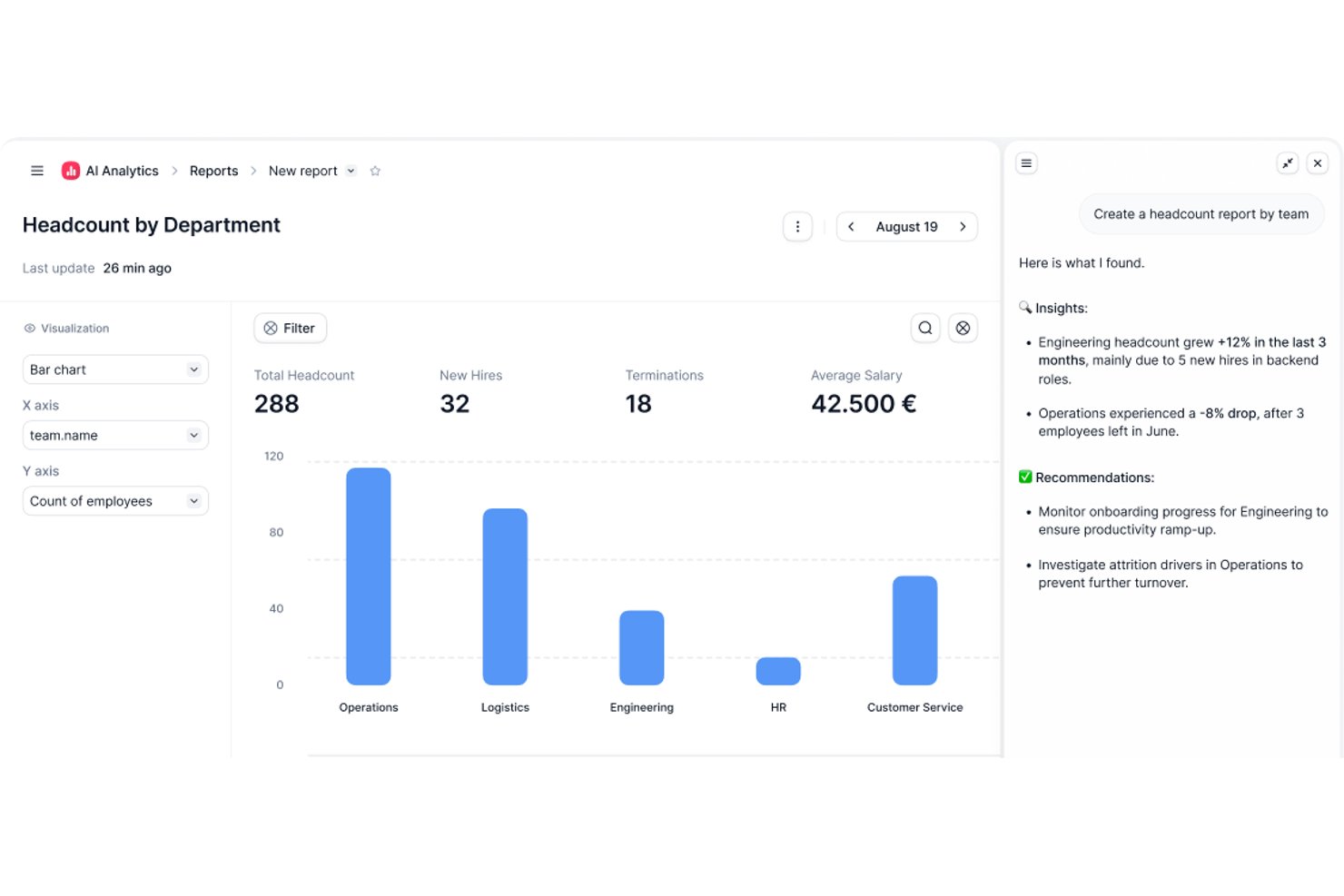
Factorial is an AI-powered HR and time management platform that covers employee time tracking, shift scheduling, time-off management, and attendance reporting across computer, mobile, QR code, and geolocation clock-in methods.
Who Is Factorial Best For?
Factorial suits HR and payroll managers at small and midsize businesses who want a single AI-powered platform to handle time tracking, scheduling, and attendance alongside broader HR operations.
Why I Picked Factorial
I've included Factorial in my top picks because its AI-powered approach means it's doing more than just logging hours—it actively assists with scheduling, reporting, and answering employee policy questions. I like how the AI handles timetable planning across multiple clock-in methods (computer, QR code, geolocation, and mobile app), so distributed teams aren't left guessing about their schedules. The AI-generated reporting also means managers spend less time pulling attendance data manually.
Factorial Key Features
- Multi-method clock-in support: Employees can clock in via computer, mobile app, QR code, facial recognition, or geolocation, depending on your team's setup.
- Timesheet approval and locking: Managers can review and approve timesheets, which locks the records to confirm they've been validated before payroll.
- Time-off request and approval workflow: Employees submit time-off requests directly in the platform, and managers can approve, reject, and view upcoming absences in a shared view.
- Payroll data export: Approved worked hours can be transferred to Factorial's Compensation module and exported in Excel or CSV format for payroll processing.
Factorial Integrations
Factorial offers marketplace integrations with DATEV LODAS, Sage 200, Google Workspace, Slack, Microsoft Power BI, and Okta, plus Zapier. Its public API supports OAuth 2.0, webhooks, API keys, and SDKs for custom integrations.
Pros and Cons
Pros:
- Employees and managers share leave visibility
- Approved timesheets lock validated clock records
- Clock-ins work across mobile, QR, and desktop
Cons:
- Geolocation cannot enforce clock-in boundaries
- Payroll hours require approved hourly timesheets
Best for deskless teams
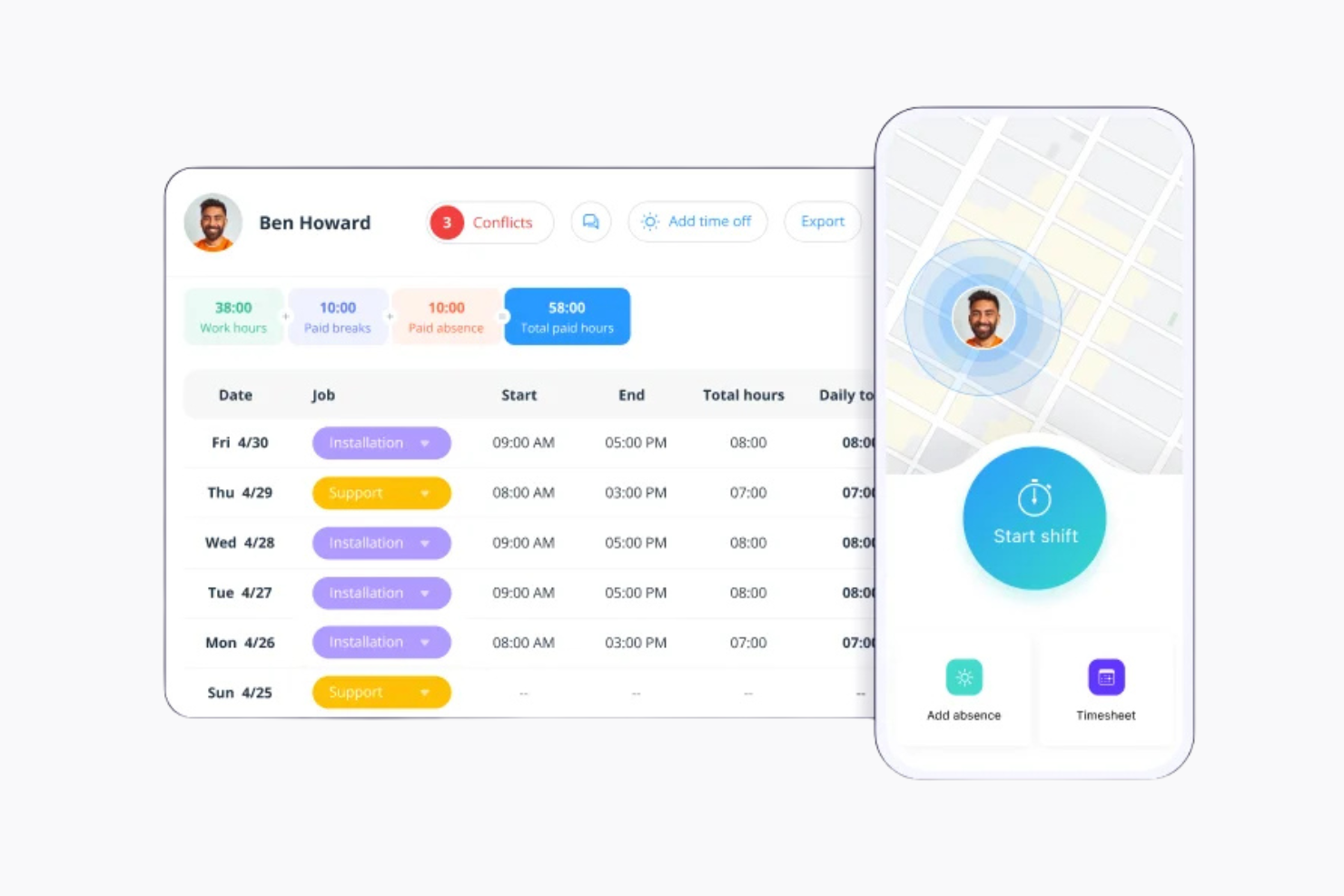
Connecteam is a time clock app and workforce management tool for deskless workers and mobile teams. It’s used in industries like retail, hospitality, and construction to manage communication, schedules, and tasks.
Why I picked Connecteam: Connecteam lets your team access schedules, tasks, and time tracking remotely so you can all stay on the same page. You can chat, send updates, and manage shifts from one place. It also lets you create training modules to help new employees get started quickly.
Standout Features & Integrations:
Features include GPS tracking to monitor employee location and automated workflows to improve efficiency. The tool also offers employee recognition programs to boost morale.
Integrations include QuickBooks, Gusto, Xero, and Zapier.
Pros and Cons
Pros:
- GPS tracking capabilities
- Easy scheduling features
- Effective for mobile teams
Cons:
- Occasional app performance issues
- Limited advanced features
New Product Updates from Connecteam

Connecteam Expands Break and Timesheet Controls
Connecteam adds flexible break thresholds, personalized policies, auto-end options, a centralized exceptions report, and improved timesheet issue visibility to help teams manage breaks and timesheets more effectively. For more information, visit Connecteam’s official site.
 .
.
Best for facial recognition sign-in
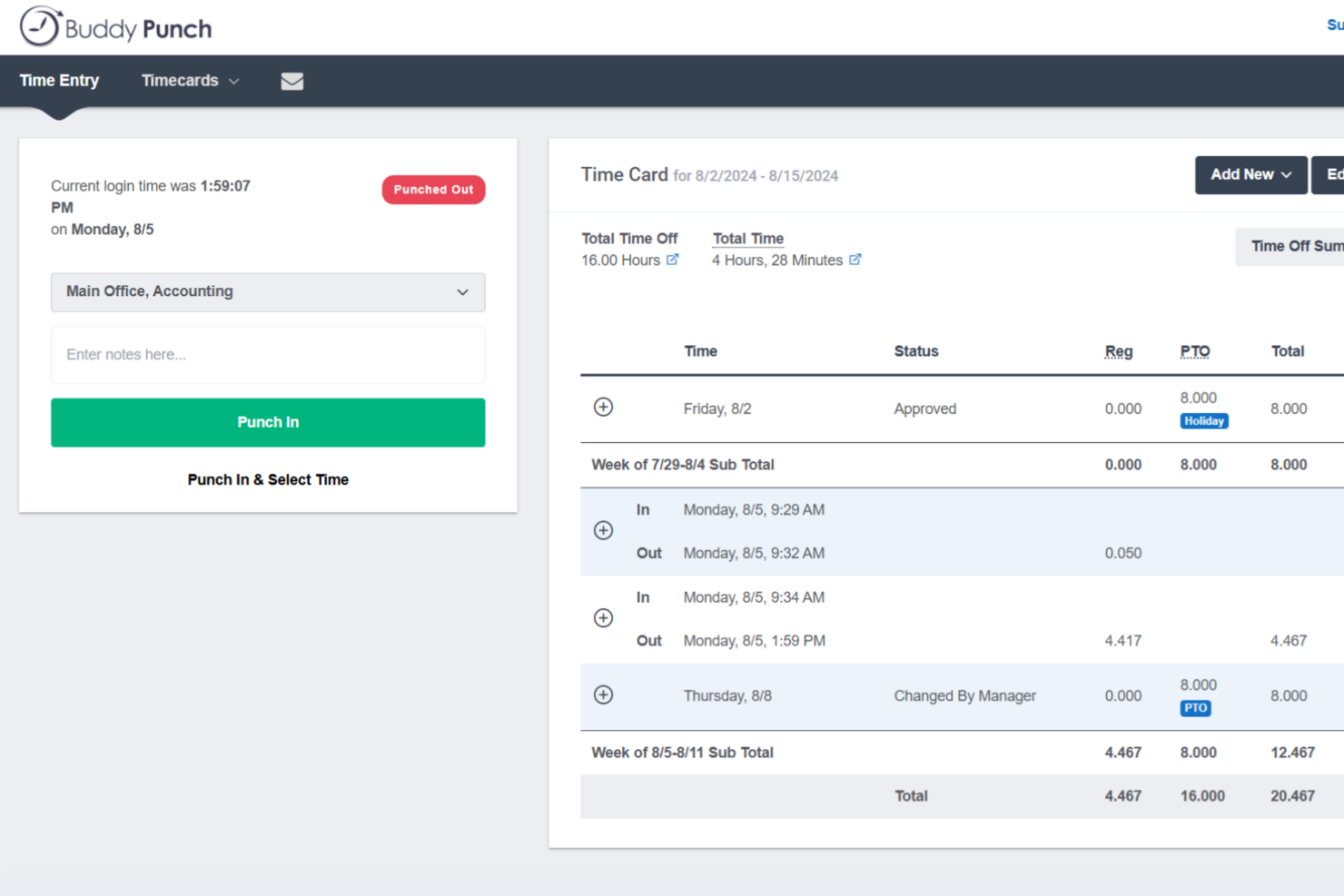
Buddy Punch is a time clock and attendance platform with flexible clock-in methods, overtime rule configuration, employee scheduling, PTO tracking, and direct payroll integrations.
Who Is Buddy Punch Best For?
Buddy Punch is a strong fit for small to mid-sized businesses with hourly or field-based workforces, particularly in industries like construction, retail, healthcare, and hospitality.
Why I Picked Buddy Punch
I've included Buddy Punch in my top picks because of how well it handles identity verification at clock-in, particularly through facial recognition. When an employee punches in via the Buddy Punch kiosk, the system captures and compares their face against a stored reference photo, which directly addresses buddy punching on shared devices. I also like that facial recognition isn't the only verification layer available: you can combine it with photos on punch, where a snapshot is automatically taken at each clock-in and stored on the timesheet for admin review. That combination gives you a clear, auditable record of who actually punched in and when.
Buddy Punch Key Features
- GPS tracking: Logs the location of each punch so you can see exactly where employees clocked in and out.
- IP address locking: Restricts clock-ins to approved networks, preventing remote punches from unauthorized locations.
- Timesheet approvals: Lets managers review, edit, and approve employee timesheets before they're sent to payroll.
- PTO tracking: Manages time-off requests, accrual balances, and approvals directly within the platform.
Buddy Punch Integrations
Buddy Punch offers native integrations focused on payroll providers, including QuickBooks Online, QuickBooks Desktop, ADP Workforce Now, Gusto, Paychex, Paycor, Paylocity, Rippling, Workday, and SurePayroll. It also connects with Zapier and provides an API for custom integrations.
Pros and Cons
Pros:
- Automatic overtime and hours calculation
- Geofence radius is adjustable per location
- Multiple punch-in methods including facial recognition
Cons:
- National holidays must be entered manually
- Requires internet connection to clock in
Best for service delivery teams
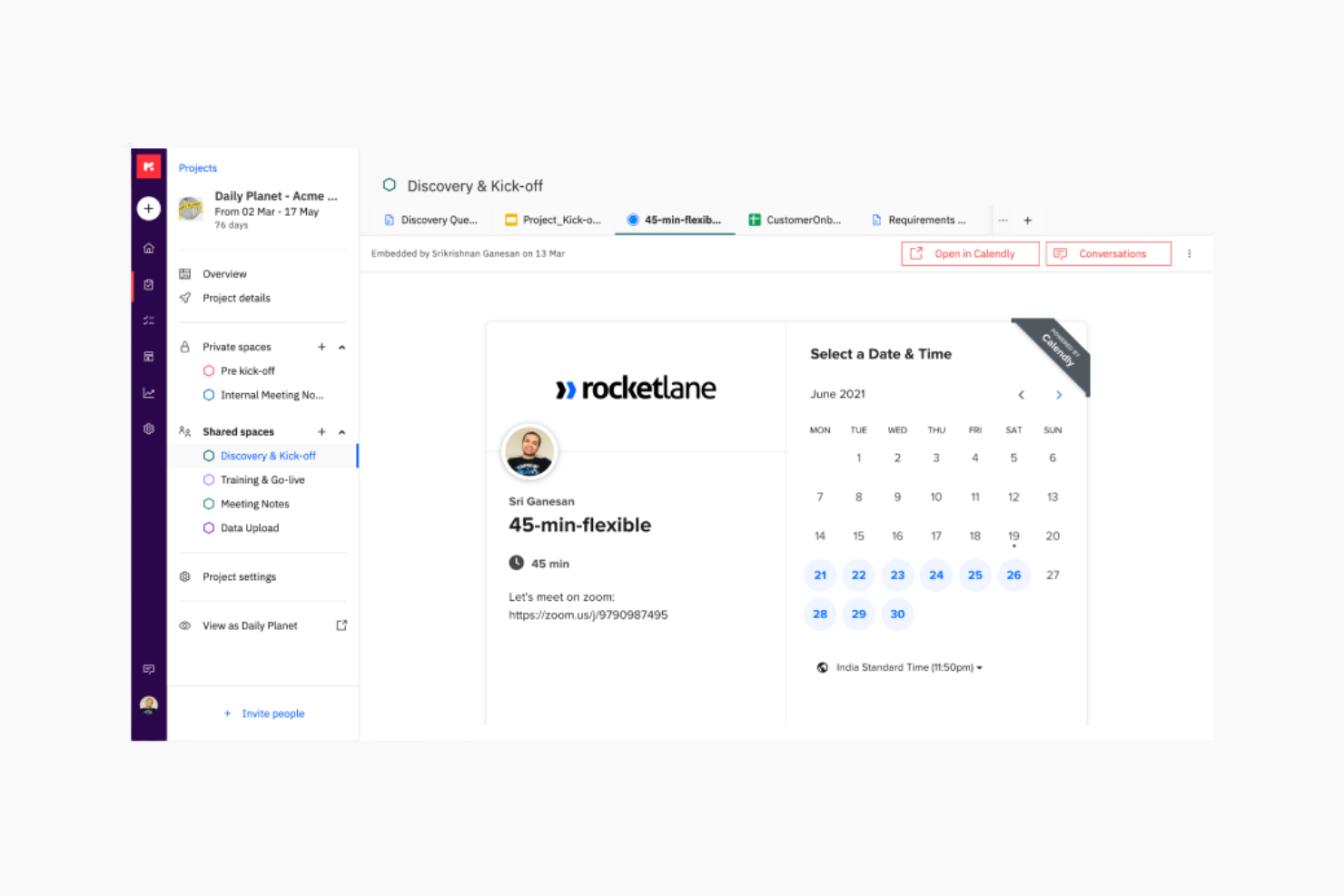
Rocketlane is a project delivery platform that helps teams manage timelines, tasks, and collaboration across client-facing projects. It’s for service delivery teams that need better visibility into project progress and time spent.
Why I picked Rocketlane: It’s made for tracking time alongside service delivery work like onboarding, implementation, and support. Team members can log time by task or project and you can compare it against planned hours. Timesheets are auto-filled based on work logs, and you can also set up billable vs non-billable hours to track margins.
Standout Features & Integrations:
Features include time approval workflows that let you review submissions before they’re final. There's also a reporting dashboard to view time spent across clients, projects, and teams.
Integrations include Salesforce, Slack, Google Calendar, HubSpot, and Zapier.
Pros and Cons
Pros:
- Automated workflows
- Visual project timelines
- Real-time status tracking
Cons:
- Initial setup complexity
- New users may require training
New Product Updates from Rocketlane

Rocketlane Introduces Governance and Workforce Agents
Rocketlane introduces Governance Agents and Workforce Agents to automate delivery processes and recurring tasks. These updates help teams enforce rules and streamline project execution. For more information, visit Rocketlane’s official site.
 .
.
Everhour
Best for team time tracking
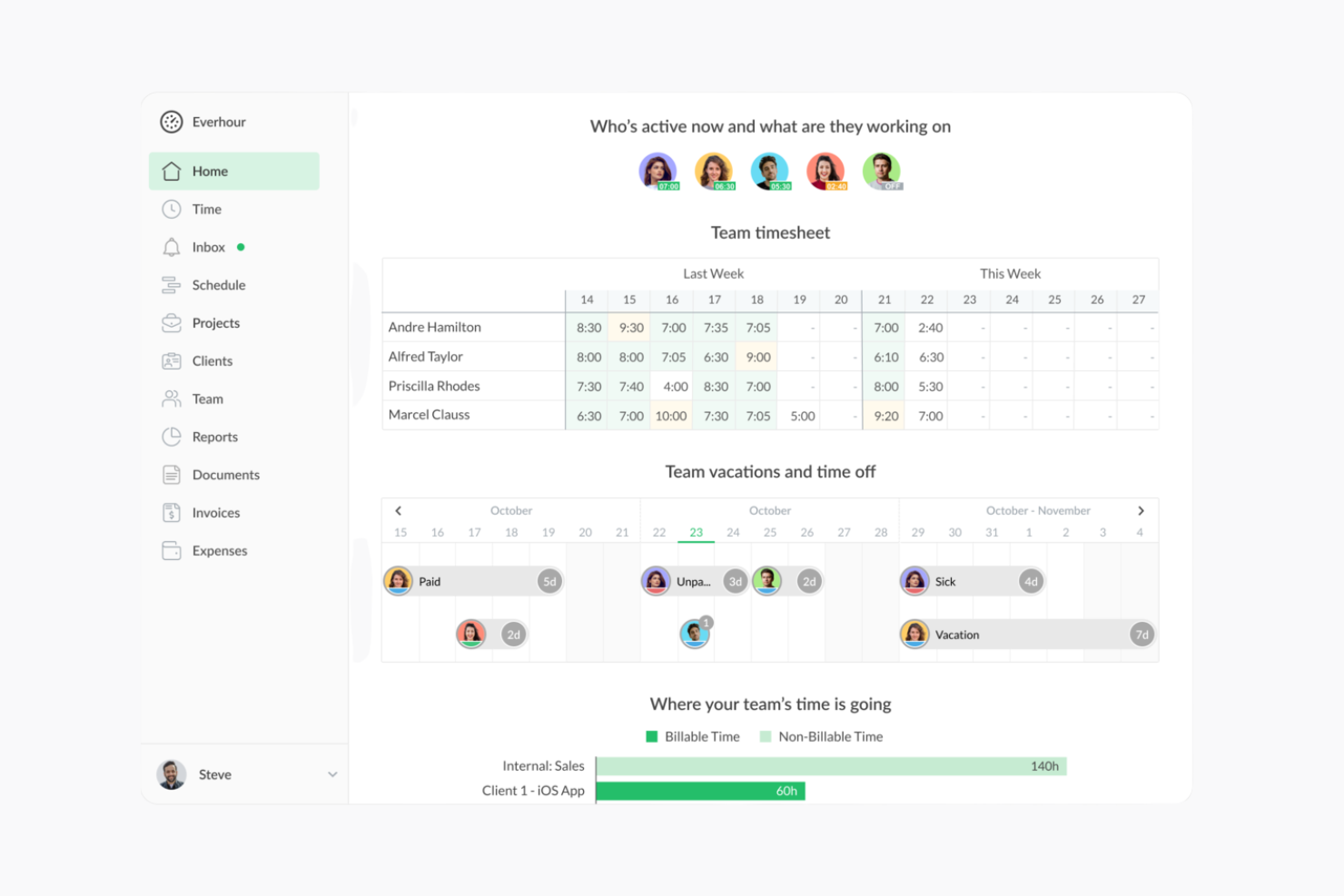
Everhour is a time tracking and project management tool that helps teams better manage their time. It's used by project managers and team leads to zero in on budget and project progress.
Why I picked Everhour: Everhour lets you track time and create reports that update in real-time. It integrates with tools like Asana and Trello, so you don’t have to keep switching tabs. The layout is simple and helps you stay on top of budgets and project work without distraction. You can also use the browser extension or iPhone app to track time when you’re away from your desk.
Standout Features & Integrations:
Features include progress tracking, detailed reporting, and employee record management. Built-in budgeting and invoicing features help you manage finances in the same tool.
Integrations include Asana, ClickUp, Jira, Trello, Basecamp, GitHub, Slack, QuickBooks, Xero, and monday.com.
Pros and Cons
Pros:
- Simple timesheet management
- Easy integration with project management tools
- Customizable reporting options
Cons:
- Occasional syncing issues
- Limited offline capabilities

Best for shift scheduling
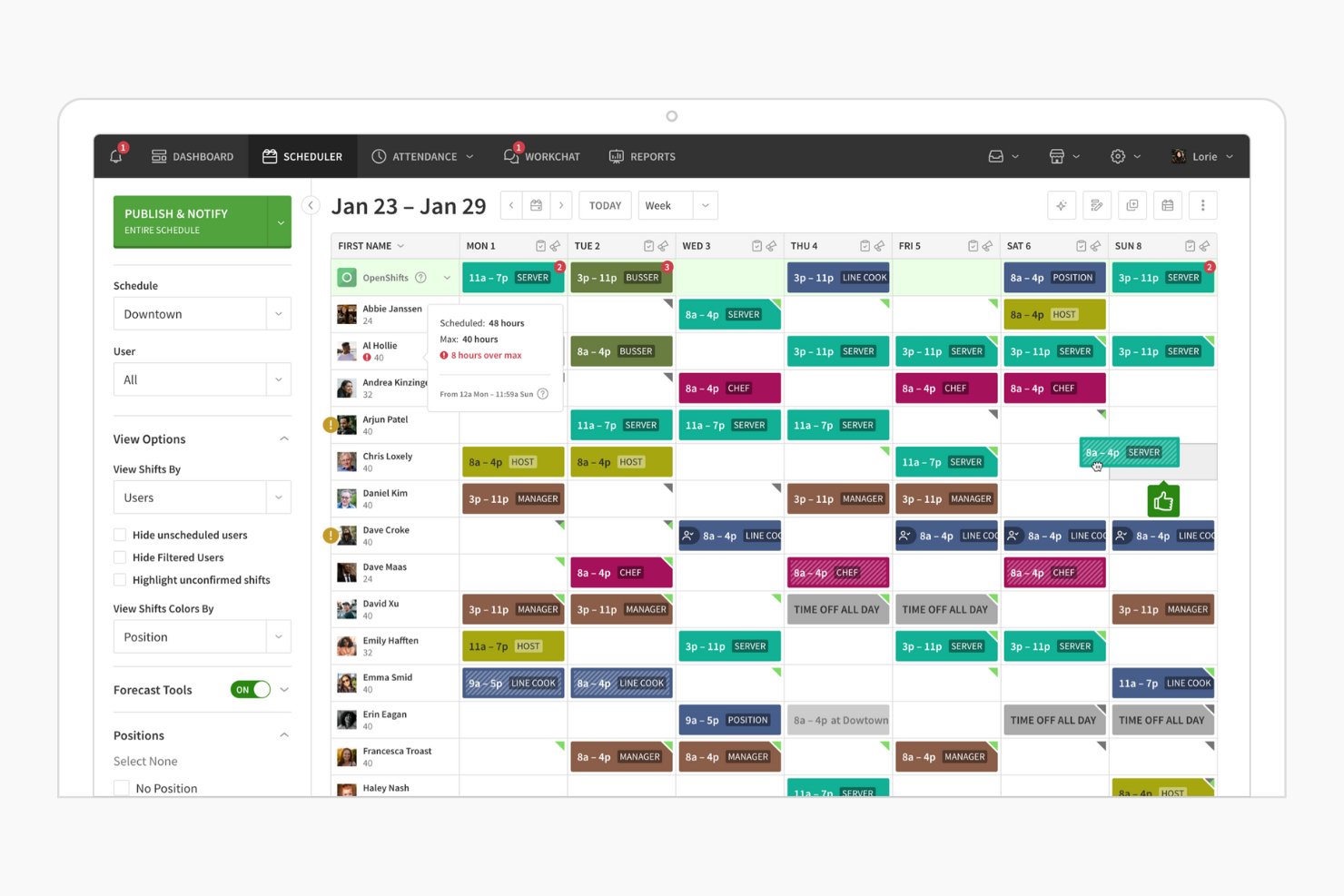
When I Work is a scheduling and time tracking tool that helps manage employee shifts. It’s mainly used to handle schedules, track hours, and stay in touch with hourly staff.
Why I picked When I Work: When I Work helps you manage shift schedules by letting your team set availability and swap shifts easily. It’s simple to use, and your team can see updates right away. Built-in messaging keeps everyone in the loop, and the mobile access lets your team check schedules from anywhere.
Standout Features & Integrations:
Features include automated scheduling to reduce manual input and clock-in/out reminders to maintain accurate time tracking. Leave management features let you track employee time off.
Integrations include ADP, QuickBooks, Square, Gusto, and Paychex.
Pros and Cons
Pros:
- Clock-in/out reminders
- Automated scheduling features
- Effective shift scheduling
Cons:
- Limited customization options
- Limited advanced features
Best for project tracking
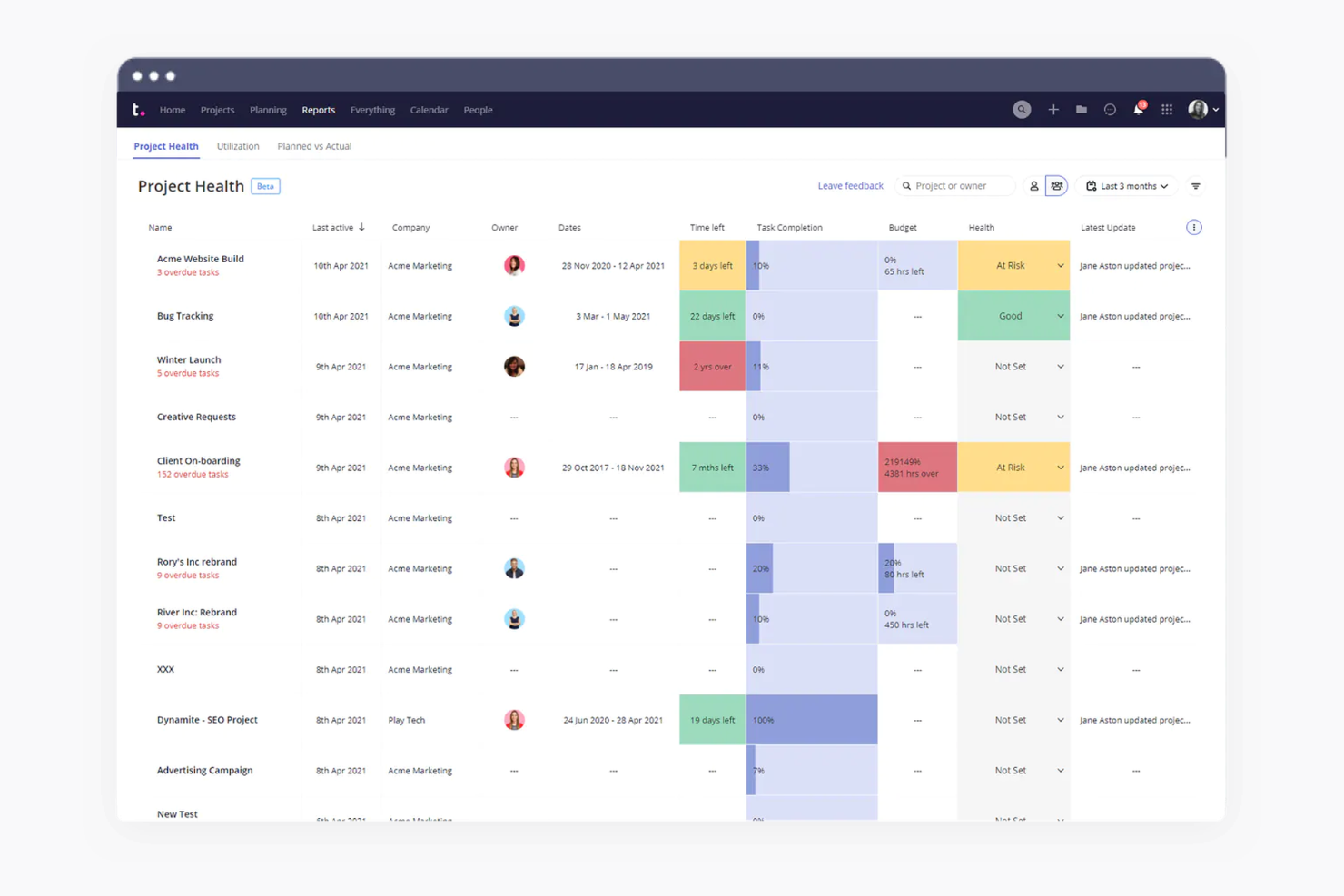
Teamwork.com is a project management tool that helps teams track work and meet deadlines. It’s built for project managers and teams that want an organized way to collaborate and manage tasks.
Why I picked Teamwork.com: Teamwork.com gives you the ability to track time from tasks, projects, or the timer tool so you can see where time is spent as work happens. Your team can log billable and non-billable hours and tie them to specific clients or projects. The platform also shows you time reports that highlight what’s been worked on and how it compares to estimates. Time entries work alongside budgeting and invoicing tools to help you track cost and profit.
Standout Features & Integrations:
Features include bulk time entry so you can log hours for multiple tasks at once. There's also a built-in timer that helps your team track hours in real time.
Integrations include Slack, HubSpot, QuickBooks, Zapier, Microsoft Teams, Dropbox, Google Drive, Xero, Trello, and OneDrive.
Pros and Cons
Pros:
- Detailed reporting capabilities
- Customizable workflows
- Comprehensive project tracking tools
Cons:
- May require additional customization
- Learning curve for new users

Best for employee scheduling
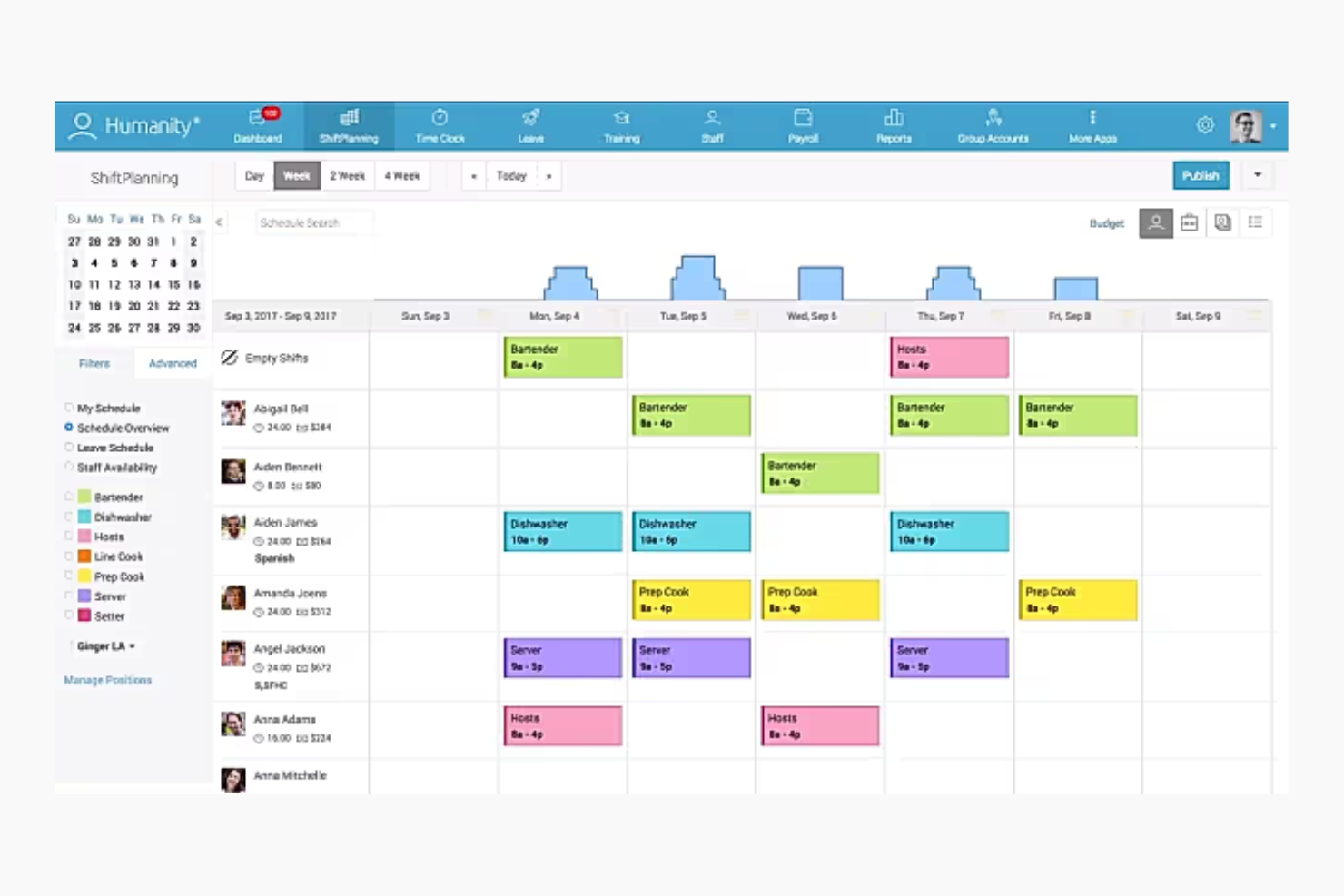
Humanity Schedule is a workforce management tool for employee scheduling and time tracking. Managers and HR teams can use it to manage shifts and handle staffing efficiently.
Why I picked Humanity Schedule: Humanity Schedule helps you build shift plans and offers schedules that update in real time. You can set availability to help avoid conflicts, and use the mobile app to share changes fast. Reporting features let you see labor costs and how well you're managing shifts, so you can adjust as needed.
Standout Features & Integrations:
Features include shift swapping to provide flexibility for employees and forecasting tools for anticipating staffing needs. Humanity Schedule also offers employee self-service so staff can manage their own schedules.
Integrations include ADP, Oracle, QuickBooks, Workday, BambooHR, and Paychex.
Pros and Cons
Pros:
- Comprehensive reporting capabilities
- Employee availability management
- Automated shift planning
Cons:
- May need frequent updates
- Limited customization options
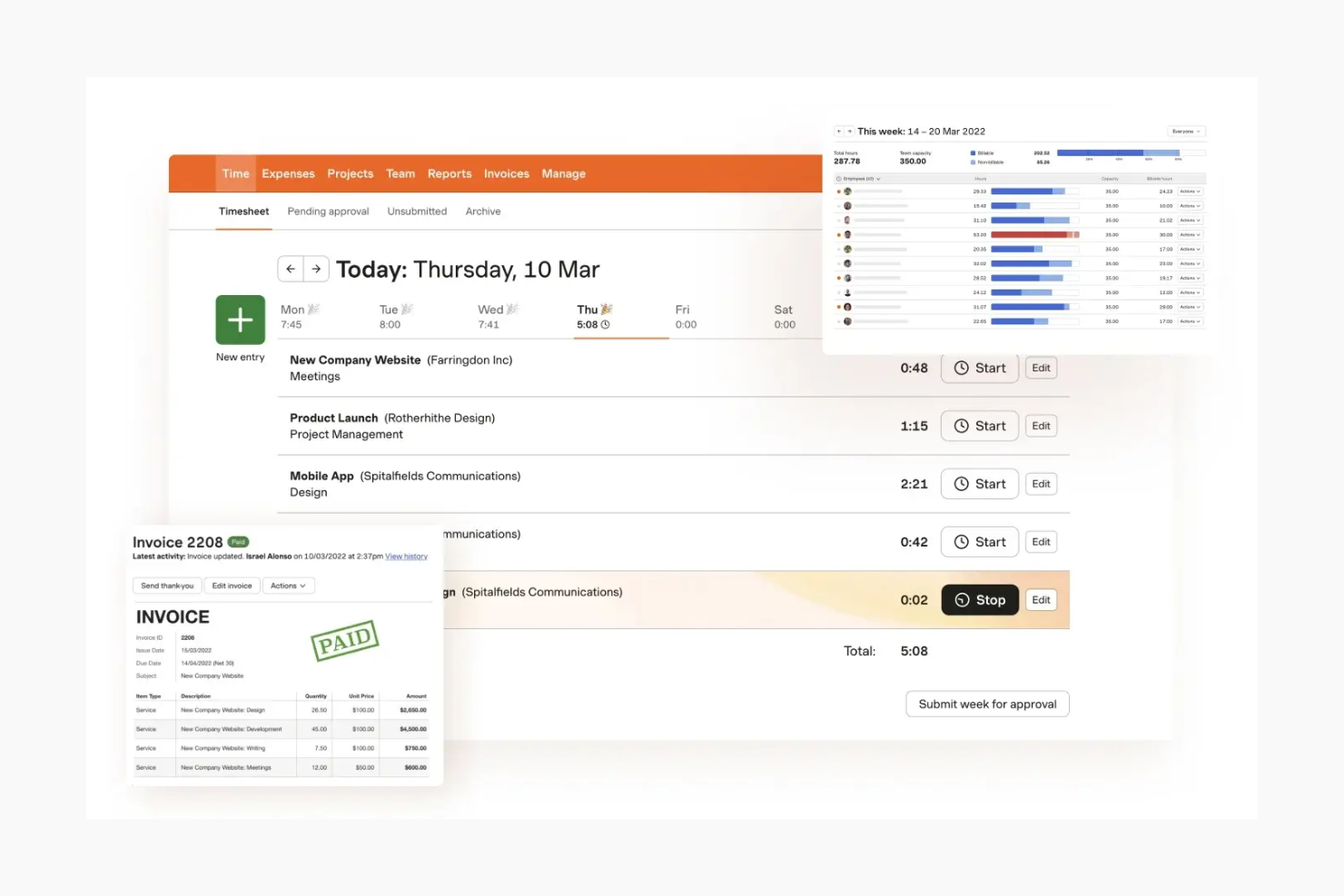
Harvest is a time tracking and invoicing tool for teams and freelancers who need to track hours and manage billing. It helps small to mid-sized teams stay on top of time and expenses.
Why I picked Harvest: Harvest makes it easy for you and your team to track time with simple timesheets and budget tools. You can turn tracked hours into invoices and send them straight to clients. The reports help you see where your team’s time goes. Its clean layout helps you get started without a lot of training.
Standout Features & Integrations:
Features include automatic reminders when timesheets haven’t been submitted and expense tracking to help manage project costs. Harvest also supports time tracking through a browser extension, which makes it easy to log hours as you work.
Integrations include Asana, Trello, Basecamp, QuickBooks, Xero, Slack, Stripe, PayPal, GitHub, and Google Calendar.
Pros and Cons
Pros:
- Supports expense tracking
- Automatic timesheet reminders
- Easy invoicing from tracked hours
Cons:
- Limited customization options
- May not fit large enterprises

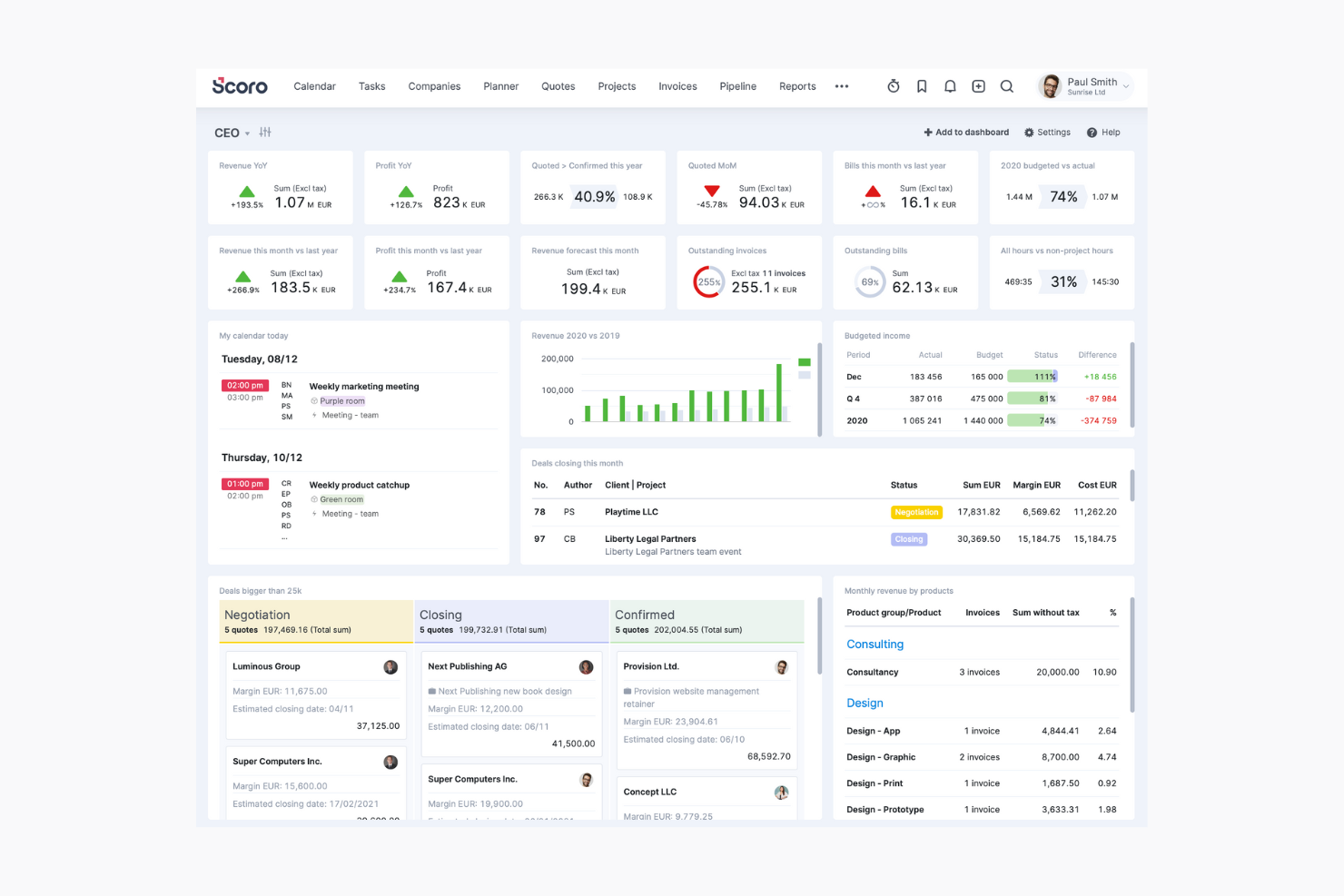
Scoro is a comprehensive professional services automation solution for small to medium-sized businesses that want to streamline their operations. It’s useful for managers and team leaders who need to oversee projects, finances, and time tracking.
Why I picked Scoro: Scoro lets you manage projects and finances in one place. You can track time, send invoices, and keep an eye on budgets without switching tools. Your team can use dashboards to stay on top of key numbers, and the reports help you see what’s working and what needs fixing.
Standout Features & Integrations:
Features include customizable dashboards that let you track everything from sales to time, budget, and project timelines. The tool also offers billing and invoicing features.
Integrations include Xero, QuickBooks, Zapier, Mailchimp, Dropbox, Google Calendar, Slack, Asana, and Stripe.
Pros and Cons
Pros:
- Detailed reporting features
- Integrated financial tools
- Customizable dashboards
Cons:
- High customization demands
- Requires initial setup time
Annen programvare for tidsregistrering
Her er noen flere alternativer for programvare for tidsregistrering som ikke kom med på kortlisten min, men som likevel er verdt å se nærmere på hvis du ennå ikke har funnet det du leter etter:
-
Beesbusy
For small businesses
-
Monitask
For automated time tracking
-
Resource Guru
For resource scheduling
-
BigTime
For professional services
-
Homebase
For monitoring employee hours
-
GoodDay
For integrated project-based time tracking
-
Wrike
For customizable workflows
-
BambooHR
For tracking PTO and holidays
-
Kantata
For tracking billable hours on client work
-
Workday
For enterprise HR solutions
-
BrightHR
For HR document management
-
ADP
For payroll and HR integration
-
Paychex
For payroll processing
-
monday.com
For visual project planning


How I Evaluate Time Clock Software
I evaluate time clock tools across two layers: core functionality like real-time clock-in and project time allocation, then differentiators that separate good tools from great ones.
Core Functionality (Table Stakes For This List)
When I'm selecting tools for my list, I rank each one on a scale from 0 (does not offer the functionality) to 5 (excels in this area) for each core functionality listed below. Then, I calculate the tool's total score into a percentage. Each tool needs to achieve a minimum total score of 65% to be considered for inclusion.
- Real-Time Clock In/Out: I check whether team members can punch in across web, mobile, and kiosk—especially for distributed teams splitting time between on-site and remote work.
- Project & Task Time Allocation: Logged hours should map to specific projects, tasks, or clients so PMs can see where time actually goes rather than just total hours worked.
- Timesheet Management & Approvals: I evaluate the approval workflow depth, looking for multi-level reviews, auto-reminders, and timesheet locking that prevent edits after sign-off.
- Reporting & Analytics: Reports need to go beyond raw hour totals. I look for billable vs. non-billable breakdowns, utilization rates, and budget-to-actual comparisons.
- Payroll & Billing Integrations: Whether you're pushing approved hours to QuickBooks, Xero, or a payroll provider, I evaluate the breadth and depth of native integrations available.
- Overtime & Compliance Rules: Configurable pay rules matter—especially for teams managing contractors and employees across multiple regions with different overtime and break requirements.
Once I have a list of tools that meet this criteria, I consider what sets each platform apart.
Differentiating Factors (What Sets Vendors Apart)
Here's how I compare and contrast different vendors:
Standout Features
Budget and burn alerts are a big one for me. When tracked hours start creeping toward the estimate, I want the PM notified before it becomes a surprise in the next status meeting. Capacity and workload heatmaps give resource planners a visual read on who's overloaded and who has room, which directly shapes sprint planning and staffing decisions. I also look for client portal access, since agency teams often need to share logged hours with clients for billing transparency without granting full system access.
Beyond Features
Integration depth with your existing project management stack matters. If your team runs sprints in Jira or manages deliverables in Asana, the time clock tool needs to sync tasks and hours without manual re-entry. I also evaluate pricing models closely—per-user pricing can balloon fast for a 50-person PMO compared to flat-rate plans. Finally, I consider team size and industry fit, since an agency billing hourly has very different needs than an enterprise IT department tracking internal project costs.
Slik velger du programvare for tidsregistrering
Det er lett å gå seg vill i lange funksjonslister og komplekse prisstrukturer. For å hjelpe deg med å holde fokus mens du går gjennom den unike prosessen med å velge programvare, får du her en sjekkliste over faktorer du bør ha i bakhodet:
| Faktor | Hva du bør vurdere |
|---|---|
| Skalerbarhet | Vil programvaren kunne vokse sammen med teamet ditt? Vurder om den kan håndtere flere brukere eller lokasjoner etter hvert som virksomheten utvides. Unngå verktøy som kan begrense den fremtidige veksten din. |
| Integrasjoner | Kan den kobles til eksisterende verktøy som lønns- eller HR-systemer? Sørg for at programvaren kan integreres sømløst med verktøyene du allerede bruker, slik at du unngår datasiloer. |
| Tilpasningsmuligheter | Kan du tilpasse den til de spesifikke arbeidsflytene dine? Se etter alternativer som lar deg tilpasse rapporter og oversikter til teamets unike behov. |
| Brukervennlighet | Er den intuitiv for teamet ditt? Et brukervennlig grensesnitt reduserer opplæringstiden og hjelper teamet med å ta i bruk programvaren raskt. |
| Implementering og introduksjon | Hvor lang tid vil det ta å komme i gang? Vurder hvilke ressurser som kreves for oppsettet, og om leverandøren tilbyr støtte eller opplæring for å gjøre overgangen enklere. |
| Kostnad | Passer den inn i budsjettet ditt? Vurder de totale kostnadene, inkludert skjulte gebyrer eller kostnader for ekstra funksjoner, for å sikre at løsningen er tilpasset de økonomiske rammene dine. |
| Sikkerhetstiltak | Beskytter verktøyet dataene og personvernet ditt? Se etter funksjoner som tofaktorautentisering og datakryptering for å sikre at informasjonen om teamet ditt er trygg. |
Hva er programvare for tidsregistrering?
Programvare for tidsregistrering er et verktøy som hjelper deg med å følge med på de ansattes arbeidstimer og fremmøte. Ledere, HR-team og teamledere bruker det for å sikre at fakturering og lønnsutbetalinger er nøyaktige, og at arbeidslovgivningen følges.
Med funksjoner for tidsregistrering, overvåking av fremmøte og rapportering hjelper det deg med å administrere teamets tid, redusere feil og forbedre effektiviteten.
Funksjoner i programvare for tidsregistrering
Når du velger programvare for tidsregistrering, bør du se etter følgende viktige funksjoner:
- Tidsregistrering: Registrerer automatisk de ansattes arbeidstimer for å sikre nøyaktige lønnsutbetalinger og minimere manuelle feil.
- Fremmøteregistrering: Holder oversikt over de ansattes fremmøtemønstre for å hjelpe ledere med å håndtere problemer knyttet til punktlighet og fravær.
- Vaktplanlegging: Lar ledere opprette og administrere de ansattes arbeidsplaner for å opprettholde optimal bemanning.
- Mobil tilgang: Lar ansatte stemple inn og ut fra mobilenhetene sine, noe som gir fleksibilitet for fjernarbeidere eller ansatte som arbeider ute i felt.
- GPS-sporing: Bekrefter de ansattes plassering i arbeidstiden, noe som er nyttig for virksomheter med mobile team eller fjernarbeidende team.
- Rapporteringsfunksjoner: Genererer detaljerte rapporter om arbeidstimer og fremmøte, noe som bidrar til overholdelse av regler og bedre beslutningstaking.
- Integrasjonsstøtte: Kobler seg til eksisterende lønns- og HR-systemer for å redusere dataregistrering og opprettholde konsistent informasjon.
- Tilpassbare varsler: Sender varsler om manglende stemplinger eller overtid for å hjelpe ledere med å holde seg informert og iverksette tiltak i tide.
Fordeler med programvare for tidsregistrering
Implementering av programvare for tidsregistrering gir flere fordeler for teamet og virksomheten din. Her er noen av fordelene du kan se frem til:
- Nøyaktig lønnsbehandling: Automatisert tidsregistrering av ansatte reduserer feil i lønnsutbetalingene og sparer tid og penger.
- Bedre regeloverholdelse: Funksjoner for overvåking av fremmøte og rapportering hjelper deg med å overholde arbeidslover og forskrifter.
- Økt produktivitet: Vaktplanlegging og mobil tilgang legger til rette for effektiv arbeidsstyring og fleksibilitet.
- Bedre beslutningstaking: Detaljerte rapporter gir innsikt i mønstre i arbeidsstyrken og hjelper med strategisk planlegging.
- Kostnadsbesparelser: Ved å minimere manuell dataregistrering og feil kan du redusere administrative kostnader.
- Bedre ansvarlighet blant ansatte: GPS-sporing og tilpassbare varsler sikrer at de ansatte er der de skal være, og fremmer ansvarlighet.
Kostnader og priser for programvare for tidsregistrering
Kostnadene for programvare for tidsregistrering varierer basert på funksjoner, teamstørrelse, tillegg og mer. Tabellen nedenfor oppsummerer vanlige abonnementer, gjennomsnittsprisene deres og typiske funksjoner som er inkludert i løsninger for tidsregistrering av ansatte:
Sammenligningstabell for abonnementer for programvare for tidsregistrering
| Abonnementstype | Gjennomsnittspris | Vanlige funksjoner |
|---|---|---|
| Gratisabonnement | $0 | Grunnleggende tidsregistrering, begrenset rapportering og mobil tilgang. |
| Personlig abonnement | $5 - $15/bruker/måned | Tidsregistrering, overvåking av fremmøte og grunnleggende rapportering. |
| Forretningsabonnement | $15 - $25/bruker/måned | Avansert planlegging, GPS-sporing, tilpassbare varsler og integrasjonsstøtte. |
| Enterprise-abonnement | $25 - $50/bruker/måned | Omfattende rapportering, tilpassede arbeidsflyter, dedikert brukerstøtte og flere sikkerhetsfunksjoner. |
Vanlige spørsmål om programvare for tidsregistrering
Her er noen svar på vanlige spørsmål om programvare for tidsregistrering.
Hvordan håndterer programvare for tidsregistrering datasikkerhet?
Programvare for tidsregistrering lagrer dataene dine enten lokalt eller i skyen, og bruker vanligvis kryptering for å beskytte sensitiv informasjon. Sørg for at verktøyet du velger, følger regler for databeskyttelse og har nødvendige sertifiseringer som gjelder for bransjen din. Det bør også tilby sikre tilgangskontroller og regelmessige sikkerhetskopier for å holde dataene dine trygge.
Kan ansatte stemple inn og ut ved hjelp av mobile enheter?
Ja, mange nettbaserte verktøy for tidsregistrering leveres med mobilapper for iOS og Android. Disse lar teamet ditt stemple inn og ut hvor som helst fra mobilenheten sin, noe som er nyttig hvis de jobber ute i felten eller på bestemte arbeidssteder. Hvis du trenger å bekrefte posisjoner, bør du se etter apper som inkluderer GPS-sporing.
Hvilke typer rapporter kan jeg generere med programvare for tidsregistrering?
Programvare for tidsregistrering tilbyr vanligvis detaljerte rapporter om arbeidede timer, overtid, betalt fravær og oppmøtetrender. Du kan filtrere rapporter etter prosjekt, ansatt eller datoperiode for å overvåke fakturerbare timer, følge prosjektbudsjetter og dele data med kunder eller lønnsavdelingen.
Hvor fleksibel er programvare for tidsregistrering når det gjelder å administrere ansattes arbeidsplaner?
De fleste verktøy for tidsregistrering lar deg raskt oppdatere arbeidsplaner, håndtere endringer i siste liten og automatisere bytte av vakter eller godkjenninger. Se etter løsninger som kan varsle deg om overlappende vakter eller problemer med regelverksetterlevelse. Dette hjelper deg med å holde prosjektene på rett spor og unngå manuell detaljstyring.
Er det mulig å integrere programvare for tidsregistrering med lønnssystemer?
Ja, de fleste verktøy for programvare for tidsregistrering inkluderer lønnsintegrasjoner for å automatisere lønnsberegninger og redusere feil ved manuell registrering. Se etter innebygde integrasjoner eller API-koblinger som kan synkronisere verktøyet med lønns-, HR- eller regnskapsverktøyene dine og forbedre lønnskjøringen for prosjektteamet ditt.
Hva er de vanligste feilene man bør unngå når man ruller ut programvare for tidsregistrering til et prosjektteam?
Vanlige feil omfatter å hoppe over opplæring av ansatte, ikke tilpasse innstillingene til arbeidsflytene dine og å kommunisere for lite om «hvorfor» endringen skjer. Unngå disse problemene ved først å prøve ut verktøyet med en liten gruppe, samle inn tilbakemeldinger og innføre endringene trinnvis for å sikre oppslutning.
Hvordan sørger jeg for at de ansatte faktisk bruker tidsregistreringssystemet riktig?
Start med praktisk opplæring og ta opp eventuelle bekymringer teamet har rundt registreringen. Bruk påminnelser og mobilvarsler for å hjelpe teamet med å etablere en vane, og sørg for at verktøyet du velger, har et brukervennlig grensesnitt. Fastsett tydelige retningslinjer, forklar hvordan nøyaktig registrering er til nytte for alle, og stikkprøvekontroller dataene for å sikre at teamet følger retningslinjene dine.
Støtter programvare for tidsregistrering eksterne og hybride team på en effektiv måte?
Ja, programvare for tidsregistrering støtter eksterne og hybride team med funksjoner som nettbasert tilgang, mobilapper, GPS- og posisjonsverktøy samt integrasjoner med eksterne prosjektstyringsplattformer. Velg en løsning med sporing og varsler i sanntid for å sikre at du kan opprettholde ansvarlighet på alle arbeidssteder.