

I 10 migliori software per la gestione dei progetti SEO selezionati per il 2026

Elenco dei migliori software per la gestione dei progetti


La gestione dei progetti SEO spesso significa affrontare priorità mutevoli, scadenze ravvicinate e strumenti frammentati, cercando al contempo di migliorare il posizionamento nei motori di ricerca. Senza il sistema giusto, è difficile tenere traccia delle attività, dei contenuti e dei risultati.
È qui che può aiutare un software per la gestione dei progetti SEO. Lo strumento giusto può offrirti struttura, visibilità e modalità migliori per collaborare con il tuo team e i tuoi clienti.
In questo elenco ti illustrerò i migliori software per la gestione dei progetti SEO disponibili oggi. Provo e recensisco gli strumenti in modo indipendente e mi concentro su ciò che funziona davvero per team di progetto come il tuo, per assicurarti di ottenere il software più adatto alle tue esigenze.
Perché puoi fidarti di noi
Testiamo e recensiamo software di project management dal 2012. Come project manager, sappiamo quanto sia fondamentale (e difficile) fare la scelta giusta quando si seleziona un software. Investiamo molte risorse nella ricerca per aiutare la nostra audience a scegliere meglio. Abbiamo testato più di 2.000 strumenti per diversi casi d’uso e scritto oltre 1.000 recensioni dettagliate. Scopri come restiamo trasparenti & la nostra metodologia di recensione del software.
Riepilogo dei migliori software per la gestione dei progetti SEO
Questa tabella comparativa riassume i dettagli dei prezzi delle mie migliori selezioni di software per la gestione dei progetti SEO, per aiutarti a trovare quello più adatto al tuo budget e alle esigenze della tua attività.
| Tool | Best For | Trial Info | Price | ||
|---|---|---|---|---|---|
| 1 | Ideale per flussi di lavoro personalizzabili | Prova gratuita di 14 giorni + piano gratuito disponibile | Da $10/utente/mese (fatturato annualmente) | Website | |
| 2 | Ideale per la collaborazione diretta con i clienti | Prova gratuita di 14 giorni + demo gratuita disponibile | Da $45/mese (fatturati annualmente) | Website | |
| 3 | Ideale per la gestione del lavoro con i clienti | Prova gratuita di 30 giorni + demo gratuita disponibile | Da $9.99/utente/mese (fatturato annualmente) | Website | |
| 4 | Ideale per la gestione del lavoro aziendale | Demo gratuita disponibile | Prezzo su richiesta | Website | |
| 5 | Ideale per la gestione visiva delle attività | Piano gratuito disponibile | Da $5/utente/mese (fatturazione annuale) | Website | |
| 6 | Ideale per lo sviluppo software agile | Piano gratuito disponibile | A partire da $7.91/utente/mese | Website | |
| 7 | Ideale per l'automazione delle operazioni di servizio | Demo gratuita disponibile | Prezzi su richiesta | Website | |
| 8 | Ideale per la gestione aziendale completa | Prova gratuita di 14 giorni + demo gratuita disponibile | Da $19.90/utente/mese (fatturazione annuale) | Website | |
| 9 | Ideale per la gestione di progetti immobiliari | Prova gratuita di 15 giorni + piano gratuito + demo gratuita disponibili | Da $4/utente/mese (fatturazione annuale) | Website | |
| 10 | Ideale per servizi creativi e professionali | Non disponibile | Prezzo su richiesta | Website |

-

Celoxis
Visit WebsiteThis rating combines scores from multiple user review sites to reflect overall customer sentiment about the product.4.5 -
Accelo
Visit WebsiteThis rating combines scores from multiple user review sites to reflect overall customer sentiment about the product.4.4 -
Wrike
Visit WebsiteThis rating combines scores from multiple user review sites to reflect overall customer sentiment about the product.4.3




Recensioni dei migliori software per la gestione dei progetti SEO
Ecco le mie recensioni e panoramiche approfondite di ciascun software per la gestione dei progetti SEO. Queste analisi descrivono in dettaglio i vantaggi e gli svantaggi, le funzionalità e i casi d’uso migliori di ogni strumento, aiutandoti a trovare la soluzione perfetta per le tue esigenze SEO.

Wrike
Ideale per flussi di lavoro personalizzabili

Wrike è uno strumento di gestione dei progetti progettato per aiutare i team a pianificare, eseguire e monitorare i propri progetti in modo efficace. Offre una gamma di funzionalità per organizzare le attività, impostare le priorità e tenere traccia dei progressi, rendendolo adatto a diversi settori e dimensioni di team.
Perché ho scelto Wrike:
Ho scelto Wrike per la gestione dei progetti SEO perché offre flussi di lavoro e stati delle attività personalizzabili, permettendoti di adattare i processi alle esigenze specifiche del tuo team. Questa flessibilità garantisce che ogni fase dei tuoi progetti SEO sia allineata con le tue strategie e obiettivi. Inoltre, le funzionalità di collaborazione in tempo reale di Wrike consentono ai membri del team di comunicare e condividere aggiornamenti istantaneamente, mantenendo tutti informati e coinvolti.
Funzionalità e integrazioni principali:
Le funzionalità includono solide capacità di reportistica e analisi. Puoi generare report dettagliati sulle prestazioni dei progetti, monitorare metriche chiave e individuare aree di miglioramento. Offre anche il monitoraggio del tempo per controllare quanto durano i compiti, la gestione delle risorse per assegnare efficacemente i membri del team e i diagrammi di Gantt per visualizzare le tempistiche dei progetti.
Le integrazioni includono Salesforce, Microsoft Teams, Zoom, Adobe Creative Cloud, Google Drive, Microsoft SharePoint, OneDrive, Wrike for Gmail, Google Sheets, Power BI, Miro e Trello.
Pros and Cons
Pros:
- Varie visualizzazioni di progetto
- Buone funzionalità di gestione delle risorse
- Capacità di automazione dei flussi di lavoro
Cons:
- Spazio di archiviazione limitato nei piani di fascia bassa
- La piattaforma può essere complicata da imparare
New Product Updates from Wrike

Wrike Inbox Adds Search and Notification Filters
Wrike Inbox adds search across Incoming, Sent, and Archive, along with filters for Approvals and @mentions. The update helps users find specific notifications faster and apply bulk actions only to matched results. For more information, visit Wrike’s official site.
 .
.
ProofHub
Ideale per la collaborazione diretta con i clienti

ProofHub è uno strumento di gestione dei progetti versatile che centralizza la gestione delle attività, l'archiviazione dei file e la comunicazione. Eccelle nel facilitare la collaborazione diretta con i clienti grazie ai suoi strumenti integrati di feedback e revisione, migliorando la trasparenza e il coinvolgimento dei clienti.
Perché ho scelto ProofHub:
Ho selezionato ProofHub per questa lista per la sua gamma completa di funzionalità collaborative, fondamentali per i progetti che richiedono interazioni frequenti e dirette con i clienti. Questo software si distingue dagli altri strumenti di gestione progetti per le sue funzionalità specifiche che semplificano il processo di feedback e aumentano la soddisfazione dei clienti. ProofHub elimina le classiche email di andata e ritorno, rendendolo ideale per mantenere tutti gli stakeholder aggiornati.
Caratteristiche principali & integrazioni:
Le funzioni includono chat in tempo reale per una comunicazione immediata, bacheche di discussione per organizzare le conversazioni per argomento e report personalizzati per monitorare efficacemente l'avanzamento dei progetti. Questi strumenti assicurano che i team possano lavorare a stretto contatto e in modo trasparente con i clienti su ogni aspetto del progetto.
Sebbene le opzioni di integrazione di ProofHub siano più limitate rispetto ad altri strumenti di gestione progetti, offre comunque connessioni essenziali con applicazioni di terze parti come Google Drive, OneDrive, Box e Dropbox. Queste integrazioni aiutano a gestire documenti e file su più piattaforme, semplificando l'accessibilità ai dati e la collaborazione.
Pros and Cons
Pros:
- Tariffa flat per utenti illimitati
- Strumenti di chat integrati e revisione
- Semplifica la comunicazione e il feedback con i clienti
Cons:
- Integrazioni limitate rispetto ai concorrenti
- Nessun piano gratuito disponibile
- Può mancare di profondità nella personalizzazione delle attività per progetti di grandi dimensioni

Ideale per la gestione del lavoro con i clienti

Teamwork ottimizza la gestione dei progetti, aiutando i team a consegnare il lavoro ai clienti in modo più efficiente e puntuale. Eccelle nella gestione del lavoro con i clienti grazie a strumenti che facilitano una comunicazione chiara, il monitoraggio dettagliato dei progetti e il coinvolgimento dei clienti, garantendo soddisfazione e trasparenza.
Perché ho scelto Teamwork:
Ho scelto Teamwork per questa lista per la sua forte inclinazione verso la gestione dei progetti orientata al cliente. Nel confrontare vari strumenti di project management, Teamwork si è distinto per le sue funzionalità specifiche che migliorano le interazioni con i clienti, come i portali dedicati e i report personalizzabili. Queste capacità lo rendono uno strumento indispensabile per gestire efficacemente le relazioni con i clienti e le consegne dei progetti.
Caratteristiche e integrazioni principali:
Le funzionalità includono modelli di progetto che velocizzano la configurazione per i progetti ricorrenti dei clienti e un sistema di gestione delle attività che consente un controllo dettagliato sull'assegnazione e il monitoraggio del lavoro. Il suo strumento di rilevazione dei tempi si integra direttamente con le funzionalità di fatturazione per semplificare la fatturazione e la gestione finanziaria dei progetti clienti.
Le integrazioni di Teamwork includono Slack, Google Drive, Dropbox, Box, OneDrive, HubSpot, QuickBooks, Xero, Zendesk e Harvest. Queste integrazioni aiutano a mantenere il flusso di informazioni tra le diverse piattaforme, garantendo che tutti gli aspetti del progetto siano allineati e aggiornati.
Pros and Cons
Pros:
- Portali clienti completi
- Fatturazione integrata e rilevazione dei tempi
- Ampia gamma di modelli di progetto
Cons:
- Curva di apprendimento elevata per i nuovi utenti
- Può risultare costoso per team numerosi
- Alcune funzionalità essenziali solo nei piani superiori

Ideale per la gestione del lavoro aziendale

Workfront offre soluzioni complete per la gestione del lavoro aziendale, integrando la pianificazione dei progetti, le revisioni e la consegna in un'unica piattaforma. Si distingue negli ambienti operativi su larga scala grazie agli strumenti avanzati per la gestione di progetti e risorse, pensati appositamente per le esigenze delle imprese.
Perché ho scelto Workfront:
Ho scelto Workfront per questa lista grazie al suo ricco set di funzionalità progettato specificamente per supportare workflow aziendali complessi e la collaborazione tra più dipartimenti. La sua capacità di scalare e adattarsi a diverse strutture organizzative lo rende unico rispetto ad altri software di gestione progetti SEO, che spesso non possiedono la profondità necessaria per le operazioni di ampia portata. Workfront affronta le sfide uniche della gestione di progetti estesi che coinvolgono più stakeholder e stringenti requisiti di conformità.
Funzionalità principali e integrazioni:
Le funzionalità includono reportistica in tempo reale, gestione delle risorse e pianificazione degli scenari, tutte essenziali per le aziende che devono supervisionare simultaneamente più progetti di grandi dimensioni. Queste caratteristiche permettono alle organizzazioni di ottimizzare i workflow e garantire che ogni progetto sia in linea con gli obiettivi strategici della società.
Le integrazioni di Workfront comprendono Adobe Creative Cloud, Jira, Salesforce, Microsoft Teams, Slack, Box, Google Drive, Oracle e SAP. Questa connettività consente un flusso di dati senza interruzioni tra i sistemi, migliorando la presa di decisioni e l'esecuzione dei progetti in tutti i reparti.
Pros and Cons
Pros:
- Progettato su misura per grandi imprese
- Ampie opzioni di integrazione
- Strumenti avanzati per la gestione di progetti e risorse
Cons:
- Può essere costoso per aziende di piccole dimensioni
- Le funzionalità avanzate possono richiedere formazione
- La configurazione può richiedere tempo
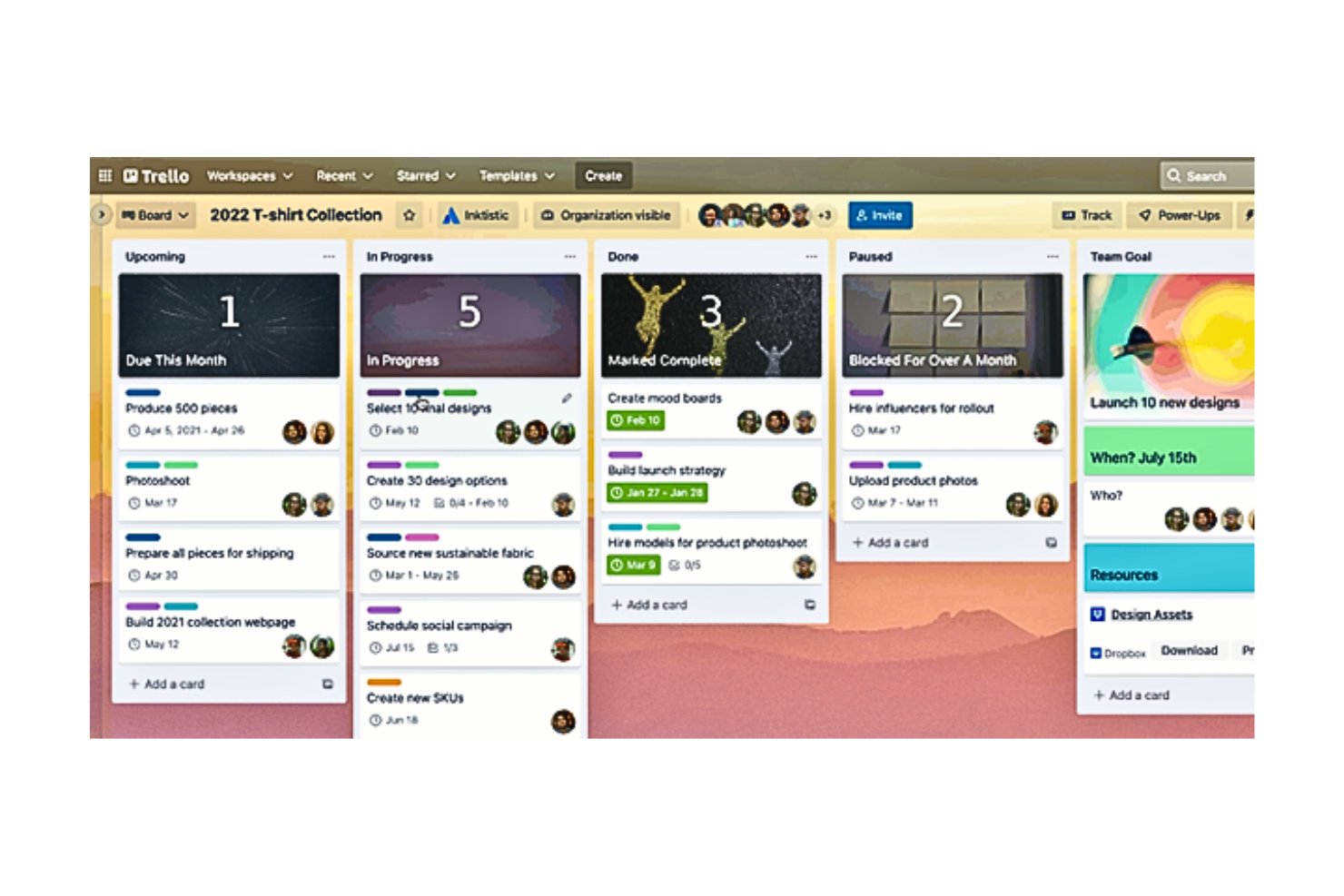
Trello semplifica l'organizzazione dei progetti attraverso il suo intuitivo sistema di bacheche e schede, rendendolo ideale per la gestione visiva delle attività. È particolarmente efficace per i team che si affidano a segnali visivi per monitorare e gestire i progetti, garantendo chiarezza e facile accessibilità.
Perché ho scelto Trello:
Ho selezionato Trello per questa lista grazie al suo eccezionale approccio visivo alla gestione delle attività. Confrontando i diversi software di project management per la SEO, il layout basato su bacheche di Trello lo ha chiaramente differenziato dagli strumenti più tradizionali basati su elenchi o moduli. Il suo sistema visivo non è solo accattivante, ma anche incredibilmente funzionale per gestire flussi di lavoro complessi, rendendolo la scelta migliore per i team che prosperano con l'organizzazione visuale.
Funzionalità e integrazioni principali:
Le funzionalità includono bacheche, schede ed elenchi personalizzabili che consentono agli utenti di organizzare e dare priorità ai progetti in modo flessibile e soddisfacente. L'interfaccia drag-and-drop è intuitiva, permettendo rapide modifiche alle tempistiche e alle attività del progetto. La possibilità di aggiungere etichette, checklist e scadenze aumenta il livello di dettaglio con cui è possibile gestire le attività.
Trello si integra nativamente con app come Slack, Google Drive, Dropbox, Evernote, GitHub, Salesforce, Zapier, Outlook e JIRA, permettendo la transizione del flusso di lavoro tra diversi strumenti utilizzati dai team.
Pros and Cons
Pros:
- Interfaccia visiva intuitiva
- Elevato grado di personalizzazione
- Forti capacità di integrazione
Cons:
- Funzionalità di reportistica limitate
- Non adatto alla gestione di progetti su larga scala
- Funzionalità di base nella versione gratuita


Jira è progettato per ottimizzare la gestione dei progetti per i team di sviluppo software agile, supportando metodologie scrum, Kanban e miste. È ideale per lo sviluppo agile grazie ai suoi strumenti avanzati pensati per la pianificazione iterativa, il monitoraggio e il rilascio del software.
Perché ho scelto Jira:
Ho selezionato Jira per questa lista perché è specificamente progettato per supportare il processo di sviluppo agile, distinguendosi da altri strumenti di gestione dei progetti che non dispongono di funzionalità specifiche per l’agile. Le capacità di Jira di facilitare la pianificazione degli sprint, la gestione del backlog e i grafici burndown sono essenziali per i team agili, rendendolo una scelta eccellente per i progetti di sviluppo software.
Funzionalità principali & integrazioni:
Le funzionalità includono flussi di lavoro personalizzabili, strumenti di collaborazione in tempo reale e reportistica dettagliata, fondamentali per i team agili per monitorare i progressi e adattarsi rapidamente ai cambiamenti. La possibilità di configurare user story, epic e sprint, oltre a tracciare efficacemente i bug, supporta un ambiente di sviluppo dinamico.
Le integrazioni di Jira includono Confluence, Bitbucket, GitHub, GitLab, Jenkins, Slack, Zoom e Salesforce. Queste integrazioni promuovono un ambiente di sviluppo integrato che migliora l’efficienza e la comunicazione tra i team di sviluppo e gli altri reparti.
Pros and Cons
Pros:
- Altamente personalizzabile per flussi di lavoro agili
- Tracciamento completo di problemi e progetti
- Robusta integrazione con strumenti per sviluppatori
Cons:
- Interfaccia complessa può risultare opprimente
- Curva di apprendimento ripida per i nuovi utenti
- Costo elevato su larga scala per team numerosi

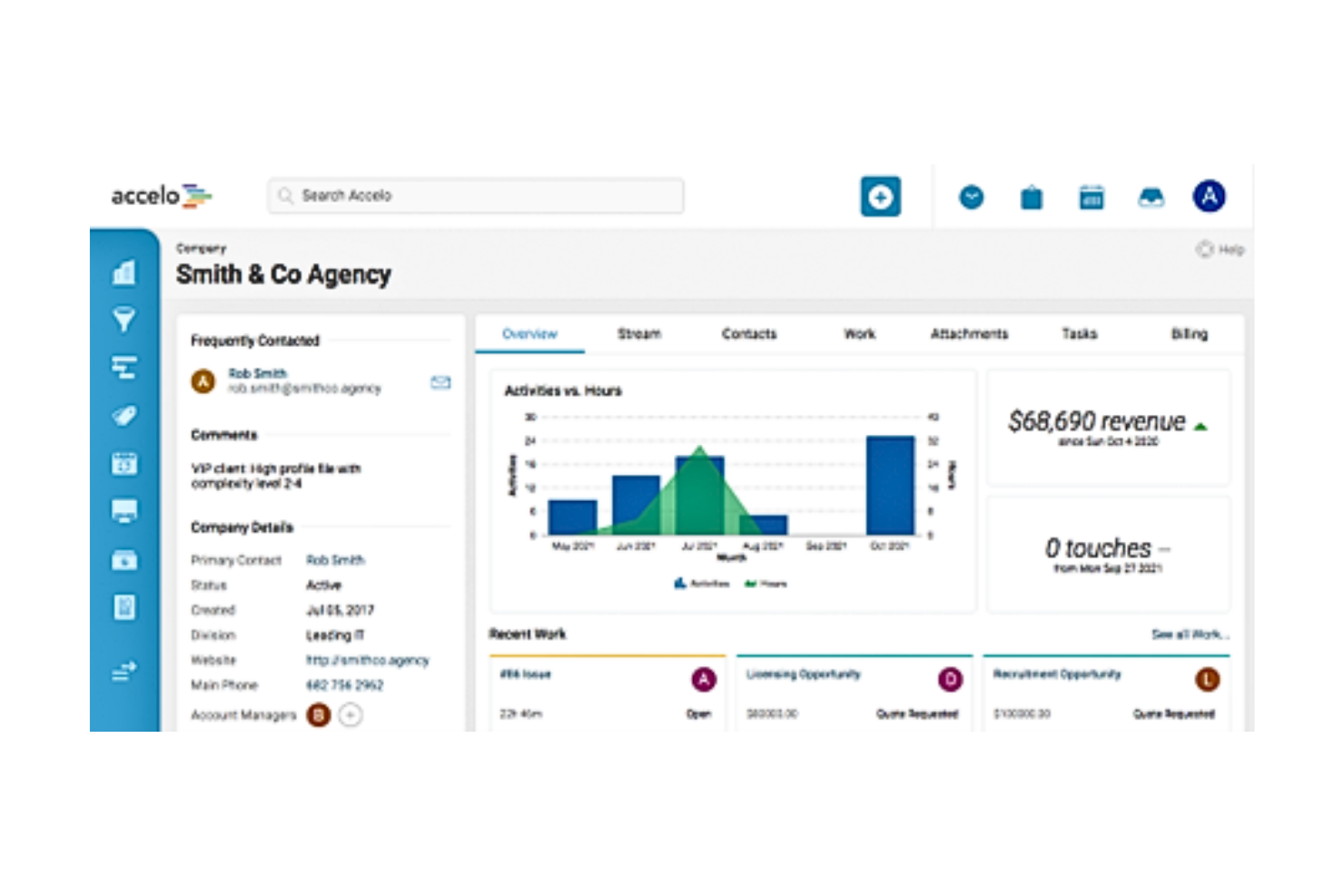
Accelo semplifica le operazioni di servizio automatizzando il lavoro con i clienti dalla preventivazione al pagamento, rendendolo ideale per le aziende basate sui servizi. È il migliore per l'automazione perché combina vendite, gestione dei progetti e fatturazione in un'unica piattaforma per aumentare l'efficienza e ridurre le attività manuali.
Perché ho scelto Accelo:
Ho inserito Accelo in questo elenco per le sue capacità di automazione complete, che lo distinguono da altri software di gestione progetti SEO che si concentrano maggiormente sulla gestione delle attività e del tempo. La capacità di Accelo di automatizzare processi aziendali complessi in diverse operazioni di servizio lo rende una scelta top per le aziende che vogliono migliorare la produttività e garantire coerenza nell'erogazione dei servizi.
Funzionalità e integrazioni principali:
Le funzionalità includono potenti strumenti di automazione che gestiscono tutto, dal monitoraggio dei progetti e dalla programmazione delle risorse fino alla fatturazione e all'elaborazione dei pagamenti, riducendo notevolmente il carico manuale e migliorando la precisione. Il CRM integrato del sistema e il monitoraggio delle email facilitano i flussi di comunicazione, assicurando che tutti i membri del team e i clienti siano sempre aggiornati sugli ultimi sviluppi e modifiche dei progetti.
Le integrazioni di Accelo includono Salesforce, Xero, QuickBooks Online, HubSpot, Jira, Slack, Microsoft 365, Google Workspace e Zapier, consentendo agli utenti di mantenere la connettività tra tutte le piattaforme aziendali.
Pros and Cons
Pros:
- Automazione completa dei processi aziendali
- CRM integrato e gestione delle email
- Ampie integrazioni con terze parti
Cons:
- Può essere costoso per i piccoli team
- Può richiedere formazione per sfruttare tutte le funzionalità
- Configurazione complessa per automazioni complete

Scoro
Ideale per la gestione aziendale completa

Scoro è uno strumento versatile che integra gestione dei progetti, CRM, fatturazione e reportistica in un'unica piattaforma, rendendolo ideale per una gestione aziendale completa. La sua capacità di consolidare più funzioni in un solo sistema lo rende la scelta migliore per le aziende che desiderano ottimizzare le proprie operazioni e aumentare l'efficienza tra i reparti.
Perché ho scelto Scoro:
Ho selezionato Scoro per questa lista grazie alla sua straordinaria capacità di integrare diversi processi aziendali in un'unica piattaforma coesa, caratteristica non comune nei tipici software di project management per SEO. L'approccio completo di Scoro fa risparmiare tempo e riduce la complessità legata alla gestione di diversi aspetti aziendali tramite più strumenti. Offre una soluzione tutto-in-uno che favorisce una migliore sincronizzazione dei flussi di lavoro e la condivisione dei dati in tempo reale tra i team.
Caratteristiche principali & integrazioni:
Le funzionalità includono strumenti dettagliati di gestione progetti con monitoraggio del tempo e delega delle attività, CRM integrato per la gestione delle relazioni con i clienti e avanzate capacità di reportistica che offrono approfondimenti sulle performance dei progetti e metriche finanziarie. La dashboard del software può essere personalizzata per visualizzare le metriche essenziali per le decisioni aziendali, aiutando le aziende ad allineare le operazioni quotidiane agli obiettivi strategici.
Le integrazioni di Scoro includono QuickBooks, Xero, Mailchimp, Microsoft 365, Google Workspace, Dropbox e Zapier. Queste integrazioni aiutano a snellire vari processi aziendali, dalla gestione finanziaria al marketing e alla comunicazione.
Pros and Cons
Pros:
- CRM e gestione progetti integrati
- Strumenti di reportistica completi
- Dashboard personalizzabile per monitorare le metriche chiave
Cons:
- Prezzo superiore rispetto ad alcuni concorrenti
- Può presentare una curva di apprendimento per i nuovi utenti
- Richiede tempo per essere completamente personalizzato e integrato
New Product Updates from Scoro

Scoro Adds Revenue Models, Forecasting, and Sage Intacct Updates
Scoro adds project revenue models, updated forecasting metrics, and Sage Intacct integration improvements for better financial management. These updates help teams track revenue based on contract types, improve project forecasting, and streamline accounting workflows. For more information, visit Scoro’s official site.

Ideale per la gestione di progetti immobiliari

Zoho Projects offre una gestione completa dei progetti, pensata per i professionisti del settore immobiliare. Si dimostra particolarmente efficace nella gestione di tempistiche dettagliate e complesse, tipiche dei progetti immobiliari.
Perché ho scelto Zoho Projects:
Ho selezionato Zoho Projects per includerlo in questa guida perché la sua gamma di funzionalità robuste è specificamente allineata alle esigenze della gestione di progetti immobiliari. Ho valutato le sue capacità rispetto ad altre piattaforme, notando i suoi strumenti eccezionali per la programmazione e il monitoraggio del budget, elementi fondamentali per gli sviluppi immobiliari. Si distingue per l'approccio su misura nel gestire progetti su larga scala, ricchi di dettagli, tipici del settore.
Funzionalità e integrazioni principali:
Le funzionalità includono potenti strumenti di pianificazione, tra cui diagrammi di Gantt che offrono una rappresentazione visiva delle scadenze del progetto e delle loro dipendenze. Presenta anche una funzione di tracciamento delle problematiche, per affrontare e risolvere tempestivamente eventuali ostacoli durante il ciclo di vita del progetto.
Zoho Projects si integra con numerosi altri strumenti per potenziarne le funzionalità. Supporta l’integrazione con Google Drive, Dropbox, Slack, GitHub, Bitbucket, Crashlytics, Zendesk, Zapier, Microsoft Office 365 e QuickBooks.
Pros and Cons
Pros:
- Strumenti di pianificazione dei progetti completi
- Funzionalità avanzate di monitoraggio e reportistica
- Ampia gamma di opzioni di integrazione
Cons:
- La configurazione iniziale può essere complessa
- Può risultare complesso per progetti di piccole dimensioni
- Personalizzazione limitata nei piani di fascia inferiore
New Product Updates from Zoho Projects

Zoho Projects Adds Time Log Grid View for Faster Tracking
Zoho Projects adds Time Log Grid View, a unified interactive grid for logging and reviewing hours across tasks and issues, helping teams enter time faster and identify work patterns more easily. For more information, visit Zoho Projects’ official site.
 .
.
Kantata
Ideale per servizi creativi e professionali

Kantata offre soluzioni di gestione delle risorse e consegna dei progetti su misura per le aziende di servizi creativi e professionali. È ideale per questi settori grazie alla sua attenzione alla collaborazione e all’ottimizzazione delle risorse, fattori chiave negli ambienti progettuali e creativi.
Perché ho scelto Kantata:
Ho inserito Kantata in questa lista per le sue capacità specializzate nella gestione dei progetti all’interno dei servizi creativi e professionali. Questa piattaforma si distingue dagli altri software di gestione progetti SEO grazie al suo focus sulle sfide specifiche di questi settori, come la gestione delle ore fatturabili e dei flussi di lavoro creativi. Il suo set di funzionalità completo supporta le dinamiche complesse della collaborazione tra team e dell’interazione con i clienti, aspetti fondamentali in questi ambiti.
Funzionalità e integrazioni principali:
Le funzionalità includono avanzate previsioni di progetto e monitoraggio della redditività in tempo reale, essenziali per le aziende che devono gestire le risorse in modo efficiente massimizzando i ricavi. La piattaforma offre anche strumenti di pianificazione avanzata che aiutano a garantire che i progetti vengano consegnati nei tempi previsti e rispettando il budget, particolarmente cruciale per le imprese orientate ai servizi.
Le integrazioni di Kantata includono Salesforce, QuickBooks, Xero, Google Workspace, Slack, Microsoft Teams, Zoom e Adobe Creative Cloud. Queste connessioni favoriscono un flusso di lavoro continuo tra i diversi aspetti della gestione del progetto, dalla parte finanziaria alle comunicazioni.
Pros and Cons
Pros:
- Specializzato per aziende di servizi
- Solido monitoraggio di risorse e redditività
- Gestione completa di clienti e progetti
Cons:
- Costo per utente più elevato
- Può risultare complesso per team ridotti
- Opzioni di personalizzazione limitate per progetti più piccoli
New Product Updates from Kantata

Kantata Adds Access Group Change History
Kantata adds Access Groups History, letting account administrators track changes to group details, membership, and permissions in Recent History. The update also makes these events available through the Subscribed Events API for broader monitoring. For more information, visit Kantata’s official site.
 .
.Altri software per la gestione dei progetti SEO
Di seguito trovi un elenco di altri software per la gestione dei progetti SEO che abbiamo selezionato, ma che non sono entrati nella lista principale. Vale sicuramente la pena consultarli.
- Basecamp
Migliore per team remoti
- Asana
Il migliore per la personalizzazione dei flussi di lavoro
- monday.com
Ideale per l'automazione dei flussi di lavoro tra i team


Come valuto i software di gestione progetti SEO
Suddivido la mia valutazione in due livelli: la base—come i flussi di lavoro per le attività SEO e le integrazioni con GSC o Semrush—e i fattori differenzianti che separano i buoni strumenti da quelli eccezionali.
Funzionalità principali (requisiti minimi per questa lista)
Quando seleziono gli strumenti per la mia lista, valuto ciascuno su una scala da 0 (non offre la funzionalità) a 5 (eccelle in quest'area) per ogni funzionalità fondamentale elencata di seguito. Successivamente, calcolo il punteggio totale dello strumento in percentuale. Ogni strumento deve raggiungere un punteggio minimo complessivo del 65% per essere preso in considerazione.
- Gestione delle attività SEO: Cerco strutture di attività che riflettano veri flussi di lavoro SEO—come assegnare una correzione di audit tecnico a uno sviluppatore o inoltrare un brief di contenuto attraverso le fasi di scrittura e ottimizzazione.
- Integrazioni con strumenti SEO: Lo strumento dovrebbe connettersi nativamente con piattaforme come Google Search Console, Semrush o Ahrefs così che il tuo team possa consultare i dati SEO senza dover cambiare scheda.
- Monitoraggio di parole chiave e contenuti: Verifico se è possibile collegare le parole chiave target a specifici asset di contenuto e monitorare il posizionamento o lo stato di pubblicazione direttamente all'interno del progetto.
- Template di workflow SEO: Qui contano i modelli precompilati o personalizzabili per i processi SEO più comuni—come checklist di audit del sito, pipeline di produzione contenuti o sequenze per la link building.
- Collaborazione e reportistica per clienti: I team hanno bisogno di una visibilità condivisa tra redattori, sviluppatori e stakeholder. Valuto come ogni strumento gestisce la condivisione di report, l'accesso dei clienti e gli aggiornamenti trasversali tra funzioni diverse.
- Dashboard delle performance: Cerco dashboard che raccolgano i KPI SEO—posizionamenti, traffico organico, numero di backlink—insieme ai dati sul completamento delle attività così che i progressi siano collegati ai risultati effettivi.
Una volta che ho una lista di strumenti che soddisfano questi criteri, considero ciò che distingue ciascuna piattaforma.
Fattori differenzianti (cosa distingue i fornitori)
Ecco come confronto e metto a confronto i diversi fornitori:
Funzionalità distintive
L'automazione dell'audit del sito è un grande fattore differenziante. Gli strumenti che avviano una scansione e generano automaticamente le attività di correzione fanno risparmiare ore di creazione manuale dei ticket dopo ogni ciclo di audit. Cerco anche una visualizzazione del calendario dei contenuti che colleghi contenuti SEO a parole chiave target e date di pubblicazione—questo offre ai responsabili dei contenuti una pipeline di produzione chiara. Per i team delle agenzie, sono importanti i portali clienti brandizzati. Condividere dashboard personalizzate e tempistiche delle consegne elimina la necessità di strumenti di reportistica separati.
Oltre le funzionalità
Valuto se uno strumento è adatto al team che lo utilizza. Un'agenzia che gestisce 20 account clienti ha esigenze molto diverse rispetto a un SEO manager interno che lavora da solo, quindi considero quanto bene ogni piattaforma si adatti a questi casi d'uso. Anche la struttura dei prezzi è importante—un prezzo per utente può andare bene per piccoli team, ma modelli per progetto o per cliente spesso hanno più senso per le agenzie. Verifico anche quanto ogni strumento si colleghi al resto della tua infrastruttura, in particolare a CMS come WordPress o Shopify, dato che è proprio lì che la maggior parte delle modifiche SEO viene applicata.
Come scegliere un software per la gestione dei progetti SEO
È facile perdersi in lunghi elenchi di funzionalità e strutture tariffarie complesse. Per aiutarti a rimanere concentrato mentre affronti il tuo esclusivo processo di scelta del software, ecco una lista di fattori da tenere a mente:
| Fattore | Cosa considerare |
| Scalabilità | Assicurati che il software possa supportare il tuo team man mano che cresce, soprattutto se gestisci più account cliente o ampli i tuoi servizi SEO. |
| Integrazioni | Cerca integrazioni con strumenti come Google Analytics, SEMrush, Ahrefs o Slack per evitare di passare continuamente da una piattaforma all'altra. |
| Personalizzazione | Verifica se puoi adattare flussi di lavoro, campi e pannelli di controllo alle modalità con cui il tuo team gestisce le attività e i report SEO. |
| Facilità d'uso | Scegli uno strumento facile da usare, anche per i membri del team che non hanno dimestichezza con la tecnologia o che sono nuovi alla gestione dei progetti. |
| Budget | Considera i prezzi in base al numero di utenti o alle funzionalità. Verifica cosa include ogni livello e se soddisfa le tue esigenze attuali. |
| Misure di sicurezza | Assicurati che lo strumento utilizzi la crittografia, offra controlli sulle autorizzazioni degli utenti e segua le pratiche standard di protezione dei dati. |
| Strumenti di collaborazione | Il tuo team ha bisogno di bacheche condivise, commenti e allegati per mantenere la comunicazione centralizzata e concentrata sulle attività. |
| Funzionalità di reportistica | Scegli uno strumento che ti aiuti a monitorare i risultati SEO, le scadenze e le metriche delle prestazioni senza dover ricorrere ad altri strumenti. |
Tendenze nei software per la gestione dei progetti SEO
Nella mia ricerca, ho raccolto innumerevoli aggiornamenti di prodotto, comunicati stampa e registri delle versioni da diversi fornitori di software per la gestione dei progetti SEO. Ecco alcune delle tendenze emergenti che sto tenendo d’occhio:
- Automazione dei brief dei contenuti: alcuni strumenti ora generano brief dei contenuti in base alle parole chiave assegnate, includendo dati sui concorrenti, pagine con il posizionamento migliore e suggerimenti sulla struttura. Questa tendenza accelera la scrittura e allinea i contenuti agli obiettivi SEO.
- Suggerimenti sui contenuti basati sull’IA: alcuni strumenti ora utilizzano l’IA per consigliare parole chiave, argomenti per blog e modifiche ai metadati direttamente nei flussi di lavoro delle attività. Questo aiuta i team a lavorare più velocemente senza dover passare dagli strumenti SEO alle bacheche dei progetti.
- Dashboard integrate per il monitoraggio delle SERP: sempre più fornitori stanno aggiungendo visualizzazioni in tempo reale delle prestazioni nella ricerca direttamente nello spazio di lavoro del progetto. Puoi monitorare il posizionamento e la visibilità come parte degli aggiornamenti delle attività, senza bisogno di dashboard aggiuntive.
- Funzionalità di collaborazione con i clienti: molte piattaforme stanno ora aggiungendo visualizzazioni rivolte ai clienti, discussioni per il feedback e flussi di lavoro di approvazione per ridurre gli scambi di e-mail. Questo aiuta le agenzie a gestire in un unico luogo le attività SEO da consegnare e i contributi dei clienti.
- Modelli predefiniti per i flussi di lavoro SEO: i fornitori offrono modelli già pronti per la ricerca delle parole chiave, l’ottimizzazione on-page e gli audit dei contenuti. Questo aiuta i team a standardizzare i processi e a integrare più rapidamente i nuovi assunti.
Che cos’è il software per la gestione dei progetti SEO?
Il software per la gestione dei progetti SEO è uno strumento specializzato progettato per semplificare e migliorare la gestione delle campagne di ottimizzazione per i motori di ricerca. Utilizzato in genere dalle agenzie SEO, dai reparti marketing e dai consulenti SEO indipendenti, questo software facilita la pianificazione, l’esecuzione e il monitoraggio delle strategie SEO per migliorare il posizionamento nei motori di ricerca e aumentare il traffico.
I componenti essenziali del software per la gestione dei progetti SEO includono la pianificazione delle attività, il monitoraggio delle parole chiave, la gestione dei contenuti, gli strumenti per la creazione di link e le dashboard di analisi. Queste funzionalità consentono agli utenti di coordinare efficacemente le attività SEO, analizzare i dati sulle prestazioni e modificare le strategie sulla base di informazioni aggiornate in tempo reale.
Funzionalità del software per la gestione dei progetti SEO
Quando selezioni un software per la gestione dei progetti SEO, presta attenzione alle seguenti funzionalità chiave:
- Notifiche in tempo reale: mantengono aggiornato il team quando vengono assegnate attività, cambiano le scadenze o viene aggiunto un feedback.
- Monitoraggio delle attività: consente di assegnare, stabilire le priorità e monitorare i progressi delle attività SEO, come audit, ricerca delle parole chiave e aggiornamenti dei contenuti.
- Strumenti per la pianificazione delle parole chiave: aiutano a gestire le parole chiave target, associarle ai contenuti e allinearle agli obiettivi della campagna.
- Visualizzazioni del calendario dei contenuti: offrono una pianificazione visiva dei contenuti SEO imminenti, delle scadenze e delle date di pubblicazione.
- Report sulle prestazioni: monitorano metriche chiave come posizionamento, traffico e backlink per mostrare i risultati del lavoro SEO.
- Portali di collaborazione con i clienti: consentono ai clienti esterni di visualizzare gli aggiornamenti del progetto, approvare le attività da consegnare e lasciare commenti.
- Flussi di lavoro personalizzati: consentono di creare sequenze di attività ripetibili per operazioni come l’ottimizzazione on-page o la creazione di link.
- Modelli di brief integrati: forniscono strutture organizzate per i contenuti, in linea con la strategia SEO.
- Autorizzazioni basate sui ruoli: garantiscono che i membri del team e i clienti giusti dispongano dell’accesso appropriato per visualizzare o modificare le attività.
- Archiviazione dei documenti: centralizza file SEO, brief e ricerche, così il team può accedere a tutto in un unico luogo.
Vantaggi del software per la gestione dei progetti
L’implementazione di un software per la gestione dei progetti SEO offre diversi vantaggi al team e all’azienda. Ecco alcuni dei benefici che puoi aspettarti:
- Minore alternanza tra strumenti: le integrazioni e le funzionalità SEO integrate riducono la necessità di passare da una piattaforma all’altra.
- Meno scadenze mancate: calendari e promemoria integrati aiutano il team a rispettare le scadenze di pubblicazione SEO.
- Migliore coordinamento del team: le bacheche delle attività condivise e gli aggiornamenti in tempo reale mantengono tutti sulla stessa linea.
- Pianificazione dei contenuti più chiara: i calendari dei contenuti e i modelli di brief aiutano ad associare le parole chiave alle idee per i contenuti e alle scadenze.
- Feedback più rapido dai clienti: i portali dei clienti e le discussioni nei commenti riducono i ritardi causati da comunicazioni frammentate.
- Report più semplici: le dashboard SEO integrate consentono di monitorare in un unico luogo il posizionamento delle parole chiave, i backlink e il traffico.
- Maggiore coerenza dei processi: i flussi di lavoro personalizzati garantiscono che il team segua ogni volta gli stessi passaggi per le attività SEO.
Costi e prezzi del software per la gestione dei progetti
La scelta di un software SEO per la gestione dei progetti richiede la conoscenza dei vari modelli e piani tariffari disponibili. I costi variano in base alle funzionalità, alle dimensioni del team, ai componenti aggiuntivi e ad altri fattori. La tabella seguente riassume i piani più comuni, i relativi prezzi medi e le funzionalità tipicamente incluse nelle soluzioni software SEO per la gestione dei progetti:
| Tipo di piano | Prezzo medio | Funzionalità comunemente incluse |
|---|---|---|
| Gratuito | $0 | Gestione di base delle attività, parole chiave e progetti limitati |
| Base | $25/utente/mese | Pianificazione delle attività, analisi di base, alcune integrazioni |
| Professionale | $50/utente/mese | Analisi avanzate, maggior numero di integrazioni, opzioni di personalizzazione |
| Aziendale | Prezzo personalizzato | Accesso a tutte le funzionalità, assistenza dedicata, progetti illimitati |
Domande frequenti sul software SEO per la gestione dei progetti
Ecco alcune domande frequenti sul software SEO per la gestione dei progetti:
A cosa serve il software SEO per la gestione dei progetti?
Il software SEO per la gestione dei progetti è progettato per aiutare a gestire e ottimizzare le varie attività associate alle campagne SEO. Consente agli utenti di pianificare, eseguire e monitorare le attività SEO per migliorare il posizionamento nei motori di ricerca e aumentare il traffico del sito web.
Chi utilizza generalmente il software SEO per la gestione dei progetti?
Questo software viene generalmente utilizzato da agenzie SEO, agenzie di marketing, professionisti del marketing digitale, esperti SEO e titolari di aziende che devono gestire più progetti SEO e coordinare i team in modo efficiente.
Il software SEO per la gestione dei progetti può contribuire a migliorare il posizionamento dei siti web?
Sì, fornendo strumenti per il monitoraggio delle parole chiave, l’analisi dei backlink, la creazione e la pianificazione dei contenuti e altro ancora, questo software può aiutare a ottimizzare le strategie che migliorano il posizionamento nei motori di ricerca.
Il software SEO per la gestione dei progetti si integra con altri strumenti?
La maggior parte dei software SEO per la gestione dei progetti può integrarsi con diversi altri strumenti, come piattaforme di analisi, software CRM e sistemi di gestione dei contenuti, per semplificare il flusso di lavoro e la gestione dei dati.
Il software SEO per la gestione dei progetti è adatto alle piccole imprese?
Sì, molti fornitori offrono soluzioni scalabili adatte alle piccole imprese e in grado di crescere insieme all’azienda, partendo da funzionalità di base fino ad arrivare a opzioni più avanzate.
Cosa devo considerare nella scelta di un software SEO per la gestione dei progetti?
Cerca un software che offra funzionalità complete, come gestione delle attività, analisi, strumenti di collaborazione e scalabilità. Considera inoltre la facilità d’uso del software, l’assistenza clienti e le sue capacità di integrazione.
Sono disponibili opzioni gratuite di software SEO per la gestione dei progetti?
Sì, alcuni fornitori offrono versioni gratuite del proprio software, spesso sufficienti per singoli utenti o piccoli team alle prime armi. Tuttavia, questi piani gratuiti presentano solitamente limitazioni in termini di funzionalità e scalabilità.Gestire i progetti SEO significa spesso affrontare priorità variabili, scadenze ravvicinate e strumenti frammentati. Senza il sistema giusto, è difficile tenere traccia delle attività, dei contenuti e dei risultati.
Qual è il prossimo passo?
Per trovare la piattaforma SEO giusta per la gestione dei progetti è necessario comprendere a fondo le esigenze del progetto e le funzionalità in grado di soddisfarle. Poiché questa tecnologia continua a evolversi, rimanere informati è fondamentale per sfruttarne appieno il potenziale e migliorare efficacemente i risultati SEO.
Vuoi entrare in contatto con altri responsabili di progetto digitali per condividere risorse e buone pratiche? Unisciti alla nostra comunità per responsabili di progetto e ottieni l'accesso a oltre 100 modelli, esempi e campioni, oltre alla possibilità di entrare in contatto su Slack con centinaia di altri responsabili di progetto digitali.