

10 migliori alternative a Slite per le basi di conoscenza nel 2026

10 Alternative a Slite: selezione


Una valida alternativa a Slite offre al tuo team una gestione flessibile della conoscenza, collaborazione in tempo reale e ricerca basata sull'intelligenza artificiale, senza vincolarti a un unico flusso di lavoro. Se stai cercando alternative a Slite, probabilmente cerchi strumenti che supportino una documentazione rapida, una condivisione semplice e integrazioni affidabili con il tuo stack esistente.
Questo elenco ti aiuterà a confrontare le principali opzioni, così potrai trovare una piattaforma per la base di conoscenza adatta alle esigenze del tuo team, in grado di adattarsi ai cambiamenti e di mantenere le informazioni accessibili man mano che i tuoi progetti evolvono.
Che cos'è Slite?
Slite è una piattaforma per la base di conoscenza basata sull'intelligenza artificiale, progettata per la documentazione dei team e la condivisione delle informazioni. Consente ai team di creare, organizzare e cercare documentazione interna, note delle riunioni e wiki dei progetti in un unico luogo. Le funzionalità di Slite includono modifica collaborativa, cronologia delle versioni e integrazioni con strumenti popolari.
Le sue funzionalità di intelligenza artificiale aiutano gli utenti a trovare rapidamente le risposte e a mantenere aggiornati i contenuti, rendendola una scelta popolare per i team distribuiti e dinamici.
Tabella di confronto delle alternative a Slite
Questa tabella di confronto riassume i dettagli sui prezzi delle mie principali alternative a Slite:
| Tool | Best For | Trial Info | Price | ||
|---|---|---|---|---|---|
| 1 | Ideale per strumenti di analisi della base di conoscenza | Demo gratuita disponibile | Prezzi su richiesta | Website | |
| 2 | Ideale per oltre 10.000 modelli personalizzabili | Piano gratuito disponibile | Da $10/utente/mese (con fatturazione annuale) | Website | |
| 3 | La soluzione migliore per documenti che fungono anche da app per il team | Piano gratuito disponibile | Da $12/utente/mese (fatturato annualmente) | Website | |
| 4 | Ideale per offrire documentazione in oltre 60 lingue | Demo gratuita + prova gratuita di 15 giorni disponibile | A partire da $0.99/utente/mese (con fatturazione annuale) | Website | |
| 5 | Ideale per i team che utilizzano già flussi di lavoro Jira | Piano gratuito disponibile | A partire da $5.78/utente/mese | Website | |
| 6 | Ideale per documenti collegati ai flussi di lavoro dei progetti | Piano gratuito disponibile | A partire da $10/utente/mese | Website | |
| 7 | Ideale per la documentazione come codice con Git Sync | Prova gratuita di 14 giorni + piano gratuito disponibile | A partire da $65/sito/mese + $12/utente/mese (fatturati annualmente) | Website | |
| 8 | Ideale per la conoscenza verificata tra applicazioni connesse | Piano gratuito disponibile | A partire da $11.95/mese | Website | |
| 9 | Ideale per i portali di documentazione per sviluppatori e API | Prova gratuita di 14 giorni disponibile | A partire da $80/mese (con fatturazione annuale) | Website | |
| 10 | Ideale per la condivisione delle conoscenze del team basata sulla ricerca | Piano gratuito disponibile | A partire da $6.67/utente/mese (con fatturazione annuale) | Website |
Perché fidarsi dei nostri consigli sui software
Il nostro team testa e recensisce software dal 2012. In quanto project manager noi stessi, sappiamo quanto sia difficile — e importante — scegliere il software giusto.
Per questa guida, abbiamo valutato gli strumenti attraverso test pratici e ricerche indipendenti, assegnando un punteggio agli strumenti in base ai nostri criteri di selezione. Ci basiamo inoltre sulle competenze di leader di pensiero del settore e di professionisti attivi nella gestione dei progetti.
Le nostre recensioni riflettono il nostro giudizio editoriale umano, non un discorso di vendita.
Revisori esperti:
Recensioni delle alternative a Slite
Di seguito trovi le mie recensioni dettagliate delle migliori alternative a Slite incluse nella mia selezione. Le mie recensioni offrono un’analisi approfondita delle funzionalità, delle integrazioni e dei casi d’uso ideali di ciascuna piattaforma, per aiutarti a trovare quella più adatta a te.

Ideale per strumenti di analisi della base di conoscenza
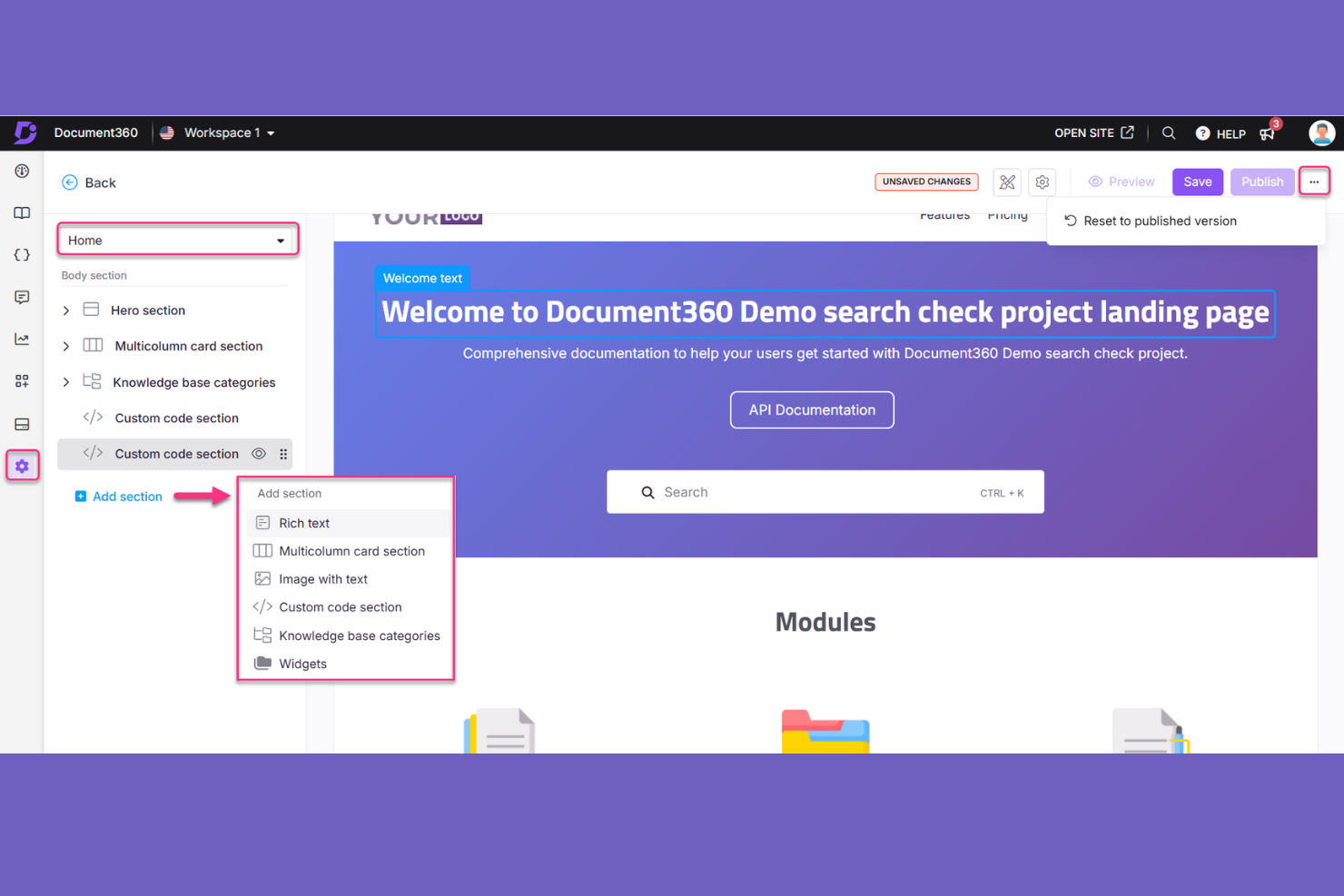
Document360 offre ai team di prodotto e di supporto una piattaforma di gestione della conoscenza per organizzare la documentazione interna e le guide rivolte ai clienti, contribuendo a ridurre le informazioni frammentate e le risposte obsolete.
Per chi è più adatto Document360?
Document360 è adatto ai responsabili della gestione della conoscenza e ai team di supporto che hanno bisogno di analisi per monitorare il modo in cui i lettori utilizzano la propria base di conoscenza.
Perché ho scelto Document360
Ho scelto Document360 come alternativa a Slite per Ideale per strumenti di analisi della base di conoscenza perché le sue analisi degli articoli monitorano visualizzazioni, letture e feedback. I report delle ricerche mostrano le query più popolari e i termini senza risultati, così posso individuare le lacune nella documentazione e decidere cosa aggiornare o scrivere.
Funzionalità principali di Document360
- Controllo delle versioni: Monitora le revisioni della documentazione e mantieni versioni separate per i rilasci del prodotto.
- Flussi di lavoro personalizzati: Assegna fasi di revisione e approvazione alle attività di documentazione.
- Editor dei contenuti: Crea articoli con editor Markdown, WYSIWYG o WYSIWYG avanzato.
- Controlli di accesso: Imposta l'accesso dei lettori come pubblico, privato o misto e limita l'accesso ad articoli o categorie specifici.
Integrazioni di Document360
Document360 documenta oltre 25 integrazioni, tra cui Zendesk, Freshdesk, Slack, Microsoft Teams, Intercom, Salesforce, GitHub, Google Analytics, Segment e Zapier. Offre inoltre un'API REST per le integrazioni personalizzate.
Pros and Cons
Pros:
- Le analisi degli articoli evidenziano le lacune nei contenuti
- I confronti tra versioni supportano aggiornamenti sicuri della documentazione
- I flussi di revisione organizzano le approvazioni degli articoli
Cons:
- Le analisi dell'area di lavoro non offrono report consolidati
- Gli articoli di grandi dimensioni possono causare rallentamenti nell'editor
New Product Updates from Document360

Document360 Adds Bulk Mirroring, Eddy AI Citations, and Unified SSO
Document360 adds bulk article mirroring, citations in Eddy AI chatbot responses, and a unified Enterprise SSO setup. These updates improve content reuse, answer verification, and access management. For more information, visit Document360’s official site.
 .
.
Notion
Ideale per oltre 10.000 modelli personalizzabili
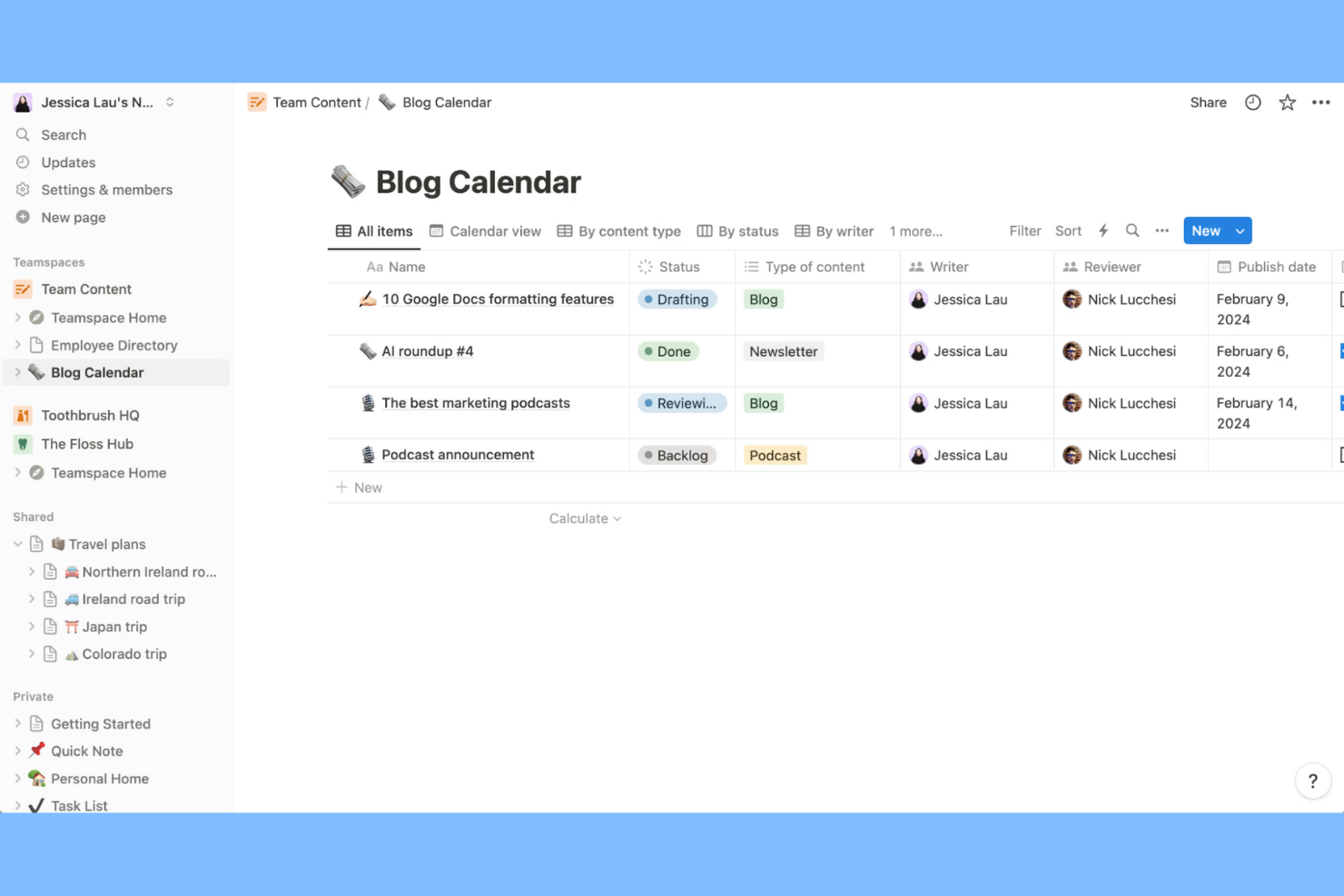
Notion offre alle squadre di prodotto e ingegneria uno spazio di lavoro flessibile per la gestione della conoscenza, che consente di collegare documentazione, piani di progetto e decisioni, così che le squadre possano trovare un contesto condiviso senza dover cercare informazioni tra strumenti separati.
Per chi è più adatto Notion?
Notion è adatto ai responsabili di progetto che desiderano modelli personalizzabili per configurare piani di progetto, documentazione e flussi di lavoro ripetibili per la squadra.
Perché ho scelto Notion
Ho scelto Notion come alternativa a Slite perché è ideale per oltre 10.000 modelli personalizzabili. Mi piace il fatto che i responsabili di progetto possano adattare i modelli trasformandoli in piani di progetto, documentazione della squadra e flussi di lavoro ripetibili, mantenendo poi decisioni e contesto del progetto insieme in un unico spazio di lavoro.
Caratteristiche principali di Notion
- Pagine nidificate: Crea pagine all'interno di altre pagine per organizzare le informazioni correlate.
- Collegamenti a ritroso: Visualizza quali pagine rimandano alla pagina che stai consultando.
- Ricerca nello spazio di lavoro: Cerca titoli e contenuti delle pagine in tutto il tuo spazio di lavoro.
- Autorizzazioni delle pagine: Imposta i livelli di accesso per singole pagine e invita persone specifiche.
Integrazioni di Notion
Notion dispone di un'integrazione nativa con Slack e di connessioni con partner nella sua galleria, tra cui Google Drive e GitHub; è supportato anche Zapier. La sua API consente alle squadre di creare integrazioni personalizzate.
Pros and Cons
Pros:
- La galleria di modelli accelera la documentazione ripetibile della squadra
- Le pagine nidificate mantengono le decisioni accanto al contesto del progetto
- I collegamenti a ritroso rivelano le connessioni tra informazioni frammentate
Cons:
- Gli archivi di dati di grandi dimensioni possono caricarsi lentamente
- Le autorizzazioni a livello di pagina non offrono controlli granulari sui ruoli
Coda
La soluzione migliore per documenti che fungono anche da app per il team
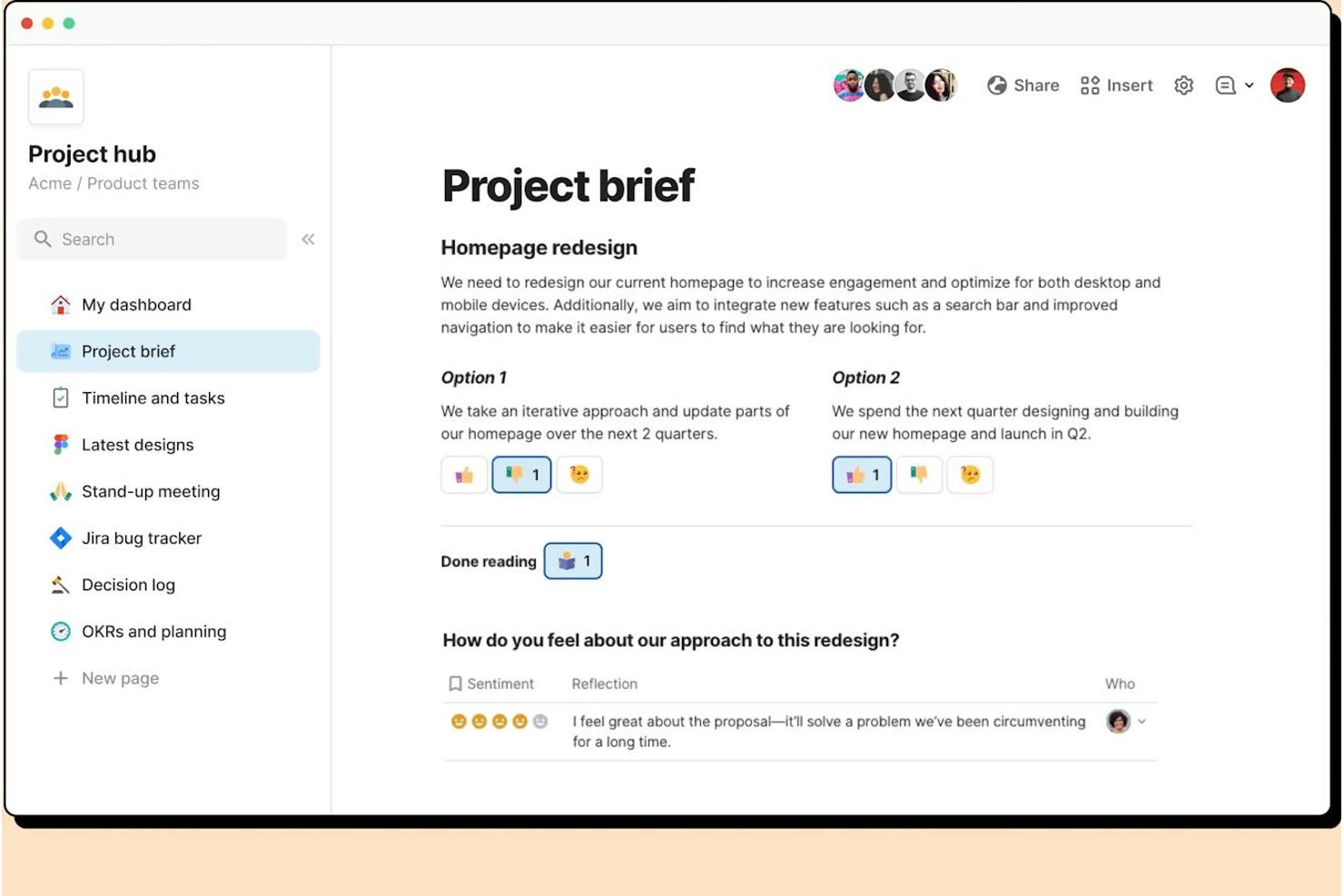
Coda è una piattaforma di gestione della conoscenza per i team di prodotto e di progetto che collega la documentazione condivisa a piani e flussi di lavoro, aiutando a mantenere facilmente reperibili il contesto e le decisioni del progetto.
Per chi è più adatto Coda?
Coda è una scelta adatta per i team di prodotto e operativi che vogliono trasformare i documenti condivisi in strumenti interattivi per monitorare il lavoro e coordinare i progetti.
Perché ho scelto Coda
Ho scelto Coda come alternativa a Slite perché è la soluzione migliore per documenti che fungono anche da app per il team. Mi piace il modo in cui le sue tabelle possono monitorare i piani di progetto, mentre i pulsanti permettono ai membri del team di aggiornare lo stato o attivare azioni dallo stesso documento. Le automazioni possono gestire gli aggiornamenti ricorrenti, così il team può riunire decisioni e monitoraggio delle attività di consegna.
Funzionalità principali di Coda
- Pagine nidificate: Crea sottopagine per organizzare linee guida del progetto, decisioni e materiale di riferimento.
- Packs: Collega i documenti a servizi esterni come Slack, Google Calendar e Jira.
- Commenti e menzioni: Aggiungi feedback contestuali e assegna tag direttamente ai membri del team in un documento.
- Modelli di documenti: Inizia con formati riutilizzabili per verbali di riunioni, brief di progetto e wiki del team.
Integrazioni di Coda
Coda offre oltre 600 integrazioni tramite il suo ecosistema Packs, tra cui Slack, Jira, Google Calendar, Gmail, Salesforce, Figma e Microsoft Teams. Si collega inoltre a Zapier e fornisce un'API pubblica per integrazioni personalizzate.
Pros and Cons
Pros:
- Combina documenti di progetto, tabelle e flussi di lavoro
- Le tabelle basate su formule supportano il monitoraggio dei progetti in tempo reale
- Pulsanti e automazioni riducono gli aggiornamenti manuali dello stato
Cons:
- Le formule e le automazioni avanzate richiedono un periodo di apprendimento
- I documenti di grandi dimensioni possono presentare tempi di caricamento elevati

Ideale per offrire documentazione in oltre 60 lingue
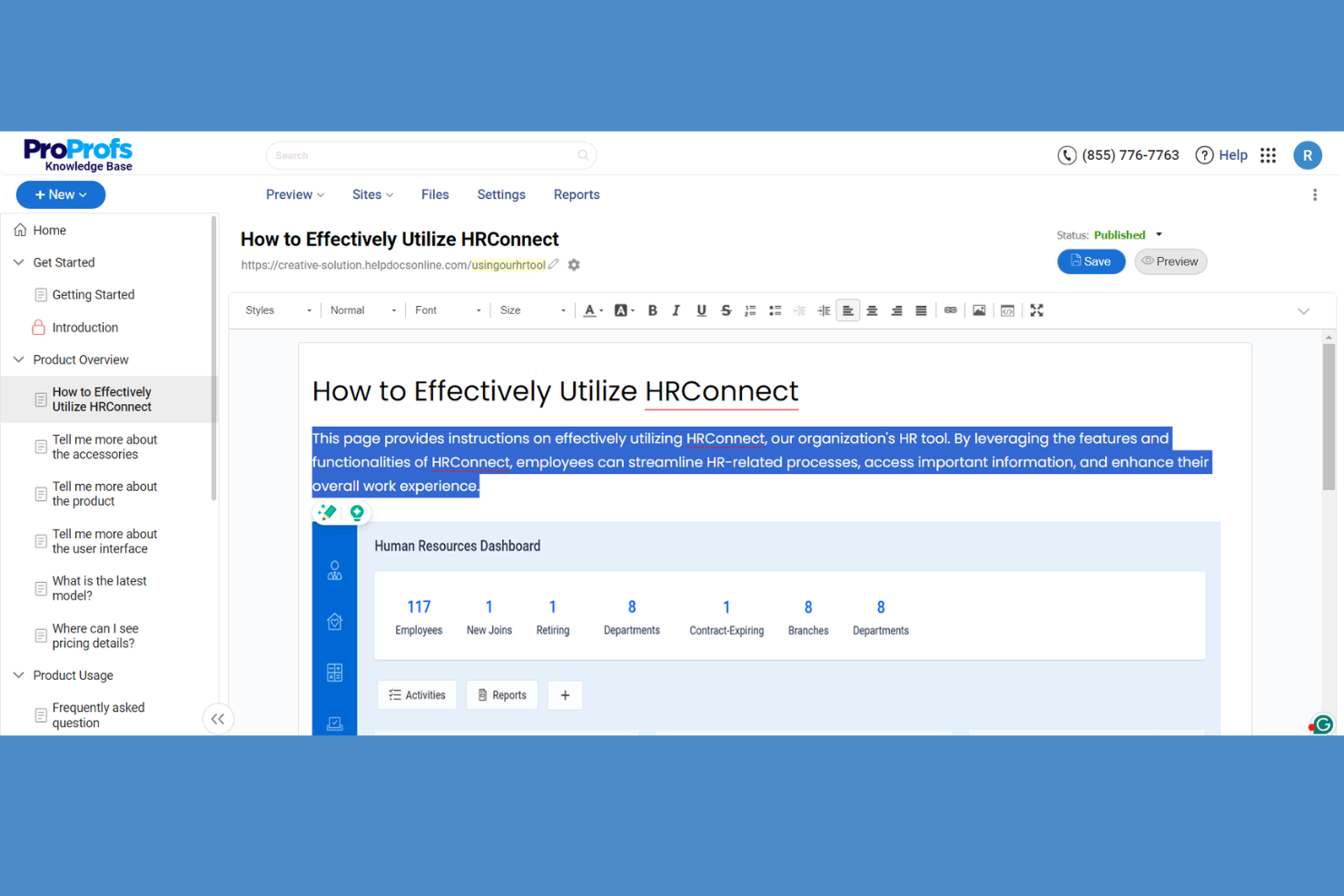
ProProfs Knowledge Base aiuta i team del supporto clienti e quelli interni a organizzare FAQ, guide pratiche e procedure aziendali, così che le persone possano trovare risposte senza dover ricorrere a ripetute richieste di assistenza individuale.
Per chi è più adatto ProProfs Knowledge Base?
È adatto ai team del supporto clienti e della documentazione che devono offrire contenuti di assistenza in oltre 60 lingue.
Perché ho scelto ProProfs Knowledge Base
Ho scelto ProProfs Knowledge Base come soluzione “Ideale per offrire documentazione in oltre 60 lingue” perché supporta la localizzazione in oltre 60 lingue e Google Translate per più di 90 lingue. Apprezzo il fatto che i visitatori possano scegliere una lingua, mentre i team possono modificare le traduzioni per correggere i termini dei prodotti o le etichette degli articoli.
Funzionalità principali di ProProfs Knowledge Base
- Cronologia delle versioni: Confronta le revisioni degli articoli e ripristina una versione precedente.
- Flussi di approvazione: Assegna le revisioni degli articoli e imposta stati di pubblicazione personalizzati.
- Controlli di accesso: Limita l'accesso a siti, pagine o sezioni tramite ruoli e autorizzazioni.
- Analisi dei contenuti: Monitora le ricerche, le letture degli articoli, le ricerche senza risultati e l'attività sui contenuti.
Integrazioni di ProProfs Knowledge Base
ProProfs Knowledge Base elenca integrazioni con Jira, Slack, Zendesk, Salesforce, Freshdesk, Google Analytics, Hotjar, Microsoft Clarity, Azure AD e Crowdin. Offre inoltre un'API REST per integrazioni personalizzate e la gestione programmatica dei contenuti.
Pros and Cons
Pros:
- Offre documentazione in oltre 60 lingue
- Combina centri assistenza per i clienti e wiki interni
- Segnala le ricerche senza risultati e le lacune nei contenuti
Cons:
- La personalizzazione dei modelli sembra limitata
- I flussi di approvazione devono essere migliorati

Ideale per i team che utilizzano già flussi di lavoro Jira
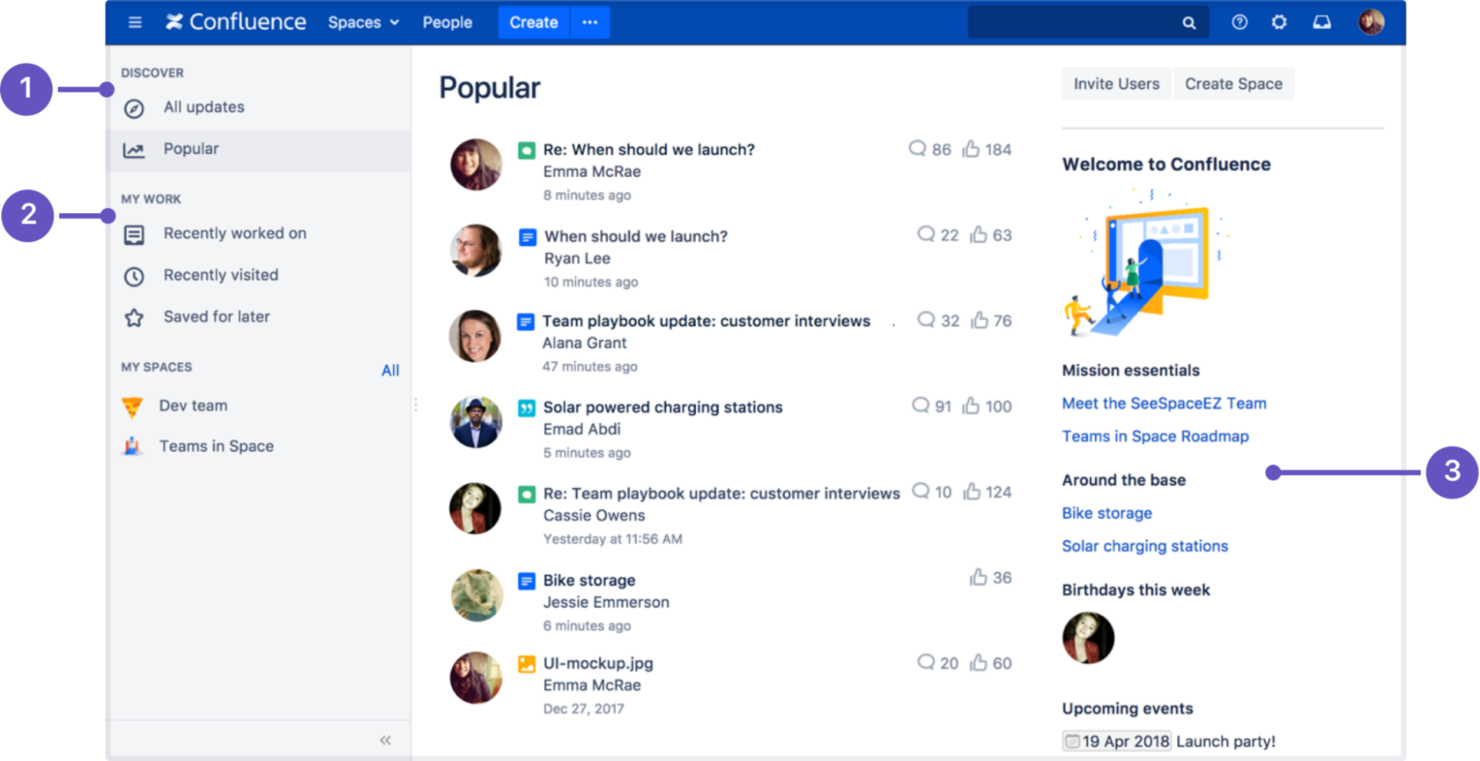
Confluence offre ai team di prodotto, ingegneria e ad altri team interfunzionali uno spazio di lavoro condiviso per creare e organizzare la documentazione dei progetti, mantenere accessibili le decisioni e ridurre la dispersione delle conoscenze.
Per chi è più adatto Confluence?
I team di prodotto e ingegneria che utilizzano flussi di lavoro Jira possono usare Confluence per raccogliere in un unico luogo specifiche di progetto, decisioni e documentazione.
Perché ho scelto Confluence
Scelgo Confluence come alternativa a Slite perché «Ideale per i team che utilizzano già flussi di lavoro Jira» ne descrive bene l'utilizzo. Posso incorporare elenchi di ticket Jira nelle pagine dei progetti e collegare specifiche o registri delle decisioni agli elementi di lavoro che contribuiscono a definire, mantenendo la motivazione vicina alle iniziative attive.
Funzionalità principali di Confluence
- Modelli di pagina: Inizia a creare la documentazione con modelli per note delle riunioni, piani di progetto e altri formati comuni.
- Spazi: Organizza le pagine per team, progetto o argomento all'interno di aree di lavoro dedicate.
- Cronologia delle versioni delle pagine: Esamina le versioni precedenti delle pagine e ripristinane una quando necessario.
- Etichette e ricerca: Aggiungi etichette alle pagine e cerca contenuti in tutto il tuo spazio di lavoro.
Integrazioni di Confluence
Confluence dispone di un'integrazione nativa con Jira per collegare la documentazione agli elementi di lavoro e incorporare i dati Jira nelle pagine; inoltre, si integra con Slack e Microsoft Teams. Migliaia di app aggiuntive sono disponibili tramite Atlassian Marketplace e un'API REST supporta le integrazioni personalizzate.
Pros and Cons
Pros:
- Spazi e pagine mantengono strutturate le conoscenze dei progetti
- La cronologia delle versioni consente aggiornamenti sicuri della documentazione
- I modelli velocizzano la creazione di specifiche e note delle riunioni ricorrenti
Cons:
- La ricerca può mostrare pagine archiviate o obsolete
- Gli spazi diventano disordinati senza standard di denominazione

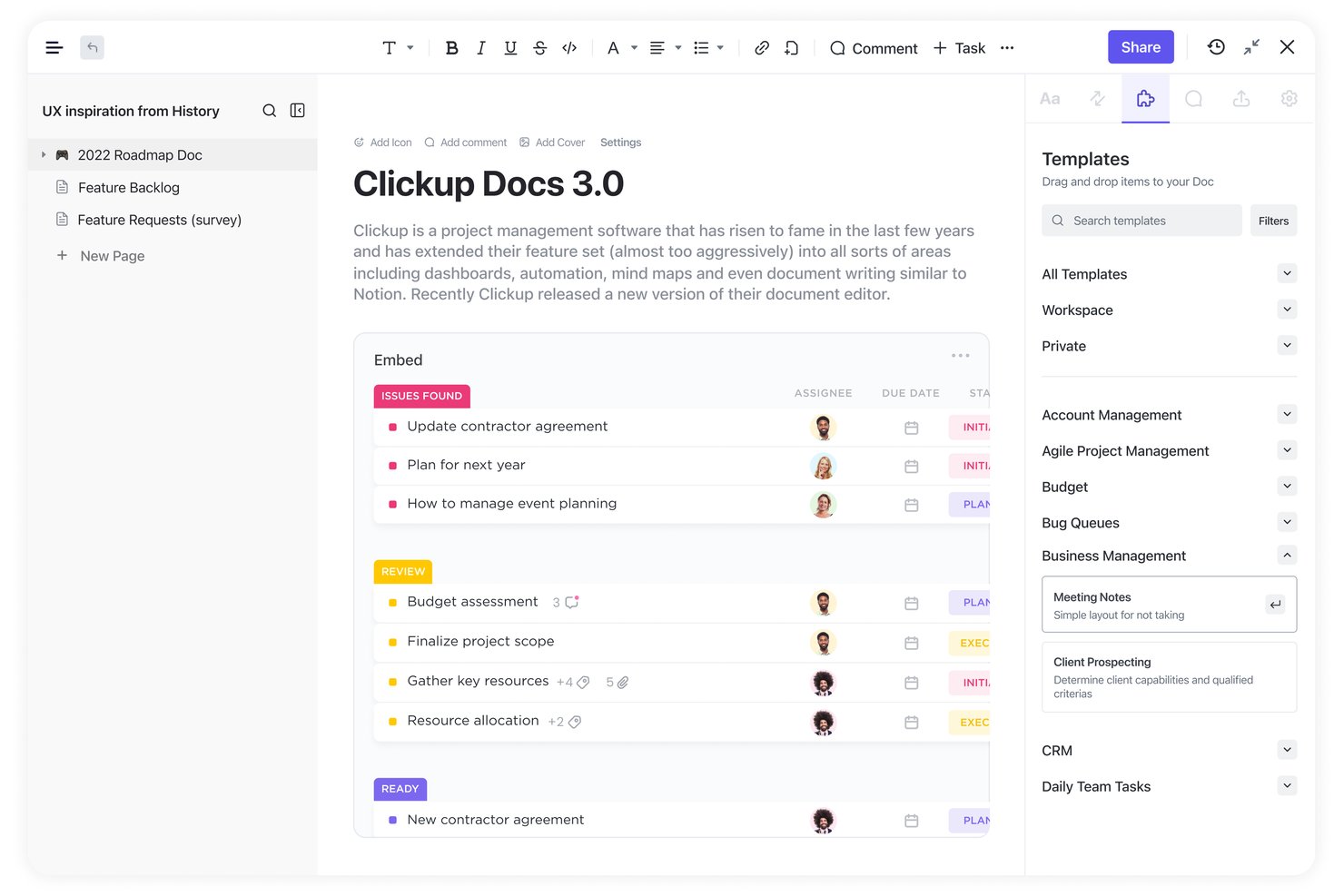
ClickUp è una piattaforma di gestione del lavoro per i team di prodotto e ingegneria che combina la gestione della conoscenza con la pianificazione di attività e progetti, rendendo più facile trovare specifiche, decisioni e dettagli sulla distribuzione.
Per chi è più indicato ClickUp?
I responsabili di progetto che coordinano attività tecnologiche interfunzionali troveranno ClickUp utile quando desiderano avere la documentazione del progetto a portata di mano durante la pianificazione della distribuzione.
Perché ho scelto ClickUp
Ho scelto ClickUp come opzione “Ideale per documenti collegati ai flussi di lavoro dei progetti” perché i suoi Docs collegano la conoscenza del progetto alla distribuzione. Mi piace il fatto che i team possano collegare i Docs alle attività e creare attività dal testo dei documenti, mantenendo specifiche e decisioni vicine al lavoro a cui fanno da guida.
Funzionalità principali di ClickUp
- Pagine nidificate e modelli: Organizza la conoscenza in Docs nidificati e inizia da modelli riutilizzabili.
- Collaborazione in tempo reale: Modifica i Docs insieme al team e lascia commenti in linea.
- Cronologia delle versioni: Esamina le versioni precedenti e ripristina una bozza precedente.
- Hub dei Docs: Cerca, ordina e filtra i Docs per proprietario, data o posizione.
Integrazioni di ClickUp
ClickUp dispone di integrazioni native con Slack, GitHub, GitLab, Google Drive, Google Calendar, Microsoft Teams, Figma, Zoom e Miro e si connette a Zapier. La sua API pubblica supporta integrazioni personalizzate.
Pros and Cons
Pros:
- Collega direttamente i documenti alle attività di distribuzione
- Trasforma il testo dei documenti in attività monitorabili
- Nidifica le pagine wiki per organizzare le specifiche del progetto
Cons:
- Le autorizzazioni a livello di pagina limitano il controllo degli accessi al wiki
- Le tabelle dei documenti possono essere frustranti da modificare


GitBook è una piattaforma di base di conoscenza per i team di prodotto e di ingegneria che devono organizzare la documentazione tecnica, mantenere aggiornate le guide e condividere informazioni con colleghi e utenti.
Per chi è più adatto GitBook?
GitBook è adatto ai team di ingegneria che gestiscono la documentazione del prodotto insieme al codice e desiderano flussi di lavoro basati su Git per gestire gli aggiornamenti.
Perché ho scelto GitBook
Ho scelto GitBook come valida alternativa a Slite perché è ideale per la documentazione come codice con Git Sync. Git Sync collega la documentazione a un repository Git, consentendo agli ingegneri di aggiornare le guide delle API tramite revisioni dei rami e richieste di integrazione. Apprezzo questo flusso di lavoro perché mantiene la documentazione tecnica allineata alle modifiche del codice.
Funzionalità principali di GitBook
- Editor a blocchi: Crea pagine con Markdown, testo, tabelle, codice, riferimenti alle API e contenuti incorporati.
- Contenuti riutilizzabili: Sincronizza i contenuti condivisi tra più pagine e aggiorna tutte le istanze contemporaneamente.
- Commenti sulle pagine: Discuti i contenuti con risposte in thread, menzioni con @ e commenti contrassegnati come risolti.
- Analisi della documentazione: Esamina le visualizzazioni delle pagine, il feedback dei lettori e le ricerche più frequenti sui siti di documentazione pubblicati.
Integrazioni di GitBook
GitBook offre Git Sync integrato per GitHub e GitLab, oltre a integrazioni con Slack, Intercom, Jira e Linear. Slack, GitHub, Linear e Jira sono inoltre supportati come canali di GitBook Agent, attualmente disponibili come componente aggiuntivo in accesso anticipato; GitBook offre una piattaforma per sviluppatori e un'API per integrazioni personalizzate.
Pros and Cons
Pros:
- Mantiene la documentazione Markdown allineata al codice
- Le revisioni basate sui rami rendono più chiare le modifiche alla documentazione
- Le analisi delle pagine mostrano il feedback dei lettori
Cons:
- I controlli limitati sul layout restringono le possibilità di personalizzare la documentazione
- Le fusioni delle versioni possono causare la perdita di modifiche

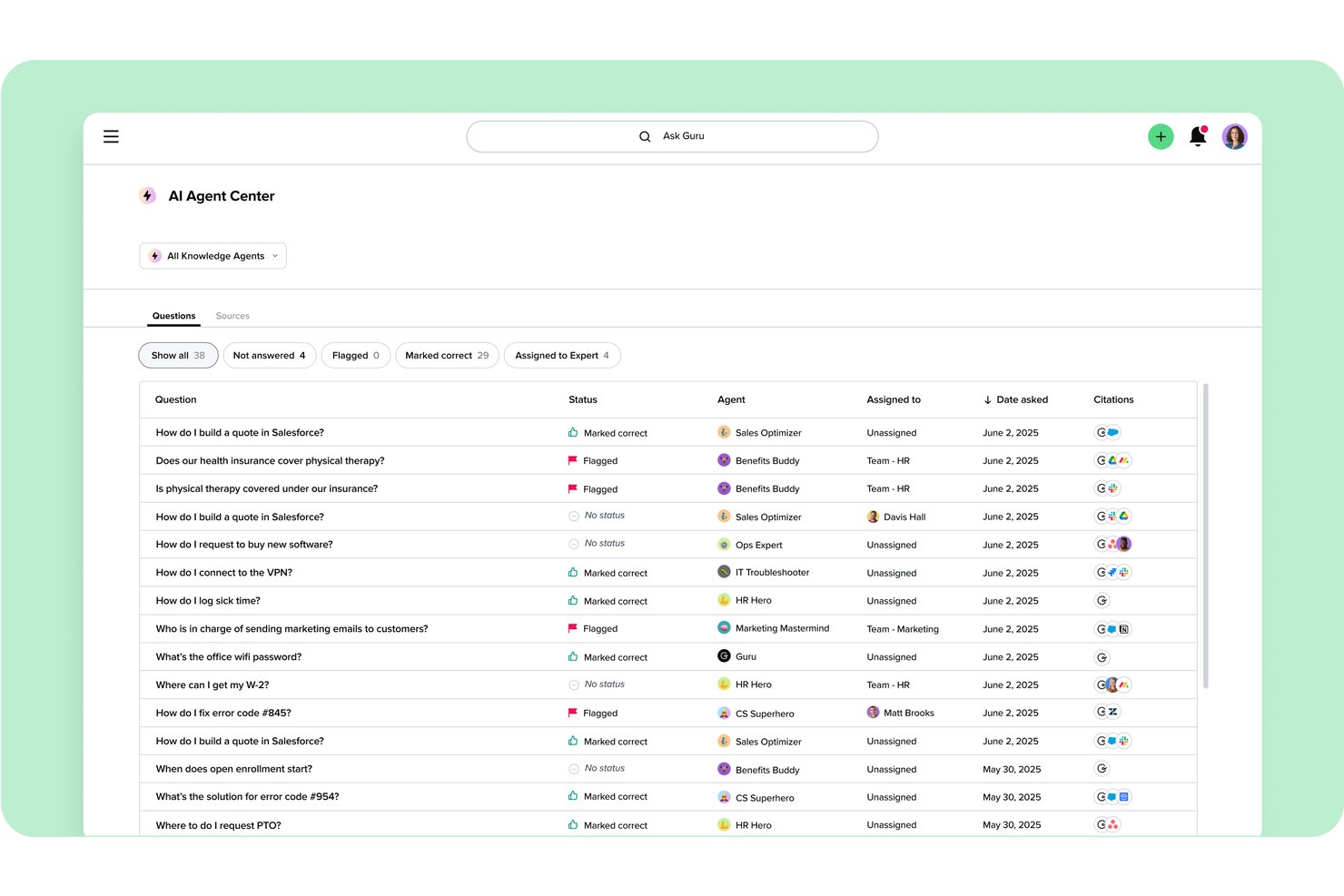
Guru è una piattaforma di gestione della conoscenza che aiuta le squadre distribuite a organizzare le conoscenze aziendali in risposte ricercabili, riducendo le domande ripetute e la documentazione dispersa.
Per chi è più adatto Guru?
Guru è adatto ai responsabili della conoscenza e alle squadre interfunzionali che hanno bisogno di risposte verificate nelle applicazioni che già utilizzano.
Perché ho scelto Guru
Ho scelto Guru per la gestione della conoscenza verificata tra applicazioni connesse, soprattutto quando le decisioni sui progetti e le indicazioni sui processi si trovano al di fuori di un wiki. Le sue schede della conoscenza possono essere visualizzate in strumenti come Slack e Microsoft Teams, mentre i flussi di verifica assegnano responsabili e date di revisione. Apprezzo questa configurazione per controllare i criteri di lancio aggiornati o le procedure di escalation senza abbandonare una conversazione della squadra.
Funzionalità principali di Guru
- Pagine personalizzate: Organizza la conoscenza della squadra in strutture di pagina con autorizzazioni e contenuti incorporati.
- Agenti della conoscenza: Configura agenti di intelligenza artificiale con fonti di conoscenza e richieste specifiche.
- Suggerimenti sui contenuti: Mostra informazioni pertinenti in base all'attività e alle autorizzazioni dell'utente.
- Pannelli di analisi: Esamina le visualizzazioni dei contenuti, l'attività di ricerca e il coinvolgimento della squadra.
Integrazioni di Guru
Guru elenca oltre 100 integrazioni, incluse le sue applicazioni per Slack e Microsoft Teams e le connessioni a Google Drive, Confluence, Jira e GitHub. Supporta Zapier, Workato e Prismatic e offre un'API REST per le integrazioni personalizzate.
Pros and Cons
Pros:
- I responsabili della verifica segnalano le indicazioni obsolete sui progetti
- Le risposte basate sulle autorizzazioni proteggono le note sensibili dei progetti
- Le analisi rivelano la documentazione poco utilizzata
Cons:
- La ricerca diventa disordinata con la crescita delle raccolte di schede
- Le risposte dell'intelligenza artificiale possono interpretare erroneamente le domande complesse


Archbee è una piattaforma di knowledge base per i team software che devono organizzare guide tecniche, informazioni sui prodotti e documentazione interna, in modo che ingegneri e stakeholder possano trovare rapidamente le risposte.
Per chi è più indicato Archbee?
Archbee è adatto ai team di ingegneria e prodotto che hanno bisogno di un portale condiviso per riferimenti API, guide per sviluppatori e documentazione tecnica.
Perché ho scelto Archbee
Ho scelto Archbee per i portali di documentazione per sviluppatori e API perché collega i riferimenti API al codice gestito dagli ingegneri. I team possono sincronizzare la documentazione con GitHub o GitLab e generare riferimenti OpenAPI/Swagger, mentre Scalar consente agli sviluppatori di esplorare e testare le API nel portale.
Funzionalità principali di Archbee
- Rami nativi: Crea rami di documenti isolati per la revisione e unisci le modifiche approvate.
- Modifica collaborativa in tempo reale: Collabora sui documenti in tempo reale.
- Frammenti e variabili riutilizzabili: Aggiorna i contenuti ripetuti in un unico punto all'interno dei documenti.
- Domini personalizzati: Pubblica il tuo portale della conoscenza utilizzando il tuo dominio.
Integrazioni di Archbee
Archbee pubblicizza oltre 1.800 integrazioni, tra cui GitHub, GitLab, Slack, Jira, Intercom, Zendesk e Zapier. Offre inoltre un'API e webhook per integrazioni personalizzate.
Pros and Cons
Pros:
- I riferimenti OpenAPI si affiancano alla documentazione modificabile
- I rami in stile Git supportano la revisione e l'unione delle modifiche
- I recensori apprezzano la creazione rapida e chiara dei contenuti
Cons:
- I flussi di lavoro basati solo sulle API sono inferiori rispetto alle piattaforme specializzate
- L'indicizzazione della ricerca subisce ritardi dopo modifiche importanti

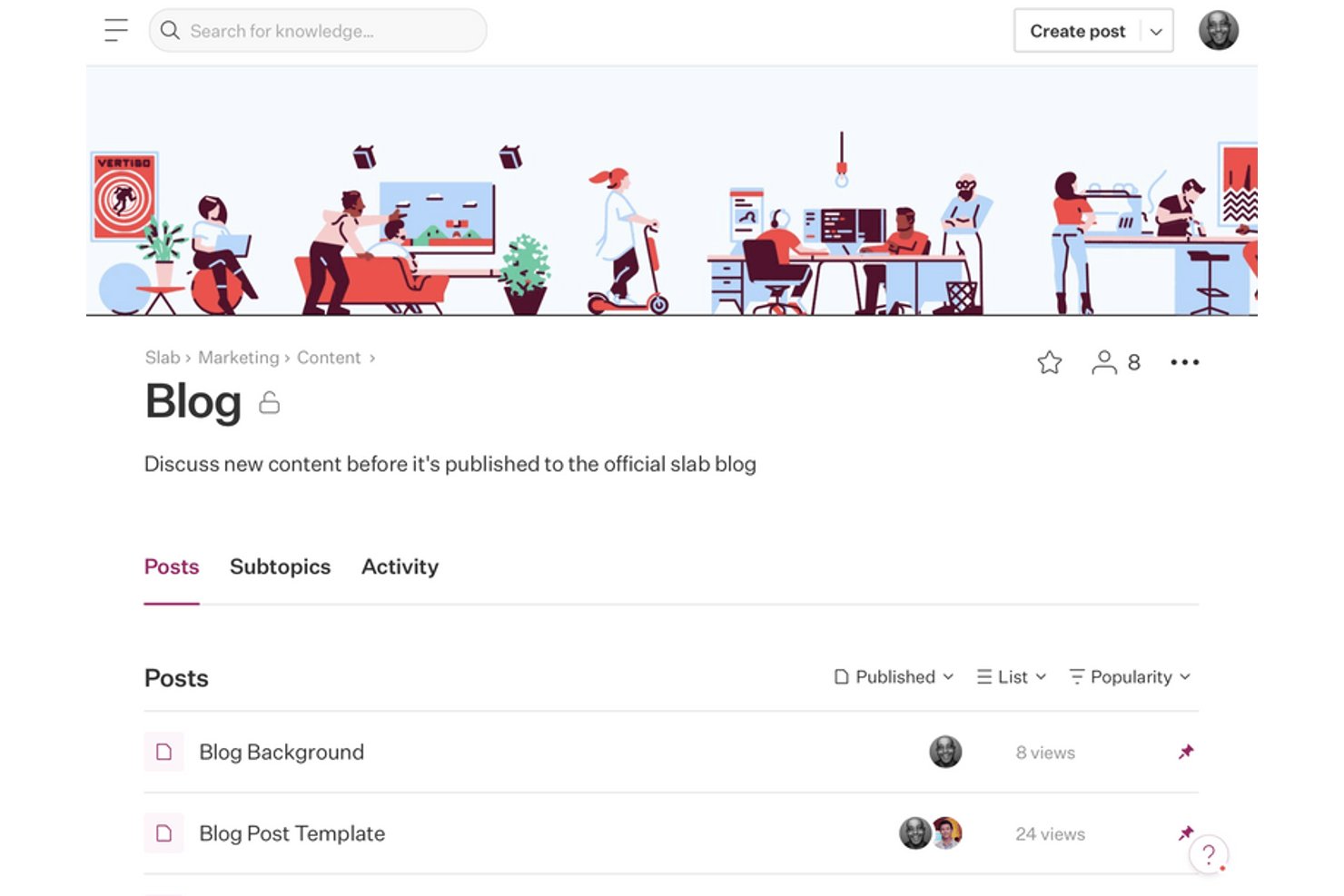
Slab offre ai team di prodotto, ingegneria e operazioni uno spazio condiviso per la documentazione interna, contribuendo a mantenere facili da gestire e utilizzare le decisioni sui progetti, i processi e le conoscenze del team.
Per chi è più adatto Slab?
Slab è adatto ai team interfunzionali che devono trovare rapidamente risposte affidabili all'interno di una libreria in crescita di conoscenze interne.
Perché ho scelto Slab
Ho scelto Slab per la condivisione delle conoscenze del team basata sulla ricerca: la Ricerca unificata esplora Slab e gli strumenti collegati in un unico posto, così posso trovare una decisione di progetto senza dover passare da un'app all'altra. Mi piace anche il modo in cui gli argomenti gerarchici organizzano i post, mentre più argomenti consentono di mostrare una decisione nelle aree pertinenti.
Funzionalità principali di Slab
- Modelli: Inizia i post da formati riutilizzabili per verbali di riunioni, revisioni del codice e processi del team.
- Collaborazione in tempo reale: Modifica i post con i compagni di team mentre le modifiche vengono visualizzate in tempo reale.
- Verifica: Assegna responsabili della manutenzione affinché revisionino e confermino che i post siano aggiornati.
- Cronologia delle versioni: Visualizza le versioni precedenti dei post e ripristina i contenuti passati.
Integrazioni di Slab
Slab elenca 50 integrazioni, tra cui Slack, Google Workspace, GitHub, Jira, Linear, Asana, GitLab, Figma, Microsoft e Dropbox. La sua API e i webhook supportano strumenti e flussi di lavoro personalizzati nei piani Business ed Enterprise.
Pros and Cons
Pros:
- La ricerca include Slab e gli strumenti collegati
- Gli argomenti organizzano criteri, note e decisioni
- La modifica in Markdown è adatta alla documentazione tecnica
Cons:
- Le autorizzazioni possono non offrire il livello di granularità necessario
- Le tabelle e i layout delle immagini sembrano limitati
Altre alternative a Slite
Ecco alcune ulteriori alternative a Slite che non sono state incluse nella mia selezione, ma che vale comunque la pena prendere in considerazione:
- Outline
Ideale per wiki a codice sorgente aperto con risposte dell’IA
- Perfect Wiki
La soluzione migliore per accedere a un wiki nativo di Microsoft Teams
- Nuclino
Ideale per la modifica collaborativa in tempo reale in stile wiki
- Trainual
Ideale per l'inserimento basato sui ruoli e la formazione sulle procedure operative standard (SOP)
- Quip
Ideale per flussi di lavoro documentali connessi a Salesforce
- Helpjuice
Ideale per la ricerca e l'analisi della conoscenza basate sull'intelligenza artificiale
- Glean
Ideale per la ricerca e il recupero basati sull'IA a livello aziendale
- HelpDocs
Ideale per la pubblicazione di un centro assistenza rivolto ai clienti
- Docmost
Ideale per il controllo di una wiki di team autogestita
- Almanac
Ideale per il controllo delle versioni dei documenti in stile Git


Come valuto le alternative a Slite
Divido la mia valutazione in tre parti, attribuendo il peso maggiore alle funzionalità fondamentali: cerco strumenti che consentano a più persone di modificare i documenti insieme in tempo reale e di organizzare i contenuti in una gerarchia navigabile. Controllo inoltre la presenza di funzionalità distintive, come gli assistenti IA per la conoscenza o i portali pubblici della conoscenza. Infine, considero la trasparenza dei prezzi e il supporto per la configurazione iniziale.
Funzionalità fondamentali (requisiti essenziali per questo elenco)
Quando seleziono gli strumenti da inserire nel mio elenco, assegno a ciascuno un punteggio su una scala da 0 (non offre la funzionalità) a 5 (eccelle in questo ambito) per ognuna delle funzionalità fondamentali elencate di seguito. Converto poi il totale in una percentuale per contribuire a valutare l’idoneità complessiva di ciascuno strumento, attribuendo un peso aggiuntivo a tutte le funzionalità che ho considerato essenziali.
- Modifica collaborativa (essenziale): cerco funzionalità affidabili di modifica condivisa, commenti e cronologia delle revisioni, così che i membri del team possano elaborare insieme note delle riunioni o passaggi di consegne dei progetti.
- Struttura della conoscenza (essenziale): valuto se i team possono nidificare pagine o cartelle e collegare tra loro policy, indicazioni sui progetti e materiali per la configurazione iniziale.
- Ricerca e individuazione: verifico se la ricerca full-text e filtri utili aiutano un membro del team a trovare una decisione o un documento relativo a un processo all’interno dell’area di lavoro.
- Autorizzazioni e accesso: considero se i team possono controllare chi può visualizzare o modificare la documentazione riservata delle risorse umane, dei progetti o dei clienti condivisi.
- Modelli e riutilizzo: cerco modelli personalizzabili e condivisibili che aiutino i team a creare note delle riunioni, guide per la configurazione iniziale e documenti sui processi coerenti tra loro.
- Integrazioni con gli strumenti di lavoro: verifico in che modo lo strumento collega la conoscenza ai sistemi di lavoro esistenti, come chat, archivi o calendari.
Una volta ottenuto un elenco di strumenti che soddisfano i criteri, considero ciò che distingue ciascuna piattaforma.
Fattori distintivi (ciò che differenzia i fornitori)
Ecco come confronto i diversi fornitori e ne evidenzio le differenze:
Funzionalità distintive
Cerco un assistente IA per la conoscenza in grado di rispondere alle domande e riassumere le pagine utilizzando i contenuti esistenti dell’area di lavoro: è utile quando un membro del team ha bisogno di una risposta rapida nel bel mezzo di uno sprint, senza dover cercare tra le cartelle. Anche i portali pubblici della conoscenza sono importanti, soprattutto quando il team gestisce centri assistenza rivolti ai clienti insieme ai documenti interni. Valuto inoltre l’accesso offline e multipiattaforma, poiché i team distribuiti spesso devono prendere appunti tra una riunione e l’altra indipendentemente dalla connettività.
Oltre le funzionalità
Verifico se uno strumento offre una migrazione guidata da piattaforme come Slite, Notion o Confluence: perdere la formattazione o la struttura delle pagine nidificate durante un passaggio può far arretrare un team di settimane. Anche la trasparenza dei prezzi è importante, in particolare per capire se i piani gratuiti consentono ai piccoli team di condurre una vera fase pilota prima di impegnarsi. Valuto inoltre la conformità a SOC 2 e GDPR, poiché i documenti di progetto contengono spesso dati sensibili dei clienti o delle risorse umane che richiedono una corretta cifratura e registri di controllo.
Perché cercare un'alternativa a Slite?
Sebbene Slite sia una buona scelta come piattaforma per la gestione della conoscenza basata sull'intelligenza artificiale, esistono diversi motivi per cui alcuni utenti cercano soluzioni alternative. Potresti cercare un'alternativa a Slite perché…
- Hai bisogno di strumenti avanzati di analisi e reporting
- Il tuo team richiede la modifica collaborativa in tempo reale
- Vuoi un maggiore controllo sul branding e sulla personalizzazione
- Hai bisogno di una gestione dei contenuti multilingue
- La tua organizzazione ha requisiti rigorosi di residenza dei dati
- Vuoi integrazioni più avanzate con altri strumenti aziendali
Se ti riconosci in una di queste situazioni, sei nel posto giusto. Il mio elenco contiene diversi strumenti di gestione della conoscenza basati sull'intelligenza artificiale, più adatti ai team che affrontano queste difficoltà con Slite e cercano soluzioni alternative.
Funzionalità principali di Slite
Ecco alcune delle funzionalità principali di Slite, per aiutarti a mettere a confronto ciò che offrono le soluzioni alternative:
- Ricerca basata sull'IA per recuperare rapidamente informazioni
- Modifica collaborativa dei documenti con commenti
- Modelli di base di conoscenza per una configurazione rapida
- Cronologia delle versioni dei documenti e ripristino
- Controlli delle autorizzazioni per l'accesso del team e degli ospiti
- Integrazione con Slack per notifiche e condivisione
- Cartelle strutturate e tag per l'organizzazione
- Discussioni in thread nell'app per la comunicazione del team
- Opzioni di base di conoscenza pubbliche e private
- Notifiche in tempo reale per gli aggiornamenti dei documenti