

Le 10 migliori soluzioni software per il percorso critico selezionate per il 2026

Elenco dei migliori software per il percorso critico


Il software per il percorso critico ti aiuta a mappare, visualizzare e gestire la sequenza di attività che determina il tempo minimo di completamento del tuo progetto. Se stai cercando il miglior software per il percorso critico, probabilmente devi affrontare scadenze variabili, dipendenze complesse e la pressione di mantenere i progetti in linea con i piani.
Lo strumento giusto può offrirti la visibilità e il controllo necessari per coordinare i team, modificare rapidamente i piani e fornire i risultati che interessano alla dirigenza. In questo elenco troverai opzioni valutate da esperti che supportano la gestione moderna dei progetti, così potrai scegliere quella più adatta al tuo flusso di lavoro e alle tue esigenze.
Perché fidarsi dei nostri consigli sui software
Il nostro team testa e recensisce software dal 2012. In quanto project manager noi stessi, sappiamo quanto sia difficile — e importante — scegliere il software giusto.
Per questa guida, abbiamo valutato gli strumenti attraverso test pratici e ricerche indipendenti, assegnando un punteggio agli strumenti in base ai nostri criteri di selezione. Ci basiamo inoltre sulle competenze di leader di pensiero del settore e di professionisti attivi nella gestione dei progetti.
Le nostre recensioni riflettono il nostro giudizio editoriale umano, non un discorso di vendita.
Revisori esperti:
Tabella comparativa dei software per il percorso critico
Questa tabella comparativa riassume i dettagli sui prezzi delle mie migliori selezioni di software per il percorso critico:
| Tool | Best For | Trial Info | Price | ||
|---|---|---|---|---|---|
| 1 | Ideale per la migrazione di file MS Project al cloud CPM | Prova gratuita di 7 giorni | A partire da $9.99/utente/mese (con fatturazione annuale) | Website | |
| 2 | Ideale per i controlli automatizzati della qualità della pianificazione DCMA | Demo gratuita disponibile | Prezzi su richiesta | Website | |
| 3 | Ideale per la programmazione CPM nell'edilizia | Demo gratuita disponibile | Prezzi su richiesta | Website | |
| 4 | Ideale per la pianificazione del percorso critico vincolata dalle risorse | Demo gratuita disponibile | A partire da $800/licenza | Website | |
| 5 | Ideale per l'analisi quantitativa dei rischi di pianificazione | Prova gratuita di 30 giorni | Prezzi su richiesta | Website | |
| 6 | Ideale per la pianificazione nell'ecosistema Microsoft 365 | Prova gratuita di 30 giorni | A partire da $10/utente/mese (fatturato annualmente) | Website | |
| 7 | Ideale per dashboard del percorso critico in tempo reale | Prova gratuita di 30 giorni + demo gratuita disponibile | A partire da $15/utente/mese (con fatturazione annuale) | Website | |
| 8 | Ideale per la pianificazione CPM multi-progetto su scala aziendale | Demo gratuita disponibile | Prezzo su richiesta | Website | |
| 9 | Ideale per la pianificazione delle tempistiche collegata al BIM 4D | Prova gratuita di 14 giorni | Da $1,320/utente (con fatturazione annuale) | Website | |
| 10 | Ideale per l'analisi delle pianificazioni governative e della difesa | Demo gratuita disponibile | Prezzi su richiesta | Website |
Recensioni dei migliori software per il percorso critico
Di seguito trovi i miei riepiloghi dettagliati dei software per il percorso critico inclusi nel mio elenco. Le mie recensioni offrono una panoramica dettagliata delle funzionalità, dei migliori casi d’uso e delle integrazioni di ogni software, per aiutarti a trovare quello più adatto a te.

Ideale per la migrazione di file MS Project al cloud CPM
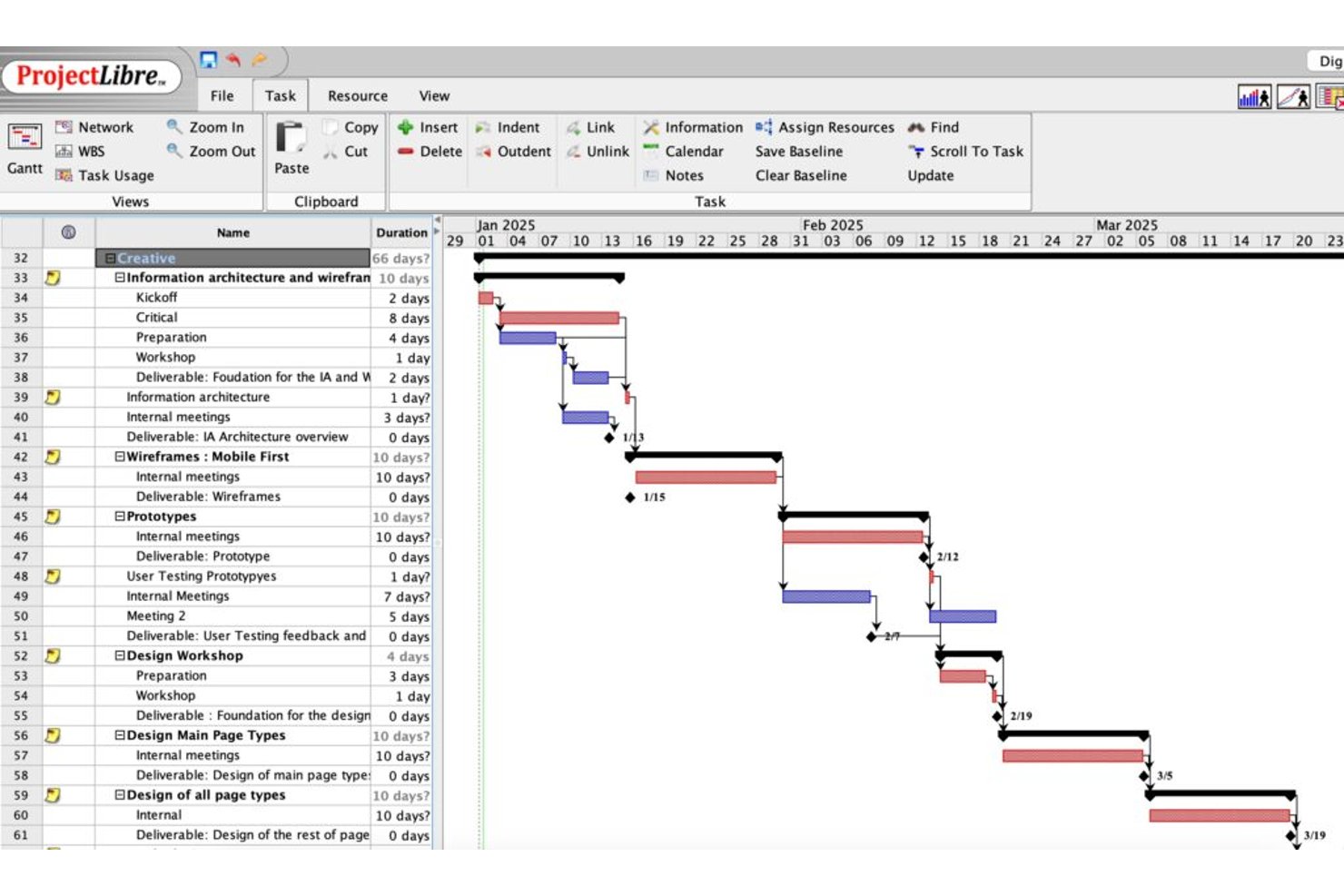
ProjectLibre è una soluzione software per il percorso critico disponibile sia come applicazione desktop open source gratuita sia come piattaforma cloud, che offre la pianificazione CPM, i diagrammi di Gantt, la mappatura delle dipendenze tra attività, l'analisi dei margini, il monitoraggio delle linee di base e la gestione del valore acquisito.
Per chi è più adatto ProjectLibre?
ProjectLibre è particolarmente adatto ai team che migrano pianificazioni esistenti di MS Project verso un ambiente CPM basato sul cloud senza doverle ricostruire da zero.
Perché ho scelto ProjectLibre
Ho scelto ProjectLibre come uno dei migliori perché è l'unico strumento della mia lista che consente di importare direttamente un file .MPP esistente in un ambiente CPM cloud senza dover ricostruire la pianificazione da zero. Se il tuo team utilizza attualmente pianificazioni di MS Project, questo permette di risparmiare molto tempo. Mi piace anche il fatto che la versione Cloud supporti fino a 11 linee di base insieme a metriche EVM aggiornate in tempo reale (CPI, SPI, TCPI), rendendo concretamente pratico il monitoraggio delle prestazioni della pianificazione rispetto a più punti di riferimento.
Funzionalità principali di ProjectLibre
- Evidenziazione del percorso critico: le attività del percorso critico vengono visualizzate in rosso nel diagramma di Gantt, consentendo di individuare a colpo d'occhio la catena di dipendenze più lunga.
- Visualizzazione dei margini libero e totale: i valori del margine libero e del margine totale vengono mostrati per ogni attività nel foglio delle attività, così puoi vedere esattamente quanta flessibilità di pianificazione ha ciascuna attività.
- Verifica della pianificazione in 14 punti DCMA: la versione Cloud esegue un controllo integrato della qualità della pianificazione secondo lo standard DCMA in 14 punti utilizzato nella gestione dei programmi governativi e della difesa.
- Generazione di progetti con AI Copilot: inserisci una richiesta in linguaggio naturale e AI Copilot crea automaticamente un piano di progetto completo, comprensivo di attività, traguardi, dipendenze, durate e diagramma di Gantt.
Integrazioni di ProjectLibre
Le integrazioni native non sono elencate pubblicamente.
Pros and Cons
Pros:
- Importa i file di Microsoft Project senza perdita di dati
- Supporta fino a 11 linee di base per pianificazione
- La versione Cloud include l'analisi dei rischi Monte Carlo
Cons:
- Nessuna collaborazione in tempo reale nella versione desktop
- Nessuna app mobile disponibile per l'accesso sul posto

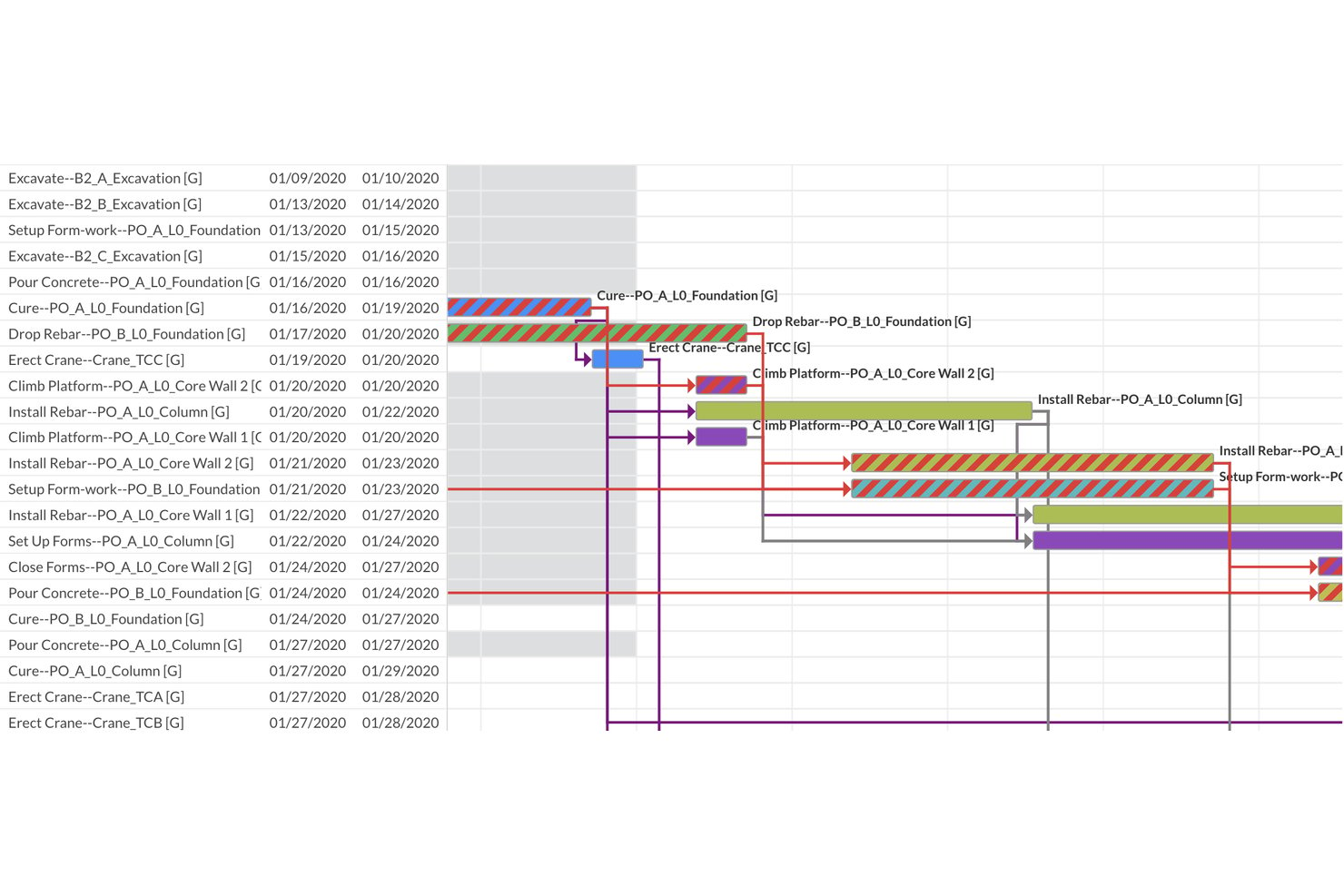
ALICE è una piattaforma di pianificazione del percorso critico dedicata all'edilizia che combina pianificazione generativa basata sull'IA, modellazione delle dipendenze basata su vincoli, visualizzazione Gantt e valutazione automatizzata della qualità della pianificazione DCMA in 14 punti.
Per chi è più adatta ALICE?
ALICE è progettata per i pianificatori edili e i direttori PMO che gestiscono grandi progetti di investimento e necessitano di una convalida automatizzata della qualità della pianificazione insieme a un'ottimizzazione basata sull'IA.
Perché ho scelto ALICE
ALICE si è guadagnata un posto nella mia selezione perché la sua valutazione automatizzata della pianificazione DCMA in 14 punti viene eseguita ogni volta che si carica o si ottimizza una pianificazione, segnalando immediatamente errori logici, dipendenze mancanti, margine negativo e problemi di integrità del percorso critico. L'ho scelta appositamente per i team per i quali la qualità della pianificazione non è facoltativa: l'indice integrato di lunghezza del percorso critico (CPLI) e l'indice di esecuzione della linea di base (BEI) forniscono ai pianificatori metriche quantificabili e pronte per l'audit senza configurazione manuale. Il motore di pianificazione generativa esegue inoltre centinaia di milioni di permutazioni di sequenziamento, quindi non si limita a convalidare un unico percorso critico statico, ma confronta molteplici alternative ottimizzate.
Funzionalità principali di ALICE
- Motore di pianificazione generativa: esegue centinaia di milioni di permutazioni di sequenziamento per produrre molteplici pianificazioni ottimizzate, anziché un unico percorso critico statico.
- Sovrapposizione del diagramma di Gantt: posiziona la pianificazione ottimizzata direttamente rispetto a una linea di base salvata per rilevare visivamente le deviazioni lungo l'intera sequenza temporale del progetto.
- Pannello delle prestazioni del portafoglio: riunisce tutti i progetti attivi in un'unica vista direzionale, monitorando il completamento medio rispetto alla linea di base e segnalando i progetti in ritardo.
- Agente di analisi della pianificazione: un'interfaccia di IA conversazionale che consente di interrogare la pianificazione in linguaggio naturale per ottenere consigli sull'ottimizzazione e sul recupero.
Integrazioni di ALICE
ALICE supporta integrazioni con Oracle Primavera P6, Oracle Primavera Cloud e Microsoft Project tramite l'importazione e l'esportazione delle pianificazioni. Accetta inoltre modelli BIM 3D e file di disegni 2D per la visualizzazione della pianificazione e la pianificazione 4D.
Pros and Cons
Pros:
- Il motore generativo produce molteplici percorsi critici ottimizzati
- Controlli automatizzati della qualità della pianificazione DCMA in 14 punti
- Il livellamento delle risorse basato sull'IA riduce i tempi di inattività
Cons:
- Nessuna simulazione Monte Carlo per l'analisi dei rischi
- Piattaforma esclusivamente ospitata nel cloud, senza opzione di installazione locale

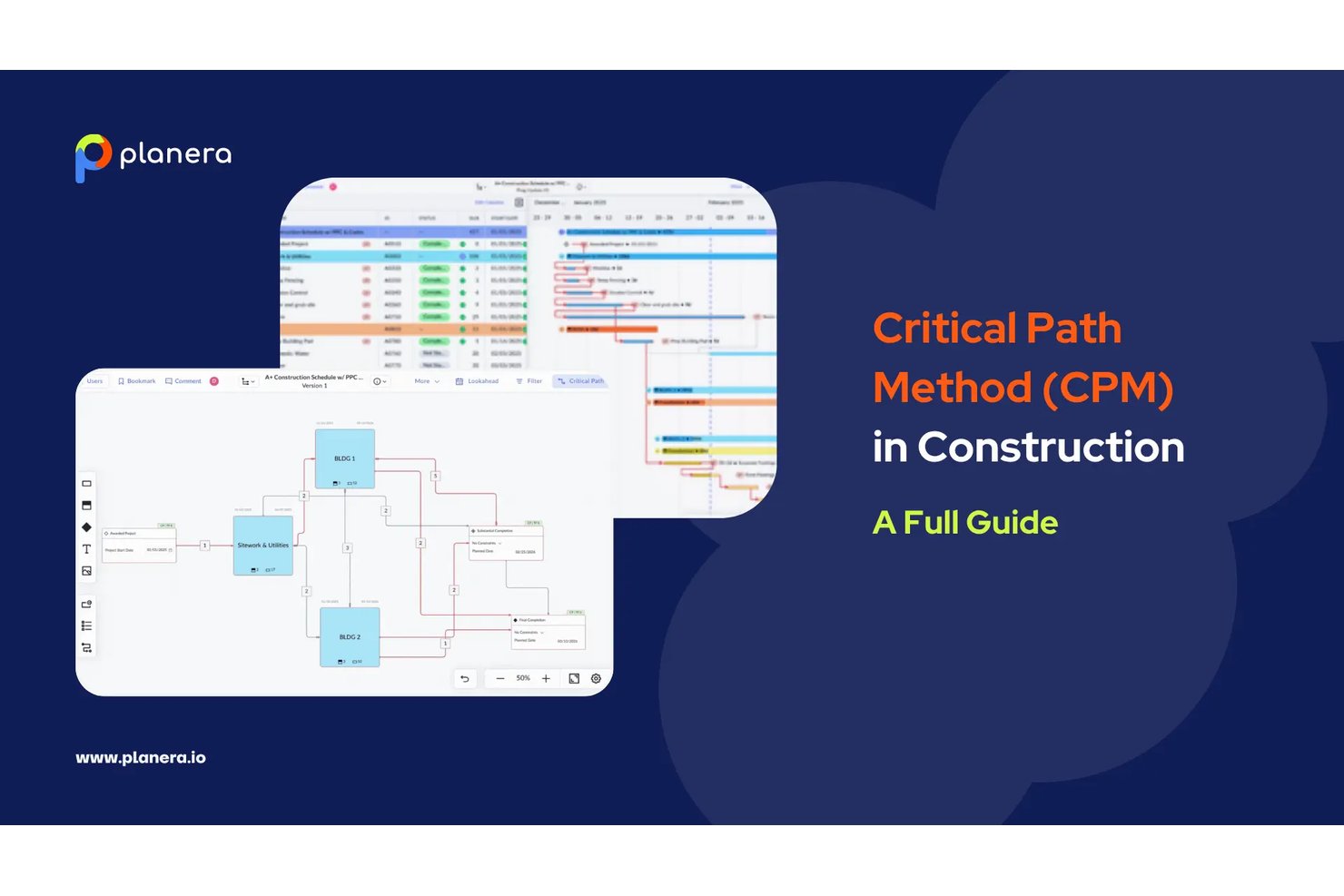
Planera è una piattaforma di programmazione CPM nativa per l'edilizia, basata su un motore completo del percorso critico, diagrammi di Gantt interattivi, un'area di lavoro CPM visiva, la simulazione del rischio Monte Carlo e la modellazione di scenari ipotetici assistita dall'IA.
Per chi è più adatta Planera?
Planera è particolarmente adatta agli appaltatori generali e ai responsabili della programmazione edile che necessitano di tutte le funzionalità del CPM senza la complessità e i costi aggiuntivi di Primavera P6.
Perché ho scelto Planera
Planera si è guadagnata un posto nella mia lista ristretta perché è l'unico strumento di programmazione CPM che ho trovato progettato fin dall'inizio per l'edilizia, anziché adattato da un software generico di gestione dei progetti. Apprezzo molto il fatto che combini un motore CPM completo con un'area di lavoro CPM visiva, in cui è possibile trascinare le attività, collegare le dipendenze e osservare il ricalcolo del percorso critico in tempo reale. La simulazione Monte Carlo integrata è ciò che la distingue davvero: è possibile eseguire previsioni probabilistiche sul completamento direttamente all'interno dello strumento di programmazione, senza esportare i dati in un software di gestione del rischio separato.
Funzionalità principali di Planera
- Controllo della qualità della programmazione in 14 punti DCMA: uno strumento di convalida integrato che verifica la programmazione rispetto a 14 criteri di qualità standard del settore per segnalare errori logici e problemi di conformità.
- Generazione della programmazione di cantiere: Planera ricava in pochi secondi una programmazione di cantiere aggiornata direttamente dal piano CPM principale, mantenendo intatta tutta la logica, così le squadre sul campo lavorano sempre con dati aggiornati.
- Confronto tra versioni: confronto affiancato delle versioni della programmazione che evidenzia le variazioni tra due istantanee qualsiasi del piano.
- Caricamento delle risorse e dashboard del carico di lavoro: strumenti per assegnare manodopera e attrezzature alle attività, con dashboard visive che segnalano i colli di bottiglia e prevedono la domanda nell'intero progetto.
Integrazioni di Planera
Planera offre integrazioni native con Procore e Autodesk Construction Cloud. Supporta inoltre l'importazione e l'esportazione nei formati XER, MPP, XML ed Excel, oltre a un'API cloud per integrazioni personalizzate.
Pros and Cons
Pros:
- Simulazione del rischio Monte Carlo integrata
- Tutti e quattro i tipi di dipendenza con percorsi di margine
- L'area di lavoro CPM consente la programmazione con trascinamento in tempo reale
Cons:
- Non sono disponibili metriche di gestione del valore acquisito
- Non è disponibile un'opzione di distribuzione on-premise

Ideale per la pianificazione del percorso critico vincolata dalle risorse
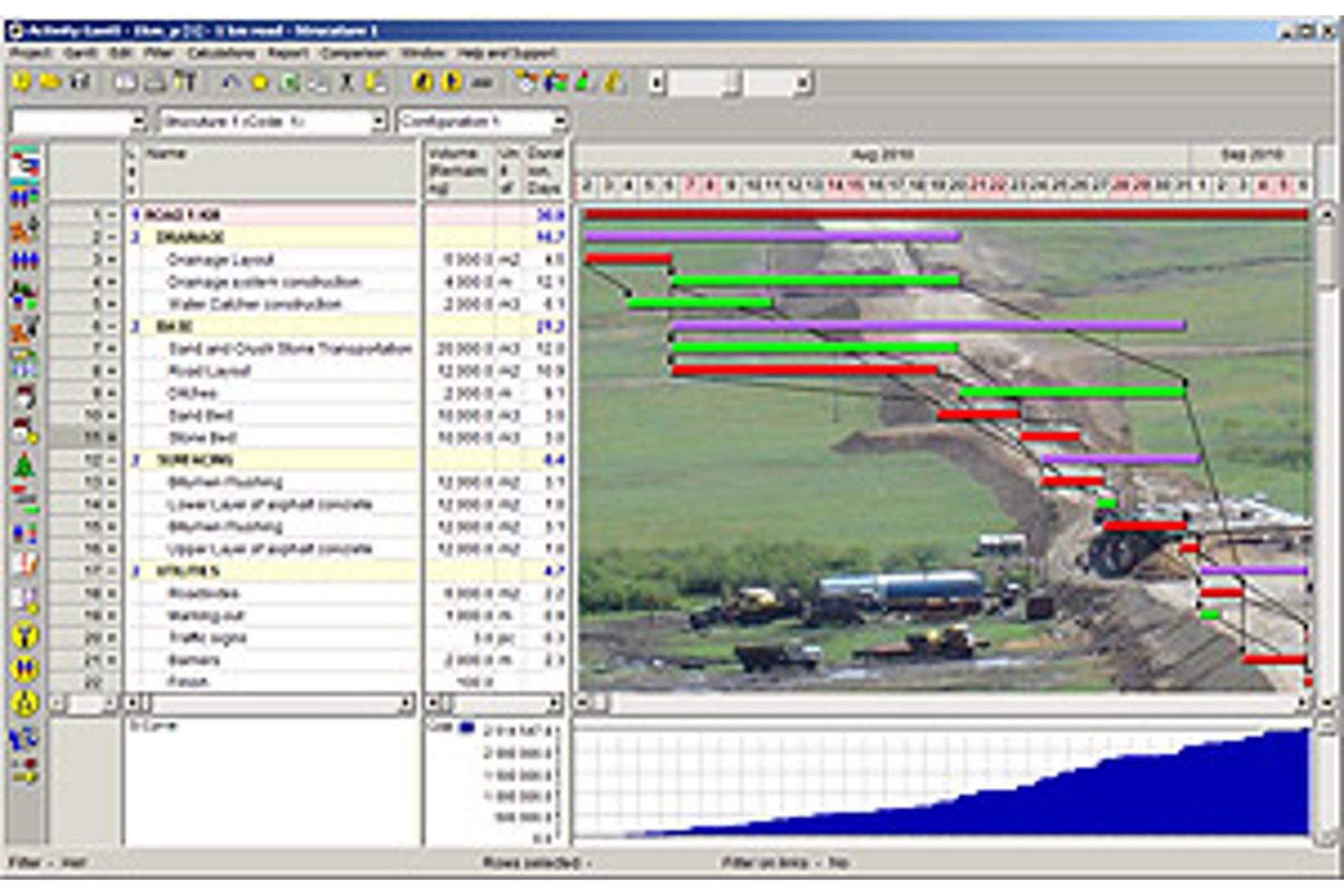
Spider Project è uno strumento desktop per la pianificazione del percorso critico che supporta il calcolo CPM, la pianificazione vincolata dalle risorse, la gestione del portafoglio, la gestione del valore acquisito e la simulazione dei rischi integrata in ambienti complessi con più progetti.
Per chi è più indicato Spider Project?
Spider Project è adatto a pianificatori e responsabili di programma nei settori dell'edilizia, dell'ingegneria e delle infrastrutture che necessitano di una pianificazione del percorso critico vincolata dalle risorse per portafogli di progetti grandi e complessi.
Perché ho scelto Spider Project
Spider Project è entrato nella mia lista ristretta perché nessun altro strumento di pianificazione gestisce la pianificazione del percorso critico vincolata dalle risorse allo stesso modo. Sono particolarmente colpito dal calcolo del percorso critico delle risorse, che considera la disponibilità delle risorse per identificare la sequenza realmente determinante, non solo quella basata sulla logica. Calcola inoltre il ritardo del percorso critico, così è possibile vedere esattamente quanto ogni attività critica aggiunge alla durata totale del progetto.
Funzionalità principali di Spider Project
- Pianificazione basata sulle quantità: Calcola automaticamente la durata delle attività a partire dai volumi di lavoro (metri cubi, tonnellate) e dai tassi di produttività memorizzati, evitando di dover stimare manualmente la durata delle attività.
- Linee di base illimitate: Memorizza e confronta un numero qualsiasi di istantanee del progetto affiancate, consentendo di monitorare come è cambiata la pianificazione nel tempo.
- Gestione del valore acquisito: Calcola nativamente CPI, SPI, varianza dei costi e varianza della pianificazione su costi, materiali e campi definiti dall'utente, con report sulle tendenze integrati.
- Attività condizionali: Consente di definire ramificazioni condizionali nella rete, in modo che la pianificazione selezioni dinamicamente tra percorsi alternativi sulla base della logica definita dall'utente.
Integrazioni di Spider Project
Spider Project supporta lo scambio di dati basato su file con Microsoft Project, Primavera P6, Microsoft Excel, CSV, MS SQL Server e Oracle Database.
Pros and Cons
Pros:
- La pianificazione del percorso critico vincolata dalle risorse è integrata
- La pianificazione basata sulle quantità supporta i flussi di lavoro dell'edilizia
- Linee di base illimitate con un solido monitoraggio del valore acquisito
Cons:
- Solo desktop Windows, nessuna versione cloud
- È necessaria una chiave USB fisica per utilizzare la licenza

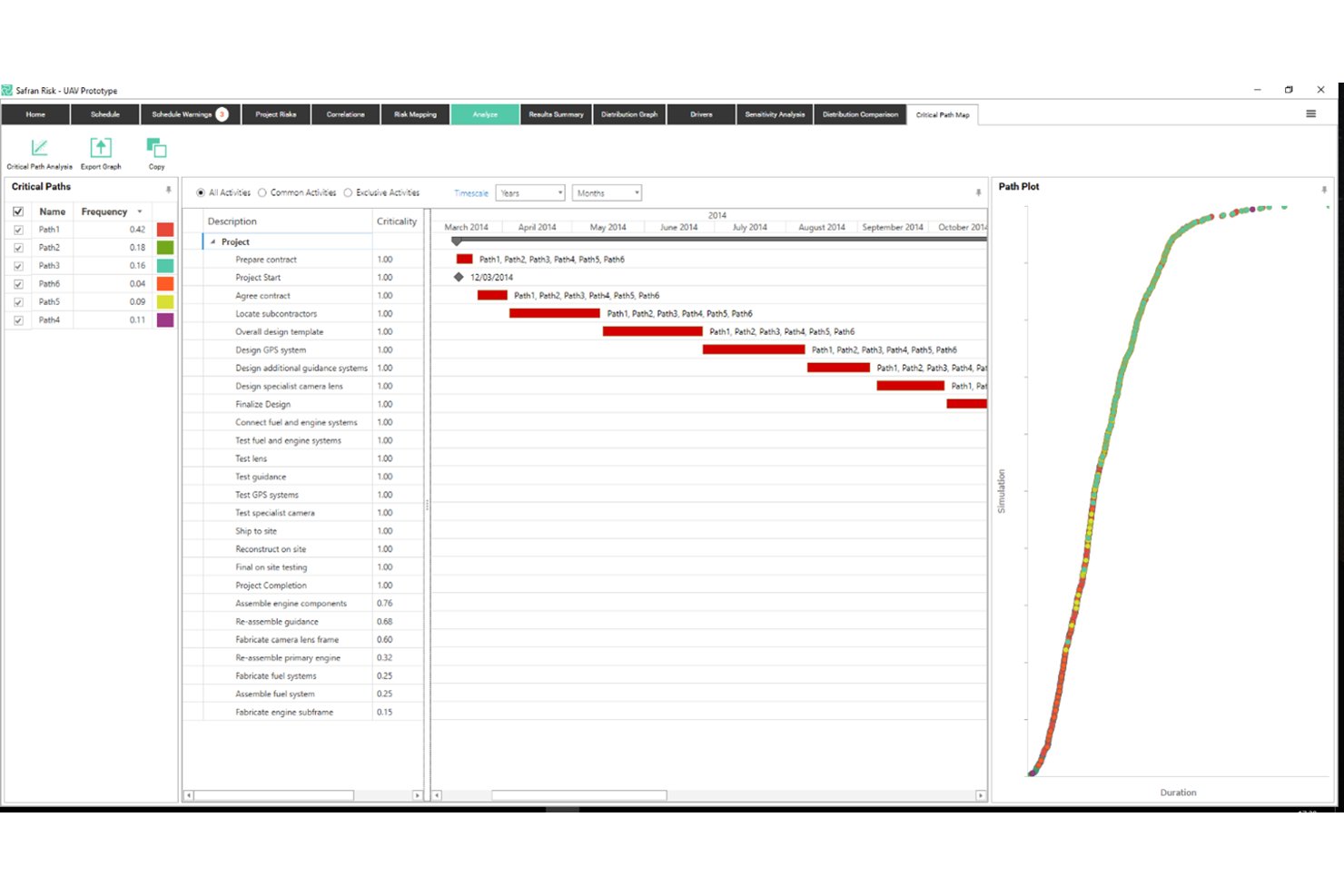
Safran Project è una piattaforma specialistica di pianificazione CPM progettata per i settori ad alta intensità di capitale, che offre il calcolo del percorso critico in tempo reale, una gestione avanzata del margine di flessibilità, l'analisi quantitativa dei rischi di pianificazione tramite simulazione Monte Carlo e la gestione integrata del valore acquisito.
Per chi è più adatto Safran Project?
Safran Project è progettato per responsabili della pianificazione e team di controllo dei progetti che lavorano su progetti ad alta intensità di capitale nei settori del petrolio e del gas, dell'ingegneria, delle costruzioni, dell'aerospaziale e della difesa.
Perché ho scelto Safran Project
Safran Project si è guadagnato un posto nella mia rosa dei candidati perché nessun altro strumento che ho esaminato gestisce l'analisi quantitativa dei rischi di pianificazione con questo livello di profondità. Sono particolarmente colpito dalla simulazione Monte Carlo nativa tramite Safran Risk, che funziona il 97% più velocemente di Primavera Risk Analysis e produce livelli di confidenza congiunti sia per i costi sia per la pianificazione. Anche il vincolo Split Target si distingue: consente di distribuire deliberatamente il margine di flessibilità tra le fasi del progetto, fornendo un avviso tempestivo quando un segmento specifico sta consumando il proprio margine prima di raggiungere il percorso critico.
Funzionalità principali di Safran Project
- Motore di pianificazione CPM in tempo reale: Ricalcola automaticamente il percorso critico tra un numero illimitato di attività non appena cambia un input o la logica.
- Suite di reportistica EVM: Tiene traccia di SPI, CPI, SV, CV, EAC e VAC rispetto a una baseline definita, con curve a S e istogrammi per la misurazione delle prestazioni conforme allo standard ANSI/EIA-748A.
- Pianificazione alternativa ipotetica: Consente di creare e confrontare versioni alternative della pianificazione per valutare l'impatto delle modifiche all'ambito sulle risorse e sulle tempistiche.
- Livellamento intelligente delle risorse: Ridistribuisce i carichi di lavoro tra le risorse soggette a vincoli a livello di progetto o di portafoglio senza interrompere il percorso critico.
Integrazioni di Safran Project
Safran Project offre integrazioni native con Oracle Primavera P6, Microsoft Project, SAP Project System, IFS e ILAP. Fornisce inoltre un'API di integrazione per connessioni personalizzate e supporta la distribuzione su cloud privato tramite Safran Cloud.
Pros and Cons
Pros:
- Simulazione Monte Carlo integrata nel flusso di lavoro di pianificazione
- Aggiornamenti del percorso critico in tempo reale per portafogli di grandi dimensioni
- Analisi avanzata del margine di flessibilità con distribuzione tra le fasi
Cons:
- Il design dell'interfaccia appare visivamente datato
- Nessuna app mobile nativa per l'utilizzo sul campo

Ideale per la pianificazione nell'ecosistema Microsoft 365
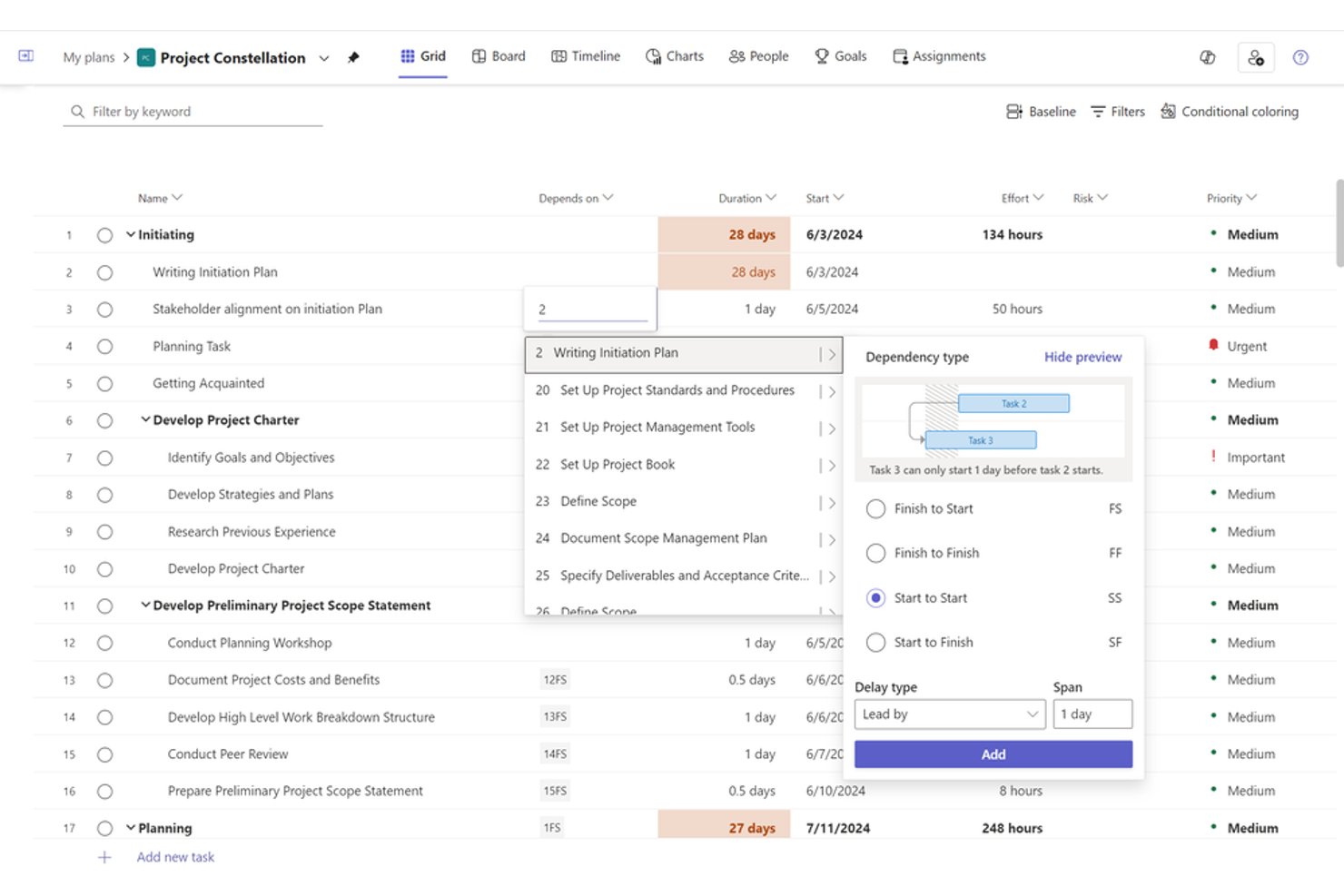
Microsoft Project è uno strumento per la pianificazione dei progetti e la gestione del portafoglio, basato su un motore CPM nativo, che offre diagrammi di Gantt, mappatura delle dipendenze tra attività, livellamento delle risorse, monitoraggio delle baseline e gestione del valore acquisito in ambienti desktop e basati sul cloud.
Per chi è più adatto Microsoft Project?
Microsoft Project è adatto ai direttori degli uffici di gestione dei progetti (PMO) e ai responsabili dei programmi di ingegneria delle organizzazioni medio-grandi che utilizzano già Microsoft 365 e necessitano di una pianificazione CPM di livello aziendale senza uscire da quell'ecosistema.
Perché ho scelto Microsoft Project
Microsoft Project si è guadagnato un posto nella mia rosa dei candidati perché, se il tuo team utilizza già Microsoft 365, la profondità delle funzionalità di pianificazione che puoi ottenere senza uscire da quell'ecosistema è difficile da replicare altrove. Apprezzo in particolare la capacità del motore CPM nativo di calcolare più percorsi critici simultanei all'interno di un progetto principale, con barre dei diagrammi di Gantt codificate in rosso e soglie di margine configurabili che segnalano le attività quasi critiche prima che diventino problemi reali. Il supporto per un massimo di 11 baseline, insieme alle metriche EVM integrate come CPI e SPI, lo rende la mia scelta preferita quando un programma richiede una rigorosa responsabilità sulla pianificazione.
Funzionalità principali di Microsoft Project
- Motore di pianificazione automatica: Ricalcola dinamicamente le date di inizio e fine delle attività in tempo reale ogni volta che cambiano durate, dipendenze o vincoli.
- Livellamento delle risorse: Ridistribuisce automaticamente il lavoro tra le risorse sovralloccate ritardando le attività non critiche entro il margine disponibile.
- Visualizzazione del diagramma di rete: Mostra tutte le attività e le dipendenze come un diagramma di flusso basato su nodi, offrendo un'alternativa alla visualizzazione del diagramma di Gantt incentrata sulle dipendenze.
- Analisi del portafoglio (Plan 5): Consente agli uffici di gestione dei progetti di confrontare, definire le priorità e assegnare un punteggio ai progetti all'interno del portafoglio utilizzando la ponderazione dei fattori aziendali e la modellazione della domanda rispetto alla capacità.
Integrazioni di Microsoft Project
Microsoft Project offre integrazioni native nell'ecosistema Microsoft, tra cui Microsoft Teams, SharePoint, Power BI, Power Automate, Planner e Dynamics 365. Fornisce inoltre un'API REST per le integrazioni personalizzate e supporta Zapier.
Pros and Cons
Pros:
- Calcola automaticamente più percorsi critici del progetto
- Monitoraggio nativo del valore acquisito e delle baseline
- Supporta tutti e quattro i tipi di dipendenza
Cons:
- Nessuna analisi dei rischi Monte Carlo integrata
- Le funzionalità dei progetti principali richiedono il livello aziendale

Ideale per dashboard del percorso critico in tempo reale
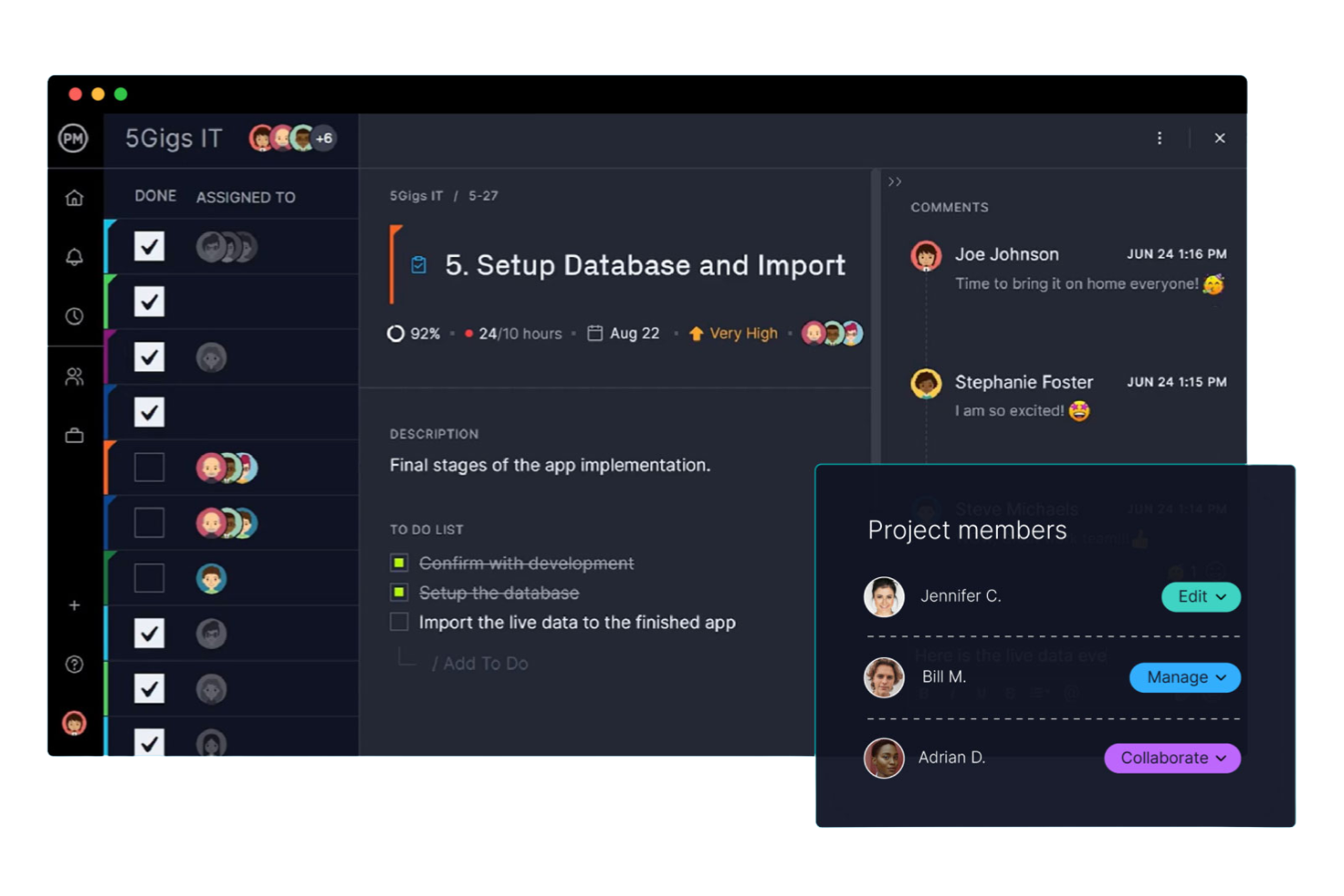
ProjectManager è una piattaforma di gestione dei progetti con un diagramma di Gantt interattivo che calcola automaticamente il percorso critico, supporta tutti e quattro i tipi di dipendenza con configurazione di ritardi e anticipi e fornisce dashboard in tempo reale per il monitoraggio della baseline e la reportistica delle variazioni di pianificazione.
Per chi è più adatto ProjectManager?
ProjectManager è particolarmente adatto ai direttori degli uffici di gestione progetti (PMO) e ai responsabili dei programmi IT che necessitano di una visibilità chiara sul percorso critico e di reportistica tramite dashboard in tempo reale, senza la complessità degli strumenti di pianificazione aziendale.
Perché ho scelto ProjectManager
ProjectManager si è guadagnato un posto nella mia lista ristretta perché le sue dashboard in tempo reale offrono una visibilità immediata sullo stato della pianificazione senza alcuna reportistica manuale. Apprezzo molto il fatto che il filtro del percorso critico con un clic evidenzi direttamente le attività critiche nel diagramma di Gantt e che le sovrapposizioni della baseline permettano di vedere lo scostamento tra pianificato ed effettivo nel momento stesso in cui si verifica. Se gestisci un portafoglio di flussi di lavoro IT o di programmi, la dashboard del portafoglio riunisce la variazione della pianificazione di ogni progetto in un'unica vista.
Caratteristiche principali di ProjectManager
- Tutti e quattro i tipi di dipendenza: Collega le attività utilizzando relazioni Fine-Inizio, Inizio-Inizio, Fine-Fine o Inizio-Fine, con configurazione del ritardo e dell'anticipo per ciascuna.
- Visualizzazione di margine e riserva: Quando abiliti il filtro del percorso critico, il diagramma di Gantt mostra il margine totale e libero per ogni attività, così puoi vedere a colpo d'occhio il margine della pianificazione.
- Dashboard del portafoglio: Una vista aggregata riunisce l'avanzamento delle attività, i costi e il carico di lavoro di più progetti in un'unica interfaccia per una visibilità trasversale sui progetti.
- Approfondimenti AI sul progetto: Disponibile nei piani Business ed Enterprise, questa funzionalità fornisce riepiloghi automatici dell'avanzamento, segnalazioni dei rischi e suggerimenti sulle risorse senza reportistica manuale.
Integrazioni di ProjectManager
ProjectManager offre integrazioni native con Microsoft Project, Jira, Azure DevOps, Microsoft Teams, Power BI e QuickBooks Online. Fornisce inoltre un'API per le integrazioni personalizzate e supporta Zapier.
Pros and Cons
Pros:
- Il filtro del percorso critico evidenzia immediatamente le attività
- Monitoraggio integrato della baseline e delle variazioni
- Margine e riserva visualizzati nel diagramma di Gantt
Cons:
- Nessuna modellazione di scenari ipotetici
- Il livellamento delle risorse è solo manuale

Ideale per la pianificazione CPM multi-progetto su scala aziendale
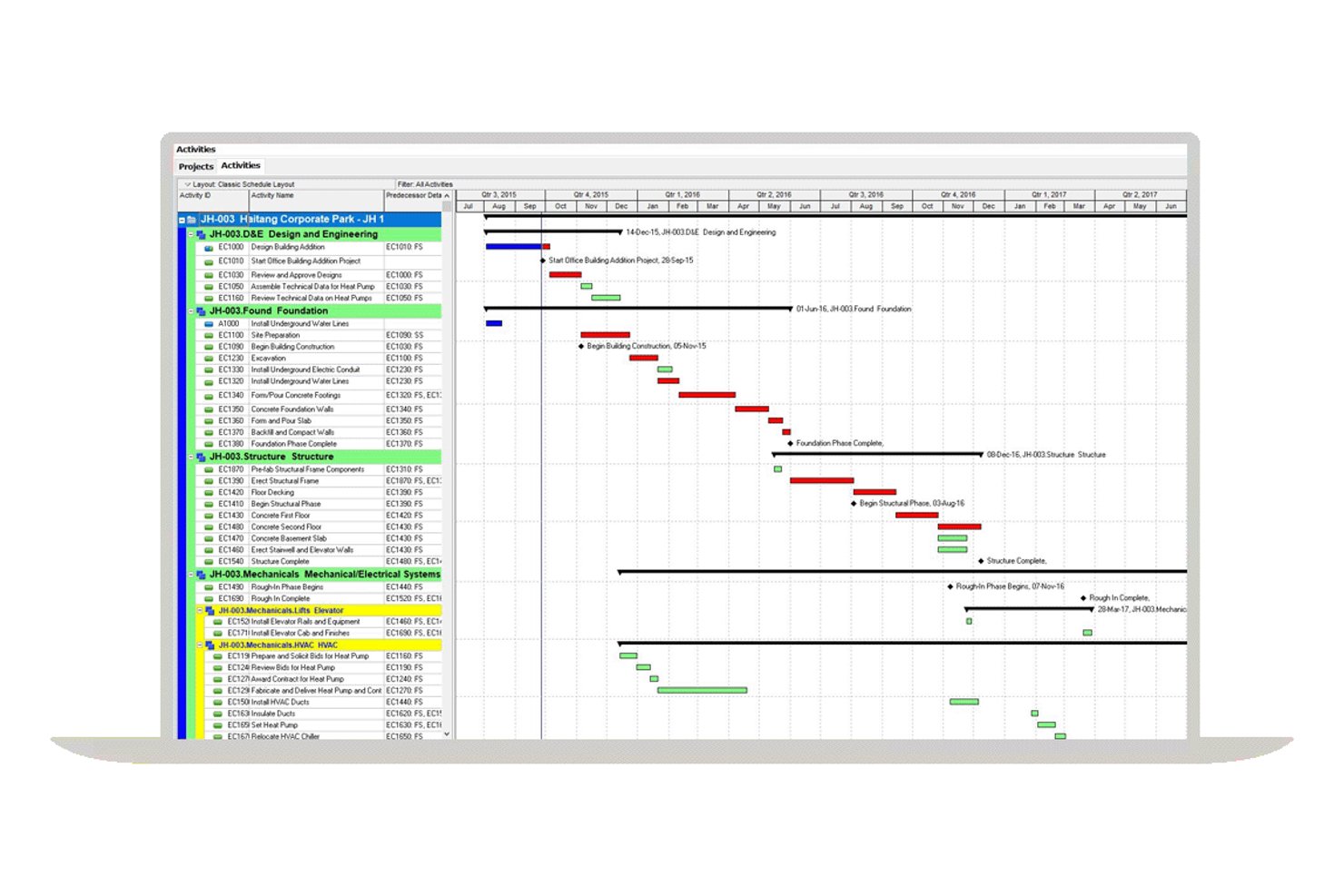
Oracle Primavera P6 è una piattaforma aziendale di pianificazione CPM progettata per ambienti multi-progetto su larga scala, che offre il calcolo del percorso critico, la mappatura delle dipendenze, l'analisi del margine, il livellamento delle risorse, il monitoraggio delle baseline e la gestione del valore acquisito.
Per chi è più indicato Oracle Primavera P6?
Oracle Primavera P6 è la scelta ideale per i team di controllo dei progetti aziendali che gestiscono programmi grandi e complessi nei settori dell'edilizia, dell'EPC, del petrolio e del gas o delle infrastrutture.
Perché ho scelto Oracle Primavera P6
Oracle Primavera P6 si è guadagnato un posto nella mia rosa ristretta perché nessun altro strumento eguaglia la sua profondità nella pianificazione CPM multi-progetto su scala aziendale. Sono particolarmente colpito dal supporto per un massimo di 30 percorsi critici simultanei, calcolati tramite passaggi in avanti e all'indietro sull'intero portafoglio di progetti utilizzando la struttura aziendale dei progetti. Anche le sue analisi del margine sono eccellenti: monitorano il margine totale, il margine libero e il margine negativo per ogni attività, esattamente ciò che serve per l'analisi dei ritardi nei programmi complessi e interdipendenti.
Funzionalità principali di Oracle Primavera P6
- Motore di livellamento delle risorse: Ridistribuisce automaticamente i carichi di lavoro tra le risorse soggette a vincoli senza interrompere il percorso critico, supportando il livellamento multi-progetto nell'intera gerarchia EPS.
- Gerarchia della struttura di suddivisione del lavoro (WBS): Organizza i progetti in livelli WBS dettagliati con attività riepilogative, codici attività e campi definiti dall'utente per una classificazione e un filtraggio accurati.
- Gestione del valore acquisito (EVM): Calcola PV, EV, AC, CPI e SPI a livello di progetto e di attività, collegandoli direttamente alla baseline del progetto per il monitoraggio delle prestazioni della pianificazione.
- Mappatura delle dipendenze tra progetti: Supporta tutti e quattro i tipi di dipendenza—FS, SS, FF e SF—con configurazione di ritardi e anticipi, comprese le dipendenze tra progetti concorrenti all'interno della gerarchia EPS.
Integrazioni di Oracle Primavera P6
Oracle Primavera P6 offre integrazioni native con Oracle Primavera Unifier, Aconex, Oracle Primavera Cloud e SAP tramite il suo framework di integrazione dei progetti. P6 supporta inoltre Oracle Integration Cloud, Microsoft Project, lo scambio XER/XML e le API REST per integrazioni personalizzate.
Pros and Cons
Pros:
- Gestisce la pianificazione CPM multi-progetto su scala aziendale
- Supporta fino a 30 percorsi critici simultanei
- Offre strumenti approfonditi per l'analisi del margine e dei ritardi
Cons:
- La simulazione Monte Carlo richiede un componente aggiuntivo separato
- Gli strumenti di reportistica nativi sono descritti come limitati

Ideale per la pianificazione delle tempistiche collegata al BIM 4D
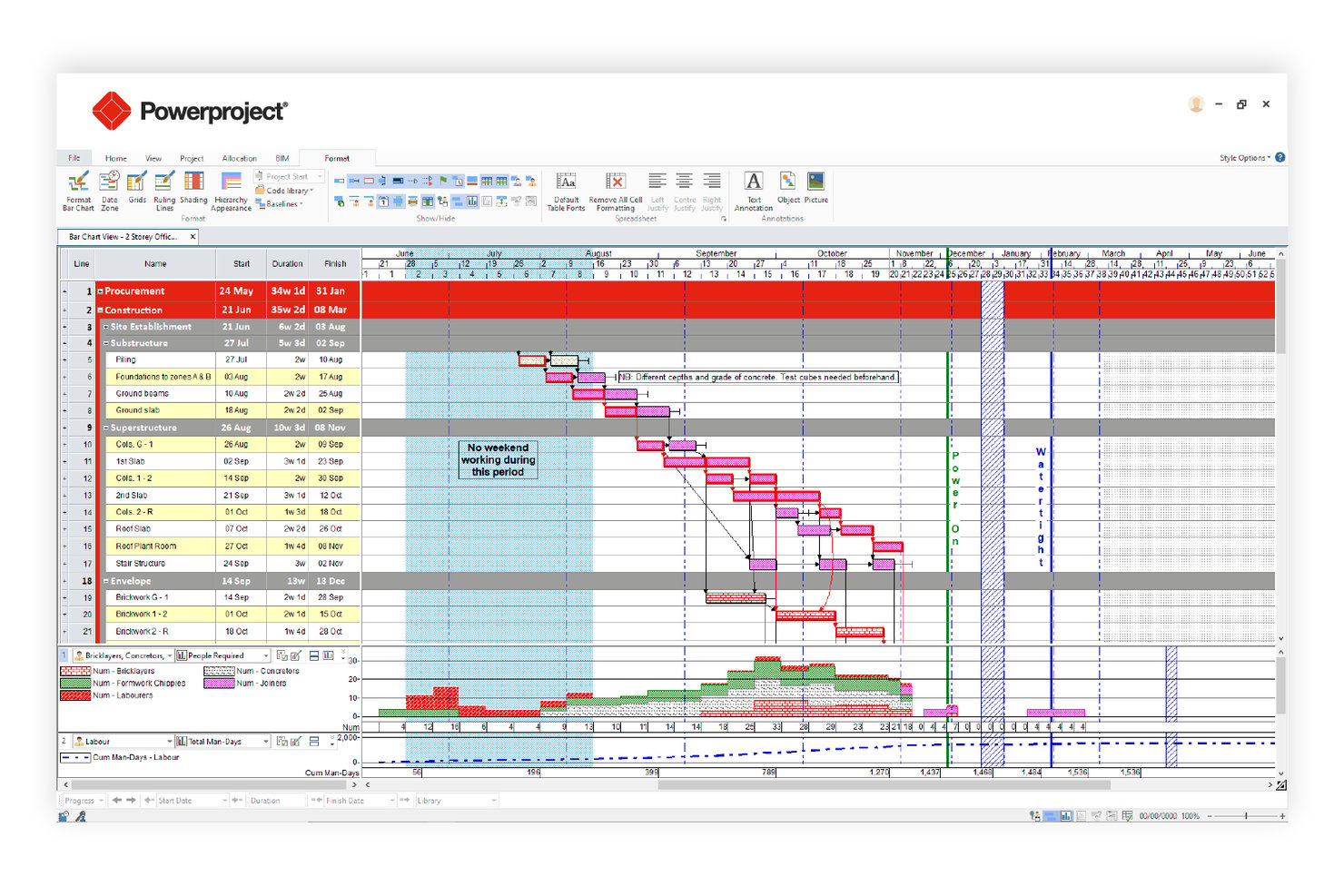
Asta Powerproject è uno strumento di pianificazione del percorso critico incentrato sull'edilizia che combina il calcolo automatico CPM, l'integrazione con il BIM 4D, l'analisi dei rischi Monte Carlo, il monitoraggio di più linee di riferimento e il livellamento delle risorse in un'unica piattaforma.
Per chi è più indicato Asta Powerproject?
Asta Powerproject è particolarmente adatto ai responsabili di progetto del settore edile e delle infrastrutture che necessitano di una pianificazione delle tempistiche strettamente collegata ai modelli BIM.
Perché ho scelto Asta Powerproject
Asta Powerproject si è guadagnato un posto nella mia rosa di strumenti preferiti perché nessun altro strumento per il percorso critico collega le attività della pianificazione direttamente a un modello BIM 3D nello stesso modo, consentendo di simulare visivamente l'avanzamento della costruzione prima ancora che venga piantata una sola pala. Apprezzo molto anche la sua Analisi dei rischi Monte Carlo: esegue centinaia di iterazioni e produce un Indice di criticità che mostra esattamente quali attività si trovano più spesso sul percorso critico nei diversi scenari. Aggiungendo linee di riferimento illimitate, con fino a 10 visualizzabili simultaneamente, si ottiene un monitoraggio preciso degli scostamenti che la maggior parte degli strumenti CPM non è in grado di offrire.
Funzionalità principali di Asta Powerproject
- Mappatura delle dipendenze tra attività: Supporta tutti e quattro i tipi di dipendenza CPM—Fine-Inizio, Inizio-Inizio, Fine-Fine e Inizio-Fine—con configurazione di ritardi/anticipi e più collegamenti logici tra la stessa coppia di attività.
- Analisi del margine e del tempo di riserva: Calcola e visualizza sia il margine libero sia il margine totale per ogni attività, con avvisi sulle soglie di quasi criticità e indicatori di margine negativo per le attività supercritiche.
- Controllo della qualità della pianificazione: Convalida l'integrità della pianificazione rispetto alle metriche di conformità DCMA e CIOB preconfigurate prima dell'invio o della revisione da parte del cliente.
- Applicazione mobile Asta SiteProgress: Consente ai team sul cantiere di inviare aggiornamenti sui progressi in tempo reale, annotazioni sulle foto e monitoraggio basato sulle quantità direttamente dai dispositivi iOS o Android.
Integrazioni di Asta Powerproject
Asta Powerproject offre integrazioni con Microsoft Project (.MPP), Oracle Primavera P6 (.XER/.XML), Excel, CSV, SQL e database Oracle. Asta Powerproject si collega inoltre a SAP, Oracle ERP, Procore, Bidcon BIM 5D e Asta Vision per lo scambio e la reportistica dei dati di costruzione.
Pros and Cons
Pros:
- Collega le attività della pianificazione direttamente al BIM 3D
- Linee di riferimento illimitate con dieci sovrapposte simultaneamente
- Modulo integrato di analisi dei rischi Monte Carlo
Cons:
- La reportistica del valore acquisito è meno dettagliata rispetto a P6
- Nessuna funzionalità integrata per un registro formale dei rischi

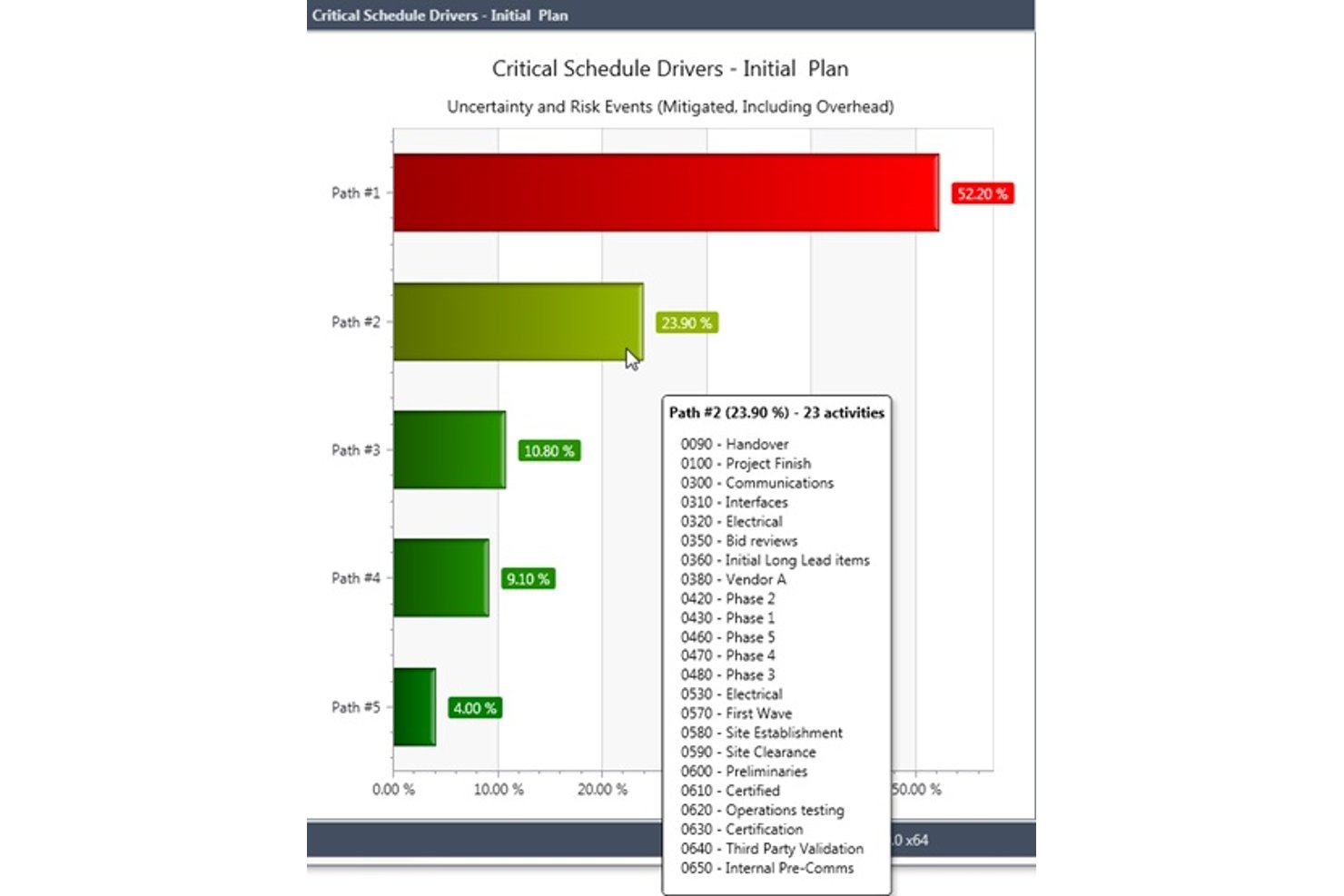
Deltek Acumen è una piattaforma di analisi e gestione dei rischi delle pianificazioni che esegue diagnostica delle pianificazioni, simulazioni Monte Carlo, analisi forensi dei ritardi e governance delle pianificazioni a livello di portafoglio sulle pianificazioni create con strumenti come Primavera P6 e MS Project.
Per chi è più adatto Deltek Acumen?
Deltek Acumen è progettato per pianificatori e team di controllo dei programmi nei settori degli appalti pubblici, della difesa, dell'aerospazio e delle costruzioni EPC, che necessitano di analisi forensi delle pianificazioni basate su Primavera P6 o MS Project.
Perché ho scelto Deltek Acumen
Deltek Acumen merita un posto nella mia selezione perché nessun altro strumento si avvicina alle sue analisi forensi delle pianificazioni per i programmi governativi e della difesa. Apprezzo in particolare la diagnostica DCMA in 14 punti e l'analisi dei ritardi a metà intervallo, che separa automaticamente le variazioni di avanzamento dalle variazioni dell'ambito tra diverse versioni della pianificazione, esattamente ciò che serve per supportare le richieste di risarcimento o la documentazione per gli audit. Inoltre, la simulazione Monte Carlo identifica i percorsi critici probabilistici su pianificazioni con oltre 500.000 attività, individuando quali percorsi stanno realmente determinando il rischio.
Funzionalità principali di Deltek Acumen
- Governance delle pianificazioni con Acumen Touchstone: Assegna automaticamente un punteggio alle pianificazioni presentate dai subappaltatori in base a soglie di qualità configurabili, applica i criteri di accettazione e mantiene tracce di audit complete per tutte le presentazioni.
- Identificazione dei rischi tramite Dela AI: Analizza il tipo di progetto, la località e la logica della pianificazione per individuare automaticamente i rischi e generare strategie di mitigazione prioritarie associate alle attività.
- Modellazione dei danni liquidati: Configura i massimali dei danni liquidati in base al contratto e calcola l'esposizione alle penali per i ritardi direttamente nell'ambiente di gestione dei rischi della pianificazione.
- Reportistica IPMDAR e DOE PARS: Genera output IPMDAR SPD/CPD e importa i dati DOE PARS per l'analisi della pianificazione e dei costi prima dell'invio, in linea con i requisiti di reportistica governativi.
Integrazioni di Deltek Acumen
Deltek Acumen supporta integrazioni con Primavera P6, Microsoft Project, Deltek Open Plan, Safran Project, Asta Powerproject, Phoenix Project Manager, Deltek Cobra, PrismG2 e DOE PARS.
Pros and Cons
Pros:
- Eccelle nell'analisi dei percorsi critici probabilistici
- Analisi forensi dei ritardi e approfondimenti sulle baseline senza pari
- Governance avanzata delle pianificazioni per progetti soggetti a rigorosi requisiti di conformità
Cons:
- Non consente di creare o modificare direttamente le pianificazioni
- La creazione di report personalizzati richiede un notevole lavoro manuale
Altri software per il percorso critico
Ecco alcune ulteriori opzioni di software per il percorso critico che non sono state incluse nel mio elenco, ma che vale comunque la pena prendere in considerazione:
- Wrike
Ideale per le funzionalità di collaborazione tra squadre
- InEight
Ideale per CPM assistito dall'IA nella costruzione di grandi opere
- Smartsheet
Ideale per la pianificazione in stile foglio di calcolo
- Zoho Projects
Ideale per la gestione del percorso critico con monitoraggio del tempo nell'ecosistema Zoho
- GanttPRO
Ideale per la pianificazione interattiva del metodo del percorso critico (CPM) basata sui diagrammi di Gantt
- monday.com
Ideale per dashboard di progetto visive
- Phoenix Project Manager
Ideale per la pianificazione di diagrammi di rete con scala temporale
- Trimble Tilos
Ideale per la pianificazione dei programmi delle infrastrutture lineari


Come Valuto i Software di Critical Path
Divido la mia valutazione in criteri di base che ogni strumento focalizzato sulla programmazione deve soddisfare—come il calcolo automatico del CPM e la mappatura delle dipendenze—e in fattori differenzianti che distinguono le soluzioni migliori dal resto.
Funzionalità di Base (Requisiti Fondamentali per Questa Lista)
Quando seleziono gli strumenti per la mia lista, ne valuto ciascuno su una scala da 0 (non offre la funzionalità) a 5 (eccelle in questa area) per ogni funzionalità chiave elencata qui sotto. Poi, calcolo il punteggio totale dello strumento come percentuale. Ogni strumento deve raggiungere un punteggio totale minimo del 65% per essere preso in considerazione.
- Calcolo del Critical Path: Verifico se lo strumento calcola automaticamente le date di inizio/fine anticipate e ritardate per tutte le attività—ad esempio, un programma di costruzione di 200 attività—senza dover ricorrere a soluzioni manuali.
- Mappatura delle Dipendenze delle Attività: Tutti e quattro i tipi di dipendenza (FS, SS, FF, SF) sono importanti e verifico la presenza del supporto per tempi di ritardo/anticipo per scenari come periodi di maturazione tra colate e casserature.
- Visualizzazione con Diagramma di Gantt: La vista Gantt deve separare visivamente le attività critiche da quelle non critiche e consentire di interagire direttamente con il programma, non solo visualizzare una timeline statica.
- Analisi di Margine e Slack: Valuto se per ogni attività vengono mostrati i valori di marginalità totale e libera, poiché individuare tempestivamente le attività quasi critiche è il modo in cui i planner evitano cambi improvvisi dell’attività critica.
- Monitoraggio Baseline e Avanzamento: Impostare più baseline e confrontare tempi pianificati e reali mi permette di valutare quanto a fondo lo strumento gestisce la governance della pianificazione—una sola baseline non basta per progetti a fasi.
- Simulazione di Scenari "What-If": Cerco la possibilità di simulare ritardi o cambi di risorse con ricalcolo del critical path in tempo reale, essenziale quando il committente chiede delle varianti.
Quando ho una lista di strumenti che soddisfano questi criteri, considero cosa distingue ciascuna piattaforma.
Fattori Differenzianti (Cosa Distingue i Fornitori)
Ecco come confronto e metto a contrasto i diversi fornitori:
Funzionalità Distintive
La simulazione Monte Carlo è una delle più importanti: cerco strumenti che permettano di eseguire analisi probabilistiche sulle durate delle attività per prevedere date di completamento realistiche, invece di affidarsi a stime puntuali. Il livellamento delle risorse conta molto, soprattutto in progetti multi-impresa dove squadre sovraccariche spostano il critical path. Per i direttori di PMO che gestiscono programmi paralleli, un CPM a livello di portafoglio, che calcola il percorso critico tra progetti, eleva uno strumento da semplice gestore di programmi a vera piattaforma di pianificazione.
Oltre le Funzionalità
Valuto se uno strumento supporta l'importazione di file .MPP e .XER, dato che molti team di pianificazione devono scambiare file con clienti o appaltatori che usano MS Project o Primavera P6. Anche la modalità di implementazione conta: i team di cantiere hanno bisogno di accesso mobile e offline, mentre settori regolamentati spesso richiedono installazione on-premise. Controllo anche la presenza di template specifici per settore, perché chi deve pianificare il roll-out di un data center ha esigenze WBS molto diverse da chi gestisce il rilascio agile di un software.
Come scegliere il software per il percorso critico
È facile perdersi in lunghi elenchi di funzionalità e strutture tariffarie complesse. Per aiutarti a rimanere concentrato mentre affronti il tuo processo unico di selezione del software, ecco una lista di fattori da tenere a mente:
| Fattore | Cosa considerare |
|---|---|
| Scalabilità | Il software sarà in grado di gestire il volume dei tuoi progetti man mano che il team o l'organizzazione crescono? Verifica i limiti di utenti, i limiti dei progetti e le prestazioni con grandi insiemi di dati. |
| Integrazioni | Lo strumento si connette nativamente alle piattaforme esistenti di gestione dei progetti, archiviazione dei file o comunicazione? Verifica la compatibilità con il tuo insieme di tecnologie. |
| Personalizzazione | Puoi adattare flussi di lavoro, campi e visualizzazioni ai processi del tuo team? Evita i sistemi rigidi che ti costringono a modificare il tuo modo di lavorare. |
| Facilità d'uso | Quanto rapidamente i nuovi utenti possono diventare operativi? Cerca una navigazione intuitiva, etichette chiare e requisiti minimi di formazione. |
| Implementazione e avvio | Quali risorse sono necessarie per iniziare? Considera il tempo, il supporto e la formazione richiesti per la configurazione, la migrazione dei dati e l'adozione da parte degli utenti. |
| Costo | I livelli tariffari sono trasparenti e prevedibili al variare delle tue esigenze? Fai attenzione ai costi nascosti, ai costi per utente o ai componenti aggiuntivi obbligatori. |
| Misure di sicurezza | Il software soddisfa gli standard di protezione dei dati della tua organizzazione? Cerca crittografia, controlli degli accessi e certificazioni di conformità. |
| Disponibilità dell'assistenza | Quali canali di assistenza sono disponibili e in quali orari? Valuta se hai bisogno di assistenza 24 ore su 24, 7 giorni su 7, di responsabili dedicati o di risorse autonome. |
Che cos'è il software per il percorso critico?
Il software per il percorso critico è un tipo di software per la gestione dei progetti che aiuta i team a pianificare, programmare e gestire la sequenza di attività dipendenti che determina il completamento del progetto. Utilizza il metodo del percorso critico per mappare la durata delle attività, definire le dipendenze tra le attività e identificare il percorso più lungo necessario per completare l'intero progetto.
Questi strumenti supportano strutture dettagliate di scomposizione del lavoro, semplificando l'organizzazione del lavoro di progetto, l'assegnazione delle responsabilità e la definizione di scadenze precise. I project manager utilizzano i software per il percorso critico per creare roadmap di progetto chiare, monitorare le modifiche alla pianificazione e mantenere il controllo su tempistiche di progetto complesse, monitorando i progressi in tutte le fasi.
Funzionalità
Ecco le funzionalità principali che qualsiasi ottimo software per il percorso critico dovrebbe avere:
- Mappatura delle dipendenze tra attività: collega visivamente le attività per mostrare quali dipendono da altre, facilitando l'individuazione dei colli di bottiglia e la corretta sequenza del lavoro.
- Identificazione del percorso critico: calcola ed evidenzia automaticamente la sequenza di attività che influisce direttamente sulla data di completamento del progetto.
- Visualizzazione del diagramma di Gantt: mostra tempistiche, dipendenze e traguardi del progetto in formato a barre per una pianificazione chiara e immediatamente comprensibile.
- Aggiornamenti dinamici della tempistica: adegua la pianificazione del progetto in tempo reale man mano che le attività vengono completate o subiscono ritardi, mantenendo il piano accurato e aggiornato.
- Strumenti per l'allocazione delle risorse: assegna membri del team, attrezzature o budget ad attività specifiche e monitora la distribuzione del carico di lavoro nel progetto.
- Monitoraggio dei progressi: monitora il completamento delle attività, aggiorna gli stati e genera report per mantenere le parti interessate informate sullo stato del progetto.
- Pianificazione degli scenari: modella diversi percorsi o tempistiche di progetto per vedere in che modo le modifiche all'ambito, alle risorse o alle scadenze potrebbero influire sulla consegna.
- Funzionalità di collaborazione: consente ai membri del team di commentare, condividere aggiornamenti e collaborare all'interno della piattaforma per risolvere rapidamente i problemi.
- Opzioni di esportazione e condivisione: genera e condividi piani di progetto, report o diagrammi in vari formati per comunicare con le parti interessate esterne allo strumento.
Le soluzioni software per il percorso critico generalmente non includono l'intelligenza artificiale tra le funzionalità offerte.
Vantaggi
L'implementazione di un software per il percorso critico offre diversi vantaggi al team e all'azienda. Eccone alcuni di cui potrai beneficiare:
- Maggiore visibilità sul progetto: gli strumenti di mappatura visiva e delle tempistiche facilitano la visualizzazione immediata delle dipendenze, dei colli di bottiglia e dello stato generale del progetto.
- Pianificazione accurata: i calcoli automatizzati del percorso critico e gli aggiornamenti dinamici aiutano a creare tempistiche realistiche e ad adeguarsi rapidamente ai cambiamenti.
- Migliore allocazione delle risorse: le funzionalità di gestione delle risorse consentono di assegnare le attività e bilanciare i carichi di lavoro, riducendo il rischio di sovraccaricare i membri del team.
- Processo decisionale più rapido: la pianificazione degli scenari e il monitoraggio dei progressi in tempo reale forniscono i dati necessari per apportare modifiche consapevoli man mano che i progetti evolvono.
- Comunicazione più efficace con le parti interessate: le opzioni di esportazione e condivisione, insieme agli strumenti di presentazione, aiutano a mantenere tutti allineati e informati durante tutto il progetto.
- Riduzione dei ritardi di progetto: l'identificazione precoce delle attività critiche e delle dipendenze consente di affrontare i rischi prima che influiscano sulla consegna.
- Collaborazione più efficiente: le funzionalità di collaborazione integrate favoriscono il lavoro di squadra e mantengono tutti sulla stessa linea, anche nei team distribuiti.
Costi e prezzi
La scelta di un software per il percorso critico richiede la conoscenza dei vari modelli e piani tariffari disponibili. I costi variano in base alle funzionalità, alle dimensioni del team, ai componenti aggiuntivi e ad altri fattori. La tabella seguente riassume i piani più comuni, i relativi prezzi medi e le funzionalità tipicamente incluse nelle soluzioni software per il percorso critico:
Tabella comparativa dei piani per i software per il percorso critico
| Tipo di piano | Prezzo medio | Funzionalità comuni |
|---|---|---|
| Piano gratuito | $0 | Mappatura di base delle attività e delle dipendenze, visualizzazioni limitate dei diagrammi di Gantt, supporto per un singolo progetto e opzioni di esportazione di base. |
| Piano personale | $5-$15/user/month | Supporto per più progetti, aggiornamenti delle tempistiche, reportistica semplice e integrazioni limitate. |
| Piano aziendale | $20-$40/user/month | Mappatura avanzata delle dipendenze, allocazione delle risorse, strumenti di collaborazione, pianificazione degli scenari e assistenza prioritaria. |
| Piano per grandi aziende | $50-$100/user/month | Integrazioni personalizzate, sicurezza avanzata, onboarding dedicato, funzionalità di conformità e controlli amministrativi. |
Domande frequenti
Ecco alcune risposte alle domande comuni sul software per il percorso critico:
In che modo il software per il percorso critico aiuta a pianificare i progetti?
Il software per il percorso critico aiuta identificando automaticamente la sequenza di attività che determina il tempo minimo di completamento del progetto. In questo modo puoi vedere quali attività non possono essere rimandate senza influire sulla scadenza, così da poter dare priorità alle risorse e modificare le pianificazioni secondo necessità.
Il software per il percorso critico è in grado di gestire progetti complessi e articolati in più fasi?
Sì, la maggior parte dei software per il percorso critico è progettata per gestire progetti complessi con più fasi, dipendenze e team. Cerca strumenti che supportino un numero illimitato di attività, dipendenze tra progetti e visualizzazioni personalizzabili per mantenere organizzati i progetti di grandi dimensioni.
Quali tipi di team traggono maggiori vantaggi dall'utilizzo del software per il percorso critico?
I responsabili di progetto nei settori dell’edilizia, dell’informatica, dell’ingegneria e dello sviluppo di prodotti fanno spesso affidamento sul software per il percorso critico. Qualsiasi team che gestisca progetti con attività interdipendenti, scadenze ravvicinate o risorse limitate può trarre vantaggio da questi strumenti.
È difficile migrare i dati di progetto esistenti nel software per il percorso critico?
No, la maggior parte delle soluzioni offre strumenti di importazione, modelli o assistenza alla migrazione per aiutarti a trasferire i dati da fogli di calcolo o da altre piattaforme di gestione dei progetti. Verifica la compatibilità con gli strumenti che utilizzi attualmente e chiedi informazioni sull’assistenza per l’inserimento.
Quanto sono sicuri i dati archiviati sulle piattaforme software per il percorso critico?
La maggior parte dei fornitori affidabili utilizza la crittografia, i controlli degli accessi e le certificazioni di conformità per proteggere i tuoi dati. Esamina sempre la documentazione sulla sicurezza del fornitore e verifica che soddisfi i requisiti della tua organizzazione prima di procedere.