

Las 10 mejores alternativas a Timely para el seguimiento automático del tiempo en 2026

Lista de las mejores alternativas a Timely


Gestionar proyectos de forma eficiente no es una tarea sencilla. Puede que Timely no cubra todas tus necesidades. Quizá buscas mejores funciones o más flexibilidad, o simplemente quieres una herramienta que se adapte al flujo de trabajo específico de tu equipo.
Entiendo los retos a los que te enfrentas. Según mi experiencia, encontrar el software de control del tiempo adecuado puede marcar una gran diferencia. Puede ayudarte a mantener los proyectos encaminados, gestionar mejor el tiempo de tu equipo y, en última instancia, mejorar la productividad.
En este artículo, compartiré mis principales alternativas a Timely. He probado y analizado cada opción para asegurarme de que dispones de la mejor información. Tanto si buscas funciones específicas como si necesitas una opción que se adapte mejor a tu equipo, aquí encontrarás lo que necesitas. Veamos las opciones que podrían ser una excelente solución para tus necesidades de gestión de proyectos.
¿Qué es Timely?
Timely es un software de control del tiempo diseñado para ayudar a empresas y particulares a supervisar y gestionar su tiempo de forma eficiente. Lo utilizan habitualmente autónomos, gestores de proyectos y equipos que buscan mejorar la productividad y la responsabilidad. Sus funciones de control automático del tiempo, generación de informes y gestión de proyectos ayudan a comprender en qué se emplea el tiempo y a optimizar los flujos de trabajo. En general, Timely proporciona información valiosa que puede mejorar la gestión del tiempo de tu equipo y la ejecución de proyectos.
Tabla comparativa de alternativas a Timely
Esta tabla comparativa resume los detalles de precios de mis principales alternativas a Timely.
| Tool | Best For | Trial Info | Price | ||
|---|---|---|---|---|---|
| 1 | La mejor opción para el seguimiento mediante extensión del navegador | Plan gratuito + prueba gratuita de 7 días disponible | Desde $3.99/usuario/mes (facturado anualmente) | Website | |
| 2 | Ideal para el seguimiento automatizado | Prueba gratuita de 14 días + plan gratuito + demostración gratuita disponible | Desde $3.99/user/month (facturado anualmente) | Website | |
| 3 | Mejor para la integración nativa de herramientas | Plan gratuito disponible + prueba gratuita de 14 días | Desde $5.83/usuario/mes (facturado anualmente) | Website | |
| 4 | Ideal para el análisis de la fuerza laboral mediante IA | Prueba gratuita de 14 días + demostración gratuita disponible | Desde $6.67/usuario/mes (facturado anualmente) | Website | |
| 5 | La mejor opción para un seguimiento centrado en la privacidad | Prueba gratuita de 14 días | Desde $14/mes (facturado anualmente) | Website | |
| 6 | Ideal para una gestión rentable | Plan gratuito + prueba gratuita de 30 días + demostración gratuita disponible | Desde $6/usuario/mes (facturado anualmente) | Website | |
| 7 | Ideal para el seguimiento del tiempo mediante GPS | Prueba gratuita de 14 días + demostración gratuita disponible | Desde 4,99 $/usuario/mes (facturado anualmente) | Website | |
| 8 | Ideal para equipos remotos y presenciales | Prueba gratuita de 14 días + demostración gratuita disponible | Desde $6.42/usuario/mes (facturado anualmente) | Website | |
| 9 | Ideal para la propiedad de los datos | Prueba gratuita de 15 días + plan gratuito + demostración gratuita disponible | Desde $4/usuario/mes (facturado anualmente) | Website | |
| 10 | Ideal para que los clientes hagan sus propias reservas | Prueba gratuita de 7 días | Desde $20/mes | Website |


Por qué confiar en nuestras recomendaciones de software
Nuestro equipo lleva probando y evaluando software desde 2012. Como gestores de proyectos, sabemos lo difícil —y lo importante— que es elegir el software adecuado.
Para esta guía, evaluamos las herramientas mediante pruebas prácticas e investigación independiente, puntuando las herramientas según nuestros criterios de selección. También nos basamos en la experiencia de líderes de opinión del sector y de profesionales en activo de la gestión de proyectos.
Nuestras reseñas reflejan nuestro criterio editorial humano, no un discurso de ventas.
Revisores expertos:
Análisis de las mejores alternativas a Timely
A continuación se muestran mis resúmenes detallados de las mejores alternativas a Timely que han llegado a mi lista de selección. En mis análisis encontrarás una revisión detallada de las funciones principales, las ventajas y desventajas, las integraciones y los casos de uso ideales de cada herramienta para ayudarte a encontrar la mejor opción para ti.

Clockify
La mejor opción para el seguimiento mediante extensión del navegador
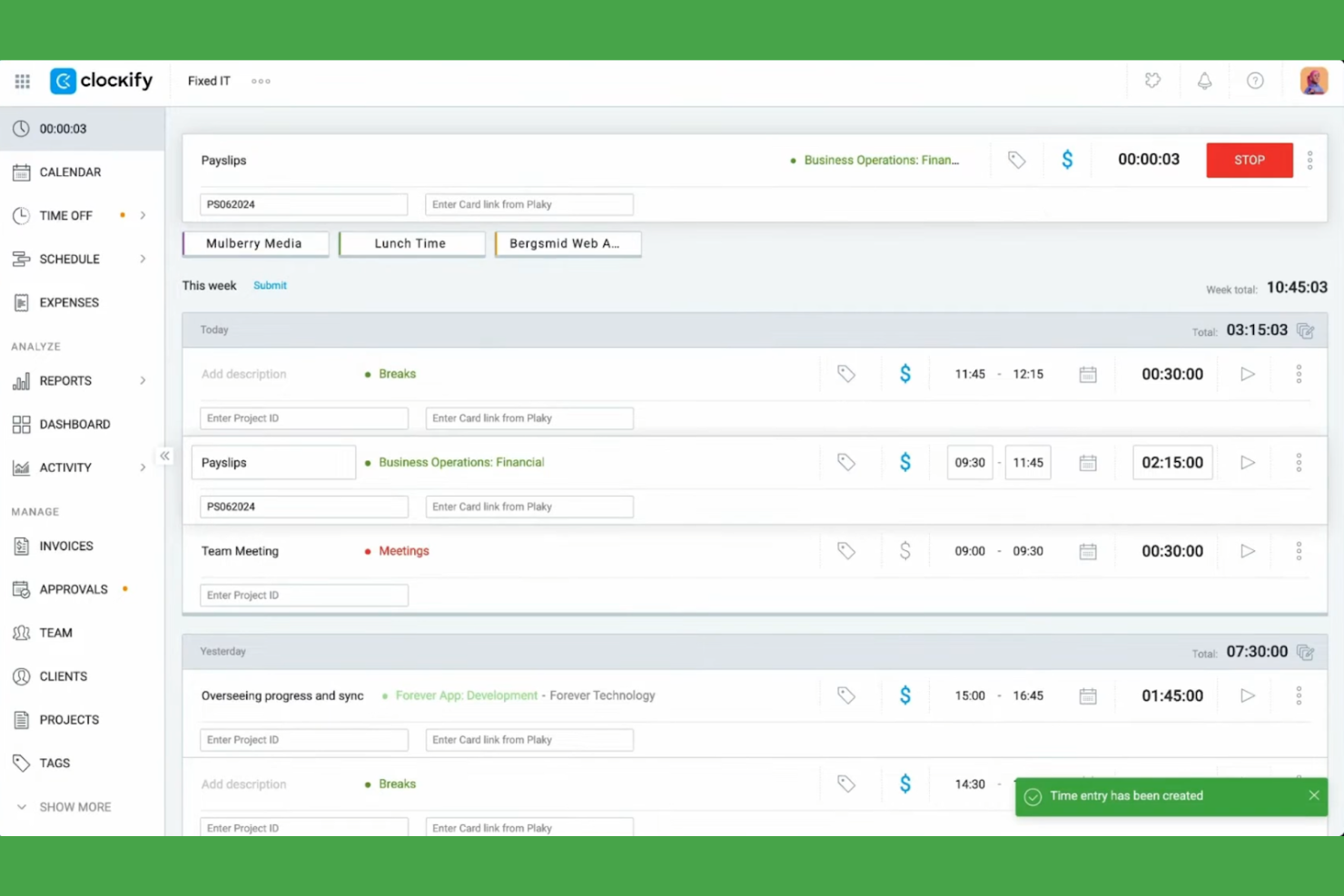
Clockify es un software de seguimiento del tiempo diseñado para autónomos, pequeñas empresas y grandes empresas, que permite registrar eficazmente las horas de trabajo y gestionar proyectos. Ayuda a los usuarios a llevar un control de las horas facturables, el progreso de los proyectos y la productividad del equipo.
Por qué Clockify es una buena alternativa a Timely: Seleccioné Clockify porque su extensión para navegador permite a los miembros del equipo activar temporizadores de seguimiento directamente dentro de las aplicaciones web existentes sin perder la concentración. El software incluye varias vistas de proyectos e informes detallados, lo que permite comprobar el rendimiento del equipo, y está disponible en Windows, Mac y Linux. Esto lo convierte en una opción flexible y accesible para equipos de todos los tamaños.
Funciones e integraciones destacadas:
Las funciones incluyen el seguimiento del tiempo, la gestión de proyectos y la generación de informes detallados. Puedes establecer tarifas facturables para los proyectos y supervisar la actividad del equipo mediante un panel fácil de usar. El software también proporciona análisis útiles para ayudarte a optimizar la gestión del tiempo.
Las integraciones incluyen Asana, Trello, Jira, QuickBooks, monday.com, Notion, Google Calendar, GitHub, Salesforce y más.
Pros and Cons
Pros:
- Amplia compatibilidad multiplataforma con dispositivos y extensiones
- Capacidades detalladas de generación de informes
- Vistas de proyectos personalizables
Cons:
- Funciones avanzadas limitadas
- Solo herramientas básicas de gestión de proyectos

TimeCamp
Ideal para el seguimiento automatizado

TimeCamp es una herramienta de seguimiento del tiempo y gestión de proyectos diseñada para autónomos, pequeñas empresas y grandes corporaciones. Ayuda a los usuarios a registrar las horas facturables, gestionar proyectos y mejorar su productividad mediante informes y análisis detallados.
Por qué TimeCamp es una buena alternativa a Timely: TimeCamp ofrece un seguimiento automatizado del tiempo, lo que significa que no es necesario introducir datos manualmente y ahorra un tiempo valioso a tu equipo. Gracias a su capacidad para registrar el tiempo dedicado a aplicaciones y sitios web, obtienes una imagen más precisa de tu productividad. La herramienta proporciona funciones útiles de generación de informes para analizar el progreso de los proyectos y ayudar con la gestión del equipo. Sus paneles fáciles de usar te permiten gestionar varios proyectos.
Funciones destacadas e integraciones:
Las funciones incluyen la posibilidad de registrar el tiempo en distintos dispositivos, tanto Android como iOS, lo que garantiza flexibilidad para los equipos remotos. Puedes establecer tarifas de facturación personalizadas para los proyectos, lo que facilita la gestión de los presupuestos. TimeCamp también ofrece seguimiento de la productividad para identificar y abordar posibles pérdidas de tiempo.
Las integraciones incluyen Trello, Asana, Slack, QuickBooks, Jira, monday.com, Google Calendar, Microsoft Teams, GitHub, Salesforce y muchas más.
Pros and Cons
Pros:
- Seguimiento automatizado del tiempo
- Tarifas de facturación personalizadas
- Registra el tiempo en distintos dispositivos
Cons:
- La configuración inicial puede ser compleja
- Opciones de personalización limitadas
TMetric
Mejor para la integración nativa de herramientas
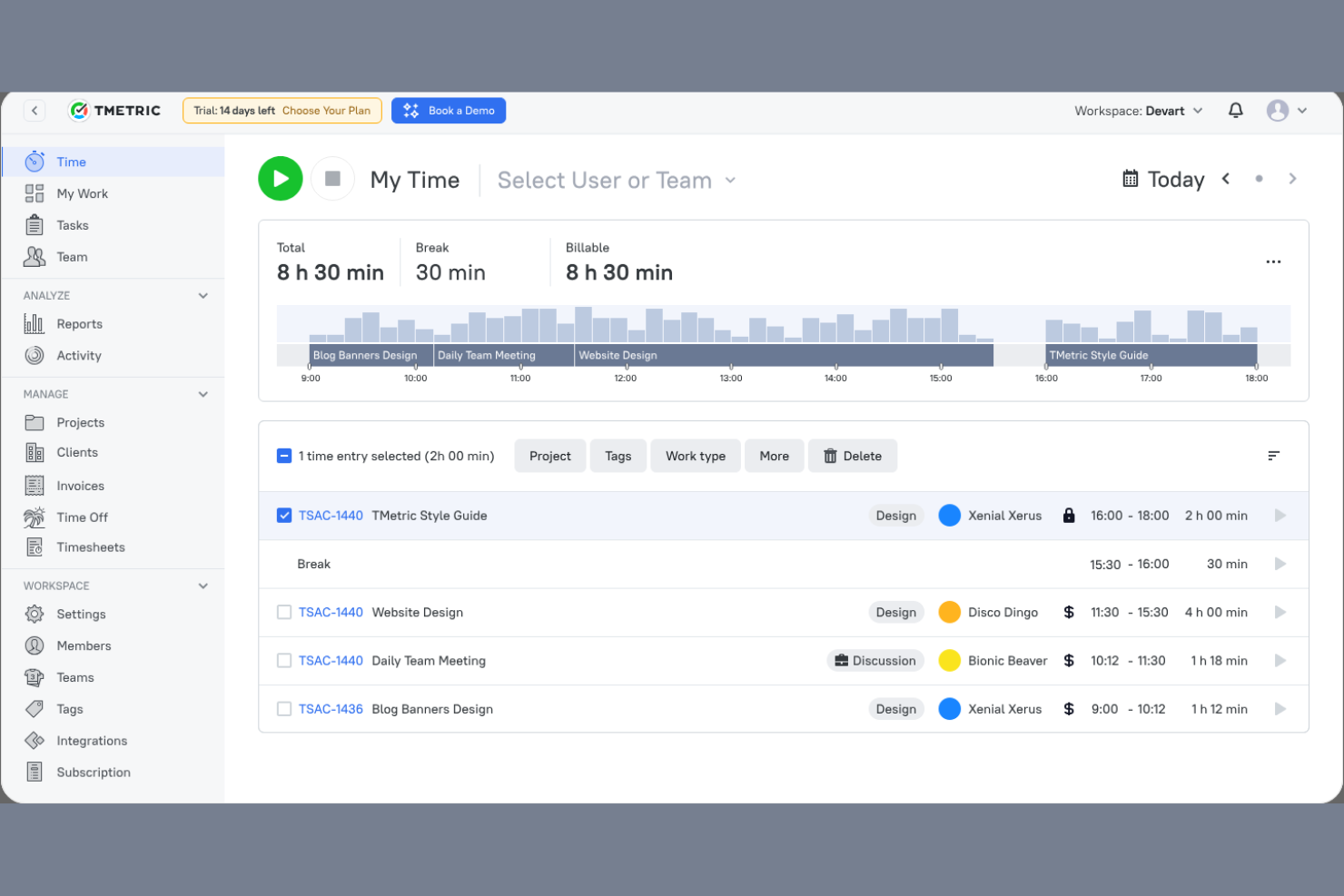
TMetric es un software de seguimiento del tiempo diseñado para autónomos, pequeñas empresas y grandes compañías. Ayuda a los equipos a registrar el tiempo, gestionar proyectos y optimizar la productividad mediante informes y análisis detallados.
Por qué TMetric es una buena alternativa a Timely: TMetric ofrece integración nativa de herramientas, lo que permite conectarse con diversas plataformas para un flujo de trabajo unificado. Sus funciones de seguimiento del tiempo permiten registrar fácilmente las horas de varios proyectos. El software proporciona informes detallados que ayudan a analizar la productividad y la facturación. También permite realizar un seguimiento de las horas facturables y gestionar los presupuestos de forma más eficaz, por lo que es una opción versátil para distintas necesidades empresariales.
Funciones e integraciones destacadas:
Las funciones incluyen la posibilidad de establecer tarifas por hora para diferentes proyectos, lo que garantiza una facturación flexible. También puedes supervisar la actividad del equipo en tiempo real para obtener información sobre los patrones de trabajo. TMetric cuenta con una interfaz fácil de usar que simplifica la gestión del tiempo y el seguimiento de proyectos.
Las integraciones incluyen Trello, Asana, Jira, GitHub, QuickBooks, Google Calendar, Todoist, Salesforce y más.
Pros and Cons
Pros:
- Supervisión de la actividad del equipo en tiempo real
- Facturación flexible con tarifas por hora
- Integración nativa con otras herramientas populares
Cons:
- Tiempos de carga lentos al realizar el seguimiento de muchas tareas
- No incluye seguimiento de horas extra ni reglas de descansos

Ideal para el análisis de la fuerza laboral mediante IA
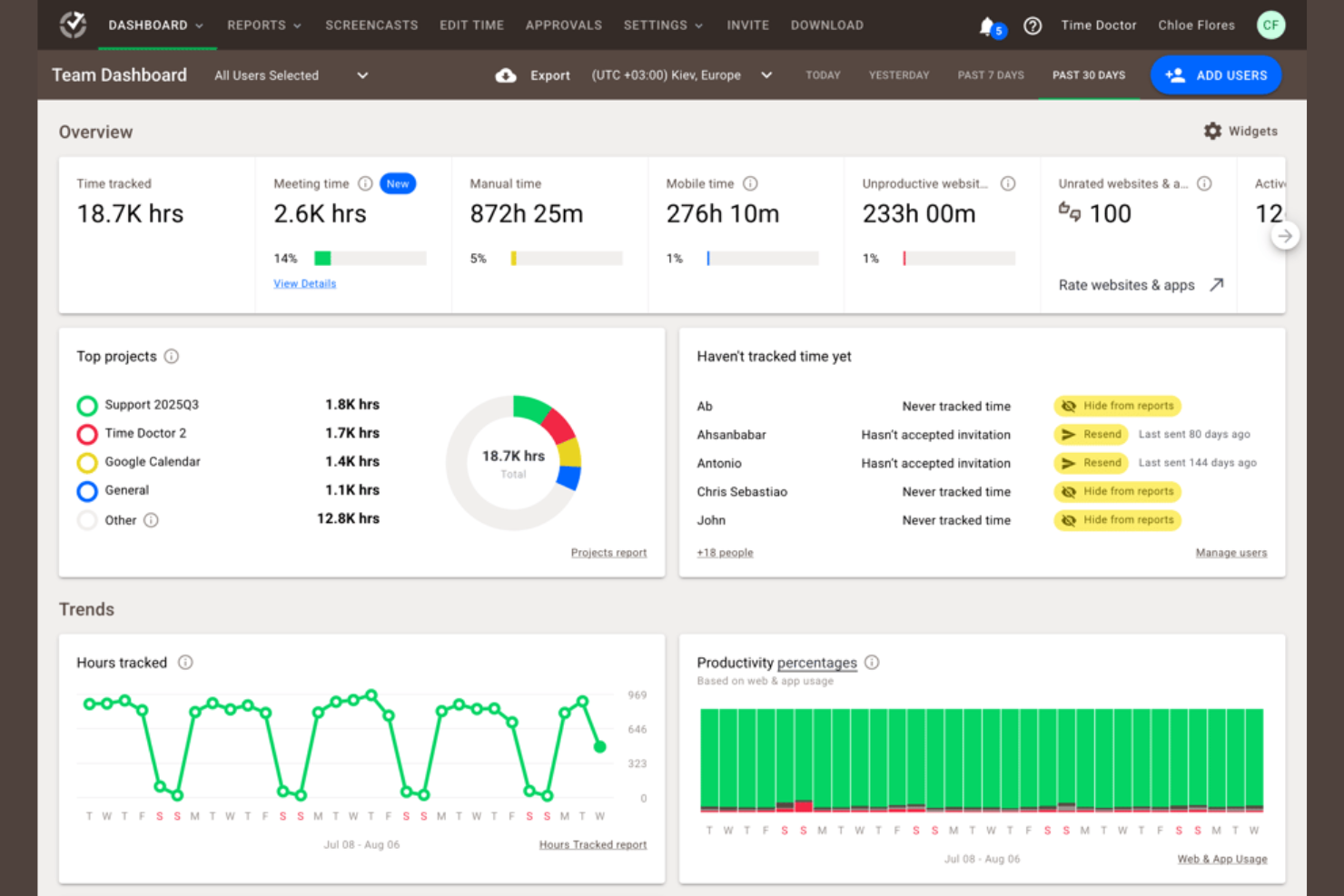
Time Doctor es una herramienta de seguimiento del tiempo y gestión de la productividad diseñada para empresas de todos los tamaños. Ayuda a los equipos a registrar el tiempo dedicado a las tareas, supervisar la productividad y gestionar el trabajo remoto de manera eficiente.
Por qué Time Doctor es una buena alternativa a Timely: Time Doctor ofrece análisis de la fuerza laboral mediante IA que proporcionan información sobre la productividad y el rendimiento del equipo. Con la supervisión en tiempo real, puedes controlar cómo se emplea el tiempo en las tareas e identificar áreas de mejora. Las funciones de captura de pantallas y seguimiento de la actividad de la herramienta ayudan a garantizar la responsabilidad del equipo. Los informes personalizables te permiten analizar las tendencias de productividad y tomar decisiones fundamentadas.
Funciones e integraciones destacadas:
Las funciones incluyen alertas de distracción para mantener a tu equipo concentrado en las tareas. Puedes establecer objetivos de productividad y realizar un seguimiento del progreso, lo que ayuda a los equipos a centrarse en los resultados. Time Doctor también ofrece gestión de nóminas, lo que facilita la gestión de los pagos correspondientes a las horas facturables.
Las integraciones incluyen Trello, Asana, Jira, Basecamp, monday.com, GitHub, Sentry, Salesforce y más.
Pros and Cons
Pros:
- Información sobre la productividad basada en IA
- Informes de productividad personalizables
- Gestión de nóminas integrada
Cons:
- La configuración inicial puede llevar mucho tiempo
- Solo cuenta con funciones básicas en la aplicación móvil

Memtime
La mejor opción para un seguimiento centrado en la privacidad

memtime es una herramienta de seguimiento del tiempo que te permite registrar al instante el tiempo dedicado a los proyectos. Está diseñada para profesionales de sectores como el jurídico, el marketing y el desarrollo de software, y les ayuda a realizar un seguimiento de sus horas de trabajo y mejorar la precisión de la facturación.
Por qué memtime es una buena alternativa a Timely: memtime ofrece un seguimiento centrado en la privacidad al almacenar los datos sin conexión, lo que la diferencia de Timely. Puedes registrar el tiempo dedicado a proyectos específicos, lo que facilita la gestión y el seguimiento de las cargas de trabajo. Las entradas de tiempo se pueden exportar o sincronizar con el software de tus proyectos. Las revisiones detalladas de la actividad proporcionan información sobre la productividad diaria y te ayudan a optimizar la planificación de los proyectos.
Funciones e integraciones destacadas:
Las funciones incluyen un rastreador automático que registra el tiempo dedicado a las tareas sin necesidad de introducir datos manualmente. Puedes registrar fácilmente el tiempo dedicado a los proyectos, lo que contribuye a una facturación precisa. Las revisiones detalladas de la actividad te ayudan a analizar los patrones de trabajo diarios para mejorar la gestión de proyectos.
Las integraciones incluyen Asana, Zoho Books, Jira, QuickBooks, Microsoft Teams, Google Calendar y muchas más.
Pros and Cons
Pros:
- Almacenamiento de datos sin conexión centrado en la privacidad
- Registro automático del tiempo
- Revisiones detalladas de la actividad diaria
Cons:
- No dispone de una aplicación móvil para el seguimiento del tiempo
- Opciones de personalización limitadas

actiTIME
Ideal para una gestión rentable
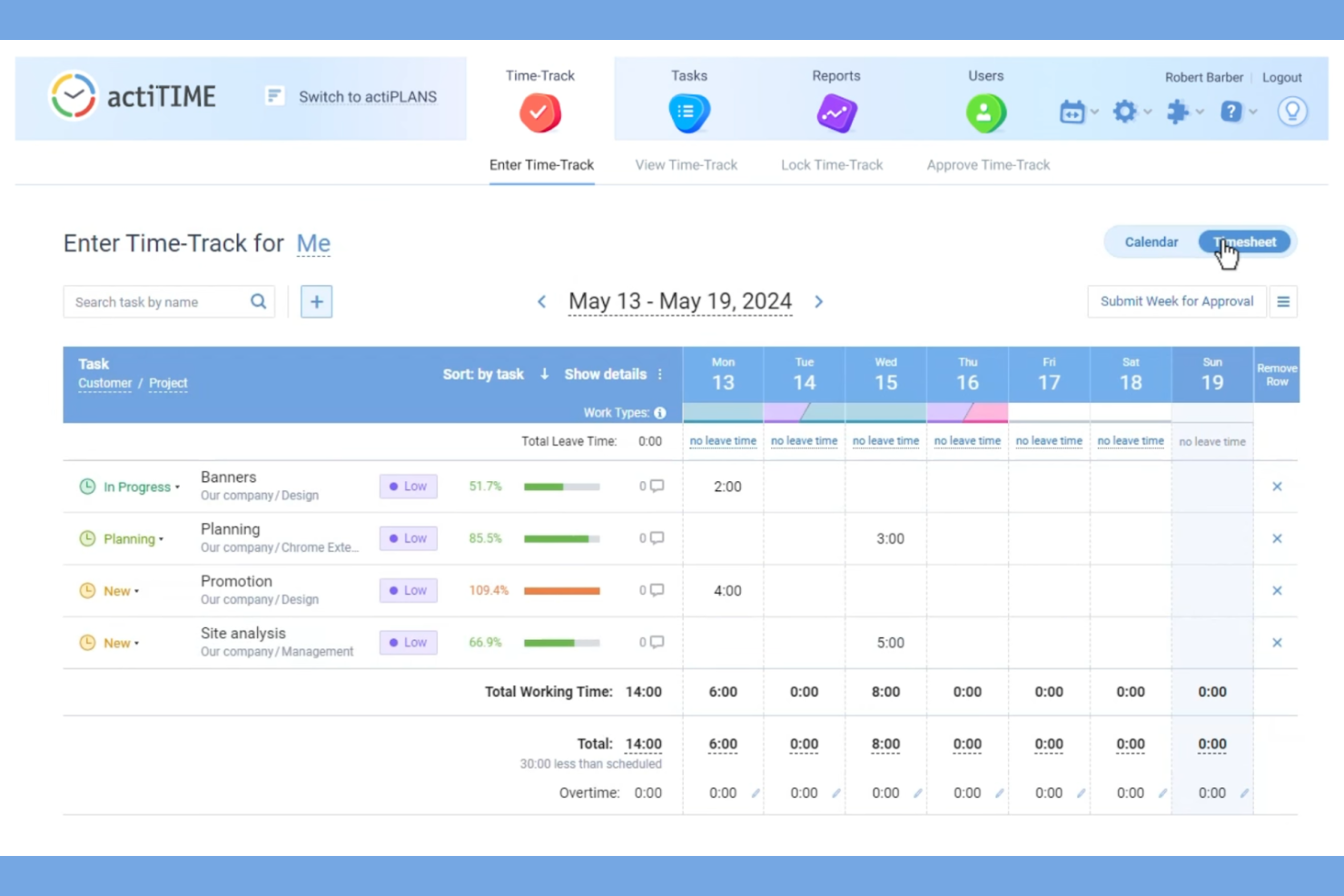
actiTIME es una herramienta de seguimiento del tiempo y gestión de proyectos diseñada para empresas de todos los tamaños. Ayuda a los equipos a gestionar tareas, registrar las horas de trabajo y optimizar los flujos de trabajo de los proyectos.
Por qué actiTIME es una buena alternativa a Timely: actiTIME ofrece planes de pago asequibles, lo que lo convierte en una opción atractiva para equipos con presupuestos ajustados. Sus funciones de seguimiento del tiempo permiten supervisar las horas de trabajo y garantizar el cumplimiento de los presupuestos de los proyectos. Con las herramientas de gestión de tareas, puedes asignar y supervisar tareas fácilmente. El software también proporciona informes útiles para ayudarte a analizar el rendimiento de los proyectos y tomar decisiones fundamentadas.
Características e integraciones destacadas:
Las características incluyen la posibilidad de configurar flujos de trabajo personalizados, lo que ayuda a perfeccionar los procesos de tu equipo. Puedes realizar un seguimiento de los costes y presupuestos de los proyectos en tiempo real para evitar gastos excesivos. actiTIME también ofrece una interfaz fácil de usar que simplifica el seguimiento del tiempo y la gestión de tareas.
Las integraciones incluyen QuickBooks, Jira, Trello, Todoist, Microsoft Outlook, Salesforce, Zapier y más.
Pros and Cons
Pros:
- Rentable para equipos con presupuestos ajustados
- Seguimiento de costes en tiempo real
- Interfaz fácil de usar
Cons:
- Funciones avanzadas limitadas
- Funcionalidad básica de la aplicación móvil
New Product Updates from actiTIME

actiTIME Visual Hour Indicator and Time-Track Report Redesign
actiTIME adds a wave-style hour indicator to the Timesheet and Calendar views and refreshes the Time-Track report for smoother navigation and clearer visuals. For more information, visit actiTIME's official site.

Hubstaff
Ideal para el seguimiento del tiempo mediante GPS

Hubstaff es una herramienta de seguimiento del tiempo y supervisión de empleados diseñada para equipos remotos y empresas con plantillas móviles. Ayuda a los usuarios a registrar el tiempo, supervisar su productividad y gestionar eficazmente las actividades de los empleados.
Por qué Hubstaff es una buena alternativa a Timely: Hubstaff ofrece seguimiento del tiempo mediante GPS, lo que la hace ideal para equipos que necesitan rastrear trabajos basados en la ubicación y elimina la necesidad de fichar. Puedes supervisar dónde están trabajando los miembros de tu equipo y garantizar la responsabilidad de los empleados móviles. La herramienta muestra los niveles de actividad y permite capturar pantallas para ofrecerte información sobre cómo se emplea el tiempo. También puedes generar informes detallados para analizar la productividad de tu equipo y tomar decisiones fundamentadas.
Funciones e integraciones destacadas:
Las funciones incluyen la gestión automática de nóminas, que simplifica los pagos en función de las horas registradas. Puedes establecer objetivos de productividad y supervisar el progreso para mantener a tu equipo centrado. Hubstaff también ofrece la generación automática de hojas de horas, lo que simplifica el proceso de pago.
Las integraciones incluyen QuickBooks, Asana, Trello, Salesforce, Jira, Slack, GitHub, Zendesk, PayPal y muchas más.
Pros and Cons
Pros:
- Seguimiento GPS para trabajos basados en la ubicación
- Gestión automática de nóminas
- Proceso de aprobación de hojas de horas
Cons:
- Requiere tiempo de configuración inicial
- Coste total elevado para los complementos y las funciones avanzadas

DeskTime
Ideal para equipos remotos y presenciales
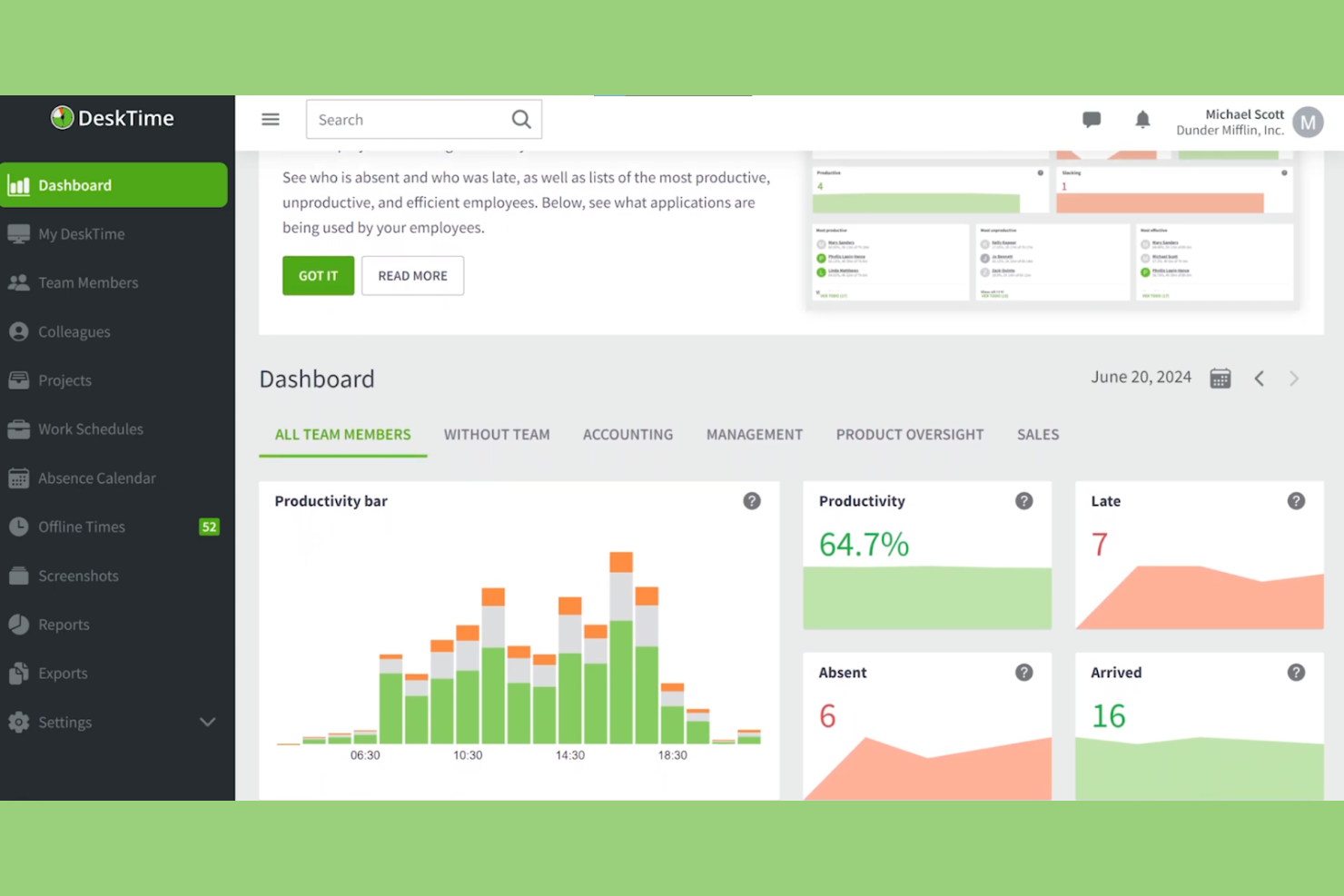
DeskTime es un software de seguimiento del tiempo y análisis de la productividad diseñado tanto para equipos remotos como presenciales. Ayuda a las empresas a supervisar la productividad de los empleados, gestionar proyectos y optimizar los procesos de trabajo.
Por qué DeskTime es una buena alternativa a Timely: DeskTime ofrece funciones útiles tanto para equipos remotos como presenciales, proporcionando flexibilidad y adaptabilidad. Incluye un seguimiento automático del tiempo, que se ejecuta en segundo plano sin introducir datos manualmente, lo que garantiza registros de tiempo precisos. Con sus herramientas de análisis de productividad, puedes obtener información sobre las aplicaciones y los sitios web que se utilizan. El software también proporciona puntuaciones diarias de productividad, lo que te ayuda a identificar y abordar las ineficiencias del equipo.
Características e integraciones destacadas:
Las características incluyen el seguimiento del tiempo sin conexión, que permite registrar las horas de trabajo cuando no estás conectado a Internet. También puedes establecer horarios de trabajo y supervisar el cumplimiento de estos por parte de tu equipo, garantizando la responsabilidad. DeskTime proporciona informes detallados que te ayudan a analizar el rendimiento del equipo y tomar decisiones fundamentadas.
Las integraciones incluyen Trello, Asana, Jira, GitLab, Google Calendar, Zapier y Outlook.
Pros and Cons
Pros:
- Seguimiento automático en segundo plano
- Proporciona puntuaciones diarias de productividad
- Ofrece seguimiento sin conexión
Cons:
- Integraciones limitadas
- El seguimiento exhaustivo puede generar problemas de privacidad

Ideal para la propiedad de los datos
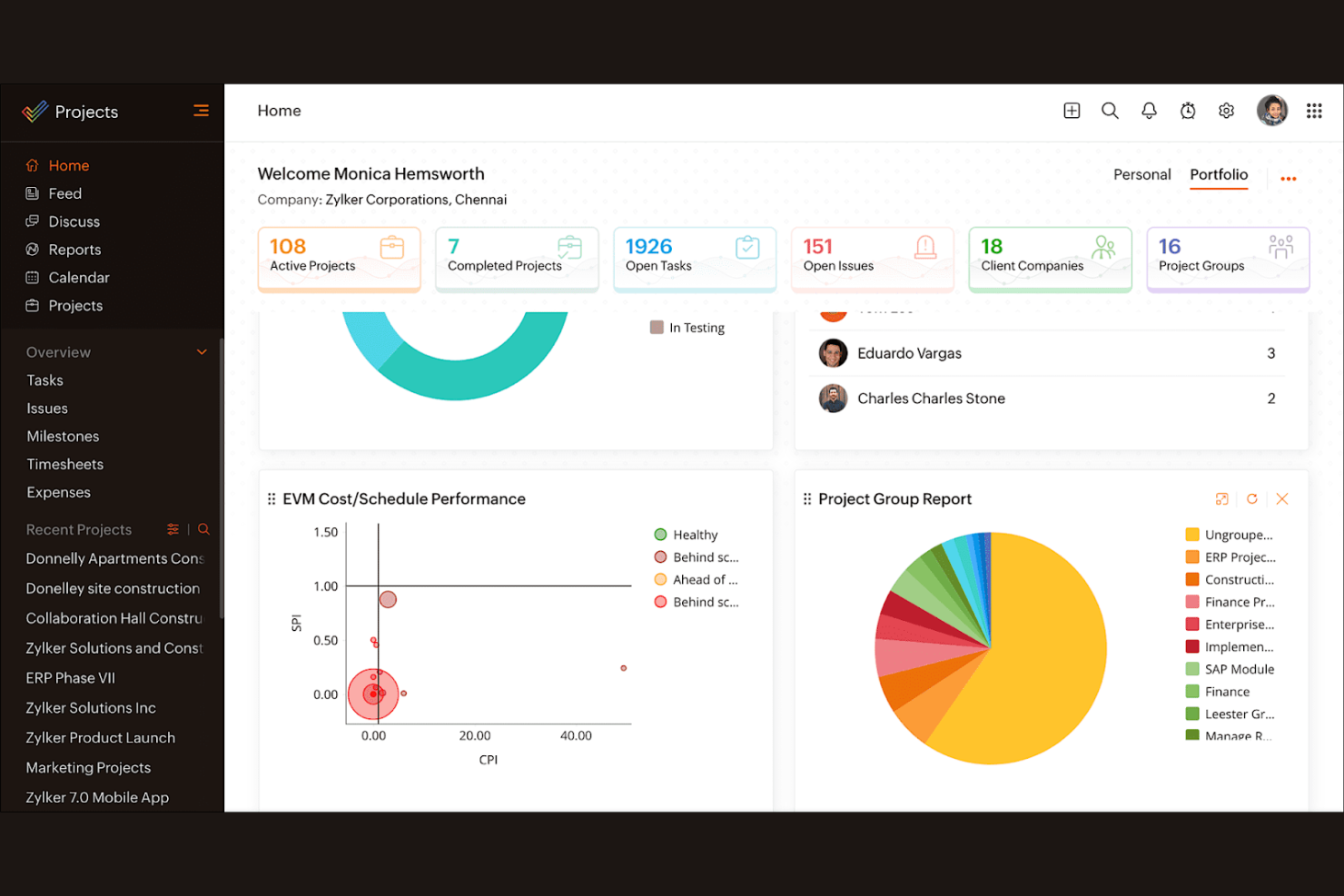
Zoho Projects es un software de gestión de proyectos diseñado para equipos de todos los tamaños. Ayuda a las empresas a planificar proyectos, realizar un seguimiento del progreso y colaborar eficazmente.
Por qué Zoho Projects es una buena alternativa a Timely: Zoho Projects ofrece funciones que hacen hincapié en la propiedad de los datos, garantizando que la información de tu equipo esté segura y accesible. Sus herramientas de gestión de tareas te permiten dividir los proyectos en partes manejables y asignar tareas fácilmente. El software proporciona diagramas de Gantt para visualizar los cronogramas y las dependencias de los proyectos. Con sus funciones de seguimiento del tiempo, puedes supervisar las horas del proyecto y asegurarte de mantenerte dentro del presupuesto.
Funciones e integraciones destacadas:
Las funciones incluyen plantillas de proyectos que simplifican la configuración de tareas recurrentes, lo que te permite ahorrar tiempo. También puedes utilizar el seguimiento de problemas para gestionar y resolver los desafíos del proyecto de manera eficiente. Zoho Projects ofrece gestión de documentos, lo que permite a tu equipo almacenar y compartir archivos en un solo lugar.
Las integraciones incluyen Dropbox, Microsoft Teams, Zapier, Slack, GitHub, Zoho CRM, Zoho Books, Zoho Invoice y más.
Pros and Cons
Pros:
- Hace hincapié en la propiedad de los datos
- Seguimiento eficiente de problemas
- Gestión centralizada de documentos
Cons:
- Curva de aprendizaje pronunciada para los usuarios nuevos
- Interfaz compleja
New Product Updates from Zoho Projects
Zoho Projects Adds CodeX Scripts for Custom Modules
Zoho Projects now supports CodeX Scripts for custom modules, enabling conditional logic and rules for creating, updating, and deleting records. For more information, visit Zoho Projects' official site.
 .
.
Ideal para que los clientes hagan sus propias reservas



Cómo evalúo las alternativas a Timely
Evalúo las herramientas en dos niveles: los requisitos básicos, como la captura pasiva del tiempo y la asignación a proyectos facturables, y los elementos diferenciadores que revelan qué opción se adapta al flujo de trabajo real de tu equipo.
Funcionalidad principal (requisitos básicos de esta lista)
Al seleccionar herramientas para mi lista, califico cada una en una escala de 0 (no ofrece la funcionalidad) a 5 (sobresale en esta área) para cada funcionalidad principal que se indica a continuación. Después, convierto la puntuación total de la herramienta en un porcentaje. Cada herramienta debe alcanzar una puntuación total mínima del 65% para ser considerada.
- Seguimiento automático del tiempo: Compruebo si la herramienta captura pasivamente la actividad de aplicaciones, navegadores y documentos para que los usuarios no tengan que iniciar y detener temporizadores durante todo el día.
- Asignación de proyectos y clientes: Las horas registradas deben asociarse claramente con clientes, proyectos y tareas, especialmente en el caso de agencias que gestionan varias cuentas con contrato de servicios al mismo tiempo.
- Hojas de horas y aprobaciones: Busco hojas de horas editables con flujos de aprobación que permitan a los responsables revisar y bloquear las entradas antes de que pasen a facturación o nómina.
- Tarifas facturables y presupuestos: Las herramientas deberían admitir tarifas facturables por proyecto o por usuario junto con límites presupuestarios, para que los consultores puedan supervisar los márgenes sin utilizar una hoja de cálculo independiente.
- Informes y análisis: Evalúo si los paneles muestran datos de utilización y rentabilidad que puedan filtrarse por miembro del equipo, cliente o intervalo de fechas, y exportarse para las revisiones con las partes interesadas.
- Ecosistema de integraciones: La herramienta debería conectarse con las plataformas de gestión de proyectos, calendario y contabilidad que tu equipo ya utiliza, como Jira, Google Calendar, QuickBooks o Xero.
Una vez que tengo una lista de herramientas que cumplen estos criterios, considero qué diferencia a cada plataforma.
Factores diferenciadores (qué distingue a los proveedores)
Así es como comparo y contrasto los distintos proveedores:
Funciones destacadas
Los controles de privacidad de los empleados son muy importantes en este caso. Algunas herramientas permiten que las personas revisen sus datos de actividad sin procesar antes de que cualquier información llegue a un responsable, lo que facilita mucho la adopción en todos los equipos. También analizo si una plataforma incluye planificación de la capacidad: poder prever la carga de trabajo del equipo en relación con las próximas horas de proyecto ayuda a evitar el agotamiento y la sobreasignación. La facturación nativa es otro elemento diferenciador que merece la pena evaluar. Las herramientas que generan facturas listas para enviar a los clientes directamente a partir de las horas facturables registradas eliminan por completo el paso manual de exportación al sistema de contabilidad.
Más allá de las funciones
La privacidad de los datos y el cumplimiento normativo requieren especial atención cuando interviene el seguimiento de la actividad. Compruebo si los proveedores cuentan con certificaciones como SOC 2 o cumplimiento del RGPD, y si ofrecen políticas sin capturas de pantalla. La estructura de precios también desempeña un papel importante: algunas herramientas reservan el seguimiento automático para planes superiores, por lo que las necesidades de un trabajador autónomo son muy diferentes de las de una agencia de 50 personas. La cobertura de plataformas completa mi evaluación. Los equipos que distribuyen el trabajo entre ordenadores y dispositivos móviles necesitan aplicaciones nativas para ambos, idealmente con seguimiento sin conexión que se sincronice cuando se restablezca la conectividad.
¿Por qué buscar una alternativa a Timely?
Aunque Timely es una buena opción de software de control del tiempo, hay varias razones por las que algunos usuarios buscan soluciones alternativas. Puede que estés buscando una alternativa a Timely porque…
- Necesitas funciones de generación de informes más avanzadas
- Tu equipo necesita funciones de control sin conexión
- Necesitas una mejor integración con las herramientas existentes
- Tu equipo ha superado los límites de usuarios de Timely
- Necesitas una opción más económica
- Necesitas compatibilidad con varios idiomas
Si te identificas con alguno de estos casos, has llegado al lugar adecuado. Mi lista incluye varias opciones de software de control del tiempo más adecuadas para equipos que se enfrentan a estos retos con Timely y buscan soluciones alternativas.
Funciones principales de Timely
Estas son algunas de las funciones principales de Timely para que puedas contrastar y comparar lo que ofrecen las soluciones alternativas:
- Seguimiento automático del tiempo: Utiliza IA para registrar automáticamente el tiempo dedicado a las tareas, reduciendo la introducción manual de datos para tu equipo.
- Hojas de horas con IA: Completa las hojas de horas rápidamente mediante el uso de IA para sugerir registros de tiempo, ahorrándote tiempo.
- Paneles de proyectos: Proporcionan una visión general de todos los proyectos, ayudándote a supervisar el progreso y los plazos.
- Tarifas facturables: Permite establecer diferentes tarifas de facturación para tareas y proyectos, garantizando una facturación precisa a los clientes.
- Detección de inactividad: Te avisa cuando no se detecta actividad, garantizando que los registros de tiempo sigan siendo precisos y reflejen el trabajo real.
- Rastreador de actividad: Registra automáticamente la actividad del ordenador, ofreciendo una gran precisión sin necesidad de temporizadores manuales.
- Planificación de la capacidad: Te ayuda a comprender el tiempo disponible para el trabajo facturable, optimizando la asignación de recursos.
- Gestión de tareas: Te permite asignar y supervisar tareas, manteniendo a tu equipo alineado con los objetivos del proyecto.
- Informes detallados: Ofrece información sobre el uso del tiempo y la productividad, facilitando el análisis del rendimiento.