



TMetric vs. Clockify: Vergleich und Bewertungen für 2026



When every team member tracks time differently, even a simple productivity question can turn into a reporting headache. Missing entries, inconsistent labels, and scattered project records make it harder to see where hours are going and whether workloads are being managed well.
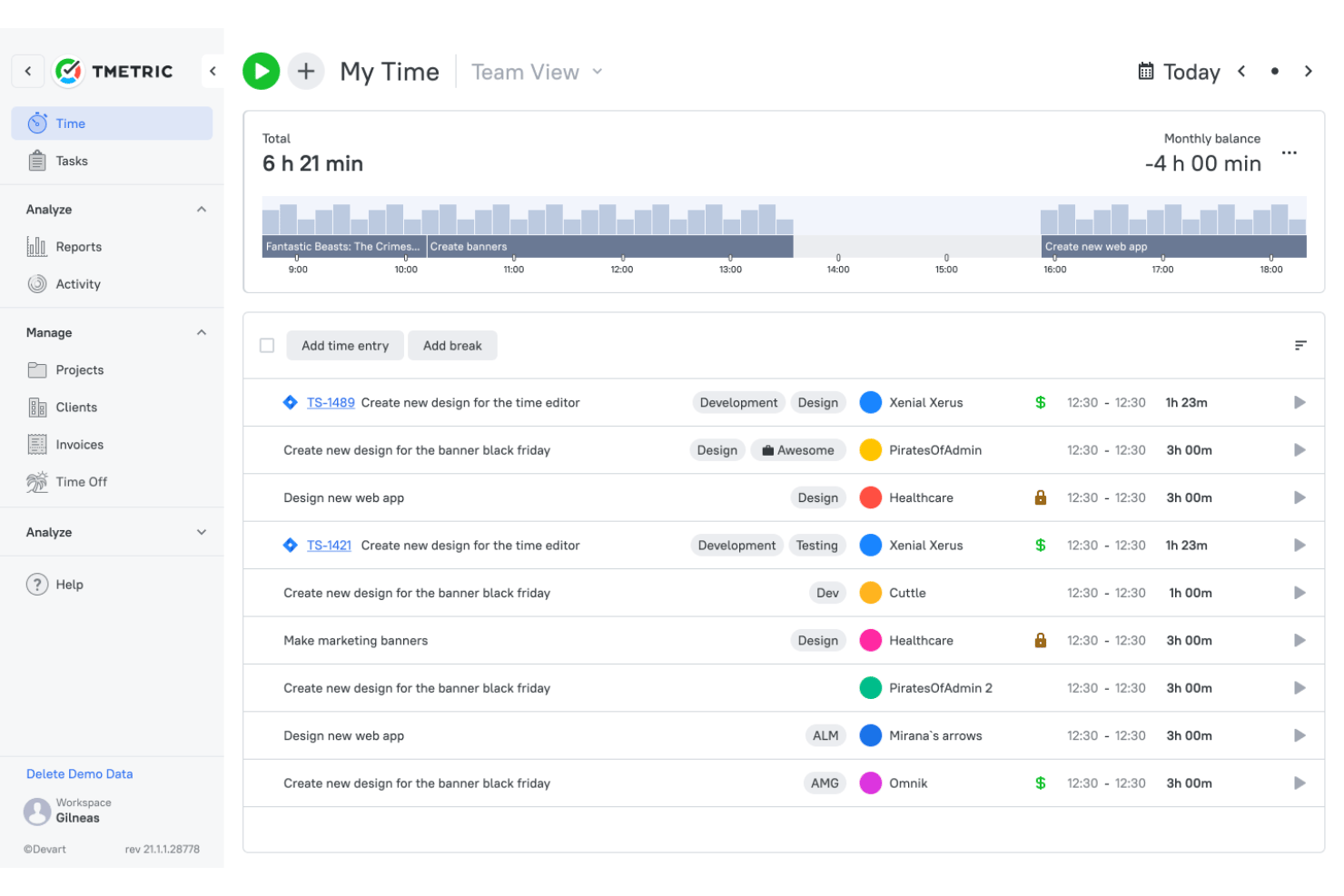
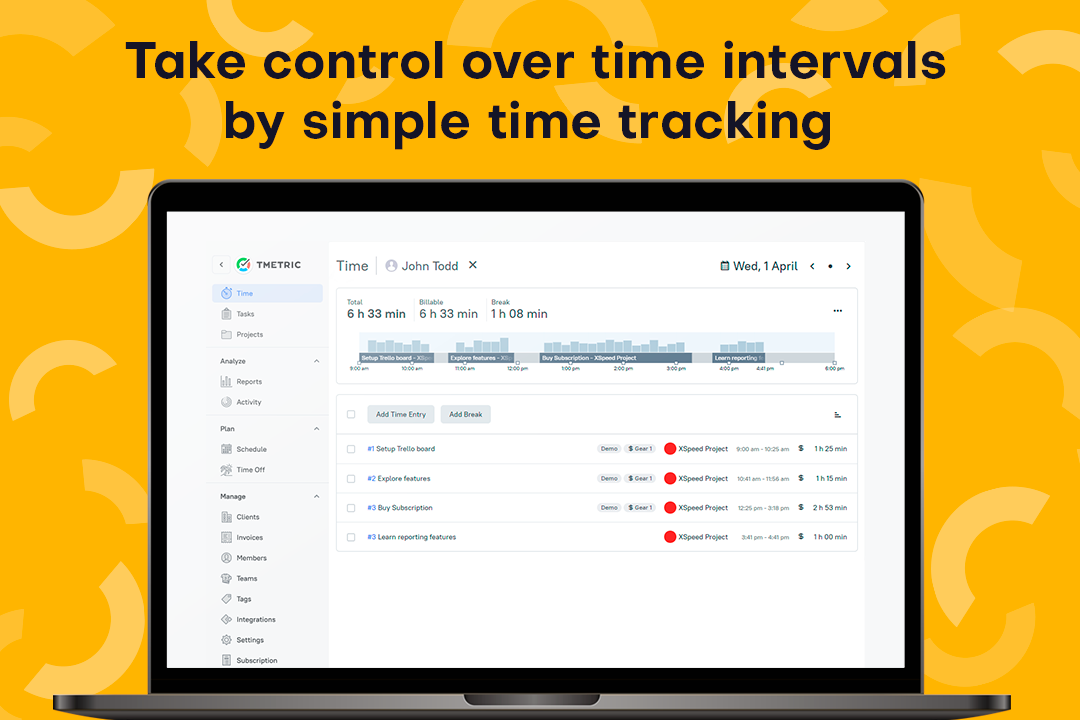
TMetric and Clockify are time tracking software tools built to bring more structure to daily work. TMetric focuses on controlled time records, approvals, billing, attendance, and project profitability, while Clockify offers a broader mix of tracking, scheduling, kiosk, GPS, and workforce management tools.
In this comparison, I’ll help you decide which approach better fits your team’s workflow.
TMetric vs. Clockify: An Overview
TMetric


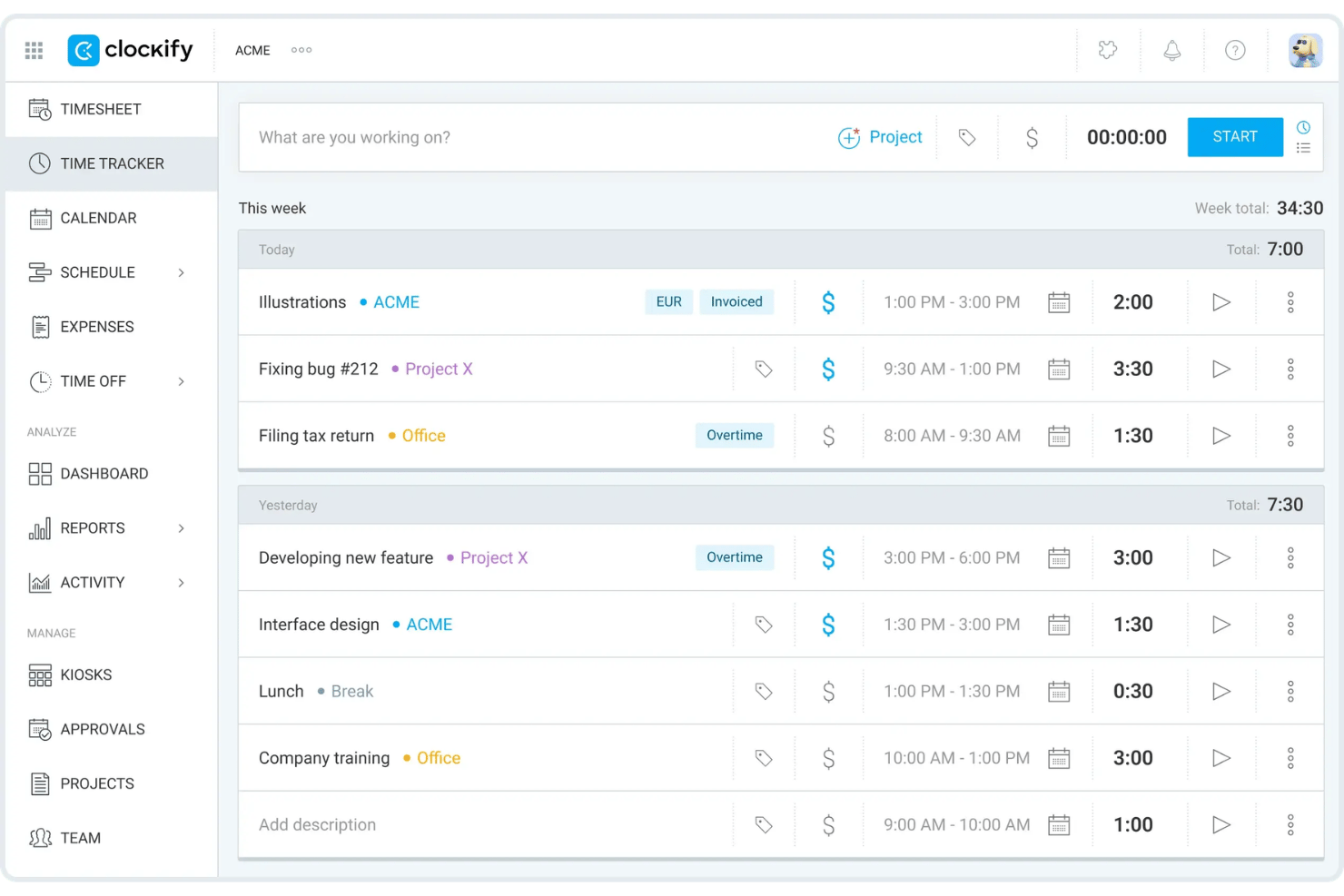
Clockify
Warum Sie unseren Software-Empfehlungen vertrauen können
Unser Team testet und bewertet Software seit 2012. Als Projektmanager wissen wir selbst, wie schwierig – und wichtig – es ist, die richtige Software auszuwählen.
Für diesen Leitfaden haben wir Tools mithilfe von praktischen Tests und unabhängiger Recherche bewertet und dabei unsere Bewertungskriterien angewendet. Zudem greifen wir auf Erkenntnisse von Branchenvordenkern und praktizierenden Projektmanagement-Experten zurück.
Unsere Bewertungen spiegeln unser menschliches redaktionelles Urteilsvermögen wider, keine Verkaufsstrategie.
Expertenprüfer:
TMetric vs. Clockify Pricing Comparison
| TMetric | Clockify | |
|---|---|---|
| Free Trial | Free plan available + 14-day free trial | Free plan + 7-day free trial available |
| Pricing | From $5.83/user/month (billed annually) | From $4.99/user/month |
TMetric vs. Clockify Preise & Versteckte Kosten
TMetric gestaltet seine Preisstruktur relativ übersichtlich, aber die nützlichsten Teamfunktionen sind auf mehrere kostenpflichtige Stufen verteilt. Für Rechnungsstellung, Genehmigungen, Anwesenheit, Urlaub (PTO) und Überwachung könnte ein Upgrade notwendig sein, und der Workspace-Inhaber zählt weiterhin als zahlungspflichtiger Nutzer. Clockify hingegen bietet einen großzügigen kostenlosen Tarif, jedoch sind Funktionen wie Genehmigungen, Rechnungsstellung, Planung, GPS, Screenshots, Rentabilitäts-Tools und erweiterte Steuerungsmöglichkeiten nur in höheren Tarifen enthalten. Anders gesagt: Die kostenlose Version wirkt großzügig, bis die Anforderungen im Arbeitsalltag steigen.
Letztlich sollten Sie den Tarif vergleichen, den Ihr Team tatsächlich benötigt – nicht nur den mit dem attraktivsten Einstiegspreis. TMetric lässt sich oft leichter beurteilen, wenn Abrechnung und Rentabilität Ihre Prioritäten sind, während Clockify auf lange Sicht mehr Möglichkeiten bietet, Werkzeuge für die Mitarbeitenden hinzuzufügen. Berücksichtigen Sie in jedem Fall kostenpflichtige Nutzerplätze, Funktionsupgrades und zukünftig erforderliche Administrationsfunktionen, bevor aus der „kostenlosen“ Lösung doch noch eine Rechnung wird.
TMetric vs. Clockify Feature Comparison
| TMetric | Clockify | |
|---|---|---|
| API | ||
| Analytics | ||
| Approval Workflows | ||
| Attendance Tracking | ||
| Batch Permissions & Access | ||
| Billing/Invoicing | ||
| Budgeting | ||
| Calendar Management | ||
| Dashboard | ||
| Data Export | ||
| Data Import | ||
| Data Visualization | ||
| Expense Tracking | ||
| External Integrations | ||
| Forecasting | ||
| Multi-User | ||
| Notifications | ||
| Project Management | ||
| Resource Management | ||
| Scheduling | ||
| Task Scheduling/Tracking | ||
| Time Management | ||
| Timesheets | ||
| Vacation & Absence Calendar |
TMetric vs. Clockify Integrationen
| Integration | TMetric | Clockify |
|---|---|---|
| Asana | ✅ | ✅ |
| Trello | ✅ | ✅ |
| Jira | ✅ | ✅ |
| GitHub | ✅ | ✅ |
| QuickBooks | ✅ | ✅ |
| Salesforce | ✅ | ✅ |
| Google Kalender | ✅ | ✅ |
| ClickUp | ✅ | ✅ |
| Slack | ✅ | ❌ |
| Nifty | ✅ | ❌ |
| API | ✅ | ✅ |
| Zapier | ✅ | ✅ |
TMetric und Clockify unterstützen viele der gleichen Projektmanagement-, Buchhaltungs- und Produktivitätstools, so dass die meisten Teams ihre wichtigsten Anwendungen abgedeckt sehen sollten. TMetric hat jedoch einen leichten Vorsprung bei Kollaborations- und Projektworkflows dank direkter Unterstützung für Slack und Nifty, während beide Plattformen API- und Zapier-Zugang für weniger standardisierte Integrationen bieten. Die Wahl der Integration wird kaum entscheidend sein, aber für Teams, die auf diese zusätzlichen Tools setzen, fügt sich TMetric meist natürlicher ein.
TMetric vs. Clockify Sicherheit, Compliance & Zuverlässigkeit
| Faktor | TMetric | Clockify |
|---|---|---|
| Datenverarbeitung & Speicherung | Speichert Projekt-, Zeit-, Aufgaben- und Aktivitätsdaten in Microsoft Azures Region Westeuropa. IP-Adressen werden anonymisiert und Zahlungen über Verifone abgewickelt, sodass Kartendetails nicht auf den TMetric-Servern gespeichert werden. | Nutzt AWS-Infrastruktur und verschlüsselt Daten während der Übertragung und in Ruhe. Überwachungsdaten werden nur erfasst, wenn die jeweiligen Funktionen aktiviert sind. |
| Compliance | Unterstützt DSGVO-Rechte wie Zugang, Einschränkung, Übertragbarkeit, Widerspruch und Löschung. Für EU-Kunden steht außerdem eine DSGVO-konforme Datenverarbeitungsvereinbarung zur Verfügung. | Unterstützt die DSGVO und besitzt ISO 27001 sowie SOC 2 Typ II Zertifizierungen. |
| Infrastruktur-Sicherheit | Nutzt Microsoft Azure für Datenbanken, Importdateien und verschlüsselte Backup-Archive. Workspace-Daten bleiben privat zwischen Konten und werden nicht ohne Erlaubnis weitergegeben. | Bietet regionale Datenhosting-Optionen und zusätzliche unternehmensweite Sicherheitskontrollen bei berechtigten Tarifen. |
| Zugriffskontrollen | Workspace-Rollen beschränken den Zugriff auf Projekte, Berichte, Abrechnungsdaten und Einstellungen. Admins können Aktivitätslevel, App- und Webseitenutzung sowie optionale Screenshots konfigurieren, ohne Tastatureingaben von Mitarbeitenden aufzuzeichnen. | Unterstützt Benutzerrollen, Audit-Logs, SSO, verpflichtende Zwei-Faktor-Authentifizierung und Benutzerbereitstellung in höheren Tarifen. |
| Zuverlässigkeit | Bewahrt verschlüsselte und komprimierte Offsite-Backups 30 Tage lang auf. Gelöschte personenbezogene Daten werden entfernt, sobald die zugehörigen Backup-Kopien ablaufen. | Führt regelmäßige Infrastruktur-Backups durch, wobei die Wiederherstellung versehentlich gelöschter Kontodaten eingeschränkt sein kann. |
Beide Tools bieten eine solide Sicherheitsbasis, verfolgen aber unterschiedliche Schwerpunkte. TMetric gibt Teams klarere Kontrolle über Aktivitätsüberwachung, Zahlungsabwicklung, IP-Datenschutz und Backup-Aufbewahrung. Clockify hingegen legt mehr Wert auf formale Zertifizierungen, regionale Datenhaltung und Identitätskontrolle für Unternehmen. Letztlich eignet sich TMetric für Teams, die transparente Datenschutzeinstellungen sowie Einblicke in die Team-Aktivität schätzen, während Clockify für Organisationen mit strengeren Compliance- und Zugriffskontroll-Anforderungen besser passt.
TMetric vs. Clockify Benutzerfreundlichkeit
| Faktor | TMetric | Clockify |
|---|---|---|
| Benutzeroberfläche | Vereint Timer, Projekte, Stundenzettel, Berichte, Abrechnung, Anwesenheit und Teamaktivitäten in einem übersichtlichen Arbeitsbereich. Das vertraute Layout ermöglicht einen einfachen Wechsel zwischen Zeiterfassung, Freigaben und Projektfinanzen. | Setzt auf eine aufgeräumte Oberfläche, die Timer, Stundenzettel, Kalender, Berichte und Teamtools in separate Ansichten unterteilt. |
| Onboarding | Bietet eine Self-Service-Einrichtung, bei der Teams einen Arbeitsbereich erstellen, Kunden und Projekte anlegen, Mitglieder einladen, Tarife und Rechte konfigurieren und die benötigten Apps installieren. Anleitungen, Videos, Beispieldaten und Demos unterstützen zusätzlich. | Stellt rollenbasierte Onboarding-Ressourcen für Workspace-Inhaber, Manager und normale Nutzer bereit, wobei für größere Konten auch individuellere Unterstützung angeboten wird. |
| Mobile Nutzung | Unterstützt Timer, manuelle Eingaben, letzte Aktivitäten und Projektauswahl auf iOS und Android. Berichte, Abrechnung und Teamverwaltung sind jedoch im Web oder auf dem Desktop vollständiger verfügbar. | Unterstützt Timer, Stundenzettel, Spesen, Kalendereinträge und Offline-Synchronisierung, sodass Mobilnutzer über ein breiteres Set an Tools für unterwegs verfügen. |
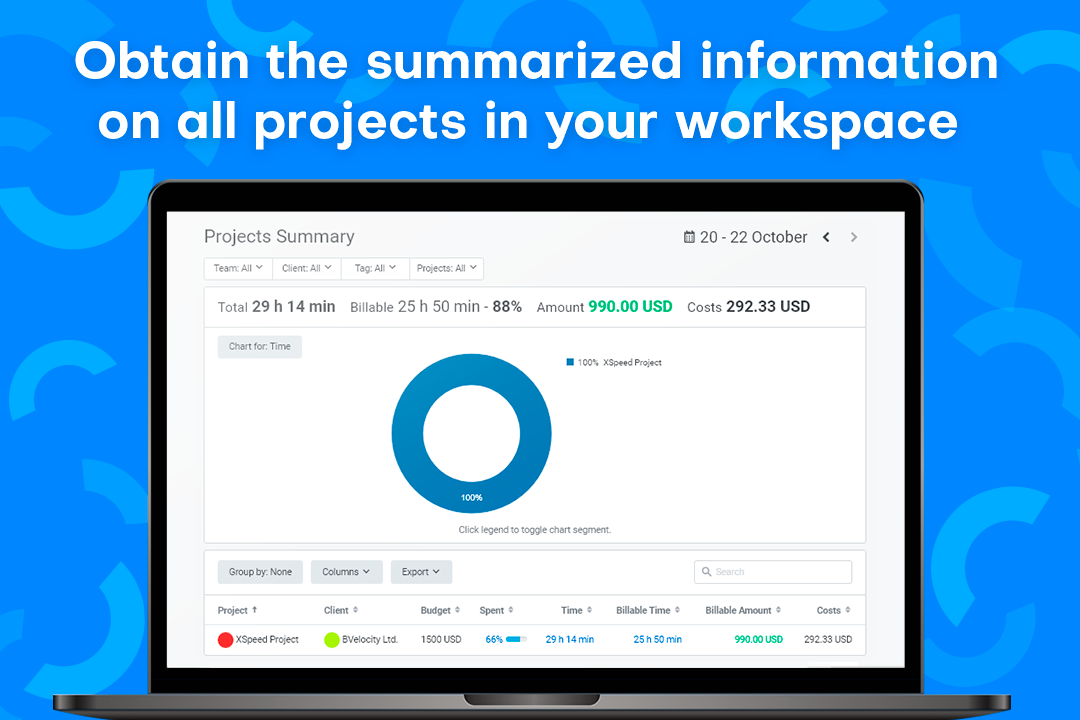
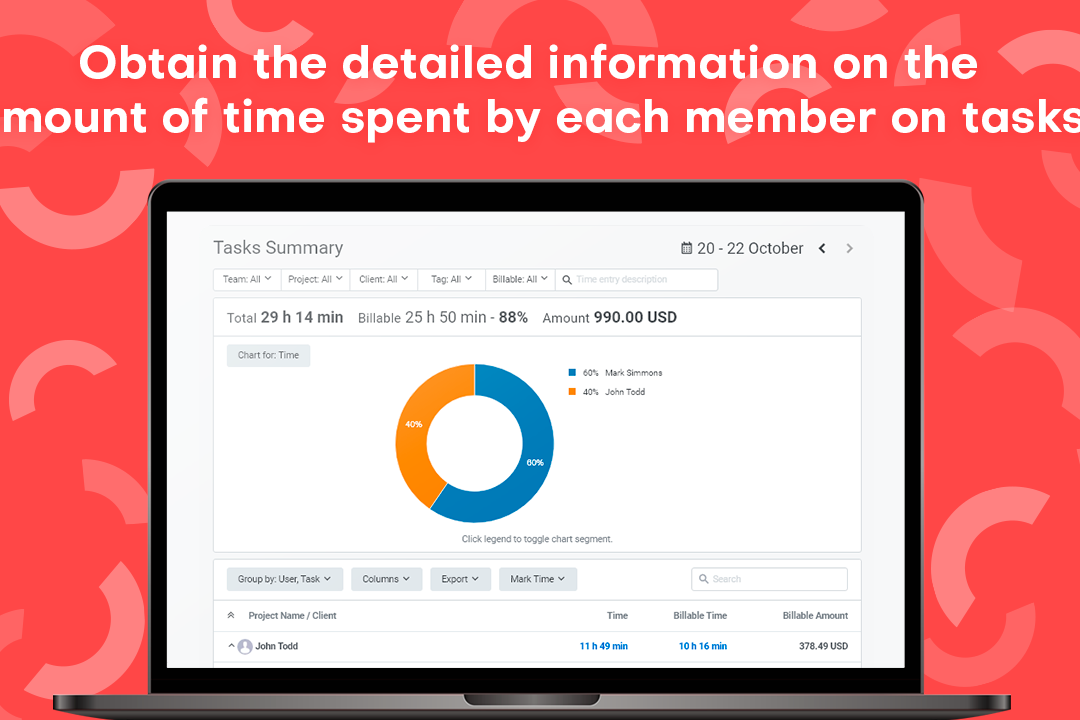
| Berichtswerkzeuge | Bietet Zusammenfassungs-, Detail-, Aktivitäts- und Rentabilitätsberichte mit Filtern für Nutzer, Projekte, Kunden, Tags und Zeiträume. Berichte lassen sich für Kundenupdates oder Analysen exportieren. | Stellt strukturierte Zeit-, Team-, Projekt- und Rentabilitätsberichte zur Verfügung, deren Filter- und Exportmöglichkeiten je nach Tarif variieren. |
| Kundensupport | Bietet 24/7 Live-Chat und E-Mail-Support sowie ein Hilfecenter, Benutzeranleitungen, Video-Tutorials und optionale Produktdemos. | Bietet 24/7-Support via Chat, E-Mail und Telefon sowie ein ausführliches Hilfecenter und Onboarding-Ressourcen. |
TMetric verfolgt einen stärker strukturierten Ansatz und bietet Serviceteams einen klaren Weg von der täglichen Zeiterfassung über Freigaben und Abrechnung bis hin zur Rentabilitätsanalyse. Clockify dagegen bietet eine umfassendere mobile Nutzung und eine gewohnte Struktur für Teams, die zwischen verschiedenen Möglichkeiten der Zeiterfassung wählen möchten. TMetric ist besonders geeignet für Teams, die Wert auf kontrollierte und finanziell verwertbare Zeitdaten legen, während Clockify sich für Teams eignet, die ein vielseitiges Toolkit für unterschiedliche Arbeitsumgebungen bevorzugen.
TMetric vs Clockify: Pros & Cons
TMetric
- Tracks billable and non-billable time across web, desktop, mobile, and browser extensions.
- Shows project revenue, labor costs, budgets, and margins in profitability reports.
- Creates invoices from billable time entries and syncs invoice data with QuickBooks and Xero.
- Manual tracking depends on users consistently starting timers or adding entries.
- The mobile app offers fewer reporting and management features than the web app.
- Payroll tools calculate labor costs but do not process payments or taxes.
Clockify
- You can track time easily with its intuitive interface.
- Your team benefits from excellent customer support.
- It's great for managing time across multiple projects seamlessly.
- Some advanced features might be missing compared to paid tools.
- You may find the mobile app less responsive at times.
- Reporting options can be limited for complex projects.
Best Use Cases for TMetric and Clockify
TMetric
- Small and Mid-Sized Service Teams TMetric fits teams of roughly 5 to 200 people that need time tracking, approvals, attendance, PTO, billing, and project reporting in a self-serve platform.
- Software Development Teams Development teams can track time by task, project, and client while connecting TMetric with tools such as Jira, GitHub, GitLab, Redmine, and ClickUp.
- Professional Services Firms Professional services firms can approve billable hours, apply different rates, create invoices, and monitor the profitability of each engagement.
- Consulting Teams Consultants can organize time across clients and engagements while using configurable rates to support different contracts, roles, and work types.
- Marketing and Media Teams Marketing and media teams can track time by campaign, client, and task to compare delivery hours with budgets and project margins.
- Legal Service Teams Legal teams can use TMetric for client- and matter-based time tracking and invoicing, though it does not replace legal practice management or trust accounting software.
Clockify
- Freelancers Clockify lets you track billable hours easily, ensuring accurate invoicing for your clients.
- Small Businesses Your team can manage projects and time effectively without the cost, thanks to Clockify’s free features.
- Marketing Teams Organize campaigns and track time spent on tasks, helping you stay on schedule.
- Creative Agencies You can manage multiple projects seamlessly, keeping track of hours across different clients.
- Remote Teams Clockify’s excellent customer support ensures your team can resolve issues quickly, even from afar.
- IT Departments Track time on various tasks and projects, helping you allocate resources efficiently.
Wer sollte TMetric nutzen und wer Clockify?
Wenn Sie nach einer Zeiterfassungssoftware suchen, die Serviceteams eine präzisere Kontrolle über abrechenbare Stunden, Genehmigungen, Rechnungsstellung, Anwesenheit, bezahlten Urlaub (PTO) und Projektprofitabilität bietet, ist TMetric wahrscheinlich die bessere Wahl. Sie ist ideal für Agenturen, Beratungsunternehmen, Softwareteams, Anwaltskanzleien und andere kundenorientierte Unternehmen, die auf genaue Aufzeichnungen, transparente finanzielle Einsicht und einen strukturierten Weg von erfasster Zeit zu genehmigten Rechnungen angewiesen sind.
Wenn Sie hingegen einen flexiblen Tracker mit einem großzügigen kostenlosen Tarif und mehreren Möglichkeiten zur Zeiterfassung in unterschiedlichen Arbeitsumgebungen suchen, könnte Clockify besser zu Ihnen passen. Clockify ist eine gute Wahl für Freiberufler, kleine Unternehmen, Marketingteams, kreative Agenturen, Remote-Teams und IT-Abteilungen, die eine einfache Einführung, vielfältige Erfassungsoptionen und Werkzeuge für die Mitarbeitenden wie Kalender, Terminals, GPS und Einsatzplanung schätzen.
Differences Between TMetric and Clockify
| TMetric | Clockify | |
|---|---|---|
| Client Billing Workflow | Connects approved time entries to configurable rates, invoices, labor costs, budgets, revenue, and project margins. This creates a clearer path from recorded work to client billing. | Supports billable rates, invoicing, expenses, labor costs, and profit analysis, although these capabilities are spread across several paid tiers. |
| Feature Packaging | Groups billing, budgeting, profitability, approvals, PTO, and monitoring across two paid plans, making the upgrade path easier to follow. | Spreads administrative, billing, workforce, profitability, and enterprise controls across more paid tiers, giving teams more flexibility but requiring closer plan comparison. |
| Organizational Scale | Is built primarily for self-serve service teams of roughly 5 to 200 people that can configure rates, approvals, and monitoring independently. | Extends further into enterprise administration through SSO, audit logs, user provisioning, data-region options, and more advanced account controls. |
| Tracking Experience | Tracks time across web, desktop, mobile, and browser extensions, with offline entries syncing automatically. Users can assign each entry to a task, project, client, and billing status. | Offers more tracking modes, including timers, timesheets, calendars, auto tracking, kiosks, GPS, and offline apps for different work environments. |
| Workforce Management Focus | Combines attendance, PTO, activity levels, app and website usage, idle detection, and optional screenshots for teams that want time and productivity records together. | Leans more toward workforce deployment, with scheduling, kiosks, GPS tracking, screenshots, time off, and location-based oversight. |
| Visit TMetricOpens new window | Read Clockify ReviewOpens new window |
Similarities Between TMetric and Clockify
| Integrations and API Access | Both connect with widely used project management, accounting, development, and collaboration tools. API and Zapier access also help teams cover workflows that are not supported natively. |
|---|---|
| Project Organization | Both organize time by projects, tasks, clients, and billable status. This gives managers enough context to see not only how long work took, but also where those hours belong. |
| Reporting and Exports | Both provide filterable reports across users, projects, clients, tasks, and date ranges. Teams can export the results for client updates, finance reviews, or further analysis. |
| Roles and Permissions | Both use workspace roles and permissions to control who can manage projects, edit time, approve records, or view financial information. This becomes more important as the account grows beyond a handful of users. |
| Timesheet Approvals | Both let employees submit time for manager review and approval. This creates a useful checkpoint before hours are used for billing, payroll preparation, or internal reporting. |
| Visit TMetricOpens new window Read Clockify ReviewOpens new window | |