



Notion vs. Zenhub: Vergleich & Expertenbewertungen für 2026



Deciding between Notion and Zenhub can feel tough when your team needs flexibility, transparency, and reliable delivery. Maybe you're struggling to keep track of shifting priorities, documentation, or cross-team work. Both platforms promise to help, but their takes on project management software are pretty different, and the best fit depends on how you work.
In this article, you'll get a direct comparison of Notion and Zenhub, including pros and cons, top use cases, pricing details, security features, and how user-friendly each one really is. I’ll help you figure out which tool could actually make your projects smoother—and which details to watch for before you decide.
Notion vs. Zenhub: An Overview
Notion

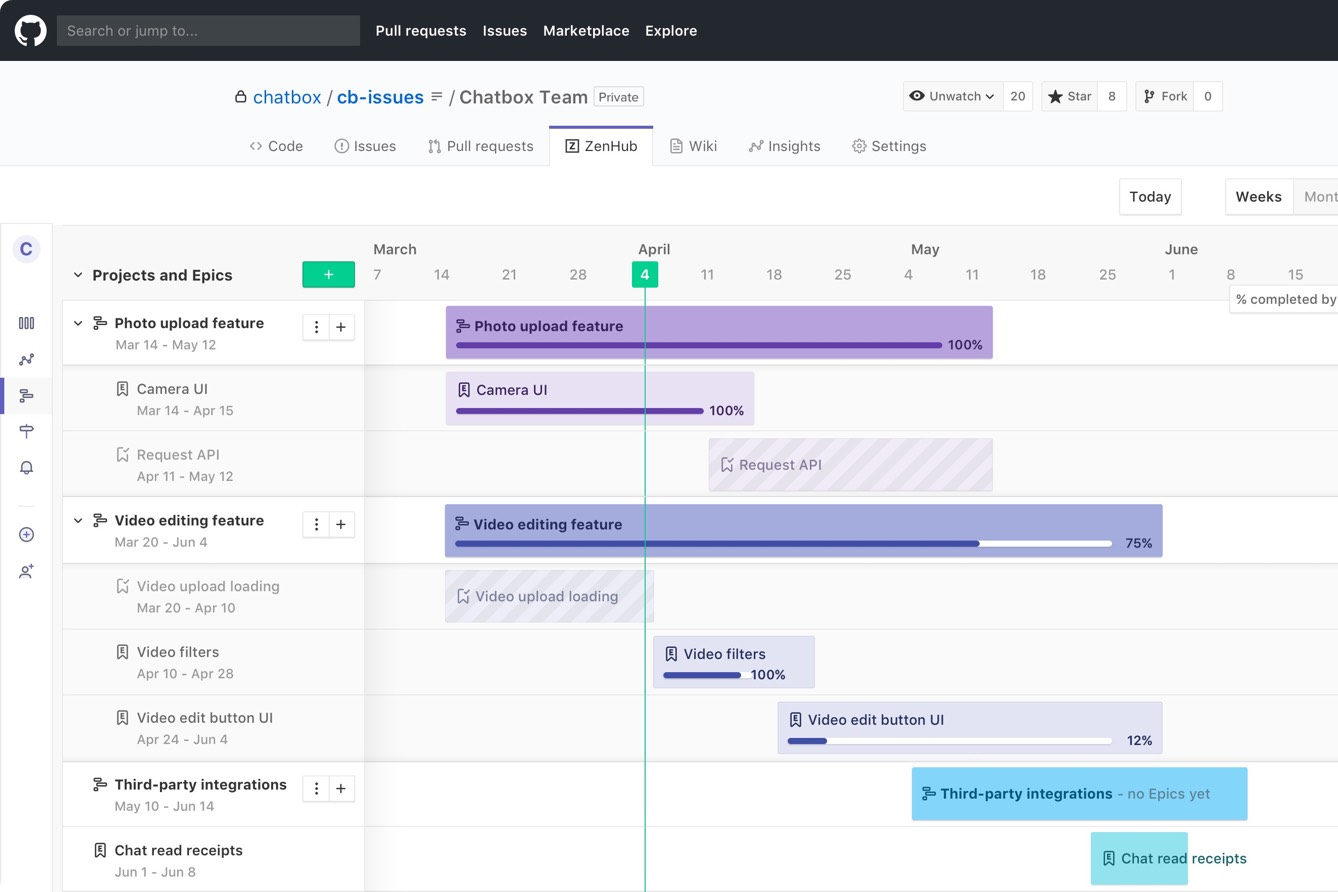
Zenhub

Warum Sie unseren Software-Empfehlungen vertrauen können
Unser Team testet und bewertet Software seit 2012. Als Projektmanager wissen wir selbst, wie schwierig – und wichtig – es ist, die richtige Software auszuwählen.
Für diesen Leitfaden haben wir Tools mithilfe von praktischen Tests und unabhängiger Recherche bewertet und dabei unsere Bewertungskriterien angewendet. Zudem greifen wir auf Erkenntnisse von Branchenvordenkern und praktizierenden Projektmanagement-Experten zurück.
Unsere Bewertungen spiegeln unser menschliches redaktionelles Urteilsvermögen wider, keine Verkaufsstrategie.
Expertenprüfer:
Notion vs. Zenhub Pricing Comparison
| Notion | Zenhub | |
|---|---|---|
| Free Trial | Free plan available | Free plan + 14-day free trial + free demo available |
| Pricing | From $10/user/month (billed annually) | From $4.99/user/month (billed annually) |
Notion vs. Zenhub Preise & Versteckte Kosten
Notion verwendet ein gestaffeltes Abonnementmodell mit einer kostenlosen Stufe für Einzelpersonen sowie kostenpflichtigen Plänen, die sich nach Nutzeranzahl und Funktionen richten. Zusätzliche Kosten können anfallen, wenn Ihr Team Notion AI, erweiterte Berechtigungen, Gastzugänge oder höhere Upload-Limits benötigt. Auch Zenhub bietet eine kostenlose Option und die Preise steigen ebenfalls mit einem gestaffelten Modell. Die Kosten erhöhen sich mit der Anzahl der Nutzer, und einige erweiterte Berichts- oder Workspace-Funktionen sind höheren Tarifstufen vorbehalten.
Um das passende Preismodell auszuwählen, sollten Sie überlegen, in welchen Bereichen Ihr Team wachsen wird – beispielsweise durch das Hinzufügen weiterer Nutzer, die Integration zusätzlicher Tools oder die Erweiterung von Projekten. Prüfen Sie, welche Funktionen Sie im größeren Maßstab wirklich benötigen und achten Sie auf Begrenzungen bei Nutzern, Berechtigungen, Integrationen und Speicherplatz. Es ist hilfreich, den voraussichtlichen Bedarf für das nächste Jahr zu skizzieren, bevor Sie sich festlegen. So zahlen Sie nur für das, was Sie tatsächlich nutzen werden.
Notion vs. Zenhub Feature Comparison
Sowohl Notion als auch Zenhub bieten Projektarbeitsbereiche, Aufgabenverfolgung, Kanban-Boards und Kollaborationsfunktionen, sodass Sie planen, organisieren und kommunizieren können, ohne die Plattform wechseln zu müssen. Echtzeit-Aktualisierungen und Benachrichtigungen halten alle auf dem Laufenden – egal, ob Sie ein Product Backlog verwalten oder Sprints koordinieren.
Notion überzeugt durch flexible Notizfunktionen und anpassbare Datenbanken, was es besonders für Teams attraktiv macht, die Dokumentation und Projektmanagement miteinander verbinden möchten. Zenhub hingegen spielt seine Stärken aus, wenn Ihr Team mit GitHub arbeitet: Die tiefe GitHub-Integration und agile Berichte bringen Entwicklung und Projektverfolgung in eine gemeinsame Ansicht – das bietet Notion in dieser Form nicht.
| Notion | Zenhub | |
|---|---|---|
| API | ||
| Calendar Management | ||
| Data Export | ||
| Data Import | ||
| External Integrations | ||
| Multi-User | ||
| Notifications | ||
| Project Management | ||
| Scheduling | ||
| Task Scheduling/Tracking |
Notion vs. Zenhub Integrationen
| Integration | Notion | Zenhub |
|---|---|---|
| GitHub | ✅ | ✅ |
| Slack | ✅ | ❌ |
| Google Drive | ✅ | ❌ |
| Figma | ✅ | ❌ |
| Jira | ✅ | ❌ |
| Microsoft Teams | ✅ | ❌ |
| Trello | ✅ | ❌ |
| Bitbucket | ❌ | ❌ |
| API | ✅ | ✅ |
| Zapier | ✅ | ❌ |
Notion bietet von Haus aus eine größere Bandbreite an Integrationen, insbesondere mit Kreativ- und Produktivitätstools, während Zenhub sich hauptsächlich auf GitHub als native Integration konzentriert (es ist direkt für die Nutzung in der GitHub-Oberfläche ausgelegt). Mit Zenhub sind Verbindungen zu anderen Tools dennoch über API- oder Drittanbieter-Integrationen möglich. Wenn Sie schnelle Plug-and-Play-Integrationen sowie Unterstützung für API und Zapier möchten, sind Sie mit Notion bestens bedient. Braucht Ihr Team hingegen eine tiefe GitHub-Integration und stört sich nicht an etwas mehr Aufwand bei der Einbindung anderer Anwendungen, ist Zenhub die richtige Wahl.
Notion vs. Zenhub Sicherheit, Compliance & Zuverlässigkeit
| Faktor | Notion | Zenhub |
|---|---|---|
| Datenverschlüsselung | Verwendet AES-256 Bit Verschlüsselung im Ruhezustand und TLS während der Übertragung. | Sichert Daten sowohl bei Speicherung als auch Übertragung mit Verschlüsselungsprotokollen ab. |
| Regulatorische Compliance | SOC 2 Typ II zertifiziert und DSGVO-konform. | Erfüllt DSGVO und SOC 2 Standards, ausgelegt für Unternehmen und Behörden. |
| Uptime-Garantie | Überwacht die Verfügbarkeit und veröffentlicht Störungsberichte öffentlich. | Gewährleistet hohe Verfügbarkeit mit transparenten Status- und Störungsmeldungen. |
| Nutzerberechtigungen | Feingranulare Workspace-, Seiten- und Datenbank-Berechtigungen. | Bietet rollenbasierte Zugriffssteuerung und Workspace-Berechtigungen. |
| Datenspeicherung | Speichert Daten in den USA, bietet für Enterprise aber regionale Flexibilität. | Flexibles Hosting, einschließlich EU-Rechenzentren für Compliance-Anforderungen. |
Beide Tools überzeugen bei Sicherheit und Compliance-Vorgaben. Zenhub richtet sich stärker an Entwickler und größere Unternehmen, während Notion in Sachen Transparenz und detaillierte Nutzerrechte punktet. Nach meiner Erfahrung ist das Rechte-Management in Notion besonders simpel für dynamische Teams. Zenhub ist hingegen ideal, wenn Sie auf spezielle Compliance-Vorgaben oder regionsspezifisches Hosting angewiesen sind.
Notion vs. Zenhub Benutzerfreundlichkeit
| Faktor | Notion | Zenhub |
|---|---|---|
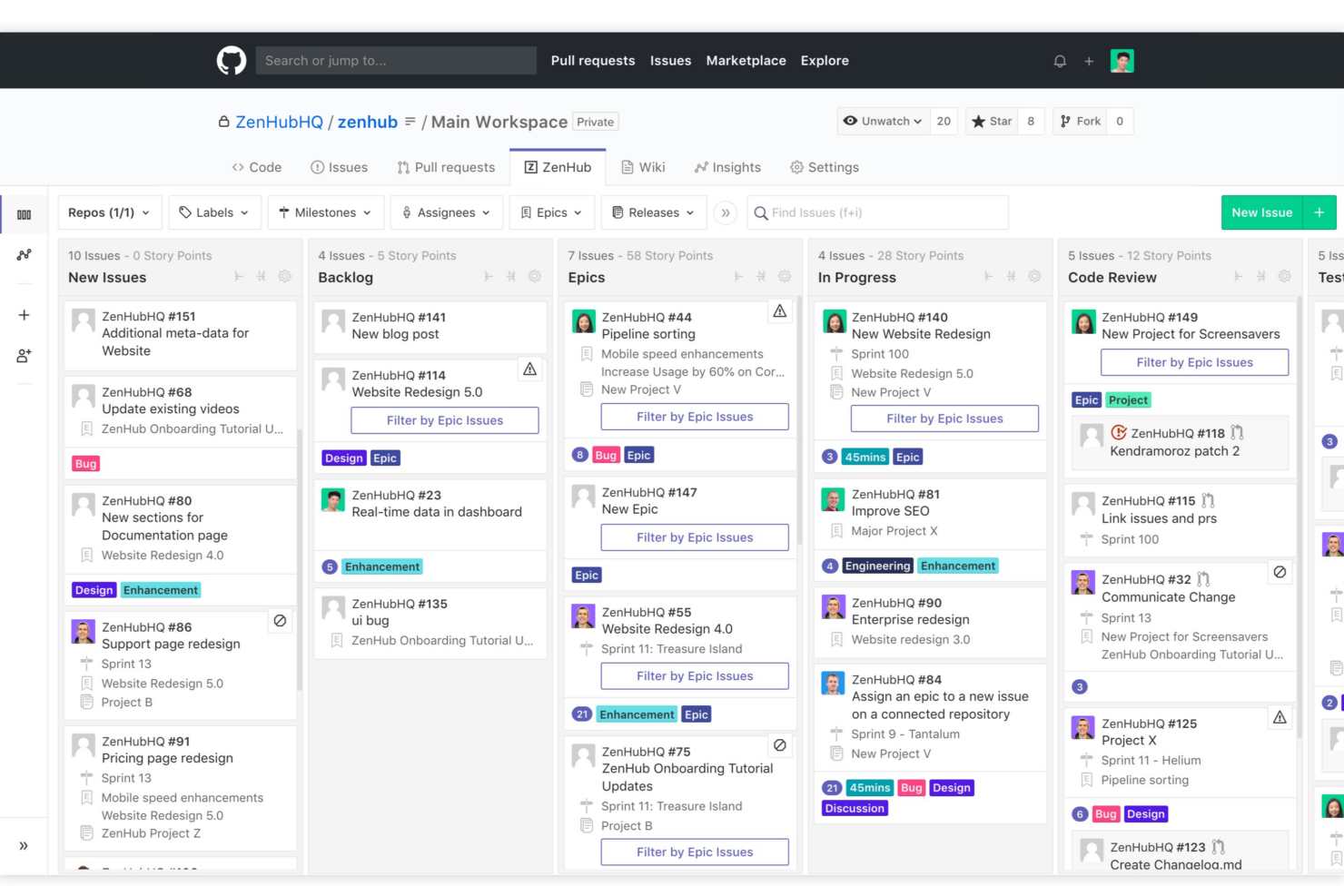
| Benutzeroberfläche | Übersichtliche, flexible und hochgradig anpassbare Drag-and-Drop-Oberfläche. | Vertraute Kanban-Ansicht, direkt in GitHub-Issues eingebettet. |
| Onboarding | Geführte Vorlagen und Tooltips helfen neuen Nutzern beim schnellen Einstieg. | Nahtloses Onboarding für Teams, die bereits mit GitHub-Workflows arbeiten. |
| Lernkurve | Anfangs steiler wegen der vielen Anpassungsmöglichkeiten, verbessert sich aber schnell. | Flach, wenn man mit GitHub vertraut ist, für andere steiler. |
| Zusammenarbeit | Einfache Freigabe, Kommentare und Erwähnungen bei jedem Inhaltstyp. | Echtzeit-Synchronisierung und Kommentare in GitHub-Issues und -Boards. |
| Kundensupport | Bietet Live-Chat und eine umfangreiche Wissensdatenbank. | Stellt Dokumentation, E-Mail- und GitHub-Community-Support bereit. |
Beide Plattformen legen Wert auf eine einfache Einführung, doch Notion bietet Teams, die ihre eigenen Arbeitsabläufe gestalten möchten, mehr Flexibilität. Zenhub ist dagegen sofort vertraut für Entwickler, die ständig in GitHub arbeiten. Ich finde, Notions Anpassungsmöglichkeiten begeistern vor allem kreative Teams, während die enge GitHub-Integration von Zenhub Entwicklerprojekte mit weniger Reibung voranbringt.
Notion vs Zenhub: Pros & Cons
Notion
- You can tailor your workspace to fit your needs with flexible layouts and templates.
- The intuitive design makes it easy for users to navigate and organize their projects.
- You can take notes, manage projects, and maintain your databases in one place.
- It can be challenging for new users to master without spending time on tutorials.
- You might experience slow performance if you have large databases or complex setups.
- The mobile app is less intuitive than the desktop version.
Zenhub
- Direct integration into GitHub repository interface
- Automated issue tracking and workflow management
- Sprint planning and agile reporting within GitHub
- Limited functionality for non-developer stakeholders
- Advanced reporting features require higher-tier plans
- Kanban boards feel basic compared to some competitors
Best Use Cases for Notion and Zenhub
Notion
- Creative Agencies You can use customizable templates within a flexible workspace to manage creative projects and collaborate with the team.
- Freelancers You can manage multiple projects and clients in a single, organized platform.
- Startups You can tailor your workspace to your needs in order to manage rapid growth and changing project requirements.
- Remote Teams Notion supports constant communication and project tracking across different locations.
- Education Departments You can use Notion's database capabilities to organize curricula, schedules, and educational materials.
- Content Writers You can use the note-taking and organization features to manage research, drafts, and editorial calendars efficiently.
Zenhub
- Agile Engineering Teams Zenhub’s built-in sprints, automation, and agile boards map directly to engineering workflows inside GitHub.
- Product Management Epics, milestones, and real-time roadmaps help product managers keep complex deliverables organized and visible to developers.
- Tech Startups Quick onboarding and low internal process overhead let lean startup teams manage feature delivery and bug fixes directly from GitHub.
- Open Source Projects Native GitHub experience enables seamless contribution management, issue triage, and community collaboration without external tools.
- Remote Development Teams All project tracking within GitHub helps distributed developers stay aligned with async workflows and shared dashboards.
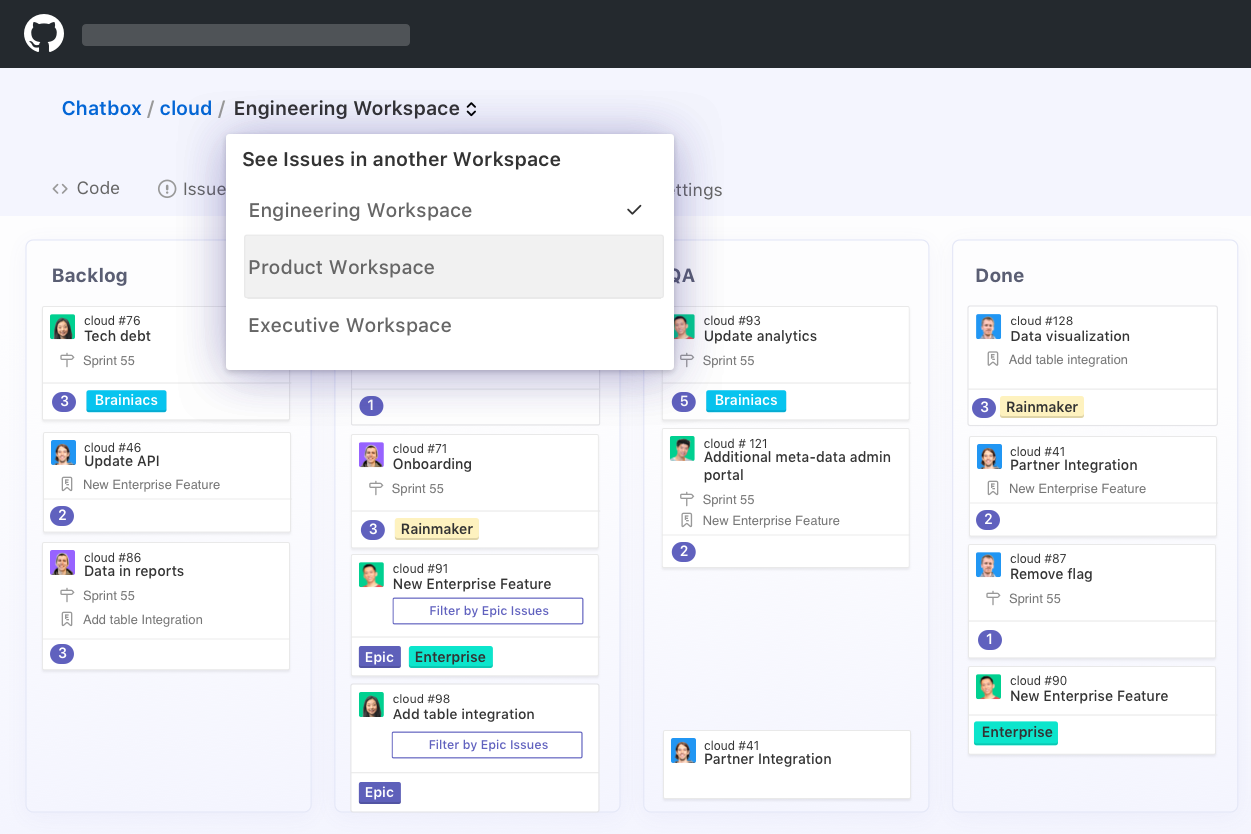
- SaaS Companies Teams juggling multiple repositories and microservices benefit from Zenhub’s workspace-centric organization and reporting.
Wer sollte Notion nutzen und wer sollte Zenhub nutzen?
Notion ist ideal für alle, die einen flexiblen, alles-in-einem Arbeitsbereich für Dokumente, Projekte und Zusammenarbeit suchen. Meiner Erfahrung nach eignet es sich am besten für Startups, Marketing-Teams und bereichsübergreifende Gruppen, die Wissen organisieren und Aufgaben ohne starre Strukturen an einem Ort verwalten möchten. Wenn Ihre Arbeit über reine Entwicklung hinausgeht – beispielsweise Inhalte, Planung oder interne Wikis – gibt Ihnen Notion die Freiheit, Ihr eigenes System zu gestalten.
Zenhub hingegen ist besser geeignet für agile Softwareteams, die hauptsächlich in GitHub arbeiten. Wenn Sie Sprints, Issues und Releases managen, fügt es sich natürlich in den Arbeitsalltag ein und hält alles mit dem Code-Bestand verknüpft. Ich würde es empfehlen, wenn Entwickler-Effizienz und strukturierte Projektverfolgung wichtiger sind als breit angelegte Teamarbeit oder Dokumentation.
Differences Between Notion and Zenhub
| Notion | Zenhub | |
|---|---|---|
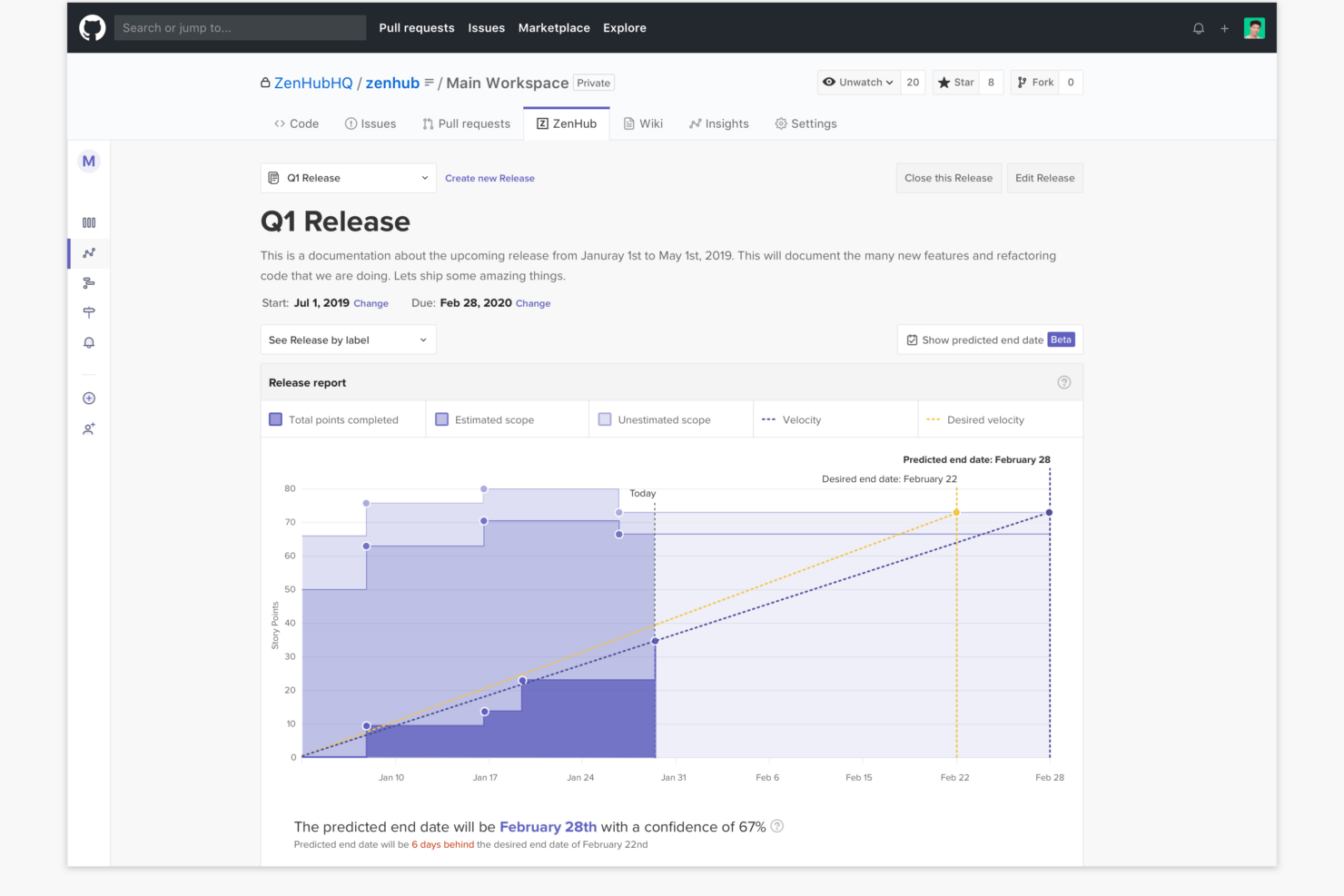
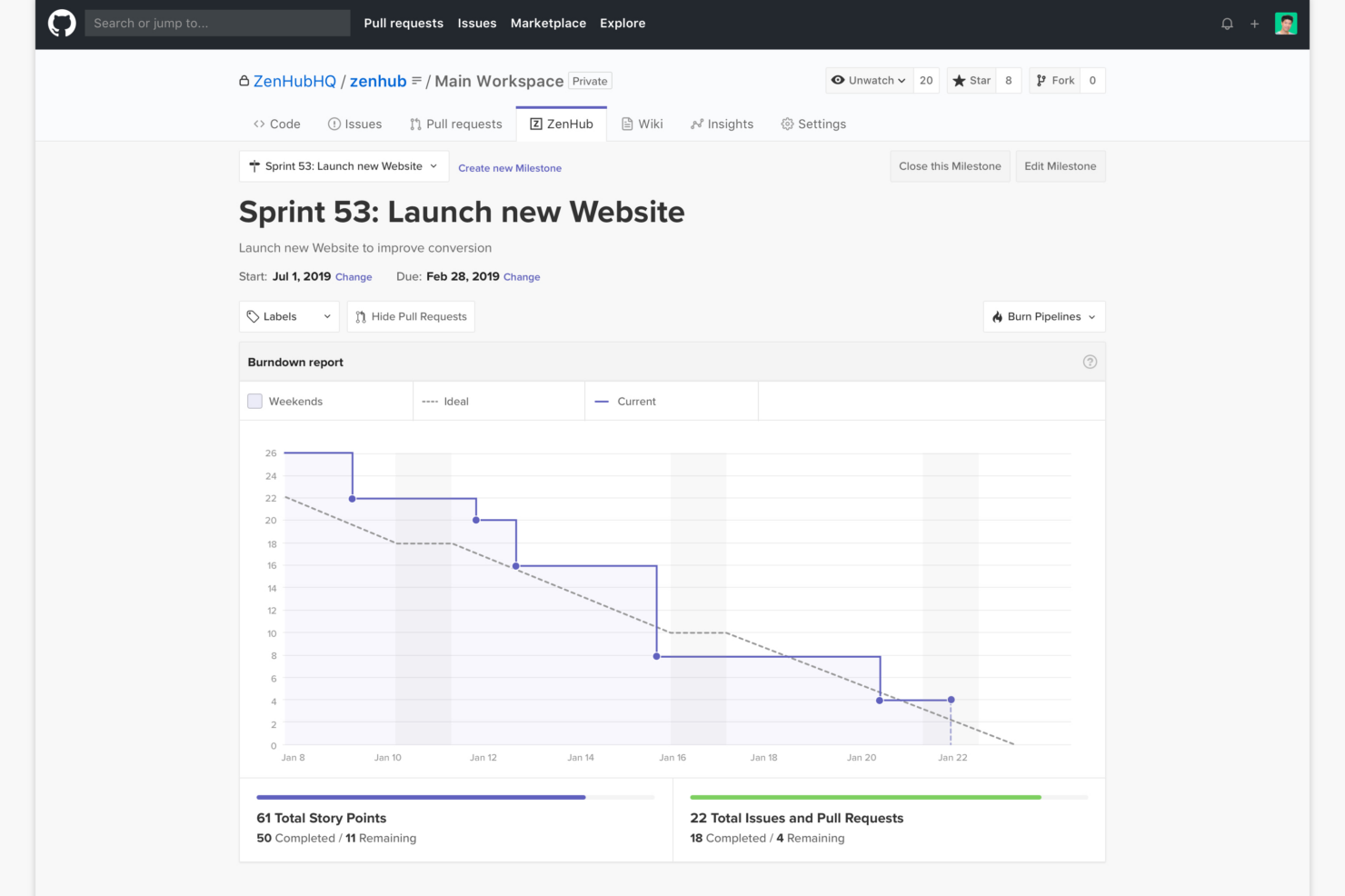
| Agile Features | Customizable boards and timelines, but fewer native agile tools. | Deep agile support: epics, sprints, velocity, and burndown. |
| Automation | Offers some automation via integrations and templates. | Built-in workflow automations for ticket tracking in GitHub. |
| Core Audience | Flexible for any team, including marketing, ops, and product. | Made for software teams working in GitHub. |
| Documentation | Combines docs, wikis, and tasks in one space. | Focuses on tasks and boards, not text-rich documentation. |
| Integration Focus | Integrates with many creative and productivity platforms. | Integrates tightly with GitHub and dev tools. |
| Read Notion ReviewOpens new window | Read Zenhub ReviewOpens new window |
Similarities Between Notion and Zenhub
| API Access | Each provides API access, making it possible to build custom workflows, connect with external tools, and automate repetitive tasks. |
|---|---|
| Collaboration | Real-time collaboration with commenting and mentions keeps teams connected, whether in a Notion doc or a Zenhub board linked to dev work. |
| Kanban Boards | Both offer drag-and-drop Kanban boards for task and workflow management; in Notion, boards are customizable, while Zenhub boards map directly to GitHub issues. |
| Notifications | Both send email and in-app notifications to keep you up to date on task assignments, comments, and changes. |
| User-Based Pricing | Both platforms charge based on the number of users, letting teams scale from small groups to enterprise deployments as needs grow. |
| Read Notion ReviewOpens new window Read Zenhub ReviewOpens new window | |