



Jira vs. Scoro: Vergleich und Expertenbewertungen für 2026



If you’re stuck choosing between Jira and Scoro, you’re not alone. Each tool brings a different flavor to project management software, especially in the context of professional services. Balancing task tracking, billing, collaboration, and reporting can feel overwhelming, and you likely need a platform that fits your workflow and adapts as your professional services business grows.
In this article, you’ll get a clear side-by-side comparison—with pros and cons, use cases, pricing details, security, and usability—so you can find the right fit. I’ll help you see where each tool shines and where it falls short.
Jira vs. Scoro: An Overview
Jira

Scoro


Warum Sie unseren Software-Empfehlungen vertrauen können
Unser Team testet und bewertet Software seit 2012. Als Projektmanager wissen wir selbst, wie schwierig – und wichtig – es ist, die richtige Software auszuwählen.
Für diesen Leitfaden haben wir Tools mithilfe von praktischen Tests und unabhängiger Recherche bewertet und dabei unsere Bewertungskriterien angewendet. Zudem greifen wir auf Erkenntnisse von Branchenvordenkern und praktizierenden Projektmanagement-Experten zurück.
Unsere Bewertungen spiegeln unser menschliches redaktionelles Urteilsvermögen wider, keine Verkaufsstrategie.
Expertenprüfer:
Jira vs. Scoro Pricing Comparison
| Jira | Scoro | |
|---|---|---|
| Free Trial | Free plan + 14-day free trial available | 14-day free trial |
| Pricing | From $7.91/user/month | From $19.90/user/month (billed annually) |
Jira vs. Scoro Preise & Versteckte Kosten
Jira verwendet ein gestaffeltes Abonnementmodell, das sich nach Teamgröße und Funktionsumfang richtet. Zusätzliche Kosten entstehen oft durch Integrationen von Drittanbietern oder Apps aus dem Marketplace. Auch Scoro bietet ein Abonnementmodell an und bündelt zahlreiche Tools in seinen Tarifen, wobei fortgeschrittenere Funktionen mit höheren Tarifstufen freigeschaltet werden – was die Kosten bei wachsendem Bedarf steigen lassen kann.
Um die richtige Wahl zu treffen, sollten Sie den Arbeitsablauf und die Wachstumspläne Ihres Teams skizzieren – und anschließend prüfen, welche Plattform Ihre unverzichtbaren Funktionen bereits im Basistarif abdeckt. Achten Sie auf Kostenfaktoren beim Skalieren, wie zusätzliche Nutzer oder die Abhängigkeit von externen Apps. Prüfen Sie genau, welche Funktionen wirklich enthalten sind und welche ein Upgrade auf einen höheren Tarif erfordern.
Jira vs. Scoro Feature Comparison
<div class="slate-p" data-slate-node="element" data-block-id="4fKdkUgwAr" data-slate-fragment="JTVCJTdCJTIyY2hpbGRyZW4lMjIlM0ElNUIlN0IlMjJ0ZXh0JTIyJTNBJTIySmlyYSUyMGFuZCUyMFNjb3JvJTIwYm90aCUyMG9mZmVyJTIwcHJvamVjdCUyMHRlbXBsYXRlcyUyQyUyMHRhc2slMjB0cmFja2luZyUyQyUyMHN0YXR1cyUyIHVwZGF0ZXMlMkMlMjB0aW1lJTIwdHJhY2tpbmclMkMlMjBhbmQlMjBjb2xsYWJvcmF0aW9uJTIwdG9vbHMuJTIwWW91JUUyJTgwJTk5bGwlMjBhbHNvJTIwZmluZCUyMGZpbGUlMjBhdHRhY2htZW50cyUyQyUyMHRlYW0lMjBjYWxlbmRhcnMlMkMlMjBhbmQlMjBkYXNoYm9hcmRzJTIwdG8lMjBrZWVwJTIwcHJvamVjdHMlMjBvbiUyMHRyYWNrJTIwYWNyb3NzJTIwYm90aCUyMHBsYXRmb3Jtcy4lMjBUaGVzZSUyMGNvcmUlMjBmZWF0dXJlcyUyMHN1cHBvcnQlMjBtb3N0JTIwYmFzaWMlMjB3b3JrZmxvd3MlMjBmb3IlMjBwcm9mZXNzaW9uYWwlMjBzZXJ2aWNlcyUyMHRlYW1zLiUyMiU3RCU1RCUyQyUyMnR5cGUlMjIlM0ElMjJwJTIyJTJDJTIyaWQlMjIlM0ElMjJFT0Fsa2t1OHI3JTIyJTdEJTJDJTdCJTIyY2hpbGRyZW4lMjIlM0ElNUIlN0IlMjJ0ZXh0JTIyJTNBJTIySmlyYSUyMHN0YW5kcyUyMGFwYXJ0JTIwd2l0aCUyMGl0cyUyMHN0cm9uZyUyMGlzc3VlJTIwdHJhY2tpbmclMjBhbmQlMjBhZHZhbmNlZCUyMHdvcmtmbG93JTIwYXV0b21hdGlvbiUyMGJ1aWx0JTIwZm9yJTIwdGVjaG5pY2FsJTIwdGVhbXMuJTIwU2Nvcm8lMkMlMjBvbiUyMHRoZSUyMG90aGVyJTIwaGFuZCUyQyUyMHNldHMlMjBpdHNlbGYlMjBhcGFydCUyMHdpdGglMjBidWlsdC1pbiUyMHF1b3RpbmclMkMlMjBiaWxsaW5nJTJDJTIwYW5kJTIwQ1JNJTIwZnVuY3Rpb25zJTIwdGhhdCUyMGJyaW5nJTIwc2FsZXMlMjBhbmQlMjBwcm9qZWN0JTIwZGVsaXZlcnklMjBpbnRvJTIwb25lJTIwcGxhY2UuJTIwVGhlc2UlMjB1bmlxdWUlMjBmZWF0dXJlcyUyMGNhbiUyMHRpcCUyMHRoZSUyMHNjYWxlcyUyMGlmJTIweW91ciUyMHRlYW0lMjBuZWVkcyUyMG1vcmUlMjBzcGVjaWFsaXplZCUyMHN1cHBvcnQuJTIyJTdEJTVEJTJDJTIydHlwZSUyMiUzQSUyMnAlMjIlMkMlMjJpZCUyMiUzQSUyMjRmS2RrVWd3QXIlMjIlN0QlNUQ=
| Jira | Scoro | |
|---|---|---|
| API | ||
| Dashboards | ||
| Data Export | ||
| Data Import | ||
| External Integrations | ||
| Gantt Charts | ||
| Multi-User | ||
| Notifications | ||
| Project Management | ||
| Status Notifications | ||
| Task Scheduling/Tracking | ||
| Time Management |
Jira vs. Scoro Integrationen
| Integration | Jira | Scoro |
|---|---|---|
| Slack | ✅ | ✅ |
| Google Drive | ✅ | ✅ |
| Microsoft Teams | ✅ | ✅ |
| Salesforce | ✅ | ✅ |
| HubSpot | ✅ | ✅ |
| Xero | ❌ | ✅ |
| GitHub | ✅ | ❌ |
| Trello | ✅ | ❌ |
| API | ✅ | ✅ |
| Zapier | ✅ | ✅ |
Jira und Scoro decken beide die wichtigsten Verbindungen zu gängigen Tools ab, aber Jira geht mit entwicklerorientierten Integrationen wie GitHub und Trello (die Scoro ebenfalls über Zapier, aber nicht nativ anbietet) noch einen Schritt weiter, während Scoro besonders bei Finanz- und CRM-Integrationen glänzt. Beide Plattformen bieten eine API und Zapier-Schnittstelle, sodass Sie sowohl Standard- als auch individuelle Anbindungen flexibel umsetzen können.
Jira vs. Scoro: Sicherheit, Compliance & Zuverlässigkeit
| Faktor | Jira | Scoro |
|---|---|---|
| Datenverschlüsselung | Nutzt TLS- und AES-256-Verschlüsselung für Datenübertragung und -speicherung. | Schützt Daten mit HTTPS und starker Verschlüsselung bei Speicherung. |
| Regulatorische Compliance | Verfügt über SOC 2-, ISO 27001- und DSGVO-Zertifizierungen. | Erfüllt die DSGVO und bietet eine DPA für EU-Kunden. |
| Zuverlässigkeit | 99,9% Uptime SLA mit Echtzeit-Statusmeldungen. | Regelmäßige Backups und hohe Verfügbarkeit auf EU-Servern. |
| Zugriffskontrollen | Bietet SSO, 2FA und rollenbasierte Berechtigungen. | Erlaubt rollenbasierten Zugriff, SSO und individuelle Berechtigungen. |
Jira und Scoro erfüllen beide die wesentlichen Anforderungen an die Compliance, allerdings punktet Jira mit umfangreicheren Zertifizierungen und einer höheren Zuverlässigkeitsgarantie, welche auf der breiteren Atlassian-Infrastruktur basiert. Für große oder komplexe Teams mit Bedarf an erweiterten Steuerungsmöglichkeiten würde ich auf Jira setzen, während Scoro die Grundlagen abdeckt und für wachsende Beratungen solide geeignet ist.
Jira vs. Scoro: Benutzerfreundlichkeit
| Faktor | Jira | Scoro |
|---|---|---|
| Benutzeroberfläche | Anpassbar, kann aber für neue Nutzer komplex wirken, vor allem ohne Einrichtungsanleitung. | Übersichtliches, intuitives Layout mit Menüs und Dashboards, ausgelegt für Business-Anwender. |
| Onboarding | Bietet geführte Rundgänge, benötigt aber mehr Zeit, um alle Funktionen zu beherrschen. | Kurze Lernkurve und klare Einführung für neue Teams. |
| Aufgabenmanagement | Erweiterte Optionen zur Workflow-Konfiguration, was allerdings mehr Schulung erfordert. | Direktes Zuweisen, Verfolgen und Verwalten von Aufgaben schon ab Start möglich. |
| Einrichtungsprozess | Sehr flexibel, die Einrichtung kann aber zeitaufwändig und detailreich sein. | Schnelle, schrittweise Einrichtung für zügige Projektstarts. |
| Kundensupport | Aktive Nutzer-Community, Hilfedokumente und Ticket-basierten Support. | Live-Chat, reaktionsschneller Support und hilfreiche Video-Ressourcen. |
Bei Einfachheit und reibungslosem Einstieg liegt Scoro vorn, während die hohe Anpassbarkeit von Jira mit mehr Komplexität einhergeht. Für Teams, die schnell loslegen möchten, ist Scoro besser geeignet. Wer jedoch bereit ist, in die Einrichtung zu investieren, erhält mit Jira deutlich mehr Kontrolle.
Jira vs Scoro: Pros & Cons
Jira
- Agile workflow management supports Scrum and Kanban and can improve your teams' productivity.
- Automation rules are easy to set up, which helps your team speed up their work.
- Custom filters can be created and accessed quickly, which improves your team's efficiency.
- Field names can be confusing, which might slow down your team's workflow.
- The interface can be too crowded in Scrum projects, which can make it hard for your team to navigate.
- There's a lack of resource management capabilities, which could limit your team's planning.
Scoro
- Excellent multi-entity and multi-currency support for international businesses.
- Deep two-way accounting integrations.
- Scoro is highly-customizable with different permission sets, user-based menus, and settings.
- User interface can feel cluttered for new users (although this can be fixed by creating simplified views via permission sets).
- Some users find the learning curve steep for advanced features.
- Lack of built-in chat/messaging and weaker real-time collaboration features compared to others.
Best Use Cases for Jira and Scoro
Jira
- Software development Jira’s agile tools like Scrum and Kanban boards make it perfect for managing software projects.
- IT departments Its issue tracking capabilities help your team efficiently handle technical support and bug fixes.
- Tech startups Jira offers customization capabilities that allow your team to scale and adapt as your projects grow.
- Agile teams Sprint planning and backlog management features keep your agile processes organized and effective.
- Large enterprises Jira’s automation rules can streamline your complex workflows and improve team productivity.
- Project managers Its reporting and analytics provide insights that help you make informed decisions quickly.
Scoro
- Agencies Scoro connects the sales pipeline, creative delivery, and billing in one place, so agencies can quote, resource, and invoice client work without switching tools.
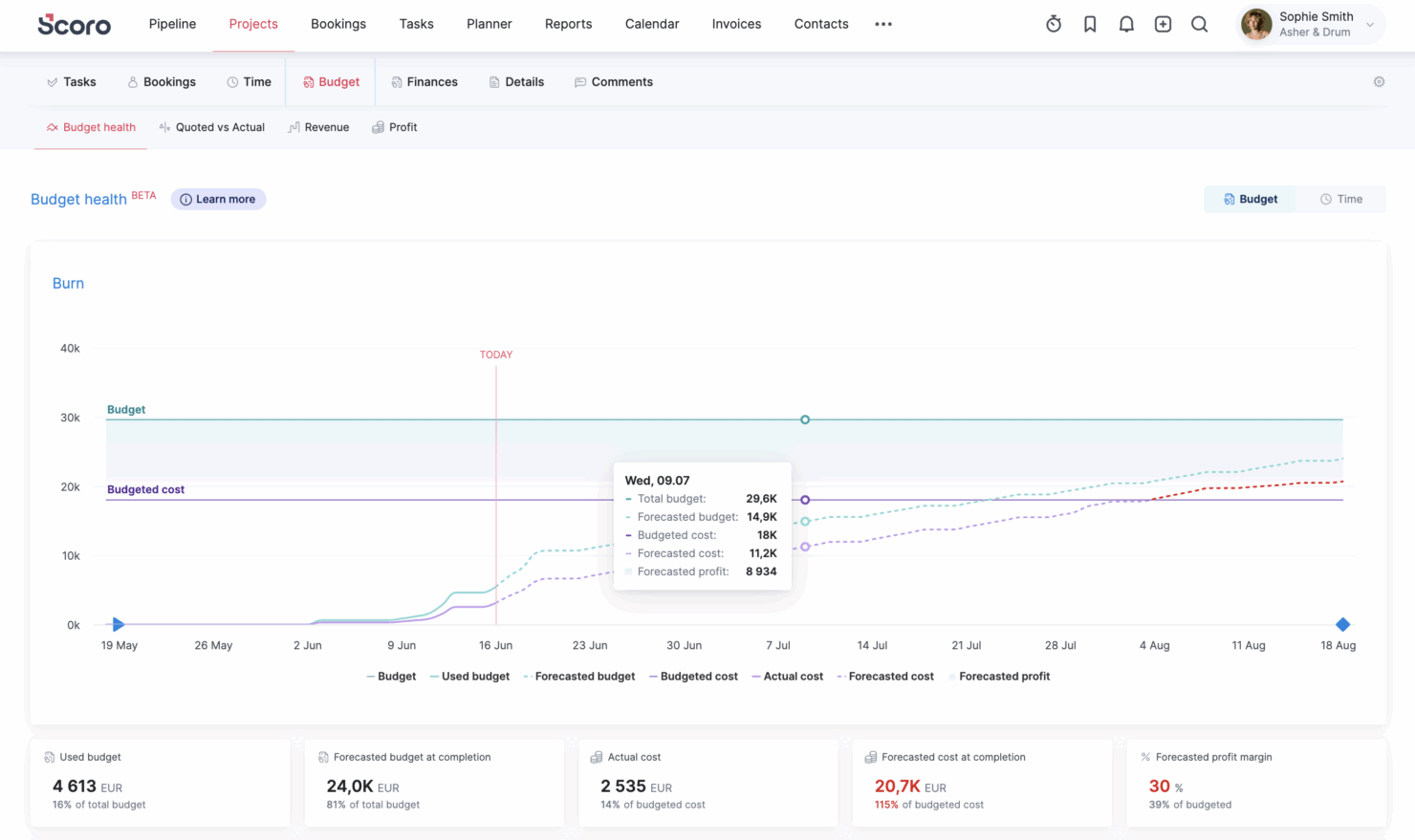
- Consultancies Scoro's quoting matrix breaks down deliverables by role, hours, and cost, giving consultancies real-time margin and utilization visibility across multi-entity, multi-currency operations.
- Architecture FIrms Scoro ties project phases, budgets, and time tracking together so architecture firms can monitor scope creep and protect fee-based project margins in real time.
- IT Services With Jira integration and effortless time logging from calendars or tasks, Scoro gives IT consultancies clear visibility into billable utilization, project profit, and progress as work gets delivered.
- Event Management Scoro handles multi-currency event quoting, purchase orders for vendors, and phase-based Gantt planning, so event agencies can track supplier costs and protect margins across simultaneous productions.
- Engineering FIrms Scoro unifies resourcing, cost tracking, and reporting across teams and offices, helping engineering firms forecast capacity and keep multi-phase projects profitable.
- Software Development Through native Jira sync, Scoro lets developers keep working in their existing tools while worklogs flow back automatically for accurate reporting, invoicing, and profitability tracking.
Wer sollte Jira nutzen und wer Scoro?
Wenn Sie ein Professional-Services-Team führen, das stark auf technisches Projektmanagement oder Produktentwicklungs-Workflows setzt, empfehle ich Jira. Nach meiner Erfahrung spielt Jira seine Stärken aus, wenn die Arbeit sich um Tickets, Backlogs, Sprint-Planung und hochgradig anpassbare Workflows dreht.
Wenn Ihr Team Entwickler, IT-Spezialisten oder Personen umfasst, die bereits vertraut mit agilen Methoden sind, werden Sie die Flexibilität und Skalierbarkeit wahrscheinlich zu schätzen wissen. Allerdings sollten Sie bereit sein, zusätzliche Tools (oder Integrationen) für Bereiche wie Budgetierung, Rechnungsstellung oder Ressourcenplanung zu kombinieren – diese Features sind nicht standardmäßig enthalten.
Scoro hingegen ist die deutlich bessere Wahl, wenn Ihr Professional-Services-Unternehmen einen ganzheitlichen Überblick über Projekte, Finanzen und Ressourcen an einem Ort benötigt. Ich empfehle es für Agenturen, Beratungen oder dienstleistungsorientierte Teams, denen Profitabilität und Auslastung genauso wichtig sind wie Aufgabenmanagement.
Sie erhalten integrierte Tools für Angebote, Zeiterfassung, Abrechnung und Berichte, was die Abhängigkeit von externen Systemen reduziert. Wenn Sie eine Plattform suchen, mit der Sie sowohl Projekte als auch betriebliche Abläufe steuern können – ohne einen Software-Stack zusammenstellen zu müssen – wirkt Scoro wesentlich kohärenter.
Differences Between Jira and Scoro
| Jira | Scoro | |
|---|---|---|
| Business Management | Focuses on project and issue tracking; requires integrations or add-ons for quoting, billing, and CRM. | Built-in business management suite including quoting, invoicing, CRM, budgeting, and profitability tracking. |
| Core Use Case | Built primarily for software development, IT, and agile project management. | Designed for professional services businesses needing project + financial management. |
| Financial Tracking | Minimal native financial tools; relies on integrations for budgeting or revenue tracking. | Robust financial management including cost tracking, revenue forecasting, and profitability analysis. |
| Resource Management | Limited native resource planning; often requires add-ons or external tools. | Advanced built-in resource planning, capacity management, and utilization tracking. |
| Workflow Automation | Advanced automation with custom rules, triggers, and complex issue dependencies across projects. | Strong automation with triggers and actions, especially in higher tiers, but less flexible than Jira’s rule engine. |
| Read Jira ReviewOpens new window | Visit ScoroOpens new window |
Similarities Between Jira and Scoro
| Collaboration | Each includes built-in collaboration tools like comments, notifications, and shared project views to keep teams aligned. |
|---|---|
| Integration Options | Jira and Scoro support integration with popular third-party tools (like Slack, Google Drive, and Zapier) as well as offer an API for deeper connections. |
| Reporting & Dashboards | Both provide customizable dashboards and project reports, letting you visualize work progress, deadlines, or team workload with interactive widgets. |
| Task Management | Both offer robust tools for planning, tracking, and updating project tasks, supporting checklists, status changes, and team assignments. |
| Time Tracking | Each platform includes built-in time tracking so teams can log work and monitor billable hours. |
| Read Jira ReviewOpens new window Visit ScoroOpens new window | |