

2026’nın En İyi 10 Dijital İşyeri Yazılımı

En İyi Dijital İş Yeri Yazılımları Kısa Listesi


Dijital iş yeri yazılımları; iletişim, iş birliği ve iş akışı yönetimi araçlarını tek bir dijital ortamda bir araya getirir. En iyi dijital iş yeri yazılımını arıyorsanız, muhtemelen ekibinizi nerede çalışıyor olurlarsa olsunlar bağlantıda, düzenli ve üretken tutmayı amaçlıyorsunuz. Pek çok platform uzaktan çalışma zorluklarını çözmeyi vadederken, hangilerinin belge paylaşımı, gerçek zamanlı mesajlaşma ve proje takibi gibi özellikleri gerçekten sunduğunu bilmek zor olabilir. Bu liste, en iyi seçenekleri hızlıca karşılaştırmanıza, her birini farklı kılan özellikleri anlamanıza ve 2026 yılında ekibinizin kendine özgü ihtiyaçlarına en uygun çözümü bulmanıza yardımcı olacak.
Why Trust Our Software Recommendations
Our team has been testing and reviewing software since 2012. As project managers ourselves, we know how difficult—and important—it is to choose the right software.
For this guide, we evaluated tools using hands-on testing and independent research, scoring tools using our selection criteria. We also draw on insights from industry thought leaders and practicing project management experts.
Our reviews reflect our human editorial judgment, not a sales pitch.
Expert reviewers:
Dijital İş Yeri Yazılımları Karşılaştırma Tablosu
Bu karşılaştırma tablosu, en iyi dijital iş yeri yazılımı seçimlerimin fiyatlandırma ayrıntılarını özetler:
| Tool | Starting Price | Website | |
|---|---|---|---|
| Best for separate branded audience portals | 4.5 out of 5 | £3.75/user/month Free demo available | Website |
| Best for remote device access and support | 4.6 out of 5 | $120.90/month 30-day free trial | Website |
| Best for database-driven project tracking | 4.6 out of 5 | $20/user/month Free plan + free demo available | Website |
| Best for real-time document collaboration | 4.6 out of 5 | $7/user/month 14-day free trial available | Website |
| Best for task automation features | 4.4 out of 5 | $10.99/user/month Free plan + trial + demo available | Website |
| Best with enterprise-grade security controls | 4.6 out of 5 | $30/user/month 1-month free trial | Website |
| Best with self-hosted deployment options | 4.4 out of 5 | $20/admin/month Free plan + 30-day free trial available | Website |
| Best for customizable workflow management | — | $7/user/month Free plan available | Website |
| Best for unified knowledge management | — | $10/user/month Free plan + trial available | Website |
| Best for multilingual team communication | — | Pricing upon request Free plan available | Website |
Dijital İş Yeri Yazılımı İncelemeleri
Aşağıda, kısa listeme giren dijital iş yeri yazılımlarına ilişkin ayrıntılı özetlerimi bulabilirsiniz. İncelemelerim, ekibiniz için en iyi seçeneği bulmanıza yardımcı olmak amacıyla her platformun özelliklerini, en uygun kullanım alanlarını ve entegrasyonlarını ayrıntılı şekilde ele alır.

Hub
Best for separate branded audience portals
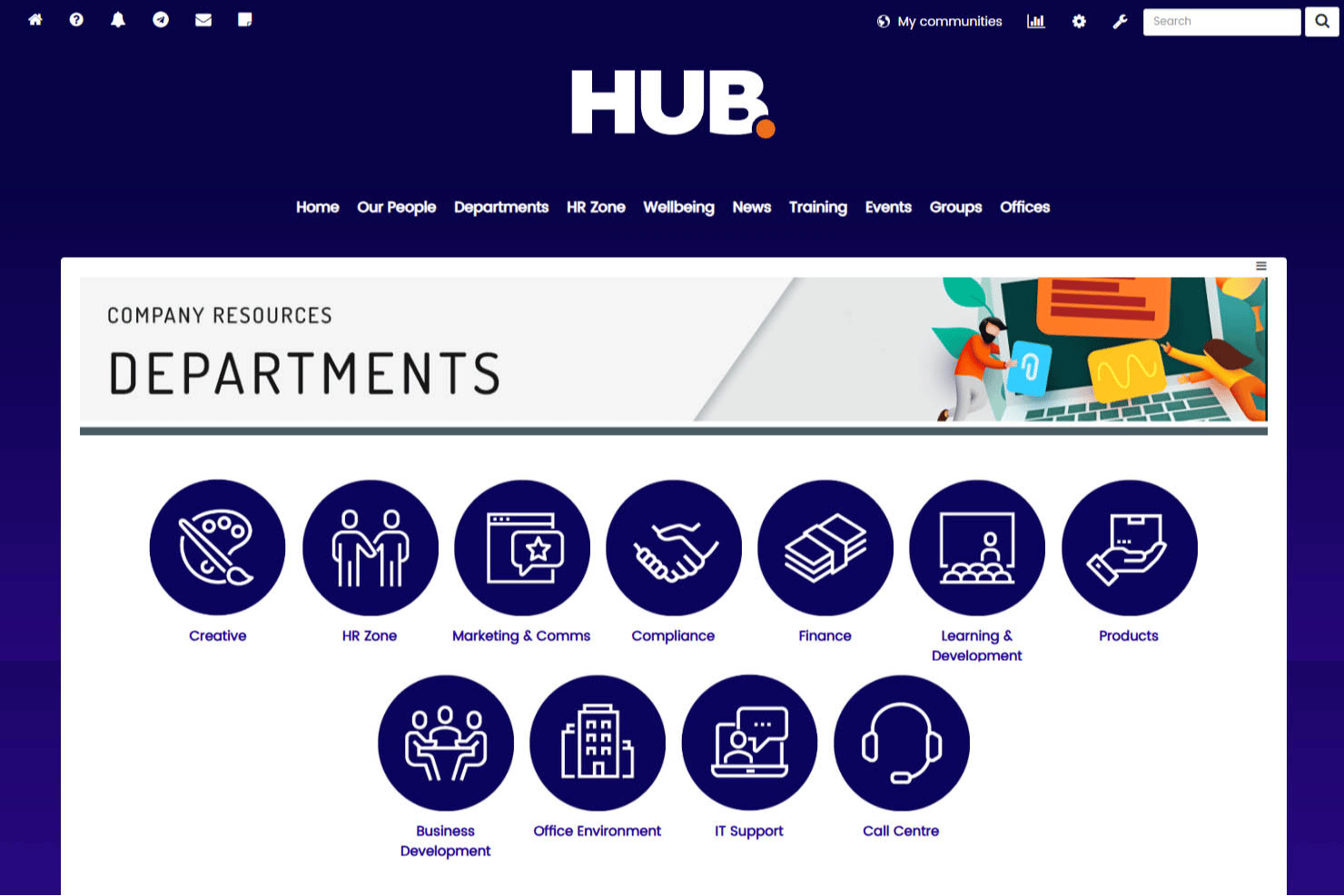
Hub is an employee intranet platform built by Pancentric Digital that covers internal communications, document management, knowledge sharing, and multi-environment portals for different audiences and brands.
Who Is Hub Best For?
Hub suits internal communications managers and HR teams at mid-sized organizations that need to run separate, distinctly branded portals for different employee groups or audiences.
Why I Picked Hub
I picked Hub as one of the best because it's the only tool on my list that lets you spin up completely separate, distinctly branded intranet environments for different audiences from a single platform. Each environment gets its own homepage, navigation, content, and branding, so a company managing both corporate employees and external distributor communities doesn't have to compromise on either experience. I particularly like the content segmentation and permission layering, which keep each audience seeing only what's relevant to them.
Hub Key Features
- Must Reads: Assign required reading to all users or a specific group, with daily reminders for anyone who hasn't confirmed and a completion report for admins.
- Content expiry and ownership: Assign page owners and set expiry dates so owners get notified four weeks before content goes stale.
- Leave and absence system: Employees can book, track, and request approval for leave directly in Hub, with live balance visibility.
- Usage and engagement reports: Review 25+ built-in reports covering logins, searches, comments, and user activity, filterable by date, office, or group.
Hub Integrations
Hub offers native integrations with Microsoft 365, Google Workspace, Box, Confluence, and Slack. It also supports user synchronization from Active Directory and BambooHR, while custom integrations require a feasibility review; a public API isn’t documented.
Pros and Cons
Pros:
- Must-read reports track required communications
- Searchable policies reduce scattered employee resources
- Separate branded portals serve distinct audiences
Cons:
- Task timelines lack documented status and deadlines
- Content editor and forms constrain publishing

Best for remote device access and support
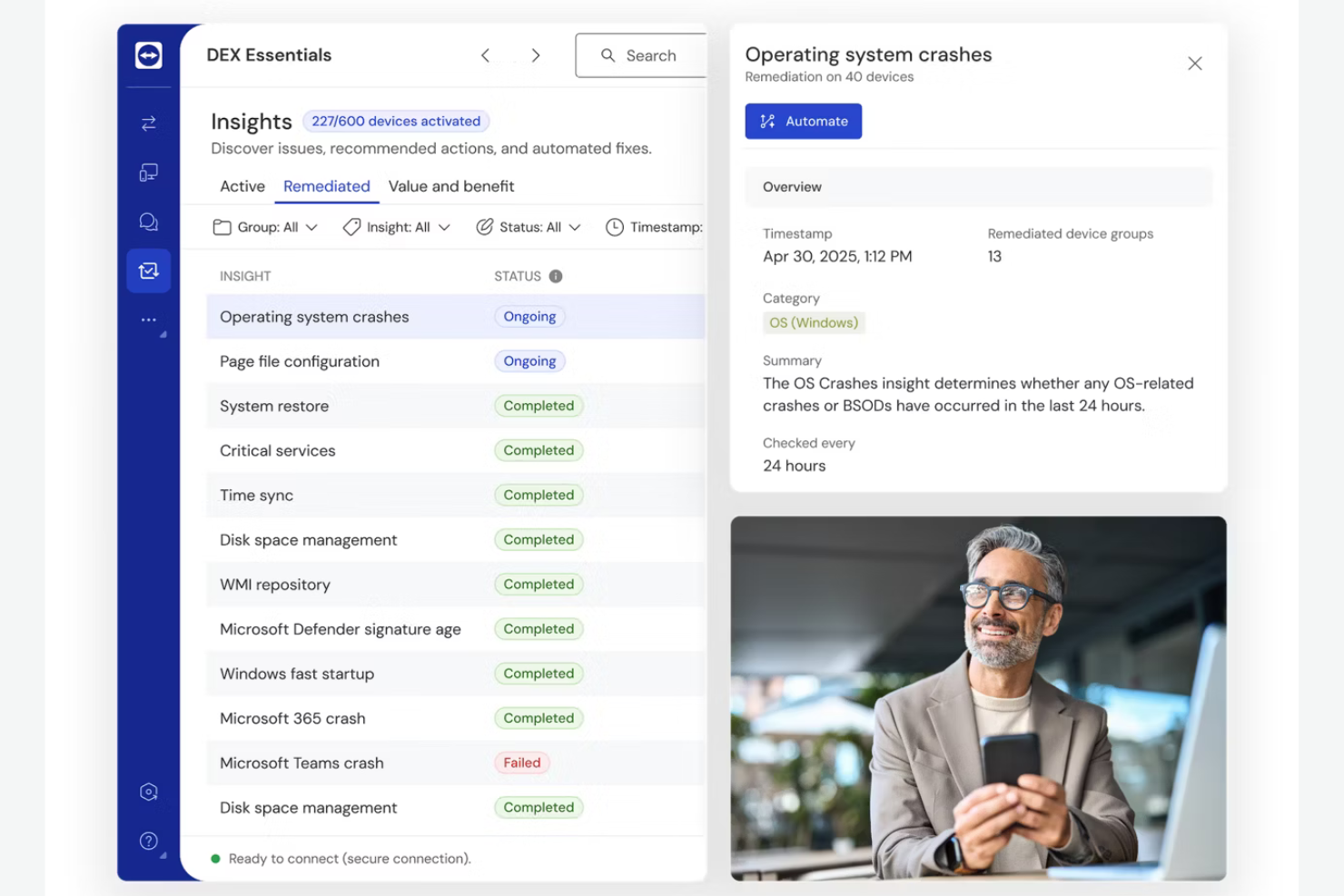
If your team needs to access and support devices remotely, TeamViewer offers secure, cross-platform connectivity for IT professionals and support teams. It’s especially useful for organizations managing distributed endpoints, remote workers, or client devices outside the office network. TeamViewer helps resolve technical issues quickly and maintain business continuity without requiring users to be on-site.
Why I Picked TeamViewer
Remote device access and support are essential for distributed teams, which is why I picked TeamViewer for this list. The platform allows IT staff to connect to and control devices across different operating systems, even when those devices are outside the company network. I appreciate that TeamViewer includes unattended access and secure session recording, which help teams troubleshoot issues without disrupting end users. For organizations supporting remote employees or clients, these features make TeamViewer a practical choice for digital workplace environments.
TeamViewer Key Features
Some other features that make TeamViewer useful for digital workplace teams include:
- File Transfer: Move files securely between connected devices during a remote session.
- Multi-User Support Sessions: Allow multiple support technicians to join and collaborate on the same session.
- Remote Printing: Print documents from a remote device to a local printer without extra setup.
- Mobile Device Access: Connect to and control smartphones and tablets running iOS or Android.
TeamViewer Integrations
Integrations include Microsoft Intune, ServiceNow, Freshworks, Jira, Salesforce, Zendesk, Slack, Microsoft Teams, Zoho, and more.
Pros and Cons
Pros:
- Wake-on-LAN allows remote device startup
- Remote printing works with most local printers
- Supports audit and compliance needs with recordings
Cons:
- No built-in ticketing or case management
- File transfer speed varies with network conditions

Airtable
Best for database-driven project tracking
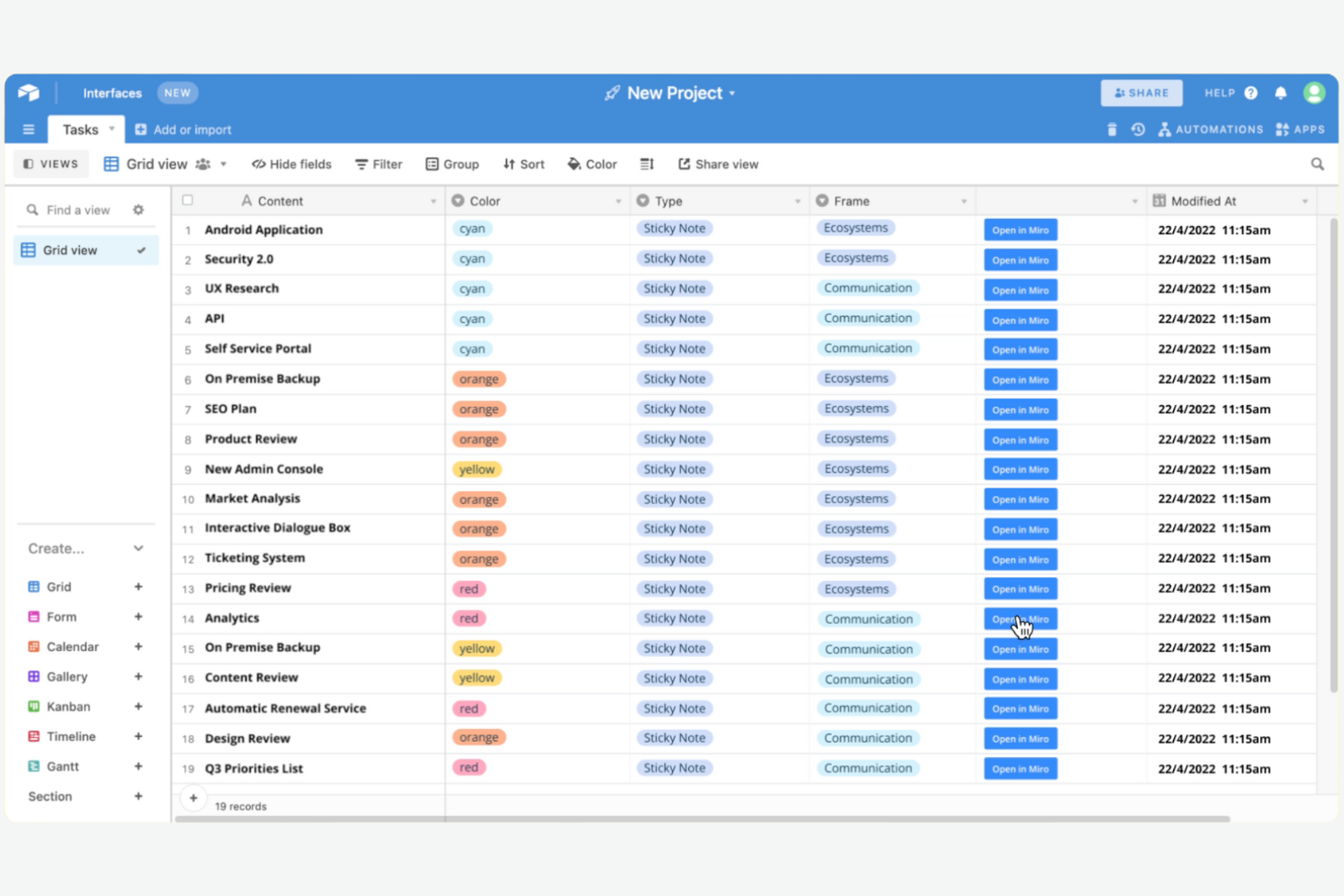
Airtable combines the flexibility of a spreadsheet with the structure of a database, making it a strong fit for teams that need to track complex projects or manage large sets of information. It’s especially useful for product, marketing, and operations teams that want to build custom workflows without writing code. Airtable helps you organize, link, and visualize project data in ways that traditional task trackers can’t match.
Why I Picked Airtable
What sets Airtable apart for digital workplace software is its database-driven approach to project tracking. I picked Airtable because it lets teams design custom tables, link records across projects, and create relational databases without technical expertise. The platform’s flexible views—like Kanban, calendar, and gallery—help you visualize and manage project data in the way that fits your workflow best. This structure is valuable for teams looking to break down information silos when handling multi-dimensional projects.
Airtable Key Features
Some other features that make Airtable useful for digital workplace teams include:
- Automations: Set up triggers and actions to automate repetitive tasks across your bases.
- Form Builder: Collect structured data from teammates or external stakeholders directly into your tables.
- Permission Controls: Assign granular access levels to collaborators for better data security.
- Syncing with External Sources: Connect and sync data from other platforms like Google Calendar or Salesforce.
Airtable Integrations
Integrations include Slack, Google Drive, Salesforce, Jira, Zendesk, Box, Dropbox, GitHub, and more.
Pros and Cons
Pros:
- Permission controls manage collaborator access
- Form builder collects structured input easily
- Multiple view options for visualizing data
Cons:
- No built-in chat or messaging feature
- Revision history limited on lower-tier plans

Best for real-time document collaboration
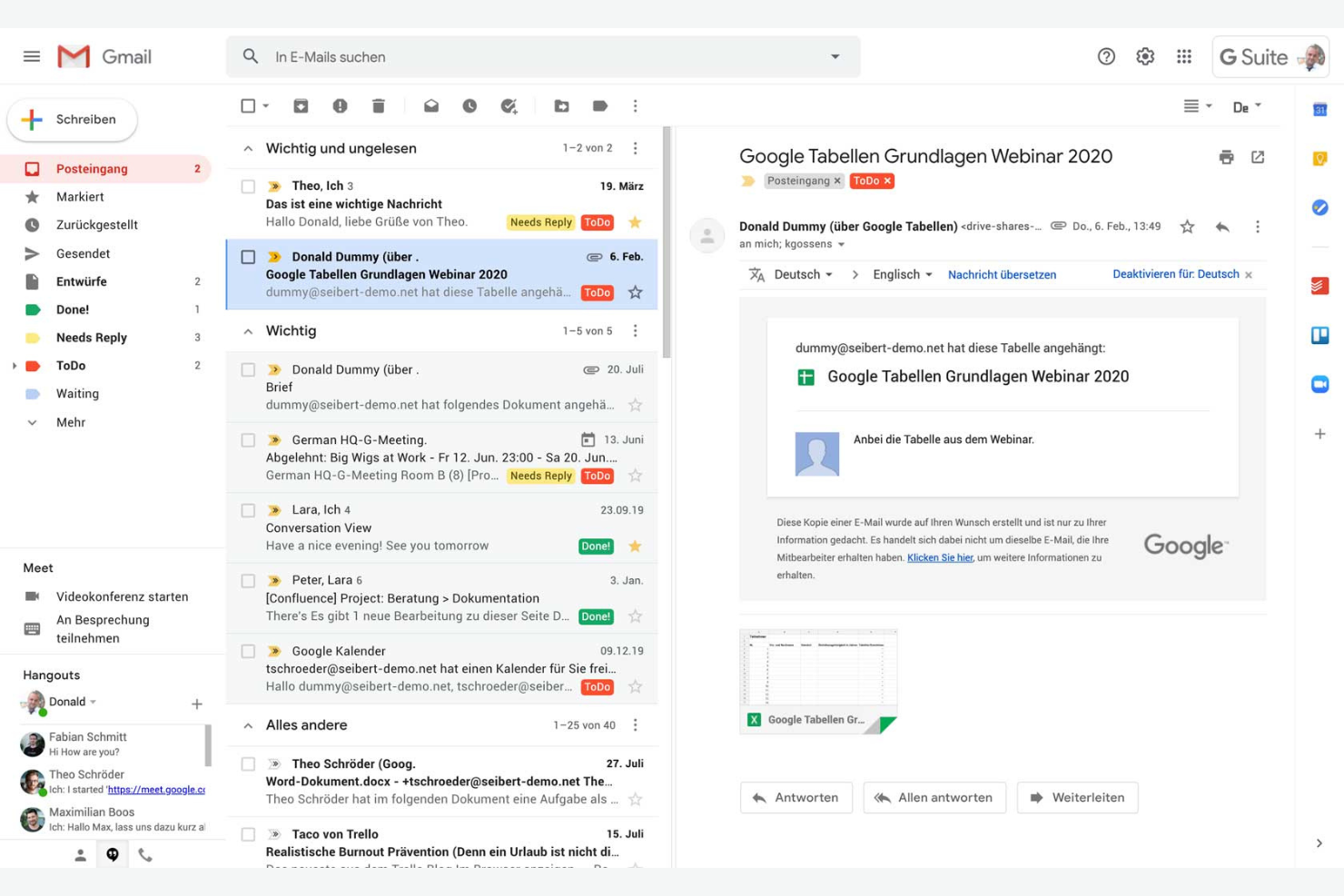
If your team needs to collaborate on documents in real time, Google Workspace is a strong contender. It’s designed for organizations that prioritize editing, sharing, and communication across distributed teams. The platform stands out for its integrated suite of productivity tools that optimize every employee’s productivity, whether they’re working in the office or remotely.
Why I Picked Google Workspace
I chose Google Workspace because its real-time document collaboration tools set it apart in the digital workplace software space. Teams can co-edit Docs, Sheets, and Slides simultaneously, with changes appearing instantly for everyone involved. The built-in commenting and suggestion features make it easy to gather feedback and keep conversations tied directly to the work. For organizations that need to keep projects moving without version confusion or email back-and-forth, these capabilities are hard to match.
Google Workspace Key Features
Some other features in Google Workspace that support digital workplace needs include:
- Shared Drives: Create team-specific drives where files are owned collectively and remain accessible even as team members change.
- Google Meet Integration: Launch video meetings directly from calendar events or chat threads for quick face-to-face collaboration.
- Admin Console: Manage user access, security settings, and device policies from a centralized dashboard.
- AppSheet Automation: Build custom workflow automations and apps without coding, using data from Google Sheets and other Workspace tools.
Google Workspace Integrations
Integrations include Gmail, Google Drive, Google Meet, Google Chat, Google Calendar, Google Docs, Google Sheets, and more.
Pros and Cons
Pros:
- Reliable cloud storage with sharing controls
- Integrates with Google’s productivity apps
- Real-time co-editing across all document types
Cons:
- Limited advanced project management features
- Offline access can be inconsistent
Asana
Best for task automation features
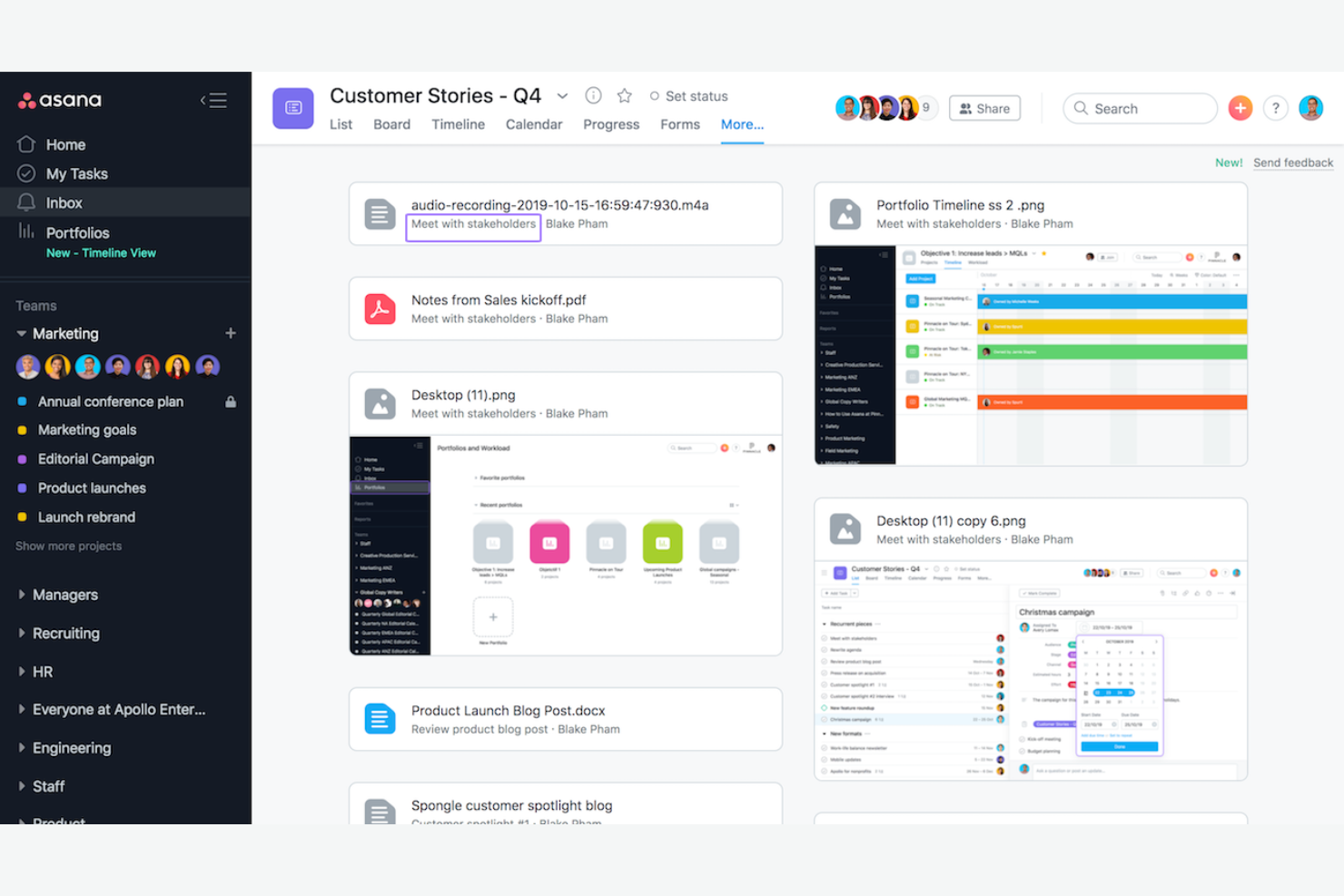
If your team needs to automate repetitive work and keep projects moving, Asana offers a flexible platform built for task management at scale. It’s a strong fit for cross-functional teams in tech, marketing, and operations that want to coordinate tasks, deadlines, and dependencies with minimal manual effort. Asana stands out for its automation features that help reduce busywork and keep everyone aligned.
Why I Picked Asana
For teams looking to automate routine project work, Asana’s task automation features make it a strong choice for digital workplace software. I picked Asana because its Rules engine lets you set up custom triggers and actions to automate task assignments, status updates, and notifications. The platform also supports workflow templates that help standardize processes across teams. These automation tools improve the user experience by reducing manual coordination for the team.
Asana Key Features
Some other features that make Asana useful for digital workplace teams include:
- Timeline View: Visualize project schedules and dependencies with a drag-and-drop Gantt chart interface.
- Workload Management: Monitor team capacity and balance assignments across projects.
- Goals Tracking: Set, track, and connect team or company goals directly to project work.
- Custom Fields: Add specific data points to tasks for better tracking and reporting.
Asana Integrations
Integrations include Slack, Google Drive, Microsoft Teams, Salesforce, Jira, Zoom, Dropbox, GitHub, Outlook, and more.
Pros and Cons
Pros:
- Has advanced search filters
- Built-in workload management
- Goals feature links work to objectives
Cons:
- No built-in document editing tools
- Subtasks lack full project visibility

Best with enterprise-grade security controls

Microsoft 365 Copilot brings together productivity apps, cloud storage, and advanced security features for organizations that need to protect sensitive data. It’s especially well-suited for enterprises and regulated industries where compliance, identity management, and threat protection are top priorities. With unified tools for collaboration and granular admin controls, Microsoft 365 Copilot helps IT teams manage risk while supporting remote and hybrid work.
Why I Picked Microsoft 365 Copilot
Security and compliance are at the core of Microsoft 365 Copilot, which is why I picked it for teams that need enterprise-grade controls in their digital workplace software. The platform offers advanced threat protection, data loss prevention, and encryption across all its apps, helping organizations safeguard sensitive information. I appreciate that Microsoft 365 includes granular access controls and audit logging, so IT teams can manage permissions and monitor activity at scale. For businesses in regulated industries or those handling confidential data, these features make Microsoft 365 Copilot a strong choice.
Microsoft 365 Copilot Key Features
Some other features that make Microsoft 365 Copilot valuable for digital workplace teams include:
- Co-Authoring in Office Apps: Multiple users can edit Word, Excel, and PowerPoint files simultaneously in real time.
- Microsoft Teams Integration: Chat, video meetings, and file sharing are unified in a single workspace.
- SharePoint Online: Create internal sites and manage document libraries for team collaboration.
- Planner and To Do: Organize tasks, assign responsibilities, and track progress across projects.
Microsoft 365 Copilot Integrations
Integrations include Dynamics 365, Salesforce, Adobe Sign, Docusign, Trello, Zoom, ServiceNow, Dropbox, Box, and more.
Pros and Cons
Pros:
- Built-in email encryption for sensitive information
- Integrated with Teams chat and meetings
- Meets strict enterprise compliance needs
Cons:
- Complex licensing structure
- Admin portal navigation can be confusing

Best with self-hosted deployment options
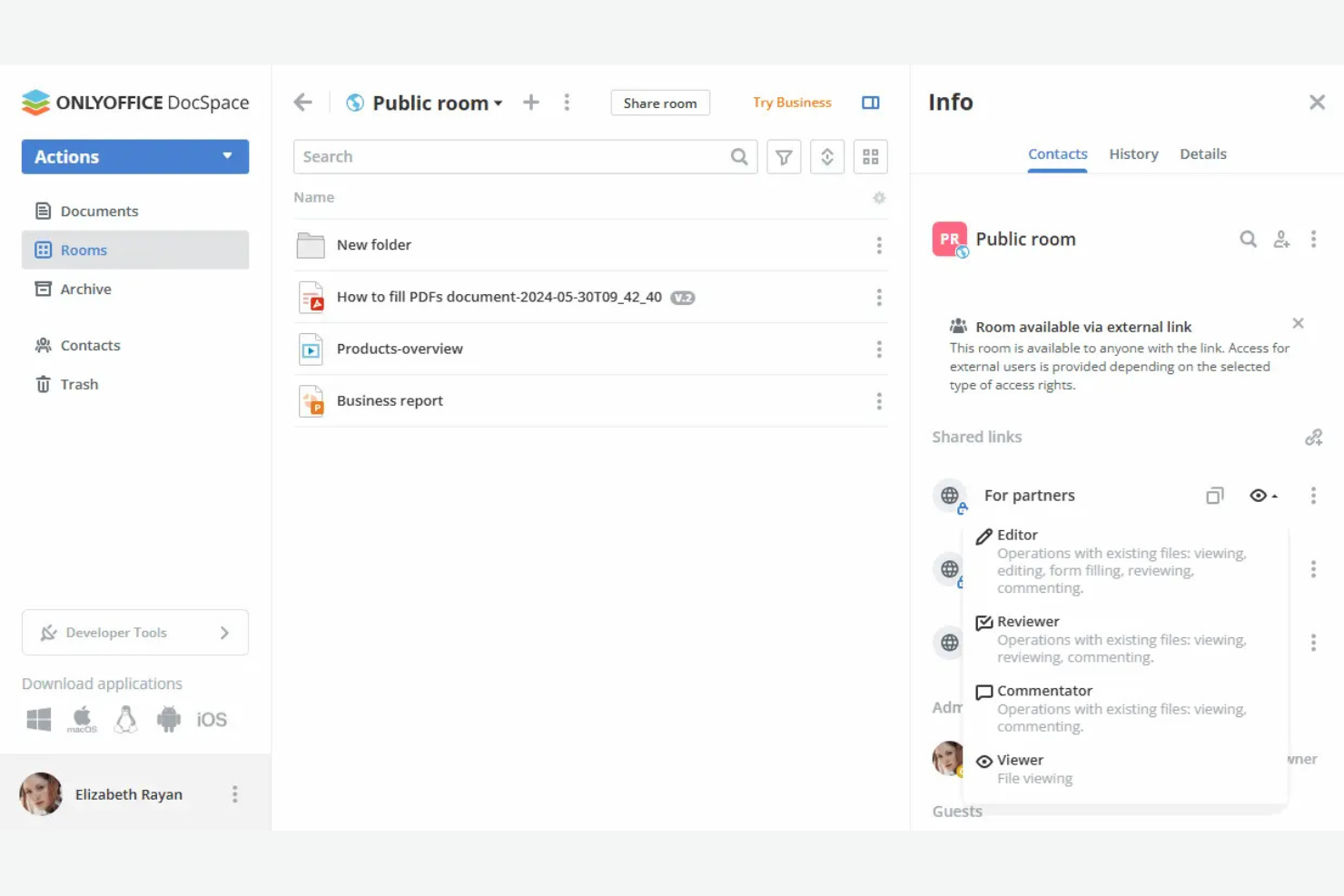
ONLYOFFICE gives organizations full control over their digital workplace with flexible self-hosted deployment options. It’s a strong choice for IT teams, privacy-focused businesses, or regulated industries that need to keep data on-premises. ONLYOFFICE combines document editing, project management, and collaboration tools in a single platform you can host on your own infrastructure.
Why I Picked ONLYOFFICE
For teams that need full control over their data and infrastructure, ONLYOFFICE stands out with its self-hosted deployment options. I picked ONLYOFFICE because it lets organizations install the entire platform on their own servers, which is especially important for businesses with strict compliance or privacy requirements. The platform supports private cloud and on-premises setups, so IT teams can tailor security and access controls to their needs. This level of deployment flexibility is rare among digital workplace tools and makes ONLYOFFICE a strong fit for regulated industries or any business that prioritizes data sovereignty.
ONLYOFFICE Key Features
Some other features that make ONLYOFFICE useful for digital workplace teams include:
- Collaborative Document Editing: Multiple users can work on documents, spreadsheets, and presentations at the same time.
- Project Management Module: Track tasks, set deadlines, and manage project milestones within the platform.
- CRM Integration: Manage contacts, sales, and customer interactions directly from the workspace.
- Calendar and Mail Aggregation: Centralize scheduling and email communications for better team coordination.
ONLYOFFICE Integrations
Integrations include Nextcloud, Moodle, WordPress, Confluence, Jira, Redmine, Box, Dropbox, and more.
Pros and Cons
Pros:
- Native integration with Nextcloud and ownCloud
- Built-in project management and CRM modules
- Supports self-hosted deployment
Cons:
- Limited third-party integrations
- Advanced setup requires IT administration skills

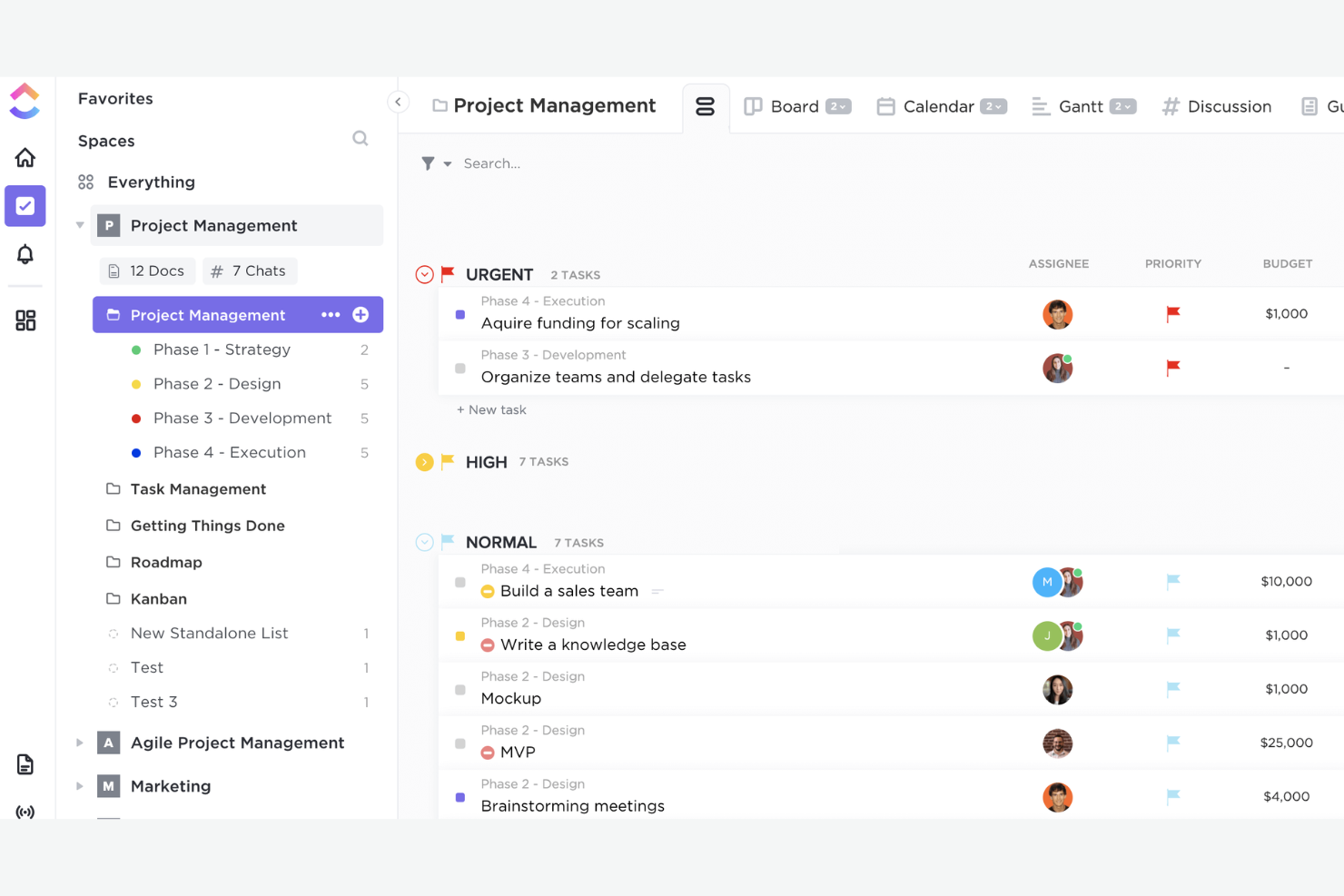
ClickUp gives teams a single platform to design, automate, and manage workflows that fit their exact needs. It’s a strong choice for project managers, operations leads, and cross-functional teams who want to tailor task management, reporting, and collaboration to their own processes. With its flexible structure and deep customization options, ClickUp helps teams handle everything from agile sprints to complex multi-department projects.
Why I Picked ClickUp
Customizable workflow management is where ClickUp really shines for digital workplace software. The platform lets you build custom task statuses, fields, and views so your team can mirror its exact processes, whether you’re running agile sprints or managing client deliverables. I like that you can automate repetitive steps with ClickUp’s automation builder, which helps teams reduce manual work and stay consistent. For teams that need to adapt their workspace as projects evolve, ClickUp’s flexibility makes it a strong fit.
ClickUp Key Features
Some other features that make ClickUp stand out for digital workplace teams include:
- Docs and Wikis: Create, edit, and share internal documentation directly within your workspace.
- Time Tracking: Log time spent on tasks with built-in timers and manual entry options.
- Goal Tracking: Set, track, and visualize progress toward team or project goals.
- Whiteboards: Collaborate visually with digital whiteboards for brainstorming and planning sessions.
ClickUp Integrations
Integrations include Slack, GitHub, GitLab, HubSpot, Everhour, Toggl, Google Drive, Outlook, Figma, and more.
Pros and Cons
Pros:
- Has an automation builder for repetitive tasks
- Organizes projects and teams in a hierarchy
- Custom fields support granular task tracking
Cons:
- Mobile app lacks some desktop features
- Overwhelming notification settings
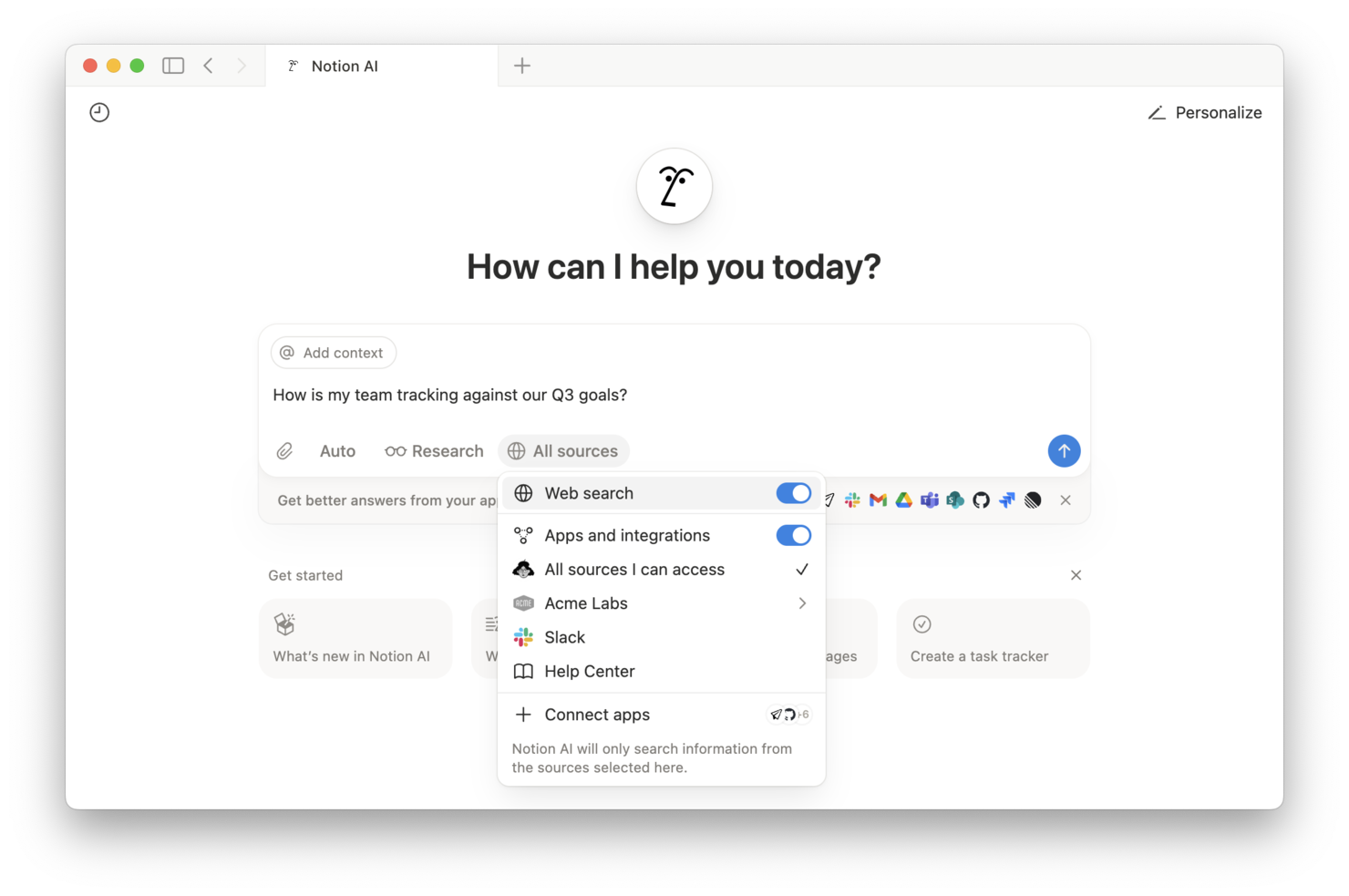
If your team needs a single place to organize documents, projects, and knowledge, Notion brings everything together in one flexible workspace. It’s especially useful for product teams, agencies, and startups that want to centralize wikis, notes, and project plans without juggling multiple apps. Notion’s customizable pages and databases help teams build a unified source of truth that adapts as their needs evolve.
Why I Picked Notion
What sets Notion apart for digital workplace software is its ability to unify knowledge, documentation, and project information in one place. I picked Notion because its flexible page structure lets teams create wikis, SOPs, and knowledge bases that are easy to organize and update as things change. The database feature allows you to link notes, tasks, and resources, so information stays connected and searchable across your workspace. For teams that want a single source of truth without switching between multiple tools, Notion’s unified approach is a strong fit.
Notion Key Features
In addition to its unified workspace for knowledge management, Notion offers several other features that support digital teams:
- Real-Time Collaboration: Multiple users can edit pages and databases at the same time.
- Custom Templates: Build and reuse templates for meeting notes, project trackers, and more.
- Permissions and Sharing: Set granular access controls for pages, databases, and workspaces.
- Embedded Media: Add images, videos, code snippets, and files directly into any page.
Notion Integrations
Integrations include Slack, Jira, GitHub, Asana, Google Drive, Figma, Trello, GitLab, Typeform, and more.
Pros and Cons
Pros:
- Nested pages allow deep documentation hierarchies
- AI assistant generates summaries and action items
- Page version history tracks all content changes
Cons:
- No built-in Gantt chart for project timelines
- Offline access is limited and unreliable

MelpApp is designed for teams that need to communicate across language barriers in real time. It’s a strong fit for global organizations, distributed teams, or any workplace where multilingual collaboration is part of daily operations. MelpApp helps reduce miscommunication by offering instant translation and language support within team chats and meetings.
Why I Picked MelpApp
Multilingual team communication is a challenge for many digital workplaces, which is why I picked MelpApp for this list. The platform offers real-time translation in group chats and meetings, so team members can interact in their preferred language without missing key details. I appreciate that MelpApp also supports voice and text translation, making it easier for teams to collaborate across regions and time zones. For organizations with global or multilingual staff, these features help ensure everyone stays connected and informed.
MelpApp Key Features
Some other features that make MelpApp useful for digital workplace teams include:
- Message Scheduling: Schedule messages to be sent at a specific time for better coordination across time zones.
- Read Receipts: See when team members have read your messages for better communication tracking.
- Role-Based Access Controls: Assign permissions and manage access based on user roles within your organization.
- File Sharing: Share documents, images, and other files directly within chats for quick collaboration.
MelpApp Integrations
Native integrations are not currently listed.
Pros and Cons
Pros:
- Free plan available for small teams
- Supports read receipts
- Provides real-time translation
Cons:
- No built-in video conferencing feature
- No native integrations listed
Diğer Dijital İş Yeri Yazılımları
Kısa listeme giremeyen ancak yine de göz atmaya değer bazı ek dijital iş yeri yazılımı seçenekleri şunlardır:
- Miro
For visual brainstorming sessions
- Slack
For integrated team messaging
- Zoom
For large-scale video meetings
- Wrike
For advanced workflow automation
- Todoist
For personal task organization
- monday AI Workspace
With AI-powered project insights
- Happeo
For integrating intranet with Google Workspace
- Beekeeper
For frontline team communication
- Kadence
For hybrid space coordination
- UKG
For complex workforce scheduling
- Humand
For building digital communities


How I Evaluate Digital Workplace Software
I split my evaluation into two layers: the baseline a tool must clear—unified workspaces, task tracking, and docs—and the differentiators that separate strong contenders from the rest.
Core Functionality (Table Stakes For This List)
When I'm selecting tools for my list, I rank each one on a scale from 0 (does not offer the functionality) to 5 (excels in this area) for each core functionality listed below. Then, I calculate the tool's total score into a percentage. Each tool needs to achieve a minimum total score of 75% to be considered for inclusion.
- Unified Collaboration Hub: I check whether chat, team spaces, and threaded discussions live inside the same environment where projects happen, rather than forcing teams to bounce between separate apps.
- Task & Project Management: Each tool should offer multiple views like Kanban boards, Gantt charts, or timelines so teams can track tasks, dependencies, and milestones in the format that fits their workflow.
- Document & Knowledge Management: I look for native docs, wikis, or knowledge bases that keep project artifacts searchable and colocated—not just basic file attachments bolted onto a chat tool.
- Integrations & Interoperability: The platform should connect with tools teams already rely on, like Jira, Google Workspace, or Microsoft 365, through native integrations, open APIs, or iPaaS connectors.
- Workflow Automation: I evaluate whether the tool lets you automate recurring actions like status updates, approval routing, or task assignments using a no-code builder with conditional logic.
- Access Control & Permissions: Role-based permissions, guest access for external stakeholders, and SSO support all factor in—especially for teams managing sensitive project data across departments.
Once I have a list of tools that meet the criteria, I consider what sets each platform apart.
Differentiating Factors (What Sets Vendors Apart)
Here's how I compare and contrast different vendors:
Standout Features
AI-powered assistants are a big differentiator—tools like Notion AI and Microsoft Copilot can summarize long threads or draft project updates, which saves real time during status reporting. I also evaluate resource and capacity planning features, since knowing who's overloaded across concurrent projects matters more than a basic task list. No-code app builders round things out by letting teams create custom views or intake forms tailored to their workflows without waiting on a developer.
Beyond Features
Enterprise security and compliance matter when your workspace houses sensitive project data. I check for SOC 2 Type II certification, SSO/SAML support, and data residency options—especially for teams operating across regions. Pricing transparency is another factor I weigh heavily. Hidden costs for guest users, storage overages, or AI add-ons can balloon the total cost quickly. I also look at implementation support, since rolling out a digital workplace across departments needs solid onboarding resources, migration tools, and an active community or partner network.
Dijital İş Yeri Yazılımı Nasıl Seçilir?
Çalışan deneyimini iyileştirmeye çalışırken uzun özellik listeleri ve karmaşık fiyatlandırma yapıları içinde kaybolmak kolaydır. Kendinize özgü yazılım seçim sürecinizde ilerlerken odağınızı korumanıza yardımcı olmak için göz önünde bulundurmanız gereken faktörleri içeren bir kontrol listesi hazırladım:
| Faktör | Göz Önünde Bulundurulması Gerekenler |
|---|---|
| Ölçeklenebilirlik | Yazılım, ekibiniz büyüdükçe onu destekleyecek mi? Gelecekteki ihtiyaçlar için kullanıcı sınırlarını, depolama kotalarını ve plan yükseltme seçeneklerini kontrol edin. |
| Entegrasyonlar | Mevcut araçlarınıza (ör. Slack, Google Workspace, Jira) yerel olarak bağlanıyor mu? Bu alandaki eksiklikler manuel geçici çözümler oluşturmanıza neden olabilir. |
| Özelleştirilebilirlik | İş akışlarını, izinleri ve düzenleri süreçlerinize uyacak şekilde uyarlayabiliyor musunuz? Katı yapıdaki araçlar, ekibinizin çalışma biçimini değiştirmenizi gerektirebilir. |
| Kullanım kolaylığı | Ekibiniz yazılımı hızlıca benimseyecek mi? Açık bir gezinme yapısı, minimum eğitim gereksinimi ve benzer kuruluşlardan olumlu geri bildirimler arayın. |
| Uygulama ve işe alıştırma | Sistemi kullanıma hazır hâle getirmek ne kadar sürecek? Taşıma desteğini, veri içe aktarma seçeneklerini ve işe alıştırma kaynaklarının kullanılabilirliğini göz önünde bulundurun. |
| Maliyet | Fiyatlandırma kademeleri şeffaf ve öngörülebilir mi? Bütçe sürprizlerinden kaçınmak için tüm kullanıcıları, depolama alanını ve olası eklentileri hesaba katın. |
| Güvenlik önlemleri | Platform, SSO, şifreleme ve SOC 2 veya GDPR gibi standartlara uyumluluk sunuyor mu? Riski, verilerinizin hassasiyetine göre değerlendirin. |
| Destek erişilebilirliği | Hangi destek kanalları sunuluyor ve hangi saatlerde hizmet veriliyor? Ekibiniz küresel ölçekte çalışıyorsa 7/24 destek temel bir gereklilik olabilir. |
Dijital İş Yeri Yazılımı Nedir?
Dijital iş yeri yazılımı, dağıtık ekipler için iletişim, iş birliği, belge yönetimi ve proje takibini merkezileştiren bir araç kategorisidir. Bu platformlar, kuruluşların bilgileri düzenlemesine, çalışmaları koordine etmesine ve kaynakları tek bir çevrim içi çalışma ortamında paylaşmasına yardımcı olur. Mesajlaşma, dosya paylaşımı ve iş akışı yönetimini bir araya getiren dijital iş yeri yazılımı; departmanlar, konumlar ve saat dilimleri arasında üretkenliği ve uyumu destekler.
Özellikler
Her iyi dijital iş yeri yazılımında bulunması gereken temel özellikler şunlardır:
- Belge yönetimi: Ekiplerin en güncel sürümlere erişebilmesi ve belgeler üzerinde gerçek zamanlı olarak iş birliği yapabilmesi için dosyaları merkezi bir konumda depolayın, düzenleyin ve paylaşın.
- Görev ve proje takibi: Herkesin uyumlu ve sorumlu kalmasını sağlamak için görevler atayın, son tarihler belirleyin ve projeler arasındaki ilerlemeyi izleyin.
- Ekip iletişimi: Hızlı soruları, güncellemeleri ve devam eden görüşmeleri kolaylaştırmak için yerleşik sohbet, tartışma dizileri veya mesajlaşma araçlarını kullanın.
- Bilgi tabanı oluşturma: Kurumsal bilgileri ve standart çalışma prosedürlerini kaydetmek için aranabilir vikiler veya kaynak kitaplıkları oluşturun ve bunları güncel tutun.
- Takvim entegrasyonu: Platform içinde toplantıları planlamak, kilometre taşlarını izlemek ve son tarihleri koordine etmek için ekip takvimleriyle senkronizasyon sağlayın.
- İzinler ve erişim denetimi: Hassas bilgilerin yalnızca doğru kişilerin erişimine açık olmasını sağlamak için ayrıntılı kullanıcı rolleri ve izinleri belirleyin.
- İş akışı otomasyonu: Manuel çalışmayı azaltmak ve rutin görevleri hızlandırmak için onaylar veya bildirimler gibi tekrarlayan süreçleri otomatikleştirin.
- Üçüncü taraf entegrasyonları: Sistemler arasındaki çalışmayı merkezileştirmek için e-posta, bulut depolama veya proje yönetimi platformları gibi ekosisteminizdeki diğer önemli araçlara bağlanın.
Yaygın Yapay Zekâ Özellikleri
Yukarıda listelenen standart dijital iş yeri yazılımı özelliklerinin yanı sıra birçok platform, aşağıdakiler gibi özelliklerle çalışan etkileşimini artırmak için yapay zekâ kullanır:
- Otomatik toplantı özetleri: Yapay zekâ toplantı kayıtlarını dinler veya dökümleri okur ve kolay başvuru ve takip için kısa özetler, eylem maddeleri ve önemli kararlar oluşturur.
- Akıllı içerik önerileri: Yapay zekâ, dijital çalışma alanınızdaki etkinlikleri analiz eder ve mevcut projenize veya görüşme bağlamınıza göre ilgili belgeleri, şablonları ya da kaynakları önerir.
- Akıllı arama: Yapay zekâ destekli arama, doğal dildeki sorguları anlar ve anahtar kelimeler tam olarak eşleşmese bile en alakalı dosyaları, mesajları veya bilgi tabanı makalelerini öne çıkarır.
- Görev önceliklendirme: Yapay zekâ, hangi görevlerin öncelikle ele alınması gerektiğini önermek için son tarihleri, bağımlılıkları ve iş yükünü değerlendirerek ekiplerin yüksek etkili çalışmalara odaklanmasına yardımcı olur.
- Otomatik iş akışı yönlendirme: Yapay zekâ, taleplerde veya onaylarda bulunan kalıpları algılar ve görevleri doğru kişiye ya da ekibe yönlendirerek darboğazları ve manuel devirleri azaltır.
Faydalar
Dijital iş yeri yazılımını uygulamak, ekibiniz ve işletmeniz için çeşitli faydalar sağlar. Yararlanmayı bekleyebileceğiniz birkaç fayda şunlardır:
- Merkezileştirilmiş bilgi paylaşımı: Ekipler belgeleri ve kaynakları tek bir yerde depolayabilir, düzenleyebilir ve bunlara erişebilir; böylece bilgi aramak için harcanan zaman azalır.
- Ekipler arası iş birliğinde iyileşme: Yerleşik iletişim araçları ve paylaşılan çalışma alanları, ekiplerin projeleri koordine etmesine ve güncellemeleri gerçek zamanlı olarak paylaşmasına yardımcı olur.
- Çalışmalara ilişkin daha fazla görünürlük: Görev takibi ve proje panoları, yöneticilere ve ekip üyelerine ilerleme, son tarihler ve sorumluluklar hakkında net bir görünüm sunar.
- Daha hızlı işe alıştırma ve bilgi aktarımı: Yeni çalışanlar, hızla işe uyum sağlamak için eğitim materyallerine, şablonlara ve şirket bilgi tabanlarına erişebilir.
- Gelişmiş veri güvenliği: İzinler ve erişim denetimleri, hassas bilgilerin yalnızca yetkili kullanıcıların erişimine açık olmasını sağlar.
- Azalan manuel çalışma: İş akışı otomasyonu ve yapay zekâ destekli özellikler tekrarlayan görevleri üstlenerek daha yüksek değerli faaliyetler için zaman kazandırır.
- Büyüyen ekipler için ölçeklenebilirlik: Esnek kullanıcı yönetimi ve entegrasyon seçenekleri, platformun kuruluşunuzun ihtiyaçları doğrultusunda büyümesine olanak tanır.
Maliyetler ve Fiyatlandırma
Dijital iş yeri çözümlerini seçmek, mevcut çeşitli fiyatlandırma modellerinin ve planların anlaşılmasını gerektirir. Maliyetler özelliklere, ekip büyüklüğüne, eklentilere ve daha fazlasına bağlı olarak değişir. Aşağıdaki tablo, dijital iş yeri yazılımı çözümlerinde yaygın olarak sunulan planları, ortalama fiyatlarını ve genellikle içerilen özellikleri özetlemektedir:
Plan Karşılaştırma Tablosu
| Plan Türü | Ortalama Fiyat | Yaygın Özellikler |
|---|---|---|
| Ücretsiz Plan | $0 | Temel belge depolama, sınırlı görev yönetimi, basit iletişim araçları ve temel entegrasyonlar. |
| Kişisel Plan | $5–$15/kullanıcı/ay | Bireysel çalışma alanları, geliştirilmiş dosya depolama, takvim senkronizasyonu ve temel izin denetimleri. |
| İşletme Planı | $15–$30/kullanıcı/ay | Ekip iş birliği araçları, gelişmiş proje takibi, iş akışı otomasyonu, genişletilmiş entegrasyonlar ve yönetici denetimleri. |
| Kurumsal Plan | $30–$60/kullanıcı/ay | Özel güvenlik ayarları, gelişmiş analizler, öncelikli destek, uyumluluk özellikleri ve özel başlangıç desteği. |
SSS
Dijital iş yeri yazılımı hakkında sık sorulan soruların bazı yanıtları şunlardır:
Dijital iş yeri yazılımı uzaktan ve hibrit ekipleri nasıl destekler?
Dijital iş yeri yazılımı, uzaktan ve hibrit ekipler için iletişim, belge paylaşımı ve proje takibine yönelik merkezi bir merkez sunar. Bu, konum veya saat diliminden bağımsız olarak herkesin uyum içinde kalmasına, kaynaklara erişmesine ve gerçek zamanlı iş birliği yapmasına yardımcı olur.\r\n\r\nZamanlarını uzaktan ve ofiste çalışarak bölen ekipler için \u003ca href=\u0022https://thedigitalprojectmanager.com/tools/best-hot-desk-booking-software/\u0022\u003epaylaşımlı masa rezervasyon yazılımı\u003c/a\u003e, çalışanların ofise geldiklerinde nerede çalışacaklarını koordine etmeye de yardımcı olabilir.
Dijital iş yeri yazılımı, kurum içi iletişim için e-postanın yerini alabilir mi?
Evet, birçok ekip konuşmaları sohbetlere, tartışma dizilerine veya proje yorumlarına taşıyarak kurum içi e-posta kullanımını azaltmak için dijital iş yeri yazılımından yararlanır. Bu, iletişimin düzenli kalmasını ve ilgili bilgilerin daha sonra bulunmasını kolaylaştırır.
Yeni bir dijital iş yeri platformuna geçiş yaparken nelere dikkat etmeliyim?
Veri geçişi, kullanıcı eğitimi ve mevcut araçlarınızla entegrasyon için plan yapın. Ekibinizin sorunsuz bir şekilde geçiş yapmasına ve kesintileri en aza indirmesine yardımcı olmak için içe aktarma araçları, başlangıç kaynakları ve destek sunan platformları tercih edin.
Dijital iş yeri yazılımı, hassas şirket verileri için ne kadar güvenlidir?
Çoğu dijital iş yeri yazılımı şifreleme, erişim denetimleri ve SOC 2 veya GDPR gibi standartlara uyumluluk özelliklerini içerir. Her zaman bir sağlayıcının güvenlik belgelerini inceleyin ve kuruluşunuzun gereksinimleriyle örtüşen sertifikaları sorun.
Bir dijital iş yeri aracının kuruluşumla birlikte ölçeklenip ölçeklenemeyeceğini nasıl anlarım?
Kullanıcı sınırlarını, depolama kotalarını ve kullanılabilir plan yükseltmelerini kontrol edin. Büyük ekiplerdeki performans hakkında bilgi alın ve platformun ihtiyaçlarınız doğrultusunda büyüyebileceğinden emin olmak için boyut açısından kuruluşunuza benzer kuruluşların müşteri hikâyelerini inceleyin.