

2026’da Prototipleme için En İyi 10 InVision Alternatifi

En İyi InVision Alternatifleri Kısa Listesi


Tasarım projeleriniz için InVision kullanıyorsanız, daha iyi seçenekler olup olmadığını merak ediyor olabilirsiniz. Daha fazla özellik, daha uygun fiyatlandırma veya iş akışınızla daha sorunsuz şekilde bütünleşen bir araç arıyor olabilirsiniz. Nedeni ne olursa olsun, alternatifleri incelemek ekibinizin ihtiyaçlarına daha uygun ve genel verimliliğinizi artıran bir araç bulmanıza yardımcı olabilir.
Çeşitli proje yönetimi çözümlerini test edip inceledikten sonra, en iyi InVision alternatifleri için önerilerim şunlar.
InVision nedir?
InVision, öncelikle tasarımcılar tarafından web ve mobil uygulamalar için etkileşimli ve duyarlı prototipler oluşturmak amacıyla kullanılan bir dijital ürün tasarımı platformudur. Ekiplerin tasarımları paylaşabileceği, inceleyebileceği ve test edebileceği ortak bir çalışma ortamı sunar. Kullanıcıları arasında, prototipleme ve iş birliği yoluyla dijital ürün fikirlerini hayata geçirmek için merkezi bir platforma ihtiyaç duyan tasarımcılar, ürün yöneticileri ve geliştiriciler bulunur.
Sonuç olarak, doğru InVision alternatifini bulmak tasarım sürecinizi önemli ölçüde geliştirerek projelerinizi daha verimli, iş birlikçi ve keyifli hâle getirebilir. Farklı seçenekleri inceleyerek sizin ve ekibinizin başarılı olması için gerekenleri sunan araçları keşfedebilirsiniz.
Why Trust Our Software Recommendations
Our team has been testing and reviewing software since 2012. As project managers ourselves, we know how difficult—and important—it is to choose the right software.
For this guide, we evaluated tools using hands-on testing and independent research, scoring tools using our selection criteria. We also draw on insights from industry thought leaders and practicing project management experts.
Our reviews reflect our human editorial judgment, not a sales pitch.
Expert reviewers:
InVision Alternatifleri Karşılaştırma Tablosu
Score legend (out of 5)
- Excellent 4.5–5
- Good 4–4.4
- Average 3–3.9
- Below average 2–2.9
- Poor 1–1.9
| Tool | Starting Price | Website | |||||||
|---|---|---|---|---|---|---|---|---|---|
| Best for data visualization | — | 2 | 3 | — | 4 | — | 4 | $12.25/user/month Free plan + demo available | Website |
| Best for low-fidelity wireframing | 2.3 out of 5 | 2 | 4 | 1 | 3 | 1 | 3 | $16/user/month 14-day free trial | Website |
| Best for rapid prototyping and testing | 2.5 out of 5 | 3 | 2 | 4 | 3 | 2 | 1 | $12/month Free plan available | Website |
| Best for design system consistency | 3.3 out of 5 | 4 | 3 | 3 | 4 | 3 | 3 | $49/user/month Free plan + 14-day free trial + demo available | Website |
| Best for integrated prototyping | 3.2 out of 5 | 4 | 3 | 3 | 3 | 3 | 3 | $19/user/month Free plan + 10-day trial available | Website |
| Best for visual development | 2.8 out of 5 | 1 | 3 | 2 | 4 | 3 | 4 | $15/month Free plan available | Website |
| Best for realistic simulations | 3.3 out of 5 | 5 | 3 | 4 | 3 | 2 | 3 | $29/user/month 30-day free trial | Website |
| Best for design handoff precision | 3.2 out of 5 | 2 | 1 | 5 | 4 | 4 | 3 | $12/user/month Free plan + free demo available | Website |
| Best for mobile prototyping | 2.8 out of 5 | 4 | 2 | 1 | 3 | 4 | 3 | $24/user/month 15-day free trial | Website |
| Best for no-code web building | — | 2 | 1 | 1 | — | 3 | 3 | $7/month Free plan available | Website |
En İyi InVision Alternatifleri İncelemeleri
Aşağıda, her bir InVision alternatifinin güçlü ve zayıf yönlerini ele alarak ayrıntılı bir analizini ve genel değerlendirmesini sunacağım. Ayrıca bu araçların özelliklerini inceleyecek ve en etkili oldukları senaryoları belirleyeceğim.

Visme
Best for data visualization
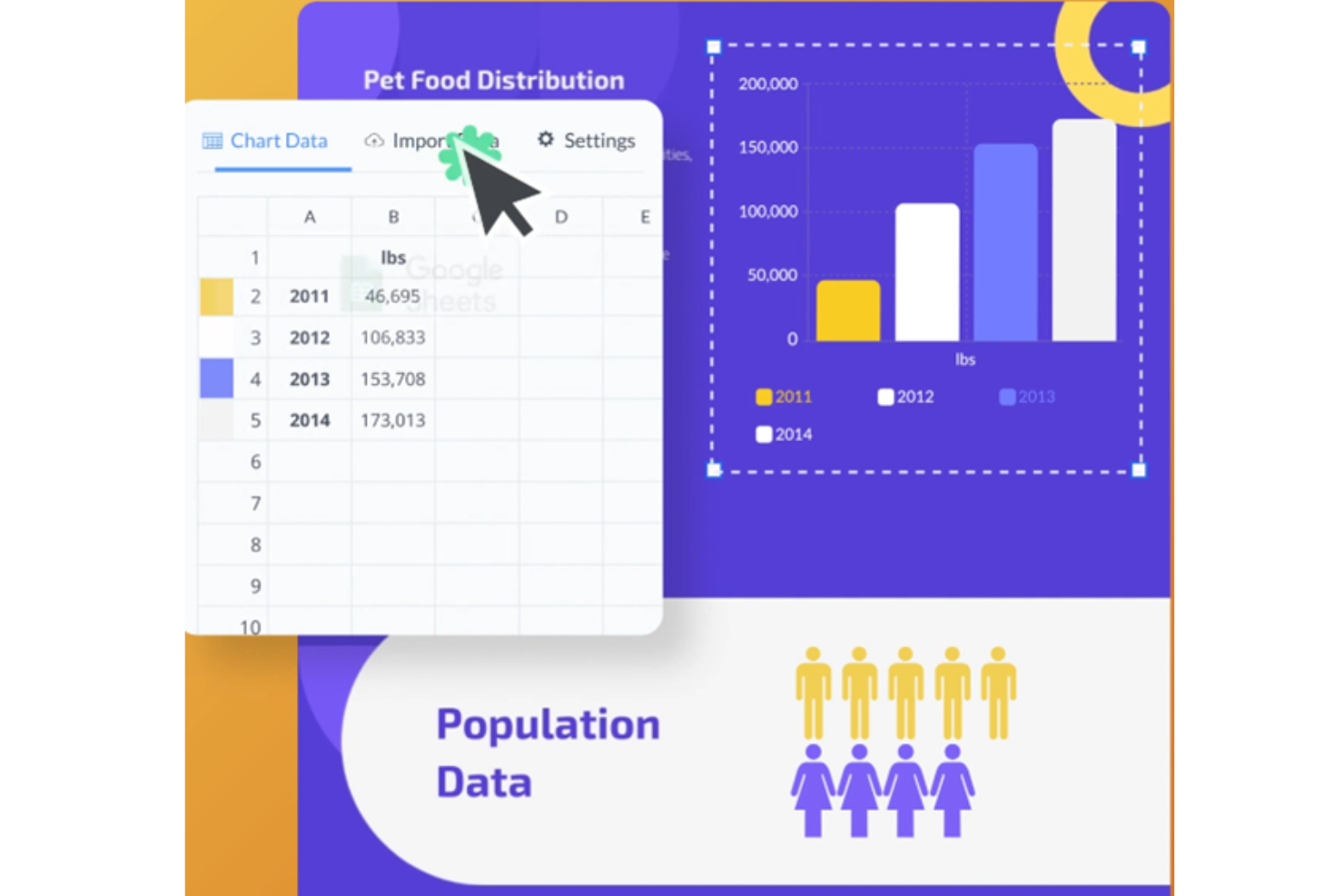
Visme is a visual content platform for project and people teams that need to turn complex workflows, policies, and plans into clear, shareable presentations and documents.
Who Is Visme Best For?
Visme suits analysts and project leads who need to present complex metrics as clear charts, infographics, and reports.
Why I Picked Visme
Visme earns my pick as “Best for data visualization” when an InVision alternative needs to communicate project findings rather than prototype screens. I like how its charts and infographics turn delivery metrics or workflow steps into visual reports, which I can share as presentations or documents. That gives stakeholders a clear view of progress and risks.
Visme Key Features
- Customizable templates: Edit handbook template slides, colors, and fonts.
- Brand Wizard: Add brand fonts, colors, images, and logos.
- Interactive content: Add interactive elements to handbook pages.
- Animation effects: Animate elements within your handbook.
Visme Integrations
Visme’s documented integrations include monday.com, Slack, Google Drive, OneDrive, Widen, and Google Analytics. You can also connect Visme with Zapier.
Pros and Cons
Pros:
- Templates speed up polished project presentations
- Interactive reports clarify workflows for stakeholders
- Built-in charts turn delivery metrics into visuals
Cons:
- Large datasets can expose chart limits
- No dedicated interface-prototyping workflows

Balsamiq
Best for low-fidelity wireframing
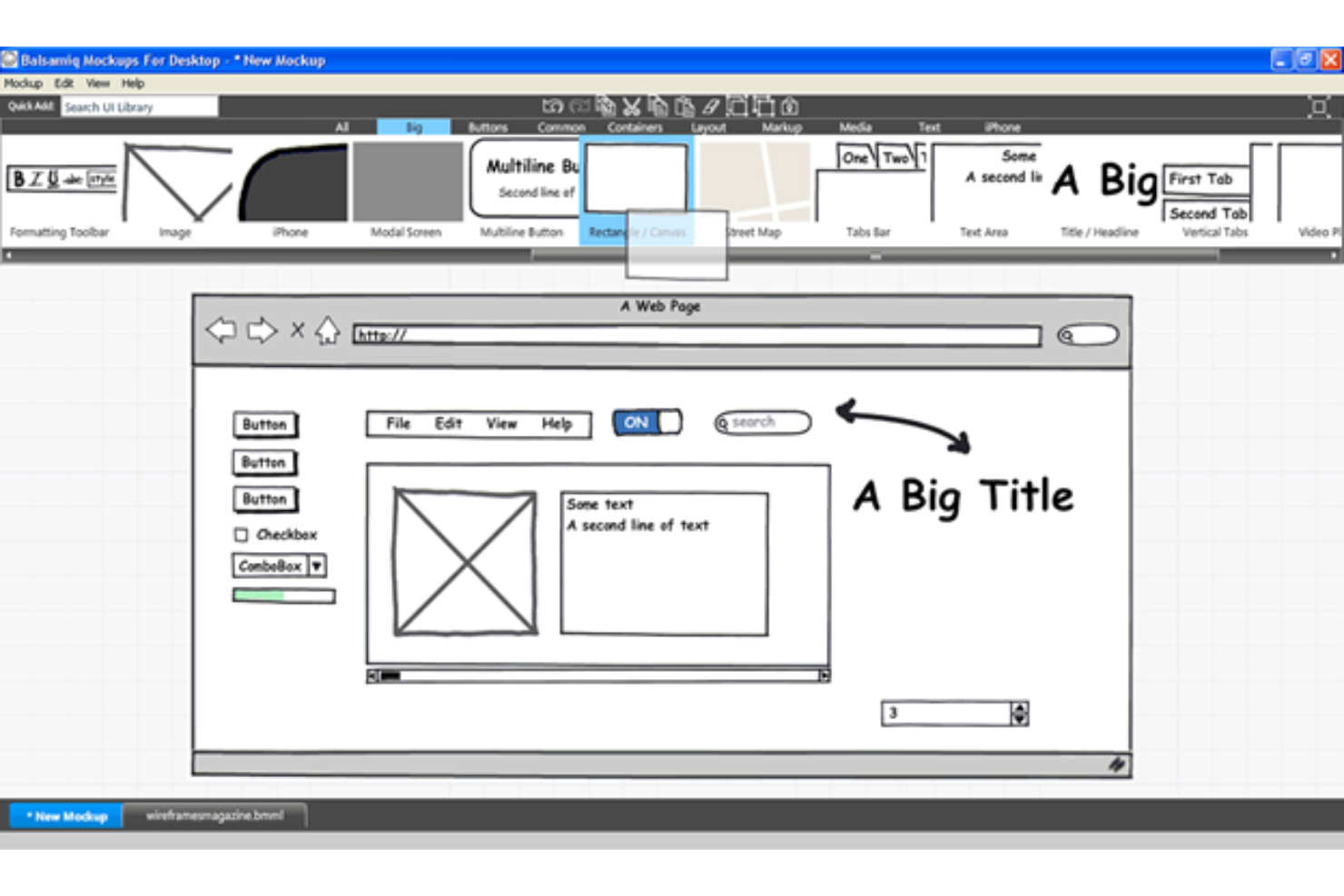
Balsamiq helps product, design, and engineering teams sketch interface ideas, align on screen layouts, and resolve early UX questions before committing to detailed designs.
Who Is Balsamiq Best For?
Balsamiq suits product managers and other non-designers who need to map app or website screens without getting pulled into visual polish.
Why I Picked Balsamiq
I picked Balsamiq as an InVision alternative for its stated strength, “Best for low-fidelity wireframing.” Sketch-style UI controls and drag-and-drop wireframes help me map a checkout flow before visual design begins. I link screens to review navigation and screen order without polishing the mockup.
Balsamiq Key Features
- Reusable components: Save groups of UI elements and reuse them across boards.
- Wireframe annotations: Add notes that explain functionality, interactions, or design rationale.
- Review comments: Leave comments and callouts on projects for team feedback.
- Alternate versions: Create and manage different versions of a wireframe.
Balsamiq Integrations
Balsamiq offers an official Slack integration for sharing projects and receiving edit and comment notifications, plus Jira and Confluence apps through the Atlassian Marketplace. Its remote MCP server connects Balsamiq Cloud projects with clients such as Claude, ChatGPT, Cursor, and GitHub Copilot.
Pros and Cons
Pros:
- Linked screens clarify basic navigation flows
- Prebuilt UI controls speed rough screen assembly
- Sketch-style mockups keep feedback on structure
Cons:
- Low-fidelity screens can't validate visual polish
- Click-through interactions remain basic beside InVision

Marvel
Best for rapid prototyping and testing
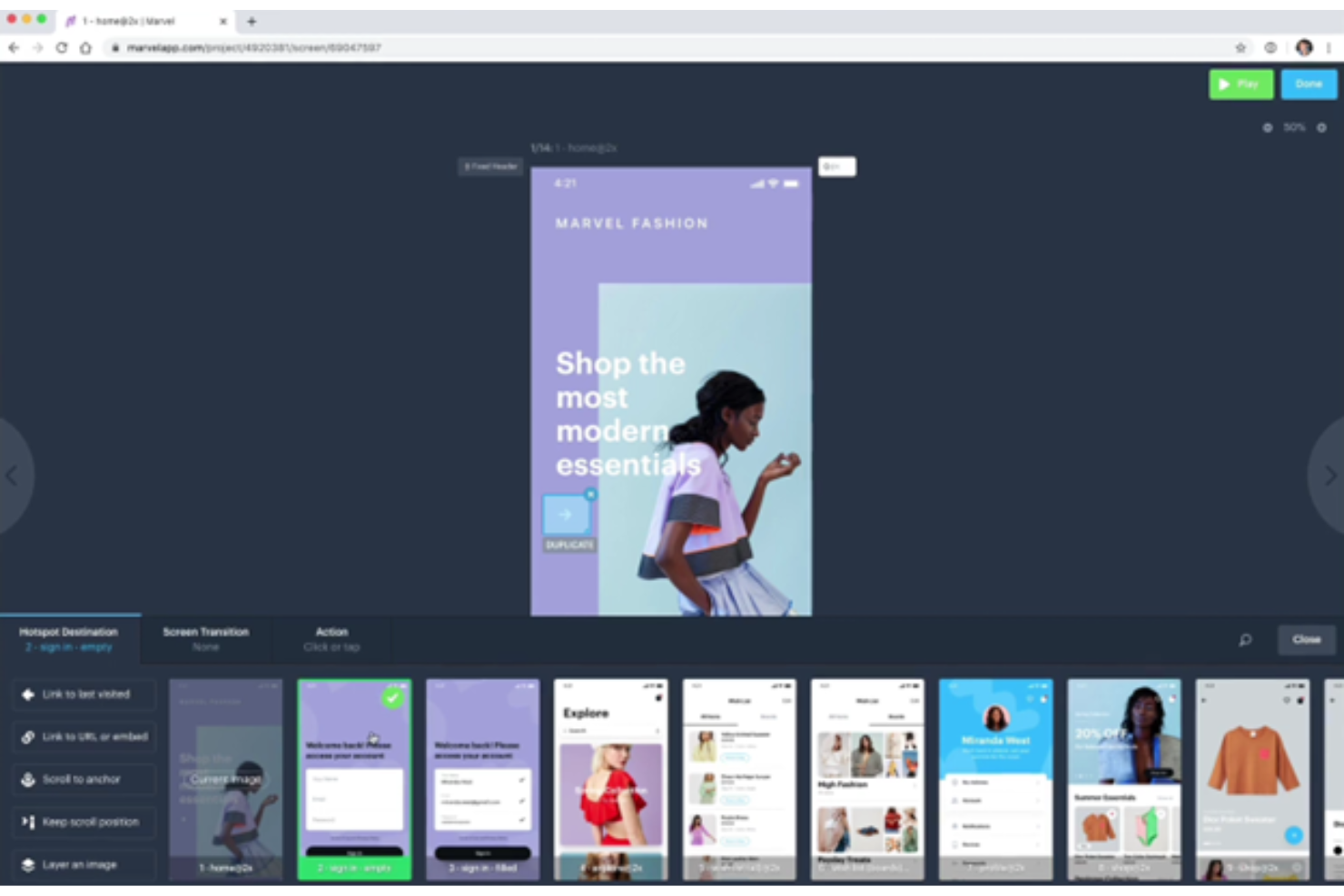
Marvel is a design and product collaboration platform for UX and product teams that need to turn concepts into interactive prototypes, gather feedback, and align stakeholders before development.
Who Is Marvel Best For?
Marvel suits UX designers and product managers who need to validate app or website flows before engineering begins.
Why I Picked Marvel
I picked Marvel as an InVision alternative because it’s “Best for rapid prototyping and testing.” I can turn app screens into clickable flows with hotspots, transitions, and gestures, then watch test participants navigate a checkout through screen, audio, and video recordings.
Marvel Key Features
- Developer handoff : Generates CSS, Swift, and Android XML specs from Marvel or Sketch designs.
- Integrations : Connects Marvel with tools such as Jira, Microsoft Teams, and Sketch.
- Wireframe templates : Provides drag-and-drop assets for mobile, tablet, and desktop layouts.
- Project permissions : Lets teams assign user roles and control access for collaborators and reviewers.
Marvel Integrations
Marvel’s integrations include Sketch, Jira, Confluence, Dropbox Paper, Microsoft Teams, Ballpark, YouTube, and Zeroheight. Marvel also provides an API for building custom integrations.
Pros and Cons
Pros:
- Generates CSS, Swift, and Android XML specs
- Captures participant audio and video feedback
- Rapidly turns static screens into clickable flows
Cons:
- Large projects can feel slow and clunky
- Advanced gestures and element animations are limited

UXPin
Best for design system consistency
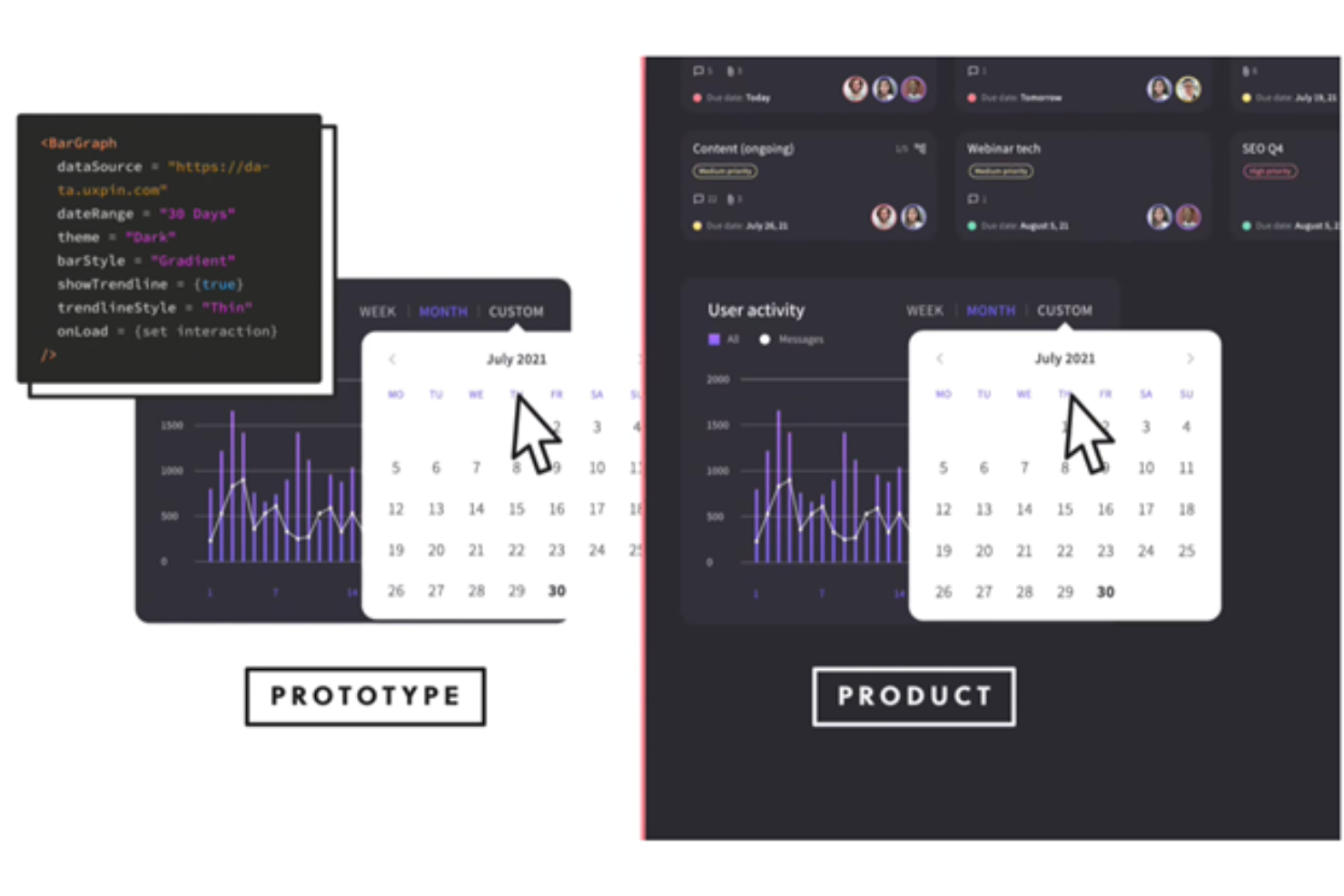
UXPin is a UI design and prototyping platform for product teams that need to turn early concepts into interactive experiences and connect design decisions with engineering handoff.
Who Is UXPin Best For?
UXPin suits UX and product design teams that need shared, reusable components to keep interfaces consistent across complex products.
Why I Picked UXPin
I picked UXPin as an InVision alternative because Merge brings React components from your codebase into design and prototyping. I like how teams can build checkout flows from the same coded components engineers ship, supporting design system consistency between prototypes and implementation.
UXPin Key Features
- Variables: Store user-entered data and reuse it across prototype pages.
- Conditional interactions: Set rules that determine when prototype interactions occur.
- Real-time editing: Work on the same design with teammates in real time.
- In-context comments: Leave feedback on designs and tag teammates.
UXPin Integrations
UXPin documents connections with Jira, Slack, FullStory, Figma, Sketch, Storybook, Adobe Fonts, Google Fonts, and Git repositories such as GitHub, GitLab, and Bitbucket. UXPin Merge brings coded components from Storybook or Git repositories into prototypes, while Jira, Slack, and FullStory support prototype handoff, notifications, and user testing.
Pros and Cons
Pros:
- Live collaboration speeds feedback cycles
- Conditional logic supports realistic product flows
- Coded React components keep prototypes aligned
Cons:
- Shared component changes are hard to track
- Complex prototypes can lag or become buggy

Best for integrated prototyping
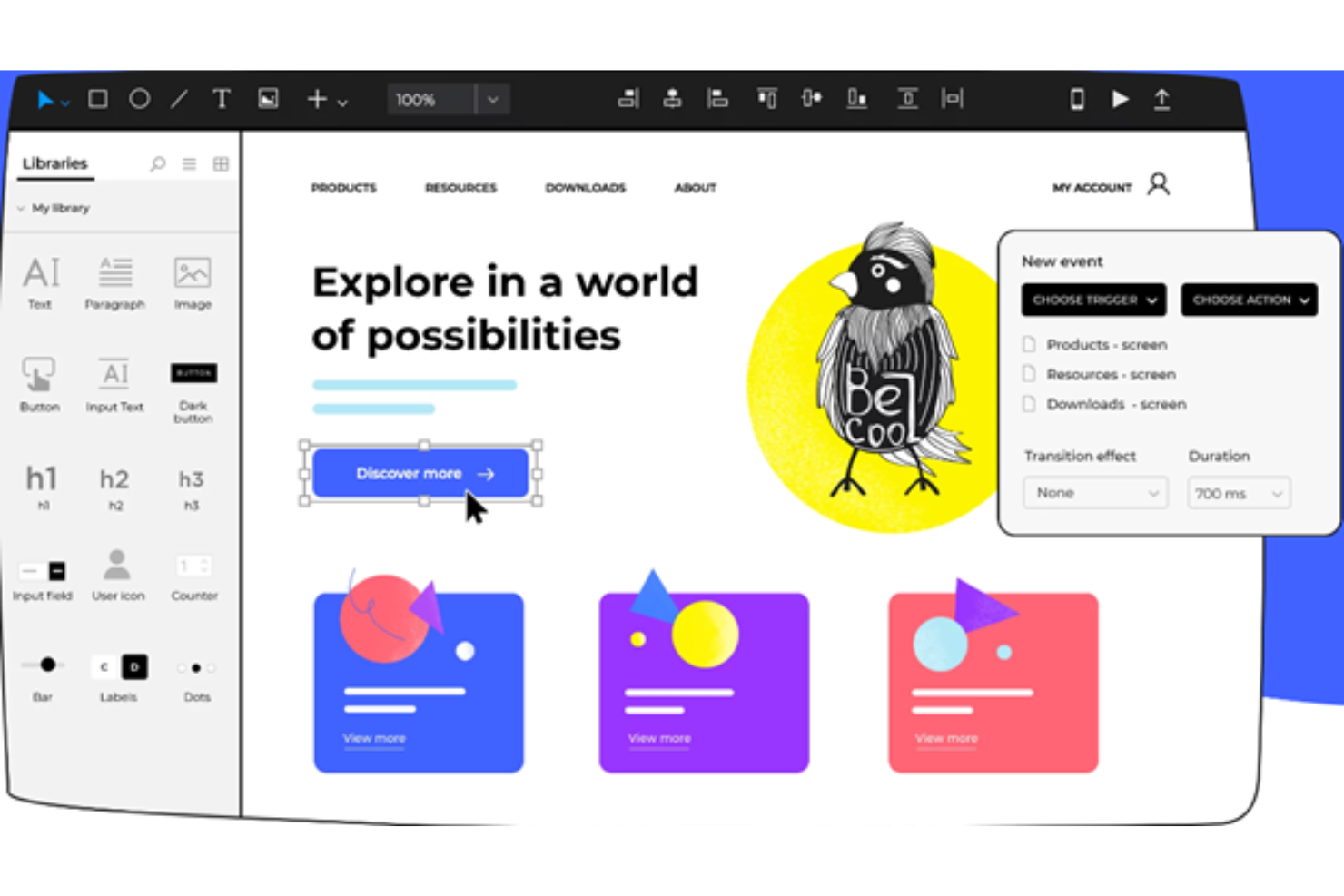
Justinmind is a web and mobile app prototyping platform for product and UX teams that helps turn early concepts into testable screens and clarify user flows before development.
Who Is Justinmind Best For?
UX teams coordinating with product and engineering can use Justinmind to validate detailed interactions before handing designs into development.
Why I Picked Justinmind
I picked Justinmind for integrated prototyping that connects web and mobile screens into testable user flows. I use it to model interactions such as checkout steps and form validation, so teams can review behavior before development. That makes it a practical InVision alternative when you need to test how a product works, not just how its screens look.
Justinmind Key Features
- Reusable masters: Create shared elements and update their instances across screens.
- UI kits: Add interface components from built-in libraries to your prototypes.
- Responsive layouts: Define layouts for different screen sizes and device orientations.
- Comments: Add feedback directly to prototypes for team review.
Justinmind Integrations
Justinmind has a built-in Jira integration and supports work-item imports from Azure DevOps, plus design imports from Sketch, Photoshop, Illustrator, Adobe XD, and Figma. Confluence embedding is available through the Justinmind+ add-on, and its API and SDK let teams build plugins and connect internal tools.
Pros and Cons
Pros:
- Reusable masters keep shared screen elements consistent
- Mobile gesture and device previews support validation
- Complex interactions with variables and conditions
Cons:
- Exports to other apps can be awkward
- Large prototypes load slowly and use resources

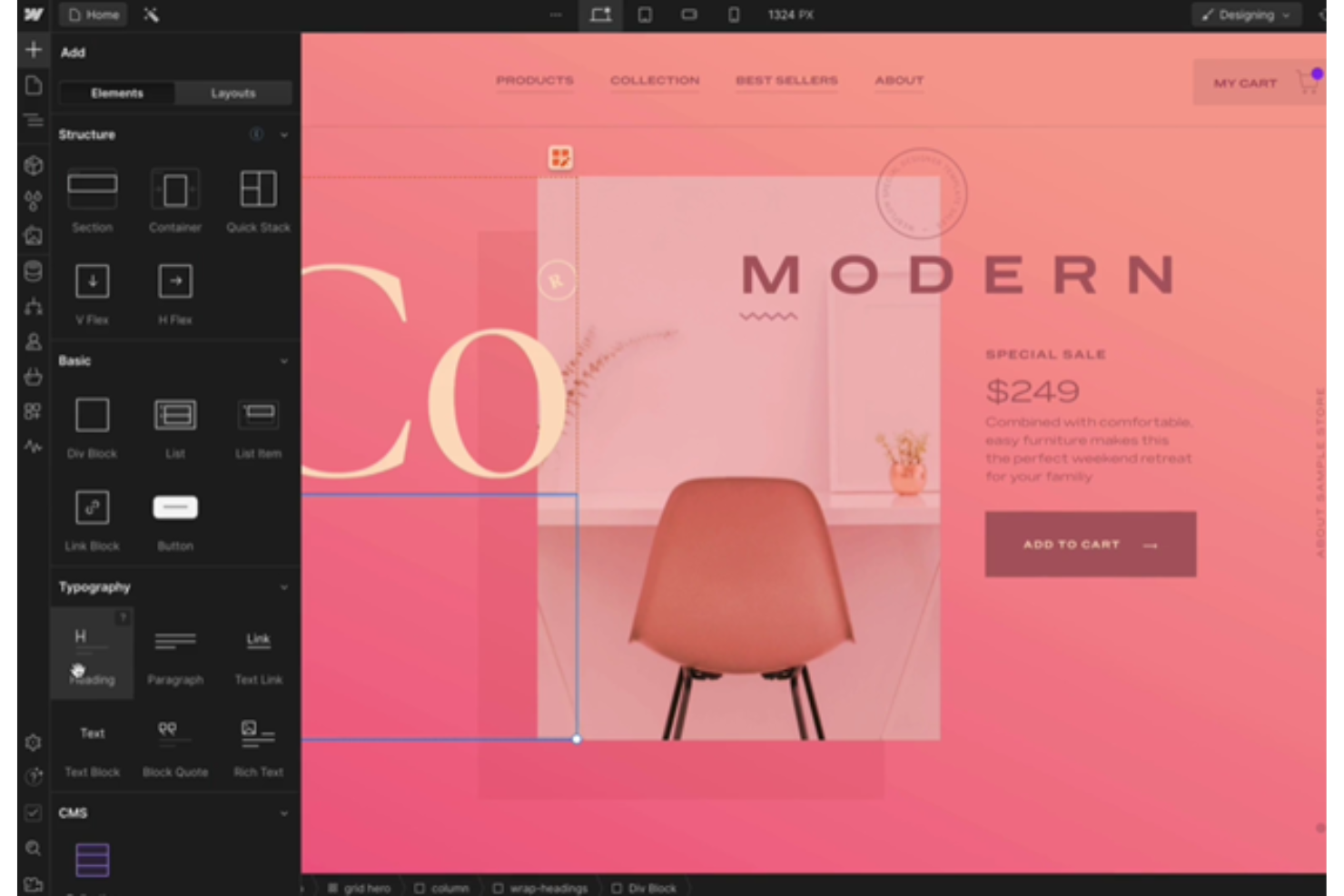
Webflow gives design teams a visual way to build responsive websites, helping them move interface concepts into working pages without relying on developers for every update.
Who Is Webflow Best For?
Webflow suits freelance web designers and digital agencies that build and iterate on client websites through a visual development workflow.
Why I Picked Webflow
I picked Webflow as an InVision alternative because it’s best for visual development. In Webflow Designer, I can build page layouts on a visual canvas, adjust them across responsive breakpoints, and add interactions to demonstrate behavior. I use that workflow when a concept needs to move beyond clickable screens into a working website.
Webflow Key Features
- CMS collections: Create structured content types for blog posts, case studies, and other repeatable pages.
- SEO controls: Set page titles, meta descriptions, canonical URLs, and Open Graph settings.
- Form builder: Add forms and configure fields, submission notifications, and success messages.
- Ecommerce tools: Manage products, categories, and store pages within your Webflow site.
Webflow Integrations
Webflow’s integrations library lists connections with Google Docs, Google Workspace, Airtable, and Zapier. It also offers a Data API and webhooks for custom integrations.
Pros and Cons
Pros:
- Add interactions to test page behavior
- Tune layouts at individual breakpoints
- Build responsive websites beyond clickable screens
Cons:
- Exported code can be hard to maintain
- Production-site setup slows quick screen tests

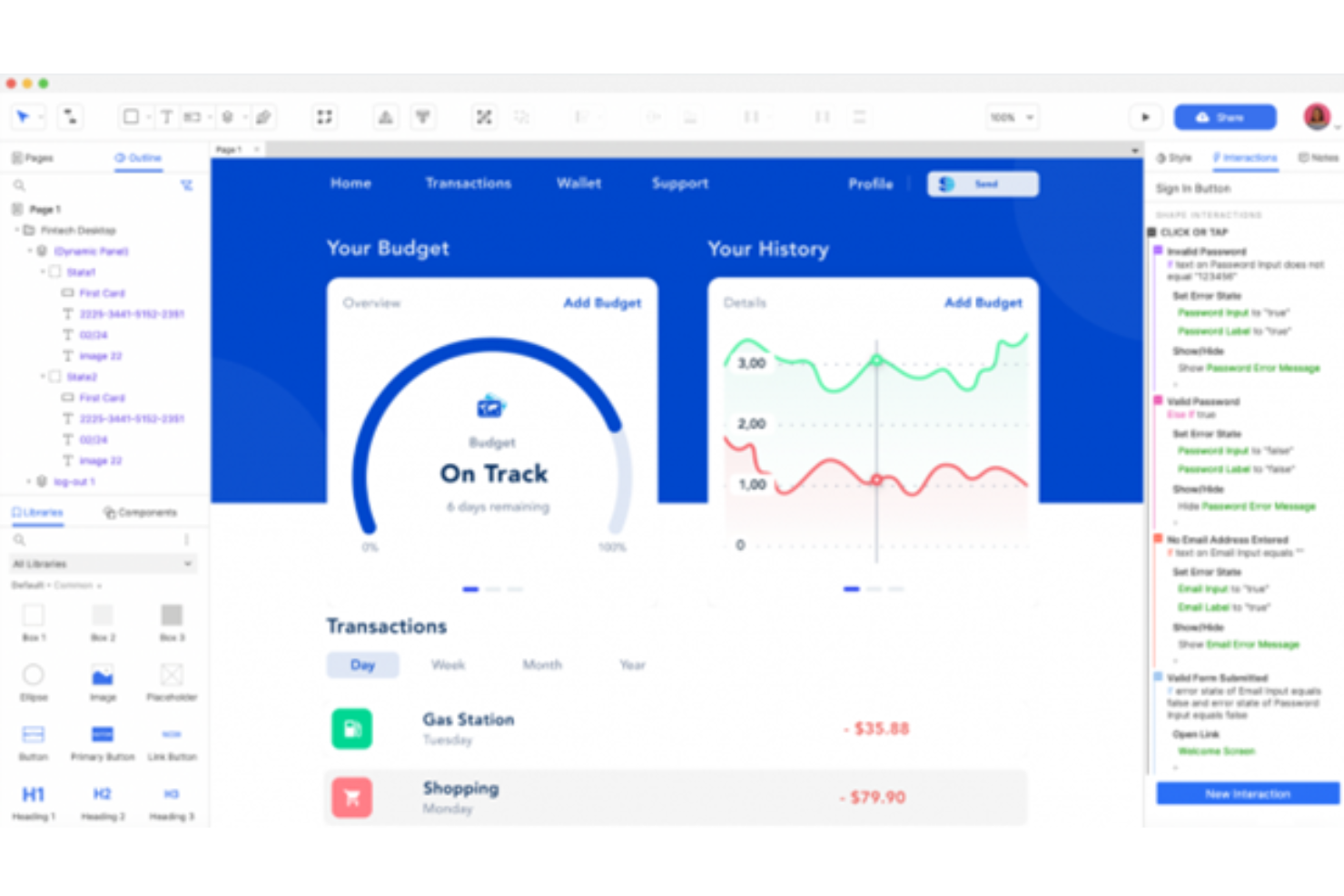
Axure is a UX design and prototyping platform for product and design teams that need to map user flows, document requirements, and explore interactive concepts as an alternative to InVision.
Who Is Axure Best For?
UX designers and product teams that need realistic, interactive simulations to test complex workflows before development.
Why I Picked Axure
I picked Axure as an InVision alternative because it builds realistic simulations of complex product flows. I use conditional logic, variables, and dynamic panels to model states such as checkout errors and account permissions, so reviewers can test how an interface responds before development.
Axure Key Features
- Sitemap: Organize prototype pages and show their hierarchy.
- Widget libraries: Add interface elements from built-in or custom libraries.
- Adaptive views: Define layouts for different screen sizes.
- Annotations: Attach notes and specifications to design elements.
Axure Integrations
Axure integrates with Jira, Confluence, Microsoft Teams, and Slack. You can embed interactive prototypes in Jira and Confluence, receive project notifications in Teams and Slack, and bring designs from Figma, Sketch, and Adobe XD into Axure RP.
Pros and Cons
Pros:
- Keep flow diagrams and specifications beside prototypes
- Prototype working forms and sortable data
- Model conditional states with variables
Cons:
- Large files can lag or freeze
- Conditional logic takes time to master

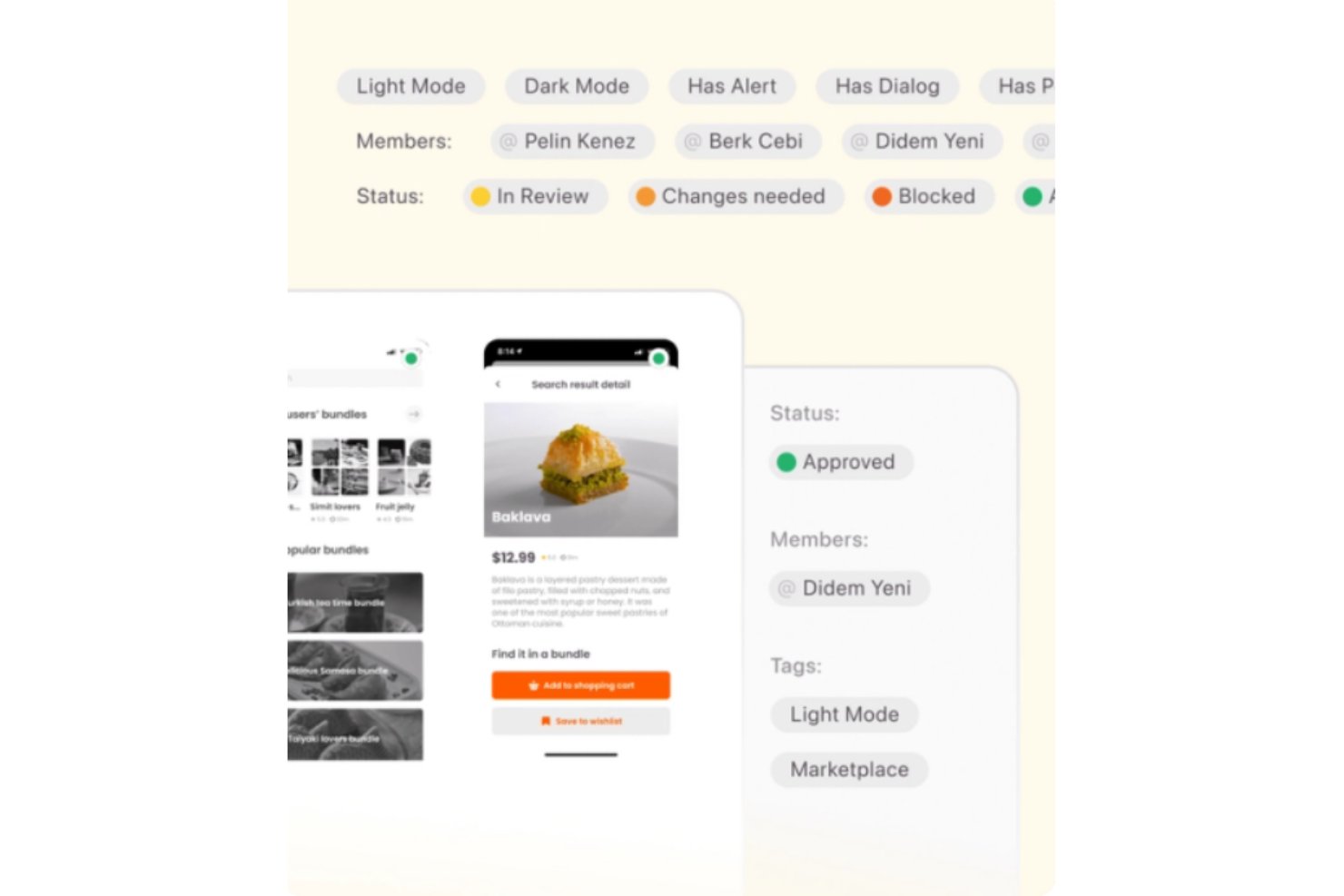
Zeplin is a design collaboration platform for product, design, and engineering teams that turns interface designs into clear specs and assets, helping reduce handoff gaps and implementation questions.
Who Is Zeplin Best For?
Zeplin suits product design and engineering teams that need implementation-ready design specs for digital products.
Why I Picked Zeplin
I picked Zeplin as an InVision alternative under “Best for design handoff precision” because it turns screens into implementation-ready specs. Engineers can inspect measurements and colors, download assets, and refer to designer annotations alongside each screen. I like that this keeps details such as button spacing connected to the design they need to build.
Zeplin Key Features
- Flow mapping: Connect screens with labels and shapes to map user journeys and decision paths.
- Version history: Review and compare earlier versions of a screen.
- Design reviews: Request reviews and track decisions on published designs.
- Integrations: Connect Zeplin projects with Jira and Storybook.
Zeplin Integrations
Zeplin documents integrations with Figma, Sketch, Jira, Storybook, VS Code, Azure DevOps, Slack, Microsoft Teams, and Trello. It also provides an API for custom integrations.
Pros and Cons
Pros:
- Version history helps compare published design revisions
- Screen-linked annotations reduce developer clarification
- Precise spacing, typography, and color inspection
Cons:
- Adds duplicate uploads beside existing design tools
- No native prototyping or design editing

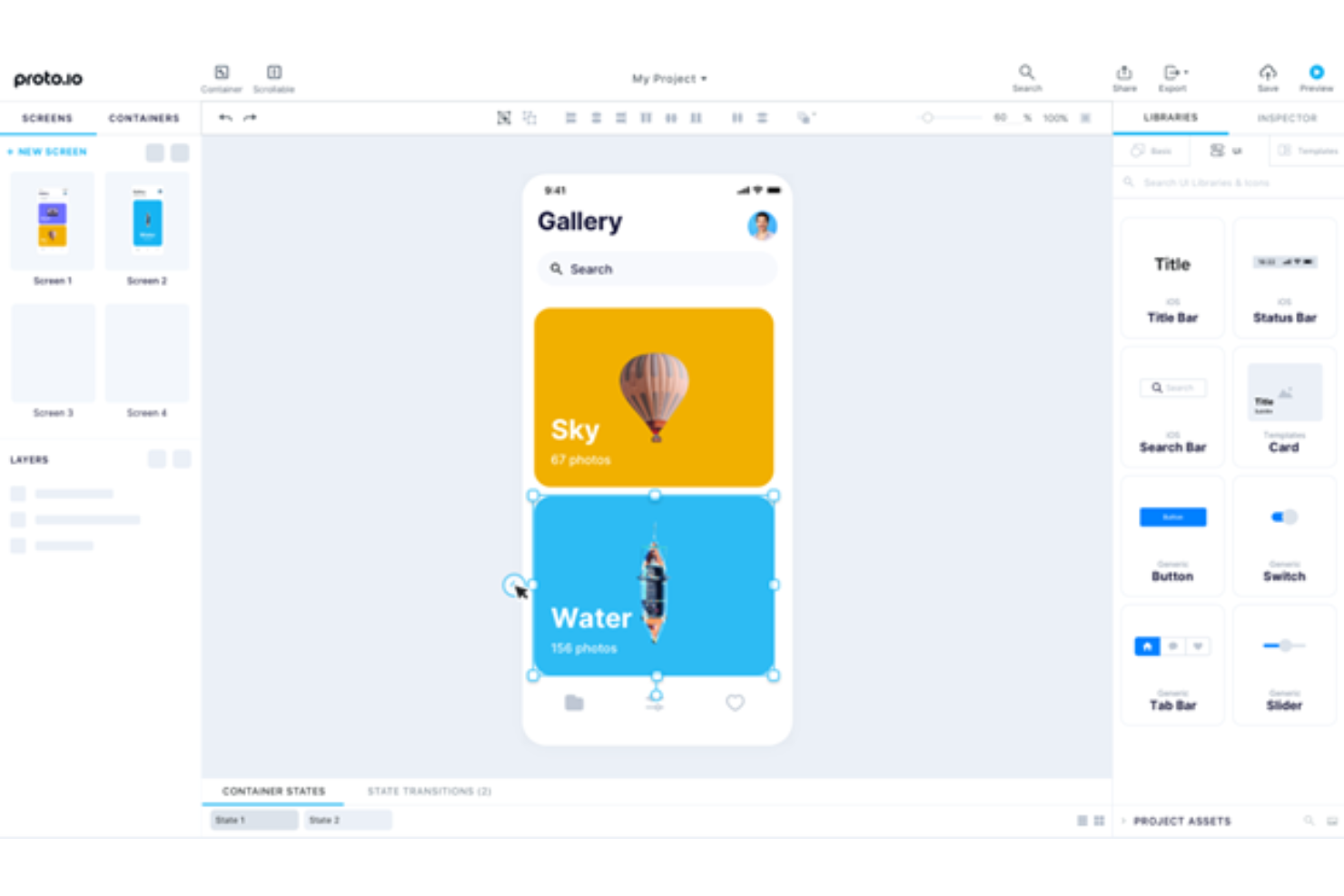
Proto.io is an interface prototyping platform for product and design teams that need to map app flows, gather stakeholder feedback, and validate concepts before development begins.
Who Is Proto.io Best For?
Proto.io suits UX and product teams that need to explore and review interactive mobile app designs before development.
Why I Picked Proto.io
For an InVision alternative, I picked Proto.io, my “Best for mobile prototyping” choice, because it lets me model app behavior, not just link screens. Its native-style mobile components, gesture-triggered interactions, and custom screen transitions help me show an onboarding flow on a phone. I can share the prototype for stakeholder feedback before engineering commits to the build.
Proto.io Key Features
- Design imports: Bring in designs from Figma, Sketch, Adobe XD, or Photoshop.
- Reusable components: Save custom components and reuse them across projects.
- Offline preview: Test prototypes offline with the iOS and Android player apps.
- Export options: Export screens as PDF or PNG, or projects as HTML.
Proto.io Integrations
Proto.io has officially supported plugins, macros, and a Power-Up for Jira, Confluence, and Trello, plus design-import plugins for Figma, Sketch, Adobe XD, and Photoshop. It supports user-testing integrations with UserTesting, UserZoom, Userlytics, Lookback, and UXArmy, and imports InVision V7 prototypes with simple interactions and transitions.
Pros and Cons
Pros:
- Comments and user testing validate flows early
- Detailed transitions clarify app behavior before development
- Native-style mobile interactions and gestures
Cons:
- New users may struggle with screen linking
- Complex prototypes can lag with many interactions

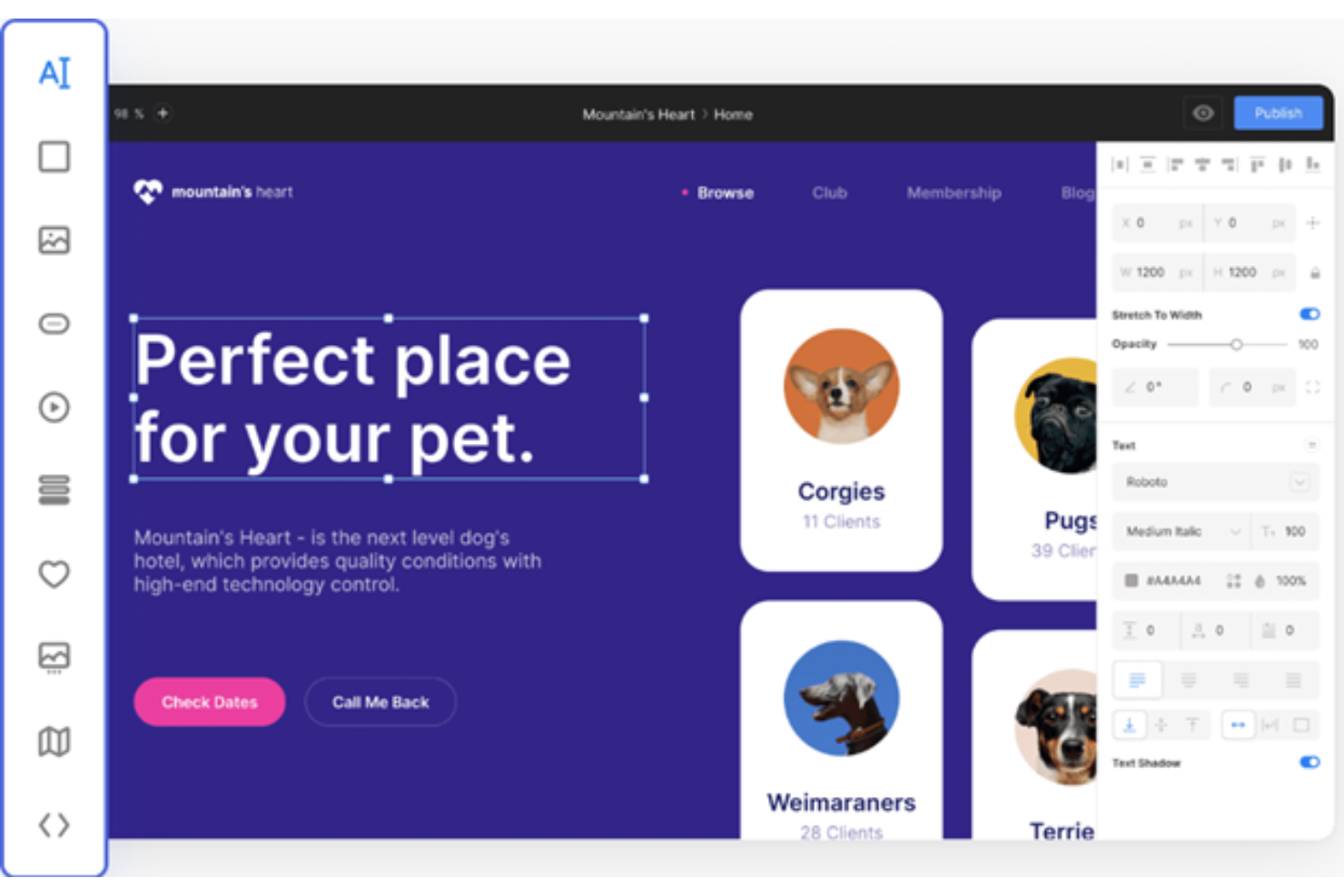
Siter.io is a visual website design platform for designers and small teams who want to create and publish custom sites without relying on developers for every layout change.
Who Is Siter.io Best For?
Siter.io suits freelance designers and creative teams who want to turn visual concepts into published websites without coding.
Why I Picked Siter.io
I picked Siter.io for no-code web building when a visual concept needs to become a live site, not just a prototype. Its Figma plugin imports frames into Siter.io, where I can set layouts for different breakpoints and publish a responsive website without code.
Siter.io Key Features
- Animations: Add appear, scroll, and hover effects, plus sticky headers and marquees.
- Forms: Create forms on the canvas and receive responses by email.
- SEO settings: Set each page’s title, description, slug, and meta tags.
- Analytics: Track visits, top pages, and traffic sources without cookies.
Siter.io Integrations
Siter.io offers seven built-in integrations: Google Analytics, Facebook Pixel, Google reCAPTCHA v3, YouTube, Vimeo, Unsplash, and Google Fonts. It also connects with Zapier.
Pros and Cons
Pros:
- Users praise fast landing-page and portfolio builds
- Separate layouts support desktop, tablet, and mobile
- Editable Figma imports reduce rebuild work
Cons:
- No real-time co-editing for team critique
- Imported Figma prototypes lose interactions and animations
Diğer InVision Alternatifleri
Aşağıda kısa listeme aldığım ek InVision alternatiflerinin bir listesi yer alıyor. En iyi 10 seçenek arasına girememiş olsalar da hâlâ değerliler ve daha ayrıntılı araştırılmaya değerler.
- Flinto
For interactive transitions
- Framer
For creative animations
- HotGloo
For wireframing
- Lunacy
For Windows users
- Mockplus
For rapid prototyping
- Figma
For real-time collaboration
- Sketch
For vector editing
- Pencil Project
For open-source enthusiasts
- Origami Studio
For interactive prototypes


İlgili Proje Yönetimi Yazılımı İncelemeleri
Burada aradığınızı hâlâ bulamadıysanız, test edip değerlendirdiğimiz şu diğer ilgili araçlara göz atın:
- Proje Yönetimi Yazılımı
- Kaynak Yönetimi Yazılımı
- İş Akışı Otomasyonu Yazılımı
- Zaman Takibi Yazılımı
- Görev Yönetimi Yazılımı
- İş Birliği Araçları
- Gantt Şeması Oluşturucu
- Verimlilik Araçları
- Proje Takibi Yazılımı
- Proje Planlama Yazılımı
How I Evaluate InVision Alternatives
I split my evaluation into baseline criteria—can it prototype, annotate, and hand off to dev?—and the differentiators that separate the right tool from a merely adequate one.
Core Functionality (Table Stakes For This List)
When I'm selecting tools for my list, I rank each one on a scale from 0 (does not offer the functionality) to 5 (excels in this area) for each core functionality listed below. Then, I calculate the tool's total score into a percentage. Each tool needs to achieve a minimum total score of 65% to be considered for inclusion.
- Interactive Prototyping: I evaluate whether you can build clickable, multi-screen prototypes with realistic transitions—like simulating a checkout flow a stakeholder can tap through on their phone.
- Real-Time Design Collaboration: Teams replacing InVision need live co-editing, so I check for multiplayer functionality where designers and PMs can work in the same file simultaneously.
- Feedback & Annotation: I look for contextual, threaded commenting directly on design screens—the kind where a product manager can pin a note on a specific button and tag the responsible designer.
- Developer Handoff: Engineering teams need inspect tools that surface spacing, colors, and exportable assets, so I evaluate how each platform bridges the gap between design files and code.
- Design System Management: Shared component libraries and reusable styles matter here—I check whether teams can maintain a single source of truth for buttons, icons, and tokens across projects.
- Project Workflow Integration: I look for native connections to tools like Jira, Asana, or Trello so design tasks stay linked to sprint boards and delivery timelines without manual updates.
Once I have a list of tools that meet this criteria, I consider what sets each platform apart.
Differentiating Factors (What Sets Vendors Apart)
Here's how I compare and contrast different vendors:
Standout Features
I pay close attention to built-in user testing capabilities. Running a usability test on a prototype without exporting it to a separate platform saves real time during validation sprints. Version control with branching is another differentiator—teams running parallel design explorations need a safe way to experiment without overwriting each other's work. I also look for integrated whiteboarding, since early-stage ideation like journey mapping or workshop facilitation often happens before any screens get designed.
Beyond Features
Migration path matters here. I check whether a platform offers import tools for existing InVision files and boards, since rebuilding prototypes from scratch can stall a team for weeks. Cross-functional accessibility is equally important—PMs and engineers who only need to review and comment shouldn't require a desktop app or a paid seat. I also evaluate pricing models closely, particularly how each vendor handles editor vs. viewer licensing for mixed teams of designers, developers, and stakeholders.
Neden bir InVision alternatifi aramalısınız?
InVision değerli bir tasarım yazılımı çözümü olsa da sizin ve ekibinizin aşağıdakiler de dahil olmak üzere başka bir alternatif değerlendirmesinin birkaç nedeni olabilir:
- Maliyet endişeleri: InVision’ın fiyatlandırması bütçeniz için fazla yüksek geliyorsa, yine de harika özellikler sunan daha uygun fiyatlı seçenekler piyasada mevcut.
- Özellik sınırlamaları: Bazen InVision’da bulunmayan belirli işlevlere ihtiyaç duyarsınız. Diğer araçları incelemek, tam olarak aradığınız özellikleri bulmanıza yardımcı olabilir.
- Kullanılabilirlik sorunları: InVision’ın kullanıcı arayüzünde gezinmeyi zor buluyorsanız alternatiflere göz atmanın zamanı gelmiş olabilir. Daha sezgisel bir araç, iş akışınızı daha sorunsuz ve keyifli hâle getirebilir.
- Entegrasyon ihtiyaçları: Araçlarınızın birlikte düzgün çalışmaması can sıkıcıdır. Mevcut sistemlerinizle daha iyi entegre olan alternatifleri aramak büyük bir fark yaratabilir.
- Destek ve kaynaklar: İyi bir destek önemlidir. Daha erişilebilir müşteri hizmetleri veya kaynaklar arıyorsanız diğer seçenekler ihtiyacınız olanı sunabilir.
InVision Alternatiflerinde Aranması Gereken Temel Özellikler
Alternatif yazılımınızın uygun bir seçenek olabilmesi için InVision’ın aşağıdaki temel özelliklerini kopyalayabilmesi veya bunları geliştirebilmesi gerekir:
- Etkin noktalar: Etkin noktalar sayesinde tasarımcılar statik tasarımlara tıklanabilir alanlar ekleyebilir, böylece kullanıcı akışlarını ve etkileşimlerini görselleştirmek kolaylaşır.
- Etkileşimler: Bu özellik, tasarımcıların prototipler içindeki tıklamalar, kaydırmalar ve üzerine gelme efektleri gibi çeşitli kullanıcı etkileşimlerini tanımlamasına olanak tanır; bu da daha gerçekçi ve ilgi çekici bir kullanıcı deneyimi oluşturmaya yardımcı olur.
- Geçişler: Bu özellik, prototipin akıcı hissettirmesini sağlar ve kullanıcıların uygulamada nasıl gezineceğini anlamaya yardımcı olur.
- Kaplamalar: Bu özellik, tasarımcıların ana ekranı değiştirmeden ek bilgiler görüntülemesine olanak tanıyarak prototiplerin derinliğini ve etkileşimini artırır.
- Geri bildirim toplama: Yorumları doğrudan prototiplerin içinde toplamak, tasarımcıların ekip üyelerinden geri bildirimleri merkezi bir konumda almasını sağlar. Genel olarak bu, tasarım yineleme sürecini kolaylaştırır ve tüm geri bildirimlere kolayca erişilebilmesini sağlar.
- İnceleme: Bu özellik, geliştirme ekibinin tasarımı doğru şekilde uygulamak için gerekli tüm bilgilere sahip olmasını sağlar.
- Birden fazla cihaz desteği: Masaüstü bilgisayarlar, tabletler ve akıllı telefonlar dahil olmak üzere çeşitli cihazlarda sorunsuz çalışan prototipler oluşturmak, tasarımın duyarlı olmasını ve tüm platformlarda tutarlı bir kullanıcı deneyimi sunmasını sağlar.
- Gerçek zamanlı iş birliği: Bu özellik verimliliği artırır ve tasarım süreci boyunca tüm ekip üyelerinin aynı doğrultuda ilerlemesini sağlar.
- Sketch entegrasyonu: Doğru araçla tasarımcılar Sketch dosyalarını prototip oluşturma aracına kolayca aktarabilir, böylece zamandan tasarruf eder ve tasarım öğelerinde tutarlılığı korur.
- Etkileşimli prototip oluşturma: Bu özellik, nihai ürünü yakından taklit eden dinamik ve ilgi çekici prototiplerin oluşturulmasına olanak tanır.