

2026’da Formlar İçin En İyi 10 Jotform Alternatifi Aracı

En İyi Jotform Alternatifleri Kısa Listesi


Jotform, ekiplerin veri toplama ve yönetimi süreçlerini kolaylaştırmasına yardımcı olan değerli bir form oluşturucudur. Ancak bu doğru olsa da bazı kullanıcılar iş akışlarını ve beyin fırtınası oturumlarını geliştirmek için alternatif çözümler arayabilir.
Jotform'a geçiş yapma nedeniniz ne olursa olsun, ekibiniz için doğru aracı bulmak biraz zor olabilir. Arayışınıza başlamanıza yardımcı olmak için proje yönetimi yazılımları konusundaki deneyimimi kullanarak piyasadaki en iyi çözümlerden bazılarını test edip karşılaştırdım.
İster küçük bir işletme ister daha büyük bir kuruluş olun, aşağıdaki listede bir sonraki aracınızı bulacağınızdan eminim.
Jotform Nedir?
Jotform, kullanıcıların kod yazmaya gerek duymadan özel formlar, anketler ve soru formları oluşturmasına olanak tanıyan çevrimiçi bir form oluşturma aracıdır. Sürükleyip bırakma arayüzü sunarak veri toplama, ödeme işlemleri veya müşteri geri bildirimleri için form tasarlamayı kolaylaştırır.
Yazılım Önerilerimize Neden Güvenebilirsiniz?
Ekibimiz 2012’den beri yazılımları test ediyor ve inceliyor. Biz de proje yöneticisi olduğumuz için doğru yazılımı seçmenin ne kadar zor ve önemli olduğunu biliyoruz.
Bu rehber için araçları uygulamalı testler ve bağımsız araştırmalarla değerlendirdik ve seçim kriterlerimize göre puanladık. Ayrıca sektörün fikir önderlerinin ve alanında çalışan proje yönetimi uzmanlarının görüşlerinden de yararlanıyoruz.
İncelemelerimiz bir satış konuşması değil, editör ekibimizin kendi değerlendirmesidir.
Uzman inceleyenler:
Jotform Alternatifleri Karşılaştırma Tablosu
Score legend (out of 5)
- Excellent 4.5–5
- Good 4–4.4
- Average 3–3.9
- Below average 2–2.9
- Poor 1–1.9
| Tool | Starting Price | Website | |||||||
|---|---|---|---|---|---|---|---|---|---|
| Best for versatile form creation | 4.5 out of 5 | 5 | 5 | 4 | 4 | 4 | 5 | $59/month Free plan + 7-day free trial available | Website |
| Best for comprehensive survey solutions | 3.7 out of 5 | 4 | 4 | 4 | 4 | 2 | 4 | $39/user/month Free plan + free demo available | Website |
| Best for drag-and-drop WordPress forms | 3.7 out of 5 | 4 | 5 | 3 | 4 | 2 | 4 | $8.25/month Free plan available | Website |
| Best for AI-powered form generation | 3.5 out of 5 | 4 | 4 | 3 | 4 | 2 | 4 | $19/month Free plan available | Website |
| Best for WordPress integration | 3.3 out of 5 | 4 | 2 | 4 | 3 | 3 | 4 | $59/year Free demo available | Website |
| Best for cloud storage | 3.3 out of 5 | 4 | 4 | 2 | 3 | 2 | 5 | Pricing upon request Free plan available | Website |
| Best for Salesforce integration | 3.5 out of 5 | 4 | 2 | 3 | 3 | 4 | 5 | Pricing upon request Free trial available | Website |
| Best for financial services | 3.2 out of 5 | 4 | 3 | 3 | 4 | 2 | 3 | Pricing upon request Not available | Website |
| Best for affordability and ease of use | 3.8 out of 5 | 4 | 3 | 4 | 4 | 4 | 4 | $10/month Free plan + free demo available | Website |
| Best for Microsoft 365 users | 3.2 out of 5 | 4 | 4 | 3 | 4 | 2 | 2 | Pricing upon request Free plan available | Website |
En İyi Jotform Alternatifleri İncelemeleri
Bu analizde çeşitli Jotform alternatiflerini ayrıntılı olarak ele alacağım. Her aracın artılarını ve eksilerini, özelliklerini ve en uygun kullanım alanlarını açıklayacağım.

Best for versatile form creation
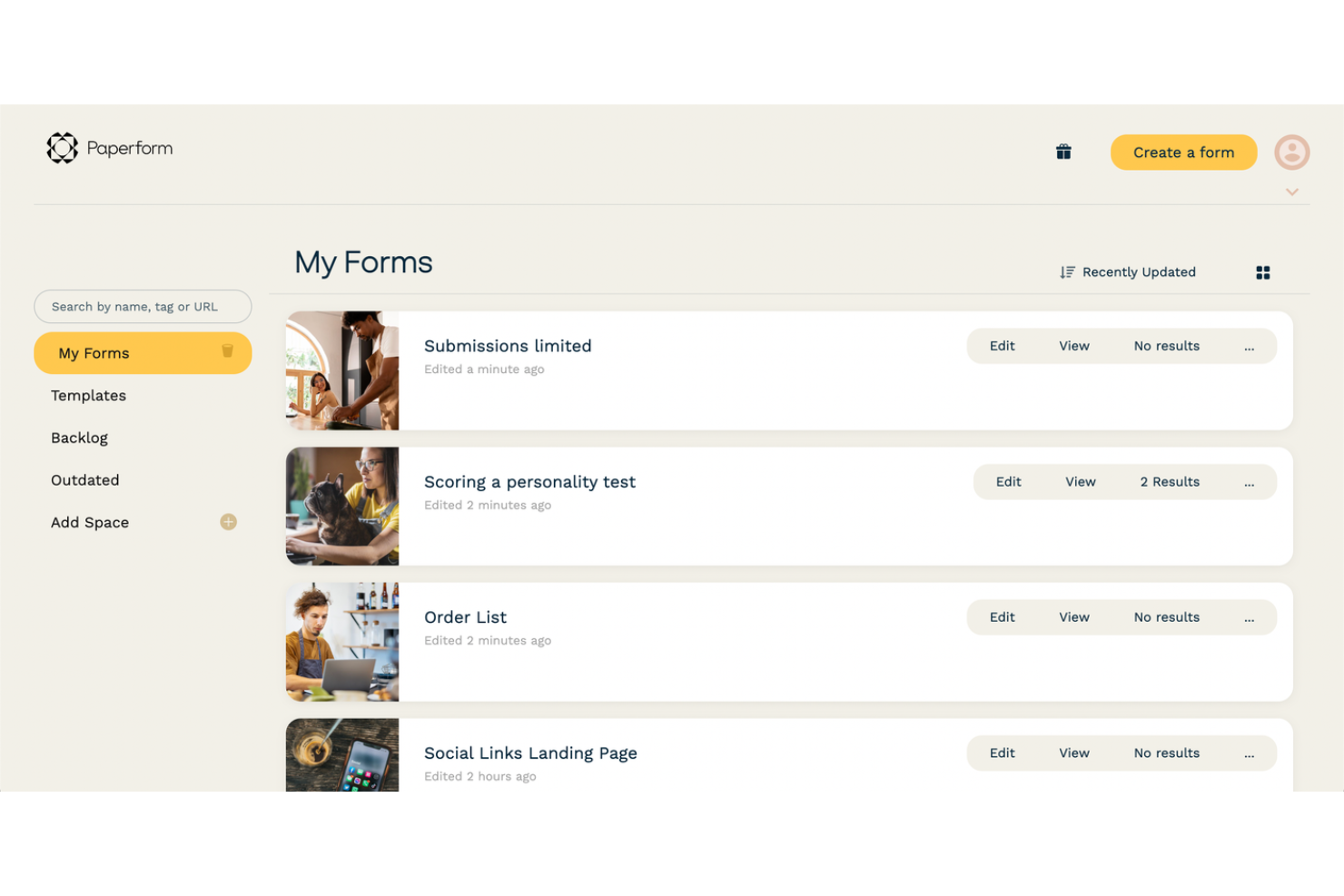
Paperform gives product and operations teams an online form builder for collecting project requests, feedback, and intake details, helping them organize submissions and move routine work into defined workflows.
Who Is Paperform Best For?
Paperform suits teams across industries that need customizable forms for varied business processes, from event registrations to client onboarding.
Why I Picked Paperform
I picked Paperform as a Jotform alternative because it’s best for versatile form creation. I like how conditional logic tailors intake questions and routes submissions based on answers, while formulas can calculate project costs or eligibility. Its Stepper workflows can then send submissions through approvals and hand-offs.
Paperform Key Features
- E-signature field: Capture signatures on forms and link signed documents to submissions.
- Payment collection: Accept one-time payments, deposits, subscriptions, coupons, and discounts.
- Appointment scheduling: Add scheduling fields and sync availability with Google Calendar.
- App integrations: Connect forms to tools such as Slack, HubSpot, Airtable, and Asana.
Paperform Integrations
Paperform has seven native integrations: Google Sheets, Slack, HubSpot, Mailchimp, Notion, Airtable, and Asana. It also connects with Zapier and Make, and offers a Public and Business API on select plans for custom integrations.
Pros and Cons
Pros:
- Payments, bookings, and signatures share one workflow
- Conditional logic and calculations support complex intake
- Branded form pages support polished intake experiences
Cons:
- Template colors can require finicky manual adjustments
- Limited question types can constrain specialized surveys

Best for comprehensive survey solutions
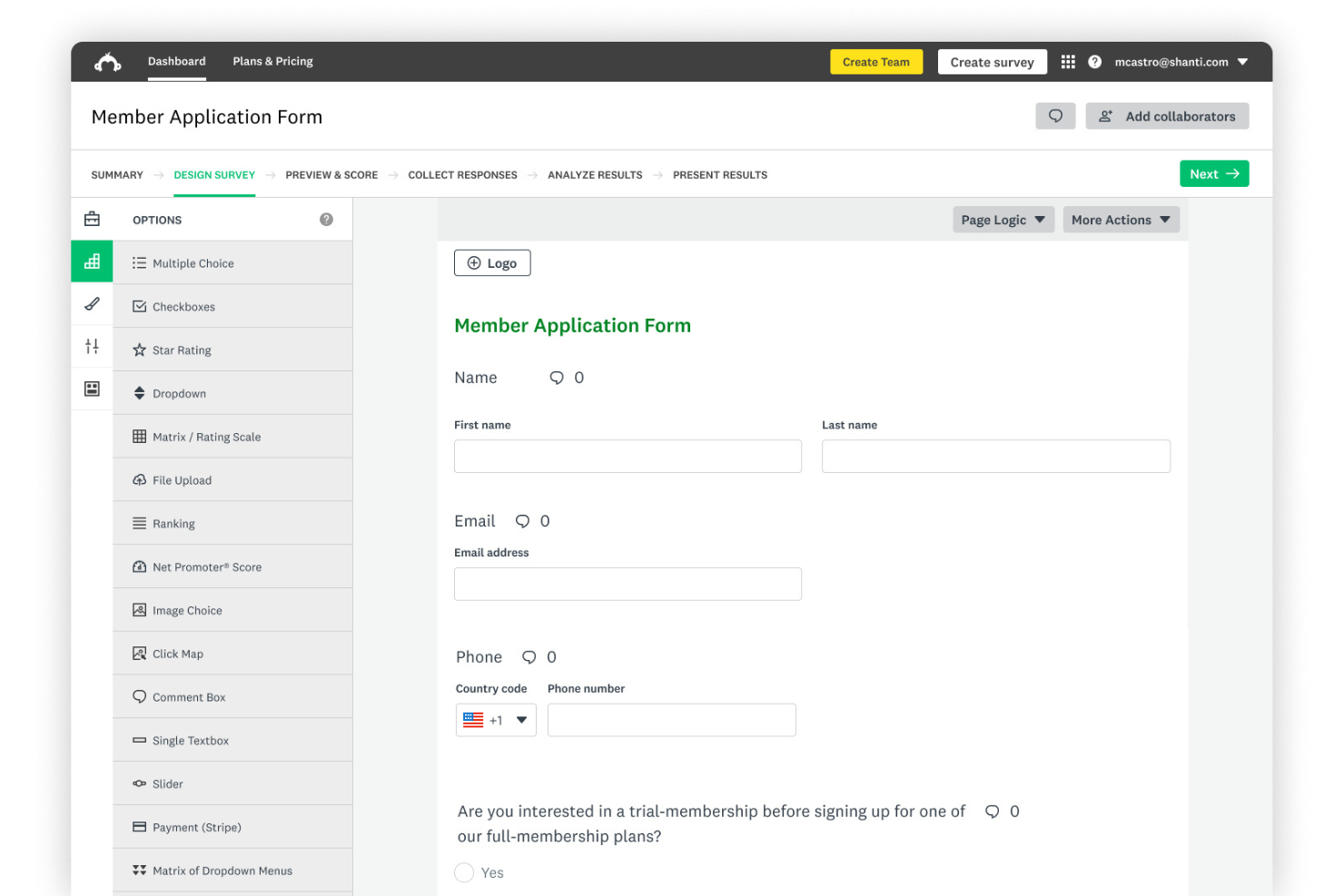
SurveyMonkey helps product, research, and operations teams collect and analyze structured feedback, offering a survey-focused alternative to Jotform when projects depend on clear response data.
Who Is SurveyMonkey Best For?
SurveyMonkey suits UX researchers and product teams that need to collect structured user feedback and compare responses across studies.
Why I Picked SurveyMonkey
I pick SurveyMonkey as a Jotform alternative when the need is “Best for comprehensive survey solutions.” I use its question branching to route respondents to relevant follow-ups, then filter and compare responses across studies to track changes in user feedback. That gives product teams structured research data to inform decisions.
SurveyMonkey Key Features
- Survey templates: Start with ready-made templates for customer satisfaction, employee engagement, and market research.
- Custom branding: Add your logo and adjust survey colors to match your organization’s brand.
- Question types: Add rating scales, matrix questions, and open-ended text fields.
- Response exports: Export survey results as Excel or CSV files for further analysis.
SurveyMonkey Integrations
SurveyMonkey’s integration catalog lists 200+ integrations, including Google Sheets, Slack, Microsoft Teams, Salesforce, Power BI, Tableau, Marketo, and Zoom; the latter five require Enterprise. It also connects with Zapier and provides an API for custom integrations.
Pros and Cons
Pros:
- Cross-tabs compare results across studies
- Branching routes respondents through relevant questions
- Research-focused question types and templates
Cons:
- Advanced analytics sit behind paid tiers
- No native payment or approval workflows

WPForms
Best for drag-and-drop WordPress forms
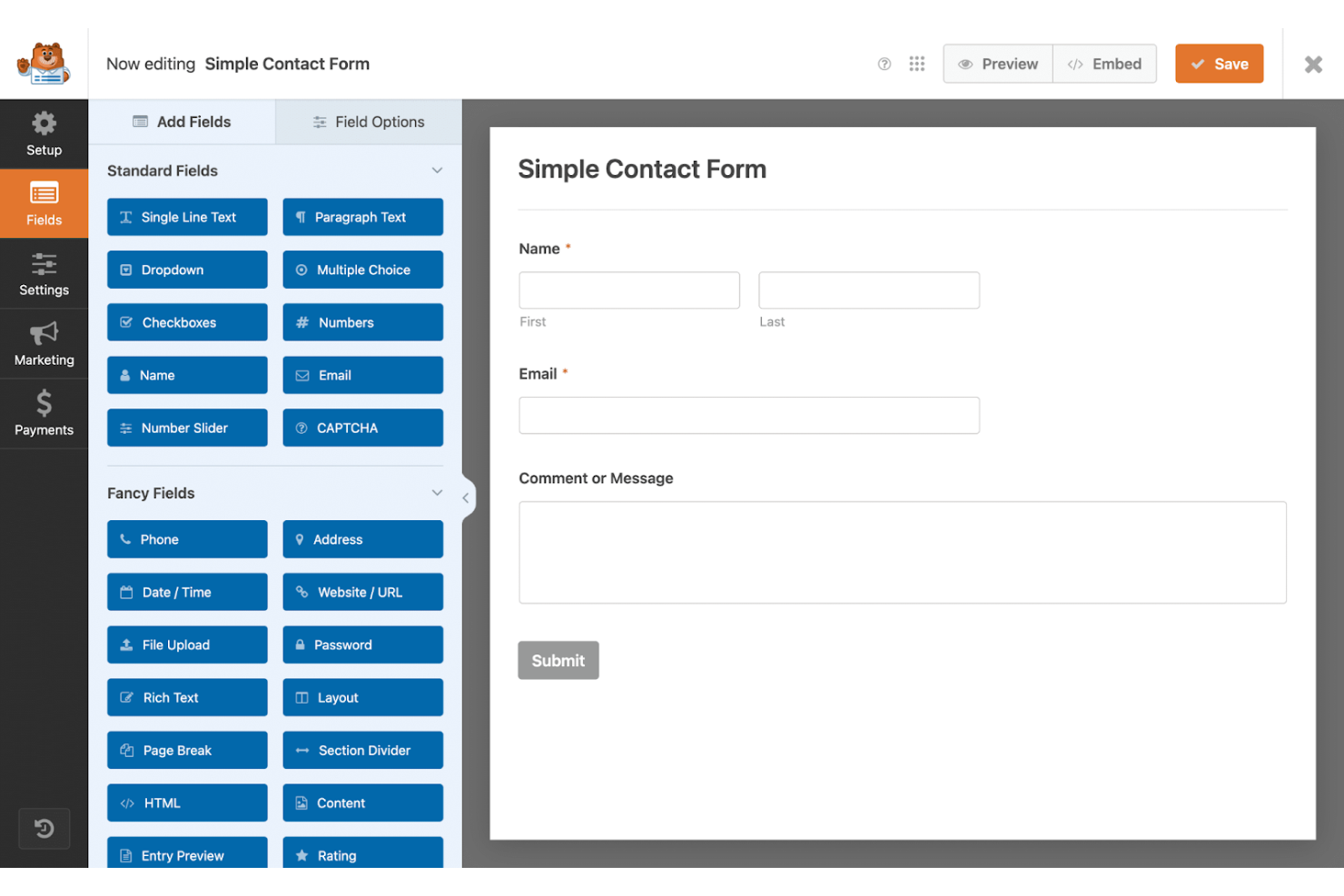
WPForms is a WordPress form builder for businesses and digital teams that need to collect project requests, support questions, and customer details on their sites instead of handling intake through scattered emails.
Who Is WPForms Best For?
WPForms suits WordPress site owners and small digital teams that need to build project intake, support, or feedback forms without coding.
Why I Picked WPForms
I picked WPForms as a Jotform alternative because it’s my pick for “Best for drag-and-drop WordPress forms.” I use its visual builder to create project request forms and conditional logic to show fields based on request type, keeping intake on the WordPress site.
WPForms Key Features
- Email notifications: Send form submissions to specified email addresses.
- File uploads: Let visitors attach files to form entries.
- Payment fields: Accept payments through supported payment providers.
- Entry management: View and manage submitted entries from the WordPress dashboard.
WPForms Integrations
WPForms offers native integrations with Google Sheets, HubSpot, Salesforce, Stripe, PayPal, Square, and Authorize.Net through dedicated add-ons. It also connects with Zapier.
Pros and Cons
Pros:
- Form revisions let you restore earlier versions
- Form entries stay in your WordPress dashboard
- Drag-and-drop builder includes live preview
Cons:
- Advanced workflows require paid plans
- Forms only run on WordPress sites

Best for AI-powered form generation
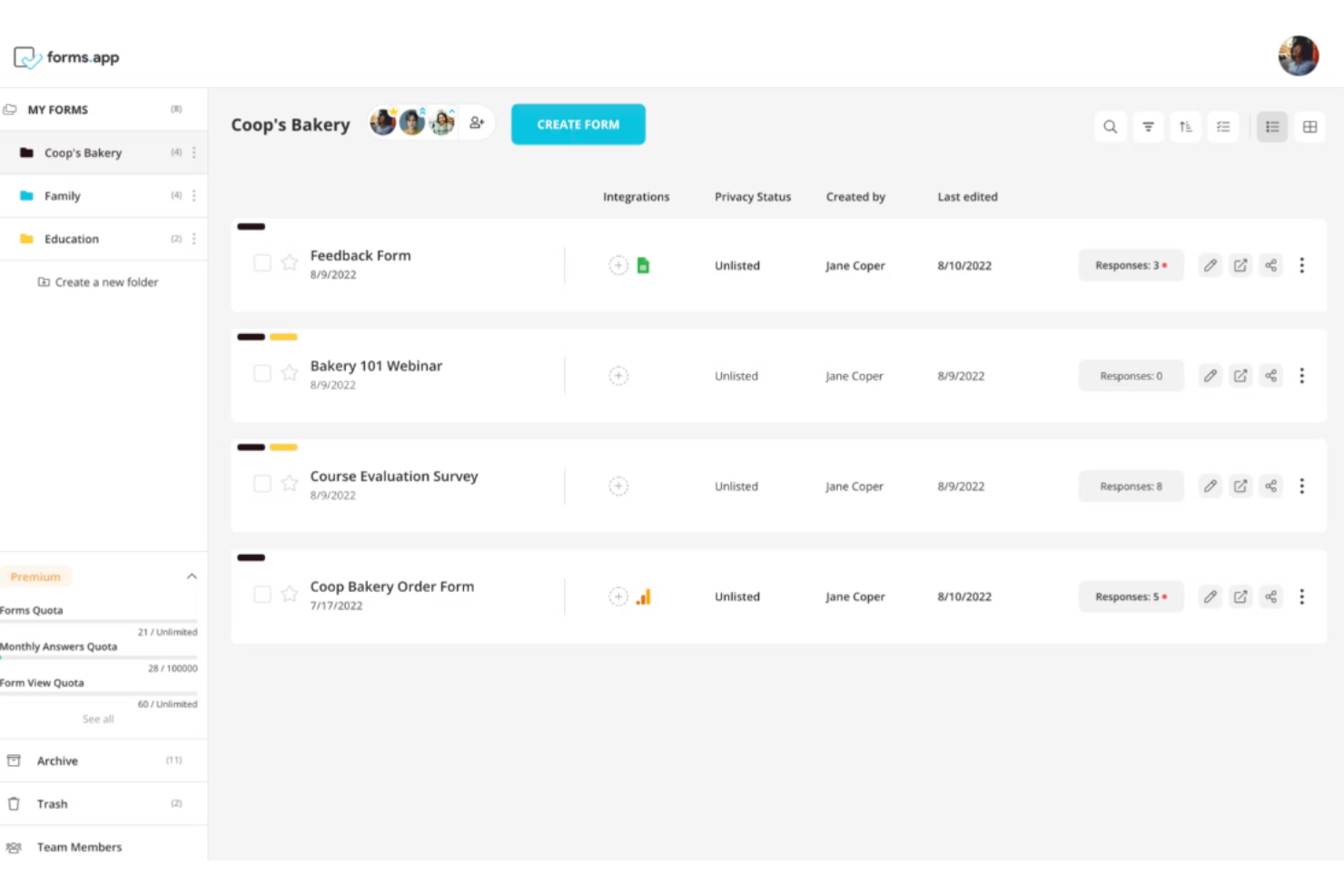
forms.app is an online form builder for project and operations teams seeking a Jotform alternative to collect requests, feedback, and approvals and organize routine workflows without custom development.
Who Is forms.app Best For?
forms.app suits project managers and operations teams who want to generate intake forms with AI instead of building each form from scratch.
Why I Picked forms.app
I picked forms.app for its “Best for AI-powered form generation” use case: its AI helps create project intake forms without building each one from scratch. I like that teams can use those forms to collect requests, feedback, and approvals, then organize routine workflows without custom development.
forms.app Key Features
- Conditional logic: Show or hide questions and skip pages based on responses.
- App integrations: Connect forms to Slack, Google Sheets, HubSpot, and other services.
- URL prefilling: Populate form fields with data passed through URL parameters.
- Response analytics: View submission statistics and analyze form results.
forms.app Integrations
forms.app offers native integrations with Google Sheets, Microsoft Excel, Slack, Notion, HubSpot, Mailchimp, Google Drive, and Google Calendar, and connects with Zapier. It also provides webhooks and an API for custom integrations.
Pros and Cons
Pros:
- Export submissions as PDFs with e-signatures
- Conditional logic and analytics come built in
- AI drafts forms from prompts in seconds
Cons:
- Mobile form creation is harder than desktop
- Complex logic can clutter the editor

Best for WordPress integration
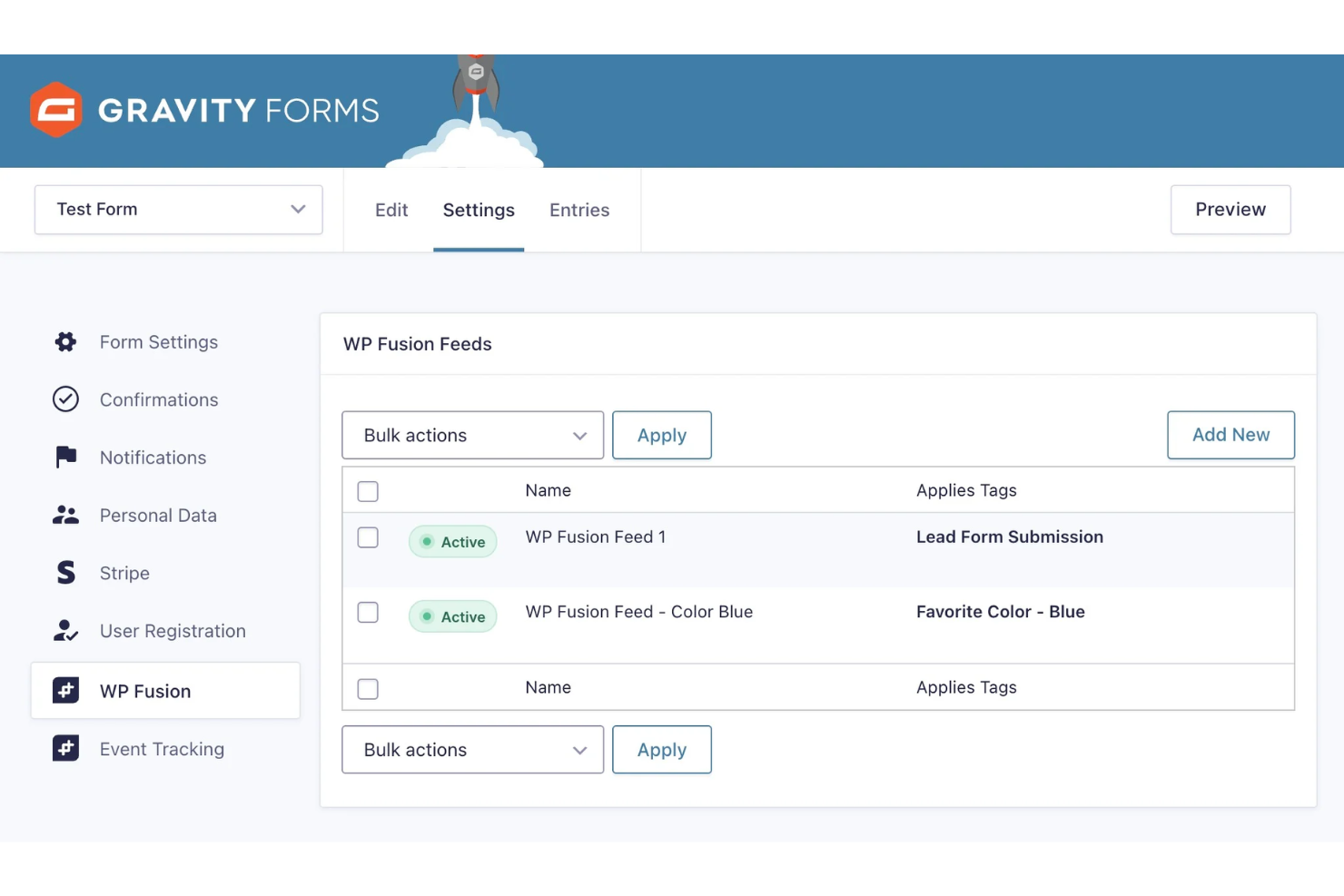
Gravity Forms helps project and operations teams turn online forms into structured requests and follow-up workflows, reducing manual data handling when they manage work through WordPress.
Who Is Gravity Forms Best For?
Gravity Forms suits project and operations teams with WordPress sites that need customizable forms to collect structured requests.
Why I Picked Gravity Forms
I picked Gravity Forms as a Jotform alternative for WordPress integration because you can embed project intake forms directly on a WordPress site. I use conditional logic to show fields based on request type and route notifications to the right owner, while submissions remain available in WordPress for follow-up.
Gravity Forms Key Features
- File upload: Add fields for respondents to attach documents or images.
- Multi-page forms: Split longer forms into pages with page break fields.
- Save and continue: Let respondents save progress and return to finish later.
- Form scheduling: Set start and end dates and times for form availability.
Gravity Forms Integrations
Gravity Forms offers official add-ons for HubSpot, Slack, and Trello, and connects with Zapier. Its REST API supports custom integrations.
Pros and Cons
Pros:
- Save-and-continue supports incomplete submissions
- Conditional logic handles branching intake paths
- WordPress-native embedding preserves site context
Cons:
- Fine-grained styling can require custom CSS
- Requires WordPress hosting and maintenance

Wufoo
Best for cloud storage
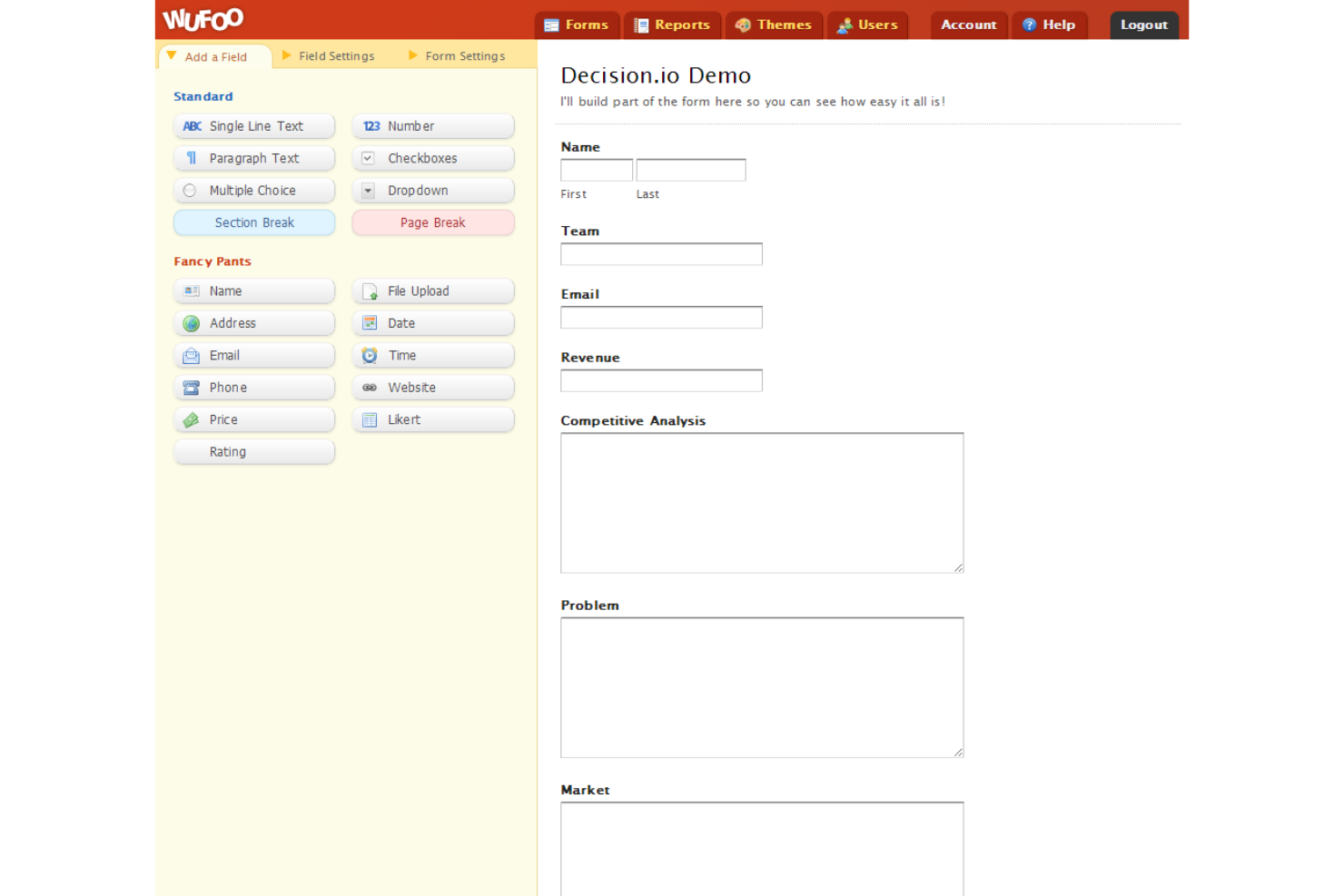
Wufoo is an online form builder for project and operations teams seeking a Jotform alternative to collect requests, feedback, and structured data for their workflows.
Who Is Wufoo Best For?
Wufoo suits event and office administrators who need no-code forms for sign-ups, registrations, and other routine data collection.
Why I Picked Wufoo
I picked Wufoo as a Jotform alternative for its “Best for cloud storage” use case: file-upload fields let request forms collect receipts, project briefs, or other files alongside structured details. I can review each submission with its uploaded materials in Wufoo, keeping intake records together for follow-up.
Wufoo Key Features
- Form builder: Create forms with a drag-and-drop editor.
- Conditional logic: Show or hide fields based on a respondent’s answers.
- Email notifications: Send alerts when someone submits a form.
- Form templates: Start with a prebuilt form for common use cases.
Wufoo Integrations
Wufoo offers dozens of native integrations, including Mailchimp, Salesforce, Asana, Stripe, and PayPal, and connects with Zapier. It also provides an API and webhooks for custom integrations.
Pros and Cons
Pros:
- Reports included on the free plan
- Conditional rules route requests by respondent answers
- File-upload fields keep intake documents with submissions
Cons:
- No built-in spam prevention for public forms
- Free plan excludes file uploads

Best for Salesforce integration
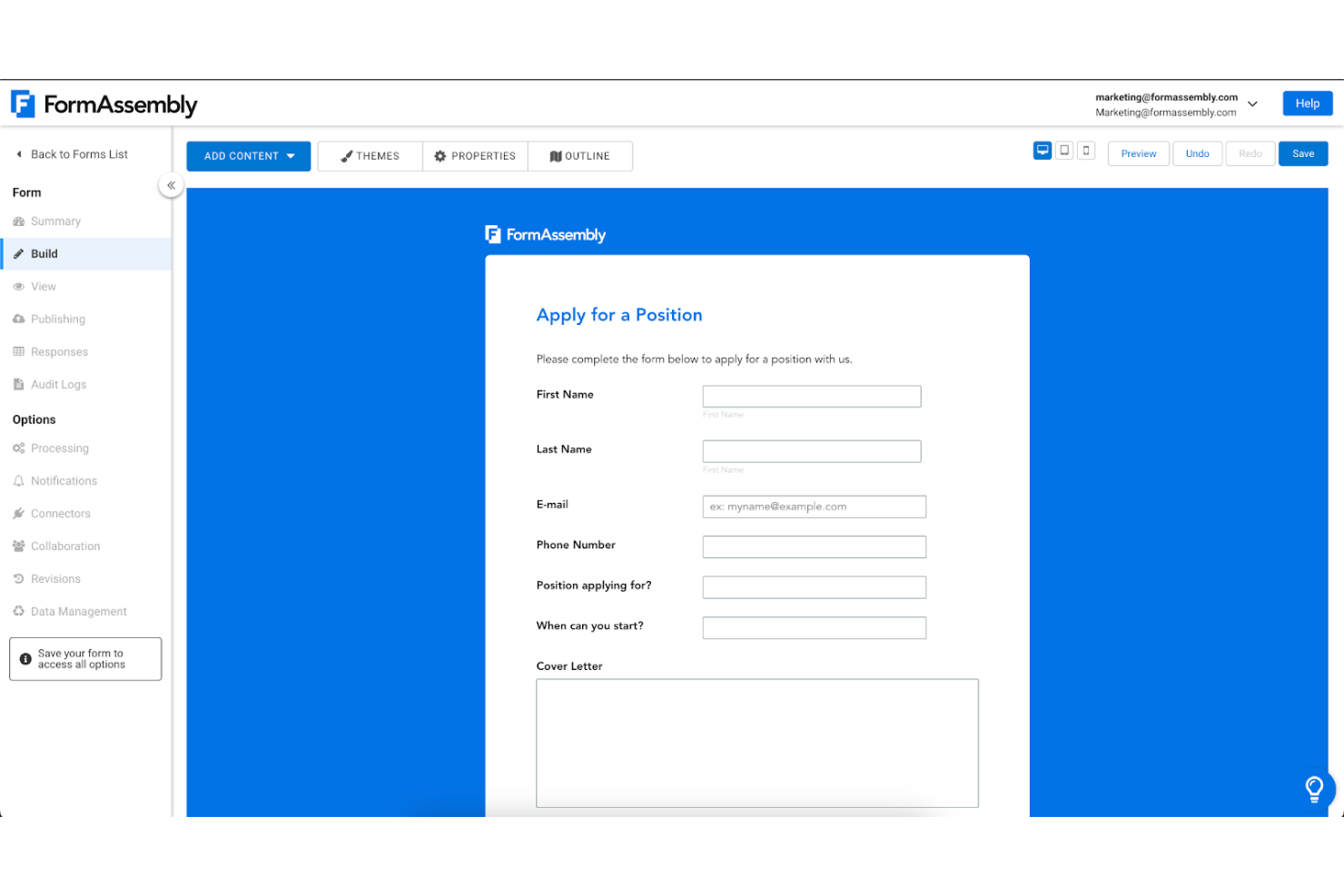
FormAssembly is an online form and data collection platform for organizations seeking a Jotform alternative to capture information and move submissions into business workflows with less manual follow-up.
Who Is FormAssembly Best For?
FormAssembly suits operations and CRM teams that need to collect form data and connect submissions with Salesforce workflows.
Why I Picked FormAssembly
I picked FormAssembly as a Jotform alternative for its Best for Salesforce integration capabilities. Its Salesforce connector can create or update records across API-accessible objects, and Prefill can pull existing and related Salesforce data into forms. I like that for account updates or service requests, where people shouldn’t have to re-enter details already in the CRM.
FormAssembly Key Features
- Conditional logic: Show or hide questions based on a respondent’s answers.
- Approval workflows: Route submissions through conditional approval steps and task assignments.
- E-signatures: Collect electronic signatures within forms or workflows.
- Offline mobile capture: Save form responses in the mobile app and submit them when connectivity returns.
FormAssembly Integrations
FormAssembly offers native connectors for more than 30 systems, including Salesforce, HubSpot, Microsoft 365, Google Sheets, Google Drive, Stripe, PayPal, ServiceNow, and SAP. It connects with Zapier and supports custom integrations through webhooks and a REST API.
Pros and Cons
Pros:
- E-signatures and approvals support full workflows
- Audit trails support governed data collection
- Conditional logic handles complex intake paths
Cons:
- Form styling can require code expertise
- Advanced workflows take time to configure

Under.io
Best for financial services
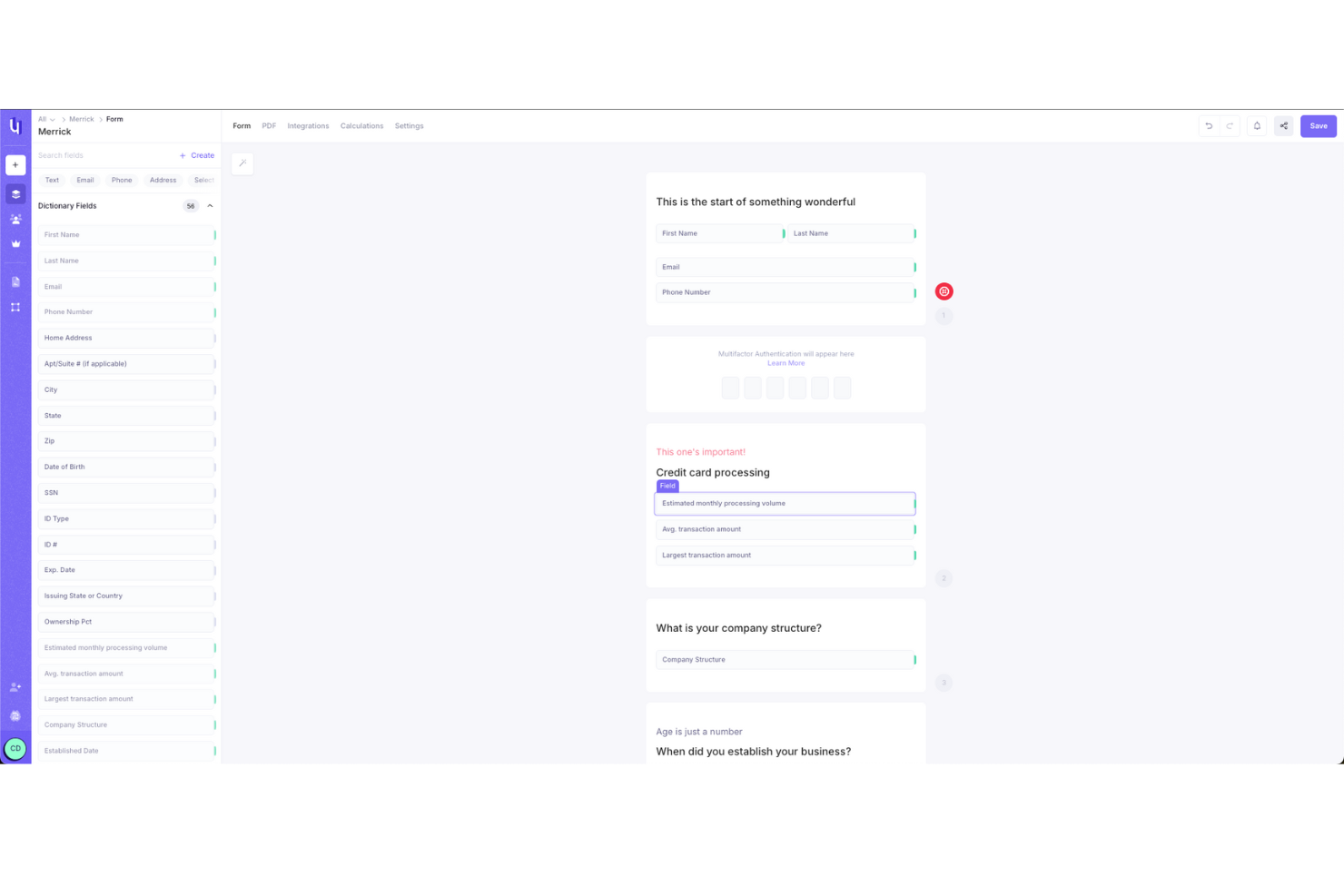
Under.io is a financial workflow platform for payment providers that connects digital applications, document collection, e-signatures, verification, and underwriting to reduce disconnected forms and manual review steps.
Who Is Under.io Best For?
Under.io fits financial services teams at payment providers that manage application review and underwriting workflows.
Why I Picked Under.io
I picked Under.io as my “Best for financial services” Jotform alternative because it connects digital applications with document collection, e-signatures, verification, and underwriting. I like how payment providers can carry applicant information from intake into review without relying on disconnected forms and manual handoffs.
Under.io Key Features
- Team and partner workflows: Configure workflows for internal teams and external partners.
- Processor-ready data: Structure application data for payment processing.
- APIs and integrations: Connect Under.io with other systems through APIs and integrations.
- Case management: Manage underwriting cases in a dedicated workspace.
Under.io Integrations
Under.io documents form integrations with Google Maps, Twilio, and Plaid for location access, multi-factor authentication, and bank verification. It also offers API access for custom integrations.
Pros and Cons
Pros:
- Combines identity checks with document collection
- Maps applicant data into reusable PDF documents
- Connects applications directly to underwriting review
Cons:
- Occasional customer link failures were reported
- Initial PDF mapping takes time

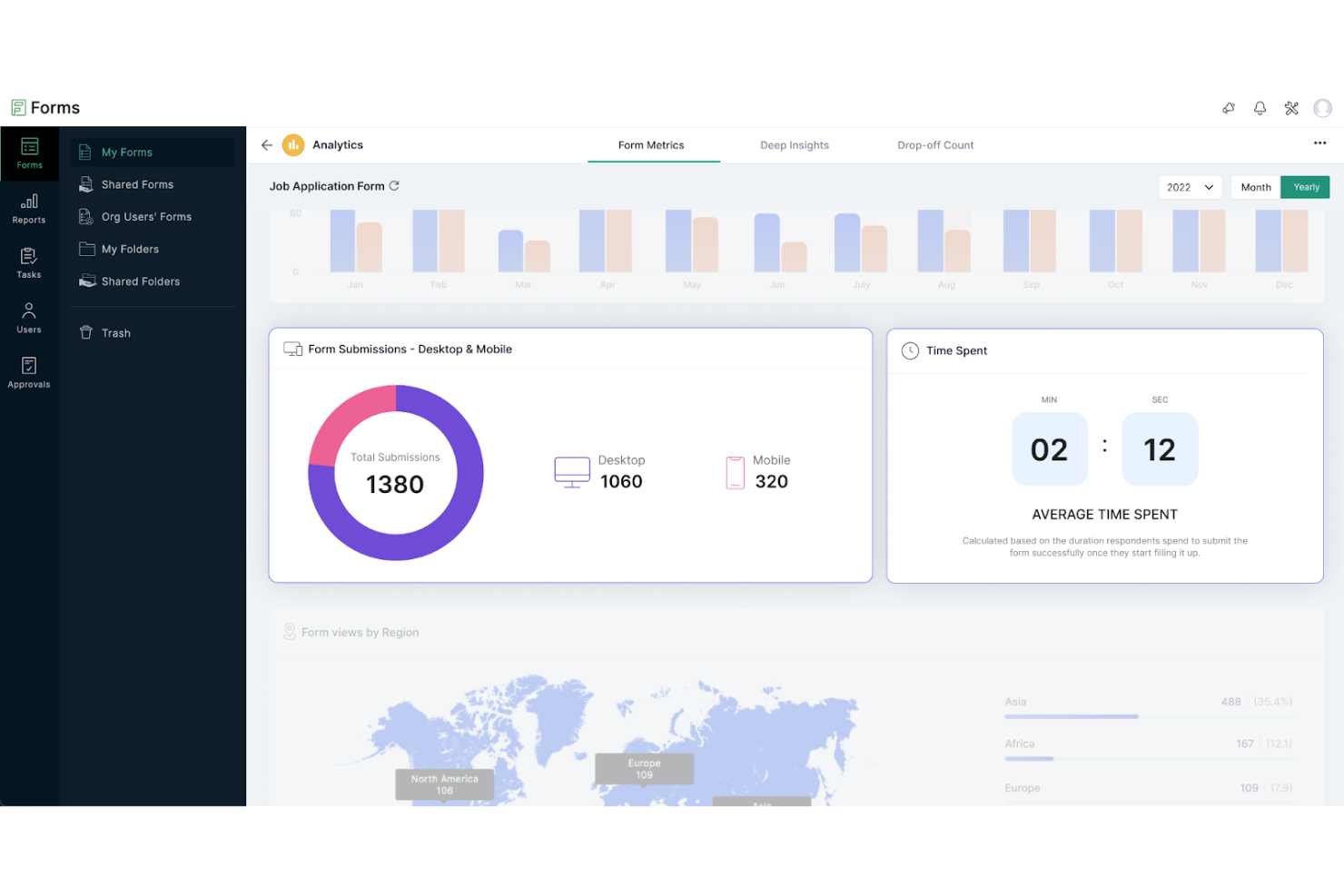
Zoho Forms helps project and operations teams build intake forms, collect requests, and route submissions into business workflows as an alternative to Jotform.
Who Is Zoho Forms Best For?
Small businesses and lean project teams that need an affordable, easy-to-learn tool for feedback surveys, registrations, and other data collection.
Why I Picked Zoho Forms
I picked Zoho Forms as a Jotform alternative because its conditional fields and approval routing give budget-conscious teams practical options for automating project intake. I like that a form can show follow-up questions based on responses, then route requests through conditional, multi-level approvals. That fits access or change requests where different stakeholders need to approve different submissions.
Zoho Forms Key Features
- Offline form collection: Capture submissions in the mobile app without an internet connection.
- App integrations: Connect forms with Zoho products and third-party apps, including Google Sheets and Slack.
- Email notifications: Send email alerts when someone submits a form.
- File uploads: Let respondents attach files or images to their submissions.
Zoho Forms Integrations
Zoho Forms integrates with Zoho CRM, Zoho Projects, Zoho Desk, Google Sheets, Google Workspace, Microsoft Teams, and Slack, and connects with Zapier. It also supports API-based connections to third-party applications for custom integrations.
Pros and Cons
Pros:
- Offline mobile collection supports fieldwork without connectivity
- Drag-and-drop editor supports quick form creation
- Conditional fields route respondents through relevant questions
Cons:
- Design options feel basic beside specialized form builders
- Advanced forms take planning to configure

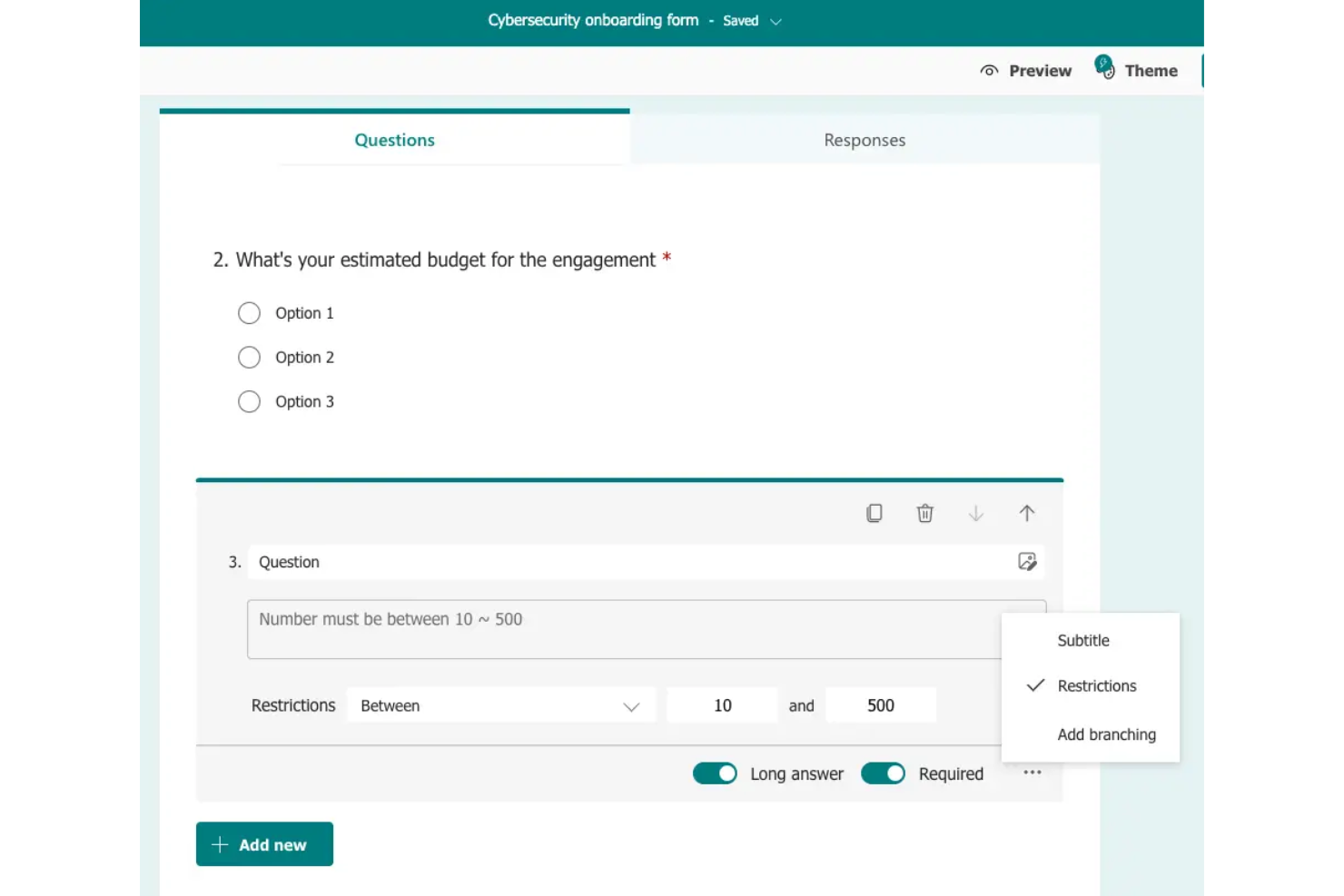
Microsoft Forms lets project teams create surveys and intake forms to gather feedback, capture requests, and feed response data into Microsoft 365 workflows.
Who Is Microsoft Forms Best For?
It’s a good fit for project coordinators and cross-functional teams already working in Microsoft 365 who need simple surveys and request forms.
Why I Picked Microsoft Forms
I picked Microsoft Forms as a Jotform alternative for its “Best for Microsoft 365 users” fit. I like that a project intake form can trigger a Power Automate flow when someone submits a response. I can also review request data in Excel, keeping it close to the Microsoft 365 tools my team already uses.
Microsoft Forms Key Features
- Question types: Add choice, text, rating, ranking, and date questions to forms.
- Branching: Route respondents to different questions based on their answers.
- Quiz mode: Mark correct answers and assign points to questions.
- Response settings: Set response periods and limit submissions to one per person.
Microsoft Forms Integrations
Microsoft Forms connects with Power Automate to trigger workflows after submissions and with Excel to review or route response data. You can also embed forms or results on SharePoint pages.
Pros and Cons
Pros:
- Automatic charts summarize collected responses
- Branching handles straightforward respondent paths
- Quickly build surveys, polls, and quizzes
Cons:
- Complex branching becomes hard to manage
- Basic themes restrict brand control
Diğer Jotform Alternatifleri
Aşağıda kısa listeme aldığım ek Jotform alternatiflerinin bir listesi yer alıyor. İlk 10’a girememiş olsalar da hâlâ değerliler ve daha fazla araştırmaya değerler.
- Tally
For unlimited free forms and submissions
- Tripetto
For conversational logic and flowchart design
- SurveySparrow
For engaging and multilingual surveys
- HoneyBook
For client management and invoicing
- Fluix
For document workflow automation
- Formstack
For secure data collection
- Heyflow
For building engaging user flows
- Typeform
For conversational form experiences
- Cognito Forms
For advanced form calculations
- Fillout
For creating interactive forms


İlgili Proje Yönetimi Yazılımı İncelemeleri
Aradığınızı burada hâlâ bulamadıysanız test edip değerlendirdiğimiz diğer ilgili araçlara göz atın:
- Proje Yönetimi Yazılımı
- Kaynak Yönetimi Yazılımı
- İş Akışı Otomasyonu Yazılımı
- Zaman Takibi Yazılımı
- Görev Yönetimi Yazılımı
- İş Birliği Araçları
- Gantt Şeması Oluşturucu
- Verimlilik Araçları
- Proje Takibi Yazılımı
- Proje Planlama Yazılımı
How I Evaluate Jotform Alternatives
I split evaluation into two layers: the baseline capabilities every tool must clear—think conditional routing and PM integrations—and the differentiators that separate the right fit from the rest.
Core Functionality (Table Stakes For This List)
When I'm selecting tools for my list, I rank each one on a scale from 0 (does not offer the functionality) to 5 (excels in this area) for each core functionality listed below. Then, I calculate the tool's total score into a percentage. Each tool needs to achieve a minimum total score of 65% to be considered for inclusion.
- Custom Form Builder: I look for a drag-and-drop builder with diverse field types—file uploads, dropdowns, date pickers—so teams can design intake forms without developer help.
- Project Workflow Integration: Each tool's ability to push submissions into tasks or records matters most. I check for native connections to tools like Asana, Jira, or monday.com.
- Conditional Logic & Automation: Branching logic and automated routing keep intake moving. I evaluate whether a form can assign tasks or notify stakeholders based on responses.
- Shareable & Embeddable Forms: Project intake often involves external clients. I look for public links, embeds, and guest access that don't force respondents onto a paid seat.
- Submission Management & Reporting: Beyond collecting responses, I check for filterable dashboards, export options, and visual reporting to track intake volume and status over time.
- Collaboration & Permissions: Teams share form ownership across PMOs and departments. I evaluate role-based access controls so builders, reviewers, and viewers each see only what they should.
Once I have a list of tools that meet this criteria, I consider what sets each platform apart.
Differentiating Factors (What Sets Vendors Apart)
Here's how I compare and contrast different vendors:
Standout Features
E-signature capture is a big differentiator when your intake involves approvals or change orders—it removes the need for a separate signing tool. I also evaluate offline mobile form support, which matters for construction and field operations teams collecting data at sites without reliable connectivity. Prefill and dynamic fields round things out by letting teams auto-populate repeat submissions with known data, cutting intake time on recurring project requests.
Beyond Features
Pricing model matters here because some tools charge per submission while others charge per seat—agencies handling high-volume client intake will feel that difference quickly. I also evaluate integrations and tech stack fit, specifically native connectors to tools like Jira, Slack, and Zapier that keep form data flowing into existing workflows. Security and compliance standards round out my assessment, especially SOC 2 and HIPAA certifications for teams collecting sensitive project or client data through external-facing forms.
Neden Bir Jotform Alternatifi Aramalısınız?
Jotform değerli bir araç olsa da alternatif bir çözüm aramanızın birkaç nedeni olabilir. Bunlar arasında şunlar yer alabilir:
- Maliyet: Jotform’un fiyatlandırma planları, özellikle küçük bir işletmeyseniz veya form oluşturma ihtiyaçlarınız sınırlıysa, harcamaya istekli olduğunuz miktarı aşabilir. Daha uygun fiyatlı bir alternatife geçmek, temel özelliklerden ödün vermeden maliyetleri daha iyi yönetmenize yardımcı olabilir.
- Özelleştirme: Formlar veya iş akışları için Jotform’un sunduğundan daha gelişmiş özelleştirmelere ihtiyacınız varsa, platformu kısıtlayıcı bulabilirsiniz. Daha kapsamlı özelleştirme seçeneklerine sahip bir alternatif aramak, özel gereksinimlerinize daha uygun formlar oluşturmanızı sağlayabilir.
- Entegrasyonlar: Jotform, işletmeniz için kullandığınız bazı özel araçlarla veya yazılımlarla entegre olmayabilir. Gerekli entegrasyonları sunan bir platforma geçmek, iş akışlarınızı kolaylaştırmanıza ve manuel geçici çözümlerden kaçınmanıza yardımcı olabilir.
- Kullanıcı Arayüzü: Jotform’un kullanıcı arayüzünü diğer araçlara kıyasla daha az sezgisel veya gezinmesi daha zor bulabilirsiniz. Tercihlerinize daha uygun bir kullanıcı arayüzüne sahip bir araç seçmek, üretkenliği ve kullanım kolaylığını artırabilir.
- Destek: Jotform’un müşteri desteği, özellikle daha karmaşık sorunlarda, istediğiniz kadar hızlı yanıt vermiyor veya uzmanlaşmış destek sunmuyorsa bu durum can sıkıcı olabilir. Daha özel veya daha hızlı destek sağlayan bir hizmete geçmek, sorunların daha hızlı çözülmesini sağlayabilir.
Jotform Alternatifleri İçin Temel Özellikler
Alternatif yazılımınızın uygun bir seçenek olabilmesi için Jotform’un bazı temel özelliklerini kopyalayabilmesi veya bunları geliştirebilmesi gerekir.
- Sürükle ve Bırak: Sürükle ve bırak özellikli bir form oluşturucu, öğeleri yerlerine sürükleyerek hızlı bir şekilde özel formlar oluşturmanızı sağlar. Bu özellik, form oluşturma sürecini basitleştirerek zamandan tasarruf sağlar ve kodlama deneyimi olmayan kişiler için bile kullanımı kolaylaştırır.
- Elektronik İmza: Elektronik imza özellikleri, herhangi bir cihazdan yasal olarak bağlayıcı imzalar toplamanızı sağlar. Bu özellik, özellikle sözleşmeleri, anlaşmaları veya onay formlarını dijital olarak işlerken iş akışlarını kolaylaştırmak açısından önemlidir.
- Koşullu Mantık: Koşullu mantık, formların kullanıcı girişine göre alanları göstermesine veya gizlemesine olanak tanıyarak formları daha etkileşimli ve kullanıcı dostu hâle getirir. Bu özellik, yanıtlayan kişinin özel ihtiyaçlarına göre form deneyimini uyarlamaya yardımcı olduğu için doğru verileri toplamak açısından önemlidir.
- Formları Gömme: Formları kodlama yapmadan herhangi bir web sayfasına gömebilme özelliği, formları web sitenize kolayca entegre etmenizi sağlar. Bu özellik, sorunsuz veri toplama, daha iyi bir kullanıcı deneyimi ve platformlar genelinde tutarlı marka kimliği oluşturmak açısından önemlidir.
- Çevrim Dışı Formlar: Çevrim dışı formlar, internet bağlantısı olmadan veri toplamanıza ve yeniden bağlanıldığında verileri otomatik olarak senkronize etmenize olanak tanır. Bu özellik, internet erişiminin güvenilir olmayabileceği saha çalışmaları veya etkinlikler için özellikle kullanışlıdır.
- Birden Fazla Kullanıcı: Çok kullanıcılı erişim, farklı departmanların, çalışma arkadaşlarının veya müşterilerin form verilerinin toplanması üzerinde iş birliği yapmasını sağlar. Bu özellik, ekip tabanlı projeler için hayati önem taşır ve sürece dâhil olan herkesin verilere katkıda bulunmak ve verileri incelemek için gerekli erişime sahip olmasını sağlar.
- E-posta Doğrulama: E-posta doğrulama, otomatik onay e-postaları göndererek kullanıcıların doğru iletişim bilgilerini sağlamasını güvence altına alır. Bu özellik, veri doğruluğunu korumak ve yanıtlayan kişilerle etkili iletişim kurmak için gereklidir.
- Sohbet Biçimli Formlar: Sohbet biçimli formlar, daha ilgi çekici ve etkileşimli bir kullanıcı deneyimi oluşturmak için her sayfada tek bir soru sorar. Bu biçim, standart bir formdan ziyade doğal bir sohbet hissi verdiği için tamamlama oranlarını artırabilir.
- Form Çevirisi: Form çevirisi, daha geniş bir kitleye ulaşmak için formları birden fazla dilde oluşturmanıza olanak tanır. Bu özellik, farklı pazarlarda faaliyet gösteren işletmeler için önemlidir; dil engellerinin veri toplamayı aksatmasını önler.
- Özel CSS: Özel CSS, formlarınıza tamamen kişiselleştirilmiş bir görünüm kazandırmak için özel stiller eklemenizi sağlar. Bu özellik, marka tutarlılığını korumak ve web sitenizin veya pazarlama materyallerinizin görünümüyle uyum sağlayanEkibiniz için en iyi ANAHTAR KELİME’yi keşfedin ve en iyi aracı bulun. Kapsamlı rehberimde özellikleri, artıları ve eksileri, fiyatları ve daha fazlasını karşılaştırın.
formlar oluşturmak açısından önemlidir.