

10 melhores ferramentas de mapas mentais com IA analisadas em 2026

Seleção das melhores ferramentas de mapas mentais com IA


As sessões de brainstorming e o planeamento tornam-se rapidamente confusos. A pesquisa, os briefings, as notas de reuniões e as ideias ainda pouco desenvolvidas acumulam-se em separadores e documentos. As ferramentas de mapas mentais com IA ajudam a organizar tudo isto, transformando texto, PDFs e instruções em mapas visuais claros que destacam temas e ligações que poderia não detetar.
Isso significa menos tempo a reorganizar nós e mais tempo a pensar verdadeiramente. Muitas ferramentas conseguem gerar ramificações a partir de uma instrução, resumir documentos extensos, sugerir novas ideias e transformar partes do seu mapa em tarefas ou estruturas. São especialmente úteis para gestores de produto e de projetos, estrategas, investigadores, estudantes e responsáveis de conteúdos que trabalham diariamente com informações complexas.
Testo ferramentas de IA desde o início do seu crescimento e analiso software há anos, por isso sei quais são as funcionalidades que realmente ajudam e quais ficam aquém das expectativas. Neste artigo, partilharei as minhas principais escolhas de ferramentas de mapas mentais com IA e aquilo que fazem melhor. Verá como podem apoiar fluxos de trabalho reais, desde o brainstorming de funcionalidades até ao mapeamento da investigação junto dos utilizadores ou ao planeamento de conteúdos.
Vamos começar.
Why Trust Our Software Recommendations
Our team has been testing and reviewing software since 2012. As project managers ourselves, we know how difficult—and important—it is to choose the right software.
For this guide, we evaluated tools using hands-on testing and independent research, scoring tools using our selection criteria. We also draw on insights from industry thought leaders and practicing project management experts.
Our reviews reflect our human editorial judgment, not a sales pitch.
Expert reviewers:
Tabela comparativa de ferramentas de mapas mentais com IA
Esta tabela comparativa resume os detalhes de preços das minhas principais escolhas de ferramentas de mapas mentais com IA.
| Tool | Best For | Trial Info | Price | ||
|---|---|---|---|---|---|
| 1 | Best for remote team use | Free plan + 14-day free trial + free demo available | From $8/user/month (billed annually) | Website | |
| 2 | Best for turning brainstorms into tasks | Free plan + 14-day trial + demo available | From $10/user/month (billed annually) | Website | |
| 3 | Best for visual storytelling | Free plan available | From $10/user/month (billed annually) | Website | |
| 4 | Best for free AI tools | Free plan available | From $4.08/month (billed annually) | Website | |
| 5 | Best for team collaboration | Free plan available | From $13/user/month (billed annually) | Website | |
| 6 | Best for interactive workshops | Free plan available | From $9.99/user/month (billed annually) | Website | |
| 7 | Best for creative brainstorming | Free plan + 7-day free trial available | From $4.92/user/month (billed annually) | Website | |
| 8 | Best for personalized mapping | Free plan available | From $8.30/month (billed annually) | Website | |
| 9 | Best for user-friendly design | Free plan available | From $9.99/month | Website | |
| 10 | Best for AI-driven suggestions | Free trial available | From $0/month | Website |


Análises das melhores ferramentas de mapas mentais com IA
Seguem-se os meus resumos detalhados das melhores ferramentas de mapas mentais com IA que entraram na minha seleção. As minhas análises apresentam uma visão detalhada das principais funcionalidades, vantagens & desvantagens, integrações e casos de utilização ideais de cada ferramenta, para o ajudar a encontrar a melhor opção para si.

Miro
Best for remote team use
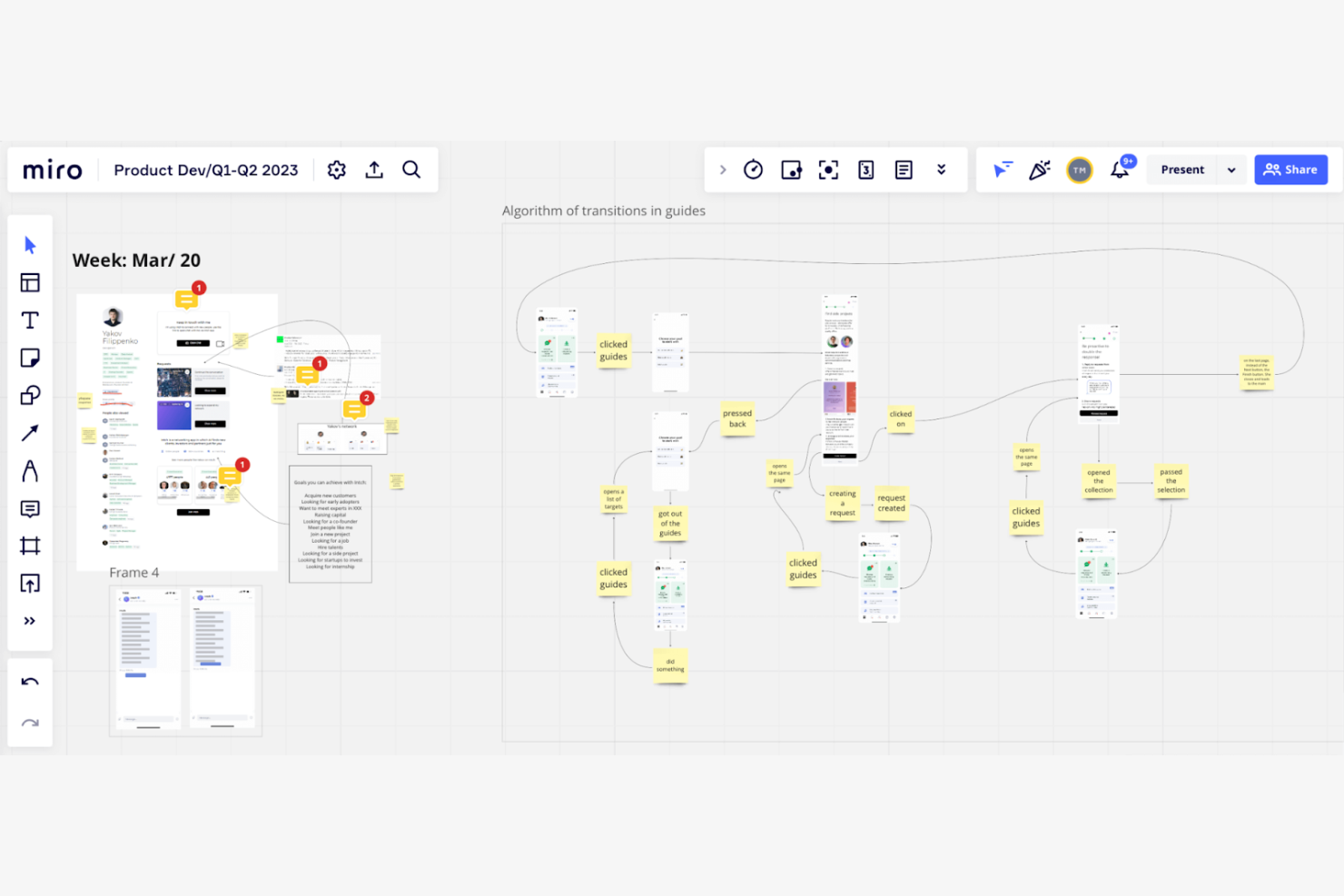
Miro is an online collaborative whiteboard platform designed for distributed teams to brainstorm and plan creatively. It's tailored for remote teams, offering AI-powered tools for collaboration and improved project visualization.
Why I picked Miro: Miro provides an ideal environment for remote teams with its AI features that facilitate real-time collaboration and idea generation. The platform's smart algorithms help you organize and prioritize tasks. Its visual tools allow your team to map out projects clearly, even from different locations. This makes Miro a valuable tool for teams needing strong support for remote collaboration.
Standout features & integrations:
Features include an extensive template library that helps you start projects quickly. Miro supports real-time collaboration, allowing your team to work together from anywhere. The platform's visual tools make it easy to create and share ideas.
Integrations include Slack, Microsoft Teams, Google Drive, Jira, Asana, Trello, Zoom, Dropbox, Confluence, and Notion.
Pros and Cons
Pros:
- Visual tools for idea sharing
- Real-time collaboration boosts team productivity
- Extensive template library speeds up project start
Cons:
- Requires a stable internet connection
- Limited amount of boards with free plan
New Product Updates from Miro
Miro Adds Japan Data Residency for Enterprise Customers
Miro has introduced Japan data residency for enterprise customers, offering in-region storage for production data, backups, and metadata, plus in-region compute infrastructure. For more information, visit Miro's official site.

Wrike
Best for turning brainstorms into tasks
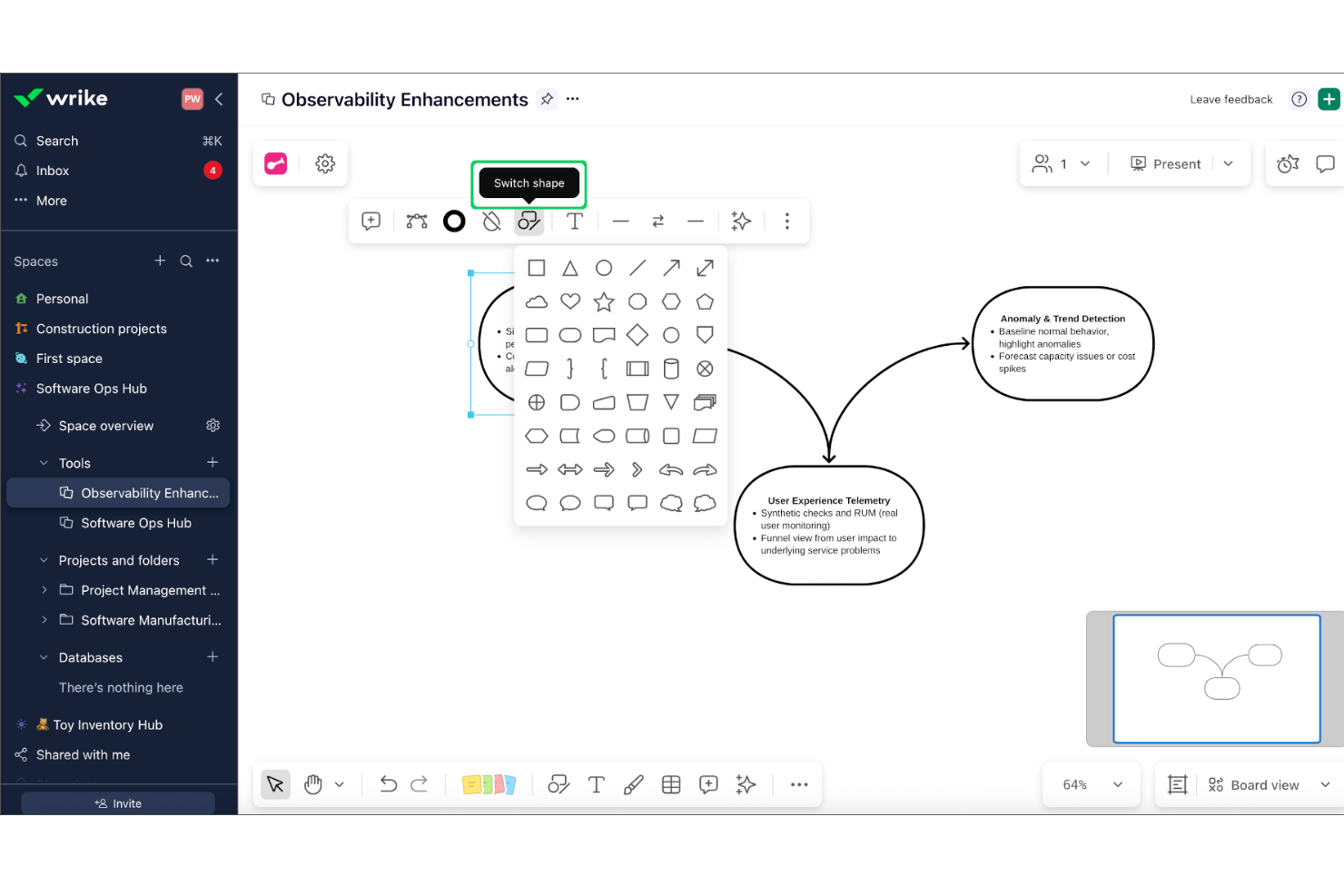
Wrike is a work management platform designed for mid-to-large organizations that require high-level project visibility. Its Whiteboard feature, powered by Klaxoon, provides a flexible canvas where teams can brainstorm and map out complex ideas directly within their project workspace.
Who Is Wrike Best For?
Wrike suits cross-functional teams and mid-sized to large organizations that need structured project management and collaborative planning.
Why I Picked Wrike
I chose Wrike because it bridges the gap between creative ideation and project execution more effectively than standalone mind mapping tools. While other apps focus on the visual map itself, Wrike is able to turn unstructured thoughts into actionable work. Using AI, it can interpret sticky notes and group them into tasks with assignees and due dates, ensuring that the momentum from a brainstorming session translates immediately into your team's real-world workflow.
Wrike Key Features
- Visual project timelines: Lets you map out tasks and dependencies using an interactive view.
- Bi-directional task syncing: Drag existing project tasks onto the whiteboard to visualize dependencies and see updates reflected across both platforms in real time.
- Interactive Engagement Tools: Facilitate high-energy workshops using built-in live polls, quizzes, and word clouds on the infinite canvas.
- External Collaboration: Invite clients or freelancers to join whiteboard sessions via secure access links, even if they don't have a Wrike license.
Wrike Integrations
Wrike offers 400+ native integrations, including Google Drive, Microsoft Teams, Slack, Salesforce, Jira, GitHub, Box, Dropbox, Adobe Creative Cloud, and Zoom. It connects with Zapier and provides an API for custom integrations.
Pros and Cons
Pros:
- Versatile templates for Agile, marketing, and product design
- Direct link between ideation and task management
- Enterprise-grade security and compliance options
Cons:
- Whiteboard requires an additional monthly fee
- Free plan restricts integrations and automations
New Product Updates from Wrike
Wrike Expands Gantt Planning, Approvals, and AI Work Intake
Wrike adds cross-project Gantt dependencies, flexible approval routing, and AI work intake through Wrike MCP. These updates give teams more control over planning, decision-making, and incoming work. For more information, visit Wrike’s official site.

Best for visual storytelling
Whimsical is a visual workspace tool designed for teams and individuals who need to create diagrams, flowcharts, and mind maps. It serves professionals across various fields by offering AI-powered features for visual communication and storytelling.
Why I picked Whimsical: Whimsical is good for visual storytelling with its intuitive interface and smart AI features. It offers AI-assisted diagram creation, making it easy to turn ideas into visual stories. The tool's real-time collaboration capabilities allow your team to build and refine projects together.
Standout features & integrations:
Features include a user-friendly drag-and-drop interface that simplifies creating diagrams. Whimsical offers pre-built templates to help you get started right away. The tool also supports real-time collaboration, enabling your team to work together.
Integrations include Slack, Jira, Confluence, Google Drive, Microsoft Teams, Trello, Asana, GitHub, Notion, and Zoom.
Pros and Cons
Pros:
- Pre-built templates
- Real-time collaboration for teamwork
- AI-assisted diagram creation for storytelling
Cons:
- Free plan is limited in features
- Limited offline functionality

GitMind
Best for free AI tools
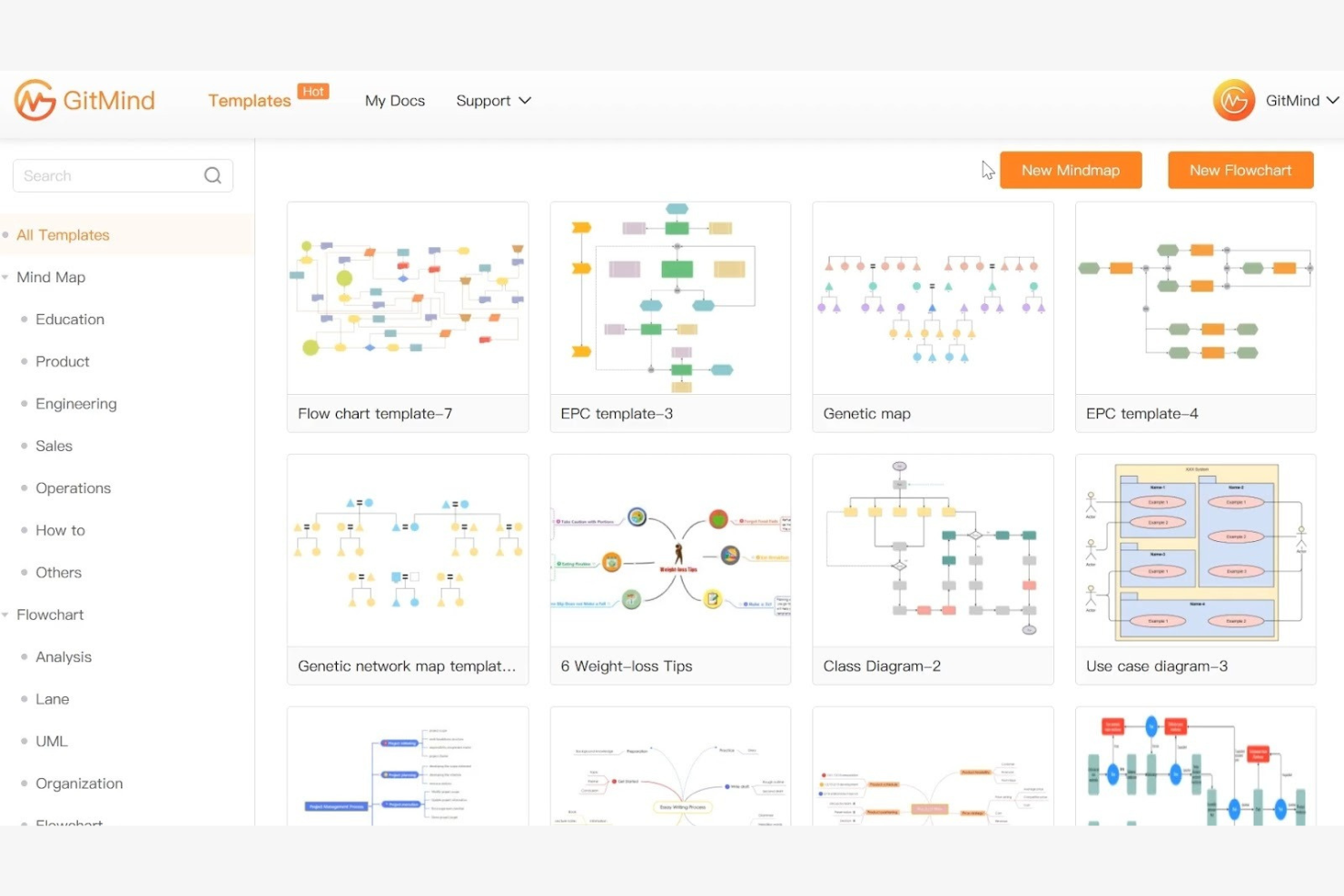
GitMind is a free mind mapping tool that caters to individuals and teams looking for an accessible way to organize and visualize ideas. It provides AI-driven features for brainstorming and project planning, making it a resource for users seeking cost-effective solutions.
Why I picked GitMind: GitMind offers a range of free AI tools that help with idea generation and organization. Its AI features suggest connections and structures, helping you create detailed mind maps. The tool's intuitive interface ensures you can focus on your projects without being overwhelmed by complexity. This makes GitMind a great choice for those seeking AI capabilities without the cost.
Standout features & integrations:
Features include an intuitive drag-and-drop interface that simplifies map creation. GitMind offers a variety of templates to kickstart your projects quickly. The tool also supports collaboration, allowing your team to work together in real-time.
Integrations include Google Drive, Dropbox, OneDrive, Trello, Slack, Evernote, Microsoft Teams, Jira, Asana, and Confluence.
Pros and Cons
Pros:
- Variety of templates for quick starts
- Intuitive interface simplifies learning
- Free AI tools for brainstorming
Cons:
- May lack customization options
- Limited advanced features

Ayoa
Best for team collaboration
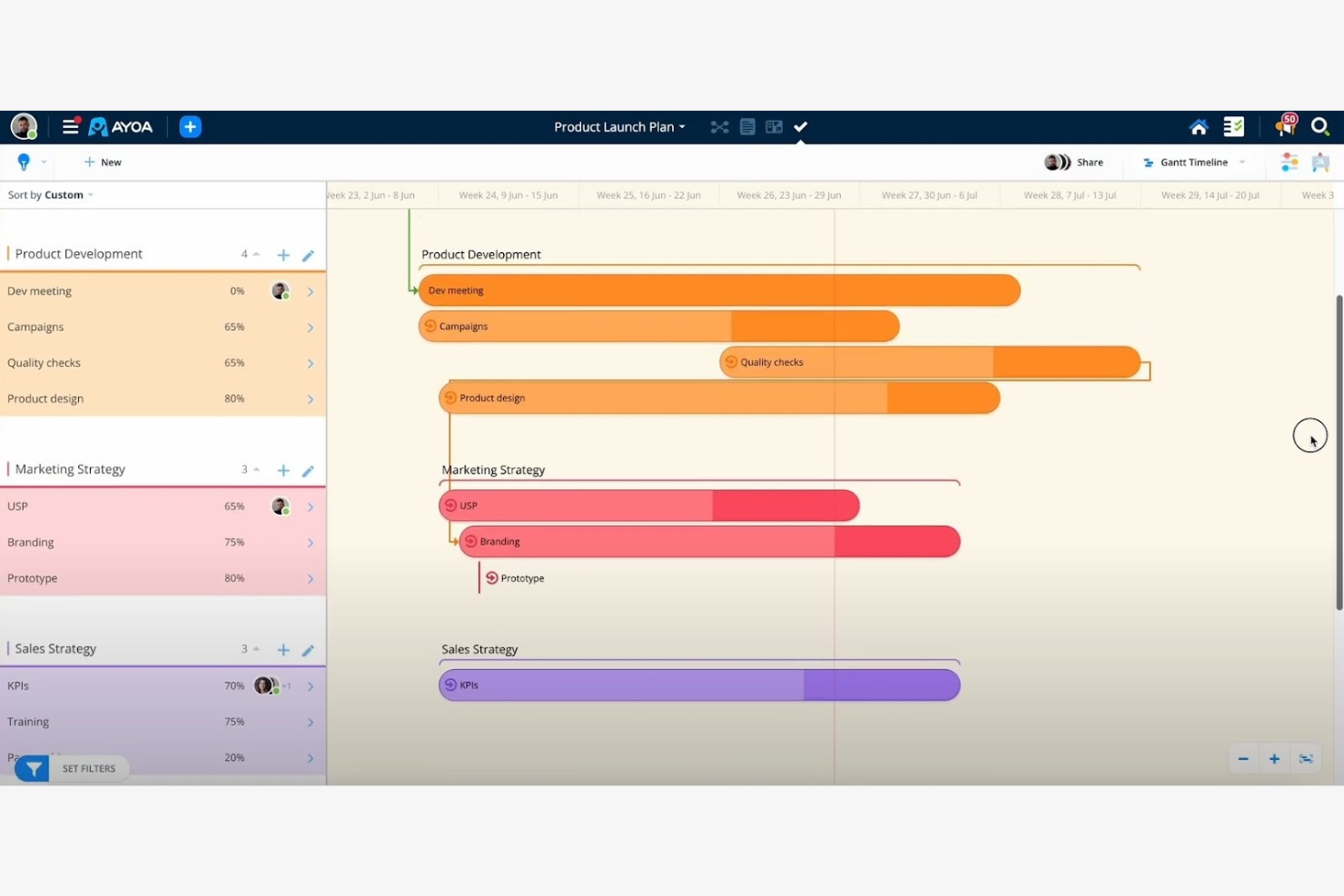
Ayoa is an AI-driven productivity tool that combines mind mapping, task boards, and whiteboards into one workspace. It's designed for diverse users, including teams, educators, and professionals, with an emphasis on enhancing creativity and organization through AI capabilities.
Why I picked Ayoa: Ayoa is great for team collaboration, its AI features can quickly generate mind maps and help simplify complex projects. The AI integration lets teams visualize ideas and project management processes. Its customizable templates and idea bank foster creativity and make project initiation easier. This makes Ayoa a great choice for teams looking to boost their collaborative efforts.
Standout features & integrations:
Features include mind mapping, task boards, and whiteboards in one platform. Ayoa offers customizable templates to kickstart projects. The idea bank is useful for saving and organizing team thoughts.
Integrations include Google Drive, Dropbox, Evernote, Slack, Google Calendar, Zoom, iMindMap, Trello, and Microsoft Teams.
Pros and Cons
Pros:
- Visual organization aids in effective planning
- Customizable templates for easy project start
- AI-generated mind maps for creativity
Cons:
- Learning curve for new users
- Limited offline capabilities

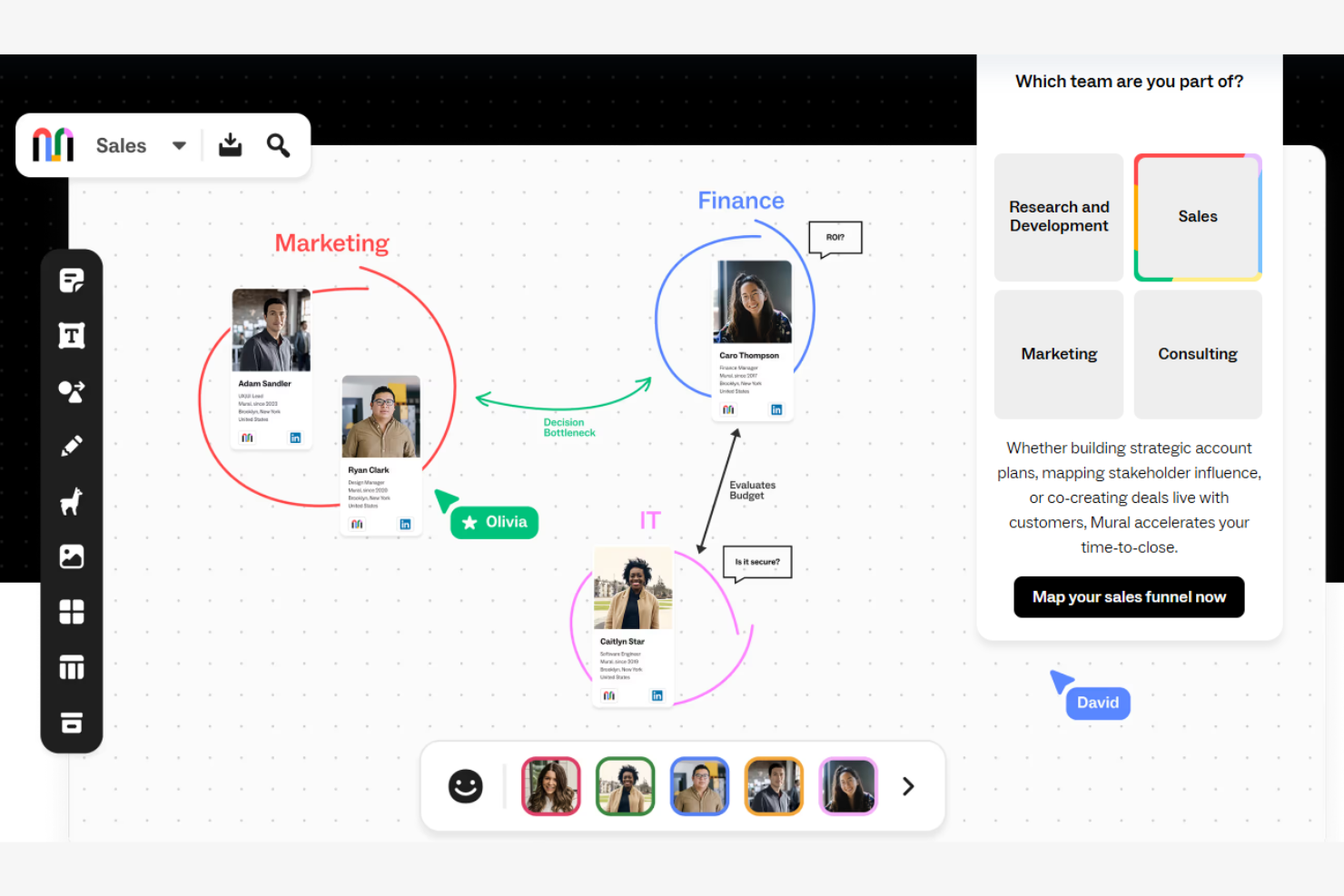
Mural is a digital workspace designed for visual collaboration, catering to teams that conduct workshops and creative sessions. It helps users visualize and organize ideas with AI-powered tools for interactive collaboration.
Why I picked Mural: Mural is good for interactive workshops due to its AI features that facilitate creative brainstorming. The platform's AI capabilities help with organizing and visualizing ideas, making workshops more engaging. Its real-time collaboration tools let your team work together, no matter where they are. Mural could be a good asset to consider for teams that rely on interactive and collaborative sessions.
Standout features & integrations:
Features include a library of templates to help start your projects. Mural supports real-time collaboration, allowing your team to interact and brainstorm together. The platform's visual tools help you to create engaging and interactive content.
Integrations include Microsoft Teams, Slack, Google Drive, Dropbox, Zoom, Jira, Confluence, Trello, Asana, and Microsoft Office.
Pros and Cons
Pros:
- Visual tools boost workshop engagement
- Real-time collaboration for teamwork
- Template library aids project starts
Cons:
- Requires stable internet connection
- Only basic integrations with the first-tier paid plan

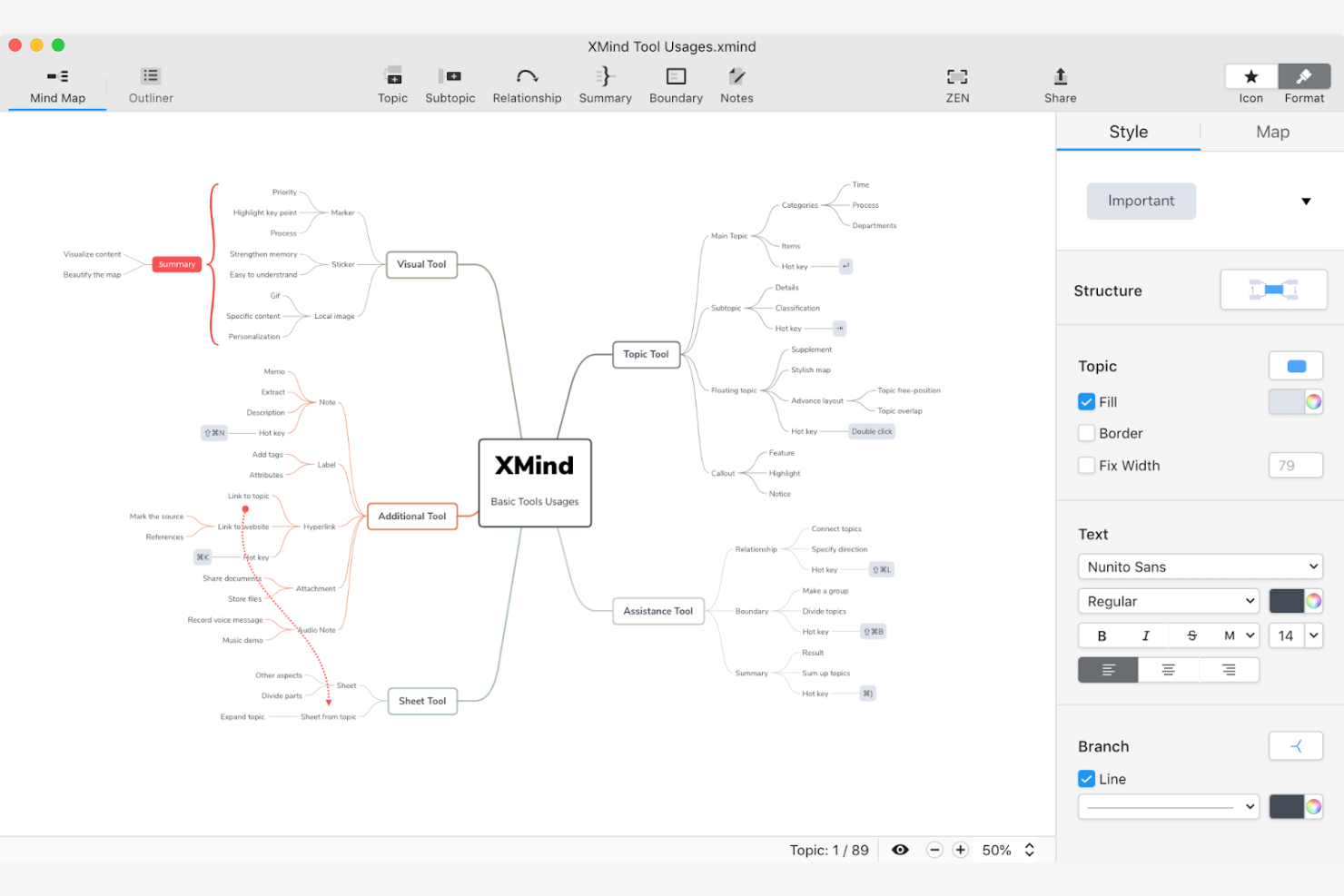
Xmind is a versatile mind mapping tool designed for individuals and teams focused on creative thinking and idea organization. It's widely used by professionals and educators for brainstorming sessions, with AI features that facilitate the visualization of complex ideas.
Why I picked Xmind: Xmind is good for creative brainstorming with its AI-powered features that help you generate and organize ideas in an effective and useful way. The tool offers smart algorithms to suggest connections, making your brainstorming sessions more productive. Its intuitive design ensures you can focus on creativity without being hindered by technical complexities. This makes Xmind a top choice for those with creative processes.
Standout features & integrations:
Features include an intuitive drag-and-drop interface for the mind mapping process. Xmind offers a wide range of customizable themes to personalize your maps. The tool also supports offline access, allowing you to work without an internet connection.
Integrations include Microsoft Office, Evernote, Dropbox, Google Drive, OneDrive, Trello, Jira, Slack, Zoom, and Microsoft Teams.
Pros and Cons
Pros:
- Customizable themes for personalization
- Offline access supports uninterrupted work
- Intuitive interface simplifies mapping
Cons:
- Can be resource-intensive on devices
- Limited advanced AI features

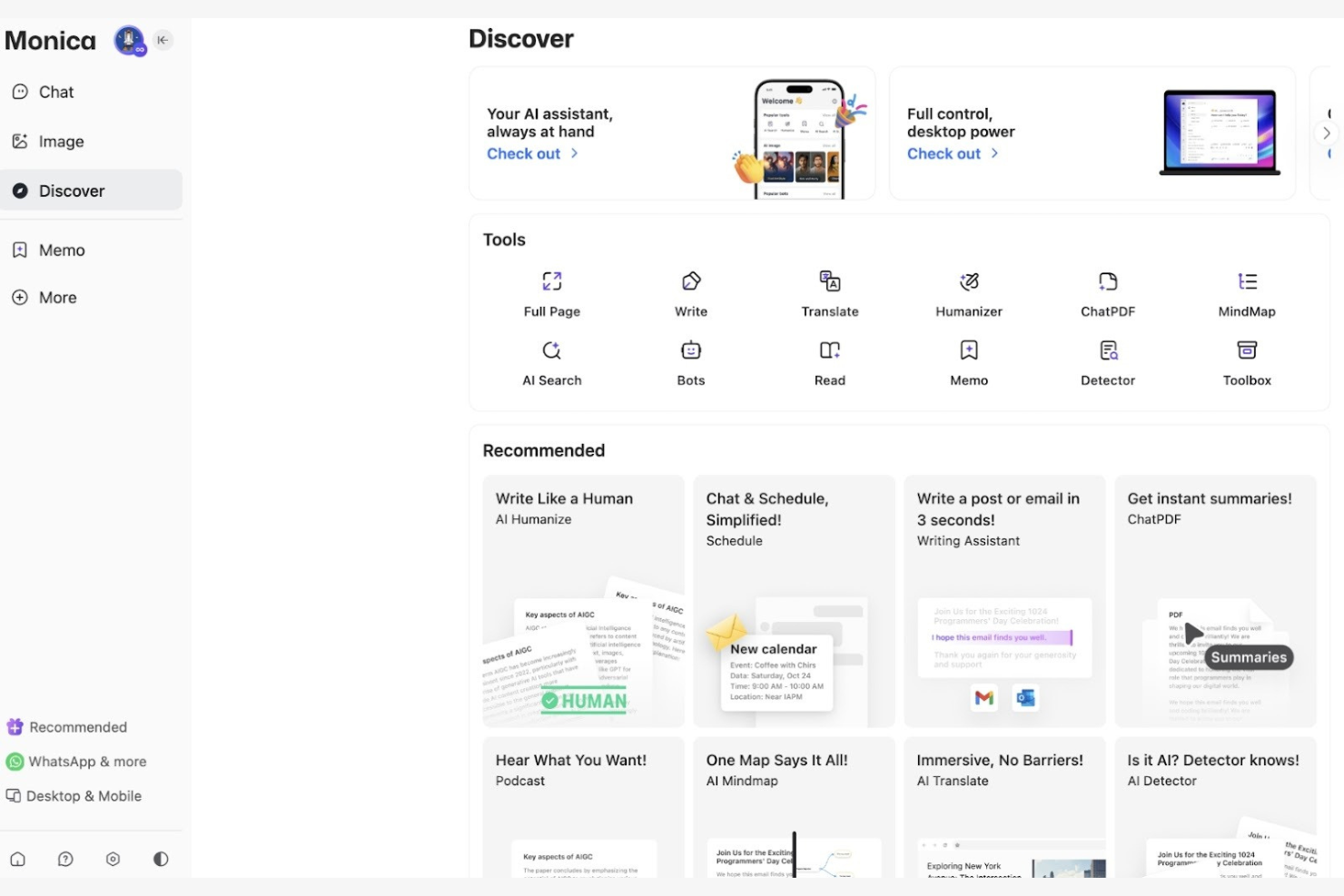
Monica is an AI-driven mind mapping tool designed for individuals and teams who need to organize their thoughts and projects visually. It caters to users looking for a personalized approach to mind mapping, with AI features that aid creativity and idea management.
Why I picked Monica: Monica offers personalized mapping experiences with AI features that adapt to your unique needs. The tool's AI capabilities suggest relevant connections and organize information effectively. Its customization options allow you to tailor maps to your personal style and project requirements. This makes Monica ideal for users looking for a tailored mind mapping experience.
Standout features & integrations:
Features include customizable templates that let you design maps suited to your needs. Monica supports real-time collaboration, so your team can work together. The tool also offers intuitive navigation, making it easy to manage complex projects.
Integrations include Google Drive, Dropbox, Slack, Microsoft Teams, Trello, Asana, Jira, Confluence, Zoom, and Evernote.
Pros and Cons
Pros:
- Real-time collaboration for teamwork
- Customizable templates fit various projects
- AI suggestions personalize the mapping experience
Cons:
- Free plan only offers basic features
- Limited offline capabilities

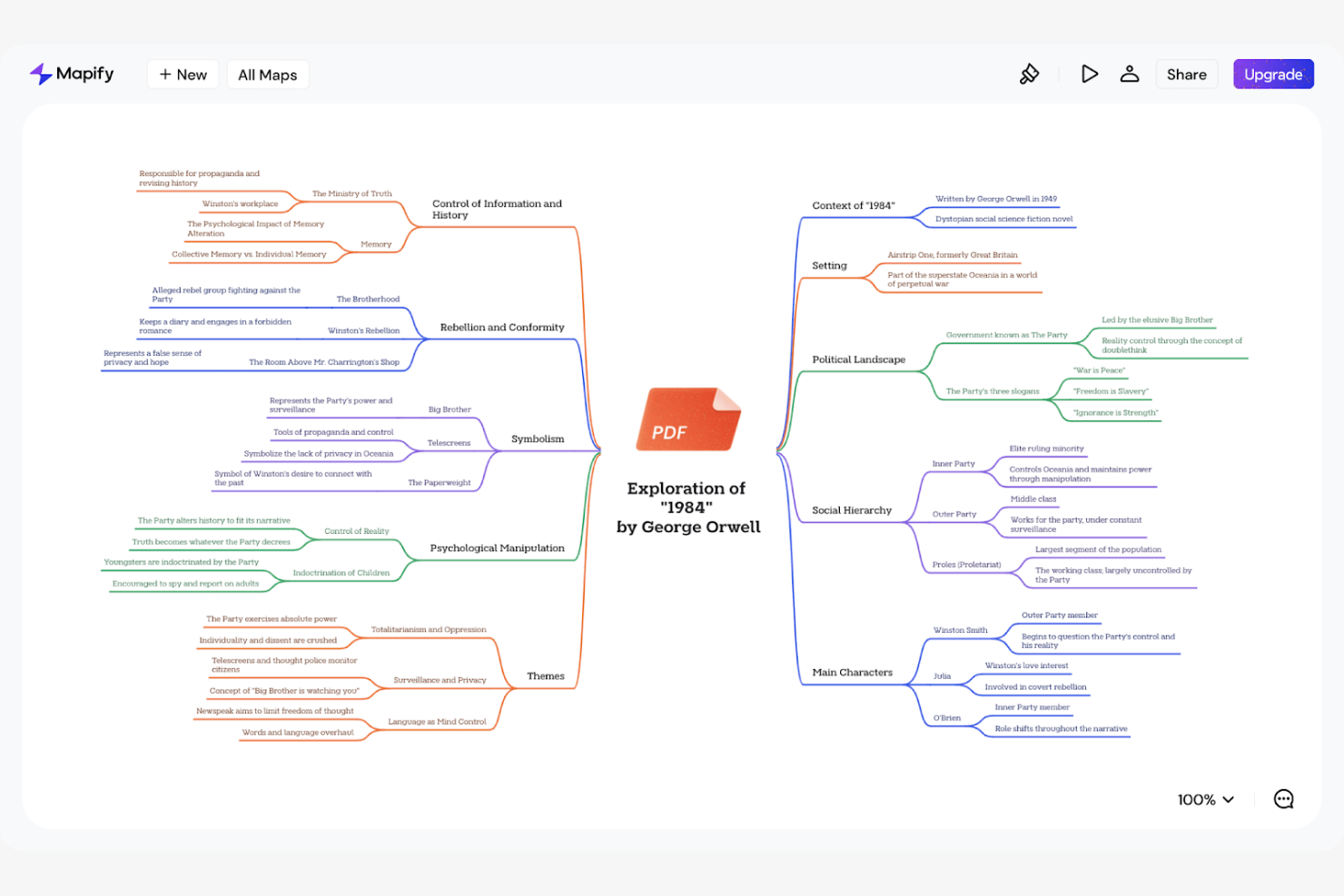
Mapify is an intuitive mind mapping tool built for professionals and creative teams to organize their ideas visually. It enables brainstorming and structuring of ideas, with AI features to help build the mapping process.
Why I picked Mapify: Mapify is known for its user-friendly design for the mind mapping experience. Its AI capabilities provide smart suggestions, helping you connect ideas and visualize complex concepts. The clean interface helps you to focus on creativity without technical distractions. This makes Mapify a great choice for teams looking for a brainstorming session with minimal fuss.
Standout features & integrations:
Features include an intuitive drag-and-drop interface for the mind mapping process. Mapify offers customizable themes to personalize your maps to suit your style. The tool also supports real-time collaboration, allowing your team to work together.
Integrations include Google Drive, Dropbox, Slack, Microsoft Teams, Trello, Asana, Jira, Confluence, Zoom, and Evernote.
Pros and Cons
Pros:
- Customizable themes personalize the user experience
- AI suggestions for your brainstorming sessions
- User-friendly design aids easy navigation
Cons:
- May require an internet connection
- Limited advanced features


MyMap.AI is an innovative mind mapping tool that leverages AI to assist professionals and teams in organizing and visualizing their ideas. It targets users who seek intelligent suggestions for their brainstorming and planning processes.
Why I picked MyMap.AI: MyMap.AI offers AI-driven suggestions that help you structure and connect ideas. The tool's algorithms analyze your input to generate relevant connections, making your mind maps more thorough. Its intuitive interface aids in focusing on creativity rather than technical details. MyMap.AI could be good for users looking to build their idea generation with AI insights.
Standout features & integrations:
Features include an intuitive user interface for navigation and usage. MyMap.AI offers a variety of templates to help you get started. The tool supports real-time collaboration, allowing your team to work together.
Integrations include Google Drive, Dropbox, Slack, Microsoft Teams, Trello, Asana, Jira, Confluence, Zoom, and Evernote.
Pros and Cons
Pros:
- Variety of templates for quick starts
- Intuitive interface aids in creative focus
- AI suggestions for idea structuring
Cons:
- No pricing info available online
- Limited offline capabilities
Outras ferramentas de mapas mentais com IA
Eis algumas opções adicionais de ferramentas de mapas mentais com IA que não entraram na minha seleção, mas que vale a pena conhecer:
- Ideamap
For idea organization
- MindMap AI
For AI-driven insights
- Lucidchart
For diagram diversity
- Canva
For graphic design integration
- FigJam
For collaborative sketching


How I Evaluate AI Mind Mapping Tools
I look for tools where AI delivers real value—like turning a project brief into a structured WBS or converting meeting notes into actionable maps. I split my evaluation into the core functionality a tool needs to qualify and the differentiating factors that separate good options from great ones.
Core Functionality (Table Stakes For This List)
When I'm selecting tools for my list, I rank each one on a scale from 0 (does not offer the functionality) to 5 (excels in this area) for each core functionality listed below. Then, I calculate the tool's total score into a percentage. Each tool needs to achieve a minimum total score of 65% to be considered for inclusion.
- AI-Powered Map Generation: I check whether a tool can take a short prompt—like "product launch plan Q3"—and produce a structured, multi-level map worth editing, not just a flat list of generic nodes.
- AI Expansion & Suggestions: Each tool should offer contextual subtopic suggestions when you expand a branch, helping you flesh out areas like risk factors or task dependencies without starting from scratch.
- Visual Mind Mapping Canvas: I evaluate the canvas experience itself—drag-and-drop, layout options (radial, tree, org chart), and the ability to add icons or attachments that make maps useful beyond brainstorming.
- Document-to-Map Conversion: I look for the ability to feed in a project brief, meeting transcript, or requirements doc and get back a structured map, not just a dumped wall of text split across nodes.
- Real-Time Collaboration: Tools should support live co-editing so distributed teams can work together during planning sessions, with presence indicators, comments, and permission controls.
- PM Tool Export & Integration: I evaluate how maps translate into action—whether that's exporting to CSV, syncing tasks to tools like Jira or Asana, or mapping branches to assignees and due dates.
Once I have a list of tools that meet this criteria, I consider what sets each platform apart.
Differentiating Factors (What Sets Vendors Apart)
Here's how I compare and contrast different vendors:
Standout Features
I look for tools that convert mind maps directly into Gantt charts or timelines—this bridges the gap between brainstorming and actual project scheduling. PM-specific AI templates matter too, like prebuilt WBS, RACI, or retrospective frameworks that save setup time on repeatable workflows. Presentation mode is another differentiator I value, since PMs often need to walk stakeholders through plans without rebuilding content in a slide deck.
Beyond Features
Integration depth is a big one—I check whether a tool connects directly to the PM platforms your team already uses, since a map that doesn't feed into your task tracker creates extra manual work. AI data handling policies also matter here; I evaluate whether vendors train models on your project data and what opt-out controls exist. Finally, I consider how AI usage scales with team size, especially whether generation limits are generous enough for PMOs running multiple concurrent projects.
Como escolher ferramentas de mapas mentais com IA
É fácil ficar preso a longas listas de funcionalidades e estruturas de preços complexas. Para o ajudar a manter o foco enquanto percorre o seu processo específico de seleção de software, segue-se uma lista de fatores a ter em conta:
| Fator | O que considerar |
|---|---|
| Escalabilidade | A ferramenta consegue acompanhar o crescimento da sua equipa? Considere se consegue suportar mais utilizadores e projetos maiores à medida que as suas necessidades aumentam. Evite ferramentas que possam limitar a escalabilidade futura. |
| Integrações | Estabelece ligação às suas ferramentas atuais, como o Slack ou o Trello? Certifique-se de que a ferramenta se integra facilmente no seu fluxo de trabalho existente para evitar interrupções. |
| Personalização | Pode adaptá-la para responder às suas necessidades específicas? Procure ferramentas que permitam personalizar modelos e esquemas de acordo com os processos da sua equipa. |
| Facilidade de utilização | A interface é intuitiva? Uma ferramenta complexa pode abrandar a produtividade, por isso dê prioridade a designs fáceis de utilizar que exijam uma formação mínima. |
| Implementação e integração inicial | Quanto tempo demora a começar? Avalie o tempo e os recursos necessários para a configuração e a formação. Uma integração inicial rápida pode poupar tempo e reduzir a frustração. |
| Custo | Os preços estão dentro do seu orçamento? Compare os custos dos diferentes planos e tenha atenção a taxas ocultas ou custos adicionais relativos a funcionalidades essenciais. |
| Garantias de segurança | Os seus dados estão protegidos? Procure ferramentas com encriptação robusta e conformidade com os regulamentos de proteção de dados para manter as suas informações seguras. |
O que são ferramentas de mapas mentais com IA?
As ferramentas de mapas mentais com IA são plataformas digitais que utilizam inteligência artificial para ajudar os utilizadores a visualizar e organizar os seus pensamentos e ideias. Estas ferramentas são geralmente utilizadas por profissionais como gestores de projetos, educadores e equipas criativas para atividades de geração de ideias e planeamento. As sugestões baseadas em IA, a otimização automática dos esquemas e as funcionalidades de colaboração em tempo real ajudam a estruturar ideias, melhorar a produtividade e promover o trabalho em equipa. De um modo geral, estas ferramentas proporcionam uma forma mais inteligente e eficiente de estruturar ideias complexas.
Funcionalidades
Ao selecionar ferramentas de mapas mentais com IA, procure as seguintes funcionalidades principais:
- Sugestões baseadas em IA: Ajudam os utilizadores a gerar e ligar ideias de forma mais eficaz, tornando as sessões de geração de ideias mais produtivas.
- Otimização automática dos esquemas: Organiza automaticamente os mapas mentais para melhorar a legibilidade e a organização, poupando tempo e esforço.
- Colaboração em tempo real: Permite que vários utilizadores trabalhem simultaneamente no mesmo mapa mental, melhorando a comunicação e a coordenação da equipa.
- Modelos personalizáveis: Disponibiliza esquemas pré-concebidos que podem ser adaptados às necessidades específicas de cada projeto, acelerando o processo de criação de mapas.
- Capacidades de integração: Liga-se a outras ferramentas, como o Slack ou o Trello, para apoiar os fluxos de trabalho e manter a continuidade entre plataformas.
- Ferramentas de visualização de dados: Melhoram a representação de dados complexos, facilitando a interpretação e a análise das informações.
- Acessibilidade multiplataforma: Garante que os mapas mentais podem ser consultados e editados a partir de vários dispositivos e sistemas operativos.
- Garantias de segurança: Protegem os dados dos utilizadores através de encriptação e da conformidade com os regulamentos de proteção de dados, garantindo privacidade e segurança.
Vantagens
A implementação de ferramentas de mapas mentais com IA proporciona várias vantagens para a sua equipa e para a sua empresa. Eis algumas que pode esperar:
- Maior criatividade: As sugestões baseadas em IA ajudam a despertar novas ideias e ligações, facilitando a criação de mapas mentais que apoiam uma geração de ideias mais aprofundada. As ferramentas baseadas em GPT ou ChatGPT também podem funcionar como uma ferramenta de resumo integrada quando precisar de obter uma visão clara rapidamente.
- Melhor organização: As opções de organização automática dispõem os pensamentos de forma lógica, proporcionando-lhe um ponto de partida claro para mapear conceitos e compreender como tudo se relaciona.
- Maior colaboração: As funcionalidades de edição em tempo real permitem que os membros da equipa trabalhem em conjunto a partir de qualquer lugar, quer estejam a utilizar computadores, dispositivos iOS ou Android.
- Poupança de tempo: Os modelos, as funcionalidades de preenchimento automático e a capacidade de gerar uma estrutura a partir de instruções reduzem o trabalho repetitivo, permitindo que as equipas se concentrem no conteúdo em vez da formatação.
- Melhor tomada de decisões: As ferramentas de organização visual ajudam as equipas a identificar as relações entre ideias, tornando as decisões mais rápidas e fáceis.
- Flexibilidade de acesso: O suporte multiplataforma permite-lhe continuar a criar ou atualizar mapas mentais onde quer que esteja, quer esteja a rever notas ou a explorar o seu funcionamento em diferentes dispositivos.
- Segurança dos dados: As medidas de segurança robustas protegem os seus mapas e as informações relacionadas, dando aos utilizadores a confiança de que os seus dados permanecem privados e seguros.
Custos e preços
Ao selecionar ferramentas de criação de mapas mentais com IA, é necessário compreender os vários modelos de preços e planos disponíveis. Os custos variam consoante as funcionalidades, o tamanho da equipa, os complementos, entre outros fatores. A tabela abaixo resume os planos comuns, os respetivos preços médios e as funcionalidades normalmente incluídas nas soluções de criação de mapas mentais com IA:
Tabela de comparação de planos para ferramentas de criação de mapas mentais com IA
| Tipo de plano | Preço médio | Funcionalidades comuns |
|---|---|---|
| Plano gratuito | $0 | Criação básica de mapas mentais, modelos limitados e ferramentas essenciais de colaboração. |
| Plano pessoal | $5-$15/utilizador/mês | Modelos avançados, sugestões baseadas em IA e integrações básicas. |
| Plano empresarial | $15-$30/utilizador/mês | Funcionalidades de colaboração melhoradas, integrações adicionais e modelos personalizáveis. |
| Plano empresarial avançado | $30-$50/utilizador/mês | Conjunto completo de funcionalidades, medidas de segurança avançadas, suporte dedicado e amplas opções de personalização. |
Perguntas frequentes sobre ferramentas de criação de mapas mentais com IA
Eis algumas respostas a perguntas frequentes sobre ferramentas de criação de mapas mentais com IA:
É possível exportar mapas mentais de ferramentas de criação de mapas mentais com IA para diferentes formatos?
Sim, a maioria das ferramentas de criação de mapas mentais com IA permite exportar os mapas para formatos como PDF, PNG ou documentos Word. Quer esteja a criar mapas mentais visuais rápidos, um mapa conceptual detalhado ou a organizar subtópicos para gerar ideias, a exportação facilita a inclusão do seu trabalho em documentos de projetos, páginas Web ou apresentações. Muitos geradores e criadores de mapas mentais também suportam exportações em Markdown para utilizadores que preferem formatos baseados em texto.
As ferramentas de criação de mapas mentais com IA conseguem lidar com projetos de grande dimensão?
Sim, a maioria das ferramentas de criação de mapas mentais com IA consegue gerir projetos de grande dimensão, permitindo criar mapas extensos com vários ramos e nós. Um bom software de criação de mapas mentais e as plataformas de criação de mapas mentais com IA foram concebidos para suportar ideias em expansão, quer esteja a criar um roteiro, quer esteja a utilizar uma aplicação de mapas mentais para estruturar uma investigação. O desempenho pode variar consoante a ferramenta e o dispositivo, pelo que é útil testar um projeto de exemplo, especialmente se estiver a criar mapas mentais visuais complexos.
As atualizações das ferramentas de criação de mapas mentais com IA são automáticas ou manuais?
A maioria das ferramentas de criação de mapas mentais com IA baseadas na nuvem atualiza-se automaticamente, pelo que tem sempre acesso à versão mais recente quando inicia sessão. As versões para computador podem exigir uma instalação manual para se manterem atualizadas. Se estiver a utilizar um gerador de mapas mentais completo ou uma ferramenta gratuita de criação de mapas mentais, as atualizações automáticas podem ajudá-lo a aceder a novos atalhos, modelos e esquemas melhorados sem passos adicionais.
É possível recuperar mapas mentais eliminados nas ferramentas de criação de mapas mentais com IA?
Frequentemente, sim. Muitas ferramentas incluem uma reciclagem ou uma funcionalidade de histórico que permite restaurar mapas eliminados acidentalmente durante um período limitado. Isto é especialmente útil ao trabalhar em mapas mentais detalhados com vários subtópicos ou ao utilizar aplicações de mapas mentais para tomar notas. Consulte a documentação da ferramenta para compreender o processo de recuperação e durante quanto tempo os itens eliminados são armazenados.