

De 10 beste verktøyene for AI-orkestrering gjennomgått i 2026

Kortliste over de beste verktøyene for AI-orkestrering


Verktøy for AI-orkestrering spiller en avgjørende rolle i håndteringen av komplekse arbeidsflyter, koordineringen av datapipelines og effektiv utrulling av modeller på tvers av miljøer. Etter hvert som AI-systemer blir mer sofistikerte, trenger team løsninger som gir struktur, oversikt og automatisering til prosesser som ellers ville vært vanskelige å håndtere i stor skala.
Basert på min erfaring med å teste disse plattformene kan det riktige orkestreringsverktøyet forbedre produktiviteten betydelig ved å redusere behovet for manuell koordinering og hjelpe team med å fokusere på arbeid som gir større verdi. Jeg har gjort en uavhengig vurdering av en rekke alternativer for å gi et tydelig og objektivt bilde av hvordan AI-funksjonene deres fungerer i virkelige situasjoner.
I denne artikkelen deler jeg mine beste anbefalinger for verktøy for AI-orkestrering, med fokus på funksjonene og egenskapene som betyr mest når du bygger, kjører og vedlikeholder AI-arbeidsflyter. Du får innsikt i hvilke verktøy som best kan støtte teamets mål og tekniske krav.
Why Trust Our Software Recommendations
Our team has been testing and reviewing software since 2012. As project managers ourselves, we know how difficult—and important—it is to choose the right software.
For this guide, we evaluated tools using hands-on testing and independent research, scoring tools using our selection criteria. We also draw on insights from industry thought leaders and practicing project management experts.
Our reviews reflect our human editorial judgment, not a sales pitch.
Expert reviewers:
Sammenligningstabell for verktøy for AI-orkestrering
Denne sammenligningstabellen oppsummerer prisdetaljene for mine beste utvalgte verktøy for AI-orkestrering.
| Tool | Best For | Trial Info | Price | ||
|---|---|---|---|---|---|
| 1 | Best for client-facing workflow coordination | Free demo available | From $5,000/year (billed annually) | Website | |
| 2 | Best with robust security and compliance | 30-day free trial | Pricing upon request | Website | |
| 3 | Best for visual workflows | Free plan + free demo available | From $9/month (billed annually) | Website | |
| 4 | Best for open-source automation | Free trial available | From €20/month (billed annually) | Website | |
| 5 | Best for data integration | 14-day free trial available | Pricing upon request | Website | |
| 6 | Best for vector search | Free demo available | Pricing upon request | Website | |
| 7 | Best for team collaboration | Free plan + free trial available | Pricing upon request | Website | |
| 8 | Best for team collaboration | Free demo available | From $25/month | Website | |
| 9 | Best for workflow automation | Free plan available | Pricing upon request | Website | |
| 10 | Best for data transformation | 14-day free trial + freemium version available | Plans start at $100/developer seat/month | Website |

Anmeldelser av de beste verktøyene for AI-orkestrering
Nedenfor finner du mine detaljerte sammendrag av de beste verktøyene for AI-orkestrering som kom med på kortlisten min. Anmeldelsene mine gir et detaljert innblikk i de viktigste funksjonene, fordelene & ulempene, integrasjonene og de ideelle bruksområdene for hvert verktøy, slik at du kan finne det som passer best for deg.

Moxo
Best for client-facing workflow coordination

Moxo is an AI orchestration platform that coordinates humans, AI agents, and connected systems within structured business processes—covering routing, validation, approvals, client onboarding, and multi-party workflow execution across internal teams and external stakeholders.
Who Is Moxo Best For?
Moxo is a strong fit for mid-market and enterprise teams in financial services, legal, or professional services that run complex, multi-party client workflows.
Why I Picked Moxo
I picked Moxo as one of the best because it's one of the few AI orchestration platforms built to include external stakeholders directly in the process flow. In a client onboarding or KYC workflow, clients don't get handed off to a separate portal—they're a named participant inside the same orchestrated flow, completing their step with full context and zero confusion. I also like how Moxo's logic engine handles real-world client variability: conditional branching based on form inputs means a high-risk client submission can automatically route to compliance while a standard submission moves forward without manual intervention.
Moxo Key Features
- Assist agents: AI agents that draft summaries, surface relevant context, and pre-fill information so every participant arrives at their step ready to act.
- Automate agents: Rules-based agents that validate submissions, extract data, and trigger system updates automatically between human decision points.
- Amplify agents: Background monitoring agents that detect stuck work, missed SLAs, and emerging risks, then send nudges or escalate without manual intervention.
- Audit trail: A complete operational record that captures every action, document, decision, message, and timestamp tied to specific steps in the process.
Moxo Integrations
Moxo offers data sync connectors with Salesforce, HubSpot, Microsoft Dynamics, Zoho, Wealthbox, Redtail, Filevine, Global Relay, Smarsh, Xero, and Follow Up Boss. It also supports native calendar integrations with Google Calendar and Outlook. Integration actions like DocuSign and Jumio can be embedded directly as workflow steps. Moxo connects with Zapier and provides a REST API with webhooks for custom integrations.
Pros and Cons
Pros:
- Granular role-based workspace permissions
- Built-in eSignatures within workflow steps
- White-label portals match your brand identity
Cons:
- Navigation feels cluttered with multiple paths
- Rigid structure restricts creative workflows

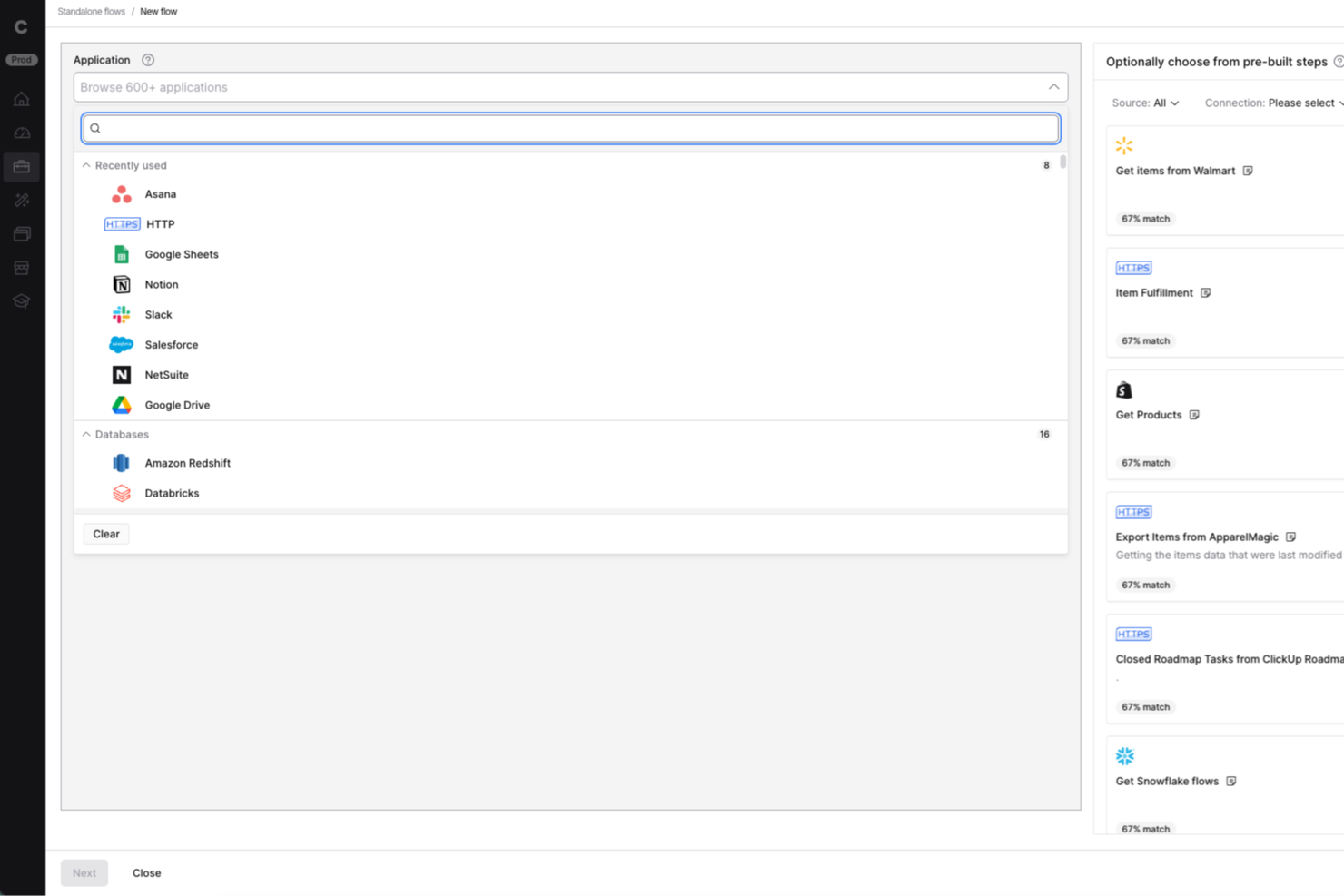
Celigo is a low-code ai orchestration platform designed for IT teams and business operations leaders who need to automate workflows, connect cloud apps, and manage complex integrations across finance, ecommerce, and HR systems.
Who Is Celigo Best For?
Mid-sized and enterprise IT and operations teams in finance, ecommerce, and HR who need to automate and orchestrate workflows across multiple cloud applications.
Why I Picked Celigo
Celigo earns its spot as one of the best on my shortlist because it offers enterprise-grade security features like SOC 2 Type II certification and granular access controls. My team is able to enforce data encryption in transit and at rest, which is essential for handling sensitive business data. I also rely on Celigo’s audit trails and compliance reporting to meet regulatory requirements in finance and healthcare projects.
Celigo Key Features
- AI-powered integration monitoring: Continuously tracks integration health and flags anomalies for review.
- Custom connector builder: Lets you create and deploy connectors for unique or proprietary systems.
- Automated workflow scheduling: Supports time-based and event-driven automation for orchestrating complex processes.
- Sandbox environment: Provides a safe space to test integrations and workflows before deploying to production.
Celigo Integrations
Integrations include Salesforce, Microsoft Dynamics 365 Business Central, Oracle NetSuite, Walmart, SAP, Snowflake, Acumatica, ADP, Adobe, and 3PL Central.
Pros and Cons
Pros:
- Supports event-driven and scheduled workflows
- Visual workflow builder for complex automations
- Real-time monitoring of integration health
Cons:
- Advanced features require higher-tier plans
- Limited AI features compared to some peers
New Product Updates from Celigo
Celigo Adds SuiteTax and Variant Publishing for Shopify–NetSuite
Celigo adds NetSuite SuiteTax support and variant-level sales channel publishing to its Shopify–NetSuite integration. These updates improve tax handling and give merchants more control over how product variants are published. For more information, visit Celigo’s official site.
 .
.
Make
Best for visual workflows

Make is a visual automation platform that caters to businesses and teams looking to automate processes and integrate apps visually. It empowers users to design, build, and automate workflows with an intuitive drag-and-drop interface, enhancing productivity and collaboration.
Why I picked Make: Make excels in creating visual workflows, allowing your team to automate tasks through an easy-to-use drag-and-drop interface. Its visual approach simplifies the process of connecting apps and automating processes, making it accessible for users without technical expertise. The platform's flexibility lets you customize workflows to fit your specific needs. Make's real-time monitoring ensures that your workflows run smoothly and efficiently.
Standout features & integrations:
Features include a drag-and-drop interface for designing workflows, real-time monitoring of workflow execution, and flexible customization options. Make provides tools for conditional logic and error handling, ensuring your processes are resilient. Its visual approach makes it easy for your team to collaborate and innovate.
Integrations include Google Workspace, Slack, Trello, Dropbox, Salesforce, Mailchimp, Shopify, HubSpot, Airtable, and Asana.
Pros and Cons
Pros:
- Flexible customization options
- Real-time monitoring of workflows
- Intuitive drag-and-drop interface
Cons:
- Limited advanced features for complex tasks
- May require time to master

n8n
Best for open-source automation

n8n is an open-source workflow automation tool that empowers developers and small businesses to automate tasks and connect different apps and services. It offers flexibility and extensibility, allowing users to create custom workflows tailored to their specific needs.
Why I picked n8n: n8n is ideal for open-source automation, providing a platform where you can create custom workflows without restrictions. Its node-based interface simplifies the process of connecting different services and automating tasks. The platform's flexibility lets you modify and extend functionalities, ensuring it adapts to your evolving needs. With n8n, you can leverage community-contributed nodes and integrations, enhancing its capabilities.
Standout features & integrations:
Features include a node-based interface for easy workflow creation, community-contributed nodes for expanded functionality, and the ability to self-host for complete control. n8n also offers real-time execution monitoring and customizable triggers to suit various automation needs. Its open-source nature encourages continuous improvement and collaboration.
Integrations include Slack, Google Sheets, Trello, GitHub, Twilio, Discord, Dropbox, AWS S3, Airtable, and Notion.
Pros and Cons
Pros:
- Community-contributed nodes enhance functionality
- Node-based interface simplifies automation
- Highly flexible and extensible
Cons:
- Initial setup may be time-consuming
- Requires technical knowledge for complex workflows

Talend
Best for data integration

Talend is a data integration platform aimed at data professionals and businesses that need to manage complex data environments. It facilitates the fluid integration of various data sources, providing tools for data transformation, quality, and governance.
Why I picked Talend: Talend excels in data integration with its ability to connect to a wide range of data sources. Its AI capabilities enhance data mapping and transformation, ensuring your team can manage data efficiently. The platform's focus on data quality and governance helps maintain accuracy and compliance. Talend's open-source nature allows for flexibility and customization, making it adaptable to different business needs.
Standout features & integrations:
Features include comprehensive data transformation tools, data quality and governance functionalities, and a user-friendly interface for managing data workflows. Talend supports real-time data processing and provides a scalable solution for large data environments. Its open-source framework allows for customization and flexibility in data management.
Integrations include Salesforce, SAP, AWS, Google Cloud, Microsoft Azure, Snowflake, Oracle, IBM, MongoDB, and Cloudera.
Pros and Cons
Pros:
- Advanced data transformation tools
- Open-source for flexibility
- Strong focus on data quality
Cons:
- Initial setup can be complex
- High cost for small businesses

Best for vector search

Relevance AI is a platform designed for developers and data scientists to enhance search capabilities using vector search technology. It provides tools to manage and analyze large datasets, offering insights and improving search accuracy through AI-driven solutions.
Why I picked Relevance AI: Relevance AI excels in vector search by leveraging advanced algorithms to improve search relevance and accuracy. Its ability to handle large datasets ensures your team can manage and analyze data effectively. The platform's focus on AI-driven insights allows you to uncover hidden patterns and trends. With its scalable architecture, Relevance AI is suitable for growing businesses that need robust search capabilities.
Standout features & integrations:
Features include advanced vector search algorithms for improved accuracy, tools for managing and analyzing large datasets, and AI-driven insights to uncover patterns. Relevance AI also offers scalable architecture to support business growth and provides a user-friendly interface for ease of use. Its focus on enhancing search capabilities makes it a valuable tool for data-driven organizations.
Integrations include Google Cloud, AWS, Microsoft Azure, Snowflake, MongoDB, PostgreSQL, Elasticsearch, Apache Kafka, Redis, and Datadog.
Pros and Cons
Pros:
- Provides AI-driven insights
- Handles large datasets effectively
- Advanced vector search algorithms
Cons:
- Initial setup can be complex
- May require technical expertise

CrewAI
Best for team collaboration

CrewAI is a multi-agent automation platform designed for industries looking to support workflow efficiency using advanced AI capabilities. It's ideal for teams needing to build and deploy automated workflows with large language models (LLMs) and cloud platforms, providing flexibility and scalability.
Why I picked CrewAI: CrewAI's strength lies in orchestrating collaborative AI agents, making it perfect for team-based tasks. It offers a no-code interface and tools for creating and managing multi-agent workflows, which simplifies complex processes. The platform's ability to integrate various AI models furthers its versatility. CrewAI's scalability ensures it can handle the demands of large organizations, making it suitable for diverse applications.
Standout features & integrations:
Features include a no-code interface for workflow creation, support for large language models, and detailed monitoring tools. It also provides performance metrics optimization and real-time business intelligence dashboards. CrewAI's ability to automate strategic planning and financial reporting further enhances its utility.
Integrations include GitHub, Slack, Google Workspace, Microsoft Teams, AWS, Azure, Salesforce, HubSpot, Trello, and Asana.
Pros and Cons
Pros:
- Scalable for large organizations
- Offers no-code tools for workflow creation
- Facilitates collaborative AI agent orchestration
Cons:
- Can be complex for small teams
- Requires understanding of AI models

Vellum
Best for team collaboration

Vellum AI is a platform built for creating AI agents using plain English, serving industries like healthcare, retail, and government. It focuses on agent creation through chat, low-code, or coding, allowing teams to automate tasks and enhance collaboration.
Why I picked Vellum AI: It stands out with its focus on team collaboration, offering features like agent creation through chat, low-code, or coding. Your team can leverage its sandbox console for testing and monitoring agent performance, ensuring smooth deployment. It also supports integration with tools like HubSpot and Slack, enhancing team connectivity. In my experience, these features make it a top choice for collaborative environments.
Standout features & integrations:
Features include a sandbox console, which allows you to test and monitor agent performance. It also offers full visibility into agent operations, providing insights into how they function. You can embed agents into your applications using SDK or API, ensuring seamless integration with existing systems.
Integrations include HubSpot, Gmail, Slack, Notion, Salesforce, Microsoft Teams, Google Workspace, Trello, Asana, and Monday.com.
Pros and Cons
Pros:
- Secure deployment options
- Easy integration with team tools
- Supports multiple creation methods
Cons:
- Requires initial setup time
- Limited customization for niche needs


Apache Airflow is an open-source platform designed for orchestrating complex computational workflows and data processing pipelines. It's widely used by data engineers and developers who need to manage and automate workflows efficiently, offering a flexible solution for scheduling and monitoring tasks.
Why I picked Apache Airflow: Airflow's strength lies in its ability to automate workflows through a user-friendly interface, making it accessible for your team to design and monitor processes. The platform offers dynamic pipeline generation, allowing you to define workflows as code. Its scalability supports enterprise-level operations, and the community-driven development ensures continuous improvements. Airflow's extensive documentation and modular architecture further enhance its usability for diverse applications.
Standout features & integrations:
Features include a web-based user interface for easy monitoring and management, dynamic pipeline generation for defining workflows as code, and a scheduler to trigger tasks. Airflow's modular architecture allows you to plug in custom components and extend functionality. The platform's scalability ensures it can handle large-scale workflows efficiently.
Integrations include Amazon S3, Google Cloud Storage, Microsoft Azure, Apache Hive, MySQL, PostgreSQL, Slack, Apache Kafka, Docker, and Kubernetes.
Pros and Cons
Pros:
- Community-driven continuous improvements
- Scalable for enterprise operations
- Dynamic pipeline generation as code
Cons:
- Can be complex for new users
- Requires technical expertise to configure


dbt is a data transformation tool targeted at data analysts and engineers, facilitating the transformation of raw data into models that drive insights. It enables teams to build, test, and maintain data pipelines efficiently, enhancing data analytics capabilities.
Why I picked dbt: dbt excels in data transformation by allowing your team to turn raw data into actionable insights through SQL-based modeling. Its ability to automate testing and documentation ensures data reliability and transparency. The platform's focus on modular code allows for easy collaboration and maintenance across teams. dbt's integration with modern data warehouses makes it a valuable asset for scalable data operations.
Standout features & integrations:
Features include SQL-based modeling for transforming data, automated testing and documentation for data reliability, and modular code for collaboration. dbt also supports version control, making it easy to track changes and collaborate with your team. Its integration with modern data warehouses enhances its scalability and efficiency.
Integrations include Snowflake, BigQuery, Redshift, Databricks, PostgreSQL, Google Cloud Storage, AWS S3, Microsoft Azure, Looker, and Tableau.
Pros and Cons
Pros:
- Integrates with modern data warehouses
- Supports SQL-based data modeling
- Automates testing and documentation
Cons:
- Initial setup may be complex
- Requires SQL knowledge
Andre verktøy for AI-orkestrering
Her er noen flere alternativer for verktøy for AI-orkestrering som ikke kom med på kortlisten min, men som likevel er verdt å undersøke:
- Prefect
For data flow management
- Kubiya
For conversational AI
- AutoGPT
For autonomous tasks
- Akka
For distributed systems
- LlamaIndex
For custom indexing
- Microsoft AutoGen
For code generation
- Metaflow
For data science projects
- DAGWorks
For DAG-based workflows
- Mage AI
For AI model building
- Dagster
For orchestrating data pipelines
- Pipedream
For event-driven workflows
- Relay Payments
For automation tasks
- VectorShift
For AI-driven analytics
- Flyte360
For scalable workflows
- Haystack
For data-driven insights


How I Evaluate AI Orchestration Tools
Every tool here needs to do more than slap an AI label on basic automation—I look for platforms that actually coordinate multiple agents and models to move project work forward. I break my evaluation into core functionality a tool must offer to make the cut, and differentiating factors that separate the strongest options.
Core Functionality (Table Stakes For This List)
When I'm selecting tools for my list, I rank each one on a scale from 0 (does not offer the functionality) to 5 (excels in this area) for each core functionality listed below. Then, I calculate the tool's total score into a percentage. Each tool needs to achieve a minimum total score of 65% to be considered for inclusion.
- AI Agent Orchestration: I check whether a tool can coordinate multiple AI agents across tasks—like assigning one agent to draft a risk report while another updates dependencies in parallel.
- Workflow Automation Engine: The builder needs to chain AI steps with conditional logic, so I evaluate whether I can set up branching workflows triggered by sprint events or deadline changes.
- Multi-Tool Integrations: I look at how many PM platforms (Jira, Asana, Monday, ClickUp) and communication tools connect natively, since orchestration only works when it reaches your full stack.
- LLM/Model Flexibility: Each tool should support multiple AI providers and let you assign different models per step—using one model for summarization and another for technical analysis, for example.
- Context & Memory Management: I evaluate whether the platform retains project context across sessions, so an agent updating a weekly status report remembers last week's blockers without re-prompting.
- Human-in-the-Loop Controls: Approval gates and intervention points matter here—I look for configurable checkpoints where a PM can review AI outputs before they hit stakeholders or update live boards.
Once I have a list of tools that meet this criteria, I consider what sets each platform apart.
Differentiating Factors (What Sets Vendors Apart)
Here's how I compare and contrast different vendors:
Standout Features
A no-code agent builder is a big differentiator—I look for platforms where a PMO lead can spin up a custom agent for sprint retrospective summaries without filing an engineering request. Cross-portfolio intelligence also matters when you're managing multiple programs and need visibility into shared dependencies or resource conflicts across them. I evaluate natural language task creation too, where a PM can paste meeting notes and get a structured backlog with dependencies ready for review.
Beyond Features
Trust and explainability are high on my list—I check whether a platform logs which model and data source produced each AI output, since a PM needs to confidently defend AI-generated recommendations to leadership. Pricing transparency also shapes my evaluation, especially how costs scale as you add agents or workflow runs across a growing portfolio. I look at data governance policies too, particularly whether customer project data is used to train underlying models, which is a real concern for teams handling sensitive product roadmaps or client deliverables.
Slik velger du verktøy for AI-orkestrering
Det er lett å gå seg vill i lange funksjonslister og komplekse prismodeller. For å hjelpe deg med å holde fokus mens du går gjennom den unike prosessen din for valg av programvare, får du her en sjekkliste over faktorer du bør ha i tankene:
| Faktor | Hva du bør vurdere |
|---|---|
| Skalerbarhet | Vokser verktøyet i takt med virksomheten din? Ta hensyn til hvor mange brukere og hvor store datamengder det kan håndtere etter hvert som teamet ditt vokser. Se etter alternativer som tilbyr fleksible skaleringsmuligheter. |
| Integrasjoner | Kan verktøyet kobles til de eksisterende systemene dine? Sørg for at det integreres med den nåværende programvarestakken din for å unngå datasiloer og ineffektivitet. |
| Tilpasningsmuligheter | Gir verktøyet mulighet for tilpasning til behovene dine? Se etter løsninger som lar deg justere arbeidsflyter og innstillinger slik at de passer til de unike prosessene dine. |
| Brukervennlighet | Er verktøyet brukervennlig for teamet ditt? Vurder læringskurven og utformingen av grensesnittet for å sikre at det ikke bremser produktiviteten i teamet. |
| Implementering og innføring | Hvor raskt kan du komme i gang? Vurder hvor tilgjengelige opplæringsressurser og støtte er under oppsettet, for å minimere nedetid. |
| Kostnad | Passer prisnivået budsjettet ditt? Sammenlign kostnadene for ulike verktøy, og ta hensyn til både innledende utgifter og langsiktig verdi. Vær oppmerksom på skjulte gebyrer. |
| Sikkerhetstiltak | Er dataene og driften din sikre? Se etter kryptering, tilgangskontroller og samsvar med bransjestandarder for å beskytte sensitiv informasjon. |
Hva er verktøy for AI-orkestrering?
Verktøy for AI-orkestrering er programvareløsninger som automatiserer og administrerer komplekse arbeidsflyter som involverer AI-modeller og dataprosesser. Disse verktøyene brukes vanligvis av dataforskere, ingeniører og IT-fagfolk for å øke effektiviteten og forbedre beslutningstakingen. Funksjoner for automatisering, integrasjon og overvåking bidrar til å administrere AI-arbeidsflyter, koble sammen ulike systemer og sikre problemfri drift. Alt i alt gir disse verktøyene betydelig verdi ved å optimalisere ressursbruken og forbedre nøyaktigheten i arbeidsflytene.
Funksjoner
Når du velger verktøy for AI-orkestrering, bør du se etter følgende viktige funksjoner:
- Automatiseringsfunksjoner: Automatiser repetitive oppgaver for å øke effektiviteten og redusere manuelle feil.
- Integrasjonsstøtte: Koble sømløst til eksisterende systemer og applikasjoner for å sikre god dataflyt.
- Skalerbarhet: Håndter økende arbeidsmengder og datamengder etter hvert som virksomheten vokser, uten at det går ut over ytelsen.
- Sanntidsovervåking: Gi løpende innsikt i arbeidsflytens ytelse, slik at problemer raskt kan identifiseres og løses.
- Tilpassbare arbeidsflyter: Tilpass prosesser og innstillinger til spesifikke forretningsbehov og optimaliser driften.
- Administrasjon av AI-modeller: Tilrettelegg for distribusjon, overvåking og oppdatering av AI-modeller for å sikre optimal ytelse.
- Datasikkerhet: Beskytt sensitiv informasjon med kryptering og tilgangskontroller for å opprettholde samsvar med bransjestandarder.
- Samarbeidsverktøy: Gjør det mulig for teammedlemmer å samarbeide effektivt ved å dele innsikt og oppdateringer på plattformen.
Fordeler
Implementering av verktøy for AI-orkestrering gir flere fordeler for teamet og virksomheten din. Her er noen av fordelene du kan se frem til:
- Økt effektivitet: Automatiser rutineoppgaver, slik at teamet får mer tid til å fokusere på mer strategiske initiativer.
- Forbedret datanøyaktighet: Sikre dataintegritet og konsistens gjennom automatisert databehandling og overvåking.
- Bedre samarbeid: Legg til rette for samarbeid i teamet ved å integrere arbeidsflyter og dele innsikt på tvers av plattformen.
- Skalerbarhet: Håndter enkelt økende datamengder og arbeidsbelastninger uten å ofre ytelse eller pålitelighet.
- Sanntidsinnsikt: Få umiddelbar oversikt over prosesser gjennom sanntidsovervåking, slik at du raskt kan reagere på eventuelle problemer.
- Kostnadsbesparelser: Reduser driftskostnadene ved å optimalisere ressursbruken og minimere manuell inngripen.
- Bedre beslutningstaking: Bruk AI-drevet analyse til å avdekke innsikt og trender som gir grunnlag for strategiske forretningsbeslutninger.
Kostnader & priser
Valg av verktøy for AI-orkestrering krever en forståelse av de ulike prismodellene og abonnementene som er tilgjengelige. Kostnadene varierer basert på funksjoner, teamstørrelse, tillegg og mer. Tabellen nedenfor oppsummerer vanlige abonnementer, gjennomsnittsprisene deres og typiske funksjoner som er inkludert i løsninger for AI-orkestrering:
Sammenligningstabell for abonnementer for verktøy for AI-orkestrering
| Abonnementstype | Gjennomsnittspris | Vanlige funksjoner |
|---|---|---|
| Gratisabonnement | $0 | Grunnleggende automatisering, begrensede integrasjoner og brukerstøtte fra fellesskapet. |
| Personlig abonnement | $5-$25/bruker/måned | Forbedret automatisering, flere integrasjoner og grunnleggende analyse. |
| Bedriftsabonnement | $30-$75/bruker/måned | Avansert automatisering, premiumintegrasjoner, samarbeidsverktøy for team og sanntidsovervåking. |
| Abonnement for store virksomheter | $100+/bruker/måned | Tilpasset automatisering, ubegrensede integrasjoner, dedikert brukerstøtte og avanserte sikkerhetsfunksjoner. |
Vanlige spørsmål om AI-orkestreringsverktøy
Her er noen svar på vanlige spørsmål om AI-orkestreringsverktøy:
Hvordan integreres AI-orkestreringsverktøy med eksisterende systemer?
AI-orkestreringsverktøy integreres med eksisterende systemer gjennom API-er og ferdigbygde koblinger. Dette gjør det mulig å koble sammen den nåværende programvarestakken din og sørge for at data flyter sømløst mellom applikasjoner. Hvis teamet ditt for eksempel bruker Salesforce og Slack, kan et AI-orkestreringsverktøy automatisere dataoppdateringer og varsler mellom disse plattformene. Sjekk alltid verktøyets integrasjonsmuligheter for å sikre at det støtter de viktigste applikasjonene dine.
Kan AI-orkestreringsverktøy håndtere komplekse arbeidsflyter?
Ja, AI-orkestreringsverktøy er utviklet for å håndtere komplekse arbeidsflyter ved å automatisere ulike oppgaver og prosesser. De tilbyr funksjoner som betinget logikk, overvåking i sanntid og feilhåndtering for å sikre at arbeidsflytene kjører problemfritt. Du kan for eksempel automatisere behandling av kundedata fra flere kilder og sikre nøyaktighet og effektivitet uten manuell inngripen.
Hva bør jeg ta hensyn til når det gjelder datasikkerhet?
Det er viktig å sikre at AI-orkestreringsverktøyet du velger, overholder standarder for datasikkerhet. Se etter funksjoner som kryptering, tilgangskontroller og samsvarssertifiseringer som GDPR eller HIPAA. Disse tiltakene beskytter sensitiv informasjon og opprettholder kundenes tillit. Kontroller alltid leverandørens sikkerhetsdokumentasjon, og be om en sikkerhetsrevisjon ved behov.
Hvor tilpasningsbare er AI-orkestreringsverktøy?
AI-orkestreringsverktøy kan som regel tilpasses for å dekke dine spesifikke behov. De lar deg skreddersy arbeidsflyter, endre grensesnitt og opprette tilpassede integrasjoner. Du kan for eksempel justere automatiseringsregler slik at de samsvarer med forretningsprosessene dine. Sjekk om verktøyet tilbyr et brukervennlig grensesnitt for tilpasning, eller om det kreves teknisk kompetanse.
Støtter AI-orkestreringsverktøy analyse i sanntid?
Ja, mange AI-orkestreringsverktøy tilbyr analyse i sanntid for å gi innsikt i arbeidsflytenes ytelse og datatrender. Denne funksjonen hjelper teamet ditt med å ta informerte beslutninger raskt. Du kan overvåke viktige måltall og motta varsler om eventuelle avvik, slik at driften forblir effektiv og velfungerende.
Hva skjer videre:
Hvis du undersøker AI-orkestreringsverktøy, kan du kontakte en rådgiver fra SoftwareSelect for gratis anbefalinger.
Du fyller ut et skjema og har en kort samtale der de går gjennom behovene dine i detalj. Deretter får du en kortliste over programvare du kan vurdere. De støtter deg også gjennom hele kjøpsprosessen, inkludert prisforhandlinger.