

De 10 beste verktøyene for å bygge arbeidsflyter med dra-og-slipp i 2026

10 Beste verktøy for bygging av arbeidsflyter med dra-og-slipp


Why Trust Our Software Recommendations
Our team has been testing and reviewing software since 2012. As project managers ourselves, we know how difficult—and important—it is to choose the right software.
For this guide, we evaluated tools using hands-on testing and independent research, scoring tools using our selection criteria. We also draw on insights from industry thought leaders and practicing project management experts.
Our reviews reflect our human editorial judgment, not a sales pitch.
Expert reviewers:
Sammenligningstabell for verktøy for bygging av arbeidsflyter med dra-og-slipp
Denne sammenligningstabellen oppsummerer prisdetaljene for mine beste utvalgte verktøy for bygging av arbeidsflyter med dra-og-slipp:
| Tool | Best For | Trial Info | Price | ||
|---|---|---|---|---|---|
| 1 | Best for secure client onboarding workflows | Free demo available | From $5,000/year (billed annually) | Website | |
| 2 | Best for connecting apps with advanced automation | Free plan + free demo available | From $9/month (billed annually) | Website | |
| 3 | Best for open-source workflow customization | Free trial available | From €20/month (billed annually) | Website | |
| 4 | Best for visual collaboration on workflow diagrams | Free plan available | From $5/month (billed annually) | Website | |
| 5 | Best for designing conversational workflows | Free trial + free demo available | Pricing upon request | Website | |
| 6 | Best for integrating forms with workflow automation | 14-day free trial | From $83/month (billed annually) | Website | |
| 7 | Best for automating multi-step business processes | Free plan + 7-day free trial + free demo available | From $22/user/month (billed annually) | Website | |
| 8 | Best for developers building workflow-driven apps | Free plan available (non-commercial use) | From $20/user/month (billed annually) | Website | |
| 9 | Best for rapid prototyping of workflow ideas | 14-day free trial | From $37/month | Website | |
| 10 | Best for on-premise deployment flexibility | Not available | Pricing upon request | Website |

Anmeldelser av de beste verktøyene for bygging av arbeidsflyter med dra-og-slipp
Nedenfor finner du mine detaljerte sammendrag av verktøyene for bygging av arbeidsflyter med dra-og-slipp som kom med på kortlisten min. Anmeldelsene mine gir en detaljert gjennomgang av funksjonene, de beste bruksområdene og integrasjonene til hver plattform, slik at du kan finne det beste alternativet for teamet ditt.

Moxo
Best for secure client onboarding workflows
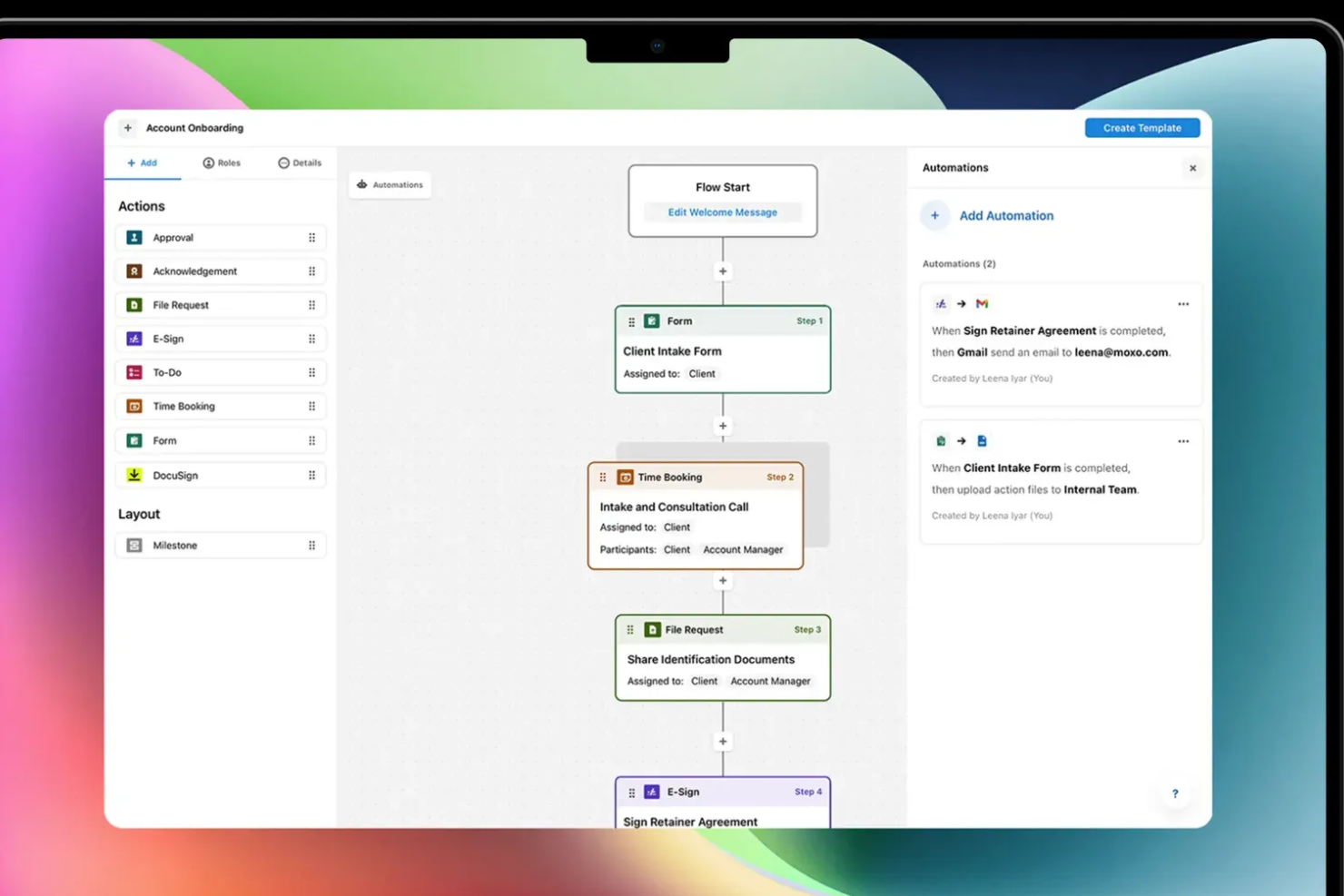
Moxo is a drag-and-drop workflow builder that lets you design and automate client-facing processes—combining approvals, file requests, e-signatures, forms, and conditional logic into structured, trackable flows.
Who Is Moxo Best For?
Moxo is a strong fit for professional services teams—think financial services, legal, and consulting—that manage recurring, multi-step client workflows.
Why I Picked Moxo
I've included Moxo in my top picks because its drag-and-drop flow builder is purpose-built for client-facing onboarding, not just internal task routing. When I build a client onboarding flow in Moxo, I can embed KYC verification steps, secure document requests, and acknowledgment actions directly into the canvas, with conditional branching that routes clients down different paths based on their inputs. What I find particularly useful is the role-based access control, which locks each participant to only their relevant steps, so a new client never sees internal review stages or another client's data. On top of that, Moxo is SOC 2 Type II certified, GDPR compliant, and encrypts all data in transit and at rest, which matters a lot when your onboarding flows involve sensitive financial or legal documents.
Moxo Key Features
- Workflow template library: Access and deploy pre-built onboarding flow templates, or save your own custom flows as reusable templates for repeat client types.
- SLA timers and escalations: Set time limits on individual workflow steps and trigger automatic escalations when a client or internal reviewer misses a deadline.
- Progress tracking dashboard: Monitor completion rates, step-level delays, and bottlenecks across all active onboarding flows from a single reporting view.
- Branded client portal: Deliver onboarding flows through a white-labeled portal with your logo and domain, keeping the client experience consistent with your brand.
Moxo Integrations
Moxo offers direct data sync integrations with Salesforce, HubSpot, Microsoft Dynamics, Zoho, Wealthbox, Redtail, Filevine, Global Relay, Smarsh, Xero, and Follow Up Boss, and supports additional integrations with tools like DocuSign, Jira, Slack, Stripe, Zendesk, Google Drive, Dropbox, Box, OneDrive, monday.com, QuickBooks, and Notion. It connects with Zapier and provides a REST API and webhooks for custom integrations.
Pros and Cons
Pros:
- Chat, video, and files in one flow
- White-label branding for client portals
- Built-in e-signatures inside workflow steps
Cons:
- Limited flexibility for cyclical workflows
- No built-in task timer for time tracking

Make
Best for connecting apps with advanced automation
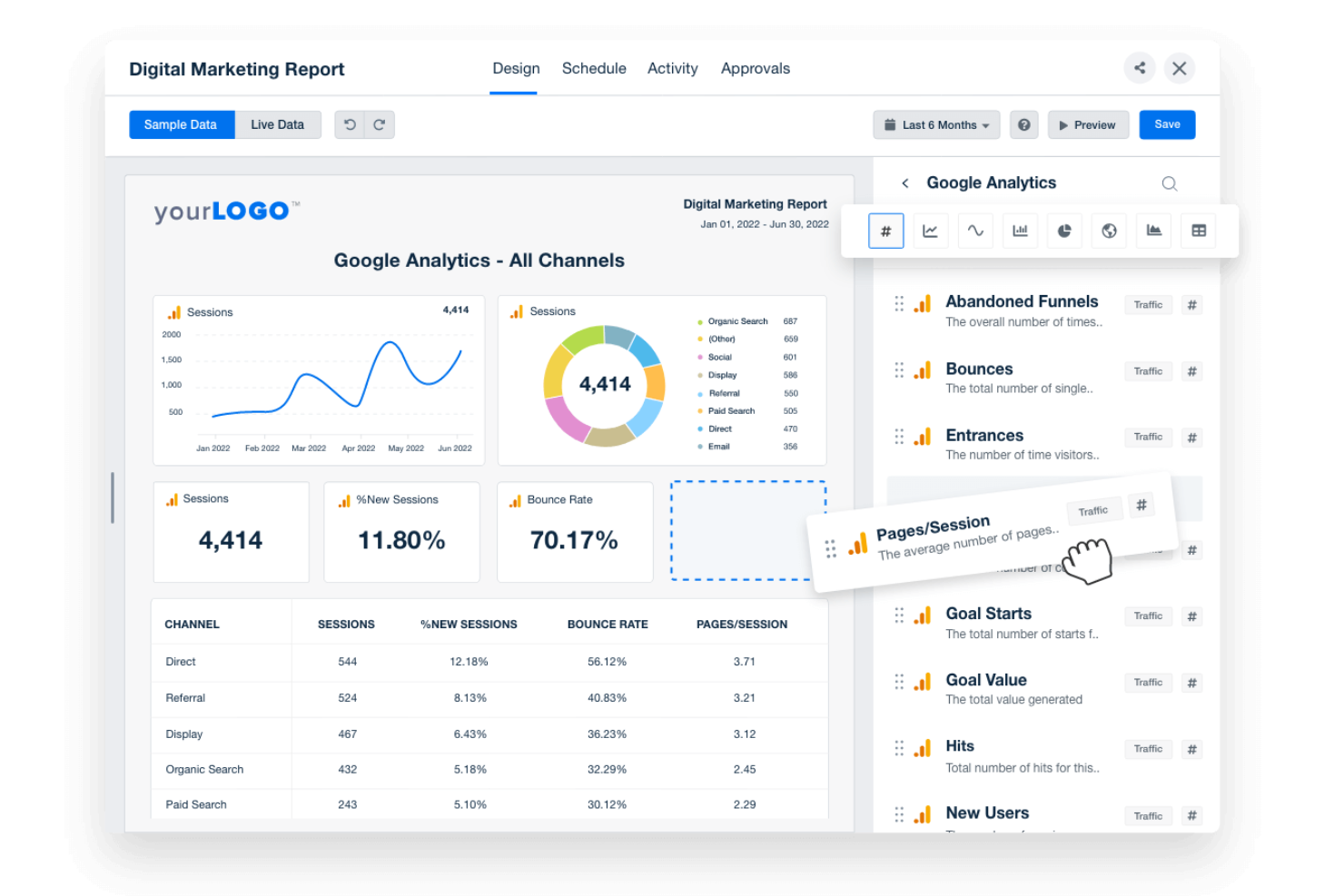
If you need to automate complex workflows across multiple apps, Make offers a visual builder that connects hundreds of tools with advanced logic. IT teams, operations leads, and product managers can design multi-step automations using a drag-and-drop canvas, branching, and custom triggers. Make stands out for users who want to build intricate, conditional workflows that go far beyond simple task automation.
Why I Picked Make
Unlike basic automation tools, Make gives you a drag-and-drop workflow builder designed for advanced, multi-app automation. I picked Make because it lets you visually map out complex workflows with branching logic, custom triggers, and conditional paths. The platform supports building automations that can handle data transformations and error handling within the same visual interface. This makes it a strong choice for teams that need to connect multiple systems and automate sophisticated processes without writing code.
Make Key Features
Some other features that make Make useful for workflow automation include:
- Scenario Versioning: Save and restore previous versions of your automation scenarios.
- Built-In Scheduling: Set workflows to run at specific times or intervals.
- Error Handling Tools: Configure custom responses for failed steps or data issues.
- Data Store Modules: Store and retrieve data within workflows without relying on external databases.
Make Integrations
Integrations include Google Sheets, Slack, Gmail, Airtable, Trello, Dropbox, HubSpot, Shopify, Facebook Pages, and more.
Pros and Cons
Pros:
- Scenario versioning allows rollback to previous states
- Supports scheduling automations by minute or hour
- Visual builder supports multi-step, branching workflows
Cons:
- Error messages can be difficult to interpret
- No built-in AI or machine learning modules

n8n
Best for open-source workflow customization
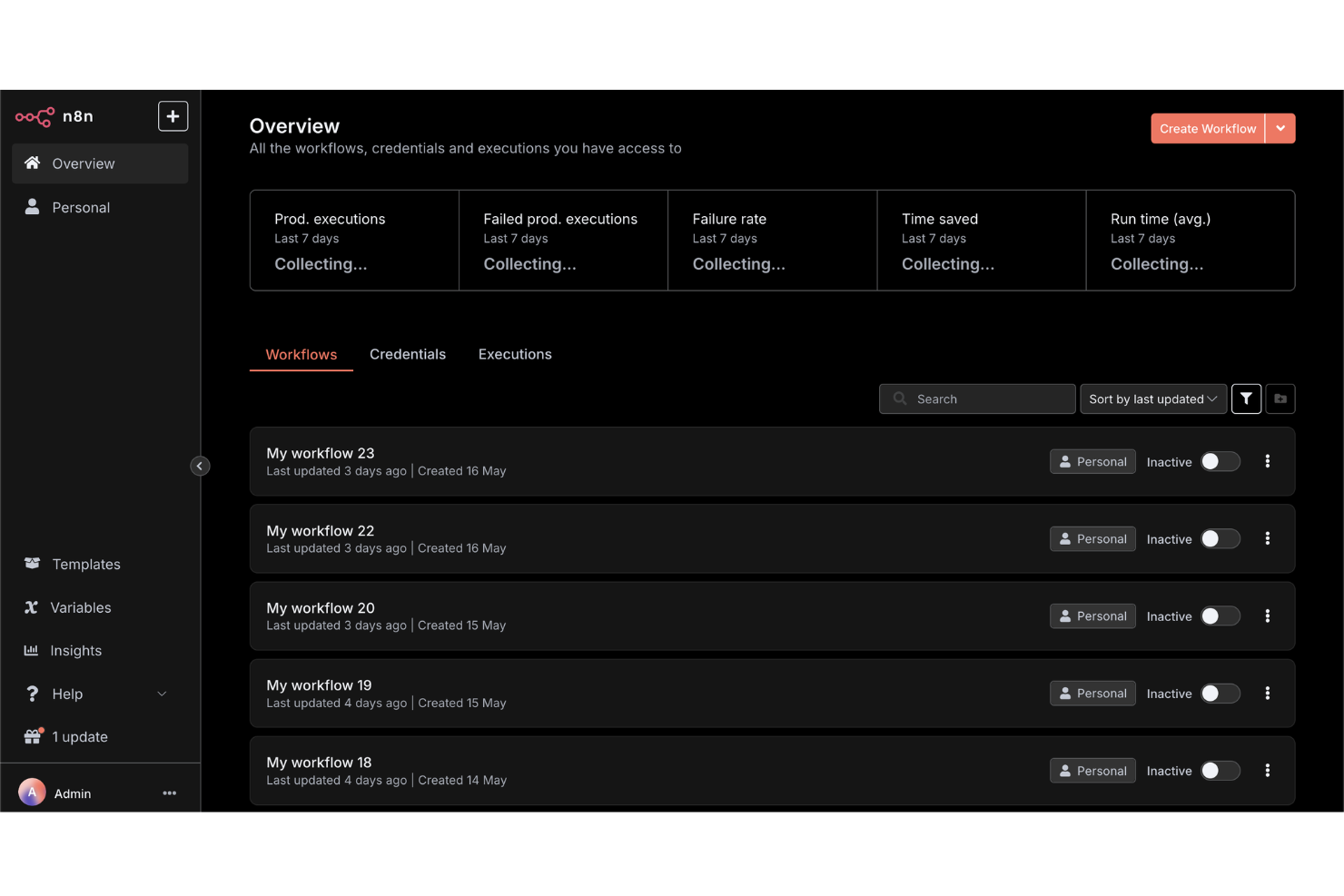
For teams that want full control over their workflow automations, n8n offers an open-source platform with deep customization options. Developers, IT teams, and technical operations leads can build, self-host, and extend workflows using a visual editor and custom code nodes. n8n is a strong fit if you need to tailor integrations or logic beyond what most drag-and-drop workflow builders allow.
Why I Picked n8n
What sets n8n apart is its open-source approach to workflow automation, which gives you full flexibility to customize and self-host your automations. I picked n8n because it lets you use a drag-and-drop builder alongside custom code nodes, so you can extend workflows far beyond standard templates. The platform supports building custom integrations and logic, making it ideal for teams with unique requirements or strict data control needs. If you want to tailor every aspect of your workflow builder, n8n offers the depth and control that many other tools don’t.
n8n Key Features
Some other features that make n8n appealing for workflow automation include:
- Built-In Credential Management: Securely store and manage authentication details for connected services.
- Webhooks Support: Trigger workflows from external apps or events using custom webhooks.
- Execution Logs: Access detailed logs for every workflow run to help with troubleshooting.
- Environment Variables: Configure workflows to use different settings across development, staging, and production.
n8n Integrations
Integrations include Google Sheets, Gmail, Slack, OpenAI, Airtable, Notion, Trello, HubSpot, Discord, and more.
Pros and Cons
Pros:
- Unlimited workflow executions on self-hosted plans
- Custom node creation with JavaScript or TypeScript
- Self-hosting option supports strict data privacy
Cons:
- Requires manual updates for self-hosted deployments
- Lacks built-in templates for common workflows

Creately
Best for visual collaboration on workflow diagrams
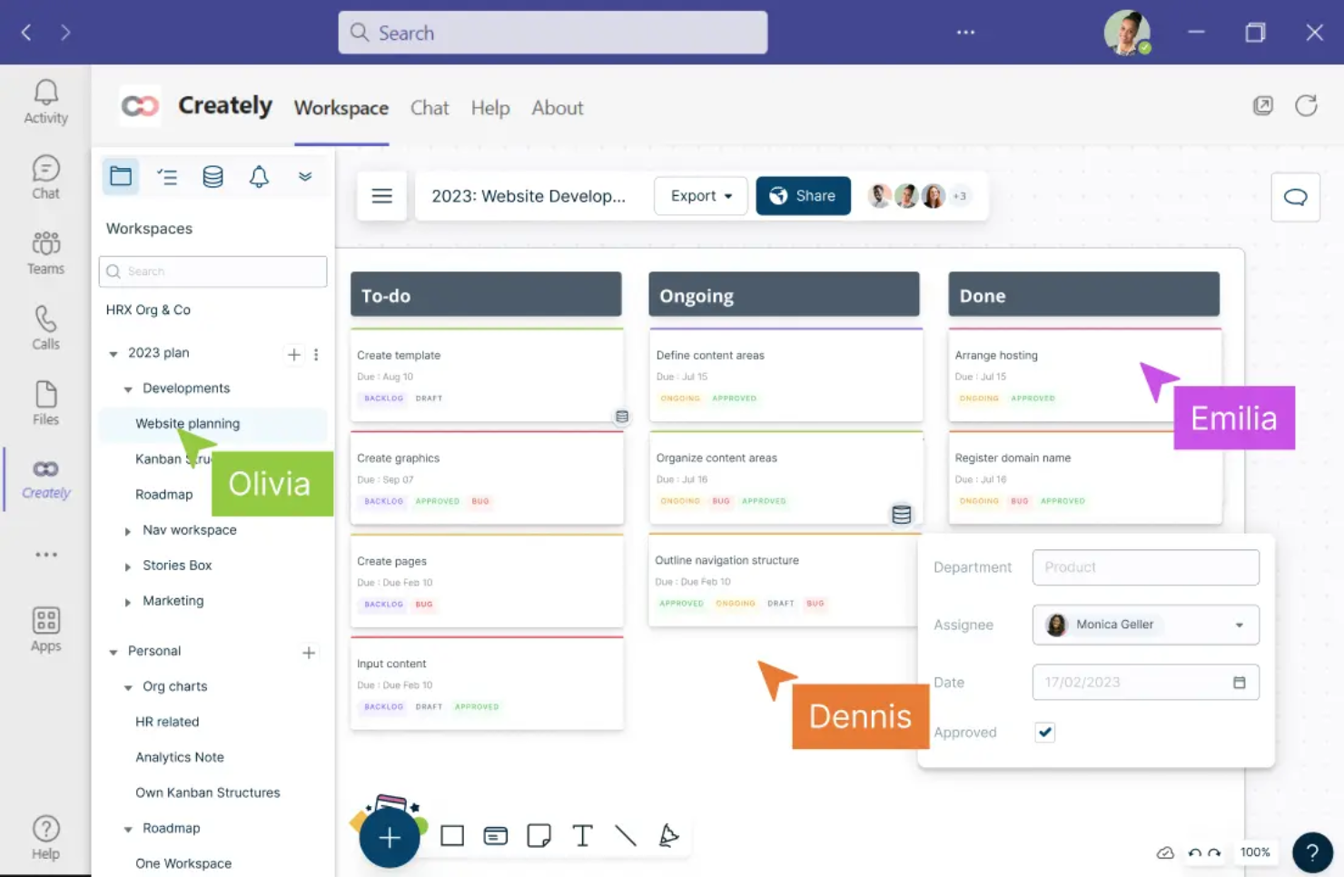
Creately offers a visual workspace built for teams that need to collaborate on workflow diagrams in real time. It’s a strong fit for project managers, business analysts, and cross-functional teams who want to map, discuss, and refine processes together. With features like multi-user editing and contextual comments, Creately helps teams turn complex workflows into clear, actionable diagrams.
Why I Picked Creately
For teams that need to collaborate visually on workflow diagrams, Creately brings real-time co-editing and discussion into a single workspace. I picked Creately because it lets multiple users build, edit, and comment on diagrams together, which is essential for cross-functional process mapping. The tool’s contextual commenting and in-diagram chat features help teams resolve questions and iterate on workflows without switching platforms. This focus on collaborative diagramming makes Creately a strong choice for anyone prioritizing teamwork in their workflow builder.
Creately Key Features
In addition to its collaborative diagramming tools, Creately offers several other features worth noting:
- Extensive Shape and Icon Library: Choose from thousands of shapes and icons to represent different workflow elements.
- Data Linking: Attach data sets or tables directly to workflow objects for richer context.
- Presentation Mode: Present workflow diagrams directly within the platform without exporting.
- Revision History: Track changes and restore previous versions of diagrams as needed.
Creately Integrations
Integrations include Google Drive, Slack, Confluence, and Microsoft Teams.
Pros and Cons
Pros:
- Presentation mode enables in-app workflow walkthroughs
- Data linking connects diagrams to live tables
- Real-time multi-user editing supports team workflows
Cons:
- Large diagrams can experience occasional lag
- Export options are restricted on lower plans
Best for designing conversational workflows
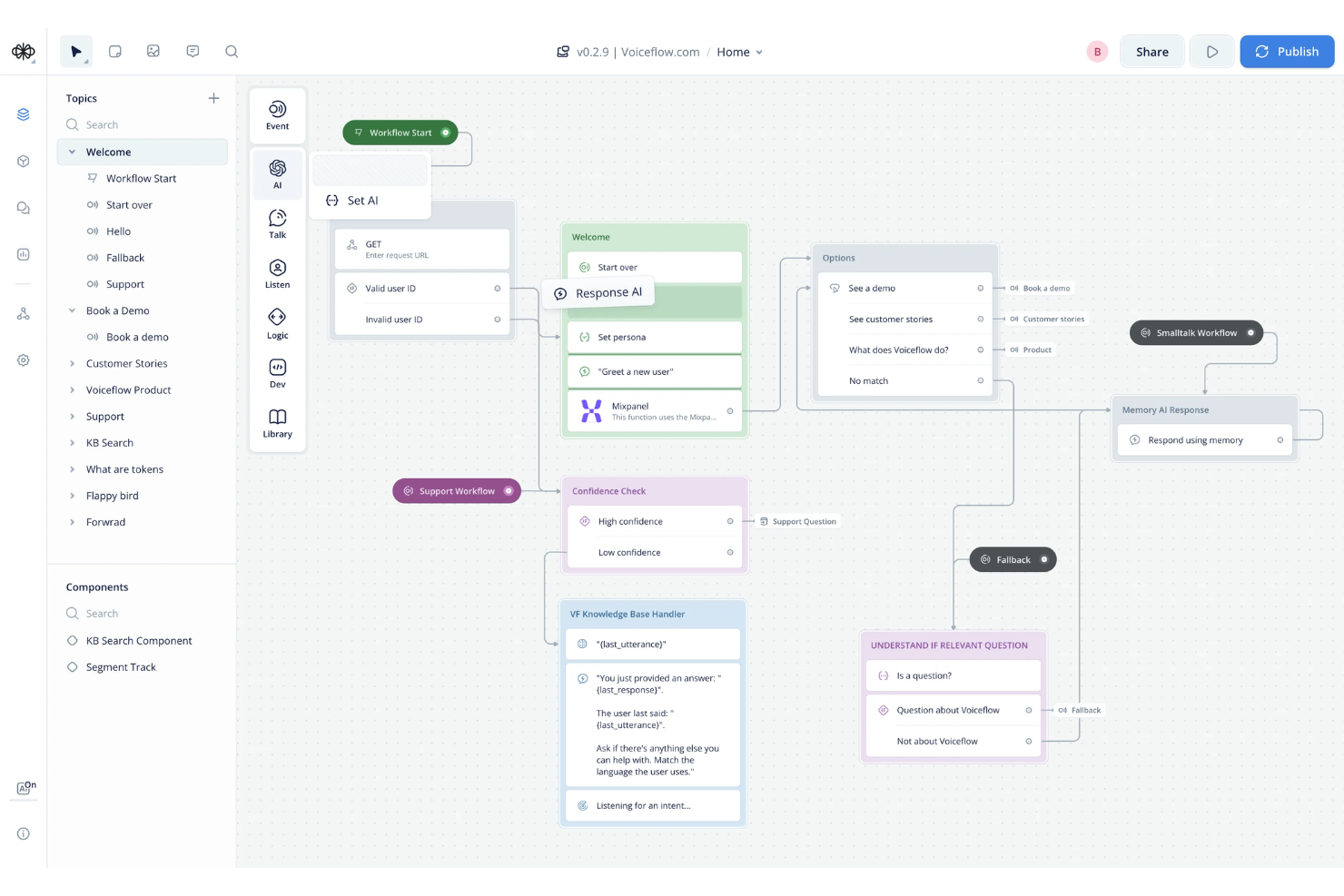
Voiceflow stands out for teams designing conversational workflows for chatbots, voice assistants, and AI agents. It’s built for product managers, conversation designers, and developers who need to map out complex, multi-turn dialogues visually. With Voiceflow, you can prototype, test, and iterate on conversational flows without writing code, making it easier to align technical and non-technical stakeholders.
Why I Picked Voiceflow
For teams focused on building conversational experiences, Voiceflow offers a specialized drag-and-drop workflow builder tailored to dialogue design. I picked it because it lets you visually map out conversation logic, branching paths, and context variables in a way that’s purpose-built for chatbots and voice assistants. The platform supports reusable components and modular flows, so you can manage complex, multi-turn conversations without getting lost in code. This makes Voiceflow a strong choice for anyone designing, prototyping, or iterating on conversational workflows.
Voiceflow Key Features
Some other features that make Voiceflow useful for workflow design include:
- AI Step Blocks: Add generative AI responses and logic directly into your conversational flows.
- Version History: Track changes and revert to previous versions of your workflow projects.
- User Testing Mode: Simulate conversations and gather feedback before deploying to production.
- Team Collaboration Tools: Invite team members to co-design, comment, and review workflows in real time.
Voiceflow Integrations
Integrations include Airtable, Discord, HubSpot, Linear, Manychat, Notion, SendGrid, Shopify, WhatsApp, Zendesk, and more.
Pros and Cons
Pros:
- Version history tracks all workflow changes
- User testing mode for pre-launch validation
- Built-in AI step for generative responses
Cons:
- Occasional lag with large, complex projects
- Limited export options for non-technical users

Best for integrating forms with workflow automation
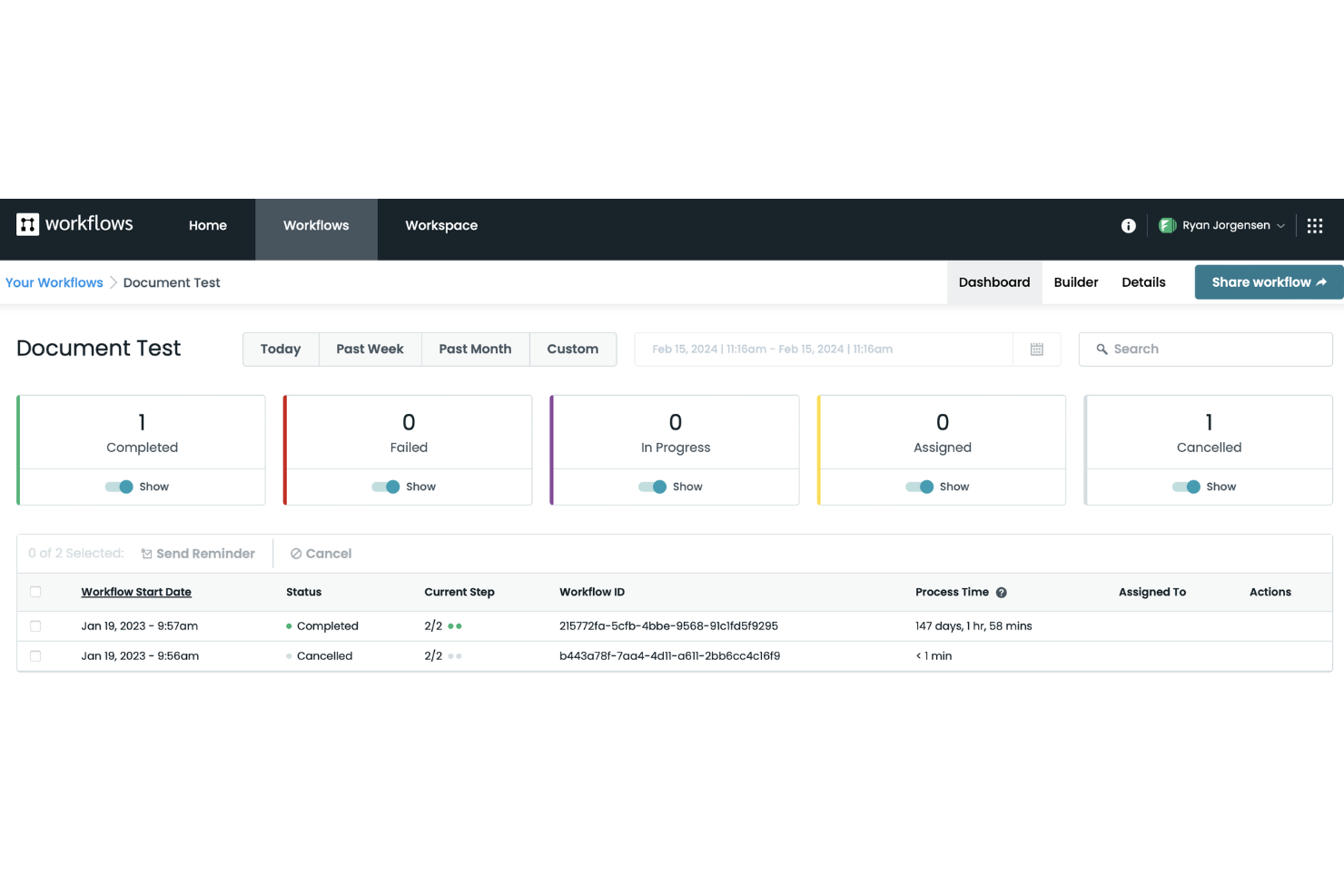
Formstack stands out for teams that need to connect forms directly to automated workflows without coding. It’s especially useful for operations, HR, and IT teams that want to capture data and trigger multi-step processes from a single form submission. If you’re looking to automate approvals, onboarding, or service requests with a drag-and-drop builder, Formstack is built for that kind of integration.
Why I Picked Formstack
Formstack caught my attention because it connects form submissions directly to workflow automation, which is a rare strength among drag-and-drop builders. The platform lets you build custom forms and then map each form field to workflow steps, so you can trigger approvals, notifications, or document generation automatically. I like that you can visually design both the form and the workflow in one place, making it easy to manage complex processes without switching tools. This approach is especially useful for teams that need to automate multi-step tasks starting from a single data entry point.
Formstack Key Features
Some other features that make Formstack useful for workflow automation include:
- Conditional Logic: Build workflows that branch based on user responses or data inputs.
- Document Generation: Automatically create PDFs or other documents from form data within a workflow.
- E-signature Collection: Collect legally binding signatures as part of automated processes.
- Role-Based Permissions: Control access to workflow steps and data based on user roles.
Formstack Integrations
Integrations include Salesforce, Amazon S3, PayPal, Stripe, HubSpot, Airtable, Microsoft, and more.
Pros and Cons
Pros:
- Prebuilt templates for common business processes
- Automated document generation from form data
- Native e-signature collection in workflows
Cons:
- No built-in chatbot or conversational forms
- Workflow versioning is not available

Yoroflow
Best for automating multi-step business processes
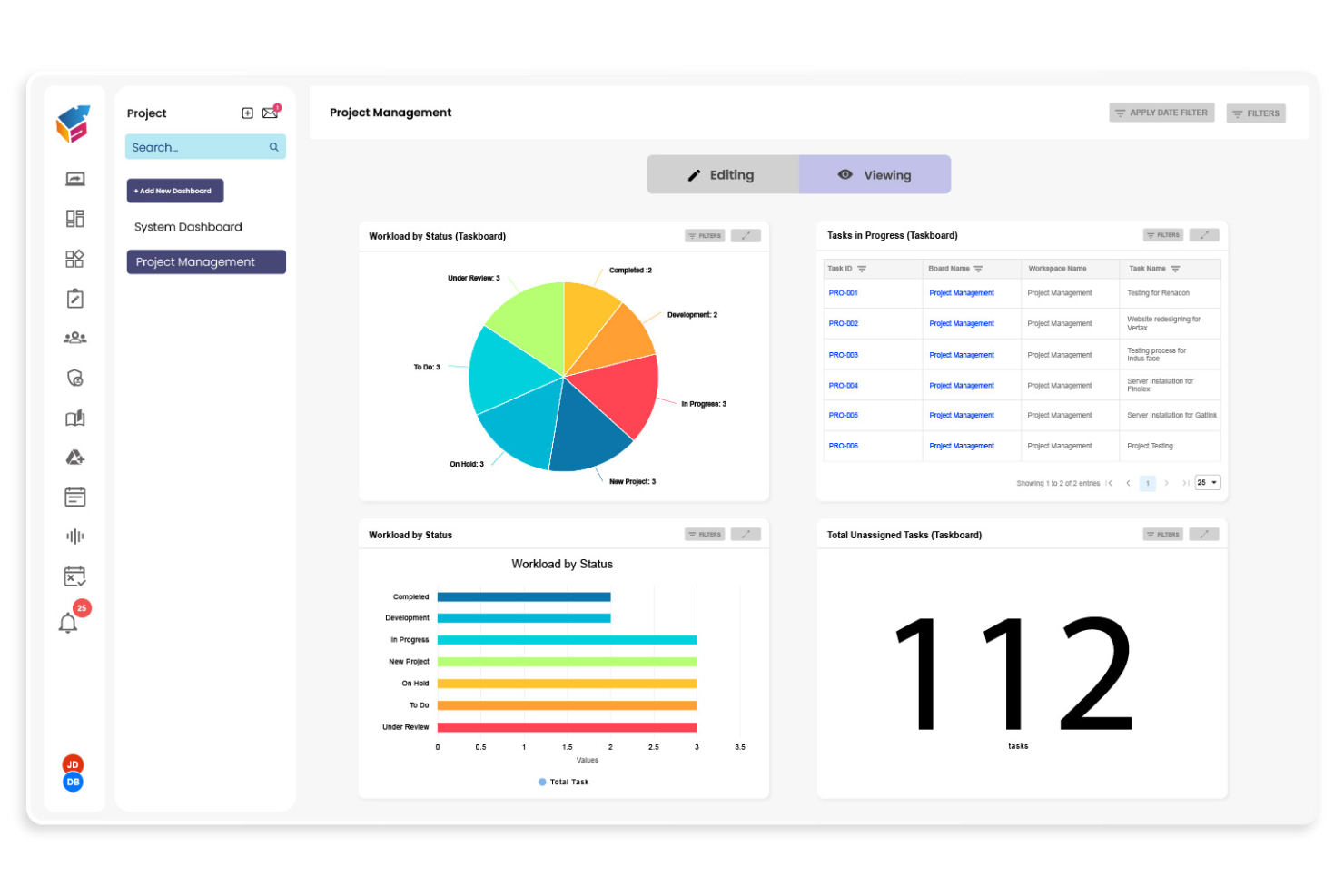
Yoroflow gives teams a way to automate complex, multi-step business processes without writing code. It’s a strong fit for operations managers, project leads, and IT teams who need to coordinate tasks across departments or systems. If you’re looking to build workflows that handle approvals, notifications, and integrations in one place, Yoroflow is designed for that level of control.
Why I Picked Yoroflow
I chose Yoroflow because it’s built to handle multi-step business processes that require more than just simple task automation. The platform’s drag and drop workflow builder lets you map out complex sequences, including conditional logic and parallel task branches, all from a visual interface. I like that you can set up automated approvals and notifications within the same workflow, which is essential for teams managing layered processes. Yoroflow’s focus on orchestrating multiple steps in a single flow makes it a strong choice for organizations with intricate operational needs.
Yoroflow Key Features
Some other features in Yoroflow that stand out for workflow builders include:
- Form Designer: Build custom forms to collect data and trigger workflows directly from user submissions.
- Document Management: Store, organize, and attach documents to workflow steps for easy reference and compliance.
- Role-Based Access Control: Assign permissions to users or groups to control who can view or edit specific workflows.
- Analytics Dashboard: Monitor workflow performance and track key metrics with built-in reporting tools.
Yoroflow Integrations
Native integrations are not currently listed.
Pros and Cons
Pros:
- Pre-built templates for common business processes
- Built-in document management and storage
- Multi-step workflows with conditional logic
Cons:
- Custom branding options are restricted
- Project board UX can slow navigation at scale

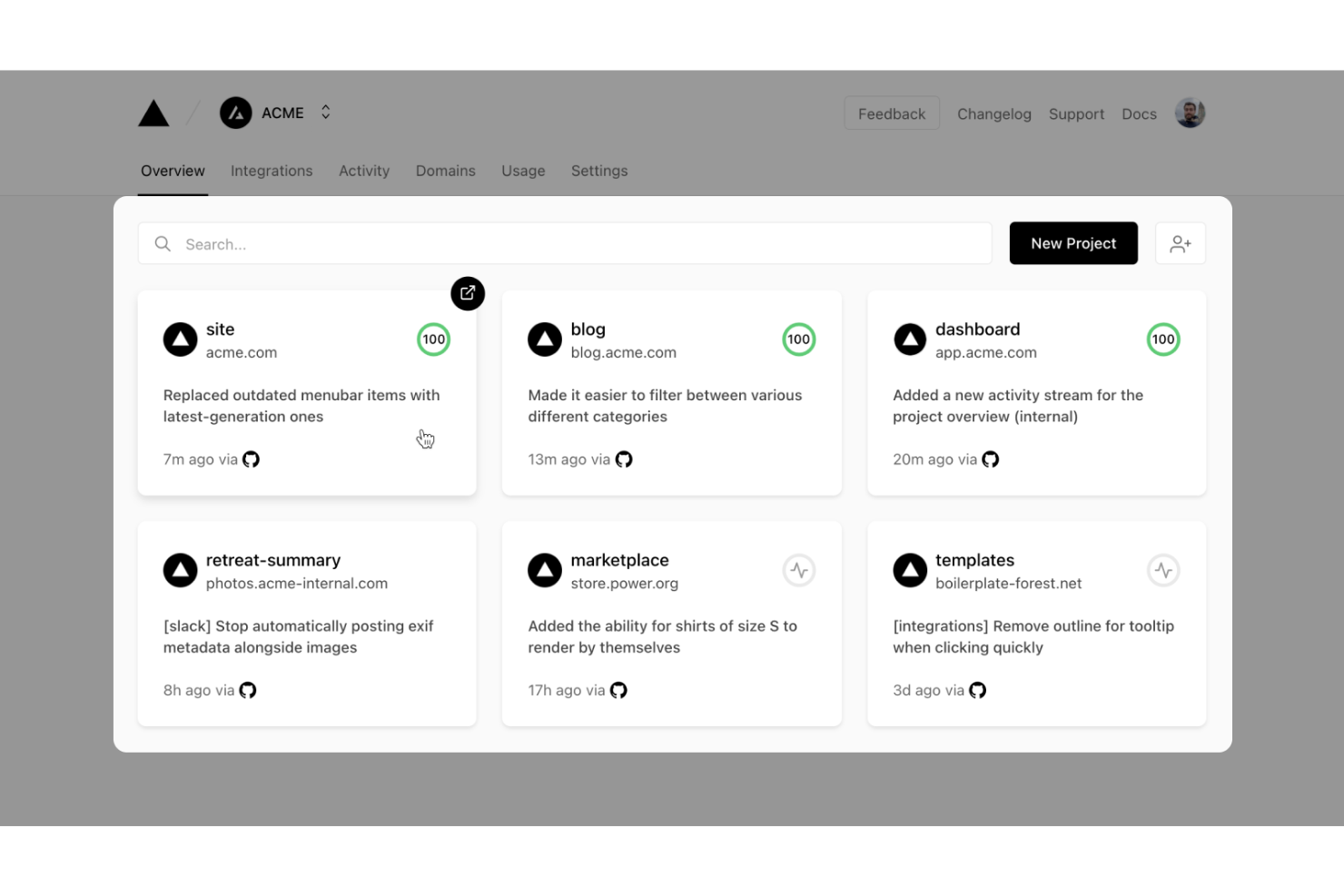
Vercel gives developers a platform to build, deploy, and scale workflow-driven web applications with modern frameworks. It’s especially useful for engineering teams who want to automate deployment pipelines and manage dynamic workflows in real time. With built-in serverless functions and instant preview environments, Vercel helps teams iterate quickly on workflow logic and user experience.
Why I Picked Vercel
What sets Vercel apart for workflow-driven app development is its focus on developer-centric automation and deployment. I picked Vercel because it lets teams build custom workflow logic using serverless functions and deploy changes instantly with preview environments. The platform’s Git-based workflow means every code push triggers automated builds and deployments, which is ideal for teams iterating on workflow builders. This approach gives developers full control over workflow customization while keeping deployment fast and reliable.
Vercel Key Features
Some other features that make Vercel appealing for workflow-driven app development include:
- Edge Middleware: Run custom logic at the edge to personalize workflows and handle requests before they reach your app.
- Environment Variable Management: Store and manage environment variables securely for different deployment stages.
- Custom Domains: Assign and manage custom domains directly from the Vercel dashboard.
- Analytics Dashboard: Access real-time performance and traffic analytics for deployed workflow apps.
Vercel Integrations
Integrations include GitHub, GitLab, Bitbucket, Slack, Datadog, Sentry, Contentful, Shopify, AWS, Sanity, and more.
Pros and Cons
Pros:
- Environment variable management for workflow configuration
- Middleware supports real-time workflow customization
- Instant preview deployments for workflow changes Edge
Cons:
- Custom domain setup can be complex for teams
- Limited visual workflow debugging tools

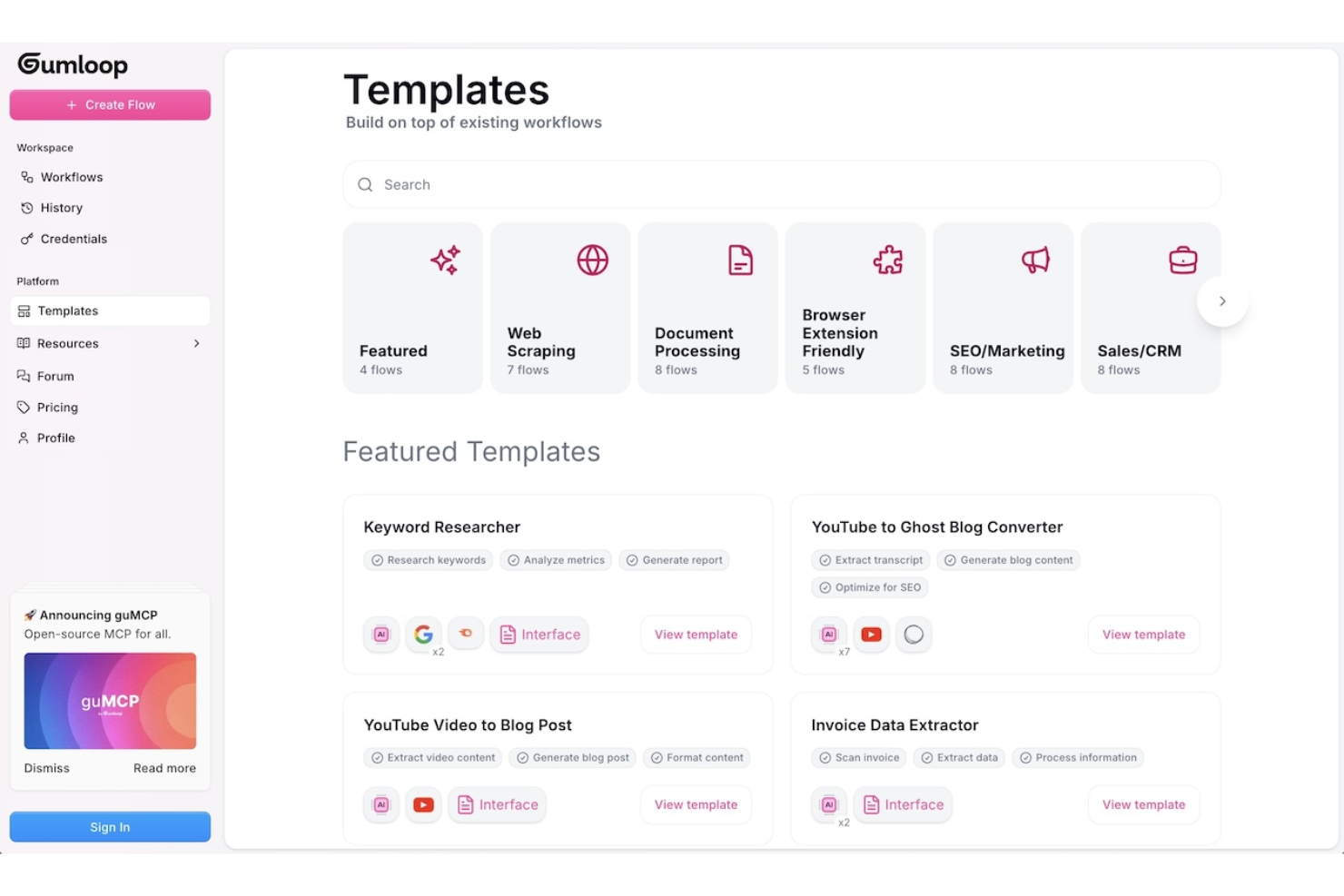
Gumloop is designed for teams and individuals who need to quickly prototype and test workflow ideas before committing to full development. It’s especially useful for product managers, UX designers, and innovation teams looking to validate concepts with interactive, drag-and-drop flows. With Gumloop, you can create and share workflow prototypes in minutes, making it easier to gather feedback and iterate early in the process.
Why I Picked Gumloop
When you need to move from idea to interactive prototype fast, Gumloop stands out for rapid workflow prototyping. I picked it because you can drag and drop steps, decisions, and actions to quickly visualize and test workflow logic without writing code. The tool supports instant sharing and live previews, so you can gather feedback from stakeholders or teammates right away. This makes Gumloop a strong fit for teams that want to validate workflow concepts before investing in full-scale development.
Gumloop Key Features
Some other features that make Gumloop useful for workflow prototyping include:
- Template Library: Access a collection of pre-built workflow templates to jumpstart new projects.
- Conditional Logic Blocks: Add if/then logic to simulate real-world decision points in your workflows.
- Commenting and Feedback Tools: Collect input directly on your prototypes from collaborators or stakeholders.
- Export to PDF or Image: Download workflow diagrams for documentation or presentations.
Gumloop Integrations
Integrations include Slack, Gmail, Google Sheets, Salesforce, Notion, HubSpot, Outlook, Google Drive, Apollo, and more.
Pros and Cons
Pros:
- No-code interface for non-technical team member
- Conditional logic blocks support complex flows
- Templates accelerate initial workflow prototyping
Cons:
- No built-in version control for prototypes
- Limited automation beyond visual prototyping stage

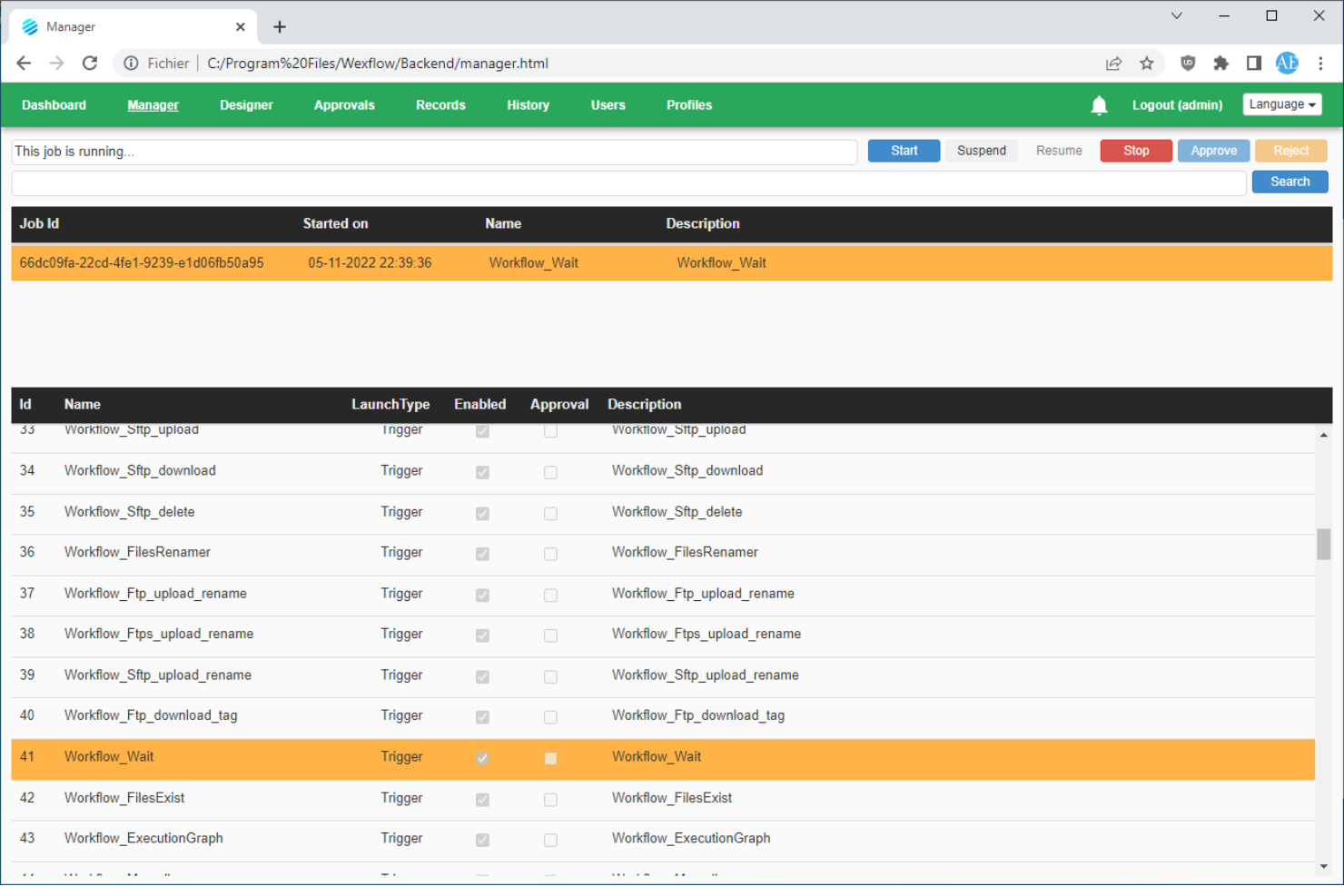
Wexflow is designed for IT teams and organizations that need full control over workflow automation in on-premise environments. It’s a fit for businesses with strict data security or compliance requirements that can’t use cloud-based workflow tools. If you want to build, schedule, and monitor automated processes on your own infrastructure, Wexflow gives you that deployment flexibility.
Why I Picked Wexflow
What sets Wexflow apart is its focus on on-premise deployment, which is rare among drag-and-drop workflow builders. I picked it because it lets you install and run the platform entirely within your own infrastructure, giving you full control over data and process security. Wexflow’s visual designer allows you to build, schedule, and monitor workflows without relying on cloud services. This makes it a strong choice for organizations with strict compliance needs or those operating in regulated industries.
Wexflow Key Features
Some other features that make Wexflow stand out for workflow automation include:
- Extensive Task Library: Choose from over 100 built-in tasks for automating file operations, email, database actions, and more.
- XML-Based Workflow Definitions: Edit and manage workflows using XML files for precise control and versioning.
- Real-Time Monitoring Dashboard: Track workflow execution status and logs through a web-based dashboard.
- Custom Script Integration: Add custom C# or PowerShell scripts directly into workflows for advanced automation needs.
Wexflow Integrations
Native integrations are not currently listed.
Pros and Cons
Pros:
- Built-in support for C# and PowerShell scripting
- XML workflow editing for advanced customization
- On-premise deployment supports strict data control
Cons:
- Lacks visual workflow version comparison
- No built-in cloud or SaaS option
Andre verktøy for bygging av arbeidsflyter med dra-og-slipp
Her er noen flere alternativer for bygging av arbeidsflyter med dra-og-slipp som ikke kom med på kortlisten min, men som likevel er verdt å sjekke ut:
- Kolleno
For finance and accounts receivable teams
- React Flow
For custom workflow UI development
- MyShyft
For shift scheduling and workforce management
- Retool
For building internal tool workflows
- Puzzle
With real-time workflow collaboration


How I Evaluate Drag and Drop Workflow Builders
I split my evaluation into two layers: whether a tool can visually build branching workflows with approvals and automation, and what differentiates it in integrations and governance.
Core Functionality (Table Stakes For This List)
When I'm selecting tools for my list, I rank each one on a scale from 0 (does not offer the functionality) to 5 (excels in this area) for each core functionality listed below. Then, I calculate the tool's total score into a percentage. Each tool needs to achieve a minimum total score of 65% to be considered for inclusion.
- Visual Drag-and-Drop Canvas: I evaluate how easily you can place, rearrange, and connect workflow steps on a canvas—like mapping a sprint review process by dragging stages into sequence.
- Conditional Logic & Branching: Each tool should let you set if/then rules that route work down different paths, such as escalating a task when a budget threshold is exceeded.
- Task & Stage Automation: I look for automated triggers that fire when work moves between stages—auto-assigning a QA reviewer, updating statuses, or sending Slack alerts on completion.
- Project Management Integration: The builder should connect to your existing PM stack. I check for native links to tools like Jira, Asana, or monday.com so workflows stay synced with live project data.
- Approvals & Handoffs: Structured approval gates matter. I evaluate whether you can insert review steps where a design lead signs off before dev picks up the next stage.
- Templates & Reusability: Saving a workflow as a reusable template—like a client onboarding sequence your PMO runs every quarter—should be straightforward and shareable across teams.
Once I have a list of tools that meet the criteria, I consider what sets each platform apart.
Differentiating Factors (What Sets Vendors Apart)
Here's how I compare and contrast different vendors:
Standout Features
Version history is one of the first things I check. When a PMO lead updates a release workflow mid-sprint, the ability to compare revisions and roll back matters. I also evaluate whether the builder surfaces analytics like stage duration and bottleneck detection—knowing where tasks stall between design review and dev handoff is far more useful than raw task counts. AI-powered workflow generation is increasingly relevant too, especially for teams that need to spin up new processes from a plain-language prompt.
Beyond Features
Integration ecosystem depth is something I always evaluate. A workflow builder that connects natively to your PM tools, Slack, and file storage means fewer manual handoffs between systems. Governance and access control also carry real weight—when multiple teams share a workspace, role-based permissions and sandbox environments prevent a junior coordinator from accidentally publishing changes to a production workflow. I also consider how well a vendor supports onboarding, especially whether they offer prebuilt templates and guided setup to shorten the ramp-up for new builders.
Slik velger du et verktøy for bygging av arbeidsflyter med dra-og-slipp
Det er lett å gå seg vill i lange funksjonslister og komplekse prismodeller. For å hjelpe deg med å holde fokus mens du går gjennom den unike prosessen din for valg av programvare, har jeg laget en sjekkliste over faktorer du bør ha i tankene:
| Faktor | Hva du bør vurdere |
| Skalerbarhet | Vil verktøyet håndtere mengden arbeidsflyter etter hvert som teamet eller virksomheten din vokser? Se etter begrensninger på brukere, arbeidsflyter eller kjøringer. |
| Integrasjoner | Har det innebygd tilkobling til appene og tjenestene teamet ditt er avhengig av? Gå gjennom integrasjonslisten for å finne mangler eller alternative løsninger. |
| Tilpasningsmuligheter | Kan du tilpasse arbeidsflytene slik at de passer til unike prosesser eller krav? Se etter støtte for tilpasset logikk, skripting eller oppretting av noder. |
| Brukervennlighet | Vil brukere uten teknisk kompetanse kunne bygge og administrere arbeidsflyter uten konstant hjelp fra IT-avdelingen? Test grensesnittet med virkelige brukere. |
| Implementering og innføring | Hvor lang tid vil det ta å komme i gang? Ta hensyn til behov for migrering, opplæringsressurser og tilgjengeligheten av maler eller veiledet oppsett. |
| Kostnad | Er prisnivåene tydelige og forutsigbare etter hvert som bruken øker? Vær oppmerksom på skjulte gebyrer, ekstrakostnader ved overforbruk eller nødvendige tillegg. |
| Sikkerhetstiltak | Oppfyller plattformen organisasjonens standarder for personvern og datasikkerhet? Spør om kryptering, tilgangskontroller og revisjonslogger. |
| Tilgjengelighet av brukerstøtte | Vil du få rask hjelp hvis det oppstår problemer? Sjekk åpningstider for brukerstøtte, kontaktkanaler og forpliktelser knyttet til svartid. |
Hva er et verktøy for bygging av arbeidsflyter med dra-og-slipp?
En arbeidsflytbygger med dra-og-slipp-funksjon er et visuelt verktøy som lar brukere utforme, automatisere og administrere prosesser med flere trinn ved å plassere komponenter på et digitalt lerret. Disse plattformene fungerer som en automatiseringsplattform og en arbeidsflytmotor, slik at team kan opprette kodefrie arbeidsflyter med fleksibiliteten til lavkode. De lar deg koble sammen oppgaver, utløsere og handlinger på tvers av apper som et CRM-system og andre datakilder, slik at team kan orkestrere prosesser på en mer datadrevet måte. Mange verktøy omtales ofte som visuelle arbeidsflytbyggere, og inkluderer også AI-drevne funksjoner og brukes mye av oppstartsbedrifter og team i vekst. Ved å gjøre automatisering tilgjengelig for både tekniske og ikke-tekniske brukere hjelper disse plattformene team med å forenkle repetitive oppgaver, få bedre oversikt og validere resultater gjennom eksempler som kasusstudier.
Funksjoner
Når du velger en arbeidsflytbygger med dra-og-slipp-funksjon, bør du se etter følgende nøkkelfunksjoner:
- Visuell arbeidsflytredigering: Lar deg utforme og organisere arbeidsflyter ved å dra og koble sammen trinn på et digitalt lerret, noe som gjør prosesskartlegging intuitiv og tilgjengelig.
- Integrasjoner med flere apper: Kobler seg til et bredt utvalg tredjepartsverktøy og -tjenester, slik at du kan automatisere oppgaver på tvers av den eksisterende teknologistakken din.
- Betinget logikk: Lar deg angi regler og forgrenede baner i arbeidsflyter, slik at ulike handlinger kan utføres basert på bestemte utløsere eller dataverdier.
- Gjenbrukbare arbeidsflytmaler: Tilbyr forhåndsbygde eksempler på arbeidsflyter som du kan tilpasse, slik at du kommer raskt i gang og kan standardisere vanlige prosesser.
- Overvåking i sanntid: Tilbyr løpende sporing av kjøringer av arbeidsflyter, slik at du kan se fremdriften, identifisere flaskehalser og feilsøke problemer mens de oppstår.
- Kontroller for feilhåndtering: Lar deg definere hva som skjer når et trinn i en arbeidsflyt mislykkes, for eksempel nye forsøk, varsler eller alternative baner, for å sikre pålitelighet.
- Rollebaserte tilgangskontroller: Gjør det mulig å administrere hvem som kan vise, redigere eller kjøre arbeidsflyter, og støtter sikkert samarbeid på tvers av team.
- Planlegging og utløsere: Støtter automatisk kjøring av arbeidsflyter basert på tid, hendelser eller eksterne signaler, noe som reduserer behovet for manuell inngripen.
- Versjonshistorikk: Sporer endringer i arbeidsflyter over tid, slik at du kan gå tilbake til tidligere versjoner eller kontrollere endringer av hensyn til samsvar.
- Dokumentasjon i appen: Tilbyr innebygd hjelp, verktøytips eller notater i arbeidsflytbyggeren, slik at det blir enklere for brukere å forstå og vedlikeholde komplekse prosesser.
Fordeler
Implementering av en arbeidsflytbygger med dra-og-slipp-funksjon gir flere fordeler for teamet og virksomheten din. Her er noen av fordelene du kan se frem til:
- Raskere prosessautomatisering: Med visuelle redigeringsverktøy og maler kan du raskt bygge og ta i bruk automatiserte arbeidsflyter uten programmering.
- Bedre samarbeid på tvers av team: Rollebaserte tilgangskontroller og delte arbeidsflytlerreter gjør det enklere for flere interessenter å bidra til og gjennomgå prosesser.
- Færre manuelle feil: Automatiserte utløsere, feilhåndtering og betinget logikk bidrar til å eliminere feil som ofte oppstår ved manuell oppgavehåndtering.
- Bedre oversikt og sporing: Funksjoner for overvåking i sanntid og versjonshistorikk gir deg tydelig innsikt i arbeidsflytstatus og endringer over tid.
- Enklere onboarding for nye brukere: Dokumentasjon i appen og intuitive dra-og-slipp-grensesnitt gjør det enklere for ikke-tekniske teammedlemmer å delta i automatiseringen.
- Skalerbarhet etter hvert som behovene vokser: Støtte for integrasjoner med flere apper og tilpassbare arbeidsflyter sikrer at automatiseringen kan utvikles i takt med virksomhetens behov.
- Bedre sikkerhet og samsvar: Rollebaserte tillatelser og revisjonsspor hjelper deg med å beholde kontrollen over sensitive prosesser og oppfylle organisatoriske standarder.
Kostnader og priser
Når du skal velge en arbeidsflytbygger med dra-og-slipp-funksjon, må du forstå de ulike prismodellene og tilgjengelige abonnementene. Kostnadene varierer basert på funksjoner, teamstørrelse, tillegg og mer. Tabellen nedenfor oppsummerer vanlige abonnementer, gjennomsnittsprisene deres og typiske funksjoner som er inkludert i løsninger for arbeidsflytbyggere med dra-og-slipp-funksjon:
Sammenligningstabell for abonnementer for arbeidsflytbygger med dra-og-slipp-funksjon
| Plantype | Gjennomsnittlig pris | Vanlige funksjoner |
| Gratisplan | $0 | Grunnleggende arbeidsflytredigerer, begrensede integrasjoner, tilgang for én bruker, brukerstøtte fra fellesskapet og begrenset antall arbeidsflytkjøringer. |
| Privatplan | $10-$25/bruker/måned | Ubegrensede arbeidsflyter, flere integrasjoner, høyere bruksgrenser, brukerstøtte via e-post og grunnleggende maler. |
| Bedriftsplan | $25-$50/bruker/måned | Samarbeid for flere brukere, avanserte integrasjoner, rollebaserte tillatelser, revisjonslogger og prioritert brukerstøtte. |
| Plan for store bedrifter | $50-$100+/bruker/måned | Tilpassede integrasjoner, dedikert onboarding, avanserte sikkerhetskontroller, brukerstøtte med SLA og funksjoner for samsvar. |
Vanlige spørsmål om dra-og-slipp-bygger for arbeidsflyter
Her er noen svar på vanlige spørsmål om dra-og-slipp-byggeren for arbeidsflyter:
Kan brukere uten teknisk bakgrunn bygge arbeidsflyter med dra-og-slipp-byggere for arbeidsflyter?
Ja, de fleste dra-og-slipp-byggere for arbeidsflyter er utformet slik at brukere uten teknisk bakgrunn kan opprette og administrere arbeidsflyter visuelt. Grensesnittet bruker vanligvis et lerret og forhåndsbygde komponenter, slik at du ikke trenger å skrive kode for å automatisere oppgaver eller koble sammen apper.
Hvordan håndterer dra-og-slipp-byggere for arbeidsflyter feil eller trinn som mislykkes?
De fleste plattformer har kontroller for feilhåndtering som lar deg definere hva som skjer hvis et trinn mislykkes. Du kan konfigurere nye forsøk, varsler eller alternative baner for å sikre at arbeidsflytene fortsetter, eller varsle de riktige personene når noe går galt.
Hvilke typer prosesser kan automatiseres med dra-og-slipp-byggere for arbeidsflyter?
Du kan automatisere et bredt spekter av prosesser, blant annet godkjenninger, varsler, datasynkronisering, onboarding og oppgaver i flere trinn som omfatter flere apper. Disse verktøyene er fleksible nok til å støtte både enkle og komplekse arbeidsflyter på tvers av ulike team.
Finnes det begrensninger på antallet arbeidsflyter eller kjøringer?
Ja, de fleste abonnementer har begrensninger på hvor mange arbeidsflyter du kan opprette, eller hvor mange ganger arbeidsflyter kan kjøres hver måned. Abonnementer på høyere nivå tilbyr vanligvis økt eller ubegrenset bruk, så se gjennom abonnementsdetaljene for å finne et alternativ som passer behovene dine.
Hvor sikre er plattformene for dra-og-slipp-byggere for arbeidsflyter?
Sikkerheten varierer fra leverandør til leverandør, men de fleste plattformer rettet mot bedrifter tilbyr funksjoner som kryptering, tilgangskontroller, revisjonslogger og samsvarssertifiseringer. Kontroller alltid at plattformen oppfyller organisasjonens krav til sikkerhet og personvern før du tar den i bruk.