

10 alternativer til Google Drive for skylagring i 2026

Kortliste over de beste alternativene til Google Disk


Effektiv prosjektstyring er avgjørende, og skylagring spiller en viktig rolle når det gjelder å holde teamet organisert. Hvis Google Disk ikke dekker alle behovene dine, kan det å utforske alternativer til Google Disk hjelpe deg med å finne løsninger med avansert sikkerhet, bedre funksjoner for samarbeid eller mer budsjettvennlige alternativer.
Jeg har testet og vurdert en rekke skylagringsplattformer uavhengig for å hjelpe deg med å ta et informert valg. I denne artikkelen vil du oppdage alternativer til Google Disk som dekker ulike forretningsutfordringer og brukerpreferanser.
Jeg vil fremheve mine beste anbefalinger og vise hvordan hvert alternativ passer til ulike arbeidsflyter og teamkrav. Med denne veiledningen kan du trygt velge skylagringsløsningen som best støtter produktiviteten og organisasjonsmålene dine.
Hva er Google Disk?
Google Disk er en skylagringsprogramvare som lar deg lagre og få tilgang til filer på nettet. Den brukes ofte av fagfolk som prosjektledere, lærere og frilansere som trenger å samarbeide om og dele dokumenter.
Funksjoner som samarbeid i sanntid, enkel fildeling og integrasjon med andre verktøy i Google Workspace bidrar til effektiv prosjektstyring og teamsamarbeid. Alt i alt tilbyr Google Disk en praktisk måte å administrere og dele filene dine på en sikker måte.
Sammenligningstabell for alternativer til Google Disk
Tabellen nedenfor sammenligner prisdetaljene for mine beste alternativer til Google Disk.
| Tool | Best For | Trial Info | Price | ||
|---|---|---|---|---|---|
| 1 | Best DAM layered on top of Google Drive | 7-day free trial + free demo available | From $100/month | Website | |
| 2 | Best for scalability | Free plan available | From $0.020/GB/month | Website | |
| 3 | Best for secure cloud storage | Free plan available | From $9.99/month | Website | |
| 4 | Best for large-scale storage | Free plan available | From $3.80/month (billed annually) | Website | |
| 5 | Best for versatile backup services | Not available | From $6.99/month (billed annually) | Website | |
| 6 | Best for end-to-end encryption | 30-day free trial | From CAD $6/user/month (billed annually) | Website | |
| 7 | Best self-hosted solution | 1-hour free trial | From 71.29€/user/year (billed annually) | Website | |
| 8 | Best for content management and security | 14-day free trial | From CAD$21/user/month (billed annually) | Website | |
| 9 | Best for Microsoft 365 integration | Free plan available | From $1.99/month | Website | |
| 10 | Best for Apple device integration | Free plan available | From $0.99/50 GB | Website |
Hvorfor du kan stole på våre programvareanbefalinger
Teamet vårt har testet og anmeldt programvare siden 2012. Vi er selv prosjektledere, så vi vet hvor vanskelig og hvor viktig det er å velge riktig programvare.
I denne guiden har vi vurdert verktøyene gjennom praktisk testing og uavhengig research og gitt dem poeng ut fra våre utvelgelseskriterier. Vi bygger også på innsikt fra ledende eksperter i bransjen og erfarne prosjektledere.
Anmeldelsene våre bygger på vår egen redaksjonelle vurdering. De er ikke et salgsargument.
Ekspertanmeldere:
Anmeldelser av de beste alternativene til Google Disk
Nedenfor finner du mine detaljerte sammendrag av de beste alternativene til Google Disk som kom med på kortlisten min. Anmeldelsene mine gir en detaljert oversikt over de viktigste funksjonene, fordelene og ulempene, integrasjonene og de ideelle bruksområdene for hvert verktøy, slik at du kan finne det som passer best for deg.

Pics.io
Best DAM layered on top of Google Drive
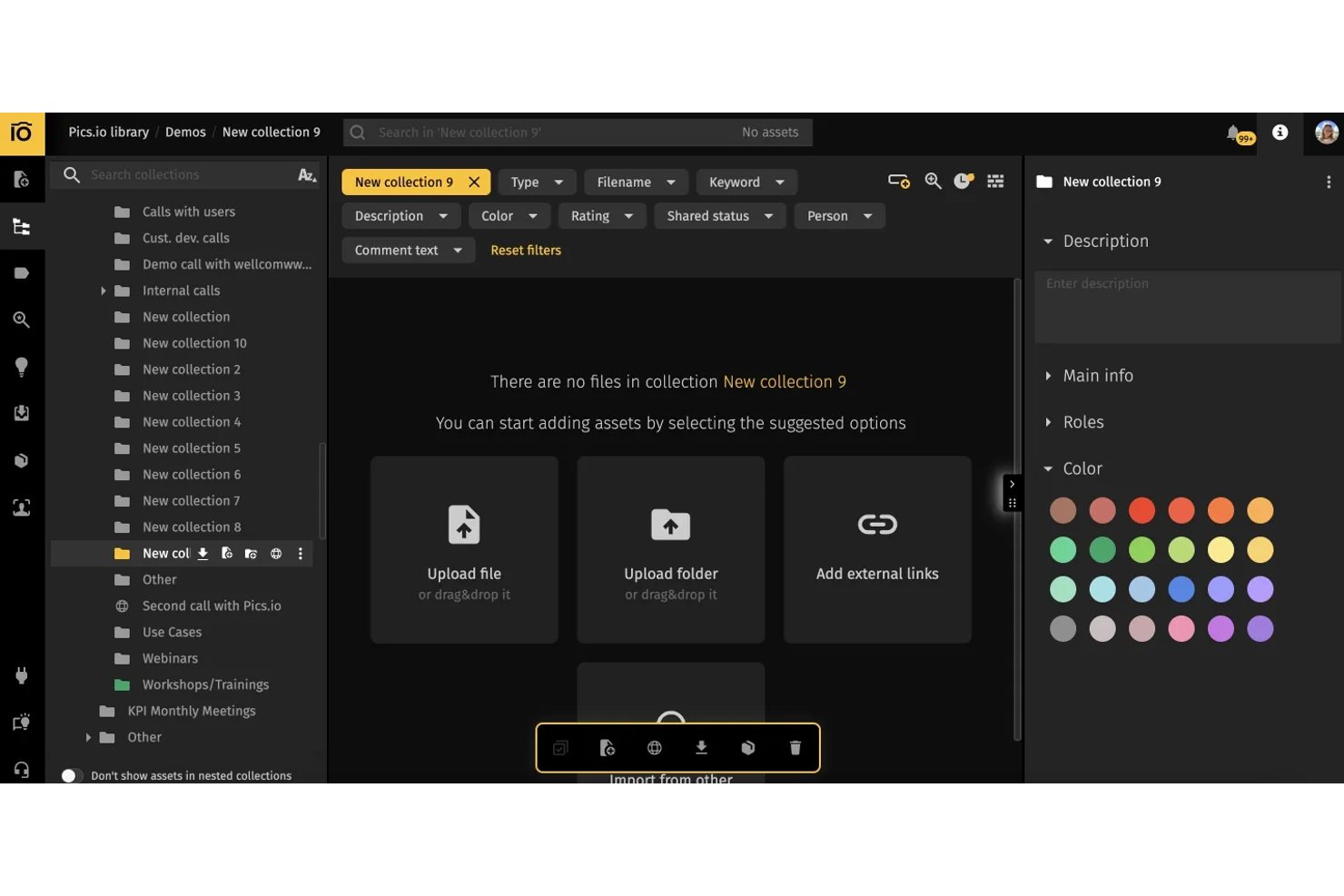
Pics.io is a digital asset management platform for creative and marketing teams that helps organize, find, and manage media files stored in the cloud.
Who Is Pics.io Best For?
Pics.io suits creative and marketing teams that want a digital asset management layer for organizing and finding media stored in Google Drive.
Why Pics.io Is a Good Best Google Drive Alternatives Reviewed
I picked Pics.io for Best for DAM layered on top of Google Drive: it adds a searchable media catalog while your files stay in Drive. I like its rich metadata and AI tagging for finding campaign photos, plus version comparisons and approvals that help distinguish approved creative from drafts.
Pics.io Key Features
- Storage options: Connect Google Drive or Amazon S3, or use Pics.io storage.
- Role-based permissions: Set access permissions by user or role.
- Expiring shares: Add expiration dates to shared content.
- Password-protected sharing: Require a password to access shared assets.
Pics.io Integrations
Pics.io lists native integrations with Google Drive, Amazon S3, Dropbox, Slack, Shopify, Zoho CRM, WordPress, Adobe Photoshop, and Zapier. It also offers an API for custom integrations, while Google Drive and Amazon S3 connections let teams manage assets through Pics.io using their existing storage.
Pros and Cons
Pros:
- Keep files in existing cloud storage
- Compare versions and track approval changes
- Search assets using rich metadata and filters
Cons:
- AI tags sometimes miss relevant keywords
- Large libraries can load slowly
New Product Updates from Pics.io
Pics.io Adds Filtered Audit Trail CSV Exports
Pics.io now lets you export Audit Trail logs to CSV and apply filters before exporting, making it easier to analyze and share activity history. For more information, visit Pics.io's official site.
 .

Best for scalability
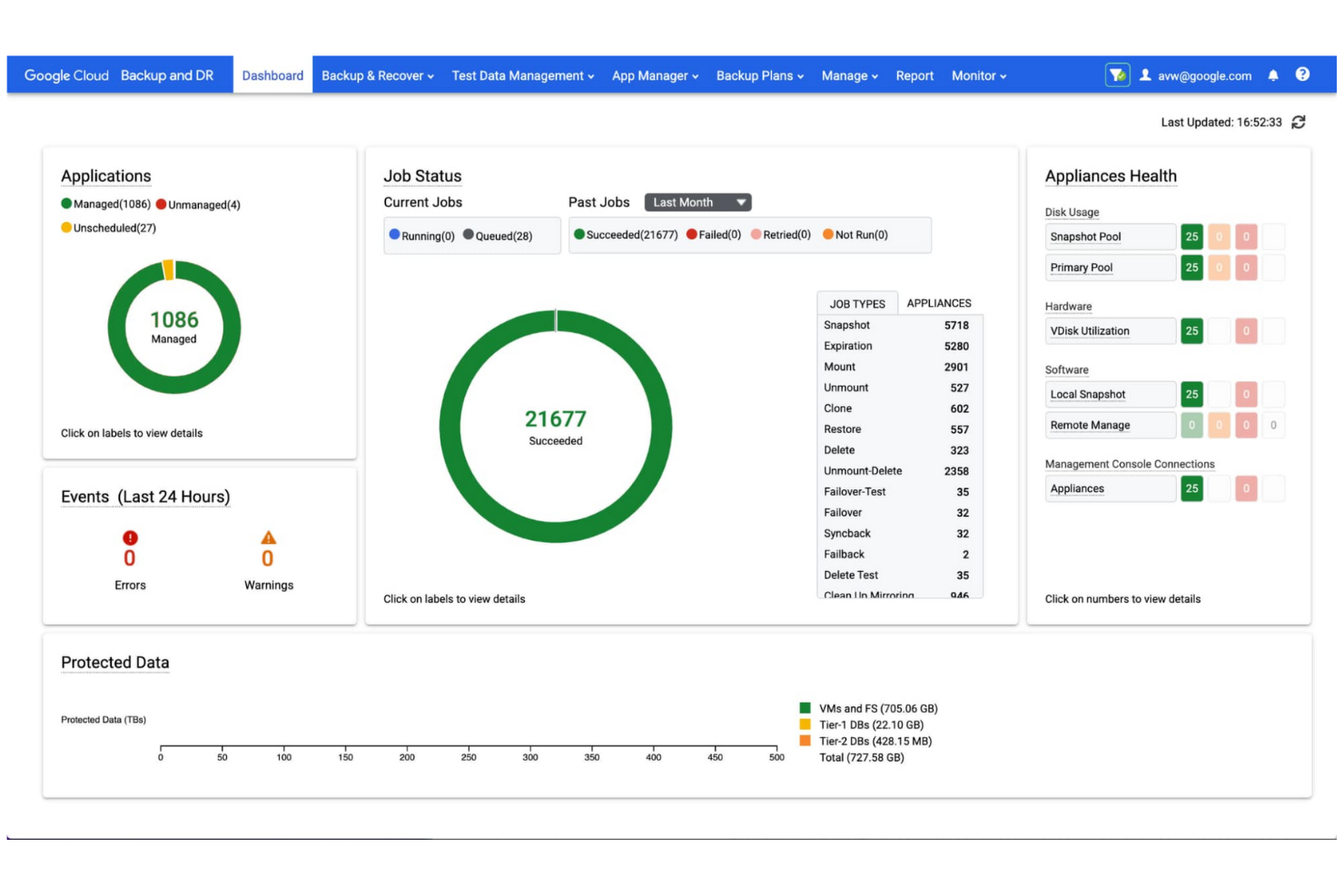
Google Cloud Storage is a scalable, object-based storage service for developers and businesses to store and retrieve data. It provides reliable, high-performance storage for demanding applications and data analytics.
Why it's a good Google Drive alternative: Google Cloud Storage optimizes data management by providing a secure, scalable object storage service that acts as a foundational component in a unified data-to-AI ecosystem. It handles massive datasets, making it highly suitable if your enterprise has extensive storage needs.
Standout Features and Integrations:
Features include object lifecycle management for automatic data retention, deletion, and storage class transitions, as well as object versioning, which allows the retention of multiple versions for backup and recovery. The service fully supports multiregional storage, providing geo-redundancy and high availability.
Integrations include BigQuery, Pub/Sub, Cloud SQL, AlloyDB, Bigtable, Firestore, Search Ads 360, YouTube, Vertex AI, Enterprise License Manager, Gmail, Google Analytics, Cloud Translation, and more.
Pros and Cons
Pros:
- User-friendly tools
- Flexible storage classes
- Highly global reach
Cons:
- Hidden egress data fees
- Complex IAM configuration

Dropbox
Best for secure cloud storage

Dropbox is a cloud storage service that enables teams and individuals to manage, sync, and share documents and files effectively. It increases productivity by offering secure file storage, fast synchronization, and collaboration tools.
Why it's a good Google Drive alternative: Dropbox provides advanced document management features. It allows you to sync files across a diverse range of devices and operating systems, including Windows, macOS, Android, and iOS.
Standout Features and Integrations:
Features include Dropbox Paper, Smart Sync, and file requests, which allow you to manage, collaborate, and collect files and folders without cluttering your local hard drive. Version history and file recovery tools safeguard important data.
Integrations include Slack, Zoom, Microsoft, Adobe, Trello, Jira, Asana, Google Workspace, HubSpot, Autodesk, Canva, AWS, and more.
Pros and Cons
Pros:
- Broad integrations
- Strong collaboration tools
- Fast file syncing
Cons:
- Lacks private key management
- Folder structure limitations

MEGA
Best for large-scale storage

MEGA is a secure, user-controlled cloud storage service for individuals and businesses seeking substantial storage capacity coupled with end-to-end encryption.
Why it's a good Google Drive alternative: MEGA offers zero-knowledge encryption, providing complete privacy and control of your files. It's an excellent alternative to Google Drive if you prioritize security and large storage capacity.
Standout Features and Integrations:
Features include end-to-end encrypted communication for secure chats, video meetings, and messages. MEGA also offers file versioning, allowing you to restore previous versions of your files during editing, as well as secure sharing with options for password protection and expiration dates.
Integrations are not publicly listed.
Pros and Cons
Pros:
- 20 GB of free storage space on nonpaid accounts
- Fast transfer speeds
- Competitive pricing for large storage needs
Cons:
- No recovery without the key
- Strict takedown policies
IDrive
Best for versatile backup services
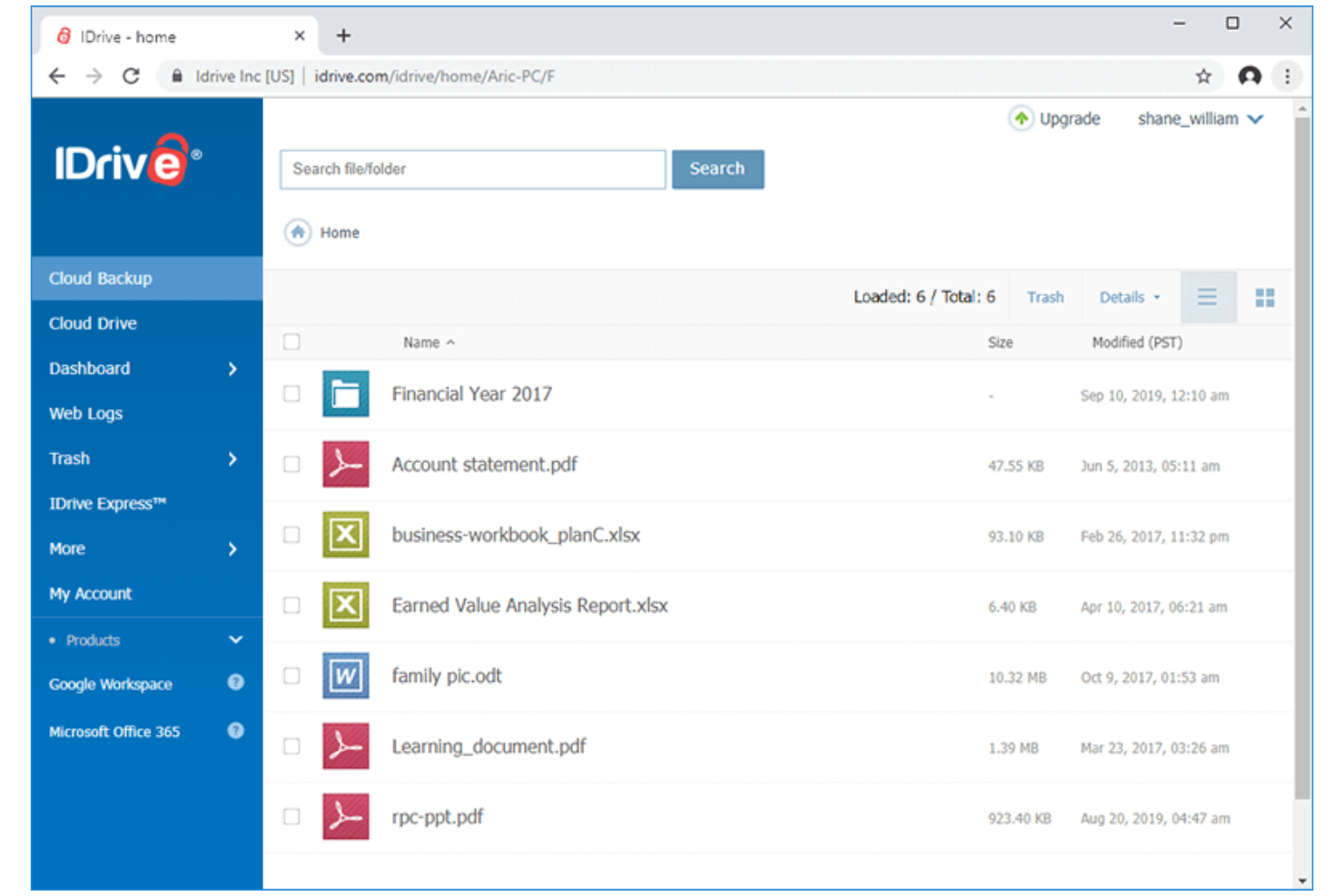
IDrive is a cloud backup and storage solution for individuals, small businesses, and enterprises that require reliable, real-time data backup, syncing, and recovery across unlimited devices in one account.
Why it's a good Google Drive alternative: IDrive offers an extensive and highly reliable data backup service, making it ideal for security-conscious users. Its ability to back up multiple devices under one account adds convenience if you manage a variety of machines.
Standout Features and Integrations:
Features include continuous data protection, which automatically identifies modified files and backs them up instantly. Disk image backup enables you to create a replica of your hard drive, including your operating system, installed programs, settings, and all your files. Hybrid backup combines local and cloud backup for added security and faster data recovery.
Integrations include Microsoft Office, Outlook, QuickBooks, Exchange, SharePoint, SQL Server, Linux, Mac OS, and more.
Pros and Cons
Pros:
- Unlimited device support
- Free 5 GB of storage for testing or light usage
- Cloud-to-cloud backup
Cons:
- Complex interface
- Limited Linux support

Sync
Best for end-to-end encryption
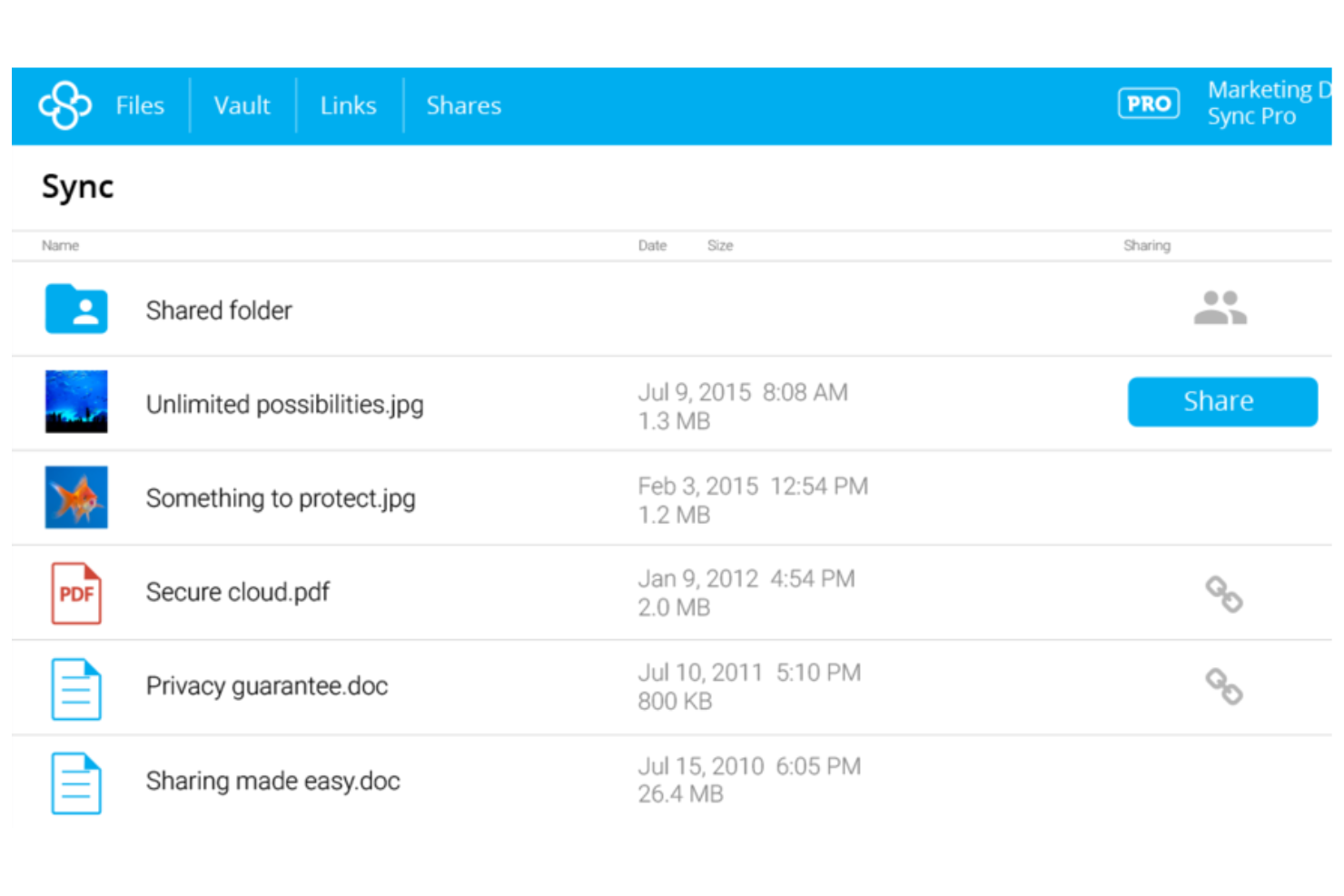
Sync is a privacy-focused cloud storage service for individuals and businesses that prioritize data security and cross-device collaboration.
Why it's a good Google Drive alternative: Sync utilizes end-to-end encryption and a zero-knowledge architecture, so only authorized users can access your files. Advanced sharing controls and privacy settings allow you to control who sees your files and what they can do with them, making it a secure choice for sensitive information.
Standout Features and Integrations:
Features include advanced file version history and data recovery tools that enable you to restore previous versions and recover deleted files. The automatic backup system protects your data without manual intervention, and the user-friendly interface refines file management and sharing.
Integrations include Microsoft Office 365, Adobe Creative Suite, Slack, Google Workspace, and more.
Pros and Cons
Pros:
- Reliable syncing
- Zero-knowledge encryption
- Extensive file recovery and revision history
Cons:
- Limited plan options
- No LAN syncing

Best self-hosted solution
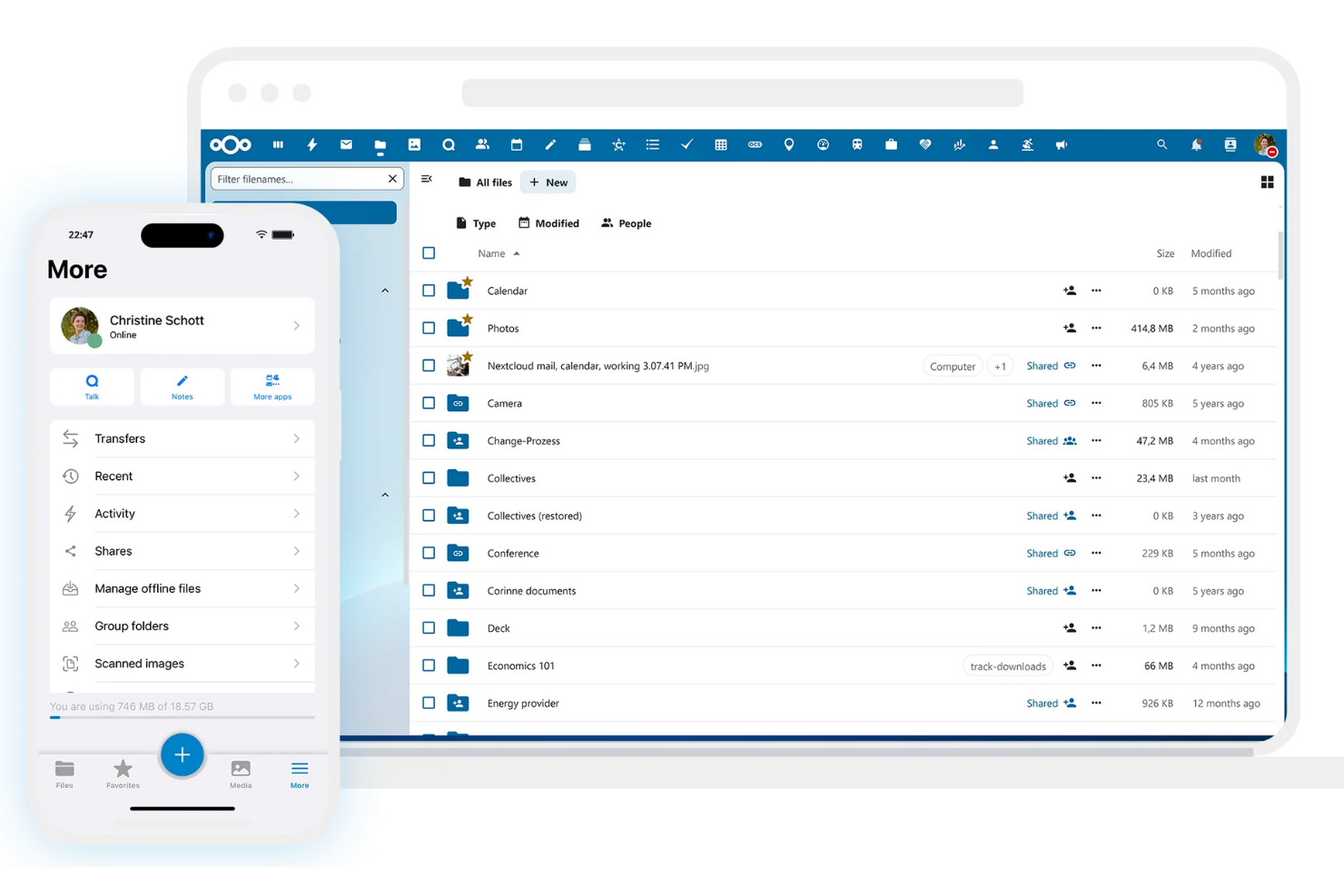
Nextcloud is an open-source, self-hosted cloud storage and content collaboration platform for businesses and individuals who require a secure, in-house alternative to public cloud services. It allows you to store, sync, and share files on your own server, giving you full data sovereignty.
Why it's a good Google Drive alternative: Nextcloud offers the full flexibility of a self-hosted solution, giving you complete, independent control over your data, user management, and security settings. It's a flexible, private, and highly customizable alternative to Google Drive that also provides superior security.
Standout Features and Integrations:
Features include file access control, which allows you to define precise permissions for viewing, editing, sharing, or deleting files. End-to-end encryption protects data against unauthorized access, even in the event of a data breach, and two-factor authentication increases the security of your account.
Integrations include Collabora Online, Microsoft Outlook, Zimbra, Moodle, EGroupware, Jitsi, Samba, and more.
Pros and Cons
Pros:
- Customizable user permissions
- No recurring storage fees
- Self-hosted for full control
Cons:
- User must manage security
- High server maintenance

Box
Best for content management and security
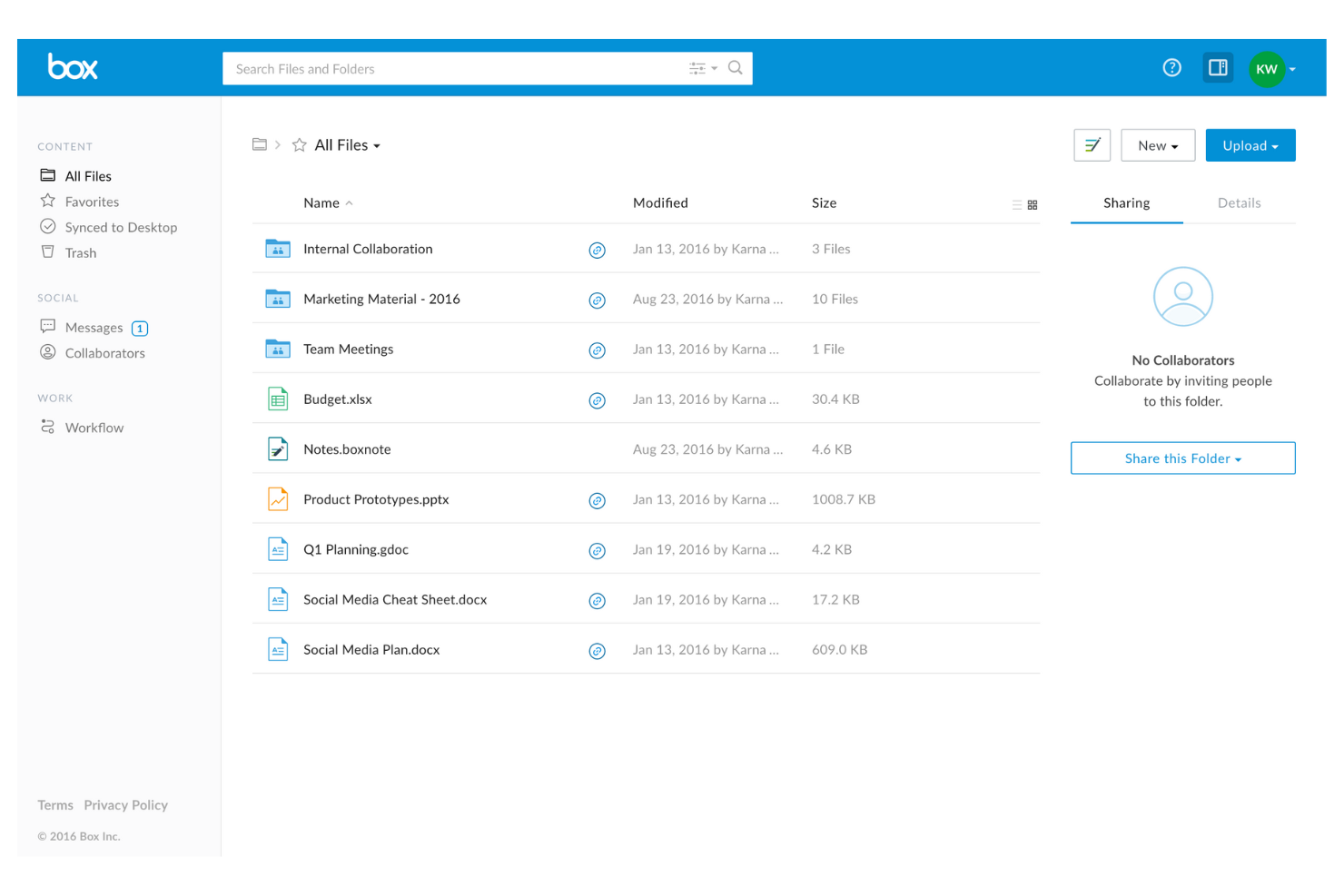
Box is a cloud content management and file sharing service for businesses and enterprises to securely manage, store, and share documents. It enables real-time collaboration, workflow automation, and high-level data compliance.
Why it's a good Google Drive alternative: Box offers a strong, enterprise-grade content management platform for businesses that require secure document handling, collaboration, and governance. It's a compelling Google Drive alternative if you handle high-risk data.
Standout Features and Integrations:
Features include workflow automation that enables the creation of custom workflows, significantly increasing productivity and optimizing business processes. Granular access controls allow you to define specific permissions for viewing and editing files. Data loss prevention capabilities protect sensitive information from unauthorized access.
Integrations include Salesforce, Slack, Microsoft Office 365, Google Workspace, Adobe Acrobat, DocuSign, IBM Connections, Okta, Zoom, WebDrive, AdvisorCRM, Syncly, MV Tools, Trello, and more.
Pros and Cons
Pros:
- Unlimited storage capacity for organizations
- Multiple business plans
- Enterprise-grade security
Cons:
- No block-level sync
- Strict file size limits

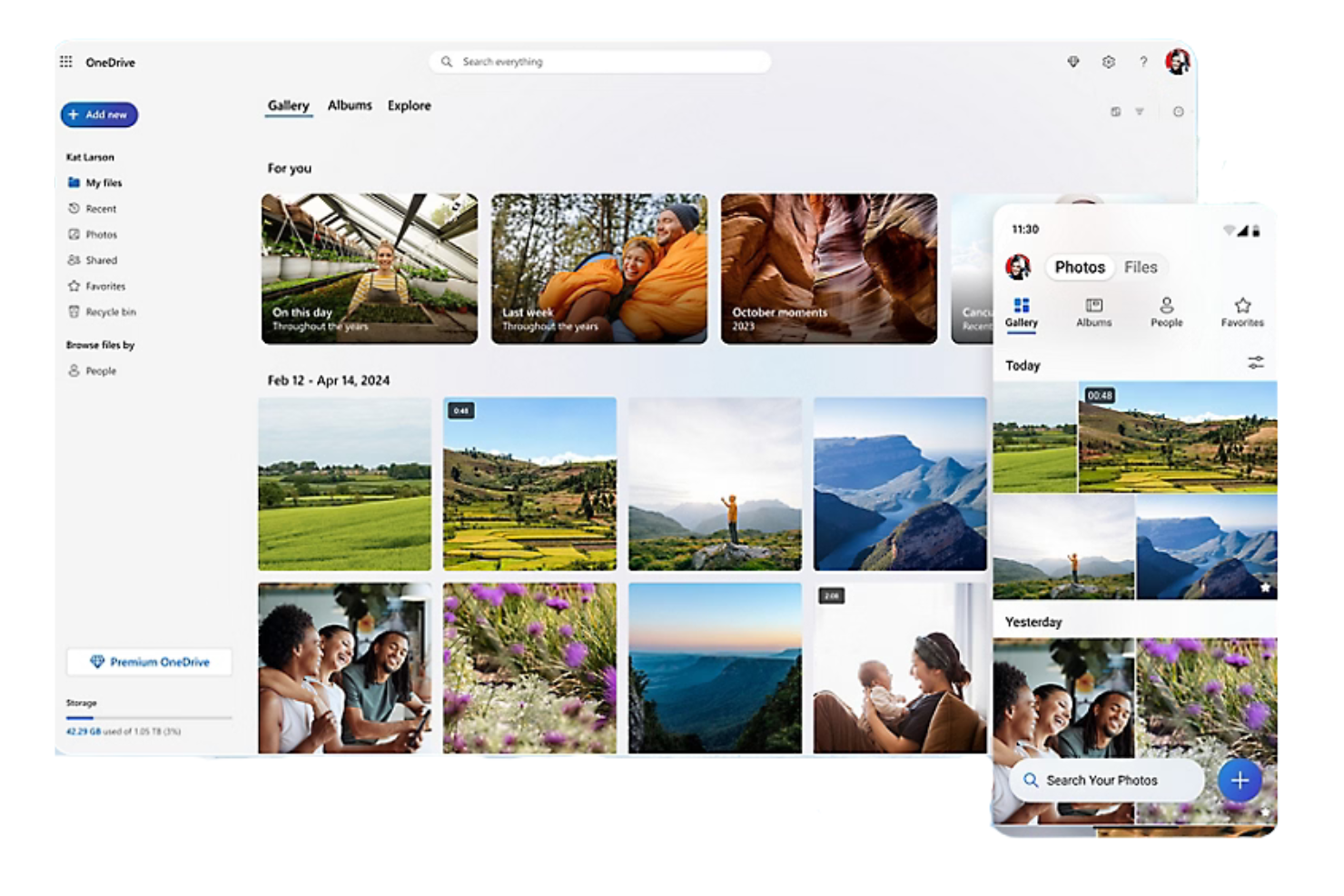
Microsoft OneDrive is a cloud storage platform that allows users to store, sync, and share files, photos, and documents online. Ideal for both personal use and businesses, the Microsoft-integrated service is accessible on any compatible device and enables secure collaboration.
Why it's a good Google Drive alternative: OneDrive integrates natively with Microsoft 365, providing a cohesive experience for Windows users, and also offers third-party Gmail integration. It offers real-time co-authoring in Office apps and advanced security features, including file encryption and ransomware detection, so your team can collaborate and share data safely.
Standout Features and Integrations:
Features include file versioning for viewing, restoring, and downloading previous versions of documents. Offline access capabilities allow you to work on files without an internet connection, and you can control who sees your files with customizable sharing options.
Integrations include Microsoft Word, Excel, PowerPoint, Outlook, Teams, SharePoint, OneNote, Azure Active Directory, Dynamics 365, Power Automate, and more.
Pros and Cons
Pros:
- Highly suitable for small business operations
- Files on demand
- Deep Windows/Office integration
Cons:
- Aggressive auto-activation
- Moves local files by default


iCloud+ is a cloud subscription service for users with multiple Apple devices that expands upon free iCloud, automatically syncing, backing up, and sharing data.
Why it's a good Google Drive alternative: iCloud+ offers native integration into the Apple ecosystem, making it the most natural choice if you already use Apple devices and need more than the default 5 GB of free storage. It includes privacy and security features to protect your data, privacy, and online identity.
Standout Features and Integrations:
Features include iCloud Photos, iCloud Drive, and iCloud Backup, providing increased storage for automatic syncing and backups across all Apple devices. HomeKit Secure Video, iCloud Private Relay, and Hide My Email offer significant protection against trackers and data breaches.
Integrations include Apple Mail, Calendar, Contacts, Notes, Reminders, Safari, Messages, and more.
Pros and Cons
Pros:
- Photo/document syncing across devices
- Google Photos integration
- Automatic backups
Cons:
- Ecosystem lock-in
- Extremely limited free tier
Andre alternativer til Google Disk
Her er noen flere alternativer til Google Disk som ikke kom med på kortlisten min, men som likevel er verdt å undersøke:
- Wasabi
For no-egress-fee cloud storage
- Proton Drive
For privacy-focused storage
- pCloud
For lifetime storage deals
- IceDrive
For a lightweight user interface


How I Evaluate Google Drive Alternatives
I split my evaluation into two layers: core functionality a tool must have to qualify—like real-time co-editing and role-based permissions—and the differentiators that determine best fit.
Core Functionality (Table Stakes For This List)
When I'm selecting tools for my list, I rank each one on a scale from 0 (does not offer the functionality) to 5 (excels in this area) for each core functionality listed below. Then, I calculate the tool's total score into a percentage. Each tool needs to achieve a minimum total score of 75% to be considered for inclusion.
- Cloud File Storage: I evaluate how much base and scalable storage each tool offers, including folder hierarchy depth and file type support for assets like PDFs, CAD files, and video.
- File Sharing & Permissions: Granular role-based access matters here—I look for tools that let you set view, edit, and comment rights per folder for both internal teammates and external clients.
- Real-Time Document Collaboration: Co-editing is where Google Drive sets the bar, so I check whether alternatives support live multi-user editing, inline commenting, and version history rollback.
- Cross-Device Sync: Project teams work across laptops, phones, and tablets, so each tool needs reliable desktop, web, and mobile sync—with offline access for field or travel scenarios.
- Project Tool Integrations: I look at native connections to platforms like Jira, Asana, Monday, Slack, and Microsoft Teams, plus whether the tool offers an open API or Zapier support for custom workflows.
- Security & Compliance: Encryption standards, audit logs, and compliance certifications like SOC 2 and GDPR are what I check first—especially for teams handling client contracts or regulated data.
Once I have a list of tools that meet this criteria, I consider what sets each platform apart.
Differentiating Factors (What Sets Vendors Apart)
Here's how I compare and contrast different vendors:
Standout Features
Workflow automation is a big differentiator—I look for tools that route deliverables through review and approval stages without chasing people over email. Client portals also matter for agency teams who need to share files with external stakeholders without exposing the full workspace. Built-in e-signature support cuts out the need for a separate tool when you're getting SOWs or change orders signed mid-project.
Beyond Features
Pricing structure matters when your team is scaling—I evaluate whether storage is pooled across the workspace or allocated per user, since that changes cost dynamics fast as headcount shifts. Migration tooling is another factor I check closely. Moving terabytes of project files from Google Drive is painful without a structured import path or dedicated migration support. I also consider how deep each platform's ecosystem runs, especially whether it connects to the broader PM and communication stack your team already depends on.
Hvorfor se etter et alternativ til Google Disk?
Selv om Google Disk er et godt valg for skylagringsprogramvare, finnes det flere grunner til at enkelte brukere ser etter alternative løsninger. Det kan være lurt å se etter et alternativ til Google Disk fordi:
- Du trenger mer avanserte sikkerhetsfunksjoner
- Teamet ditt trenger større lagringskapasitet
- Du ønsker bedre integrasjon med apper som ikke er fra Google
- Du trenger tilgang uten nett for fjernarbeid
- Teamet ditt trenger omfattende samarbeidsverktøy
Hvis noe av dette høres kjent ut, har du kommet til riktig sted. Listen min inneholder flere alternativer for skylagringsprogramvare som egner seg godt for team som møter disse utfordringene med Google Disk og ser etter et godt alternativ.
Funksjoner i Google Disk
Her er noen av de viktigste funksjonene i Google Disk, slik at du kan sammenligne hva alternative løsninger tilbyr:
- Samarbeid i sanntid: Arbeid med teamet ditt på dokumenter samtidig, slik at det blir enkelt å redigere og gi tilbakemeldinger i sanntid.
- Integrasjon med Google Workspace: Bruk Google Dokumenter, Regneark og Presentasjoner for å øke produktiviteten og samarbeidet i teamet ditt.
- Fildeling og tillatelser: Del filer med andre og kontroller hvem som kan vise, redigere eller kommentere, slik at hver bruker får riktig tilgangsnivå.
- Delte disker: Opprett et samarbeidsområde der teamet ditt kan lagre og administrere filer sammen, tilgjengelig med utvalgte Google Workspace-abonnementer.
- Sikkerhetsfunksjoner: Dra nytte av nulltillitskontroller, sikkerhetstiltak drevet av kunstig intelligens og overholdelse av forskrifter for å beskytte dataene dine.
- Tilgang på mobil og datamaskin: Få tilgang til og administrer filene dine mens du er på farten med Google Drives mobil- og datamaskinapplikasjoner.
- Søk drevet av kunstig intelligens: Finn raskt filer og dokumenter ved hjelp av intelligente søkefunksjoner for å effektivisere arbeidsflyten din.
- Filversjonshistorikk: Hold oversikt over endringer og gå tilbake til tidligere versjoner ved behov, slik at dataene dine holdes oppdaterte.
- Frakoblet tilgang: Arbeid med filene dine uten internettilkobling, og synkroniser endringene når du er på nett igjen.
- Elektroniske signaturer: Be om og administrer elektroniske signaturer for kontrakter og avtaler, slik at du enkelt kan ferdigstille dokumenter.