

10 beste Replicon-alternativer for timelister i 2026

Beste alternativer til Replicon – kortliste


Å administrere prosjekter og registrere tid kan være en hodepine for alle team. Det kan hende at Replicon ikke dekker dine spesifikke behov hvis du ser etter bestemte funksjoner eller større fleksibilitet. Det er her alternative løsninger kommer inn.
Jeg har testet og vurdert ulike verktøy for tidsregistrering for å hjelpe teamet ditt med å jobbe smartere. I denne artikkelen deler jeg mine beste anbefalinger, som kan passe bedre til kravene dine.
Du finner alternativer som passer for ulike bransjer, teamstørrelser og spesifikke utfordringer. Målet mitt er å gi deg objektiv innsikt, slik at du kan ta en informert beslutning.
Ved slutten av artikkelen vil du ha en klarere forståelse av hvilket verktøy som passer best til teamets unike behov.
Hva er Replicon?
Replicon er programvare for tidsregistrering som er utviklet for å hjelpe bedrifter med å administrere arbeidstimer og prosjekttidslinjer. Den brukes ofte av fagpersoner som trenger å registrere tid og ressurser effektivt, innen områder som prosjektledelse, økonomi og personaladministrasjon. Programvarens funksjoner for tidsregistrering, prosjektplanlegging og integrasjon med lønnssystemer hjelper teamet ditt med å holde orden og sikre nøyaktig fakturering. Alt i alt tilbyr Replicon en praktisk løsning for effektiv administrasjon av tid og ressurser.
Sammenligningstabell over alternativer til Replicon
Denne sammenligningstabellen oppsummerer prisopplysningene for mine beste utvalgte alternativer til Replicon:
Score legend (out of 5)
- Excellent 4.5–5
- Good 4–4.4
- Average 3–3.9
- Below average 2–2.9
- Poor 1–1.9
| Tool | Starting Price | Website | |||||||
|---|---|---|---|---|---|---|---|---|---|
| Best for payroll-integrated workforce tracking | 3.0 out of 5 | 4 | 2 | 4 | 3 | 3 | 2 | $50/month 30-day free trial | Website |
| Best for tracking time across many clients | 3.2 out of 5 | 4 | 2 | 4 | 1 | 4 | 4 | $5/user/month Free plan + 14-day free trial + free demo available for teams with 20+ members | Website |
| Best for free time tracking | 3.5 out of 5 | 4 | 2 | 3 | 4 | 4 | 4 | Pricing upon request Free plan + 14-day free trial + free demo available | Website |
| Best for client onboarding projects | 3.5 out of 5 | 4 | 4 | 4 | 2 | 4 | 3 | $49/user/month 14-day free trial + free demo available | Website |
| Best for automatic time tracking | 3.7 out of 5 | 4 | 3 | 4 | 3 | 4 | 4 | $3.99/user/month Free plan + free trial + free demo available | Website |
| Best for simple time entry and approvals | 3.3 out of 5 | 4 | 2 | 3 | 4 | 3 | 4 | $5.50/user/month Free plan + free trial + free demo available | Website |
| Best for visual capacity forecasting | 3.3 out of 5 | 4 | 2 | 4 | 4 | 2 | 4 | $7/user/month 30-day free trial + free demo available | Website |
| Best for GPS-based time tracking | 2.5 out of 5 | 4 | 2 | 2 | 3 | 2 | 2 | $15/month 30-day free trial + demo available | Website |
| Best for business capacity planning | 2.7 out of 5 | 3 | 2 | 4 | 3 | 2 | 2 | Pricing upon request Not available | Website |
| Best for invoice-ready time tracking | 3.5 out of 5 | 4 | 2 | 3 | 4 | 4 | 4 | $11/user/month Free plan + 30-day free trial + demo available | Website |
Hvorfor du kan stole på våre programvareanbefalinger
Teamet vårt har testet og anmeldt programvare siden 2012. Vi er selv prosjektledere, så vi vet hvor vanskelig og hvor viktig det er å velge riktig programvare.
I denne guiden har vi vurdert verktøyene gjennom praktisk testing og uavhengig research og gitt dem poeng ut fra våre utvelgelseskriterier. Vi bygger også på innsikt fra ledende eksperter i bransjen og erfarne prosjektledere.
Anmeldelsene våre bygger på vår egen redaksjonelle vurdering. De er ikke et salgsargument.
Ekspertanmeldere:
Anmeldelser av de beste alternativene til Replicon
Nedenfor finner du mine detaljerte sammendrag av de beste alternativene til Replicon som kom med på kortlisten. Anmeldelsene mine gir en detaljert gjennomgang av de viktigste funksjonene, fordelene og ulempene, integrasjonene og ideelle bruksområdene for hvert verktøy, slik at du kan finne det beste alternativet for deg.

TimeTrex
Best for payroll-integrated workforce tracking
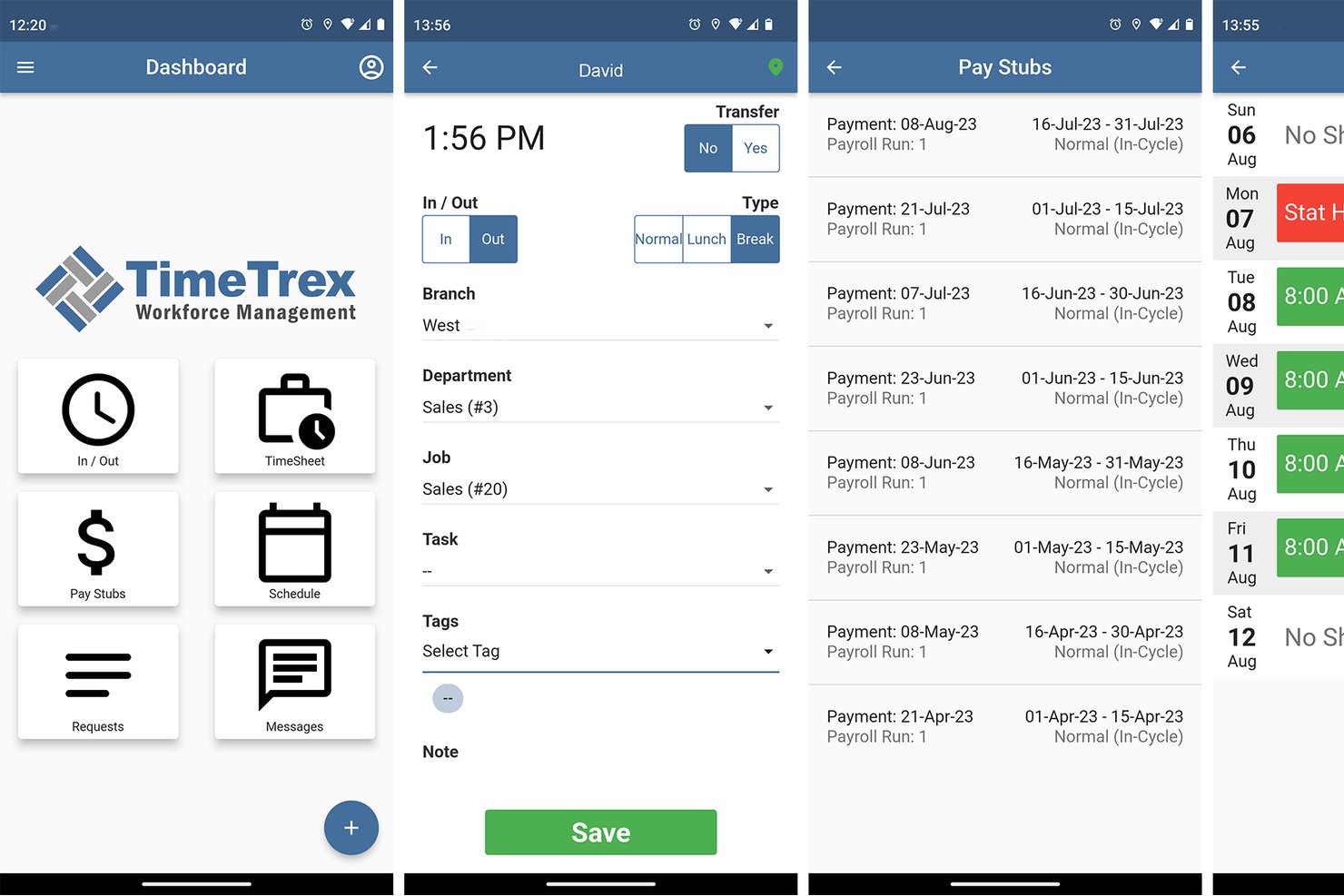
TimeTrex is a workforce management platform that combines time and attendance, payroll, scheduling, and HR tools—making it a practical fit for operations and HR teams that need employee time data and payroll processing to work together without manual handoffs.
Who Is TimeTrex Best For?
TimeTrex is a strong fit for operations and HR teams that need time tracking and payroll to work from a single system without stitching together separate tools.
Why I Picked TimeTrex
TimeTrex earns its spot on my shortlist because it treats payroll as a native function, not a downstream export. I appreciate how tracked hours flow directly into payroll calculations, including federal and provincial tax withholding, direct deposit, and W-2 or T4 generation, without requiring a separate integration to bridge the gap. I also like that the mobile app captures punches offline and syncs automatically, so payroll data stays accurate even when employees are working in areas with no connectivity.
TimeTrex Key Features
- Employee scheduling: Drag-and-drop scheduling interface lets managers build shifts, set templates, and automate multi-week rotating schedules.
- Leave and absence management: Employees submit time-off requests directly in the platform, and approvals automatically update schedules and payroll records.
- Customizable workforce reports: Build reports using filters, grouping, subtotals, custom formulas, and charts, then save them as PDFs or send by email.
- Biometric facial recognition: Employees clock in and out using facial recognition, reducing buddy punching and supporting attendance accountability.
TimeTrex Integrations
TimeTrex offers integrations with ADP, Paychex, Intuit QuickBooks, and Sage. It also supports RESTful API, two-way, and flat-file integrations for custom connectivity.
Pros and Cons
Pros:
- Labor reports help surface workforce costs
- Offline punches sync after connectivity returns
- Tracked hours feed native payroll
Cons:
- Approvals rely on a single superior
- Job costing requires Corporate or Enterprise
New Product Updates from TimeTrex
TimeTrex Redesigns Workforce Management With New Payroll, Scheduling, and AI Tools
TimeTrex redesigns its workforce management experience with new dashboards, scheduling and timesheet tools, a rebuilt payroll workflow, and expanded AI assistance. These updates give teams more flexible ways to manage schedules, payroll, reporting, and employee data. For more information, visit TimeTrex’s official site.
 .

My Hours
Best for tracking time across many clients
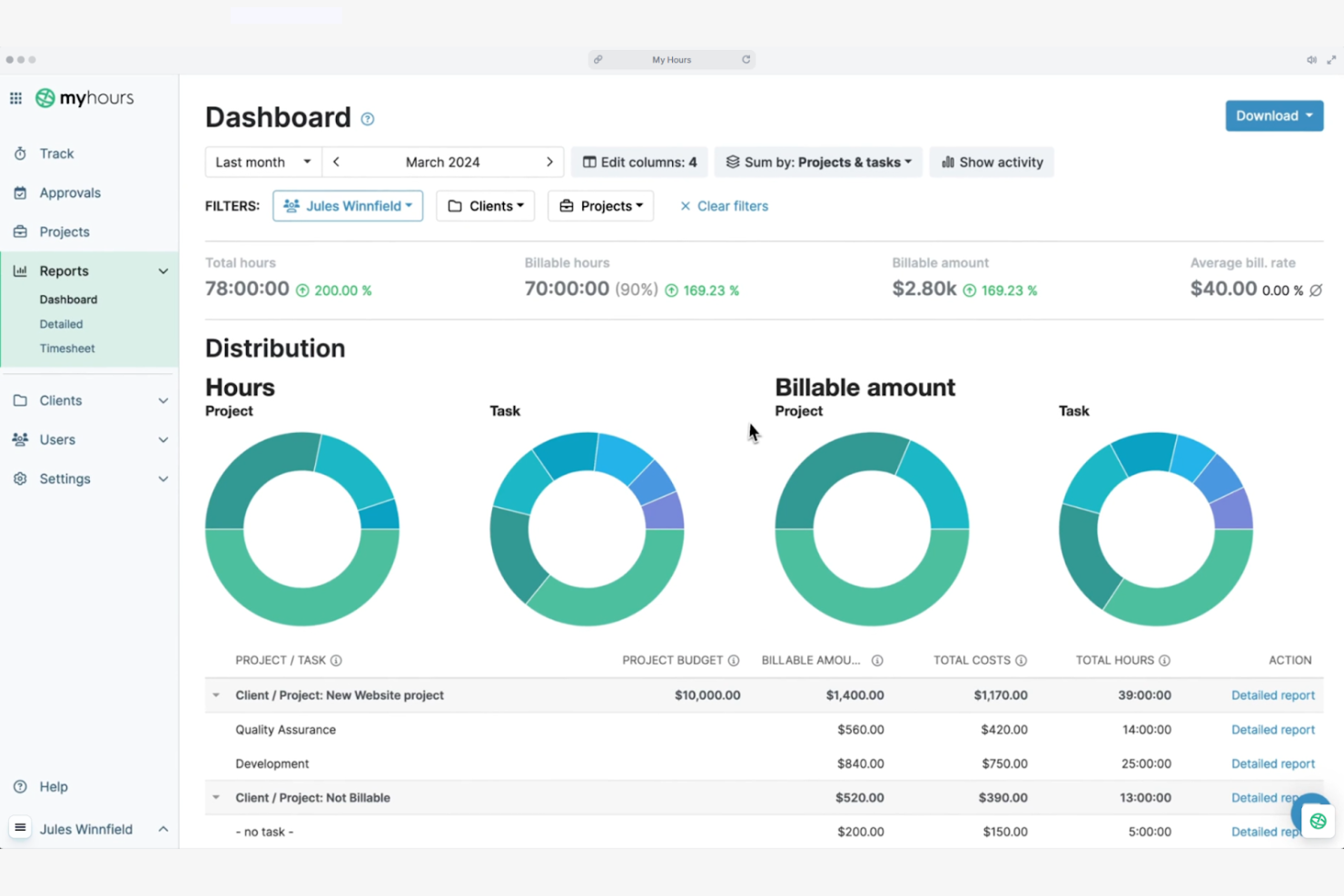
My Hours is a project time tracking tool built for consultants, professional services teams, and finance-focused businesses that need to log billable hours, monitor project budgets, and generate client invoices from tracked time.
Who Is My Hours Best For?
My Hours is a strong fit for small and mid-size professional services teams—consultants, agencies, and client-facing finance teams—that need to track billable hours across many clients and turn that time into invoices without a lot of setup.
Why I Picked My Hours
I picked My Hours because it's genuinely built around the multi-client billing workflow that makes Replicon feel like overkill for smaller teams. I like that you can assign billable rates at the user, project, or task level and then generate client invoices directly from approved time, so there's no manual reconciliation between what was tracked and what gets billed. Budget alerts per project mean I can see exactly where a retainer is being consumed before it's gone.
My Hours Key Features
- Timesheet submission and approval workflow: Managers can review, approve, or reject submitted timesheets with period locking and an audit trail to keep records accurate.
- Expense tracking: Users can log project expenses, attach receipts, and submit them for approval alongside time entries for complete project cost visibility.
- Scheduled report delivery: Reports can be saved as templates and automatically emailed to clients or stakeholders on a recurring schedule.
- Role-based access controls: Administrators can assign Admin, Manager, or Normal User roles and group users into teams to control who sees and edits what.
My Hours Integrations
My Hours lists 100+ integrations, including native integrations with Jira, Microsoft Teams, Microsoft Power BI, Asana, ClickUp, QuickBooks, Xero, and Salesforce. It also offers a REST API and Zapier.
Pros and Cons
Pros:
- Budget reports clarify project hours and costs
- Timers and weekly sheets simplify hour capture
- Client-level billable tracking across projects
Cons:
- Approval routing stops at single-step sign-off
- Invoices omit detailed time-entry breakdowns

Jibble
Best for free time tracking
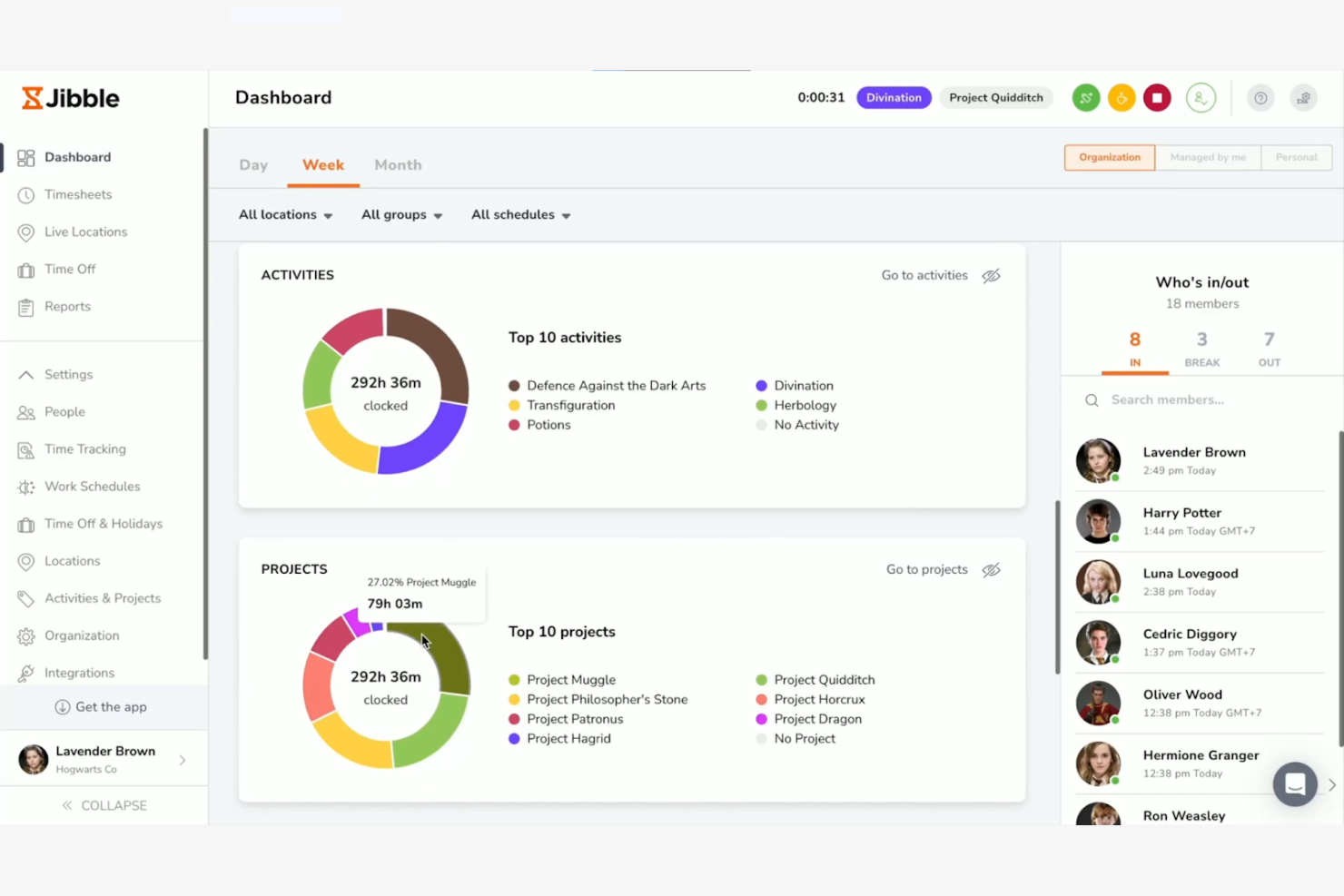
Jibble is a time tracking and attendance platform that suits teams needing to monitor employee hours, verify locations, and turn billable time into client invoices—without paying for features they don't need.
Who Is Jibble Best For?
Jibble is a strong fit for small to mid-sized teams that need reliable attendance tracking and basic project time logging without paying for a heavy PSA platform.
Why I Picked Jibble
I picked Jibble because its free plan genuinely covers the core features teams actually need, including time tracking, GPS verification, geofencing, and built-in invoicing for unlimited users. I also appreciate the dedicated Deltek Replicon import tool, which lets you export your existing data and upload it directly into Jibble in minutes. For teams leaving Replicon without a big budget for a replacement, that combination is hard to argue with.
Jibble Key Features
- Facial recognition clock-in: AI verifies employee identity at clock-in to prevent buddy punching and unauthorized time entries.
- Multi-level time-off approvals: Leave requests can be routed through up to three sequential approval levels with a full action history log.
- Kiosk mode: A shared tablet or device acts as a self-service clock-in station for teams working from a fixed location.
- QuickBooks Online sync: Tracked billable hours can be sent to QuickBooks Online automatically every 24 hours or manually by date range.
Jibble Integrations
Jibble integrations include QuickBooks Online, Microsoft Teams, Slack, Jira Software Cloud, Asana, ADP, and Gusto; QuickBooks Online can sync billable timesheets, while Teams and Slack support clock-ins. A REST-style API with OAuth 2.0 and bearer-token authorization supports custom integrations, and Zapier is also listed.
Pros and Cons
Pros:
- Project-level hours support client billing
- GPS and face checks verify field attendance
- Replicon data import simplifies migration
Cons:
- Offline sync can complicate timesheet reconciliation
- Report customization draws user complaints
Best for client onboarding projects
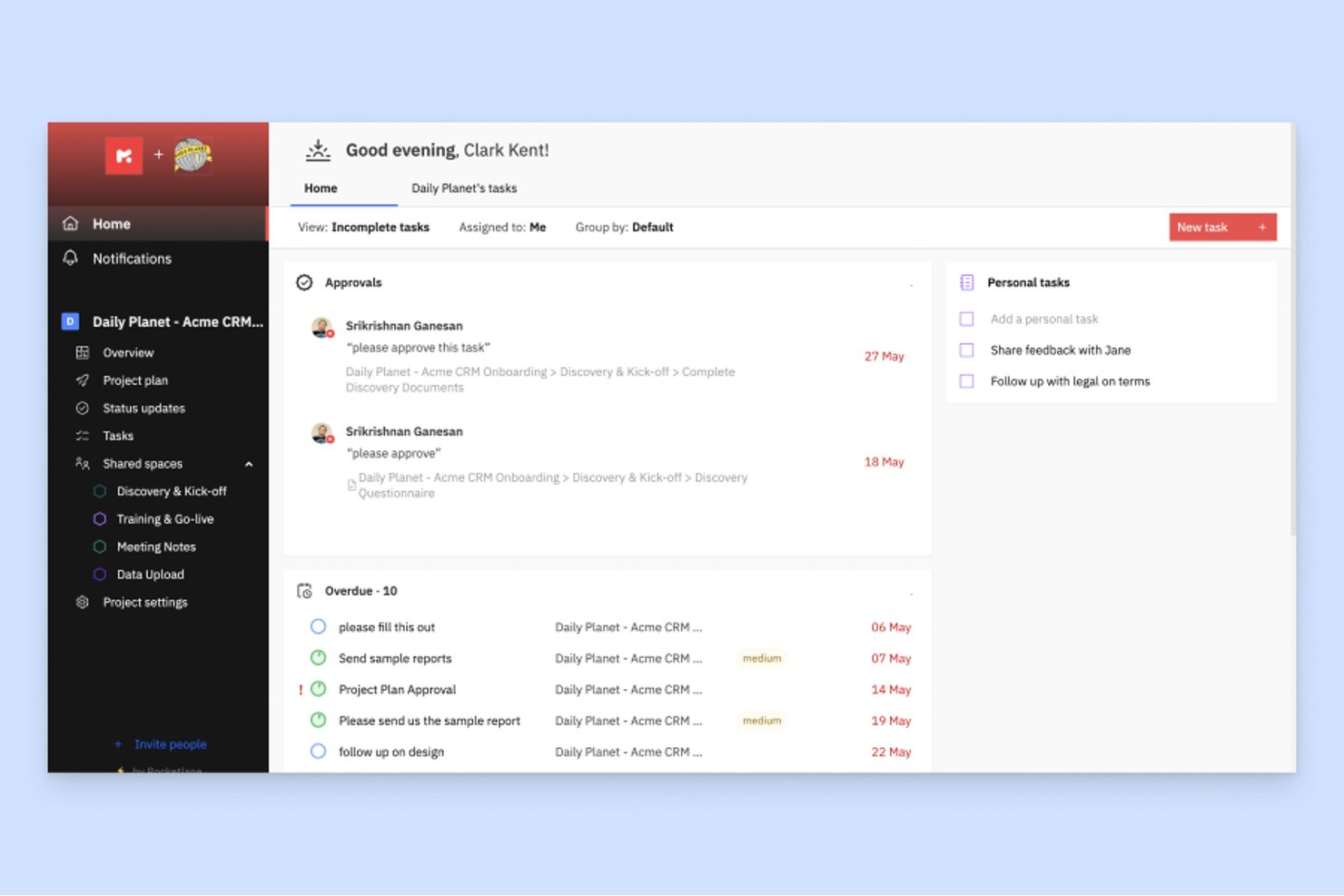
Rocketlane is a professional services automation platform that brings together project delivery, resource planning, time tracking, and client-facing portals—making it a strong fit for services teams that need to manage project financials and customer collaboration in one place.
Who Is Rocketlane Best For?
Rocketlane is a strong fit for professional services teams that need to manage client-facing project delivery, resource planning, and billing in a single platform.
Why I Picked Rocketlane
I picked Rocketlane as one of the best because it's purpose-built for client onboarding projects in a way that most PSA tools aren't. The branded customer portal gives clients direct visibility into project timelines, tasks, and approvals without needing a separate tool, and built-in CSAT collection at project milestones means you're capturing satisfaction data at exactly the right moments. I also love that reusable delivery templates let teams replicate their best onboarding runs every time.
Rocketlane Key Features
- Timesheet approvals: Approvers can accept or reject individual or bulk time entries, with audit fields that log who approved or rejected each entry and when.
- Rate cards: Teams can configure role-based hourly bill and cost rates with dated versions to calculate planned and actual project revenue.
- Resource auto-allocation: Rocketlane automatically assigns team members to projects based on availability and capacity data.
- Invoice generation: Teams can draft client invoices prefilled with time-and-material line items pulled directly from approved tracked time.
Rocketlane Integrations
Rocketlane offers native integrations with Salesforce, Jira, Slack, HubSpot, Google Calendar, Outlook Calendar, NetSuite, Sage, QuickBooks, and Xero. It also provides a REST API, Workato connectivity to 1,000+ apps, and Zapier connectivity to 5,000+ apps.
Pros and Cons
Pros:
- Task-linked timesheets support project billing
- Reusable templates standardize client delivery
- Customer portals clarify onboarding progress for clients
Cons:
- Timesheet entry sometimes lags or glitches
- Reporting flexibility can require data exports

TimeCamp
Best for automatic time tracking
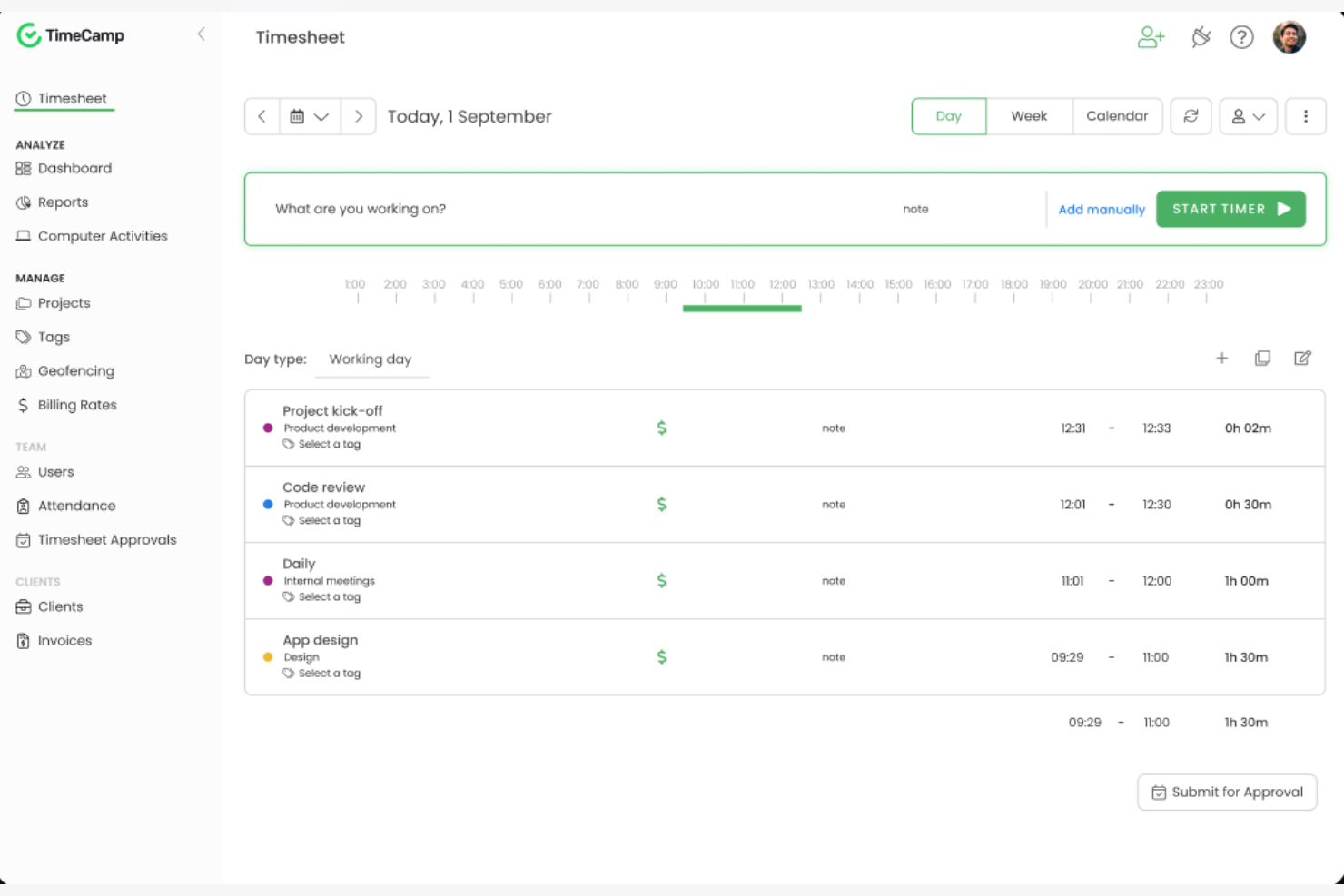
TimeCamp is a time tracking tool that runs in the background to automatically capture and assign work activity, making it a practical fit for professional services teams and project managers who bill by the hour and need accurate records without manually logging every task.
Who Is TimeCamp Best For?
TimeCamp is a strong fit for professional services teams and project managers who need accurate billable-hour records without relying on people to manually log their time.
Why I Picked TimeCamp
TimeCamp earns its spot on my shortlist because its keyword-based automatic tracking runs in the background and assigns time to the right project without anyone touching a timer. I particularly like the AI Time Tracker, which goes further by analyzing screen content to suggest time entries and fill timesheet gaps for review. For billing teams, those captured hours flow directly into invoices, with eight grouping options and rate history that lets you apply different rates across different time periods.
TimeCamp Key Features
- Timesheet approvals: Employees submit timesheets for manager review, and approved timesheets lock automatically to prevent further edits.
- Resource Planner: Displays team capacity and availability so you can compare scheduled hours against actual tracked time across projects.
- Apps and websites tracking: Records which apps and websites your team uses throughout the day to generate workday and productivity reports.
- Pivot-table reporting: Lets you configure rows and columns to build custom analyses and save report layouts as reusable templates.
TimeCamp Integrations
TimeCamp offers 100+ native integrations, including Jira, Asana, QuickBooks Online, Xero, BambooHR, and Sage HRIS. It also supports REST API connections, Power BI, Tableau, and Zapier.
Pros and Cons
Pros:
- Flexible timers and manual time entry
- Project reports support client billing decisions
- Automatic capture reduces forgotten timers
Cons:
- Mobile timer changes can take extra taps
- Single-currency accounts complicate global billing

Best for simple time entry and approvals
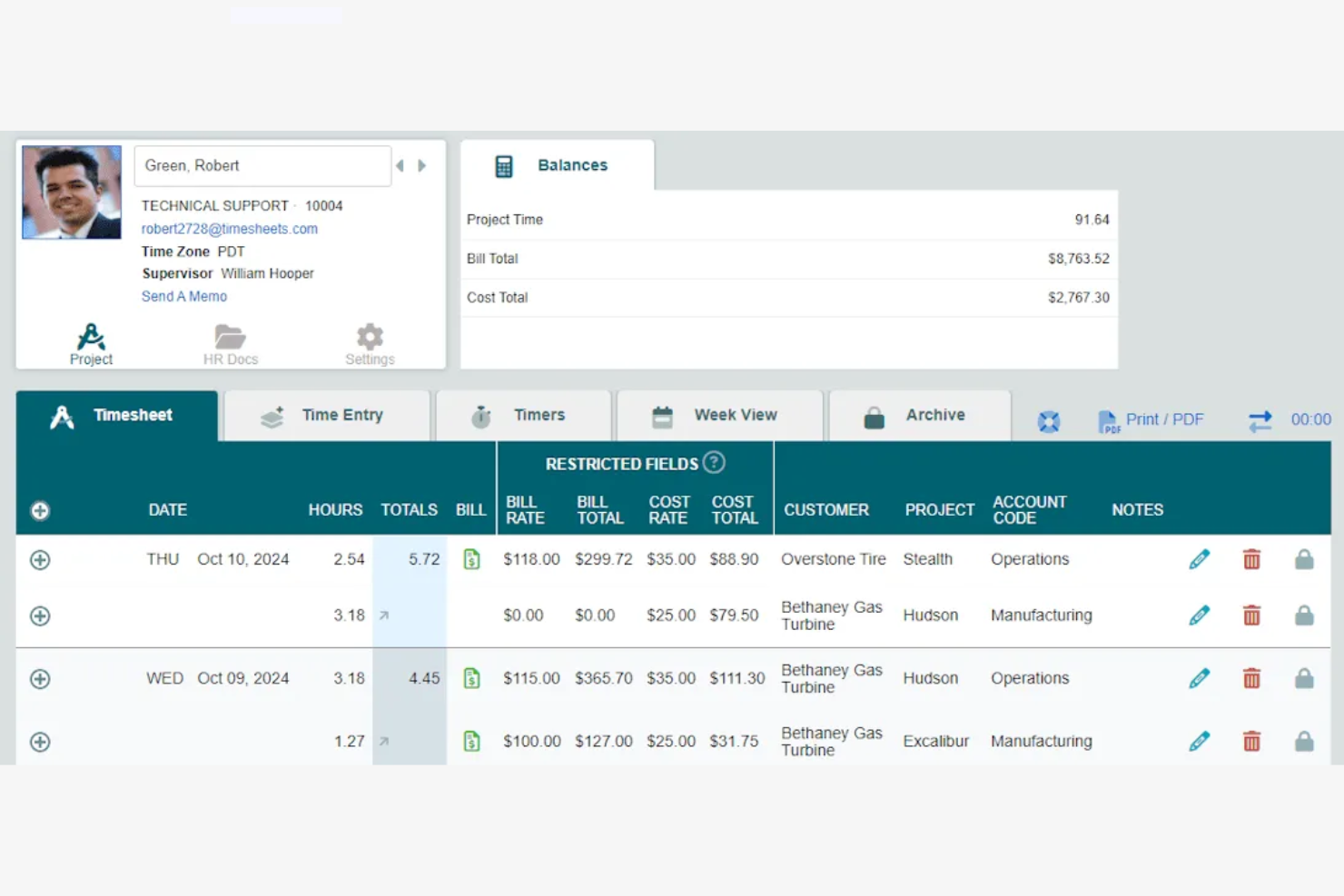
Timesheets.com is a straightforward time-tracking platform built for small to mid-sized teams that need to log hours, manage PTO, and track billable time against clients and projects without a steep learning curve.
Who Is Timesheets.com Best For?
Timesheets.com is a solid fit for small to mid-sized teams where HR managers or operations leads need a no-fuss way to track hours, manage PTO, and prep payroll without a complex setup.
Why I Picked Timesheets.com
I picked Timesheets.com as one of the best because it cuts straight to what most teams actually need: a clean way to log hours, route them through approvals, and close payroll without a complicated setup. I especially like how time entries tie directly to customers, projects, and account codes, with bill and cost rates that you can override at the project, employee, or individual-entry level. That granularity makes job costing genuinely useful, not just a checkbox.
Timesheets.com Key Features
- PTO accrual configuration: Managers can set accrual schedules, balance caps, rollover rules, and "use it or lose it" limits per employee across up to three accrual categories.
- GeoPunch location capture: The system records GPS coordinates when an employee clocks in or out, providing a location stamp tied directly to the punch record.
- Schedule vs. attendance reporting: Reports compare planned shifts against actual punches to flag early, late, absent, or unscheduled attendance.
- Payroll export formats: Time data can be exported to ADP, Gusto, Paychex, Ceridian, QuickBooks, and other payroll and accounting destinations.
Timesheets.com Integrations
Timesheets.com has a native QuickBooks Online integration and supports QuickBooks Desktop exports, plus payroll and accounting exports for Gusto, Paychex, ADP, Sage, Ceridian, and Microsoft Dynamics. Its REST API supports custom integrations.
Pros and Cons
Pros:
- Configurable leave accruals reduce manual balance tracking
- Project-level rate overrides support job costing
- Straightforward time entry simplifies payroll collection
Cons:
- Mobile timer bugs risk missed entries
- Dated interface feels behind newer tools

Float
Best for visual capacity forecasting
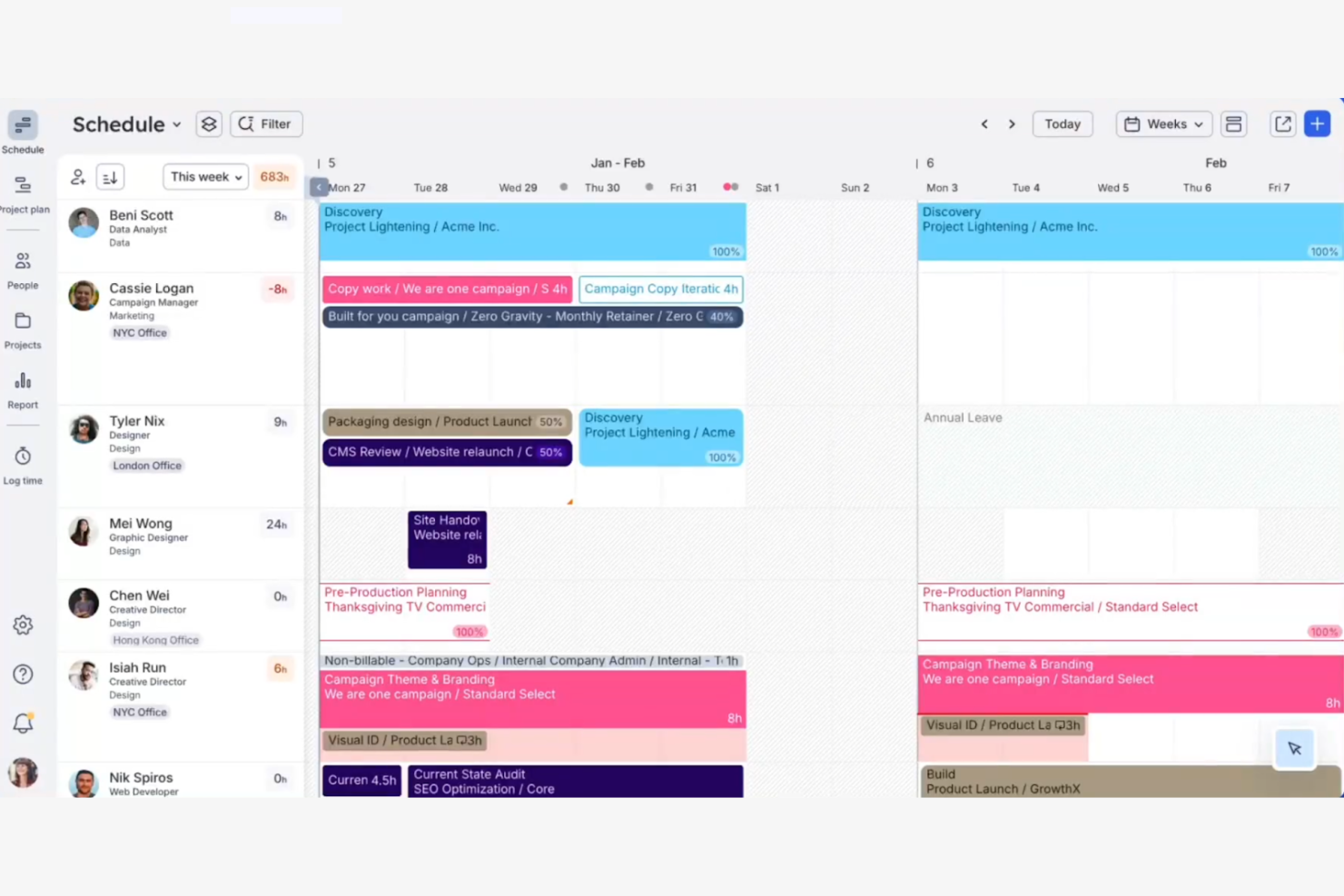
Float is a resource management platform built for professional services teams who need to plan work, track time, and keep project budgets visible across a distributed team.
Who Is Float Best For?
Float is a strong fit for professional services teams that need a clear, visual picture of who's available, what they're assigned to, and whether capacity aligns with upcoming project demand.
Why I Picked Float
I picked Float as one of the best Replicon alternatives because its visual capacity forecasting sets it apart from traditional time-tracking tools. The Schedule gives me a live view of who's allocated, where capacity gaps exist, and when the team is over-booked, all before a project kicks off. I also rely on Float's project cost estimation to model margins and budget burn using real rate cards, so I'm not guessing at delivery costs mid-sprint.
Float Key Features
- Prefilled timesheets: Float pulls scheduled allocations into timesheets automatically, so team members confirm or adjust hours rather than entering them from scratch.
- Time-off policies and approvals: Set accrual rules, carryover days, and approval workflows, with approved leave factored directly into team availability on the Schedule.
- Project budget tracking: Monitor budget burn, costs, and delivery progress against hourly, fee-based, or retainer budgets using logged and scheduled time.
- People operations dashboard: View capacity, billable utilization, and time-off data for your team in a single Pro-tier dashboard.
Float Integrations
Float offers native integrations with Google Calendar, Outlook Calendar, and Slack, plus a NetSuite connector through approved partner Staria. It also provides a REST API and supports Zapier for custom connectivity.
Pros and Cons
Pros:
- Project budgets keep billable work visible
- Scheduled bookings prefill time entries
- Reviewers value visual workload balancing
Cons:
- Client invoices need separate generation tools
- Timesheet approval chains remain undocumented

Best for GPS-based time tracking
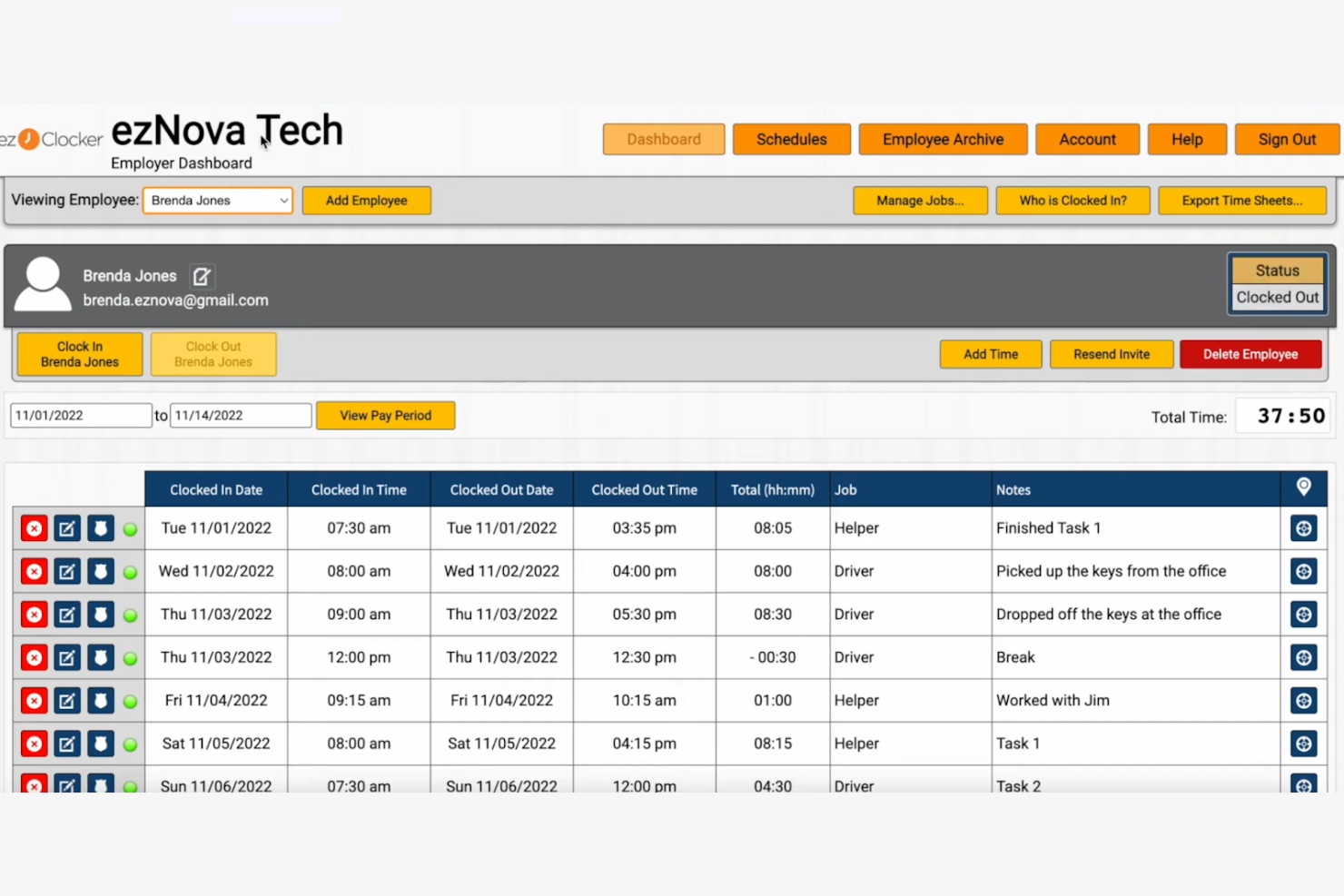
ezClocker is a mobile-first time clock app built for small businesses with field or hourly workforces, letting managers schedule shifts, verify employee locations at clock-in and clock-out, and export timesheets directly to payroll.
Who Is ezClocker Best For?
ezClocker is a great fit for small businesses with hourly or field-based workforces that need simple GPS-verified time tracking and shift scheduling without complex project billing.
Why I Picked ezClocker
I picked ezClocker because GPS-verified time tracking is genuinely where it shines. When an employee clocks in or out, the app captures and maps their exact location, so I can confirm a field worker was actually on-site without chasing them down. Pair that with geofencing, which blocks clock-ins made outside a job site boundary, and you have a tighter layer of location accountability than most basic time clock tools offer.
ezClocker Key Features
- Kiosk time clock: Employees clock in and out on a shared tablet using a four-digit PIN, so you don't need everyone to have their own device.
- Shift scheduling: Managers create and publish employee shifts with location details and instructions that workers can view directly from their phones.
- Job-based timesheet grouping: Employee hours are organized by job, giving you a summary of labor costs per job for payroll or billing prep.
- Time-off management: Employees submit paid or unpaid time-off requests that managers approve or deny, with approved time automatically added to timesheets.
ezClocker Integrations
ezClocker supports formatted timesheet exports for Paychex, ADP Workforce Now, Gusto Payroll, and ACS Technologies. QuickBooks Payroll is listed as coming soon, and API availability isn’t documented.
Pros and Cons
Pros:
- Job summaries show labor costs by assignment
- PIN kiosk supports shared crew clock-ins
- GPS-stamped punches verify job-site attendance
Cons:
- No utilization dashboards or project forecasts
- No client-level bill rates or invoicing

Parallax
Best for business capacity planning
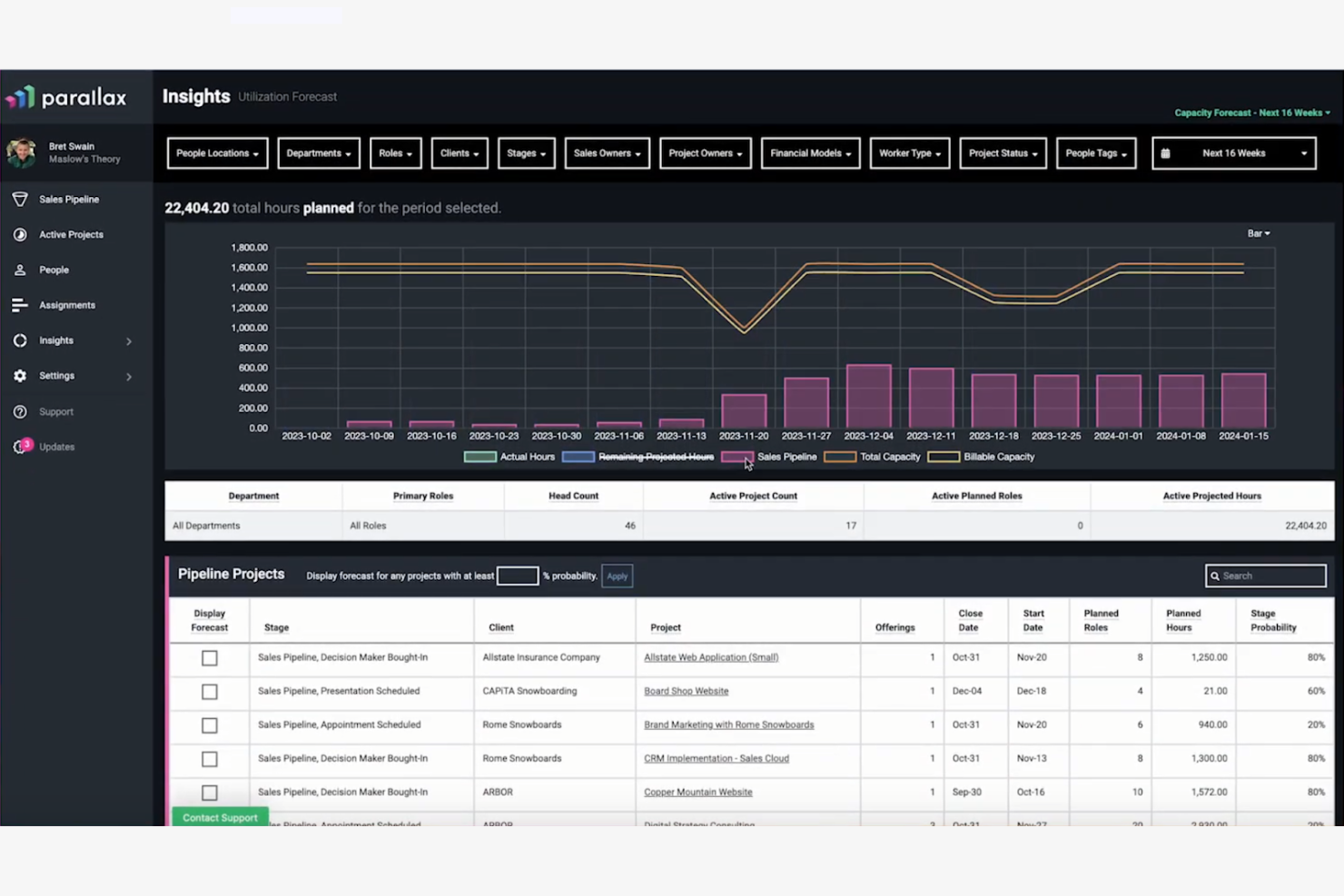
Parallax is a resource planning and forecasting platform built for professional services firms that want to connect pipeline visibility with real-time capacity, utilization, and margin data across delivery teams.
Who Is Parallax Best For?
Parallax suits professional services firms that need to connect pipeline data with delivery-team capacity, margin, and utilization in one place.
Why I Picked Parallax
I picked Parallax as one of the best because it does something most time-tracking tools don't: it connects your open pipeline directly to delivery-team capacity, so you can see hiring gaps and utilization risks months before a project kicks off. I love how the Project Health by Period report lets me drill into margin and actuals by client, role, or person in real time, catching budget drift before it becomes a problem. The Account Dashboard layers in projected revenue, margin, and project risk across your entire portfolio at once.
Parallax Key Features
- Pipeline-to-capacity planning: Combines open CRM pipeline and sold work into a single view of team capacity, so you can see demand before projects are confirmed.
- Timesheet integrations: Connects to tools like Harvest, Clockify, Toggl, and Tempo to pull actual hours directly into resource and utilization data.
- Multi-currency rate cards: Lets you set cost and billing rates, exchange rates, and effective dates per currency across your project portfolio.
- Hiring gap visibility: Surfaces staffing shortfalls months in advance by comparing upcoming work demand against your current team's available capacity.
Parallax Integrations
Parallax offers documented native integrations with Replicon, Harvest, Clockify, Toggl, Tempo, Teamwork, Jira, Kimai, Everhour, and NetSuite. Its HTTP API supports GET, POST, PATCH, and DELETE for custom connectivity.
Pros and Cons
Pros:
- Reviewers praise responsive customer support
- Surfaces project margin and utilization risks
- Forecasts staffing needs from sales pipeline
Cons:
- Setup requires sustained training and data work
- No documented time-to-invoice workflow

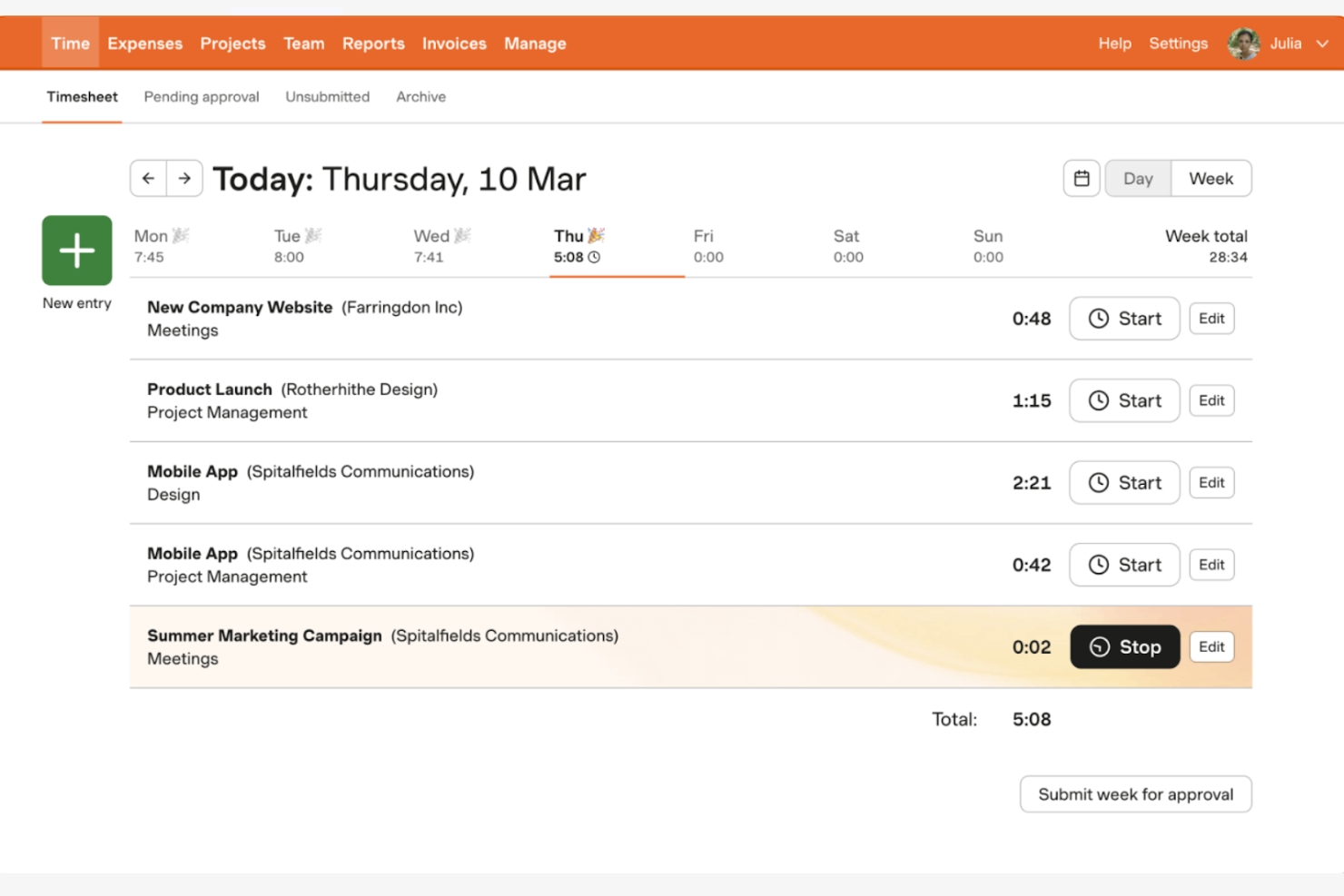
Harvest is a time tracking tool built for client-facing teams—agencies, consultancies, and professional services firms—that need to connect tracked hours directly to project budgets, expenses, and client invoices.
Who Is Harvest Best For?
Harvest is a strong fit for agencies and consultancies that bill clients by the hour and need time tracking to flow directly into invoices without manual reconciliation.
Why I Picked Harvest
I picked Harvest as one of the best Replicon alternatives because it closes the gap between time tracking and client billing better than almost any other tool I've used. When my team logs hours against a project, those entries flow directly into a draft invoice, with billable rates already applied by person, project, or task type. I also appreciate the budget alert system, which flags projects before they go over, so there's no scrambling to explain cost overruns after the fact.
Harvest Key Features
- Timesheet approvals: Administrators and managers can review, filter, and lock submitted timesheets before hours are billed or used in reports.
- Team capacity and utilization reporting: View team workload, capacity, and utilization across projects to identify over- and under-allocation.
- Configurable time-off policies: Set up leave types with custom accrual schedules, carryover limits, and approval workflows, with balances visible to both managers and team members.
- QuickBooks Online and Xero sync: Copy Harvest invoices and recorded payments directly into your accounting tool to keep billing records consistent.
Harvest Integrations
Harvest offers 50+ core integrations, including QuickBooks Online, Xero, Asana, Jira, Slack, Google Calendar, and Outlook.com. It also supports Zapier and provides API access for custom integrations.
Pros and Cons
Pros:
- Quick time entry reduces logging friction
- Budget alerts flag overruns before billing
- Tracked hours become client-ready invoices
Cons:
- Usage charges can make costs unpredictable
- Single approver limits layered timesheet controls
Andre alternativer til Replicon
Her er noen flere alternativer til Replicon som ikke kom med på kortlisten min, men som likevel er verdt å se nærmere på:
- TimeTrak
For field service time tracking
- Metric AI
For financial forecasting
- Paymo
For all-in-one time management solutions
- Connecteam
For deskless teams
- ClickTime
For labor cost management
- Beebole
For customizable reports
- BigTime
For PSA workflows
- Wrike
For collaborative task management
- Clockify
For budget-friendly time tracking
- Projectworks
For professional services firms


How I Evaluate Replicon Alternatives
I split my evaluation into baseline must-haves—project time tracking, approval workflows, and client billing—and the differentiators that matter most for professional services teams.
Core Functionality (Table Stakes For This List)
When I'm selecting tools for my list, I rank each one on a scale from 0 (does not offer the functionality) to 5 (excels in this area) for each core functionality listed below. Then, I calculate the tool's total score into a percentage. Each tool needs to achieve a minimum total score of 65% to be considered for inclusion.
- Project Time Tracking: I check whether you can log hours against specific projects, tasks, and clients with clear billable vs. non-billable classification—like splitting time between retainer work and ad hoc requests.
- Resource Management: Scheduling, allocation, and utilization tracking across concurrent projects all factor in, especially for teams juggling shared engineers or consultants across accounts.
- Timesheet Approval Workflows: Multi-level approval routing matters here—think a team lead reviewing hours before a PMO director signs off, with delegation rules for when approvers are out.
- Project Costing & Billing: I evaluate whether the tool connects tracked time to bill rates, budget tracking, and invoice generation so finance teams can tie labor costs directly to client deliverables.
- Reporting & Analytics: Real-time dashboards covering utilization, project profitability, and labor costs are what I look for—reports that let a services lead spot margin erosion before it's too late.
- Integrations & Compliance: Native connectors to payroll, accounting, and PM tools like Jira or QuickBooks get evaluated alongside support for multi-jurisdiction labor and pay rules.
Once I have a list of tools that meet this criteria, I consider what sets each platform apart.
Differentiating Factors (What Sets Vendors Apart)
Here's how I compare and contrast different vendors:
Standout Features
AI-powered time capture is a big differentiator—tools that auto-detect hours from calendar events and app usage cut down on Friday timesheet scrambles. Revenue forecasting also gets my attention, especially when it models future utilization and backlog so services leads can plan hiring or rebalance workloads. Integrated expense management rounds things out when consultants need to log travel or materials against the same project their hours are tied to.
Beyond Features
Pricing transparency matters a lot here—some vendors lock billing, analytics, or compliance modules behind premium tiers, so I evaluate what's included at each level. Integration depth is another key factor, particularly how well a tool connects to your existing PM, accounting, and payroll stack without custom middleware. I also look at implementation support, since migrating historical timesheet data from a platform like Replicon can stall a rollout if the vendor doesn't offer dedicated migration assistance.
Hvorfor se etter et alternativ til Replicon?
Selv om Replicon er et godt valg av programvare for tidsregistrering, finnes det flere grunner til at enkelte brukere ser etter alternative løsninger. Du kan være på utkikk etter et alternativ til Replicon fordi:
- Du trenger rimeligere priser
- Teamet ditt trenger tilgang uten nett
- Du ønsker enklere brukergrensesnitt
- Bedriften din trenger bransjespesifikke funksjoner
- Du trenger bedre funksjonalitet i mobilappen
- Du trenger mer fleksible integrasjonsmuligheter
Hvis noe av dette høres kjent ut, har du kommet til rett sted. Listen min inneholder flere alternativer for tidsregistrering som kan passe bedre for team som møter disse utfordringene og ser etter alternativer.
Viktige funksjoner i Replicon
Her er noen av de viktigste funksjonene i Replicon, slik at du kan sammenligne hva alternative løsninger tilbyr:
- Tidsregistrering: Lar teamet ditt registrere arbeidstimer nøyaktig.
- Oppmøtehåndtering: Hjelper deg med å administrere de ansattes oppmøte.
- Prosjektstyring: Tilbyr verktøy for effektiv håndtering av prosjekter og oppgaver.
- Utgiftsregistrering: Gjør det mulig å registrere og godkjenne forretningsutgifter.
- Automatisering av fakturering: Automatiserer fakturerings- og fakturautstedelsesprosesser for teamet ditt.
- Ressursstyring: Bidrar til effektiv planlegging og utnyttelse av ressurser.
- Samsvarsberedskap: Sikrer at teamet ditt oppfyller krav til samsvar og revisjonsstandarder.