

10 beste QuickBooks-alternativer for 2026

Kortliste over QuickBooks-alternativer


De beste alternativene til QuickBooks kombinerer pålitelig fakturering, fleksibel bokføring og funksjoner som tilpasser seg virksomhetens unike arbeidsflyter. Hvis du ser etter alternativer til QuickBooks eller den beste regnskapsprogramvaren, trenger du sannsynligvis en brukervennlig alt-i-ett-plattform som støtter gründere og voksende team, samtidig som den holder økonomistyringen oversiktlig og organisert. Mange verktøy inkluderer også moduler for utgiftshåndtering, betalingsbehandling og bredere virksomhetsstyring, i tillegg til tillegg og tillatelser som bidrar til å effektivisere økonomiske prosesser på tvers av team. Med så mange tilgjengelige alternativer i 2026 kan valget av riktig verktøy påvirke hvor smidig du håndterer fakturering, betalinger og rapportering. Denne listen hjelper deg med å sammenligne ledende løsninger for fakturering og bokføring, slik at du kan finne det som passer best for virksomhetens behov og vekstplaner.
Hva er QuickBooks?
QuickBooks er regnskapsprogramvare utviklet for å hjelpe virksomheter med å håndtere fakturering, bokføring, utgifter og økonomisk rapportering. Programmet samler oppgaver som inntektssporing, utsending av fakturaer, avstemming av banktransaksjoner og generering av rapporter som er klare for skatteformål. Det finnes i versjoner som QuickBooks Desktop og QuickBooks Self-Employed, og brukes av et bredt spekter av brukere, fra frilansere til voksende virksomheter. QuickBooks brukes av mange små og mellomstore virksomheter, regnskapsførere og bokførere som trenger en pålitelig måte å organisere økonomien og opprettholde samsvar med regelverket på. Selv om noen avanserte funksjoner kan innebære en læringskurve, bidrar det brukervennlige grensesnittet og den sømløse integrasjonen med andre verktøy til å støtte den daglige økonomistyringen og holde registrene nøyaktige og oppdaterte.
Sammenligningstabell over QuickBooks-alternativer
Denne sammenligningstabellen oppsummerer prisopplysningene for mine beste alternativer til QuickBooks:
| Tool | Best For | Trial Info | Price | ||
|---|---|---|---|---|---|
| 1 | Best for open-source customization | Free plan available | From $11.67/month (billed annually) | Website | |
| 2 | Best for managing multiple business profiles | Free plan available | From $9.99/month | Website | |
| 3 | Best for freelancers needing free essentials | Free plan available | From $19/month | Website | |
| 4 | Best for automating recurring billing | Not available | Free forever plan | Website | |
| 5 | Best for multi-device accessibility | Free demo + 7-day free trial available | From $6.67/user/month (billed annually) | Website | |
| 6 | Best for accepting card payments instantly | Free plan available | From $35/month | Website | |
| 7 | Best for mobile-first invoice creation | 14-day free trial available | From $6.99/month | Website | |
| 8 | Best for legal and professional services | Free trial available | From $39/user/month (billed annually) | Website | |
| 9 | Best for tracking billable project hours | Free plan + 15-day free trial available | From $9.90/month | Website | |
| 10 | Best for handling complex approval workflows | 30-day free trial | From $49/user/month | Website |

Why Trust Our Software Recommendations
Our team has been testing and reviewing software since 2012. As project managers ourselves, we know how difficult—and important—it is to choose the right software.
For this guide, we evaluated tools using hands-on testing and independent research, scoring tools using our selection criteria. We also draw on insights from industry thought leaders and practicing project management experts.
Our reviews reflect our human editorial judgment, not a sales pitch.
Expert reviewers:
Anmeldelser av QuickBooks-alternativer
Nedenfor finner du mine detaljerte sammendrag av alternativene til QuickBooks som kom med på kortlisten. Anmeldelsene mine gir en detaljert gjennomgang av funksjonene, de beste bruksområdene og prisene for hver programvare, slik at du kan finne det beste alternativet for deg.

Best for open-source customization
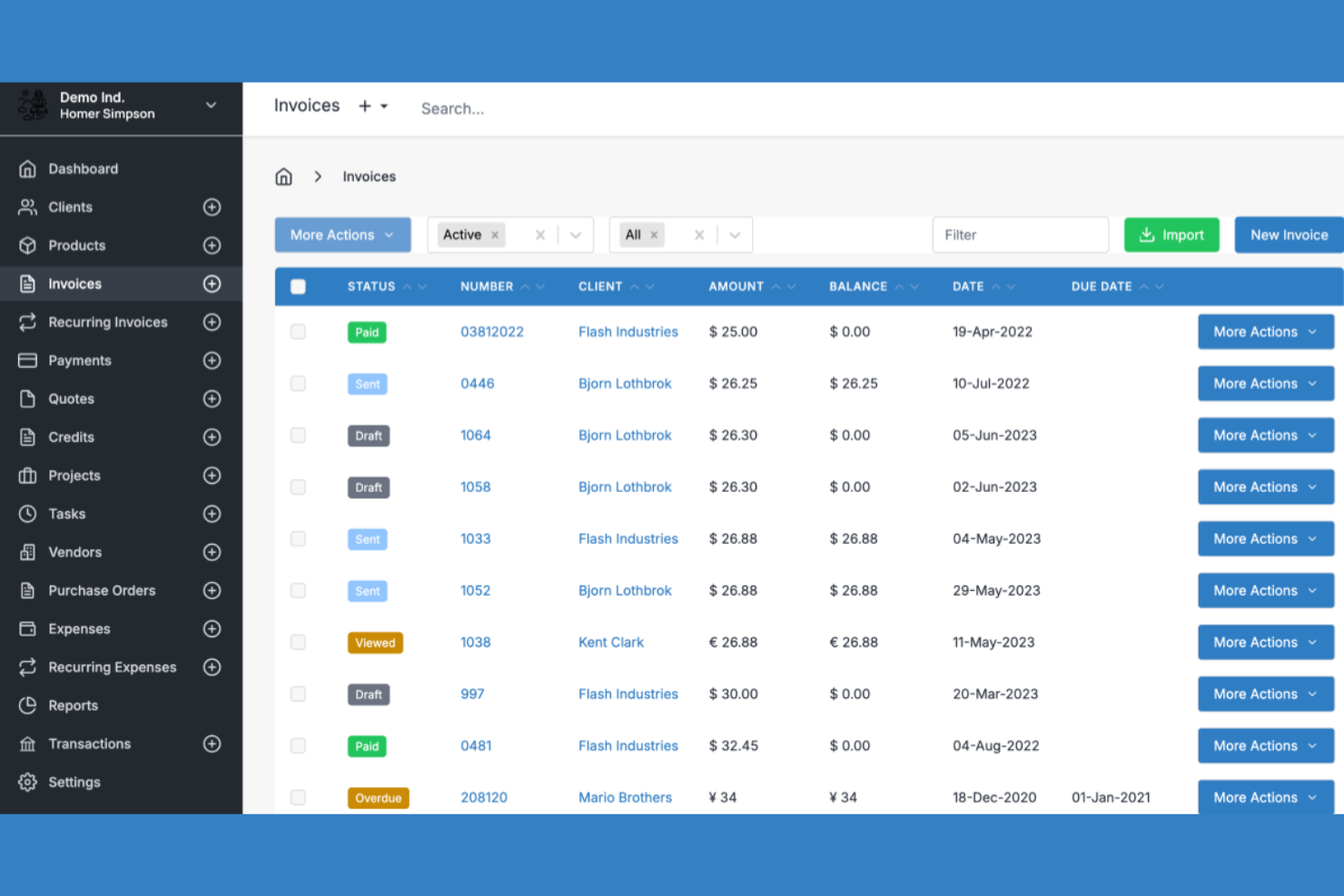
Invoice Ninja is an invoicing and bookkeeping platform designed for businesses and freelancers who want more control over their financial workflows. If you’re looking for a solution that supports both cloud and self-hosted options, this tool gives you flexibility that many competitors don’t. It’s a strong fit for users who need customizable features and transparency in how their invoicing software operates.
Who Is Invoice Ninja Best For?
Invoice Ninja is a good fit for small businesses and developers who want open-source invoicing software they can customize and self-host.
Why Invoice Ninja Is a Good QuickBooks Alternative
What sets Invoice Ninja apart from QuickBooks is its open-source foundation, which gives you full access to the source code for customization. I picked Invoice Ninja for teams that want to tailor their invoicing and bookkeeping workflows or self-host their own solution for greater control over data and security. The platform supports advanced features like custom invoice templates and white-labeling, so you can adapt the tool to fit your brand and processes. This level of flexibility is rare among cloud-based accounting tools and makes Invoice Ninja a strong choice for businesses with unique requirements.
Invoice Ninja Key Features
Some other features in Invoice Ninja make it a flexible option for invoicing and bookkeeping tasks:
- Project and Task Management: Track billable projects and tasks directly within the platform for more accurate client billing.
- Expense Tracking: Record and categorize business expenses to keep your financial records organized.
- Multi-Currency and Multi-Language Support: Send invoices and quotes in multiple currencies and languages to serve global clients.
- Payment Gateway Integrations: Connect with gateways like PayPal, Stripe, and Authorize.Net to accept online payments from clients.
Invoice Ninja Integrations
Integrations include Zapier, Make, Integrately, Pabbly, n8n, Boost.space, Pipedream, and OttoKit.
Pros and Cons
Pros:
- Includes project and task management tools
- Supports multiple business profiles per account
- Self-hosting option for data control
Cons:
- Lacks double-entry accounting features
- No built-in payroll processing
Best for managing multiple business profiles
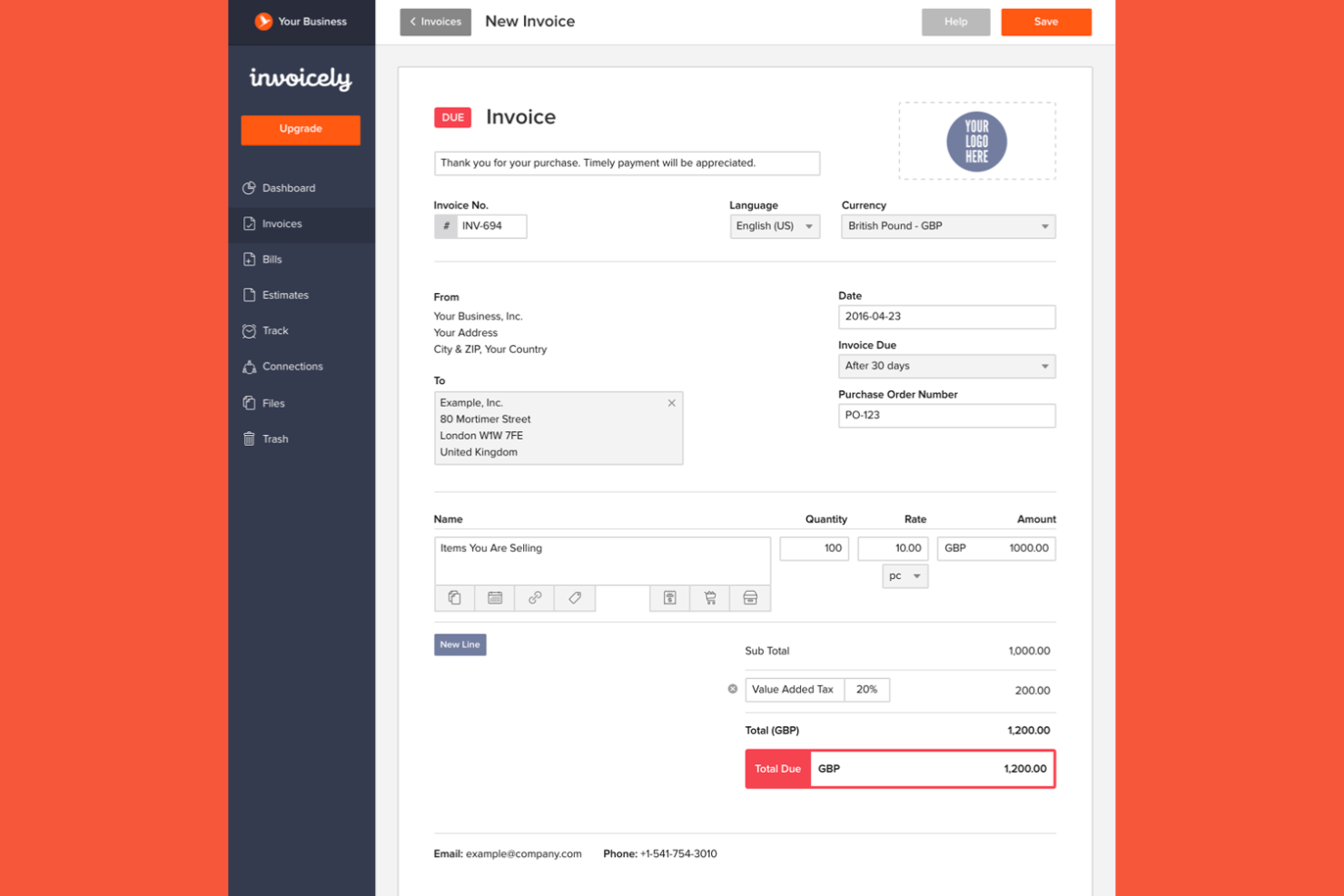
Invoicely offers a straightforward invoicing and bookkeeping platform designed for small businesses, solopreneurs, freelancers, and startups who need to manage multiple clients or revenue streams. As a free accounting software option, it stands out for its simple interface and ability to handle several business profiles under one account. If you’re looking for a tool that keeps your invoicing organized without the complexity of traditional accounting systems, Invoicely is worth considering.
Who Is invoicely Best For?
invoicely suits small businesses and freelancers who need to manage separate invoicing and bookkeeping for multiple business profiles from a single account.
Why invoicely Is a Good QuickBooks Alternative
One reason I chose Invoicely as a QuickBooks alternative is its ability to manage multiple business profiles within a single account. This feature lets you create and track invoices, expenses, and reports separately for each business entity you operate. You can also customize branding and tax settings for each profile, which is helpful if you juggle several ventures or client accounts. These capabilities make invoicely a strong fit for users who need to keep financial records distinct and organized across different business streams.
invoicely Key Features
Some other features in invoicely make it a flexible option for invoicing and bookkeeping tasks:
- Multi-Currency Support: Send invoices and accept payments in a wide range of global currencies.
- Recurring Invoices: Set up automated recurring billing for clients with ongoing services or subscriptions.
- Mileage and Time Tracking: Track billable hours and travel mileage directly within the platform for accurate invoicing.
- Online Payment Integration: Connect with payment gateways like PayPal and Stripe to accept online payments from clients.
invoicely Integrations
Integrations include PayPal, Stripe, Authorize.Net, and Mollie.
Pros and Cons
Pros:
- Free plan available with basic features
- Accepts payments in multiple currencies
- Provides recurring invoice automation
Cons:
- Limited financial reporting options
- No built-in payroll processing tools

Wave
Best for freelancers needing free essentials
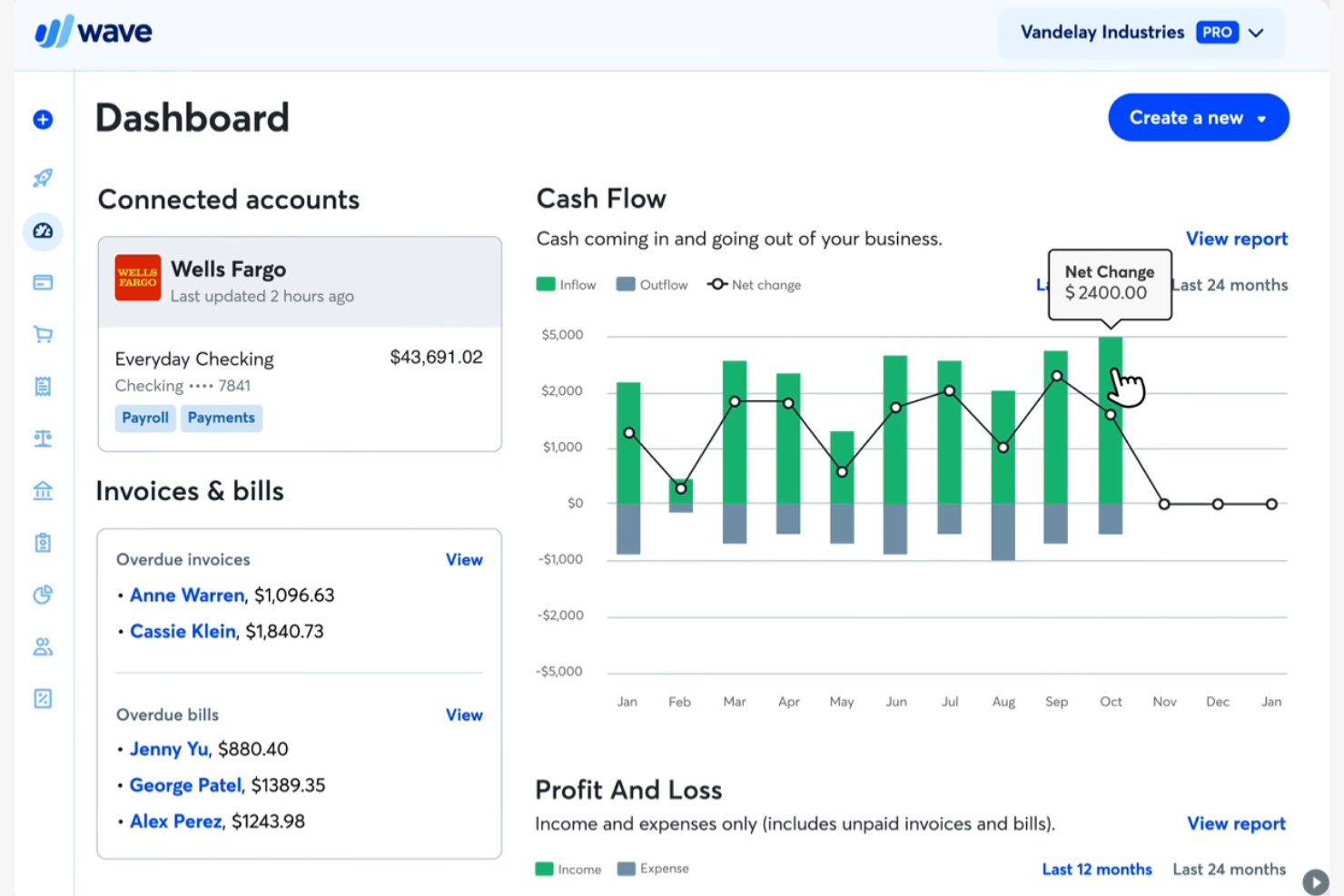
Wave is a cloud-based invoicing and bookkeeping platform designed for freelancers and small service-based businesses. If you’re looking for a tool that covers core accounting needs without upfront costs, Wave stands out among QuickBooks alternatives. It helps users manage invoicing, payments, and basic bookkeeping in one place, making it easier to stay organized.
Who Is Wave Best For?
Wave is a strong choice for freelancers and solo professionals who need essential invoicing and bookkeeping tools without monthly fees.
Why Wave Is a Good QuickBooks Alternative
I picked Wave for freelancers who want essential invoicing and bookkeeping tools without the commitment of a paid plan. Wave offers unlimited invoicing, receipt scanning, and basic expense tracking at no cost, which is rare among QuickBooks alternatives. You can also manage multiple clients and track payments directly from the dashboard. This makes Wave especially appealing if you’re just starting out or need a simple, reliable solution for solo work.
Wave Key Features
Some other features in Wave help round out its invoicing and bookkeeping capabilities:
- Bank Connections: Link your bank accounts to automatically import and categorize transactions.
- Recurring Billing: Set up and manage recurring invoices for ongoing clients or subscription services.
- Customizable Invoice Templates: Personalize invoice layouts with your branding, colors, and logo.
- Mobile App: Access invoicing and bookkeeping tools on the go with Wave’s dedicated mobile app.
Wave Integrations
Native integrations are not currently listed, but it offers an API for custom integrations.
Pros and Cons
Pros:
- Supports multiple businesses under one account
- Built-in receipt scanning with mobile app
- No monthly fees for core accounting features
Cons:
- No built-in payroll for most regions
- Lacks inventory management tools

Best for automating recurring billing
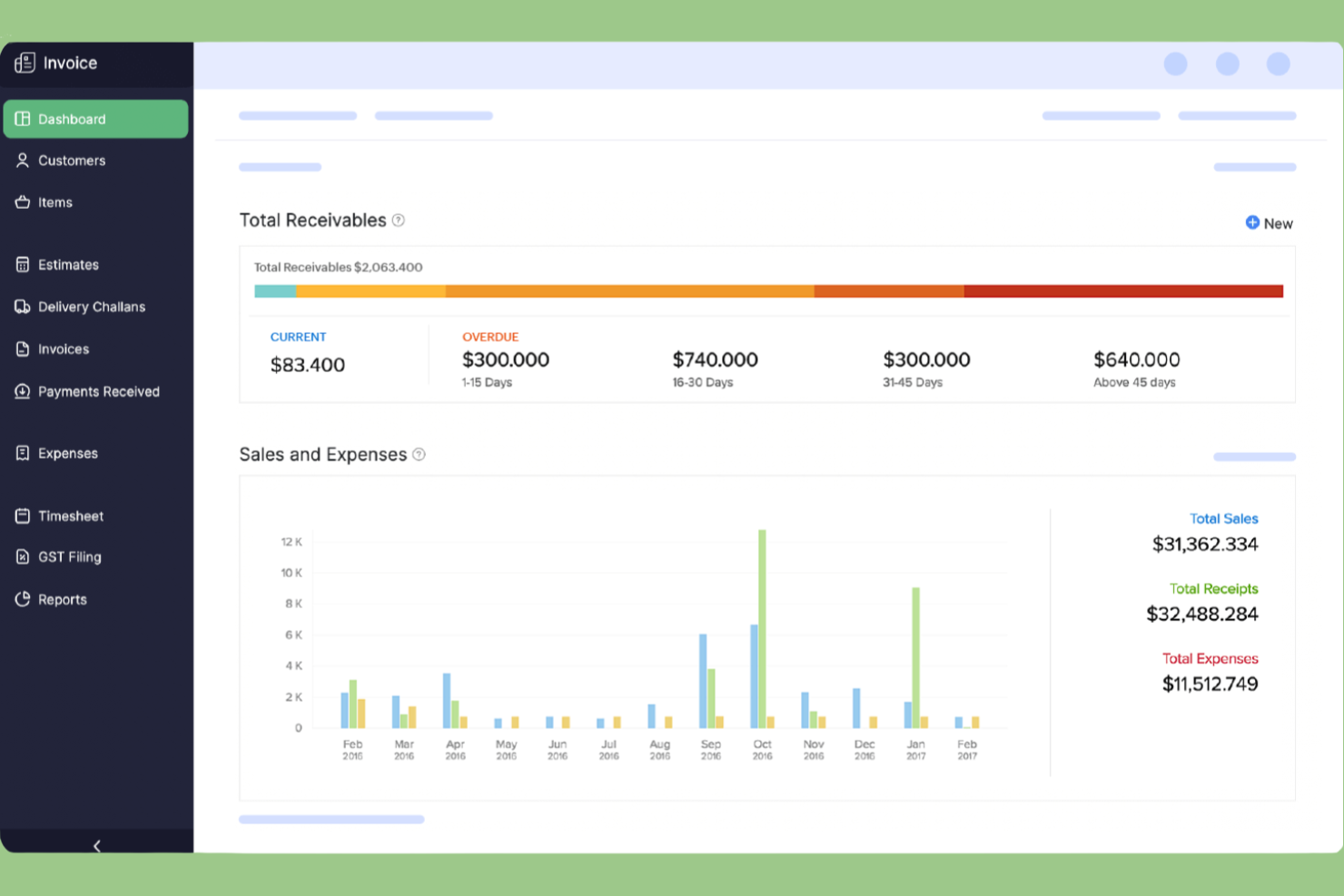
Zoho Invoice is a cloud-based invoicing platform designed for small businesses and service providers who want to automate billing and payment collection. It appeals to users who need detailed invoice customization and multi-currency support without the complexity of full accounting software. If you’re looking for a QuickBooks alternative that focuses on simplifying client billing and payment tracking, Zoho Invoice is worth considering.
Who Is Zoho Invoice Best For?
Zoho Invoice is a strong fit for small businesses and service providers that need to automate recurring billing and manage client payments with minimal manual effort.
Why Zoho Invoice Is a Good QuickBooks Alternative
What sets Zoho Invoice apart as a QuickBooks alternative is its focus on automating recurring billing for service-based businesses. I picked Zoho Invoice because it lets you schedule and send recurring invoices, automate payment reminders, and manage subscriptions without manual intervention. The platform also supports automatic payment collection through multiple gateways, which helps reduce late payments and administrative work. If you need a tool that handles repeat billing cycles with minimal oversight, Zoho Invoice is a strong choice.
Zoho Invoice Key Features
Some other features in Zoho Invoice help round out its invoicing and bookkeeping capabilities:
- Time Tracking: Track billable hours directly within projects and convert them into invoices.
- Multi-Currency Support: Send invoices and accept payments in multiple currencies for international clients.
- Customizable Templates: Personalize invoice layouts with your branding, colors, and logo.
- Client Portal: Give clients access to view, pay, and download their invoices online.
Zoho Invoice Integrations
Integrations include Zoho CRM, Stripe, QuickBooks, Bigin by Zoho CRM, PayPal, HubSpot, Zoho Analytics, WhatsApp, Zoho Mail, Slack, and more.
Pros and Cons
Pros:
- Multi-currency and multi-language support
- Built-in time tracking for billable hours
- Free plan includes all core features
Cons:
- Lacks purchase orders
- No double-entry accounting
Best for multi-device accessibility
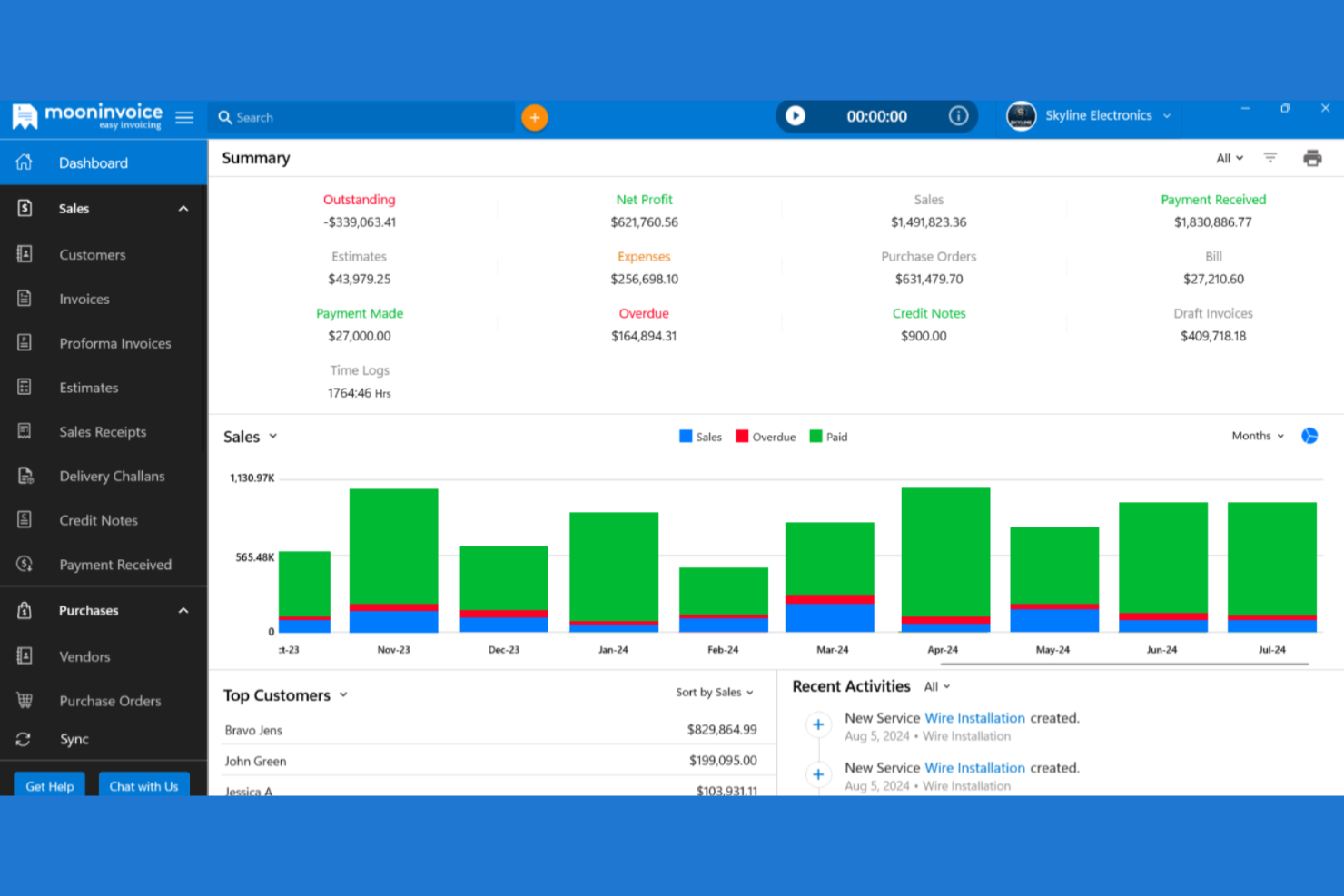
If you’re looking for invoicing and bookkeeping software that works across desktop and mobile, Moon Invoice is worth a look. It’s designed for freelancers, small businesses, and teams that need to manage billing and expenses on the go. Moon Invoice helps users handle estimates, payments, and recurring invoices without being tied to a single device or location.
Who Is Moon Invoice Best For?
Moon Invoice suits freelancers and small businesses that need to manage invoicing and bookkeeping seamlessly across multiple devices.
Why Moon Invoice Is a Good QuickBooks Alternative
I picked Moon Invoice for teams that need true flexibility across devices. Unlike many invoicing tools, it offers fully featured apps for Windows, Mac, iOS, and Android, so you can create, send, and manage invoices from anywhere. I also appreciate that your data syncs in real time, letting you switch between devices without missing a beat. This makes Moon Invoice a strong QuickBooks alternative for users who work on the move or across multiple platforms.
Moon Invoice Key Features
Some other features in Moon Invoice help round out its invoicing and bookkeeping capabilities:
- Expense Tracking: Track and categorize business expenses directly within the platform.
- Time Tracking: Log billable hours and convert them into invoices with a single click.
- Customizable Invoice Templates: Choose from a variety of templates and personalize them with your branding.
- Payment Reminders: Set up automated reminders to notify clients about upcoming or overdue payments.
Moon Invoice Integrations
Integrations include Stripe, PayPal, Square, WooCommerce, Gmail, Outlook, Basecamp, Braintree, Razorpay, and Google Pay.
Pros and Cons
Pros:
- Provides customizable invoice templates
- Supports multiple business profiles
- Offers recurring invoice scheduling
Cons:
- Reporting options are basic
- Limited tax calculation automation

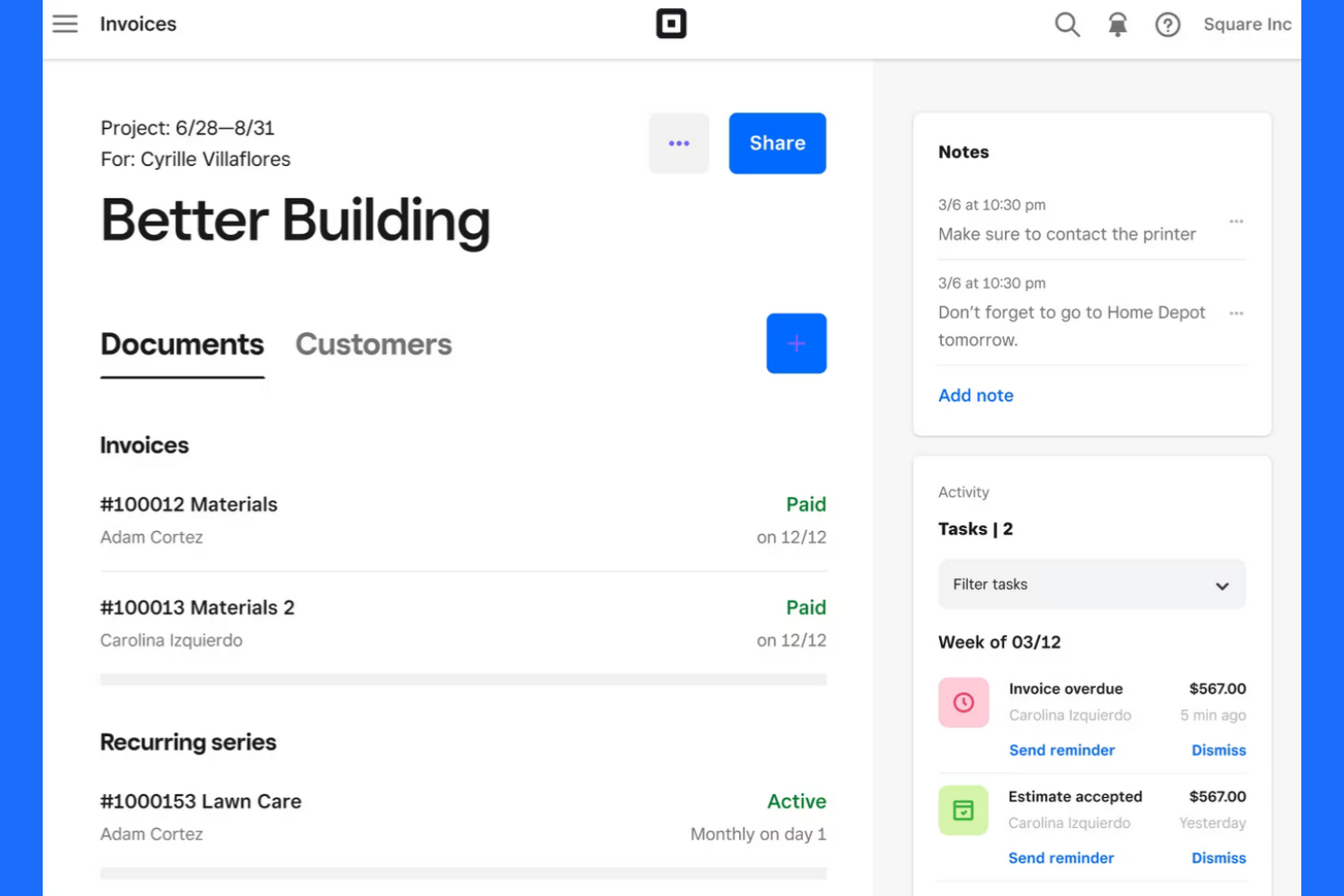
Square offers invoicing and payment tools designed for small businesses and service providers who need to manage billing and get paid quickly. It’s a strong fit for teams that want to handle invoices, payments, customer records, and payroll services in one place without a full accounting suite. If you’re looking for a straightforward way to send invoices and accept payments—including credit card payments—Square brings these workflows together.
Who Is Square Best For?
Square suits small businesses and service providers that need to accept card payments instantly when invoicing clients.
Why Square Is a Good QuickBooks Alternative
I picked Square for teams that need to send invoices and accept card payments instantly, without extra steps or third-party gateways. Square’s invoicing tool lets you create and send invoices that clients can pay online with a credit or debit card as soon as they receive them. You can also track payment status in real time and send reminders directly from the same dashboard. For businesses that prioritize fast, reliable payment collection, Square offers a direct alternative to more traditional accounting platforms like QuickBooks.
Square Key Features
Some other features in Square help round out its invoicing and bookkeeping capabilities:
- Recurring Invoices: Set up and automate recurring billing for repeat clients or subscription services.
- Itemized Estimates: Create and send detailed estimates that can be converted into invoices with one click.
- Customer Directory: Store and manage client contact details, payment history, and communication in one place.
- Sales Tax Calculation: Automatically calculate and apply sales tax to invoices based on location.
Square Integrations
Integrations include QuickBooks Online, Xero, Wix, WooCommerce, BigCommerce, Mailchimp, Jotform, Homebase, 7shifts, and Zoho Books.
Pros and Cons
Pros:
- Includes built-in sales tax calculation
- Supports recurring and installment billing
- Syncs sales data with QuickBooks Online
Cons:
- Cannot reconcile bank transactions natively
- No double-entry bookkeeping functionality

Best for mobile-first invoice creation
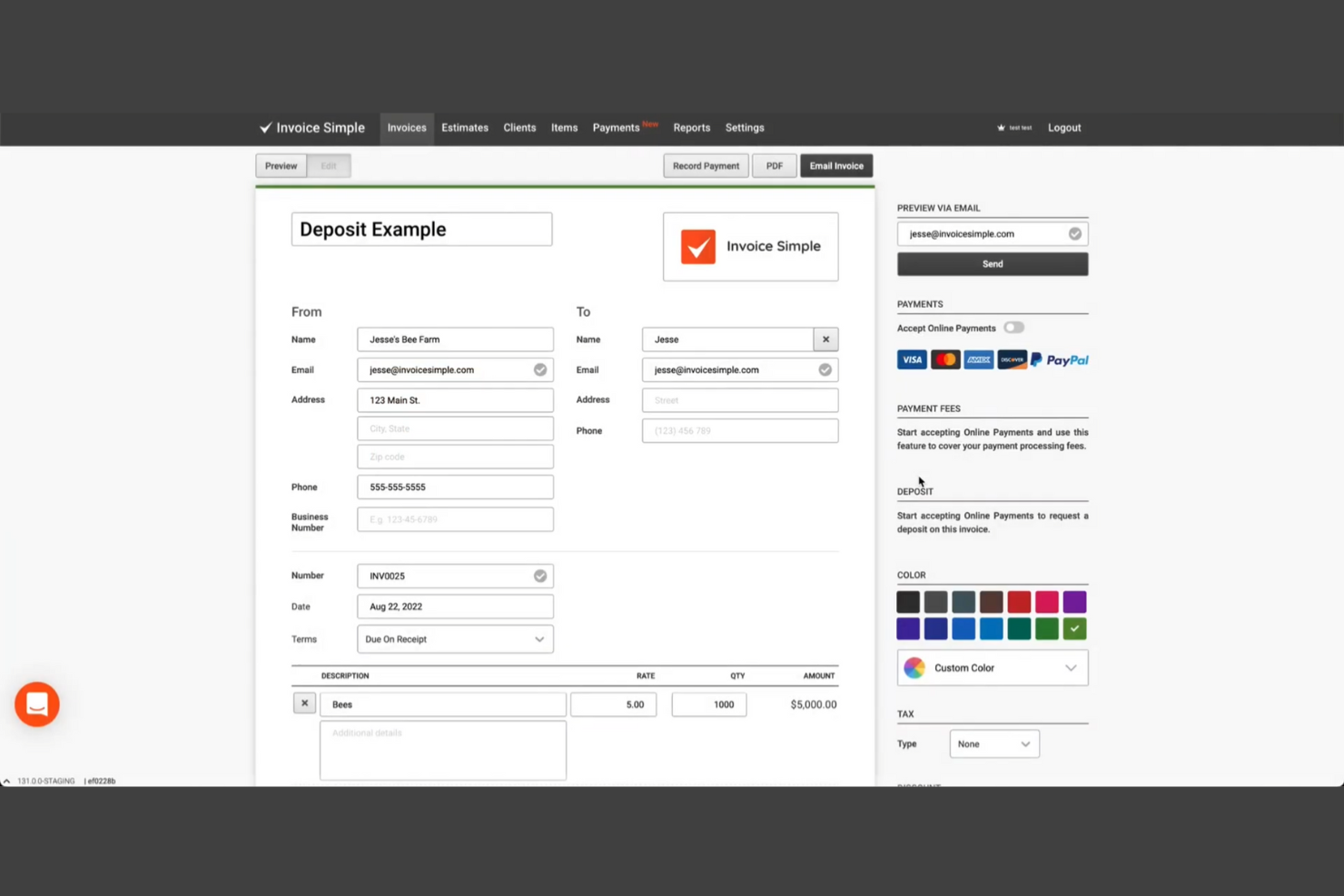
If you need a straightforward way to create and send invoices from your phone, Invoice Simple is worth a look. This tool is designed for freelancers, contractors, and small business owners who want to handle invoicing on the go. It helps you generate professional invoices quickly, track payments, and manage basic billing tasks without the complexity of full accounting software.
Who Is Invoice Simple Best For?
Invoice Simple is a strong fit for freelancers and small business owners who need to create and send invoices directly from their mobile devices.
Why Invoice Simple Is a Good QuickBooks Alternative
What sets Invoice Simple apart as a QuickBooks alternative is its mobile-first approach to invoicing. I picked it because you can create, send, and manage invoices directly from your phone or tablet, which is ideal for users who work in the field or travel frequently. The app also lets you capture client signatures and accept payments on the spot, making it easy to close out jobs and get paid faster. For anyone who needs to handle invoicing without being tied to a desktop, Invoice Simple offers a focused and flexible solution.
Invoice Simple Key Features
Some other features in Invoice Simple help round out its invoicing capabilities:
- Estimate Creation: Generate and send estimates to clients before converting them into invoices.
- Tax Calculation: Automatically apply sales tax rates to invoices based on your settings.
- Expense Logging: Record and categorize business expenses for basic tracking.
- Customizable Templates: Adjust invoice layouts, add your logo, and personalize fields to match your brand.
Invoice Simple Integrations
Native integrations are not currently listed.
Pros and Cons
Pros:
- Tracks invoice status and payment history
- Lets you capture client signatures on invoices
- Mobile app supports invoicing and estimates
Cons:
- Limited reporting and analytics options
- Lacks payroll and tax filing features

Best for legal and professional services
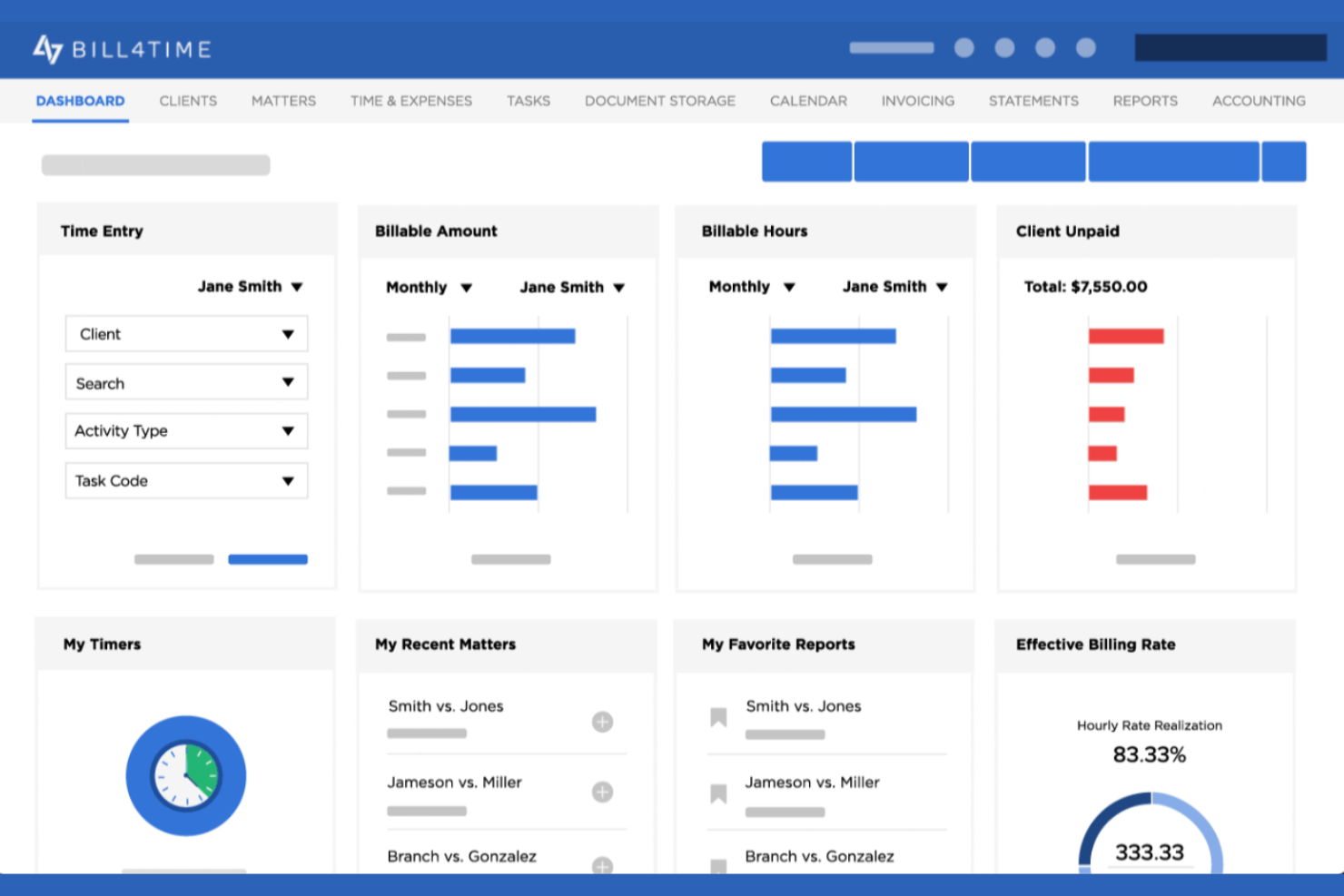
Bill4Time is a billing and time tracking platform designed for legal professionals and service-based firms. It helps users manage client matters, track billable hours, and handle trust accounting in one place. If you need invoicing and bookkeeping software tailored to the needs of law firms or consultancies, Bill4Time addresses industry-specific requirements that many general accounting tools overlook.
Who Is Bill4Time Best For?
Bill4Time fits law firms and professional services businesses that need specialized billing, time tracking, and trust accounting features.
Why Bill4Time Is a Good QuickBooks Alternative
For legal and professional services teams, Bill4Time offers industry-specific features that QuickBooks doesn’t address. I picked Bill4Time because it includes built-in trust accounting and matter management, which are essential for law firms and consultancies. The platform also supports detailed time tracking linked directly to client matters, making it easy to generate compliant invoices. These specialized capabilities make Bill4Time a strong fit for professionals who need more than just general bookkeeping.
Bill4Time Key Features
Some other features in Bill4Time help round out its invoicing and bookkeeping capabilities:
- Batch Invoice Creation: Generate multiple invoices at once for different clients or matters.
- Expense Tracking: Record and categorize reimbursable and non-reimbursable expenses directly within the platform.
- Mobile App Access: Track time, manage clients, and send invoices from iOS and Android devices.
- Custom Invoice Templates: Personalize invoice layouts with your firm’s branding and required legal details.
Bill4Time Integrations
Integrations include QuickBooks, Box, Google Calendar, and NetDocuments.
Pros and Cons
Pros:
- Custom invoice templates for branding needs
- Mobile app for time and expense tracking
- Batch invoice creation for multiple clients
Cons:
- Tax calculation automation is not included
- No inventory management features

Paymo
Best for tracking billable project hours

Paymo is a project-focused invoicing and work management platform designed for teams and agencies that bill by the hour. If you need to connect project tracking, timesheets, and invoicing in one place, Paymo offers a unified approach. It’s especially useful for businesses that want to tie billable hours directly to client invoices without juggling multiple tools.
Who Is Paymo Best For?
Paymo is a strong fit for small agencies and professional services teams that need to track billable project hours and convert them directly into invoices.
Why Paymo Is a Good QuickBooks Alternative
What makes Paymo a strong QuickBooks alternative is its ability to connect project management, time tracking, and invoicing in one workflow. I picked Paymo because it lets you track billable hours on tasks and projects, then automatically generate invoices based on that tracked time. This is especially useful for agencies and consultancies that need to ensure every billable minute is accounted for. Paymo also supports detailed timesheets and approval workflows, which help teams maintain accurate records for client billing.
Paymo Key Features
Some other features in Paymo help round out its invoicing and bookkeeping capabilities:
- Expense Tracking: Log and categorize project expenses to include them on invoices or track project profitability.
- Customizable Invoice Templates: Adjust invoice layouts, add your branding, and tailor fields to fit client requirements.
- Online Payment Gateways: Accept payments through integrations with Stripe, PayPal, and other payment processors.
- Recurring Invoices: Set up automated recurring invoices for ongoing client work or retainer agreements.
Paymo Integrations
Native integrations are not currently listed, but third-party integrations are supported.
Pros and Cons
Pros:
- Expense tracking linked directly to projects
- Combines project management with invoicing
- Built-in time tracking for billable hours
Cons:
- Limited financial and tax reporting options
- No double-entry accounting
BILL
Best for handling complex approval workflows

BILL is a payment management platform built for finance teams that need more control over accounts payable and receivable. It’s a strong fit for midsize businesses and organizations with multi-step financial processes. If you’re looking for invoicing and bookkeeping software that goes beyond basic billing, BILL helps manage complex payment cycles and approval chains.
Who Is BILL Best For?
BILL fits midsize and larger organizations that need to manage complex, multi-level approval workflows for payables and receivables.
Why BILL Is a Good QuickBooks Alternative
When you need to manage approval chains that go beyond simple sign-offs, BILL stands out as a strong QuickBooks alternative. I picked it for teams that require customizable, multi-step approval workflows for both payables and receivables. BILL lets you set up detailed routing rules, assign approvers at each stage, and track every action for audit purposes. This level of control is especially valuable for organizations with strict compliance requirements or distributed finance teams.
BILL Key Features
Some other features in BILL help round out its invoicing and bookkeeping capabilities:
- Automated Invoice Capture: BILL uses OCR to extract invoice data from uploaded documents and emails.
- International Payments: Send payments to vendors in over 130 countries directly from the platform.
- Two-Way Sync with Accounting Software: Syncs transactions and payment status with QuickBooks, Xero, and Sage Intacct.
- Audit Trail: Tracks every action taken on a bill or invoice for compliance and transparency.
BILL Integrations
Integrations include QuickBooks Online, Xero, Oracle NetSuite, Sage Intacct, Microsoft Dynamics, Acumatica, Slack, Tallie, HubDoc, and Tax1099.
Pros and Cons
Pros:
- Offers automated invoice data capture
- Syncs with multiple accounting platforms
- Supports international vendor payments
Cons:
- No inventory management features
- Lacks full double-entry accounting
New Product Updates from BILL
BILL Adds Centralized Vendor Management for Multi-Entity Accounts
BILL adds a parent-level vendor list for multi-entity accounts with company filtering, centralized vendor profiles, and vendor credit management. This lets teams handle vendor work across linked entities without switching between company accounts. For more information, visit BILL’s official site.


How I Evaluate QuickBooks Alternatives
For project-based teams tracking job costs, retainers, and client billing, I split my evaluation into baseline criteria every tool must meet and the differentiators that set the best options apart.
Core Functionality (Table Stakes For This List)
When I'm selecting tools for my list, I rank each one on a scale from 0 (does not offer the functionality) to 5 (excels in this area) for each core functionality listed below. Then, I calculate the tool's total score into a percentage. Each tool needs to achieve a minimum total score of 65% to be considered for inclusion.
- Project-Level Accounting: I check whether the tool tracks revenue, expenses, and margins per project rather than just at the company level—like seeing profitability on a single client retainer.
- Invoicing & Billing: Each tool should support project-linked invoicing across billing models, whether that's milestone billing for construction phases or time-and-materials for consulting work.
- Time & Expense Tracking: I look for native time tracking and expense capture that flows directly into invoices and reports, so billable hours on a web development sprint don't need manual re-entry.
- Job Costing & Estimates: The ability to create project estimates and compare them against actuals matters here—teams running fixed-fee projects need real-time visibility into budget burn.
- Financial Reporting: Beyond standard P&L and balance sheets, I evaluate whether the tool can break down financial data by project, client, or service line for meaningful decision-making.
- Integrations & Payments: Bank feeds, payment processor connections, and compatibility with tools like Asana, Jira, or Monday are what I look for to keep financial and project data in sync.
Once I have a list of tools that meet this criteria, I consider what sets each platform apart.
Differentiating Factors (What Sets Vendors Apart)
Here's how I compare and contrast different vendors:
Standout Features
Resource management is a big differentiator—I look for tools that tie team utilization rates to project financials, so an agency can see whether a project is profitable after factoring in actual labor costs. Client portals also matter for firms that want clients to review invoices, approve estimates, and submit payments without back-and-forth emails. For retainer-based work, I evaluate how well each platform tracks balances and applies them against logged hours, which saves consultancies from manual reconciliation each month.
Beyond Features
Migration from QuickBooks is a major consideration—I evaluate whether each platform offers data import tools or guided migration support, since a messy transition can mean weeks of reconciliation work. The integration ecosystem also weighs heavily; a five-person design studio and a 200-person consultancy both need their accounting tool to connect with existing project management and payroll systems. I also consider scalability, checking whether a platform can grow from single-entity use to multi-entity, multi-currency operations without forcing a disruptive switch down the road.
Hvorfor se etter et alternativ til QuickBooks?
Selv om QuickBooks er et godt valg for fakturering og bokføring, finnes det flere grunner til at noen brukere ser etter alternative løsninger. Det kan hende du ser etter et alternativ til QuickBooks fordi …
- Du trenger bransjespesifikke funksjoner for juridisk arbeid eller konsulentvirksomhet
- Du ønsker innebygd tidsregistrering eller prosjektstyring
- Du trenger regnskapsføring av klientmidler eller administrasjon av sperrede midler
- Du trenger bedre støtte for fakturering i flere valutaer eller på flere språk
- Du ønsker mer fleksible alternativer for tilpasning av fakturaer
- Du trenger en løsning som passer for et ikke-amerikansk skattesystem
Hvis noe av dette høres ut som deg, har du kommet til rett sted. Listen min inneholder flere alternativer for fakturerings- og bokføringsprogramvare som er bedre egnet for team som møter disse utfordringene med QuickBooks og ser etter alternative løsninger.
Viktige funksjoner i QuickBooks
Her er noen av de viktigste funksjonene i QuickBooks, slik at du kan sammenligne hva alternative løsninger tilbyr:
- Fakturering: Opprett, tilpass og send profesjonelle fakturaer til kunder, følg med på statusen deres og konfigurer regelmessig fakturering for løpende arbeid.
- Utgiftssporing: Registrer, kategoriser og administrer forretningsutgifter, inkludert registrering av kvitteringer og automatiske importer fra bankstrømmer.
- Bankavstemming: Avstem transaksjoner fra bankkontoene dine mot dem i QuickBooks for å sikre at postene dine er korrekte og oppdaterte.
- Finansiell rapportering: Generer standardrapporter som resultatregnskap, balanse og kontantstrømoppstillinger for å følge med på virksomhetens økonomiske helse.
- Lønnsbehandling: Beregn ansattes lønn, trekk skatt og håndter direkte innbetalinger og skatteinnleveringer på plattformen.
- Lagerstyring: Følg med på lagernivåer, administrer innkjøpsordrer og motta varsler når lagerbeholdningen er lav eller må etterfylles.
- Tidsregistrering: Registrer fakturerbare timer for ansatte eller oppdragstakere, og knytt dem direkte til kundefakturaer eller prosjekter.
- Støtte for flere valutaer: Send fakturaer, motta betalinger og administrer kontoer i flere valutaer for internasjonale forretningsbehov.
- Mobilapp: Få tilgang til kjernefunksjoner som fakturering, registrering av utgifter og rapportering fra iOS- og Android-enheter.
- Integrasjoner med tredjeparter: Koble til et bredt utvalg av forretningsverktøy, inkludert betalingsformidlere, CRM-systemer og e-handelsplattformer, for å utvide funksjonaliteten i QuickBooks.