

I 10 migliori strumenti di mappatura mentale basati sull’IA recensiti nel 2026

Selezione dei migliori strumenti di mappatura mentale con AI


Il brainstorming e la pianificazione diventano rapidamente caotici. Ricerche, brief, appunti delle riunioni e idee ancora abbozzate si accumulano tra schede e documenti. Gli strumenti di mappatura mentale con AI aiutano a dare ordine a tutto questo trasformando testi, PDF e prompt in mappe visive chiare che mettono in evidenza temi e connessioni che potresti non notare.
Questo significa dedicare meno tempo a riorganizzare i nodi e più tempo a pensare davvero. Molti strumenti possono generare rami a partire da un prompt, riassumere documenti lunghi, suggerire nuove idee e trasformare parti della mappa in attività o schemi. Sono particolarmente utili per product manager e project manager, strateghi, ricercatori, studenti e responsabili dei contenuti che lavorano ogni giorno con informazioni complesse.
Testo gli strumenti di AI fin dai primi anni della loro diffusione e recensisco software da anni, quindi so quali funzioni sono davvero utili e quali invece deludono. In questo articolo condividerò le mie scelte principali tra gli strumenti di mappatura mentale con AI e ciò che fanno meglio. Vedrai come possono supportare flussi di lavoro reali, dal brainstorming sulle funzionalità alla mappatura della ricerca sugli utenti o alla pianificazione dei contenuti.
Iniziamo.
Perché fidarsi dei nostri consigli sui software
Il nostro team testa e recensisce software dal 2012. In quanto project manager noi stessi, sappiamo quanto sia difficile — e importante — scegliere il software giusto.
Per questa guida, abbiamo valutato gli strumenti attraverso test pratici e ricerche indipendenti, assegnando un punteggio agli strumenti in base ai nostri criteri di selezione. Ci basiamo inoltre sulle competenze di leader di pensiero del settore e di professionisti attivi nella gestione dei progetti.
Le nostre recensioni riflettono il nostro giudizio editoriale umano, non un discorso di vendita.
Revisori esperti:
Tabella di confronto degli strumenti di mappatura mentale con AI
Questa tabella di confronto riassume i dettagli sui prezzi degli strumenti di mappatura mentale con AI che ho selezionato come migliori.
| Tool | Best For | Trial Info | Price | ||
|---|---|---|---|---|---|
| 1 | Ideale per l'uso da parte di team remoti | Piano gratuito disponibile | Da $8/membro/mese (fatturato annualmente) | Website | |
| 2 | Ideale per trasformare idee da brainstorming in attività concrete | Prova gratuita di 14 giorni + piano free disponibile | Da $10/utente/mese (fatturato annualmente) | Website | |
| 3 | Ideale per la narrazione visiva | Piano gratuito disponibile | Da $10/editor/mese (fatturato annualmente) | Website | |
| 4 | Ideale per strumenti IA gratuiti | Piano gratuito disponibile | Da $4.08/mese (fatturato annualmente) | Website | |
| 5 | Ideale per la collaborazione in team | Piano gratuito disponibile | Da $13/utente/mese (fatturato annualmente) | Website | |
| 6 | Ideale per workshop interattivi | Piano gratuito disponibile | Da $9.99/utente/mese (fatturato annualmente) | Website | |
| 7 | Ideale per il brainstorming creativo | Piano gratuito disponibile | Da $4.92/mese | Website | |
| 8 | Ideale per la mappatura personalizzata | Piano gratuito disponibile | Da $8,30/mese (fatturato annualmente) | Website | |
| 9 | Ideale per un design intuitivo e facile da usare | Piano gratuito disponibile | A partire da $9,99/mese | Website | |
| 10 | Ideale per suggerimenti guidati dall’IA | Prova gratuita disponibile | Da $0/mese | Website |


Recensioni dei migliori strumenti di mappatura mentale con AI
Di seguito trovi i miei riepiloghi dettagliati dei migliori strumenti di mappatura mentale con AI inclusi nella mia selezione. Le mie recensioni offrono uno sguardo approfondito sulle funzionalità principali, i pro & contro, le integrazioni e i casi d’uso ideali di ogni strumento, per aiutarti a trovare quello più adatto a te.

Miro
Ideale per l'uso da parte di team remoti

Miro è una piattaforma di lavagna collaborativa online progettata per consentire ai team distribuiti di fare brainstorming e pianificare in modo creativo. È pensata per i team da remoto, offrendo strumenti basati sull'IA per la collaborazione e una migliore visualizzazione dei progetti.
Perché ho scelto Miro: Miro fornisce un ambiente ideale per i team remoti grazie alle sue funzionalità AI che facilitano la collaborazione in tempo reale e la generazione di idee. Gli algoritmi intelligenti della piattaforma aiutano a organizzare e dare priorità alle attività. I suoi strumenti visivi consentono al tuo team di strutturare chiaramente i progetti, anche da sedi diverse. Questo rende Miro uno strumento prezioso per i team che necessitano di un forte supporto alla collaborazione a distanza.
Funzionalità e integrazioni principali:
Le funzionalità includono un'ampia libreria di modelli che aiuta ad avviare rapidamente i progetti. Miro supporta la collaborazione in tempo reale, permettendo al tuo team di lavorare insieme ovunque si trovi. Gli strumenti visivi della piattaforma rendono semplice creare e condividere idee.
Le integrazioni comprendono Slack, Microsoft Teams, Google Drive, Jira, Asana, Trello, Zoom, Dropbox, Confluence e Notion.
Pros and Cons
Pros:
- Ampia libreria di modelli per avviare rapidamente i progetti
- Collaborazione in tempo reale che aumenta la produttività del team
- Strumenti visivi per la condivisione delle idee
Cons:
- Numero limitato di board con il piano gratuito
- Richiede una connessione internet stabile
New Product Updates from Miro
Miro Adds Japan Data Residency for Enterprise Customers
Miro has introduced Japan data residency for enterprise customers, offering in-region storage for production data, backups, and metadata, plus in-region compute infrastructure. For more information, visit Miro's official site.

Wrike
Ideale per trasformare idee da brainstorming in attività concrete

Wrike è una piattaforma di gestione del lavoro pensata per organizzazioni di medie e grandi dimensioni che richiedono una visibilità avanzata sui progetti. La funzione Whiteboard, alimentata da Klaxoon, offre una canvas flessibile su cui i team possono fare brainstorming e strutturare idee complesse direttamente all'interno dello spazio di lavoro del progetto.
Per chi è più indicato Wrike?
Wrike è adatto a team interfunzionali e organizzazioni di medie e grandi dimensioni che necessitano di una gestione strutturata dei progetti e di una pianificazione collaborativa.
Perché ho scelto Wrike
Ho scelto Wrike perché colma il divario tra la fase di ideazione creativa e quella di esecuzione dei progetti in modo più efficace rispetto ai semplici strumenti di mind mapping. Mentre altre app si concentrano solo sulla mappa visiva, Wrike permette di trasformare i pensieri non strutturati in attività concrete. Utilizzando l'AI, è in grado di interpretare i post-it digitali e raggrupparli in task con responsabili e scadenze, garantendo che lo slancio di una sessione di brainstorming si traduca subito in flussi di lavoro reali per il team.
Funzionalità chiave di Wrike
- Timeline visive di progetto: Consente di mappare attività e dipendenze tramite una vista interattiva.
- Sincronizzazione bidirezionale delle attività: Trascina le task di progetto sulla lavagna per visualizzare le dipendenze e vedere gli aggiornamenti riflessi in tempo reale su entrambe le piattaforme.
- Strumenti di coinvolgimento interattivi: Facilita workshop dinamici grazie a sondaggi live integrati, quiz e word cloud sulla canvas infinita.
- Collaborazione esterna: Invita clienti o freelance a partecipare alle sessioni sulla lavagna tramite link di accesso sicuri, anche se non dispongono di una licenza Wrike.
Integrazioni di Wrike
Wrike offre oltre 400 integrazioni native, tra cui Google Drive, Microsoft Teams, Slack, Salesforce, Jira, GitHub, Box, Dropbox, Adobe Creative Cloud e Zoom. Si collega con Zapier e dispone di API per integrazioni personalizzate.
Pros and Cons
Pros:
- Opzioni di sicurezza e conformità di livello enterprise
- Collegamento diretto tra ideazione e gestione delle attività
- Template versatili per Agile, marketing e product design
Cons:
- Il piano gratuito limita integrazioni e automazioni
- La funzione Whiteboard richiede un costo aggiuntivo mensile
New Product Updates from Wrike

Wrike Adds Quick Search to Table View
Wrike adds Quick Search to Table View with full-table search across titles, descriptions, and fields, plus highlighted matches. This helps users find tasks faster in large tables. For more information, visit Wrike’s official site.

Ideale per la narrazione visiva

Whimsical è uno strumento di workspace visivo pensato per team e singoli che hanno bisogno di creare diagrammi, flowchart e mappe mentali. Serve professionisti di diversi settori offrendo funzionalità basate sull'intelligenza artificiale per la comunicazione e la narrazione visiva.
Perché ho scelto Whimsical: Whimsical è ideale per la narrazione visiva grazie alla sua interfaccia intuitiva e alle sue funzionalità AI intelligenti. Offre la creazione assistita di diagrammi tramite AI, facilitando la trasformazione delle idee in storie visive. Le capacità di collaborazione in tempo reale permettono al tuo team di costruire e rifinire i progetti insieme.
Funzionalità principali & integrazioni:
Funzionalità includono un'interfaccia drag-and-drop facile da usare che semplifica la creazione di diagrammi. Whimsical mette a disposizione modelli predefiniti per iniziare subito. Lo strumento supporta anche la collaborazione in tempo reale, permettendo al team di lavorare insieme.
Integrazioni includono Slack, Jira, Confluence, Google Drive, Microsoft Teams, Trello, Asana, GitHub, Notion e Zoom.
Pros and Cons
Pros:
- Creazione di diagrammi assistita da AI per la narrazione
- Collaborazione in tempo reale per il lavoro di squadra
- Modelli predefiniti
Cons:
- Funzionalità offline limitate
- Il piano gratuito ha funzionalità limitate

GitMind
Ideale per strumenti IA gratuiti

GitMind è uno strumento gratuito di mind mapping pensato per singoli e team che cercano un modo accessibile per organizzare e visualizzare le idee. Offre funzionalità basate sull'IA per brainstorming e pianificazione dei progetti, rappresentando una risorsa per chi cerca soluzioni economiche.
Perché ho scelto GitMind: GitMind mette a disposizione una gamma di strumenti gratuiti basati sull'IA che aiutano nella generazione e organizzazione delle idee. Le sue funzionalità IA suggeriscono connessioni e strutture, aiutandoti a creare mappe mentali dettagliate. L'interfaccia intuitiva dello strumento consente di concentrarsi sui progetti senza essere sopraffatti dalla complessità. Per questo motivo, GitMind è un'ottima scelta per chi desidera funzionalità di IA senza costi aggiuntivi.
Funzionalità e integrazioni principali:
Funzionalità includono un'interfaccia intuitiva drag-and-drop che semplifica la creazione delle mappe. GitMind offre una varietà di modelli per avviare rapidamente i tuoi progetti. Lo strumento supporta anche la collaborazione, permettendo al tuo team di lavorare insieme in tempo reale.
Integrazioni includono Google Drive, Dropbox, OneDrive, Trello, Slack, Evernote, Microsoft Teams, Jira, Asana e Confluence.
Pros and Cons
Pros:
- Strumenti IA gratuiti per il brainstorming
- Interfaccia intuitiva che semplifica l'apprendimento
- Varietà di modelli per iniziare rapidamente
Cons:
- Funzionalità avanzate limitate
- Potrebbe mancare di opzioni di personalizzazione

Ayoa
Ideale per la collaborazione in team

Ayoa è uno strumento di produttività basato sull'IA che combina mappe mentali, bacheche di attività e lavagne in un unico spazio di lavoro. È pensato per un’ampia gamma di utenti, tra cui team, insegnanti e professionisti, con l’obiettivo di valorizzare creatività e organizzazione grazie alle funzionalità intelligenti.
Perché ho scelto Ayoa: Ayoa è ottimo per la collaborazione in team; le sue funzionalità IA possono generare rapidamente mappe mentali e aiutare a semplificare progetti complessi. L'integrazione dell'IA permette ai team di visualizzare idee e processi di gestione dei progetti. I modelli personalizzabili e la banca delle idee stimolano la creatività e facilitano l’inizio dei progetti. Questo rende Ayoa una scelta ideale per i team che vogliono potenziare la collaborazione.
Funzionalità principali e integrazioni:
Le funzionalità includono mappe mentali, bacheche di attività e lavagne in un'unica piattaforma. Ayoa offre modelli personalizzabili per avviare rapidamente i progetti. La banca delle idee è utile per salvare e organizzare i pensieri del team.
Le integrazioni comprendono Google Drive, Dropbox, Evernote, Slack, Google Calendar, Zoom, iMindMap, Trello e Microsoft Teams.
Pros and Cons
Pros:
- Mappe mentali generate dall'IA per stimolare la creatività
- Modelli personalizzabili per avviare facilmente i progetti
- L'organizzazione visiva facilita una pianificazione efficace
Cons:
- Capacità offline limitate
- Curva di apprendimento per i nuovi utenti


Mural è uno spazio di lavoro digitale progettato per la collaborazione visiva, pensato per i team che svolgono workshop e sessioni creative. Aiuta gli utenti a visualizzare e organizzare le idee con strumenti basati sull'IA per una collaborazione interattiva.
Perché ho scelto Mural: Mural è adatto per workshop interattivi grazie alle sue funzionalità di intelligenza artificiale che facilitano il brainstorming creativo. Le capacità di IA della piattaforma aiutano a organizzare e visualizzare le idee, rendendo i workshop più coinvolgenti. I suoi strumenti di collaborazione in tempo reale consentono al tuo team di lavorare insieme, ovunque si trovi. Mural potrebbe essere un valido alleato da considerare per i team che si affidano a sessioni interattive e collaborative.
Caratteristiche principali & integrazioni:
Le funzionalità includono una libreria di modelli per aiutarti ad avviare i tuoi progetti. Mural supporta la collaborazione in tempo reale, permettendo al tuo team di interagire e fare brainstorming insieme. Gli strumenti visivi della piattaforma ti aiutano a creare contenuti coinvolgenti e interattivi.
Le integrazioni includono Microsoft Teams, Slack, Google Drive, Dropbox, Zoom, Jira, Confluence, Trello, Asana e Microsoft Office.
Pros and Cons
Pros:
- La libreria di modelli facilita l'avvio dei progetti
- Collaborazione in tempo reale per il lavoro di squadra
- Gli strumenti visivi aumentano il coinvolgimento nei workshop
Cons:
- Solo integrazioni di base con il piano a pagamento di primo livello
- Richiede una connessione internet stabile


Xmind è uno strumento versatile per la creazione di mappe mentali progettato per individui e team che si concentrano sul pensiero creativo e sull'organizzazione delle idee. È ampiamente utilizzato da professionisti e insegnanti per sessioni di brainstorming, grazie a funzionalità di intelligenza artificiale che facilitano la visualizzazione di idee complesse.
Perché ho scelto Xmind: Xmind è ideale per il brainstorming creativo grazie alle sue funzioni basate sull'intelligenza artificiale che aiutano a generare e organizzare idee in modo efficace e utile. Lo strumento offre algoritmi intelligenti che suggeriscono connessioni, rendendo così le sessioni di brainstorming più produttive. Il suo design intuitivo permette di focalizzarsi sulla creatività senza ostacoli dovuti a complessità tecniche. Questo rende Xmind una scelta eccellente per chi lavora in modo creativo.
Funzionalità e integrazioni principali:
Le funzionalità includono un'interfaccia intuitiva con il drag-and-drop per il processo di creazione delle mappe mentali. Xmind mette a disposizione un'ampia gamma di temi personalizzabili per modificare le mappe secondo le proprie preferenze. Lo strumento supporta anche l'accesso offline, consentendo di lavorare senza una connessione internet.
Le integrazioni includono Microsoft Office, Evernote, Dropbox, Google Drive, OneDrive, Trello, Jira, Slack, Zoom e Microsoft Teams.
Pros and Cons
Pros:
- Interfaccia intuitiva che semplifica la creazione delle mappe
- L'accesso offline consente di lavorare senza interruzioni
- Temi personalizzabili per la personalizzazione
Cons:
- Funzionalità avanzate di IA limitate
- Può essere intenso in termini di risorse sui dispositivi


Monica è uno strumento di mappatura mentale guidato dall'IA progettato per individui e team che necessitano di organizzare visivamente pensieri e progetti. Si rivolge a utenti che cercano un approccio personalizzato alla mappatura mentale, offrendo funzionalità di IA che favoriscono la creatività e la gestione delle idee.
Perché ho scelto Monica: Monica offre esperienze di mappatura personalizzate con funzionalità di IA che si adattano alle tue esigenze uniche. Le capacità di IA dello strumento suggeriscono connessioni pertinenti e organizzano le informazioni in modo efficace. Le sue opzioni di personalizzazione ti permettono di adattare le mappe al tuo stile personale e ai requisiti del progetto. Questo rende Monica ideale per chi cerca un'esperienza di mappatura mentale su misura.
Funzionalità e integrazioni principali:
Le funzionalità includono modelli personalizzabili che ti permettono di progettare mappe adatte alle tue esigenze. Monica supporta la collaborazione in tempo reale, così il tuo team può lavorare insieme. Lo strumento offre anche una navigazione intuitiva, rendendo semplice la gestione di progetti complessi.
Le integrazioni includono Google Drive, Dropbox, Slack, Microsoft Teams, Trello, Asana, Jira, Confluence, Zoom ed Evernote.
Pros and Cons
Pros:
- Suggerimenti dell'IA personalizzano l'esperienza di mappatura
- Modelli personalizzabili adatti a diversi progetti
- Collaborazione in tempo reale per il lavoro di squadra
Cons:
- Capacità offline limitate
- Il piano gratuito offre solo funzionalità di base


Mapify è uno strumento intuitivo per la creazione di mappe mentali, pensato per professionisti e team creativi che vogliono organizzare le loro idee in modo visivo. Permette di fare brainstorming e strutturare idee, con funzionalità AI che supportano il processo di mappatura.
Perché ho scelto Mapify: Mapify è noto per il suo design intuitivo che rende piacevole l'esperienza di creazione di mappe mentali. Le sue capacità di intelligenza artificiale offrono suggerimenti intelligenti, aiutandoti a collegare idee e visualizzare concetti complessi. L'interfaccia pulita ti consente di concentrarti sulla creatività senza distrazioni tecniche. Questo fa di Mapify una scelta ideale per i team che cercano sessioni di brainstorming senza complicazioni.
Funzionalità e integrazioni distintive:
Le funzionalità includono un'interfaccia intuitiva drag-and-drop per il processo di mappatura mentale. Mapify offre temi personalizzabili per adattare le tue mappe al tuo stile. Lo strumento supporta inoltre la collaborazione in tempo reale, consentendo al tuo team di lavorare insieme.
Le integrazioni includono Google Drive, Dropbox, Slack, Microsoft Teams, Trello, Asana, Jira, Confluence, Zoom ed Evernote.
Pros and Cons
Pros:
- Design intuitivo che facilita la navigazione
- Suggerimenti AI per le tue sessioni di brainstorming
- Temi personalizzabili per un'esperienza utente su misura
Cons:
- Funzionalità avanzate limitate
- Può richiedere una connessione internet

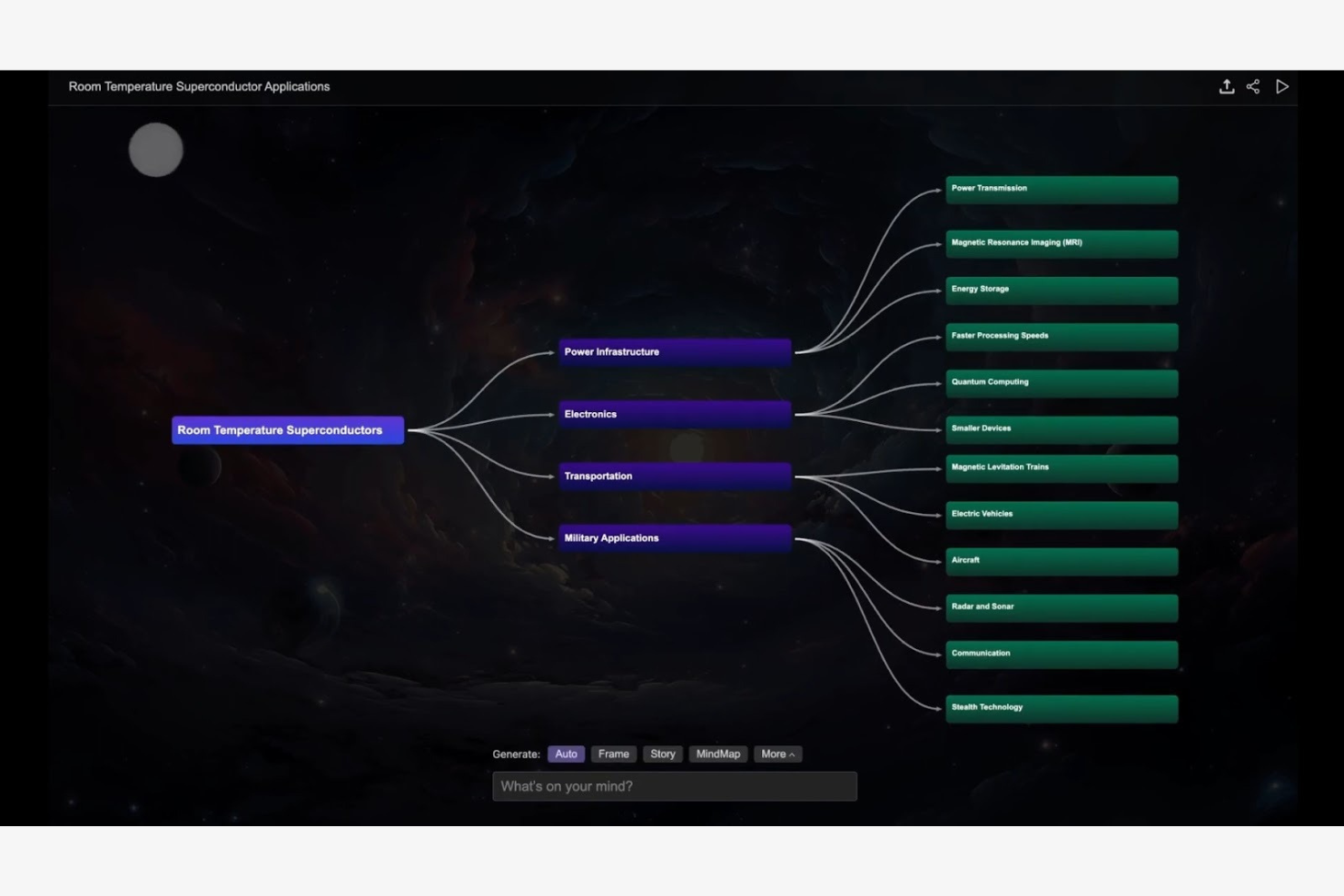
MyMap.AI è uno strumento innovativo di mappatura mentale che sfrutta l’IA per aiutare professionisti e team nell’organizzare e visualizzare le proprie idee. Si rivolge agli utenti che cercano suggerimenti intelligenti per i processi di brainstorming e pianificazione.
Perché ho scelto MyMap.AI: MyMap.AI offre suggerimenti basati sull’IA che ti aiutano a strutturare e collegare le idee. Gli algoritmi dello strumento analizzano i tuoi input per generare collegamenti pertinenti, rendendo le tue mappe mentali più complete. La sua interfaccia intuitiva aiuta a concentrarsi sulla creatività invece che sui dettagli tecnici. MyMap.AI potrebbe essere adatto a chi desidera sviluppare la generazione di idee con l’apporto dell’IA.
Funzionalità e integrazioni principali:
Le funzionalità includono un’interfaccia utente intuitiva per navigazione e utilizzo. MyMap.AI offre una varietà di modelli per aiutarti a iniziare. Lo strumento supporta la collaborazione in tempo reale, permettendo al tuo team di lavorare insieme.
Le integrazioni includono Google Drive, Dropbox, Slack, Microsoft Teams, Trello, Asana, Jira, Confluence, Zoom ed Evernote.
Pros and Cons
Pros:
- Suggerimenti IA per la strutturazione delle idee
- Interfaccia intuitiva che aiuta la creatività
- Varietà di modelli per un avvio rapido
Cons:
- Funzionalità offline limitate
- Nessuna informazione sui prezzi disponibile online
Altri strumenti di mappatura mentale con AI
Ecco alcune ulteriori opzioni di strumenti di mappatura mentale con AI che non sono entrate nella mia selezione, ma che vale comunque la pena valutare:
- Ideamap
Ideale per l'organizzazione delle idee
- MindMap AI
Ideale per approfondimenti guidati dall'intelligenza artificiale
- Lucidchart
Ideale per la varietà di diagrammi


Come valuto gli strumenti di mappatura mentale con IA
Cerco strumenti in cui l’IA offra un valore reale—ad esempio trasformando un brief di progetto in una WBS strutturata o convertendo note di riunione in mappe operative. Suddivido la mia valutazione nelle funzionalità di base che uno strumento deve avere per essere preso in considerazione e nei fattori differenzianti che separano le buone opzioni da quelle eccellenti.
Funzionalità di base (Requisiti minimi per questa lista)
Quando seleziono gli strumenti per la mia lista, ne valuto ciascuno su una scala da 0 (non offre la funzionalità) a 5 (eccelle in questo aspetto) per ciascuna delle funzioni di base elencate di seguito. Successivamente, calcolo il punteggio totale dello strumento in percentuale. Ogni strumento deve raggiungere un punteggio minimo totale del 65% per essere preso in considerazione.
- Generazione di mappe con IA: Controllo se uno strumento può prendere un breve prompt—come "piano di lancio prodotto Q3"—e generare una mappa strutturata e multilivello meritevole di essere modificata, non solo una lista piatta di nodi generici.
- Espansione e suggerimenti con IA: Ogni strumento dovrebbe offrire suggerimenti contestuali per i sotto-argomenti quando si espande un ramo, aiutando a dettagliare aspetti come fattori di rischio o dipendenze tra compiti senza ripartire da zero.
- Canvas visivo per la mappatura mentale: Valuto l’esperienza sul canvas—drag-and-drop, opzioni di layout (radiale, ad albero, organigramma) e la possibilità di aggiungere icone o allegati che rendano le mappe utili oltre la fase di brainstorming.
- Conversione da documento a mappa: Cerco la possibilità di inserire un brief di progetto, un verbale di riunione o un documento di requisiti ed ottenere una mappa strutturata, non semplicemente una parete di testo suddivisa su nodi.
- Collaborazione in tempo reale: Gli strumenti devono supportare la co-modifica dal vivo per consentire ai team distribuiti di lavorare insieme durante le sessioni di pianificazione, con indicatori di presenza, commenti e controlli sui permessi.
- Esportazione e integrazione con strumenti di PM: Valuto in che modo le mappe si traducono in azioni—che si tratti di esportazione in CSV, sincronizzazione delle attività con strumenti come Jira o Asana, o assegnazione di rami a responsabili e scadenze.
Dopo aver composto una lista di strumenti che soddisfano questi criteri, considero ciò che distingue ciascuna piattaforma.
Fattori differenzianti (Cosa distingue i fornitori)
Ecco come confronto e metto a confronto i vari fornitori:
Funzionalità distintive
Cerco strumenti che trasformano direttamente le mappe mentali in diagrammi di Gantt o cronoprogrammi—questo colma il divario tra brainstorming e vera pianificazione di progetto. Anche i modelli IA specifici per il project management sono importanti, come WBS, RACI o framework retrospettivi preconfigurati che fanno risparmiare tempo nell’impostazione di flussi di lavoro ricorrenti. Per me fa la differenza anche la modalità presentazione, dato che i PM spesso devono illustrare i piani agli stakeholder senza dover ricostruire tutto in una presentazione separata.
Oltre le funzionalità
La profondità dell’integrazione è fondamentale—controllo se uno strumento si collega direttamente alle piattaforme di project management già usate dal team, perché una mappa che non si integra con il task tracker genera solo lavoro manuale in più. Anche le politiche di gestione dei dati IA sono importanti; valuto se i fornitori addestrano i modelli sui dati dei tuoi progetti e quali controlli di opt-out sono disponibili. Infine, considero come l’uso dell’IA si scala all’aumentare delle dimensioni dei team, soprattutto se i limiti di generazione sono sufficientemente generosi per i PMO che gestiscono più progetti contemporaneamente.
Come scegliere gli strumenti di mappatura mentale con AI
È facile perdersi in lunghi elenchi di funzionalità e strutture tariffarie complesse. Per aiutarti a rimanere concentrato mentre affronti il tuo processo di selezione del software, ecco un elenco dei fattori da tenere a mente:
| Fattore | Cosa considerare |
|---|---|
| Scalabilità | Lo strumento può crescere insieme al tuo team? Valuta se è in grado di gestire un numero maggiore di utenti e progetti più grandi con l'espansione delle tue esigenze. Evita gli strumenti che potrebbero limitare la scalabilità futura. |
| Integrazioni | Si collega agli strumenti che utilizzi attualmente, come Slack o Trello? Assicurati che lo strumento possa integrarsi senza problemi con il tuo flusso di lavoro esistente per evitare interruzioni. |
| Personalizzazione | Puoi adattarlo alle tue esigenze specifiche? Cerca strumenti che consentano di personalizzare modelli e disposizioni in base ai processi del tuo team. |
| Facilità d'uso | L'interfaccia è intuitiva? Uno strumento complesso può rallentare la produttività, quindi dai priorità a design intuitivi che richiedano una formazione minima. |
| Implementazione e avviamento | Quanto tempo occorre per iniziare? Valuta il tempo e le risorse necessari per la configurazione e la formazione. Un avviamento rapido può far risparmiare tempo e ridurre la frustrazione. |
| Costo | Il prezzo rientra nel tuo budget? Confronta i costi dei diversi piani e fai attenzione ai costi nascosti o agli addebiti aggiuntivi per le funzionalità essenziali. |
| Misure di sicurezza | I tuoi dati sono protetti? Cerca strumenti con una crittografia avanzata e conformi alle normative sulla protezione dei dati per mantenere al sicuro le tue informazioni. |
Cosa sono gli strumenti di mappe mentali basati sull'intelligenza artificiale?
Gli strumenti di mappe mentali basati sull'intelligenza artificiale sono piattaforme digitali che utilizzano l'intelligenza artificiale per aiutare gli utenti a visualizzare e organizzare pensieri e idee. Questi strumenti vengono generalmente utilizzati da professionisti come responsabili di progetto, educatori e team creativi per attività di ideazione e pianificazione. I suggerimenti basati sull'intelligenza artificiale, l'ottimizzazione automatica della disposizione e le funzionalità di collaborazione in tempo reale aiutano a strutturare le idee, migliorare la produttività e favorire il lavoro di squadra. Nel complesso, questi strumenti offrono un modo più intelligente ed efficiente per rappresentare idee complesse.
Funzionalità
Quando selezioni gli strumenti di mappe mentali basati sull'intelligenza artificiale, presta attenzione alle seguenti funzionalità chiave:
- Suggerimenti basati sull'intelligenza artificiale: aiutano gli utenti a generare e collegare le idee in modo più efficace, rendendo più produttive le sessioni di ideazione.
- Ottimizzazione automatica della disposizione: organizza automaticamente le mappe mentali per migliorarne la leggibilità e l'organizzazione, facendo risparmiare tempo e fatica.
- Collaborazione in tempo reale: consente a più utenti di lavorare contemporaneamente sulla stessa mappa mentale, migliorando la comunicazione e il coordinamento del team.
- Modelli personalizzabili: offre disposizioni predefinite che possono essere adattate alle esigenze specifiche del progetto, velocizzando il processo di creazione della mappa.
- Funzionalità di integrazione: si collega ad altri strumenti come Slack o Trello per supportare i flussi di lavoro e mantenere la continuità tra le piattaforme.
- Strumenti di visualizzazione dei dati: migliorano la rappresentazione di dati complessi, rendendo più semplice interpretare e analizzare le informazioni.
- Accessibilità multipiattaforma: garantisce che le mappe mentali possano essere consultate e modificate da diversi dispositivi e sistemi operativi.
- Misure di sicurezza: protegge i dati degli utenti mediante la crittografia e la conformità alle normative sulla protezione dei dati, garantendo privacy e sicurezza.
Vantaggi
L'implementazione di strumenti di mappe mentali basati sull'intelligenza artificiale offre diversi vantaggi al tuo team e alla tua azienda. Ecco alcuni dei vantaggi che puoi aspettarti:
- Maggiore creatività: i suggerimenti basati sull'intelligenza artificiale aiutano a far scaturire nuove idee e connessioni, rendendo più semplice creare mappe mentali che favoriscono sessioni di ideazione più approfondite. Gli strumenti basati su GPT o ChatGPT possono anche fungere da riepilogatore integrato quando hai bisogno di fare rapidamente chiarezza.
- Organizzazione migliorata: le opzioni di disposizione automatica dispongono i pensieri in modo logico, offrendoti un punto di partenza chiaro per mappare i concetti e capire come tutto si collega.
- Maggiore collaborazione: le funzionalità di modifica in tempo reale consentono ai membri del team di lavorare insieme da qualsiasi luogo, sia che utilizzino computer fissi, dispositivi iOS o Android.
- Risparmio di tempo: i modelli, le funzionalità di compilazione automatica e la possibilità di generare una struttura a partire da istruzioni riducono il lavoro ripetitivo, permettendo ai team di concentrarsi sui contenuti invece che sulla formattazione.
- Processo decisionale migliore: gli strumenti di organizzazione visiva aiutano i team a vedere le relazioni tra le idee, rendendo le decisioni più rapide e semplici.
- Flessibilità di accesso: il supporto multipiattaforma ti permette di continuare a creare o aggiornare le mappe mentali ovunque ti trovi, sia che tu stia rivedendo gli appunti sia che stia esplorando il funzionamento su dispositivi diversi.
- Sicurezza dei dati: solide misure di sicurezza proteggono le tue mappe e le informazioni correlate, dando agli utenti la certezza che i loro dati rimangano privati e sicuri.
Costi e prezzi
La selezione degli strumenti di mappe mentali basati sull'IA richiede la comprensione dei vari modelli di prezzo e dei piani disponibili. I costi variano in base alle funzionalità, alle dimensioni del team, ai componenti aggiuntivi e ad altri fattori. La tabella seguente riassume i piani comuni, i relativi prezzi medi e le funzionalità tipicamente incluse nelle soluzioni di strumenti di mappe mentali basati sull'IA:
Tabella comparativa dei piani per gli strumenti di mappe mentali basati sull'IA
| Tipo di piano | Prezzo medio | Funzionalità comuni |
|---|---|---|
| Piano gratuito | $0 | Mappe mentali di base, modelli limitati e strumenti essenziali per la collaborazione. |
| Piano personale | $5-$15/utente/mese | Modelli avanzati, suggerimenti basati sull'IA e integrazioni di base. |
| Piano aziendale | $15-$30/utente/mese | Funzionalità di collaborazione avanzate, integrazioni aggiuntive e modelli personalizzabili. |
| Piano per grandi aziende | $30-$50/utente/mese | Set completo di funzionalità, protezioni di sicurezza avanzate, assistenza dedicata e ampie opzioni di personalizzazione. |
Domande frequenti sugli strumenti di mappe mentali basati sull'IA
Ecco alcune risposte alle domande comuni sugli strumenti di mappe mentali basati sull’IA:
Posso esportare le mappe mentali dagli strumenti di mappe mentali basati sull'IA in formati diversi?
Sì, la maggior parte degli strumenti di mappe mentali basati sull’IA consente di esportare le mappe in formati come PDF, PNG o documenti Word. Che tu stia creando rapidamente mappe mentali visive, una mappa concettuale dettagliata o organizzando i sottotemi per l’ideazione, l’esportazione semplifica l’inserimento del tuo lavoro in documenti di progetto, pagine web o presentazioni. Molti generatori e creatori di mappe mentali supportano anche l’esportazione in Markdown per gli utenti che preferiscono i formati basati sul testo.
Gli strumenti di mappe mentali basati sull'IA sono in grado di gestire progetti di grandi dimensioni?
Sì, la maggior parte degli strumenti di mappe mentali basati sull’IA è in grado di gestire progetti di grandi dimensioni consentendo di creare mappe estese con più rami e nodi. I software per mappe mentali e le piattaforme di mappe mentali basate sull’IA sono progettati per supportare idee in continua evoluzione, sia che tu stia creando una tabella di marcia sia che utilizzi un’app per mappe mentali per delineare una ricerca. Le prestazioni possono variare in base allo strumento e al dispositivo, quindi è utile testare un progetto di esempio, soprattutto se stai creando mappe mentali visive complesse.
Gli aggiornamenti degli strumenti di mappe mentali basati sull'IA sono automatici o manuali?
La maggior parte degli strumenti di mappe mentali basati sull’IA e basati sul cloud si aggiorna automaticamente, così quando accedi hai sempre la versione più recente. Le versioni desktop potrebbero richiedere un’installazione manuale per rimanere aggiornate. Se utilizzi un generatore di mappe mentali tutto-in-uno o uno strumento gratuito per mappe mentali, gli aggiornamenti automatici possono aiutarti ad accedere a nuove scorciatoie, modelli e layout migliorati senza passaggi aggiuntivi.
È possibile recuperare le mappe mentali eliminate negli strumenti di mappe mentali basati sull'IA?
Spesso sì. Molti strumenti includono un cestino o una funzione di cronologia che consente di ripristinare le mappe eliminate accidentalmente per un periodo di tempo limitato. Questa funzione è particolarmente utile quando si lavora su mappe mentali dettagliate con più sottotemi o quando si utilizzano app per mappe mentali per prendere appunti. Consulta la documentazione dello strumento per conoscere la procedura di recupero e il periodo di conservazione degli elementi eliminati.