

I 10 migliori software per calendario recensiti nel 2026

Elenco dei migliori software per calendari


Gestire il programma del tuo team può essere difficile. Riunioni, scadenze e attività si accumulano, rendendo complicato tenere tutto sotto controllo. È qui che entra in gioco il software per calendari, che ti aiuta a organizzare, stabilire le priorità e collaborare in modo più efficace.
In base alla mia esperienza, lo strumento di calendario giusto può rendere molto più fluida la tua giornata lavorativa. Ho testato e recensito diverse opzioni per offrirti un elenco imparziale dei migliori software per calendari disponibili. Il mio obiettivo è aiutarti a trovare la soluzione perfetta per le esigenze del tuo team.
In questo articolo scoprirai le migliori scelte tra le app di calendario e le versioni per desktop, ciascuna con funzionalità uniche per affrontare le tue difficoltà nella gestione degli impegni.
Perché fidarsi dei nostri consigli sui software
Il nostro team testa e recensisce software dal 2012. In quanto project manager noi stessi, sappiamo quanto sia difficile — e importante — scegliere il software giusto.
Per questa guida, abbiamo valutato gli strumenti attraverso test pratici e ricerche indipendenti, assegnando un punteggio agli strumenti in base ai nostri criteri di selezione. Ci basiamo inoltre sulle competenze di leader di pensiero del settore e di professionisti attivi nella gestione dei progetti.
Le nostre recensioni riflettono il nostro giudizio editoriale umano, non un discorso di vendita.
Riepilogo dei migliori software per calendari
Questa tabella di confronto riassume i dettagli sui prezzi delle mie migliori selezioni di software per calendari, per aiutarti a trovare quello più adatto al tuo budget e alle esigenze della tua azienda.
| Tool | Best For | Trial Info | Price | ||
|---|---|---|---|---|---|
| 1 | Ideale per la collaborazione di squadra | Piano gratuito disponibile | Prezzi su richiesta | Website | |
| 2 | Ideale per organizzare riunioni | Prova gratuita di 14 giorni + piano gratuito + demo gratuita disponibile | Da $10/postazione/mese (fatturato annualmente) | Website | |
| 3 | Ideale per sondaggi di gruppo | Piano gratuito disponibile | Da $6.95/utente/mese (fatturato annualmente) | Website | |
| 4 | Ideale per prenotazioni e appuntamenti | Piano gratuito disponibile | Da $5/utente/mese (fatturato annualmente) | Website | |
| 5 | Ideale per la gestione del tempo tramite time blocking | Prova gratuita di 14 giorni | $7.56/mese | Website | |
| 6 | Ideale per la pianificazione semplice | Piano gratuito disponibile | Da $6,99/utente/mese (fatturato annualmente) | Website | |
| 7 | Ideale per chi preferisce un design minimalista | Prova gratuita disponibile | Da $49.99/anno | Website | |
| 8 | Ideale per la prenotazione di appuntamenti | Piano gratuito disponibile | Da $5/utente/mese (fatturato annualmente) | Website | |
| 9 | Ideale per utenti Apple | Piano gratuito disponibile | Prezzo su richiesta | Website | |
| 10 | Ideale per la pianificazione tramite intelligenza artificiale | Prova gratuita di 14 giorni disponibile | A partire da $16/utente/mese (fatturazione annuale) | Website |
Recensioni dei migliori software per calendari
Di seguito trovi i miei riepiloghi dettagliati dei migliori software per calendari inclusi nel mio elenco. Le mie recensioni offrono uno sguardo approfondito alle funzionalità principali, ai pro e contro, alle integrazioni e ai casi d’uso ideali di ogni strumento, per aiutarti a trovare quello più adatto a te.

Teamup
Ideale per la collaborazione di squadra
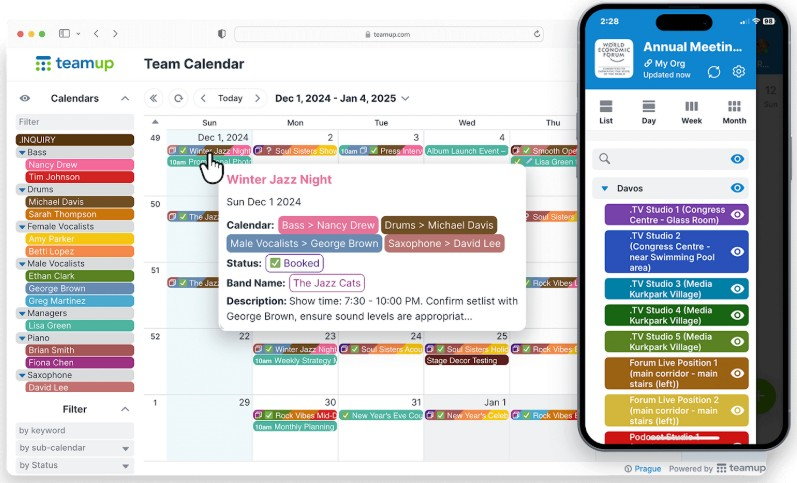
Teamup è uno strumento di calendario condiviso per gruppi e organizzazioni, utile per gestire eventi e programmi in modo collaborativo. Offre ai team una piattaforma centralizzata e meno complessa per coordinare le attività e condividere i calendari rispetto agli strumenti di programmazione tradizionali.
Perché ho scelto Teamup: Questo strumento favorisce la collaborazione consentendo a più utenti di accedere e gestire calendari condivisi. Puoi creare sotto-calendari per diversi progetti o reparti per una migliore organizzazione del team. Il sistema di calendari codificato a colori aiuta a identificare e categorizzare rapidamente gli eventi, rendendo la pianificazione più intuitiva. Con permessi di accesso personalizzabili, puoi assicurarti che ogni membro del team abbia il giusto livello di accesso alle informazioni necessarie.
Funzionalità e integrazioni principali:
Funzionalità includono la possibilità di visualizzare i calendari in diversi formati, come la vista giornaliera, settimanale, mensile e annuale, offrendo flessibilità nella gestione delle attività. Puoi anche impostare promemoria via email per mantenere tutti aggiornati sugli eventi imminenti. L'opzione di condivisione del link al calendario rende semplice distribuire gli orari senza richiedere la creazione di account utente.
Integrazioni includono Slack, Google Calendar, Microsoft Outlook, Apple Calendar, Zapier, OttoKit e altri ancora.
Pros and Cons
Pros:
- Condivisione facile dei link al calendario
- Ottimo per gestire i turni di lavoro
- Permessi di accesso personalizzabili
Cons:
- Prova gratuita breve per i piani superiori
- Integrazioni limitate

Calendly
Ideale per organizzare riunioni
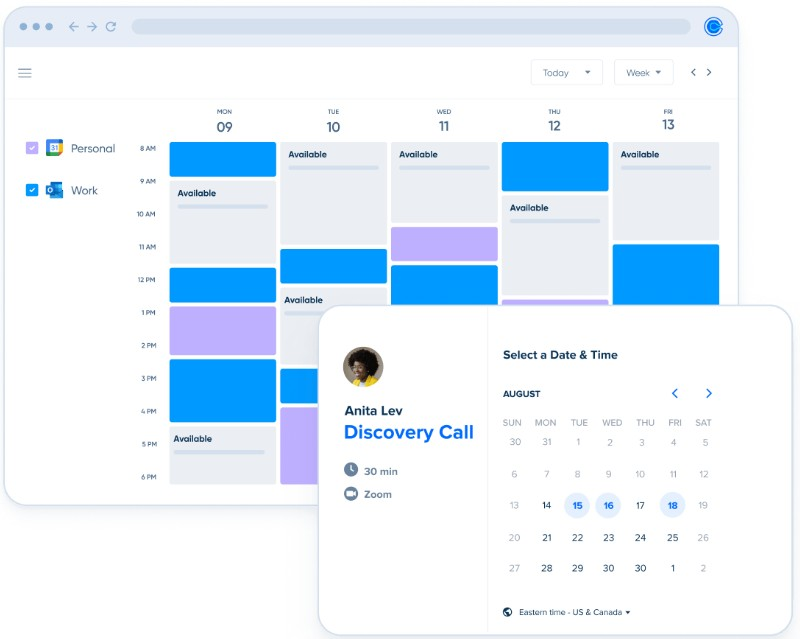
Calendly è uno strumento di pianificazione online per professionisti e team che devono organizzare riunioni senza il continuo scambio di email. Semplifica il processo di fissare appuntamenti permettendo agli utenti di condividere la propria disponibilità e consentendo agli invitati di prenotare riunioni nei fasci orari che preferiscono.
Perché ho scelto Calendly: È molto efficace per programmare riunioni in modo efficiente, facendo risparmiare tempo prezioso a te e al tuo team. Puoi creare tipi di riunione personalizzati, ognuno con le sue impostazioni e disponibilità. Lo strumento ti permette di impostare tempi di buffer tra le riunioni per evitare appuntamenti consecutivi. Il rilevamento automatico del fuso orario garantisce che le riunioni siano programmate correttamente per tutti i partecipanti.
Caratteristiche principali e integrazioni:
Caratteristiche includono link di prenotazione personalizzati, che rendono facile per gli altri fissare un appuntamento con te. Puoi anche impostare promemoria automatici per ridurre le mancate presenze e le cancellazioni. Lo strumento offre varie opzioni per la durata delle riunioni, offrendoti flessibilità nella gestione del tuo tempo.
Integrazioni includono Zoom, Microsoft Teams, Slack, Salesforce, HubSpot, Google Analytics, Stripe, PayPal, Mailchimp, Zapier e altri ancora.
Pros and Cons
Pros:
- Tempi di buffer tra le riunioni
- Link di prenotazione personalizzati
- I promemoria automatici riducono le mancate presenze
Cons:
- Funzionalità limitate nel piano gratuito
- Prezzi elevati per piccoli team

Doodle
Ideale per sondaggi di gruppo
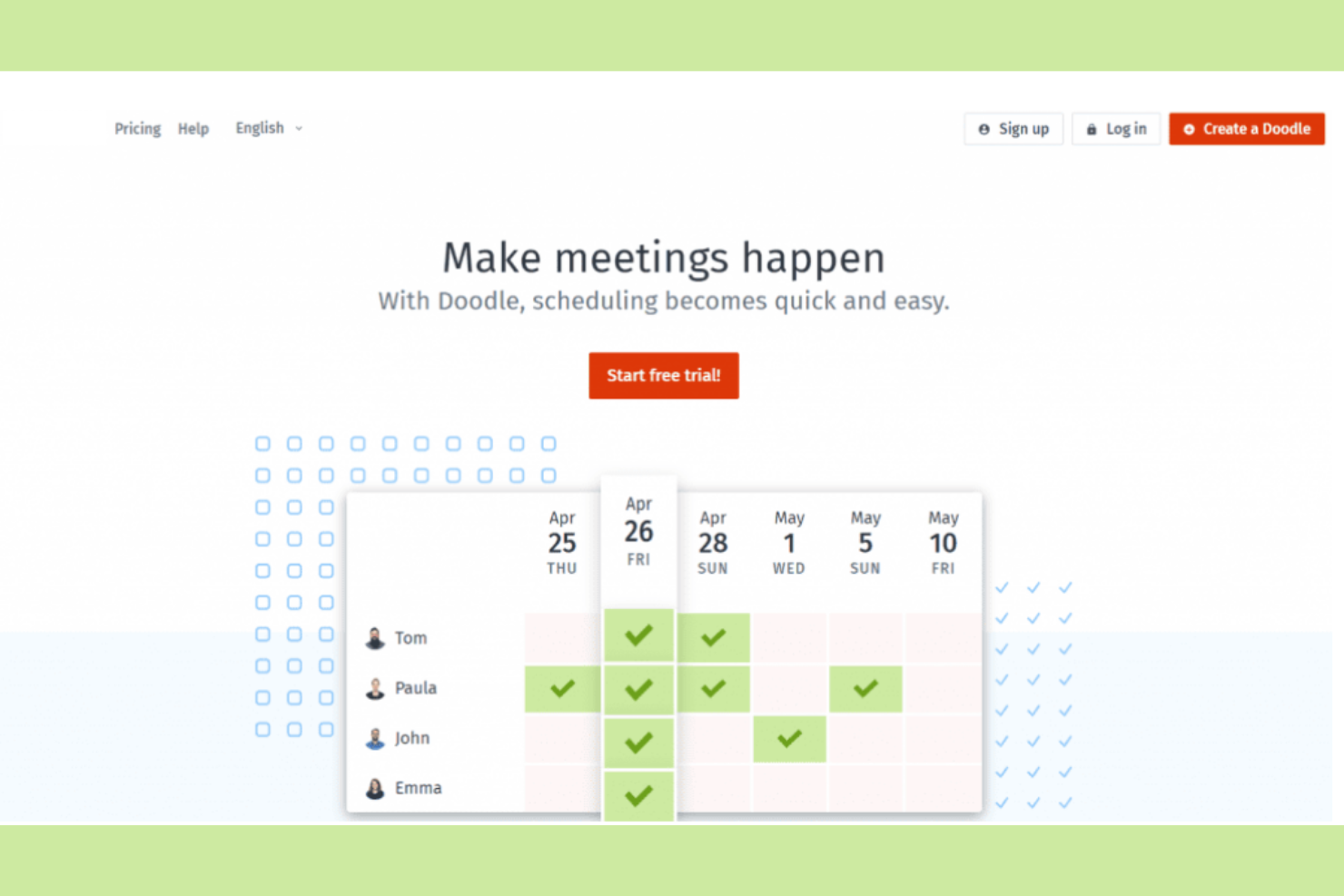
Doodle è uno strumento di pianificazione che rende più semplice trovare il momento migliore per le riunioni di gruppo. Team e organizzazioni lo utilizzano per coordinare gli orari senza l'inconveniente di molteplici email.
Perché ho scelto Doodle: Organizza sondaggi di gruppo per la pianificazione, così tu e il tuo team potete trovare una disponibilità comune. Puoi creare sondaggi rapidamente, permettendo ai partecipanti di votare i loro orari preferiti. L'interfaccia semplice dello strumento rende facile impostare e gestire i sondaggi. Con le opzioni di regolazione del fuso orario, puoi coordinarti efficacemente con team internazionali.
Caratteristiche principali e integrazioni:
Caratteristiche includono la possibilità di creare sondaggi per la pianificazione di eventi e trovare orari reciprocamente convenienti. Puoi anche impostare delle scadenze per le risposte, assicurando così una pianificazione tempestiva. Lo strumento offre una visualizzazione a calendario che aiuta a vedere rapidamente i possibili orari delle riunioni.
Integrazioni includono Google Calendar, Microsoft Outlook, Zoom, Webex, Microsoft Teams, iCloud, Zapier, Stripe e altri ancora.
Pros and Cons
Pros:
- Sondaggi efficienti per la pianificazione di gruppo
- Offre pagine di prenotazione personalizzate
- Si integra con i processori di pagamento
Cons:
- Versione gratuita ricca di annunci
- Nessun promemoria per rispondere ai sondaggi

Setmore
Ideale per prenotazioni e appuntamenti
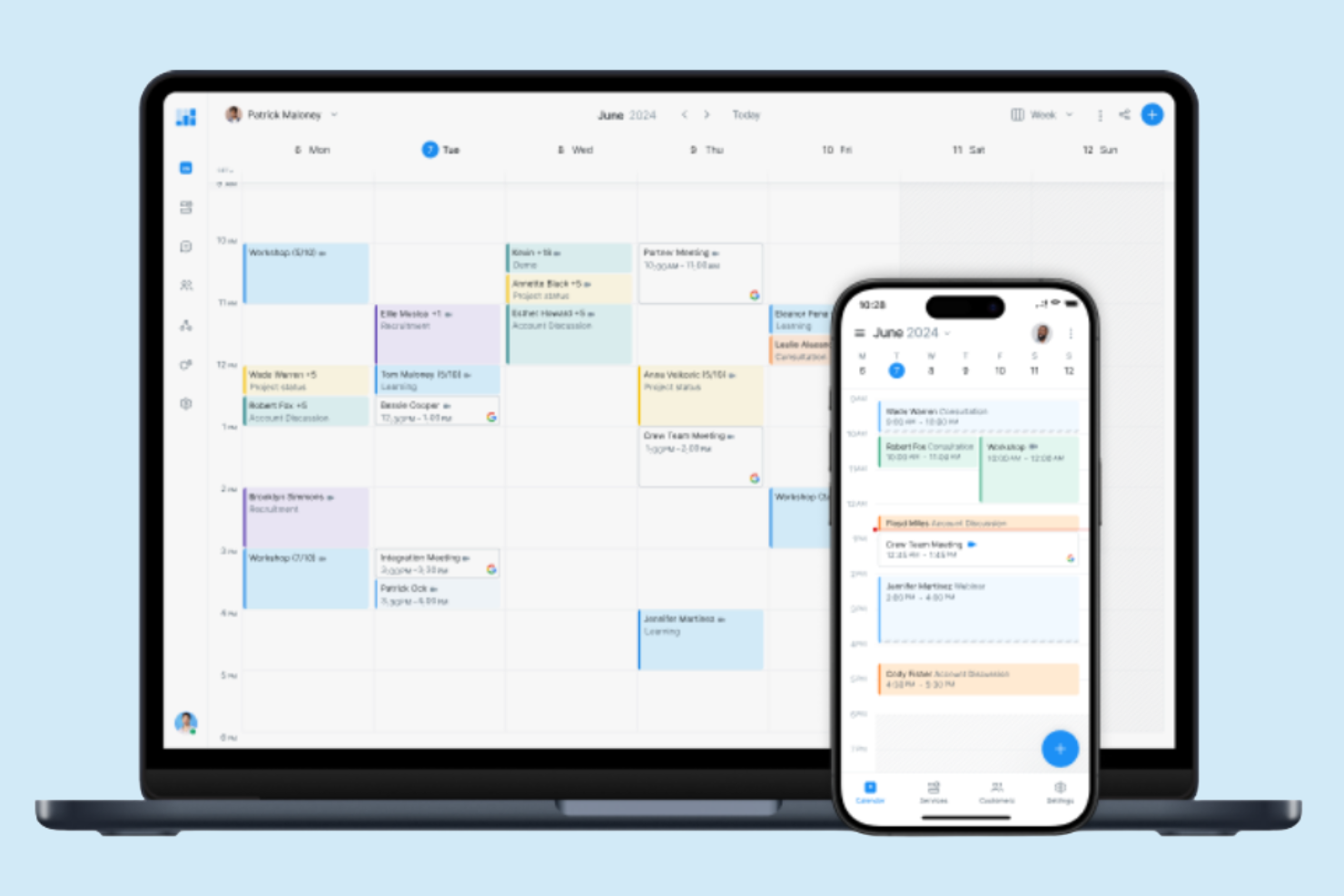
Setmore è una piattaforma di prenotazione online pensata per piccole imprese e professionisti che hanno bisogno di gestire appuntamenti e prenotazioni in modo efficiente. Offre agli utenti un modo semplice per gestire gli appuntamenti con i clienti, ottimizzando il processo di prenotazione e migliorando l'efficienza operativa.
Perché ho scelto Setmore: È progettato per la gestione delle prenotazioni, il che lo rende una scelta eccellente per le aziende che dipendono da servizi su appuntamento. È possibile creare una pagina di prenotazione personalizzabile che i clienti possono utilizzare per fissare direttamente i propri appuntamenti. Lo strumento offre inoltre promemoria automatici per ridurre le mancate presentazioni e le cancellazioni. Grazie all'interfaccia intuitiva, puoi gestire i calendari del personale e sincronizzare gli appuntamenti su diversi dispositivi.
Funzionalità principali e integrazioni:
Funzionalità includono la possibilità di coordinare gli orari all'interno del tuo team utilizzando calendari individuali. Puoi anche impostare appuntamenti ricorrenti per i clienti abituali, risparmiando tempo nella pianificazione. La piattaforma offre analisi che forniscono approfondimenti sui tuoi schemi di prenotazione e sulle interazioni con i clienti.
Integrazioni includono Google Calendar, Microsoft Outlook, Zendesk, Zoom, Facebook, Slack, QuickBooks, Salesforce, Stripe, PayPal, Mailchimp e altre ancora.
Pros and Cons
Pros:
- Pagine di prenotazione personalizzabili
- Offre videoriunioni con un clic
- Ottimo per il pagamento anticipato
Cons:
- Analisi limitate
- Limitazioni del piano gratuito

Ideale per la gestione del tempo tramite time blocking
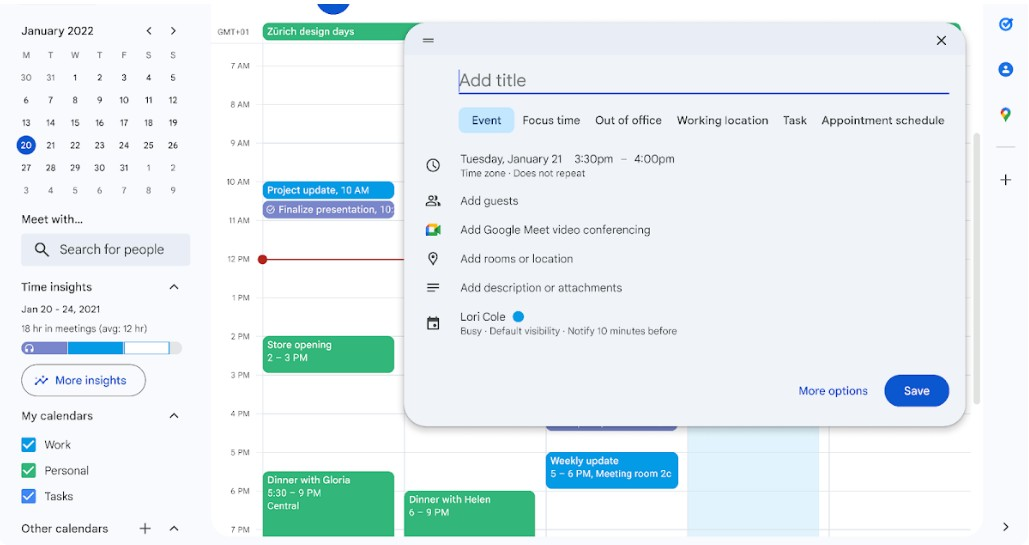
Google Calendar è uno strumento di pianificazione versatile che individui e team utilizzano per gestire appuntamenti, riunioni e scadenze. Le aziende lo adottano per la sua integrazione con altre applicazioni di Google Workspace, come Google Tasks e Google Docs, e per una migliore produttività e collaborazione.
Perché ho scelto Google Calendar: Questo strumento ti aiuta a gestire il tempo in modo efficiente grazie a funzionalità dedicate al time blocking. Puoi creare calendari separati per lavoro e vita privata, facilitando la concentrazione su attività specifiche. Google Calendar permette inoltre di organizzare il programma grazie a segnali visivi per identificare rapidamente diversi tipi di eventi.
Funzionalità principali e integrazioni:
Funzionalità includono la creazione di più calendari per diversi aspetti della propria vita, la codifica a colori degli eventi per un'identificazione immediata e la possibilità di impostare eventi e promemoria ricorrenti per tenere traccia delle attività tra i team.
Integrazioni includono Google Meet, Gmail, Google Drive, Microsoft Outlook, Apple Calendar, Zoom, Slack, Trello, Asana, Salesforce e altro ancora.
Pros and Cons
Pros:
- Suggerisce orari per le riunioni di gruppo
- Supporta più calendari
- Il piano a pagamento include Google Workplace
Cons:
- Nessuna app desktop dedicata
- Visualizzazione dei fusi orari limitata


Koalendar è uno strumento di pianificazione intuitivo per individui e piccoli team che necessitano di un modo semplice per organizzare riunioni e appuntamenti. Rende la programmazione delle attività semplice per una migliore gestione del tempo.
Perché ho scelto Koalendar: puoi creare rapidamente link di prenotazione da condividere con altri, permettendo loro di visualizzare la tua disponibilità e prenotare appuntamenti direttamente. L'interfaccia pulita dello strumento assicura una gestione del calendario senza distrazioni e i promemoria via email aiutano a tenere traccia dei prossimi appuntamenti.
Caratteristiche principali e integrazioni:
Funzionalità includono pagine di prenotazione personalizzabili che ti permettono di controllare come gli altri vedono la tua disponibilità. Puoi anche impostare tempi di buffer tra le riunioni per evitare appuntamenti consecutivi oppure usare il rilevamento automatico del fuso orario per coordinare incontri con persone in regioni differenti.
Integrazioni includono Google Calendar, Microsoft Outlook, Zoom, Shopify, Microsoft Teams, Apple Calendar, Zapier, Webhooks, WordPress e altro ancora.
Pros and Cons
Pros:
- Opzioni di pagamento integrate
- Rilevamento automatico della lingua per gli ospiti
- Notifiche email per appuntamenti
Cons:
- Mancano integrazioni profonde
- Si concentra sulla sola pianificazione di base

Ideale per chi preferisce un design minimalista
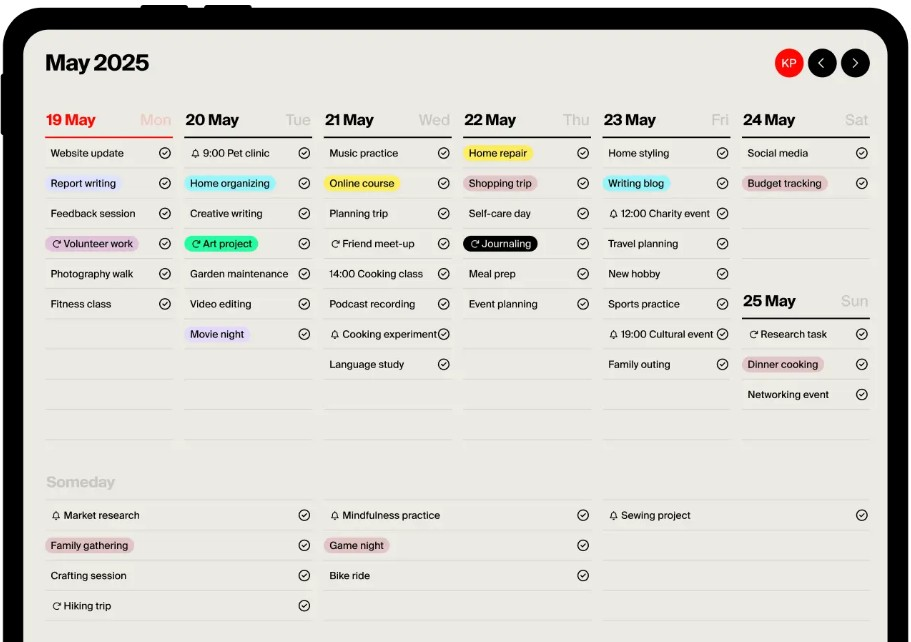
Tweek è un'applicazione calendario semplice ed elegante per utenti che apprezzano un approccio minimalista alla pianificazione di appuntamenti e altre attività. Sia individui che team apprezzano la sua interfaccia pulita e la funzionalità intuitiva.
Perché ho scelto Tweek: Offre un design minimalista che riduce il disordine e si concentra sull'essenziale quando si pianifica. Puoi annotare rapidamente attività e appuntamenti senza essere rallentato da funzionalità superflue. Il layout del planner settimanale fornisce una visione chiara dei tuoi impegni, aiutandoti a concentrarti sulla visione d'insieme. Tweek è ideale se vuoi gestire il tuo tempo senza distrazioni.
Funzionalità principali e integrazioni:
Funzionalità includono una visualizzazione settimanale che ti permette di vedere tutte le tue attività a colpo d'occhio. Lo strumento offre anche un sistema semplice di gestione delle attività, dove puoi dare priorità e spuntare gli elementi completati. Hai la possibilità di personalizzare il tuo planner con diversi colori.
Integrazioni includono Google Calendar, Apple Calendar e altro ancora.
Pros and Cons
Pros:
- Design minimalista e pulito
- Inserimento e gestione rapida delle attività
- Temi personalizzabili
Cons:
- Nessuna integrazione nella versione gratuita
- Funzioni limitate per grandi team

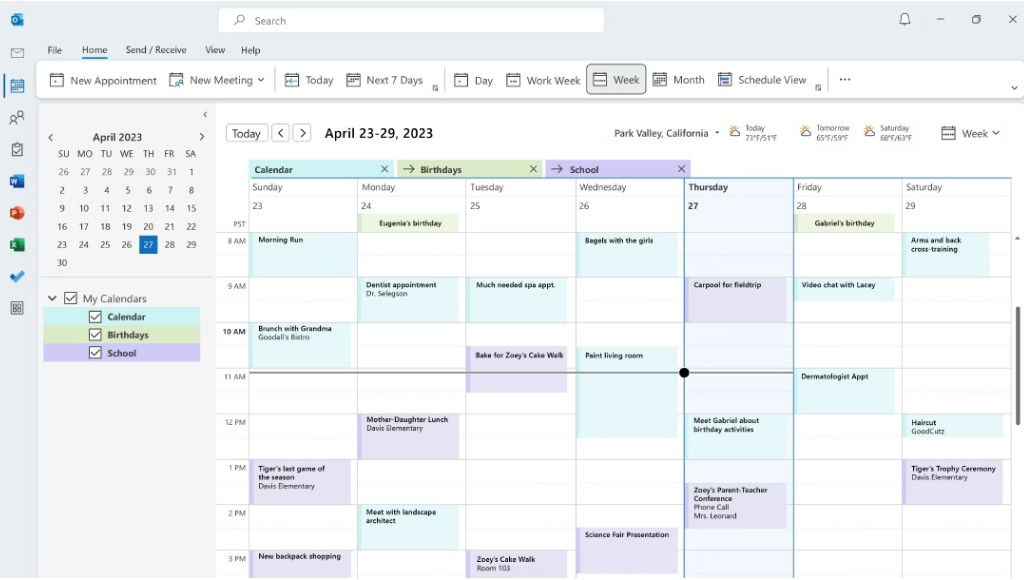
Setmore è una piattaforma di pianificazione online pensata per piccole imprese e professionisti che necessitano di gestire appuntamenti e prenotazioni in modo efficiente. Offre agli utenti un modo semplice per gestire gli appuntamenti con i clienti, aiutando a ottimizzare il processo di prenotazione e migliorare l'efficienza operativa.
Perché ho scelto Setmore: È stato creato per la prenotazione di appuntamenti, rendendolo una scelta eccellente per le attività che si basano su servizi programmati. Puoi creare una pagina di prenotazione personalizzabile a cui i clienti possono accedere per fissare direttamente gli appuntamenti. Lo strumento offre anche promemoria automatici per ridurre le mancate presentazioni e le cancellazioni. Grazie alla sua interfaccia intuitiva, puoi gestire i calendari dello staff e sincronizzare gli appuntamenti su diversi dispositivi.
Funzionalità principali e integrazioni:
Funzionalità includono la possibilità di coordinare gli orari all'interno del tuo team utilizzando calendari individuali. Puoi anche impostare appuntamenti ricorrenti per i clienti abituali, risparmiando tempo nella gestione delle prenotazioni. La piattaforma offre strumenti di analisi per darti visibilità sui modelli di prenotazione e sulle interazioni con i clienti.
Integrazioni includono Google Calendar, Microsoft Outlook, Zendesk, Zoom, Facebook, Slack, QuickBooks, Salesforce, Stripe, PayPal, Mailchimp e altri.
Pros and Cons
Pros:
- Pagine di prenotazione personalizzabili
- Offre riunioni video con un clic
- Ottimo per i pagamenti anticipati
Cons:
- Analisi dei dati limitata
- Limitazioni nel piano gratuito
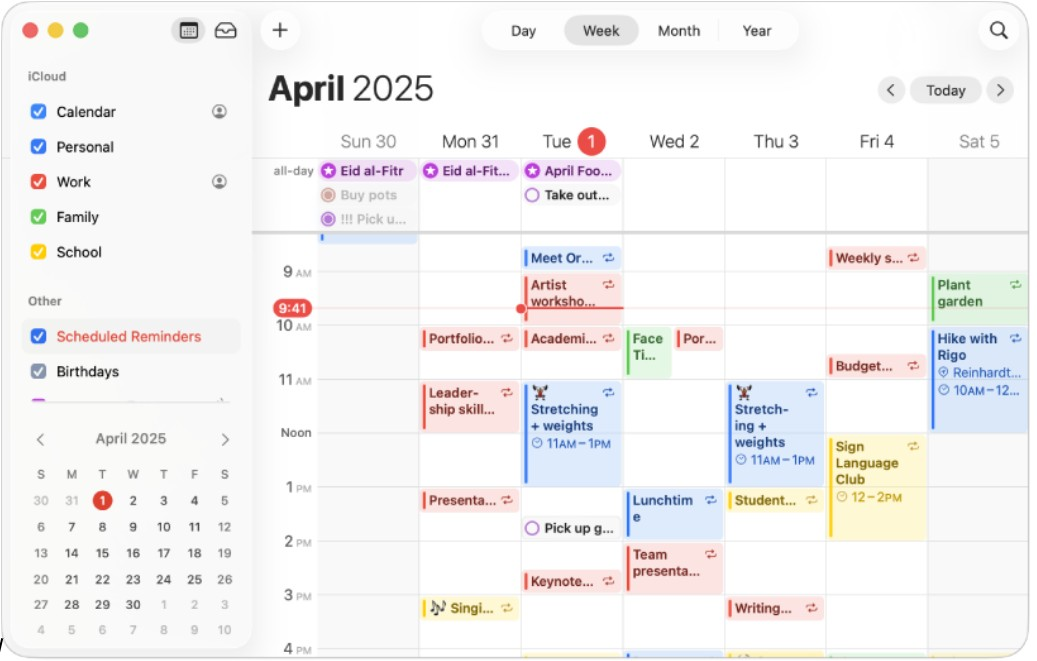
Apple Calendar è un'applicazione calendario semplice per gli utenti di dispositivi Apple, che offre funzioni essenziali per la pianificazione e la gestione degli eventi. Si rivolge a singoli e team che fanno affidamento sull’ecosistema Apple per organizzare le attività quotidiane e desiderano una sincronizzazione in tempo reale tra i dispositivi.
Perché ho scelto Apple Calendar: Questo strumento si integra perfettamente con l’ecosistema Apple, risultando ideale per chi utilizza altri prodotti Apple. Puoi sincronizzare il tuo calendario su iPhone, iPad e Mac, assicurandoti di avere sempre accesso ai tuoi impegni. L’interfaccia è pulita e intuitiva, permettendo di creare e gestire eventi con facilità.
Caratteristiche principali e integrazioni:
Funzionalità includono la possibilità di impostare e personalizzare avvisi per gli eventi, visualizzare il calendario nei formati giorno, settimana o mese, e gestire calendari condivisi per la coordinazione del team. Puoi anche utilizzare l’inserimento tramite linguaggio naturale per aggiungere rapidamente eventi. Il calendario supporta i fusi orari, risultando ottimale per pianificare riunioni internazionali.
Integrazioni comprendono iCloud, Siri, Apple Maps, Mail, Contatti, FaceTime, Zoom, Microsoft Exchange, Google Calendar e altri ancora.
Pros and Cons
Pros:
- Sincronizzazione tra dispositivi Apple
- Gratuito per tutti gli utenti
- Preinstallato sui dispositivi Apple
Cons:
- Nessun piano premium disponibile
- Disponibile solo su dispositivi Apple

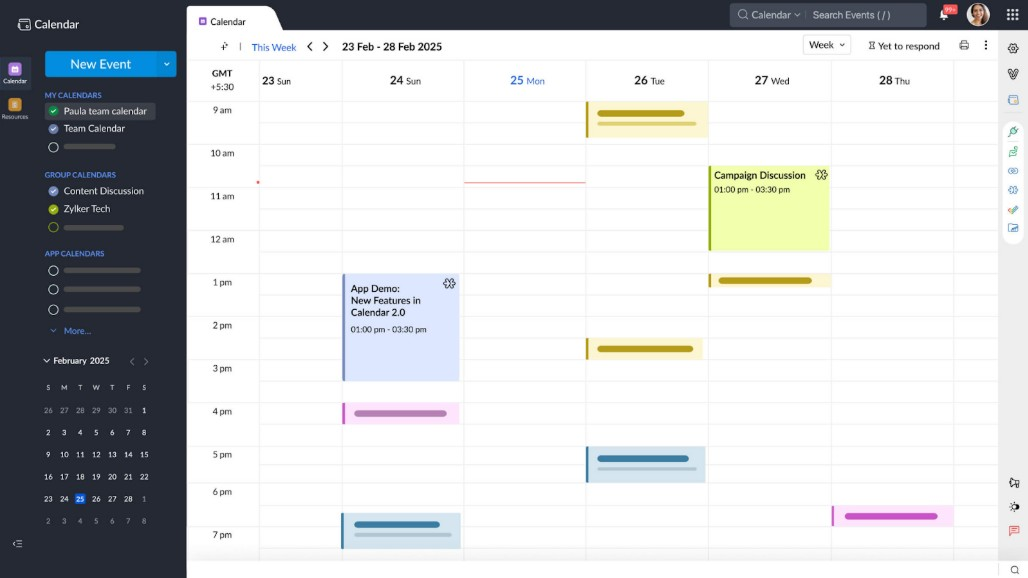
Calendar è uno strumento intelligente di pianificazione per ottimizzare la gestione del tempo per professionisti e aziende. Fornisce soluzioni per pianificare riunioni, gestire eventi e analizzare l'utilizzo del tempo.
Perché ho scelto Calendar: Utilizza l'intelligenza artificiale per migliorare l'efficienza nella pianificazione, rendendolo perfetto per team impegnati. Gli approfondimenti basati sull'IA ti aiutano a capire come tu e il tuo team spendete il tempo, permettendo una migliore pianificazione. Puoi anche automatizzare la programmazione delle riunioni condividendo la disponibilità e permettendo ad altri di prenotare direttamente. I suggerimenti intelligenti dello strumento aiutano a ridurre al minimo i conflitti di orario e massimizzare la produttività.
Caratteristiche principali e integrazioni:
Funzionalità includono analisi avanzate che forniscono approfondimenti su come viene distribuito il tuo tempo. Puoi configurare link di prenotazione personalizzati per ottimizzare il processo di pianificazione. Lo strumento offre inoltre promemoria personalizzabili per gestire gli impegni futuri.
Integrazioni includono Google Calendar, Apple Calendar, Zoom, Salesforce, HubSpot, Zapier, Microsoft Teams e altro ancora.
Pros and Cons
Pros:
- Approfondimenti sulla pianificazione alimentati dall'IA
- Offre estensioni per browser
- Analisi avanzata del tempo
Cons:
- Solo modello a pagamento per il livello professionale
- Il supporto può essere lento per i piani inferiori
Altri software per calendari
Ecco alcune altre opzioni di software per calendari che non sono state incluse nel mio elenco, ma che vale comunque la pena prendere in considerazione:
- Fantastical
Ideale per inserimento tramite linguaggio naturale
- Morgen
Ideale per la gestione delle attività guidata dall'IA
- Square Appointments
Ideale per la prenotazione delle lezioni


Come valuto il software di calendario
Analizzo il software di calendario su due livelli: le funzionalità principali come pianificazione, sincronizzazione e condivisione, che devono essere impeccabili, e gli elementi differenzianti—come le viste Gantt e la sovrapposizione dei carichi di lavoro—che fanno la differenza per i team di progetto.
Funzionalità di base (requisiti minimi per questa lista)
Quando seleziono gli strumenti per la mia lista, valuto ciascuno su una scala da 0 (non offre la funzionalità) a 5 (eccelle in quest'area) per ogni funzionalità principale elencata di seguito. Successivamente, trasformo il punteggio totale dello strumento in percentuale. Ogni strumento deve raggiungere un punteggio totale minimo del 65% per essere preso in considerazione.
- Opzioni di visualizzazione del calendario: Controllo se lo strumento offre viste giornaliere, settimanali, mensili e agenda, con filtri e codici colore per permettere ai team di concentrarsi su uno sprint o avere una visione d'insieme sulla roadmap trimestrale.
- Pianificazione & assegnazione delle attività: Ogni strumento dovrebbe permettere la creazione di attività con date, durate, assegnatari e dipendenze—come programmare un controllo di qualità solo dopo la conclusione del passaggio di consegna del design.
- Condivisione del calendario del team: Valuto come i team possano condividere e collaborare sui calendari, comprese le autorizzazioni basate su ruoli che consentono a un responsabile di progetto di modificare le pianificazioni mentre gli stakeholder hanno solo accesso in visualizzazione.
- Sincronizzazione con calendari esterni: Qui conta la sincronizzazione bidirezionale con Google Calendar, Outlook e iCal—le scadenze di progetto devono fluire automaticamente nel calendario personale di ciascun membro del team senza inserimenti manuali.
- Notifiche delle scadenze & promemoria: Gli strumenti dovrebbero offrire avvisi multi-canale (email, in-app, notifiche push) con tempistiche configurabili in modo che il tuo team riceva un promemoria prima di una revisione milestone, non dopo.
- Viste timeline & Gantt: Cerco diagrammi di Gantt interattivi che mappano dipendenze, milestone e cammini critici—utili quando è necessario mostrare alla dirigenza come un'integrazione API in ritardo possa impattare su tutta la pianificazione delle release.
Una volta identificati gli strumenti che soddisfano questi criteri, considero ciò che distingue ciascuna piattaforma.
Fattori differenzianti (cosa distingue i fornitori)
Ecco come confronto i diversi fornitori:
Funzionalità distintive
La sovrapposizione multipla di progetti è fondamentale: quando gestisci tre lanci contemporaneamente, visualizzare tutte le timeline in un’unica vista ti aiuta a individuare i conflitti prima che diventino blocchi. Valuto anche le funzionalità di gestione del carico di lavoro che mostrano la capacità del team direttamente sul calendario, così puoi sapere se uno sviluppatore è già assegnato a troppe attività prima di dargliene un’altra. Vale la pena verificare anche le funzioni di pianificazione automatica, soprattutto negli strumenti che riequilibrano le timeline quando una scadenza cambia a metà sprint.
Oltre le funzionalità
Le integrazioni contano molto. Controllo se uno strumento si connette nativamente con le piattaforme di project management già utilizzate dal team—Jira, Asana, monday.com—così gli aggiornamenti del calendario scorrono in entrambe le direzioni senza sincronizzazioni manuali. La scalabilità è un altro fattore che valuto, in particolare quanto bene uno strumento gestisce la crescita da un singolo team a più reparti che gestiscono progetti in parallelo. L’accesso da mobile completa il quadro; i project manager che dividono il tempo tra riunioni e scrivania hanno bisogno di tutte le funzionalità di pianificazione direttamente dal telefono, non di una semplice app di supporto ridotta all’osso.
Come scegliere il software per calendari
È facile perdersi tra lunghi elenchi di funzionalità e strutture di prezzo complesse. Per aiutarti a rimanere concentrato mentre affronti il tuo processo di selezione del software, ecco un elenco di fattori da tenere presenti:
| Fattore | Cosa considerare |
|---|---|
| Scalabilità | Il software può crescere insieme al tuo team? Verifica se è in grado di gestire più utenti, eventi e dati man mano che le tue esigenze aumentano. Evita gli strumenti che potrebbero limitare la crescita futura. |
| Integrazioni | Funziona con gli strumenti che già utilizzi? Assicurati che si colleghi a software come email, CRM e app per la gestione dei progetti, così da ottimizzare i flussi di lavoro e la condivisione dei dati. |
| Personalizzazione | Puoi adattarlo al tuo flusso di lavoro? Cerca impostazioni flessibili per modificare visualizzazioni, notifiche e autorizzazioni in base alle esigenze specifiche del tuo team. |
| Facilità d'uso | È facile da usare per tutti? Scegli uno strumento che i membri del team possano imparare rapidamente senza una formazione approfondita. Evita sistemi eccessivamente complessi che ostacolano l'adozione. |
| Implementazione e onboarding | Quanto tempo serve per iniziare a usarlo? Verifica la disponibilità di risorse come tutorial, assistenza e documentazione chiara, che ti aiutino a utilizzare lo strumento in modo efficace fin dall'inizio. |
| Costo | Rientra nel tuo budget? Confronta i piani tariffari, incluse eventuali commissioni nascoste o componenti aggiuntivi obbligatori. Valuta il valore offerto rispetto al costo, non solo il prezzo. |
| Misure di sicurezza | I tuoi dati sono protetti? Cerca funzionalità come crittografia, controlli degli accessi e conformità alle normative sulla protezione dei dati, per mantenere al sicuro le tue informazioni. |
| Disponibilità dell'assistenza | Riceverai aiuto quando ne avrai bisogno? Verifica la disponibilità dei canali di assistenza, come chat dal vivo, email o telefono, e i tempi di risposta, per assicurarti di poter risolvere rapidamente eventuali problemi. |
Che cos'è un software per calendari?
Il software per calendari è uno strumento digitale che aiuta singoli utenti e team a programmare e gestire eventi e appuntamenti. Professionisti come project manager, dirigenti e personale amministrativo utilizzano questi strumenti per organizzare il proprio tempo e migliorare la produttività. Funzionalità come la programmazione, i promemoria e le integrazioni aiutano a gestire il tempo in modo efficiente, coordinarsi con gli altri e tenere sotto controllo le attività. Questi strumenti offrono un modo centralizzato per tenere traccia degli orari e degli impegni.
Funzionalità
Quando selezioni un software per calendari, presta attenzione alle seguenti funzionalità principali:
- Programmazione: consente agli utenti di organizzare rapidamente riunioni e appuntamenti, evitando conflitti di orario.
- Promemoria: invia notifiche per tenere gli utenti informati sugli eventi e sulle scadenze imminenti.
- Eventi ricorrenti: supporta la configurazione di eventi che si ripetono automaticamente, facendo risparmiare tempo nell'inserimento.
- Integrazioni: si collega ad altri software, come strumenti di posta elettronica e CRM, per ottimizzare i flussi di lavoro.
- Supporto dei fusi orari: adatta gli orari degli eventi in base alla posizione dei partecipanti, facilitando il coordinamento globale.
- Visualizzazioni personalizzabili: consente agli utenti di modificare i layout del calendario in base alle proprie preferenze ed esigenze.
- Permessi di accesso: permettono di controllare chi può visualizzare o modificare le voci del calendario, migliorando la sicurezza.
- Analisi: offre informazioni sull'utilizzo del tempo e sui modelli di programmazione per migliorare la gestione del tempo.
- Accesso da dispositivi mobili: garantisce agli utenti la possibilità di gestire i propri impegni ovunque si trovino tramite dispositivi mobili.
- Codifica a colori: consente agli utenti di categorizzare visivamente gli eventi, rendendo gli impegni più facili da leggere.
Vantaggi
L'implementazione di un software per calendari offre diversi vantaggi al tuo team e alla tua azienda. Ecco alcuni dei benefici che puoi aspettarti:
- Maggiore organizzazione: aiuta a tenere traccia di appuntamenti e scadenze, riducendo il rischio di perdere eventi importanti.
- Risparmio di tempo: automatizza la programmazione e i promemoria, liberando tempo per attività più importanti.
- Maggiore collaborazione: consente ai membri del team di condividere i calendari e coordinare gli impegni, migliorando il lavoro di squadra e la comunicazione.
- Aumento della produttività: fornisce informazioni sulla gestione del tempo, aiutando gli utenti ad allocare le risorse in modo più efficace.
- Flessibilità: offre accesso da dispositivi mobili e visualizzazioni personalizzabili, consentendo agli utenti di gestire i propri impegni ovunque si trovino.
- Pianificazione migliore: supporta gli eventi ricorrenti e la codifica a colori, semplificando la pianificazione di progetti a lungo termine.
- Sicurezza: garantisce la protezione dei dati tramite i permessi di accesso, mantenendo al sicuro le informazioni sensibili.
Costi & prezzi
La scelta di un software per calendari richiede la comprensione dei diversi modelli e piani tariffari disponibili. I costi variano in base alle funzionalità, alle dimensioni del team, agli elementi aggiuntivi e ad altri fattori. La tabella seguente riassume i piani più comuni, i relativi prezzi medi e le funzionalità generalmente incluse nelle soluzioni software per calendari:
Tabella comparativa dei piani per software per calendari
| Tipo di piano | Prezzo medio | Funzionalità comuni |
|---|---|---|
| Piano gratuito | $0 | Programmazione di base, integrazioni limitate e promemoria di base. |
| Piano personale | $4.75-$12/mese | Programmazione avanzata, più visualizzazioni del calendario e promemoria via posta elettronica. |
| Piano aziendale | $14-$70/mese | Strumenti di collaborazione per team, integrazioni con altre app e analisi avanzate. |
| Piano aziendale avanzato | $125-$1,250/mese | Permessi di accesso personalizzabili, assistenza dedicata e funzionalità di sicurezza di livello aziendale. |
Domande frequenti sul software di calendario
Ecco alcune risposte alle domande più comuni sul software di calendario:
Il software di calendario può integrarsi con altri strumenti che utilizziamo già?
Sì, la maggior parte dei software di calendario si integra con strumenti comuni come piattaforme di posta elettronica, sistemi CRM e app per la gestione dei progetti. Questa connettività contribuisce a ottimizzare il flusso di lavoro consentendo lo scambio di dati tra il calendario e gli altri sistemi. Verifica le opzioni di integrazione di ciascun software per assicurarti che sia compatibile con gli strumenti che utilizzi già.
È facile migrare i dati esistenti al nuovo software di calendario?
Sì, molti strumenti di calendario offrono funzioni di importazione per aiutarti a trasferire i dati esistenti. Cerca un software con processi di migrazione dei dati semplici, come le importazioni CSV o l’integrazione diretta con i sistemi di calendario attuali. Prima della migrazione, esegui il backup dei dati per evitare perdite durante il trasferimento.
Quali misure di sicurezza dovrei aspettarmi dal software di calendario?
Aspettati che il software di calendario offra funzioni di sicurezza di base, come la crittografia e i controlli degli accessi. Queste misure di protezione salvaguardano i tuoi dati dagli accessi non autorizzati. Per le aziende che gestiscono informazioni sensibili, cerca un software conforme alle normative sulla protezione dei dati e che offra funzioni di sicurezza aggiuntive, come l’autenticazione a due fattori.
Cosa succede dopo:
Se stai cercando un software di calendario, contatta gratuitamente un consulente di SoftwareSelect per ricevere consigli.
Compili un modulo e fai una breve conversazione durante la quale il consulente approfondirà le tue esigenze specifiche. Poi riceverai una selezione ristretta di software da esaminare. Ti supporterà anche durante l'intero processo di acquisto, comprese le negoziazioni sul prezzo.