

Le 10 migliori alternative a Toggl per il monitoraggio del tempo nel 2026

Elenco delle alternative a Toggl


Una valida alternativa a Toggl offre un rilevamento del tempo affidabile, report flessibili e funzionalità adatte al flusso di lavoro del tuo team, senza aggiungere complessità. Se stai cercando le migliori alternative a Toggl, probabilmente cerchi una soluzione per il rilevamento del tempo in grado di gestire le esigenze mutevoli dei progetti, supportare una fatturazione accurata e mantenere responsabili i team distribuiti.
Con così tante opzioni disponibili, è difficile sapere quali piattaforme offrano davvero questi elementi essenziali. Questo elenco analizza le migliori alternative a Toggl per il 2026, includendo potenti strumenti per la produttività come Hubstaff, TimeCamp ed Everhour. Abbiamo confrontato le loro funzionalità di rilevamento del tempo, così puoi individuare le differenze principali e scegliere la soluzione più adatta alle esigenze di gestione dei progetti del tuo team.
Che cos'è Toggl?
Toggl (ora comunemente chiamato Toggl Track) è un software per il rilevamento del tempo progettato per aiutare singoli utenti e piccoli team a registrare le ore di lavoro, monitorare la produttività e generare report dettagliati. Offre funzionalità come timer con un clic, inserimento manuale del tempo, monitoraggio di progetti e clienti e una solida API per le integrazioni con gli strumenti più diffusi.
Toggl è ampiamente utilizzato da team che lavorano da remoto, freelance e aziende che necessitano di registrazioni accurate del tempo per la fatturazione, le buste paga o l'analisi dei progetti. Sebbene esista una versione gratuita per il rilevamento del tempo, molti utenti passano infine ai piani a pagamento per accedere a funzionalità avanzate di reportistica e agli approfondimenti sul team.
Riepilogo delle migliori alternative a Toggl
Questa tabella comparativa riassume i dettagli sui prezzi delle mie migliori alternative a Toggl, per aiutarti a trovare quella più adatta al tuo budget e alle esigenze della tua azienda.
| Tool | Best For | Trial Info | Price | ||
|---|---|---|---|---|---|
| 1 | Ideale per il monitoraggio automatico dell'attività in background | Prova gratuita di 14 giorni + demo gratuita disponibile | A partire da $3.99/utente/mese (con fatturazione annuale) | Website | |
| 2 | Ideale per il monitoraggio tramite estensione per browser | Piano gratuito + prova gratuita di 7 giorni disponibile | A partire da $3.99/utente/mese (fatturato annualmente) | Website | |
| 3 | Ideale per l’integrazione con le paghe | Prova gratuita + demo gratuita disponibile | Da $20/mese + $8/utente/mese (fatturazione annuale) | Website | |
| 4 | Ideale per il monitoraggio del tempo con intelligenza artificiale | Prova gratuita di 14 giorni + demo gratuita disponibile | Da $9/utente/mese (fatturazione annuale) | Website | |
| 5 | Ideale per la gestione della fatturazione dei clienti | Piano gratuito + prova gratuita di 14 giorni + demo gratuita disponibile | A partire da $4/utente/mese (fatturato annualmente) | Website | |
| 6 | Ideale per funzionalità di collaborazione tra team | Piano gratuito + demo gratuita + prova gratuita di 14 giorni disponibile | Da $3.75/utente/mese (fatturazione annuale) | Website | |
| 7 | Ideale per funzioni HR nelle piccole imprese | Prova gratuita + piano gratuito + demo gratuita disponibili | Da $4.40/utente/mese (fatturazione annuale) | Website | |
| 8 | Ideale per fatturazione e gestione delle spese | Piano gratuito + prova gratuita di 30 giorni disponibile | Da $9/postazione/mese (fatturato annualmente) | Website | |
| 9 | Ideale per esigenze di conformità e audit | Demo gratuita disponibile | Prezzo su richiesta | Website | |
| 10 | Ideale per la cattura automatica degli screenshot | Piano gratuito disponibile | Da $9/utente/mese | Website |
Perché fidarsi dei nostri consigli sui software
Il nostro team testa e recensisce software dal 2012. In quanto project manager noi stessi, sappiamo quanto sia difficile — e importante — scegliere il software giusto.
Per questa guida, abbiamo valutato gli strumenti attraverso test pratici e ricerche indipendenti, assegnando un punteggio agli strumenti in base ai nostri criteri di selezione. Ci basiamo inoltre sulle competenze di leader di pensiero del settore e di professionisti attivi nella gestione dei progetti.
Le nostre recensioni riflettono il nostro giudizio editoriale umano, non un discorso di vendita.
Revisori esperti:
Recensioni delle alternative a Toggl
Di seguito trovi i miei riepiloghi dettagliati delle alternative a Toggl inserite nel mio elenco. Le mie recensioni offrono una panoramica dettagliata delle funzionalità, dei casi d’uso ideali e delle integrazioni di ogni strumento, per aiutarti a trovare quello più adatto a te.

Ideale per il monitoraggio automatico dell'attività in background
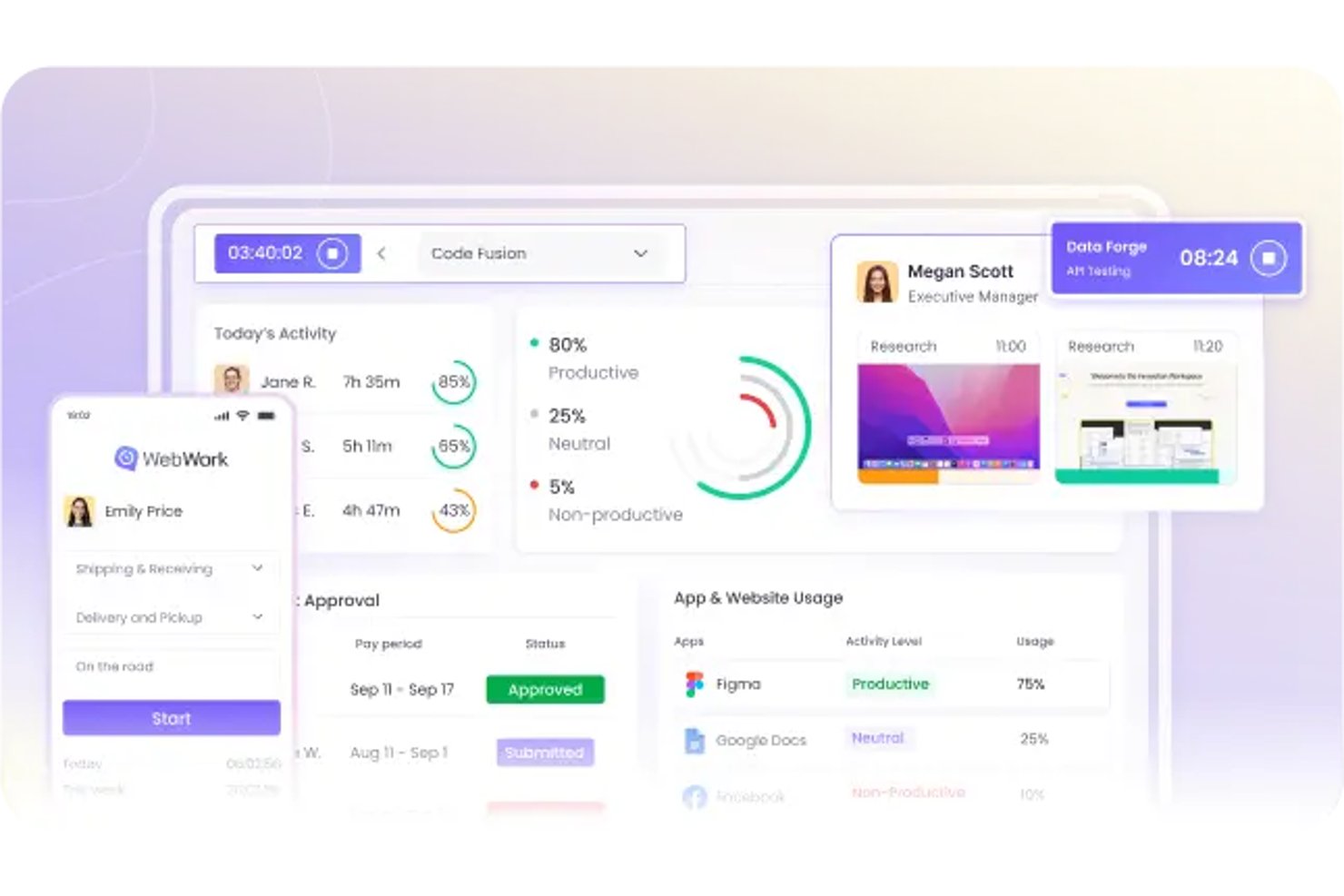
WebWork Time Tracker è una soluzione per il monitoraggio del tempo pensata per i team remoti e distribuiti, che aiuta i responsabili di progetto a monitorare le ore lavorate, i progressi dei progetti e la responsabilità, oltre le funzionalità di Toggl.
Per chi è più adatto WebWork Time Tracker?
WebWork Time Tracker è adatto ai team remoti e distribuiti che necessitano di una visibilità automatica sull'attività, insieme al monitoraggio del tempo e dei progressi dei progetti.
Perché WebWork Time Tracker è una buona alternativa a Toggl
Ho scelto WebWork Time Tracker perché registra l'attività in background senza fare affidamento su timer manuali costantemente attivi. Apprezzo il monitoraggio delle app e dei siti web, i livelli di attività e le schermate opzionali per verificare come vengono impiegate le ore dei progetti. Il mio team utilizza questi indicatori per individuare i periodi di inattività, verificare il lavoro da remoto e analizzare lacune impreviste nella consegna.
Funzionalità principali di WebWork Time Tracker
- Inserimenti manuali del tempo: Aggiungi manualmente le ore quando il monitoraggio automatico non rileva il lavoro.
- Fogli presenze: Converti le ore monitorate in fogli presenze organizzati per la revisione.
- Report sul tempo: Genera report per progetto, attività, utente o intervallo di date.
- Fatturazione: Trasforma le ore registrate in fatture per i clienti relative al lavoro fatturabile.
Integrazioni di WebWork Time Tracker
WebWork Time Tracker offre integrazioni native con Asana, Jira, ClickUp, Slack, Trello, QuickBooks, Google Calendar, Outlook Calendar, Salesforce e Todoist. Si collega inoltre a Zapier e Make e fornisce un'API REST per integrazioni personalizzate.
Pros and Cons
Pros:
- Registra l'attività in background senza timer manuali
- Combina schermate con i registri delle app e dei siti web
- I report rivelano i periodi di inattività tra i progetti
Cons:
- I punteggi dell'attività sottovalutano il lavoro di lettura e pianificazione
- L'app mobile offre meno funzionalità rispetto alla versione desktop

Clockify
Ideale per il monitoraggio tramite estensione per browser
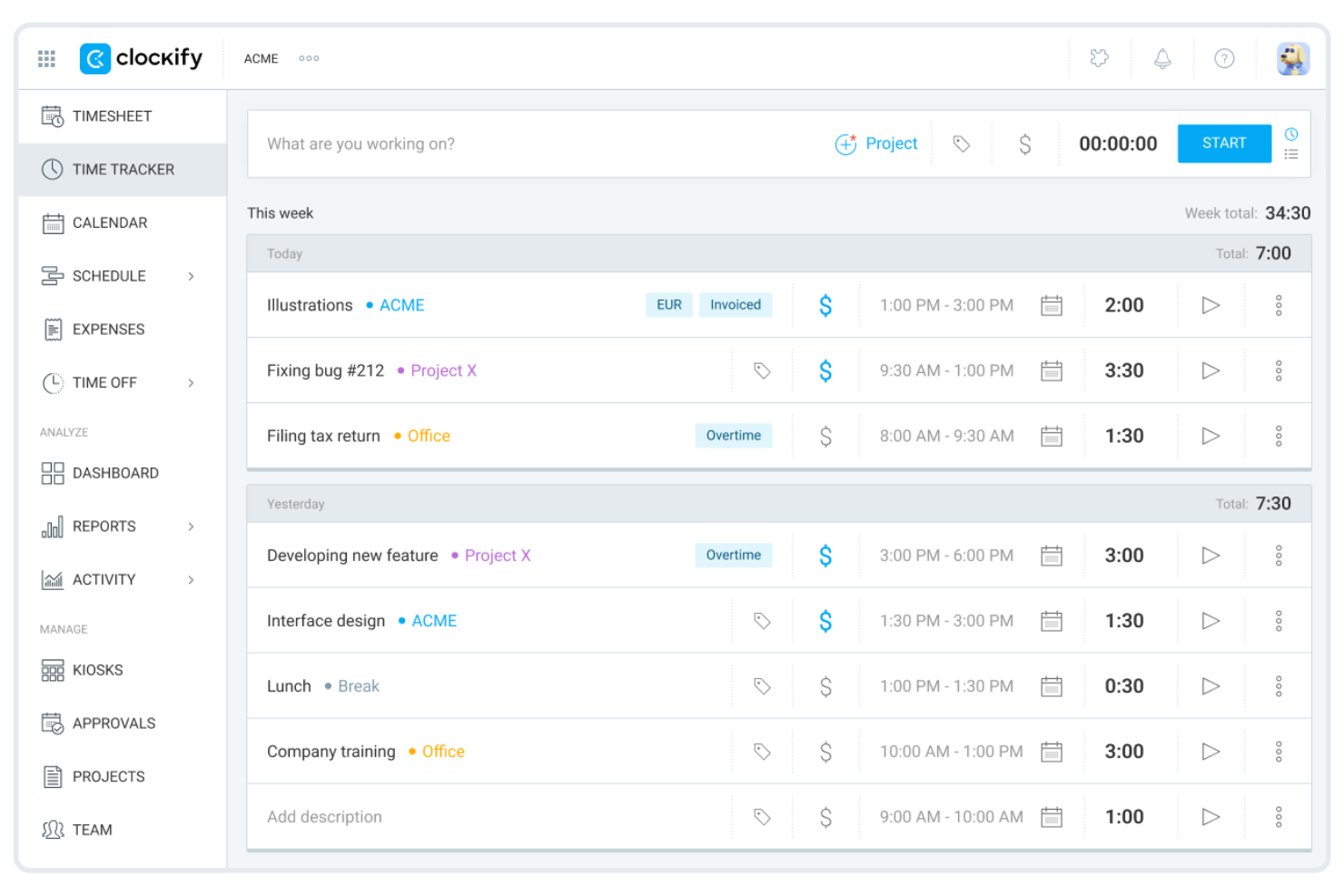
Clockify è uno strumento per il monitoraggio del tempo progettato per i team che necessitano di utenti illimitati senza costi aggiuntivi. È una soluzione particolarmente adatta ad aziende in crescita, agenzie o organizzazioni che gestiscono più progetti e clienti. Se desideri un monitoraggio semplice del tempo con report flessibili e senza limiti sul numero di utenti, Clockify si distingue da Toggl e da molte altre opzioni.
Perché è una buona alternativa a Toggl
Ho selezionato Clockify perché la sua estensione per browser consente ai membri del team di avviare i timer di monitoraggio direttamente all’interno delle applicazioni web esistenti, senza interrompere la concentrazione. I responsabili di progetto digitali possono avviare, mettere in pausa o cambiare i registri delle attività direttamente negli strumenti della piattaforma, come Asana o Jira, evitando gli ostacoli al monitoraggio. Questo lo rende ideale per i responsabili di progetto che desiderano registrare con precisione le ore dedicate ai progetti e ridurre il carico amministrativo nei team di progetto distribuiti.
Funzionalità principali di Clockify
Tra le altre funzionalità di Clockify che si distinguono per i team che monitorano il tempo ci sono:
- Approvazione dei fogli ore: I responsabili possono esaminare e approvare i fogli ore inviati prima che vengano finalizzati.
- Monitoraggio delle assenze: Monitora ferie, festività e assenze dei dipendenti direttamente all’interno della piattaforma.
- Tariffe fatturabili: Assegna tariffe orarie diverse agli utenti o ai progetti per una fatturazione accurata ai clienti.
- Modalità chiosco: Configura un dispositivo condiviso per consentire ai team sul posto di registrare entrate e uscite utilizzando un codice PIN.
Integrazioni di Clockify
Le integrazioni includono Jira, Asana, Trello, QuickBooks, Google Calendar, Outlook, GitHub, GitLab, Basecamp e Monday.
Pros and Cons
Pros:
- Report visivi semplici
- Ottima estensione per Chrome
- Opzione di installazione autonoma disponibile
Cons:
- Funzionalità limitate per la fatturazione avanzata
- Problemi di sincronizzazione tra dispositivi

Ideale per l’integrazione con le paghe
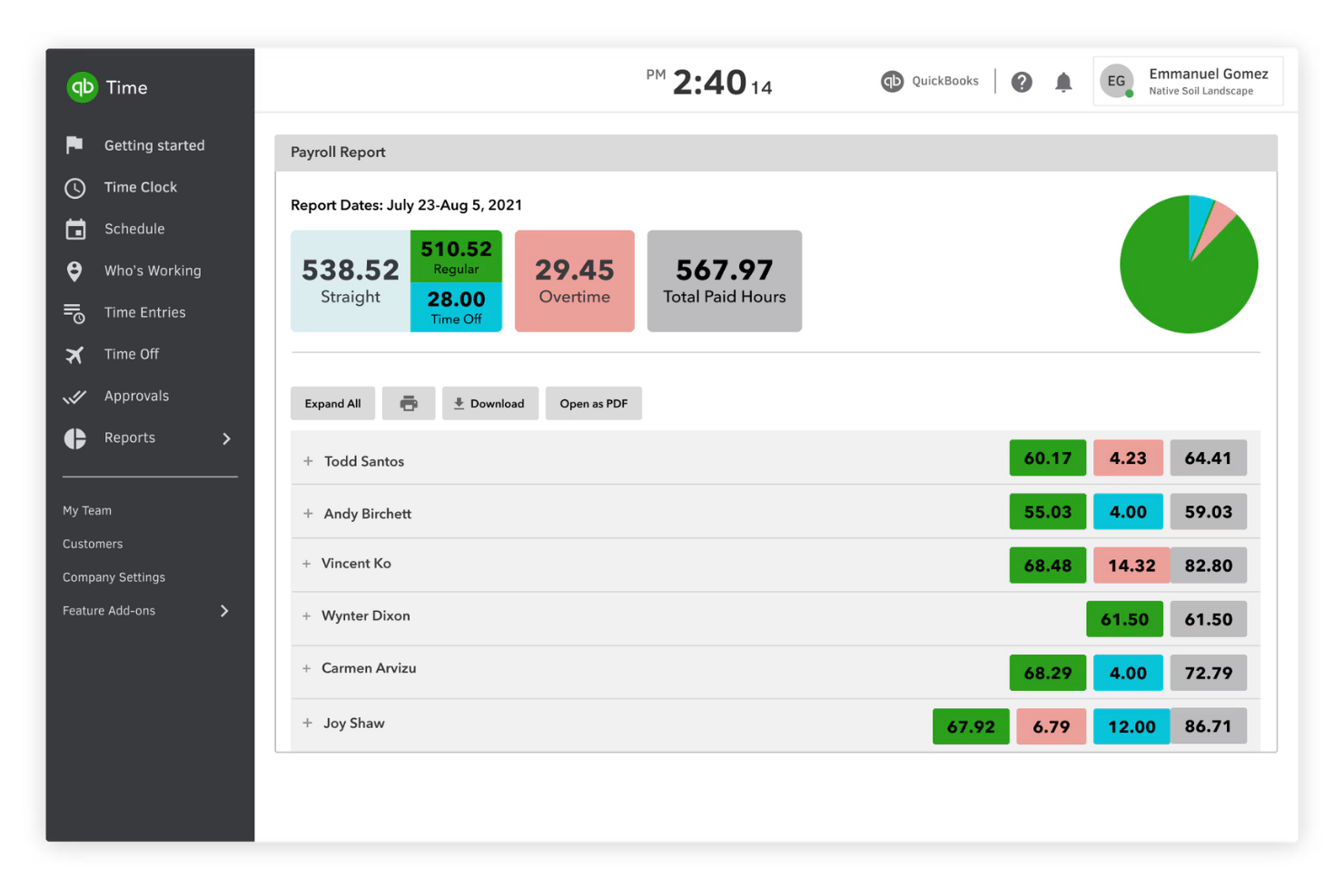
QuickBooks Time è pensato per le aziende che necessitano di collegare il monitoraggio del tempo direttamente a paghe e contabilità. È particolarmente utile per imprese con lavoratori orari, team sul campo o chiunque debba gestire i fogli presenze e i processi di paga in modo sincronizzato. A differenza di Toggl, QuickBooks Time si integra nativamente con QuickBooks Payroll e la contabilità, rendendo più semplice la gestione delle procedure di pagamento e della conformità normativa.
Perché è una valida alternativa a Toggl
Se hai bisogno di un sistema di rilevazione delle ore collegato direttamente alle paghe, QuickBooks Time è una scelta solida. L’ho selezionato perché sincronizza i fogli presenze con QuickBooks Payroll, così puoi gestire le paghe e la conformità senza inserimento manuale dei dati.
La piattaforma supporta anche il monitoraggio GPS e la timbratura tramite mobile, diventando molto utile per aziende con squadre esterne o lavoratori da remoto. Queste funzionalità rendono QuickBooks Time particolarmente adatto a chi vuole collegare strettamente la rilevazione delle ore alla gestione paghe.
Funzionalità principali di QuickBooks Time
Altre funzionalità che rendono QuickBooks Time utile per i team che monitorano le ore includono:
- Pianificazione di turni e lavori: Assegna turni e incarichi ai dipendenti e visualizza i programmi in formato calendario.
- Geofencing: Imposta promemoria basati sulla posizione affinché i dipendenti timbrino ingresso o uscita quando entrano o escono da un luogo di lavoro.
- Monitoraggio progetti: Registra il tempo impiegato su specifici progetti o clienti per report più dettagliati.
- Avvisi personalizzabili: Configura notifiche per timbrature mancanti, straordinari o cambi di turno.
Integrazioni di QuickBooks Time
Le integrazioni includono QuickBooks, Gusto, ADP, Paychex, Xero e Sage.
Pros and Cons
Pros:
- Strumenti di pianificazione turni facili da usare
- Gestisce operazioni di paga complesse
- Ottima storicità delle verifiche
Cons:
- Pensato per chi lavora sul campo
- Assistenza clienti carente

Timely
Ideale per il monitoraggio del tempo con intelligenza artificiale

Timely utilizza l’intelligenza artificiale per tracciare automaticamente le attività lavorative, rendendolo una scelta ideale per i team che vogliono ridurre l’inserimento manuale delle ore. È particolarmente utile per agenzie, studi di consulenza e team remoti che necessitano di registrazioni accurate e in tempo reale delle ore fatturabili senza un costante intervento degli utenti. Diversamente da Toggl, Timely cattura il lavoro su app e dispositivi in background, così ottieni una cronologia completa con meno sforzo.
Perché è una buona alternativa a Toggl
Ciò che distingue Timely è l’utilizzo dell’IA per automatizzare il tracciamento del tempo, particolarmente prezioso per i team che vogliono evitare timer e fogli orari manuali. Ho scelto Timely perché registra le attività lavorative in background, rilevando il tempo trascorso tra app, documenti e riunioni senza intervento dell’utente.
La funzione Memory Tracker crea una cronologia privata della tua giornata lavorativa, così puoi rivedere e registrare le ore con precisione. Questo approccio aiuta i team ad avere una registrazione più completa e affidabile del tempo fatturabile rispetto ai tradizionali strumenti manuali di tracciamento.
Funzionalità chiave di Timely
Altre funzionalità che rendono Timely interessante per i team che tracciano il tempo includono:
- Budget dei progetti: Imposta dei budget di progetto e monitora in tempo reale le ore registrate rispetto agli stessi.
- Dashboard di team: Visualizza attività, capacità e ore registrate di tutto il team da una dashboard centralizzata.
- Tracciamento fatturabile vs non fatturabile: Categorizza le registrazioni come fatturabili o non fatturabili per una fatturazione clienti precisa.
- Integrazione calendario: Sincronizza con Google Calendar o Outlook per importare automaticamente riunioni ed eventi.
Integrazioni di Timely
Le integrazioni includono Asana, ClickUp, monday.com, Trello, Gmail, Google Calendar, Zoom, Microsoft Teams, Jira e QuickBooks.
Pros and Cons
Pros:
- Forte attenzione alla privacy dei dipendenti
- Interfaccia calendario visivo bellissima
- Individua ore fatturabili nascoste
Cons:
- Può ridurre la batteria del laptop
- Impostazione fatturazione complessa

My Hours
Ideale per la gestione della fatturazione dei clienti

Se cerchi un software per il monitoraggio del tempo con funzionalità avanzate di fatturazione dei clienti, vale la pena dare un’occhiata più da vicino a My Hours. È progettato per freelance, agenzie e aziende basate sui servizi che devono gestire ore fatturabili, fatturazione e budget dei progetti in un unico posto. My Hours si distingue da Toggl offrendo strumenti integrati per monitorare le tariffe fatturabili, generare fatture e gestire flussi di lavoro dettagliati per la fatturazione dei clienti.
Perché è una buona alternativa a Toggl
A differenza di molti strumenti per il monitoraggio del tempo, My Hours è stato creato mettendo al centro la gestione della fatturazione dei clienti. Ho scelto My Hours perché consente di assegnare tariffe fatturabili a diversi progetti o clienti e di generare fatture direttamente dal tempo monitorato.
La piattaforma supporta inoltre report dettagliati sulle ore fatturabili e non fatturabili, aiutandoti a mantenere la fatturazione dei clienti accurata e trasparente. Per i team o i freelance che hanno bisogno di qualcosa di più del semplice monitoraggio del tempo, queste funzionalità di fatturazione rendono My Hours una valida alternativa a Toggl.
Funzionalità principali di My Hours
Tra le altre funzionalità di My Hours utili per i team che lavorano per progetto ci sono:
- Organizzazione delle attività: Suddividi i progetti in attività e sottoattività per un monitoraggio più dettagliato.
- Report personalizzabili: Genera ed esporta report dettagliati in base a progetti, clienti o membri del team.
- Gestione del team: Assegna ruoli e autorizzazioni per controllare l’accesso e le responsabilità all’interno del team.
- App mobile: Monitora il tempo e gestisci i progetti ovunque ti trovi con app dedicate per iOS e Android.
Integrazioni di My Hours
Le integrazioni includono QuickBooks Online, Xero, Trello, Asana e Jira.
Pros and Cons
Pros:
- Buoni strumenti di reportistica per i clienti
- Monitoraggio chiaro dei costi dei progetti
- Limiti generosi del piano gratuito
Cons:
- Non pensato per team numerosi
- Nessun rilevamento automatico dell’inattività

Ideale per funzionalità di collaborazione tra team

Se il tuo team ha bisogno di coordinare progetti e monitorare il tempo insieme, TrackingTime mette la collaborazione al centro della sua piattaforma. È una soluzione ideale per agenzie creative, società di consulenza e team distribuiti che necessitano di una gestione condivisa dei compiti e di una visibilità in tempo reale sui carichi di lavoro. A differenza di Toggl, TrackingTime enfatizza funzionalità come le linee temporali condivise, le dashboard di team e il monitoraggio collaborativo delle attività per mantenere tutti allineati.
Perché è una buona alternativa a Toggl
Per i team che devono lavorare a stretto contatto, TrackingTime offre funzionalità di collaborazione che vanno oltre ciò che trovi in Toggl. Ho scelto TrackingTime perché permette agli utenti di assegnare attività, condividere cronologie di progetto e monitorare i carichi di lavoro del team in tempo reale.
Le dashboard condivise della piattaforma e le registrazioni di tempo di gruppo aiutano tutti a rimanere aggiornati e rendono più semplice la coordinazione del lavoro sui progetti. Queste caratteristiche rendono TrackingTime una scelta eccellente per i team che attribuiscono valore alla trasparenza e al monitoraggio collettivo dei progressi.
Funzionalità principali di TrackingTime
Altre funzionalità che rendono TrackingTime utile per i team includono:
- Monitoraggio automatico del tempo: La piattaforma può tracciare automaticamente il tempo in base alle attività e all'utilizzo delle app.
- Report personalizzabili: Genera report dettagliati filtrati per cliente, progetto o membro del team.
- Integrazione con il calendario: Sincronizza il tempo monitorato con Google Calendar e Outlook.
- Monitoraggio delle ore fatturabili: Contrassegna il tempo registrato come fatturabile o non fatturabile per la fatturazione ai clienti.
Integrazioni di TrackingTime
Le integrazioni includono Asana, Trello, Jira, GitHub, Slack, Microsoft Teams e Basecamp.
Pros and Cons
Pros:
- Tracciamento del tempo all'interno di altre app
- Prezzi altamente convenienti
- Opzioni di report flessibili
Cons:
- L'interfaccia può risultare confusa
- Problemi di sincronizzazione si verificano spesso

Ideale per funzioni HR nelle piccole imprese

Timesheets.com è particolarmente utile per le piccole imprese che cercano il monitoraggio del tempo con funzioni HR integrate. La piattaforma combina tracciamento delle ore, gestione delle ferie e monitoraggio delle spese in un unico posto, risultando ideale per proprietari e manager che gestiscono personalmente le attività di risorse umane. A differenza di Toggl, Timesheets.com include strumenti orientati alle HR come l'approvazione delle assenze e la conservazione dei registri conforme alla normativa.
Perché è una valida alternativa a Toggl
Se la tua azienda necessita di monitorare il tempo con supporto HR, Timesheets.com offre entrambe le cose su un'unica piattaforma. Ho scelto Timesheets.com perché offre il tracciamento delle ferie, workflow per la richiesta di permessi e l'archiviazione digitale dei documenti per la conformità HR.
Lo strumento ti consente anche di gestire i profili dei dipendenti e monitorare le spese insieme alle ore lavorate. Queste caratteristiche lo rendono una soluzione valida per le piccole imprese che desiderano gestire le attività HR senza dover utilizzare più sistemi.
Funzionalità principali di Timesheets.com
Altre funzioni che fanno distinguere Timesheets.com includono:
- Tracciamento della posizione GPS: Monitora dove i dipendenti timbrano ingresso e uscita tramite dati GPS.
- Monitoraggio del tempo basato su progetto: Assegna le ore a progetti o clienti specifici per report più dettagliati.
- Permessi utente personalizzabili: Imposta livelli di accesso differenti per manager, supervisori e dipendenti.
- Strumenti di esportazione per il payroll: Esporta i dati delle ore direttamente nei sistemi di buste paga come QuickBooks e ADP.
Integrazioni di Timesheets.com
Le integrazioni includono QuickBooks, ADP, Paychex, SurePayroll e Gusto.
Pros and Cons
Pros:
- Gestisce chilometraggio e spese
- Blocco IP per timbrature sicure
- Prezzo semplice a tariffa fissa
Cons:
- Non consente passaggio fluido tra i task
- Non progettato per workflow rapidi

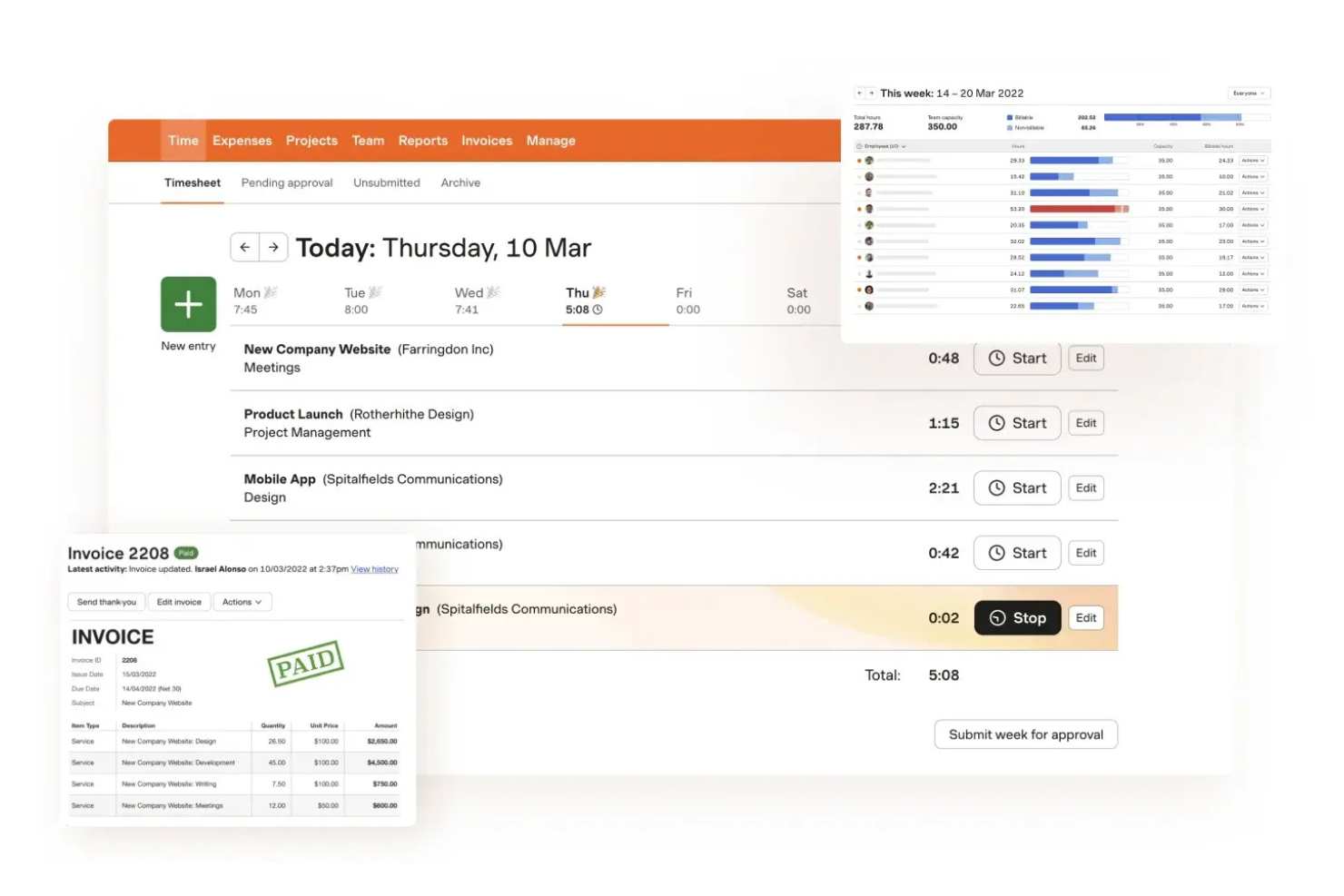
Harvest merita attenzione se hai bisogno di una soluzione per il monitoraggio del tempo che si collega direttamente alla fatturazione e alla gestione delle spese. Lo strumento è pensato per agenzie, società di consulenza e team orientati ai servizi che desiderano trasformare le ore e le spese registrate in fatture senza passaggi aggiuntivi. Harvest si distingue da Toggl offrendo funzionalità integrate di fatturazione, gestione delle spese e riscossione dei pagamenti.
Perché è una buona alternativa a Toggl
A differenza di Toggl, Harvest unisce il monitoraggio del tempo con fatturazione e gestione delle spese su una sola piattaforma. Ho scelto Harvest perché consente di generare fatture direttamente dalle ore e dalle spese registrate, il che è particolarmente utile per le attività a contatto con i clienti.
Puoi anche allegare ricevute alle spese e monitorare i pagamenti, facilitando la gestione dei flussi di fatturazione e rimborso. Se hai bisogno di uno strumento per il monitoraggio del tempo che gestisca anche fatturazione e spese senza componenti aggiuntivi, Harvest è una scelta solida.
Funzionalità principali di Harvest
Altre funzionalità che rendono utile Harvest per il monitoraggio del tempo includono:
- Monitoraggio budget di progetto: Imposta e controlla i budget di progetto per evitare sforamenti.
- Pianificazione capacità del team: Visualizza la disponibilità dei membri del team e assegna le ore di conseguenza.
- Promemoria automatici: Invia promemoria ai membri del team affinché inviino i timesheet.
- Report dettagliati sulle ore: Genera report che suddividono le ore per cliente, progetto o attività.
Integrazioni di Harvest
Le integrazioni includono Asana, Trello, Basecamp, Jira, QuickBooks, Xero e Slack.
Pros and Cons
Pros:
- Si integra con i software di contabilità
- Pianificazione semplice della capacità del team
- Reporting migliore di Toggl
Cons:
- L'interfaccia sembra un po' datata
- Strutture di progetto rigide

Replicon offre un monitoraggio avanzato del tempo con controlli integrati per le organizzazioni che devono rispettare severi requisiti di conformità e audit. È progettato per team che operano in settori regolamentati o che gestiscono normative complesse sul lavoro e tracce di audit. Replicon si distingue da Toggl perché fornisce regole di conformità configurabili, log di audit dettagliati e supporto per le normative globali sul lavoro.
Perché è una buona alternativa a Toggl
Quando la conformità e la preparazione all’audit sono una priorità, Replicon offre funzionalità che vanno oltre la semplice rilevazione delle ore lavorative. Ho scelto Replicon perché permette di impostare regole di conformità personalizzate e automatizzare l’applicazione delle politiche, essenziale per le aziende soggette a severe regolamentazioni sul lavoro.
La piattaforma offre anche tracce di audit dettagliate e la validazione in tempo reale dei dati delle rilevazioni ore, facilitando la preparazione a audit o revisioni interne. Queste capacità rendono Replicon una scelta solida per le organizzazioni che devono dimostrare conformità e mantenere registri precisi.
Funzionalità principali di Replicon
Altre caratteristiche che rendono Replicon utile per i team che monitorano il tempo includono:
- App Mobile per Rilevazione Ore: I dipendenti possono inviare e gestire le rilevazioni ore dai loro smartphone.
- Supporto Multi-Valuta: Monitora e gestisci tempi e spese in diverse valute per i team globali.
- Gestione delle Risorse: Assegna e monitora le risorse nei progetti con strumenti di pianificazione integrati.
- Report Personalizzabili: Crea ed esporta report dettagliati su misura per le esigenze della tua organizzazione.
Integrazioni di Replicon
Le integrazioni includono SAP, Oracle, Workday, ADP, Salesforce, Jira e ServiceNow.
Pros and Cons
Pros:
- Solide funzionalità di audit e approvazioni
- Integrazioni avanzate per aziende
- Archiviazione dati altamente sicura
Cons:
- L'inserimento delle ore è molto rigido
- Tempi di implementazione lunghi

Screenshot Monitor è spesso utilizzato dai team che necessitano di una prova visiva del lavoro tramite la cattura automatica degli screenshot. Lo strumento è particolarmente utile per i team remoti, le agenzie e le organizzazioni che richiedono registri dettagliati delle attività per la rendicontazione ai clienti o per esigenze di conformità. A differenza di Toggl, Screenshot Monitor cattura screenshot periodici e livelli di attività, offrendo ai manager una chiara panoramica di come viene impiegato il tempo.
Perché è una buona alternativa a Toggl
Per i team che hanno bisogno di più che semplici registri orari, Screenshot Monitor offre la cattura automatica degli screenshot per documentare il lavoro in tempo reale. Ho scelto Screenshot Monitor perché effettua screenshot periodici e traccia i livelli di attività, fornendo ai manager una registrazione visiva di come viene speso il tempo sui compiti.
Lo strumento consente inoltre di impostare intervalli per gli screenshot e monitorare l'attività di tastiera e mouse, il che aiuta a verificare la produttività per team remoti o distribuiti. Se cerchi un software di rilevamento del tempo che offra responsabilità visiva, Screenshot Monitor è una valida alternativa a Toggl.
Funzionalità principali di Screenshot Monitor
Altre funzionalità che rendono Screenshot Monitor utile per la rilevazione del tempo includono:
- Assegnazione di progetti e compiti: Assegna il tempo rilevato a progetti e compiti specifici per una reportistica dettagliata.
- Inserimento manuale del tempo: Aggiungi o modifica manualmente le registrazioni di tempo quando il rilevamento automatico non è possibile.
- Foglio presenze dipendenti: Rivedi e approva i fogli presenze inviati dai membri del team.
- Rilevamento del tempo di inattività: Rileva e segnala automaticamente i periodi di inattività durante le sessioni registrate.
Integrazioni di Screenshot Monitor
Le integrazioni includono Asana, Trello, Jira, GitHub, GitLab e Redmine.
Pros and Cons
Pros:
- Ottimo per freelance remoti
- Il rilevamento offline funziona
- Client desktop leggero
Cons:
- Manca la gestione dei progetti
- Nessuno strumento di fatturazione integrato
Altre alternative a Toggl
Ecco alcune ulteriori alternative a Toggl che non sono entrate nel mio elenco, ma che vale comunque la pena considerare:


Come valuto le alternative a Toggl
Divido la mia valutazione in due livelli: criteri di base che ogni strumento deve soddisfare, come il monitoraggio delle tariffe fatturabili e le approvazioni dei fogli presenze, e fattori distintivi che separano gli strumenti validi da quelli eccellenti.
Funzionalità fondamentali (requisiti minimi per questo elenco)
Quando seleziono gli strumenti per il mio elenco, assegno a ciascuno un punteggio su una scala da 0 (non offre la funzionalità) a 5 (eccelle in quest'area) per ogni funzionalità fondamentale elencata di seguito. Quindi, calcolo il punteggio totale dello strumento e lo converto in percentuale. Ogni strumento deve raggiungere un punteggio totale minimo del 65% per essere preso in considerazione.
- Metodi di monitoraggio del tempo: verifico se gli strumenti offrono l'inserimento tramite timer, manuale e da dispositivi mobili, in modo che i team possano registrare le ore sia alla scrivania, sia durante una riunione, sia lavorando offline.
- Struttura di progetti e attività: ogni strumento dovrebbe consentire di organizzare le registrazioni del tempo in base a progetti, attività e assegnatari, invece di registrare le ore in un elenco piatto e non strutturato.
- Fogli presenze e approvazioni: cerco visualizzazioni settimanali o bisettimanali dei fogli presenze con almeno un flusso di lavoro di approvazione di base, poiché la maggior parte dei team di agenzie e servizi ha bisogno di un passaggio di approvazione da parte di un responsabile.
- Report e analisi: i buoni report vanno oltre i semplici totali delle ore. Valuto se è possibile filtrare per cliente, progetto o membro del team ed esportare i risultati in formati come CSV o PDF.
- Tariffe fatturabili e fatturazione: strumenti come Harvest e Clockify gestiscono in modo diverso la classificazione tra fatturabile e non fatturabile, quindi verifico se è possibile impostare tariffe per progetto, per utente o per entrambi.
- Integrazioni e accesso API: analizzo le connessioni native con gli strumenti che i responsabili di progetto utilizzano già quotidianamente, come Jira, Asana, Slack e QuickBooks, oltre alla disponibilità di un'API aperta per flussi di lavoro personalizzati.
Una volta ottenuto un elenco di strumenti che soddisfano questi criteri, considero ciò che distingue ogni piattaforma.
Fattori distintivi (ciò che differenzia i fornitori)
Ecco come confronto i diversi fornitori:
Funzionalità distintive
La pianificazione delle risorse e della capacità è un importante fattore distintivo. Strumenti come Forecast e Teamwork consentono di visualizzare i carichi di lavoro del team e la disponibilità residua, cosa utile quando si gestiscono più progetti contemporaneamente. Cerco anche avvisi relativi al budget e alla redditività, che segnalino quando un progetto si sta avvicinando al limite di ore o alla soglia di margine prima che sia troppo tardi. Anche i portali rivolti ai clienti sono importanti: condividere con un cliente una visualizzazione di sola lettura delle ore registrate evita di dover creare manualmente report sullo stato ogni settimana.
Oltre le funzionalità
La struttura dei prezzi è molto importante quando si passa da Toggl. Valuto se uno strumento offre un piano gratuito realmente utilizzabile dai piccoli team e se i flussi di lavoro di approvazione e i report sono disponibili solo nei piani enterprise. Anche la copertura delle piattaforme è un fattore importante: i team distribuiti hanno bisogno di opzioni per desktop, dispositivi mobili ed estensioni del browser, con sincronizzazione offline per il lavoro in sede o in viaggio. Per gli uffici di gestione dei progetti aziendali, verifico anche la conformità SOC 2, il supporto per SSO/SAML e le autorizzazioni basate sui ruoli, poiché questi aspetti tendono a rappresentare ostacoli negli approvvigionamenti che possono rallentare il lancio.
Perché cercare un'alternativa a Toggl?
Sebbene Toggl sia una buona scelta come software per il rilevamento del tempo, esistono diversi motivi per cui alcuni utenti cercano soluzioni alternative. Potresti cercare un'alternativa a Toggl perché…
- Hai bisogno di funzionalità integrate per le buste paga o le risorse umane
- Il tuo team richiede il monitoraggio GPS o della posizione
- Desideri funzionalità più complete per la gestione dei progetti
- Hai bisogno di opzioni di reportistica più avanzate
- La tua organizzazione deve rispettare rigorosi standard di conformità
- Preferisci uno strumento con fatturazione nativa
Se ti riconosci in una di queste situazioni, sei nel posto giusto. Il mio elenco contiene diverse opzioni di software per il rilevamento del tempo più adatte ai team che affrontano queste difficoltà con Toggl e cercano soluzioni alternative.
Funzionalità principali di Toggl
Ecco alcune delle principali funzionalità di Toggl, utili per confrontare le soluzioni alternative e valutarne l'offerta:
- Timer con un clic per monitorare le ore di lavoro
- Inserimento e modifica manuale del tempo
- Organizzazione di progetti e clienti
- Report dettagliati e analisi
- Tariffe fatturabili e monitoraggio dei costi del lavoro
- Estensione del browser per un accesso rapido
- Gestione dei membri del team e dei ruoli
- Integrazione con il calendario per la pianificazione
- App per dispositivi mobili iOS e Android
- Possibilità di monitorare il tempo offline