

10 migliori alternative a Quip per la collaborazione del team nel 2026

Elenco delle migliori alternative a Quip


Una valida alternativa a Quip combina la modifica collaborativa dei documenti, la gestione flessibile dei flussi di lavoro e la condivisione affidabile dei file in un'unica piattaforma. Se stai cercando alternative a Quip, probabilmente cerchi strumenti che supportino il lavoro di squadra in tempo reale, organizzino le informazioni tra i progetti e si adattino alle esigenze in continua evoluzione del tuo team. Con così tante opzioni disponibili, è difficile sapere quali piattaforme offrano davvero le funzionalità e le integrazioni richieste dai tuoi progetti. Questo elenco ti aiuterà a confrontare rapidamente le migliori alternative a Quip per 2026, così potrai trovare la soluzione più adatta agli obiettivi di produttività e collaborazione del tuo team.
Che cos'è Quip?
Quip è una piattaforma per la produttività che combina la modifica collaborativa dei documenti, i fogli di calcolo e la chat di gruppo in un unico spazio di lavoro. I team utilizzano Quip per creare, condividere e discutere i documenti in tempo reale, rendendo più semplice gestire i progetti e centralizzare la comunicazione. L'integrazione di documenti, elenchi di attività e messaggistica aiuta i team a mantenere il lavoro organizzato e accessibile, soprattutto negli ambienti digitali dinamici.
Tabella di confronto delle alternative a Quip
Questa tabella di confronto riassume i dettagli dei prezzi delle mie migliori alternative a Quip:
| Tool | Best For | Trial Info | Price | ||
|---|---|---|---|---|---|
| 1 | Ideale per il monitoraggio dei progetti basato su database | Piano gratuito disponibile | Da $20/utente/mese (fatturato annualmente) | Website | |
| 2 | Ideale per flussi di lavoro documentali personalizzabili | Prova gratuita + piano gratuito + demo gratuita disponibili | A partire da $10/docente creatore/mese (fatturazione annuale) | Website | |
| 3 | Ideale per la condivisione di file con permessi granulari | Prova gratuita + piano gratuito disponibili | Da $9.99/utente/mese (fatturato annualmente) | Website | |
| 4 | Ideale per l'organizzazione di uno spazio di lavoro tutto-in-uno | Piano gratuito + demo gratuita disponibili | Da $10/membro/mese (fatturazione annuale) | Website | |
| 5 | Ideale con strumenti di collaborazione in tempo reale | Prova gratuita di 14 giorni disponibile | Da $7/utente/mese (fatturato annualmente) | Website | |
| 6 | Ideale con app di produttività per ufficio integrate | Prova gratuita di 30 giorni disponibile | Da $6/utente/mese (fatturazione annuale) | Website | |
| 7 | Ideale per prendere appunti con web clipping | Piano gratuito disponibile | Da $8.33/mese (fatturato annualmente) | Website | |
| 8 | Ideale per la creazione di una base di conoscenza interna | Prova gratuita di 30 giorni disponibile | Da $8/utente/mese (fatturati annualmente) | Website | |
| 9 | Ideale per la gestione dei file di team nelle grandi organizzazioni | Prova gratuita di 15 giorni + demo gratuita disponibile | A partire da $2,50/utente/mese (fatturazione annuale) | Website | |
| 10 | Ideale per la visualizzazione di compiti e flussi di lavoro | Piano gratuito disponibile | Da $10,99/utente/mese (fatturato annualmente) | Website |
Perché fidarsi dei nostri consigli sui software
Il nostro team testa e recensisce software dal 2012. In quanto project manager noi stessi, sappiamo quanto sia difficile — e importante — scegliere il software giusto.
Per questa guida, abbiamo valutato gli strumenti attraverso test pratici e ricerche indipendenti, assegnando un punteggio agli strumenti in base ai nostri criteri di selezione. Ci basiamo inoltre sulle competenze di leader di pensiero del settore e di professionisti attivi nella gestione dei progetti.
Le nostre recensioni riflettono il nostro giudizio editoriale umano, non un discorso di vendita.
Revisori esperti:
Recensioni delle migliori alternative a Quip
Di seguito trovi i miei riepiloghi dettagliati delle migliori alternative a Quip incluse nel mio elenco. Le mie recensioni offrono una panoramica dettagliata delle funzionalità, delle integrazioni e dei casi d’uso migliori di ciascuna piattaforma, per aiutarti a trovare quella più adatta a te.

Airtable
Ideale per il monitoraggio dei progetti basato su database

Per i team che devono monitorare progetti con relazioni dati complesse, Airtable offre un approccio flessibile basato su database. È particolarmente utile per project manager e team operativi che desiderano organizzare, collegare e visualizzare le informazioni ben oltre ciò che fogli di calcolo o strumenti basati su documenti come Quip possono gestire. Con viste personalizzabili e tabelle relazionali, Airtable aiuta a gestire tutto, dalle attività fino alle risorse, in un unico luogo.
Perché Airtable è una valida alternativa a Quip
A differenza degli strumenti basati su documenti, Airtable offre un modo per gestire i progetti utilizzando database relazionali che si adattano al tuo flusso di lavoro. Ho scelto Airtable perché puoi creare tabelle personalizzate, collegare record tra progetti e costruire viste che si adattano ai processi del tuo team. Le viste a griglia, calendario e kanban della piattaforma permettono di visualizzare i dati di progetto in diversi modi senza perdere la struttura sottostante. Per i team che hanno bisogno di qualcosa in più rispetto ai semplici documenti collaborativi, l'approccio database-driven di Airtable offre un livello di organizzazione che Quip non può eguagliare.
Funzionalità principali di Airtable
Altre funzionalità che rendono Airtable utile per il monitoraggio dei progetti includono:
- Automazioni: Imposta trigger e azioni per automatizzare attività di progetto ripetitive e notifiche.
- Generatore di moduli: Raccogli dati strutturati da stakeholder o clienti direttamente nelle tue tabelle di progetto.
- Supporto allegati: Carica e gestisci file, immagini e documenti all'interno di qualsiasi record.
- Livelli di permesso: Assegna diversi livelli di accesso ai collaboratori, dalla sola lettura alla modifica completa.
Integrazioni di Airtable
Le integrazioni includono Salesforce, Jira, Zendesk, GitHub, Slack, Google Workspace e Miro.
Pros and Cons
Pros:
- Potenti integrazioni con moduli
- Ottimo per dati strutturati
- Sostituisce i fogli di calcolo disordinati
Cons:
- Prezzo per utente elevato
- Nessuno spazio per la scrittura di documenti

Coda
Ideale per flussi di lavoro documentali personalizzabili
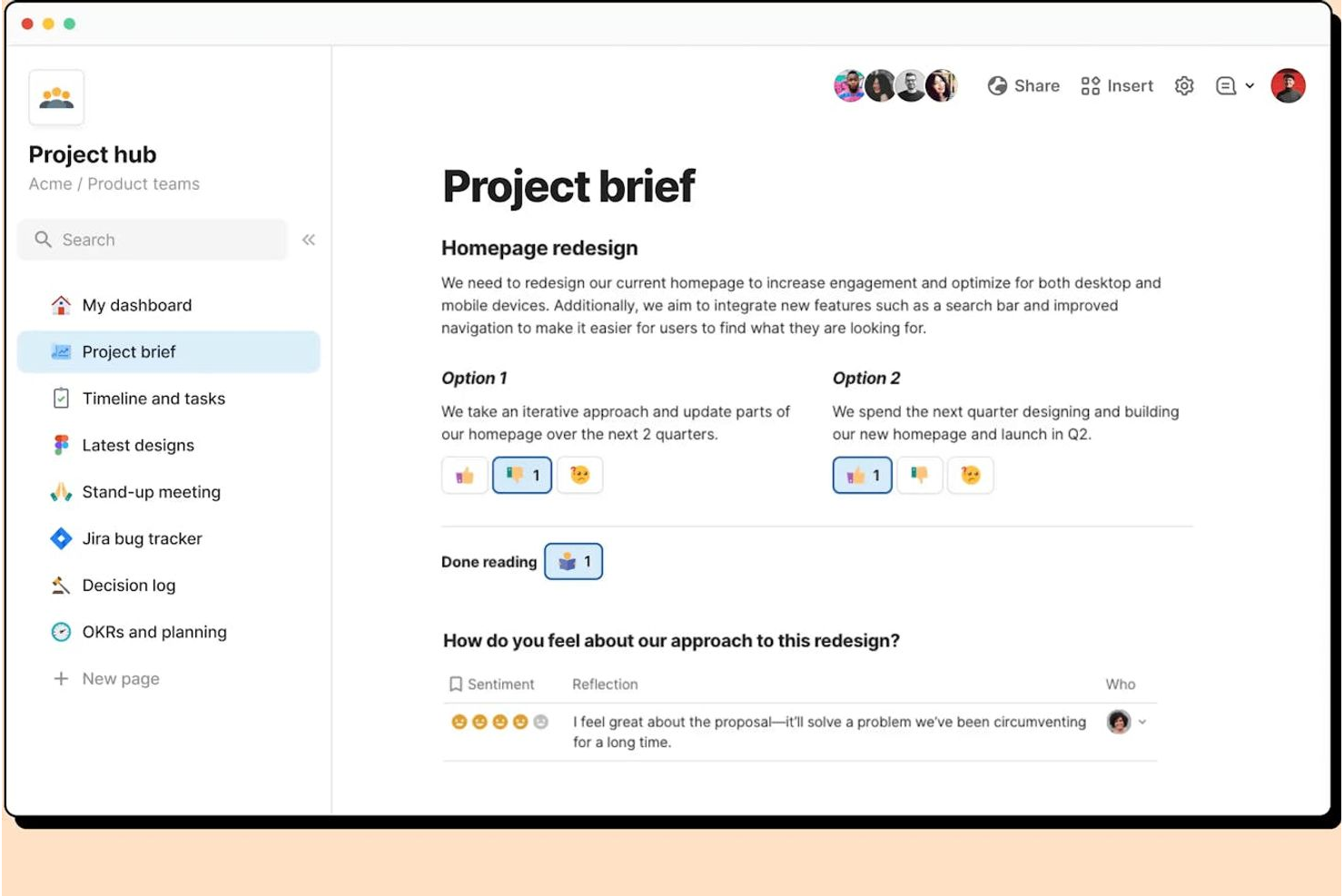
Se hai bisogno di una piattaforma di produttività che si adatti ai flussi di lavoro unici del tuo team, Coda offre un approccio flessibile alla creazione di documenti. È una scelta ideale per project manager, team di prodotto e responsabili delle operazioni che vogliono combinare testo, tabelle e automazioni in un unico posto. A differenza di Quip, Coda ti permette di progettare flussi di lavoro personalizzati e documenti interattivi che vanno ben oltre la semplice presa di appunti o la condivisione di file.
Perché Coda è una valida alternativa a Quip
Coda si distingue per i team che vogliono creare flussi di lavoro documentali personalizzabili invece di dover seguire modelli rigidi. Puoi creare documenti che combinano testo, tabelle interattive e pulsanti, permettendo di automatizzare processi direttamente all'interno dei tuoi documenti. Apprezzo molto come i blocchi di costruzione di Coda permettano di progettare tracciatori di progetto, note delle riunioni o addirittura semplici app su misura per le necessità del tuo team. Per chiunque voglia andare oltre i documenti statici, Coda offre un livello di flessibilità che Quip non è in grado di offrire.
Funzionalità chiave di Coda
Altre funzionalità di Coda che aiutano i team a gestire progetti e informazioni includono:
- Integrazioni Pack: Collega i tuoi documenti a strumenti come Slack, Jira e Google Calendar per sincronizzare i dati e attivare azioni.
- Incorporamento di pagine: Incorpora pagine di Coda all'interno di altri documenti o siti web per una facile condivisione e consultazione.
- Controlli di accesso dettagliati: Imposta permessi dettagliati su chi può visualizzare, modificare o commentare specifiche sezioni o tabelle.
- Galleria di modelli: Parti rapidamente grazie a modelli preimpostati per la gestione di progetti, note delle riunioni e wiki di team.
Integrazioni di Coda
Le integrazioni comprendono Slack, Google Calendar, Jira, Figma, GitHub, Salesforce e Zendesk.
Pros and Cons
Pros:
- Sostituisce i fogli di calcolo di Quip
- Integrazioni altamente personalizzabili
- Documenti interattivi simili ad app
Cons:
- Non dispone di una chat di team nativa
- Il prezzo aumenta in base al numero di creatori

Dropbox
Ideale per la condivisione di file con permessi granulari

Dropbox offre ai team un modo sicuro per condividere e gestire file con controlli dettagliati dei permessi. È una scelta ideale per le organizzazioni che devono collaborare su documenti mantenendo un controllo rigoroso sugli accessi. Se i tuoi progetti coinvolgono file sensibili o richiedono tracce di audit chiare, Dropbox si distingue da Quip dando priorità alla sicurezza granulare dei file e alle opzioni di condivisione.
Perché Dropbox è una valida alternativa a Quip
Dropbox si distingue come alternativa a Quip grazie al suo avanzato sistema di condivisione file e ai controlli sui permessi. Puoi assegnare accesso in sola visualizzazione, modifica o commento a utenti o gruppi specifici, permettendo di proteggere i documenti di progetto sensibili. Apprezzo il tracciamento dettagliato delle attività che permette di vedere chi ha accesso o apportato modifiche a un file. Per i team che devono gestire informazioni riservate o consegne per i clienti, Dropbox offre un livello di controllo che Quip non eguaglia.
Funzionalità chiave di Dropbox
Altre funzionalità di Dropbox che supportano la produttività e la collaborazione includono:
- Cronologia delle versioni dei file: Accedi e ripristina versioni precedenti dei file per recuperare modifiche o annullare errori.
- Collaborazione su documenti Paper: Crea e modifica documenti direttamente in Dropbox Paper, che supporta la collaborazione in tempo reale tra i membri del team.
- Organizzazione automatica delle cartelle: Imposta regole per ordinare, taggare o spostare automaticamente i file all'interno delle cartelle condivise.
- Integrazione con app di terze parti: Collega Dropbox a strumenti come Slack, Zoom e Trello per mantenere i flussi di lavoro connessi su più piattaforme.
Integrazioni di Dropbox
Le integrazioni includono Zoom, Slack, Microsoft Office, Google Workspace, Adobe Creative Cloud, Asana e Salesforce.
Pros and Cons
Pros:
- Sincronizzazione profonda con app di terze parti
- Ottimo accesso ai file offline
- L'app Paper imita i documenti Quip
Cons:
- Costo elevato per team numerosi
- Manca una sincronizzazione avanzata con Salesforce

Notion
Ideale per l'organizzazione di uno spazio di lavoro tutto-in-uno
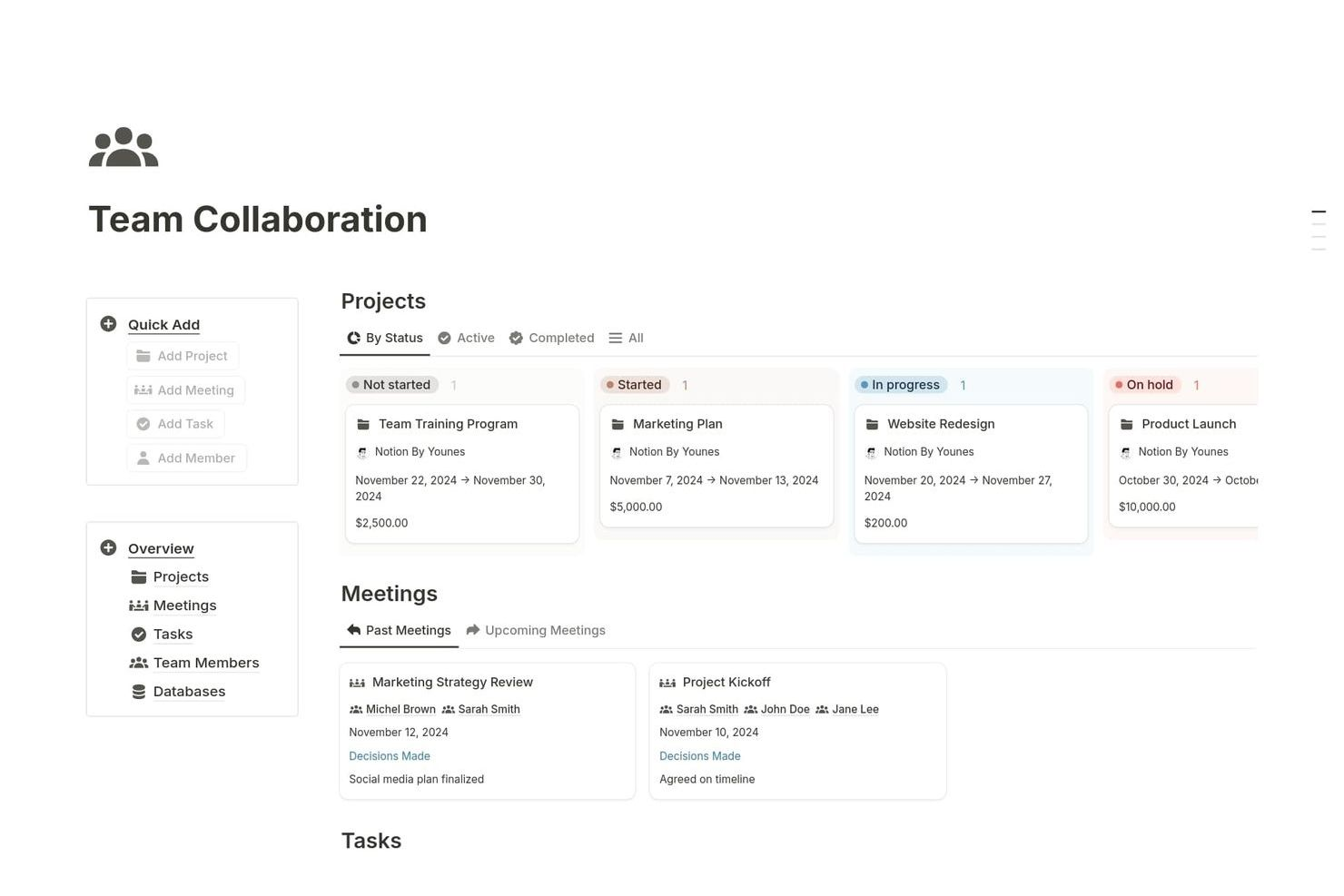
Notion riunisce note, attività, database e wiki in un unico spazio di lavoro, rendendolo una scelta solida per i team che desiderano centralizzare la gestione della conoscenza e dei progetti. È particolarmente utile per startup, agenzie e team interfunzionali che necessitano di un'organizzazione flessibile e collaborazione in tempo reale. A differenza di Quip, le pagine modulari e le funzionalità di database di Notion permettono di creare flussi di lavoro e dashboard personalizzati su misura per le esigenze specifiche del team.
Perché Notion è una valida alternativa a Quip
Se cerchi uno spazio di lavoro che riunisca tutti i tuoi documenti, attività e database, Notion merita considerazione. Il suo approccio all-in-one consente di creare pagine che combinano testo, tabelle, kanban board e calendari, così puoi gestire progetti e conoscenza in un unico posto. Apprezzo come la funzione database di Notion permetta di collegare le informazioni tra diverse pagine, rendendo semplice creare dashboard personalizzati e tenere traccia dei progressi. Per i team che vogliono organizzare tutto, dalle note delle riunioni ai piani di progetto su una piattaforma unica e flessibile, Notion offre più versatilità di Quip.
Funzionalità principali di Notion
Altre funzionalità di Notion che aiutano i team a organizzarsi e collaborare includono:
- Template personalizzati: Crea e riutilizza modelli per flussi di lavoro ricorrenti, note di riunioni o piani di progetto.
- Web Clipper: Salva pagine web e contenuti direttamente nel tuo spazio di lavoro Notion per riferimenti futuri.
- Cronologia delle versioni: Visualizza e ripristina versioni precedenti di qualsiasi pagina per monitorare i cambiamenti nel tempo.
- Commenti e menzioni: Aggiungi commenti e tagga i colleghi direttamente nelle pagine per mantenere organizzate le discussioni.
Integrazioni Notion
Le integrazioni includono Slack, Jira, GitHub, GitLab, Asana, Google Drive e Figma.
Pros and Cons
Pros:
- Interfaccia pulita e moderna
- Potenti proprietà di database
- Collegamento approfondito con app esterne
Cons:
- I fogli di calcolo non dispongono di formule
- Può diventare molto disorganizzato

Ideale con strumenti di collaborazione in tempo reale
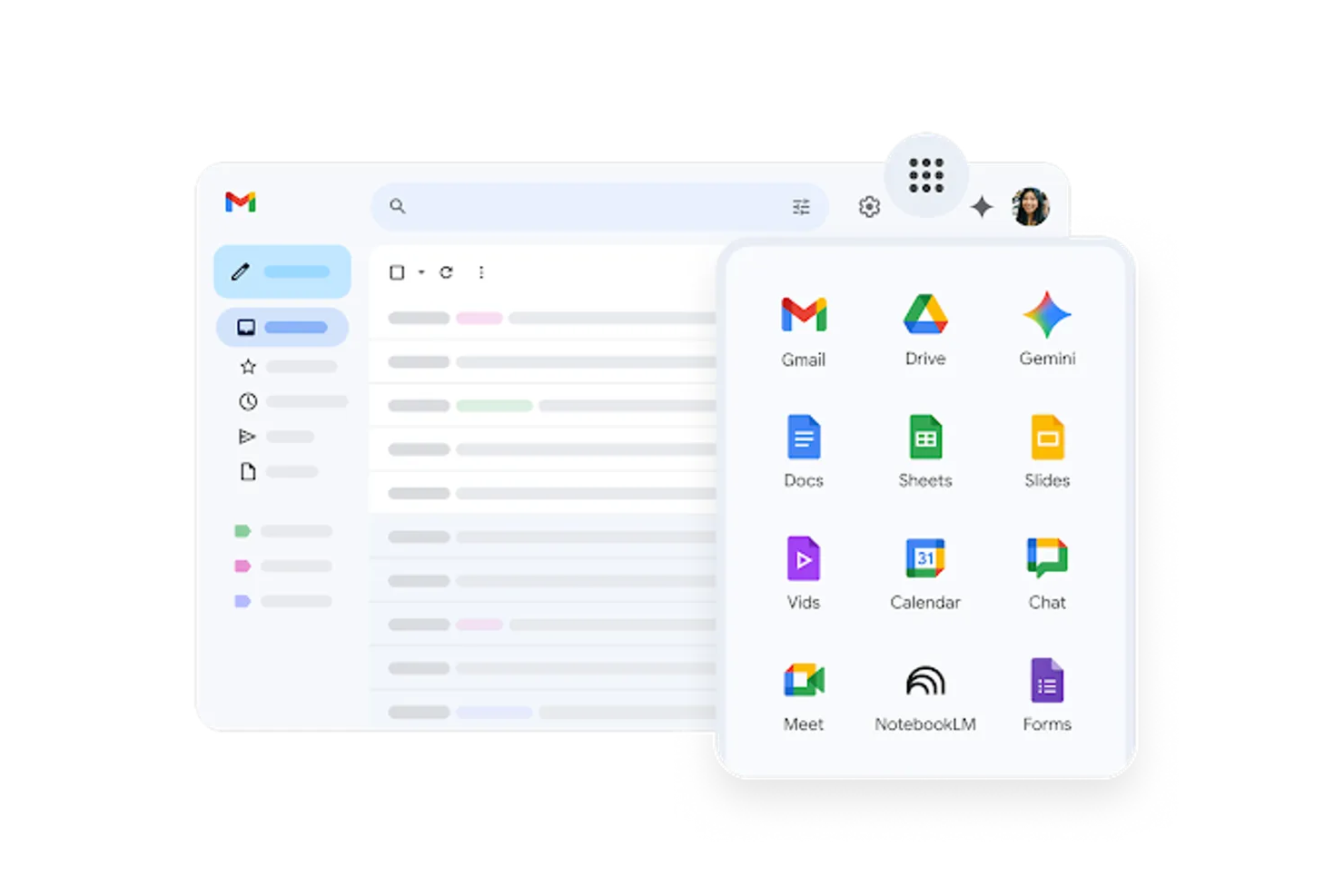
Se il tuo team si basa su modifica e comunicazione in tempo reale, Google Workspace riunisce Documenti, Fogli, Presentazioni e Chat in un'unica piattaforma. È una soluzione ideale per team distribuiti, agenzie e startup dinamiche che devono co-redigere documenti, gestire file e tenere riunioni senza cambiare strumenti. Diversamente da Quip, Google Workspace offre funzionalità di collaborazione profondamente integrate che funzionano su tutta la suite.
Perché Google Workspace è una buona alternativa a Quip
Per i team che hanno bisogno di collaborare in tempo reale, Google Workspace mette a disposizione una serie di strumenti progettati per la co-redazione e il feedback istantanei. Ho scelto Google Workspace perché Documenti, Fogli e Presentazioni supportano la modifica simultanea, i commenti in tempo reale e la cronologia delle versioni, così il tuo team può lavorare insieme senza ritardi. Chat e videoconferenze integrate permettono di discutere modifiche o decisioni direttamente sulla piattaforma. Se desideri una soluzione di produttività che tenga tutti sulla stessa linea mentre il lavoro procede, Google Workspace propone funzioni di collaborazione che Quip non può eguagliare.
Funzionalità principali di Google Workspace
Altre funzionalità che rendono Google Workspace interessante per team orientati alla produttività includono:
- Drive condivisi: Organizza e gestisci i file del team in uno spazio centralizzato con controllo dei permessi.
- Integrazione con Calendario: Pianifica riunioni, imposta promemoria e condividi calendari in tutta l'organizzazione.
- Console di amministrazione: Gestisci accessi utenti, impostazioni di sicurezza e criteri per i dispositivi da un'unica dashboard.
- Integrazione con AppSheet: Crea app e flussi di lavoro personalizzati senza scrivere codice, direttamente dai dati di Workspace.
Integrazioni Google Workspace
Le integrazioni includono Salesforce, Slack, Asana, Jira, Zoom, DocuSign e Trello.
Pros and Cons
Pros:
- Combinazione potente con l'app Fogli
- Interfaccia familiare a tutti
- Cronologia delle versioni eccezionale
Cons:
- Sincronizzazione offline dei file macchinosa
- Organizzazione annidata poco efficiente

Ideale con app di produttività per ufficio integrate

Per i team che si affidano a strumenti d'ufficio familiari, Microsoft 365 riunisce Word, Excel, PowerPoint e Teams in una suite integrata unica. È particolarmente utile per le organizzazioni che necessitano di funzionalità avanzate di modifica dei documenti, analisi di fogli di calcolo e collaborazione in tempo reale tra reparti. A differenza di Quip, Microsoft 365 offre un'integrazione profonda tra le sue app, rendendo più facile gestire flussi di lavoro complessi e mantenere tutti aggiornati.
Perché Microsoft 365 è una buona alternativa a Quip
Ciò che distingue Microsoft 365 come alternativa a Quip è la sua suite di applicazioni integrate per la produttività d'ufficio. Hai accesso a Word, Excel, PowerPoint e Teams, tutti che lavorano insieme per supportare la creazione di documenti, l'analisi dei dati e la comunicazione del team in un unico posto. Mi piace il fatto che puoi co-creare documenti in tempo reale e passare senza problemi da un'app all'altra senza perdere il contesto. Per i team che necessitano di strumenti di modifica avanzati e di una stretta integrazione nella loro infrastruttura di produttività, Microsoft 365 offre un livello di profondità che Quip non fornisce.
Funzionalità principali di Microsoft 365
Altre funzionalità di Microsoft 365 che aiutano i team a rimanere organizzati e produttivi includono:
- SharePoint Sites: Crea siti interni per l'archiviazione dei documenti, la condivisione delle conoscenze e la collaborazione di team.
- Integrazione di posta elettronica e calendario Outlook: Gestisci email, pianificazione e inviti a riunioni direttamente dalla piattaforma.
- OneNote Taccuini digitali: Acquisisci appunti, idee e verbali delle riunioni in un formato ricercabile e condivisibile.
- Strumenti avanzati di sicurezza e conformità: Applica politiche di prevenzione della perdita dei dati, crittografia e conformità in tutta l'organizzazione.
Integrazioni Microsoft 365
Le integrazioni includono SharePoint, Microsoft Teams, Power BI, Dynamics 365, Salesforce, SAP e ServiceNow.
Pros and Cons
Pros:
- Integrazione profonda di Teams chat
- Scalabilità elevata per aziende
- Archiviazione dati altamente sicura
Cons:
- Licenze aziendali costose
- Co-creazione dei documenti non sempre pulita

Evernote
Ideale per prendere appunti con web clipping
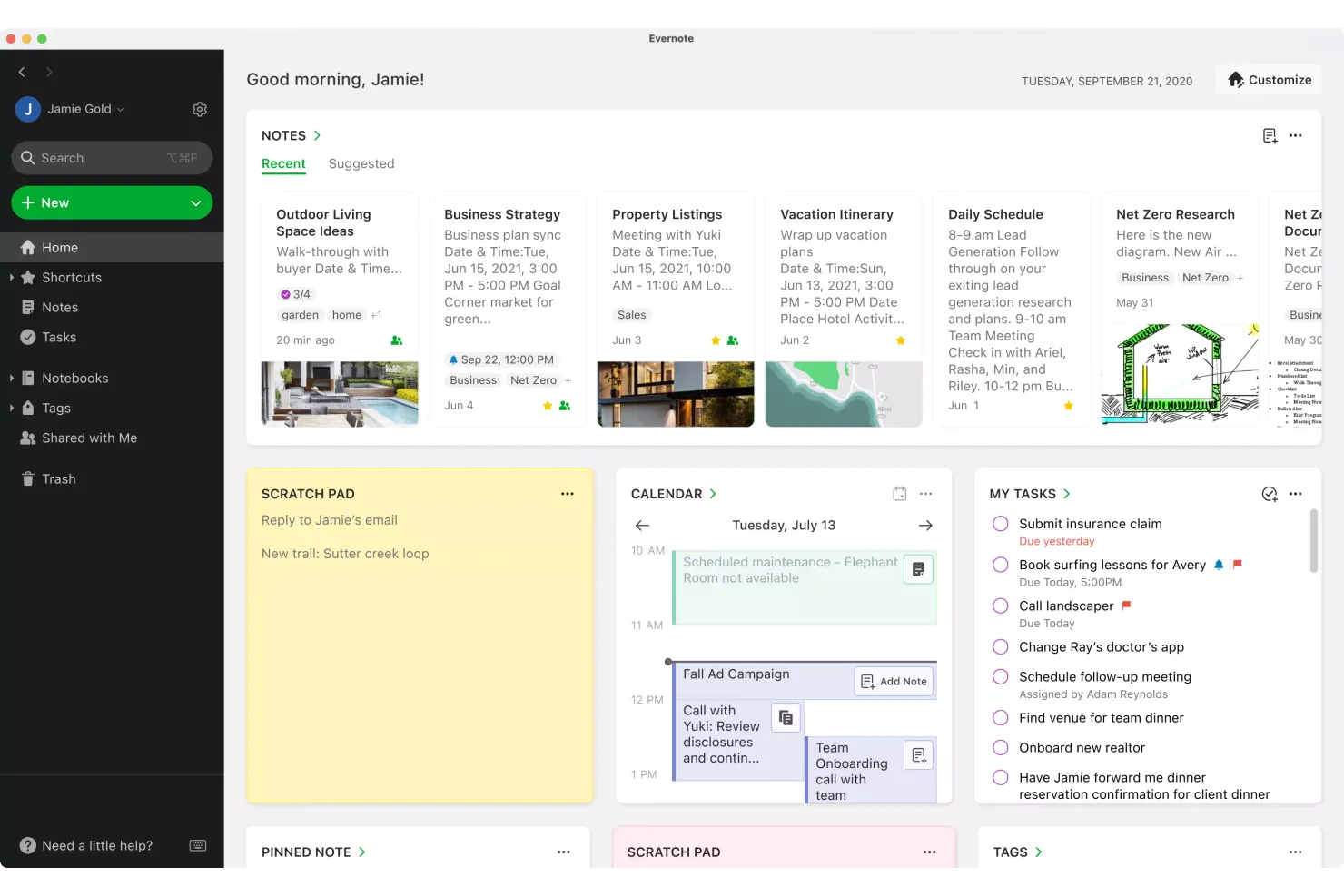
Se hai bisogno di un modo per raccogliere idee, ricerche e contenuti web in un unico posto, Evernote merita di essere preso in considerazione. È particolarmente utile per project manager, ricercatori e chiunque gestisca informazioni provenienti da più fonti e in diversi formati. A differenza di Quip, il web clipping e l'organizzazione flessibile delle note di Evernote rendono facile raccogliere, etichettare e recuperare tutto, dagli appunti delle riunioni agli articoli online.
Perché Evernote è una valida alternativa a Quip
Evernote è una scelta solida se vuoi catturare e organizzare informazioni dal web insieme alle tue note. Ho scelto Evernote perché il suo web clipper ti permette di salvare articoli, screenshot e PDF direttamente nei tuoi taccuini, rendendo la ricerca e la consultazione molto più semplici rispetto a Quip. Puoi anche etichettare e cercare le note per un recupero rapido, il che è utile quando gestisci molti progetti o fonti diversi. Per chi deve raccogliere e organizzare contenuti da tutto il web, le funzionalità di annotazione e web clipping di Evernote fanno la differenza.
Funzionalità principali di Evernote
Altre funzionalità che rendono Evernote utile per la produttività includono:
- Pile di taccuini: Raggruppa taccuini correlati per una migliore organizzazione.
- Scansione documenti: Acquisisci e archivia documenti cartacei usando la fotocamera del tuo dispositivo mobile.
- Gestione attività: Aggiungi attività con date di scadenza e promemoria direttamente all'interno delle tue note.
- Accesso offline: Visualizza e modifica le note anche senza connessione Internet.
Integrazioni di Evernote
Le integrazioni includono Google Calendar, Google Drive, Slack, Microsoft Teams, Outlook e Salesforce.
Pros and Cons
Pros:
- Ottima scansione dei documenti
- Accesso offline alle note
- Registrazione facile di note audio
Cons:
- Nessuna funzione foglio di calcolo
- Mancano le funzioni di chat di gruppo

Tettra
Ideale per la creazione di una base di conoscenza interna
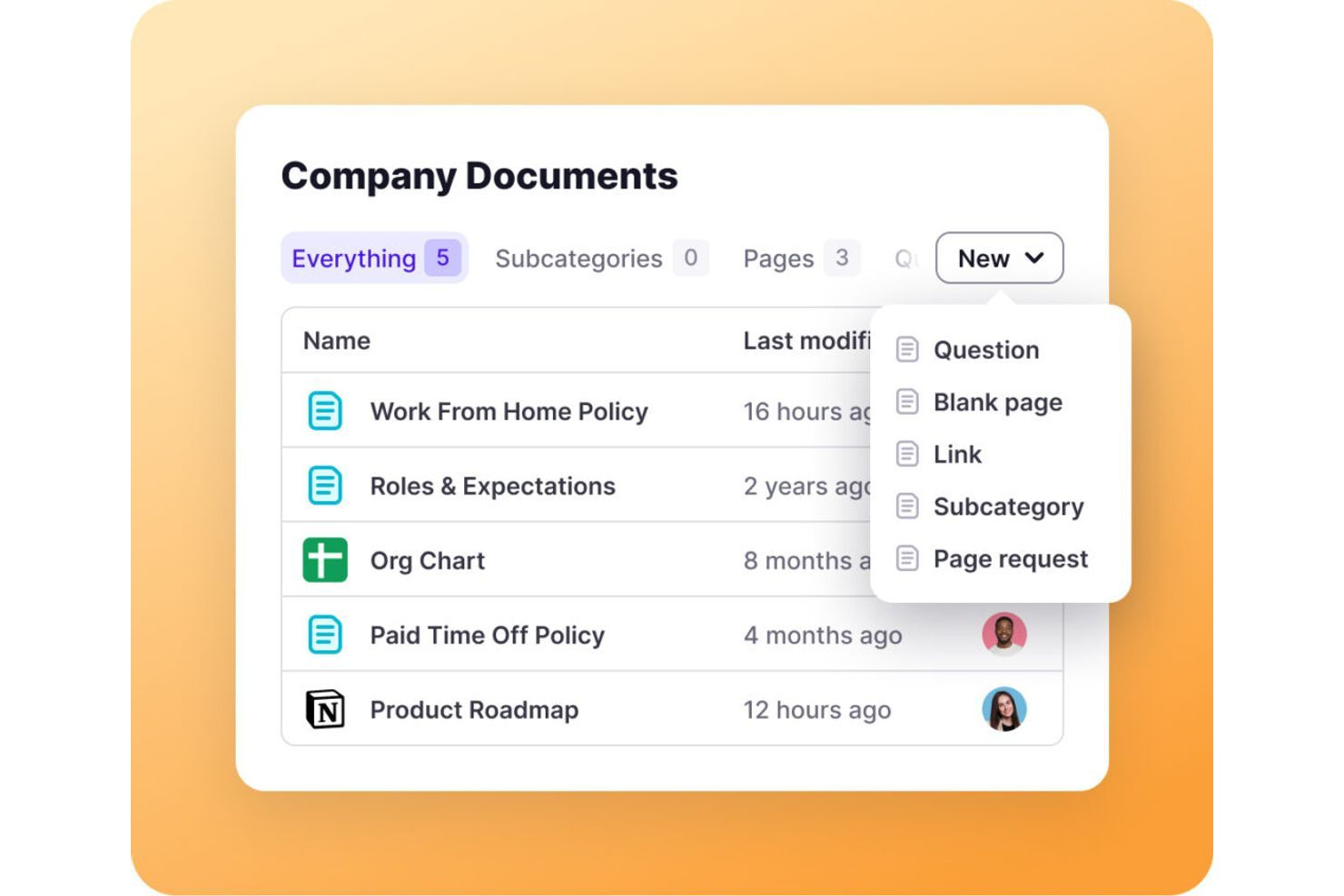
Per i team che necessitano di uno spazio dedicato per organizzare e condividere la conoscenza interna, Tettra offre una soluzione mirata. È pensato per aziende in crescita, team di supporto e responsabili delle operazioni che desiderano una base di conoscenza strutturata e ricercabile, facile da mantenere aggiornata. A differenza di Quip, Tettra è specializzata nella cura della documentazione interna e nella risposta a domande ricorrenti, così il tuo team può trovare risposte affidabili in modo rapido.
Perché Tettra è una buona alternativa a Quip
Tettra si distingue per i team che desiderano una base di conoscenza interna progettata appositamente invece di una piattaforma generica di documenti. Ho scelto Tettra perché permette di organizzare policy aziendali, processi e domande ricorrenti in modo strutturato e facilmente ricercabile. Funzionalità come le risposte suggerite e la verifica dei contenuti aiutano a mantenere le informazioni accurate e aggiornate. Se il tuo team ha difficoltà con documentazione sparsa o domande ripetute, la gestione della conoscenza interna offerta da Tettra rappresenta un vantaggio chiaro rispetto a Quip.
Funzionalità principali di Tettra
Altre caratteristiche che rendono Tettra utile per costruire una base di conoscenza includono:
- Integrazione con Slack: Crea e ricerca pagine Tettra direttamente da Slack.
- Flusso di richiesta pagine: Consente ai membri del team di richiedere nuova documentazione o aggiornamenti.
- Gestione delle autorizzazioni: Imposta controlli di accesso dettagliati per la visualizzazione e la modifica dei contenuti.
- Categorizzazione dei contenuti: Organizza le pagine con categorie e tag per una navigazione più semplice.
Integrazioni Tettra
Le integrazioni includono Slack, Microsoft Teams, Google Workspace, GitHub, Zapier e HubSpot.
Pros and Cons
Pros:
- Recupero rapido delle informazioni
- Individua lacune nei contenuti
- Strumenti semplici per la gestione di domande e risposte
Cons:
- Opzioni di formattazione limitate
- Focus su un caso d'uso molto specifico

Ideale per la gestione dei file di team nelle grandi organizzazioni

Zoho WorkDrive è pensato per le organizzazioni che necessitano di una gestione sicura e scalabile dei file tra grandi team e dipartimenti. È una scelta ideale per le grandi aziende e i responsabili IT che cercano un controllo granulare sugli accessi ai file, sulle cartelle di team e sui registri delle attività. A differenza di Quip, Zoho WorkDrive punta sulla centralizzazione dell'archiviazione dei documenti, su controlli amministrativi avanzati e su funzionalità di conformità per la gestione di dati aziendali sensibili.
Perché Zoho WorkDrive è una buona alternativa a Quip
Per i team che necessitano di una gestione avanzata dei file su larga scala, Zoho WorkDrive offre funzionalità che vanno oltre la semplice collaborazione sui documenti. Le cartelle di team consentono di organizzare i file per dipartimento o progetto, con controlli di accesso dettagliati per i diversi ruoli utente. Apprezzo il monitoraggio integrato delle attività e i registri delle revisioni, che aiutano le grandi organizzazioni a controllare le modifiche ai documenti e a mantenere la conformità. Se la tua azienda ha bisogno di archiviazione centralizzata, condivisione sicura e supervisione amministrativa approfondita, Zoho WorkDrive è una valida alternativa a Quip.
Funzionalità principali di Zoho WorkDrive
Altre caratteristiche che rendono Zoho WorkDrive utile per i grandi team includono:
- Versionamento dei file: Accedi e ripristina versioni precedenti dei documenti per prevenire la perdita di dati o modifiche indesiderate.
- Sincronizzazione desktop: Sincronizza i file tra il desktop e il cloud per un facile accesso offline e aggiornamenti.
- Ruoli utente dettagliati: Assegna permessi specifici agli utenti, come amministratore, organizzatore o visualizzatore, per un controllo migliore.
- Anteprima dei documenti: Visualizza oltre 220 tipi di file direttamente dal browser senza scaricarli.
Integrazioni di Zoho WorkDrive
Le integrazioni includono Zoho CRM, Zoho Projects, Zoho Mail, Microsoft Office, Google Workspace e Slack.
Pros and Cons
Pros:
- Prezzi per team molto convenienti
- Ruoli di controllo accessi avanzati
- Buon versionamento dei documenti
Cons:
- Strumenti di chat autonomi deboli
- Non è uno spazio di lavoro tutto-in-uno


I pensatori visivi e i project manager che cercano chiarezza nei loro flussi di lavoro spesso si affidano ad Asana. La piattaforma è particolarmente utile per i team nello sviluppo di prodotti, marketing e operazioni che hanno bisogno di visualizzare compiti, dipendenze e scadenze in modo chiaro. A differenza di Quip, Asana offre molteplici modalità di visualizzazione del progetto—come bacheche, elenchi e cronologie—che aiutano i team a vedere immediatamente i progressi e i colli di bottiglia.
Perché Asana è una buona alternativa a Quip
Se il tuo team ha bisogno di visualizzare compiti e flussi di lavoro, Asana offre un livello di chiarezza che Quip non fornisce. Ho scelto Asana perché le sue bacheche Kanban, la vista cronologica (Gantt) e la vista calendario ti permettono di vedere l’avanzamento dei progetti e le dipendenze in diversi formati. Puoi trascinare compiti, assegnare responsabili e impostare scadenze direttamente in queste visualizzazioni. Per i team che vogliono andare oltre la collaborazione sui documenti e mappare effettivamente il lavoro, gli strumenti di visualizzazione di Asana rappresentano una valida alternativa.
Funzionalità principali di Asana
Altre funzionalità che rendono Asana utile per i team focalizzati sulla produttività includono:
- Campi personalizzati: Aggiungi dati specifici ai compiti per monitorare i dettagli di progetto unici del tuo flusso di lavoro.
- Dipendenze tra i compiti: Segna i compiti come 'in attesa di altri' per chiarire la sequenza ed evitare blocchi.
- Gestione del carico di lavoro: Visualizza la capacità del team e bilancia gli incarichi per prevenire sovraccarichi.
- Moduli: Raccogli e indirizza richieste di lavoro direttamente nei progetti tramite moduli di raccolta personalizzabili.
Integrazioni di Asana
Le integrazioni includono Slack, Microsoft Teams, Google Workspace, Zoom, Jira, Salesforce e Tableau.
Pros and Cons
Pros:
- Chiara assegnazione della proprietà dei progetti
- Si integra con tutto
- Alta responsabilizzazione del team
Cons:
- Troppo complesso per le operazioni semplici
- Manca la messaggistica diretta
Altre alternative a Quip
Ecco alcune ulteriori alternative a Quip che non sono state incluse nel mio elenco, ma che vale comunque la pena considerare:
- Outline
Ideale per la documentazione strutturata del team
- Collabora Online
Ideale per la modifica open-source dei documenti
- ClickUp
Ideale per consolidare documenti, attività e obiettivi in un unico posto


Come valuto le alternative a Quip
Divido la mia valutazione in due livelli: la base che uno strumento deve garantire, come la co-creazione di documenti in tempo reale e il monitoraggio delle attività integrato, e gli elementi distintivi che separano le opzioni migliori da tutte le altre.
Funzionalità fondamentali (requisiti imprescindibili per questo elenco)
Quando seleziono gli strumenti per il mio elenco, assegno a ciascuno un punteggio su una scala da 0 (non offre la funzionalità) a 5 (eccelle in quest'area) per ogni funzionalità fondamentale elencata di seguito. Poi calcolo il punteggio totale dello strumento trasformandolo in una percentuale. Ogni strumento deve raggiungere un punteggio totale minimo del 65% per essere preso in considerazione.
- Modifica collaborativa dei documenti: verifico la presenza della co-creazione in tempo reale con commenti in linea, @menzioni, modalità suggerimenti e cronologia delle versioni: il tipo di configurazione in cui un responsabile di progetto e tre ingegneri possono modificare contemporaneamente un PRD.
- Fogli di calcolo integrati e dati in tempo reale: cerco fogli di calcolo che risiedano all'interno dei documenti e che includano formule, grafici e riferimenti a dati tra documenti, non semplici tabelle statiche incollate da un altro strumento.
- Gestione delle attività e dei progetti: ogni strumento dovrebbe collegare direttamente ai documenti l'assegnazione delle attività, le scadenze e il monitoraggio dello stato, in modo che un documento di pianificazione dello sprint e la relativa bacheca delle attività rimangano effettivamente sincronizzati.
- Chat del team e messaggistica nei documenti: valuto se le conversazioni avvengono nel contesto appropriato, ad esempio sotto forma di discussioni in thread associate a uno specifico brief di progetto, invece di costringere i team a utilizzare un'app di messaggistica separata.
- Integrazioni con strumenti di gestione dei progetti di terze parti: in questo ambito sono importanti le connessioni native a strumenti come Jira, Asana, Slack, Google Workspace e Microsoft 365, insieme al supporto per API o Zapier per flussi di lavoro personalizzati.
- Accesso da dispositivi mobili e offline: cerco app native per iOS e Android che consentano di modificare i documenti e gestire le attività offline, una funzione utile per i responsabili di progetto che esaminano i risultati tra una riunione e l'altra o durante gli spostamenti.
Una volta ottenuto un elenco di strumenti che soddisfano questi criteri, valuto ciò che distingue ogni piattaforma.
Elementi distintivi (ciò che differenzia i fornitori)
Ecco come confronto i diversi fornitori:
Funzionalità di spicco
L'assistenza documentale basata sull'IA è un importante elemento distintivo: gli strumenti in grado di riassumere un documento di requisiti di 20 pagine o di redigere gli appunti di una riunione a partire da un modello fanno risparmiare tempo reale ai responsabili di progetto. Valuto anche le funzionalità wiki e della knowledge base, poiché i team che migrano da Quip hanno spesso bisogno di strutture di pagine nidificate e collegamenti interni per organizzare la documentazione dei progetti su larga scala. Anche le automazioni sono importanti. Cerco regole senza codice che attivino la creazione di attività o gli aggiornamenti dello stato quando un documento viene pubblicato o modificato, eliminando passaggi manuali ripetitivi.
Oltre le funzionalità
In questo caso, il percorso di migrazione è molto importante. Verifico se una piattaforma offre strumenti nativi per l'importazione da Quip che preservino la formattazione, i commenti e la struttura delle cartelle: ricostruire manualmente centinaia di documenti di progetto è un ostacolo insormontabile per la maggior parte dei team. Un altro fattore che valuto è la trasparenza dei prezzi, in particolare le politiche di accesso degli ospiti per i team che collaborano regolarmente con appaltatori o clienti esterni. Considero anche il livello di sicurezza, cercando SSO, provisioning SCIM e registri di audit, che gli uffici di gestione dei progetti aziendali richiedono solitamente prima di approvare un nuovo strumento.
Perché cercare un'alternativa a Quip?
Sebbene Quip sia una buona scelta come piattaforma per la produttività, esistono diversi motivi per cui alcuni utenti cercano soluzioni alternative. Potresti cercare un'alternativa a Quip perché…
- Hai bisogno di un'automazione dei flussi di lavoro più avanzata
- Il tuo team necessita di sequenze temporali dei progetti integrate
- Desideri integrazioni più complete con gli strumenti esterni
- Hai bisogno di opzioni di formattazione dei documenti più flessibili
- La tua organizzazione deve soddisfare rigorosi requisiti di localizzazione dei dati
- Desideri un supporto migliore per la collaborazione su larga scala
Se ti riconosci in una di queste situazioni, sei nel posto giusto. Il mio elenco include diverse opzioni di piattaforme per la produttività più adatte ai team che affrontano queste difficoltà con Quip e cercano soluzioni alternative.
Funzionalità principali di Quip
Ecco alcune delle funzionalità principali di Quip, per aiutarti a mettere a confronto ciò che offrono le soluzioni alternative:
- Modifica collaborativa dei documenti in tempo reale
- Chat integrata e commenti all'interno dei documenti
- Cartelle condivise del team per organizzare i file
- Elenchi di attività integrati direttamente nei documenti
- Funzionalità di foglio di calcolo affiancate ai documenti di testo
- Cronologia delle versioni dei documenti e monitoraggio delle modifiche
- App mobili per iOS e Android
- Possibilità di modificare i documenti offline
- Opzioni di esportazione nei formati PDF e Microsoft Office