

10 strumenti alternativi a Brandfolder per le risorse digitali nel 2026

Elenco delle migliori alternative a Brandfolder


Le migliori alternative a Brandfolder sono più intuitive da usare, così puoi archiviare, gestire e distribuire meglio i materiali di marketing e le risorse digitali; inoltre, potrebbero avere un costo inferiore, più adatto ai team e alle organizzazioni di dimensioni ridotte. Con la giusta alternativa a Brandfolder, il tuo strumento di gestione delle risorse digitali supporterà i tuoi flussi di lavoro e ti aiuterà a trovare e utilizzare le risorse in modo più efficiente ed efficace.
Ho utilizzato la mia esperienza nel marketing e oltre 3 anni di test del software per esaminare decine di strumenti e selezionare la mia lista delle migliori alternative a Brandfolder. Ognuna delle mie raccomandazioni ti aiuterà a organizzare le tue risorse digitali in un unico luogo accessibile e a mantenerle sicure, condivisibili e facilmente individuabili. Di seguito, illustro i punti di forza e le differenze principali, i vantaggi e gli svantaggi e i casi d'uso ideali di ogni strumento.
Cosa sono le alternative a Brandfolder?
Le alternative a Brandfolder sono strumenti di gestione delle risorse digitali che offrono funzionalità paragonabili a Brandfolder, ma a un prezzo inferiore o con un'interfaccia più intuitiva. Includono collaborazione, distribuzione, controllo delle versioni, metadati e ricerca in un archivio centrale per le risorse digitali e i materiali del brand (ad es. loghi, immagini e video).
Questi strumenti potrebbero anche offrire funzionalità aggiuntive che Brandfolder non include, come il confronto dei documenti, il monitoraggio dei social media o un'app mobile dedicata.
Perché fidarsi dei nostri consigli sui software
Il nostro team testa e recensisce software dal 2012. In quanto project manager noi stessi, sappiamo quanto sia difficile — e importante — scegliere il software giusto.
Per questa guida, abbiamo valutato gli strumenti attraverso test pratici e ricerche indipendenti, assegnando un punteggio agli strumenti in base ai nostri criteri di selezione. Ci basiamo inoltre sulle competenze di leader di pensiero del settore e di professionisti attivi nella gestione dei progetti.
Le nostre recensioni riflettono il nostro giudizio editoriale umano, non un discorso di vendita.
Revisori esperti:
Tabella di confronto delle alternative a Brandfolder
\u003cp data-pm-slice=\u00221 1 []\u0022\u003eUsa questa tabella di confronto per confrontare i prezzi e le specifiche principali delle mie migliori alternative a Brandfolder.\u003c/p\u003e
| Tool | Best For | Trial Info | Price | ||
|---|---|---|---|---|---|
| 1 | Ideale per la governance centralizzata del brand | Demo gratuita disponibile | Prezzo su richiesta | Website | |
| 2 | Ideale per l'etichettatura automatizzata e il controllo dei metadati | Piano gratuito disponibile | A partire da $99/mese (fatturati annualmente) | Website | |
| 3 | Ideale per l’organizzazione visiva delle risorse tramite IA | Prova gratuita di 30 giorni disponibile | Da $250/mese (fatturato annualmente) | Website | |
| 4 | Ideale per la gestione avanzata degli asset | Demo gratuita disponibile | Prezzi su richiesta | Website | |
| 5 | Ideale per strumenti di revisione online | Prova gratuita di 30 giorni | Da $29/utente/mese | Website | |
| 6 | Ideale per sviluppare la strategia di brand | Demo gratuita disponibile | Prezzi su richiesta | Website | |
| 7 | Ideale per la gestione delle risorse di marketing | Demo gratuita disponibile | Prezzo su richiesta | Website | |
| 8 | Ideale per kit di risorse di brand | Prova gratuita disponibile | Da $80/mese (fatturazione annuale) | Website | |
| 9 | Ideale per integrare e gestire i flussi di lavoro d'ufficio | Versione di prova gratuita di 30 giorni disponibile | A partire da $5.00/utente/mese (fatturato annualmente) | Website | |
| 10 | Ideale per ottimizzare le operazioni di marketing | Demo gratuita disponibile | Prezzo su richiesta | Website |
Recensioni delle migliori alternative a Brandfolder
Ecco le mie recensioni dettagliate di ogni alternativa a Brandfolder. Esamino i vantaggi e gli svantaggi di ogni strumento, le funzionalità e i casi d’uso.

Papirfly
Ideale per la governance centralizzata del brand
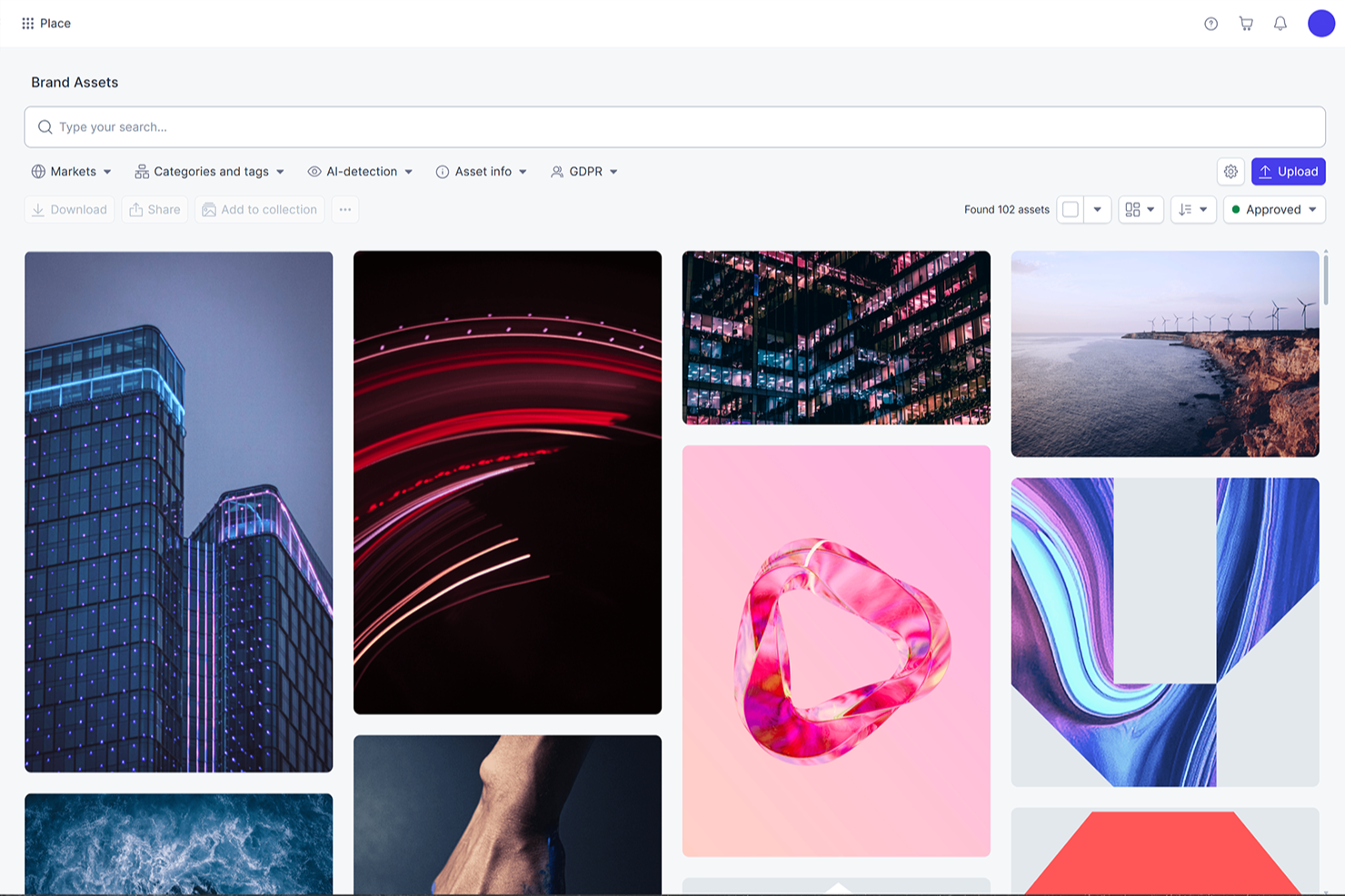
Papirfly è una piattaforma di gestione del brand che combina gestione delle risorse digitali, creazione di contenuti tramite template, controlli di governance del brand e strumenti per campagne multicanale in un unico sistema.
Per chi è ideale Papirfly?
Papirfly è particolarmente adatto ai team di marketing aziendali che devono gestire la coerenza del brand su più regioni, mercati o unità di business.
Perché ho scelto Papirfly
Ho scelto Papirfly come una delle migliori alternative a Brandfolder perché le sue funzionalità di governance del brand vanno oltre la semplice archiviazione delle risorse. Mentre Brandfolder si concentra principalmente sull'organizzazione e la condivisione delle risorse, Papirfly permette di incorporare le regole di brand direttamente nel processo di creazione dei contenuti. I template bloccati impediscono ai team di utilizzare caratteri, colori o layout non conformi al brand e i flussi di lavoro di approvazione personalizzabili garantiscono che nulla venga pubblicato senza la giusta autorizzazione. Inoltre, credo che la combinazione di una DAM centralizzata con controlli di accesso basati sui ruoli e un portale del brand in un unico sistema faciliti l'applicazione di standard coerenti su team ampi e distribuiti senza creare colli di bottiglia.
Caratteristiche principali di Papirfly
- Tag dei metadati basati su IA: Etichetta automaticamente le risorse caricate, così i team possono cercare e recuperare file senza classificazione manuale.
- Versionamento ed expiration degli asset: Tiene traccia della cronologia delle versioni delle risorse e consente di impostare date di scadenza per evitare la circolazione di materiali obsoleti.
- Localizzazione dei template in più lingue: Adatta i template principali a diverse lingue e formati regionali senza dover ricostruire i design da zero.
- Analisi delle campagne e reportistica: Traccia l'utilizzo delle risorse e le performance delle campagne direttamente all'interno della piattaforma.
Integrazioni di Papirfly
Papirfly offre un ampio catalogo di integrazioni sulla sua piattaforma DAM, alcune sviluppate internamente e altre supportate da partner. Queste includono Adobe Creative Cloud, Figma, Salesforce, Shopify, Hootsuite, Canva, Jira, Dropbox e integrazioni nell'ecosistema Microsoft, inclusi Microsoft 365 e SharePoint. È disponibile un'API per integrazioni personalizzate.
Pros and Cons
Pros:
- Anche chi non è designer può produrre asset allineati al brand in autonomia
- Localizzazione di contenuti in più lingue e regioni
- I template bloccati impediscono l'uso improprio degli elementi del brand
Cons:
- L'aggiunta di nuovi formati può richiedere costi aggiuntivi
- Nessuna app mobile disponibile
New Product Updates from Papirfly

Papirfly Point Adds Brand Assistant Admin Controls
Papirfly now lets admins configure Brand Assistant directly in Point, including enabling the assistant, accepting AI terms, tuning conversation style, and managing knowledge sources and documents. For more information, visit Papirfly's official site.
 .
.
Ideale per l'etichettatura automatizzata e il controllo dei metadati
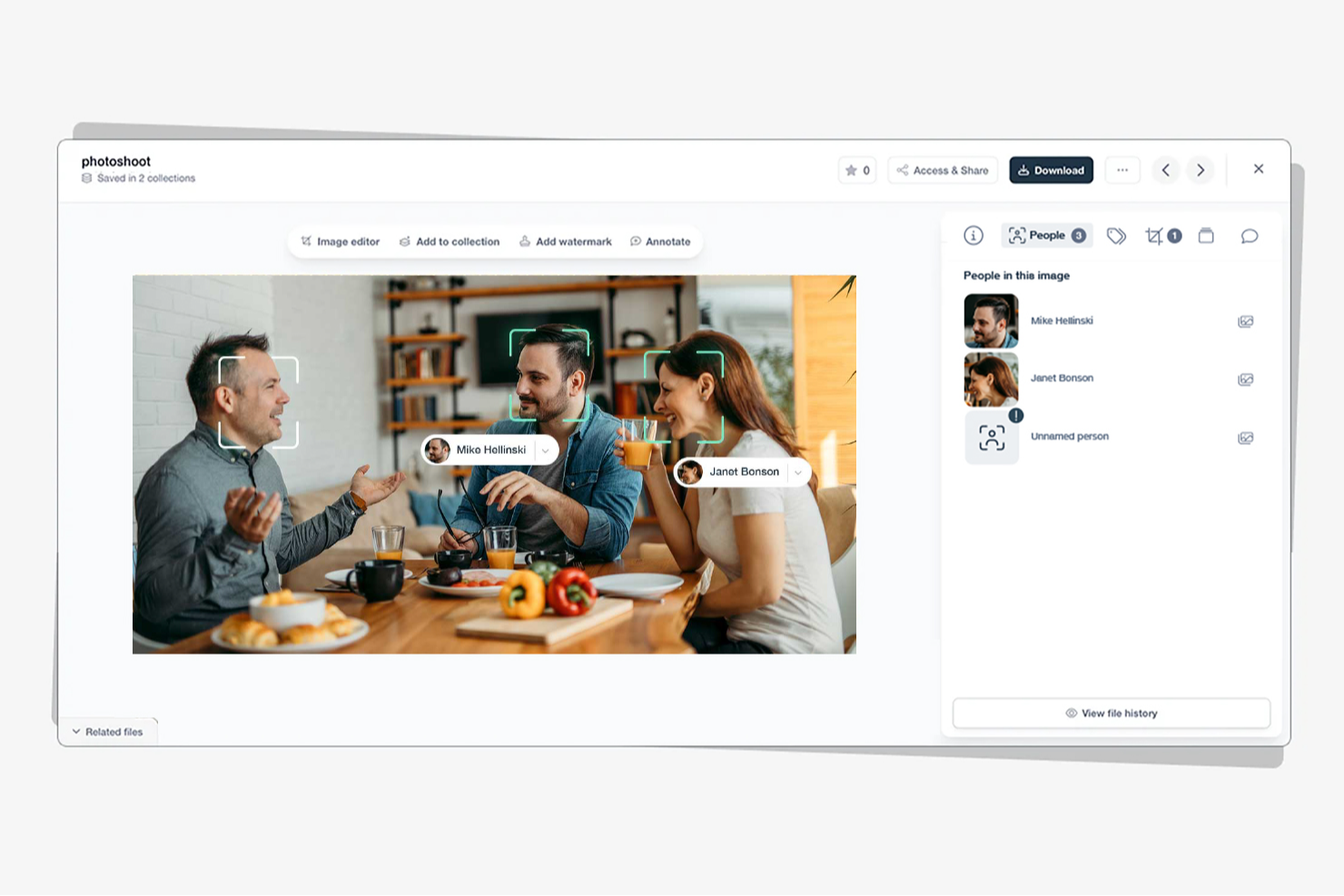
Stockpress è una piattaforma di gestione delle risorse digitali progettata per aiutare team di tutte le dimensioni a organizzare, trovare, collaborare e condividere file digitali all'interno di uno spazio di lavoro condiviso. Supporta vari tipi di file, inclusi foto, video, documenti e progetti cloud, garantendo che tutte le tue risorse siano centralizzate e accessibili.
Perché Stockpress è una valida alternativa a Brandfolder: offre un sistema di etichettatura alimentato da intelligenza artificiale, che assegna automaticamente tag pertinenti ai tuoi file, facilitando la ricerca e il recupero. Inoltre, Stockpress offre una mappatura dei metadati flessibile, consentendo di personalizzare i tag in base alle proprie esigenze specifiche. Stockpress offre anche accesso illimitato agli utenti su tutti i piani, sia per collaboratori interni che esterni.
Funzionalità principali e integrazioni di Stockpress
Funzionalità che includono link di condivisione personalizzabili, che permettono di controllare chi può accedere a file specifici e impostare date di scadenza per una maggiore sicurezza. La piattaforma offre anche monitoraggio e report dei link, fornendo una panoramica su come vengono utilizzate le risorse condivise.
Integrazioni includono Google Drive, Dropbox, Box, Adobe Photoshop, Slack, Mailchimp, Okta, Webflow, Klaviyo, Adobe Illustrator, Adobe InDesign e Canva.
Pros and Cons
Pros:
- Utenti illimitati senza costi aggiuntivi
- Ricerca efficiente grazie all'etichettatura con intelligenza artificiale
- Solide funzionalità di sicurezza per la condivisione sicura dei file
Cons:
- Accesso offline limitato
- La configurazione iniziale può richiedere tempo per organizzare le risorse esistenti
Ideale per l’organizzazione visiva delle risorse tramite IA
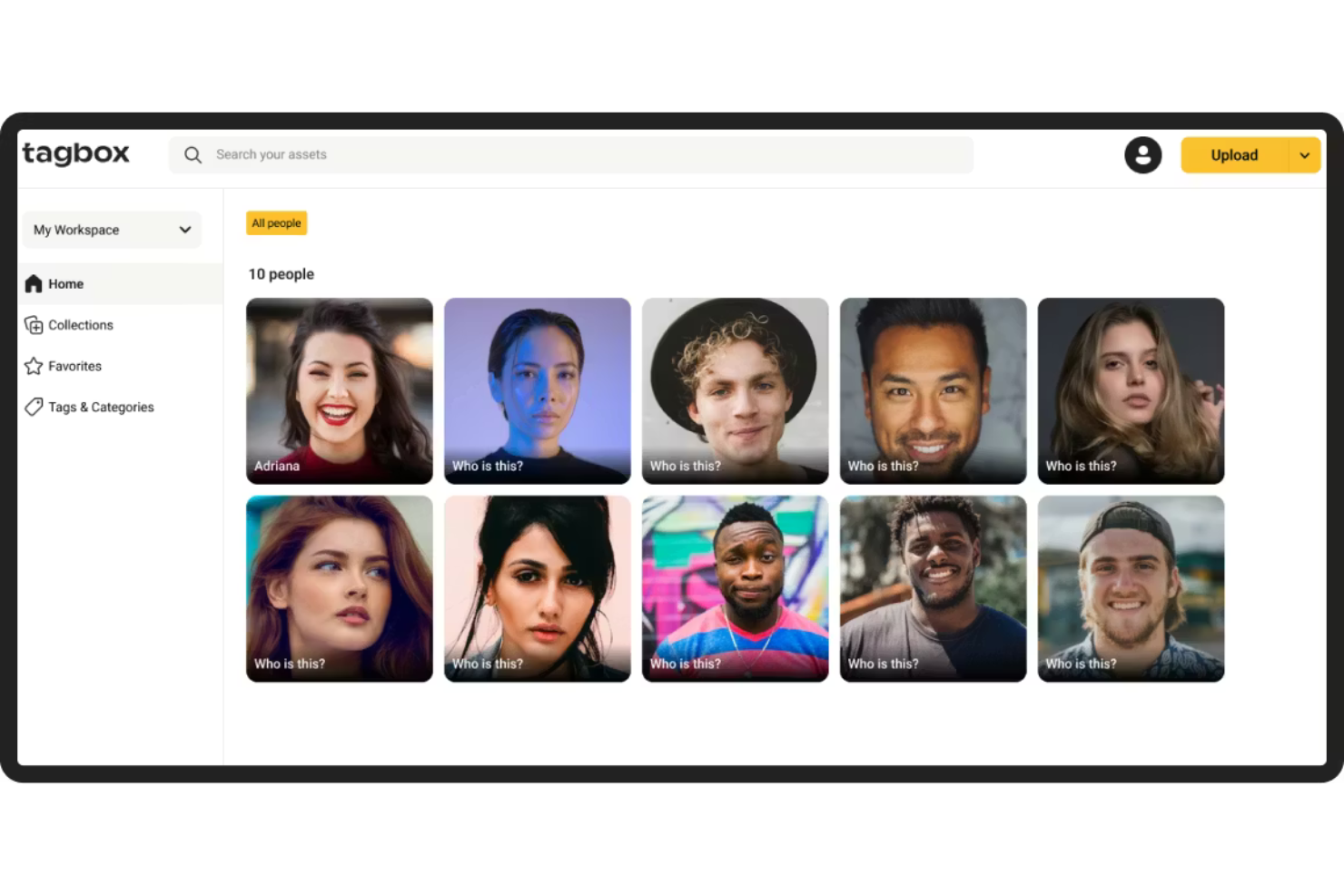
Tagbox.io è una piattaforma di gestione delle risorse digitali progettata per team che si affidano a tagging basato sull’IA, ricerca visiva e deduplicazione delle risorse per organizzare grandi librerie multimediali.
Per chi è ideale Tagbox.io?
Tagbox.io è una soluzione ideale per i team di marketing e creativi che gestiscono grandi volumi di contenuti visivi e desiderano funzionalità di organizzazione e ricerca automatizzate, andando oltre le strutture manuali delle cartelle.
Perché ho scelto Tagbox.io
Ho scelto Tagbox.io perché il suo sistema di tagging guidato dall’IA riduce lo sforzo manuale necessario per mantenere ampie librerie di risorse. La piattaforma rileva automaticamente oggetti, scene e attributi visivi, permettendo ai team di costruire collezioni ricercabili senza un’estesa immissione di metadati. I suoi strumenti di governance dei tag aiutano anche a mantenere la coerenza su migliaia di file, prevenendo la dispersione della tassonomia nel tempo.
Caratteristiche principali di Tagbox.io
- Tagging visivo potenziato dall’IA: Rilevamento automatico di oggetti, scene ed elementi visivi all’interno delle immagini.
- Rilevamento dei duplicati: Identifica e rimuove asset duplicati o quasi duplicati da grandi librerie.
- Filtri di ricerca avanzata: Combina la ricerca per parole chiave con tag, collezioni e filtri per metadati.
- Collezioni condivisibili: Crea raccolte di asset ad accesso controllato per i team e collaboratori esterni.
Integrazioni di Tagbox.io
Collega Tagbox.io tramite Tagbox Desktop (trascina in qualsiasi app), Zapier, Make e una REST API. I flussi di lavoro personalizzati sono disponibili per le aziende Enterprise.
Pros and Cons
Pros:
- Potenti capacità di tagging visivo basato su IA
- Il rilevamento dei duplicati riduce l’ingombro della libreria
- Controlli flessibili di condivisione e permessi
Cons:
- Integrazioni native limitate rispetto ai principali concorrenti DAM aziendali
- I caricamenti e le elaborazioni in blocco possono essere lenti con file di grandi dimensioni

Bynder
Ideale per la gestione avanzata degli asset
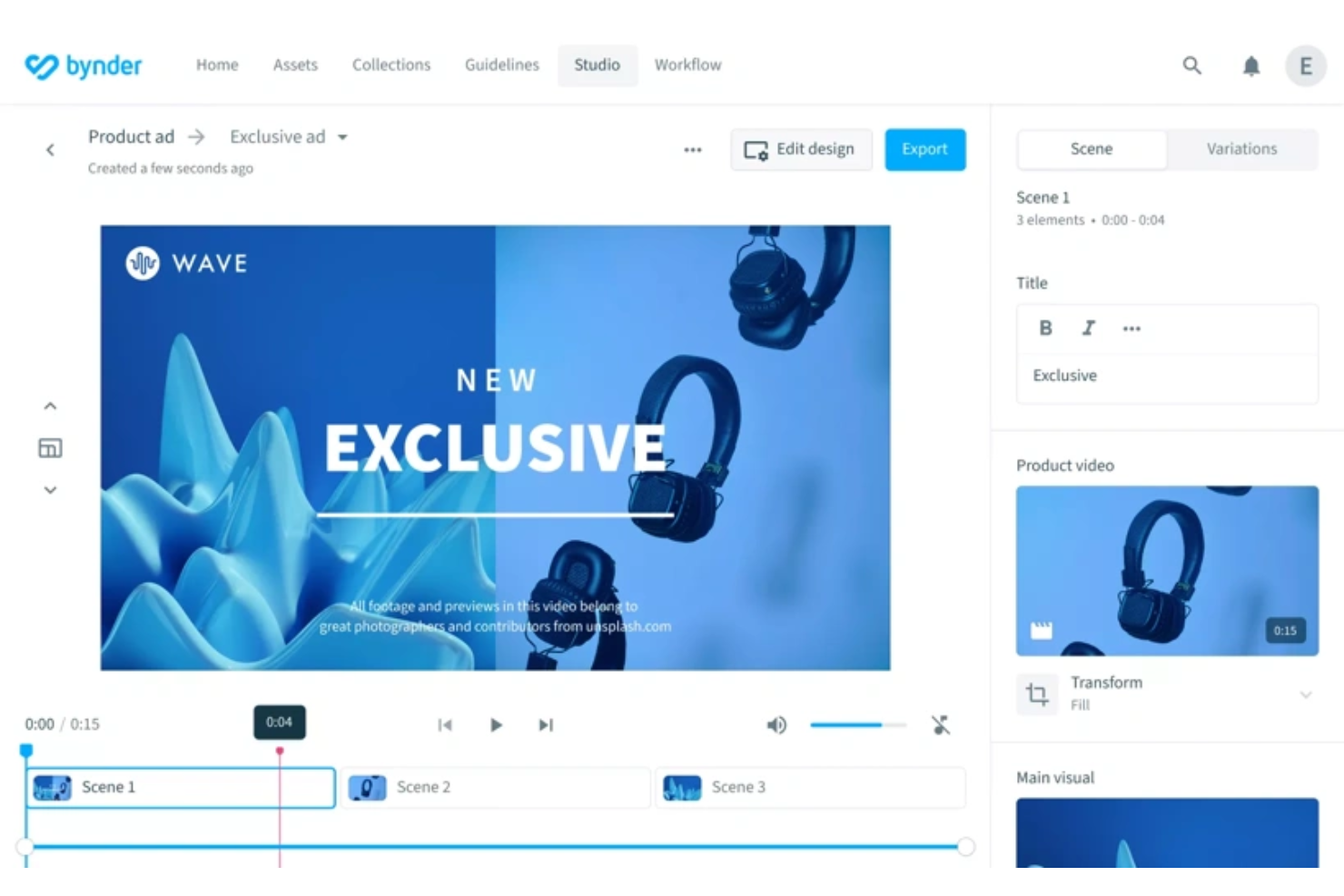
Bynder è una piattaforma di gestione delle risorse digitali (DAM) basata su cloud, progettata per aiutare i team a memorizzare, organizzare e distribuire i propri contenuti digitali. Funziona come un hub centralizzato dove è possibile gestire diversi asset multimediali, garantendo facile accesso e coerenza del marchio su tutti i canali.
Perché Bynder è una valida alternativa a Brandfolder: Bynder offre funzionalità avanzate di gestione degli asset digitali, che includono flussi di lavoro personalizzabili e strumenti di collaborazione migliorati. Questo consente al tuo team di creare e gestire asset in modo adatto alle vostre esigenze specifiche. Gli strumenti di analisi e reportistica della piattaforma consentono anche di monitorare facilmente le prestazioni degli asset, aiutandoti a comprendere quali asset siano più efficaci e perché, fornendo così intuizioni per migliorare i progetti futuri.
Funzionalità e integrazioni distintive di Bynder:
Le funzionalità includono flussi di lavoro sui contenuti, che permettono al tuo team di creare, revisionare e approvare contenuti strutturati. La funzione studio consente al team di automatizzare e scalare la creazione dei contenuti digitali, semplificando la produzione rapida di materiali di alta qualità. Inoltre, Bynder AI migliora la ricerca e la gestione degli asset.
Le integrazioni includono Salesforce, Salsify, Sanity, SAP Commerce Cloud, Sprout Social, SharePoint, Asana, Adobe Creative Cloud, Contentful e Contentstack.
Pros and Cons
Pros:
- La funzione di ricerca efficiente consente un accesso rapido agli asset
- Analisi e reportistica approfondite
- Possibilità di approvare gli asset
Cons:
- Configurazione iniziale lunga e impegnativa
- Opzioni di personalizzazione limitate per alcune funzionalità

Filecamp
Ideale per strumenti di revisione online
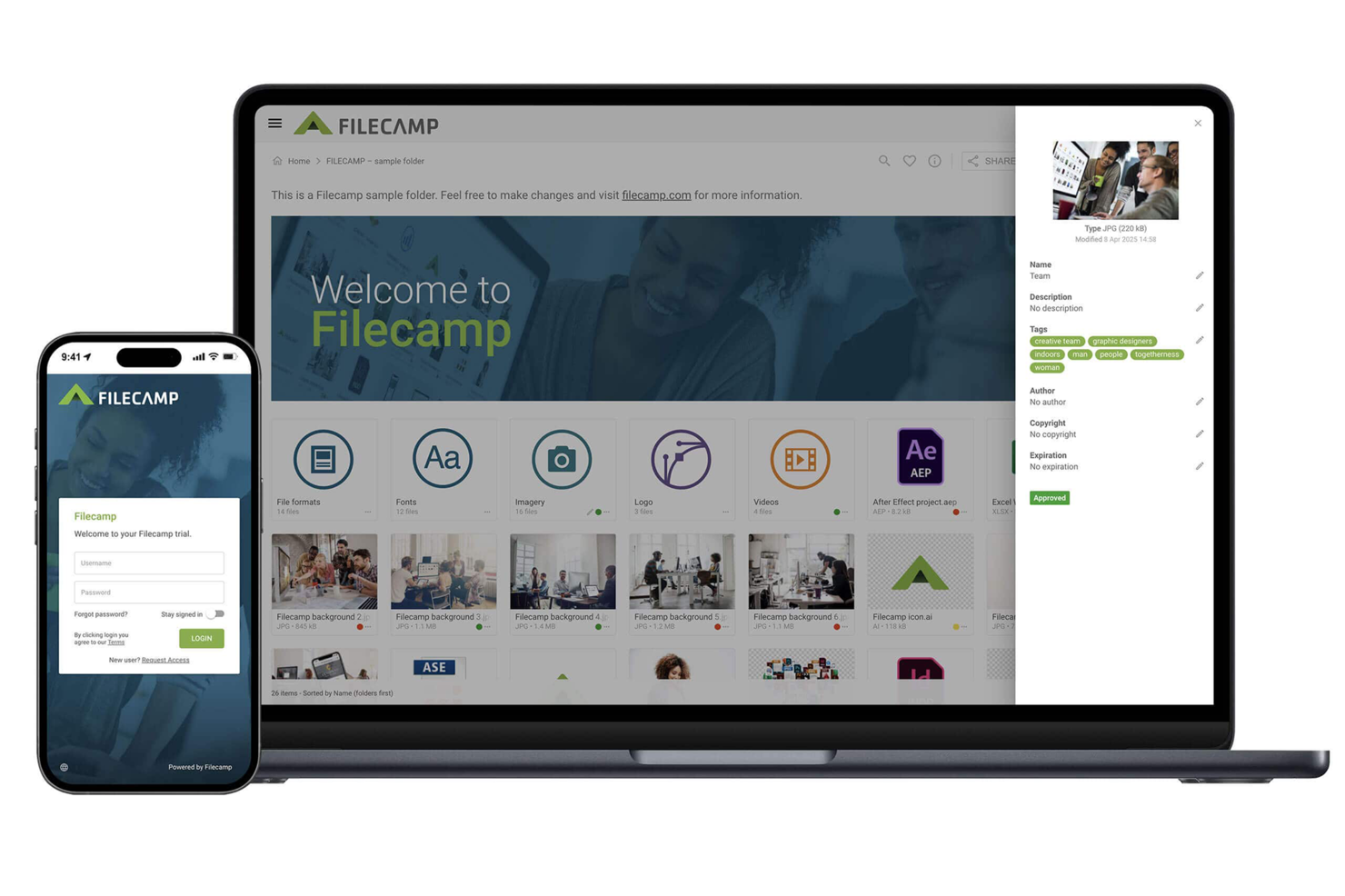
Filecamp è la soluzione ideale per le aziende che cercano un'alternativa versatile ed economica a Brandfolder. Progettato su misura per settori che vanno dalla pubblicità all’architettura, permette al tuo team di gestire e organizzare le risorse digitali senza interruzioni. Che tu sia un freelance o faccia parte di una grande organizzazione, Filecamp risponde all'esigenza di una gestione efficiente delle risorse senza costi onerosi, risultando perfetto per i team marketing che lavorano con scadenze serrate.
Perché ho scelto Filecamp
Ho scelto Filecamp come uno dei migliori concorrenti tra le alternative a Brandfolder grazie all’enfasi sull’accesso illimitato agli utenti in tutti i piani tariffari. Questa caratteristica è particolarmente vantaggiosa per i team che necessitano di collaborazione senza l’onere dei costi aggiuntivi per utente. Filecamp offre anche solidi strumenti di revisione online, che semplificano i cicli di feedback e aumentano la produttività. Il controllo delle versioni della piattaforma assicura che il team abbia sempre accesso alle ultime iterazioni delle risorse, riducendo errori e confusione negli ambienti collaborativi.
Funzionalità chiave di Filecamp
In aggiunta alle sue funzioni principali, ho trovato anche altre caratteristiche che ne aumentano l’appeal come alternativa a Brandfolder.
- Controllo granulare degli accessi: Questa funzione consente di definire diritti di accesso specifici per diversi utenti, garantendo che le risorse sensibili siano viste solo dalle persone autorizzate.
- Personalizzazione del brand: Puoi personalizzare la piattaforma con il logo e i colori della tua azienda, offrendo un’esperienza di marca coerente a clienti e team.
- Opzioni di download flessibili: Gli utenti possono scegliere tra vari formati e dimensioni file durante il download, adattandosi alle esigenze specifiche del progetto.
- Hosting dati sicuro: Filecamp offre un’archiviazione sicura dei dati su Google Cloud, proteggendo le tue risorse digitali da accessi non autorizzati.
Integrazioni Filecamp
Le integrazioni includono Adobe Illustrator, Adobe InDesign, Adobe Photoshop, PitchPerfect, Google Analytics, Google Apps, InMotionNow, Microsoft Active Directory e accesso API per integrazioni personalizzate.
Pros and Cons
Pros:
- Utenti illimitati su tutti i piani
- Revisione online con controllo delle versioni
- Impostazioni di autorizzazione per controllo granulare degli accessi
Cons:
- Disponibilità odierna limitata di integrazioni native
- Nessuna assistenza telefonica attualmente disponibile
New Product Updates from Filecamp
Filecamp Adds Analytics, AI Thumbnails, and CDN Embed Links
Filecamp adds Analytics, AI-powered thumbnails, and CDN-backed Embed links. These updates give teams more visibility into asset usage, improve thumbnail presentation, and make embedded images easier to manage. For more information, visit Filecamp’s official site.
 .
.
Frontify
Ideale per sviluppare la strategia di brand

Frontify è una piattaforma per la costruzione del brand che semplifica l'organizzazione delle risorse del marchio. È ideale per lo sviluppo della strategia di brand grazie ai suoi strumenti completi che consentono di mantenere la coerenza del brand offrendo al contempo flessibilità per l'evoluzione del marchio.
Perché Frontify è una valida alternativa a Brandfolder: Ho scelto Frontify per questa lista perché offre un sistema DAM (gestione delle risorse digitali) facile da usare e portali personalizzabili che favoriscono la collaborazione e il coinvolgimento attorno al brand. La sua capacità di proporre un modello di prezzi scalabile ed equo lo distingue come un'ottima alternativa a Brandfolder.
Funzionalità e integrazioni di spicco di Frontify
Le funzionalità comprendono la gestione del brand, single sign-on pratico, sicurezza di livello enterprise e analisi avanzate. La piattaforma offre anche opzioni di personalizzazione avanzate e modelli per il digitale e la stampa, utili per mantenere la coerenza del marchio su diversi media.
Le integrazioni includono Jira, Wrike, Vimeo, Contentful, Zapier, Hubspot, Salesforce, Figma, Sketch, Slack, Intercom e YouTube.
Pros and Cons
Pros:
- Offre una prova gratuita per esplorare le sue funzionalità
- Fornisce una soluzione scalabile per la gestione delle risorse di brand
- Supporta un universo multi-brand all'interno della piattaforma
Cons:
- L'esperienza utente può essere limitata con il piano gratuito
- È difficile collegare i contenuti tra i progetti

Ideale per la gestione delle risorse di marketing
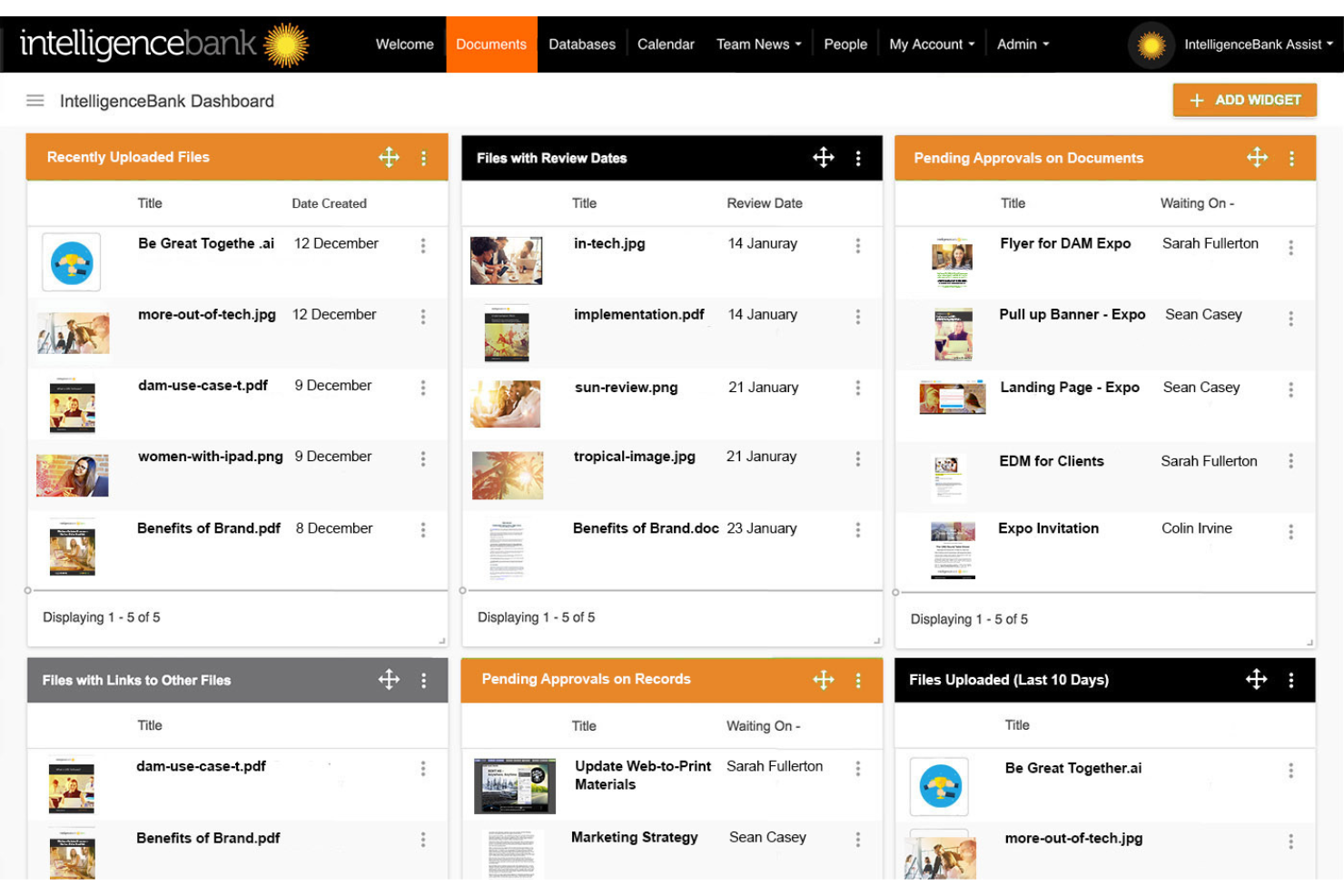
IntelligenceBank è una piattaforma digitale progettata per la gestione degli asset di marketing e la conformità normativa. Gestisce efficacemente le risorse digitali e gli asset di marketing grazie a una suite completa di strumenti pensati per marketer e creativi.
Perché è una valida alternativa a Brandfolder: Ho selezionato IntelligenceBank per questo elenco perché offre strumenti specifici per la conformità di marketing e la gestione degli asset digitali, particolarmente utili per i settori regolamentati. Il suo focus su conformità e flussi di lavoro di approvazione la rende un'alternativa di spicco a Brandfolder.
Funzionalità e integrazioni principali:
Le funzionalità includono gestione delle risorse digitali, campi metadati personalizzabili, potenti funzionalità di ricerca e approvazioni dei flussi di lavoro automatizzate. Queste funzionalità garantiscono che gli asset siano facilmente accessibili e controllati.
Le integrazioni includono Adobe Creative Cloud, Salesforce, WordPress, Slack, Trello, Zapier, Microsoft 365, Google Drive, Dropbox e Asana.
Pros and Cons
Pros:
- Funzionalità su misura per i team di marketing
- Forte attenzione a conformità e sicurezza
- Interfaccia personalizzabile e capacità di gestione dei metadati
Cons:
- Potrebbe essere troppo complesso per i team piccoli
- Curva di apprendimento più ripida a causa delle funzionalità avanzate

Lingo
Ideale per kit di risorse di brand

Lingo è una piattaforma cloud per la gestione delle risorse di marca e delle risorse digitali (DAM) che riunisce loghi, immagini, modelli, video e linee guida in un'unica libreria centralizzata. Ogni risorsa è collegata al suo contesto—come deve essere usata, dove si trova e chi può accedervi—così tu e il tuo team mantenete sempre la coerenza del brand.
Perché Lingo è una valida alternativa a Brandfolder: A differenza di alcuni DAM focalizzati solo su archiviazione e condivisione, Lingo punta sull'approccio dei kit di risorse: puoi creare kit che combinano file con istruzioni d'uso, linee guida e permessi, così anche chi non è designer può trovare ciò che gli serve senza dover coinvolgere continuamente il team creativo. Supporta inoltre la conversione automatica dei file e preset di esportazione, quindi se qualcuno del team o un partner esterno ha bisogno di un PNG anziché un SVG, o di una dimensione specifica, il sistema gestisce la richiesta senza che i designer debbano ricreare il file.
Funzionalità e integrazioni principali:
Le funzionalità includono la ricerca potenziata dall’IA: una volta caricata un'immagine o una risorsa, viene automaticamente etichettata e resa ricercabile visivamente (colore, oggetto, stile), così il team non spreca tempo a cercare manualmente. Sono disponibili anche link diretti alle risorse; se aggiorni un file sorgente su Lingo, ovunque venga usato quel link apparirà la versione aggiornata—riducendo così il rischio che vengano utilizzati materiali obsoleti.
Le integrazioni comprendono Figma, Dropbox e Google Drive. Puoi anche utilizzare la Lingo API per sviluppare collegamenti personalizzati.
Pros and Cons
Pros:
- Conversioni automatiche dei file velocizzano la produzione
- La ricerca IA elimina la necessità di tagging manuale
- Kit illimitati per una gestione flessibile delle risorse
Cons:
- Manca di strumenti per workflow di approvazione complessi
- Disponibili meno integrazioni per grandi aziende

Ideale per integrare e gestire i flussi di lavoro d'ufficio
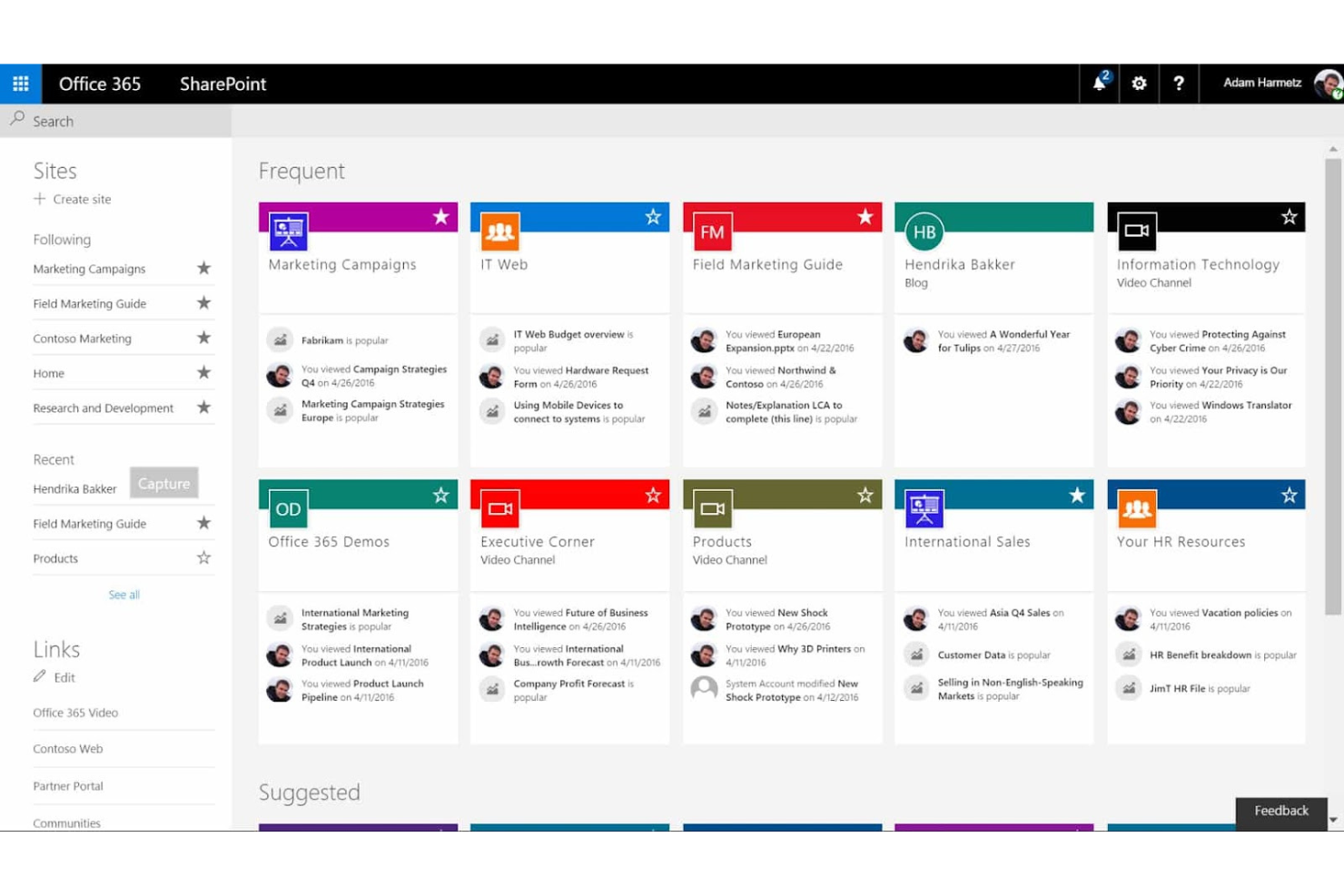
Microsoft SharePoint offre sistemi di gestione e archiviazione dei documenti progettati principalmente per l'uso aziendale. Integra e gestisce i flussi di lavoro d'ufficio, rendendolo uno strumento essenziale per le aziende che cercano un approccio unificato alla gestione di documenti e processi.
Perché è una buona alternativa a Brandfolder: Ho scelto Microsoft SharePoint per questa lista perché offre solide capacità nella gestione dei contenuti a livello organizzativo. La sua ampia diffusione in vari settori e le profonde capacità di integrazione con altri strumenti aziendali lo rendono una valida alternativa a Brandfolder.
Funzionalità e integrazioni principali:
Le funzionalità includono la gestione sicura dei documenti, la creazione automatizzata di flussi di lavoro e la collaborazione in tempo reale. Queste funzionalità supportano una vasta gamma di processi aziendali, migliorando la produttività e la comunicazione organizzativa.
Le integrazioni includono Microsoft SharePoint che si integra con Microsoft Teams, Power Platform (Power Apps, Power Automate, Power BI), Adobe Sign e le applicazioni di Office 365.
Pros and Cons
Pros:
- Integrazione completa con i prodotti Microsoft
- Solide funzionalità di sicurezza per l'uso enterprise
- Flessibile per aziende di diverse dimensioni ed esigenze
Cons:
- Forte dipendenza dagli altri prodotti Microsoft per la piena funzionalità
- Può richiedere una formazione significativa per gli utenti finali

Aprimo
Ideale per ottimizzare le operazioni di marketing
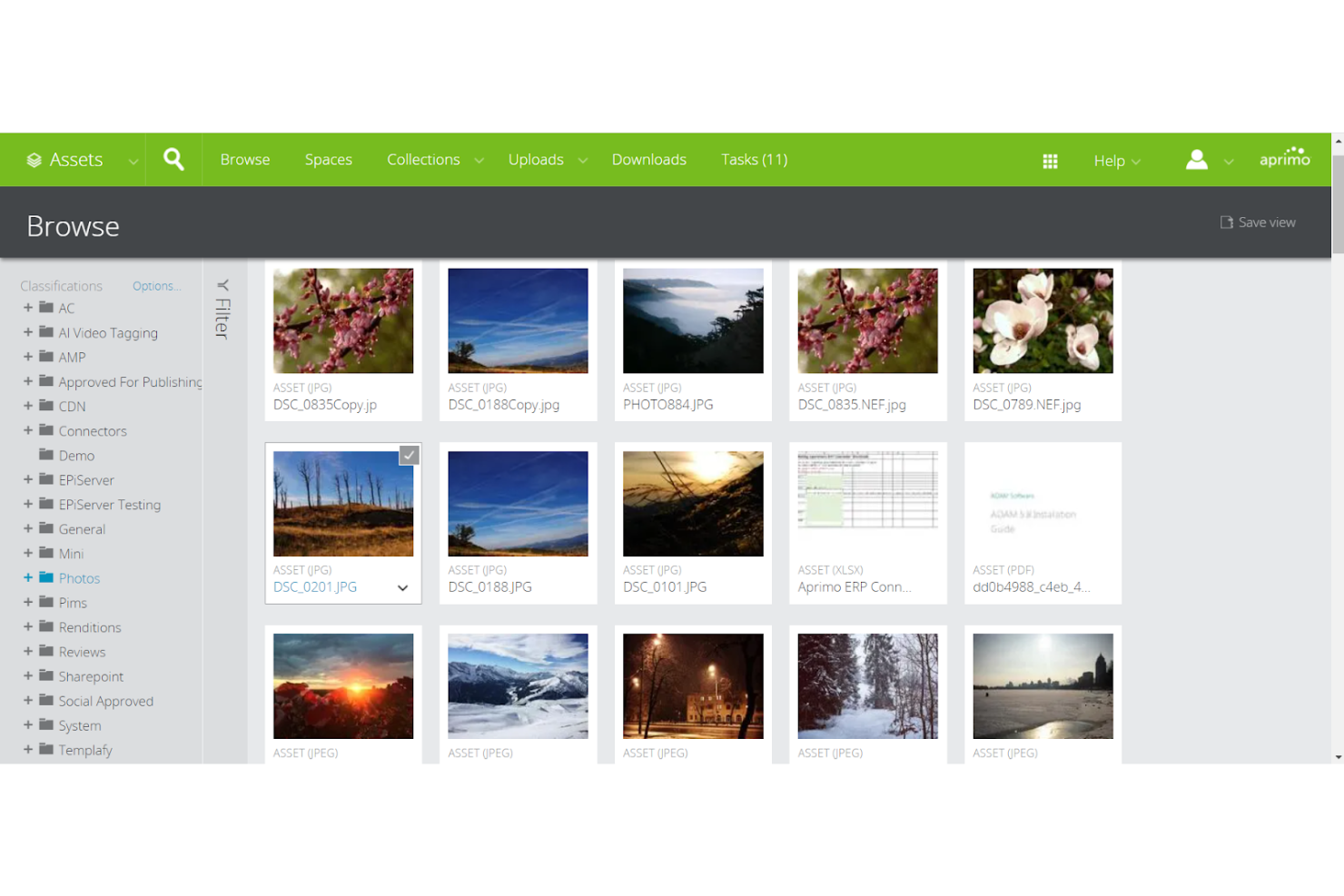
Aprimo offre un sistema di gestione delle risorse digitali con software per le operazioni sui contenuti e analisi delle performance. I suoi strumenti di automazione e misurazione, che migliorano l'efficienza e la comprensione degli sforzi di marketing, lo rendono la scelta migliore per ottimizzare le operazioni di marketing e i flussi di lavoro dei contenuti.
Perché è una valida alternativa a Workfront: Ho scelto Aprimo per questa lista perché integra la gestione completa delle risorse di marketing con la gestione delle risorse digitali, distinguendolo nettamente come una forte alternativa a Workfront. Si distingue nell'offrire soluzioni che consentono un controllo e una misurazione più precisi delle risorse di marketing e dei flussi di lavoro.
Funzionalità e integrazioni di spicco:
Le funzionalità includono un calendario di marketing centralizzato, strumenti di gestione delle campagne e un ecosistema di gestione delle risorse digitali che semplificano la pianificazione, l'esecuzione e l'ottimizzazione delle attività di marketing. Questi strumenti aiutano complessivamente a gestire efficacemente le risorse e mantenere la coerenza del marchio.
Le integrazioni includono Adobe Creative, Cloud, Microsoft Office, Google Drive, Salesforce, Slack, WordPress, Drupal, Marketo, Oracle, Eloqua e SAP.
Pros and Cons
Pros:
- Funzionalità avanzate di gestione delle campagne
- Efficace integrazione della gestione delle risorse con le operazioni di marketing
- Approfondimenti dettagliati e analisi sulle performance di marketing
Cons:
- Può essere costoso per le piccole imprese
- L'interfaccia potrebbe risultare complessa per i nuovi utenti
Altre alternative a Brandfolder
Ecco alcune ulteriori alternative a Brandfolder da valutare se non hai trovato quello che cercavi sopra.
- Adobe Bridge
Ideale per l'organizzazione delle risorse creative
- Nuxeo
Ideale per la gestione scalabile dei contenuti
- Lytho
Ideale per la gestione operativa dei team creativi
- ioMoVo
Ideale per la gestione delle risorse di brand potenziata dall'intelligenza artificiale
- Infomaze DAM
Ideale per soluzioni ad alta efficienza operativa
- Miro
Ideale per una strategia di crescita guidata dal prodotto
- Cloudinary
Ideale per flussi di lavoro multimediali alimentati dall'AI
- Pics.io
Ideale per la gestione degli asset delle agenzie digitali
- Acquia DAM (Widen)
Ideale per le trasformazioni delle risorse in tempo reale
- Marq
Ideale per il blocco dei modelli e il controllo del brand


Recensioni correlate dei software di gestione dei progetti
Se non hai ancora trovato quello che cerchi, dai un'occhiata a questi strumenti correlati per la gestione dei progetti che abbiamo testato e recensito.
- Software di gestione dei progetti
- Software di gestione delle risorse
- Software di automazione dei flussi di lavoro
- Software di gestione delle attività
- Strumenti di collaborazione
- Creazione di diagrammi di Gantt
Come valuto le alternative a Brandfolder
Valuto le alternative a Brandfolder su due livelli: funzionalità di base come la gestione delle risorse digitali, i processi di approvazione strutturati e il controllo delle versioni, quindi gli elementi distintivi che separano le soluzioni più adatte ai team che gestiscono le attività creative.
Funzionalità principali (requisiti fondamentali per questo elenco)
Quando seleziono gli strumenti da inserire nel mio elenco, assegno a ciascuno un punteggio su una scala da 0 (non offre la funzionalità) a 5 (eccelle in quest'area) per ogni funzionalità principale elencata di seguito. Quindi, calcolo il punteggio totale dello strumento e lo converto in percentuale. Ogni strumento deve raggiungere un punteggio totale minimo del 65% per essere preso in considerazione.
- Gestione delle risorse digitali: cerco una libreria centrale delle risorse con assegnazione di tag ai metadati, strutture a cartelle e ricerca filtrata, in modo che i team possano trovare in pochi secondi la variante corretta di un logo o il file di una campagna.
- Gestione di progetti e flussi di lavoro: ogni strumento dovrebbe consentire di assegnare attività, impostare scadenze e visualizzare il lavoro attraverso viste come Kanban o Gantt, così da mantenere in movimento i progetti creativi.
- Processi di revisione e approvazione: valuto il modo in cui ogni piattaforma gestisce la revisione, verificando se è possibile aggiungere annotazioni direttamente su un file di progettazione e farlo passare attraverso approvazioni in più fasi prima del lancio.
- Controllo delle versioni: tenere traccia delle iterazioni è importante quando una risorsa di una campagna attraversa cinque cicli di feedback, quindi verifico la presenza di versioni automatiche, ripristino e confronto affiancato.
- Autorizzazioni e controlli degli accessi: lo strumento dovrebbe supportare autorizzazioni basate sui ruoli e l'accesso degli ospiti, soprattutto per le agenzie che condividono i materiali finali con clienti o parti interessate esterni.
- Integrazioni e condivisione: verifico la presenza di connessioni native a strumenti creativi come Adobe Creative Cloud e Figma, oltre a portali personalizzati con il marchio o link di condivisione per distribuire esternamente le risorse approvate.
Una volta ottenuto un elenco di strumenti che soddisfano questi criteri, valuto ciò che distingue ogni piattaforma.
Fattori distintivi (ciò che differenzia i fornitori)
Ecco come confronto e metto in contrapposizione i diversi fornitori:
Funzionalità distintive
I moduli per la raccolta delle richieste creative sono un importante elemento distintivo. Cerco strumenti che consentano di creare brief strutturati collegati direttamente alle code dei progetti, così che nulla vada perso in una conversazione su Slack. Anche un portale integrato con le linee guida del marchio offre un valore concreto quando i partner esterni hanno bisogno di accedere autonomamente a loghi, caratteri e regole d'uso approvati. Valuto inoltre i cruscotti di reportistica che monitorano i tempi dei cicli di approvazione e l'utilizzo delle risorse, poiché i responsabili dei progetti di marketing devono spesso mostrare alla direzione dove si trovano i colli di bottiglia.
Oltre le funzionalità
La struttura dei prezzi è importante in questo caso, perché alcune piattaforme applicano un costo per utente, mentre altre stabiliscono il prezzo in base allo spazio di archiviazione o al volume delle risorse; il modello più adatto dipende dal fatto che il team sia composto da dieci o da cento persone. Considero anche il supporto alla migrazione, poiché trasferire migliaia di risorse da Brandfolder mantenendo intatti i metadati è già di per sé un vero progetto. Sicurezza e conformità completano la mia valutazione: i team dei settori regolamentati dovrebbero cercare il supporto per SOC 2 e SSO, soprattutto quando collaboratori esterni accedono a materiali sensibili del marchio.
Perché cercare alternative a Brandfolder?
Potresti cercare un'alternativa a Brandfolder se ti trovi nella situazione seguente.
- Problemi di costo: il prezzo di Brandfolder supera il tuo budget.
- Set di funzionalità: cerchi funzionalità specifiche che Brandfolder non offre.
- Esperienza utente: preferisci un'interfaccia utente più intuitiva o diversa.
- Esigenze di integrazione: hai bisogno di una compatibilità migliore con il tuo stack tecnologico esistente.
- Assistenza clienti: desideri un servizio clienti più reattivo o completo.
Funzionalità principali di Brandfolder
Ecco alcune delle funzionalità principali di Brandfolder, utili per mettere a confronto e comparare ciò che offrono le soluzioni alternative:
- Flusso di lavoro creativo: migliora i processi creativi per ridurre al minimo i ritardi e aumentare la collaborazione all'interno del team.
- Intelligenza del brand: utilizza l'IA per aggiungere tag e analizzare gli asset del brand, consentendo al team di comprenderli e utilizzarli in modo efficace.
- Integrazioni: si connette a diverse tecnologie di marketing, consentendo al team di utilizzare gli asset senza problemi su piattaforme differenti.
- Automazione dei contenuti: offre modelli personalizzabili che fanno risparmiare tempo ai team creativi e consentono di creare contenuti coerenti ed efficienti.
- Portali: offre esperienze di contenuto curate e personalizzate in base alle esigenze specifiche degli utenti o del team.
- API: supporta integrazioni personalizzate, offrendo agli sviluppatori la flessibilità necessaria per connettere Brandfolder ad altri strumenti.
- Guida del brand: mantiene le linee guida del brand accessibili e aggiornate per tutti i membri del team.
- CDN intelligente: consente di incorporare gli asset sul web, rendendoli facilmente accessibili e aggiornati.
- Controllo delle versioni: tiene traccia della cronologia e delle modifiche degli asset e consente al team di ripristinare le versioni precedenti, se necessario.
- Gestione dei diritti digitali: gestisce i diritti di utilizzo e le autorizzazioni degli asset, assicurandone un impiego corretto e legale.