

10 parasta asiantuntijapalveluiden projektinhallintaohjelmistoa vuodelle 2026

Asiantuntijapalveluiden projektinhallintaohjelmistojen vertailulista


Asiantuntijapalveluiden projektinhallintaohjelmisto auttaa tiimiäsi suunnittelemaan, seuraamaan ja toteuttamaan asiakasprojekteja sekä hallitsemaan resursseja, budjetteja ja aikatauluja yhdessä paikassa. Jos etsit oikeaa alustaa, tasapainoilet todennäköisesti muuttuvien asiakastarpeiden, monimutkaisen laskutuksen ja useiden projektien reaaliaikaisen näkyvyyden tarpeen välillä.
Oikea ohjelmisto voi auttaa koordinoimaan työtä tiimien välillä, pitämään sidosryhmät ajan tasalla ja varmistamaan, ettei mikään jää huomaamatta. Tästä luettelosta löydät kuratoidun valikoiman erityisesti asiantuntijapalveluyrityksille suunniteltuja työkaluja, jotta voit vertailla ominaisuuksia ja valita yrityksellesi parhaiten sopivan vaihtoehdon.
Miksi luottaa ohjelmistosuosituksiimme
Tiimimme on testannut ja arvioinut ohjelmistoja vuodesta 2012 lähtien. Projektipäällikköinä tiedämme itse, kuinka vaikeaa — ja tärkeää — oikean ohjelmiston valitseminen on.
Tätä oppaata varten arvioimme työkaluja käytännön testauksen ja itsenäisen tutkimuksen avulla, pisteyttäen työkalut valintakriteeriemme perusteella. Hyödynnämme myös alan ajatusjohtajien ja käytännön projektipäällikköasiantuntijoiden näkemyksiä.
Arvostelumme perustuvat inhimilliseen toimitukselliseen harkintaamme, eivät myyntipuheeseen.
Asiantuntija-arvioijat:
Asiantuntijapalveluiden projektinhallintaohjelmistojen vertailutaulukko
Tässä vertailutaulukossa esitetään asiantuntijapalveluiden projektinhallintaohjelmistojen parhaiden valintojeni hintatiedot:
| Tool | Best For | Trial Info | Price | ||
|---|---|---|---|---|---|
| 1 | Best for multi-project visibility | 14-day free trial + free demo available | From $8/user/month (billed annually) | Website | |
| 2 | Best for professional services analytics | 21-day free trial + free demo available | From $17.10/user/month (billed annually) | Website | |
| 3 | Best for client collaboration features | 14-day free trial + free demo available | From $9.99/user/month (billed annually) | Website | |
| 4 | Best for real-time project tracking | 30-day free trial | From $15/user/month (billed annually) | Website | |
| 5 | Best for government contracting compliance | Free demo available | Pricing upon request | Website | |
| 6 | Best with software development integrations | Free plan available | From $7.91/user/month | Website | |
| 7 | Best for all-in-one business management | 14-day free trial + free demo available | From $19.90/user/month (billed annually) | Website | |
| 8 | Best for resource forecasting accuracy | Free demo available | Pricing upon request | Website | |
| 9 | Best for agency resource planning | 14-day free trial + free demo available | From $10/user/month (billed annually) | Website | |
| 10 | Best for time and billing management | Free demo available | From $20/user/month | Website |

Asiantuntijapalveluiden projektinhallintaohjelmistojen arviot
Alla ovat yksityiskohtaiset yhteenvedot asiantuntijapalveluiden projektinhallintaohjelmistoista, jotka pääsivät vertailulistalleni. Arvioni tarjoavat yksityiskohtaisen katsauksen kunkin alustan ominaisuuksiin, parhaisiin käyttötapauksiin ja integraatioihin, jotta löydät tiimillesi parhaan vaihtoehdon.

Workzone
Best for multi-project visibility

Workzone is designed for teams that need to manage multiple projects at once without losing sight of deadlines or priorities. It’s especially useful for professional services firms juggling client work across departments or business units. With its project dashboards and cross-project reporting, Workzone helps you keep every project visible and on track.
Why I Picked Workzone
Unlike many project management tools, Workzone is built to give you a clear, real-time view across all your projects at once. I picked Workzone because its multi-project dashboards let professional services teams monitor progress, deadlines, and workloads without toggling between separate project spaces.
The platform’s portfolio-level reporting and workload views help you spot bottlenecks and balance resources across clients or departments. For teams managing several projects in parallel, Workzone’s visibility features make it easier to keep everything organized and moving forward.
Workzone Key Features
Some other features that make Workzone useful for professional services teams include:
- Task Dependencies: Set up task relationships to manage project sequencing and handoffs.
- Document Sharing and Versioning: Store, share, and track changes to project files within the platform.
- Automated Project Templates: Create and reuse templates for recurring client projects or deliverables.
- Time Tracking: Log hours directly on tasks to monitor project effort and support client billing.
Workzone Integrations
Integrations include Slack, Google Drive, Dropbox, Box, Microsoft Outlook, Microsoft Excel, Microsoft Word, Microsoft PowerPoint, SharePoint, and many more.
Pros and Cons
Pros:
- Automated templates standardize recurring client projects
- Task dependencies support structured project workflows
- Multi-project dashboards show portfolio-wide project progress
Cons:
- No built-in resource forecasting tools
- Limited integrations with financial systems
New Product Updates from Workzone

Workzone Enterprise Adds Multi-Stage Approval Workflows
Workzone Enterprise now includes Approval Workflows, enabling multi-stage document approvals to standardize complex processes and reduce manual effort. For more information, visit Workzone's official site.
 .
.
Best for professional services analytics

ProjectWorks is designed for professional services firms that need deep analytics across projects, people, and financials. It’s especially useful for consultancies and agencies that want to connect project delivery with business performance in real time. With its unified analytics and forecasting tools, ProjectWorks helps you spot trends, manage resources, and make data-driven decisions across your portfolio.
Why I Picked ProjectWorks
Analytics is where ProjectWorks really sets itself apart for professional services teams. I picked ProjectWorks because it brings together project, resource, and financial data into a single analytics dashboard, making it easier to track performance and profitability.
Real-time reporting and forecasting tools let you drill into utilization, revenue, and pipeline metrics without exporting data to spreadsheets. For firms that need to connect delivery metrics with business outcomes, ProjectWorks offers the analytics depth and flexibility that’s often missing from other project management tools.
ProjectWorks Key Features
Some other features that make ProjectWorks useful for professional services teams include:
- Resource Scheduling Board: Visualize and assign resources to projects using a drag-and-drop interface.
- Leave and Time Off Management: Track staff availability and manage leave requests directly within the platform.
- Invoice Generation: Create, send, and track invoices linked to project milestones and deliverables.
- Customizable Project Templates: Standardize project setup with reusable templates tailored to your workflows.
ProjectWorks Integrations
Integrations include Xero, QuickBooks, MYOB, HubSpot, Salesforce, 12d Synergy, Jira, Azure DevOps, Employment Hero, and Data Connection.
Pros and Cons
Pros:
- Invoice creation links directly to project milestones
- Resource planning includes future pipeline visibility
- Analytics dashboards combine project and financial performance data
Cons:
- Integration setup can require vendor assistance
- Gantt chart functionality is limited

Teamwork
Best for client collaboration features

Agencies and client-facing teams often turn to Teamwork for its advanced client collaboration features. The platform is designed for professional services firms that need to manage projects while keeping clients in the loop. With built-in client access controls and communication tools, Teamwork helps you centralize feedback and approvals without losing project momentum.
Why I Picked Teamwork
For professional services teams that need to keep clients engaged throughout a project, Teamwork stands out for its client collaboration features. I picked Teamwork because it lets you grant clients controlled access to project spaces, so they can review progress, leave feedback, and approve deliverables without seeing sensitive internal details.
The platform’s built-in client communication tools, like project-specific messaging and file sharing, help centralize all client interactions in one place. This setup makes it easier to manage expectations and maintain transparency with clients from kickoff to project close.
Teamwork Key Features
Some other features that make Teamwork useful for professional services teams include:
- Task Dependencies: Set up and manage task relationships to control project flow.
- Time Tracking: Track billable and non-billable hours directly within each project.
- Invoice Generation: Create and send invoices based on tracked time and project milestones.
- Portfolio Management: View and manage multiple projects across your organization from a single dashboard.
Teamwork Integrations
Integrations include Slack, Google Drive, Dropbox, HubSpot, QuickBooks, Xero, Zapier, Microsoft Teams, Outlook, and Trello.
Pros and Cons
Pros:
- Task templates simplify repeatable service project processes
- Built-in time tracking connects directly to invoicing workflows
- Client access permissions support transparent collaboration
Cons:
- Mobile notifications can be inconsistent
- Resource scheduling lacks advanced forecasting features

Best for real-time project tracking

ProjectManager gives teams live visibility into project progress, making it a strong fit for organizations that need up-to-the-minute updates. It’s especially useful for project managers overseeing distributed teams or juggling multiple deadlines. With real-time dashboards and automated status updates, ProjectManager helps you spot issues and adjust plans quickly.
Why I Picked ProjectManager
What sets ProjectManager apart is its focus on real-time project tracking, which is essential for professional services teams managing fast-moving projects. I picked ProjectManager because its live dashboards and instant status updates let you monitor progress and spot bottlenecks as they happen.
The platform’s automated alerts and activity feeds keep everyone aligned, even when teams are distributed or working across time zones. This level of visibility helps project managers make quick, informed decisions and keep projects moving forward.
ProjectManager Key Features
Some other features that make ProjectManager useful for professional services teams include:
- Gantt Chart Planning: Build and adjust project timelines with drag-and-drop Gantt charts.
- Resource Management: Allocate team members and track their workload across multiple projects.
- Document Sharing: Store, organize, and share project files directly within the platform.
- Timesheet Tracking: Log and approve time entries for accurate project billing and reporting.
ProjectManager Integrations
Integrations include Microsoft Teams, Slack, Jira, MS Project, Power BI, Acumatica, Excel, Azure DevOps, Google, and OneDrive.
Pros and Cons
Pros:
- Resource management tools track team workload across projects
- Drag-and-drop Gantt charts simplify schedule adjustments
- Real-time dashboards provide instant project status visibility
Cons:
- Reporting customization options are limited
- No built-in client portal for external collaboration

Deltek
Best for government contracting compliance
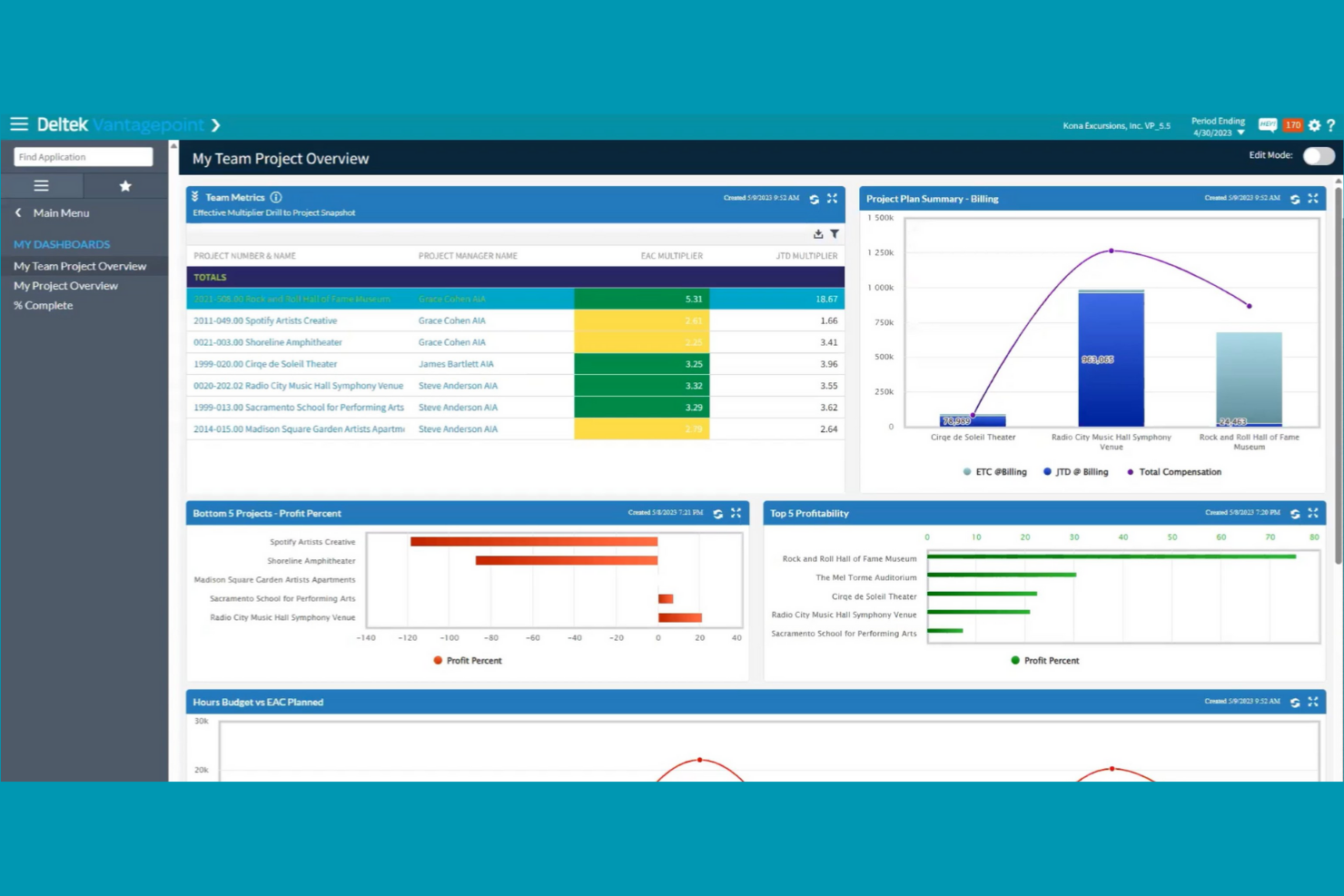
Deltek is purpose-built for firms that need to manage projects while meeting strict government contracting requirements. It’s especially relevant for professional services organizations working with federal, state, or local agencies that must follow compliance standards like DCAA or FAR. Deltek helps you handle project accounting, timekeeping, and reporting with features designed to support audit readiness and contract oversight.
Why I Picked Deltek
Unlike most project management platforms, Deltek is designed specifically to address the compliance needs of government contractors. I picked Deltek because it offers built-in support for DCAA audits, FAR regulations, and other government standards that professional services firms must follow when working with public sector clients.
Features like automated cost allocation and contract-specific reporting help teams stay audit-ready and avoid compliance pitfalls. For organizations that can’t afford to risk non-compliance, Deltek’s focus on regulatory requirements makes it a strong fit.
Deltek Key Features
In addition to its compliance-focused capabilities, Deltek offers several other features for professional services teams:
- Resource Planning: Allocate staff and track utilization across multiple projects.
- Integrated CRM: Manage client relationships and capture project opportunities within the same platform.
- Document Management: Store, organize, and control access to project files and contracts.
- Mobile Time and Expense Entry: Submit timesheets and expenses from any device.
Deltek Integrations
Integrations include tools such as Microsoft Project, QuickBooks, Salesforce, SAP, Oracle, IBM, Adobe, Google Workspace, Slack, and Trello.
Pros and Cons
Pros:
- Resource planning tools manage staffing across projects
- Automated cost allocation supports compliant project billing
- DCAA-compliant timekeeping supports government contract requirements
Cons:
- Customization often requires vendor support
- Reporting tools require specialized training

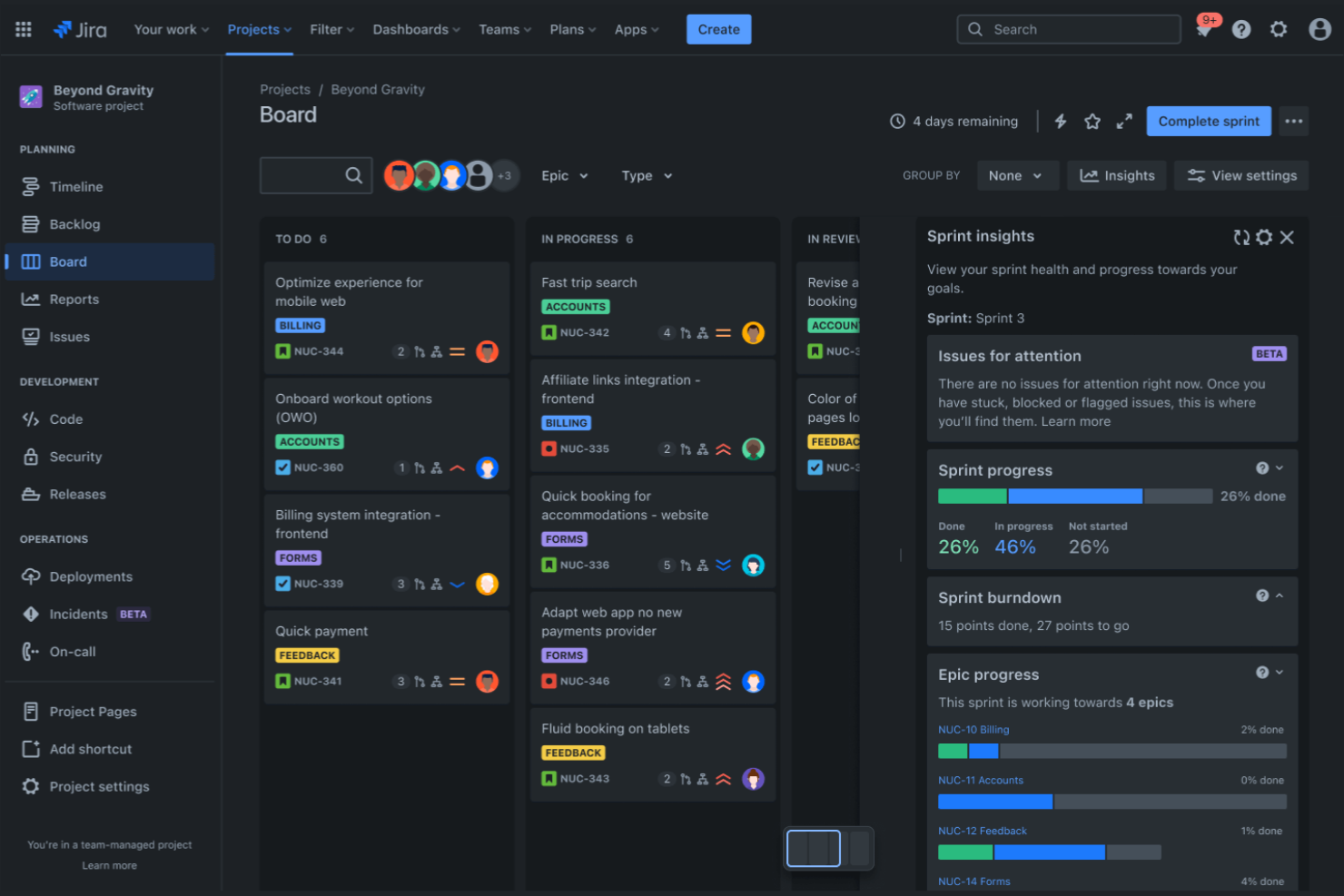
Jira brings together a suite of tools designed for teams that need deep integration with software development workflows. It’s a strong fit for IT consultancies, digital agencies, and professional services firms that manage technical projects alongside client deliverables. With features that connect project tracking, code repositories, and deployment pipelines, Jira helps you coordinate work across technical and non-technical teams.
Why I Picked Jira
What sets Jira apart is its ability to connect project management directly with software development tools. I picked Jira because it lets you link issues, tasks, and project milestones with code repositories and deployment pipelines.
Features like Jira’s Agile boards and Bitbucket’s code management help professional services teams keep technical and client-facing work in sync. For firms that deliver software or technical solutions, Jira’s ecosystem supports collaboration between project managers, developers, and stakeholders in one place.
Jira Key Features
Some other features that make Jira useful for professional services teams include:
- Advanced Permissions: Control access to projects, issues, and documentation at a granular level.
- Custom Workflows: Design and automate unique approval and task processes for each team or project.
- Knowledge Base Integration: Link project work to Confluence pages for easy documentation and reference.
- Time Tracking: Log and report on time spent across tasks and projects.
Jira Integrations
Integrations include Slack, GitHub, Microsoft Teams, Google Drive, Dropbox, Salesforce, Zoom, Trello, Asana, and GitLab.
Pros and Cons
Pros:
- Marketplace offers extensive add-ons for specialized workflows
- Issue linking connects development tasks to project milestones
- Agile boards support Scrum and Kanban project workflows
Cons:
- Email notifications can become overwhelming
- Reporting dashboards require manual setup


Scoro brings project management, billing, CRM, and reporting together in one platform for professional services teams. It’s a strong fit for agencies and consultancies that want to manage projects, finances, and client work without juggling multiple tools. Scoro helps you connect project delivery with business operations, so you can track everything from sales to invoicing in a single workspace.
Why I Picked Scoro
What sets Scoro apart is its ability to unify project management, billing, and CRM in one platform, making it a true all-in-one business management solution. I picked Scoro because it lets professional services teams handle project planning, time tracking, and invoicing without switching between different tools.
Features like built-in quoting and budgeting help you manage the entire client lifecycle, from sales to project delivery to billing. For teams that want to connect project work with business operations, Scoro’s integrated approach is especially valuable.
Scoro Key Features
Some other features that make Scoro useful for professional services teams include:
- Task Board View: Visualize and manage tasks using a drag-and-drop board layout.
- Calendar Integration: Sync project schedules and deadlines with Google Calendar and Outlook.
- Custom Dashboards: Build dashboards to track KPIs, project progress, and financial metrics.
- Automated Recurring Invoices: Set up and manage recurring billing for ongoing client work.
Scoro Integrations
Integrations include Google Calendar, Microsoft Exchange, QuickBooks, Xero, Stripe, Jira, HubSpot, Salesforce, Dropbox, and Zapier.
Pros and Cons
Pros:
- Custom dashboards track project and business performance metrics
- Built-in quoting and budgeting support project planning
- All-in-one platform connects project delivery and financial management
Cons:
- API access requires higher-tier plans
- Task dependency controls are limited for complex projects

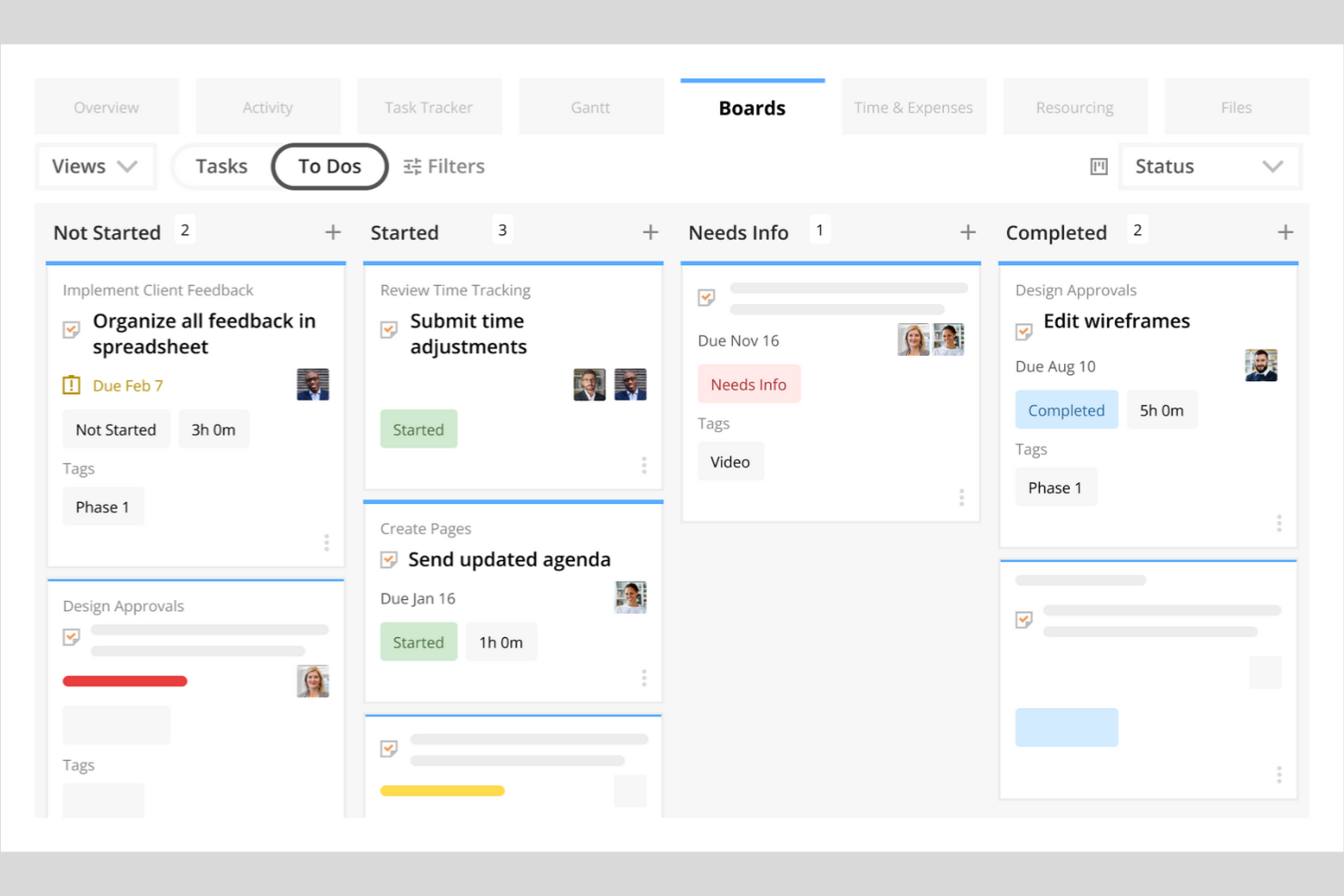
Kantata stands out for professional services organizations that need precise control over resource allocation and project staffing. It’s built for teams managing billable hours, shifting client demands, and complex project portfolios. With its advanced forecasting and utilization tools, Kantata helps you match the right people to the right projects and anticipate resourcing gaps before they impact delivery.
Why I Picked Kantata
Resource forecasting is a constant challenge for professional services teams, and Kantata addresses this with a level of accuracy that’s hard to match. I picked Kantata because its resource management engine lets you forecast demand, model different staffing scenarios, and visualize utilization rates across your entire portfolio.
The platform’s skills matching and capacity planning features help you assign the right people to the right projects, reducing both under- and over-allocation. For organizations where billable utilization and project staffing are business-critical, Kantata’s forecasting tools provide the visibility and control you need.
Kantata Key Features
Some other features that make Kantata valuable for professional services teams include:
- Project Accounting: Track budgets, expenses, and margins directly within each project workspace.
- Custom Reporting: Build and schedule tailored reports on project health, financials, and team performance.
- Client Collaboration Portal: Share project updates, files, and timelines with clients in a secure environment.
- Time and Expense Tracking: Capture billable hours and expenses at the task or project level for accurate invoicing.
Kantata Integrations
Integrations include Salesforce, Slack, Jira, HubSpot, Xero, QuickBooks, Expensify, Sage Intacct, Microsoft Teams, and Google Drive.
Pros and Cons
Pros:
- Project accounting tracks margins and project profitability
- Skills matching supports precise project staffing decisions
- Resource forecasting models future staffing demand
Cons:
- Interface changes can disrupt existing workflows
- Mobile app functionality is limited

Best for agency resource planning
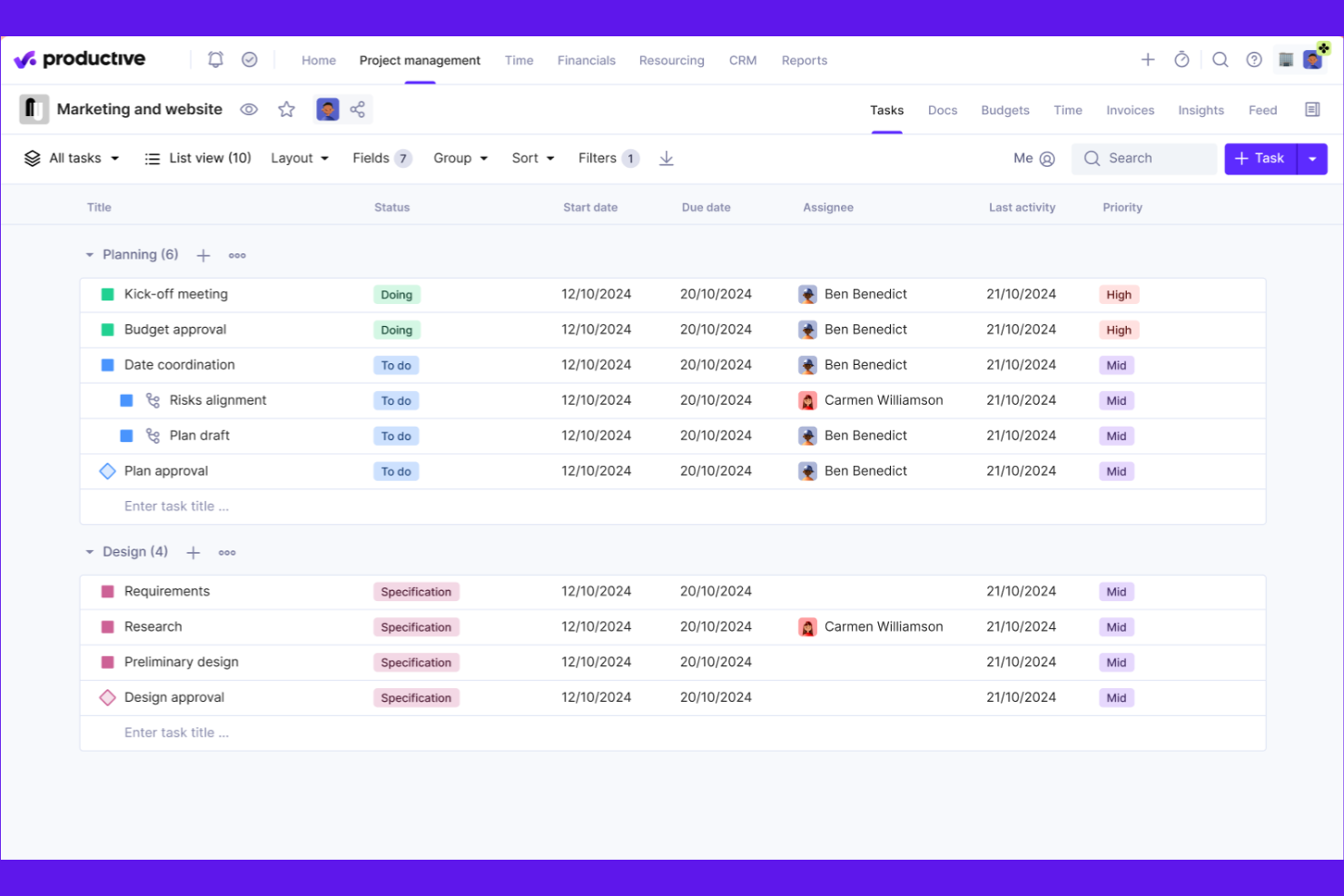
Productive is designed for agencies that need to manage resources, projects, and budgets in one place. It’s especially useful for teams balancing multiple client accounts and shifting workloads. With built-in forecasting and utilization tracking, Productive helps agencies optimize staffing and project delivery.
Why I Picked Productive
When it comes to agency resource planning, Productive offers a level of visibility and control that’s hard to match. I picked Productive because it combines resource scheduling, capacity planning, and real-time utilization tracking in one platform. The tool lets you forecast workloads, assign team members based on availability, and monitor billable hours across projects. This makes it easier for agencies to balance client demands, avoid overbooking, and keep projects on track.
Productive Key Features
In addition to its resource planning strengths, Productive offers several other features that support agency operations:
- Budget Management: Track project budgets, expenses, and profitability in real time.
- Client Portal: Share project updates, files, and invoices directly with clients.
- Custom Reporting: Build and schedule detailed reports on project and financial metrics.
- Task Collaboration: Assign tasks, set deadlines, and communicate with team members within each project.
Productive Integrations
Integrations include Jira, HubSpot, Xero, Google Calendar, Sage, Gmail, Microsoft Outlook, Slack, BugHerd, and QuickBooks.
Pros and Cons
Pros:
- Profitability tracking connects time, budgets, and expenses
- Forecasting tools improve resource planning accuracy
- Utilization dashboards visualize team workload in real time
Cons:
- Custom fields are limited on lower-tier plans
- No built-in Gantt chart for timeline planning
New Product Updates from Productive
Productive Adds Voice Dictation, Slack Connector, Proposals, and Overtime
Productive adds voice dictation, a Slack Connector, proposal controls, and overtime tracking. These updates support faster AI interactions, client proposals, and time management. For more information, visit Productive’s official site.

BigTime
Best for time and billing management

BigTime is built for professional services firms that need precise control over time tracking and billing. It’s especially useful for consultancies, accounting firms, and engineering teams that juggle multiple client projects and complex billing arrangements. With features for detailed timesheet entry, expense capture, and invoicing, BigTime helps you keep billable hours accurate and client billing transparent.
Why I Picked BigTime
When accurate time and billing management is a top priority, BigTime offers a focused solution for professional services teams. I picked BigTime because it lets you capture billable hours with detailed timesheets and automatically link them to client invoices.
The platform’s expense tracking tools help you manage reimbursable costs and keep project budgets on track. For firms that need to handle complex billing scenarios, BigTime’s flexible invoicing options make it easier to bill clients accurately and transparently.
BigTime Key Features
Some other features that make BigTime valuable for professional services teams include:
- Resource Allocation: Assign staff to projects based on availability and skill sets.
- Project Budgeting: Set and monitor project budgets to avoid overruns.
- Custom Reporting: Build tailored reports to analyze project and financial data.
- Workflow Automation: Automate approval processes for timesheets and expenses.
BigTime Integrations
Integrations include QuickBooks, Sage Intacct, Lacerte, Xero, NetSuite, Salesforce, HubSpot, Jira, BambooHR, and Zendesk.
Pros and Cons
Pros:
- Resource allocation dashboard visualizes staff availability
- Expense tracking connects directly to project invoices
- Detailed timesheets support accurate client billing
Cons:
- Project templates offer limited flexibility
- Gantt chart functionality is limited
Muita asiantuntijapalveluiden projektinhallintaohjelmistoja
Tässä on muutamia asiantuntijapalveluiden projektinhallintaohjelmistovaihtoehtoja, jotka eivät päässeet vertailulistalleni mutta joihin kannattaa silti tutustua:
- Wrike
For customizable workflow automation
- Workday
With enterprise HR and finance integration
- SAP
With advanced financial reporting
- Certinia
For Salesforce-native project operations
- Asana
For structured project planning with intuitive task management and workflow automation
- monday.com
For highly visual work management with customizable project workflows
- ClickUp
For consolidating project management, documents, and team collaboration in one platform


How I Evaluate Project Management Software for Professional Services
I evaluate every tool in two layers: the baseline it must clear—billing models, resource capacity, and project financials—and the differentiators that make it the right fit.
Core Functionality (Table Stakes For This List)
When I'm selecting tools for my list, I rank each one on a scale from 0 (does not offer the functionality) to 5 (excels in this area) for each core functionality listed below. Then, I calculate the tool's total score into a percentage. Each tool needs to achieve a minimum total score of 65% to be considered for inclusion.
- Project Accounting & Billing: I check whether a tool supports the billing models services firms actually use—time-and-materials, fixed-fee, retainers—and how invoicing ties to logged work.
- Time & Expense Tracking: Consultants and delivery staff need to log hours against specific clients and tasks, so I look for tracking that maps cleanly to billable engagements.
- Resource Management: Staffing the right people across overlapping client projects is a constant challenge, and I evaluate how each tool handles capacity views and allocation.
- Project Financial Forecasting: I look at how well a platform tracks budgets, margins, and projected revenue per engagement—especially as scope shifts mid-project.
- Client Project Delivery: Whether it's Gantt charts, kanban boards, or milestone tracking, I evaluate the toolset available for managing deliverables from kickoff through sign-off.
- Reporting & Analytics: Services leaders care about utilization rates and project profitability, so I look for reports that surface those KPIs without heavy manual setup.
Once I have a list of tools that meet the criteria, I consider what sets each platform apart.
Differentiating Factors (What Sets Vendors Apart)
Here's how I compare and contrast different vendors:
Standout Features
Skills and competency matching is a big differentiator—when you're staffing a new engagement, filtering by certifications, industry experience, or language skills saves hours of back-and-forth with resource managers. I also look at whether a platform offers client portals, since giving clients real-time visibility into project status cuts down on recurring status meetings. Revenue recognition automation matters too, especially for firms juggling mixed billing models across dozens of active engagements where manual tracking invites errors.
Beyond Features
Integration depth matters a lot here—I check whether a platform connects natively to accounting systems like QuickBooks or NetSuite, because broken financial sync between your PSA and general ledger creates reconciliation headaches at month-end. Firm size fit is another factor I weigh carefully, since a tool built for 20-person agencies often falls apart at 500 users, and enterprise platforms can overwhelm smaller teams. I also evaluate pricing transparency, particularly whether vendors offer role-based licensing so delivery staff aren't paying the same rate as project leads.
Näin valitset asiantuntijapalveluiden projektinhallintaohjelmiston
Pitkiin ominaisuusluetteloihin ja monimutkaisiin hinnoittelurakenteisiin on helppo juuttua. Jotta voit keskittyä työskennellessäsi ainutlaatuiseen ohjelmistonvalintaprosessiisi, tässä on tarkistuslista tekijöistä, jotka kannattaa pitää mielessä:
| Tekijä | Huomioitavaa |
|---|---|
| Skaalautuvuus | Tukeeko ohjelmisto tiimisi kokoa ja projektien määrää organisaatiosi kasvaessa? Tarkista käyttäjärajat, projektien enimmäismäärät ja tarpeidesi kasvaessa tapahtuvat hinnankorotukset. |
| Integraatiot | Muodostaako se natiivisti yhteyden keskeisiin järjestelmiisi (CRM, taloushallinto, henkilöstöhallinto, asiakirjahallinta)? Puutteet tällä alueella voivat aiheuttaa manuaalista työtä ja tietosiiloja. |
| Mukautettavuus | Voitko mukauttaa työnkulkuja, kenttiä ja käyttöoikeuksia vastaamaan yrityksesi prosesseja? Jäykät työkalut voivat pakottaa sinut muuttamaan tiimisi työskentelytapoja. |
| Helppokäyttöisyys | Omaksuuko tiimisi sen nopeasti? Etsi selkeää navigointia, vähäisiä koulutusvaatimuksia ja käyttöliittymää, joka vastaa tiimisi teknistä osaamistasoa. |
| Käyttöönotto ja perehdytys | Kuinka kauan käyttöönottoon ja toiminnan aloittamiseen kuluu? Huomioi migraatiotuki, tietojen tuontityökalut sekä perehdytysresurssien tai -palveluiden saatavuus. |
| Kustannukset | Ovatko hinnoittelutasot läpinäkyviä ja ennakoitavia toiminnan laajentuessa? Kiinnitä huomiota piilomaksuihin, pakollisiin lisäosiin tai vähimmäissopimuskausiin, jotka voivat vaikuttaa sijoitetun pääoman tuottoon. |
| Tietoturvatoimet | Täyttääkö työkalu tietosuoja- ja tietoturvastandardisi? Etsi salausta, käyttöoikeuksien hallintaa, auditointilokeja ja asiaankuuluvien säädösten noudattamista. |
| Tuen saatavuus | Mitä tukikanavia on tarjolla ja mihin aikaan? Harkitse, tarvitsetko ympärivuorokautista apua, nimetyn asiakkuudenhallinnan tai itsepalveluresursseja. |
Mitä asiantuntijapalveluiden projektinhallintaohjelmisto on?
Asiantuntijapalveluiden projektinhallintaohjelmisto on digitaalinen alusta, jonka avulla palvelupohjaiset organisaatiot voivat suunnitella, seurata ja toteuttaa asiakasprojekteja sekä hallita resursseja, budjetteja ja aikatauluja. Nämä ohjelmistoratkaisut yhdistävät projektisuunnittelun, taloushallinnon ja tiimityön yhteen järjestelmään, jotta yritykset voivat koordinoida työtä tehokkaammin.
Erillisten työkalujen tai manuaalisten prosessien sijaan asiantuntijapalvelutiimit voivat hallita projekteja alusta loppuun ja seurata samalla resurssien kohdentamista, projektien kannattavuutta ja asiakkaalle toimitettavia kokonaisuuksia. Parempi näkyvyys työkuormiin ja edistymiseen auttaa organisaatioita tekemään perusteltuja päätöksiä, tukemaan tiimityötä ja mukauttamaan työnkulkuja kunkin projektin erityistarpeisiin.
Ominaisuudet
Kun valitset asiantuntijapalveluiden projektinhallintaohjelmistoa, kiinnitä huomiota seuraaviin keskeisiin ominaisuuksiin:
- Projektin suunnittelu ja aikataulutus: Luo aikatauluja, määritä virstanpylväitä ja kartoita riippuvuuksia selkeän etenemissuunnitelman laatimiseksi projektin toteutusta varten useissa tiimeissä.
- Resurssienhallinta: Kohdenna tiimin jäsenet taitojen, saatavuuden ja työkuorman perusteella, jotta projektit pysyvät tasapainossa ja asiantuntijapalvelutiimit voivat täyttää asiakaslupauksensa.
- Ajanseuranta: Kirjaa laskutettavat ja ei-laskutettavat tunnit suoraan alustalla tarkan laskutuksen tukemiseksi ja projektien kannattavuuden seuraamiseksi.
- Budjetointi ja kulujen seuranta: Seuraa projektien budjetteja, kuluja ja taloudellista suorituskykyä yhdistääksesi toteutustyön taloushallintoon ja ylläpitääksesi kannattavuutta.
- Asiakaslaskutus ja laskujen luominen: Luo helppokäyttöisiä laskuja seurattujen tuntien, toimitettavien kokonaisuuksien tai virstanpylväiden perusteella ja pidä taloustiedot yhteydessä projektin toimintaan.
- Kanban-taulut: Järjestä tehtävät visuaalisesti Kanban-taulujen avulla, jotta tiimit voivat hallita työprosesseja ja seurata projektien edistymistä helpommin.
- Tekoälypohjainen työnkulkujen automatisointi: Monet työkalut automatisoivat nykyään työnkulkuja tehtävien hyväksyntöjä, tilapäivityksiä ja ilmoituksia varten, jotta tiimit voivat vähentää manuaalista työtä ja pitää projektit etenemässä.
- Raportointi ja analytiikka: Luo raportteja projektien edistymisestä, tiimien käyttöasteesta ja taloudellisista mittareista paremman päätöksenteon tukemiseksi asiantuntijapalvelutiimeissä.
- Yhteistyötyökalut: Mahdollista tiimityö jaetuilla työtiloilla, tehtäväkommenteilla ja tiedostojen jakamisella, jotta sidosryhmät pysyvät ajan tasalla koko projektin elinkaaren ajan.
- ERP-integraatiot: Yhdistä projektinhallinta ERP-järjestelmiin, jotta projektitiedot voidaan sovittaa yhteen taloushallinnon ja laajemman liiketoiminnan kanssa.
Hyödyt
Asiantuntijapalveluiden projektinhallintaohjelmiston käyttöönotto tarjoaa useita hyötyjä tiimillesi ja liiketoiminnallesi. Tässä muutamia hyötyjä, joita voit odottaa:
- Keskitetty projektien näkyvyys: Käytä kaikkia projektien aikatauluja, budjetteja ja tuotoksia yhdessä paikassa, mikä helpottaa edistymisen seurantaa ja ongelmien havaitsemista varhaisessa vaiheessa.
- Parannettu resurssien kohdentaminen: Määritä tiimin jäsenet reaaliaikaisen saatavuuden ja osaamisen perusteella, mikä vähentää pullonkauloja ja ylibuukkausta.
- Tarkka työajan ja kulujen seuranta: Kirjaa laskutettavat työtunnit ja projektikustannukset suoraan alustalle, mikä tukee täsmällistä laskutusta ja kannattavuusanalyysiä.
- Sujuvoitettu asiakaslaskutus: Automatisoi laskujen luominen ja laskutusjaksot seurattujen työtuntien, virstanpylväiden tai tuotosten avulla, mikä vähentää manuaalista työtä ja virheitä.
- Tehostettu yhteistyö: Jaa asiakirjoja, päivityksiä ja palautetta alustalla, jotta kaikki pysyvät ajan tasalla ja työskentelevät yhteisen suunnan mukaisesti koko projektin elinkaaren ajan.
- Mukautettavat työnkulut: Mukauta hyväksymisprosesseja ja tehtävien siirtoja vastaamaan yrityksesi ainutlaatuisia projektien toimitustapoja, mikä parantaa tehokkuutta ja vastuullisuutta.
- Tietoon perustuva päätöksenteko: Hyödynnä sisäänrakennettua raportointia ja analytiikkaa projektien suorituskyvyn, resurssien käytön ja taloudellisten tulosten arviointiin, mikä tukee parempia liiketoimintapäätöksiä.
Kustannukset ja hinnoittelu
Asiantuntijapalveluihin tarkoitetun projektinhallintaohjelmiston valinta edellyttää saatavilla olevien erilaisten hinnoittelumallien ja suunnitelmien ymmärtämistä. Kustannukset vaihtelevat ominaisuuksien, tiimin koon, lisäosien ja muiden tekijöiden perusteella. Alla oleva taulukko sisältää yhteenvedon yleisistä suunnitelmista, niiden keskimääräisistä hinnoista ja asiantuntijapalveluiden projektinhallintaohjelmistoratkaisuihin tyypillisesti sisältyvistä ominaisuuksista:
Asiantuntijapalveluiden projektinhallintaohjelmistojen suunnitelmien vertailutaulukko
| Suunnitelman tyyppi | Keskimääräinen hinta | Yleiset ominaisuudet |
|---|---|---|
| Ilmainen suunnitelma | $0 | Tehtävienhallinnan perusominaisuudet, rajallinen määrä käyttäjiä, yksinkertainen projektien seuranta ja perusraportointi. |
| Henkilökohtainen suunnitelma | $5-$15/käyttäjä/kuukausi | Tehtävien osoittaminen, kalenteriin integrointi, rajoitettu työajan seuranta ja asiakirjojen perusjakaminen. |
| Yrityssuunnitelma | $20-$40/käyttäjä/kuukausi | Edistynyt projektien suunnittelu, resurssienhallinta, työajan ja kulujen seuranta, asiakaslaskutus ja mukautetut työnkulut. |
| Suuryrityssuunnitelma | $50-$100/käyttäjä/kuukausi | Edistynyt tietoturva, mukautetut integraatiot, oma tukipalvelu, edistynyt analytiikka ja vaatimustenmukaisuuden hallinta. |
Projektinhallintaohjelmisto asiantuntijapalveluille – usein kysytyt kysymykset
Tässä on vastauksia yleisiin asiantuntijapalveluiden projektinhallintaohjelmistoa koskeviin kysymyksiin:
Miten asiantuntijapalveluiden projektinhallintaohjelmisto eroaa yleisistä projektinhallintatyökaluista?
Asiantuntijapalveluiden projektinhallintaohjelmisto sisältää asiakastyöhön mukautettuja ominaisuuksia, kuten ajanseurannan, laskutuksen ja resurssienhallinnan. Näiden työkalujen avulla palvelupohjaiset tiimit voivat hallita asiakasprojekteja, seurata laskutettavia työtunteja ja hoitaa laskutusta. Yleiset projektinhallintatyökalut eivät aina sisällä näitä ominaisuuksia.
Voiko asiantuntijapalveluiden projektinhallintaohjelmiston integroida taloushallinto- tai CRM-järjestelmiin?
Kyllä, useimmat asiantuntijapalveluiden projektinhallintaohjelmistot tarjoavat integraatioita suosittuihin taloushallinto- ja CRM-järjestelmiin. Näin voit synkronoida asiakastietoja, automatisoida laskutuksen ja yhdistää projektien toiminnan taloustietoihin, mikä vähentää manuaalista tietojen syöttämistä ja parantaa tarkkuutta.
Mitä pitäisi ottaa huomioon siirryttäessä laskentataulukoista asiantuntijapalveluiden projektinhallintaohjelmistoon?
Aloita kartoittamalla nykyiset työnkulut ja tietokentät uutta järjestelmää varten. Etsi tuontityökaluja, käyttöönoton tukea ja koulutusmateriaaleja, jotka auttavat tiimiäsi siirtymään sujuvasti uuteen järjestelmään. Suunnittele vaiheittainen käyttöönotto ja varaa aikaa käyttäjäkoulutukseen sekä prosessien mukauttamiseen.
Onko näillä työkaluilla mahdollista hallita useita asiakkaita ja projekteja samanaikaisesti?
Kyllä, asiantuntijapalveluiden projektinhallintaohjelmisto on suunniteltu useiden asiakkaiden ja projektien samanaikaiseen hallintaan. Voit määrittää erillisiä työtiloja, nimetä tiimejä ja seurata jokaisen asiakkaan tai projektin edistymistä, budjetteja ja laskutusta samalla alustalla.
Miten nämä työkalut auttavat resurssien kohdentamisessa ja kapasiteetin suunnittelussa?
Nämä työkalut tarjoavat koontinäyttöjä ja raportteja, jotka näyttävät tiimin saatavuuden, työkuorman ja projektitehtävät. Voit ennustaa resurssitarpeita, välttää ylibuukkausta ja muuttaa tehtävien jakoa reaaliajassa, jotta projektit pysyvät aikataulussa ja tiimien työkuorma tasapainossa.