

Las 10 mejores alternativas a Milanote para la planificación visual en 2026

Lista de las mejores alternativas a Milanote


Gestionar proyectos puede ser todo un desafío, ya que compaginar los plazos de entrega, la coordinación del equipo y un sinfín de tareas puede hacer que te sientas abrumado. Los programas de productividad, como Milanote, pueden ayudarte, pero quizá no cubran todas tus necesidades.
Tal vez necesites mejores herramientas de colaboración o una gestión de tareas más flexible. Sea cual sea el motivo, encontrar el programa adecuado puede transformar tu forma de trabajar.
He probado y analizado varias alternativas a Milanote para ayudarte a tomar una decisión informada. Mi objetivo es ofrecerte información imparcial sobre herramientas que podrían adaptarse mejor a las necesidades de tu equipo.
En este artículo encontrarás una lista bien documentada de las principales alternativas a Milanote, junto con sus características únicas. Veamos algunas opciones que podrían ser justo lo que estás buscando.
¿Qué es Milanote?
Milanote es un programa de productividad diseñado para ayudar a los profesionales creativos a organizar visualmente sus proyectos. Lo utilizan habitualmente diseñadores, escritores y especialistas en marketing que necesitan una herramienta flexible para hacer lluvias de ideas y planificar. Los tableros de arrastrar y soltar, los paneles de inspiración y las funciones para tomar notas ayudan a organizar proyectos, compartir ideas y colaborar en equipo. En general, Milanote es un espacio de trabajo visual que se utiliza para mantener organizados los proyectos y las ideas.
Tabla comparativa de alternativas a Milanote
Esta tabla comparativa resume los detalles de precios de mis principales alternativas a Milanote:
| Tool | Best For | Trial Info | Price | ||
|---|---|---|---|---|---|
| 1 | Ideal para la colaboración sencilla en equipo | Plan gratuito disponible | Desde $6/usuario/mes (facturado anualmente) | Website | |
| 2 | Ideal para la gestión flexible de tareas | Prueba gratuita de 14 días | Desde $5/usuario/mes (facturado anualmente) | Website | |
| 3 | Ideal para la integración con Microsoft | Demostración gratuita + plan gratuito disponible | Desde $9.99/usuario/mes (facturado anualmente) | Website | |
| 4 | La mejor opción para tomar notas de forma avanzada | Plan gratuito disponible | Desde $8.33/mes (facturado anualmente) | Website | |
| 5 | La mejor opción para herramientas de productividad integradas | Plan gratuito + demostración gratuita disponible | Desde $7/usuario/mes (facturado anualmente) | Website | |
| 6 | Ideal para la gestión de proyectos complejos | Plan gratuito disponible | Desde $10.99/usuario/mes (facturado anualmente) | Website | |
| 7 | Ideal para lluvias de ideas con IA | Plan gratuito disponible | Desde $6.75/usuario/mes (facturado anualmente) | Website | |
| 8 | Ideal para la gestión del conocimiento | Prueba gratuita de 14 días + plan gratuito disponible | Desde $9.99/mes (facturado anualmente) | Website | |
| 9 | Ideal para crear rápidamente tableros de inspiración | Prueba gratuita de 7 días disponible | A partir de $11.99/mes (facturado anualmente) | Website | |
| 10 | Ideal para herramientas de toma de notas visual | Plan gratuito + garantía de devolución del dinero de 30 días disponible | Desde $99/licencia | Website |
Por qué confiar en nuestras recomendaciones de software
Nuestro equipo lleva probando y evaluando software desde 2012. Como gestores de proyectos, sabemos lo difícil —y lo importante— que es elegir el software adecuado.
Para esta guía, evaluamos las herramientas mediante pruebas prácticas e investigación independiente, puntuando las herramientas según nuestros criterios de selección. También nos basamos en la experiencia de líderes de opinión del sector y de profesionales en activo de la gestión de proyectos.
Nuestras reseñas reflejan nuestro criterio editorial humano, no un discurso de ventas.
Revisores expertos:
Análisis de las mejores alternativas a Milanote
A continuación encontrarás mis resúmenes detallados de las mejores alternativas a Milanote que han entrado en mi lista. En mis análisis examino en profundidad las características principales, las ventajas y desventajas, las integraciones y los casos de uso ideales de cada herramienta para ayudarte a encontrar la mejor opción para ti.

Nuclino
Ideal para la colaboración sencilla en equipo
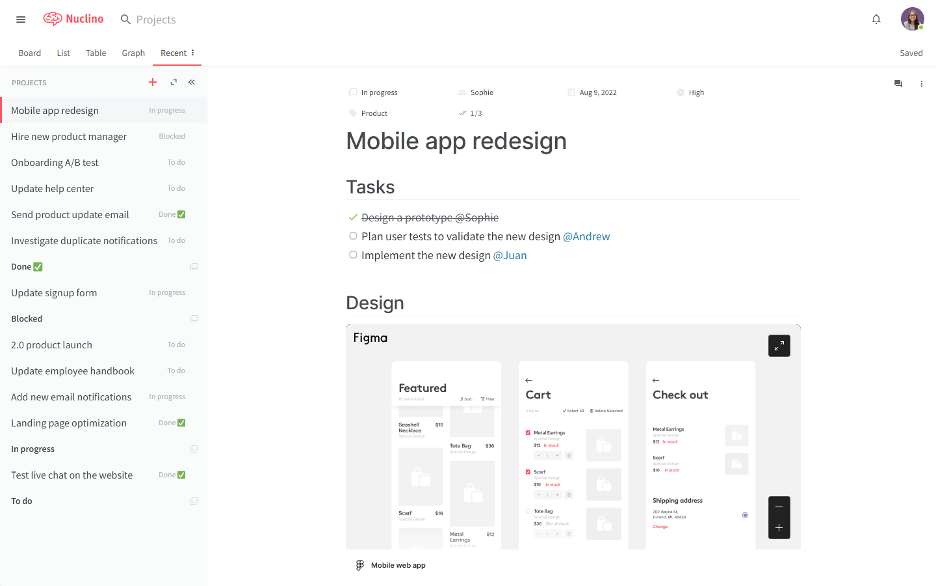
Nuclino es un espacio de trabajo colaborativo diseñado para que los equipos organicen sus conocimientos, gestionen proyectos y compartan ideas en una única plataforma. Es adecuado para equipos que buscan una forma sencilla y rápida de colaborar en proyectos sin complicaciones.
Por qué es una buena alternativa a Milanote: Nuclino ofrece una interfaz sencilla e intuitiva cuyo objetivo es simplificar la colaboración en equipo. Sus documentos colaborativos en tiempo real y sus herramientas de organización fáciles de usar permiten una configuración rápida y requieren una curva de aprendizaje mínima. Nuclino proporciona un espacio unificado para la colaboración basada en texto y el intercambio de conocimientos, y es adecuado para equipos que priorizan la simplicidad y la rapidez en sus flujos de trabajo.
Características e integraciones destacadas:
Características incluyen funciones de comunicación asíncrona, como menús de actividad y comentarios, además de la posibilidad de trabajar juntos en documentos en tiempo real. La plataforma admite vistas de lista, tablero, tabla y gráfico, lo que ofrece flexibilidad para organizar la información. Además, proporciona un editor sin distracciones que mantiene la atención centrada en la creación de contenido.
Integraciones incluyen Slack, Google Drive, Dropbox, Microsoft OneDrive, Box, Google Calendar y más.
Pros and Cons
Pros:
- Espacio de trabajo de escritura limpio
- Poca fricción para el equipo
- Centro de conocimiento ligero
Cons:
- Libertad de diseño limitada
- Pocos controles de automatización

Trello
Ideal para la gestión flexible de tareas
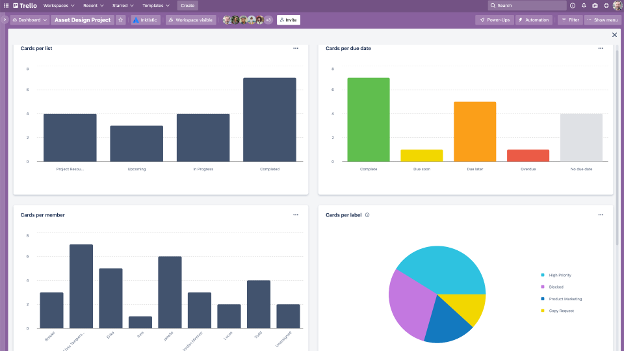
Trello es una herramienta visual de gestión de proyectos que ayuda a los equipos a organizar tareas mediante tableros, listas y tarjetas. Está diseñada para equipos que necesitan una forma flexible e intuitiva de gestionar proyectos y colaborar de manera eficiente.
Por qué es una buena alternativa a Milanote: Trello ofrece un sistema flexible de gestión de tareas diseñado para adaptarse a diversos flujos de trabajo. Su sistema de tableros y tarjetas permite visualizar tareas y proyectos de una manera fácil de comprender. También proporciona flujos de trabajo personalizables y automatización de tareas.
Funciones e integraciones destacadas:
Las funciones incluyen tableros visuales personalizables que permiten a tu equipo organizar las tareas de una manera que se adapte a su flujo de trabajo. El sistema de tarjetas permite añadir detalles, comentarios y archivos adjuntos a cada tarea, lo que garantiza que todo esté en un solo lugar. Trello también ofrece la posibilidad de crear reglas y comandos para automatizar acciones de proyectos, mensajería y gestión de tickets.
Las integraciones incluyen Slack Power-Up, Google Calendar, Jira, Toggl y más.
Pros and Cons
Pros:
- Configuración rápida de tareas
- Seguimiento visual del progreso de los proyectos
- Capacidades de automatización flexibles
Cons:
- No cuenta con lógica nativa de dependencias
- El crecimiento puede provocar desorden

Mural
Ideal para la integración con Microsoft
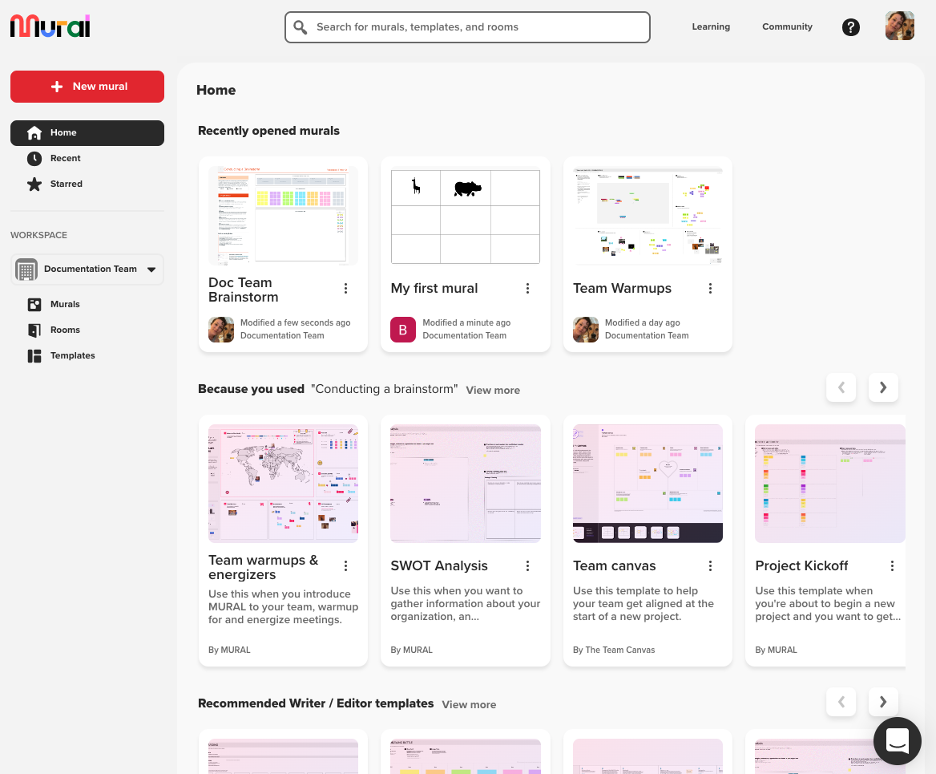
Mural es un espacio de trabajo digital para la colaboración visual compatible con Microsoft 365. Está diseñado para equipos de diseño e innovación que dependen de la lluvia de ideas y la planificación interactiva para mejorar la creatividad y el trabajo en equipo.
Por qué es una buena alternativa a Milanote: Mural ofrece una plataforma dinámica para la colaboración visual, por lo que resulta adecuada para equipos que necesitan pizarras interactivas y herramientas de lluvia de ideas. Sus notas adhesivas, herramientas de dibujo y plantillas pueden ayudar a mejorar los flujos de trabajo.
Funciones e integraciones destacadas:
Las funciones incluyen un lienzo infinito donde tu equipo puede colaborar en tiempo real, mejorando las sesiones de lluvia de ideas. La herramienta ofrece una sólida integración con el ecosistema de Microsoft para que puedas unificar tu flujo de trabajo. Mural también proporciona funciones de votación y temporizador para facilitar la toma de decisiones durante las reuniones.
Las integraciones incluyen Microsoft Teams, Slack, Zoom, Jira, Google Workspace, Dropbox y muchas más.
Pros and Cons
Pros:
- Lluvia de ideas grupal en directo
- Pizarras de gran escala
- Sólido respaldo del ecosistema de Microsoft
Cons:
- Control de versiones limitado
- El ruido visual puede acumularse rápidamente

Evernote
La mejor opción para tomar notas de forma avanzada
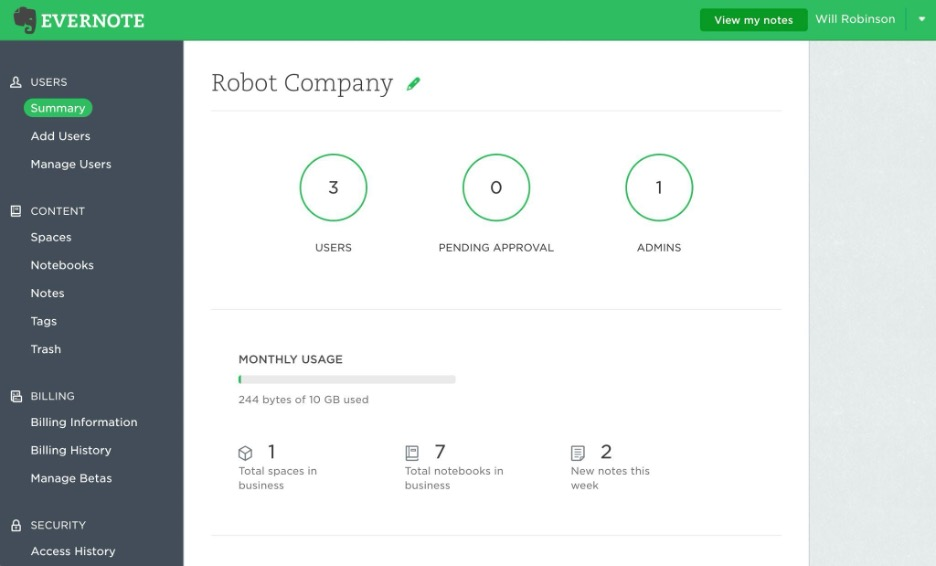
Evernote es una aplicación versátil para tomar notas, diseñada para personas y equipos que necesitan organizar notas, tareas y calendarios en un solo lugar. Es una opción popular para profesionales que valoran las capacidades avanzadas de búsqueda y el fácil acceso a la información.
Por qué es una buena alternativa a Milanote: Evernote destaca por sus funciones avanzadas para tomar notas, lo que la convierte en una excelente opción para usuarios que necesitan algo más que la creación de mapas visuales de proyectos. Sus plantillas de notas listas para usar, listas de tareas pendientes y funcionalidades de IA permiten capturar y organizar información detallada. A diferencia de Milanote, Evernote se centra en los datos basados en texto y la gestión de tareas.
Funciones e integraciones destacadas:
Las funciones incluyen el recorte web, que permite guardar artículos, imágenes y archivos PDF directamente en las notas. La aplicación ofrece capacidades avanzadas de búsqueda, lo que permite encontrar rápidamente referencias dentro de las notas. Además, la función de escaneo de documentos de Evernote ayuda a digitalizar y gestionar documentos en papel.
Las integraciones incluyen Google Drive, Slack, Microsoft Teams, Outlook, Google Calendar y más.
Pros and Cons
Pros:
- Gran precisión en las búsquedas
- Potente captura de documentos
- Almacenamiento de notas a largo plazo
Cons:
- Escalabilidad más lenta de los blocs de notas
- Limitaciones en el control de exportación

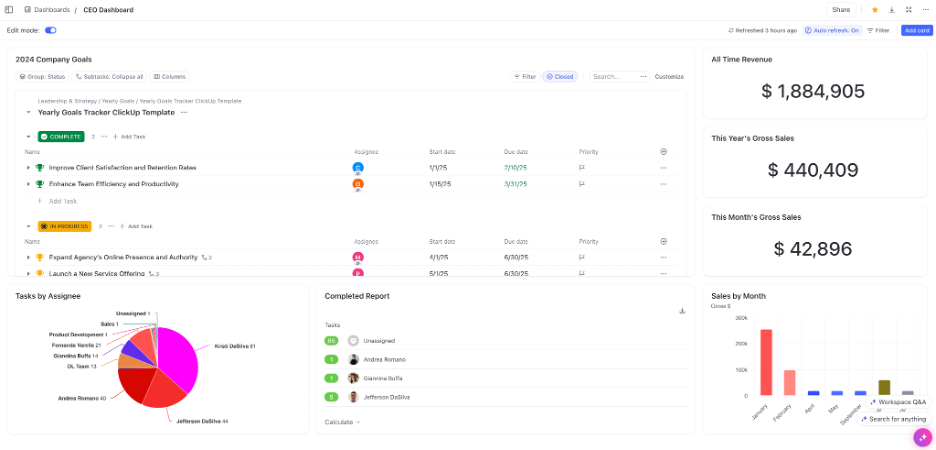
ClickUp es una herramienta versátil de gestión de proyectos y productividad que utilizan equipos de diversos sectores para planificar, realizar un seguimiento y colaborar en proyectos. Está dirigida a empresas que necesitan una plataforma centralizada para integrar tareas, documentos, objetivos y gestión del tiempo.
Por qué es una buena alternativa a Milanote: ClickUp ofrece un conjunto integral de herramientas de productividad que proporciona mucho más que una simple organización visual. Sus funciones de gestión de tareas, edición de documentos y seguimiento del tiempo están diseñadas para mejorar la productividad del equipo. Proporciona un entorno estructurado para gestionar múltiples aspectos de los proyectos.
Funciones e integraciones destacadas:
Las funciones incluyen la automatización de tareas, que puede ahorrar tiempo a tu equipo al automatizar tareas repetitivas. La plataforma proporciona plantillas de listas de comprobación y paneles personalizables, lo que te permite adaptar la interfaz a las necesidades de tu proyecto. ClickUp también ofrece seguimiento de objetivos para ayudar a tu equipo a mantenerse centrado en los objetivos del proyecto.
Las integraciones incluyen Slack, Google Drive, Dropbox, Microsoft Teams, Zoom, GitHub y más.
Pros and Cons
Pros:
- Amplia selección de integraciones
- Sólido motor de automatización
- Potentes capacidades de generación de informes
Cons:
- Proceso de configuración complejo
- Posible confusión por la proliferación de funciones

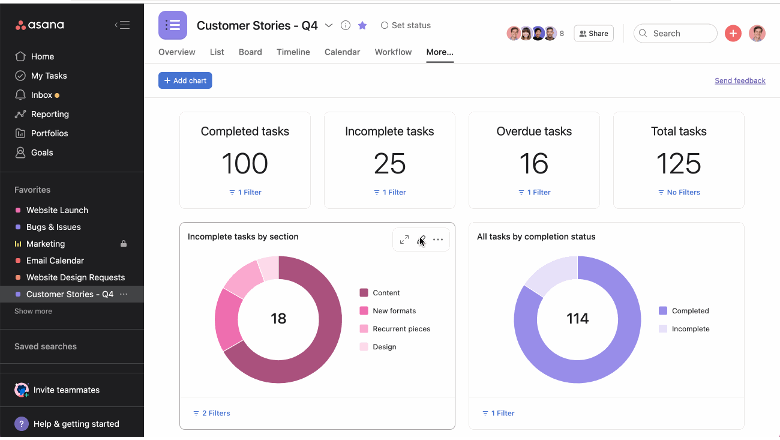
Asana es una herramienta de gestión de proyectos diseñada para ayudar a los equipos a organizar, supervisar y gestionar su trabajo. Es la opción preferida de las empresas que necesitan amplias capacidades de planificación de proyectos y gestión de tareas.
Por qué es una buena alternativa a Milanote: Asana ofrece una variedad de funciones de gestión de proyectos que se adaptan a flujos de trabajo estructurados y proyectos complejos. Sus dependencias de tareas, cronogramas y funciones de seguimiento de proyectos proporcionan una visión detallada del progreso.
Funciones e integraciones destacadas:
Las funciones incluyen una vista de cronograma en tiempo real, que te ayuda a visualizar los planes y las fechas límite de los proyectos. Asana también ofrece campos personalizados, lo que te permite adaptar la plataforma a las necesidades específicas de tu proyecto.
Las integraciones incluyen Slack, Microsoft Teams, Google Drive, Dropbox, Salesforce, Zoom y más.
Pros and Cons
Pros:
- Gestión sólida de dependencias
- Vistas claras de la carga de trabajo
- Estructura de flujo de trabajo consolidada
Cons:
- Límites en la anidación de tareas para organizaciones grandes
- El precio y la estructura de funciones pueden generar una carga adicional para los equipos pequeños

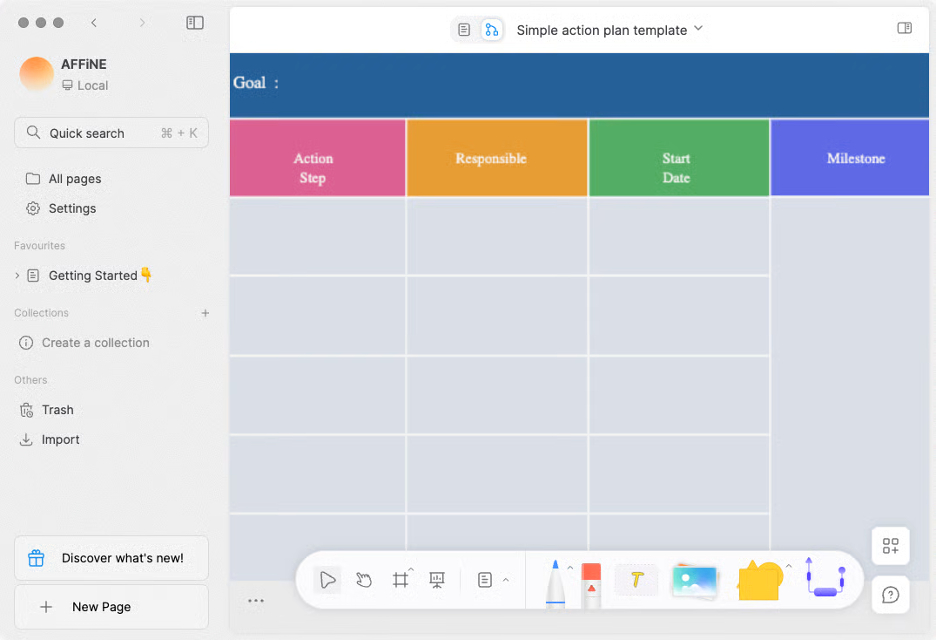
AFFiNE es un espacio de trabajo versátil para la gestión del conocimiento que combina documentos, pizarras, bases de datos y un asistente impulsado por IA en una sola aplicación. Está dirigido a personas o equipos que buscan un espacio flexible para tomar notas, realizar lluvias de ideas visuales, crear contenido y planificar proyectos.
Por qué es una buena alternativa a Milanote: AFFiNE ofrece un espacio de trabajo asistido por IA en el que puedes escribir, dibujar, planificar o diseñar. Sus funciones de IA te permiten generar contenido, perfeccionar el tono y la gramática, y convertir rápidamente notas en textos pulidos o esquemas estructurados. La plataforma combina la creación libre en una pizarra tipo lienzo con la edición tradicional de documentos, por lo que no tienes que alternar entre aplicaciones independientes.
Funciones e integraciones destacadas:
Las funciones incluyen una pizarra infinita (lienzo sin bordes) para realizar lluvias de ideas visuales, colaboración en tiempo real en espacios de trabajo en la nube o locales, y un asistente de IA integrado que puede ayudarte a escribir, resumir y convertir ideas en textos o presentaciones. También está disponible como aplicación móvil para acceder a tus proyectos desde cualquier lugar.
Las integraciones no se enumeran públicamente.
Pros and Cons
Pros:
- Escritura en lienzo híbrido
- Control local prioritario
- Redacción asistida por IA
Cons:
- La interfaz híbrida puede resultar compleja
- Las funciones aún están en desarrollo

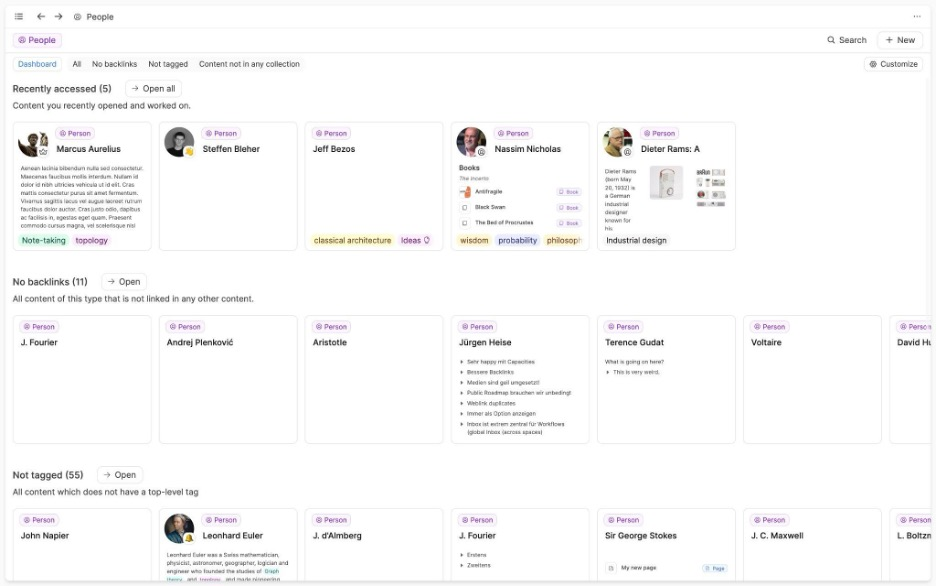
Capacities es un software único diseñado para mejorar el pensamiento creativo, ya que permite a los usuarios interactuar con sus notas como objetos en lugar de archivos tradicionales. Está pensado para escritores, investigadores y desarrolladores que buscan un enfoque interconectado para la gestión del conocimiento.
Por qué es una buena alternativa a Milanote: Capacities ofrece un entorno creativo de mapas mentales que te ayuda a visualizar y conectar distintos elementos, como ideas y libros. Este enfoque fomenta el desarrollo creativo y te permite profundizar en la comprensión de tus proyectos. Es adecuado para usuarios que quieren liberarse de los métodos convencionales de toma de notas y adoptar un flujo de trabajo más intuitivo.
Funciones e integraciones destacadas:
Las funciones incluyen un espacio de trabajo interactivo donde puedes conectar y organizar visualmente tus ideas, así como una interfaz intuitiva para crear un archivo central de tus notas y recursos.
Las integraciones incluyen Google Calendar, Readwise y más.
Pros and Cons
Pros:
- Organización intuitiva basada en objetos
- Interfaz de escritura sencilla
- Potentes funciones de etiquetado y vinculación
Cons:
- Diseñado para uso individual
- Carece de compatibilidad con flujos de trabajo empresariales

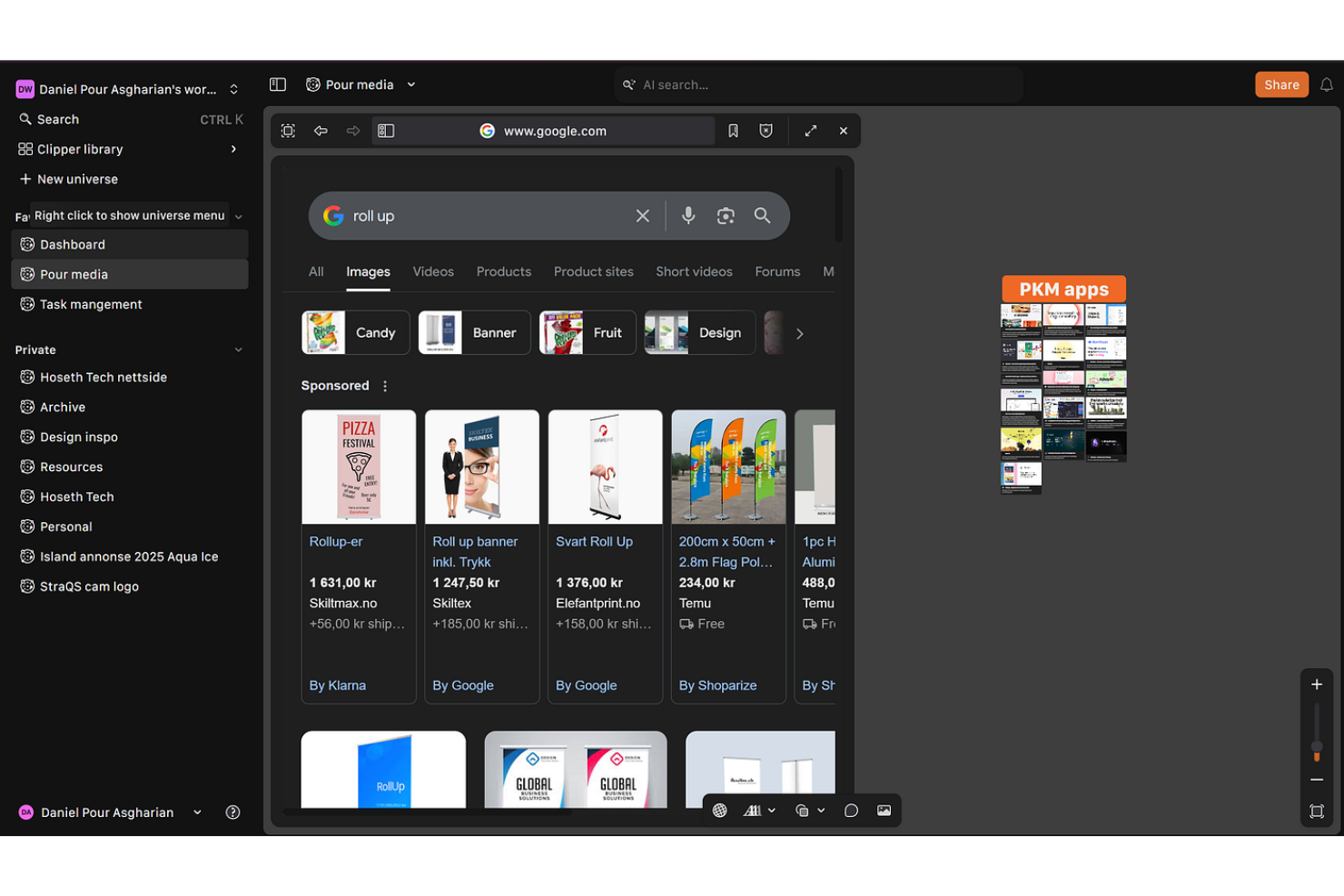
Kosmik es una herramienta digital diseñada para ayudar a los profesionales creativos a organizar y visualizar proyectos mediante tableros de inspiración y espacios interactivos. Se utiliza principalmente para diseñadores y artistas que necesitan una plataforma flexible para intercambiar ideas y desarrollarlas.
Por qué es una buena alternativa a Milanote: Kosmik ofrece una interfaz intuitiva para crear rápidamente tableros de inspiración, lo que la convierte en una opción adecuada para creativos que necesitan visualizar ideas en cualquier momento. Su funcionalidad de arrastrar y soltar permite reunir y reorganizar elementos fácilmente. A diferencia de Milanote, que ofrece funciones más amplias de gestión de proyectos, Kosmik se centra en la creación de contenido visual.
Características destacadas e integraciones:
Características incluyen un lienzo personalizable que permite a tu equipo crear proyectos visuales e insertar videos sin restricciones. La herramienta admite la colaboración en tiempo real, lo que permite a los miembros del equipo trabajar juntos desde distintas ubicaciones. Kosmik también ofrece una extensión para recortar contenido de la web, que se puede utilizar para recortar texto, guardar páginas como marcadores y guardar imágenes con información de origen para impulsar tu proceso creativo.
Integraciones no aparecen públicamente.
Pros and Cons
Pros:
- Tableros de inspiración visuales rápidos
- Desplazamiento fluido con arrastre
- Libertad para diseñar la disposición
Cons:
- No ofrece un seguimiento avanzado de proyectos
- Carece de compatibilidad con flujos de trabajo con gran cantidad de datos

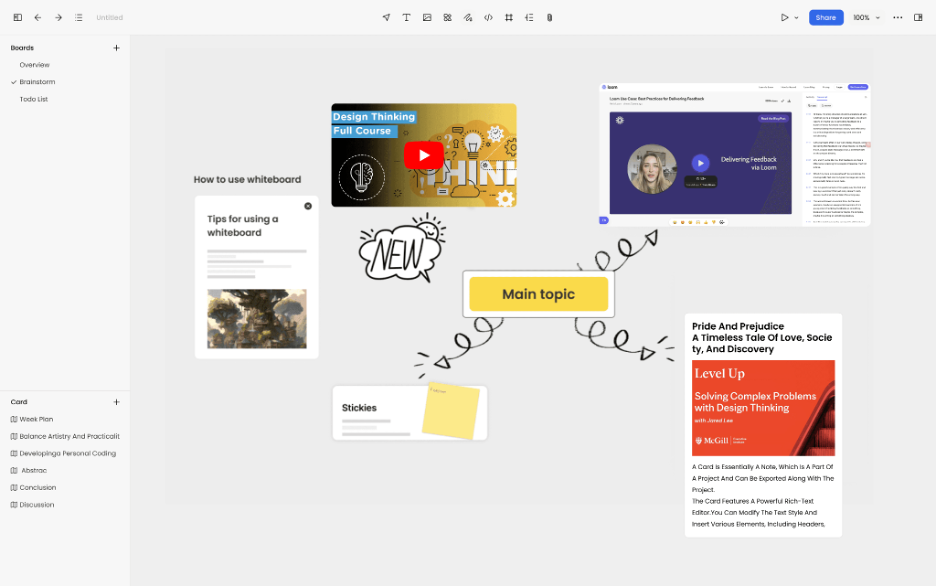
Noteey es una aplicación visual para tomar notas, diseñada para usuarios que necesitan organizar sus pensamientos mediante pizarras, tableros de inspiración y diagramas de flujo. Está dirigida a un público diverso, incluidos estudiantes, investigadores y profesionales creativos que valoran el pensamiento visual.
Por qué es una buena alternativa a Milanote: Noteey ofrece una variedad de herramientas que mejoran la toma de notas visual, lo que la hace adecuada para quienes necesitan más opciones creativas. Sus funciones de pizarra y tablero de inspiración proporcionan un lienzo flexible para organizar ideas visualmente. A diferencia de Milanote, Noteey integra la síntesis de contenido basada en IA, lo que puede ayudarte a asimilar rápidamente información de plataformas como YouTube y archivos PDF.
Características e integraciones destacadas:
Las características incluyen una pizarra sin conexión que te permite trabajar sin conexión a internet. La aplicación admite copias de seguridad locales, lo que garantiza que tus datos permanezcan seguros y sean fáciles de recuperar. Noteey también ofrece herramientas de anotación que permiten resaltar y dejar comentarios en los documentos.
Las integraciones no aparecen publicadas.
Pros and Cons
Pros:
- Gran control de los datos locales
- Diseños flexibles para pizarras
- Compatibilidad con el trabajo creativo sin conexión
Cons:
- Seguimiento de la productividad limitado
- Compatibilidad limitada con el ecosistema
Otras alternativas a Milanote
Estas son algunas alternativas adicionales a Milanote que no entraron en mi lista, pero que merece la pena conocer:


Cómo evalúo las alternativas a Milanote
Divido mi evaluación en criterios básicos —como la flexibilidad del lienzo libre y la compatibilidad con contenido multimedia— y factores diferenciadores que separan las herramientas que vale la pena recomendar de aquellas que simplemente cumplen su función.
Funcionalidad principal (requisitos básicos de esta lista)
Al seleccionar herramientas para mi lista, clasifico cada una en una escala de 0 (no ofrece la funcionalidad) a 5 (sobresale en esta área) para cada una de las funcionalidades principales que se indican a continuación. Después, calculo la puntuación total de la herramienta como porcentaje. Cada herramienta debe alcanzar una puntuación total mínima del 65 % para ser considerada.
- Espacio de trabajo con lienzo visual: Compruebo si los tableros admiten una disposición espacial libre —como arrastrar imágenes de referencia junto a notas de tareas—, además de zoom, agrupación y navegación sencilla.
- Bloques de contenido multimedia: Cada herramienta debería gestionar distintos tipos de contenido dentro de un mismo tablero, desde enlaces incrustados y archivos subidos hasta listas de tareas y clips de vídeo.
- Colaboración en tiempo real: Busco edición simultánea en directo, comentarios y menciones para que los equipos distribuidos puedan generar ideas en un tablero de inspiración compartido sin conflictos entre versiones.
- Herramientas de estructuración de proyectos: Organizar decenas de tableros se vuelve complicado rápidamente, así que evalúo cómo gestiona cada herramienta las carpetas, los espacios de trabajo y las jerarquías de varios proyectos.
- Plantillas y marcos de trabajo: Una biblioteca sólida de plantillas listas para usar para informes, tableros de inspiración y planes de iteración ahorra tiempo de configuración y ayuda a los nuevos usuarios a empezar rápidamente.
- Opciones de exportación e integración: Compruebo si permite exportar a PDF e imagen, además de ofrecer conexiones con herramientas como Slack, Asana o Google Drive, de las que ya dependen los equipos creativos y de gestión de proyectos.
Una vez que tengo una lista de herramientas que cumplen estos criterios, considero qué distingue a cada plataforma.
Factores diferenciadores (qué distingue a los proveedores)
Así es como comparo y contrasto los distintos proveedores:
Funciones destacadas
Las vistas de tareas y cronogramas son muy importantes en este caso. Algunas herramientas permiten transformar un tablero visual en una vista Kanban o de Gantt, lo que tiende un puente entre la planificación creativa y el seguimiento de la ejecución. El modo de presentación es otra función que busco: mostrar a un cliente un tablero de inspiración sin exportar diapositivas ahorra mucho tiempo durante las revisiones. También evalúo las herramientas de dibujo y bocetado, ya que crear esquemas a mano directamente en el lienzo mantiene el proceso de ideación en marcha sin tener que cambiar de aplicación.
Más allá de las funciones
Los modelos de colaboración y uso compartido varían mucho entre estas herramientas. Analizo si se puede invitar a clientes externos o colaboradores independientes como invitados sin consumir una licencia de pago; esto es importante al gestionar proyectos de agencia con colaboradores que van rotando. La estructura de precios es otro factor clave, especialmente la forma en que los costes aumentan cuando el equipo supera el reducido número de usuarios inicial. También evalúo las políticas de propiedad de los datos y exportación, porque los equipos creativos que trabajan con propiedad intelectual de clientes necesitan garantías claras de que su trabajo seguirá siendo portátil y estará protegido.
¿Por qué buscar una alternativa a Milanote?
Aunque Milanote es una buena opción de programa de productividad, hay varios motivos por los que algunos usuarios pueden buscar soluciones alternativas. Es posible que estés buscando una alternativa a Milanote porque…
- Necesitas una gestión de tareas más avanzada
- Tu equipo necesita acceso sin conexión
- Quieres mejores opciones de integración
- Tus proyectos necesitan una mayor personalización visual
- Necesitas compatibilidad con equipos más grandes
- Necesitas funciones para la colaboración internacional
Si te identificas con alguno de estos casos, has llegado al lugar indicado. Mi lista contiene varias opciones de programas de productividad más adecuadas para equipos que afrontan estos desafíos con Milanote y buscan soluciones alternativas.