

Las 10 mejores alternativas a Document360 para documentos de ayuda en 2026

10 Lista de las mejores alternativas a Document360


Gestionar el conocimiento interno no debería parecer una solución provisional. Si Document360 no ofrece la flexibilidad, las integraciones o la escalabilidad que necesita tu equipo, probablemente estés dedicando más tiempo a mantener tu base de conocimientos que a mejorarla.
La herramienta de gestión del conocimiento adecuada debería reducir las dificultades, no añadirlas. Después de revisar y comparar las principales alternativas, he seleccionado las mejores opciones en función de la facilidad de uso, la personalización, las integraciones y la adecuación a largo plazo.
En esta guía encontrarás las principales alternativas a Document360, qué hacen bien, en qué se quedan cortas y para qué tipos de equipos son más adecuadas, para que puedas elegir una plataforma que realmente se adapte a la forma de trabajar de tu equipo.
¿Qué es Document360?
Document360 es un software de gestión del conocimiento diseñado para ayudarte a ti y a tu equipo a organizar y compartir información de forma eficiente. Lo utilizan habitualmente los gestores de proyectos, los equipos de atención al cliente y los profesionales de TI que necesitan una herramienta fiable para gestionar la documentación.
Sus funciones, como el control de versiones, los análisis y un editor fácil de usar, ayudan a mantener bases de conocimientos claras y accesibles. En general, Document360 optimiza la forma en que tu equipo crea, selecciona y accede a la información.
Resumen de las mejores alternativas a Document360
Esta tabla comparativa resume los detalles de precios de mis principales alternativas a Document360 para ayudarte a encontrar la mejor opción para tu presupuesto y las necesidades de tu empresa.
| Tool | Best For | Trial Info | Price | ||
|---|---|---|---|---|---|
| 1 | Ideal para centros internos de conocimiento ligeros | Plan gratuito disponible | Desde $6/usuario/mes (facturado anualmente) | Website | |
| 2 | Ideal para herramientas de equipo integradas | Prueba gratuita + plan gratuito + demostración gratuita disponibles | Desde $10/creador de documentos/mes (facturado anualmente) | Website | |
| 3 | Ideal para el autoservicio impulsado por IA | Plan gratuito disponible | Desde $49/autor/mes (facturado anualmente) | Website | |
| 4 | La mejor opción para herramientas de conocimiento centralizadas basadas en datos | Demostración gratuita disponible | Precios previa solicitud | Website | |
| 5 | Ideal para documentación dinámica | Prueba gratuita de 14 días disponible | Desde $80/mes | Website | |
| 6 | Ideal para mejorar la experiencia del servicio de atención al cliente | Demostración gratuita disponible | Precios bajo solicitud | Website | |
| 7 | Ideal para espacios de trabajo de colaboración en equipo | Prueba gratuita + plan gratuito disponible | Desde $5.42/usuario/mes | Website | |
| 8 | Ideal para el acceso a contenido personalizable y controlado | Prueba gratuita de 30 días | Desde $100/mes | Website | |
| 9 | Ideal para el seguimiento de los comentarios de los usuarios | Prueba gratuita de 10 días + plan gratuito + demostración gratuita disponible | Desde $29/asiento/mes (facturado anualmente) | Website | |
| 10 | Ideal para documentación de API centrada en desarrolladores | Prueba gratuita de 14 días + plan gratuito disponible | Desde $65/sitio/mes + $12/usuario/mes (facturado anualmente) | Website |
Por qué confiar en nuestras recomendaciones de software
Nuestro equipo lleva probando y evaluando software desde 2012. Como gestores de proyectos, sabemos lo difícil —y lo importante— que es elegir el software adecuado.
Para esta guía, evaluamos las herramientas mediante pruebas prácticas e investigación independiente, puntuando las herramientas según nuestros criterios de selección. También nos basamos en la experiencia de líderes de opinión del sector y de profesionales en activo de la gestión de proyectos.
Nuestras reseñas reflejan nuestro criterio editorial humano, no un discurso de ventas.
Revisores expertos:
Análisis de las mejores alternativas a Document360
A continuación encontrarás mis resúmenes detallados de las mejores alternativas a Document360 que formaron parte de mi lista. Mis análisis ofrecen una visión detallada de las funciones principales, las ventajas y desventajas, las integraciones y los casos de uso ideales de cada herramienta para ayudarte a encontrar la mejor opción para ti.

Nuclino
Ideal para centros internos de conocimiento ligeros
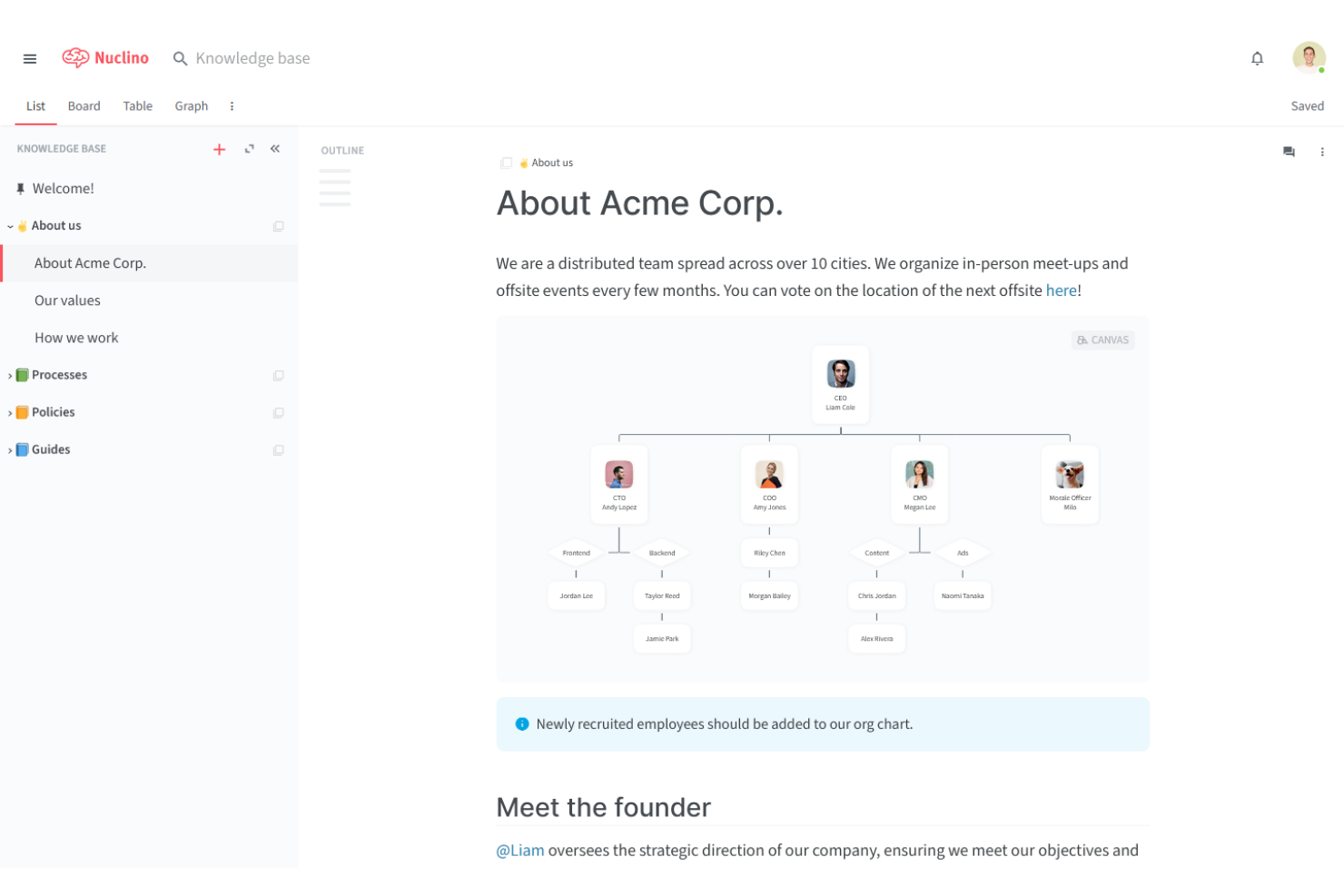
Nuclino es una herramienta colaborativa de gestión del conocimiento ideal para equipos pequeños que necesitan organizar y compartir información sin esfuerzo. Es popular entre startups, pequeñas empresas y equipos ágiles para optimizar sus procesos de documentación y comunicación.
Por qué es una buena alternativa a Document360: Nuclino ofrece un espacio de trabajo visual, búsqueda instantánea y colaboración en tiempo real que organiza el conocimiento de una manera más intuitiva. Su capacidad para conectar elementos relacionados mediante enlaces internos y su diseño ligero lo convierten en una opción sólida para los equipos que buscan optimizar la gestión del conocimiento.
Funciones e integraciones destacadas:
Las funciones incluyen un espacio de trabajo visual que ayuda a tu equipo a organizar proyectos e ideas. Puedes usar la búsqueda instantánea para encontrar rápidamente la información que necesitas. La plataforma también admite el formato Markdown para facilitar el formato y la creación de contenido.
Las integraciones incluyen Slack, Google Drive, GitHub Gist, Dropbox, OneDrive, Microsoft Teams, Figma, Lucidchart y más.
Pros and Cons
Pros:
- Diseño sencillo e intuitivo
- Funcionalidad de búsqueda instantánea
- Admite el formato Markdown
Cons:
- Operaciones masivas limitadas
- API/exportación de datos ineficiente
Coda
Ideal para herramientas de equipo integradas
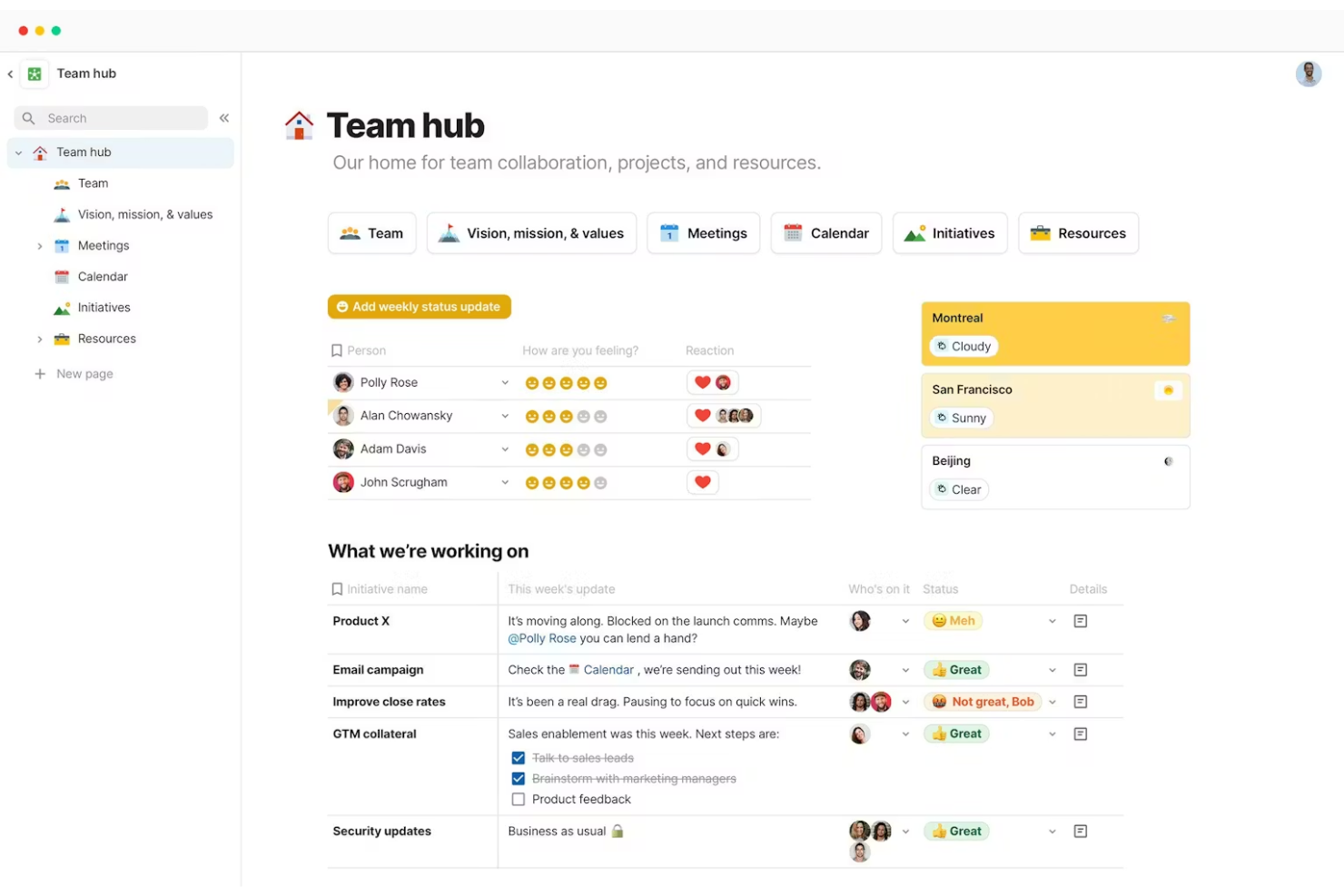
Coda es una plataforma versátil de gestión de documentos que combina documentos, hojas de cálculo y aplicaciones en un espacio de trabajo unificado. Es popular entre gerentes de proyectos, equipos de producto y empresas emergentes para organizar tareas y colaborar de manera eficiente.
Por qué es una buena alternativa a Document360: Coda ofrece tablas interactivas, plantillas personalizables y colaboración en tiempo real, que integran diversas herramientas de equipo en una sola plataforma.
Características e integraciones destacadas:
Características incluyen tablas interactivas que ayudan a su equipo a gestionar datos como en las hojas de cálculo. Puede usar plantillas personalizables para configurar nuevos proyectos rápidamente. La plataforma también admite la colaboración en tiempo real, lo que permite a los miembros del equipo trabajar juntos de manera eficaz.
Integraciones incluyen Slack, Google Calendar, Jira, GitHub, Figma, Salesforce y más.
Pros and Cons
Pros:
- Combina documentos y hojas de cálculo
- Admite la colaboración en tiempo real
- Integra diversas herramientas de equipo
Cons:
- Compatibilidad limitada con Markdown
- Se aplican límites de API/sincronización

Ideal para el autoservicio impulsado por IA

ProProfs Knowledge Base es una herramienta de gestión del conocimiento impulsada por IA, diseñada para equipos que necesitan soluciones eficientes de documentación y autoservicio. La utilizan los equipos de atención al cliente, ventas y TI para reducir los tickets de soporte y mejorar el acceso a la información.
Por qué es una buena alternativa a Document360: ProProfs Knowledge Base destaca por su creación de contenido asistida por IA, su personalización de marca y sus controles de seguridad, que permiten crear centros de conocimiento personalizados y seguros. También incluye widgets de ayuda contextual, análisis integrados que muestran cómo interactúan los usuarios con el contenido e información basada en IA para un enfoque de la gestión del conocimiento centrado en la automatización.
Funciones e integraciones destacadas:
Las funciones incluyen la creación de contenido basada en IA, que ayuda a tu equipo a producir artículos de manera eficiente. Puedes personalizar la marca para adaptarla a la identidad de tu empresa. La plataforma admite más de 90 idiomas, lo que la hace versátil para equipos internacionales.
Las integraciones incluyen Google Analytics, Zendesk, Freshdesk, Salesforce, Slack, Jira y más.
Pros and Cons
Pros:
- Compatibilidad multilingüe disponible
- Colaboración en tiempo real
- Controles de acceso seguros
Cons:
- Seguimiento básico del control de versiones
- Acciones masivas de contenido limitadas

La mejor opción para herramientas de conocimiento centralizadas basadas en datos
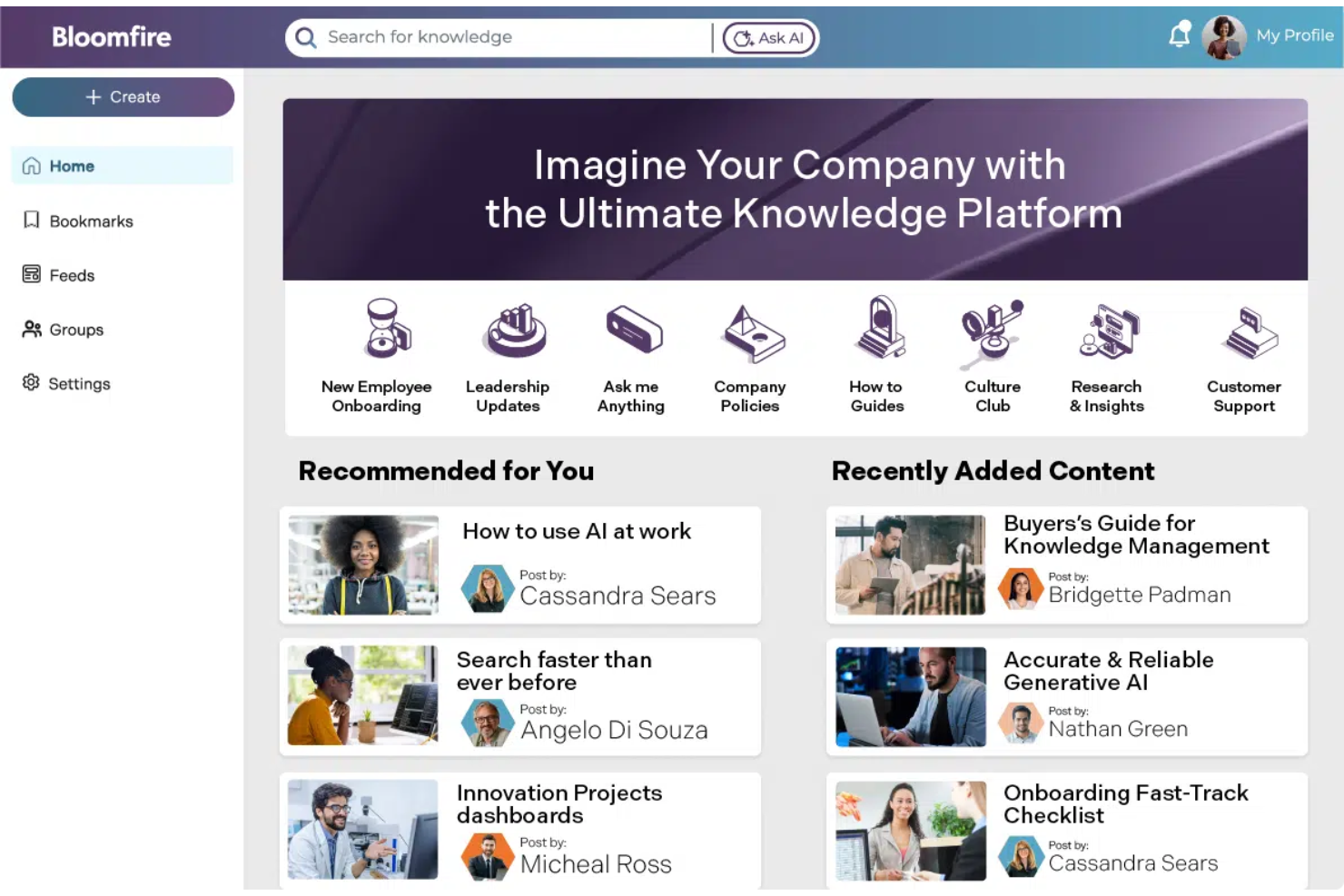
Bloomfire es una plataforma para compartir conocimientos diseñada para ayudar a los equipos a acceder a información y compartirla de manera eficiente. Se utiliza principalmente en equipos de ventas, marketing y atención al cliente para mejorar la colaboración y los procesos de toma de decisiones.
Por qué es una buena alternativa a Document360: Bloomfire ofrece capacidades avanzadas de búsqueda, categorización de contenido y análisis que extraen información de los datos de manera más eficaz. Su enfoque en la toma de decisiones basada en datos y su facilidad de uso para compartir contenido la convierten en una opción adecuada para los equipos que buscan mejorar la gestión del conocimiento con información práctica.
Funciones e integraciones destacadas:
Las funciones incluyen el etiquetado de contenido personalizable, que ayuda a tu equipo a organizar y recuperar información rápidamente. Puedes utilizar la sección de preguntas y respuestas para fomentar debates interactivos y compartir conocimientos. La plataforma también admite contenido multimedia, lo que permite compartir vídeos, imágenes y documentos fácilmente.
Las integraciones incluyen Salesforce, Slack, Microsoft Teams, Google Drive, Zendesk, SharePoint, Okta y más.
Pros and Cons
Pros:
- Admite contenido multimedia
- Funcionalidad de búsqueda avanzada
- Fomenta los debates interactivos
Cons:
- La búsqueda necesita una formulación exacta
- La indexación del contenido se retrasa a veces

Archbee
Ideal para documentación dinámica

Archbee es una plataforma de documentación diseñada para equipos de software y startups que permite crear, gestionar y compartir conocimientos de manera eficiente. La utilizan desarrolladores y redactores técnicos para mantener una documentación dinámica que evoluciona junto con sus proyectos.
Por qué es una buena alternativa a Document360: Archbee ofrece edición colaborativa en tiempo real, compatibilidad con Markdown y documentación de API personalizada, lo que mantiene el contenido actualizado y accesible. Su enfoque en la documentación interactiva la convierte en una opción adecuada para equipos que necesitan adaptar rápidamente su comunicación.
Funciones e integraciones destacadas:
Las funciones incluyen un editor de diagramas integrado que ayuda a tu equipo a visualizar procesos complejos. Puedes utilizar el sistema de control de versiones para realizar un seguimiento de los cambios y revertirlos si es necesario. La plataforma también admite alojamiento en dominios personalizados para ofrecer una apariencia profesional.
Las integraciones incluyen Slack, GitHub, Google Analytics, Intercom, Trello, Jira, Zapier, Figma y más.
Pros and Cons
Pros:
- Alojamiento en dominios personalizados
- Edición colaborativa en tiempo real
- Admite documentación de API personalizada
Cons:
- Opciones limitadas de formatos de exportación
- Acciones de contenido masivas limitadas
Knowmax
Ideal para mejorar la experiencia del servicio de atención al cliente

Knowmax es una plataforma de gestión del conocimiento impulsada por IA, diseñada para mejorar la experiencia del cliente en sectores como las telecomunicaciones, la banca y la atención sanitaria. Los equipos de experiencia del cliente la utilizan para proporcionar un acceso rápido a conocimientos prácticos y mejorar la prestación del servicio.
Por qué es una buena alternativa a Document360: Knowmax ofrece flujos guiados, guías visuales para la resolución de problemas y canales de autoservicio, lo que reduce los tiempos de respuesta y aumenta la satisfacción del cliente. Su enfoque en el conocimiento contextual impulsado por IA la convierte en una solución ideal para los equipos que buscan mejorar la resolución en el primer contacto y la calidad general del servicio.
Funciones e integraciones destacadas:
Las funciones incluyen flujos guiados que ayudan a tu equipo a resolver los problemas con mayor rapidez. Las guías visuales para la resolución de problemas facilitan la comprensión de procesos complejos. La plataforma también admite canales de autoservicio para reducir los tickets de soporte repetitivos.
Las integraciones incluyen Salesforce, Zendesk, SAP, Freshdesk, Genesys y más.
Pros and Cons
Pros:
- Mejora la resolución en el primer contacto
- Admite múltiples sectores
- Reduce el tiempo medio de gestión
Cons:
- Funciones básicas de colaboración
- Permisos de roles poco flexibles

Ideal para espacios de trabajo de colaboración en equipo

Confluence es un software de espacio de trabajo colaborativo diseñado para equipos que necesitan crear, organizar y debatir sobre el trabajo en un solo lugar. Se utiliza ampliamente por gerentes de proyectos, desarrolladores de software y profesionales de TI para mejorar la colaboración del equipo y los procesos de documentación.
Por qué es una buena alternativa a Document360: Confluence ofrece edición en tiempo real, plantillas personalizables y un editor de texto enriquecido para la creación colaborativa de contenido. Su gran enfoque en el trabajo en equipo y su integración con otros productos de Atlassian lo convierten en una opción versátil para los equipos que buscan mejorar la comunicación y la gestión de contenidos.
Características e integraciones destacadas:
Las características incluyen un sistema de control de versiones de páginas que te ayuda a realizar un seguimiento de los cambios y mantener el historial de los documentos. Puedes utilizar herramientas de gestión de tareas para asignar y hacer un seguimiento del trabajo dentro de tu equipo. La plataforma también ofrece una variedad de plantillas para gestionar la creación de contenido.
Las integraciones incluyen Jira, Trello, Bitbucket, Slack, Microsoft Teams, Google Drive, Dropbox, Zoom, GitHub, Lucidchart y más.
Pros and Cons
Pros:
- Admite la edición en tiempo real
- Integración con herramientas de Atlassian
- Amplia biblioteca de plantillas
Cons:
- Las exportaciones a PDF suelen presentar errores de formato
- Configuración compleja de permisos

Ideal para el acceso a contenido personalizable y controlado
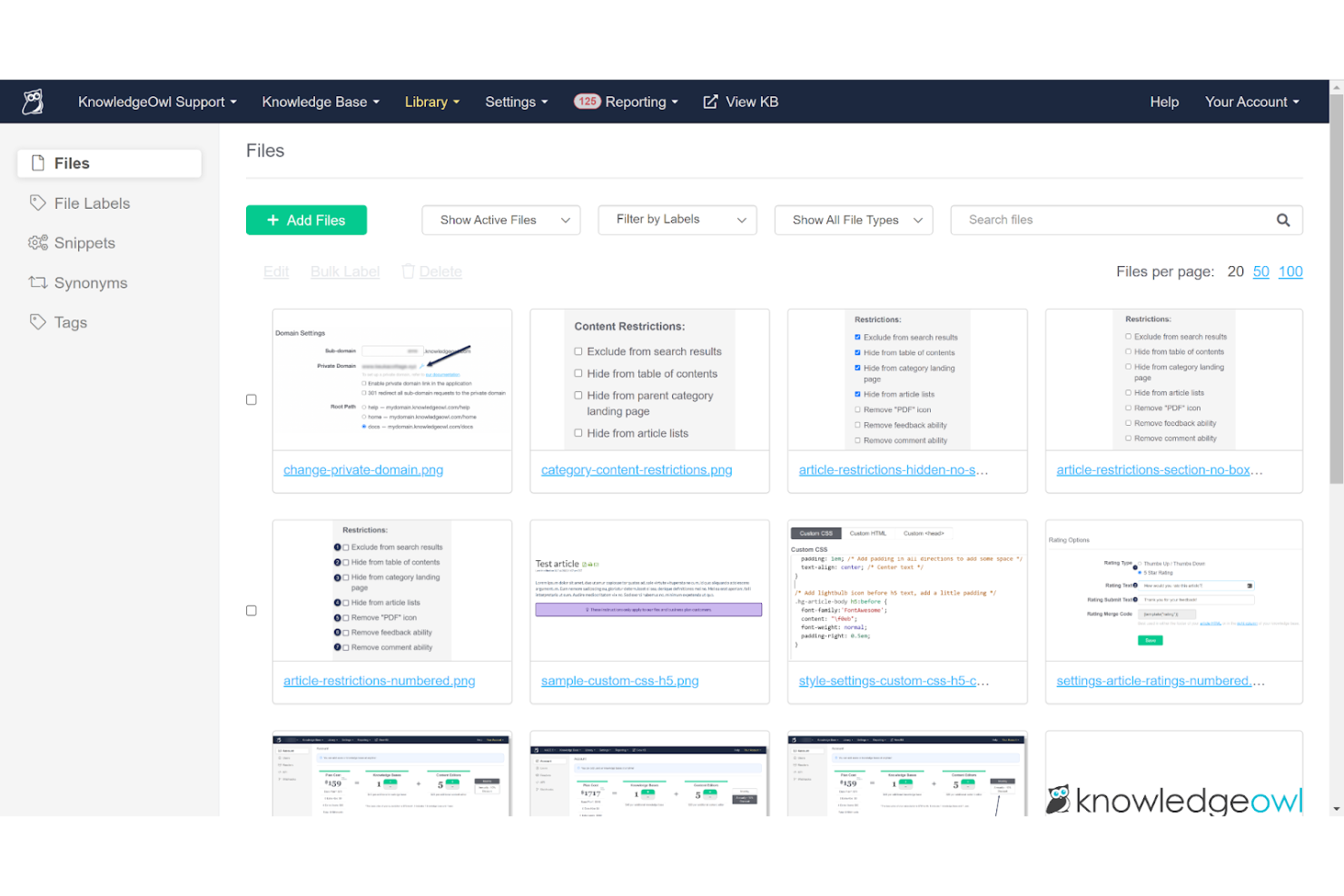
KnowledgeOwl es un software de base de conocimientos diseñado para ayudar a las empresas a crear y gestionar documentación en línea y portales de soporte. Lo utilizan los equipos de atención al cliente y los redactores técnicos para ofrecer información organizada y accesible.
Por qué es una buena alternativa a Document360: KnowledgeOwl ofrece configuraciones de seguridad personalizables, categorización de contenido y análisis, que permiten mantener bases de conocimientos seguras y bien organizadas. Su capacidad para adaptar las funciones de seguridad garantiza que la información permanezca protegida y accesible para los usuarios adecuados.
Características destacadas e integraciones:
Las características incluyen un editor de arrastrar y soltar que ayuda a tu equipo a crear y actualizar contenido fácilmente. Puedes personalizar el aspecto y el estilo de tu base de conocimientos para que coincidan con tu marca. La plataforma también admite un historial de versiones, lo que te permite realizar un seguimiento de los cambios a lo largo del tiempo.
Las integraciones incluyen Salesforce, Zendesk, Freshdesk, Google Analytics, Slack, Mailchimp, Zapier y más.
Pros and Cons
Pros:
- Configuraciones de seguridad altamente personalizables
- Admite análisis detallados
- Editor de contenido de arrastrar y soltar
Cons:
- Se bloquean las cargas superiores a 200 MB
- Complementos integrados limitados

Ideal para el seguimiento de los comentarios de los usuarios
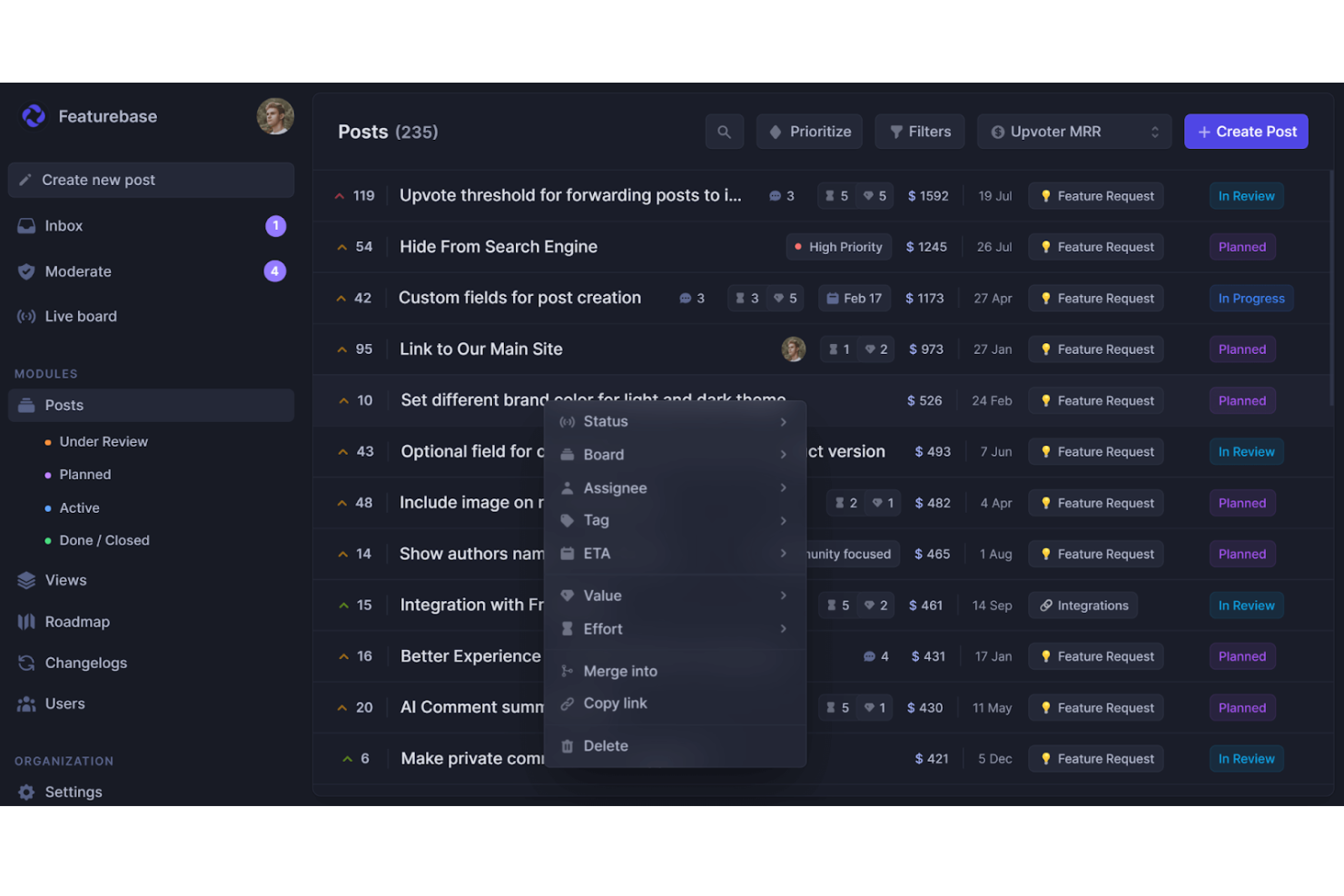
Featurebase es una plataforma basada en la nube para equipos de producto que unifica la gestión de comentarios, la publicación de bases de conocimientos, la atención al cliente y los registros de cambios del producto en un solo lugar. La utilizan equipos de SaaS pequeños y medianos que quieren centralizar los comentarios de los usuarios, la documentación y las actualizaciones del producto.
Por qué es una buena alternativa a Document360: Featurebase incluye un centro de ayuda integrado para crear documentación pública o privada. Su widget de ayuda integrable facilita la asistencia dentro de la aplicación, mientras que un motor de búsqueda basado en IA ayuda a los usuarios a encontrar rápidamente las respuestas adecuadas. Con opciones de marca y personalización, además de compatibilidad con contenido multilingüe, ofrece las capacidades de una plataforma de base de conocimientos especializada, con el beneficio adicional del seguimiento integrado de comentarios.
Funciones e integraciones destacadas:
Las funciones incluyen una base de conocimientos pública e interna con controles de permisos para que decidas quién obtiene acceso. Su editor al estilo de Notion hace que la creación de artículos sea intuitiva, y la compatibilidad con más de 40 idiomas te ayuda a llegar a audiencias globales. También obtienes análisis en tiempo real sobre las visualizaciones y el rendimiento de los artículos.
Las integraciones incluyen Slack, Intercom, GitHub, Jira, ClickUp, Zendesk, Segment, Discord y más.
Pros and Cons
Pros:
- Base de conocimientos multilingüe
- Análisis del rendimiento de los artículos
- Widget de ayuda dentro de la aplicación
Cons:
- No cuenta con una aplicación móvil especializada
- No es ideal para las necesidades de documentación de grandes empresas


GitBook es una plataforma de documentación colaborativa diseñada para que los desarrolladores y los equipos técnicos creen y gestionen documentación de API. La utilizan ingenieros de software y equipos de producto para producir contenido técnico claro y accesible.
Por qué es una buena alternativa a Document360: GitBook ofrece bloques de código activos, control de versiones y edición colaborativa, lo que ayuda a crear y mantener documentación de API actualizada. Su interfaz intuitiva y su enfoque en la documentación técnica lo convierten en una opción ideal para los equipos que necesitan documentar API de forma eficaz.
Características destacadas e integraciones:
Las características incluyen un editor colaborativo en tiempo real que ayuda a tu equipo a trabajar eficazmente. Puedes utilizar la compatibilidad con Markdown para dar formato fácilmente a tus documentos. La plataforma también ofrece dominios personalizados para dar un aspecto profesional a tu documentación.
Las integraciones incluyen Slack, GitHub, Google Analytics, Intercom, Segment, Sentry, Trello, Jira, Figma y más.
Pros and Cons
Pros:
- Admite la colaboración en tiempo real
- Capacidades de bloques de código activos
- Ofrece control de versiones
Cons:
- Opciones de personalización limitadas
- Herramientas de colaboración básicas
Otras alternativas a Document360
Estas son algunas alternativas adicionales a Document360 que no llegaron a formar parte de mi lista, pero que merece la pena conocer:
- Helpjuice
Ideal para la creación de contenido asistida por IA
- MadCap Flare
Ideal para documentación técnica de nivel empresarial
- HelpDocs
Ideal para crear centros de autoservicio para clientes


Cómo evalúo las alternativas a Document360
Evalúo las herramientas en dos niveles: los requisitos básicos imprescindibles—como estructuras versionadas de base de conocimientos, autoría colaborativa y controles de acceso—y diferenciadores como integraciones con PMO y herramientas de IA.
Funcionalidad principal (requisitos esenciales para esta lista)
Cuando selecciono herramientas para mi lista, califico cada una en una escala del 0 (no ofrece la funcionalidad) al 5 (destaca en esta área) para cada funcionalidad clave que se muestra a continuación. Luego, calculo la puntuación total de la herramienta en porcentaje. Cada herramienta debe lograr una puntuación total mínima del 65% para ser considerada.
- Creación de base de conocimientos: Busco jerarquías estructuradas y multinivel de categorías que te permitan organizar la documentación del proyecto tal como realmente lo piensa tu PMO—por fase, línea de trabajo o tipo de entregable.
- Editor de contenido enriquecido: Ya sea markdown o WYSIWYG, evalúo qué tan bien maneja el editor tablas, bloques de código, diagramas incrustados y avisos, elementos habituales en la documentación técnica de proyectos.
- Control de versiones e historial: Toda buena base de conocimientos debe rastrear revisiones, pero reviso si permite comparar versiones lado a lado y hacer retrocesos, para que puedas actualizar una guía en pleno sprint sin perder la original.
- Autoría colaborativa: Los equipos necesitan más que edición compartida. Busco flujos de trabajo de revisión, comentarios en línea y permisos por rol que reflejen cómo colaboran los equipos de proyecto multidisciplinarios.
- Búsqueda y descubrimiento: Una base de conocimientos solo es útil si las personas encuentran lo que necesitan. Evalúo la calidad de la búsqueda de texto completo, el filtrado por etiquetas y qué tan bien se muestran los resultados en grandes colecciones de documentación.
- Publicación y control de acceso: Considero si puedes mantener tanto un wiki interno privado para tu equipo de entrega como un portal orientado al cliente con diferentes opciones de marca y permisos de lector.
Una vez tengo una lista de herramientas que cumplen con este criterio, considero qué distingue a cada plataforma.
Factores diferenciadores (lo que distingue a los proveedores)
Así es como comparo y contrasto los diferentes proveedores:
Características destacadas
Pongo especial atención en cómo una plataforma se conecta con herramientas de proyecto como Jira, Asana o ClickUp—vincular artículos de la base de conocimientos a tickets o épicas en curso mantiene la documentación relevante. Las analíticas integradas también importan. Quiero ver qué artículos no se leen o qué búsquedas no arrojan resultados, para que los PMO detecten vacíos en la documentación. Las plantillas para actas de constitución de proyectos, retrospectivas y registros RAID son otro diferenciador, ya que ayudan a los equipos a estandarizar documentación en varios proyectos sin empezar desde cero.
Más allá de las características
La estructura de precios es muy importante aquí. Algunas plataformas cobran por autor mientras los lectores acceden al contenido gratis, lo que es ideal para PMO con grandes equipos que solo consumen documentación pero pocos colaboradores. El soporte para migraciones es otro aspecto que evalúo—cambiar de Document360 o Confluence a mitad de proyecto es difícil sin buenas herramientas de importación y orientación para la incorporación. Las certificaciones de seguridad y cumplimiento como SOC 2 y el soporte para SSO también son determinantes, especialmente para equipos que manejan datos sensibles de proyectos o trabajan con clientes empresariales que requieren una estricta gobernanza de acceso.
¿Por qué buscar una alternativa a Document360?
Aunque Document360 es una buena opción de software de gestión del conocimiento, hay varios motivos por los que algunos usuarios buscan soluciones alternativas. Es posible que estés buscando una alternativa a Document360 porque…
- Necesitas más opciones de personalización.
- Tu equipo necesita mejores capacidades de integración.
- Buscas una solución más económica.
- Necesitas compatibilidad con varios idiomas.
- Tu equipo exige funciones de colaboración más completas.
- Necesitas análisis e informes avanzados.
Si alguna de estas situaciones te resulta familiar, has llegado al lugar adecuado. Mi lista incluye varias opciones de software de gestión del conocimiento más adecuadas para los equipos que se enfrentan a estos desafíos con Document360 y buscan soluciones alternativas.
Funciones principales de Document360
Estas son algunas de las características clave de Document360 que te ayudarán a contrastar y comparar lo que ofrecen las soluciones alternativas:
- Portal de la base de conocimientos: Ofrece herramientas avanzadas de edición y gestión para tus necesidades de creación de contenido.
- Sitio de la base de conocimientos: Personaliza bases de conocimientos públicas o privadas para tus usuarios.
- Asistente de la base de conocimientos: Utiliza un widget integrable para acceder fácilmente a las bases de conocimientos desde tus productos SaaS o sitios web.
- Integraciones y extensiones: Conéctate con diversas herramientas de terceros para mejorar la funcionalidad.
- API de la plataforma: Interactúa directamente con la base de conocimientos mediante una API REST para obtener una mayor flexibilidad.
- Análisis profesional: Obtén información sobre el comportamiento de los usuarios y el rendimiento del contenido para mejorar tu base de conocimientos.
- Generador de flujos de trabajo personalizados: Adapta los flujos de trabajo para ajustarlos a las necesidades y los procesos específicos de tu equipo.
- Desviador de tickets de soporte: Reduce los tickets de soporte proporcionando a los usuarios artículos relevantes de la base de conocimientos.
- Almacenamiento multimedia: Almacena y gestiona archivos multimedia de forma eficiente dentro de la plataforma.
- Eddy AI: Aprovecha la inteligencia artificial generativa para mejorar la asistencia en la documentación.
Qué viene después:
Si estás investigando software de gestión del conocimiento, contacta gratuitamente con un asesor de SoftwareSelect para obtener recomendaciones.
Rellenas un formulario y mantienes una breve conversación en la que se profundiza en los detalles de tus necesidades. Después, recibirás una lista de software preseleccionado para revisar. También te apoyarán durante todo el proceso de compra, incluidas las negociaciones de precios.