

10 beste WeTransfer-Alternativen für große Dateien im Jahr 2026

Die besten WeTransfer-Alternativen im Überblick


Im Projektmanagement ist das schnelle und sichere Teilen großer Dateien entscheidend, damit die Arbeit vorankommt. Obwohl WeTransfer ein beliebtes Tool zur Dateiübertragung ist, erfüllt es möglicherweise nicht jede geschäftliche Anforderung. Teams suchen häufig nach Alternativen, wenn sie höhere Dateigrößenbeschränkungen, stärkere Sicherheitskontrollen oder bessere Unterstützung bei der Einhaltung von Compliance-Vorgaben benötigen.
Ich kenne das aus eigener Erfahrung und weiß, wie schwierig das sein kann. Deshalb habe ich verschiedene cloudbasierte Plattformen zur Dateiübertragung getestet und bewertet, um die besten Alternativen zu finden.
In diesem Artikel stelle ich meine besten WeTransfer-Alternativen vor, darunter Plattformen mit kostenlosen Konten und Premium-Tarifen. Dabei konzentriere ich mich auf Funktionen, die häufige Probleme wie Sicherheit und Übertragungsgeschwindigkeit lösen. Sie erhalten einen unvoreingenommenen Überblick über jede Option und können so die beste Lösung für Ihr Team auswählen.
Was ist WeTransfer?
WeTransfer ist eine SaaS-Plattform, mit der Nutzer große Dateien problemlos versenden können. Sie ist bei Kreativprofis, Freiberuflern und kleinen Unternehmen beliebt, die schnell und ohne Konto auf eine kostenlose Dateiübertragung zugreifen möchten. Eine einfache Benutzeroberfläche, großzügige kostenlose Übertragungsgrenzen und keine erforderliche Registrierung ermöglichen ein unkompliziertes und effizientes Teilen von Dateien. Insgesamt bietet WeTransfer eine praktische Lösung zum problemlosen Senden und Empfangen von Dateien.
Vergleichstabelle der WeTransfer-Alternativen
Diese Vergleichstabelle fasst die Preisinformationen meiner besten WeTransfer-Alternativen zusammen.
| Tool | Best For | Trial Info | Price | ||
|---|---|---|---|---|---|
| 1 | Am besten für verschlüsselten Cloud-Speicher geeignet | 14-tägige kostenlose Testversion + kostenlose Demo verfügbar | Ab $4.75/Benutzer/Monat (jährlich abgerechnet) | Website | |
| 2 | Am besten für unbegrenzte Bandbreite | Kostenlose 7-Tage-Testversion | Ab $4/Benutzer/Monat (jährlich abgerechnet) | Website | |
| 3 | Am besten für unbegrenzte Dateigrößen | Kostenloser Tarif verfügbar | Ab $15/Monat | Website | |
| 4 | Ideal für große Übertragungen bis 250 GB | Kostenlose 7-tägige Testversion + kostenloser Tarif verfügbar | Ab 15 $/Benutzer/Monat | Website | |
| 5 | Am besten für die sofortige Dateifreigabe geeignet | Kostenloser Tarif verfügbar | Ab $5.99/Monat | Website | |
| 6 | Am besten für kreative Zusammenarbeit geeignet | Kostenlose 14-tägige Testversion + kostenloser Tarif verfügbar | Ab $12/Monat (jährliche Abrechnung) | Website | |
| 7 | Am besten für kostenlose Übertragungen mit 5 GB | Kostenloser Tarif verfügbar | Ab 35,48 $ (jährlich abgerechnet) | Website | |
| 8 | Am besten für datenschutzorientierte Speicherung | Kostenloser Tarif verfügbar | Ab $4.99/Monat | Website | |
| 9 | Am besten für ablaufende Links | Kostenloser Tarif verfügbar | Preise auf Anfrage | Website | |
| 10 | Am besten für Übertragungen bis 200 GB | Kostenloser Tarif verfügbar | Ab $9.99/Monat | Website |
Warum Sie unseren Software-Empfehlungen vertrauen können
Unser Team testet und bewertet Software seit 2012. Als Projektmanager wissen wir selbst, wie schwierig – und wichtig – es ist, die richtige Software auszuwählen.
Für diesen Leitfaden haben wir Tools mithilfe von praktischen Tests und unabhängiger Recherche bewertet und dabei unsere Bewertungskriterien angewendet. Zudem greifen wir auf Erkenntnisse von Branchenvordenkern und praktizierenden Projektmanagement-Experten zurück.
Unsere Bewertungen spiegeln unser menschliches redaktionelles Urteilsvermögen wider, keine Verkaufsstrategie.
Expertenprüfer:
Bewertungen der besten WeTransfer-Alternativen
Nachfolgend finden Sie meine ausführlichen Zusammenfassungen der besten WeTransfer-Alternativen, die es in meine Auswahl geschafft haben. Meine Bewertungen bieten einen detaillierten Einblick in die wichtigsten Funktionen, Vor- und Nachteile, Integrationen und idealen Anwendungsfälle jedes Tools und helfen Ihnen dabei, die beste Lösung für Ihre Anforderungen zu finden.

Tresorit
Am besten für verschlüsselten Cloud-Speicher geeignet

Tresorit ist ein Cloud-Speicherdienst, der sich darauf konzentriert, Unternehmen und Privatpersonen, die Wert auf Datenschutz legen, eine sichere Dateifreigabe zu bieten. Er bietet eine Ende-zu-Ende-Verschlüsselung, sodass Ihre Dateien privat und sicher bleiben.
Warum es eine gute WeTransfer-Alternative ist: Tresorit bietet verschlüsselten Cloud-Speicher, der über die grundlegenden Funktionen zur Dateifreigabe von WeTransfer hinausgeht. Dank der Zero-Knowledge-Verschlüsselung können nur Sie und die von Ihnen autorisierten Personen auf Ihre Dateien zugreifen. Die Plattform bietet außerdem erweiterte Sicherheitsfunktionen wie die Zwei-Faktor-Authentifizierung und detaillierte Zugriffskontrollen, sodass Ihr Team beruhigt sein kann. Darüber hinaus ermöglichen die sicheren Freigabelinks von Tresorit das vertrauensvolle Versenden vertraulicher Dateien.
Herausragende Funktionen und Integrationen:
Zu den Funktionen gehören erweiterte Zugriffskontrollen, mit denen Sie festlegen können, wer Ihre Dateien ansehen oder bearbeiten darf. Tresorit bietet außerdem eine detaillierte Aktivitätsüberwachung, sodass Sie sehen können, wer wann auf Ihre Daten zugegriffen hat. Mit der sicheren Dateiversionierung können Sie bei Bedarf frühere Dateiversionen wiederherstellen.
Zu den Integrationen gehören Microsoft Office 365, Outlook, Gmail, SIEM und mehr.
Pros and Cons
Pros:
- Starke Verschlüsselungsstandards
- Sichere Dateiversionierung
- Zero-Knowledge-Richtlinie
Cons:
- Eingeschränkte Suchfunktion
- Jede Bearbeitung erfordert ein vollständiges erneutes Hochladen der Datei
Filemail
Am besten für unbegrenzte Bandbreite
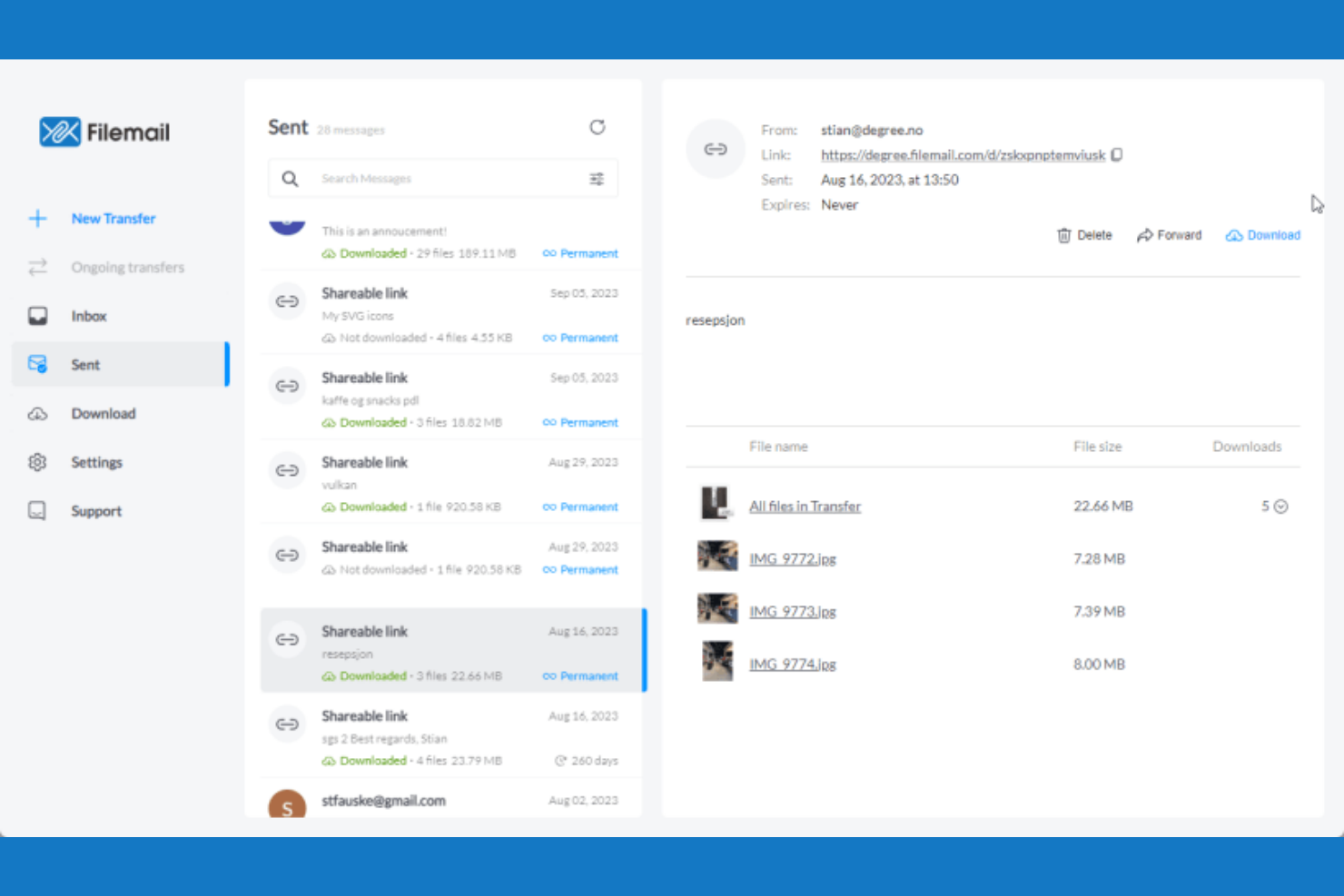
Filemail ist ein cloudbasierter Dateiübertragungsdienst für Unternehmen und Einzelpersonen, die große Dateien zuverlässig und effizient versenden müssen. Der Dienst unterstützt die Übertragung enorm großer Dateien und richtet sich an Nutzer mit anspruchsvollen Anforderungen an die Datenübertragung.
Warum es eine gute WeTransfer-Alternative ist: Filemail unterstützt außergewöhnlich große Dateien und ist daher ideal, wenn Sie große Datendateien ohne Einschränkungen versenden müssen. Der Dienst bietet unbegrenzte Bandbreite und ermöglicht unabhängig von der Dateigröße schnelle Übertragungen. Mit Funktionen wie automatischen Download-Benachrichtigungen können Sie und Ihr Team den Status der Dateizustellung verfolgen. Filemail bietet außerdem einen Passwortschutz für Übertragungen und sorgt so für eine zusätzliche Sicherheitsebene bei Ihren geteilten Dateien.
Herausragende Funktionen und Integrationen:
Zu den Funktionen gehört ein anpassbares Branding, mit dem Sie die Identität Ihres Unternehmens während der Dateiübertragung wahren können. Filemail bietet außerdem eine Desktop-App für Windows, Linux und Mac und ermöglicht Ihnen so Flexibilität beim Versenden von Dateien. Darüber hinaus stellt der Dienst eine detaillierte Übertragungsverfolgung bereit, sodass Sie genau wissen, wann Ihre Dateien heruntergeladen werden.
Zu den Integrationen gehören Zapier und mehr.
Pros and Cons
Pros:
- Unterstützt sehr große Dateien
- Unbegrenzte Bandbreite
- Passwortschutz für Dateien
Cons:
- Uneinheitliche Browserleistung
- Eingeschränkte Funktionalität auf Mobilgeräten


Smash ist eine cloudbasierte Plattform zur Dateiübertragung, die für Unternehmen jeder Größe entwickelt wurde, die große Dateien effizient versenden möchten. Sie vereinfacht das Teilen hochwertiger Inhalte, indem sie den Schwerpunkt auf Benutzerfreundlichkeit und Zuverlässigkeit legt.
Warum es eine gute WeTransfer-Alternative ist: Im Gegensatz zu WeTransfer gibt es bei Smash keine maximale Dateigrößenbegrenzung. Das bedeutet, dass Sie Dateien jeder Größe ohne Einschränkungen versenden können. Außerdem gibt es keine Begrenzung der Übertragungsgeschwindigkeit, sodass Ihre Dateien schnell ihr Ziel erreichen. Ganz gleich, ob Sie große Videodateien oder umfangreiche Designprojekte versenden – Smash erfüllt Ihre Anforderungen flexibel und unkompliziert.
Besondere Funktionen und Integrationen:
Zu den Funktionen gehört ein anpassbares Branding, mit dem Sie Download-Seiten mit Ihrem Logo und Ihren Farben personalisieren können, um eine einheitliche Markenpräsenz zu gewährleisten. Smash bietet außerdem Dateivorschauen, sodass Empfänger Dateien vor dem Herunterladen ansehen können, was besonders für visuelle Inhalte nützlich sein kann. Darüber hinaus steht eine detaillierte Übertragungsverfolgung zur Verfügung, mit der Sie überwachen können, wann Ihre Dateien heruntergeladen werden.
Zu den Integrationen gehören Microsoft Outlook und mehr.
Pros and Cons
Pros:
- Übertragungen von Dateien ohne Größenbegrenzung
- Dateivorschauen verfügbar
- Detaillierte Übertragungsverfolgung
Cons:
- Begrenzte Dauer der kostenlosen Speicherung
- Verwendet grundlegende Verschlüsselungsmethoden
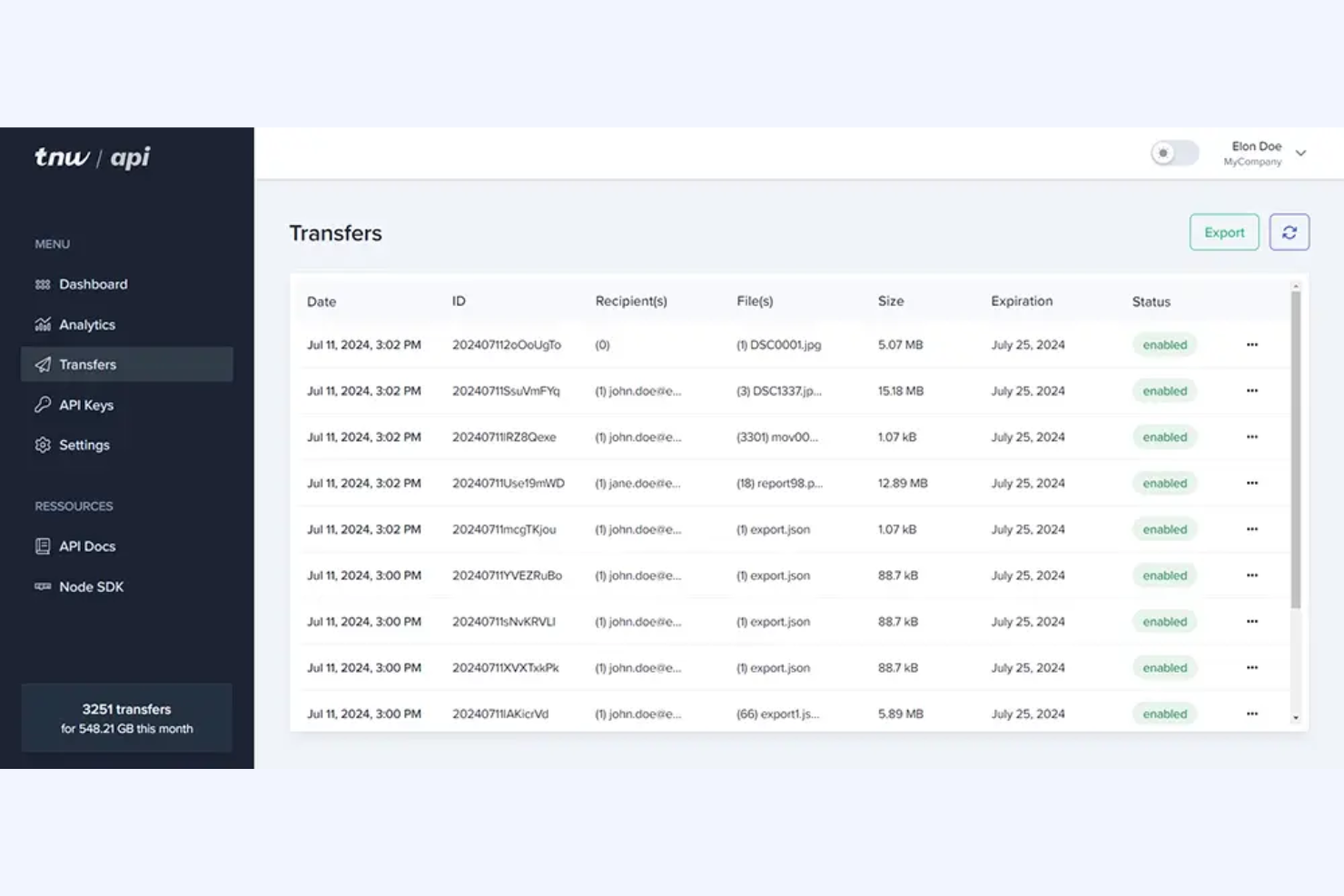
TransferNow ist ein cloudbasierter Dateiübertragungsdienst für Unternehmen und Privatpersonen, die große Dateien sicher und effizient teilen müssen. Er unterstützt Nutzer dabei, Dateien mit hoher Kapazität problemlos zu versenden, und eignet sich daher ideal für Teams, die große Mediendateien oder umfangreiche Datensätze verarbeiten.
Warum es eine gute WeTransfer-Alternative ist: TransferNow unterstützt Übertragungen von bis zu 250 GB und ist damit für alle geeignet, die häufig umfangreiche Dateien versenden müssen. Der Dienst bietet Passwortschutz und anpassbare Ablaufdaten, wodurch zusätzliche Sicherheit und Kontrolle über Ihre Dateiübertragungen gewährleistet werden. Dank der detaillierten Übertragungsverfolgung wissen Sie genau, wann Ihre Empfänger die Dateien herunterladen. Außerdem stehen anpassbare Branding-Optionen zur Verfügung, damit das professionelle Erscheinungsbild Ihres Teams erhalten bleibt.
Hervorstechende Funktionen und Integrationen:
Zu den Funktionen gehören detaillierte Übertragungsstatistiken, mit denen Sie den Erfolg Ihrer Dateizustellungen verfolgen können. Die Plattform bietet E-Mail-Benachrichtigungen, sodass Sie über den Zugriff auf Dateien und deren Downloads informiert bleiben. TransferNow stellt außerdem einen Generator für sichere Links bereit, damit Ihre sensiblen Daten sicher geteilt werden.
Integrationen sind nicht öffentlich aufgeführt.
Pros and Cons
Pros:
- Hohe Kapazität für Dateiübertragungen
- Passwortgeschützte Übertragungen
- Erstellung sicherer Links
Cons:
- Begrenzte Anpassungsmöglichkeiten für Nutzer der kostenlosen Version
- Erweiterte Funktionen sind mit höheren Kosten verbunden

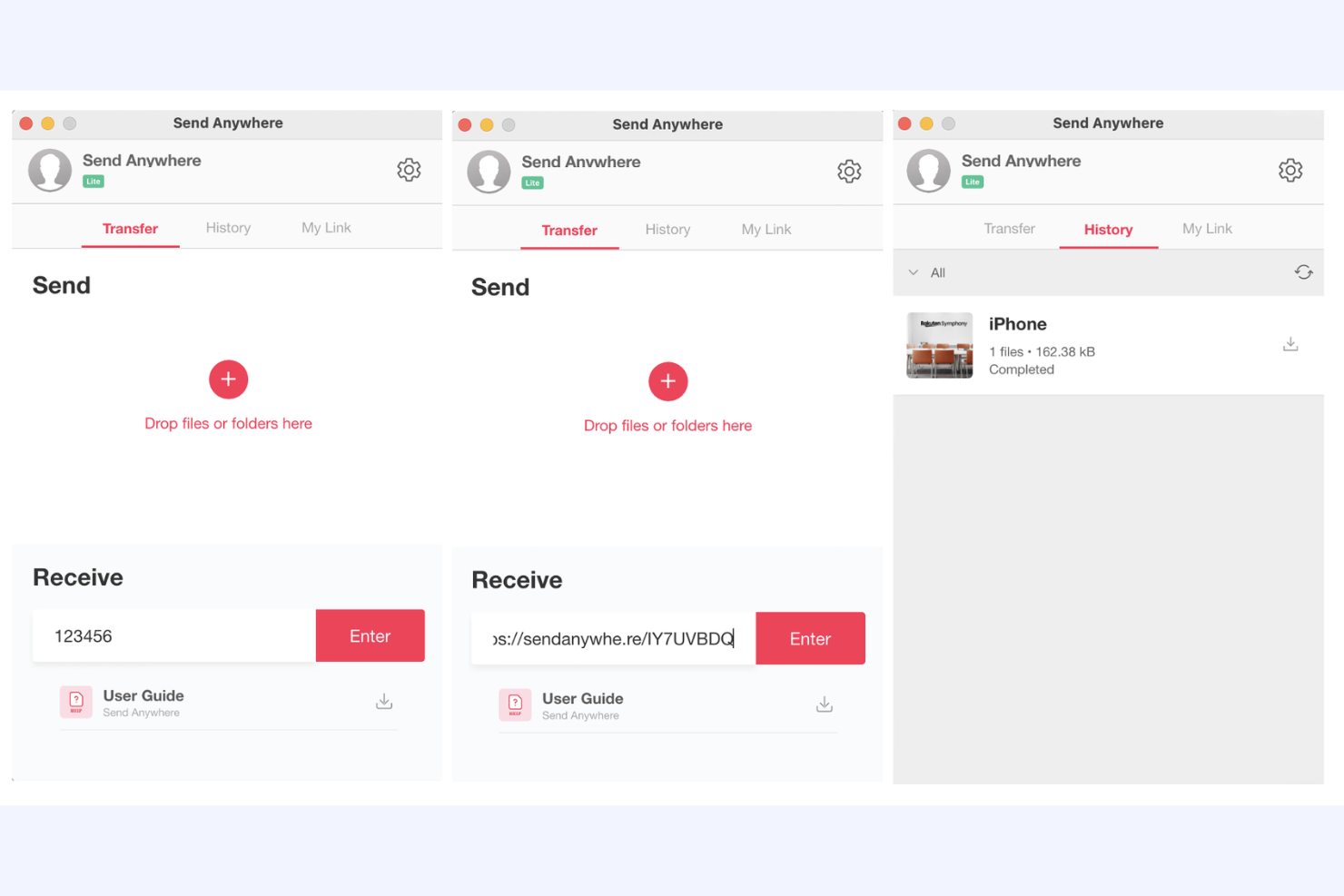
Send Anywhere ist ein cloudbasierter Dateiübertragungsdienst für Einzelpersonen und Teams, die Dateien schnell und effizient teilen müssen. Er richtet sich an Nutzer, die nach einer einfachen Möglichkeit suchen, Dateien ohne Größenbeschränkungen zu übertragen.
Warum es eine gute WeTransfer-Alternative ist: Send Anywhere ermöglicht die sofortige Dateifreigabe über einen einmaligen sechsstelligen Schlüssel, sodass Sie Dateien ohne Verzögerung senden können. Der Dienst unterstützt unbegrenzte Dateigrößen und schützt Ihre Daten durch eine 256-Bit-Dateiverschlüsselung. Sie werden die Möglichkeit schätzen, Dateien direkt zwischen Geräten zu übertragen, ohne Cloud-Speicher zu benötigen. Die plattformübergreifende Verfügbarkeit erleichtert es Ihnen und Ihrem Team, Dateien über verschiedene Geräte und Betriebssysteme hinweg zu teilen.
Herausragende Funktionen und Integrationen:
Zu den Funktionen gehört die Dateifreigabe in Echtzeit, mit der Sie Dateien sofort senden können, ohne sie hochladen zu müssen. Der Dienst bietet eine direkte Übertragung zwischen Geräten und macht dadurch Cloud-Speicher überflüssig. Zusätzlich stellt er ein sicheres, schlüsselbasiertes Freigabesystem bereit, sodass nur die vorgesehenen Empfänger auf Ihre Dateien zugreifen können.
Zu den Integrationen gehören PI Music Player und weitere.
Pros and Cons
Pros:
- Direkte Übertragung zwischen Geräten
- Sichere Verschlüsselung
- Plattformübergreifende Kompatibilität
Cons:
- Werbelastiger kostenloser Tarif kann den Arbeitsablauf unterbrechen
- Eingeschränkte Supportoptionen


Hightail ist eine Plattform für Dateifreigabe und Zusammenarbeit, die auf Kreativprofis und Teams zugeschnitten ist, die große Dateien teilen und Feedback zu kreativen Projekten verwalten müssen. Sie ermöglicht Dateifreigabe, Projektzusammenarbeit und das Sammeln von Feedback an einem Ort.
Warum es eine gute WeTransfer-Alternative ist: Hightail bietet Tools für die kreative Zusammenarbeit, mit denen Teams große Multimediadateien problemlos teilen können. Dank Feedback und Kommentaren in Echtzeit kann Ihr Team Projekte effizient prüfen und besprechen. Die Versionskontrolle stellt sicher, dass alle mit der neuesten Datei arbeiten, und reduziert dadurch Verwirrung und Fehler. Die Möglichkeit, Projekte und Feedback an einem Ort zu organisieren, macht Hightail zu einem wertvollen Tool für Kreativteams.
Herausragende Funktionen und Integrationen:
Zu den Funktionen gehören Projektmanagement-Funktionen, mit denen Sie den Fortschritt Ihres Teams organisieren und verfolgen können. Die Plattform unterstützt außerdem Dateivorschauen, sodass Sie Inhalte prüfen können, ohne sie herunterzuladen. Darüber hinaus bietet Hightail eine sichere Dateifreigabe, damit Ihre Dateien privat und geschützt bleiben.
Zu den Integrationen gehören Slack, Adobe Creative Cloud, Microsoft Teams, Google Calendar, monday.com, Asana, Basecamp und weitere.
Pros and Cons
Pros:
- Unterstützt die Übertragung großer Dateien
- Versionskontrolle für Dateien
- Projektmanagement-Funktionen
Cons:
- Begrenzter Speicherplatz in den günstigeren Tarifen
- Fehlende grundlegende Sicherheit im Pro-Tarif

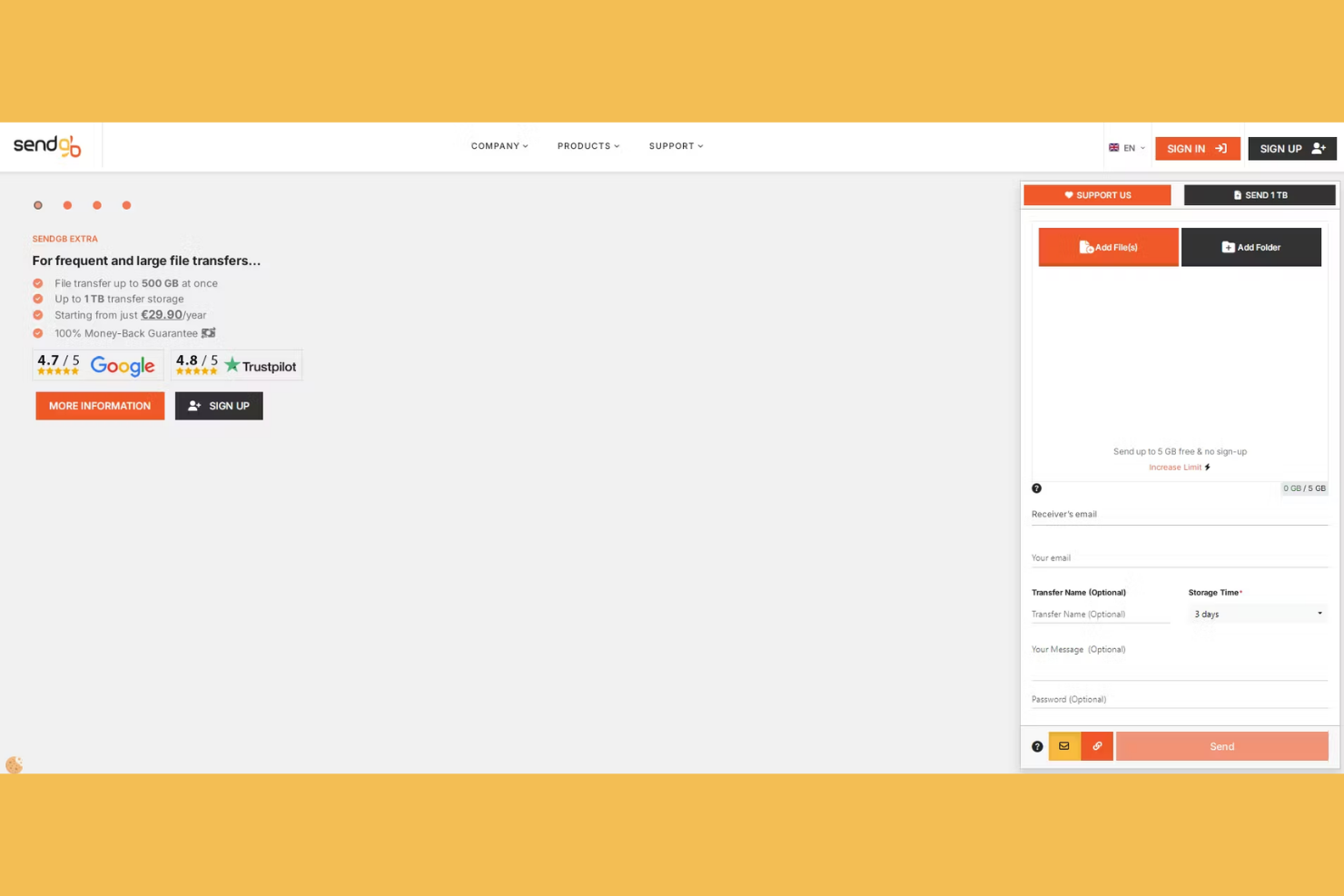
SendGB ist ein cloudbasierter Dateiübertragungsdienst für Privatpersonen und Unternehmen, die große Dateien schnell und problemlos versenden müssen. Der Dienst bietet eine einfache und benutzerfreundliche Oberfläche für die kostenlose Übertragung von Dateien mit einer Größe von bis zu 5 GB.
Warum es eine gute WeTransfer-Alternative ist: SendGB ermöglicht die kostenlose Übertragung von Dateien mit einer Größe von bis zu 5 GB und ist damit großzügiger als das kostenlose Angebot von WeTransfer. Die übersichtliche Drag-and-drop-Oberfläche erleichtert Ihnen und Ihrem Team die Dateiübertragung. Mit Funktionen wie Passwortschutz und anpassbaren Ablaufdaten können Sie Ihre Dateien sicher aufbewahren und für den gewünschten Zeitraum zugänglich machen. Dank der Möglichkeit, Dateien ohne Registrierung zu versenden, können Sie sofort loslegen.
Besondere Funktionen und Integrationen:
Zu den Funktionen gehört die Möglichkeit, Dateien gleichzeitig an mehrere Empfänger zu senden, wodurch Sie beim Teilen mit Teams Zeit sparen. SendGB bietet optionale E-Mail-Benachrichtigungen, die Sie über den Status Ihrer Dateiübertragungen informieren. Zusätzlich gibt es eine Funktion zur automatischen Löschung, die Dateien nach einem festgelegten Zeitraum automatisch löscht und so die Sicherheit erhöht.
Integrationen sind nicht öffentlich aufgeführt.
Pros and Cons
Pros:
- Keine Registrierung erforderlich
- Passwortschutz verfügbar
- Funktion zur automatischen Löschung von Dateien
Cons:
- Kurze Aufbewahrungsdauer von Dateien
- Aufdringliche Werbung
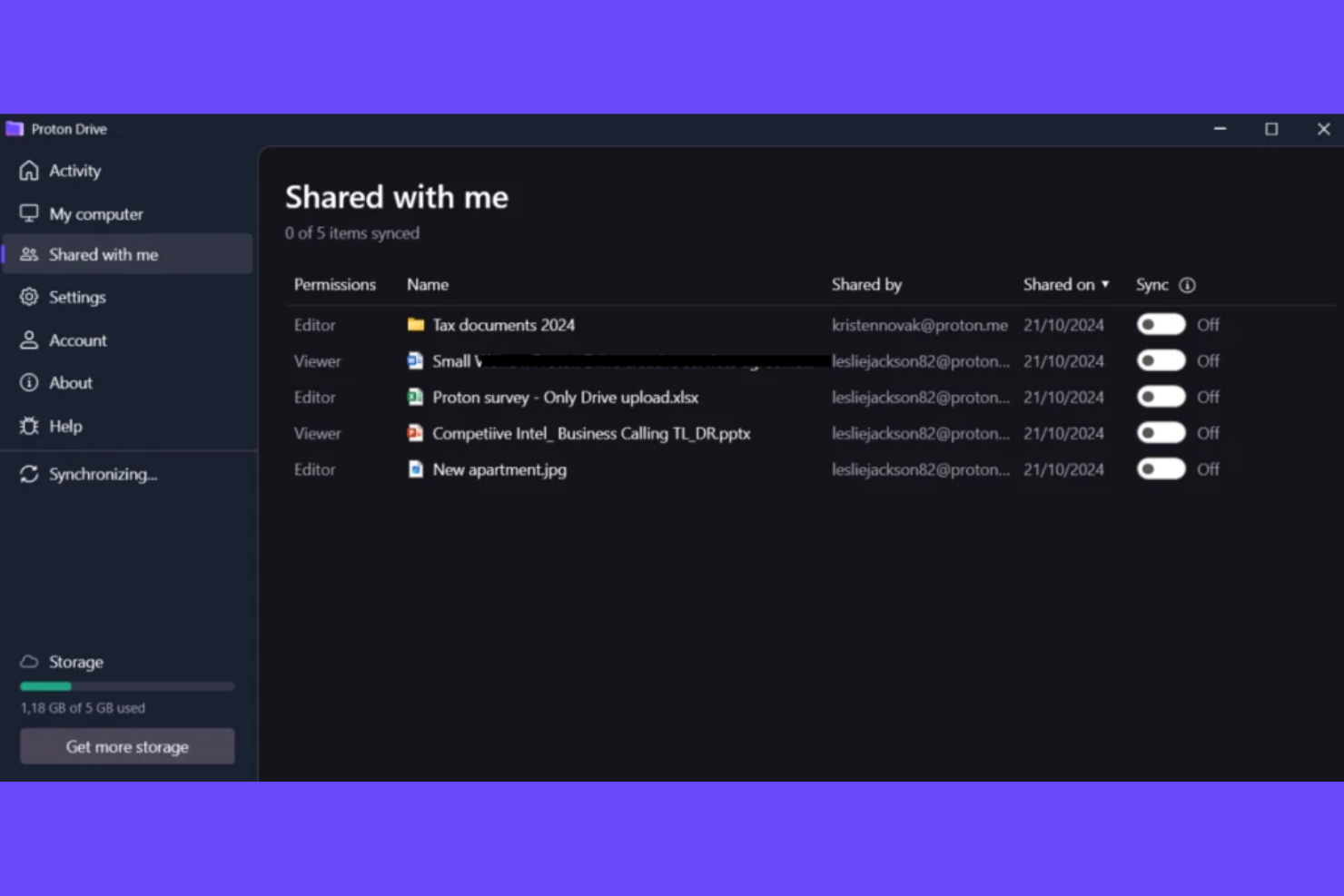
Proton Drive ist ein sicherer Cloud-Speicherdienst für Einzelpersonen und Organisationen, die Wert auf Privatsphäre und Datenschutz legen. Der Dienst bietet eine Ende-zu-Ende-Verschlüsselung, sodass Ihre Dateien privat und vor unbefugtem Zugriff geschützt bleiben.
Warum es eine gute WeTransfer-Alternative ist: Proton Drive legt mit seiner Ende-zu-Ende-Verschlüsselung, die bei WeTransfer nicht verfügbar ist, besonderen Wert auf Privatsphäre. Dadurch sind Ihre Dateien nur für Sie und die von Ihnen autorisierten Personen zugänglich. Außerdem bietet der Dienst sichere Freigabeoptionen, sodass Ihr Team problemlos zusammenarbeiten und gleichzeitig die Vertraulichkeit wahren kann. Mit seinem Fokus auf die Privatsphäre der Nutzer bietet Proton Drive eine vertrauenswürdige Lösung zum Speichern und Teilen sensibler Informationen.
Besondere Funktionen und Integrationen:
Funktionen umfassen die verschlüsselte Dateispeicherung, die Ihre Daten vor neugierigen Blicken schützt. Proton Drive bietet außerdem die sichere Freigabe per Link, sodass Sie Dateien teilen können, ohne die Sicherheit zu beeinträchtigen. Die intuitive Benutzeroberfläche erleichtert es Ihnen, Ihre Dateien effizient zu organisieren und darauf zuzugreifen.
Integrationen sind nicht öffentlich aufgeführt.
Pros and Cons
Pros:
- Starker Fokus auf Privatsphäre
- Ende-zu-Ende-Verschlüsselung
- Zuverlässiger Datenschutz
Cons:
- Langsamere Upload- und Download-Leistung
- Begrenzte Integrationen von Drittanbietern

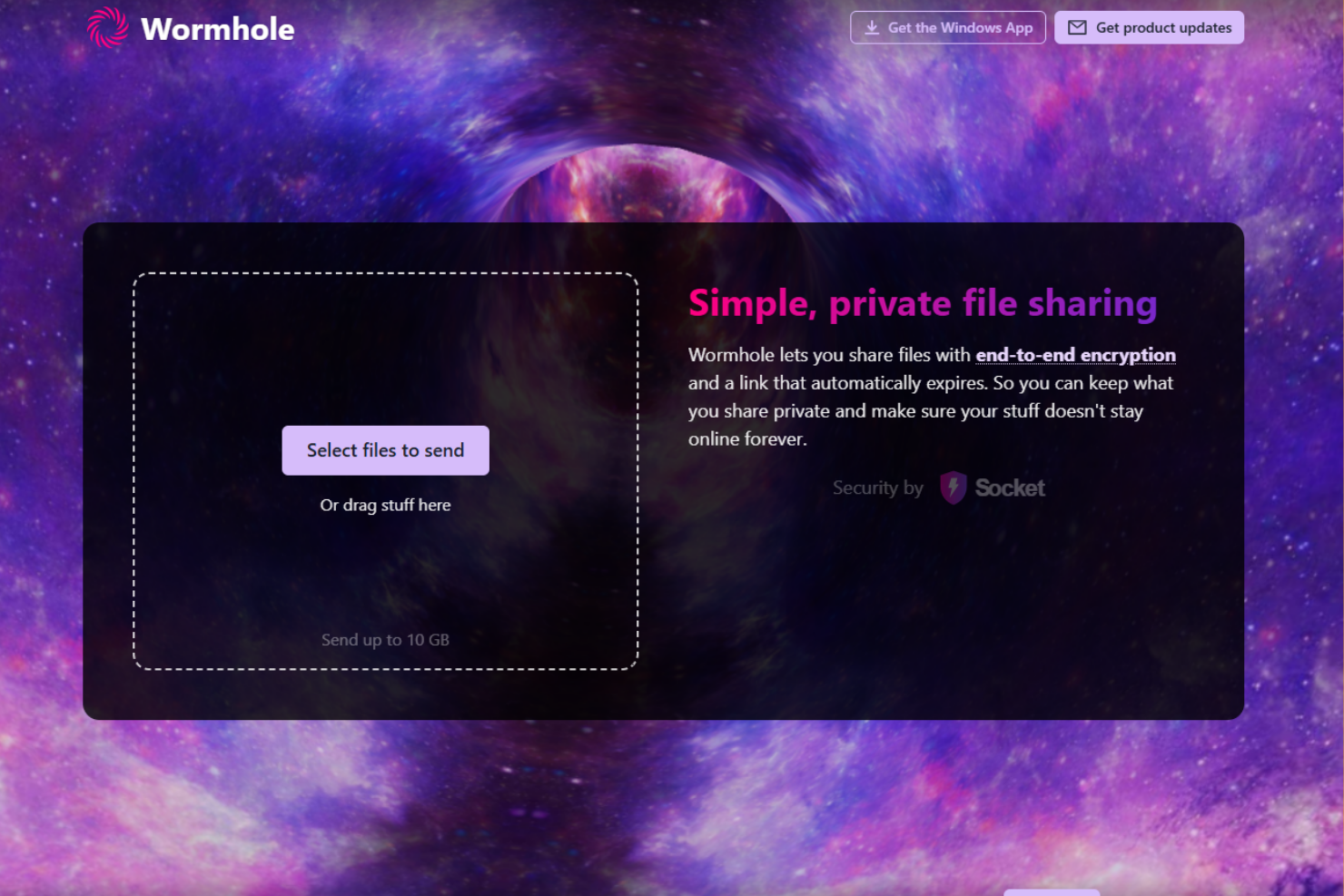
Wormhole ist ein cloudbasierter Dateiübertragungsdienst, der sich auf Datenschutz und Sicherheit für Nutzer konzentriert, die Dateien schnell und sicher teilen müssen. Er bietet Einzelpersonen und Teams eine Plattform zum Senden von Dateien mit Ende-zu-Ende-Verschlüsselung.
Warum es eine gute WeTransfer-Alternative ist: Wormhole bietet Ende-zu-Ende-Verschlüsselung, sodass Sie und Ihr Team Dateien sicher teilen können. Dank der sofortigen Dateifreigabe können Empfänger mit dem Herunterladen von Dateien beginnen, sobald Sie mit dem Hochladen beginnen. Die webbasierte Benutzeroberfläche von Wormhole vereinfacht den Übertragungsvorgang und macht die Nutzung ohne Installation für jeden einfach.
Herausragende Funktionen und Integrationen:
Zu den Funktionen gehört der Passwortschutz für zusätzliche Sicherheit, sodass nur die vorgesehenen Empfänger auf Ihre Dateien zugreifen können. Mit Wormhole können Sie Ablaufzeiten für Links festlegen und so bestimmen, wie lange Ihre Dateien verfügbar sind. Außerdem bietet der Dienst eine einfache Drag-and-Drop-Oberfläche, mit der sich Dateien schnell hochladen und teilen lassen.
Integrationen sind nicht öffentlich aufgeführt.
Pros and Cons
Pros:
- Ablaufende Links für mehr Sicherheit
- Sofortige Dateifreigabe
- Keine Installation erforderlich
Cons:
- Keine Möglichkeit zur historischen Nachverfolgung
- Begrenzte Organisationsfunktionen

TransferXL ist ein cloudbasierter Dateiübertragungsdienst für Privatpersonen und Unternehmen, die große Dateien effizient teilen müssen. Nutzer können Dateien mit einer Größe von bis zu 200 GB versenden, was den Dienst ideal für alle macht, die umfangreiche Datenübertragungen benötigen.
Warum es eine gute Alternative zu WeTransfer ist: TransferXL unterstützt Dateiübertragungen von bis zu 200 GB und liegt damit deutlich über dem Limit von WeTransfer. Es bietet eine Dateiverfolgung in Echtzeit, sodass Sie den Fortschritt Ihrer Übertragungen überwachen können. Die Plattform stellt eine Ende-zu-Ende-Verschlüsselung bereit und schützt Ihre Dateien während des gesamten Übertragungsvorgangs. Dank der benutzerfreundlichen Oberfläche können Sie und Ihr Team große Dateien problemlos verwalten und teilen.
Herausragende Funktionen und Integrationen:
Zu den Funktionen gehören Dateivorschauen, mit denen Sie Inhalte vor dem Herunterladen anzeigen können. Der Dienst verfolgt Ihre Dateiübertragungen, und alle Datenübertragungen werden in einer Zeitleiste angezeigt, sodass Sie sehen können, welche Dateiübertragungen Sie gesendet und empfangen haben.
Integrationen sind nicht öffentlich aufgeführt.
Pros and Cons
Pros:
- Hohe Kapazität für Dateiübertragungen
- Benutzerfreundliche Oberfläche
- Großzügige Limits für kostenlose Übertragungen
Cons:
- Tägliche Übertragungslimits
- Einfaches Schnittstellendesign
Weitere WeTransfer-Alternativen
Hier sind einige weitere WeTransfer-Alternativen, die es nicht in meine Auswahl geschafft haben, aber dennoch einen Blick wert sind:
- Dropbox
Am besten für die Zusammenarbeit im Team
- Microsoft OneDrive
Am besten für die Integration mit Microsoft 365 geeignet
- 4shared
Am besten für das Teilen in der Community geeignet


Wie ich WeTransfer-Alternativen bewerte
Ich betrachte zwei Ebenen: Grundvoraussetzungen wie Multi-GB-Transfers und klientenseitigen Zugriff ohne Konto sowie Unterscheidungsmerkmale wie PM-Integrationen, individuelle Markenanpassung und Upload-Portale, die ein Tool hervorheben.
Kernfunktionen (Grundvoraussetzungen für diese Liste)
Wenn ich Tools für meine Liste auswähle, bewerte ich jedes auf einer Skala von 0 (bietet die Funktion nicht) bis 5 (überzeugt in diesem Bereich) für jede der unten aufgeführten Kernfunktionen. Danach berechne ich die Gesamtpunktzahl des Tools als Prozentwert. Jedes Tool muss mindestens eine Gesamtpunktzahl von 65 % erreichen, um in die Auswahl aufgenommen zu werden.
- Große Dateiübertragungen: Ich prüfe, wie jedes Tool Multi-GB-Sendungen verarbeitet – beispielsweise das Verschicken eines kompletten Videoexports oder eines BIM-Modells an einen Kunden – ohne Kompression oder Qualitätsverlust.
- Teilbare Download-Links: Jedes Tool sollte es ermöglichen, einen Link zu erstellen, den Empfänger direkt öffnen können, ohne Softwareinstallation oder Registrierungshürde zwischen ihnen und der Datei.
- Dateianfrage & Upload-Portale: Ich achte darauf, ob sich Dateien von externen Parteien einholen lassen, etwa wenn ein Kunde Markenassets hochlädt oder ein Auftragnehmer Genehmigungen über ein spezielles Portal einreicht.
- Sicherheit & Zugriffskontrollen: Passwortschutz, Linkablauf und Verschlüsselung sind hier entscheidend – besonders, wenn Verträge, Design-Dateien oder Finanzdokumente mit externen Beteiligten geteilt werden.
- Zustellungs-Tracking & Benachrichtigungen: Ich prüfe, ob das Tool den Download bestätigt und Zugriff protokolliert, damit Sie wissen, wann der Kunde Ihre Lieferung tatsächlich erhalten und geöffnet hat.
- Unterstützung externer Zusammenarbeit: Das Empfängererlebnis zählt. Ich schaue, ob externe Beteiligte Dateien herunterladen oder hochladen können, ohne ein Konto zu erstellen oder Software installieren zu müssen.
Sobald ich eine Liste von Tools habe, die diese Kriterien erfüllen, schaue ich, was die einzelnen Plattformen besonders macht.
Unterscheidungsmerkmale (Was Anbieter auszeichnet)
So vergleiche und unterscheide ich verschiedene Anbieter:
Herausragende Funktionen
Eigene Markenanpassung macht eine Dateiübertragung zu einem professionellen Kundenkontaktpunkt – ich achte darauf, ob Tools erlauben, Logo und Farben auf Transferseiten und Upload-Portalen anzupassen. PM-Tool-Integrationen sind ebenfalls wichtig, da übertragene Dateien – etwa mit Asana, Jira oder monday.com – direkt an Aufgaben geknüpft bleiben. Auch die Cloud-Speicher-Synchronisation fließt ein: Die meisten Teams speichern Dateien bereits auf Google Drive oder Dropbox und sollten diese nicht neu hochladen müssen, nur um sie extern zu teilen.
Mehr als nur Funktionen
Compliance spielt eine große Rolle, wenn Sie sensible Projektdaten teilen – ich prüfe Zertifizierungen wie SOC 2 und die Einhaltung der DSGVO, besonders wenn Ihr Team regulierte Daten verarbeitet. Auch die Preisstruktur bewerte ich, da Abrechnungen pro Benutzer bei Projekten mit vielen externen Dienstleistern und Freelancern schnell teuer werden. Nicht zuletzt zählt das Kundenerlebnis: Wenn ein Empfänger auf dem Handy Probleme beim Download hat oder durch eine unübersichtliche Oberfläche verwirrt wird, wirkt sich das auf Ihr Team aus.
Warum nach einer WeTransfer-Alternative suchen?
Obwohl WeTransfer eine gute Wahl für eine cloudbasierte Plattform zur Dateiübertragung ist, gibt es mehrere Gründe, warum manche Nutzer nach alternativen Lösungen suchen. Vielleicht suchen Sie nach einer WeTransfer-Alternative, weil …
- Sie höhere Dateigrößenbeschränkungen benötigen
- Ihr Team mehr Sicherheitsfunktionen benötigt
- Sie eine längere Dateiaufbewahrung wünschen
- Sie eine bessere Integration mit anderen Tools benötigen
- Ihr Team mehr Möglichkeiten zur Anpassung wünscht
- Sie bessere Supportleistungen benötigen
Wenn Sie sich darin wiedererkennen, sind Sie hier richtig. Meine Liste enthält mehrere cloudbasierte Plattformen zur Dateiübertragung, die besser für Teams geeignet sind, die mit diesen Herausforderungen bei WeTransfer konfrontiert sind und nach alternativen Lösungen suchen.
Funktionen
Hier sind einige der wichtigsten Funktionen von WeTransfer, die Ihnen dabei helfen sollen, die Angebote alternativer Lösungen gegenüberzustellen und zu vergleichen:
- Einfache Benutzeroberfläche: Sie können Dateien problemlos hochladen und senden.
- Keine Registrierung erforderlich: Senden Sie Dateien schnell, ohne ein Konto zu erstellen.
- Bis zu 2 GB kostenlos übertragen: Teilen Sie mittelgroße Dateien, ohne dafür zu bezahlen.
- E-Mail-Benachrichtigungen: Sie erhalten Benachrichtigungen, wenn Dateien heruntergeladen werden.
- Ablauf von Download-Links: Links laufen nach sieben Tagen ab, sodass Ihre Übertragungen nur vorübergehend verfügbar sind.
- Anpassbare Hintergründe: Gestalten Sie Ihre Übertragungsseite mit eigenen Bildern.
- Passwortschutz: Fügen Sie Ihren Dateiübertragungen eine zusätzliche Sicherheitsebene hinzu.
- Funktion zum Ziehen und Ablegen: Laden Sie Dateien schnell hoch, indem Sie sie in den Browser ziehen.
- Übertragungsverfolgung: Überwachen Sie, wann Ihre Dateien von den Empfängern heruntergeladen werden.
- Mehrere Empfänger: Senden Sie Dateien ganz einfach gleichzeitig an mehrere Personen.