

10 beste Calendly-Alternativen für die Buchung von Meetings im Jahr 2026

Die besten Calendly-Alternativen im Überblick


Die effektive Verwaltung des Kalenders deines Teams kann eine Herausforderung sein. Das Planen von Meetings, die Verwaltung von Terminen und die Sicherstellung, dass alle auf dem gleichen Stand sind, kann wertvolle Zeit kosten. Genau hier kommt Terminplanungssoftware wie Calendly ins Spiel.
Doch Calendly passt möglicherweise nicht zu den Anforderungen aller. Vielleicht suchst du nach mehr Anpassungsmöglichkeiten, einer einfacheren Bedienung, einem besseren Preismodell oder bestimmten Funktionen, die Calendly nicht bietet. Was auch immer der Grund ist: Du bist nicht allein auf der Suche nach Alternativen.
Ich habe die besten Calendly-Alternativen ermittelt und getestet, die besser zu deinen Anforderungen passen könnten. In diesem Artikel teile ich unvoreingenommene Einblicke zu jeder Option und helfe dir dabei, die richtige Terminplanungs-App-Lösung für die individuellen Herausforderungen deines Teams zu finden.
Was ist Calendly?
Calendly ist eine Software zur Kalenderverwaltung, die den Planungsprozess vereinfacht, indem Nutzer ihre Verfügbarkeit festlegen und mit anderen teilen können. Sie wird häufig von Fachkräften wie Vertriebsteams, Beratern und Freiberuflern genutzt, die effizient Meetings buchen müssen. Calendly bietet Funktionen wie automatische Erinnerungen, die Erkennung von Zeitzonen und die Kalenderintegration mit anderen Apps. Diese helfen dabei, Terminkonflikte zu reduzieren und Zeit zu sparen. Insgesamt bietet Calendly eine benutzerfreundliche Möglichkeit, Termine zu buchen, ohne dass zahlreiche E-Mails hin und her geschickt werden müssen.
Vergleich der Calendly-Alternativen
Diese Vergleichstabelle fasst die Preisinformationen zu meinen besten Calendly-Alternativen zusammen.
| Tool | Best For | Trial Info | Price | ||
|---|---|---|---|---|---|
| 1 | Am besten für branchenspezifische Lösungen geeignet | 7-tägige kostenlose Testversion | Ab $20/Monat | Website | |
| 2 | Am besten für anpassbare Buchungsseiten | 14-tägige kostenlose Testversion und kostenloser Tarif verfügbar | Ab $14.40/Benutzer/Monat | Website | |
| 3 | Am besten für Umfragen zu Gruppentreffen | Kostenloser Tarif verfügbar | Ab 6.95 $/Benutzer/Monat (jährlich abgerechnet) | Website | |
| 4 | Am besten für die Preisgestaltung des lebenslangen Angebots geeignet | Kostenloser Tarif verfügbar | Ab $29 (einmalige Zahlung) | Website | |
| 5 | Am besten für Nutzer des Google-Ökosystems geeignet | 14-tägige kostenlose Testversion | $7.56/Monat | Website | |
| 6 | Optimal für KI-gestützte Terminplanung | Kostenloser Tarif verfügbar | Ab 10 $/Sitzplatz/Monat | Website | |
| 7 | Idéal pour le suivi automatique du temps | Essai gratuit de 14 jours + démonstration gratuite disponible | À partir de $9/utilisateur/mois (facturé annuellement) | Website | |
| 8 | Am besten für die Anpassung von Besprechungstypen geeignet | 14-tägige kostenlose Testversion + kostenloser Tarif verfügbar | Ab $9.99/Nutzer/Monat (jährliche Abrechnung) | Website | |
| 9 | Am besten für quelloffene Terminplanung | 14-tägige kostenlose Testversion + kostenloser Tarif + kostenlose Demo verfügbar | Ab $12/Benutzer/Monat | Website | |
| 10 | Am besten für das Kundenbeziehungsmanagement geeignet | Kostenlose Testversion verfügbar | Ab $29/Monat (jährlich abgerechnet) | Website |
Warum Sie unseren Software-Empfehlungen vertrauen können
Unser Team testet und bewertet Software seit 2012. Als Projektmanager wissen wir selbst, wie schwierig – und wichtig – es ist, die richtige Software auszuwählen.
Für diesen Leitfaden haben wir Tools mithilfe von praktischen Tests und unabhängiger Recherche bewertet und dabei unsere Bewertungskriterien angewendet. Zudem greifen wir auf Erkenntnisse von Branchenvordenkern und praktizierenden Projektmanagement-Experten zurück.
Unsere Bewertungen spiegeln unser menschliches redaktionelles Urteilsvermögen wider, keine Verkaufsstrategie.
Expertenprüfer:
Bewertungen der besten Calendly-Alternativen
Nachfolgend findest du meine ausführlichen Zusammenfassungen der besten Calendly-Alternativen, die es in meine Auswahl geschafft haben. Meine Bewertungen bieten einen detaillierten Überblick über die wichtigsten Funktionen, Vor- und Nachteile, Integrationen sowie die idealen Anwendungsfälle für jedes Tool, damit du die beste Terminplanungs-App für dich findest.

Am besten für branchenspezifische Lösungen geeignet
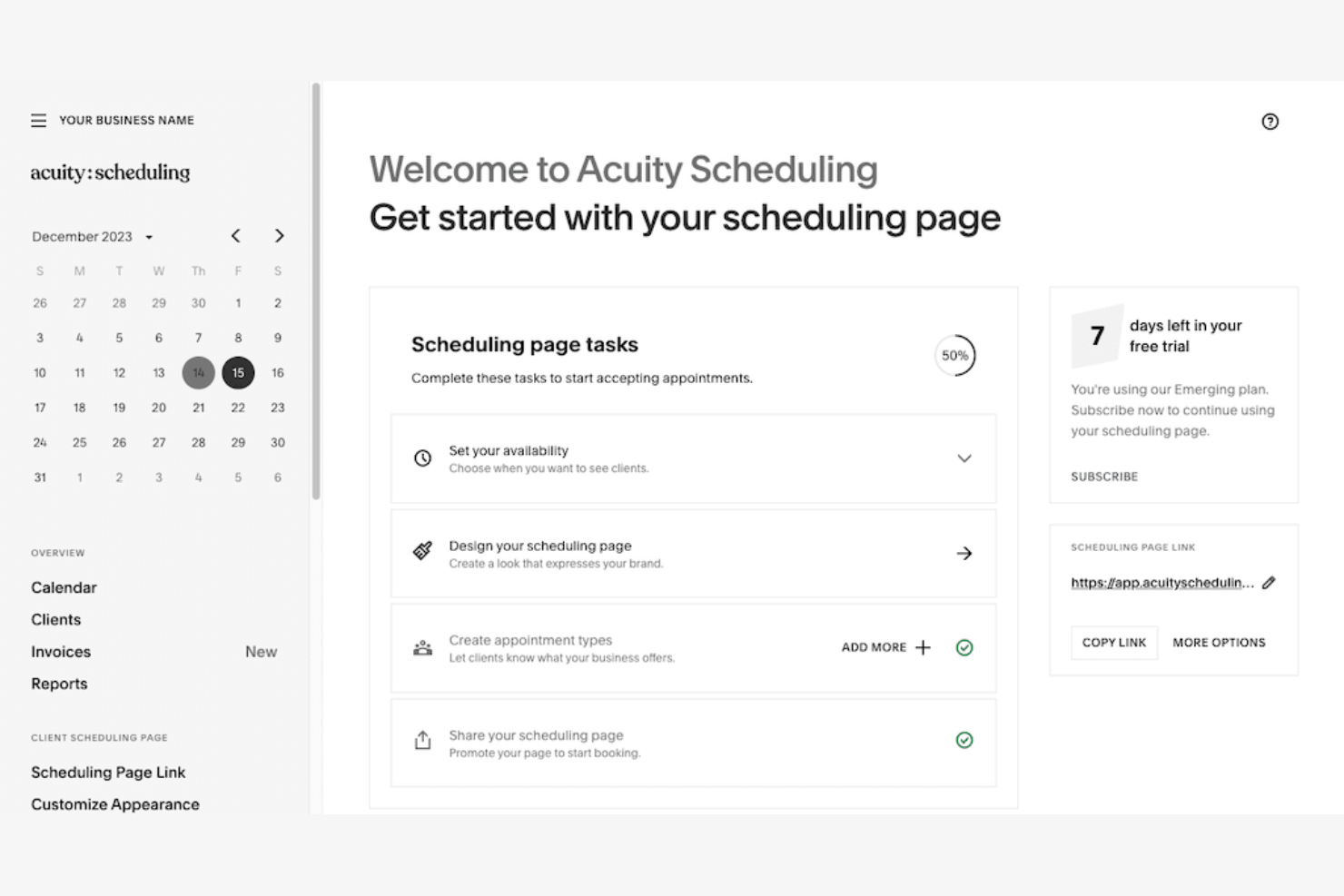
Acuity Scheduling ist ein Online-Tool zur Terminplanung mit maßgeschneiderten Planungslösungen. Es richtet sich an Branchen, die spezielle Buchungsfunktionen und eine flexible Terminverwaltung benötigen.
Warum Acuity Scheduling eine gute Calendly-Alternative ist: Acuity Scheduling bietet branchenspezifische Lösungen und berücksichtigt individuelle Planungsanforderungen mit anpassbaren Buchungsseiten und Aufnahmeformularen. Sie können mehrere Standorte und die Zeitpläne von Mitarbeitenden problemlos verwalten. Die Möglichkeit, verschiedene Zeitzonen zu berücksichtigen und automatische Erinnerungen zu versenden, hilft dabei, Ihren Terminprozess zu optimieren. Das macht Acuity Scheduling zu einem wertvollen Tool für Unternehmen mit speziellen Anforderungen an die Terminplanung.
Hervorstechende Funktionen und Integrationen:
Zu den Funktionen gehört die Selbstbuchung durch Kundinnen und Kunden, sodass diese Termine nach Belieben buchen können. Sie können Zahlungen auch direkt über die Planungsoberfläche akzeptieren und so den Zahlungsprozess vereinfachen. Acuity Scheduling bietet detaillierte Berichte, mit denen Sie Buchungstrends analysieren können.
Zu den Integrationen gehören Google Meet, Zoom, QuickBooks, Stripe, PayPal, GoToMeeting, Squarespace, Zapier und mehr.
Pros and Cons
Pros:
- Branchenspezifische Anpassungen
- Verwaltung mehrerer Standorte
- Automatische Erinnerungen
Cons:
- Einarbeitungszeit für neue Benutzerinnen und Benutzer
- Kann kompliziert einzurichten sein

Am besten für anpassbare Buchungsseiten
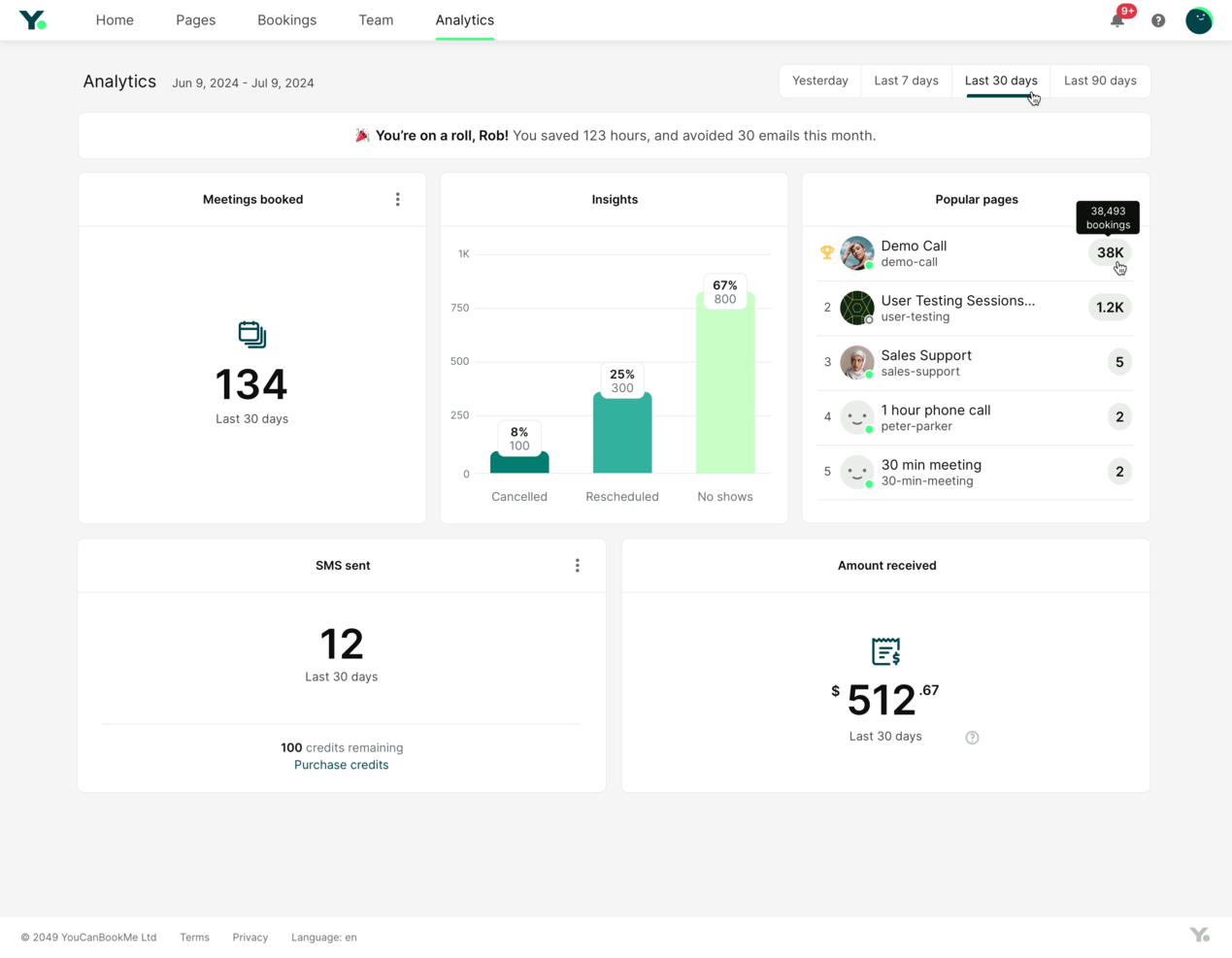
YouCanBookMe ist ein Online-Terminplanungstool, das Fachleuten dabei hilft, Termine mühelos zu verwalten. Es optimiert Buchungsprozesse und verbessert die Interaktion mit Kunden.
Warum YouCanBookMe eine gute Calendly-Alternative ist: YouCanBookMe ermöglicht Ihnen, Buchungsseiten zu erstellen und Ihren Kunden dadurch ein personalisiertes Erlebnis zu bieten. Sie können das Erscheinungsbild und die Einstellungen anpassen, damit sie zur Identität Ihrer Marke passen. Funktionen wie die Zeitzonenerkennung und automatische Erinnerungen halten Ihren Zeitplan organisiert und verringern das Risiko verpasster Termine. Diese Flexibilität und die Liebe zum Detail machen YouCanBookMe zu einer überzeugenden Option für alle, die individuellere Terminplanungsoptionen benötigen.
Hervorstechende Funktionen und Integrationen:
Zu den Funktionen gehört die Möglichkeit, Pufferzeiten zwischen Terminen festzulegen, sodass Sie ausreichend Zeit zur Vorbereitung haben. Sie können außerdem mehrere Buchungsprofile erstellen und verwalten, um verschiedene Dienstleistungen oder Teammitglieder zu unterstützen. Das Tool stellt detaillierte Analysen bereit, mit denen Sie die Leistung Ihrer Terminplanung verfolgen und optimieren können.
Zu den Integrationen gehören Google Calendar, Microsoft Outlook, Zoom, Slack, Zapier, iCloud Calendar, Office 365, Stripe, Microsoft Teams und weitere.
Pros and Cons
Pros:
- Anpassbare Buchungsseiten
- Automatische Erinnerungen
- Zeitzonenerkennung
Cons:
- Begrenzte erweiterte Funktionen
- Erfordert Einrichtungszeit

Doodle
Am besten für Umfragen zu Gruppentreffen
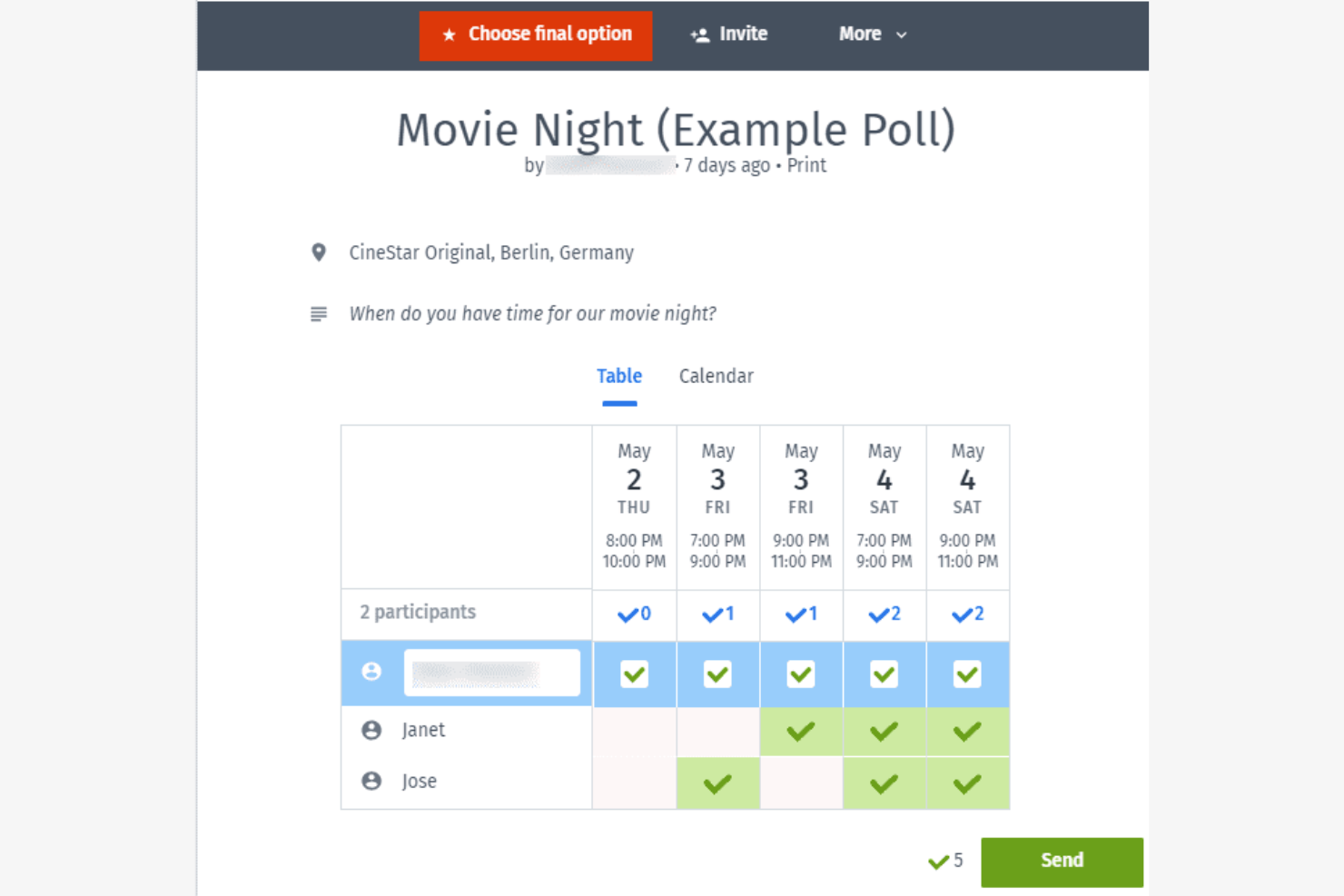
Doodle ist ein Planungstool, das den Prozess der Suche nach dem besten Zeitpunkt für Gruppentreffen vereinfachen soll. Es ist bei Teams und Organisationen beliebt, die sich mit mehreren Teilnehmern koordinieren müssen.
Warum Doodle eine gute Calendly-Alternative ist: Mit der Abstimmungsfunktion von Doodle können Teilnehmer über bevorzugte Besprechungszeiten abstimmen, was das Tool ideal für die Planung von Gruppenterminen macht. Sie können Umfragen erstellen, versenden und schnell sehen, welcher Zeitpunkt für alle am besten passt. Diese Funktion ist besonders für größere Teams oder Veranstaltungen nützlich, bei denen es schwierig ist, einen gemeinsamen Zeitpunkt zu finden. Die benutzerfreundliche Oberfläche von Doodle macht die Teilnahme für jeden einfach.
Herausragende Funktionen und Integrationen:
Zu den Funktionen gehören Optionen zur individuellen Gestaltung der Marke, mit denen Sie Ihre Planungsoberfläche personalisieren können. Sie können außerdem Fristen für Umfrageantworten festlegen und so zeitnahes Feedback sicherstellen. Die Kalenderansicht von Doodle bietet einen klaren Überblick über alle vorgeschlagenen Besprechungszeiten und hilft Ihnen, fundierte Entscheidungen bei der Terminplanung zu treffen.
Zu den Integrationen gehören Google Calendar, Microsoft Outlook, Slack, Zoom, Microsoft Teams, Zapier und weitere.
Pros and Cons
Pros:
- Einfache Gruppenplanung
- Umfragen zu Besprechungszeiten
- Fristeneinstellungen für Antworten
Cons:
- Eingeschränkte erweiterte Funktionen
- Grundlegende Anpassungsmöglichkeiten für kostenlose Benutzer

TidyCal
Am besten für die Preisgestaltung des lebenslangen Angebots geeignet
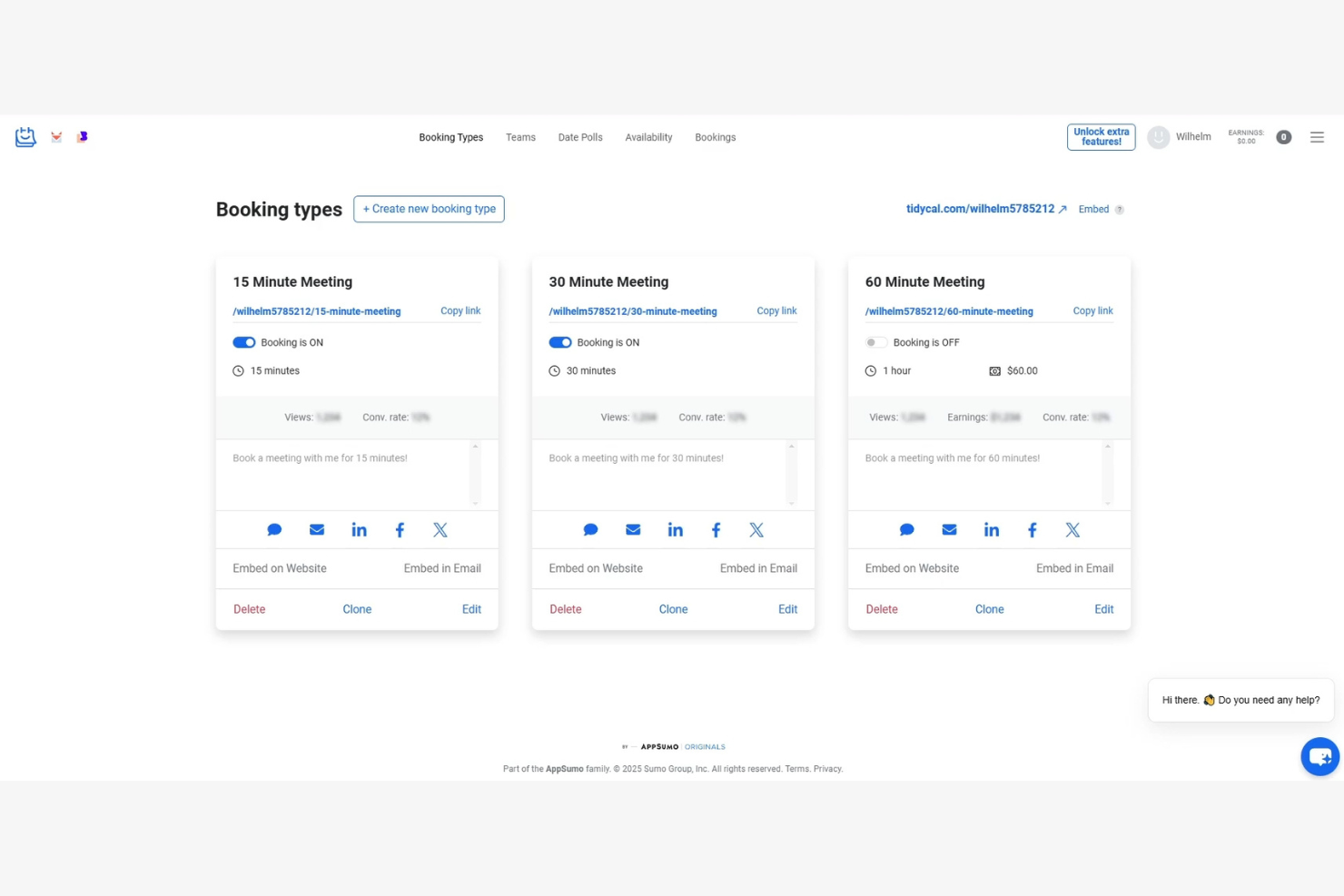
TidyCal ist ein Terminplanungstool für Unternehmer und kleine Unternehmen, die nach einer erschwinglichen Möglichkeit zur Verwaltung von Terminen suchen. Es hilft Nutzern, ihre Zeitpläne effizient zu organisieren, ohne die wiederkehrenden Kosten, die bei vielen anderen Tools anfallen.
Warum TidyCal eine gute Calendly-Alternative ist: TidyCal bietet ein lebenslanges Angebot und ist damit im Vergleich zum Abonnementmodell von Calendly eine kostengünstige Wahl. Es verfügt über eine benutzerfreundliche Oberfläche, auf der Sie Ihre Verfügbarkeit festlegen und Kunden die Buchung von Zeit mit Ihnen ermöglichen können. Funktionen wie Zeitzonenerkennung und Kalendersynchronisierung sorgen dafür, dass Ihre Termine korrekt sind. Das macht TidyCal ideal für alle, die eine unkomplizierte Terminplanung ohne laufende Kosten wünschen.
Herausragende Funktionen und Integrationen:
Zu den Funktionen gehören anpassbare Buchungsseiten, mit denen Sie das Erscheinungsbild an Ihre Marke anpassen können. Außerdem können Sie Pufferzeiten zwischen Terminen festlegen, um sich etwas Luft zu verschaffen. Die automatische Zeitzonenumrechnung von TidyCal stellt sicher, dass Ihre Besprechungen unabhängig vom Standort Ihrer Kunden korrekt geplant werden.
Zu den Integrationen gehören Google Kalender, Outlook Kalender, Apple Kalender, Zapier und weitere.
Pros and Cons
Pros:
- Option zur einmaligen Zahlung
- Anpassbare Buchungsseiten
- Automatische Zeitzonenumrechnung
Cons:
- Begrenzte erweiterte Funktionen
- Möglicherweise nicht für große Teams skalierbar

Am besten für Nutzer des Google-Ökosystems geeignet
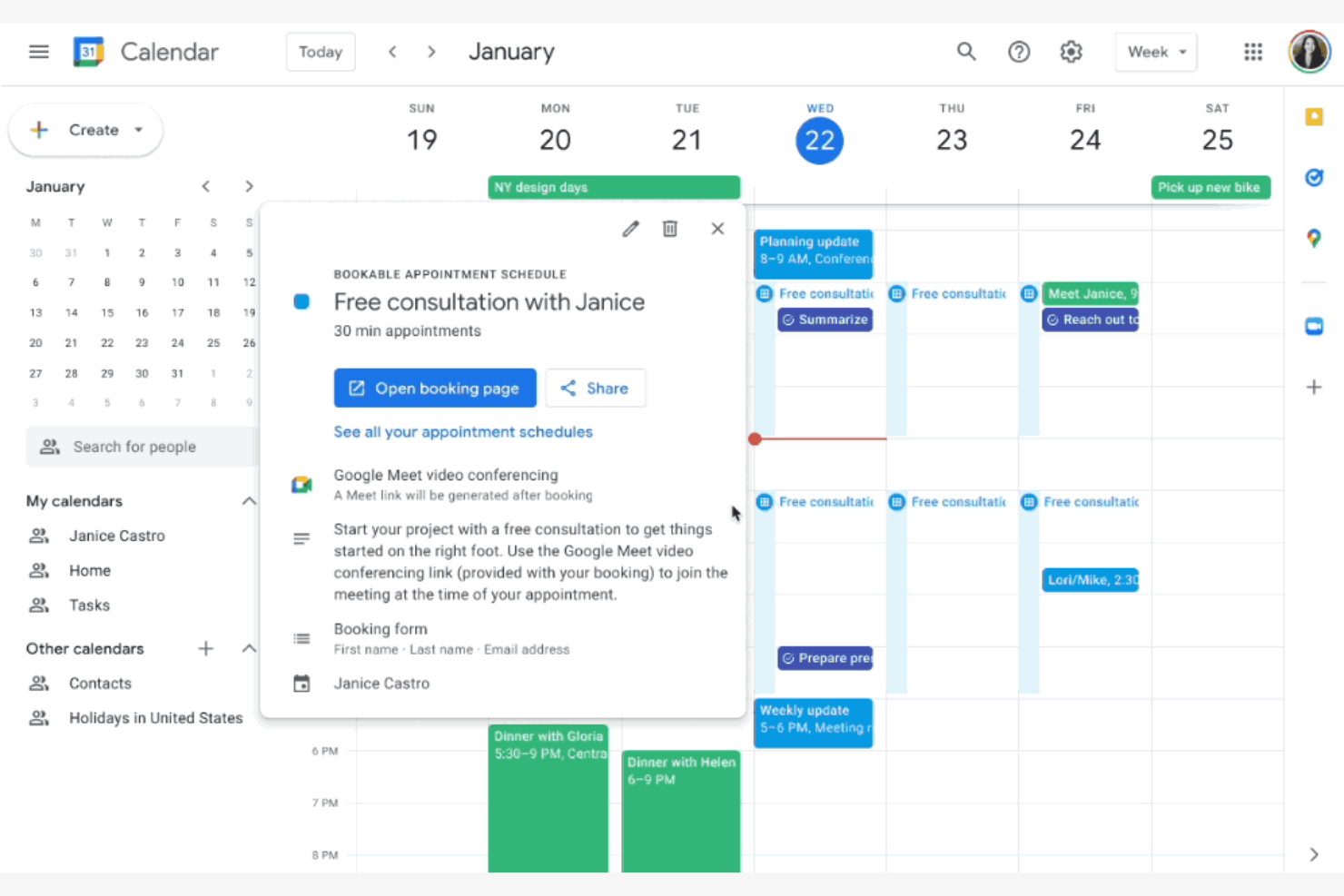
Google Kalender ist ein digitales Kalendertool, das von Privatpersonen und Unternehmen häufig zur Planung und Verwaltung von Ereignissen verwendet wird. Es ist besonders bei Nutzern beliebt, die bereits im Google-Ökosystem aktiv sind, da es einen einfachen Zugriff und eine nahtlose Integration mit anderen Google-Diensten bietet.
Warum Google Kalender eine gute Calendly-Alternative ist: Google Kalender ist ideal für Nutzer, die eine Integration und Verbindungen mit Gmail und anderen Google-Apps wünschen. Die Möglichkeit, Ereignisse aus Gmail automatisch hinzuzufügen und Kalender mit anderen zu teilen, macht ihn zu einer praktischen Wahl. Nutzer können außerdem problemlos Erinnerungen und wiederkehrende Ereignisse einrichten. Die intuitive Benutzeroberfläche und die geräteübergreifende Zugänglichkeit machen das Tool sowohl für den privaten als auch für den beruflichen Einsatz praktisch.
Herausragende Funktionen und Integrationen:
Zu den Funktionen gehört die Möglichkeit, mehrere Kalender für unterschiedliche Zwecke zu erstellen, wodurch sich berufliche und private Ereignisse übersichtlich organisieren lassen. Sie können ereignisspezifische Benachrichtigungen festlegen, um Ihren Zeitplan im Blick zu behalten. Mit der Funktion zur Farbcodierung können Sie verschiedene Arten von Ereignissen und Prioritäten visuell voneinander unterscheiden.
Zu den Integrationen gehören Gmail, Google Meet, Microsoft Outlook, Slack, Zoom, Trello, Salesforce, Asana, Zapier, HubSpot, Microsoft Teams und weitere.
Pros and Cons
Pros:
- Integration mit Google-Diensten
- Auf allen Geräten zugänglich
- Benutzerfreundliche Oberfläche
Cons:
- Keine erweiterten Buchungsabläufe
- Eingeschränkte Funktionen für die Teamplanung

Reclaim
Optimal für KI-gestützte Terminplanung
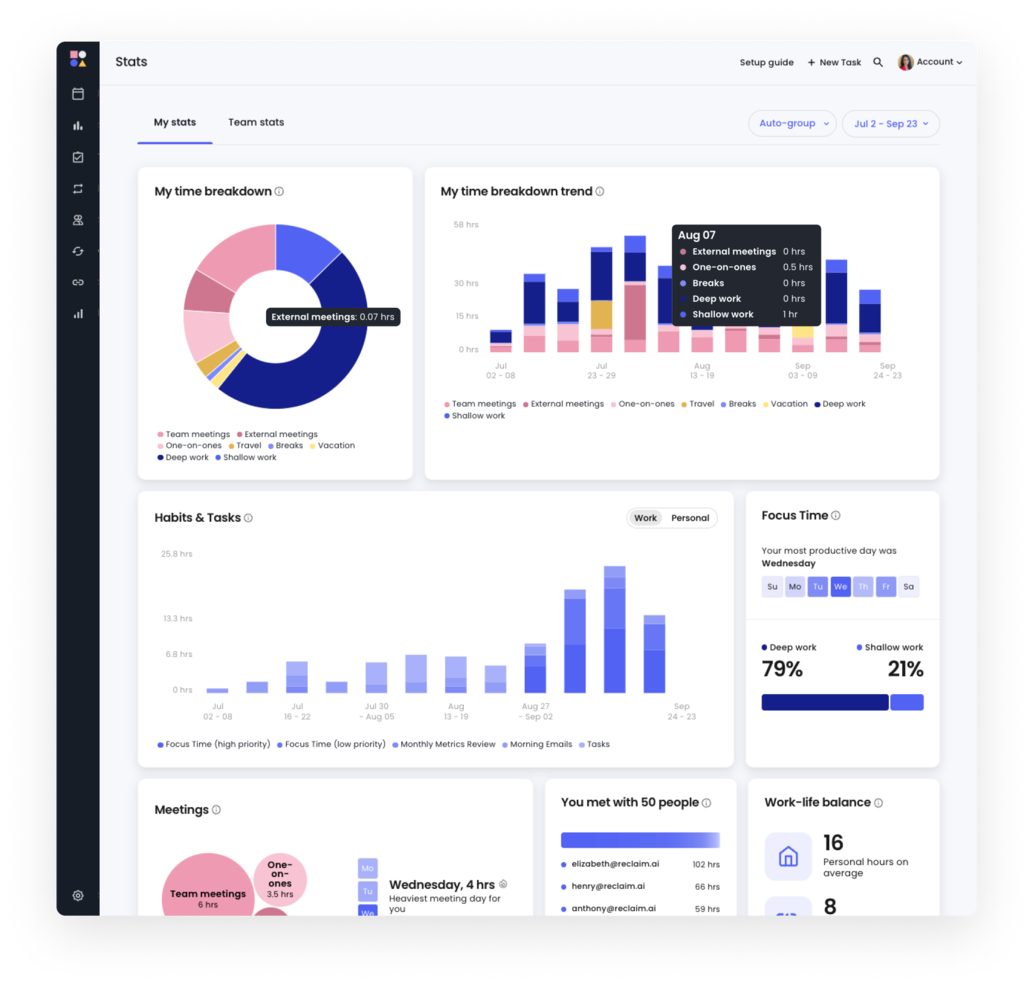
Reclaim ist ein KI-gestütztes Kalendertool für Einzelpersonen und Teams, das die Produktivität durch die Automatisierung von Terminplanungsaufgaben steigert. Es wird hauptsächlich von Fachkräften aus verschiedenen Branchen wie Personalwesen, Vertrieb und Technik genutzt, um ihre Work-Life-Balance zu optimieren.
Warum Reclaim eine gute Calendly-Alternative ist: Reclaim automatisiert die Terminplanung, schützt Fokuszeiten und koordiniert Aufgaben, wodurch es sich von Calendly unterscheidet. Diese Funktionen helfen Nutzern, Zeit zurückzugewinnen und Terminkonflikte zu reduzieren, und bieten so eine stärker automatisierte und effizientere Erfahrung.
Herausragende Funktionen und Integrationen:
Zu den Funktionen gehören Aufgabenverwaltung, der Schutz von Fokuszeiten und die Gewohnheitsverfolgung. Sie können Pufferzeiten festlegen, um Pausen zwischen Besprechungen zu gewährleisten, und die intelligente Terminplanung nutzen, um Ihren Kalender automatisch anhand von Prioritäten anzupassen. Der KI-gestützte Workflow von Reclaim hilft Ihnen, Ihre Arbeitswoche effizient zu verwalten und unterstützt Ihre Produktivität.
Zu den Integrationen gehören Google Calendar, Slack, Asana, Zoom, ClickUp, Microsoft Outlook, Jira, Todoist und weitere.
Pros and Cons
Pros:
- Schutz von Fokuszeiten
- Integrierte Puffer für Zeitmanagement
- Intelligente Anpassung von Besprechungen
Cons:
- Steilere Lernkurve
- Erfordert eine Kalenderintegration

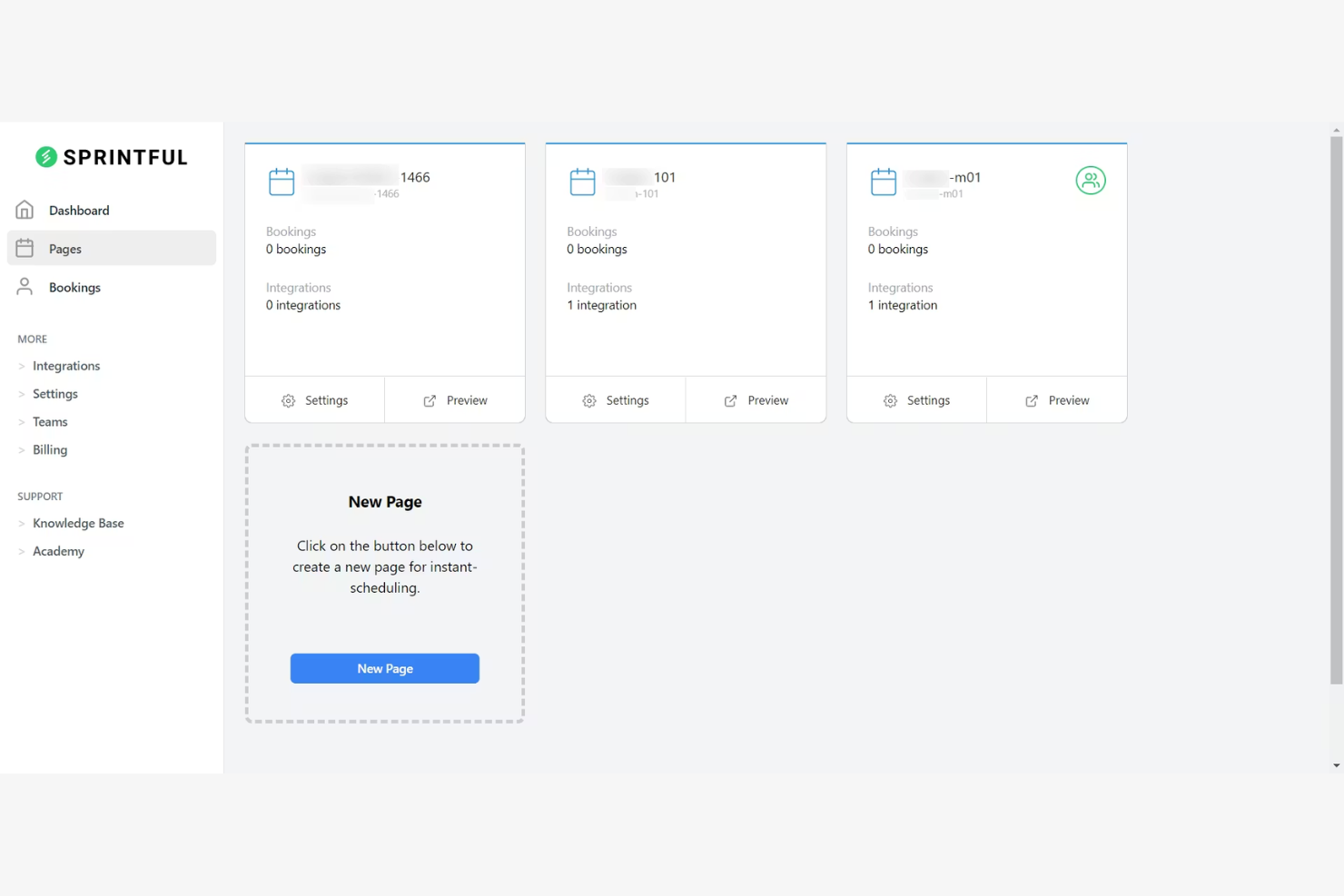
Timely est un outil de gestion du temps conçu pour les équipes et les freelances qui souhaitent automatiser le suivi de leur temps. Il vous aide à suivre précisément les heures de travail et à gérer plus efficacement l’avancement des projets.
Pourquoi Timely est une bonne alternative à Timecamp : Timely propose un suivi automatique du temps, ce qui élimine la saisie manuelle et garantit une collecte précise des données. Le suivi de la mémoire enregistre toutes les activités effectuées sur votre ordinateur, offrant ainsi une vue complète de votre travail. Vous pouvez facilement consulter et approuver les heures suivies, ce qui simplifie la gestion des projets. Cette automatisation du suivi du temps fait de Timely une option de choix pour ceux qui recherchent simplicité et précision.
Fonctionnalités et intégrations remarquables :
Fonctionnalités comprennent le suivi de la mémoire, les tableaux de bord des projets et les rapports de temps. Ces fonctionnalités de suivi du temps vous offrent une vision claire de vos heures de travail. Timely propose également une chronologie qui représente visuellement votre journée de travail, vous aidant ainsi à mieux gérer votre emploi du temps.
Intégrations avec Asana, Google Calendar et bien d’autres.
Pros and Cons
Pros:
- Suivi automatique du temps
- Fonctionnalités étendues de surveillance de l’activité
- Adapté aux freelances
Cons:
- Dépend du suivi de l’utilisation de l’ordinateur
- Options de saisie manuelle limitées

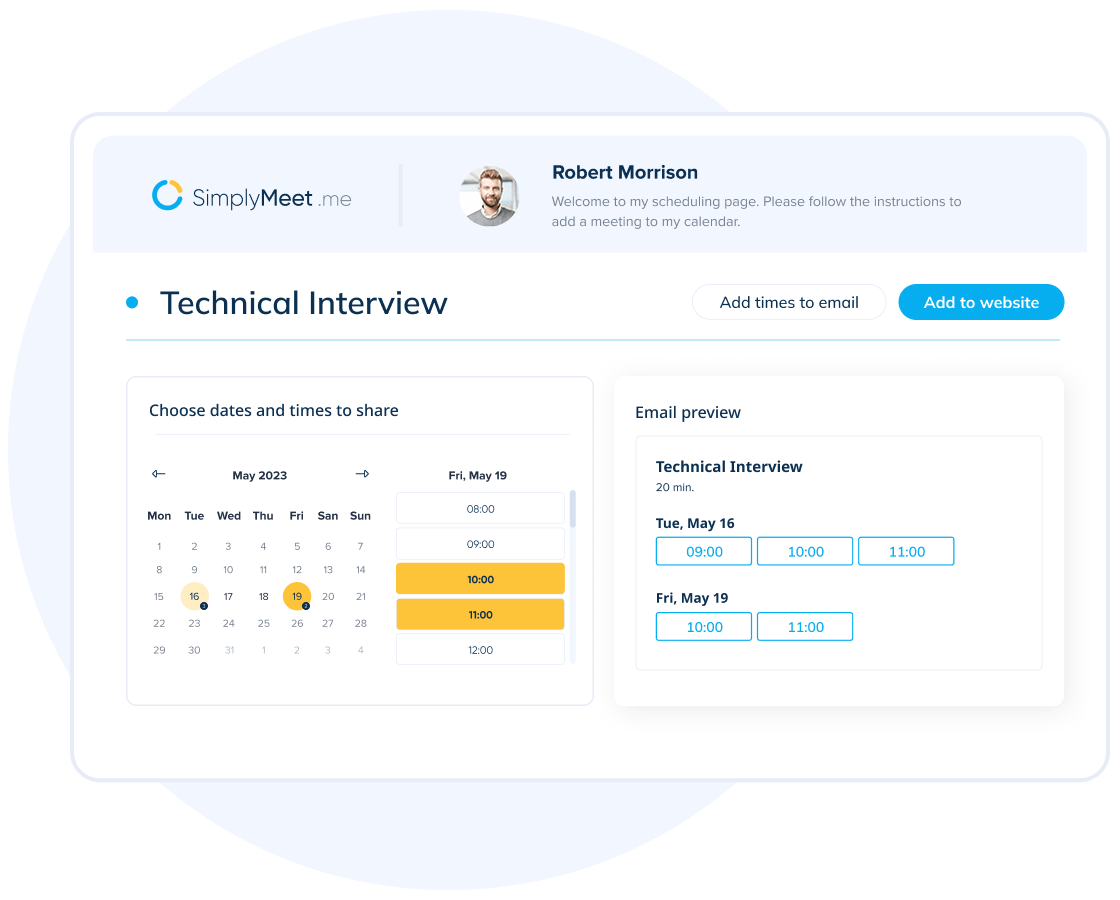
SimplyMeet.me ist ein Online-Planungstool, das entwickelt wurde, um die Organisation von Besprechungen für Fachleute und Teams zu vereinfachen. Es bietet eine unkomplizierte Möglichkeit, verschiedene Arten von Besprechungen effizient zu verwalten.
Warum SimplyMeet.me eine gute Calendly-Alternative ist: SimplyMeet.me ermöglicht es Ihnen, Besprechungstypen individuell anzupassen, um verschiedene Planungsanforderungen zu unterstützen. Sie können unterschiedliche Dauern und Verfügbarkeiten festlegen und Ihren Kunden damit verschiedene Optionen anbieten. Die benutzerfreundliche Oberfläche stellt sicher, dass Sie die Einstellungen schnell an Ihre Präferenzen anpassen können. Diese Anpassungsfähigkeit macht SimplyMeet.me zu einer praktischen Wahl für alle, die mehr Kontrolle über ihre Terminplanung wünschen.
Besondere Funktionen und Integrationen:
Zu den Funktionen gehören automatisierte Erinnerungen, die Teilnehmer vor Besprechungen benachrichtigen und dadurch die Zahl der Nichterscheinenden reduzieren. Sie können außerdem personalisierte Buchungslinks erstellen, sodass Kunden ganz einfach einen Termin mit Ihnen vereinbaren können. SimplyMeet.me bietet Analysen, mit denen Sie Ihre Planungsaktivitäten verfolgen und die Effizienz verbessern können.
Zu den Integrationen gehören Google Calendar, Microsoft Outlook, Zoom, Microsoft Teams, Slack, iCloud Calendar, Office 365 und weitere.
Pros and Cons
Pros:
- Individuelle Besprechungstypen
- Flexible Planungsoptionen
- Automatisierte Erinnerungen
Cons:
- Begrenzte erweiterte Funktionen
- Erfordert Einrichtungszeit

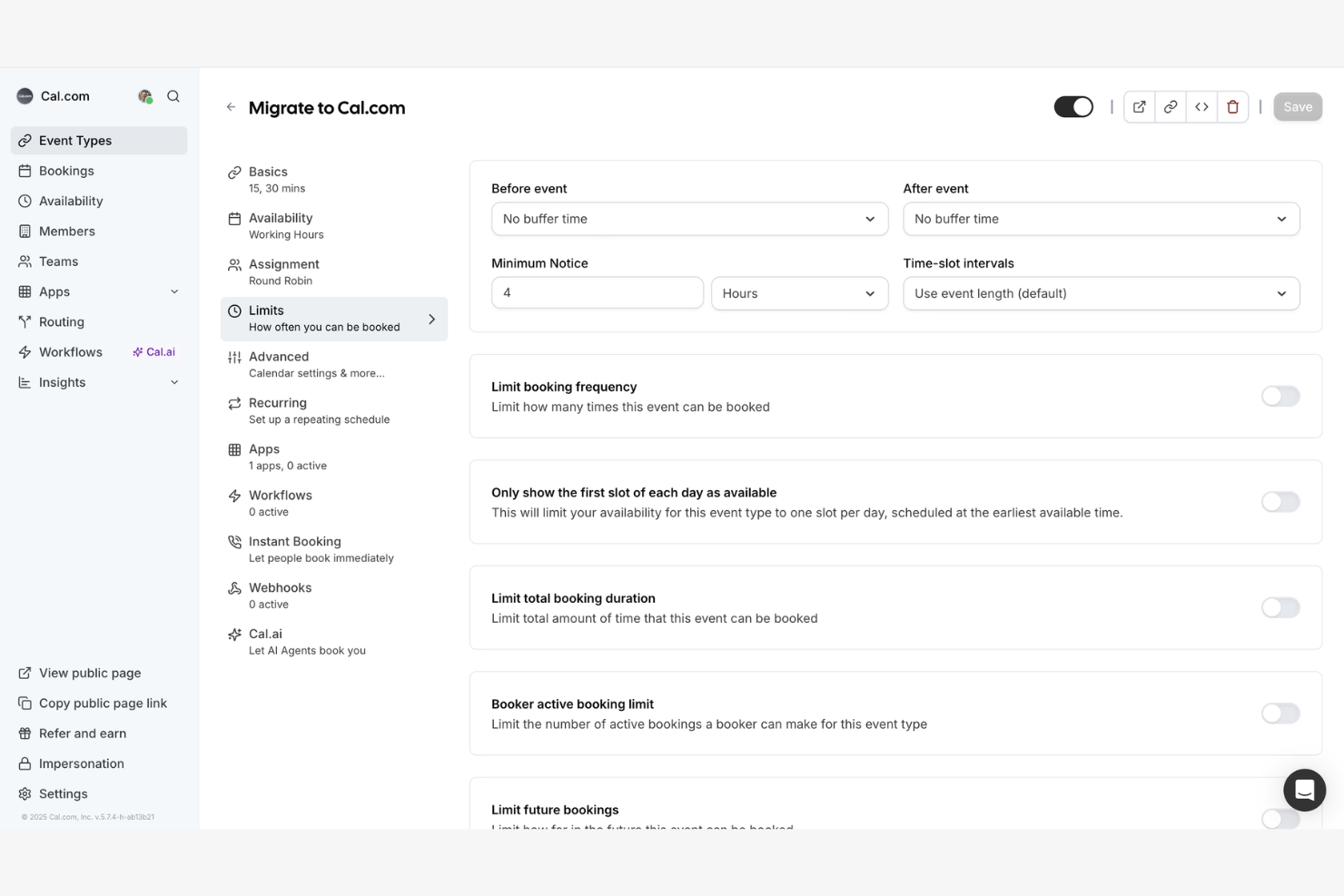
Cal.com ist eine quelloffene Terminplanungsplattform für Unternehmen und Entwickler, die anpassbare Lösungen suchen. Sie lässt sich an spezifische Anforderungen anpassen, ohne an proprietäre Software gebunden zu sein.
Warum Cal.com eine gute Calendly-Alternative ist: Dank seiner quelloffenen Natur können Sie die Funktionen von Cal.com an Ihre Anforderungen anpassen und erweitern. Sie können die Codebasis ändern, um Funktionen oder Arbeitsabläufe zu integrieren. Die Flexibilität stellt sicher, dass Sie das Tool an die Entwicklung Ihres Unternehmens anpassen können. Dadurch ist Cal.com eine ausgezeichnete Wahl für Teams, die bei ihrer Terminplanungssoftware Wert auf Anpassbarkeit und Kontrolle legen.
Hervorstechende Funktionen und Integrationen:
Zu den Funktionen gehört die Möglichkeit, die Plattform selbst zu hosten, wodurch Sie vollständige Kontrolle über Ihre Daten und Ihre Privatsphäre erhalten. Sie können außerdem Buchungsseiten individuell gestalten und so sicherstellen, dass der Terminplanungsprozess zu Ihrer Marke passt. Cal.com unterstützt mehrere Sprachen und eignet sich dadurch für globale Teams und vielfältige Nutzer.
Zu den Integrationen gehören Google Calendar, Microsoft Outlook, Zoom, Slack, Microsoft Teams, iCloud Calendar, Office 365, Webex, Zapier und weitere.
Pros and Cons
Pros:
- Quelloffene Anpassungsmöglichkeiten
- Unterstützt mehrere Sprachen
- Individuell gestaltbare Buchungsseiten
Cons:
- Begrenzte sofort einsatzbereite Funktionen
- Die Einrichtung kann zeitaufwendig sein

HoneyBook
Am besten für das Kundenbeziehungsmanagement geeignet
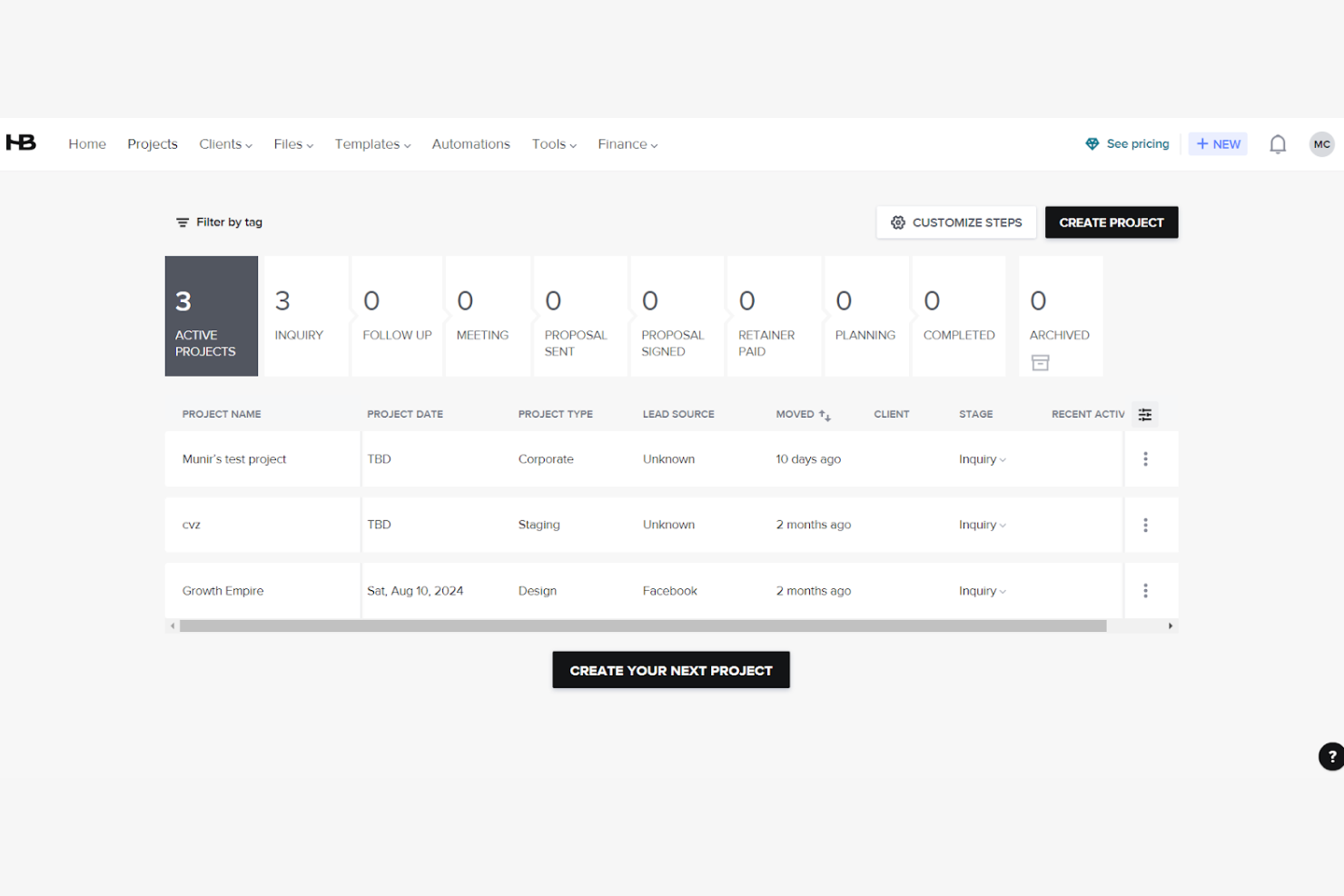
HoneyBook ist eine Plattform zur Geschäftsverwaltung, mit der Sie Projekte verwalten, Kunden buchen und administrative Aufgaben optimieren können. Obwohl es sich nicht in erster Linie um ein Terminplanungstool handelt, kann es für dienstleistungsbasierte Unternehmen geeignet sein, die Terminplanung in einen umfassenderen Arbeitsablauf für das Kundenmanagement integrieren möchten.
Warum HoneyBook eine gute Calendly-Alternative ist: HoneyBook bietet mehr als nur einfache Terminplanung. Sie können Projekte, Verträge und Rechnungen an einem einzigen Ort verwalten und erhalten so eine ganzheitliche Lösung für Ihre geschäftlichen Anforderungen. Mit dem Tool können Sie außerdem Arbeitsabläufe automatisieren, wodurch Sie Zeit sparen und manuelle Aufgaben reduzieren. Damit ist HoneyBook eine wertvolle Wahl für alle, die Terminplanung mit umfassenderen Funktionen zur Geschäftsverwaltung verbinden möchten.
Hervorstechende Funktionen und Integrationen:
Zu den Funktionen gehören Vorlagen für Angebote, Verträge und Rechnungen, mit denen Sie eine einheitliche Kommunikation mit Kunden gewährleisten können. Sie können außerdem automatische Zahlungserinnerungen einrichten, um fristgerechte Transaktionen sicherzustellen. Mit der Aufgabenverwaltungsfunktion von HoneyBook behalten Sie Projektmeilensteine und Fristen im Blick.
Zu den Integrationen gehören QuickBooks, Google Calendar, Gmail, Zapier, Zoom, Calendly, Slack und weitere.
Pros and Cons
Pros:
- Automatisierte Nachverfolgung von Zahlungen
- Funktionen zur Aufgabenverwaltung
- Verbindet Terminplanung mit Geschäftsfunktionen
Cons:
- Möglicherweise ist Unterstützung bei der Einrichtung erforderlich
- Möglicherweise nicht für alle Branchen geeignet
Weitere Calendly-Alternativen
Hier sind einige weitere Calendly-Alternativen, die es nicht in meine Auswahl geschafft haben, die sich aber dennoch lohnen:
- Book Like A Boss
Am besten für Unternehmer
- Zoho Bookings
Am besten für die Integration in das Zoho-Ökosystem
- Cirrus Insight
Am besten für Salesforce-Nutzer


So bewerte ich Calendly-Alternativen
Ich bewerte die Tools auf zwei Ebenen: die grundlegenden Funktionen der Terminplanung, die jedes Tool bieten muss, wie Teamverfügbarkeit und Kalendersynchronisierung, sowie die Unterscheidungsmerkmale, die für Projektmanager bei der Durchführung fachübergreifender Arbeit am wichtigsten sind.
Kernfunktionen (Grundvoraussetzungen für diese Liste)
Bei der Auswahl der Tools für meine Liste bewerte ich jedes einzelne für jede unten aufgeführte Kernfunktion auf einer Skala von 0 (bietet die Funktion nicht) bis 5 (ist in diesem Bereich hervorragend). Anschließend rechne ich die Gesamtpunktzahl des Tools in einen Prozentsatz um. Jedes Tool muss eine Mindestgesamtpunktzahl von 75 % erreichen, um für die Aufnahme in die Liste berücksichtigt zu werden.
- Automatisierte Terminplanung: Ich prüfe, ob Teilnehmer auf Grundlage der Echtzeitverfügbarkeit selbst Termine buchen können – etwa wenn ein Kunde einen Termin für das Kick-off auswählen kann, ohne dass dafür eine einzige E-Mail-Kette nötig ist.
- Kalendersynchronisierung: Jedes Tool sollte bidirektional mit Google, Outlook, iCloud und Exchange synchronisieren, damit Projektmanager mit mehreren Kalendern Doppelbuchungen vermeiden.
- Team- und Gruppenplanung: Ich achte auf Optionen für Rundlauf-, gemeinsame und Gruppenbuchungen – unverzichtbar, wenn an einer Sprint-Review ein Designer, ein Entwicklungsleiter und ein Projektmanager am selben Gespräch teilnehmen müssen.
- Anpassbare Buchungsseiten: Konfigurierbare Veranstaltungstypen, Aufnahmefragen, Pufferzeiten und Branding sind wichtig. Ein Link für ein 15-minütiges Stand-up sollte anders aussehen und sich anders verhalten als ein 60-minütiges Kennenlerngespräch.
- Integration von Videokonferenzen: Ich bewerte, ob das Tool zum Zeitpunkt der Buchung automatisch Links für Zoom, Google Meet oder Microsoft Teams erstellt, damit Gastgeber nicht manuell URLs in jede Einladung einfügen müssen.
- Workflow-Automatisierung und Benachrichtigungen: Automatisierte Bestätigungen, Erinnerungen und Nachfassaktionen sorgen dafür, dass Besprechungen planmäßig stattfinden. Ich prüfe außerdem, ob das Tool Verbindungen zu Projektmanagement- und CRM-Plattformen für Workflows nach der Buchung herstellt.
Sobald ich eine Liste von Tools zusammengestellt habe, die dieses Kriterium erfüllen, prüfe ich, wodurch sich die einzelnen Plattformen voneinander abheben.
Unterscheidungsmerkmale (wodurch sich Anbieter abheben)
So vergleiche ich die verschiedenen Anbieter miteinander:
Hervorstechende Funktionen
Umfragen zur Terminfindung sind ein wichtiger Punkt: Wenn Sie fünf Beteiligte für eine Sprint-Review zusammenbringen möchten, ist es effizienter, alle über mögliche Zeiten abstimmen zu lassen, als einen Rundlauf-Link zu verschicken. Ich achte außerdem auf Weiterleitungsformulare, die Buchende anhand ihrer Antworten auf die richtigen Projektmanager oder das richtige Team verweisen. Das spart Zeit bei Kennenlerngesprächen. Analyse- und Berichtsfunktionen runden das Angebot ab. Die Erfassung von Nichterscheinensquoten und Buchungsvolumen hilft bei der Kapazitätsplanung über verschiedene Projektteams hinweg.
Über die Funktionen hinaus
Wie gut sich ein Tool mit Ihrer Projektmanagement-Systemlandschaft verbinden lässt, ist von großer Bedeutung. Ich prüfe, ob native Integrationen mit Plattformen wie Jira, Asana oder monday.com vorhanden sind, sodass gebuchte Besprechungen direkt mit Aufgaben oder Epics verknüpft werden können. Die Preisstruktur ist ein weiterer wichtiger Faktor. Ein Tool, das die Teamplanung hinter einer Enterprise-Stufe verbirgt, kann für eine wachsende Projektmanagementorganisation schnell unpraktisch werden. Ich bewerte außerdem die Erfahrung für externe Kunden, insbesondere White-Labeling und einbettbare Widgets, da Agenturen und Beratungsgesellschaften bei der Terminplanung mit externen Beteiligten Buchungsseiten benötigen, die zu ihrer Marke passen.
Warum nach einer Calendly-Alternative suchen?
Obwohl Calendly eine gute Wahl für Terminplanungssoftware ist, gibt es einige eingeschränkte Funktionen und Gründe, warum manche Nutzer nach einem neuen Planungstool suchen. Du suchst möglicherweise aus folgenden Gründen nach einer Calendly-Alternative:
- Du benötigst mehr individuelle CRM-Optionen
- Die Planungsanforderungen deines Teams erfordern erweiterte Kalenderintegrationen
- Du möchtest preisgünstige kostenpflichtige Tarife
- Dein Unternehmen ist in mehreren Zeitzonen tätig
- Du benötigst einen besseren Kundensupport
Wenn du dich in einem dieser Punkte wiedererkennst, bist du hier richtig. Meine Liste enthält mehrere Optionen mit integrierten Arbeitsabläufen, die besser für Teams geeignet sind, die mit diesen Herausforderungen konfrontiert sind und nach Calendly-Alternativen suchen.
Funktionen
Hier sind einige der wichtigsten Funktionen von Calendly, damit du die Angebote alternativer Lösungen gegenüberstellen und vergleichen kannst:
- Terminplanung automatisieren: Unterstützt die Terminplanung nach dem Round-Robin-Prinzip für Meetings und spart Ihnen dadurch Zeit.
- Integrationen: Verbindet sich in Echtzeit mit Tools wie Google Kalender und Microsoft Outlook Kalender, um die Gruppenplanung zu verwalten und Doppelbuchungen zu verhindern.
- Benutzerdefinierte Veranstaltungstypen: Ermöglicht Ihnen, maßgeschneiderte Meeting-Formate für spezifische Anforderungen zu erstellen.
- Mobiler Zugriff und Browserzugriff: Ermöglicht Ihnen, unterwegs über die mobile App und den Webzugriff Termine zu planen und Ihre Meeting-Zeiten zu verwalten.
- Automatisierte Erinnerungen: Sendet Benachrichtigungen und E-Mail-Erinnerungen, um Stornierungen und Nichterscheinen zu reduzieren und Teilnehmer zugleich an Meetings zu erinnern.
- Analysen: Verfolgt die Meeting-Leistung, damit Sie Ihre Prozesse zur Terminplanung verbessern können.
- Weiterleitungsformulare: Leitet Benutzer anhand der erfassten Informationen auf die passende Buchungsseite weiter.
- Tools zur Administration: Ermöglicht die Kontrolle über Aktivitäten in Benutzer-Dashboards und auf Buchungsseiten.
- Sicherheitsfunktionen: Gewährleisten Datenschutz und die Einhaltung von Datenschutzstandards.