

2026’da Madencilik İçin En İyi 10 Proje Yönetimi Yazılımı

Madencilik için En İyi Proje Yönetimi Yazılımı


Madencilik için en iyi proje yönetimi yazılımı; operasyonların koordine edilmesine, maliyetlerin kontrol edilmesine, güvenlik ve uyumluluk standartlarının korunmasına ve teslim tarihlerine uyulmasına yardımcı olur. Madencilik projelerindeki gecikmeler; kaynakların kötü tahsis edilmesinden, iletişim eksikliğinden ve ilerleme hakkında yeterli görünürlük bulunmamasından kaynaklanır. Doğru araç olmadan bütçe aşımları, ekipman kesintileri ve güvenlik ihlalleriyle karşılaşma riski taşırsınız.
Doğru platform, ekibinizin uyum içinde çalışmasını sağlamak için ilerlemeyi izlemenize, iş gücü ve ekipman tahsis etmenize ve güncellemeleri merkezileştirmenize olanak tanır. En iyi madencilik proje yönetimi yazılımını belirlemek için çözümleri test edip karşılaştırdım. Operasyonlarınızı verimli ve uyumlu tutmak için doğru aracı aşağıda bulabilirsiniz.
Yazılım Önerilerimize Neden Güvenebilirsiniz?
Ekibimiz 2012’den beri yazılımları test ediyor ve inceliyor. Biz de proje yöneticisi olduğumuz için doğru yazılımı seçmenin ne kadar zor ve önemli olduğunu biliyoruz.
Bu rehber için araçları uygulamalı testler ve bağımsız araştırmalarla değerlendirdik ve seçim kriterlerimize göre puanladık. Ayrıca sektörün fikir önderlerinin ve alanında çalışan proje yönetimi uzmanlarının görüşlerinden de yararlanıyoruz.
İncelemelerimiz bir satış konuşması değil, editör ekibimizin kendi değerlendirmesidir.
Uzman inceleyenler:
Madencilik için Proje Yönetimi Yazılımı Karşılaştırma Tablosu
Madencilik için en iyi proje yönetimi yazılımı seçimlerimin fiyatlandırma ayrıntılarını aşağıdaki tabloda karşılaştırın.
Score legend (out of 5)
- Excellent 4.5–5
- Good 4–4.4
- Average 3–3.9
- Below average 2–2.9
- Poor 1–1.9
| Tool | Starting Price | Website | |||||||
|---|---|---|---|---|---|---|---|---|---|
| Best for advanced resource allocation in mining | 3.0 out of 5 | 3 | 3 | 4 | 2 | 3 | 3 | $10/user/month 14-day free trial + free demo available | Website |
| Best for integrated ERP and asset project control | 3.2 out of 5 | 3 | 4 | 4 | 3 | 2 | 3 | Pricing upon request Free demo available | Website |
| Best for construction document control in mining | — | — | 4 | 4 | 2 | 4 | 3 | $995/user/year Free demo available | Website |
| Best for integrated cost and schedule control | 3.3 out of 5 | 3 | 4 | 4 | 2 | 4 | 3 | Pricing upon request Free demo available | Website |
| Best for capital-heavy mining project controls | 3.3 out of 5 | 3 | 4 | 4 | 3 | 3 | 3 | Pricing upon request Free demo available | Website |
| Best for Microsoft 365-native project scheduling | 3.0 out of 5 | 3 | 3 | 4 | 3 | 2 | 3 | £679.99 one-time purchase Not available | Website |
| Best for office-to-field construction project execution | 3.2 out of 5 | 2 | 3 | 4 | 3 | 3 | 4 | Pricing upon request 14-day free trial for Procore Estimating + free demo available | Website |
| Best for large-scale critical path scheduling | 3.2 out of 5 | 2 | 3 | 5 | 4 | 2 | 3 | $125/user/month Free demo available | Website |
| Best for mining asset lifecycle cost control | 3.3 out of 5 | 3 | 5 | 3 | 3 | 2 | 4 | Pricing upon request Not available | Website |
| Best for spreadsheet-style Gantt scheduling | 3.2 out of 5 | 3 | 3 | 4 | 2 | 3 | 4 | $12/user/month 30-day free trial + demo available | Website |
Madencilik için En İyi Proje Yönetimi Yazılımı İncelemeleri
Aşağıda, en iyi madencilik proje yönetimi yazılımı seçimlerimin her biri hakkındaki özetimi okuyun. Size en uygun seçeneği bulabilmeniz için temel özellikleri, artıları & eksileri, entegrasyonları ve kullanım alanlarını ele alıyorum.

Celoxis
Best for advanced resource allocation in mining
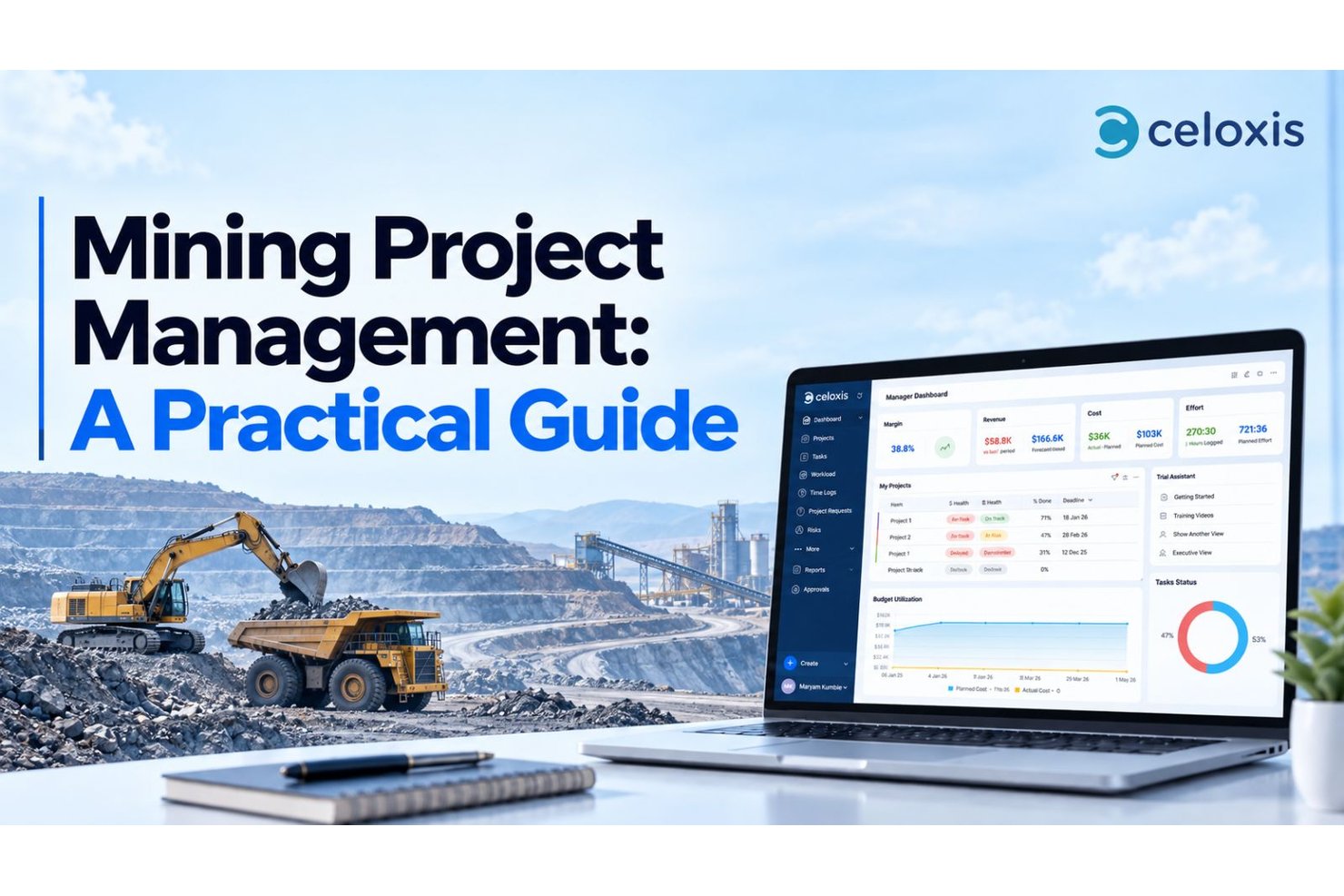
Celoxis is a project and portfolio management platform that covers Gantt scheduling, resource capacity planning, budget and cost tracking, risk and issue workflows, and portfolio dashboards across multi-site project environments.
Who Is Celoxis Best For?
Celoxis suits project and portfolio managers overseeing multi-phase mining programs who need strong scheduling, resource capacity planning, and cross-site budget visibility in one platform.
Why I Picked Celoxis
I picked Celoxis as one of the best because its capacity planning engine handles exactly the kind of resource complexity mining programs create. When you're running concurrent site projects with shared drilling crews and engineering staff across multiple locations and shifts, Celoxis surfaces overloads before they become schedule problems. I also like how its cross-project dependencies and critical-path analysis keep multi-phase schedules honest, automatically recalculating task dates when a predecessor slips.
Celoxis Key Features
- Portfolio dashboard: View schedule health, budget variance, and open risks across all active projects in a single configurable dashboard.
- Configurable risk and issue workflows: Build custom workflow apps with defined fields, states, routing rules, and approval chains for risks, issues, and change requests.
- Baseline and earned value tracking: Set project baselines and compare planned versus actual performance using earned value measures like CPI and SPI.
- Client portal: Give external stakeholders—such as contractors or clients—access to permitted project data without requiring a paid standard-user license.
Celoxis Integrations
Celoxis offers 21 native integrations configured inside the platform, including Microsoft Project, Microsoft Excel, Google Sheets, Jira, Azure DevOps, QuickBooks Online, Google Drive, and Slack. It also supports 400+ connected apps, Zapier, and a REST API for custom integrations.
Pros and Cons
Pros:
- Reviewers value project cost visibility
- Capacity views help balance site teams
- Reviewers value schedule dependency visibility
Cons:
- Mobile access has no documented offline sync
- No equipment allocation or fleet dispatch

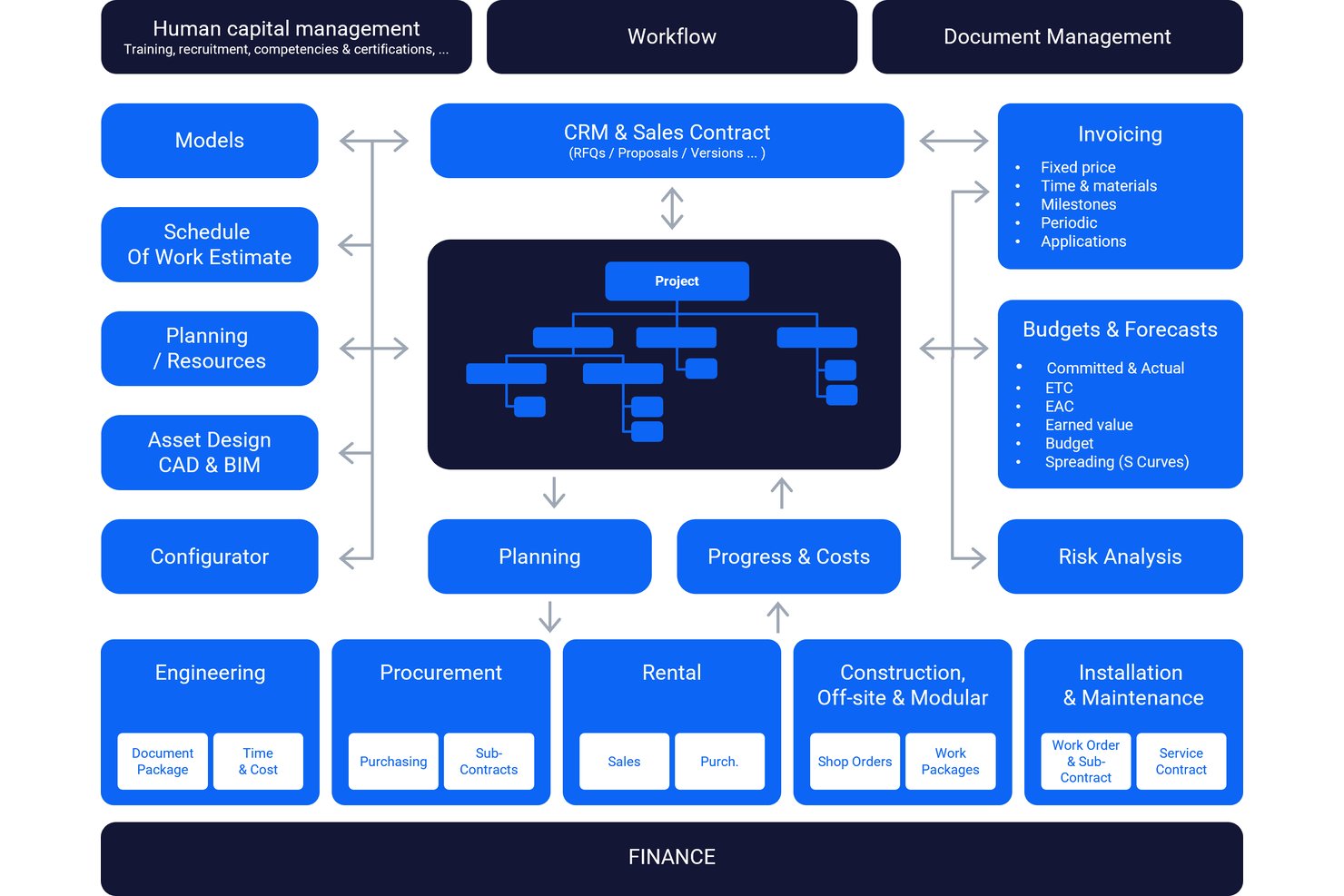
IFS Cloud is an enterprise ERP and asset management platform that spans project management, financial control, resource allocation, risk management, and supply chain management for complex industrial operations, including mills and mining.
Who Is IFS Cloud Best For?
IFS Cloud suits large industrial enterprises that need ERP, asset management, and project financials in a single platform across complex, multi-site operations.
Why I Picked IFS Cloud
IFS Cloud earns its spot on my shortlist because it's one of the few platforms that genuinely connects project financials, asset management, and ERP in a single system. For mining operations running multi-phase projects, I particularly like how it handles project budgeting with multiple forecast versions, variance analysis, and Estimate at Completion values alongside scheduling that tracks activity dependencies, float, and critical paths simultaneously. The built-in risk management module lets teams document threats, score probability and impact, and assign response actions with deadlines, all within the same platform managing the project budget.
IFS Cloud Key Features
- Multi-currency budgeting: Manage project budgets and forecasts in different currencies across global operations, with Work Breakdown Structure-level cost control.
- Earned value tracking: Report earned value, hours, cost, and revenue at the activity level, with progress calculated from multiple input methods.
- Role-based permissions and audit trail: Configure access controls, segregation-of-duties rules, and approval workflows, with automatic logging of all user actions and transactions.
- Microsoft Project integration: Import and export project schedules between IFS Cloud and Microsoft Project to support cross-team planning workflows.
IFS Cloud Integrations
IFS Cloud offers a documented integration with Microsoft Project for project schedule imports and exports. It also provides REST APIs for custom integrations, but native connections to Deswik, Maptek, Micromine, or mining fleet systems aren’t clearly documented.
Pros and Cons
Pros:
- Dependencies and float clarify schedule risk
- Reviewers value project data visibility
- Unified project, asset, and financial controls
Cons:
- No mining-specific GIS or fleet workflows
- Reviewers report limited document archiving

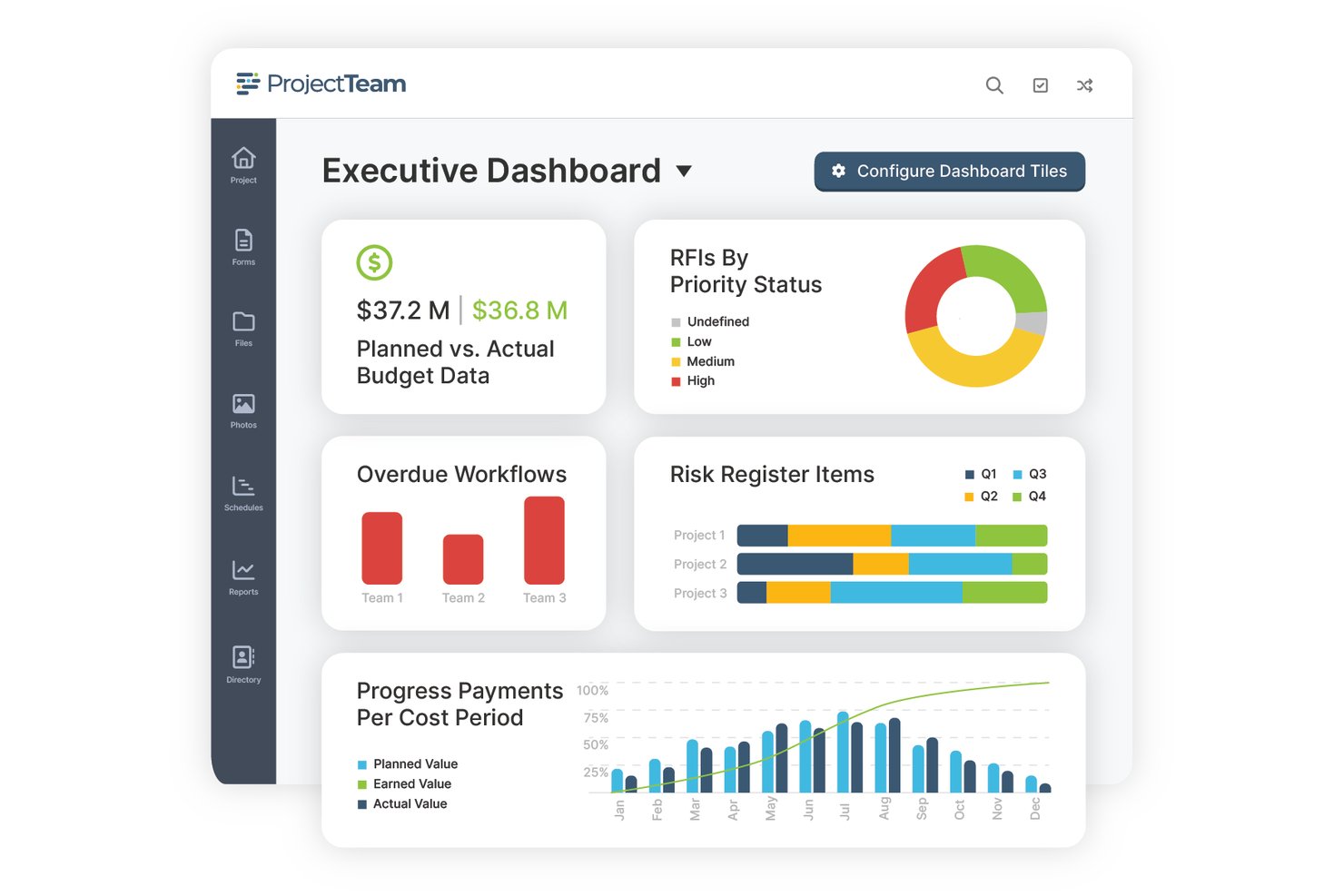
ProjectTeam.com is a cloud-based construction management platform that centralizes document control, project scheduling, budget tracking, and stakeholder collaboration across complex, multi-phase projects in the mining sector.
Who Is ProjectTeam.com Best For?
ProjectTeam.com suits mining and construction organizations that need tight document control across multi-phase projects with multiple stakeholders and external contributors.
Why I Picked ProjectTeam.com
I've included ProjectTeam.com in my top picks because its document control capabilities are genuinely strong for mining projects, where drawing revisions, permits, and submittals need to stay organized across long project timelines. Every form and document carries a timestamped activity history, prior versions stay accessible, and role-based permissions keep sensitive records visible only to the right people. I also like that teams can configure custom forms and approval workflows without writing a single line of code, which matters when your reclamation closeout process looks nothing like a standard submittal workflow.
ProjectTeam.com Key Features
- Gantt scheduling with critical-path analysis: Teams can build unlimited Gantt schedules separated by phase or timeline, with dependency links, milestone tracking, and critical-path display.
- Planned-versus-actual cost reporting: Users can run cost-variance reports and budget forecasts alongside change order and commitment tracking with a full audit trail.
- No-code custom forms and workflows: Administrators can create custom forms, add fields, and configure approval workflows without writing code or paying extra.
- Sage accounting integration: ProjectTeam.com connects to Sage Intacct, Sage 100 Contractor, and Sage 300 to sync project budgets, contracts, and payment applications.
ProjectTeam.com Integrations
ProjectTeam.com offers integrations with Sage Intacct, Sage 100 Contractor, and Sage 300 Construction and Real Estate. Its event-driven REST API supports custom integrations, including scheduled or real-time data flows.
Pros and Cons
Pros:
- Cloud sharing connects remote project stakeholders
- Custom reports support project progress reviews
- Centralizes drawings, RFIs, and submittals
Cons:
- No documented mining risk register or offline access
- Reviewers report difficulty finding older revisions

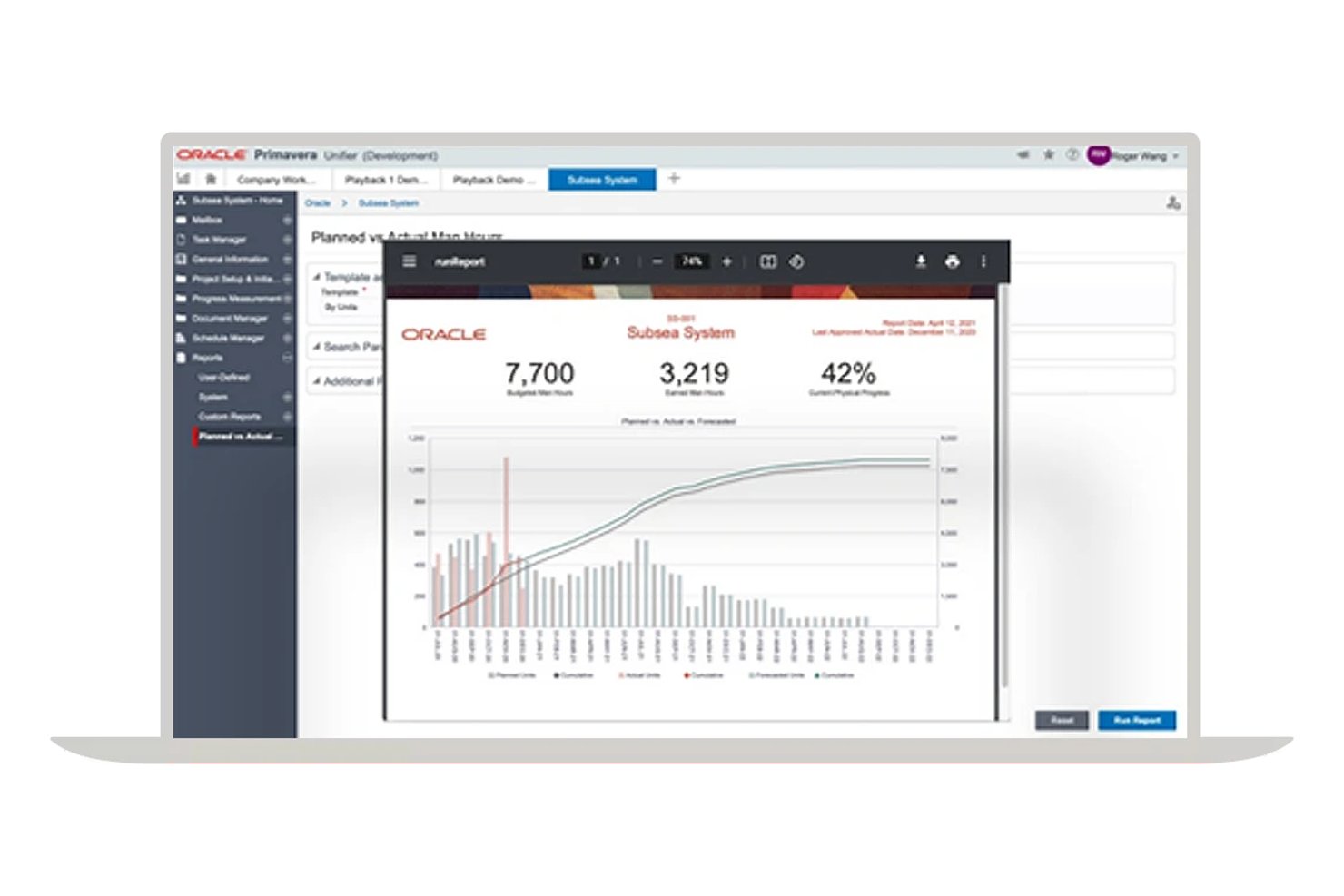
Oracle Primavera Unifier is an enterprise project and asset lifecycle management platform built for capital-intensive industries, combining cost management, scheduling, document control, contract management, and workflow automation in a single configurable system.
Who Is Oracle Primavera Unifier Best For?
Primavera Unifier fits large capital project teams in construction and EPC who need tight cost, schedule, and contract control across complex, multi-phase programs.
Why I Picked Oracle Primavera Unifier
I picked Oracle Primavera Unifier as one of the best because its cost and schedule integration is genuinely tight in a way most tools don't match. On large capital projects, I can tie cash flow forecasts directly to schedule baselines, so a slipped activity immediately surfaces as a cost variance, not a surprise at month-end. The earned value management module connects planned value, actuals, and schedule progress in one view, which is exactly what you need when tracking multi-phase mine infrastructure against committed budgets.
Oracle Primavera Unifier Key Features
- Risk register: Tracks risks from identification through resolution, with pre- and post-response scoring, risk ownership, and links to related schedule activities or milestones.
- Workflow automation via uDesigner: A no-code tool that lets you build or modify business processes, forms, and approval workflows without custom development.
- Document Manager: Maintains version-controlled project documents with separate revision tracking, check-out locking, and co-authoring support for connected teams.
- Oracle Fusion Cloud ERP integration: Syncs project and financial data—including budgets, commitments, and payment applications—bidirectionally with your ERP system.
Oracle Primavera Unifier Integrations
Oracle Primavera Unifier has native integrations with Oracle Fusion Cloud ERP, Primavera P6, Oracle Primavera Cloud, and Oracle Primavera Cloud Portfolio and Capital Planning. It also supports RESTful APIs and third-party middleware for custom integrations.
Pros and Cons
Pros:
- Keeps project documents and revisions traceable
- Reviewers value budget and purchase-order tracking
- Connects schedule progress with cost forecasts
Cons:
- No native mining GIS or tailings tracking
- Personnel tracking omits heavy-equipment allocation

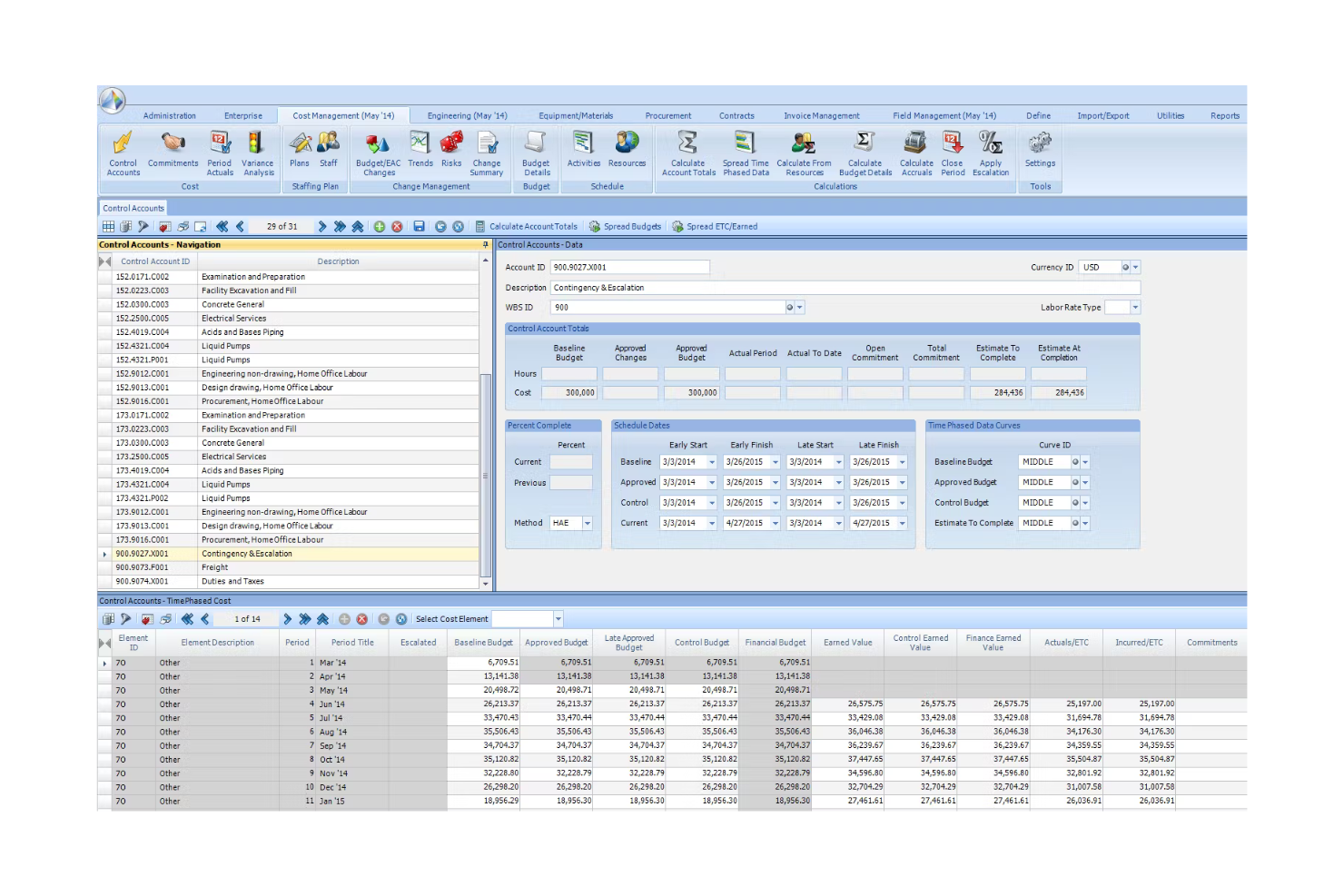
Contruent Enterprise is a capital project controls and lifecycle cost management platform that integrates scheduling, cost tracking, earned value management, change management, and portfolio reporting for large-scale mining projects.
Who Is Contruent Best For?
Contruent Enterprise is a strong fit for project controls teams managing large, capital-intensive mining programs where integrated cost, schedule, and earned value management are non-negotiable.
Why I Picked Contruent
I've included Contruent in my top picks because it's one of the few platforms built specifically around the project-controls demands of capital-heavy mining programs, with 25+ years of mining experience and clients like Rio Tinto, BHP, and Anglo American backing that up. I particularly like how its earned value management ties directly into cost and schedule data, so when a mining project drifts off baseline, you can see the variance, its cost impact, and the forecast adjustment in one place. Its change management module links every change order back to scope, cost, and schedule, which matters when you're managing multi-phase capital projects where a single unapproved change can cascade across budgets.
Contruent Key Features
- Contractor portal: Gives contractors gated access to view progress data, upload and download templates, and collaborate directly within the platform.
- ANSI EIA-748-compliant earned value management: Tracks CPI, SPI, cost and schedule variances, and estimate at completion across the full project lifecycle.
- 200+ pre-built reports: Covers EAC, physical progress, period actuals, productivity, change, commitments, histograms, and S-curves out of the box.
- Bid and RFP management: Collects and analyzes bids, supports configurable bid analysis, and administers RFPs within the contract management workflow.
Contruent Integrations
Contruent has certified adapters for SAP, Oracle, and IBM, plus integrations with Primavera P6 and Microsoft Project and connections to SharePoint. The vendor doesn’t publish a total integration count or API availability.
Pros and Cons
Pros:
- Contractor portals support distributed project teams
- Portfolio rollups connect project-level controls
- Cost and schedule data support forecasting
Cons:
- No documented fleet or offline field workflows
- Report customization can take extra effort
Best for Microsoft 365-native project scheduling
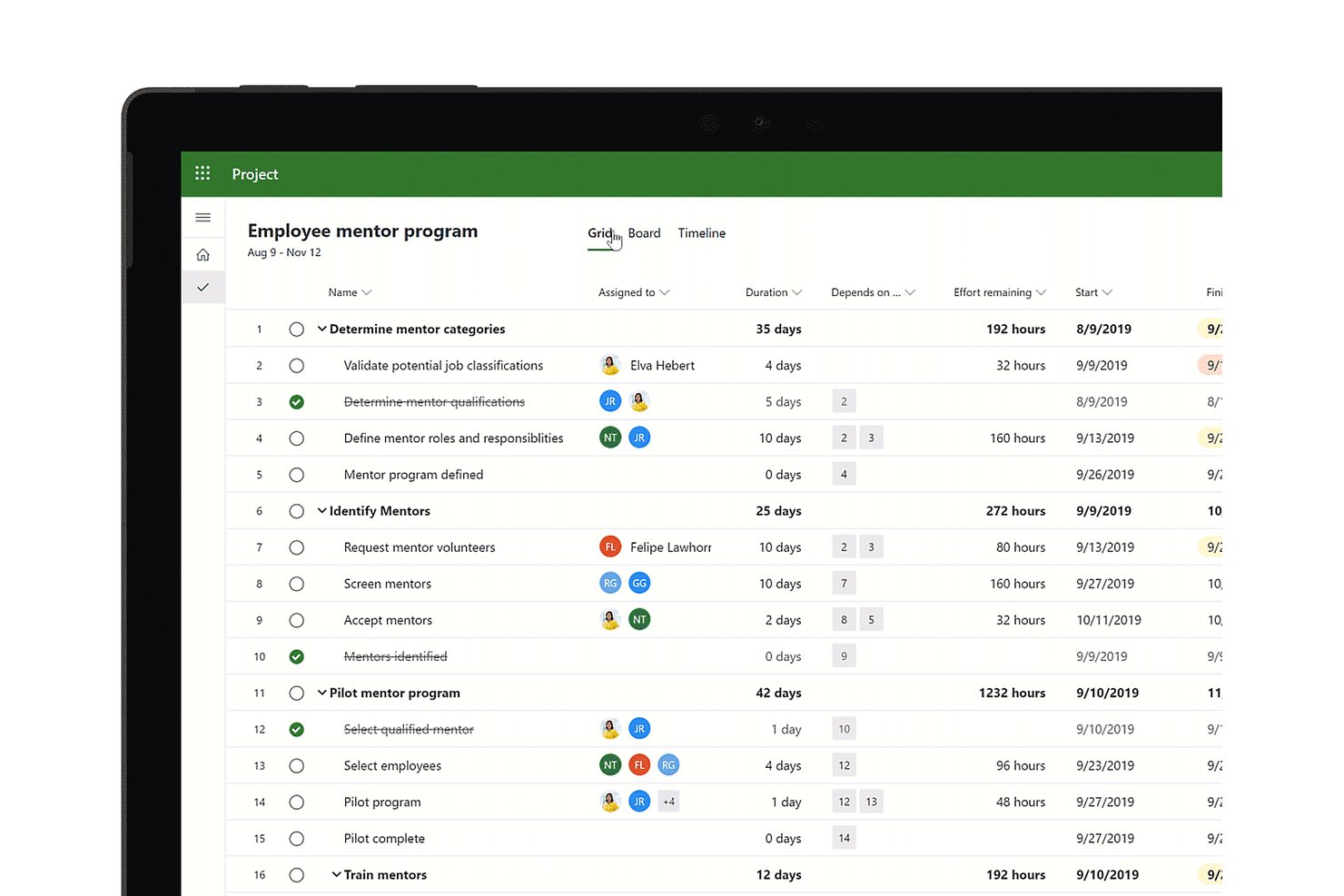
Microsoft Project is a project management and portfolio planning tool from Microsoft that covers scheduling, resource management, cost tracking, and reporting across complex, multi-phase projects.
Who Is Microsoft Project Best For?
Microsoft Project suits enterprises already running Microsoft 365 that need a proven scheduling engine for large, multi-phase projects with complex dependencies.
Why I Picked Microsoft Project
I've included Microsoft Project in my top picks because it's the most mature scheduling engine available for teams already running Microsoft 365, and that ecosystem fit matters more than people expect on complex, multi-phase projects. Its critical path analysis, cross-project dependencies, and Gantt baselines let you model a full mine development schedule and immediately see how a delayed shaft-sinking phase cascades into downstream milestones. I also like that master projects let you consolidate several sub-projects into a single view, which is practical when you're coordinating separate contracts across a site.
Microsoft Project Key Features
- Enterprise resource pool: Centralizes all work, generic, and material resources so you can view availability and allocate capacity across multiple concurrent projects.
- Master projects: Consolidates multiple sub-projects into a single schedule, letting you manage cross-project dependencies and critical paths in one view.
- Baseline tracking: Captures a snapshot of your original schedule and budget so you can compare planned versus actual progress throughout the project lifecycle.
- Portfolio dashboards: Provides built-in reporting views for issues, risks, and project status across your full project portfolio.
Microsoft Project Integrations
Microsoft Project offers native integrations across the Microsoft ecosystem, including Microsoft 365, Microsoft Planner, Microsoft Power BI, Microsoft SharePoint, and Microsoft Teams. It also supports Office JavaScript add-ins, a REST-backed API, and Power Automate.
Pros and Cons
Pros:
- Baselines link physical progress with budget tracking
- Resource assignments reveal capacity constraints across projects
- Cross-project critical paths map EPC dependencies
Cons:
- Project Online retirement disrupts cloud-based deployments
- No native mining safety or GIS workflows

Procore
Best for office-to-field construction project execution
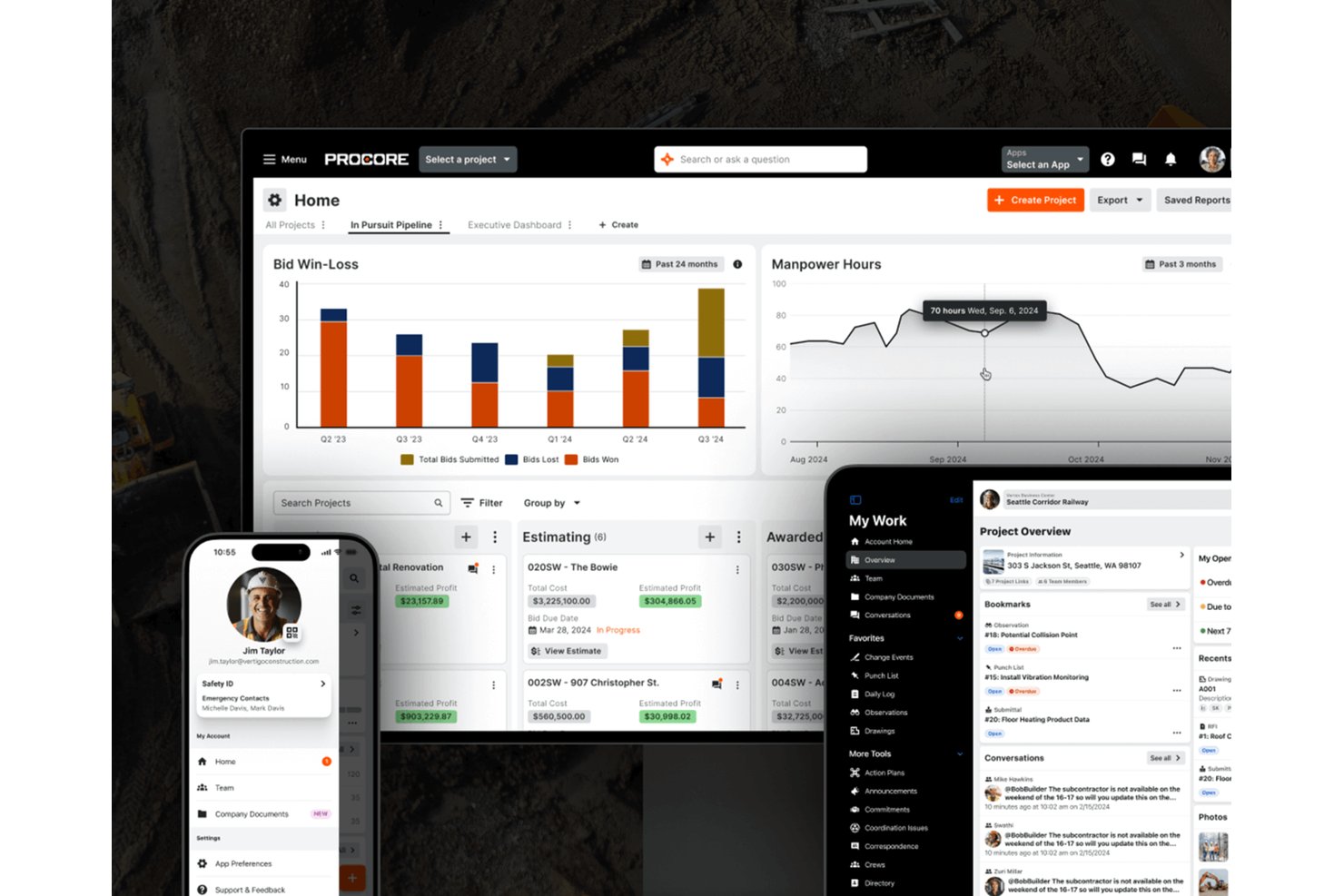
Procore is a construction project management platform that connects office and field teams through scheduling, document control, budget tracking, quality and safety management, and equipment coordination.
Who Is Procore Best For?
Procore fits construction and EPC project teams that need to keep office and field operations tightly connected across multiple active sites.
Why I Picked Procore
I picked Procore as one of the best because it genuinely closes the gap between office planning and field execution, which matters enormously on mining-adjacent construction and EPC projects. I love how its Gantt-based scheduling ties directly to daily field logs, so when a crew marks work complete on-site, that progress flows straight into cost and schedule forecasts. Its Quality and Safety module lets you run equipment inspections, log incidents with hazard details, and assign corrective actions from the field, all in one place.
Procore Key Features
- Bid management: Create, track, and compare bids side by side, then convert a selected bid directly into a subcontract or purchase order.
- BIM model viewer: View and collaborate on BIM models from a mobile device, with the ability to create and manage coordination issues in the field.
- Action plans: Build sequential work checklists with verification checkpoints using customizable templates to track project-specific requirements.
- Analytics and reporting: Access over 100 pre-built reports and combine Procore data with ERP information to generate job-cost forecasts across your portfolio.
Procore Integrations
Procore offers 400+ out-of-the-box Marketplace integrations, including Oracle Primavera P6, Microsoft Project, Sage, Bluebeam, and DocuSign. It also provides a REST API for custom integrations.
Pros and Cons
Pros:
- Daily progress informs cost forecasts
- Equipment records track cross-project assignments
- Shared drawings keep field-office teams aligned
Cons:
- Reviewers report scheduling can feel difficult
- No mining-specific engineering or production workflows

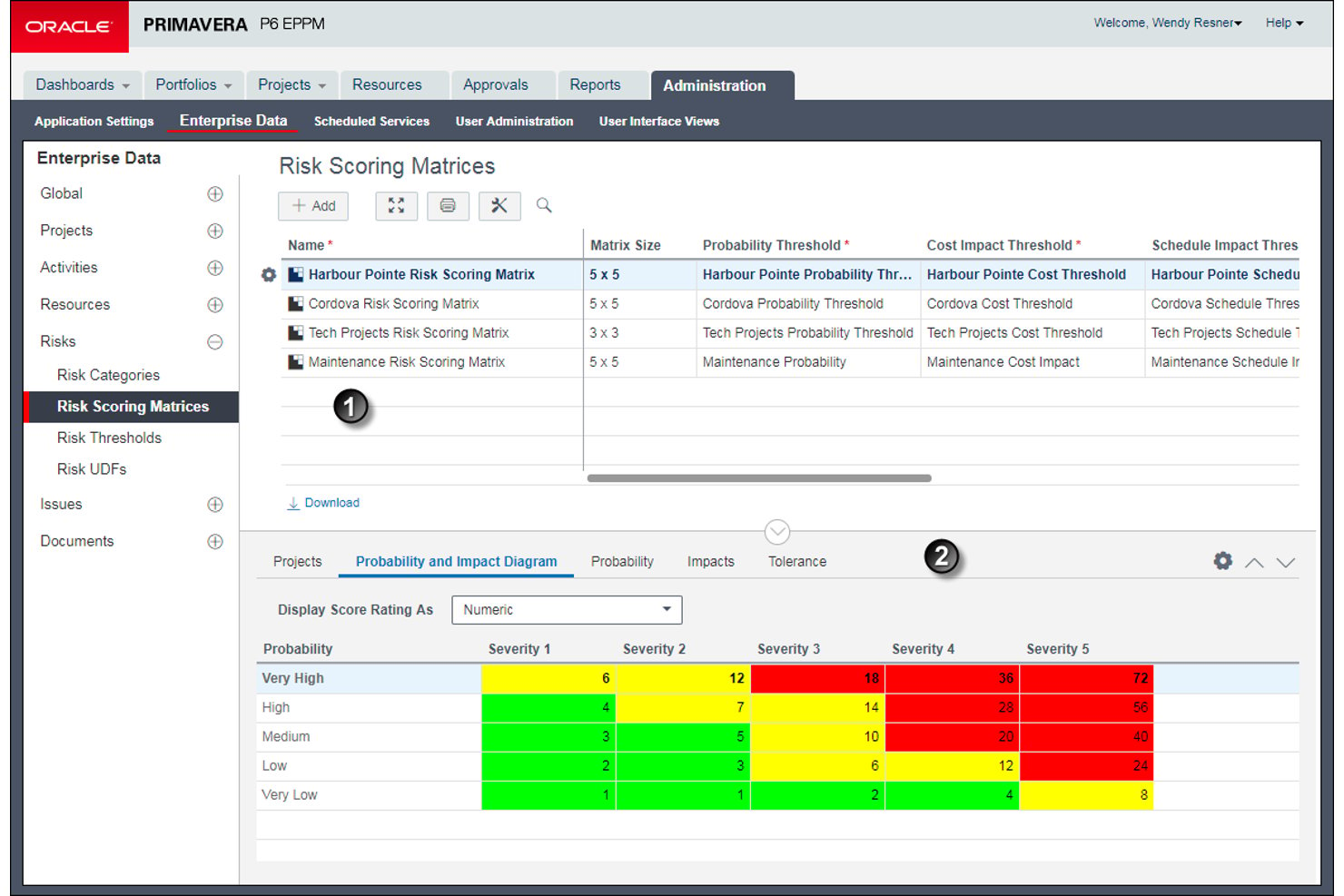
Oracle Primavera P6 is an enterprise project portfolio management tool built for planning, scheduling, and controlling large-scale programs across construction, engineering, and capital project environments, with multiuser scheduling, resource management, cost tracking, and risk analysis.
Who Is Oracle Primavera P6 Best For?
Oracle Primavera P6 is a strong fit for construction and engineering project controls teams managing large, multi-phase programs where critical path scheduling is the top priority.
Why I Picked Oracle Primavera P6
Oracle Primavera P6 earns its spot on my list because its critical path scheduling engine is genuinely unmatched for large, multi-phase programs. I've worked with schedules containing tens of thousands of activities, and P6's Trace Logic is what makes that manageable: it shows exactly which predecessor and successor relationships are driving an activity's timing, so you can pinpoint delays without guessing. I also rely on its multiple critical float path calculations, where you can define criticality by longest path or maximum total float, to keep subcritical paths visible before they become real problems.
Oracle Primavera P6 Key Features
- Baseline comparison: Store multiple static project snapshots and compare them against current progress using variance fields to surface schedule and cost deviations.
- Resource histogram: View time-based allocation histograms by resource, role, or resource team, with a limit line drawn from calendars and maximum units per time period.
- Earned value tracking: Calculate at-completion costs using actual costs plus estimate-to-complete, with the EV technique configured at the WBS level for each activity.
- Document review workflows: Set up structured review cycles with approval types, reviewer sequences, and due dates to manage project document approvals across teams.
Oracle Primavera P6 Integrations
Oracle Primavera P6 integrates with Oracle E-Business Suite and SAP ERP, with Primavera Gateway and Primavera Web Services supporting connections to business systems. Its Integration Applications Programming Interface (API) supports custom integrations.
Pros and Cons
Pros:
- Maps equipment demand across project schedules
- Tracks production quantities, manpower, and hours
- Traces dependencies across large mine schedules
Cons:
- Reports can require extra Excel preparation
- Mining compliance workflows need external configuration
Best for mining asset lifecycle cost control
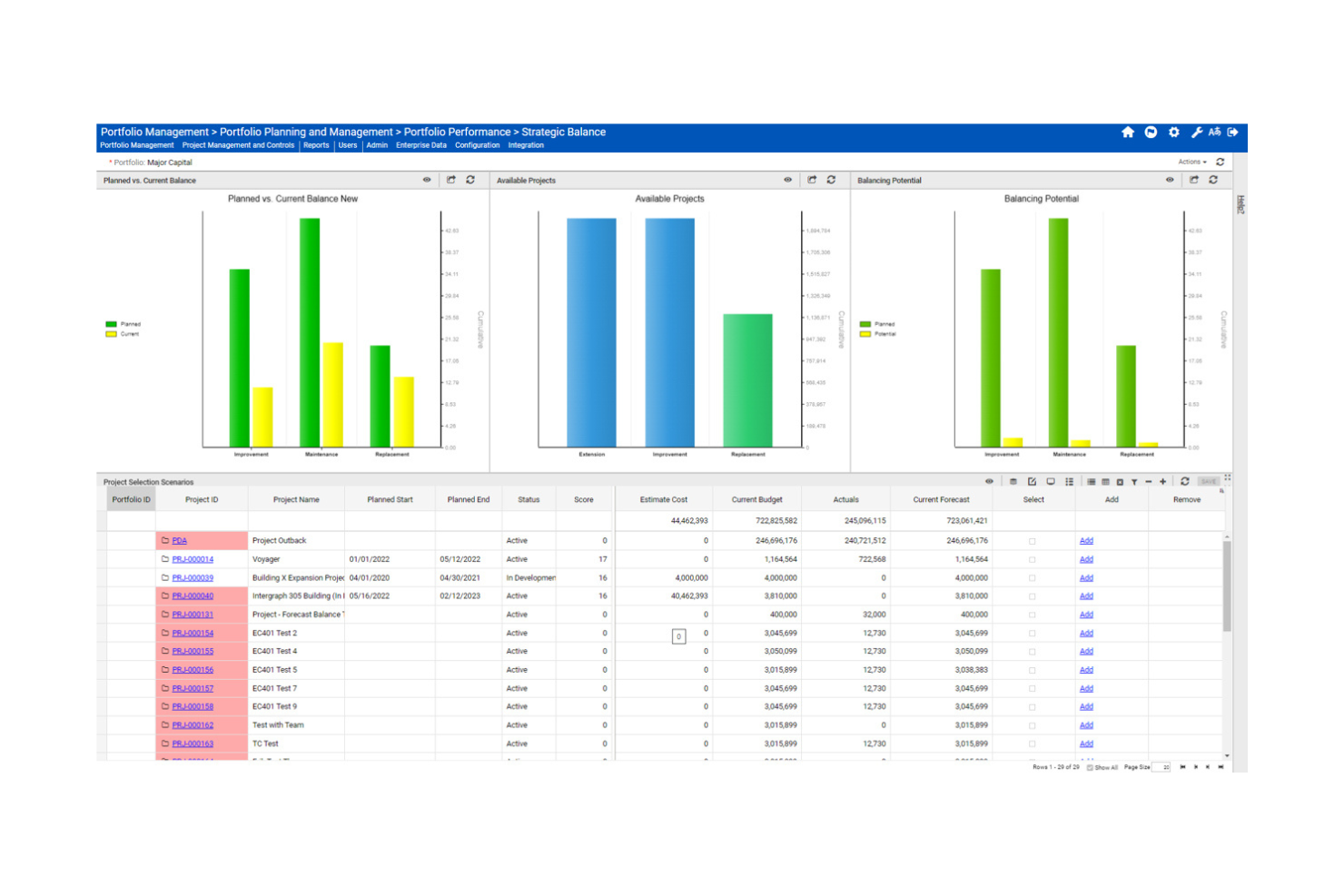
Octave Sequence Enterprise (formerly EcoSys) is an enterprise project and portfolio management platform that combines capital budgeting, cost tracking, resource forecasting, earned value management, and multi-region project controls.
Who Is Octave Sequence Enterprise Best For?
Octave Sequence Enterprise is a strong fit for enterprise capital project teams managing complex, multi-phase asset portfolios where long-term cost control and cross-regional financial visibility are the top priorities.
Why I Picked Octave Sequence Enterprise
I've included Octave Sequence Enterprise in my top picks because it's one of the few platforms built to manage the full financial complexity of a mining asset portfolio, from early-stage capital planning through reclamation and closure. I particularly like how it connects rolling cost forecasts, funding baselines, and what-if scenario modeling in a single view, so cost variance doesn't catch you off guard mid-project. Its multi-currency, multi-region execution support means distributed mine sites aren't operating in financial silos.
Octave Sequence Enterprise Key Features
- Earned value management: Tracks actual project progress against plan using standard EVM metrics including CPI, SPI, BCWP, and BCWS.
- Multi-vendor contract management: Manages contract terms, deliverables, obligations, and change orders with direct links to cost and schedule impacts.
- Role-based dashboards: Lets each user build custom dashboards surfacing the performance data most relevant to their role.
- Offline mobile field access: Allows field teams to log progress and updates without connectivity, then syncs data automatically when reconnected.
Octave Sequence Enterprise Integrations
Documented integrations include SAP, Oracle E-Business Suite, PeopleSoft, JD Edwards, Viewpoint, Oracle Primavera P6, and Microsoft Project. Octave Sequence Enterprise also supports web-service APIs, pre-built and real-time connectors, plus Excel, text, and XML imports.
Pros and Cons
Pros:
- Offline field reporting supports remote sites
- Portfolio visibility reduces spreadsheet consolidation
- Budget and forecast data stay connected
Cons:
- Heavy reports can slow large datasets
- Project-file handling drew reviewer criticism
Smartsheet
Best for spreadsheet-style Gantt scheduling
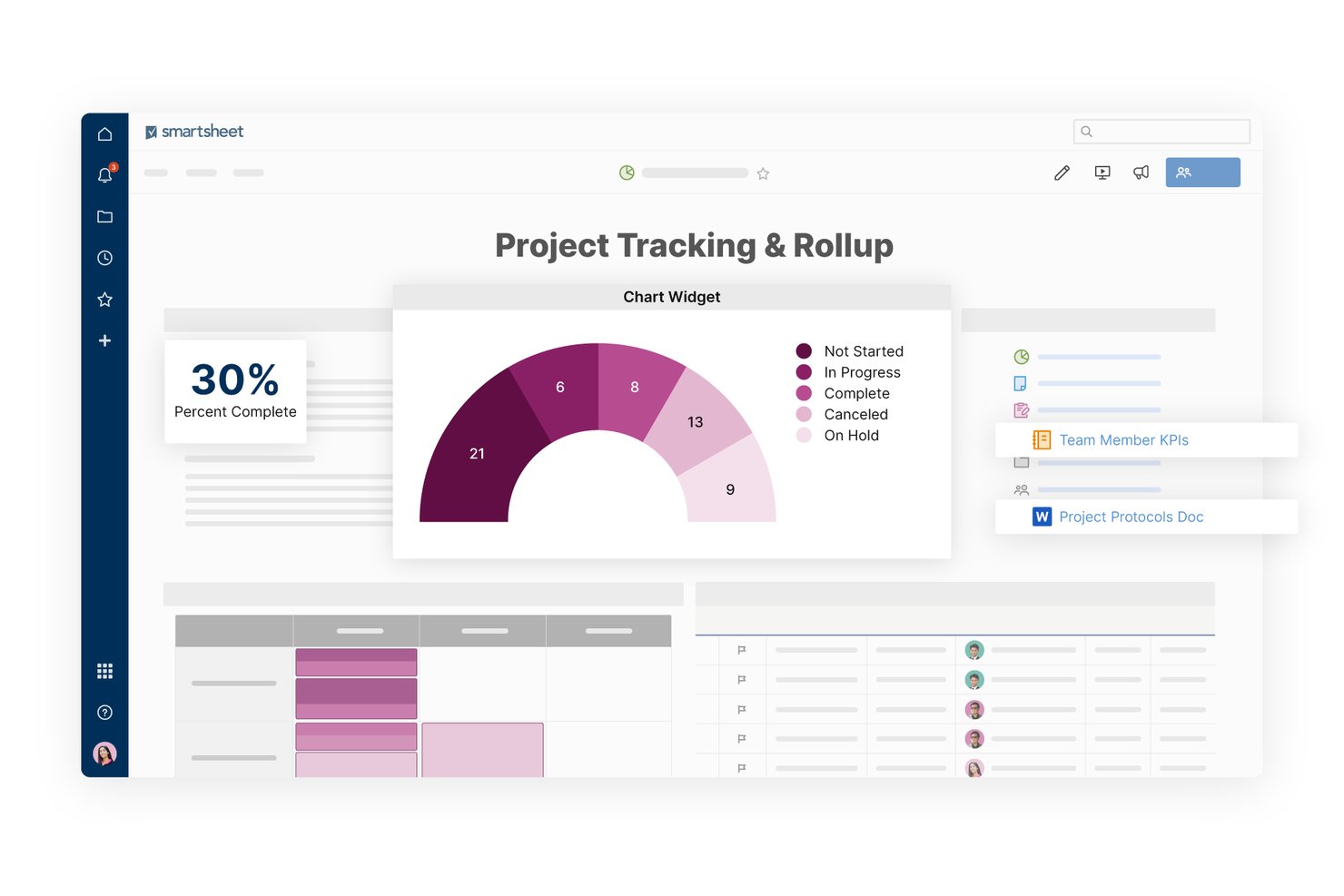
Smartsheet is a spreadsheet-style work management platform that combines Gantt scheduling, resource tracking, dashboards, automated workflows, and multi-project portfolio visibility for managing complex, multi-phase projects.
Who Is Smartsheet Best For?
Smartsheet suits project managers at mining companies who already work in spreadsheet-style tools and need structured Gantt scheduling and multi-site dashboard visibility without switching to a specialized platform.
Why I Picked Smartsheet
I've included Smartsheet in my top picks because its spreadsheet-style Gantt scheduling makes it easy for mining project managers to map out complex, multi-phase schedules without abandoning the familiar grid format they already work in. I particularly like how Gantt baselines let you compare your original plan against actual progress, so schedule slippage across long extraction or development phases is immediately visible. Scenario Planning also lets you model timeline changes without touching the live plan.
Smartsheet Key Features
- RAID log tracking: Log risks, actions, issues, and decisions with assigned owners, priority levels, status, due dates, and mitigation steps in a structured sheet.
- Automated workflow builder: Create no-code workflows that trigger notifications, approvals, and reminders based on conditions or schedules.
- Portfolio dashboards: Consolidate project health, status, and performance data across multiple projects into a single shareable dashboard view.
- Resource Management capacity view: Monitor team availability and utilization by role or discipline, filtered by project, and updated in real time as assignments change.
Smartsheet Integrations
Smartsheet offers over 175 integrations, including SAP ERP, SAP BusinessObjects, Power BI, Jira, ServiceNow, Tableau, Microsoft Teams, and Slack. It supports custom integrations through its REST API on Business plans and higher, plus Zapier.
Pros and Cons
Pros:
- RAID logs assign owners to project risks
- Shared dashboards improve cross-site visibility
- Gantt baselines expose schedule slippage
Cons:
- Offline access stops beyond forms
- No equipment-fleet or materials allocation
New Product Updates from Smartsheet

Smartsheet Adds Claude Sheets Export Integration
Smartsheet introduces Send to Smartsheet in Claude Sheets (beta), allowing users to transfer AI-generated plans into Smartsheet with rows, dates, numbers, and dropdowns preserved. This helps teams turn AI-generated plans into collaborative workflows. For more information, visit Smartsheet’s official site.
 .
Madencilik için Diğer Proje Yönetimi Yazılımları
Kısa listeme giremeyen, ancak yine de göz atmaya değer bazı ek madencilik proje yönetimi yazılımı seçenekleri şunlardır:
- Wrike
For task management flexibility
- InEight
For capital project cost and schedule control
- GoodDay
For multi-view task and timeline tracking
- Autodesk Construction Cloud
For schedule-linked cash flow forecasting
- Planisware
For PPM across multi-region project portfolios
- Mastt
For capital project cost controls
- Spider Project
For resource-constrained schedule risk analysis
- MineOne
For mine operation scheduling


How I Evaluate Project Management Software for Mining
I split my evaluation into three parts, with the most weight on core functionality: schedule phased work with dependencies and allocate crews and equipment across sites. Then I look for differentiators such as mine-scheduling templates or offline field access. Finally, I consider mining-specific support, onboarding, and pricing for changing contractor headcounts.
Core Functionality (Table Stakes For This List)
When I'm selecting tools for my list, I score each one on a scale from 0 (does not offer the functionality) to 5 (excels in this area) for each core functionality listed below. I then convert the total into a percentage to help assess each tool's overall fit, with extra weight on any functionalities I’ve deemed essential.
- Scheduling & Gantt (Essential): I look for dependency-based timelines, baseline comparisons, and path analysis that can track phased work such as engineering, construction, and commissioning.
- Resource & Equipment (Essential): I assess whether teams can allocate and track labor, equipment, and materials across sites, including availability during overlapping work.
- Budget & Cost Tracking: I check for planned-versus-actual cost reporting and forecasts tied to milestones, so teams can spot variances before project phases close.
- Multi-Site Collaboration: I look for shared project views and timely updates across remote sites, including practical access for teams coordinating work in the field.
- Documents & Compliance: I evaluate version control, permissions, and organized records for drawings, permits, inspections, and safety documentation.
- Risk & Issue Tracking: I check whether teams can log, assign, score, and track risks or issues through mitigation and resolution.
Once I have a list of tools that meet the criteria, I consider what sets each platform apart.
Differentiating Factors (What Sets Vendors Apart)
Here's how I compare and contrast different vendors:
Standout Features
I look for remote/offline field access because mine sites regularly lose connectivity, and a tool that can't sync data after a shift underground creates dangerous blind spots. GIS and geology visualization is another separator—I check whether a platform can overlay tasks onto pit designs or ore body maps so teams tie schedules to real site geography. I also evaluate fleet and shift optimization, since coordinating haul trucks and crew rotations across multiple pits directly affects whether phases stay on schedule.
Beyond Features
I check whether a vendor's licensing model can flex with contractor headcounts that spike during construction and drop during steady-state operations. I also evaluate integration depth with mine planning tools like Deswik or Maptek, because a schedule that can't pull updated pit designs becomes stale fast. Deployment options matter too—remote sites need offline-first mobile apps or on-premise hosting that won't collapse when satellite links go down.
Madencilik için Proje Yönetimi Yazılımı Nasıl Seçilir?
Uzun özellik listeleri ve karmaşık fiyatlandırma yapıları arasında kaybolmak kolaydır. Kendinize özgü yazılım seçim sürecinizde ilerlerken odağınızı korumanıza yardımcı olmak için göz önünde bulundurmanız gereken faktörleri içeren bir kontrol listesi hazırladım:
| Faktör | Göz önünde bulundurulması gerekenler |
|---|---|
| Ölçeklenebilirlik | Yazılım operasyonlarınızla birlikte büyüyebilir mi? Gelecekteki genişlemeyi ve aracın artan veri ve kullanıcı sayısını işleyip işleyemeyeceğini değerlendirin. |
| Entegrasyonlar | Mevcut sistemlerinize bağlanıyor mu? GIS, ERP ve finans yazılımları gibi araçlarla uyumluluk arayın. |
| Özelleştirilebilirlik | İş akışınıza uyacak şekilde uyarlayabilir misiniz? Yazılımın panoları, raporları ve süreçleri özelleştirmenize olanak tanıyıp tanımadığını kontrol edin. |
| Kullanım kolaylığı | Ekibiniz için kullanıcı dostu mu? Arayüzün sezgisel olduğundan ve minimum düzeyde eğitim gerektirdiğinden emin olmak için test edin. |
| Uygulama ve işe alıştırma | Kurulum ne kadar sürecek? İşe alıştırma için sağlanan desteği ve eğitim materyallerinin mevcut olup olmadığını değerlendirin. |
| Maliyet | Bütçenize uyuyor mu? Fiyatlandırma planlarını karşılaştırın ve gizli ücretler veya uzun vadeli sözleşme gereklilikleri olup olmadığını kontrol edin. |
| Güvenlik önlemleri | Veri koruma önlemleri mevcut mu? Şifreleme, kullanıcı kimlik doğrulaması ve sektör standartlarına uyumluluk özelliklerini arayın. |
| Destek erişilebilirliği | Yardıma kolayca erişilebiliyor mu? Müşteri desteğinin kullanılabilirliğini ve sohbet veya telefon gibi sunulan kanalları değerlendirin. |
Madencilik için Proje Yönetimi Yazılımı Nedir?
Madencilik için proje yönetimi yazılımı, madencilik projelerinin planlamadan uygulamaya kadar yönetilmesine ve optimize edilmesine yardımcı olmak üzere tasarlanmıştır. Bu araçlar, verimliliği artırmak ve projelerin planlandığı şekilde ilerlemesini sağlamak için proje yöneticileri, mühendisler ve operasyon personeli tarafından kullanılır.
Planlama, kaynak yönetimi ve uyumluluk takibi özellikleri; görevleri düzenlemenize, kaynakları yönetmenize ve düzenlemelere uymanıza yardımcı olur. Bu araçlar, madencilik sektöründe başarılı proje sonuçları elde edilmesini destekler.
Madencilik için Proje Yönetimi Yazılımının Özellikleri
Madencilik için proje yönetimi yazılımı seçerken aşağıdaki temel özellikleri arayın:
- Planlama ve takip: Görevlerin zamanında tamamlandığından emin olmak için proje zaman çizelgelerini yönetin ve ilerlemeyi izleyin.
- Kaynak yönetimi: Darboğazları önlemek ve verimliliği en üst düzeye çıkarmak için kaynakları etkili bir şekilde tahsis edin ve optimize edin.
- Bütçe takibi: Bütçe dahilinde kalmak için proje giderlerini ve mali tahminleri yakından izleyin.
- Uyumluluk takibi: Riskleri azaltmak için sektör düzenlemelerine ve güvenlik standartlarına uyumu sürdürün.
- Veri görselleştirme: Karar alma süreçlerini desteklemek için grafikler ve çizelgeler aracılığıyla anlaşılır ve erişilebilir içgörüler sağlayın.
- Risk değerlendirmesi: Projeyi etkilemeden önce sorunları azaltmak için olası riskleri belirleyin ve değerlendirin.
- Entegrasyon özellikleri: Kesintisiz veri akışını sürdürmek ve verimliliği artırmak için mevcut yazılım sistemlerine bağlanın.
- Özelleştirilebilir panolar: Daha iyi bir kullanıcı deneyimi için arayüzü belirli proje ihtiyaçlarına ve tercihlerine göre uyarlayın.
- Olay yönetimi: Güvenli bir çalışma ortamını sürdürmek için güvenlik olaylarını takip edin ve yönetin.
- Mobil erişim: Esnekliği ve hızlı yanıt verme kapasitesini artırmak için ekip üyelerinin sahadan proje verilerine ve araçlarına erişmesine olanak tanıyın.
Madencilik için Proje Yönetimi Yazılımının Faydaları
Madencilik için proje yönetimi yazılımını uygulamanın bazı temel faydaları şunlardır:
- Artırılmış verimlilik: Zamandan tasarruf etmek ve üretkenliği artırmak için planlama ve kaynak tahsisi gibi görevleri otomatikleştirin.
- Daha iyi uyumluluk: Sektör düzenlemelerine ve güvenlik standartlarına uyumu takip edip yönetin ve yasal riskleri azaltın.
- Daha güçlü karar alma: İçgörüler elde etmek ve bilinçli kararları hızlı bir şekilde almak için veri görselleştirme araçlarını kullanın.
- Maliyet kontrolü: Aşırı harcamaları önlemek ve mali sonuçları iyileştirmek için bütçeleri ve giderleri yakından izleyin.
- Risk azaltma: Proje gecikmelerinden ve sorunlardan kaçınmanıza yardımcı olan risk değerlendirme özellikleriyle olası riskleri erkenden belirleyin.
- Artırılmış iş birliği: Daha iyi iletişim ve ekip çalışmasını teşvik etmek için ekip üyelerinin proje bilgilerine her yerden erişmesine olanak tanıyın.
- Özelleştirilebilir iş akışları: Kullanıcı memnuniyetini ve proje sonuçlarını iyileştiren yazılımı belirli proje ihtiyaçlarınıza uyacak şekilde uyarlayın.
Madencilik için Proje Yönetimi Yazılımının Maliyetleri ve Fiyatlandırması
Madencilik için proje yönetimi yazılımının maliyetleri; özelliklere, ekip büyüklüğüne, eklentilere ve diğer unsurlara göre değişir. Aşağıdaki tabloda yaygın planlar, bunların ortalama fiyatları ve çoğu çözümde bulunan tipik özellikler özetlenmektedir:
Madencilik için Proje Yönetimi Yazılımı Plan Karşılaştırma Tablosu
| Plan Türü | Ortalama Fiyat | Yaygın Özellikler |
|---|---|---|
| Ücretsiz Plan | $0 | Temel planlama, sınırlı kullanıcı sayısı ve temel raporlama |
| Kişisel Plan | $5-$25/kullanıcı/ay | Planlama, kaynak yönetimi ve temel analiz. |
| İşletme Planı | $30-$75/kullanıcı/ay | Gelişmiş raporlama, entegrasyonlar ve uyumluluk takibi. |
| Kurumsal Plan | $100-$200/kullanıcı/ay | Özel iş akışları, daha iyi güvenlik ve özel destek. |
Madencilik için Proje Yönetimi Yazılımı SSS
Madencilik için proje yönetimi yazılımı hakkında sık sorulan soruların bazı yanıtları aşağıda verilmiştir:
Proje yönetimi yazılımı madencilik operasyonlarına nasıl yardımcı olur?
Proje yönetimi yazılımı; planlama, kaynak yönetimi ve bütçe takibi araçlarıyla madencilik operasyonlarına yardımcı olur. Ekibinizin verimli bir şekilde plan yapmasını, kaynakları tahsis etmesini ve ilerlemeyi zaman çizelgelerine göre izlemesini sağlar. Bu, projelerin planlanan şekilde ve bütçe dahilinde ilerlemesine yardımcı olur.
Proje yönetimi yazılımı mevcut sistemlerle entegre olabilir mi?
Evet, birçok proje yönetimi yazılımı çözümü GIS, ERP ve finans yazılımları gibi mevcut sistemlerle entegrasyon özellikleri sunar. Bir araç seçmeden önce, platformlar arasında kesintisiz veri akışını ve verimliliği korumak için mevcut sistemlerinizle uyumluluğunu kontrol edin.
Madencilikte proje yönetimi yazılımını uygulamanın başlıca zorlukları nelerdir?
Madencilikte proje yönetimi yazılımını uygulamak, projelerin karmaşıklığı ve özelleştirme gereksinimi nedeniyle zor olabilir. Yazılımı mevcut iş akışlarınızla uyumlu hâle getirirken ve ekibinizi yeni araçları etkili bir şekilde kullanması için eğitirken zorluklarla karşılaşabilirsiniz.
Proje yönetimi yazılımı güvenlik mevzuatına uyumu nasıl iyileştirebilir?
Proje yönetimi yazılımı; olay takibi, uyumluluk izleme ve otomatik raporlama gibi özelliklerle güvenlik mevzuatına uyumu iyileştirebilir. Bu araçlar, ekibinizin güvenlik standartlarına ve düzenlemelerine uyumu sürdürmesine, kaza ve hukuki sorun riskini azaltmasına yardımcı olur.
Madencilikte proje yönetimi yazılımı için mobil erişim önemli midir?
Evet, mobil erişim ekibinizin proje verilerine ve araçlarına sahadan erişmesini sağlar. Bu esneklik iletişimi ve hızlı yanıt verme becerisini artırır; ekip üyelerinin bilgileri güncellemesine ve gerçek zamanlı kararlar almasına olanak tanır. Bu özellik, dinamik madencilik ortamları için hayati önem taşır.