

2026’da İncelenen En İyi 10 Yapay Zekâ Destekli Çevik Proje Yönetimi Aracı

En İyi Yapay Zekâ Destekli Çevik Proje Yönetimi Araçları Kısa Listesi


Projeleri yönetmek her zaman sorunsuz ilerlemez. Sıkı teslim tarihleri, sınırlı kaynaklar ve bitmek bilmeyen koordinasyon gereksinimleri, düzenli planları hızla kaosa dönüştürebilir. Yapay zekâ destekli Çevik proje yönetimi araçları tam da bu noktada devreye girer—planlarınızı sekteye uğratmadan önce riskleri tespit etmenize, ekibinizin zamanını ve çabasını nereye ayıracağı konusunda daha akıllı kararlar vermenize ve tekrarlayan görevleri otomatik olarak halletmenize yardımcı olurlar.
Yapay zekâ özelliklerinin gerçek dünyadaki kullanımlarda nasıl performans gösterdiğini görmek için bu araçların çeşitli örneklerini bizzat test ettim. Bazıları gerçekten de yükü azaltıyor ve ekiplerin daha fazla değil, daha akıllıca çalışmasına yardımcı oluyor.
Bu makalede en iyi seçimlerimi ayrıntılı olarak inceleyecek ve her aracın yapay zekâ özelliklerinin günlük proje sorunlarını nasıl çözebileceğini, ekibinizin üretken ve odaklanmış kalmasına nasıl yardımcı olabileceğini vurgulayacağım.
Why Trust Our Software Recommendations
Our team has been testing and reviewing software since 2012. As project managers ourselves, we know how difficult—and important—it is to choose the right software.
For this guide, we evaluated tools using hands-on testing and independent research, scoring tools using our selection criteria. We also draw on insights from industry thought leaders and practicing project management experts.
Our reviews reflect our human editorial judgment, not a sales pitch.
Expert reviewers:
Yapay Zekâ Destekli Çevik Proje Yönetimi Araçları Karşılaştırma Tablosu
Bu karşılaştırma tablosu, en iyi yapay zekâ destekli Çevik proje yönetimi aracı seçimlerimin fiyatlandırma ayrıntılarını özetlemektedir.
| Tool | Starting Price | Website | |
|---|---|---|---|
| Best for project tracking | 4.5 out of 5 | $10/user/month 14-day free trial | Website |
| Best for managing project portfolios | 4.6 out of 5 | $9/user/month Free plan + 14-day free trial available | Book Demo |
| Best for real-time dashboards | 4.3 out of 5 | $10/user/month Free plan + 14-day trial available | Book Demo |
| Best for Microsoft integration | 4.6 out of 5 | $10.00 30-day free trial available | Website |
| Best for budget-friendly teams | 4.7 out of 5 | $2.49/user/month Free plan + 14-day trial available | Website |
| Best for version control | 4.5 out of 5 | $35/month 30-day free trial and free plan available | Website |
| Best for business process mapping | 3.9 out of 5 | Pricing upon request 30-day free trial available | Website |
| Best for versatile AI task management | — | $7/user/month Free plan available | Website |
| Best for team collaboration | — | $10.99/user/month Free plan + trial + demo available | Website |
| Best for roadmap visualization | — | $9/user/month Free demo available | Website |


En İyi Yapay Zekâ Destekli Çevik Proje Yönetimi Aracı İncelemeleri
Aşağıda, kısa listeme giren en iyi yapay zekâ destekli Çevik proje yönetimi araçlarına ilişkin ayrıntılı özetlerimi bulabilirsiniz. İncelemelerim, size en uygun aracı bulmanıza yardımcı olmak için her aracın temel özelliklerine, artılarına & eksilerine, entegrasyonlarına ve ideal kullanım alanlarına ayrıntılı bir bakış sunuyor.

Celoxis
Best for project tracking

Celoxis is an all-in-one project management tool designed for businesses that require detailed project tracking and resource management. It's popular among mid-sized to large organizations for its AI-driven analytics and reporting features that improve project oversight.
Why I picked Celoxis: It has an excellent focus on project tracking supported by AI-powered predictive analytics and an AI assistant for querying project data. The platform includes real-time dashboards, portfolio and workload insights, resource and capacity planning, and risk and financial controls that help organizations manage complex projects. These capabilities allow teams to anticipate delays, analyze project health, and make informed decisions across multiple active initiatives.
Standout Features & Integrations:
Features include AI-powered predictive analytics, Lex (AI assistant) for querying project information, real-time dashboards, project and portfolio tracking, resource planning, timesheets, budget and cost controls, and risk management.
Integrations include Microsoft Project, QuickBooks, Salesforce, Slack, Google Drive, Excel, and Outlook.
Pros and Cons
Pros:
- Supports resource and budget management
- Customizable reporting features
- Excellent project tracking capabilities
Cons:
- Complexity can overwhelm small teams
- Unintuitive and inefficient interface
Best for managing project portfolios
monday AI Workspace is an AI-powered work management platform that combines agile sprint planning, portfolio oversight, workflow automation, and predictive analytics across a unified board-based interface.
Who Is monday AI Workspace Best For?
It's a strong fit for mid-to-large engineering and product teams running multiple agile projects simultaneously who need portfolio-level visibility.
Why I Picked monday AI Workspace
monday AI Workspace earns its spot on my shortlist because it's one of the few agile tools that gives you genuine portfolio-level control, not just project-by-project tracking. I particularly like how the portfolio dashboards aggregate sprint progress, risks, and capacity across hundreds of projects in real time. The AI-powered risk detection flags dependency issues before they cascade across workstreams, which is where most portfolio tools fall short.
monday AI Workspace Key Features
- Sidekick AI assistant: Instantly generates task descriptions, user stories, and board content from natural language prompts.
- Sprint management boards: Offers out-of-the-box boards for managing sprints, story points, and backlog refinement.
- Engineering performance dashboards: Tracks team velocity, cycle times, and bottlenecks with customizable, real-time agile analytics.
- AI-powered daily standup: Summarizes team updates and next actions, auto-generating a daily standup report from board activity and conversations.
monday AI Workspace Integrations
monday AI Workspace offers over 200 native integrations, including GitHub, GitLab, BitBucket, Jira, Slack, Microsoft Teams, Zendesk, Salesforce, Google Workspace, and Zapier. An API is available for custom integrations.
Pros and Cons
Pros:
- Real-time risk and bottleneck detection
- AI assistant generates agile artifacts on demand
- Portfolio dashboards cover multiple agile teams
Cons:
- Scaled agile frameworks support is limited
- AI story point estimation not fully native
New Product Updates from monday AI Workspace
monday AI Workspace Adds Human Approval Routing
monday AI Workspace adds a human-in-the-loop approval block to AI Workflows, sending approval requests and routing workflow paths based on responses. For more information, visit monday AI Workspace's official site.

Wrike
Best for real-time dashboards
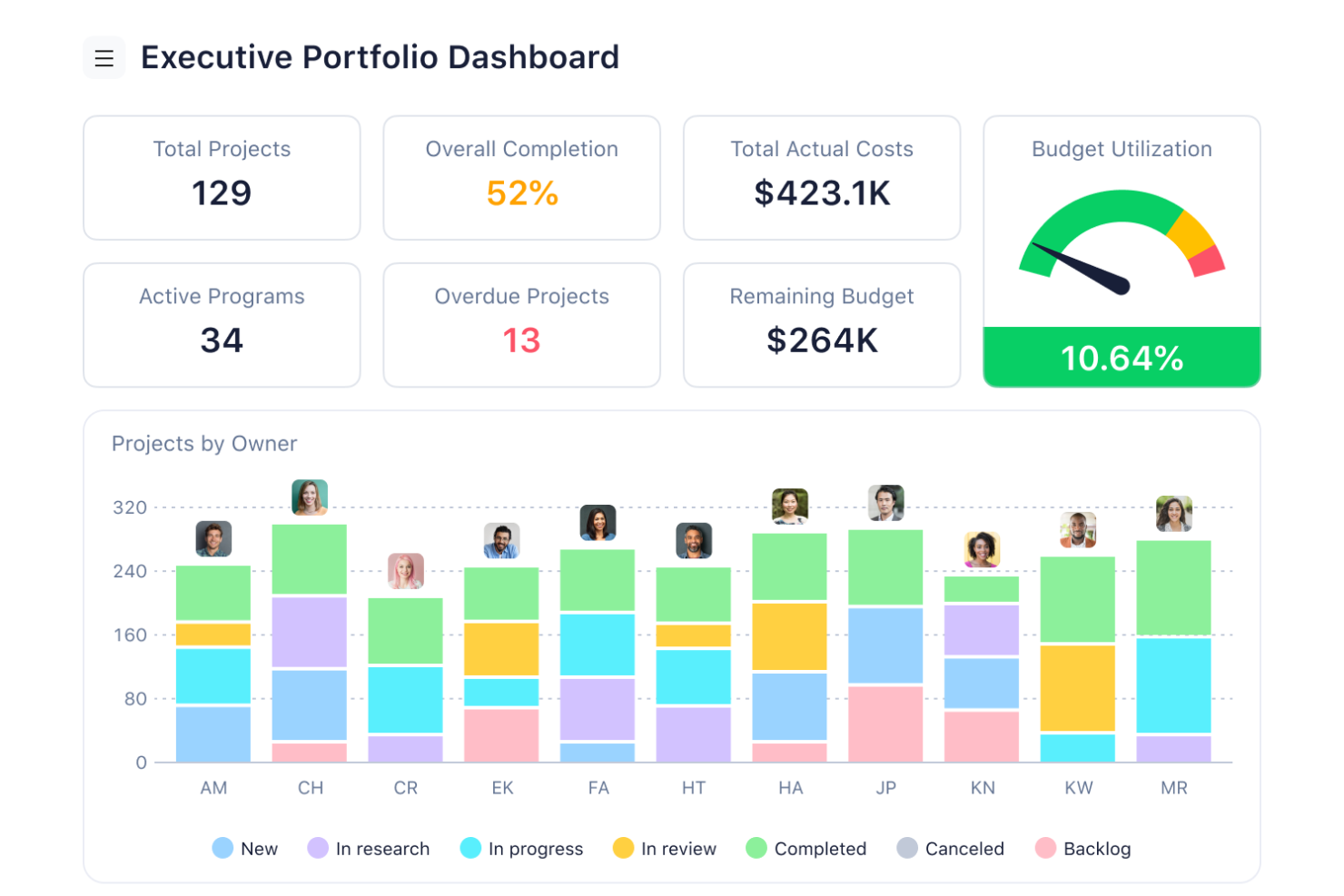
Wrike stands out as a dynamic project management tool designed to meet the needs of teams looking to enhance productivity and streamline workflows. It is particularly appealing to businesses in the technology and creative sectors, where managing complex projects and diverse teams is essential. By integrating advanced AI capabilities, Wrike helps mitigate the challenges of task management and project planning, offering solutions that reduce manual work and improve collaboration.
Why I Picked Wrike
I picked Wrike for its unique ability to leverage AI in project management, specifically through its generative AI features. These features allow your team to generate detailed project plans and identify errors, which are crucial for maintaining project integrity and timelines. Additionally, Wrike's task automation capabilities minimize repetitive tasks, freeing up your team to focus on strategic work. The tool's real-time dashboards provide actionable insights, helping you make informed decisions quickly.
Wrike Key Features
In addition to its AI capabilities, Wrike offers several other features that enhance its utility for project management:
- Mind Mapping: Visualize project ideas and plans to ensure alignment and clarity across your team.
- Customizable Request Forms: Streamline the intake process by tailoring forms to capture exactly what your project needs.
- Real-Time Dashboards: Gain insights into project progress and team performance with up-to-date analytics.
- In-Platform Email Communication: Keep all project-related communication centralized and accessible within Wrike.
Wrike Integrations
Integrations include Salesforce, Google Workspace, Microsoft Teams, HubSpot, NetSuite, QuickBooks, Adobe Creative Cloud, JIRA, Box, and Dropbox. Wrike also offers an API for custom integrations.
Pros and Cons
Pros:
- Broad integrations across enterprise tools
- Strong automation for complex workflows
- AI supports data driven planning
Cons:
- Advanced AI features cost more
- Interface learning curve for teams
New Product Updates from Wrike

Wrike Redesigns Workspace Search With New Filters
Wrike introduces a redesigned Workspace Search interface with recent search shortcuts, item type and location filters, and parent-task context. These updates help users find relevant work items and navigate search results efficiently. For more information, visit Wrike’s official site.

Best for Microsoft integration

Microsoft Planner is a task management tool designed for teams within the Microsoft ecosystem, offering visual task organization and collaboration. It's popular among businesses that need to manage projects efficiently using Microsoft's suite of tools, with AI features enhancing task prioritization and workflow automation.
Why I picked Microsoft Planner: It integrates with Microsoft 365 Copilot, making it an ideal all-in-one platform for teams already using Microsoft's suite. AI-assisted capabilities like task suggestions and automated reminders help your team stay organized. The tool's integration with Microsoft Teams improves communication, while its familiar interface ensures a smooth transition. These features make it the best choice for those seeking a solution within the Microsoft ecosystem.
Standout Features & Integrations:
Features include a visual task board that helps organize tasks and projects, due date notifications to keep your team on track, and progress tracking to monitor task completion. These features improve your team's ability to manage projects effectively.
Integrations include Microsoft Teams, Outlook, SharePoint, OneDrive, Excel, Power BI, Microsoft To Do, LinkedIn, Power Automate, and Office 365.
Pros and Cons
Pros:
- Supports team collaboration
- Simple task board layout
- Useful progress tracking views
Cons:
- Requires a Microsoft 365 subscription
- Limited customization options

Best for budget-friendly teams

Freedcamp is a project management tool designed for teams seeking cost-effective solutions for task management and collaboration. It's particularly useful for startups and small businesses looking to manage projects with AI features that assist in task prioritization and deadline tracking.
Why I picked Freedcamp: It offers budget-friendly project management with AI-driven task prioritization and deadline reminders. These features help your team stay on top of tasks without breaking the bank. Freedcamp's intuitive interface makes it easy for teams to adopt and use effectively. It's an ideal choice for smaller teams that need efficient project management without high costs.
Standout Features & Integrations:
Features include a task board for visual project management, time tracking to monitor productivity, and a calendar view to organize deadlines. These tools help your team manage projects efficiently and meet deadlines.
Integrations include Google Drive, Dropbox, Zapier, Google Calendar, Slack, Box, OneDrive, Trello, GitHub, and Evernote.
Pros and Cons
Pros:
- All-in-one task management tools
- User-friendly interface
- Affordable pricing for small teams
Cons:
- May not scale well for large enterprises
- Limited advanced features
Backlog
Best for version control

Backlog is a project management and collaboration tool designed for development teams, offering features for task tracking, issue management, and version control. It's ideal for developers who need to manage code, track bugs, and collaborate efficiently, with AI features improving task prioritization and workflow automation.
Why I picked Backlog: It has strong version control capabilities combined with Agile project tracking in one platform. The platform also offers an AI-powered Issue Summaries feature, which uses OpenAI (ChatGPT) technology to condense long issues and comment threads into short, useful explanations—helping teams understand work faster and reduce miscommunication.
Standout Features & Integrations:
Features include built-in Git and SVN repositories, Kanban boards, Gantt charts, burndown charts, issue tracking, file sharing, project wikis, and an AI-driven Issue Summaries feature that provides quick summaries of long issues.
Integrations include GitHub, Jenkins, Redmine, Typetalk, Slack, Microsoft Teams, Google Drive, Dropbox, Zapier, and Cacoo.
Pros and Cons
Pros:
- Supports development team collaboration
- Detailed task tracking features
- Strong version control capabilities
Cons:
- Mobile app lacks functionality
- Limited customization for larger projects

Best for business process mapping

Businessmap is a business execution software designed for organizations aiming to improve operational efficiency and strategic alignment. It caters to businesses seeking to improve project management, AI-driven planning, and workflow tracking.
Why I picked Businessmap: Its ability to connect operational processes with strategy through portfolio-level planning, workflow visualization, and AI-supported analysis. The platform includes smart canvases, Kanban boards, OKRs and KPIs, and performance dashboards that help teams map processes and track outcomes. Businessmap also offers AI-supported planning and process analysis, which helps teams identify risks, forecast outcomes, and optimize workflows across departments.
Standout Features & Integrations:
Features include smart canvases for strategic planning, Kanban boards, portfolio and project alignment, OKR and KPI tracking, performance dashboards, and AI-supported process analysis.
Integrations include Salesforce, Microsoft Azure, Slack, Google Workspace, Trello, Jira, Asana, monday.com, Dropbox, and Microsoft Teams.
Pros and Cons
Pros:
- Supports process visualization
- AI-driven planning tools
- Excellent for strategic alignment
Cons:
- Limited customization for advanced users
- Limited integration capabilities


ClickUp is a versatile project management tool designed for teams of all sizes, offering features for task management, time tracking, and collaboration. It caters to businesses looking to enhance productivity with AI-powered functionalities, including a 24/7 intelligent assistant and AI-integrated task management.
Why I picked ClickUp: ClickUp offers a unique AI-driven approach to task management, making it ideal for teams seeking versatile solutions. The AI features include ClickUp Brain, which assists with tasks like updating and creating events. AI Talk to Text helps you type faster, saving time on daily tasks. These features align with its versatility, allowing your team to work efficiently across various projects.
Standout Features & Integrations:
Features include task management, time tracking, and dashboards. You can customize your workspace with over 100 features that help manage workflows. Automation tools are also available to reduce manual tasks and increase efficiency.
Integrations include Slack, Google Drive, Dropbox, GitHub, Zoom, Microsoft Teams, Outlook, Asana, Trello, and Salesforce.
Pros and Cons
Pros:
- Supports a wide range of integrations
- AI tools for efficient task management
- Customizable workspace with many features
Cons:
- Requires time to learn all features
- Can be overwhelming for new users

Asana is a work management tool that helps teams organize tasks and manage projects. It supports Agile workflows through flexible views and shared visibility.
Why I picked Asana: Asana's clear focus on collaborative task coordination aligns well with Agile team needs. Its multiple project views, such as list, board (Kanban), calendar, timeline, and Gantt charts, give teams flexibility in how they plan and track sprints. Features like AI-generated task suggestions, workload insights, and custom fields help team members maintain clarity and stay aligned during iterative development. Asana also includes status updates, inbox notifications, and time tracking, which support continuous communication and adaptive planning throughout a project cycle.
Standout Features & Integrations:
Features include project views (list, board, calendar, timeline, and Gantt), custom fields for structured task details, workload management to balance assignments, status update tools for quick reporting, inbox notifications, and AI-supported workflow automation.
Integrations include Slack, Microsoft Teams, Google Drive, Dropbox, Zoom, Salesforce, Tableau, Adobe Creative Cloud, GitHub, Gmail, Outlook, Vimeo, and Workplace.
Pros and Cons
Pros:
- Customizable workflows
- Multiple project view options
- User-friendly interface
Cons:
- Advanced features are limited to higher-tier plans
- Complexity may increase for larger teams


Aha! Develop is an Agile development tool for teams that need structured planning and visibility into delivery work. It supports multiple Agile methods and connects engineering tasks to product strategy.
Why I picked Aha! Develop: It excels with a strong connection between roadmap strategy and engineering execution. The platform supports Scrum, Kanban, and SAFe®, with tools for sprint planning, backlog prioritization, PI coordination, and Agile reporting. It also includes an assistant powered by generative AI that can create user stories and help estimate work, making it easier for teams to plan capacity and refine work items. Teams gain additional value from features like capacity planning, risk tracking, and unified backlogs that align engineering priorities with product goals.
Standout Features & Integrations:
Features include customizable roadmaps, unified backlogs, AI-generated user stories, work estimation tools, sprint and PI planning, capacity planning, interactive workflow boards, Agile reports (velocity, burndown, cycle time), and whiteboards for collaborative planning.
Integrations include Jira, Azure DevOps, GitHub, GitLab, Slack, Zendesk, Trello, and Confluence.
Pros and Cons
Pros:
- Supports Scrum, Kanban, and SAFe®
- Useful AI support for story creation
- Strong roadmap and strategy alignment
Cons:
- Complex and cluttered interface
- Limited customization for advanced users
Diğer Yapay Zekâ Destekli Çevik Proje Yönetimi Araçları
Kısa listeme girmeyen ancak yine de göz atmaya değer bazı ek yapay zekâ destekli Çevik proje yönetimi aracı seçenekleri şunlardır:
- Jira
For Agile development
- Digital.ai
For enterprise Agility
- Zoho Sprints
For sprint planning
- Taiga
For Agile software development


How I Evaluate AI Agile Project Management Tools
I only include tools where the AI goes beyond a chatbot bolted onto a task board—it needs to save real time in how teams plan, run, and improve their sprints. I split my evaluation into core functionality every tool must offer to make the list and differentiating factors that set one vendor apart from another.
Core Functionality (Table Stakes For This List)
When I'm selecting tools for my list, I rank each one on a scale from 0 (does not offer the functionality) to 5 (excels in this area) for each core functionality listed below. Then, I calculate the tool's total score into a percentage. Each tool needs to achieve a minimum total score of 65% to be considered for inclusion.
- AI-Powered Backlog Management: I look for tools that use AI to generate, prioritize, and refine user stories and epics from plain-language inputs rather than forcing manual entry.
- Agile Framework Support: The tool should natively support Scrum and Kanban at minimum, with sprint boards, backlogs, burndown charts, and velocity tracking built in.
- AI Sprint Planning & Estimation: I evaluate how well the AI recommends sprint scope and estimates story points based on team capacity and past velocity data.
- Predictive Analytics & Forecasting: I check whether the tool surfaces AI-driven delivery forecasts, risk flags, and bottleneck alerts across sprints and releases.
- AI Workflow Automation: Routine agile tasks like status updates, standup summaries, and task routing should be automated by AI rather than relying on manual rules.
- Integrations & Collaboration: Tools need to connect with the dev stack teams already use—GitHub, Slack, Jira, CI/CD pipelines—and support real-time collaboration.
Once I have a list of tools that meet this criteria, I consider what sets each platform apart.
Differentiating Factors (What Sets Vendors Apart)
Here's how I compare and contrast different vendors:
Standout Features
Dependency intelligence is a big differentiator—I look for tools that use AI to map cross-team dependencies and flag risks before they derail a sprint. Natural language querying also stands out. Being able to ask "what's blocking the checkout feature?" and get a real answer saves time over digging through boards manually. I also evaluate whether a tool can join standups or planning calls, extract action items, and push updates directly to the backlog.
Beyond Features
AI model transparency matters—I check whether a vendor explains how its AI generates recommendations and whether teams can opt out of model training on their data. Scalability is another key factor, especially for orgs running SAFe or LeSS across multiple squads. I look for portfolio-level roll-ups and cross-team reporting that hold up at scale. Time-to-value also counts: migration tools and prebuilt agile templates help teams moving off legacy platforms get productive fast without a lengthy onboarding cycle.
Yapay Zekâ Destekli Çevik Proje Yönetimi Araçları Nasıl Seçilir?
Uzun özellik listeleri ve karmaşık fiyatlandırma yapılarına kapılmak kolaydır. Kendinize özgü yazılım seçim sürecinizi yürütürken odağınızı korumanıza yardımcı olmak için göz önünde bulundurmanız gereken faktörleri içeren bir kontrol listesi hazırladım:
| Faktör | Dikkat Edilmesi Gerekenler |
|---|---|
| Ölçeklenebilirlik | Araç ekibinizle birlikte büyüyebilir mi? Önemli bir maliyet artışı olmadan artan talebi karşılayabileceğinden emin olmak için kullanıcı sınırlarını ve kademeli fiyatlandırmayı göz önünde bulundurun. |
| Entegrasyonlar | Mevcut araçlarınızla çalışıyor mu? Mevcut yazılımlarınızla uyumluluğunu kontrol edin ve özel çözümler için kapsamlı API seçenekleri arayın. |
| Özelleştirilebilirlik | İş akışınıza uyacak şekilde düzenleyebilir misiniz? Özel ihtiyaçlarınıza uygun olması için gösterge tabloları, raporlar ve görev alanlarında sunulan özelleştirme düzeyini değerlendirin. |
| Kullanım Kolaylığı | Arayüz ekibiniz için sezgisel mi? Gereken eğitim süresini en aza indirmek için sade bir düzen ve kolay gezinme özellikleri arayın. |
| Uygulama ve İşe Alıştırma | Ekibiniz aracı kullanmaya ne kadar hızlı başlayabilir? Eğitim materyalleri ve destek erişilebilirliği de dâhil olmak üzere kurulum için gereken kaynakları ve süreyi göz önünde bulundurun. |
| Maliyet | Bütçenize uyuyor mu? Beklenmedik harcamalardan kaçınmak için belirli özelliklere ilişkin gizli ücretler veya ek maliyetler de dâhil olmak üzere fiyatlandırma yapısını analiz edin. |
| Güvenlik Önlemleri | Verileriniz korunuyor mu? Aracın sektördeki güvenlik standartlarına uyduğundan ve şifreleme ile kullanıcı erişim denetimleri gibi özellikler sunduğundan emin olun. |
| Destek Erişilebilirliği | İhtiyaç duyduğunuzda yardım alabiliyor musunuz? Gerektiğinde yardım alabilmeniz için 7/24 destek seçeneklerini, yanıt sürelerini ve yardım belgelerinin kalitesini kontrol edin. |
Yapay Zekâ Destekli Çevik Proje Yönetimi Araçları Nelerdir?
Yapay zekâ destekli çevik proje yönetimi araçları, çevik projelerin yönetimini iyileştirmek için yapay zekâ kullanan yazılım çözümleridir. Bu araçlar genellikle proje yöneticileri, ekip liderleri ve geliştiriciler tarafından iş birliğini ve verimliliği artırmak için kullanılır.
Otomasyon, tahmine dayalı analizler ve akıllı görev önceliklendirme; iş yüklerinin yönetilmesine, proje zaman çizelgelerinin öngörülmesine ve kaynak tahsisinin optimize edilmesine yardımcı olur. Genel olarak bu araçlar, kullanıcılara projeleri planlamak, yürütmek ve izlemek için daha akıllı yöntemler sunarak çevik süreçleri daha verimli ve etkili hâle getirir.
Özellikler
Yapay zekâ destekli çevik proje yönetimi araçlarını seçerken aşağıdaki temel özelliklere dikkat edin:
- Tahmine dayalı analizler: Proje zaman çizelgeleri ve olası riskler hakkında içgörüler sunarak ekiplerin bilinçli kararlar almasına yardımcı olur.
- Otomatik görev önceliklendirme: Görevleri aciliyet ve önem derecesine göre otomatik olarak sıralayarak iş akışının verimli bir şekilde yönetilmesini sağlar.
- Kaynak tahsisi optimizasyonu: Kaynakları etkili bir şekilde tahsis etmek için yapay zekâdan yararlanarak ekip performansının ve proje sonuçlarının en iyi düzeye ulaşmasını sağlar.
- Akıllı raporlama: Stratejik planlamaya yardımcı olmak için temel ölçümleri ve projenin durumunu öne çıkaran, veriye dayalı raporlar sunar.
- Gerçek zamanlı iş birliği: Ekipler arasında sorunsuz iletişim ve proje güncellemeleri sağlayarak ekip çalışmasını ve üretkenliği artırır.
- Özelleştirilebilir panolar: Kullanıcıların arayüzlerini en alakalı bilgileri gösterecek şekilde düzenlemesine olanak tanıyarak odaklanmayı ve verimliliği artırır.
- Zaman takibi entegrasyonu: Görevlere harcanan zamanı izleyerek ekiplerin programa uymasına ve iş yüklerini etkili bir şekilde yönetmesine yardımcı olur.
- Risk yönetimi araçları: Yapay zekâ içgörülerini kullanarak olası proje risklerini belirler ve azaltır, böylece projenin daha sorunsuz yürütülmesini sağlar.
Avantajlar
Yapay zekâ destekli çevik proje yönetimi araçlarını uygulamak, ekibiniz ve işletmeniz için çeşitli avantajlar sağlar. Yararlanabileceğiniz avantajlardan bazıları şunlardır:
- Artan verimlilik: Otomasyon ve görev önceliklendirme, manuel çabayı azaltarak ekibinizin etkisi yüksek çalışmalara odaklanmasını sağlar.
- Daha iyi karar alma: Tahmine dayalı analizler ve akıllı raporlama, ekibinizin bilinçli seçimler yapmasına yardımcı olan içgörüler sunar.
- Geliştirilmiş kaynak yönetimi: Yapay zekâ destekli kaynak tahsisi, ekibinizin en uygun personel yapısına sahip olmasını ve projelerin plana uygun ilerlemesini sağlar.
- Geliştirilmiş iş birliği: Gerçek zamanlı güncellemeler ve iletişim araçları, ekibinizin bağlantıda kalmasını ve proje hedefleri doğrultusunda uyum içinde çalışmasını sağlar.
- Azaltılmış risk: Yapay zekâ tabanlı risk yönetimi araçları olası sorunların erken belirlenmesine yardımcı olarak projelerinizdeki aksaklıkları en aza indirir.
- Zaman tasarrufu: Otomatik zaman takibi ve planlama, ekibinizin iş yüklerini daha etkili bir şekilde yönetmesine yardımcı olarak diğer görevlere zaman ayırmasını sağlar.
- Özelleştirilebilir içgörüler: İhtiyaca göre düzenlenmiş panolar, ilgili bilgileri bir bakışta sunarak ekibinizin odaklanmasına ve bilgi sahibi olmasına yardımcı olur.
Maliyetler ve Fiyatlandırma
Yapay zekâ destekli çevik proje yönetimi araçlarını seçmek, mevcut çeşitli fiyatlandırma modellerinin ve planların anlaşılmasını gerektirir. Maliyetler; özelliklere, ekip büyüklüğüne, eklentilere ve diğer unsurlara göre değişir. Aşağıdaki tabloda, yapay zekâ destekli çevik proje yönetimi aracı çözümlerinde yaygın olarak sunulan planlar, bunların ortalama fiyatları ve tipik özellikleri özetlenmiştir:
Yapay Zekâ Destekli Çevik Proje Yönetimi Araçları İçin Plan Karşılaştırma Tablosu
| Plan Türü | Ortalama Fiyat | Yaygın Özellikler |
|---|---|---|
| Ücretsiz Plan | $0 | Temel görev yönetimi, sınırlı kullanıcı sayısı ve topluluk desteği. |
| Kişisel Plan | $1-$25/kullanıcı/ay | Görev yönetimi, temel entegrasyonlar ve sınırlı raporlama özellikleri. |
| İşletme Planı | $5-$175/kullanıcı/ay | Gelişmiş raporlama, kaynak yönetimi ve geliştirilmiş entegrasyonlar |
| Kurumsal Plan | $50-$1600+/kullanıcı/ay | Özelleştirilebilir panolar, yapay zekâ destekli analizler, özel destek ve güvenlik. |
Yapay Zekâ ile Çevik Proje Yönetimi SSS
Yapay zekâ destekli Çevik proje yönetimi araçları hakkında sık sorulan bazı soruların yanıtları:
Yapay zekâ yazılımı, Çevik projeler sırasında risk değerlendirmesine ve risklerin azaltılmasına nasıl yardımcı olur?
Yapay zekâ, olası riskleri belirlemek ve çözümler önermek için proje değişkenlerini sürekli olarak inceler. Bunlar, gelecekteki gecikmeleri veya başarısızlıkları önlemek amacıyla zaman çizelgelerinin ayarlanmasını, iş yüklerinin yeniden dağıtılmasını veya görevlerin yeniden atanmasını içerebilir.
Yapay zekâ araçları küçük ekipler için uygun mudur?
Evet, yapay zekâ araçları tekrarlayan görevleri otomatikleştirerek ve gözden kaçabilecek içgörüler sağlayarak küçük ekipler için faydalı olabilir. Daha az kaynakla bile küçük ekipler, görevleri verimli bir şekilde yönetmek, çalışmaya öncelik vermek ve iş birliğini geliştirmek için yapay zekâdan yararlanabilir. Yapay zekâ destekli araçlar, kaynak tahsisini optimize ederek ve iletişimi geliştirerek küçük ekiplerin kapasitelerinin üzerinde işler başarmasına yardımcı olabilir.
Yapay zekâ, Çevik iş akışlarında görevlerin önceliklendirilmesini nasıl iyileştirir?
Yapay zekâ, görevleri aciliyet ve etkiye göre sıralamak için görev bağımlılıklarını, ekip performansını ve geçmiş proje verilerini analiz eder. Bu, yüksek değerli görevlerin ilk olarak ele alınmasını sağlayarak ekibinizin proje hedefleri ve son teslim tarihleriyle uyumlu kalmasına yardımcı olur.