

2026’da Dijital Varlıklar İçin En İyi 10 Bynder Alternatifi Araç

En İyi Bynder Alternatifleri Kısa Listesi


En iyi Bynder alternatifleri daha sezgisel bir gezinme deneyimi sunar, varlık oluşturma ve dağıtım iş akışlarınıza daha iyi uyum sağlar ve özellikle daha küçük bir kuruluşsanız bütçenizle daha uyumludur. Bynder için doğru alternatifi bulduğunuzda araçlarınızın iş akışlarınızı daha iyi desteklediğini, pazarlama ve dijital varlıklarınızı verimli ve etkili bir şekilde bulup kullanmanızı kolaylaştırdığını göreceksiniz.
Bir ajans işletme deneyimimi ve 3 yılı aşkın yazılım test tecrübemi kullanarak çeşitli Bynder alternatiflerini inceledim ve dijital varlıklarınızı daha iyi depolamanıza ve güvence altına almanıza yardımcı olacak en iyi seçenekleri belirledim. Aşağıdaki incelemelerimde güçlü yönleri ve temel farklılıkları, artıları ve eksileri ve ideal kullanım alanlarını öne çıkarıyorum.
Bynder Alternatifleri Nelerdir?
Bynder alternatifleri, Bynder'a benzer özellikler sunan ve potansiyel olarak daha düşük fiyatlı veya daha sezgisel bir arayüze sahip dijital varlık yönetimi araçlarıdır. Bu araçlar tüm dijital dosyalar için merkezi depolar işlevi görür ve logolar ile görseller gibi marka varlıklarına kolay erişim, paylaşım ve yönetim olanağı sağlar.
Bynder alternatifleri belirli alanınıza veya sektörünüze daha uygun olabilir ve içerikleri düzenlemenize, kanallar arasında tutarlılığı korumanıza olanak tanır. Ekibinizin birlikte çalışmasını, varlıkları takip etmesini ve markanızın görünümünü ve tarzını korumasını kolaylaştırır.
Bynder Alternatifleri Karşılaştırma Tablosu
Aşağıda en iyi Bynder alternatifleri için seçtiklerimin fiyatlarını ve diğer bilgilerini karşılaştırın:
| Tool | Starting Price | Website | |
|---|---|---|---|
| Best for version control | 4.7 out of 5 | $100/month 7-day free trial + free demo available | Website |
| Best for digital asset sharing | 4.7 out of 5 | $29/month 30-day free trial available | Website |
| Best for brand guidelines | 4.7 out of 5 | Pricing upon request Free demo available | Website |
| Best for marketing teams | 4.4 out of 5 | Pricing upon request Free demo available | Website |
| Best for workflow automation | 4.1 out of 5 | Pricing upon request 30-day free trial | Website |
| Best for customization | 4.1 out of 5 | Pricing upon request Free demo available | Website |
| Best for Adobe integration | — | Pricing upon request Free plan available | Website |
| Best for AI capabilities | — | $7/user/month 14-day free trial + free plan available | Website |
| Best for scalability | 4.6 out of 5 | Pricing upon request Free demo available | Website |
| Best for brand consistency | 4.6 out of 5 | Pricing upon request Free demo available | Website |
Why Trust Our Software Recommendations
Our team has been testing and reviewing software since 2012. As project managers ourselves, we know how difficult—and important—it is to choose the right software.
For this guide, we evaluated tools using hands-on testing and independent research, scoring tools using our selection criteria. We also draw on insights from industry thought leaders and practicing project management experts.
Our reviews reflect our human editorial judgment, not a sales pitch.
Expert reviewers:
En İyi Bynder Alternatifleri İncelemeleri
Her bir Bynder alternatifinin ayrıntılı özetlerini burada bulabilirsiniz. Karar verme sürecinizi kolaylaştırmaya yardımcı olmak için öne çıkma nedenlerini, benzersiz özelliklerini ve entegrasyonlarını ele alıyorum.

Pics.io
Best for version control
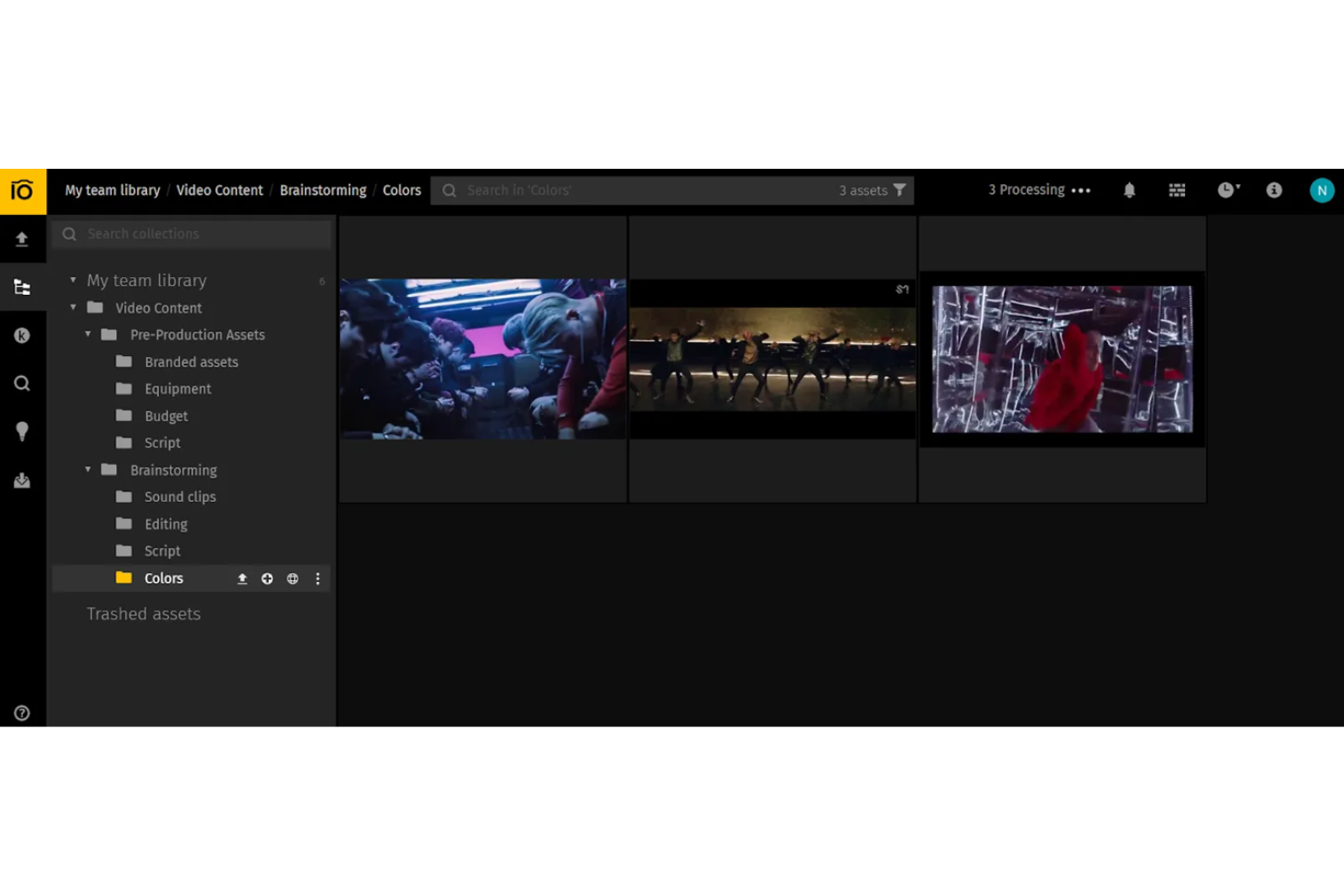
Pics.io is a digital asset management platform that combines centralized storage, AI-powered search and tagging, version control, collaborative review, and external sharing portals for images, video, audio, and documents.
Who Is Pics.io Best For?
Pics.io is a strong fit for creative and marketing teams that need tight version control over a large, shared asset library.
Why I Picked Pics.io
Pics.io earns its spot on my shortlist because its version control goes well beyond a basic revision log. I can visually compare two file versions side by side, roll back to any earlier revision, and set a specific version as current, all while stable sharing links automatically serve the latest approved file to external partners. That means when a brand asset gets updated mid-campaign, nobody outside the team accidentally downloads a stale version.
Pics.io Key Features
- AI-powered search: Search your asset library using natural language, visual patterns, face recognition, and OCR-based text search within PDFs and images.
- Customizable metadata fields: Define workflow-specific metadata fields, set allowed values, and filter assets by those fields across your library.
- Branded sharing portals: Publish collections as password-protected or public websites with a custom domain, logo, and visitor permissions.
- Upload inboxes: Collect files from external contributors via a link without requiring a login, with required metadata fields and automatic routing to selected collections.
Pics.io Integrations
Pics.io offers native integrations with Adobe Creative Cloud, Google Drive, Amazon S3, Google Workspace, Slack, Zoho CRM, WordPress, and Shopify. It also supports REST API custom integrations and Zapier.
Pros and Cons
Pros:
- Metadata search helps navigate large libraries
- Stable links serve the latest approved asset
- Compare revisions and restore approved versions
Cons:
- Reviewers report inaccurate AI-generated tags
- No documented multi-stage approval workflows
New Product Updates from Pics.io
Pics.io Adds Filtered Audit Trail CSV Exports
Pics.io now lets you export Audit Trail logs to CSV and apply filters before exporting, making it easier to analyze and share activity history. For more information, visit Pics.io's official site.
 .

Filecamp
Best for digital asset sharing
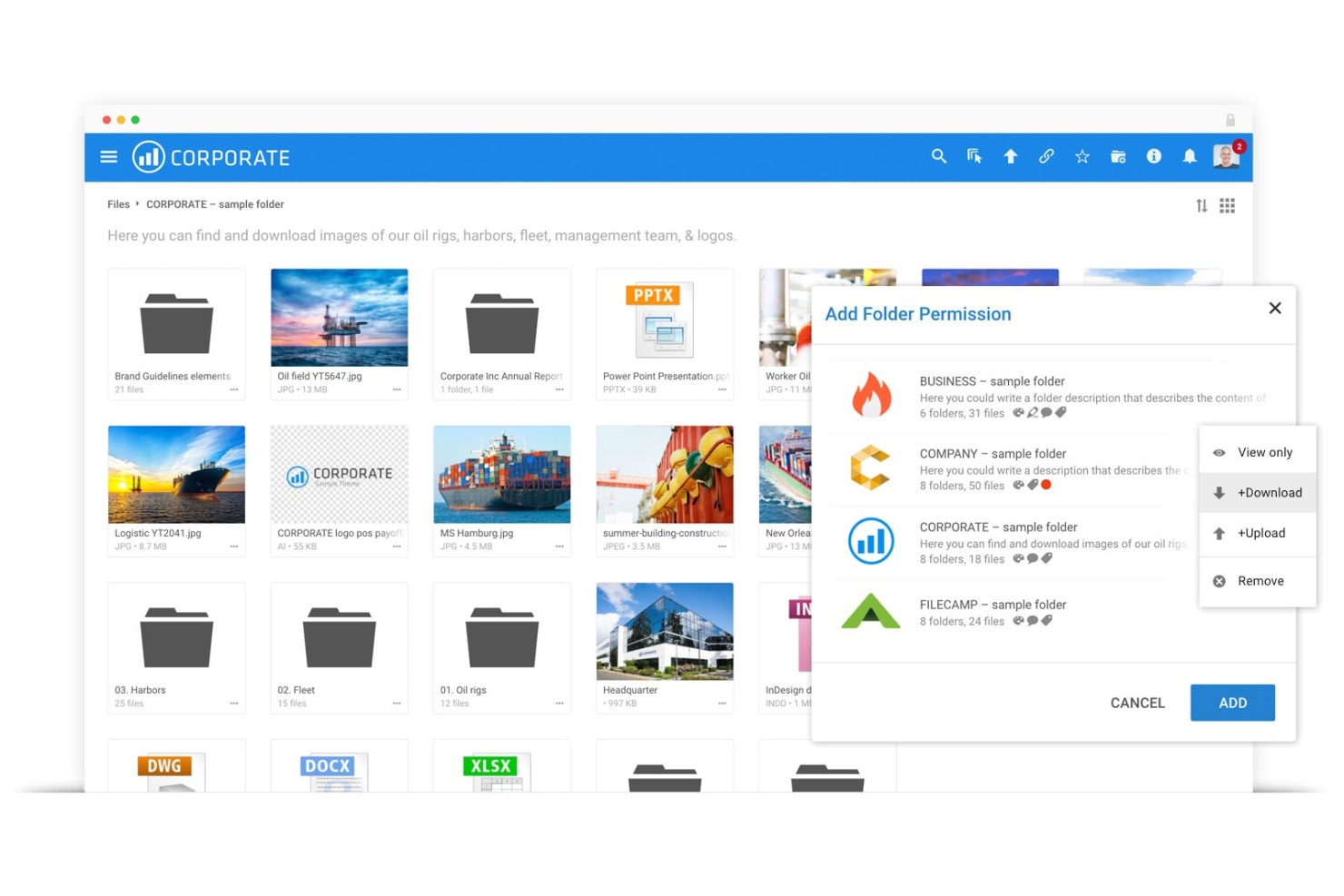
Filecamp is a digital asset management platform built for marketing and creative teams, offering a central cloud library with metadata search, AI auto-tagging, branded portals, folder-level permissions, version control, and online proofing.
Who Is Filecamp Best For?
Filecamp suits small to midsize marketing and creative teams that need a branded, searchable asset library without the complexity or cost of enterprise DAM platforms.
Why I Picked Filecamp
I picked Filecamp as one of the best on my shortlist because it's purpose-built for sharing assets externally without making recipients jump through hoops. Collection links let you give clients or partners view-only access, download access, or both, and you can set expiration dates or vanity URLs on each link. On top of that, AI auto-tagging keeps your library organized so the right files are easy to find and share quickly.
Filecamp Key Features
- Branded portal customization: Apply your company logo, colors, and background images to create a client-facing portal that reflects your brand.
- Granular folder permissions: Assign role-based and folder-level access so each user or team sees only the files they're meant to access.
- Version history: Retain all previous file versions and let users view or download earlier iterations directly from the version dropdown.
- Asset expiration dates: Set expiration dates on individual files or in bulk to automatically flag or move outdated assets to Trash.
Filecamp Integrations
Filecamp doesn't have any native integrations. It currently lacks a public API for custom connections and has no integrations with Canva, Adobe, or Figma.
Pros and Cons
Pros:
- AI image tags help teams find assets
- Collection links simplify external asset sharing
- Branded portals polish client handoffs
Cons:
- Recipients may miss asset update notifications
- Moving assets between folders feels tedious
New Product Updates from Filecamp
Filecamp Adds Analytics, AI Thumbnails, and CDN Embed Links
Filecamp adds Analytics, AI-powered thumbnails, and CDN-backed Embed links. These updates give teams more visibility into asset usage, improve thumbnail presentation, and make embedded images easier to manage. For more information, visit Filecamp’s official site.
 .

Frontify
Best for brand guidelines
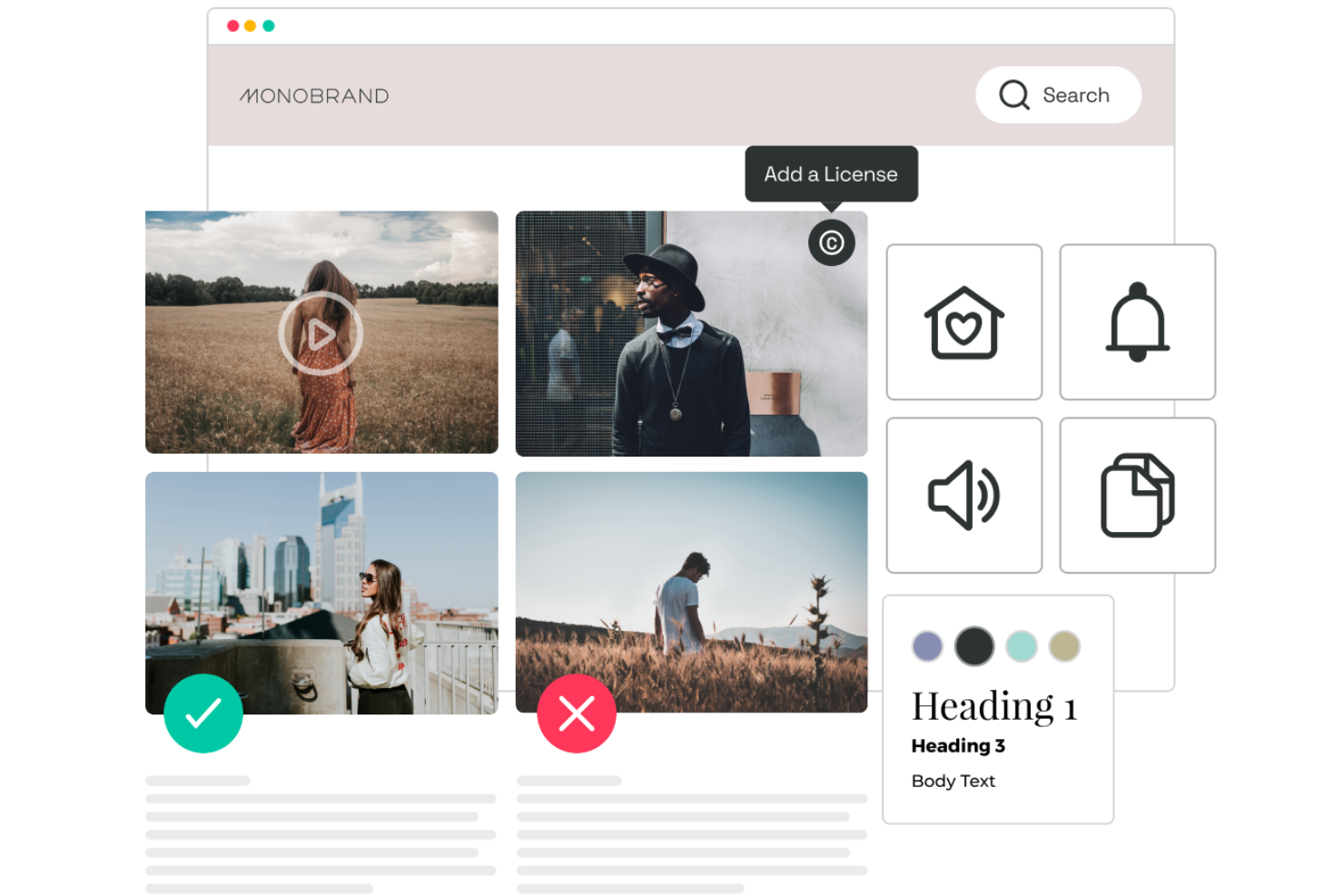
Frontify is a brand management platform that unifies digital asset management, dynamic brand guidelines, and on-brand templates in a single system built for teams managing brand consistency across multiple channels, markets, and external partners.
Who Is Frontify Best For?
Frontify is a strong fit for brand managers and digital asset managers at mid-to-large organizations running multiple brands, markets, or external partner networks from a single platform.
Why I Picked Frontify
Frontify earns its spot on my shortlist because its brand guidelines go far beyond a static PDF or a simple style guide page. I love that guidelines are fully dynamic and modular, so I can build structured content blocks for logos, colors, typography, and voice, and then lock those elements inside editable templates to prevent off-brand use. The AI-powered Brand Assistant takes it further by letting anyone on my team ask brand questions in natural language and get answers linked directly back to the relevant guideline section.
Frontify Key Features
- AI auto-tagging: Automatically generates tags and metadata for assets in media, logo, icon, and document libraries, including images and H.264 video.
- Automated Bynder migration: Transfers asset files, titles, descriptions, creators, tags, and custom metadata from Bynder, with a post-migration review and one-month error-reporting window.
- Multi-stage approval workflows: Lets you assign reviewers or groups, set deadlines, and choose resolution rules such as unanimous approvals or majority approves.
- Asset lifecycle management: Lets owners set availability dates for assets and configure what happens at expiry, including applying a workflow status or deleting the asset automatically.
Frontify Integrations
Frontify lists integrations with Adobe Link, Figma App, Contentful, Webflow, WordPress, Asana, Jira Cloud, and Google Drive. It supports GraphQL, webhooks, Brand SDK, Creative API, MCP server, and Zapier for custom connectivity.
Pros and Cons
Pros:
- Review workflows support clear approval rules
- Bynder migration carries custom metadata
- Modular guidelines keep brand rules actionable
Cons:
- Bynder migration transfers only latest versions
- Search can falter in large libraries
Canto
Best for marketing teams
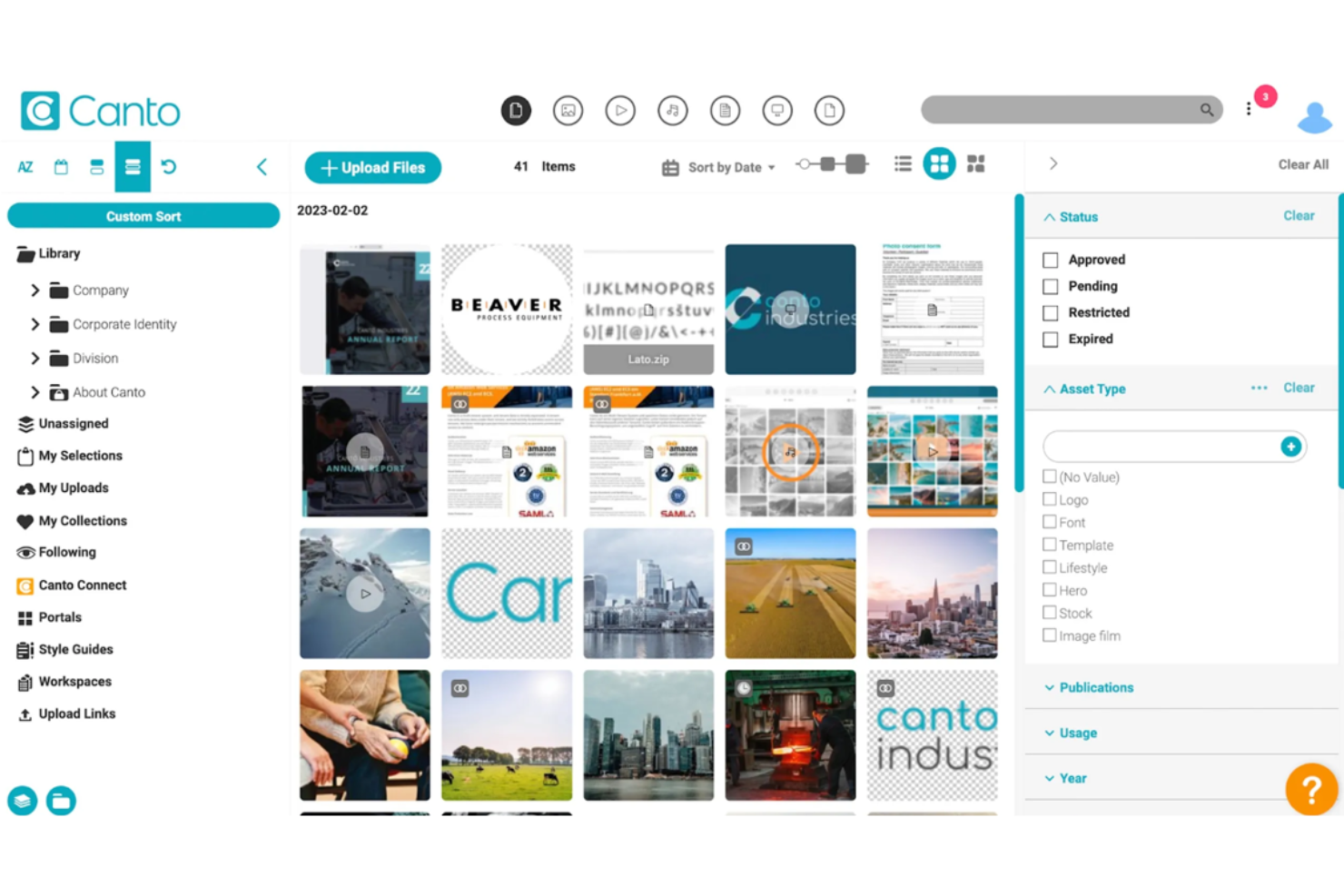
Canto is a digital asset management platform built around brand workflows, offering AI-powered search, branded portals, Style Guides, creative review and approval tools, and dynamic templating for content creation and distribution.
Who Is Canto Best For?
Canto is a strong fit for brand and creative teams that need to manage a large asset library, enforce brand guidelines, and get content out to internal and external audiences at scale.
Why I Picked Canto
I've included Canto in my top picks because it's purpose-built for marketing teams managing brand content at scale. Style Guides keep logos, fonts, and colors accessible to every content creator, while unlimited branded Portals let you push curated asset collections to specific teams, agencies, or campaign audiences without losing control over what gets downloaded or shared. The AI Visual Search is genuinely useful too, finding assets through natural-language descriptions even when tags are inconsistent.
Canto Key Features
- AI Visual Search: Find assets using natural-language descriptions or visual similarity, even when assets haven't been manually tagged.
- Approval Hub with proofing: Run multi-step review workflows with named steps, assigned reviewers, and built-in markup tools for creative feedback.
- Brand Studio templates: Create on-brand content using AI-powered, editable templates that lock logos, fonts, and layouts to enforce brand guidelines.
- Digital rights management and expiration controls: Set expiration dates on approved assets so files automatically become inaccessible after a defined date.
Canto Integrations
Canto offers native integrations with Adobe Photoshop, Canva, and WordPress. It also provides a REST API, Universal Connector, and Zapier integration for custom connectivity.
Pros and Cons
Pros:
- Proofing assigns reviewers to distinct stages
- Visual search locates assets without tags
- Branded portals control sharing across audiences
Cons:
- DAM migrations can take months
- Search relevance can falter in large libraries

Best for workflow automation
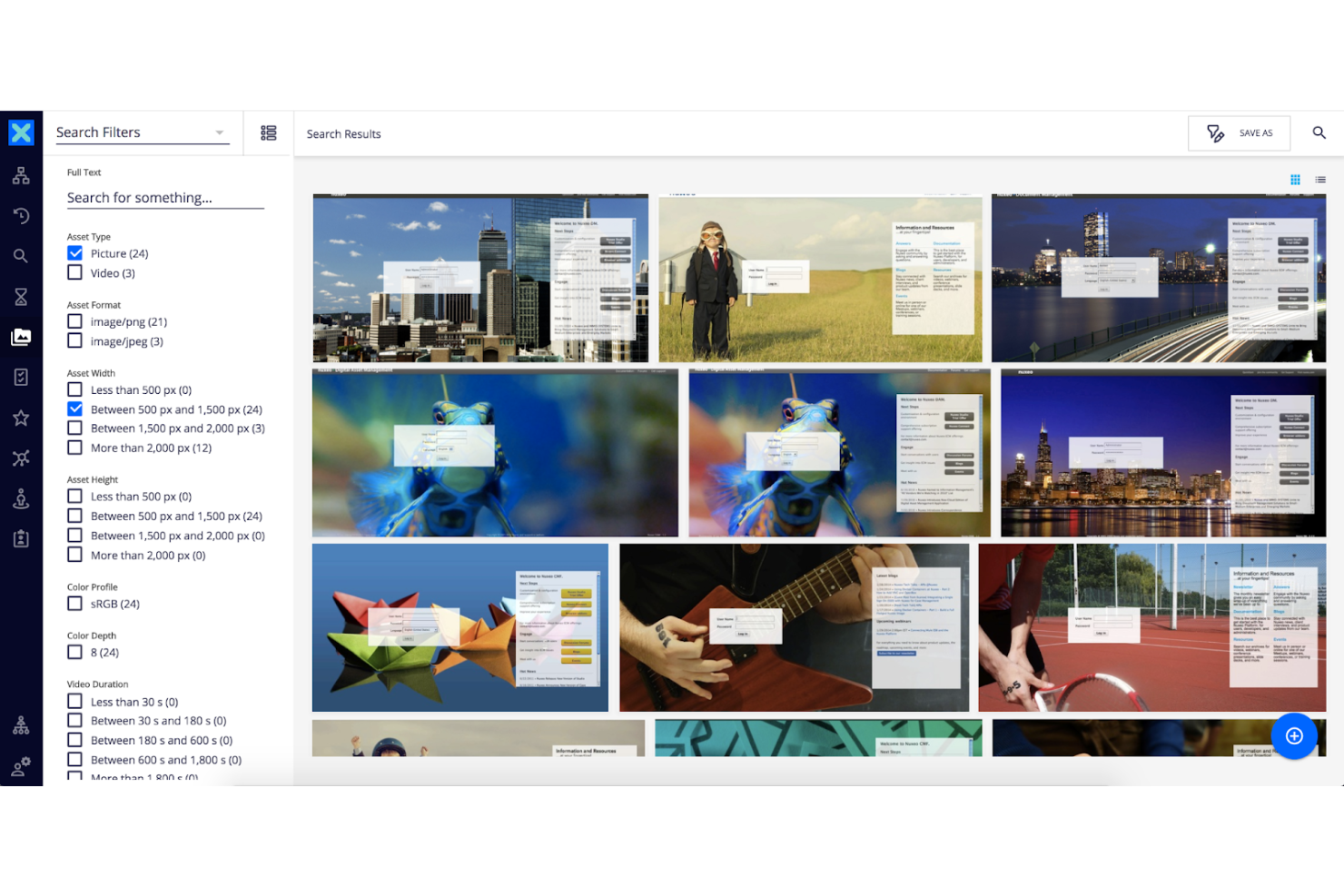
Nuxeo Platform is a cloud-native enterprise content management and DAM solution that centralizes rich media assets, automates business workflows, and extends through a document-oriented REST API.
Who Is Nuxeo Platform Best For?
Nuxeo Platform is a strong fit for enterprise digital asset managers who need a scalable, API-extensible content repository with built-in workflow automation.
Why I Picked Nuxeo Platform
Nuxeo Platform earns its spot on my shortlist because of how seriously it takes workflow automation for enterprise content teams. I particularly like the serial review workflow, where you can sequence approvers so each reviewer only acts after the previous one signs off, and a document can automatically transition to an Approved lifecycle state once the chain is complete. Pair that with Nuxeo AI's Content Intelligence, which auto-tags images with detected people, places, and organizations, and your team spends far less time on manual metadata work before assets even enter a review cycle.
Nuxeo Platform Key Features
- Elasticsearch-backed metadata search: Search your asset repository using custom metadata fields, event dates, and aggregate filters powered by Elasticsearch.
- EasyShare external access: Let external users without platform accounts view and download a curated list of assets through a dedicated, unauthenticated sharing link.
- Immutable version archiving: Check in working copies to create immutable archived versions with major/minor numbering and configurable automatic versioning policies.
- Nuxeo AI Content Intelligence: Auto-generate natural-language image descriptions and tag detected people, places, and organizations across your media library.
Nuxeo Platform Integrations
Nuxeo Platform integrates with Adobe Creative Cloud and SAP through the aqilink Marketplace integration. Its document-oriented REST API supports custom integrations.
Pros and Cons
Pros:
- Immutable versions preserve approved asset history
- AI adds image descriptions and entity tags
- Centralizes diverse media and enterprise documents
Cons:
- No dedicated brand portal or guidelines
- Deprecated review workflow weakens approval confidence

Best for customization
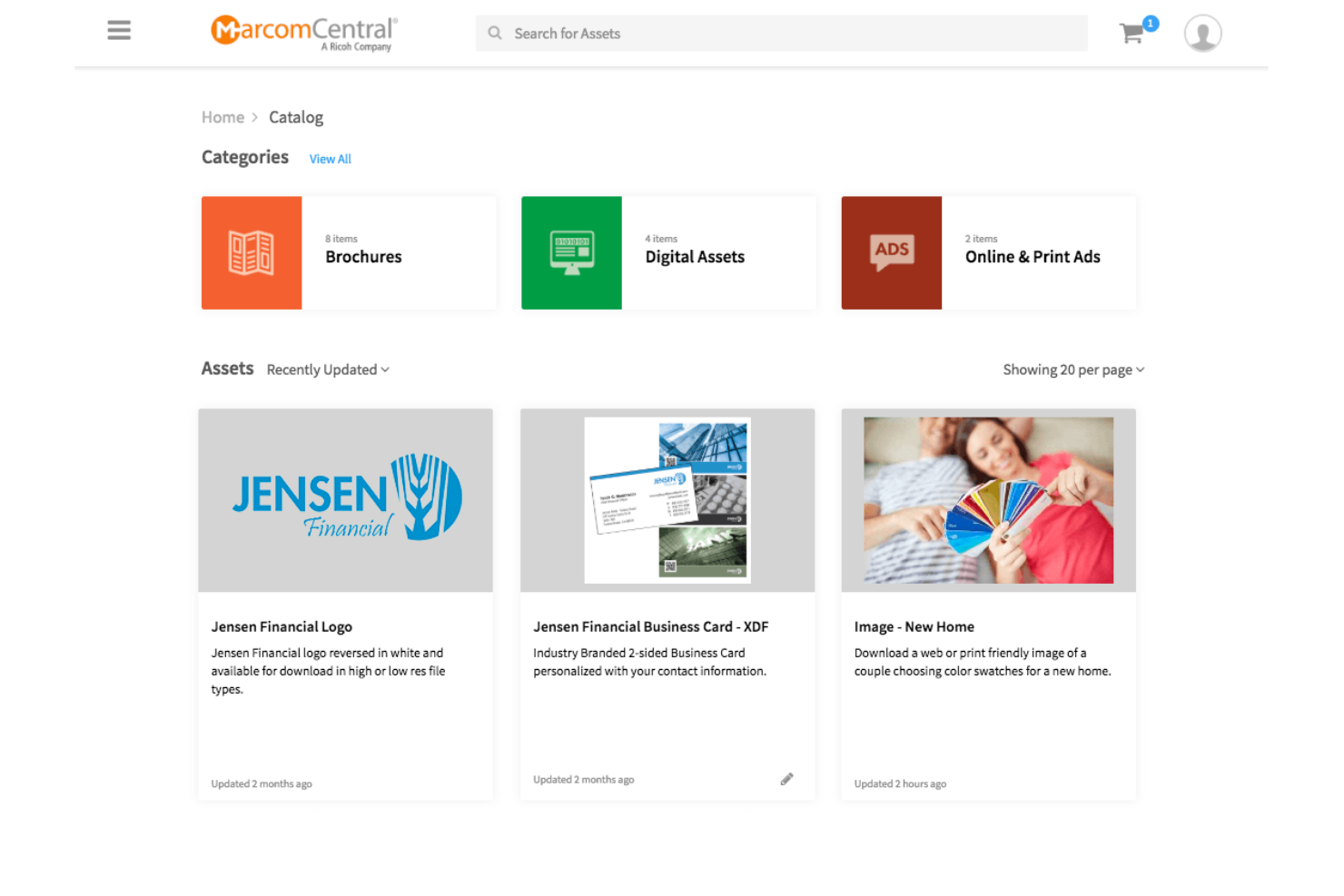
MarcomCentral is a brand and digital asset management platform that centralizes marketing materials, supports self-serve template customization, and handles collateral distribution across teams and channels.
Who Is MarcomCentral Best For?
MarcomCentral suits distributed teams and franchise networks where local users need to customize marketing materials within strict brand guardrails.
Why I Picked MarcomCentral
MarcomCentral earns its spot on my shortlist because of how thoroughly it handles template-based customization for distributed teams. I love that brand admins can lock logos, fonts, and colors while still letting field users personalize text, imagery, and regional messaging through guided, form-driven workflows—no design requests, no off-brand one-offs. Dynamic templates even support drop-down-driven choices that walk users through creating campaign-ready collateral within guardrails.
MarcomCentral Key Features
- AI asset tagging: Automatically generates keyword tags for landmarks, colors, and text in images when an asset is uploaded.
- Lightbox sharing: Creates shareable, link-based collections that let external recipients view assets without downloading them.
- Approval rule notifications: Alerts designated approvers when a customized asset requires sign-off before distribution.
- Storefront ordering: Lets users browse, customize, and place orders for marketing materials through a built-in ecommerce storefront.
MarcomCentral Integrations
MarcomCentral lists integrations with Bynder, Adobe Workfront, Adobe Creative Suite, HubSpot, WordPress, Google Drive, Dropbox, OneDrive, and Slack. It offers API access for custom integrations and connects through Zapier.
Pros and Cons
Pros:
- Branded portals support external asset sharing
- Central asset library adds searchable AI tagging
- Local users customize locked, brand-safe templates
Cons:
- Approval notifications don’t provide staged sign-off
- Older asset versions cannot be restored

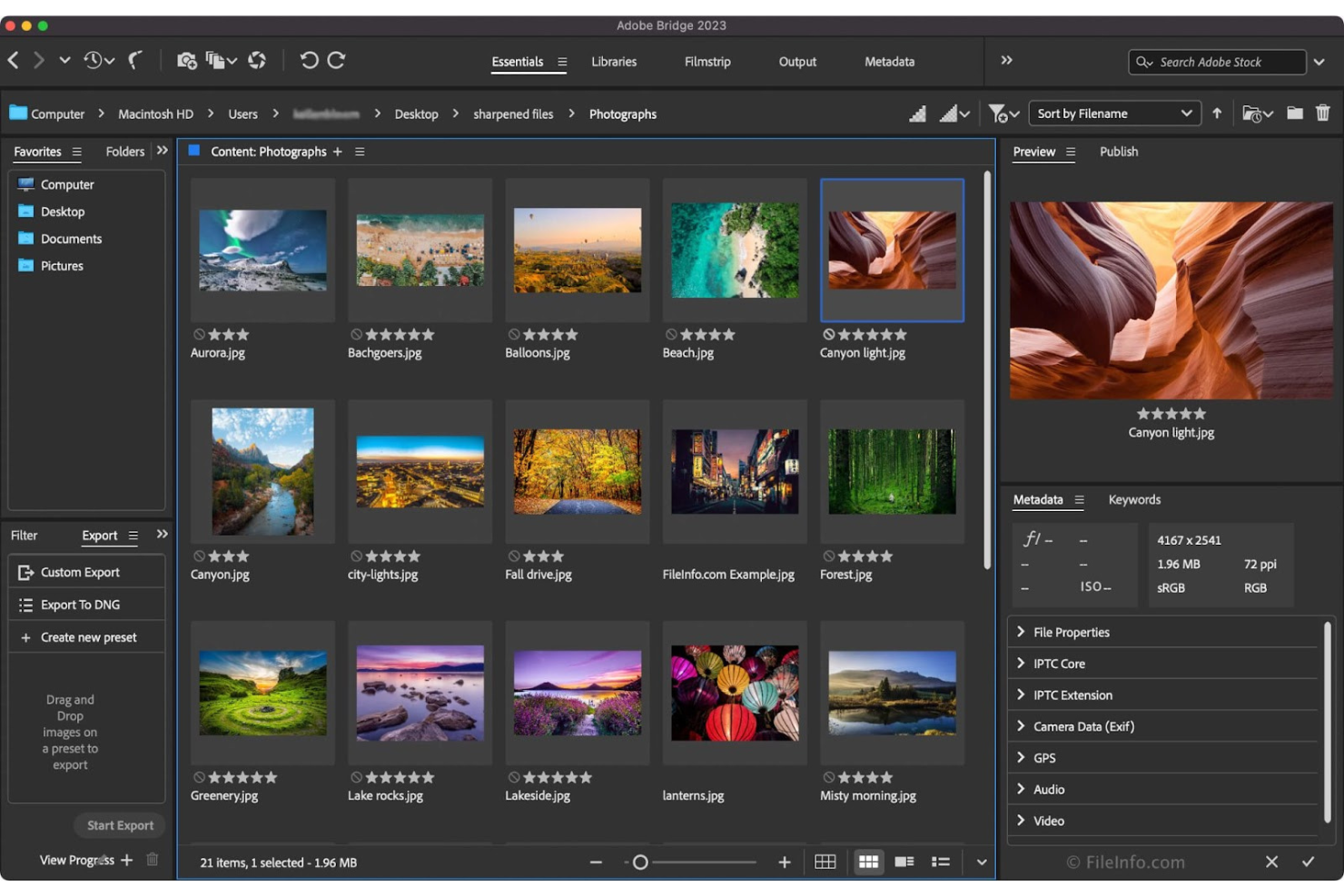
Adobe Bridge is a desktop creative asset manager that lets you browse, organize, tag, and search files across local drives and file servers, with native previews and direct access to Adobe Creative Cloud apps.
Who Is Adobe Bridge Best For?
Adobe Bridge is a natural fit for individual creatives and freelancers who already work inside the Adobe ecosystem and need a free, desktop-based way to organize and preview their local files.
Why I Picked Adobe Bridge
I've included Adobe Bridge in my top picks because it's the only option on this list built natively into the Adobe ecosystem, making it a natural fit if your team already lives in Photoshop, Illustrator, or InDesign. I like how Bridge lets you browse, tag, and search local files using rich metadata fields like IPTC Core and Smart Collections, then open them directly in the right Creative Cloud app without any extra steps. If you shoot raw photos or work with layered files daily, that direct Camera Raw access and thumbnail preview for every Adobe format saves real time.
Adobe Bridge Key Features
- Smart Collections: Automatically group assets based on saved search criteria, so files matching specific metadata or keyword rules surface without manual sorting.
- Batch rename and export: Rename or export large groups of files in one pass, with options to set size, scale, and output format across the entire batch.
- PDF contact sheets: Generate PDF contact sheets from photos, illustrations, or InDesign files directly within Bridge for easy client-ready presentations.
- IPTC metadata templates: Create and apply reusable metadata templates across multiple files at once, covering fields like description, copyright, and creator details.
Adobe Bridge Integrations
Adobe Bridge offers native integrations with Photoshop, InDesign, Illustrator, After Effects, Creative Cloud Libraries, Adobe Stock, Adobe Portfolio, and Substance 3D. It also provides a Bridge API, ExtendScript, and an SDK for custom integrations.
Pros and Cons
Pros:
- Contact sheets help present groups of photos
- Batch renaming helps organize large asset sets
- Reviewers value metadata filters for finding assets
Cons:
- Large libraries can load and browse slowly
- Lacks multi-user collaboration and selective access controls


ioMoVo is a digital asset management platform that simplifies content management. It stands out for its AI capabilities, which provide intelligent asset organization and advanced search options.
Why ioMovo is a good Bynder alternative:
I chose ioMoVo for this list because it offers unique AI-driven features that enhance the way businesses manage their digital content. These features make it a noteworthy competitor to Bynder, particularly for those seeking AI tools to improve their digital asset management.
Standout features & integrations:
Features include AI capabilities extending to smart content categorization and intuitive search functionalities, which are essential for efficient digital asset management. It also offers collaborative tools for team workflows and supports a range of media types, ensuring versatility in asset handling.
Integrations include Adobe Creative Cloud, Microsoft Office, WordPress, Drupal, Slack, Zapier, Salesforce, Hootsuite, Asana, Trello, and Jira.
Pros and Cons
Pros:
- Support for a wide variety of media types
- Collaborative features for team workflows
- Advanced AI tools for content categorization and search
Cons:
- The full range of integrations may not cover all potential user needs
- Requires a minimum of five seats, which may not suit very small businesses
Best for scalability
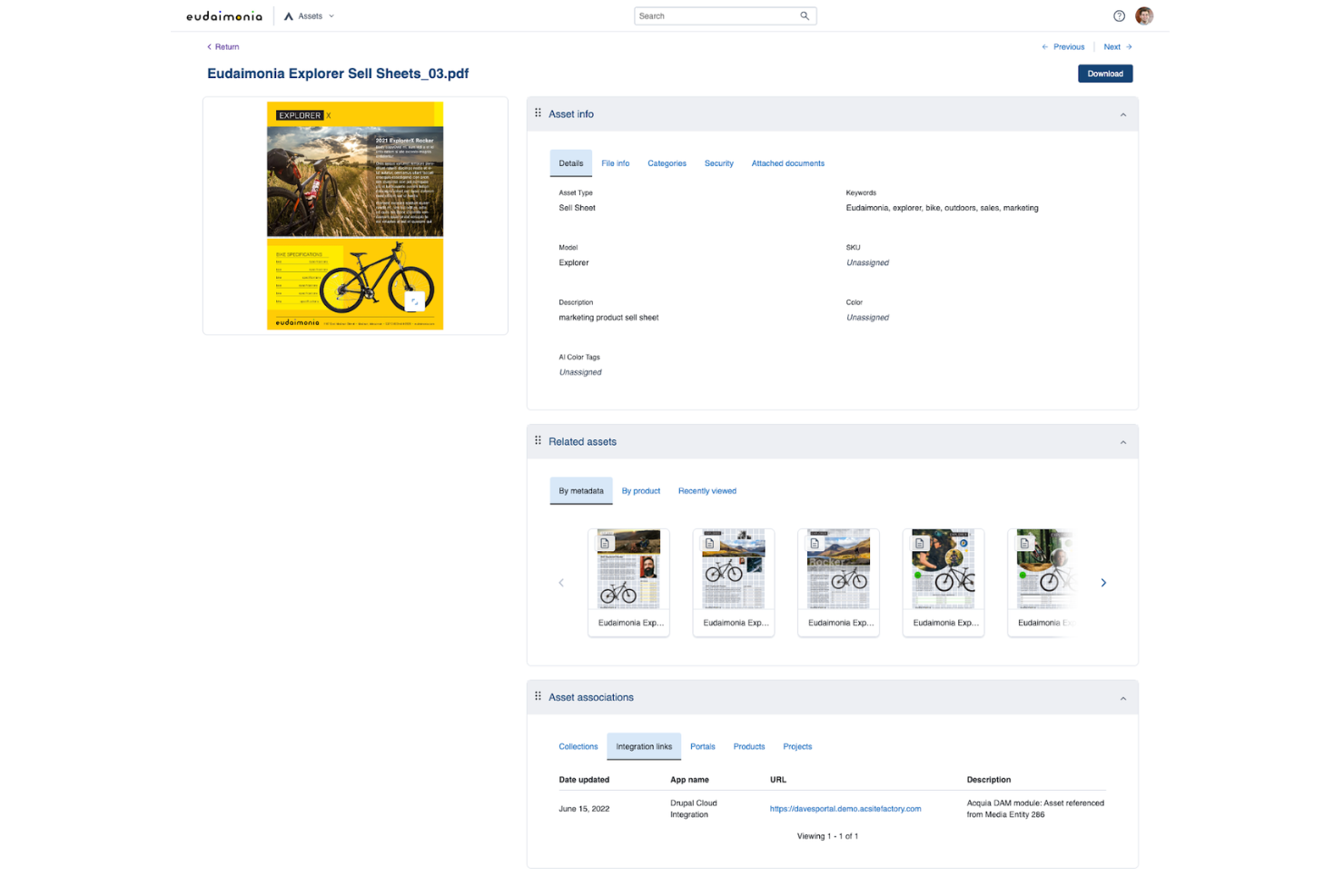
Acquia DAM (Widen) is an enterprise digital asset management platform that centralizes brand assets—images, video, audio, and documents—with AI-powered tagging, natural language search, configurable metadata schemas, branded portals, and rights management built for large-scale content operations.
Who Is Acquia DAM (Widen) Best For?
Acquia DAM is a strong fit for enterprise marketing and brand teams managing large, growing asset libraries across multiple regions, departments, or channels.
Why I Picked Acquia DAM (Widen)
Acquia DAM earns its spot on my shortlist because it's built to scale in ways most DAMs simply aren't. I love that the Enterprise plan supports unlimited users and up to 10 TB of storage, with more available, so growing teams don't hit artificial ceilings. AI Tagging is included across every tier, and with a configurable confidence threshold, you can tune how aggressively the system tags your image library. Rights and usage rules travel with assets, so approved content stays governed no matter how many regions or teams you're distributing to.
Acquia DAM (Widen) Key Features
- Branded portals: Share curated asset sets through branded, access-controlled webpages without any coding required.
- Natural language search: Find assets using plain-language queries that search across AI tags, video transcripts, metadata fields, and collection names.
- Rights and usage rules: Attach expiration dates, intended-use values, and EULA requirements directly to assets so governance travels with them during distribution.
- Granular role-based permissions: Assign users to multiple cumulative roles that control access to asset groups, upload profiles, conversion formats, and delivery methods.
Acquia DAM Integrations
Acquia DAM lists 98 integrations, including native Asana, Adobe Workfront, Acquia Entries, and Amazon Redshift connections, plus marketplace integrations for Adobe Creative Cloud, Adobe Commerce, and Hootsuite. It also offers REST API access, webhooks, and an open-source TypeScript SDK for custom integrations.
Pros and Cons
Pros:
- Version updates can preserve shared URLs
- Portals reduce repeated asset requests
- Scales large asset libraries across teams
Cons:
- Upload workflows frustrate high-volume teams
- Search precision depends on disciplined metadata
Brandfolder
Best for brand consistency
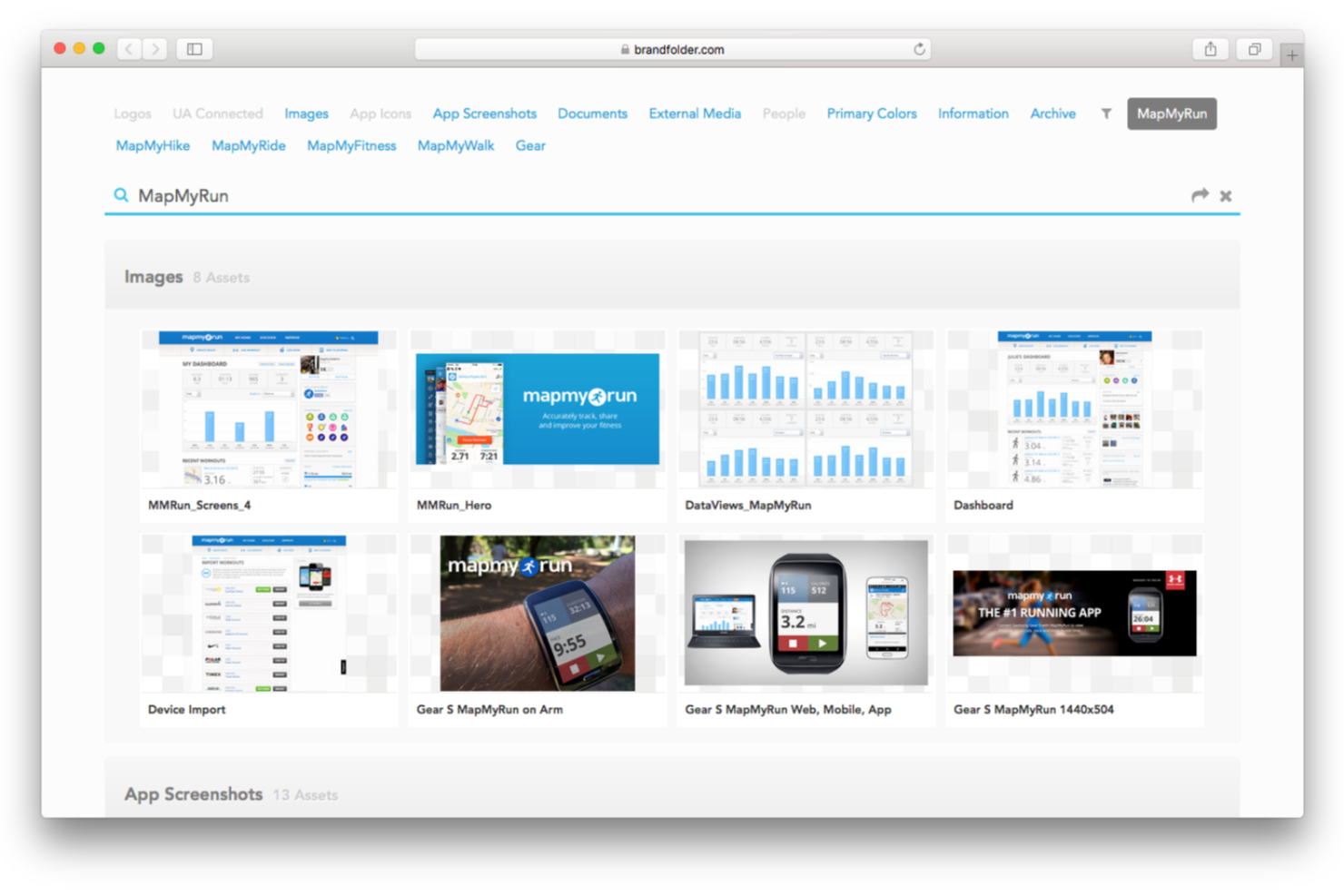
Brandfolder is a digital asset management platform that prioritizes brand consistency. It is known for its usability and ease of use, with no training required. The platform offers advanced logistics and insights through Brand Intelligence, as well as integration with everyday tools. Brandfolder is trusted by some of the world's strongest brands and is the #1 rated DAM according to user reviews.
Why Brandfolder is a good Bynder alternative:
I chose Brandfolder for the list because of its strong focus on brand consistency and its reputation for being highly usable and intuitive. It stands out as a good Bynder alternative due to its advanced logistics, insights, and integration with everyday tools, which are essential for maintaining brand integrity across various platforms.
Standout features & integrations:
Features include AI and ML technologies to provide insights into asset performance, helping brands understand which assets are most effective. The platform also simplifies asset distribution with robust privacy controls and user-level permissions, making it easy to share assets internally and externally.
Integrations include a variety of tools, including Smartsheet, Wrike, Workfront, Jira, InMotion, Salesforce, Asana, Microsoft Teams, Zapier, and Google Sheets.
Pros and Cons
Pros:
- Strong focus on brand consistency
- Advanced asset performance insights with Brand Intelligence
- Highly intuitive and user-friendly interface
Cons:
- Specific features and integrations may vary based on the plan
- Slight learning curve for new users to fully utilize all features
Değerlendirilebilecek Diğer Bynder Alternatifleri
Yukarıda aradığınızı bulamadıysanız inceleyebileceğiniz bazı ek Bynder alternatifleri şunlardır.
- MediaValet
For global accessibility
- Cloudinary
For media optimization
- Air
For AI-powered content search
- Optimizely
For A/B testing
- Aprimo
For marketing operations
- Desygner
For template designs
- Censhare
For omnichannel content
- Lytho
For brand consistency
- Digizuite
For digital asset management
- Extensis Portfolio
For asset organization


İlgili Proje Yönetimi İncelemeleri
Burada aradığınızı hâlâ bulamadıysanız sizin için derlediğimiz şu diğer proje yönetimi aracı incelemelerine göz atın:
- Gantt Şeması Oluşturucu
- Verimlilik Araçları
- Proje Takip Yazılımı
- Proje Zamanlama Yazılımı
- Proje Yönetimi Yazılımı
- Kaynak Yönetimi Yazılımı
How I Evaluate Bynder Alternatives
I evaluate every option across two layers: the baseline a tool must cover—think DAM, versioning, and approval workflows—and the differentiators that matter most to creative ops and marketing teams.
Core Functionality (Table Stakes For This List)
When I'm selecting tools for my list, I rank each one on a scale from 0 (does not offer the functionality) to 5 (excels in this area) for each core functionality listed below. Then, I calculate the tool's total score into a percentage. Each tool needs to achieve a minimum total score of 65% to be considered for inclusion.
- Digital Asset Management: I look for a centralized library where teams can store, tag, and search creative files—not just a basic file dump, but structured metadata and filtering that makes locating a specific campaign asset fast.
- Project Workflow Management: Each tool needs task assignment, timelines, and dependencies that tie directly to creative production, like tracking a rebrand project from brief intake through final asset handoff.
- Review & Approval Workflows: I evaluate how stakeholders mark up and approve work—whether the tool supports in-context annotations on PDFs, images, or video, and whether approvals can follow multi-stage routing.
- Version Control: Keeping track of asset revisions matters when five stakeholders are editing the same banner set. I check for version history, comparison views, and the ability to roll back to earlier iterations.
- Brand Governance Controls: Tools should offer role-based permissions, brand guideline hubs, or asset usage rights so distributed teams pull the correct, approved logo or template every time.
- Integrations & Sharing: Creative teams live in Adobe Creative Cloud, Figma, and Canva. I check for native plugins, secure external share links, and open API access that connects the DAM to your broader marketing stack.
Once I have a list of tools that meet this criteria, I consider what sets each platform apart.
Differentiating Factors (What Sets Vendors Apart)
Here's how I compare and contrast different vendors:
Standout Features
AI-powered auto-tagging is a major differentiator—when your team uploads hundreds of campaign assets per week, manual metadata entry becomes a real bottleneck. I also evaluate resource and capacity planning features, which help creative ops leads balance designer workloads across concurrent projects. Usage analytics round out the picture by showing which assets get downloaded, which sit unused, and how project throughput trends over time.
Beyond Features
Pricing transparency matters here because many Bynder alternatives range from open self-serve plans to enterprise-only quotes. I check whether a vendor's licensing model scales with your team size or storage needs without surprise costs. Migration support is another factor I evaluate—switching DAM platforms means moving thousands of files, and I look for vendors that offer asset migration tooling or dedicated onboarding help. Scalability also counts: a tool that works for a 10-person creative team should still perform when you're managing multi-brand asset libraries across regions.
Neden Bynder Alternatifi Aramalısınız?
Şu durumlardan birine sahipseniz Bynder'a alternatif arıyor olabilirsiniz:
- Maliyet endişeleri: Bynder fiyatlandırması bütçenizi aşabilir.
- Özellik gereksinimleri: Bynder'ın sunmadığı belirli özelliklere ihtiyacınız olabilir.
- Kullanıcı deneyimi ihtiyaçları: Sezgisel bir kullanıcı arayüzü veya daha iyi bir kullanıcı deneyimi arıyor olabilirsiniz.
- Entegrasyon ihtiyaçları: Entegrasyon yetenekleri mevcut teknoloji yığınınızla örtüşmeyebilir.
- Müşteri desteği ihtiyaçları: Daha hızlı yanıt veren veya daha kapsamlı bir müşteri desteğine ihtiyaç duyduğunuzu fark etmiş olabilirsiniz.
Bynder'ın Temel Özellikleri
Alternatif çözümlerin sunduklarını karşılaştırmanıza yardımcı olmak için Bynder'ın temel özelliklerinden bazıları şunlardır:
- Dijital varlık yönetimi: Sürükle ve bırak işleviyle dosyaları kolayca yükleyip düzenleyin ve ihtiyacınız olanı hızlıca bulmak için yapay zekâ destekli aramayı kullanın.
- Varlık iş akışı: Hem kurum içi hem de kurum dışı paydaşlara yönelik iş birliği araçlarıyla ilk bilgilendirmeden son onaya kadar yaratıcı süreçlerinizi iyileştirin.
- İçerik iş akışı: Yapay zekâ destekli içerik oluşturma araçlarını kullanın ve iş birliği ile onay iş akışlarına yönelik özelliklerle içerik takviminizi yönetin.
- Stüdyo özellikleri: Marka tutarlılığını korumak için şablonlar tasarlayıp oluşturun ve içeriğinizi çeşitli biçim ve boyutlara uyarlayın.
- Baskı marka şablonları: InDesign şablonlarını kolayca yönetin ve düzenleyin, baskıya hazır dosyalarınızı birden fazla biçimde dışa aktarın.
- Bynder analizleri: Kolay dağıtım için raporlama yeteneklerinden yararlanarak kullanıcı ve içerik etkinlikleri hakkında içgörüler elde edin ve veriye dayalı kararlar alın.
- Oturum açma & kimlik doğrulama: Google SSO ve grup dizini eşleme desteğiyle güvenli erişimin keyfini çıkarın.