

2026 İçin Seçilmiş En İyi 10 Kritik Yol Yazılımı Çözümü

En İyi Kritik Yol Yazılımı Kısa Listesi


Kritik yol yazılımı, projenizin minimum tamamlanma süresini belirleyen görev dizisini haritalandırmanıza, görselleştirmenize ve yönetmenize yardımcı olur. En iyi kritik yol yazılımını arıyorsanız değişen teslim tarihleri, karmaşık bağımlılıklar ve projeleri planlandığı şekilde sürdürme baskısıyla karşı karşıya olabilirsiniz.
Doğru araç, ekipleri koordine etmek, planları hızlıca ayarlamak ve yöneticilerin önem verdiği sonuçları sunmak için ihtiyaç duyduğunuz görünürlük ile kontrolü sağlayabilir. Bu listede, modern proje teslimini destekleyen ve uzmanlar tarafından incelenmiş seçenekleri bulacaksınız. Böylece iş akışınıza ve zorluklarınıza en uygun seçeneği belirleyebilirsiniz.
Why Trust Our Software Recommendations
Our team has been testing and reviewing software since 2012. As project managers ourselves, we know how difficult—and important—it is to choose the right software.
For this guide, we evaluated tools using hands-on testing and independent research, scoring tools using our selection criteria. We also draw on insights from industry thought leaders and practicing project management experts.
Our reviews reflect our human editorial judgment, not a sales pitch.
Expert reviewers:
Kritik Yol Yazılımı Karşılaştırma Tablosu
Bu karşılaştırma tablosu, en iyi kritik yol yazılımı seçeneklerim için fiyatlandırma ayrıntılarını özetlemektedir:
Score legend (out of 5)
- Excellent 4.5–5
- Good 4–4.4
- Average 3–3.9
- Below average 2–2.9
- Poor 1–1.9
| Tool | Starting Price | Website | |||||||
|---|---|---|---|---|---|---|---|---|---|
| Best for construction CPM scheduling | 4.7 out of 5 | 5 | 4 | 5 | 5 | 5 | 4 | Pricing upon request Free demo available | Website |
| Best for DCMA-automated schedule quality checks | 4.5 out of 5 | 3 | 5 | 5 | 5 | 5 | 4 | Pricing upon request Free demo available | Website |
| Best for MS Project file migration to CPM cloud | 4.3 out of 5 | 3 | 4 | 4 | 5 | 5 | 5 | $9.99/user/month Free plan available | Website |
| Best for resource-constrained critical path scheduling | 5.0 out of 5 | 5 | 5 | 5 | 5 | 5 | 5 | $800/license Free demo available | Website |
| Best for quantitative schedule risk analysis | 4.8 out of 5 | 5 | 5 | 5 | 4 | 5 | 5 | Pricing upon request 30-day free trial | Website |
| Best for Microsoft 365 ecosystem scheduling | 4.5 out of 5 | 4 | 5 | 5 | 5 | 3 | 5 | £679.99 one-time purchase Not available | Website |
| Best for real-time critical path dashboards | 3.5 out of 5 | 3 | 4 | 4 | 5 | 1 | 4 | $15/user/month 30-day free trial + demo available | Website |
| Best for 4D BIM-linked schedule planning | 5.0 out of 5 | 5 | 5 | 5 | 5 | 5 | 5 | $932/user 14-day free trial | Website |
| Best for government and defense schedule analytics | 4.8 out of 5 | 5 | 5 | 5 | 4 | 5 | 5 | Pricing upon request Free demo available | Website |
| Best for enterprise-scale multi-project CPM scheduling | 4.8 out of 5 | 5 | 5 | 5 | 5 | 4 | 5 | $125/user/month Free demo available | Website |
En İyi Kritik Yol Yazılımı İncelemeleri
Aşağıda, kısa listeme giren kritik yol yazılımlarına ilişkin ayrıntılı özetlerimi bulabilirsiniz. İncelemelerim, her yazılımın özelliklerine, en uygun kullanım alanlarına ve entegrasyonlarına ayrıntılı bir bakış sunarak sizin için en iyi seçeneği bulmanıza yardımcı olur.

Planera
Best for construction CPM scheduling
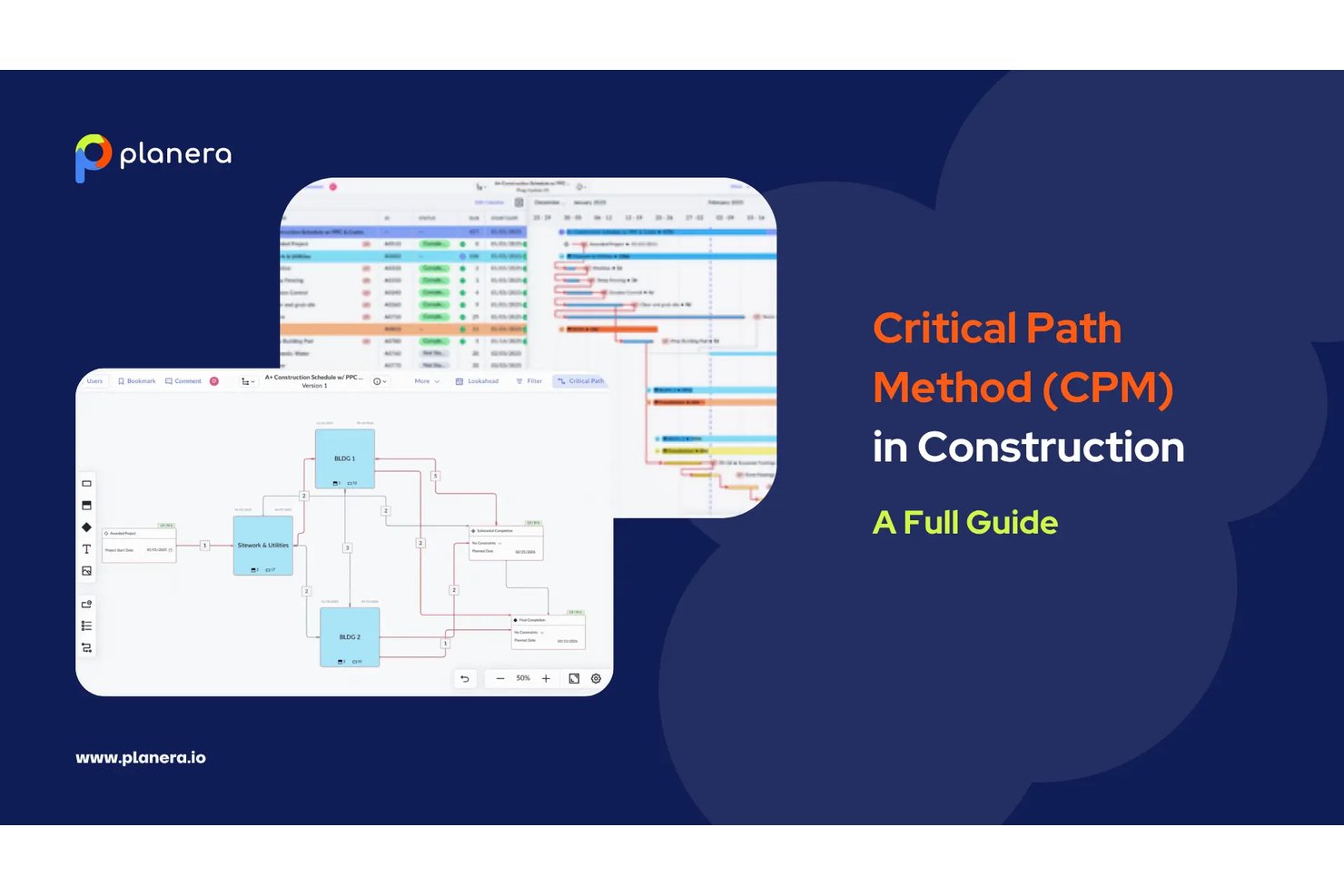
Planera is a construction-native CPM scheduling platform built around a full critical path engine, interactive Gantt charts, a visual CPM Canvas, Monte Carlo risk simulation, and AI-assisted what-if scenario modeling.
Who Is Planera Best For?
Planera is a strong fit for general contractors and construction schedulers who need full CPM depth without the complexity and overhead of Primavera P6.
Why I Picked Planera
Planera earns its spot on my shortlist because it's the only CPM scheduling tool I've found that's built from the ground up for construction, not adapted from generic project management software. I love that it combines a full CPM engine with a visual CPM Canvas, where you can drag activities, wire dependencies, and watch the critical path recalculate in real time. The built-in Monte Carlo simulation is what really sets it apart: you can run probabilistic completion forecasts directly inside the scheduler, without exporting to a separate risk tool.
Planera Key Features
- DCMA 14-point schedule quality check: A built-in validation tool that audits your schedule against 14 industry-standard quality criteria to flag logic errors and compliance issues.
- Field schedule generation: Planera pulls a live field schedule directly from the master CPM plan in seconds, with all logic intact, so field crews always work from current data.
- Version compare: Side-by-side comparison of schedule versions that surfaces deviations between any two snapshots of your plan.
- Resource loading and workload dashboards: Tools for assigning labor and equipment to activities, with visual dashboards that flag bottlenecks and forecast demand across the project.
Planera Integrations
Planera offers native integrations with Procore and Autodesk Construction Cloud. It also supports XER, MPP, XML, and Excel import/export, plus a cloud API for custom integrations.
Pros and Cons
Pros:
- CPM Canvas enables real-time drag-and-drop scheduling
- All four dependency types with float paths
- Monte Carlo risk simulation included natively
Cons:
- No on-premise deployment option available
- No earned value management metrics provided

ALICE
Best for DCMA-automated schedule quality checks
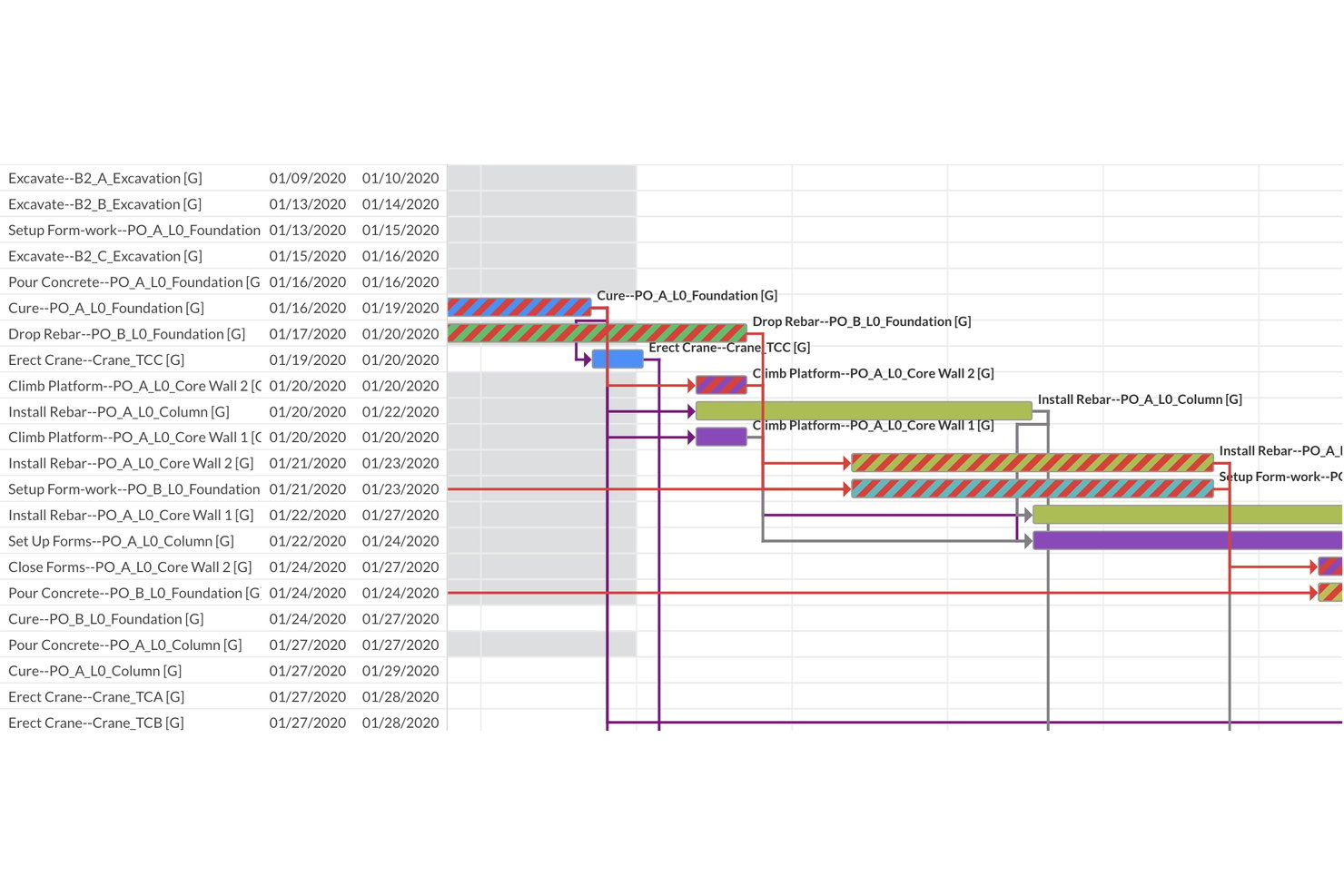
ALICE is a construction-focused critical path scheduling platform that combines AI-driven generative scheduling, constraint-based dependency modeling, Gantt visualization, and automated DCMA 14-Point schedule quality assessment.
Who Is ALICE Best For?
ALICE is built for construction schedulers and PMO directors managing large capital projects who need automated schedule quality validation alongside AI-driven optimization.
Why I Picked ALICE
ALICE earns its spot on my shortlist because its automated DCMA 14-Point Schedule Assessment runs every time you upload or optimize a schedule, instantly flagging logic errors, missing dependencies, negative float, and critical path integrity issues. I picked it specifically for teams where schedule quality isn't optional: the built-in Critical Path Length Index (CPLI) and Baseline Execution Index (BEI) give schedulers quantifiable, audit-ready metrics without manual setup. The generative scheduling engine also runs hundreds of millions of sequencing permutations, so you're not just validating one static critical path but comparing many optimized alternatives.
ALICE Key Features
- Generative scheduling engine: Runs hundreds of millions of sequencing permutations to produce multiple optimized schedules, rather than a single static critical path.
- Gantt Overlay: Places your optimized schedule directly against a saved baseline for visual deviation detection across the full project timeline.
- Portfolio Performance Dashboard: Aggregates all active projects into a single executive view, tracking average completion vs. baseline and flagging projects behind schedule.
- Schedule Insights Agent: A conversational AI interface that lets you query your schedule in natural language to get optimization and recovery recommendations.
ALICE Integrations
ALICE supports integrations with Oracle Primavera P6, Oracle Primavera Cloud, and Microsoft Project through schedule import and export. It also accepts BIM 3D models and 2D drawing files for schedule visualization and 4D planning.
Pros and Cons
Pros:
- AI-powered resource leveling reduces idle time
- Automated DCMA 14-point schedule quality checks
- Generative engine produces multiple optimized critical paths
Cons:
- Cloud-only platform with no on-premise option
- No Monte Carlo simulation for risk analysis

Best for MS Project file migration to CPM cloud
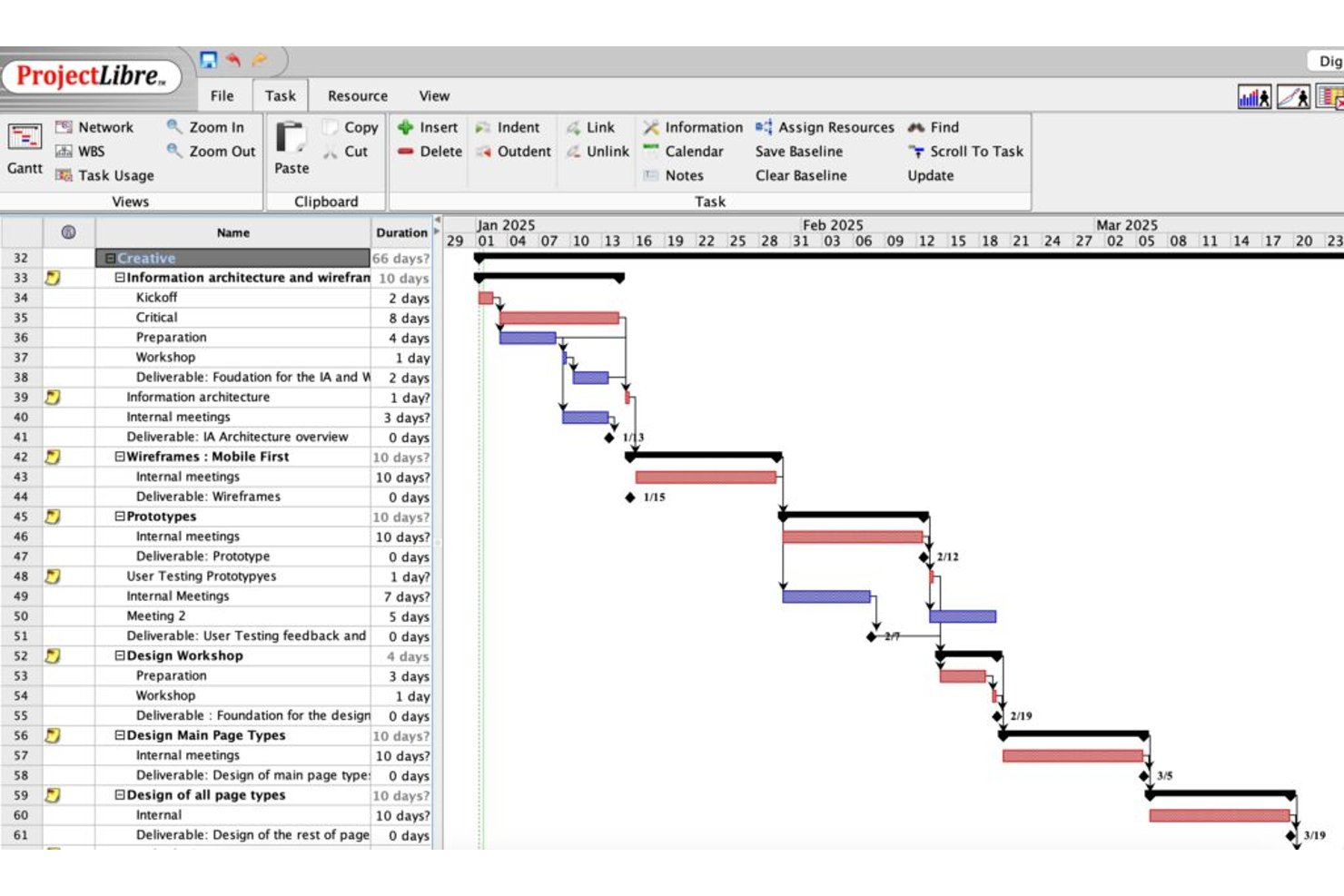
ProjectLibre is a critical path software solution available as both a free open-source desktop application and a cloud platform, offering CPM scheduling, Gantt charts, task dependency mapping, float analysis, baseline tracking, and earned value management.
Who Is ProjectLibre Best For?
ProjectLibre is a strong fit for teams migrating existing MS Project schedules to a cloud-based CPM environment without rebuilding from scratch.
Why I Picked ProjectLibre
I picked ProjectLibre as one of the best because it's the only tool on my list that lets you import an existing .MPP file directly into a cloud CPM environment without rebuilding your schedule from scratch. If your team is running MS Project schedules today, that's a real time-saver. I also like that the Cloud version supports up to 11 baselines alongside live EVM metrics (CPI, SPI, TCPI), which makes tracking schedule performance against multiple reference points genuinely practical.
ProjectLibre Key Features
- Critical path highlighting: Critical path tasks display in red on the Gantt chart, letting you spot the longest dependency chain at a glance.
- Free and total float display: Both free float and total float values appear per task in the task sheet, so you can see exactly how much schedule flexibility each task has.
- DCMA 14-point schedule audit: The Cloud version runs a built-in DCMA schedule quality check against the 14-point standard used in government and defense program management.
- AI Copilot project generation: Enter a natural language prompt and the AI Copilot builds a full project plan—tasks, milestones, dependencies, durations, and Gantt—automatically.
ProjectLibre Integrations
Native integrations are not publicly listed.
Pros and Cons
Pros:
- Cloud version includes Monte Carlo risk analysis
- Supports up to 11 baselines per schedule
- Imports Microsoft Project files without data loss
Cons:
- No mobile app available for on-site access
- No real-time collaboration in desktop version

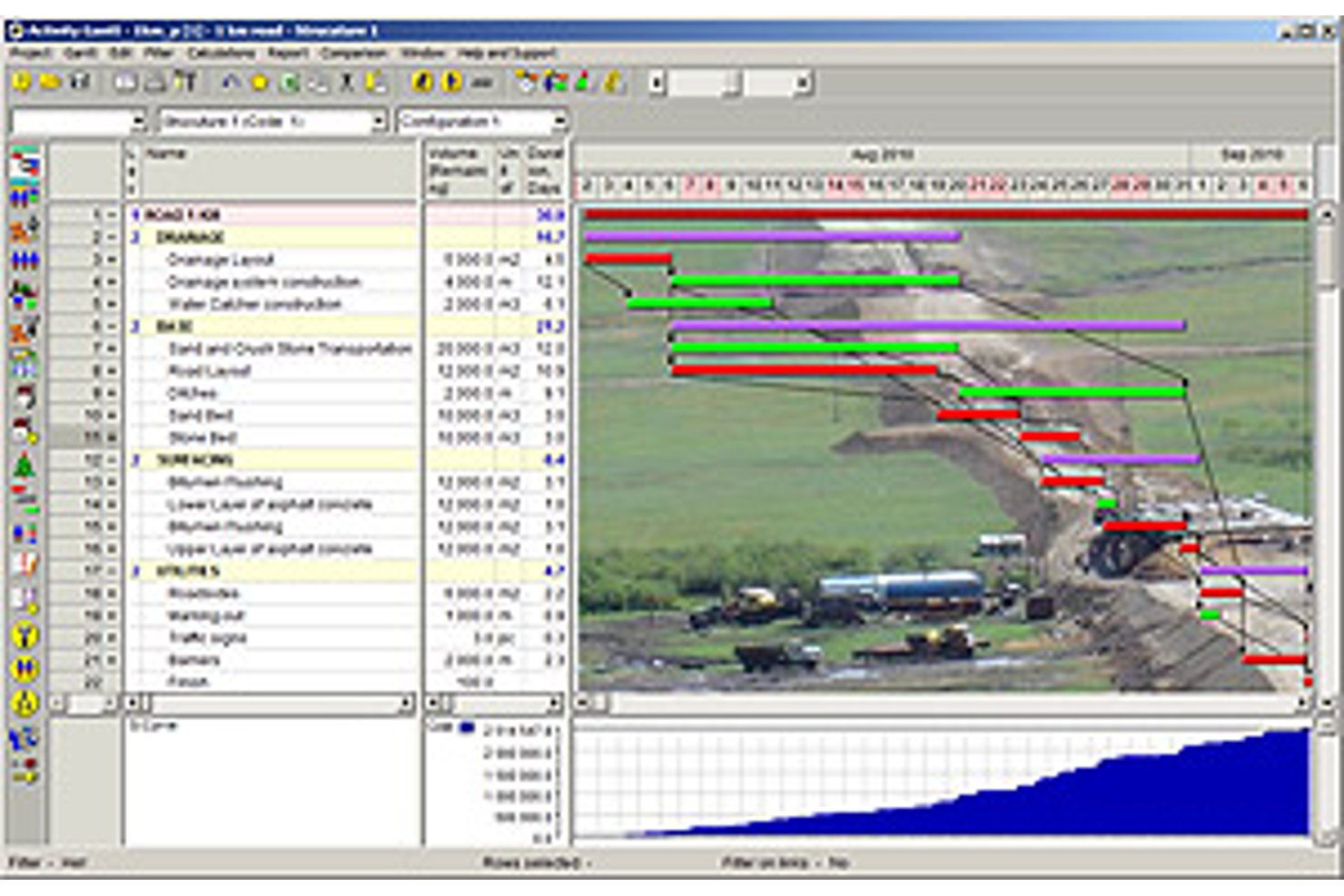
Spider Project is a desktop-based critical path scheduling tool that supports CPM calculation, resource-constrained scheduling, portfolio management, earned value management, and built-in risk simulation across complex, multi-project environments.
Who Is Spider Project Best For?
Spider Project suits schedulers and program managers in construction, engineering, and infrastructure who need resource-constrained critical path scheduling across large, complex project portfolios.
Why I Picked Spider Project
Spider Project earns its spot on my shortlist because no other scheduling tool handles resource-constrained critical path scheduling quite like it. I'm particularly impressed by its Resource Critical Path calculation, which factors in resource availability to identify the true driving sequence, not just the logic-driven one. It also calculates Critical Path Drag, so you can see exactly how much each critical task is adding to your total project duration.
Spider Project Key Features
- Quantity-based scheduling: Automatically calculates activity durations from work volumes (cubic meters, tons) and stored productivity rates, so you don't have to manually estimate task length.
- Unlimited baselines: Stores and compares any number of project snapshots side by side, letting you track how your schedule has shifted over time.
- Earned value management: Calculates CPI, SPI, cost variance, and schedule variance natively across costs, materials, and user-defined fields with trend reporting built in.
- Switch activities: Lets you define conditional branching in your network, so the schedule dynamically selects between competing paths based on user-defined logic.
Spider Project Integrations
Spider Project supports file-based data exchange with Microsoft Project, Primavera P6, Microsoft Excel, CSV, MS SQL Server, and Oracle Database.
Pros and Cons
Pros:
- Unlimited baselines with robust earned value tracking
- Quantity-based scheduling supports construction workflows
- Resource-constrained critical path scheduling is built-in
Cons:
- Physical USB key needed for license use
- Windows desktop only, no cloud version

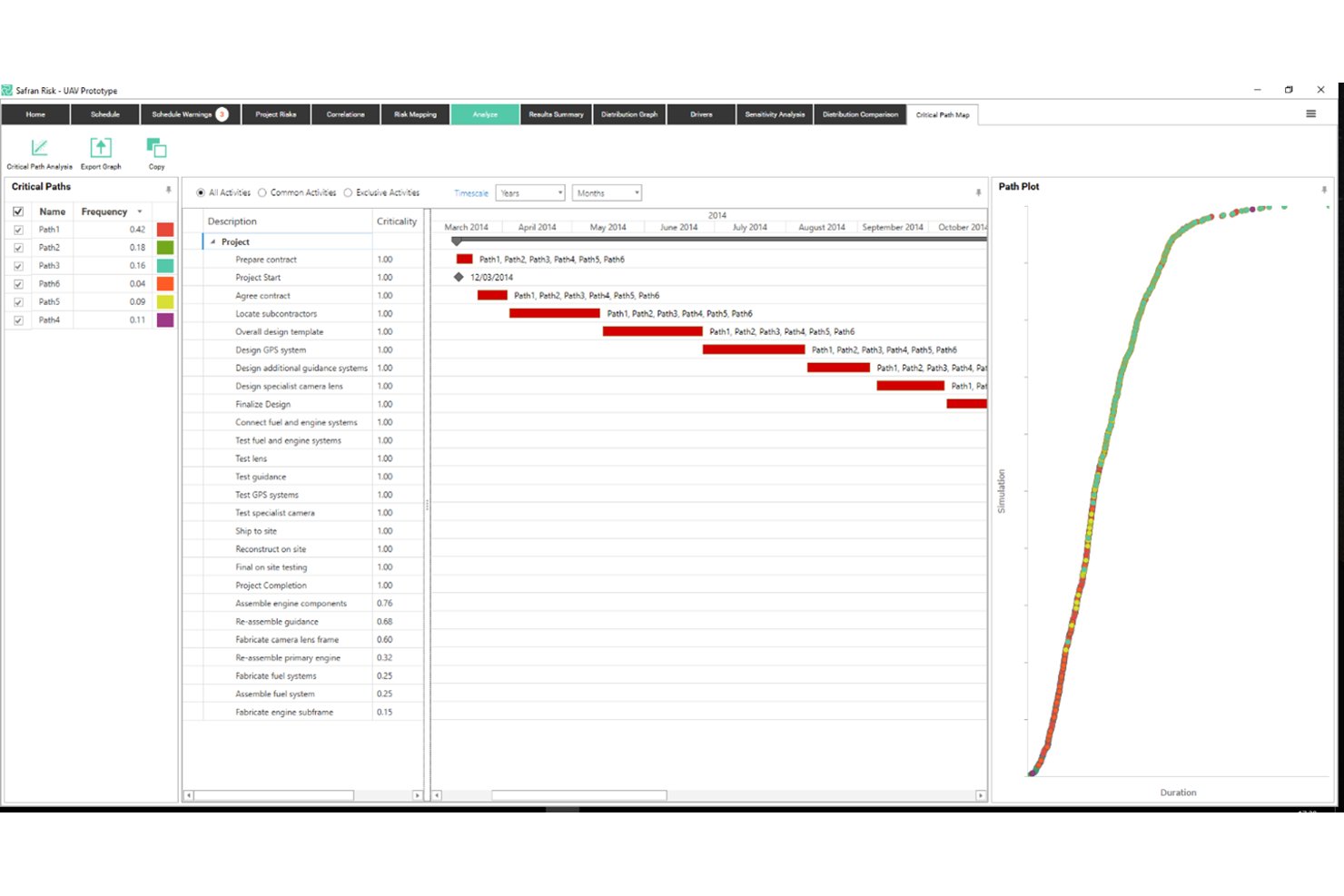
Safran Project is a specialist CPM scheduling platform built for capital-intensive industries, offering real-time critical path calculation, advanced float management, quantitative schedule risk analysis via Monte Carlo simulation, and integrated earned value management.
Who Is Safran Project Best For?
Safran Project is built for schedulers and project controls teams working on capital-intensive projects in oil and gas, engineering, construction, aerospace, and defense.
Why I Picked Safran Project
Safran Project earns its spot on my shortlist because no other tool I've reviewed handles quantitative schedule risk analysis with this level of depth. I'm particularly impressed by the native Monte Carlo simulation via Safran Risk, which runs 97% faster than Primavera Risk Analysis and produces Joint Confidence Levels across both cost and schedule simultaneously. The Split Target constraint is another standout: it lets you deliberately distribute float between project phases, so you get early warning when a specific segment is burning through its buffer before it hits the critical path.
Safran Project Key Features
- Real-time CPM scheduling engine: Automatically recalculates the critical path across unlimited activities the moment any input or logic changes.
- EVM reporting suite: Tracks SPI, CPI, SV, CV, EAC, and VAC against a set baseline, with S-curves and histograms for ANSI/EIA-748A-compliant performance measurement.
- What-if alternative scheduling: Lets you create and compare alternative schedule versions to assess the impact of scope changes on resources and timelines.
- Smart resource leveling: Redistributes workloads across constrained resources at the project or portfolio level without disrupting the critical path.
Safran Project Integrations
Safran Project offers native integrations with Oracle Primavera P6, Microsoft Project, SAP Project System, IFS, and ILAP. It also provides an Integration API for custom connections and supports private-cloud deployment through Safran Cloud.
Pros and Cons
Pros:
- Advanced float analysis with phase distribution
- Real-time critical path updates for large portfolios
- Monte Carlo simulation built into scheduling workflow
Cons:
- No native mobile app for field use
- Interface design appears visually outdated
Best for Microsoft 365 ecosystem scheduling
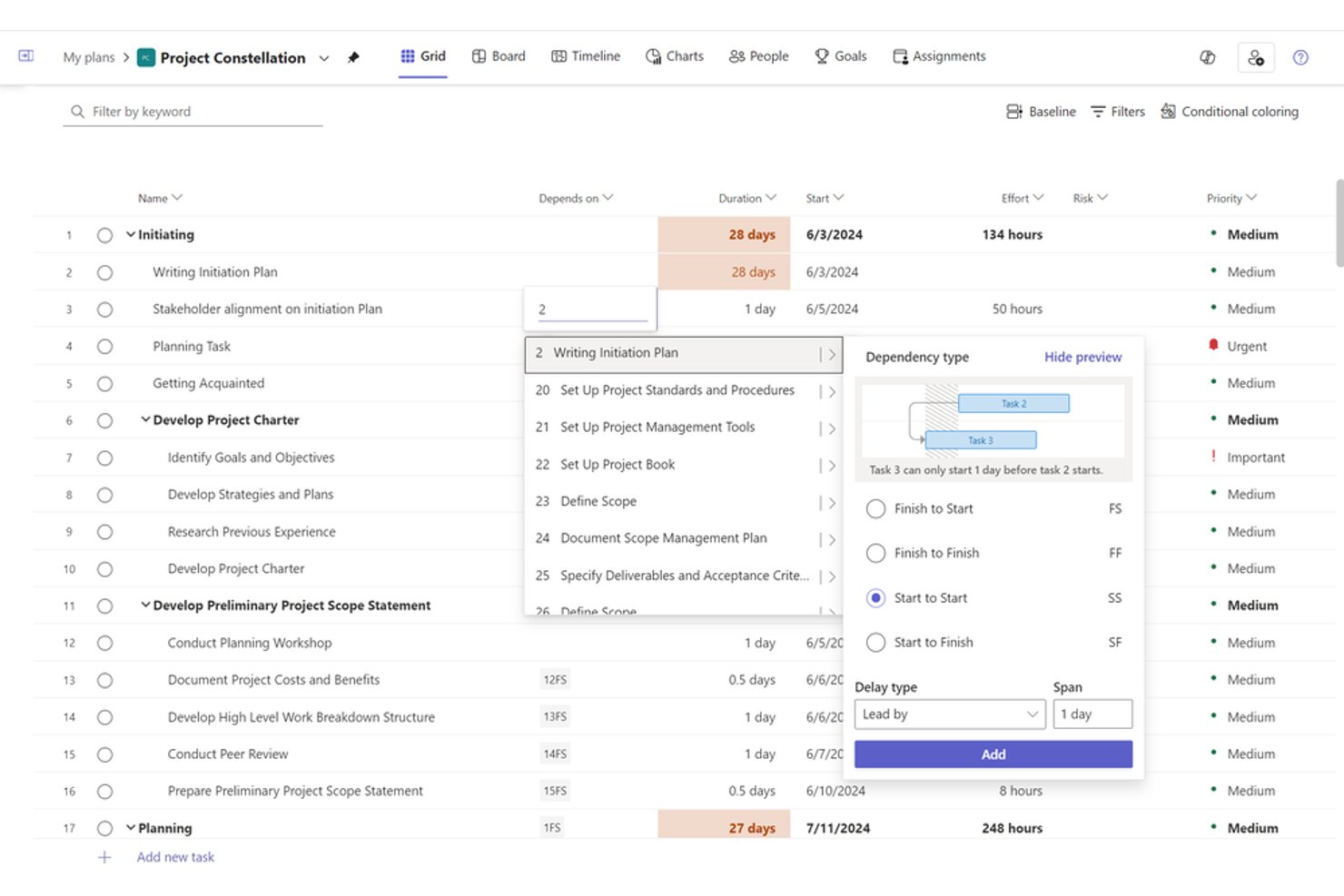
Microsoft Project is a project scheduling and portfolio management tool built around a native CPM engine, offering Gantt charts, task dependency mapping, resource leveling, baseline tracking, and earned value management across both desktop and cloud-based environments.
Who Is Microsoft Project Best For?
Microsoft Project suits PMO directors and engineering program managers at mid-to-large organizations that are already running Microsoft 365 and need enterprise-grade CPM scheduling without leaving that ecosystem.
Why I Picked Microsoft Project
Microsoft Project earns its spot on my shortlist because, if your team already runs on Microsoft 365, the scheduling depth you get without leaving that ecosystem is hard to replicate elsewhere. I particularly like the native CPM engine's ability to calculate multiple simultaneous critical paths across a master project, with red-coded Gantt bars and configurable slack thresholds that flag near-critical tasks before they become actual problems. The up-to-11-baseline support plus built-in EVM metrics like CPI and SPI make it my go-to when a program needs rigorous schedule accountability.
Microsoft Project Key Features
- Auto-scheduling engine: Dynamically recalculates task start and finish dates in real time whenever durations, dependencies, or constraints change.
- Resource leveling: Automatically redistributes work across overallocated resources by delaying non-critical tasks within available float.
- Network Diagram view: Displays all tasks and dependencies as a node-based flowchart, giving you a dependency-focused alternative to the Gantt view.
- Portfolio analysis (Plan 5): Lets PMOs compare, prioritize, and score projects across the portfolio using business driver weighting and demand vs. capacity modeling.
Microsoft Project Integrations
Microsoft Project offers native integrations across the Microsoft ecosystem, including Microsoft Teams, SharePoint, Power BI, Power Automate, Planner, and Dynamics 365. It also provides a REST API for custom integrations and supports Zapier.
Pros and Cons
Pros:
- Supports all four dependency types
- Native earned value and baseline tracking
- Auto-calculates multiple project critical paths
Cons:
- Master project features require enterprise tier
- No built-in Monte Carlo risk analysis

Best for real-time critical path dashboards
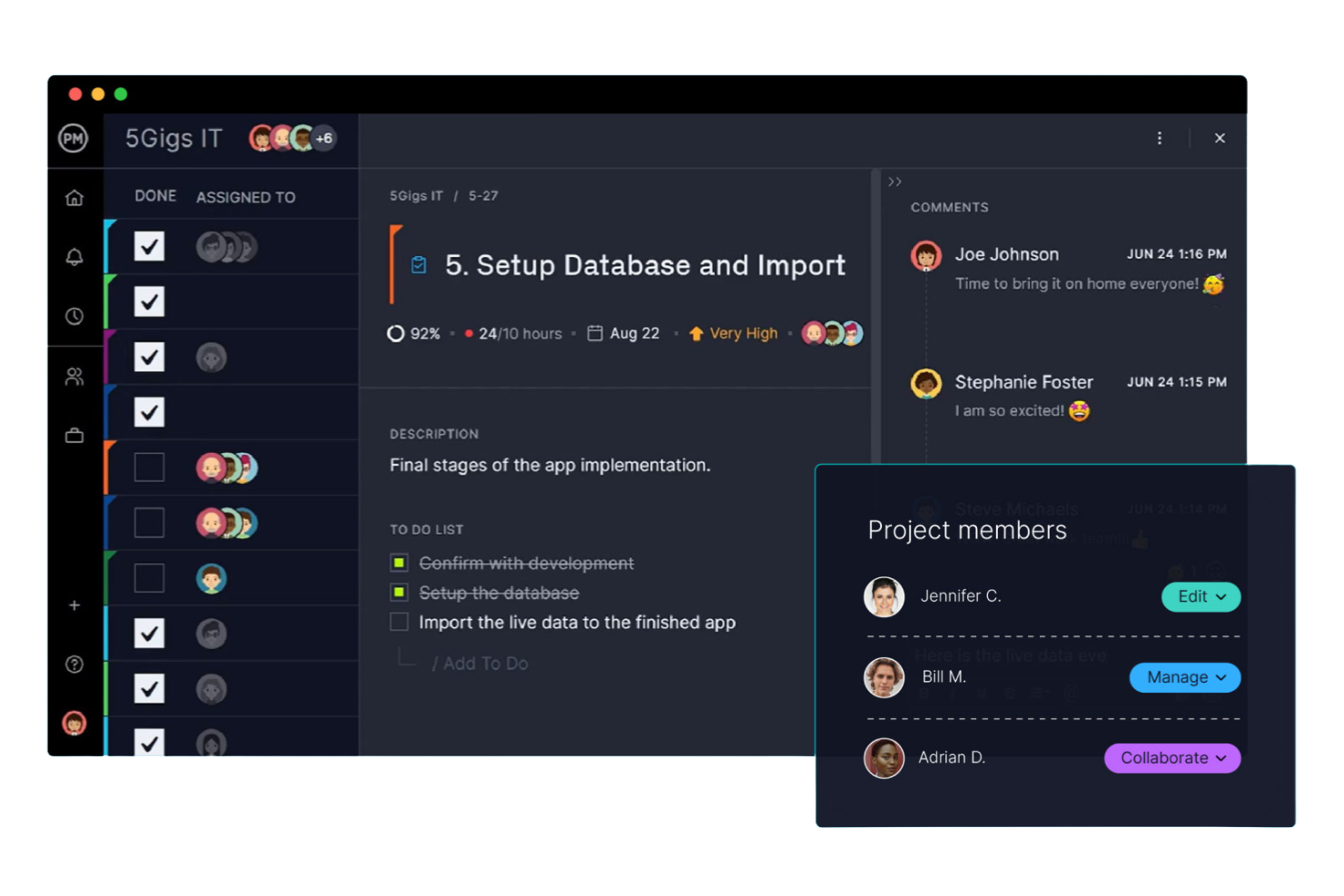
ProjectManager is a project management platform with an interactive Gantt chart that auto-calculates the critical path, supports all four dependency types with lag/lead configuration, and delivers real-time dashboards for baseline tracking and schedule variance reporting.
Who Is ProjectManager Best For?
ProjectManager is a strong fit for PMO directors and IT program managers who need clear critical path visibility and real-time dashboard reporting without the complexity of enterprise scheduling tools.
Why I Picked ProjectManager
ProjectManager earns its spot on my shortlist because its real-time dashboards give you instant schedule health visibility without any manual reporting. I love that the one-click critical path filter highlights critical tasks directly on the Gantt chart, and baseline overlays let you see planned-vs.-actual drift the moment it happens. If you're managing a portfolio of IT or program workstreams, the portfolio dashboard rolls up schedule variance across every project in one view.
ProjectManager Key Features
- All four dependency types: Link tasks using Finish-to-Start, Start-to-Start, Finish-to-Finish, or Start-to-Finish relationships, with lag and lead time configuration on each.
- Float and slack display: When you enable the critical path filter, the Gantt chart surfaces total and free float per task so you can see schedule buffer at a glance.
- Portfolio dashboard: A rollup view aggregates task progress, costs, and workload across multiple projects into a single interface for cross-project visibility.
- AI Project Insights: Available on Business and Enterprise plans, this feature delivers automated progress summaries, risk flags, and resource recommendations without manual reporting.
ProjectManager Integrations
ProjectManager offers native integrations with Microsoft Project, Jira, Azure DevOps, Microsoft Teams, Power BI, and QuickBooks Online. It also provides an API for custom integrations and supports Zapier.
Pros and Cons
Pros:
- Float and slack displayed on Gantt
- Baseline and variance tracking built-in
- Critical path filter highlights tasks instantly
Cons:
- Resource leveling is manual only
- No what-if scenario modeling

Best for 4D BIM-linked schedule planning
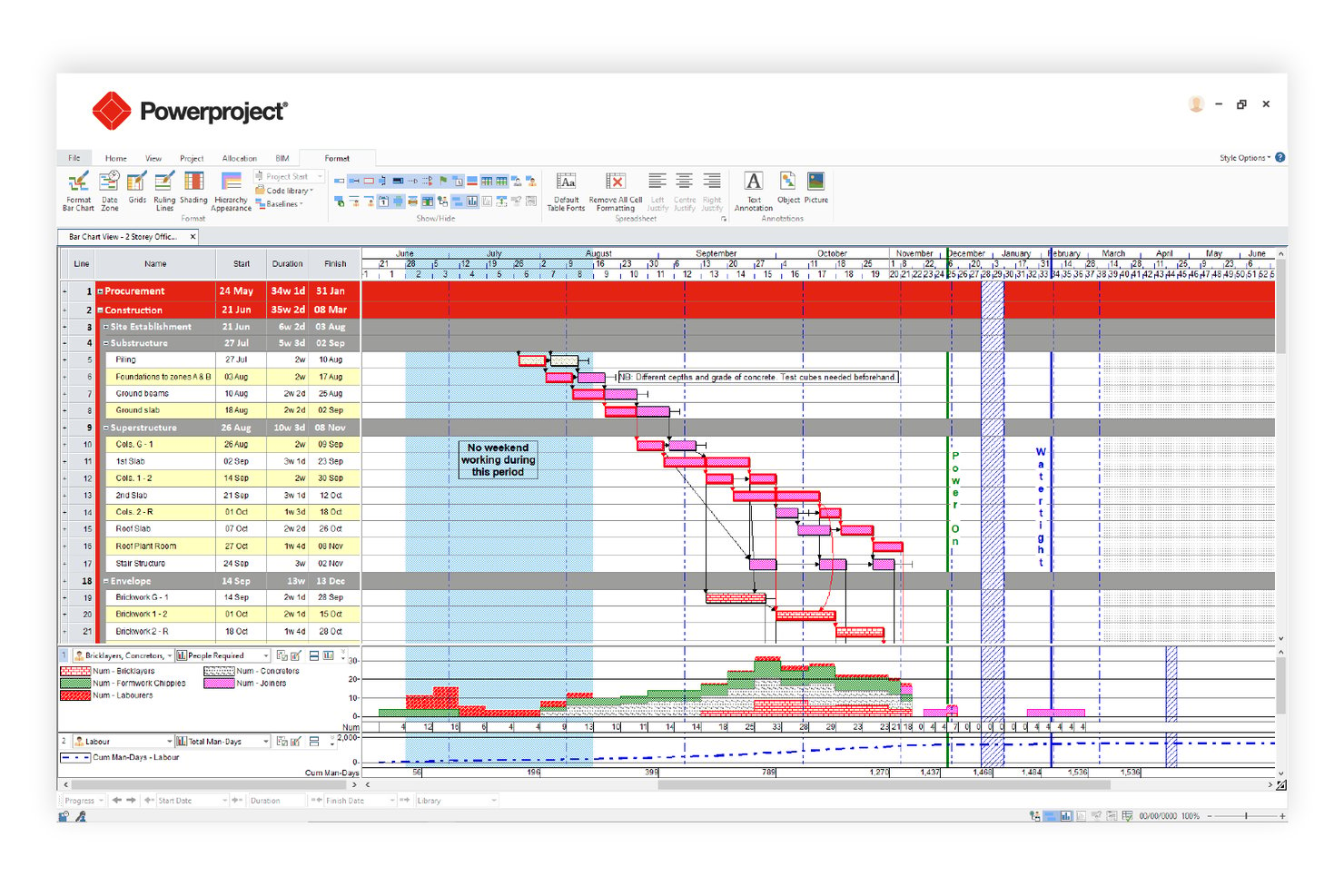
Asta Powerproject is a construction-focused critical path scheduling tool that combines CPM auto-calculation, 4D BIM integration, Monte Carlo risk analysis, multi-baseline tracking, and resource leveling in a single platform.
Who Is Asta Powerproject Best For?
Asta Powerproject is a strong fit for construction and infrastructure project managers who need schedule planning tightly connected to BIM models.
Why I Picked Asta Powerproject
Asta Powerproject earns its spot on my shortlist because no other critical path tool links schedule tasks directly to a 3D BIM model the way it does, letting you simulate construction progression visually before a single shovel hits the ground. I also rate its Monte Carlo Risk Analysis highly: it runs hundreds of iterations and produces a Criticality Index showing exactly which tasks land on the critical path most often across scenarios. Add unlimited baselines with up to 10 visible simultaneously, and you get precise deviation tracking that most CPM tools can't match.
Asta Powerproject Key Features
- Task dependency mapping: Supports all four CPM dependency types—Finish-to-Start, Start-to-Start, Finish-to-Finish, and Start-to-Finish—with lag/lead configuration and multiple logic links between the same task pair.
- Float and slack analysis: Calculates and displays both free float and total float per task, with near-critical threshold alerts and negative float indicators for super-critical tasks.
- Schedule quality check: Validates schedule integrity against pre-configured DCMA and CIOB compliance metrics before submission or client review.
- Asta SiteProgress mobile app: Lets site teams submit real-time progress updates, photo annotations, and quantity-based tracking directly from iOS or Android devices.
Asta Powerproject Integrations
Asta Powerproject offers integrations with Microsoft Project (.MPP), Oracle Primavera P6 (.XER/.XML), Excel, CSV, SQL, and Oracle databases. Asta Powerproject also connects with SAP, Oracle ERP, Procore, Bidcon BIM 5D, and Asta Vision for construction data exchange and reporting.
Pros and Cons
Pros:
- Built-in Monte Carlo risk analysis module
- Unlimited baselines with ten overlaid simultaneously
- Links schedule tasks directly to 3D BIM
Cons:
- No built-in formal risk register feature
- Earned value reporting less detailed than P6

Best for government and defense schedule analytics
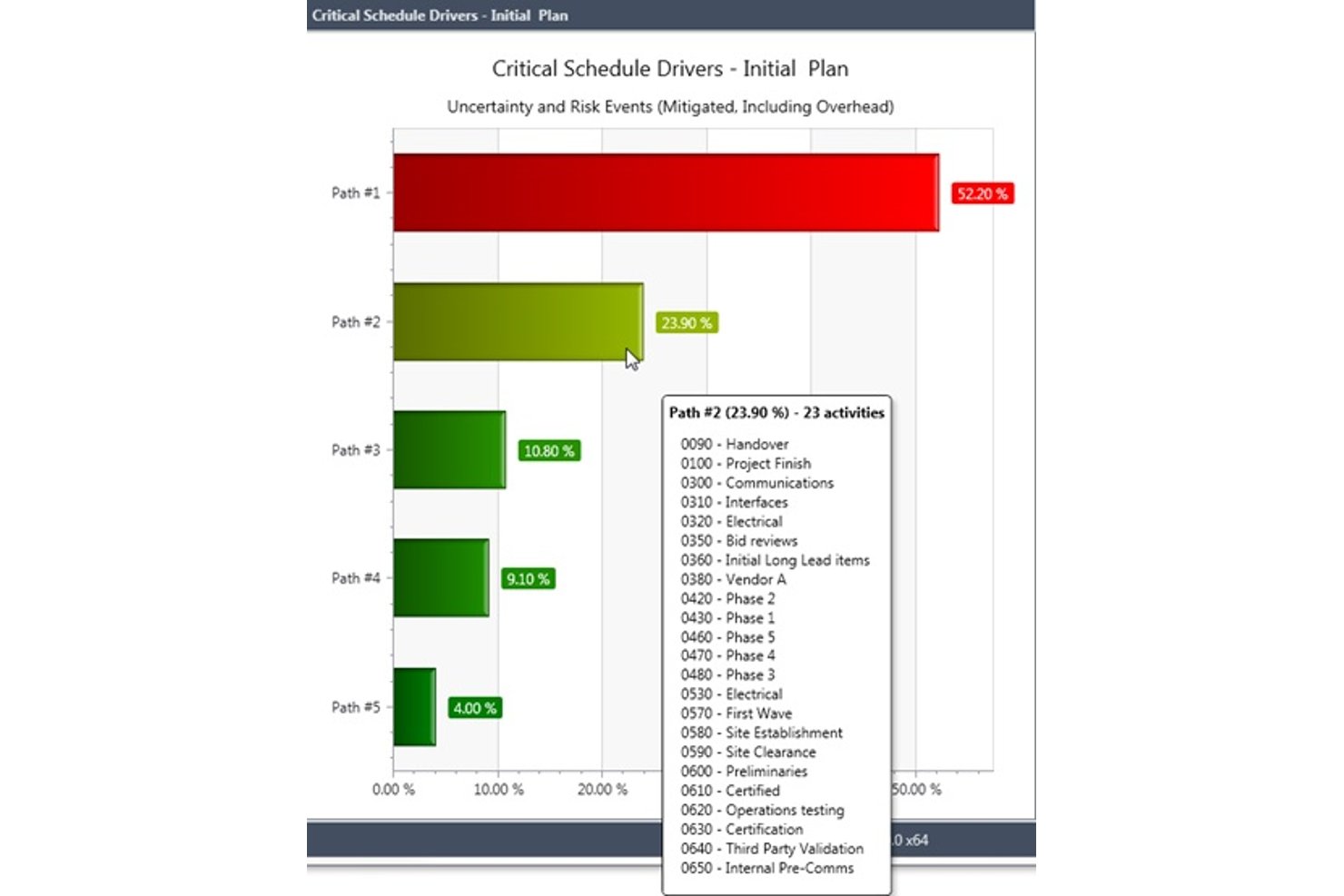
Deltek Acumen is a schedule analytics and risk platform that runs schedule diagnostics, Monte Carlo simulations, forensic delay analysis, and portfolio-level schedule governance on top of schedules built in tools like Primavera P6 and MS Project.
Who Is Deltek Acumen Best For?
Deltek Acumen is built for schedulers and program controls teams in government contracting, defense, aerospace, and EPC construction who need forensic-grade schedule analytics on top of Primavera P6 or MS Project.
Why I Picked Deltek Acumen
Deltek Acumen earns its spot on my shortlist because no other tool comes close to its forensic-grade schedule analytics for government and defense programs. I particularly value its DCMA 14-point diagnostics and half-step delay analysis, which automatically separates progress changes from scope changes between schedule versions—exactly what you need for claims support or audit documentation. On top of that, its Monte Carlo simulation identifies probabilistic critical paths across 500,000+ activity schedules, pinpointing which paths are truly driving risk.
Deltek Acumen Key Features
- Acumen Touchstone schedule governance: Automatically scores subcontractor schedule submissions against configurable quality thresholds, enforces acceptance criteria, and maintains full audit trails across all submissions.
- Dela AI risk identification: Analyzes project type, location, and schedule logic to surface risks automatically and generate prioritized, activity-mapped mitigation strategies.
- Liquidated damages modeling: Configures contract-aware LD caps and calculates delay penalty exposure directly within the schedule risk environment.
- IPMDAR and DOE PARS reporting: Generates IPMDAR SPD/CPD outputs and ingests DOE PARS data for pre-submission schedule and cost analysis aligned to government reporting requirements.
Deltek Acumen Integrations
Deltek Acumen supports integrations with Primavera P6, Microsoft Project, Deltek Open Plan, Safran Project, Asta Powerproject, Phoenix Project Manager, Deltek Cobra, PrismG2, and DOE PARS.
Pros and Cons
Pros:
- Advanced schedule governance for compliance-heavy projects
- Unmatched forensic delay and baseline insights
- Excels at probabilistic critical path analysis
Cons:
- Custom report building requires significant manual effort
- Cannot create or edit schedules directly

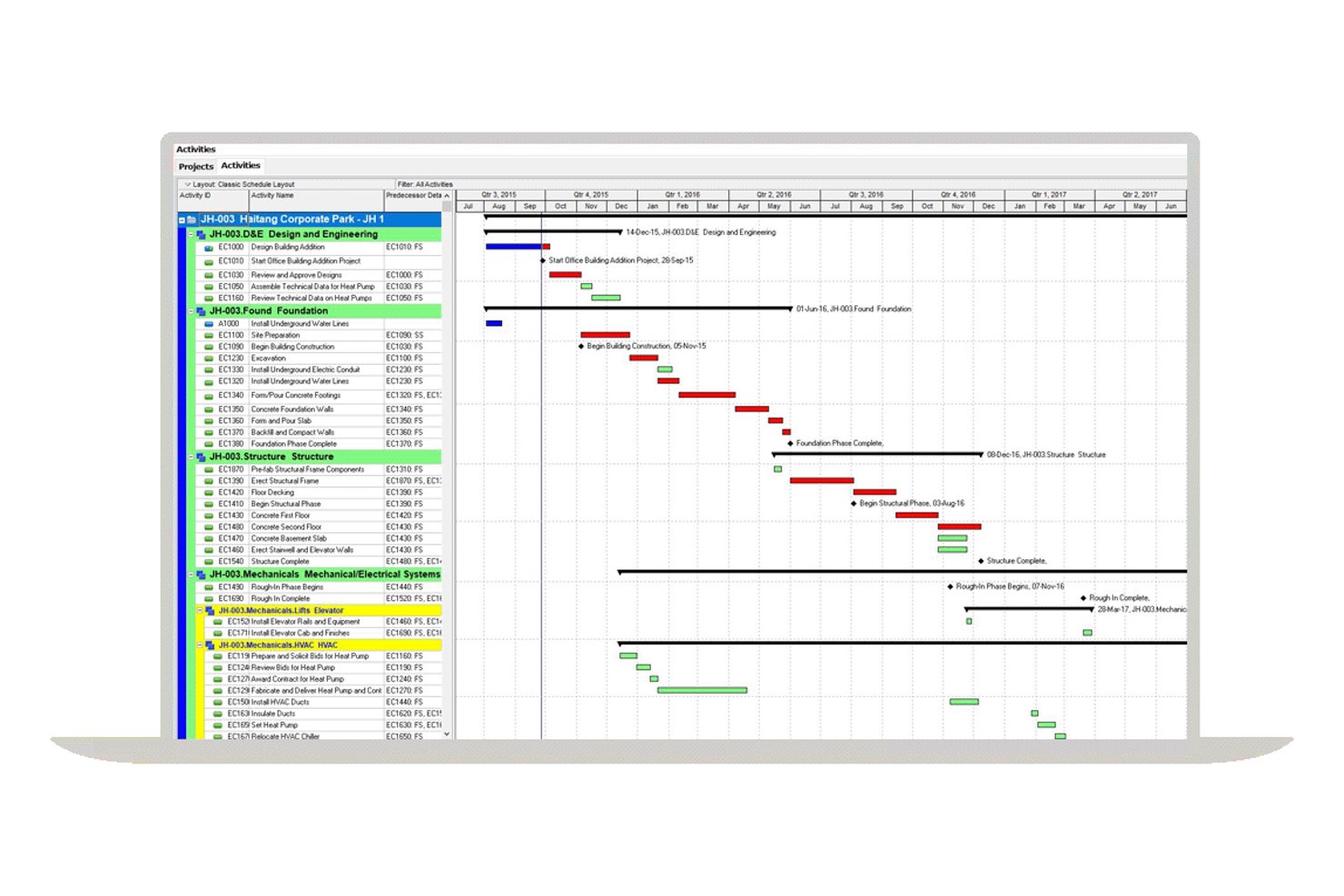
Oracle Primavera P6 is an enterprise CPM scheduling platform built for large-scale, multi-project environments, offering critical path calculation, dependency mapping, float analysis, resource leveling, baseline tracking, and earned value management.
Who Is Oracle Primavera P6 Best For?
Oracle Primavera P6 is the go-to choice for enterprise project controls teams managing large, complex programs in construction, EPC, oil and gas, or infrastructure.
Why I Picked Oracle Primavera P6
Oracle Primavera P6 earns its spot on my shortlist because no other tool matches its depth of multi-project CPM scheduling at enterprise scale. I'm particularly impressed by its support for up to 30 simultaneous critical paths, calculated via forward and backward passes across an entire project portfolio using the Enterprise Project Structure. Its float analytics are equally strong, tracking total float, free float, and negative float per activity, which is exactly what you need for delay analysis across complex, interdependent programs.
Oracle Primavera P6 Key Features
- Resource leveling engine: Automatically redistributes workloads across constrained resources without disrupting the critical path, supporting multi-project leveling across the full EPS hierarchy.
- Work breakdown structure (WBS) hierarchy: Organizes projects into granular WBS levels with summary activities, activity codes, and user-defined fields for detailed classification and filtering.
- Earned value management (EVM): Calculates PV, EV, AC, CPI, and SPI at the project and activity level, tied directly to the project baseline for schedule performance tracking.
- Cross-project dependency mapping: Supports all four dependency types—FS, SS, FF, and SF—with lag and lead configuration, including dependencies across concurrent projects within the EPS hierarchy.
Oracle Primavera P6 Integrations
Oracle Primavera P6 offers native integrations with Oracle Primavera Unifier, Aconex, Oracle Primavera Cloud, and SAP through its Project Integration Framework. P6 also supports Oracle Integration Cloud, Microsoft Project, XER/XML exchange, and REST APIs for custom integrations.
Pros and Cons
Pros:
- Offers deep float and delay analysis tools
- Supports up to 30 simultaneous critical paths
- Handles enterprise-scale multi-project CPM scheduling
Cons:
- Native reporting tools described as limited
- Monte Carlo simulation requires separate add-on
Diğer Kritik Yol Yazılımları
Kısa listeme giremeyen ancak yine de göz atmaya değer bazı ek kritik yol yazılımı seçenekleri şunlardır:
- Wrike
For cross-team collaboration features
- InEight
For AI-assisted CPM in capital construction
- Smartsheet
For spreadsheet-style scheduling
- Zoho Projects
For time-tracked CPM on a Zoho stack
- GanttPRO
For interactive Gantt-based CPM planning
- monday.com
For visual project dashboards
- Phoenix Project Manager
For Timescaled Network Diagram scheduling
- Trimble Tilos
For linear infrastructure schedule planning


How I Evaluate Critical Path Software
I split my evaluation into baseline criteria every scheduler-focused tool must meet—like auto CPM calculation and dependency mapping—and differentiators that separate the best fits from the rest.
Core Functionality (Table Stakes For This List)
When I'm selecting tools for my list, I rank each one on a scale from 0 (does not offer the functionality) to 5 (excels in this area) for each core functionality listed below. Then, I calculate the tool's total score into a percentage. Each tool needs to achieve a minimum total score of 65% to be considered for inclusion.
- Critical Path Calculation: I check whether the tool auto-calculates early/late start and finish dates across all tasks—say, a 200-activity construction schedule—without manual workarounds.
- Task Dependency Mapping: All four dependency types (FS, SS, FF, SF) matter, and I look for lag/lead time support for scenarios like curing periods between pours and formwork.
- Gantt Chart Visualization: The Gantt view should visually separate critical from non-critical tasks and let you interact with the schedule directly, not just view a static timeline.
- Float & Slack Analysis: I evaluate whether total and free float are surfaced per task, since spotting near-critical activities early is how schedulers prevent last-minute path shifts.
- Baseline & Schedule Tracking: Setting multiple baselines and comparing planned vs. actual timelines is how I gauge a tool's schedule governance depth—one baseline isn't enough for phased projects.
- What-If Scenario Modeling: I look for the ability to simulate delays or resource changes and see the critical path recalculate in real time, which is essential during owner-requested change orders.
Once I have a list of tools that meet the criteria, I consider what sets each platform apart.
Differentiating Factors (What Sets Vendors Apart)
Here's how I compare and contrast different vendors:
Standout Features
Monte Carlo simulation is a big one—I look for tools that let schedulers run probabilistic analysis on task durations to forecast realistic completion dates instead of relying on single-point estimates. Resource leveling also matters, especially on multi-trade projects where overallocated crews shift the critical path. For PMO directors juggling concurrent programs, portfolio-level CPM that calculates paths across projects is what separates a scheduling tool from a true planning platform.
Beyond Features
I evaluate whether a tool supports .MPP and .XER file imports, since most scheduling teams need to exchange files with clients or contractors who use MS Project or Primavera P6. Deployment matters too—field-based teams on construction sites need mobile and offline access, while regulated industries often require on-premise hosting. I also check for industry-specific templates, because a scheduler building a data center rollout has very different WBS needs than one planning an agile software release.
Kritik Yol Yazılımı Nasıl Seçilir?
Uzun özellik listeleri ve karmaşık fiyatlandırma yapıları arasında kaybolmak kolaydır. Kendinize özgü yazılım seçim sürecinizi yürütürken odaklanmanıza yardımcı olmak için göz önünde bulundurmanız gereken faktörlerin bir kontrol listesi aşağıda yer alıyor:
| Faktör | Göz Önünde Bulundurulması Gerekenler |
|---|---|
| Ölçeklenebilirlik | Ekip veya kuruluşunuz büyüdükçe yazılım proje hacminizi kaldırabilecek mi? Kullanıcı sınırlarını, proje kotalarını ve büyük veri kümelerindeki performansı kontrol edin. |
| Entegrasyonlar | Araç, mevcut proje yönetimi, dosya depolama veya iletişim platformlarınıza yerel olarak bağlanıyor mu? Teknoloji yığınınızla uyumluluğunu doğrulayın. |
| Özelleştirilebilirlik | İş akışlarını, alanları ve görünümleri ekibinizin süreçlerine uyacak şekilde uyarlayabilir misiniz? Çalışma şeklinizi değiştirmenizi zorlayan katı sistemlerden kaçının. |
| Kullanım kolaylığı | Yeni kullanıcılar ne kadar hızlı yetkinlik kazanabilir? Sezgisel gezinme, anlaşılır etiketler ve minimum eğitim gereksinimleri sunan çözümleri arayın. |
| Uygulama ve işe alıştırma | Başlamak için hangi kaynaklar gerekiyor? Kurulum, veri taşıma ve kullanıcıların benimsemesi için gereken zamanı, desteği ve eğitimi değerlendirin. |
| Maliyet | İhtiyaçlarınız değiştikçe fiyatlandırma kademeleri şeffaf ve öngörülebilir mi? Gizli ücretlere, kullanıcı başına maliyetlere veya zorunlu eklentilere dikkat edin. |
| Güvenlik önlemleri | Yazılım, kuruluşunuzun veri koruma standartlarını karşılıyor mu? Şifreleme, erişim kontrolleri ve uyumluluk sertifikalarını arayın. |
| Destek olanakları | Hangi destek kanalları sunuluyor ve hangi saatlerde kullanılabiliyor? 7/24 yardıma, özel müşteri temsilcilerine veya kendi kendine hizmet kaynaklarına ihtiyacınız olup olmadığını değerlendirin. |
Kritik Yol Yazılımı Nedir?
Kritik yol yazılımı, ekiplerin proje tamamlanmasını belirleyen bağımlı görevler dizisini planlamasına, zamanlamasına ve yönetmesine yardımcı olan bir proje yönetimi yazılımı türüdür. Görev sürelerini haritalandırmak, görev bağımlılıklarını tanımlamak ve projenin tamamını bitirmek için gereken en uzun yolu belirlemek üzere kritik yol yöntemini kullanır.
Bu araçlar, ayrıntılı iş kırılım yapılarını destekleyerek proje çalışmalarını düzenlemeyi, sorumlulukları atamayı ve doğru son teslim tarihleri belirlemeyi kolaylaştırır. Proje yöneticileri, net proje yol haritaları oluşturmak, planlama değişikliklerini izlemek ve tüm aşamalardaki ilerlemeyi takip ederken karmaşık proje zaman çizelgeleri üzerindeki kontrolü korumak için kritik yol yazılımlarını kullanır.
Özellikler
Her iyi kritik yol yazılımının sahip olması gereken temel özellikler şunlardır:
- Görev bağımlılığı eşleme: Hangi faaliyetlerin diğerlerine bağlı olduğunu göstermek için görevleri görsel olarak birbirine bağlar; böylece darboğazları tespit etmeyi ve çalışmaları doğru sıraya koymayı kolaylaştırır.
- Kritik yol belirleme: Projenizin tamamlanma tarihini doğrudan etkileyen görevler dizisini otomatik olarak hesaplar ve vurgular.
- Gantt şeması görselleştirmesi: Net ve genel bir planlama görünümü sağlamak için proje zaman çizelgelerini, bağımlılıkları ve kilometre taşlarını çubuk grafik biçiminde görüntüler.
- Dinamik zaman çizelgesi güncellemeleri: Görevler tamamlandıkça veya geciktikçe proje planlarını gerçek zamanlı olarak ayarlayarak planınızı doğru ve güncel tutar.
- Kaynak tahsisi araçları: Ekip üyelerini, ekipmanları veya bütçeyi belirli görevlere atar ve proje genelindeki iş yükü dağılımını izler.
- İlerleme takibi: Projenin durumu hakkında paydaşları bilgilendirmek için görevlerin tamamlanma durumunu izler, durumları günceller ve raporlar oluşturur.
- Senaryo planlama: Kapsam, kaynaklar veya son teslim tarihlerindeki değişikliklerin teslimatı nasıl etkileyebileceğini görmek için farklı proje yollarını veya zaman çizelgelerini modeller.
- İş birliği özellikleri: Ekip üyelerinin platform içinde yorum yapmasını, güncellemeleri paylaşmasını ve sorunları hızlıca çözmek için birlikte çalışmasını sağlar.
- Dışa aktarma ve paylaşma seçenekleri: Araç dışındaki paydaşlarla iletişim kurmak için proje planlarını, raporları veya diyagramları çeşitli biçimlerde oluşturur ve paylaşır.
Kritik yol yazılımı çözümleri, özellik tekliflerinin bir parçası olarak genellikle yapay zekâ içermez.
Avantajlar
Kritik yol yazılımını uygulamak, ekibiniz ve işletmeniz için çeşitli avantajlar sağlar. Yararlanabileceğiniz avantajlardan bazıları şunlardır:
- Geliştirilmiş proje görünürlüğü: Görsel eşleme ve zaman çizelgesi araçları, bağımlılıkları, darboğazları ve genel proje durumunu bir bakışta görmeyi kolaylaştırır.
- Doğru planlama: Otomatik kritik yol hesaplamaları ve dinamik güncellemeler, gerçekçi zaman çizelgeleri oluşturmanıza ve değişikliklere hızlıca uyum sağlamanıza yardımcı olur.
- Daha iyi kaynak tahsisi: Kaynak yönetimi özellikleri, görevleri atamanıza ve iş yüklerini dengelemenize olanak tanıyarak ekip üyelerinin aşırı yüklenmesi riskini azaltır.
- Daha hızlı karar alma: Senaryo planlama ve gerçek zamanlı ilerleme takibi, projeler geliştikçe bilinçli ayarlamalar yapmak için gereken verileri sağlar.
- Geliştirilmiş paydaş iletişimi: Dışa aktarma ve paylaşma seçenekleri ile sunum araçları, proje boyunca herkesin aynı doğrultuda ilerlemesine ve bilgilendirilmesine yardımcı olur.
- Azalan proje gecikmeleri: Kritik görevlerin ve bağımlılıkların erken belirlenmesi, riskleri teslimatı etkilemeden önce ele almanızı sağlar.
- Kolaylaştırılmış iş birliği: Yerleşik iş birliği özellikleri, ekip çalışmasını destekler ve dağınık ekiplerde bile herkesin aynı bilgiye sahip olmasını sağlar.
Maliyetler ve Fiyatlandırma
Kritik yol yazılımı seçmek, mevcut çeşitli fiyatlandırma modellerinin ve planların anlaşılmasını gerektirir. Maliyetler özelliklere, ekip büyüklüğüne, eklentilere ve daha fazlasına göre değişir. Aşağıdaki tablo, kritik yol yazılımı çözümlerinde yaygın planları, ortalama fiyatlarını ve genellikle sunulan özellikleri özetlemektedir:
Kritik Yol Yazılımı İçin Plan Karşılaştırma Tablosu
| Plan Türü | Ortalama Fiyat | Yaygın Özellikler |
|---|---|---|
| Ücretsiz Plan | $0 | Temel görev ve bağımlılık eşleme, sınırlı Gantt şeması görünümleri, tek proje desteği ve temel dışa aktarma seçenekleri. |
| Kişisel Plan | $5-$15/kullanıcı/ay | Birden fazla proje desteği, zaman çizelgesi güncellemeleri, basit raporlama ve sınırlı entegrasyonlar. |
| İşletme Planı | $20-$40/kullanıcı/ay | Gelişmiş bağımlılık eşleme, kaynak tahsisi, iş birliği araçları, senaryo planlama ve öncelikli destek. |
| Kurumsal Plan | $50-$100/kullanıcı/ay | Özel entegrasyonlar, gelişmiş güvenlik, özel işe alıştırma süreci, uyumluluk özellikleri ve yönetici kontrolleri. |
SSS
Kritik yol yazılımı hakkında sık sorulan soruların bazı yanıtlarını burada bulabilirsiniz:
Kritik yol yazılımı proje planlamasına nasıl yardımcı olur?
Kritik yol yazılımı, projenizin en kısa tamamlanma süresini belirleyen görevler dizisini otomatik olarak tanımlayarak yardımcı olur. Bu sayede, son tarihi etkilemeden hangi faaliyetlerin ertelenemeyeceğini görebilir, kaynaklara öncelik verebilir ve gerektiğinde programları düzenleyebilirsiniz.
Kritik yol yazılımı karmaşık, birden çok aşamalı projeleri yönetebilir mi?
Evet, çoğu kritik yol yazılımı birden çok aşamaya, bağımlılığa ve ekibe sahip karmaşık projeleri yönetmek üzere tasarlanmıştır. Büyük projeleri düzenli tutmak için sınırsız görevi, projeler arası bağımlılıkları ve özelleştirilebilir görünümleri destekleyen araçları tercih edin.
Kritik yol yazılımını kullanmaktan en çok hangi ekip türleri yararlanır?
İnşaat, BT, mühendislik ve ürün geliştirme alanlarındaki proje yöneticileri genellikle kritik yol yazılımına güvenir. Birbirine bağlı görevlere, sıkı teslim tarihlerine veya kaynak kısıtlamalarına sahip projeleri yöneten her ekip bu araçlardan yararlanabilir.
Mevcut proje verilerini kritik yol yazılımına aktarmak zor mudur?
Hayır, çoğu çözüm elektronik tablolardaki veya diğer proje yönetimi platformlarındaki verileri aktarmanıza yardımcı olmak için içe aktarma araçları, şablonlar ya da geçiş desteği sunar. Mevcut araçlarınızla uyumluluğu kontrol edin ve kullanıma alım desteği hakkında bilgi alın.
Kritik yol yazılımı platformlarında depolanan veriler ne kadar güvenlidir?
Saygın sağlayıcıların çoğu verilerinizi korumak için şifreleme, erişim denetimleri ve uyumluluk sertifikaları kullanır. Bir sağlayıcının güvenlik belgelerini her zaman inceleyin ve karar vermeden önce kuruluşunuzun gereksinimlerini karşıladığını doğrulayın.