

De 10 beste programvarene for tilbud i 2026

Kortliste over den beste tilbudsprogramvaren


Tilbudsprogramvare hjelper teamet ditt med å opprette, sende og administrere forretningstilbud på ett sted. Hvis du leter etter den beste tilbudsprogramvaren, ønsker du sannsynligvis å redusere manuelt arbeid, holde tilbudene organiserte og forbedre samarbeidet med kunder eller interessenter. Ved å velge riktig verktøy kan du håndtere skiftende krav, følge med på tilbudsstatus og sørge for at alle er samkjørte – spesielt når tidsfristene er korte. I denne veiledningen finner du ekspertvurderte alternativer som passer til en rekke arbeidsflyter, slik at du trygt kan velge den riktige løsningen for virksomheten din i 2026.
Why Trust Our Software Recommendations
Our team has been testing and reviewing software since 2012. As project managers ourselves, we know how difficult—and important—it is to choose the right software.
For this guide, we evaluated tools using hands-on testing and independent research, scoring tools using our selection criteria. We also draw on insights from industry thought leaders and practicing project management experts.
Our reviews reflect our human editorial judgment, not a sales pitch.
Expert reviewers:
Sammenligningstabell for tilbudsprogramvare
Denne sammenligningstabellen oppsummerer prisdetaljene for mine beste utvalgte løsninger for tilbudsprogramvare:
| Tool | Best For | Trial Info | Price | ||
|---|---|---|---|---|---|
| 1 | Best for guided sales process customizations | Free demo available | Pricing upon request | Website | |
| 2 | Best for AI-drafted RFP and bid responses | 30-day money-back guarantee | From $899/month (billed annually) | Website | |
| 3 | Best for simple, modern proposals | 14-day free trial | From $19/user/month | Website | |
| 4 | Best for creative professionals and freelancers | 30-day free trial | From $29/month (billed annually) | Website | |
| 5 | Best for customizable templates and analytics | 14-day free trial + free demo available | From $19/user/month (billed annually) | Website | |
| 6 | Best for interactive, web-based proposals | 14-day free trial | From $35/user/month (billed annually) | Website | |
| 7 | Best for buyer engagement tracking and e-signing | Free demo + 14-day free trial available | From $25/user/month | Website | |
| 8 | Best for quote-to-signature workflows with price books | Free plan + 14-day free trial + free demo available | From $39/month | Website | |
| 9 | Best for document automation with eSignatures | Free plan + 14-day free trial + free demo available | From $19/user/month | Website | |
| 10 | Best for AI-drafted proposals at freelancer pricing | 14-day free trial. | From $19/user/month | Website |
Anmeldelser av den beste tilbudsprogramvaren
Nedenfor finner du mine detaljerte sammendrag av den beste tilbudsprogramvaren som kom med på kortlisten min. Anmeldelsene mine gir et detaljert innblikk i funksjonene, integrasjonene og prisene for hver programvare, slik at du kan finne den beste løsningen for deg.
Best for guided sales process customizations

Built for B2B sales teams, DealHub AI is a proposal and CPQ platform for quoting, document generation, buyer collaboration, and contract execution—all in one place.
Who Is DealHub AI Best For?
DealHub AI serves mid-market and enterprise B2B sales teams that handle complex, multi-stakeholder deals with structured pricing and approval workflows.
Why I Picked DealHub AI
I've included DealHub AI in my top picks because its guided selling engine is one of the most flexible I've seen for controlling how reps navigate a deal. You can build a master playbook inside your CRM opportunity stage, then layer in a question-and-answer process that adapts based on the rep's answers. That means every proposal starts from the right product configuration, with the right pricing logic applied automatically. What I especially like is the ability to segment guidance by user group, so enterprise reps and mid-market reps can follow different paths through the same catalog.
DealHub AI Key Features
- DealRoom: A branded digital room where buyers can view proposals, pricing, and supporting documents in one shared space.
- Built-in eSignature (DealSign): Native electronic signature for buyers to sign contracts directly within the proposal, without a third-party tool.
- Buyer engagement tracking: Real-time signals showing which sections of a proposal a buyer opened, viewed, and how much time they spent on each one.
- Contract redlining: CLM tools that allow legal and sales teams to mark up, negotiate, and approve contract language in one place.
DealHub AI Integrations
DealHub AI offers native integrations with Salesforce CRM, Microsoft Dynamics 365, HubSpot CRM, DocuSign, Gong, Slack, and more. An API is also available for custom integrations, including connecting to additional CRM and ERP systems.
Pros and Cons
Pros:
- CPQ, CLM, and billing combined in a single platform
- No-code approval workflows
- Guided selling playbooks prevent quoting errors
Cons:
- Documentation gaps make admin onboarding difficult
- Loads slowly with large deal volumes
New Product Updates from DealHub AI

DealHub AI Expands Bundle Attribute Automation
DealHub AI introduces Assignment Rules for child proposal attributes and numeric aggregation for bundles. These updates give admins more control over bundle attribute automation and configuration. For more information, visit DealHub’s official site.
 .
.
Best for AI-drafted RFP and bid responses
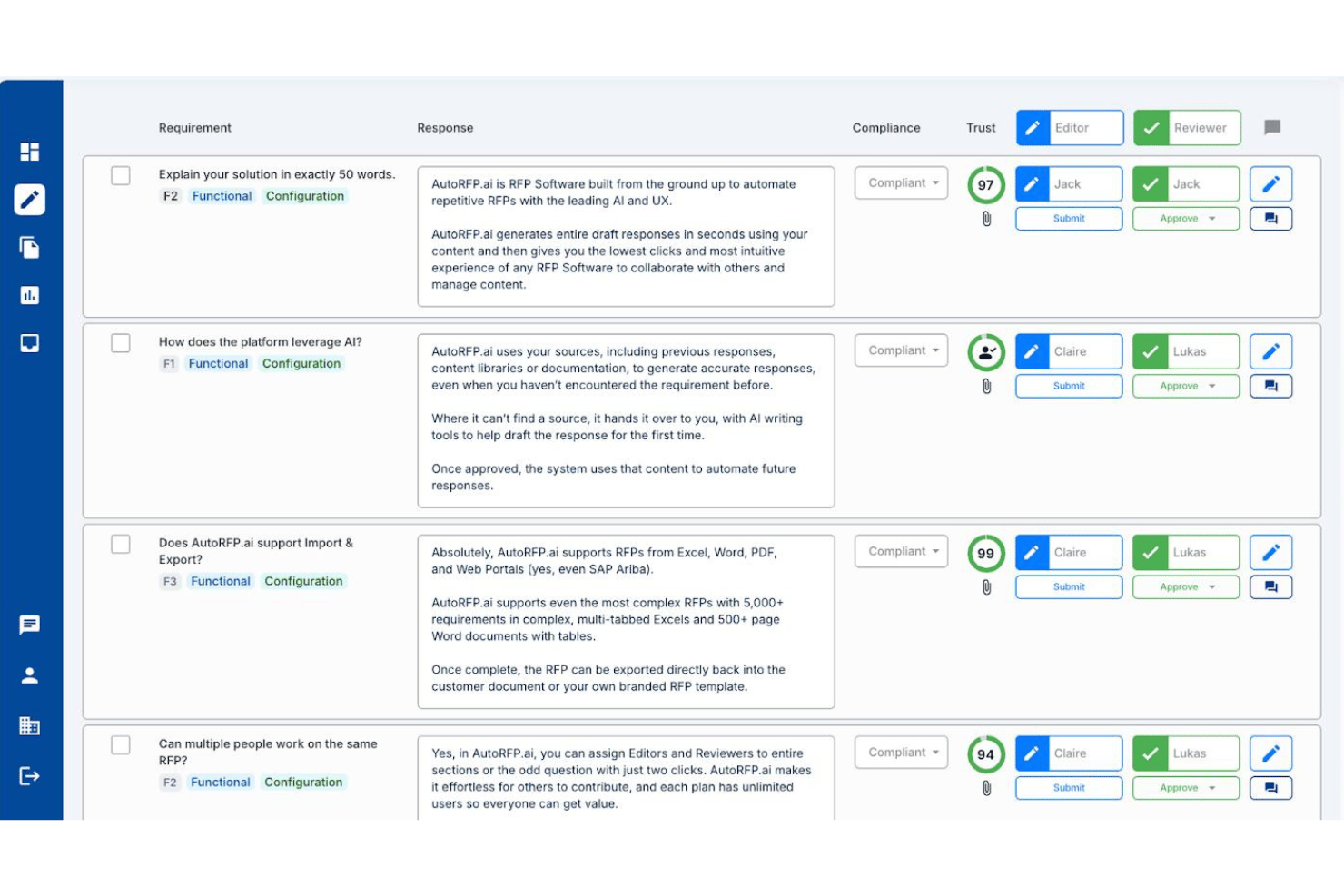
AutoRFP.ai is an AI-native RFP response platform that drafts answers to buyer-issued RFPs, RFIs, DDQs, and security questionnaires by pulling from your team's past responses and approved content.
Who Is AutoRFP.ai Best For?
AutoRFP.ai is a strong fit for proposal managers and bid teams at IT services, consulting, and professional services firms that regularly respond to formal RFPs, RFIs, and security questionnaires.
Why I Picked AutoRFP.ai
AutoRFP.ai earns its spot on my shortlist because no other tool I've tested handles AI-drafted RFP and bid responses with this level of accuracy. When a 500-question RFP lands in your inbox, the platform pulls from your team's past approved responses to generate a cited first draft, complete with Trust Scores flagging how confident the AI is in each answer. I also like that it responds directly inside procurement portals like SAP Ariba via browser extension, which removes a frustrating copy-paste bottleneck from the response cycle.
AutoRFP.ai Key Features
- Role-based access control: Assign Editor, Reviewer, or Admin roles at the section or question level across unlimited users.
- Multi-format import: Ingest RFP documents in Word, Excel, and PDF formats, including multi-tab Excel workbooks with thousands of requirements.
- Browser extension for portal responses: Answer questions directly inside procurement portals like SAP Ariba without copying content between platforms.
- AI Trust Scores: Each AI-generated answer displays a confidence score and source citation so reviewers can prioritize edits.
AutoRFP.ai Integrations
AutoRFP.ai advertises 18+ integrations, including native two-way Salesforce connectivity plus HubSpot, Microsoft Dynamics 365, SharePoint, Google Drive, Slack, and Microsoft Teams. An open API and webhooks support custom integrations.
Pros and Cons
Pros:
- Generates cited answers with confidence scores
- Unlimited users for collaborative RFP workflow
- AI drafts responses using approved content
Cons:
- Lacks interactive client proposal features
- No visual proposal templates or scoping

Best for simple, modern proposals

Better Proposals offers a streamlined platform for creating, sending, and tracking digital proposals. It’s a strong fit for small businesses and agencies that want modern, visually engaging documents with built-in e-signatures.
Who Is Better Proposals Best For?
Freelancers and small agencies that need to send polished, interactive proposals with digital signatures.
Why I Picked Better Proposals
I picked Better Proposals because its simple, modern editor lets my team create visually appealing proposals without design skills. I like that digital signatures are built in, so clients can sign instantly from any device. The platform’s templates help us maintain a consistent, professional look across all our documents. This combination of simplicity and digital signing makes it easy to close deals quickly.
Better Proposals Key Features
- Payment integrations: Connect Stripe or PayPal to collect payments directly from proposals.
- Proposal analytics: Track when proposals are opened, read, and signed.
- Custom branding: Add your logo, colors, and domain for a branded experience.
- Content library: Store and reuse proposal sections, images, and fees.
Better Proposals Integrations
Integrations include HubSpot, Zoho, Stripe, PayPal, GoCardless, Asana, Trello, Basecamp, Teamwork, and Capsule.
Pros and Cons
Pros:
- Integrated e-signature for faster deal closure
- Custom roles and permissions for team management
- Built-in analytics for proposal engagement tracking
Cons:
- Occasional delays in document loading speed
- Limited offline access to proposals

Best for creative professionals and freelancers
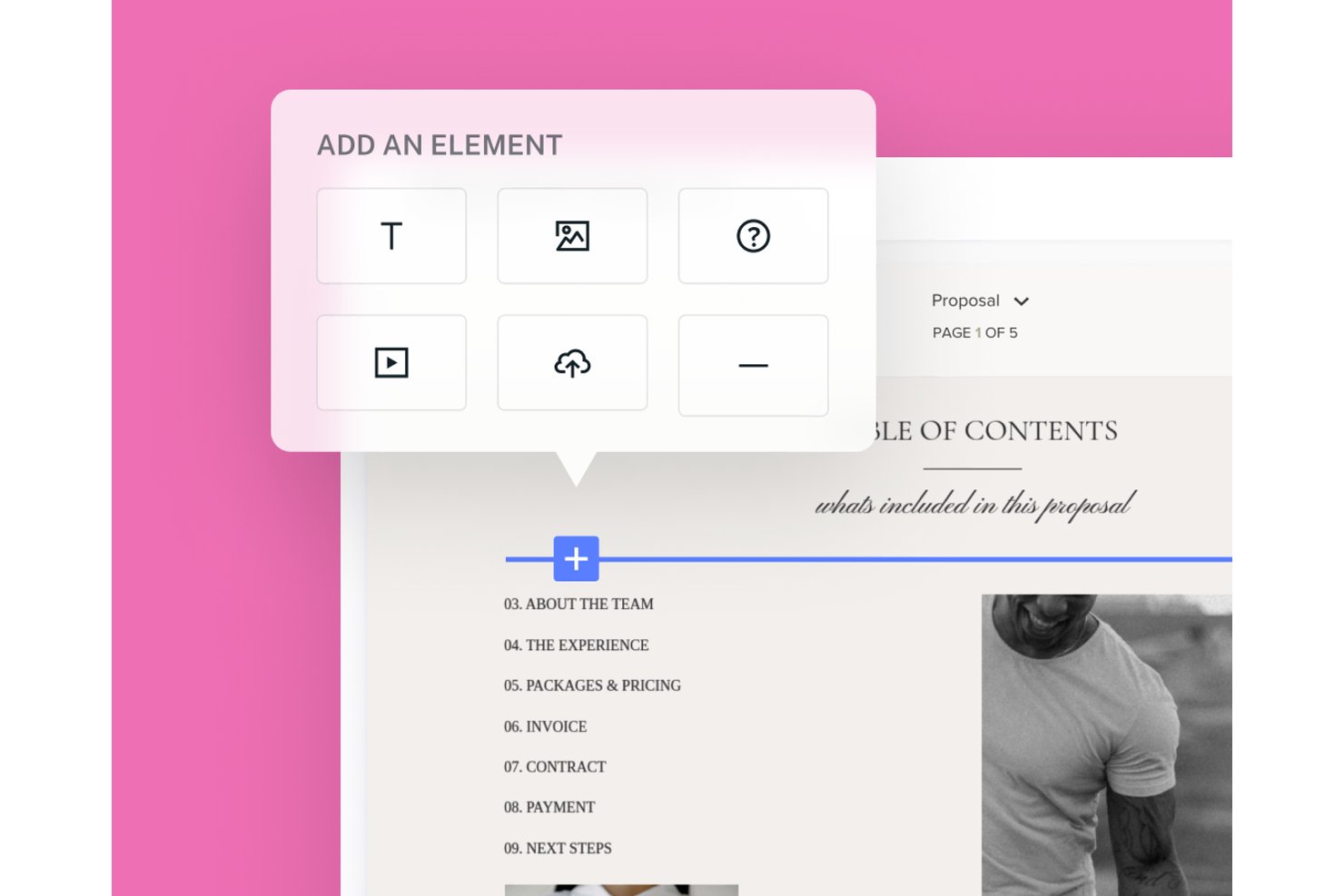
HoneyBook is a clientflow management platform for small businesses that combines proposal creation, e-signatures, invoicing, payments, and client pipeline management in one workflow.
Who Is HoneyBook Best For?
HoneyBook suits independent service providers—photographers, designers, consultants—who want proposals, contracts, and payments in one client-facing workflow.
Why I Picked HoneyBook
I've included HoneyBook in my top picks because it's built specifically for the kind of solo service provider who needs proposals, contracts, and payments to work as one connected flow rather than three separate tools. I love how HoneyBook's smart files let you combine selectable service packages, a legally binding e-signature block, and an invoice that automatically recalculates based on what the client picks, all in a single shareable link. The file progress tracker also shows you exactly when each recipient last viewed the file, almost in real time.
HoneyBook Key Features
- Client portal: Gives clients a dedicated space to access project files, communications, invoices, and contracts in one place.
- Pipeline management: Tracks leads and active projects through customizable workflow stages so you can see where every client stands.
- Payment scheduling: Lets you set one-time, recurring, or custom payment plans with autopay, late fees, and automatic payment reminders.
- HoneyBook AI meeting notetaker: Captures and summarizes meeting notes and action items automatically after client calls.
HoneyBook Integrations
HoneyBook offers native integrations with QuickBooks, Google Calendar, Gmail, Outlook, Zoom, and ChatGPT, plus integrations with Zoho CRM, Stripe, and Square. It also supports Zapier; API availability isn’t stated.
Pros and Cons
Pros:
- Recipient-level views reveal proposal progress
- Proposals bundle selections, signatures, and invoices
- Reusable templates speed polished proposal creation
Cons:
- Mobile editing omits some proposal action blocks
- Variable proposals can require manual adjustments

Best for customizable templates and analytics

Proposify is designed for sales teams and agencies that need to manage high volumes of proposals with consistency and control. Its workflow tools help you keep proposals organized, track progress, and maintain brand standards across your documents.
Who Is Proposify Best For?
Sales teams and agencies that need customizable templates and analytics for managing a large volume of proposals.
Why I Picked Proposify
I picked Proposify because its customizable templates let my team quickly tailor proposals for different clients without starting from scratch. I appreciate the built-in analytics, which show when prospects view or interact with our documents. This helps us prioritize follow-ups and refine our approach. The combination of template flexibility and actionable insights makes it a strong fit for managing high-volume proposal workflows.
Proposify Key Features
- Content library: Store reusable proposal sections, images, and fees for quick access.
- Approval workflows: Set up internal review and approval steps before sending proposals.
- E-signatures: Collect legally binding electronic signatures directly within proposals.
- Client notifications: Automatically notify clients when a proposal is sent, viewed, or signed.
Proposify Integrations
Integrations include 20+ tools, including HubSpot, Salesforce, Pipedrive, QuickBooks, Stripe, Google Drive, Dropbox, Slack, Microsoft Teams, and more.
Pros and Cons
Pros:
- Integrated e-signature for faster deal closure
- Automated approval workflows for compliance needs
- Centralized content library for reusable assets
Cons:
- Template editor can be slow with large files
- No built-in CRM functionality

Qwilr
Best for interactive, web-based proposals
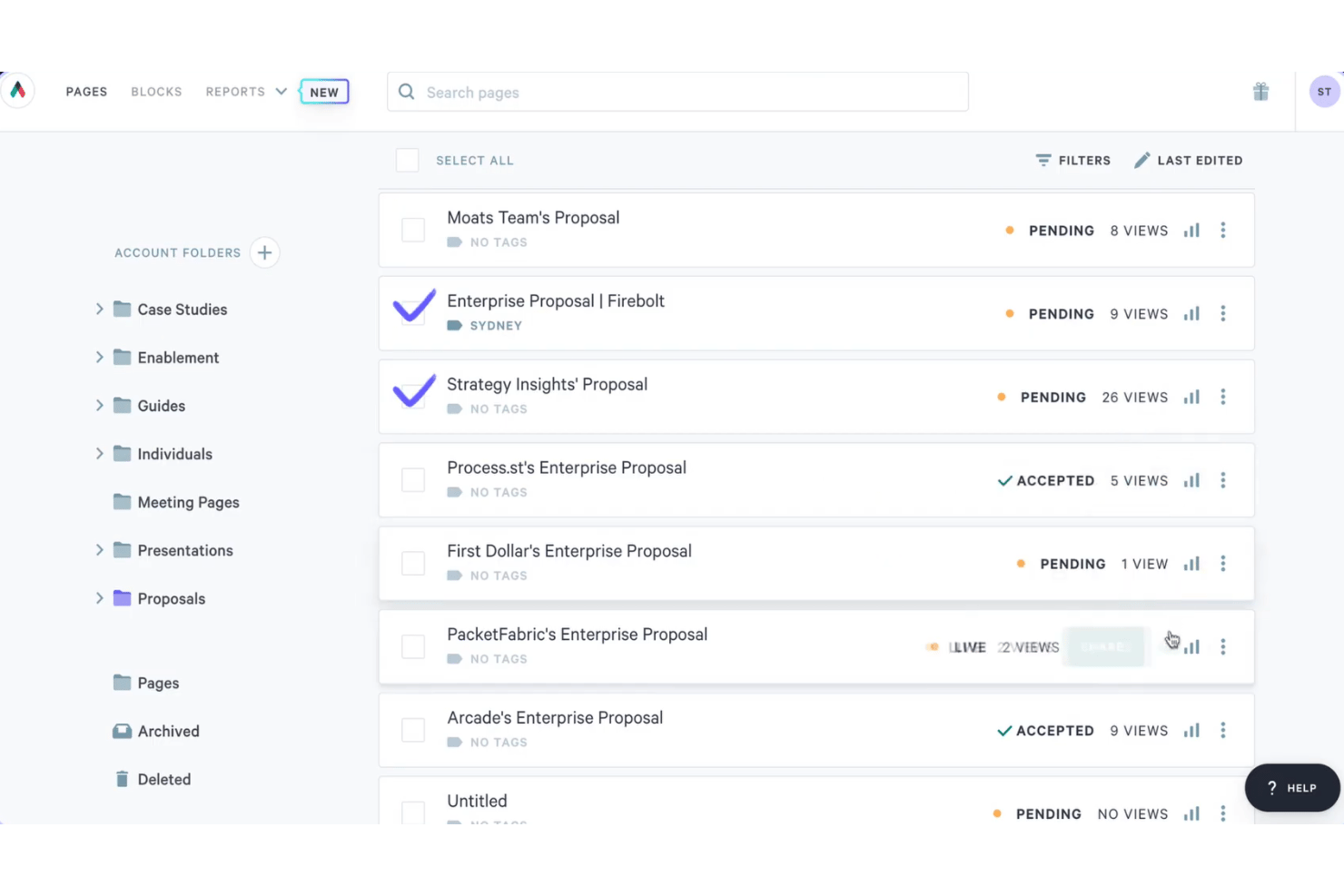
Qwilr is a web-based proposal software platform that lets sales teams build interactive, branded proposals with embedded quote blocks, e-signature capture, buyer engagement analytics, and payment collection.
Who Is Qwilr Best For?
Qwilr suits sales teams and agency account managers who send high volumes of branded proposals and want buyers to interact with pricing, sign, and pay in a single web link.
Why I Picked Qwilr
Qwilr earns its spot on my shortlist because it turns proposals into live, interactive web pages rather than static documents. I particularly like that buyers can toggle optional line items and see the quoted total update in real time, right inside the proposal, before they sign. Section-level analytics then show me exactly which parts a prospect spent time on, so I can follow up with the right conversation. The e-signature and payment collection all happen in that same link, which cuts a lot of back-and-forth out of the closing process.
Qwilr Key Features
- AI proposal generation: Scans a company website to generate a tailored, branded proposal page in about one to two minutes.
- Reusable saved blocks: Lets teams build a library of approved content blocks that can be locked, shared, and dropped into new proposals.
- Native CRM integrations: Connects with HubSpot, Salesforce, Microsoft Dynamics 365, Zoho CRM, and Pipedrive to populate proposals from existing deal records.
- QwilrPay: Collects full, partial, or recurring payments directly within a Qwilr proposal page via a connected Stripe account.
Qwilr Integrations
Qwilr offers native integrations with HubSpot, Salesforce, Microsoft Dynamics 365, Zoho CRM, Pipedrive, QuickBooks, Stripe, and Slack. It also supports Zapier and an API for custom integrations.
Pros and Cons
Pros:
- Reusable branded blocks speed repeat proposals
- Section-level engagement guides timely follow-up
- Interactive quote options recalculate totals live
Cons:
- Complex pricing structures strain quote tables
- PDF exports can distort proposal layouts

Best for buyer engagement tracking and e-signing
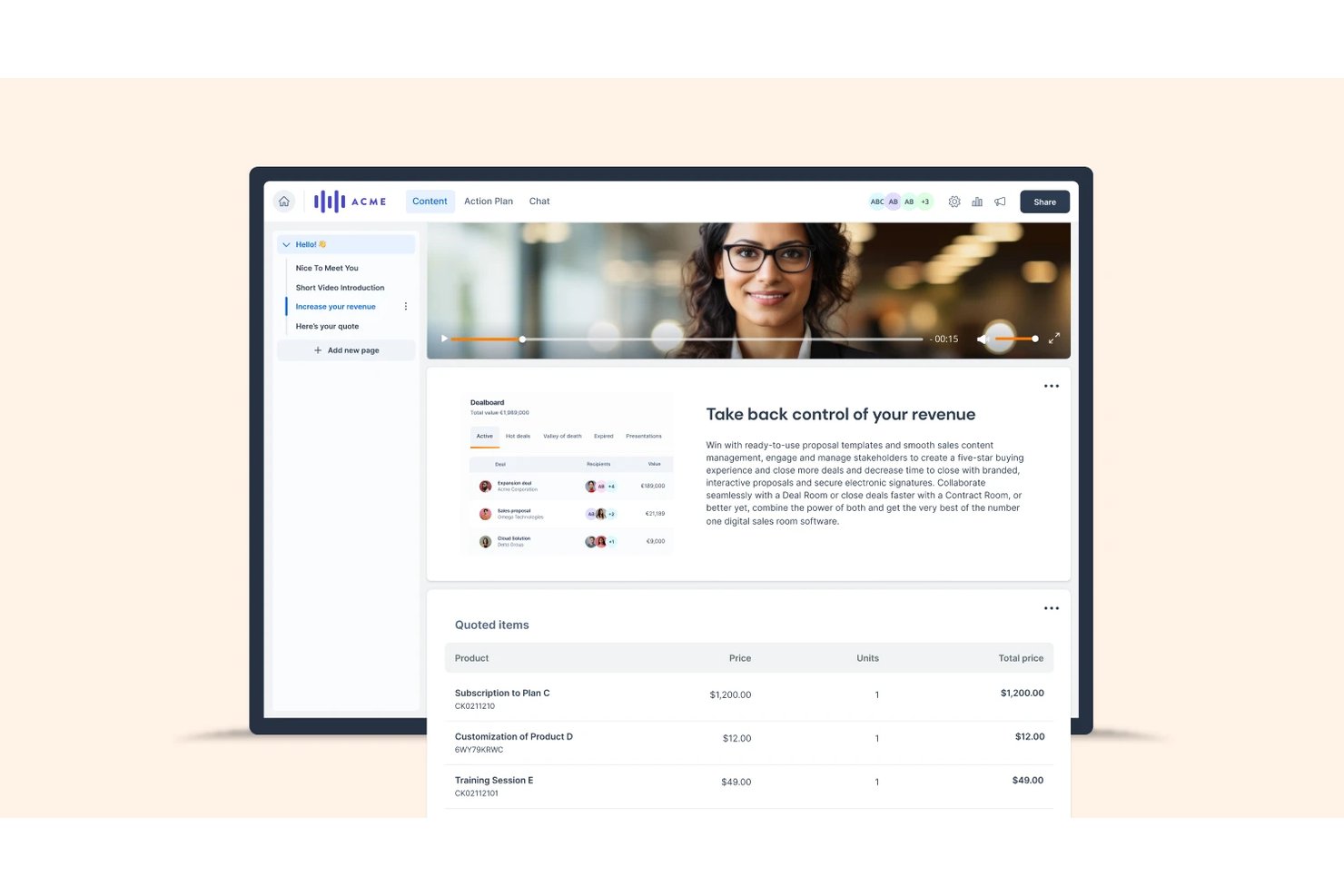
GetAccept is a proposal and e-signature platform that lets sales teams create branded proposals, track buyer engagement at the page level, collect legally binding signatures, and manage the full deal workflow from a shared digital sales room.
Who Is GetAccept Best For?
GetAccept is a strong fit for B2B sales teams that need to track exactly how prospects engage with proposals before following up to close.
Why I Picked GetAccept
GetAccept earns its spot on my shortlist because of how deeply it tracks buyer engagement after a proposal leaves your hands. I love that you can see exactly which pages a prospect spent time on, who forwarded the document to a new stakeholder, and how their engagement score shifts over time. The machine-learning deal score then uses that activity to estimate signing likelihood, so you know when to follow up and when to hold back. Pair that with multi-signer workflows and a full Signature Certificate, and the full close cycle is covered in one place.
GetAccept Key Features
- AI content editor: Use conversational prompts to generate and refine proposal copy, tone, and style directly within the document editor.
- Mutual action plans: Create a shared buyer-and-seller checklist of steps, owners, and dates to keep deals moving toward close.
- Conditional content: Automatically assemble documents based on pre-configured conditions, available on the Enterprise plan.
- In-app video recording: Embed a personal video introduction into a proposal or deal room to add context before a prospect reads.
GetAccept Integrations
GetAccept offers native integrations with Salesforce and HubSpot, plus integrations with Microsoft Dynamics, Pipedrive, SuperOffice, Stripe, and Authorize.Net. It supports REST APIs, webhooks, and Zapier for custom connectivity.
Pros and Cons
Pros:
- Templates support personalized, professional-looking proposals
- Signing reminders simplify remote proposal completion
- Page-level engagement reveals buyer attention
Cons:
- Long documents can load and edit slowly
- Template customization can feel clunky and manual
Revv
Best for quote-to-signature workflows with price books
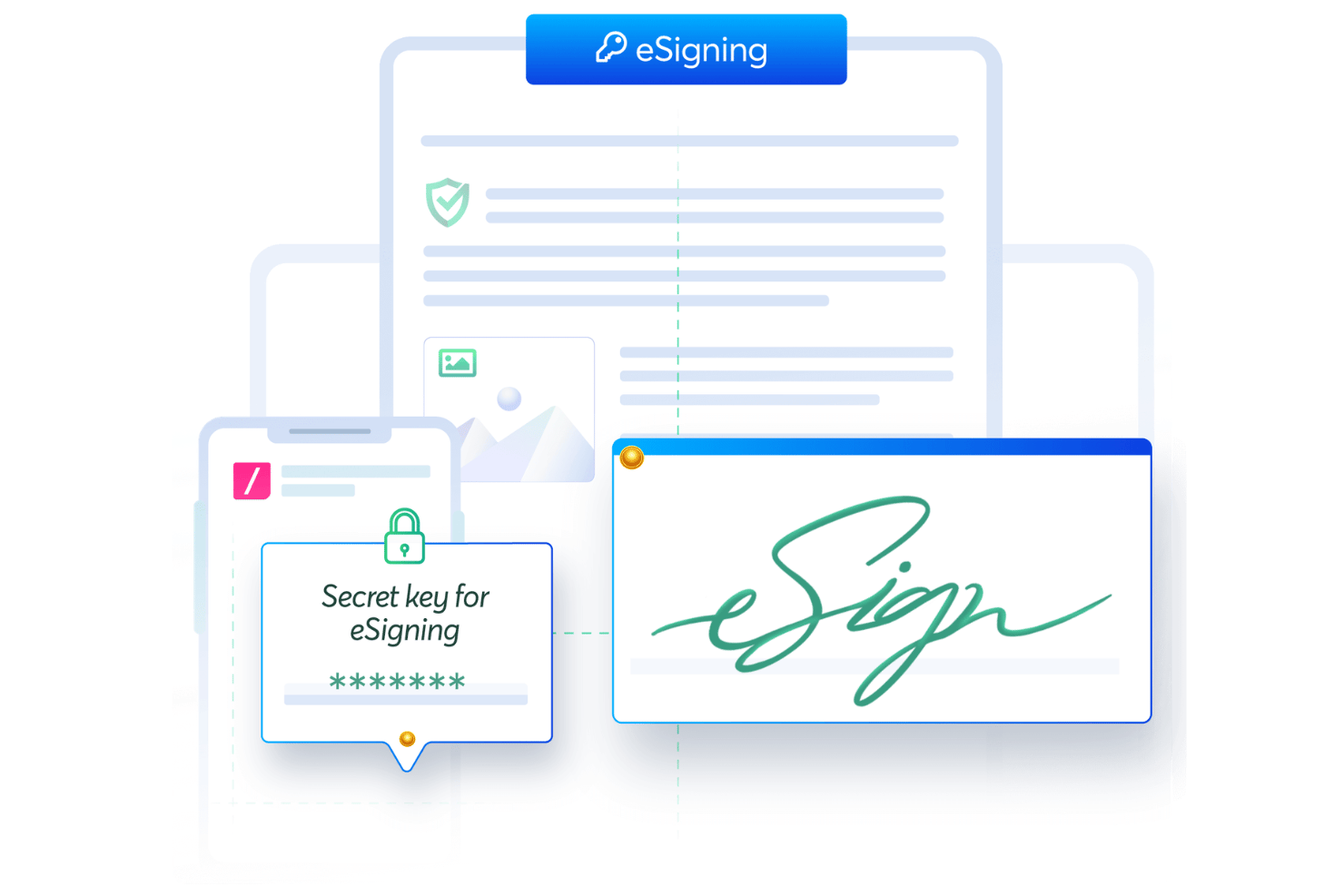
Revv is a document automation platform that combines proposal creation, configurable quoting with price books, e-signature capture, and CRM integrations into a single workflow.
Who Is Revv Best For?
Revv is a strong fit for sales teams that need to manage configurable pricing, multi-level discounts, and approval workflows alongside proposal creation and e-signature collection.
Why I Picked Revv
I picked Revv as one of the best because it's the only tool in this list that handles price books, multi-level discounts, and approval workflows inside the same document you're sending for signature. I love how quote documents can be built with configurable price books that support range and volume pricing, with discount rules set at the line, family, or deal level. When a rep needs sign-off on a deal-level discount, the approval workflow fires before the quote ever reaches the customer.
Revv Key Features
- Drag-and-drop proposal builder: Build proposals from scratch using a no-code editor with formatting, branding, and rich media options.
- 500+ ready-to-use templates: Choose from a library of proposal templates that can be customized, branded, and reused across deals.
- E-signature tracking and audit trail: Monitor email opens, document access, and signing activity with timestamped, non-editable records and an Evidence Summary for each signed transaction.
- Bulk send via spreadsheet or API: Generate and send documents at scale using spreadsheets, Zapier, or Revv's API, with per-document pricing based on annual volume.
Revv Integrations
Revv offers native integrations with Salesforce, HubSpot, Box, and Stripe, plus integrations with Google Sheets and Integromat. It also supports an API and webhooks for custom connectivity, with Zapier available.
Pros and Cons
Pros:
- Document tracking keeps signing activity visible
- Drag-and-drop quote builder speeds quote creation
- Reusable templates support faster proposal drafting
Cons:
- Engagement tracking lacks section-level analytics
- Some reviewers flag interface usability concerns
PandaDoc
Best for document automation with eSignatures
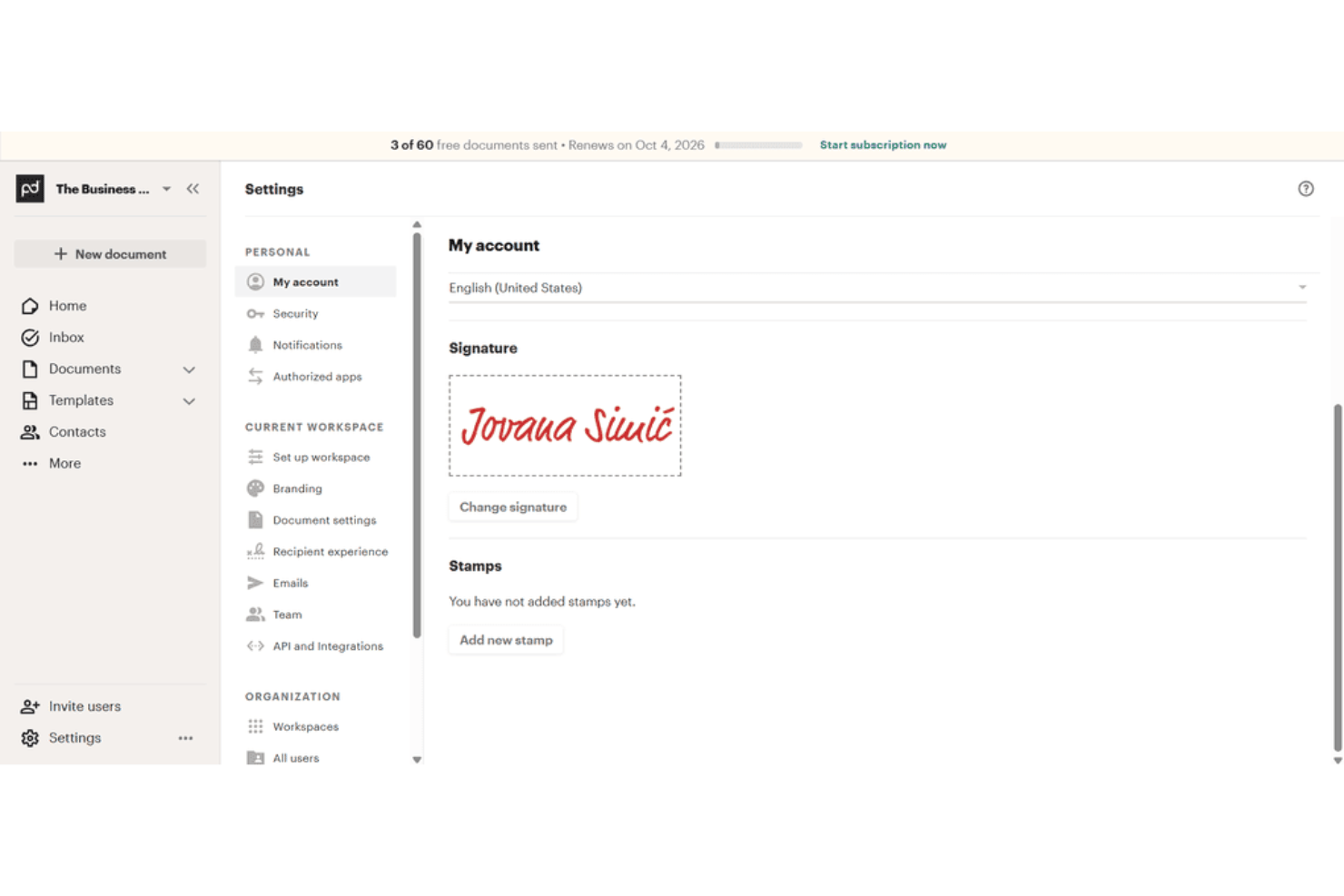
PandaDoc is a document automation platform that covers proposal creation, eSignatures, pricing tables, recipient tracking, and CRM integrations in one workflow.
Who Is PandaDoc Best For?
PandaDoc suits sales teams that need to manage the full document lifecycle—from proposal creation to signed contract—without jumping between tools.
Why I Picked PandaDoc
I've included PandaDoc in my top picks because it handles the full document lifecycle in one place, from first draft to signed contract, without requiring you to stitch together separate tools. I particularly like how the drag-and-drop editor, reusable content library, and interactive pricing tables let you build a polished, client-ready proposal fast. The recipient analytics on Business and Enterprise plans show you exactly which pages a prospect spent time on, so you know where they're engaged before you follow up.
PandaDoc Key Features
- Approval workflows: Route documents through multi-step internal review and sign-off processes before sending to recipients.
- Bulk send: Generate and distribute personalized documents to multiple recipients simultaneously using templates and CSV uploads.
- Audit trail: Automatically log every document event—creation, sending, viewing, signing, and payment—with exportable CSV records.
- eSignature ID verification: Authenticate signers via passcode, SMS, knowledge-based authentication, or ID Check before they can sign.
PandaDoc Integrations
PandaDoc offers 30+ integrations, including native Salesforce, HubSpot, Pipedrive, Zoho, Stripe, PayPal, and Square, plus marketplace integrations for Google Sheets and QuickBooks Online. It also provides REST API, webhooks, and Node.js, Python, and JavaScript SDKs.
Pros and Cons
Pros:
- Interactive pricing clarifies client choices
- Signatures and tracking share one workflow
- Customizable templates keep proposals consistent
Cons:
- Sent-document edits require resending
- Complex layouts can require extra editing

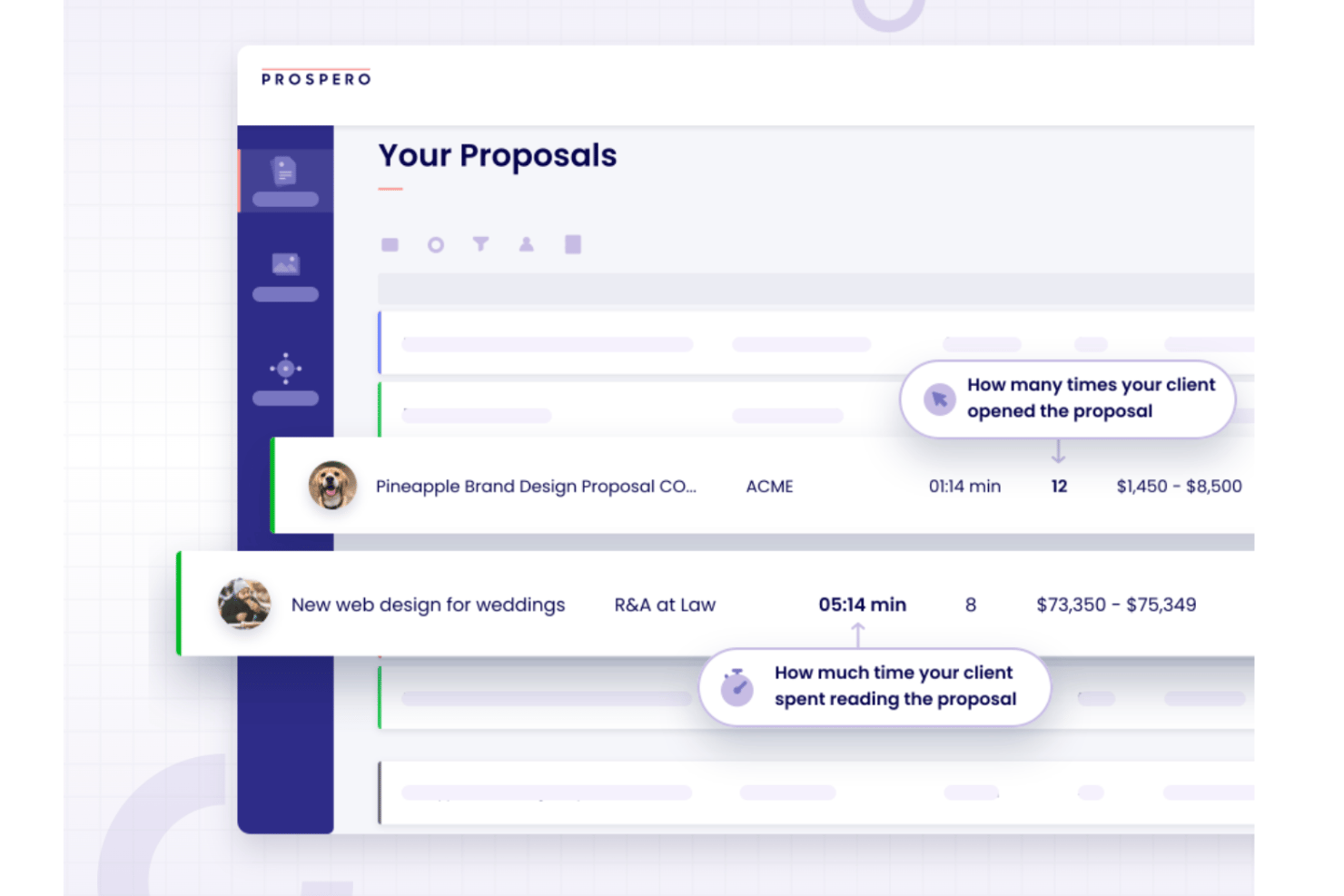
Prospero is proposal software that lets you build, send, and track business proposals using a drag-and-drop editor, 100+ templates, a built-in AI writing assistant, e-signatures, and engagement analytics.
Who Is Prospero Best For?
Prospero is a strong fit for freelancers, consultants, and small sales teams who need to send polished, AI-assisted proposals without paying enterprise-level prices.
Why I Picked Prospero
I picked Prospero as one of the best because it gives you a genuine AI writing assistant built directly into the proposal editor, not bolted on as an afterthought. You can prompt it to draft full proposal sections, adjust tone, or tighten your copy, then layer in section-level engagement heatmaps to see exactly which parts of your proposal clients are actually reading. At $12 per user per month on an annual plan, that combination is hard to access at this price point elsewhere in the category.
Prospero Key Features
- E-signature collection: Clients can sign proposals on desktop or mobile by typing, drawing, or uploading their signature, with timestamps and IP addresses recorded.
- Content library: Reusable templates, media, and proposal sections can be saved, organized into folders, and shared across your team.
- CRM and accounting integrations: Native connections to HubSpot, QuickBooks, FreshBooks, and Monday.com let you sync contacts, generate invoices, and track proposal status without switching tools.
- Automated reminders: Prospero can send scheduled follow-up emails to prospects who haven't responded to a proposal.
Prospero Integrations
Prospero offers native integrations with HubSpot, QuickBooks, FreshBooks, Monday.com, Stripe, Square, Xero, and Slack. It also supports Make and Zapier for connecting additional apps.
Pros and Cons
Pros:
- Section heatmaps reveal reader engagement
- Clients can sign directly in proposals
- Templates speed up polished proposal creation
Cons:
- Saving bugs risk lost proposal changes
- Editing can feel cumbersome during revisions
Annen tilbudsprogramvare
Her er noen flere alternativer for tilbudsprogramvare som ikke kom med på kortlisten min, men som likevel er verdt å sjekke ut:
- Nusii
For creative businesses
- ClientPoint
For proposal presentations for client engagement
- Docusign
For secure electronic signatures
- QuoteWerks
For quote and proposal automation for sales teams
- Ignition
For proposal-to-payment billing for accountants


How I Evaluate Proposal Software
I split my evaluation into two layers: the baseline every proposal tool must hit—think scoped pricing tables, e-signature flows, and template libraries—and the differentiators for project teams.
Core Functionality (Table Stakes For This List)
When I'm selecting tools for my list, I rank each one on a scale from 0 (does not offer the functionality) to 5 (excels in this area) for each core functionality listed below. Then, I calculate the tool's total score into a percentage. Each tool needs to achieve a minimum total score of 65% to be considered for inclusion.
- Templates & Content Library: I check whether you can build proposals from categorized templates and pull in saved content blocks—like standard project phases, team bios, or case studies—instead of starting from scratch.
- Scope, Pricing & Estimate Builder: Structured pricing tables with line items, optional add-ons, and resource rates matter here. I look for tools that let you break costs down by project phase or role.
- Collaborative Editing & Approvals: Most proposals pass through multiple hands before they reach a client. I evaluate whether teams can co-edit in real time, leave comments, and route drafts through approval steps.
- E-Signature & Client Acceptance: I look for native e-signature support that lets clients review, accept, and countersign proposals without switching to a separate signing tool like DocuSign or Adobe Sign.
- Proposal Tracking & Analytics: Knowing when a client opened your proposal—and which sections they spent time on—gives your follow-up real context. I evaluate the depth of engagement data each tool surfaces.
- PM Tool Integrations: I check for native connections to tools like Asana, monday.com, or Jira that let you convert an accepted proposal into a live project with tasks, milestones, and assigned owners.
Once I have a list of tools that meet the criteria, I consider what sets each platform apart.
Differentiating Factors (What Sets Vendors Apart)
Here's how I compare and contrast different vendors:
Standout Features
Interactive client pricing is a real differentiator. Tools that let clients toggle optional deliverables or service tiers directly in the proposal cut down on revision cycles. I also evaluate AI content generation, where a tool can draft scope descriptions or tailor language based on past winning proposals. Automated SOW and contract assembly matters too. I look for tools that pull accepted proposal content into structured statements of work with conditional clauses, so your team isn't duplicating effort across documents.
Beyond Features
I consider how well a tool fits the buyer's team size and industry. A solo consultant running a marketing agency has very different needs than an enterprise PMO managing dozens of concurrent proposals. Implementation speed matters too—I evaluate how quickly a team can migrate existing templates and build out a content library without heavy onboarding. Pricing structure also shapes long-term fit. Some vendors charge per user while others charge per proposal sent, and the right model depends on your team's volume.
Slik velger du tilbudsprogramvare
Det er lett å gå seg vill i lange funksjonslister og kompliserte prisstrukturer. For å hjelpe deg med å holde fokus mens du går gjennom den unike prosessen din for valg av programvare, får du her en sjekkliste over faktorer du bør ha i tankene:
| Faktor | Hva du bør vurdere |
|---|---|
| Skalerbarhet | Vil programvaren støtte teamet ditt når dere vokser, legger til brukere eller utvider til nye forretningsenheter? |
| Integrasjoner | Kan den kobles direkte til CRM-systemet, betalingsformidleren eller andre sentrale systemer dere allerede bruker? |
| Tilpasningsmuligheter | Kan du tilpasse maler, arbeidsflyter og merkevareprofil slik at de samsvarer med virksomhetens prosesser og identitet? |
| Brukervennlighet | Vil teamet ditt ta den i bruk raskt, eller vil det være behov for opplæring og støtte for å få alle med? |
| Implementering og introduksjon | Hvor lang tid vil det ta å komme i gang, og hvilke ressurser eller hvilken støtte tilbyr leverandøren? |
| Kostnad | Er prisnivåene tydelige, og samsvarer de med bruksbehovene og budsjettet ditt over tid? |
| Sikkerhetstiltak | Tilbyr verktøyet kryptering, tilgangskontroller og samsvar med relevante personvern- og datasikkerhetsregler? |
| Tilgjengelighet av kundestøtte | Hvilke støttekanaler tilbys, og er de tilgjengelige i arbeidstiden din eller globalt? |
Hva er tilbudsprogramvare?
Programvare for tilbudsadministrasjon hjelper selgere og team med å opprette, administrere og følge opp salgsdokumenter på ett sted. Den reduserer flaskehalser i tilbudsprosessen ved å organisere innhold, forbedre samarbeidet og gi oversikt over nøkkeltall som engasjement og vinnerandel. Disse tilbudsverktøyene er utviklet for å spare tid, redusere manuelt arbeid og bidra til raskere godkjenninger på tvers av prosjekter.
Funksjoner
Når du velger tilbudsprogramvare, bør du se etter følgende viktige funksjoner:
- Malbibliotek: Få tilgang til en samling forhåndsdesignede tilbudsmaler som kan tilpasses ulike kunder og prosjekter, noe som sparer tid og sikrer konsistens.
- Elektroniske signaturer: La kunder signere tilbud digitalt, slik at godkjenningsprosessene går raskere og papirarbeidet reduseres.
- Tilpasset profilering: Legg til bedriftens logo, farger og skrifttyper i tilbudene for å opprettholde et profesjonelt og konsekvent merkevareuttrykk.
- Innholdsblokker: Gjenbruk lagrede seksjoner som kundehistorier, pristabeller eller vilkår i flere tilbud for økt effektivitet og nøyaktighet.
- Samarbeidsverktøy: Gjør det mulig for flere teammedlemmer å arbeide med tilbud samtidig, legge igjen kommentarer og følge endringer i sanntid.
- Analyse og sporing: Følg med på når et tilbud åpnes, vises eller signeres, og få innsikt i kundeengasjement og riktig tidspunkt for oppfølging.
- Integrasjonsmuligheter: Koble til CRM-, betalings- og dokumentbehandlingssystemer for å effektivisere arbeidsflyter og redusere manuell dataregistrering.
- Tilgangskontroller: Angi brukerroller og tilgangsnivåer for å styre hvem som kan se, redigere eller sende tilbud i organisasjonen.
- Eksportalternativer: Last ned tilbud som PDF-filer eller i andre formater for deling uten nett eller arkivering.
- Betalingsinnkreving: Inkluder betalingsalternativer direkte i tilbudene, slik at kunder kan betale ved aksept og salgsprosessen forenkles.
Vanlige KI-funksjoner i tilbudsprogramvare
I tillegg til standardfunksjonene i tilbudsprogramvare som er nevnt ovenfor, tar mange av disse løsningene i bruk KI med funksjoner som:
- Innholdsgenerering: Utform automatisk deler av tilbud eller hele dokumenter basert på kundedata, tidligere tilbud eller instruksjoner, slik at tiden brukt på manuell skriving reduseres. Team som ønsker å fokusere på denne muligheten, kan bruke verktøy for KI-generering av tilbud for å fremskynde utformingsprosessen.
- Smarte anbefalinger: Foreslå relevante maler, prisalternativer eller innholdsblokker basert på kundens bransje, avtalestørrelse eller tidligere interaksjoner.
- Automatisk språkoptimalisering: Analyser og forbedre tilbudsspråket med hensyn til tydelighet, tone og overbevisningskraft, slik at teamene kan lage mer overbevisende dokumenter.
- Prediktiv avtalescoring: Bruk historiske data og engasjementssignaler til å anslå sannsynligheten for at et tilbud blir akseptert, slik at oppfølgingsprioriteringer kan fastsettes.
- KI-drevet personalisering: Tilpass tilbudsinnhold og budskap til individuelle mottakere ved å analysere CRM-data og tidligere kommunikasjon.
- Automatiske samsvarskontroller: Skann tilbud for manglende juridiske klausuler eller motstridende vilkår, og marker problemer før tilbudene sendes til kundene.
Fordeler
Implementering av tilbudsprogramvare gir flere fordeler for teamet og virksomheten. Her er noen av fordelene du kan se frem til:
- Raskere behandling av tilbud: Ferdiglagde maler, innholdsblokker og elektroniske signaturer hjelper teamet med å opprette og sende tilbud raskt.
- Bedre samarbeid: Funksjoner for redigering og kommentering i sanntid gjør det mulig for flere teammedlemmer å bidra til og gjennomgå tilbud sammen.
- Bedre innsikt i kundeengasjement: Analyse- og sporingsverktøy viser når tilbud åpnes, vises eller signeres, slik at du kan planlegge oppfølgingen riktig.
- Konsekvent profilering og kommunikasjon: Tilpasset profilering og gjenbrukbart innhold sikrer at hvert tilbud gjenspeiler virksomhetens identitet og standarder.
- Forenklede godkjennings- og betalingsprosesser: Integrerte funksjoner for elektronisk signering og betalingsinnkreving gjør det enkelt for kunder å godta og betale for tilbud på ett sted.
- Færre manuelle feil: Automatiske samsvarskontroller og tilgangskontroller bidrar til å forhindre manglende informasjon og uautoriserte endringer.
- Sømløs integrasjon med eksisterende verktøy: CRM- og betalingsintegrasjoner reduserer manuell dataregistrering og holder arbeidsflytene sammenkoblet.
Kostnader og priser
Valg av tilbudsprogramvare krever en forståelse av de ulike prismodellene og abonnementene som er tilgjengelige. Kostnadene varierer basert på funksjoner, teamstørrelse, tillegg og mer. Tabellen nedenfor oppsummerer vanlige abonnementer, gjennomsnittsprisene deres og typiske funksjoner som er inkludert i tilbudsprogramvareløsninger:
Sammenligningstabell for abonnementer for tilbudsprogramvare
| Plantype | Gjennomsnittlig pris | Vanlige funksjoner |
|---|---|---|
| Gratisplan | $0 | Grunnleggende maler, begrenset antall tilbud per måned, enkle elektroniske signaturer og grunnleggende analyse. |
| Personlig plan | $10-$25/bruker/måned | Tilpasset merkevarebygging, ubegrenset antall tilbud, innholdsbibliotek og e-poststøtte. |
| Bedriftsplan | $30-$60/bruker/måned | Teamsamarbeid, avansert analyse, CRM-integrasjoner, arbeidsflytautomatisering og betalingsinnkreving. |
| Plan for store virksomheter | $70-$150/bruker/måned | Tilpassede roller og tillatelser, avansert sikkerhet, API-tilgang, dedikert kundestøtte og hjelp med introduksjon. |
Vanlige spørsmål om tilbudsprogramvare
Her er noen svar på vanlige spørsmål om tilbudsprogramvare:
Kan tilbudsprogramvare integreres med CRM-systemet mitt og andre forretningsverktøy?
Ja, de fleste løsninger for tilbudsprogramvare tilbyr integrasjoner med populære CRM-, betalings- og dokumenthåndteringssystemer. Dette hjelper deg med å synkronisere kundedata, automatisere arbeidsflyter og redusere manuell dataregistrering. Sjekk alltid om verktøyene du foretrekker støttes, før du tar en beslutning.
Hvor sikker er tilbudsprogramvare ved håndtering av sensitiv kundeinformasjon?
De fleste løsninger for tilbudsprogramvare inkluderer kryptering, tilgangskontroller og samsvar med personvernregler. Se etter løsninger som tilbyr rollebaserte tillatelser og revisjonsspor, slik at bare autoriserte brukere kan få tilgang til eller endre sensitive dokumenter.
Hva bør jeg vurdere når jeg går fra manuelle tilbud til programvare?
Sett av tid til å importere maler, lære opp teamet og konfigurere integrasjoner. Velg en løsning med ressurser for introduksjon, for eksempel produktomvisninger, maler og rask kundestøtte, slik at teamet kan tilpasse seg raskt og forstyrrelsene blir minimale.
Passer tilbudsprogramvare for små bedrifter eller frilansere?
Ja, mange plattformer for tilbudsprogramvare tilbyr rimelige planer og enkle grensesnitt utviklet for enkeltpersoner og små team. Se etter alternativer med fleksibel prissetting og viktige funksjoner som maler, elektroniske signaturer og grunnleggende analyse.
Hvordan hjelper analyse- og sporingsfunksjoner salgsprosessen min?
Analyse og sporing viser når et tilbud åpnes, vises eller signeres. Denne innsikten hjelper deg med å følge opp på riktig tidspunkt, forstå kundeengasjementet og prioritere avtaler mer effektivt.