

10 Jitterbit-alternativer for dataintegrasjon i 2026

Kortliste over de beste Jitterbit-alternativene


Et godt Jitterbit-alternativ gir deg pålitelig AI-drevet arbeidsflytautomatisering, fleksible iPaaS-integrasjonsalternativer og støtte for komplekse dataflyter uten utfordringene som følger med oppsettet. Hvis du vurderer Jitterbit-alternativer, ser du sannsynligvis etter en løsning for å koble sammen moderne apper, automatisere prosesser på tvers av plattformer eller håndtere mer avanserte bruksområder enn Jitterbit kan dekke.
Ved å velge de riktige integrasjonsløsningene kan du holde prosjektene i gang selv om kravene endres, arbeidsflytene blir innfløkte og presset for å levere resultater på tvers av team øker. Denne veiledningen fremhever Jitterbit-alternativer som er utviklet for teknologimiljøer – slik at du raskt kan sammenligne alternativene og finne det som passer best for dine integrasjons- og automatiseringsmål for 2026.
Hva er Jitterbit?
Jitterbit er en plattform for integrasjon og arbeidsflytautomatisering som kobler sammen apper, data og systemer ved hjelp av API-er og kunstig intelligens. Du kan optimalisere, utforme, distribuere og administrere integrasjoner på tvers av skybaserte og lokale miljøer ved hjelp av visuelle verktøy og forhåndsbygde koblinger. Jitterbit hjelper prosjektledere og team med å automatisere rutiner, synkronisere data og bygge skalerbare prosesser – slik at virksomheten får fleksibiliteten den trenger for å tilpasse integrasjonene etter hvert som teknologistakken utvikler seg.
Sammenligningstabell for Jitterbit-alternativer
Denne sammenligningstabellen oppsummerer prisdetaljene for mine beste utvalgte Jitterbit-alternativer:
| Tool | Best For | Trial Info | Price | ||
|---|---|---|---|---|---|
| 1 | Best for NetSuite ecosystem automation | 30-day free trial | Pricing upon request | Website | |
| 2 | Best for connecting simple SaaS apps | 14-day free trial and free plan available | From $19.99/month (billed annually) | Website | |
| 3 | Best for advanced data analytics | Free trial available | From $250/user/month (billed annually) | Website | |
| 4 | Best for visual workflow complexity | Free plan + free demo available | From $9/month (billed annually) | Website | |
| 5 | Best for self-hosted deployment | Free trial available | From €20/month (billed annually) | Website | |
| 6 | Best for hybrid cloud connectivity | 30-day free trial | From $99/month | Website | |
| 7 | Best for open-source data movement | Free plan available | From $29/month | Website | |
| 8 | Best for low-code ETL pipelines | Free demo available | From $1,999/month | Website | |
| 9 | Best for enterprise-level API management | Free trial + free demo available | Pricing upon request | Website | |
| 10 | Best for automated business processes | Free demo available | Pricing upon request | Website |

Why Trust Our Software Recommendations
Our team has been testing and reviewing software since 2012. As project managers ourselves, we know how difficult—and important—it is to choose the right software.
For this guide, we evaluated tools using hands-on testing and independent research, scoring tools using our selection criteria. We also draw on insights from industry thought leaders and practicing project management experts.
Our reviews reflect our human editorial judgment, not a sales pitch.
Expert reviewers:
Anmeldelser av de beste Jitterbit-alternativene
Nedenfor finner du mine detaljerte sammendrag av de beste Jitterbit-alternativene som kom med på kortlisten. Anmeldelsene mine gir en grundig gjennomgang av funksjonene, integrasjonene og de beste bruksområdene for hver plattform, slik at du kan finne den som passer best for deg.

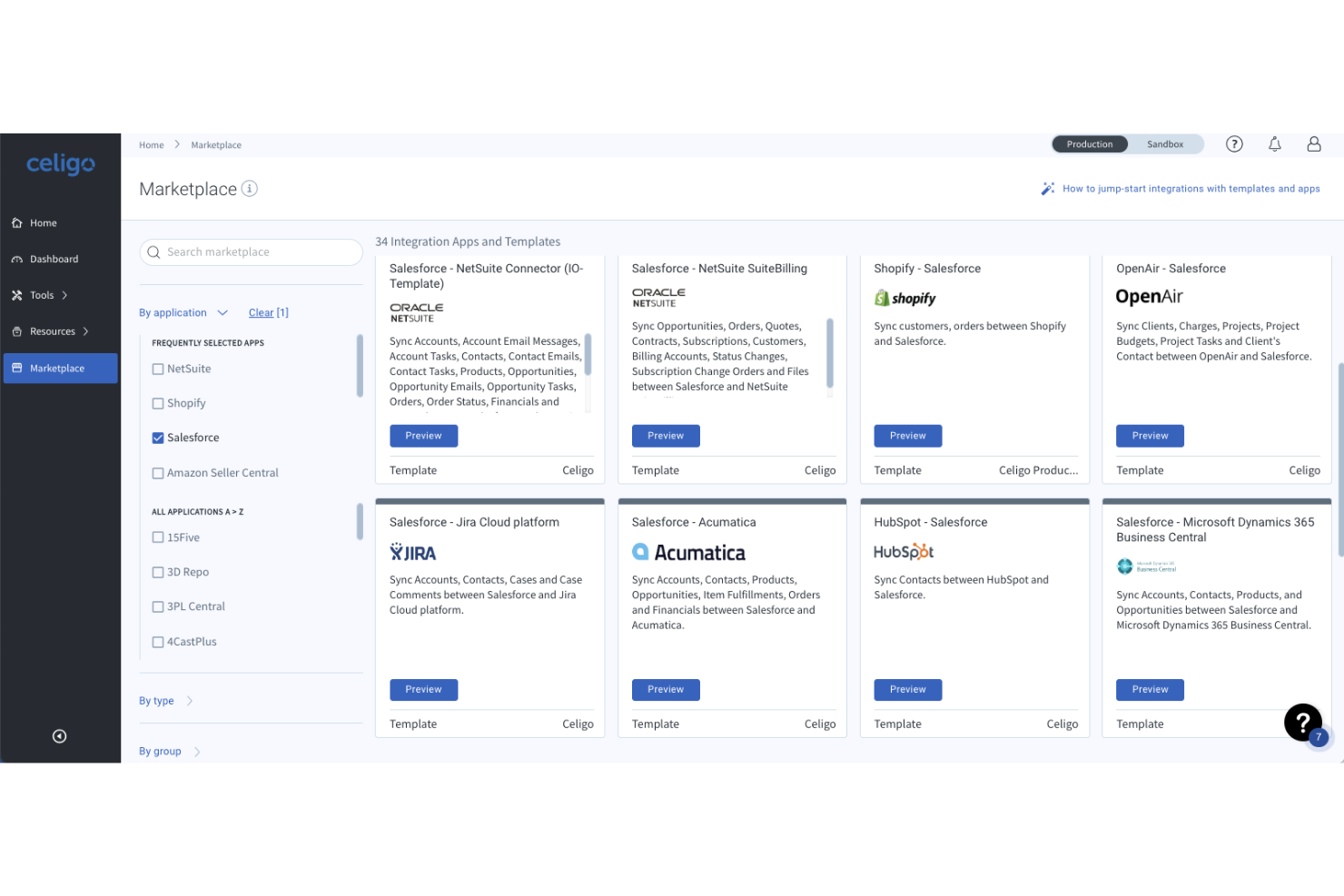
Celigo is an integration platform tailored for businesses that rely on NetSuite and other SaaS systems to automate and orchestrate workflows across finance, operations, and ecommerce. It's designed for IT teams and business users who need to simplify complex data flows without heavy custom development.
Who Is Celigo Best For?
IT and operations teams at midsize and enterprise companies automating workflows in finance, retail, and ecommerce.
Why Celigo Is a Good Jitterbit Alternative
I picked Celigo specifically because of how deep its NetSuite support goes. No other platform in this space comes close to its 80+ prebuilt NetSuite integrations, covering processes like quote-to-cash, procure-to-pay, and EDI workflows out of the box. I also appreciate its AI-powered error management, which automatically detects and resolves integration errors in real time. In practice, that means my team spends far less time debugging failed data syncs between NetSuite and connected systems like Shopify, Salesforce, or Workday.
Celigo Key Features
- B2B Manager for EDI: A built-in EDI management layer for onboarding trading partners, handling multiple EDI standards, and tracking B2B transactions alongside your other integrations.
- Data integration with ETL/ELT engine: A data pipeline engine that unifies, transforms, and moves high-volume data into your data warehouse so it's analytics-ready.
- Celigo Ora: An AI copilot built into the platform that lets you build, manage, and troubleshoot integrations using plain-language conversation, with a change approval step before anything takes effect.
- Agent builder: A tool for designing AI-driven automation agents that combine deterministic rules with autonomous reasoning, giving IT teams governance over how agents operate across enterprise systems.
Celigo Integrations
Celigo offers native integrations with NetSuite, Salesforce, Shopify, Amazon, Zendesk, ADP, ServiceNow, Slack, Google Workspace, and Microsoft 365.
Pros and Cons
Pros:
- Prebuilt flows for e-commerce and finance
- AI-based error management reduces manual fixes
- Deep NetSuite integration for ERP workflows
Cons:
- AI assistant sometimes misinterprets queries
- Some connectors lag behind new app updates
New Product Updates from Celigo
Celigo Expands Microsoft Entra Authentication for SQL Connectors
Celigo’s Azure Synapse and MS SQL connectors now support Microsoft Entra service principal authentication via client secrets and certificates, so you can connect securely without relying on SQL credentials. For more information, visit Celigo’s official site.
 .
.
Zapier
Best for connecting simple SaaS apps
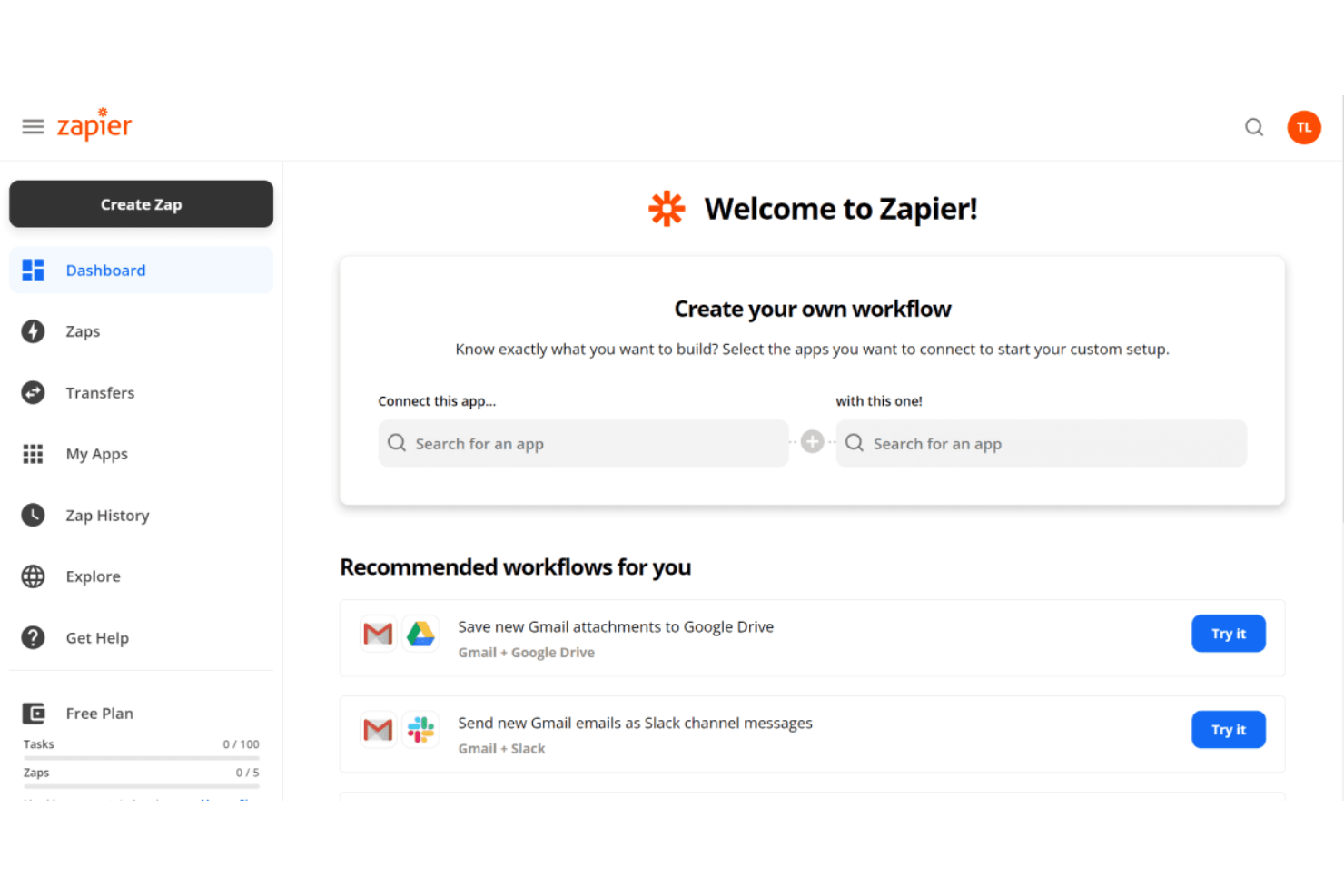
Zapier is a no-code automation platform built for non-technical users who want to connect cloud apps without engineering support. I’ve used it to set up cross-app workflows that sync tasks, send notifications, and automate manual SaaS processes.
Who Is Zapier Best For?
Operations managers and small teams in SaaS-driven businesses looking to automate routine tasks across cloud-based tools.
Why Zapier Is a Good Jitterbit Alternative
I picked Zapier because it makes cross-app automation genuinely accessible without any technical setup. Where Jitterbit often requires IT involvement for even basic integrations, I can build a working Zap in minutes using the step-by-step Zap editor, connecting apps like Slack, Google Sheets, and HubSpot through a simple trigger-and-action model. I also appreciate Zapier's multi-step Zaps with conditional logic, which lets my team route data differently based on specific criteria without writing a single line of code.
Zapier Key Features
- AI-powered Zap builder: Describe your automation in plain language and Zapier generates the Zap structure for you.
- Tables: Store, filter, and manage data from your Zaps in a built-in database without a third-party tool.
- Interfaces: Build simple internal forms and dashboards that trigger Zaps directly from user input.
- Paths: Split a single Zap into multiple branches based on conditions, so different rules apply to different scenarios.
Zapier Integrations
Zapier offers over 6,000 native integrations, including Google Sheets, Slack, Salesforce, HubSpot, Gmail, Trello, Asana, QuickBooks, Airtable, Shopify, and Mailchimp, and provides an API for custom integrations.
Pros and Cons
Pros:
- Instant syncing for real-time data movement
- Multi-step automations with conditional logic
- Supports no-code workflows across thousands of apps
Cons:
- Lacks enterprise-grade process monitoring
- Limited direct database or on-prem connections

Alteryx
Best for advanced data analytics
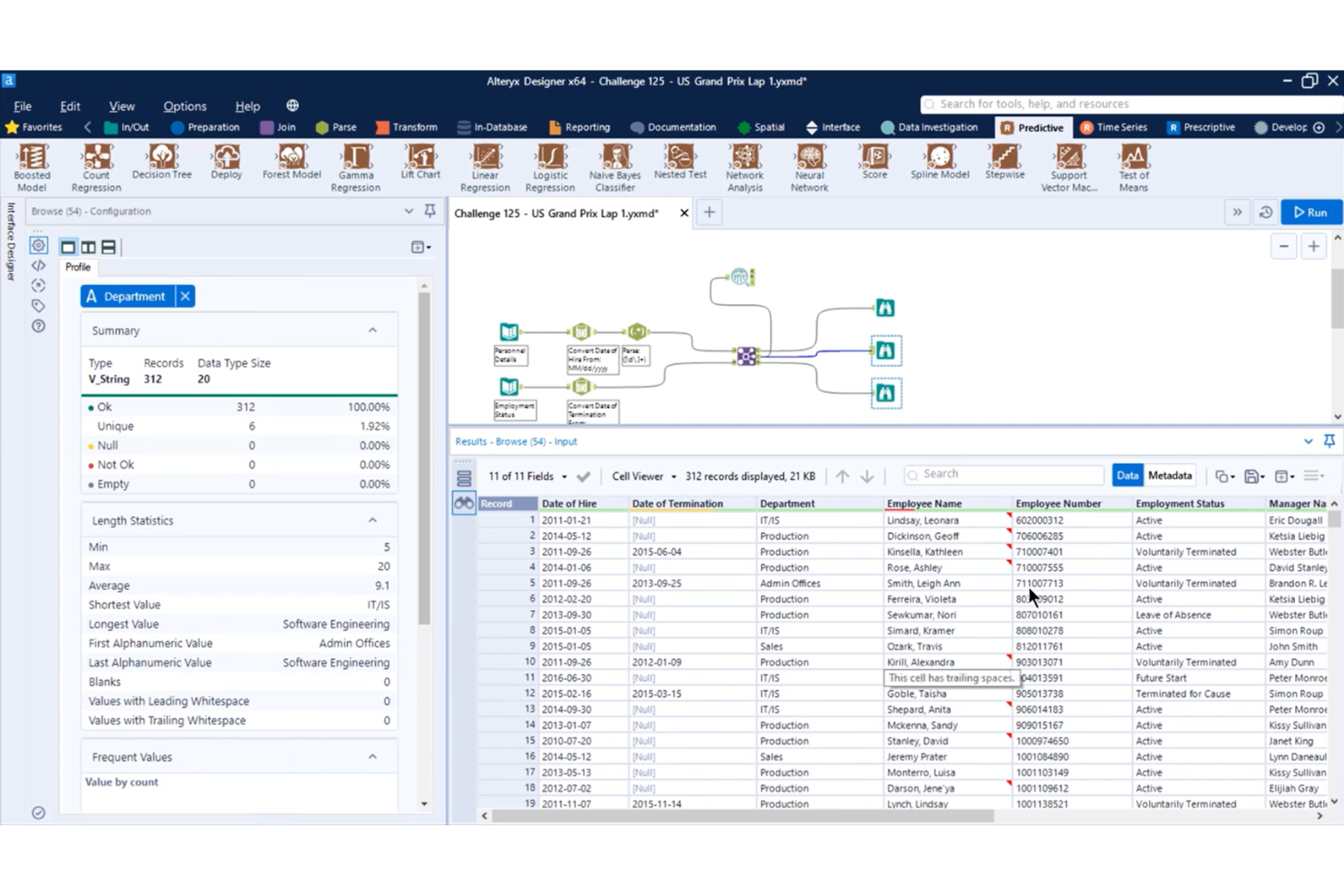
Alteryx brings advanced data analytics and automation together for organizations that need to prep, blend, and analyze large volumes of data without coding. I think it’s an ideal fit for analytics teams and business users who want to create powerful data workflows, including predictive and spatial analytics, all within a no-code, drag-and-drop interface.
Who Is Alteryx Best For?
Analytics teams and business analysts at enterprise companies who need advanced data blending, predictive modeling, or spatial analytics.
Why Alteryx Is a Good Jitterbit Alternative
I picked Alteryx because its no-code workflow canvas lets my team build multi-step data prep, blending, and transformation pipelines using 300+ drag-and-drop tools, without writing a single line of code. What separates it from other tools in this space is the built-in predictive and spatial analytics, which means my team can run machine learning models or geographic data analysis directly inside the same pipeline. I also appreciate the automated documentation that comes with every workflow, making it easy to audit and hand off complex data processes across teams.
Alteryx Key Features
- AutoML modeling: Build and run machine learning models inside your analytics workflow without switching to a separate data science tool.
- Workflow lineage tracking: Automatically capture and maintain end-to-end lineage across every step of your data pipeline for auditing and governance.
- Natural language interface: Query your data and generate insights using plain language through the Annie AI agent, without writing code or formulas.
- Shared analytics workspace: Build, run, and manage workflows in a centralized environment where business and IT teams collaborate on the same assets.
Alteryx Integrations
Alteryx offers 80+ native integrations, including Salesforce, Amazon Redshift, Snowflake, Google BigQuery, Tableau, Oracle, Microsoft SQL Server, SAP HANA, Databricks, and Azure Data Lake, and provides an API for custom integrations.
Pros and Cons
Pros:
- Advanced data cleansing and blending functions
- Supports automated end-to-end workflow documentation
- Includes predictive and spatial analytics tools
Cons:
- Limited real-time integration options
- Server deployment requires Windows environment

Make
Best for visual workflow complexity
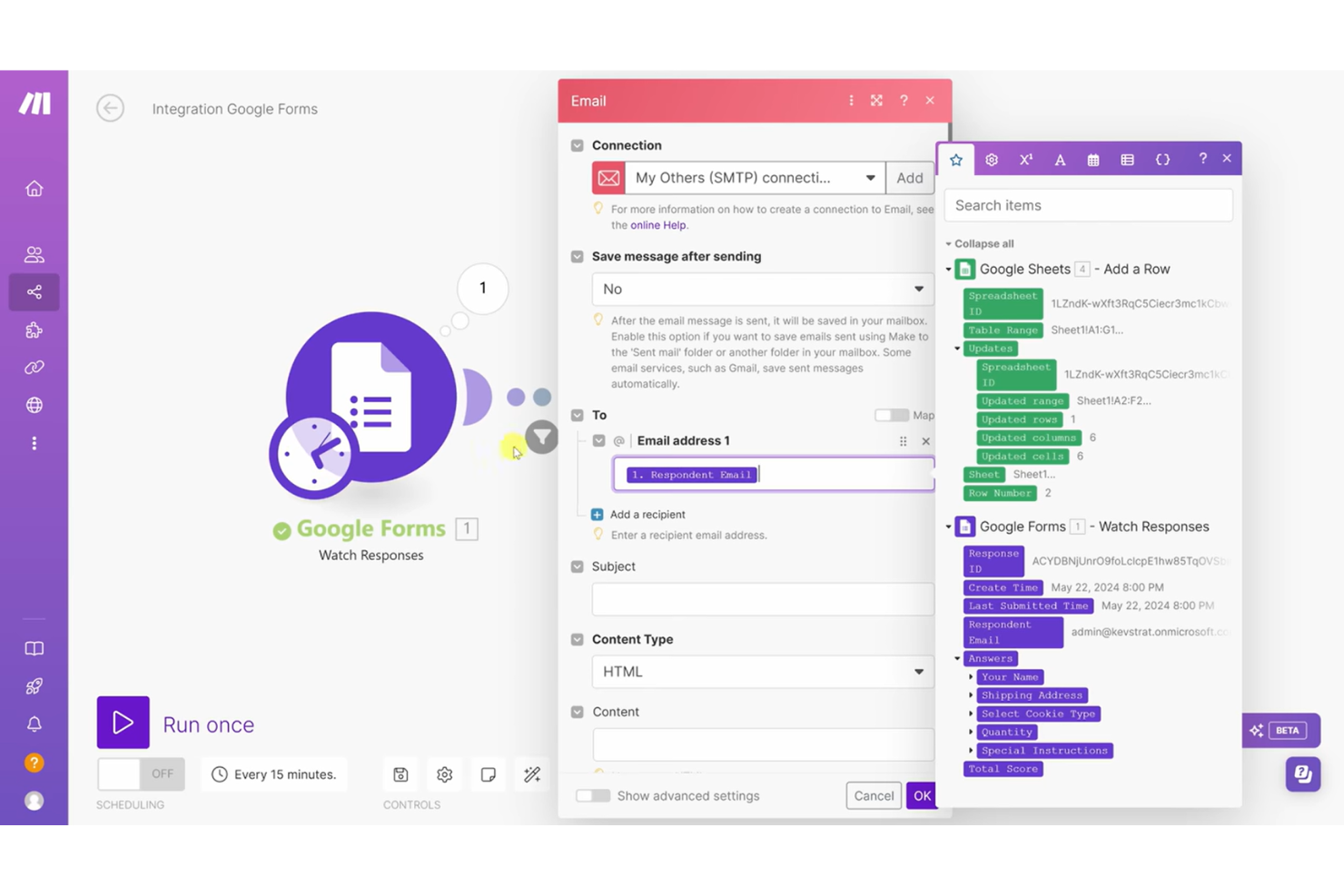
Make gives product and workflow teams a drag-and-drop platform to create intricate automations across their cloud systems. It appeals to users who want to visualize, iterate, and manage branched workflows for cross-app business processes.
Who Is Make Best For?
IT teams and business operations leads in midsize companies designing and maintaining complex, multi-step process automations.
Why Make Is a Good Jitterbit Alternative
I picked Make because its visual scenario builder genuinely changes how you think about complex workflow design. Instead of reading through linear steps, I can see every module, branch, and data transformation mapped out on a canvas—which makes debugging a multi-step process far more manageable than it is in Jitterbit's interface. For teams managing workflows that fan out across several apps and data sources, the Make gives a live map of every active automation, so nothing is running blind in the background.
Make Key Features
- Data manipulation: Transform and reformat data between apps using drag-and-drop functions inside the scenario editor.
- HTTP/webhooks: Send requests to any public API and trigger workflows from external web services without a pre-built connector.
- Make AI tools: Run AI tasks like text categorization and summarization using prebuilt no-code modules, no prompt engineering required.
- Observability dashboard: Track how workflows perform and are utilized over time through Make's built-in analytics dashboard.
Make Integrations
Make offers 3,000+ native integrations, including OpenAI, Google Gemini, Anthropic Claude, HubSpot, Microsoft 365, Pipedrive, Perplexity AI, Telegram, and Instagram for Business, with an API available for custom integrations.
Pros and Cons
Pros:
- HTTP/webhook modules for automation triggers
- Allows complex data transformations in workflows
- Visual builder supports deeply branched workflows
Cons:
- Basic workflow monitoring tools
- Limited on-premises integration support

n8n
Best for self-hosted deployment

n8n is a workflow automation tool built for teams that want to control where and how their data and automations run. It appeals to companies with security needs or technical teams seeking fully customizable, open standards-based process automation.
Who Is n8n Best For?
DevOps teams and IT departments at organizations with strict data security or privacy requirements looking for customizable workflow automation.
Why n8n Is a Good Jitterbit Alternative
I picked n8n because self-hosting it means our automation data never touches a third-party server—which matters when your workflows handle sensitive customer or compliance data. Deploying on your own infrastructure gives you full control over versioning, environment configs, and access management in ways cloud-only tools simply don't allow. For teams running automations across internal systems and private APIs, that flexibility makes n8n significantly more adaptable than most alternatives.
n8n Key Features
- AI nodes: Build LangChain-powered AI agents directly inside workflows using n8n's native AI nodes, with full control over the model and data flow.
- Secrets management: Pull credentials from AWS Secrets Manager, Azure Key Vault, Google Cloud Platform, HashiCorp Vault, and Infisical without storing them in n8n.
- Queue mode scaling: Run multiple worker instances in queue mode, letting n8n handle up to 220 workflow executions per second on a single instance.
- Git-based environments: Move workflows between development, staging, and production using a push-pull pattern with Git-based source control.
n8n Integrations
n8n offers 350+ native integrations, including Google Sheets, Slack, Shopify, Discord, Notion, Trello, Salesforce, GitHub, MySQL, and Microsoft 365, with an API for custom integrations.
Pros and Cons
Pros:
- Visual builder handles complex branching workflows
- Open source model enables deep workflow customization
- Self-hosted deployment supports strict data control
Cons:
- Needs advanced infrastructure skills
- Less enterprise ETL/data migration tooling

Boomi
Best for hybrid cloud connectivity

Boomi (formerly Dell Boomi) is a cloud-native integration platform as a service built for organizations juggling on-premises, cloud, and SaaS environments. It’s a strong choice for IT teams who want prebuilt connectors, ease of use via drag-and-drop workflows, and automation without heavy coding.
Who Is Boomi Best For?
IT teams at mid-size and large enterprises who need to connect hybrid cloud and on-premises systems.
Why Boomi Is a Good Jitterbit Alternative
I picked Boomi because its distributed hybrid runtime lets my team deploy integration workloads across cloud, on-premises, and edge environments from a single platform. That's the core of why it works so well for hybrid connectivity. I especially appreciate Boomi's Atom architecture, which lets us drop a lightweight runtime engine anywhere in our infrastructure—inside a firewall, on a private cloud, or at the edge—without routing sensitive data through a shared cloud. In practice, that means my team can run integrations exactly where the data lives, which is something Jitterbit's deployment model doesn't match with the same flexibility.
Boomi Key Features
- B2B/EDI management: Build and automate data exchange with trading partners directly within the platform, without needing a separate EDI solution.
- Boomi Flow: A low-code environment for building user-facing applications and automating multi-step workflows alongside your integrations.
- Event Streams: Create real-time, event-driven integrations that trigger actions across connected systems as data changes happen.
- Boomi Suggest: An AI-guided data mapping tool that draws on machine learning across 300M+ integrations to recommend field mappings between applications.
Boomi Integrations
Boomi offers native integrations with Salesforce, NetSuite, SAP, Workday, ServiceNow, Shopify, Microsoft Dynamics 365, and QuickBooks. An API is available for custom integrations.
Pros and Cons
Pros:
- Flexible data transformation and mapping tools
- Extensive catalog of prebuilt connectors
- Strong hybrid deployment and runtime options
Cons:
- Limited error log detail slows troubleshooting
- Connector maintenance requires frequent updates

Airbyte
Best for open-source data movement
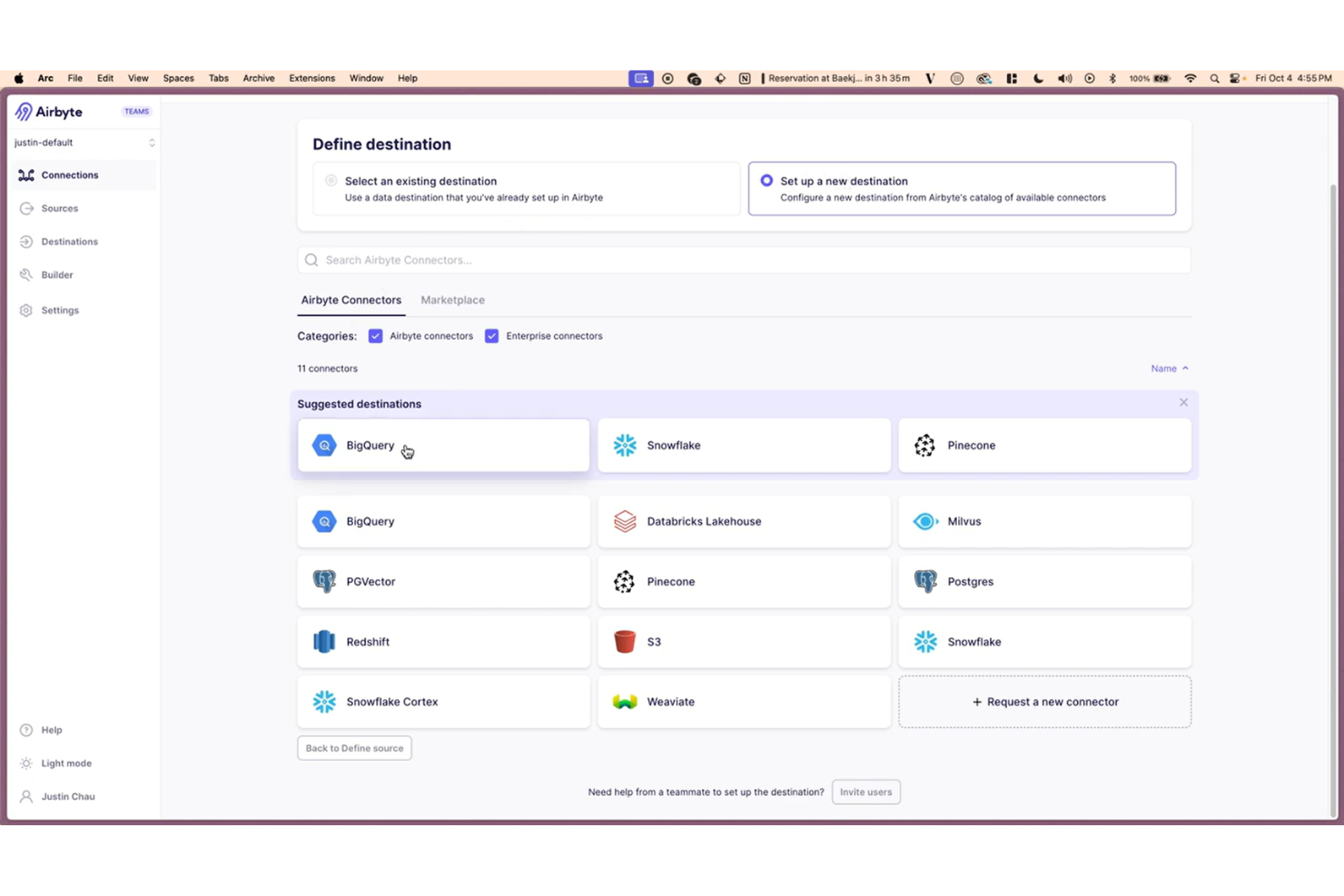
Airbyte is an open-source data integration platform that helps data teams connect, sync, and centralize information from a wide range of sources. It appeals to organizations that want control over their data pipelines and flexibility to build custom connectors.
Who Is Airbyte Best For?
Data engineers and analytics teams at companies building custom data pipelines with open-source solutions.
Why Airbyte Is a Good Jitterbit Alternative
I picked Airbyte because its open-source foundation means my team can self-host the entire platform and keep data pipelines completely within our own infrastructure—no vendor holding our data. What makes it genuinely different from Jitterbit is Airbyte's Connector Development Kit (CDK), which lets me build a custom connector from scratch in about 30 minutes using Docker containers, in any language. For teams moving data into warehouses like Snowflake or Databricks, that combination of custom connectors and CDC makes Airbyte a serious alternative to Jitterbit's more proprietary, managed approach.
Airbyte Key Features
- Reverse ETL: Push processed data back into operational tools like CRMs and marketing platforms to activate insights across your go-to-market stack.
- Vector database destinations: Sync data directly into Pinecone and Weaviate to support RAG models and AI application development.
- dbt transformation layer: Apply custom dbt transformations to your data directly within Airbyte pipelines, without needing a separate orchestration tool.
- PyAirbyte: Run Airbyte connectors as Python code, letting data engineers embed data movement directly into scripts and notebooks.
Airbyte Integrations
Airbyte offers 600+ native integrations, including Salesforce, Snowflake, Google BigQuery, PostgreSQL, MySQL, Redshift, and Stripe. An API is available for building custom integrations.
Pros and Cons
Pros:
- Open source core prevents vendor lock-in
- Massive library of 600+ pre-built connectors
- Offers capacity-based pricing
Cons:
- Unreliable community-maintained connectors
- Requires external tools for advanced transformations

Best for low-code ETL pipelines
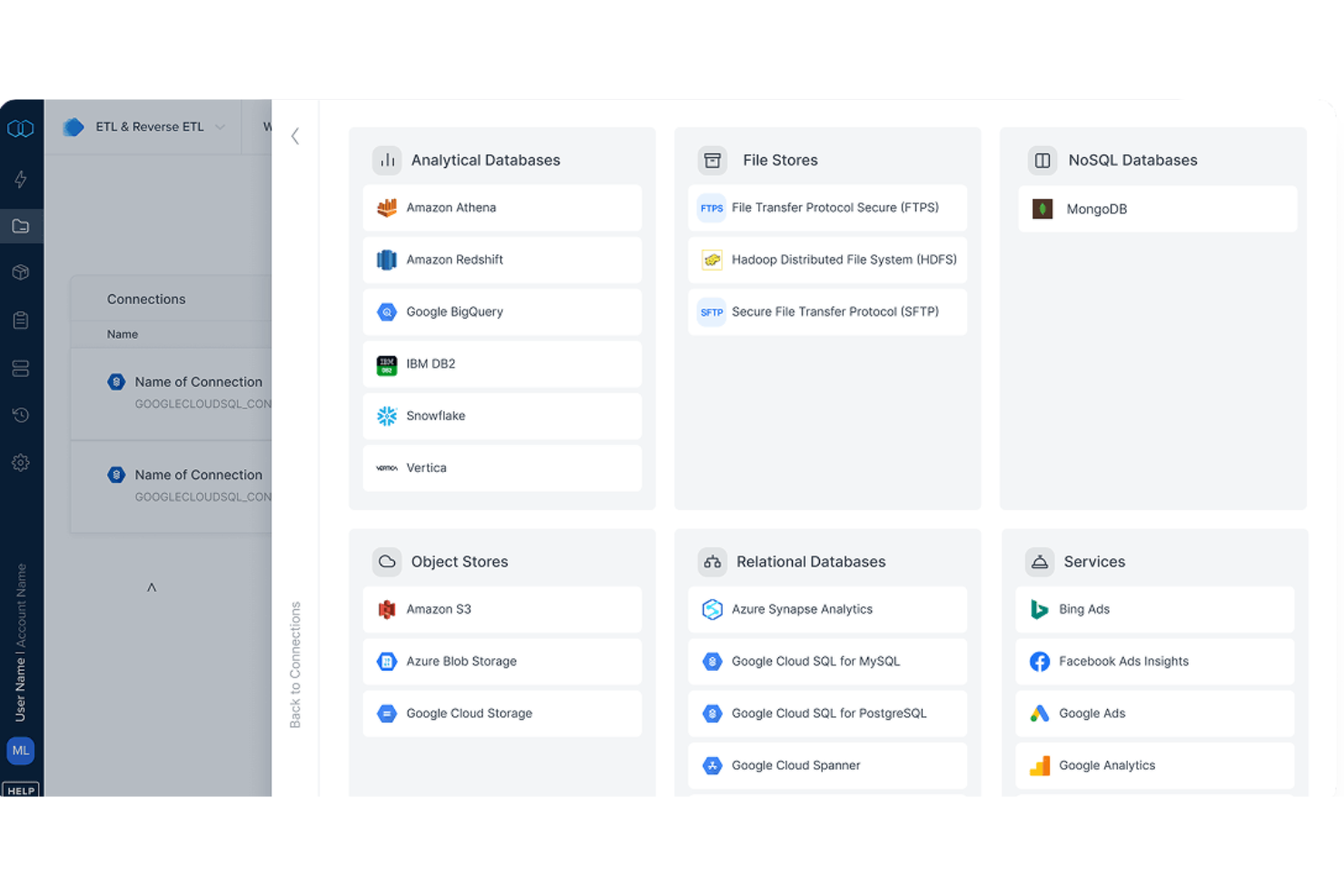
Integrate.io is a cloud-based data integration platform designed for teams that need to move, transform, and centralize data across cloud apps and databases. It’s a good fit for businesses looking for a visual solution to automate and manage complex ETL and data workflow tasks.
Who Is Integrate.io Best For?
Data teams at mid-sized and enterprise companies that need low-code ETL pipelines to unify and automate data flows across multiple cloud sources.
Why Integrate.io Is a Good Jitterbit Alternative
I picked Integrate.io because its low-code ETL pipeline builder gives teams a drag-and-drop environment with 220+ built-in data transformations, so you can reshape and route data across systems without writing SQL or custom scripts. I like that it handles both ETL and reverse ETL in the same platform, which means my team can push clean, transformed data back into operational tools like Salesforce without building separate pipelines. The sub-60-second CDC database replication is something I haven't seen matched elsewhere, making it practical for real-time dashboards and live reporting. For teams replacing Jitterbit's data integration layer, that combination of visual pipeline design and near-real-time sync is hard to beat.
Integrate.io Key Features
- File prep and delivery: Automate file-based workflows by ingesting data from SFTP and Excel sources and delivering clean, transformed outputs.
- Pipeline scheduling: Set recurring pipeline schedules without code, or use Cron expressions for more advanced timing requirements.
- Logic and dependencies: Chain pipelines together and execute SQL queries in a specific order based on the dependencies you define.
- Monitoring and alerts: Configure pipeline status notifications to send to email, Slack, or PagerDuty when pipeline events occur.
Integrate.io Integrations
Integrate.io has 140+ native integrations, including Salesforce, Shopify, Amazon Redshift, Google BigQuery, Snowflake, MySQL, PostgreSQL, HubSpot, Google Sheets, and Microsoft SQL Server. An API is available for custom integrations.
Pros and Cons
Pros:
- Pricing includes unlimited data pipelines
- Near-real-time data replication for live analytics
- Drag-and-drop pipeline builder simplifies ETL tasks
Cons:
- Error logs can lack detailed information
- Pricing is higher than many alternatives


MuleSoft helps large organizations unify AI-driven workflow automation and integration capabilities across complex systems and APIs. If you manage enterprise integrations, you can use MuleSoft to automate data flows and scale integrations without rigid coding requirements.
Who Is MuleSoft Best For?
Enterprise IT teams with unified API management and complex integration needs across multiple business systems.
Why MuleSoft Is a Good Jitterbit Alternative
I picked MuleSoft because its API-led connectivity model gives enterprise teams a structured way to manage integrations at scale. I especially appreciate Anypoint Platform, which lets my team design, deploy, and monitor integration processes and APIs from a single environment. In practice, that means we can enforce governance policies across every API layer without jumping between separate tools. For teams running complex, multi-system architectures, that level of centralized control is something Jitterbit doesn't match.
MuleSoft Key Features
- MuleSoft Dev Agent: An AI assistant built for enterprise integration that generates code and insights across the full application lifecycle.
- Anypoint Exchange: A marketplace where your team can discover, share, and reuse APIs, connectors, templates, and integration assets across projects.
- Anypoint Runtime Manager: A single dashboard for deploying, managing, and monitoring Mule applications across cloud and on-premises environments.
- Anypoint MQ: An enterprise-grade message queuing and pub/sub service for reliable messaging between distributed systems.
MuleSoft Integrations
MuleSoft offers native integrations across the Salesforce ecosystem, SAP, ServiceNow, Workday, and NetSuite. MuleSoft Anypoint Platform provides an API for custom integrations.
Pros and Cons
Pros:
- Centralized monitoring for all integration flows
- Built-in tools for API lifecycle automation
- Deep API management and governance features
Cons:
- Lacks lightweight options for smaller teams
- Can require significant development resources


Tray.ai is a low-code automation platform designed for operations, IT, and growth teams who need to orchestrate complex workflows across cloud apps and internal systems. It stands out for offering advanced API connectivity and AI-powered automation for scaling business processes.
Who Is Tray.ai Best For?
Operations and IT teams at mid-sized to enterprise companies automating business processes across multiple software platforms.
Why Tray.ai Is a Good Jitterbit Alternative
I picked Tray.ai because its process automation layer lets you model workflows exactly as they run in production, with explicit branching logic, parallel paths, and decision rules built visually rather than buried in custom code. Where Jitterbit leans on preconfigured templates, Tray.ai lets my team define and update business rules as requirements shift without workarounds. I particularly like Merlin AI, which translates natural language instructions into full multi-step workflows across connected systems. In practice, that means my team can build a cross-system process like pulling open Salesforce opportunities, cross-referencing a sales intelligence tool, and routing results via Slack, all without writing a single line of code.
Tray.ai Key Features
- Intelligent document processing: Extract structured data from PDFs, images, and other unstructured files using natural language queries.
- Merlin Agent Builder: Design, test, and launch AI agents using a no-code builder without writing custom code.
- API management: Publish, secure, and share APIs across systems with policy controls and an AI gateway.
- Observability dashboard: Stream logs and monitor which agents and integrations are running, including what triggered each one.
Tray.ai Integrations
Tray.ai offers native integrations, including Salesforce, HubSpot, Slack, NetSuite, Google Sheets, Zendesk, Snowflake, and Microsoft 365. An API is available for custom integrations.
Pros and Cons
Pros:
- Visual workflow editor for intuitive process design
- Supports real-time multi-system data syncs
- Flexible API connectivity for custom projects
Cons:
- Limited offline or on-premise deployment options
- Some connectors may lack advanced configurations
Andre Jitterbit-alternativer
Her er noen flere Jitterbit-alternativer som ikke kom med på kortlisten min, men som likevel er verdt å undersøke:
- SnapLogic
For generative AI-powered integration
- Informatica IDMC
For large-scale data governance
- Workato
For AI-powered recipe automation
- Paragon
For integrations-as-code deployment
- Microsoft Power Automate
For Microsoft 365 ecosystem synergy
- Prismatic
For B2B software vendors
- Alumio
For e-commerce data synchronization
- Oracle Integration
For Oracle ERP and cloud apps
- IBM webMethods
For legacy system modernization
- Merge
For unified API development


How I Evaluate Jitterbit Alternatives
I first confirm each platform covers what Jitterbit already delivers—connectors, API management, visual mapping, and hybrid agents for syncing cloud apps with on-prem ERPs. Then I look at what separates one option from the next.
Core Functionality (Table Stakes For This List)
When I'm selecting tools for my list, I rank each one on a scale from 0 (does not offer the functionality) to 5 (excels in this area) for each core functionality listed below. Then, I calculate the tool's total score into a percentage. Each tool needs to achieve a minimum total score of 65% to be considered for inclusion.
- Pre-Built Connector Library: I check how many certified connectors a platform offers and whether it covers the enterprise apps teams actually use—think Salesforce, SAP, NetSuite, and Workday.
- API Lifecycle Management: The ability to design, publish, version, and secure APIs matters. I evaluate whether the platform supports full lifecycle controls or just basic API consumption.
- Data Transformation & Mapping: I look for a visual mapper that handles real-world complexity, like translating nested JSON from a CRM into flat-file formats an ERP can ingest.
- Workflow Automation: Multi-step orchestration with branching, error handling, and event-based triggers is what I evaluate here—not just simple scheduled data syncs.
- Hybrid Deployment Support: Many teams still run on-prem ERPs alongside cloud SaaS tools. I check whether the platform offers secure agents or gateways to bridge both environments.
- Low-Code Development Environment: A drag-and-drop designer that lets integration architects build quickly—while still allowing scripting when needed—is what separates usable platforms from clunky ones.
Once I have a list of tools that meet the criteria, I consider what sets each platform apart.
Differentiating Factors (What Sets Vendors Apart)
Here's how I compare and contrast different vendors:
Standout Features
AI-powered integration is a major differentiator. I look for platforms where the AI goes beyond autocomplete to suggest field-level mappings between complex schemas and flag anomalies in live data pipelines. Pre-built integration templates also matter—a ready-made quote-to-cash recipe connecting your CRM to your ERP can cut deployment from weeks to days. For teams running event-driven architectures, I evaluate whether a platform supports real-time streaming via Kafka or change data capture, since batch syncing falls short when inventory or order data needs to propagate instantly.
Beyond Features
Pricing models vary across the iPaaS space—some vendors charge per connector, others by transaction volume—so I evaluate how costs scale as your team adds endpoints or increases data throughput. Security certifications also carry real weight. If your organization handles healthcare or financial data, I check for SOC 2 Type II and HIPAA attestations before going further. Scalability rounds out my evaluation. A platform that handles demo-day volumes won't necessarily hold up when you're processing thousands of order records per minute during peak periods.
Hvorfor se etter et Jitterbit-alternativ?
Selv om Jitterbit er et godt valg av programvare for AI-drevet arbeidsflytautomatisering, finnes det flere grunner til at noen brukere ser etter alternative løsninger. Det kan hende du ser etter et Jitterbit-alternativ fordi …
- Du trenger mer avanserte funksjoner for AI-drevet automatisering
- Integrasjonsalternativene for eldre eller nisjepregede systemer er begrensede
- Skalerbarhet for ekstremt store arbeidsflyter er en bekymring
- Prisstrukturen passer ikke teamets budsjett
- Fleksibiliteten ved distribusjon eller mulighetene for lokal drift er mangelfulle
- Støtte eller ressurser er ikke tilgjengelige i regionen din
Hvis noe av dette høres kjent ut, har du kommet til rett sted. Listen min inneholder flere alternativer for programvare for AI-drevet arbeidsflytautomatisering som er bedre egnet for team som møter disse utfordringene med Jitterbit og ser etter alternative løsninger.
Viktige funksjoner i Jitterbit
Her er noen av de viktigste funksjonene i Jitterbit, slik at du kan se forskjeller og sammenligne hva alternative løsninger tilbyr:
- Arbeidsflytautomatisering: Bygg, tilpass og planlegg automatiserte prosesser som kobler sammen ulike systemer og applikasjoner for å eliminere manuelle oppgaver og redusere feil.
- API-administrasjon: Utform, distribuer og overvåk API-er på én plattform, slik at sikker datautveksling og integrasjon på tvers av virksomhetens teknologistakk blir mulig.
- Skyintegrasjon: Koble sammen skytjenester og lokalt installerte systemer, slik at data flyttes og synkroniseres på tvers av ulike miljøer.
- Ferdigbygde koblinger: Få tilgang til et omfattende bibliotek med koblinger for populære applikasjoner som Salesforce, SAP, NetSuite, Microsoft Dynamics og ServiceNow for å fremskynde integrasjonsprosjekter.
- Utvikling med lite kode: Bruk visuelle dra-og-slipp-verktøy og logikk med lite kode til å opprette komplekse integrasjoner og arbeidsflyter uten omfattende involvering fra IT-avdelingen eller tilpasset programmering.
- Sanntidsintegrasjon: Aktiver hendelsesstyrte eller behovsbaserte dataflyter, slik at informasjon flyttes umiddelbart mellom applikasjoner og systemene holdes oppdatert.
- Datatransformasjon: Rens, berik og omform data når den flyttes mellom kilder, slik at informasjonen er konsistent og anvendelig på tvers av prosessene dine.
- Feilhåndtering og overvåking: Spor integrasjonsaktivitet, generer varsler og feilsøk ved hjelp av detaljerte logger og oversikter for økt pålitelighet og åpenhet.
- Skalerbar arkitektur: Støtt både små installasjoner og virksomhetsomfattende implementeringer med god ytelse, høy tilgjengelighet og fleksible implementeringsalternativer.
- Rollebasert tilgangskontroll: Definer brukertillatelser og arbeidsdeling for å beskytte sensitive data og opprettholde styring på tvers av automatiserings- og integrasjonsprosjekter.