

10 beste programmer for e-fakturering i 2026

Kortliste over programvare for e-fakturering


Programvare for e-fakturering lar deg opprette, sende og administrere digitale fakturaer, slik at teamet ditt kan droppe manuelt papirarbeid og redusere fakturafeil. Hvis du leter etter den beste programvaren for e-fakturering, ønsker du sannsynligvis å forenkle leverandørreskontroen, overholde skattereglene og holde kontantstrømmen forutsigbar.
Med så mange alternativer der ute kan det være vanskelig å vite hvilke verktøy som faktisk lever opp til løftene sine. Denne guiden gjennomgår de beste plattformene for e-fakturering, slik at du raskt kan sammenligne funksjoner og finne den løsningen som passer best for virksomheten din i 2026.
Why Trust Our Software Recommendations
Our team has been testing and reviewing software since 2012. As project managers ourselves, we know how difficult—and important—it is to choose the right software.
For this guide, we evaluated tools using hands-on testing and independent research, scoring tools using our selection criteria. We also draw on insights from industry thought leaders and practicing project management experts.
Our reviews reflect our human editorial judgment, not a sales pitch.
Expert reviewers:
Sammenligningstabell: Programvare for e-fakturering
Denne sammenligningstabellen oppsummerer prisopplysningene for mine beste utvalgte programmer for e-fakturering.
| Tool | Best For | Trial Info | Price | ||
|---|---|---|---|---|---|
| 1 | Best for e-invoicing across 50+ countries | Free demo available | Pricing upon request | Website | |
| 2 | Best for multilingual document processing | Free demo available | Pricing upon request | Website | |
| 3 | Best for compliant e-invoicing at scale | Free demo available | Pricing upon request | Website | |
| 4 | Best for multi-country mandate compliance | Free demo available | Pricing upon request | Website | |
| 5 | Best for global e-invoicing networks | Free demo available | Pricing upon request | Website | |
| 6 | Best for EDI and e-invoicing in 60+ countries | Free demo available | Pricing upon request | Website | |
| 7 | Best for supplier collaboration | Free plan available | Pricing upon request | Website | |
| 8 | Best for cloud document automation | Free demo available | Pricing upon request | Website | |
| 9 | Best for multinational tax compliance invoicing | Free demo available | Pricing upon request | Website | |
| 10 | Best for tax-compliant invoicing | Free demo available | Pricing upon request | Website |
Anmeldelser av programvare for e-fakturering
Nedenfor finner du mine detaljerte sammendrag av programmene for e-fakturering som kom med på kortlisten min. Anmeldelsene mine gir en detaljert gjennomgang av funksjonene, integrasjonene og prisene for hver plattform, slik at du kan finne den beste løsningen for deg.
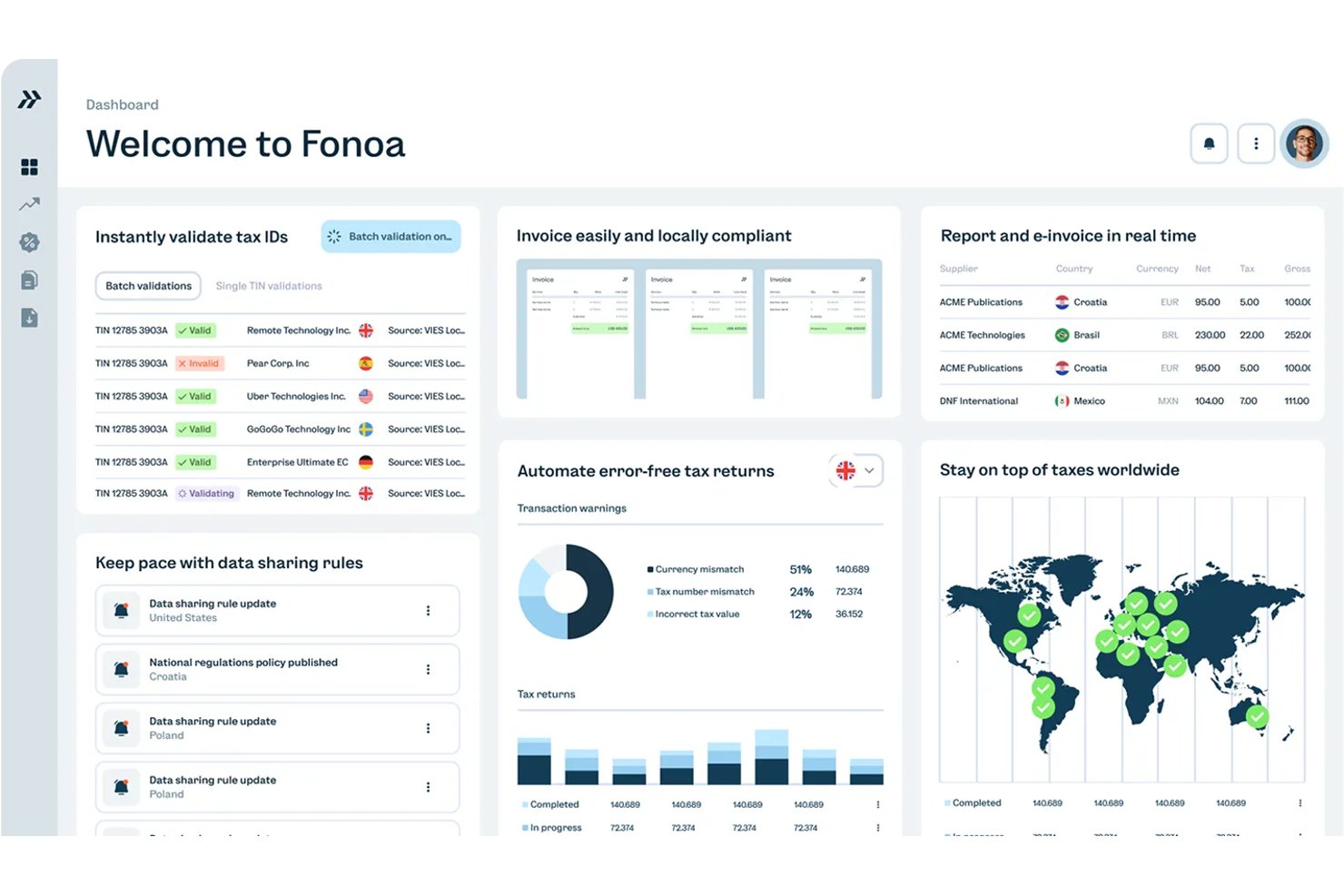
Fonoa is an API-first indirect tax platform that handles e-invoicing, tax ID validation, tax calculation, and returns filing across multiple countries from a single data model.
Who Is Fonoa Best For?
Fonoa is a strong fit for finance teams at high-volume digital businesses that need to issue compliant invoices across multiple countries through a single API integration.
Why I Picked Fonoa
I picked Fonoa as one of the best because it handles e-invoicing across 50+ countries through a single API and a single data model, which is genuinely rare. Instead of rebuilding integrations for each new market, Fonoa converts your transaction data into whatever format that country requires, whether that's Factur-X, UBL, or Peppol. It's also a certified Peppol Access Point and an accredited platform for France's e-invoicing reform, so mandate compliance isn't something your team has to chase manually.
Fonoa Key Features
- Tax ID validation: Checks and verifies tax IDs across 120+ countries, with support for company name search and fuzzy matching.
- Pre-submission invoice validation: Flags errors and automates fixes before invoices reach tax authorities, reducing rejections at the point of submission.
- Webhook-based status notifications: Reports each invoice operation as in progress, failed, or completed, with real-time webhook alerts and polling support.
- Multi-currency and multi-language invoice generation: Issues compliant invoices in multiple currencies and languages from a single integration, without requiring local templates.
Fonoa Integrations
Fonoa supports integrations with SAP, Oracle Fusion Cloud, and NetSuite through its API. No certified marketplace integrations are clearly documented, but the REST API, sandbox, webhooks, and versioned endpoints support custom connectivity.
Pros and Cons
Pros:
- Reviewers praise responsive compliance support
- Supports multiple structured invoice formats
- Handles multi-country mandates through one API
Cons:
- Coverage claims vary across vendor pages
- Built primarily for technical enterprise teams
Best for multilingual document processing
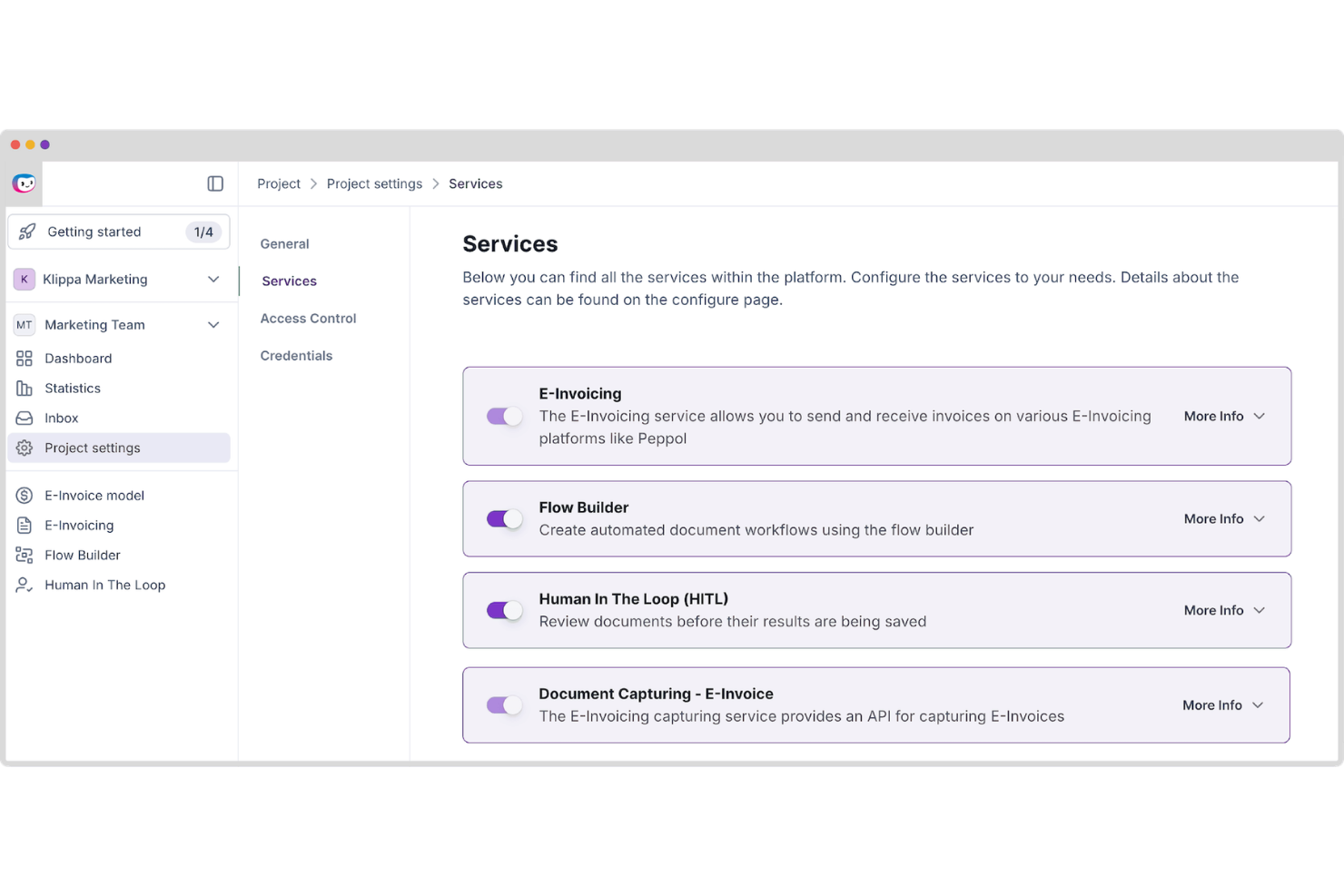
Doxis AI.dp is an AI-powered intelligent document processing platform that automates document classification, OCR-based data extraction, validation, and conversion across invoices and other business documents, including e-invoicing formats such as UBL and XML.
Who Is Doxis AI.dp. Best For?
Doxis AI.dp is a good fit for mid-size to enterprise finance and operations teams that need to process multilingual invoices and other business documents across multiple formats and regions.
Why I Picked Doxis AI.dp.
I've included Doxis AI.dp in my top picks because its multilingual OCR engine can extract structured data from invoices across multiple languages and formats. In practice, that means your team can feed invoices from European, Asian, and Latin American suppliers into the same pipeline and get clean, validated output. It also supports country-specific e-invoicing formats such as Factur-X, Peppol BIS, and UBL, which are valuable for organizations processing cross-border invoices at scale.
Doxis AI.dp. Key Features
- Invoice matching: Compare invoice data against related business documents to identify discrepancies before approval.
- Fraud detection: Identify potentially altered, duplicate, or suspicious invoices before they enter downstream workflows.
- Data validation: Check extracted invoice fields against configurable rules to verify completeness and accuracy.
- Digital archiving: Store processed invoices in a searchable archive to support audits and compliance requirements.
Doxis AI.dp. Integrations
Doxis AI.dp integrates with Oracle NetSuite, SAP, Microsoft Dynamics, Odoo, and Sage, and provides APIs and SDKs for custom integrations. It also supports workflow automation through platforms such as Make and Workato.
Pros and Cons
Pros:
- Built-in document fraud detection tools
- No-code drag-and-drop workflow builder
- Handles UBL, XML, and other e-invoicing formats
Cons:
- Enterprise-focused platform may exceed small business needs
- Setup may be complex for custom workflows
New Product Updates from Doxis AI.dp.
Doxis AI.dp Improves Dataset Validation and API Controls
Doxis AI.dp improves dataset editing with real-time type validation, better field controls, and save prevention on invalid values, plus new API capabilities. These updates help teams maintain cleaner dataset values and manage rows more reliably. For more information, visit Doxis AI.dp’s official site.
 .
.
OpenText
Best for compliant e-invoicing at scale
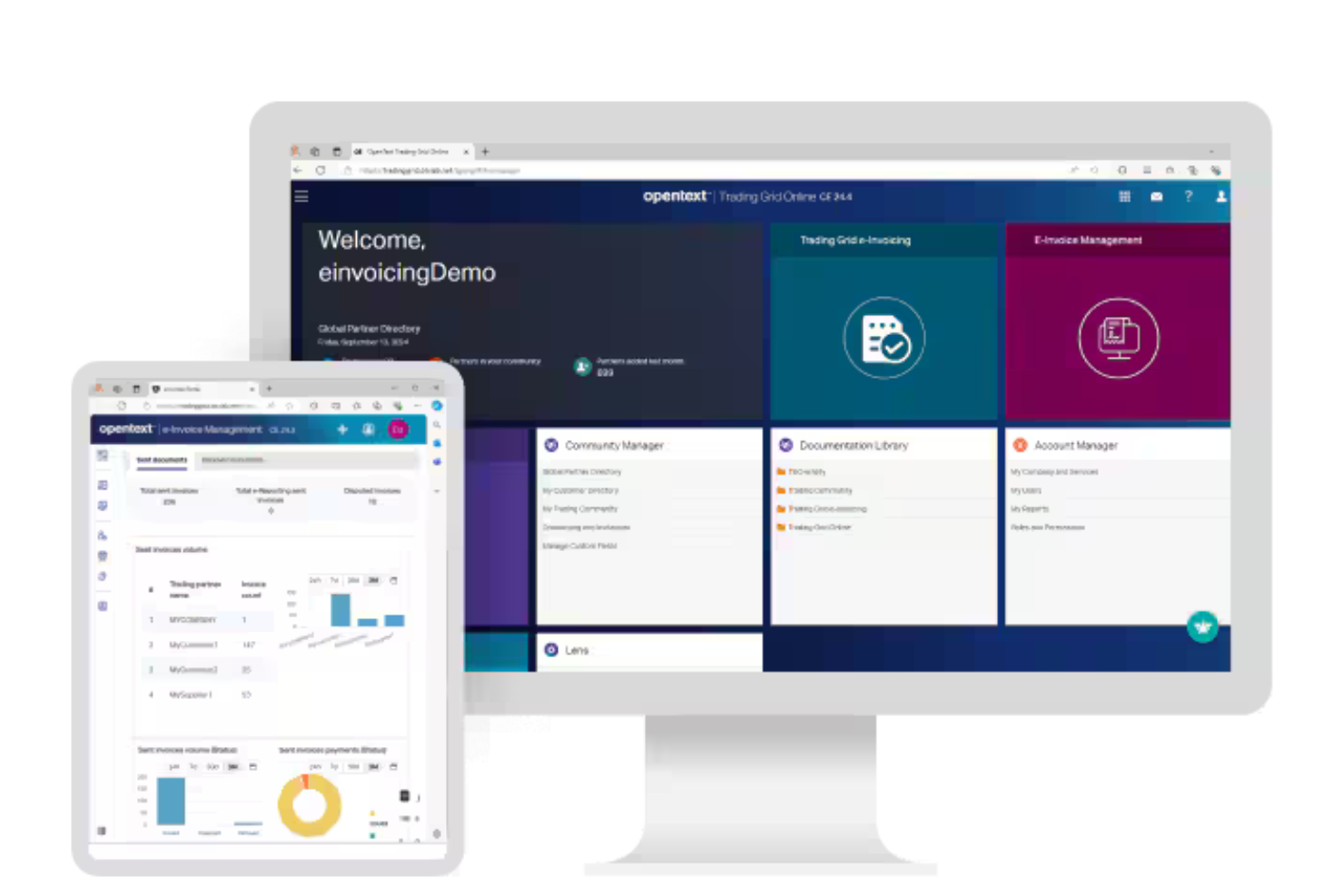
OpenText is an e-invoicing management platform that centralizes invoice capture, validation, compliance, and digital archiving for businesses handling global electronic invoicing requirements.
Who Is OpenText Best For?
OpenText is a strong fit for multinational enterprises and finance teams managing complex, cross-border e-invoicing and compliance requirements.
Why I Picked OpenText
I picked OpenText as one of the best because I can manage global e-invoice compliance and validation in a single platform. My team uses OpenText to automate invoice capture, apply country-specific tax rules, and archive documents for audit readiness. I like that it supports integration with government e-invoicing networks and handles complex cross-border requirements.
OpenText Key Features
- Invoice workflow automation: Routes invoices through configurable approval and exception workflows.
- Supplier portal: Lets suppliers submit and track invoices online.
- Duplicate invoice detection: Flags and prevents duplicate invoice entries automatically.
- Audit trail: Maintains a detailed log of all invoice actions and approvals.
OpenText Integrations
OpenText offers native integrations with SAP, Oracle, Microsoft Dynamics 365, NetSuite, and Salesforce, and provides an API for custom integrations.
Pros and Cons
Pros:
- Supports invoice compliance in multiple countries
- Offers supplier self-service invoice portal
- Automates two and three-way invoice matching
Cons:
- Workflow modifications require technical support
- Dashboard widgets for invoices are limited
Avalara
Best for multi-country mandate compliance

Avalara is a global e-invoicing compliance platform that handles structured invoice creation, validation, country-mandate formatting, and multi-network delivery across Latin America, Europe, the Middle East, and Asia.
Who Is Avalara Best For?
Avalara is a strong fit for mid-market and enterprise finance teams managing e-invoicing compliance across multiple countries and tax jurisdictions.
Why I Picked Avalara
Avalara earns its spot on my shortlist because no other tool handles the sheer breadth of country mandates from a single integration point the way it does. I love that you activate new country requirements directly in the console, so when France's B2B mandate rolled out in September 2026, existing customers could switch it on without a new implementation. Avalara also converts incoming supplier invoices from any mandated format into standard UBL XML, which means your AP automation pipeline stays clean across every jurisdiction you operate in.
Avalara Key Features
- XSD/Schematron validation: Invoices are checked against schema and business rules before sending to reduce tax authority rejections.
- Free U.S. domestic e-invoicing: Send and receive B2B invoices and credit notes through the DBNAlliance network at no document or transaction cost.
- AP invoice normalization: Incoming supplier e-invoices in any mandated format are automatically converted into standard UBL XML for your AP pipeline.
- Sandbox environment: Every customer gets a free sandbox connected to government test systems for pre-production testing.
Avalara Integrations
Avalara offers integrations with SAP, Oracle, NetSuite, Microsoft Dynamics 365, and Workday. Its REST API and Avalara Integration Studio support custom connections to other ERP, accounting, ecommerce, and billing systems.
Pros and Cons
Pros:
- Tracks delivery, acceptance, and audit trails
- Normalizes incoming invoices for AP automation
- Broad coverage for country-specific mandates
Cons:
- Support quality receives mixed customer reviews
- Enterprise setup demands substantial implementation work

Basware
Best for global e-invoicing networks
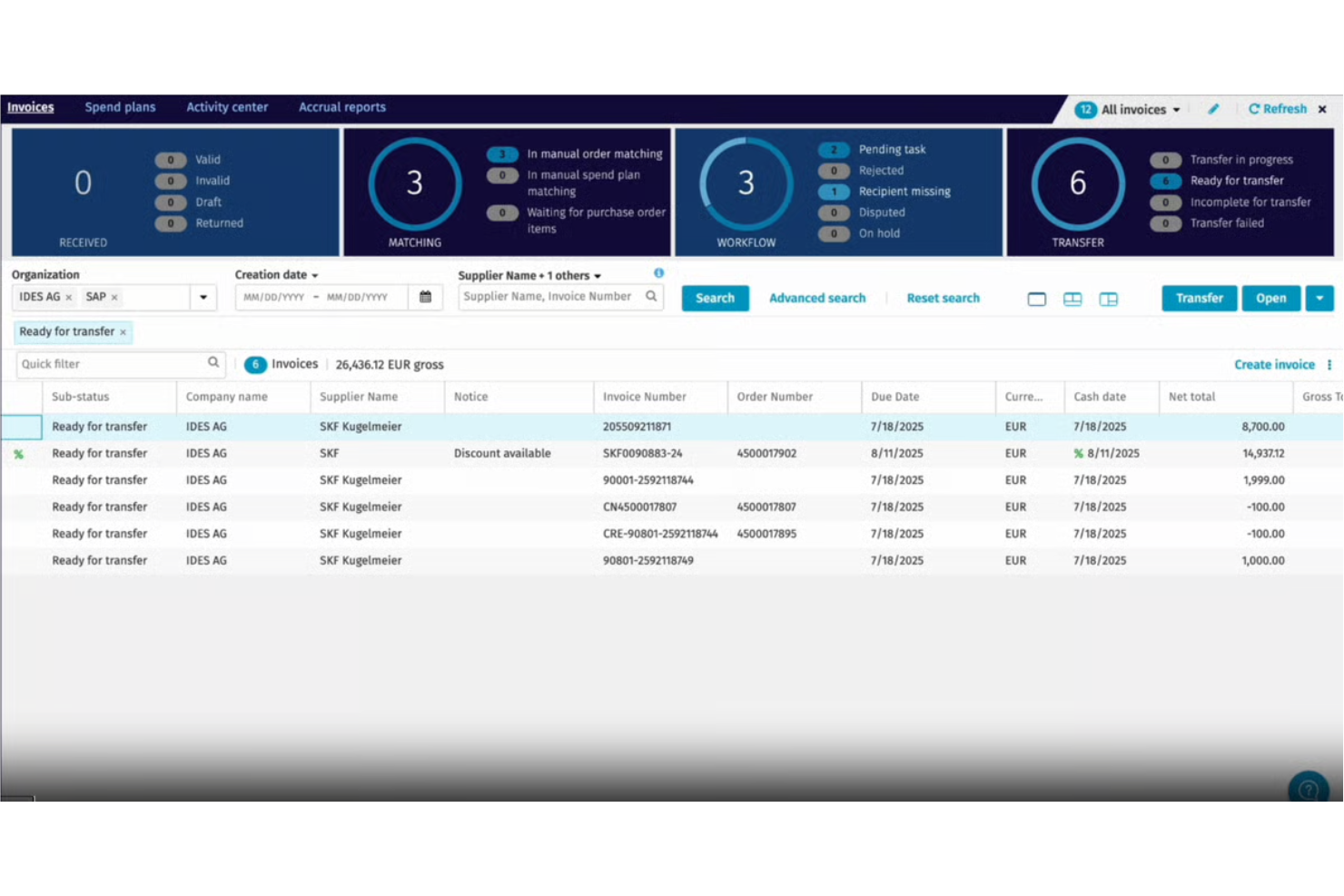
Basware is an e-invoicing software platform that connects buyers and suppliers through a global open network, offering automated invoice capture, validation, compliance, and multi-format document exchange.
Who Is Basware Best For?
Basware is a strong fit for multinational enterprises and finance teams managing high invoice volumes across multiple countries and suppliers.
Why I Picked Basware
I picked Basware because I rely on its open e-invoicing network to connect with suppliers worldwide, regardless of their platform or format. I like that my team can automate invoice validation and compliance checks across multiple countries.
The platform’s multi-format document exchange lets us handle everything from XML to PDF without manual intervention.
Basware Key Features
- Touchless invoice processing: Automatically processes invoices without manual intervention.
- Purchase-to-pay analytics dashboard: Visualizes spend and invoice data in real time.
- Supplier portal: Lets suppliers submit and track invoices online.
- Automated PO matching: Matches invoices to purchase orders and receipts for validation.
Basware Integrations
Native integrations are not currently listed. An API is available for custom integrations.
Pros and Cons
Pros:
- Supports detailed audit trails for all transactions
- Offers advanced supplier onboarding capabilities
- Handles global e-invoicing compliance requirements
Cons:
- Platform navigation for invoicing is complex
- Supplier network access fees can be high

Comarch
Best for EDI and e-invoicing in 60+ countries
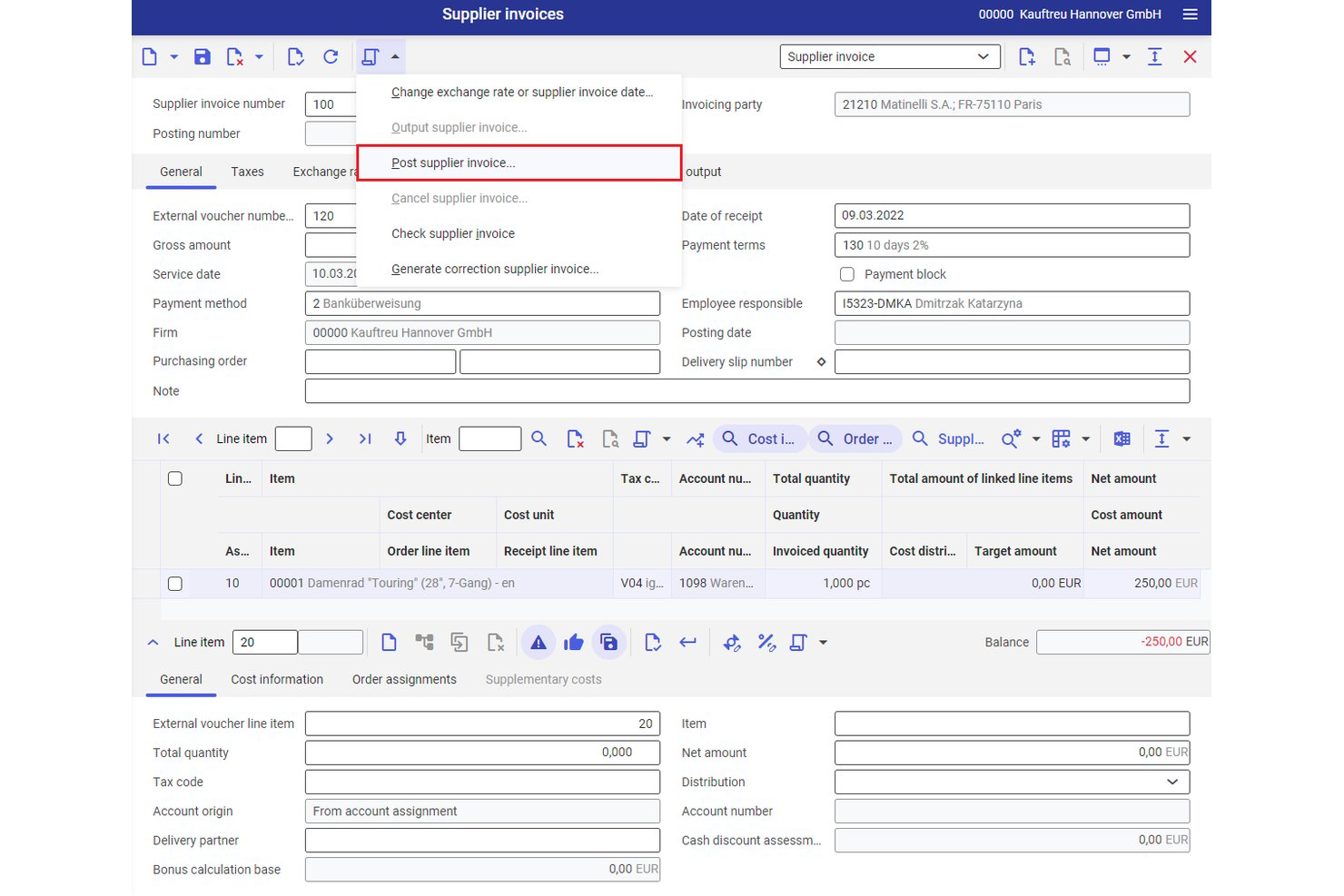
Comarch is an EDI and e-invoicing platform that supports structured invoice generation, multi-format document exchange, AP automation, and regulatory compliance across 60+ countries.
Who Is Comarch Best For?
Comarch is a strong fit for enterprise finance teams managing cross-border invoicing obligations across multiple countries and regulatory frameworks.
Why I Picked Comarch
I picked Comarch as one of the best because its certified Peppol Access Point status and direct connections to 60+ country clearance platforms (KSeF, SdI, Chorus Pro, ZATCA) make it one of the few tools I trust for truly multinational e-invoicing mandates. I especially like its automatic format conversion across EDIFACT, UBL, ZUGFeRD, and KSeF XML, so invoices reach each partner in the exact structure their government requires.
Comarch Key Features
- Layered invoice validation: Checks every invoice against technical, legal, and custom business rules, then flags errors with explanations before submission.
- E-Archive module: Stores sent and received invoices for the legally required retention period with audit trails and end-to-end encryption.
- Multi-channel invoice ingestion: Accepts incoming invoices via EDI, web portal, email, and scanned paper with OCR indexing on a single platform.
- SaaS and on-premise deployment: Lets your team choose between a fully managed cloud subscription or a self-hosted on-premise installation to meet your data governance requirements.
Comarch Integrations
Comarch documents integrations with SAP S/4HANA, SAP ERP, Oracle Fusion, Microsoft Dynamics, NetSuite, Sage, Exact, Infor, Epicor, and QuickBooks. It also connects to Peppol and KSeF through API and token-based access.
Pros and Cons
Pros:
- Explains validation errors before submission
- Converts invoices across multiple structured formats
- Supports compliance across 60-plus countries
Cons:
- Reviewers report a cluttered interface
- Enterprise rollouts require substantial implementation effort

Best for supplier collaboration
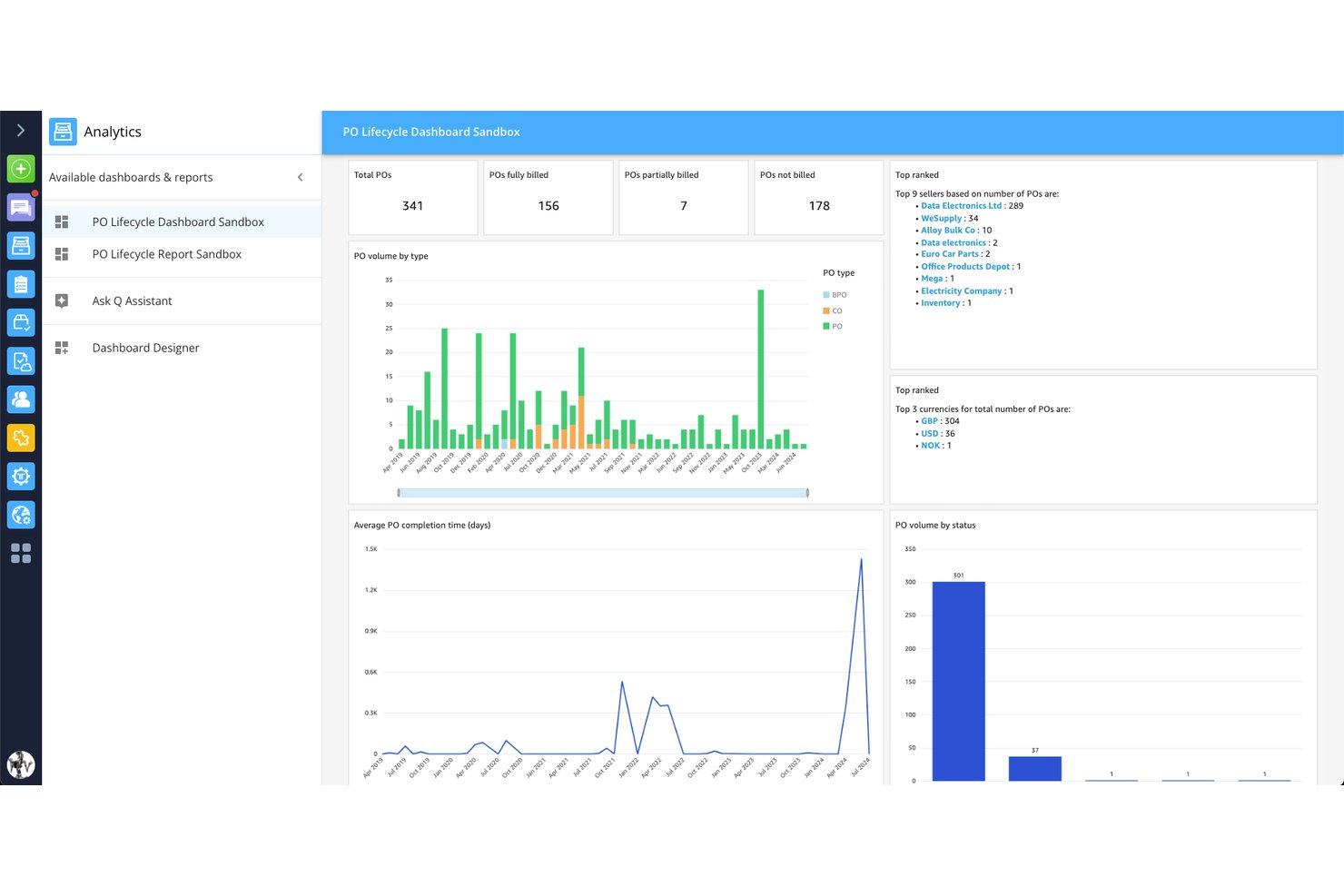
Tradeshift is a global e-invoicing and AP automation platform that handles structured invoice generation, multi-country regulatory compliance, supplier onboarding, and invoice exchange across formats and networks.
Who Is Tradeshift Best For?
Tradeshift is a strong fit for AP teams at mid-market and enterprise companies managing high invoice volumes across multiple suppliers and countries.
Why I Picked Tradeshift
I've included Tradeshift in my top picks because no other platform on this list handles supplier collaboration at the same scale. With roughly one million suppliers already on the network, buyers can connect with vendors instantly, and first-invoice onboarding means a supplier doesn't need to pre-register before sending their first compliant invoice. I also like the invoice-level messaging through Tradeshift Engage, which keeps buyer-supplier conversations tied directly to the document in question rather than scattered across email threads.
Tradeshift Key Features
- Business Firewall validation: Runs static and dynamic checks on every inbound invoice, flagging duplicates, VAT mismatches, and PO format errors before the document enters AP.
- Compliance-as-a-Service: Covers e-invoicing mandates across 70 countries, including real-time clearance connections in 12 countries with pre-built country-specific connectors.
- PO-flip: Lets suppliers convert a purchase order directly into a compliant invoice, reducing manual data entry and submission errors.
- AI Document Intelligence: Uses OCR combined with large language models to extract invoice data from any format without requiring templates, at a claimed accuracy above 95%.
Tradeshift Integrations
Tradeshift has pre-built integrations with SAP ECC 6.0, SAP S/4HANA, Oracle E-Business Suite, and Oracle Fusion. REST APIs, data-mapping tools, and Babelway support custom connectivity across 3,000+ active connections.
Pros and Cons
Pros:
- Clear invoice status visibility for suppliers
- Invoice-level messaging keeps disputes documented
- Supplier onboarding starts with the first invoice
Cons:
- Supplier onboarding may take longer than expected
- Interface can feel slow after setup
Esker
Best for cloud document automation
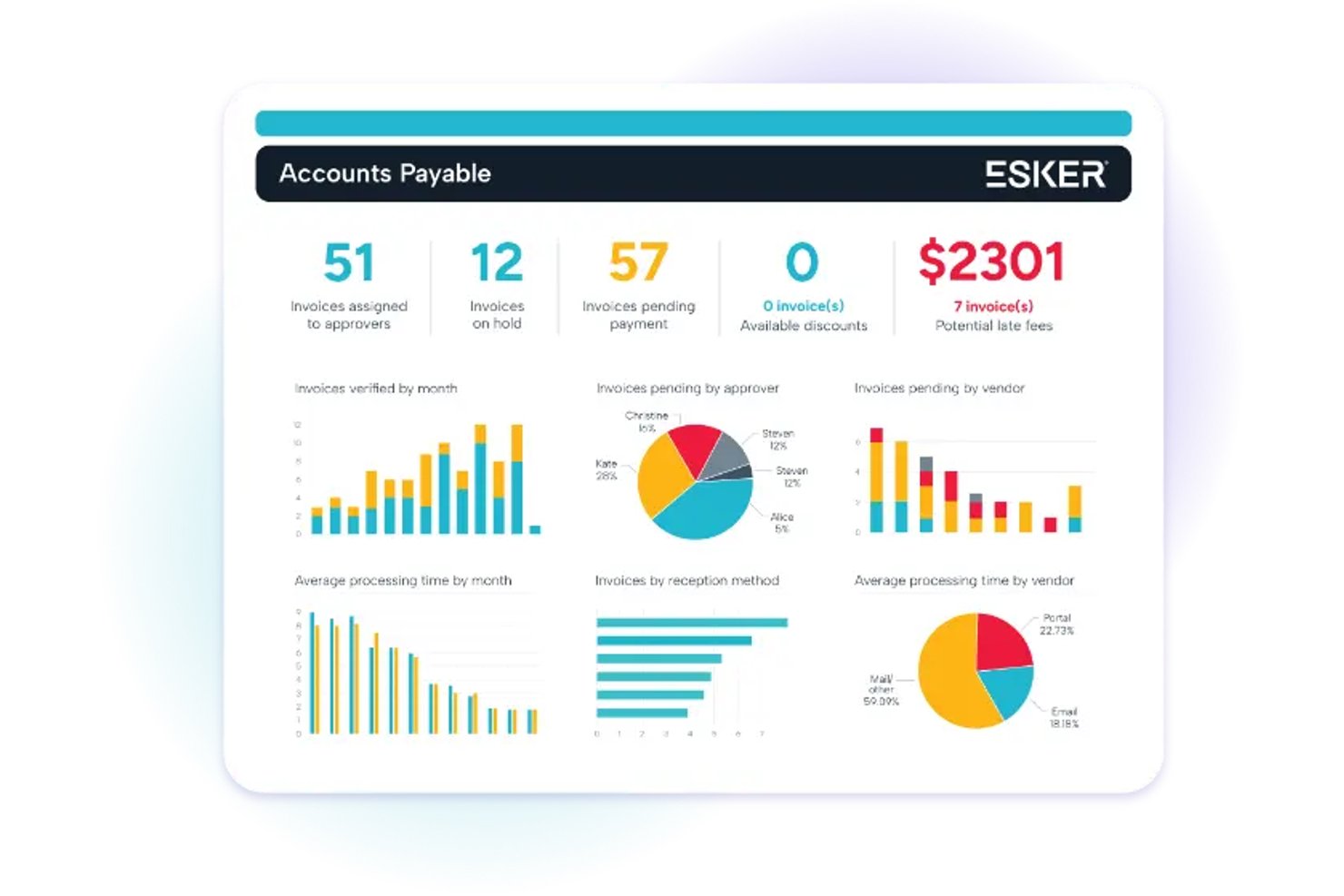
Esker is a cloud e-invoicing platform that handles both AP and AR invoice processing, covering structured invoice generation, multi-format delivery, regulatory compliance across 60+ countries, and ERP integration.
Who Is Esker Best For?
Esker is a strong fit for enterprise finance teams managing high-volume AP and AR invoicing across multiple countries and ERP systems.
Why I Picked Esker
I picked Esker as one of the best because its cloud document automation goes well beyond basic invoice sending. It automatically converts ERP output into country-mandated formats like XRechnung, FatturaPA, and Factur-X, then submits those invoices to 300+ customer AP portals and retrieves their status without manual intervention. I also rate its Peppol Access Point certification highly, covering Europe, Australia/New Zealand, and Singapore from a single platform.
Esker Key Features
- AP invoice capture and coding: AI extracts and codes incoming supplier invoices, then routes them for approval based on rules like entity, amount, and cost center.
- Customer self-service portal: Customers can view invoices, communicate with your AR team, and pay online across 40+ countries and 135+ currencies.
- Digital signature and archiving: Outgoing invoices can carry digital signatures, and all invoices, documents, and delivery proofs are stored in a secure, searchable archive.
- Two-way and three-way matching: Esker automatically matches AP invoices against purchase orders and goods receipts, flagging exceptions for review in one place.
Esker Integrations
Esker supports 100+ ERP and back-end integrations, including connectors for SAP, Microsoft Dynamics 365, Oracle, and Sage. It also supports REST and SOAP APIs, SAP web services, file exchange, and a no-code Connector Framework.
Pros and Cons
Pros:
- Supports AP and AR invoice workflows
- Automates customer portal submissions and statuses
- Peppol coverage spans multiple regions
Cons:
- Some reviewers report clunky layouts
- Doesn't calculate charges or billing logic

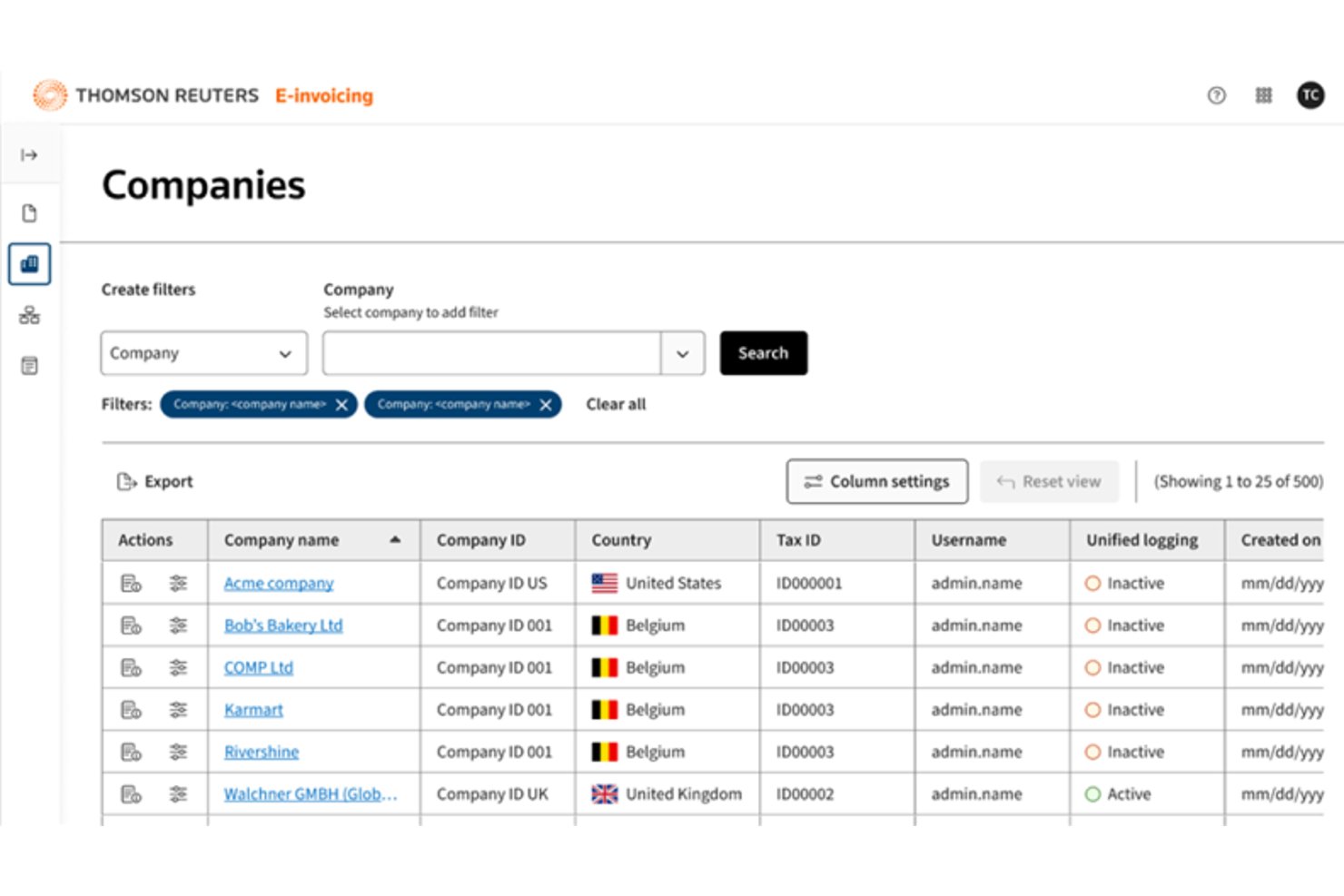
ONESOURCE is an enterprise e-invoicing platform from Thomson Reuters that handles structured invoice generation, multi-format conversion, regulatory compliance across 80+ countries, invoice exchange, and ERP integration.
Who Is ONESOURCE Best For?
ONESOURCE is built for finance directors and CFOs at large multinationals who need to manage e-invoicing compliance across dozens of countries from a single platform.
Why I Picked ONESOURCE
I picked ONESOURCE as one of the best because it's the only e-invoicing platform I've seen that handles a true single-connection model: your ERP sends data once, and ONESOURCE Pagero converts it into the correct country format, clears it with the tax authority, and delivers it across 80+ countries. I especially like its dedicated Regulatory Affairs team, which tracks mandate changes like ZATCA and KSeF so your compliance posture updates without manual intervention.
ONESOURCE Key Features
- ERP-to-clearance automation: A two-step process accepts invoice data from your ERP, converts it to the correct country format, and submits it to the relevant tax authority automatically.
- Document archiving with local retention rules: The eArchive add-on stores invoices according to country-specific retention requirements, including in-country storage where local law requires it.
- Trading partner network access: Your invoices reach 14M+ connected businesses across 100+ networks and government platforms, with email and print fallbacks for recipients outside the network.
- ONESOURCE Reconciliations integration: Matches e-invoice data to VAT/GST return data line by line, flags discrepancies, and supports EU data residency for compliance reporting.
ONESOURCE Integrations
ONESOURCE Pagero has native integrations with Oracle Fusion Cloud ERP and Workday Financials, plus a Coupa Marketplace integration. It also supports API-based custom integrations and connectivity with Deltek and IFS.
Pros and Cons
Pros:
- Tracks clearance and delivery statuses
- Reaches 14M+ connected businesses
- Supports compliance across 80+ countries
Cons:
- Limited evidence of payment tracking
- Enterprise implementation requires extensive coordination
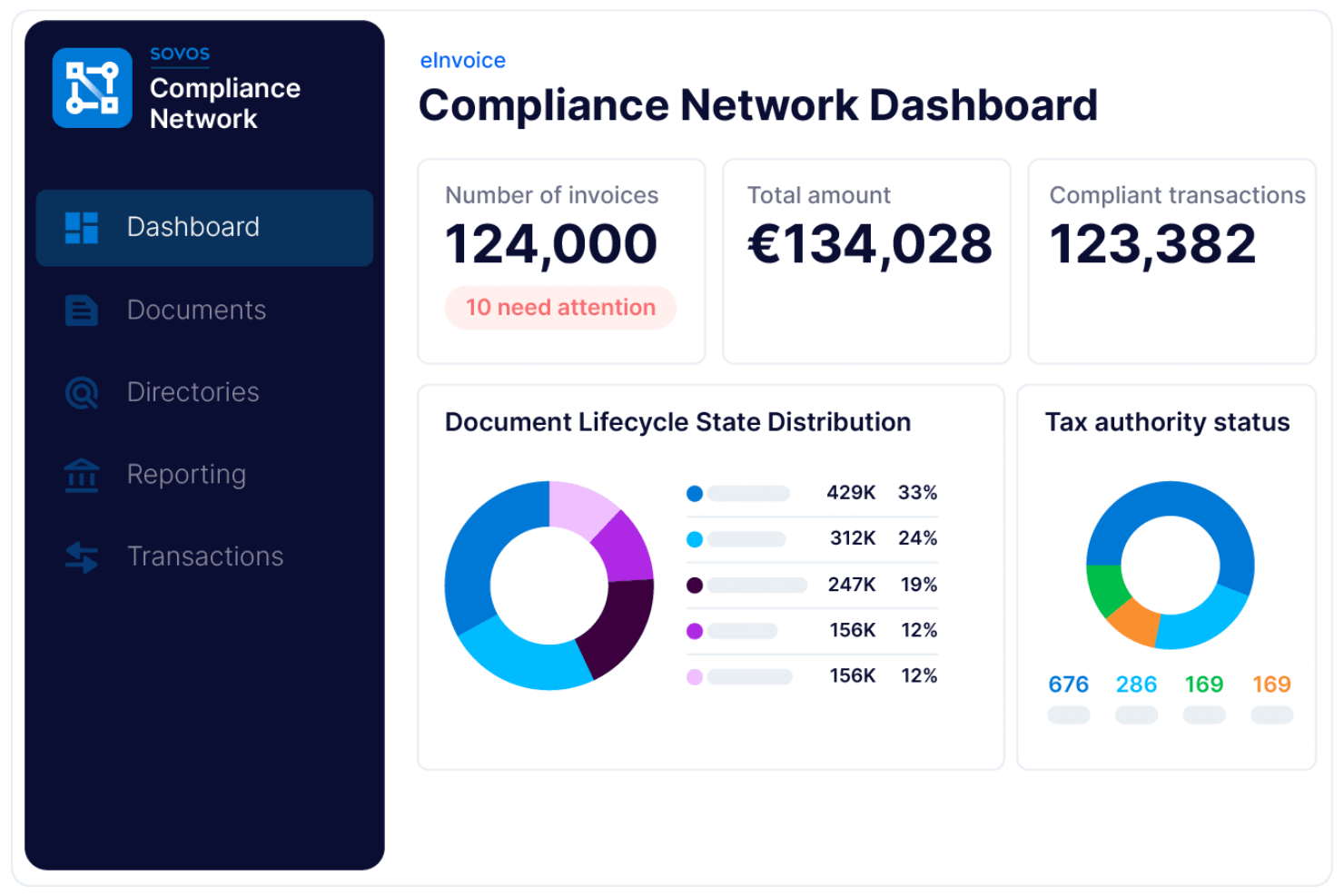
Sovos is a global e-invoicing compliance platform that centralizes electronic invoice creation, validation, tax reporting, and digital archiving for businesses operating across multiple jurisdictions.
Who Is Sovos Best For?
Sovos is a strong fit for multinational corporations and tax teams managing e-invoicing compliance across multiple countries.
Why I Picked Sovos
I picked Sovos as one of the best because I can manage global e-invoicing compliance and tax reporting in one place. My team uses Sovos to automate invoice validation against country-specific regulations and submit real-time reports to tax authorities.
I like that Sovos supports digital archiving and audit trails for multi-jurisdictional operations.
Sovos Key Features
- Supplier onboarding tools: Lets you invite and manage suppliers directly within the platform.
- Automated invoice delivery: Sends electronic invoices to customers and partners in required formats.
- Multi-language interface: Supports users working in different languages across regions.
- Custom workflow configuration: Allows you to set up approval and routing workflows for invoices.
Sovos Integrations
Sovos is built to integrate with ERP and business process automation systems, but native integrations are not currently listed. An API is available for custom integrations.
Pros and Cons
Pros:
- Monitors regulatory changes and updates processes
- Offers automated invoice status tracking features
- Covers complex VAT and global compliance
Cons:
- Supplier onboarding features are not extensive
- No built-in invoice approval workflows
Annen programvare for e-fakturering
Her er noen flere alternativer for programvare for e-fakturering som ikke kom med på kortlisten min, men som likevel er verdt å sjekke ut:
- HighRadius
For AI receivables automation
- Pagero
For real-time e-invoicing
- Storecove
For API-driven global e-invoicing compliance
- SAP Ariba
For enterprise e-invoicing
- Coupa
For automated invoice processing
- Medius
For AP-focused e-invoicing compliance
- Xero
For invoice tracking and management
- Odoo
For integrated invoicing and apps
- Tungsten Automation
For AI invoice automation


How I Evaluate E-Invoicing Software
I split evaluation into three parts, weighting core functionality most: create structured invoices, validate tax rules, and send them through supported networks. Then I look for standout features such as milestone billing or Peppol connectivity, including automatic milestone invoices. Finally, I consider onboarding, support, security, pricing, and scalability.
Core Functionality (Table Stakes For This List)
When I'm selecting tools for my list, I score each one on a scale from 0 (does not offer the functionality) to 5 (excels in this area) for each core functionality listed below. I then convert the total into a percentage to help assess each tool's overall fit, with extra weight on any functionalities I’ve deemed essential.
- Structured Invoice Generation (Essential): I look for XML, UBL, or EDI output that supports project billing, milestone invoices, and recipient-specific requirements.
- Regulatory Compliance (Essential): I assess support for tax schemas, clearance models, Peppol, and changing mandate requirements across relevant jurisdictions.
- Invoice Exchange: I check whether invoices reach customers, suppliers, networks, or tax authorities through automated supported connections.
- Validation And Error Checking: I evaluate schema and business-rule checks that flag missing data, invalid tax details, or purchase order mismatches before sending.
- Accounting And ERP Integration: I look for synchronized invoice data across accounting, procurement, ERP, and project systems without repeated manual entry.
- Invoice Status Tracking: I assess visibility into delivery, acceptance, rejection, payment confirmation, exchange messages, and audit history.
Once I have a list of tools that meet the criteria, I consider what sets each platform apart.
Differentiating Factors (What Sets Vendors Apart)
Here's how I compare and contrast different vendors:
Standout Features
I look for retainer and milestone automation that triggers invoices when a project hits a defined milestone or draws down a retainer balance automatically. This matters when you're running multiple client engagements and can't afford billing delays holding up cash flow. I also evaluate Peppol network connectivity, which determines whether you can exchange invoices directly with government and enterprise buyers across borders without manual reformatting. Multi-currency invoicing is another factor I check—specifically whether the tool applies live exchange rates at invoice time and reconciles differences at payment.
Beyond Features
I check how broad a vendor's jurisdictional coverage is, since an agency billing clients across multiple countries needs tax rules and clearance models handled without manual research per invoice. Onboarding speed matters too—I look for guided setup, template migration, and training resources, because a freelancer or small team can't afford weeks of configuration before sending their first invoice. I also evaluate how quickly a vendor updates its platform when e-invoicing mandates change, which directly affects compliance risk for teams operating across shifting regulatory environments.
Slik velger du programvare for e-fakturering
Det er lett å gå seg vill i lange funksjonslister og komplekse prisstrukturer. For å hjelpe deg med å holde fokus mens du går gjennom den unike prosessen med å velge programvare, får du her en sjekkliste over faktorer du bør ha i bakhodet:
| Faktor | Hva du bør vurdere |
|---|---|
| Skalerbarhet | Vil programvaren håndtere fakturavolumet ditt når virksomheten vokser eller utvider seg til nye markeder? |
| Integrasjoner | Kobles den direkte til ERP-, regnskaps- og innkjøpssystemene dine uten behov for tilpassede omveier? |
| Tilpasningsmuligheter | Kan du tilpasse arbeidsflyter, godkjenningsregler og maler slik at de samsvarer med organisasjonens prosesser? |
| Brukervennlighet | Vil teamet og leverandørene dine ta den i bruk raskt, eller vil opplæring og støtte være et konstant behov? |
| Implementering og oppstart | Hvor lang tid vil det ta å komme i gang, og hvilke ressurser eller hvilken støtte tilbyr leverandøren? |
| Kostnad | Er alle gebyrer tydelig oppgitt på forhånd, inkludert kostnader for oppsett, transaksjoner og støtte? |
| Sikkerhetstiltak | Oppfyller verktøyet kravene dine til personvern, kryptering og tilgangskontroll? |
| Etterlevelseskrav | Vil det hjelpe deg med å oppfylle lokale og internasjonale regler for e-fakturering, skatt og revisjon? |
Hva er programvare for e-fakturering?
Programvare for e-fakturering er et digitalt faktureringssystem som automatiserer oppretting, levering og behandling av en nettbasert faktura mellom kjøpere og leverandører. Den erstatter papirfakturaer med strukturerte digitale arbeidsflyter, noe som hjelper virksomheter med å effektivisere faktureringen og redusere manuelle feil.
Disse verktøyene integreres ofte med regnskapsprogramvare for å administrere økonomiske data, støtter betalingsmetoder som kredittkort og kobles til funksjoner som tidsregistrering og forsyningskjedeoperasjoner.
De forbedrer også databeskyttelsen, sikrer overholdelse av regelverket for e-fakturering og fremhever de viktigste fordelene ved e-fakturering, blant annet raskere godkjenninger og kostnadsbesparelser.
Funksjoner
Når du velger programvare for elektronisk fakturering, bør du se etter følgende nøkkelfunksjoner:
- Fakturainnhenting: Digitaliserer og importerer fakturaer fra e-post, opplastinger eller leverandørportaler, noe som reduserer manuell dataregistrering og feil.
- Godkjenningsarbeidsflyter: Sender fakturaer gjennom tilpassbare godkjenningskjeder, sikrer samsvar med interne kontroller og fremskynder behandlingen.
- Duplikatoppdagelse: Varsler om potensielle duplikatfakturaer før betaling, noe som bidrar til å forhindre overbetalinger og svindel.
- Verktøy for skatteoverholdelse: Bruker lokale og internasjonale skatteregler automatisk, og støtter nøyaktige beregninger og rapportering til myndighetene.
- Støtte for flere valutaer: Håndterer fakturaer i ulike valutaer, konverterer beløp og støtter global forretningsdrift.
- Leverandørportal: Lar leverandører sende inn, spore og administrere fakturaer på nettet, noe som forbedrer kommunikasjonen og reduserer forespørsler om status.
- ERP-integrasjon: Kobler seg direkte til regnskaps- eller ERP-systemer, synkroniserer fakturadata og automatiserer økonomisk dokumentasjon.
- Revisjonsspor: Registrerer alle handlinger som utføres på hver faktura, noe som gir åpenhet og støtter revisjonskrav.
- Rapportering og analyse: Tilbyr instrumentpaneler og rapporter som kan eksporteres, for overvåking av fakturastatus, behandlingstider og forbruksmønstre.
- Dokumentarkivering: Lagrer fakturaer og relaterte dokumenter på en sikker måte, slik at de er enkle å finne igjen og oppfyller kravene i retningslinjer for oppbevaring.
Vanlige KI-funksjoner i programvare for elektronisk fakturering
I tillegg til standardfunksjonene i programvare for elektronisk fakturering som er nevnt ovenfor, tar mange av disse løsningene i bruk KI med funksjoner som:
- Smart uttrekking av fakturadata: Bruker KI til å gjenkjenne og hente ut viktige felt fra fakturaer, selv når utformingen varierer, noe som reduserer manuell registrering og forbedrer nøyaktigheten.
- Automatisert avviksoppdagelse: Varsler om uvanlige fakturabeløp, mønstre eller leverandøratferd ved å lære av historiske data, slik at team kan oppdage svindel eller feil tidlig.
- Prediktiv betalingsplanlegging: Analyserer betalingshistorikk og kontantstrømtrender for å anbefale optimale betalingsdatoer, og støtter bedre styring av arbeidskapital.
- KI-basert risikovurdering av leverandører: Vurderer leverandørers pålitelighet og risiko ved å analysere fakturamønstre, betalingsforsinkelser og eksterne datakilder, slik at team kan ta informerte beslutninger.
- Spørringer på naturlig språk: Lar brukere stille spørsmål om fakturaer eller forbruksdata med et dagligdags språk, mens KI tolker spørsmålene og viser relevante innsikter umiddelbart.
Fordeler
Implementering av programvare for elektronisk fakturering gir flere fordeler for teamet og virksomheten din. Her er noen av fordelene du kan se frem til:
- Raskere fakturabehandling: Automatisert innhenting, videresending og godkjenning hjelper teamet med å flytte fakturaer fra mottak til betaling mye raskere.
- Bedre samsvar: Innebygde skatteregler, revisjonsspor og regulatoriske kontroller hjelper deg med å oppfylle lokale og internasjonale krav med mindre manuell oppfølging.
- Færre manuelle feil: Automatisert datauttrekking og duplikatoppdagelse minimerer feil som kan føre til overbetalinger eller tvister.
- Bedre oversikt: Instrumentpaneler og rapportering i sanntid gir deg en tydelig oversikt over fakturastatus, forbruksmønstre og flaskehalser.
- Bedre leverandørforhold: Leverandørportaler og transparente arbeidsflyter gjør det enklere for leverandører å sende inn og spore fakturaer, noe som reduserer forespørsler og forsinkelser.
- Lavere driftskostnader: Digitalisering og automatisering av faktureringen reduserer utgifter til papir, porto og manuelt arbeid.
- Bedre sikkerhet: Sentralisert dokumentlagring og tilgangskontroller bidrar til å beskytte sensitive økonomiske data mot uautorisert tilgang eller tap.
Kostnader og priser
Valg av programvare for elektronisk fakturering krever en forståelse av de ulike prismodellene og abonnementene som er tilgjengelige. Kostnadene varierer basert på funksjoner, teamstørrelse, tillegg og mer. Tabellen nedenfor oppsummerer vanlige abonnementer, gjennomsnittsprisene deres og typiske funksjoner som er inkludert i programvareløsninger for elektronisk fakturering:
Sammenligningstabell for abonnementer for programvare for elektronisk fakturering
| Plantype | Gjennomsnittspris | Vanlige funksjoner |
|---|---|---|
| Gratisplan | $0 | Grunnleggende oppretting av fakturaer, begrenset fakturavolum, kundestøtte på e-post og enkel rapportering. |
| Personlig plan | $5-$25/bruker/måned | Ubegrenset antall fakturaer, støtte for flere valutaer, grunnleggende godkjenningsarbeidsflyter og integrasjon med regnskapsverktøy. |
| Forretningsplan | $25-$75/bruker/måned | Avanserte godkjenningsarbeidsflyter, verktøy for overholdelse av skatteregler, tilgang til leverandørportal og tilpasset rapportering. |
| Foretaksplan | $75-$200/bruker/måned | Tilpassede integrasjoner, global overholdelse av regelverk, avansert analyse, dedikert kundestøtte og forbedrede sikkerhetskontroller. |
Vanlige spørsmål om programvare for e-fakturering
Her er noen svar på vanlige spørsmål om programvare for e-fakturering:
Hvordan hjelper programvare for e-fakturering med overholdelse av skatteregler?
Programvare for e-fakturering bruker lokale og internasjonale skatteregler automatisk, genererer fakturaformater som oppfyller kravene, og opprettholder revisjonsspor. Dette reduserer manuelle feil og hjelper virksomheten med å oppfylle myndighetskrav i ulike regioner.
Kan programvare for e-fakturering integreres med det eksisterende regnskapssystemet mitt?
Ja, de fleste programvareløsninger for e-fakturering tilbyr integrasjoner med populære regnskaps- og ERP-systemer. Dette gjør det mulig å synkronisere fakturadata, automatisere bokføringen og unngå dobbeltregistrering av data.
Hva bør jeg vurdere når jeg går over fra papirfakturering til e-fakturering?
Planlegg for datamigrering, opplæring av ansatte og registrering av leverandører. Sørg for at programvaren støtter de nødvendige formatene og arbeidsflytene, og kontroller at den oppfyller kravene til sikkerhet og regelverksetterlevelse.
Passer programvare for e-fakturering for små bedrifter?
Ja, mange løsninger for e-fakturering tilbyr rimelige planer og enkle grensesnitt utviklet for små bedrifter. Se etter alternativer med enkelt oppsett, grunnleggende automatisering og nødvendige integrasjoner.
Hvor sikker er programvare for e-fakturering?
De fleste anerkjente programvareløsninger for e-fakturering bruker kryptering, tilgangskontroller og sikker skylagring for å beskytte økonomiske data. Gå alltid gjennom leverandørens sikkerhetssertifiseringer og retningslinjer for personvern før du tar en beslutning.