

10 beste gratis tilbudsprogrammer i 2026

Kortliste over beste gratis programvare for tilbud


Gratis programvare for tilbud er et verktøy med en gratisplan eller prøveperiode for å opprette, sende, spore, godkjenne og signere kundetilbud. Det riktige alternativet hjelper deg med å presentere omfang, tidslinjer, leveranser og priser tydelig uten å legge til enda et kostbart abonnement. Jeg har sammenlignet 12 verktøy innen interaktive tilbud, merkevarede dokumenter, engasjementssporing, fakturering, spesialiserte tilbud og elektroniske signaturer. Bruk denne kortlisten til å finne et samsvar mellom prosjektarbeidsflyten din og de faktiske begrensningene i programvarens gratisplan.
Why Trust Our Software Recommendations
Our team has been testing and reviewing software since 2012. As project managers ourselves, we know how difficult—and important—it is to choose the right software.
For this guide, we evaluated tools using hands-on testing and independent research, scoring tools using our selection criteria. We also draw on insights from industry thought leaders and practicing project management experts.
Our reviews reflect our human editorial judgment, not a sales pitch.
Expert reviewers:
Sammenligningstabell: Gratis programvare for tilbud
Sammenlign spesifikasjonene side om side for den gratis programvaren for tilbud som kom med på kortlisten min.
| Tool | Best For | Trial Info | Price | ||
|---|---|---|---|---|---|
| 1 | Best for tracking proposal engagement end-to-end | 14-day free trial | From $19/user/month | Website | |
| 2 | Best for interactive, web-based sales proposals | 14-day free trial | From $35/user/month (billed annually) | Website | |
| 3 | Best for Zoho ecosystem proposal signing workflows | Free plan available | From $25/month | Website | |
| 4 | Best for MSP-specific hardware quoting at scale | Free demo available | From $299/month (billed annually) | Website | |
| 5 | Best for legally binding e-signatures on proposals | Free plan available | From $34/user/month (billed annually) | Website | |
| 6 | Best for visually branded proposal design | Free trial + free plan available | From $144/user/year (billed annually) | Website | |
| 7 | Best for legally binding e-sign on a free plan | Free plan available | From $19/user/month (billed annually) | Website | |
| 8 | Best for proposal-to-invoice flow for freelancers | 7-day free trial | From $19/month | Website | |
| 9 | Best for freelancers managing proposals and invoices | Free plan available | From $24/month (billed annually) | Website | |
| 10 | Best for SaaS pricing quotes with built-in e-signatures | Free plan available | From $65/user/month | Website |
Anmeldelser av gratis programvare for tilbud
Nedenfor finner du mine detaljerte sammendrag av den gratis programvaren for tilbud på kortlisten min. Hver anmeldelse dekker funksjoner, begrensninger i gratisplanen og de beste bruksområdene for å hjelpe deg med å finne det riktige verktøyet for arbeidsflyten din.

Best for tracking proposal engagement end-to-end
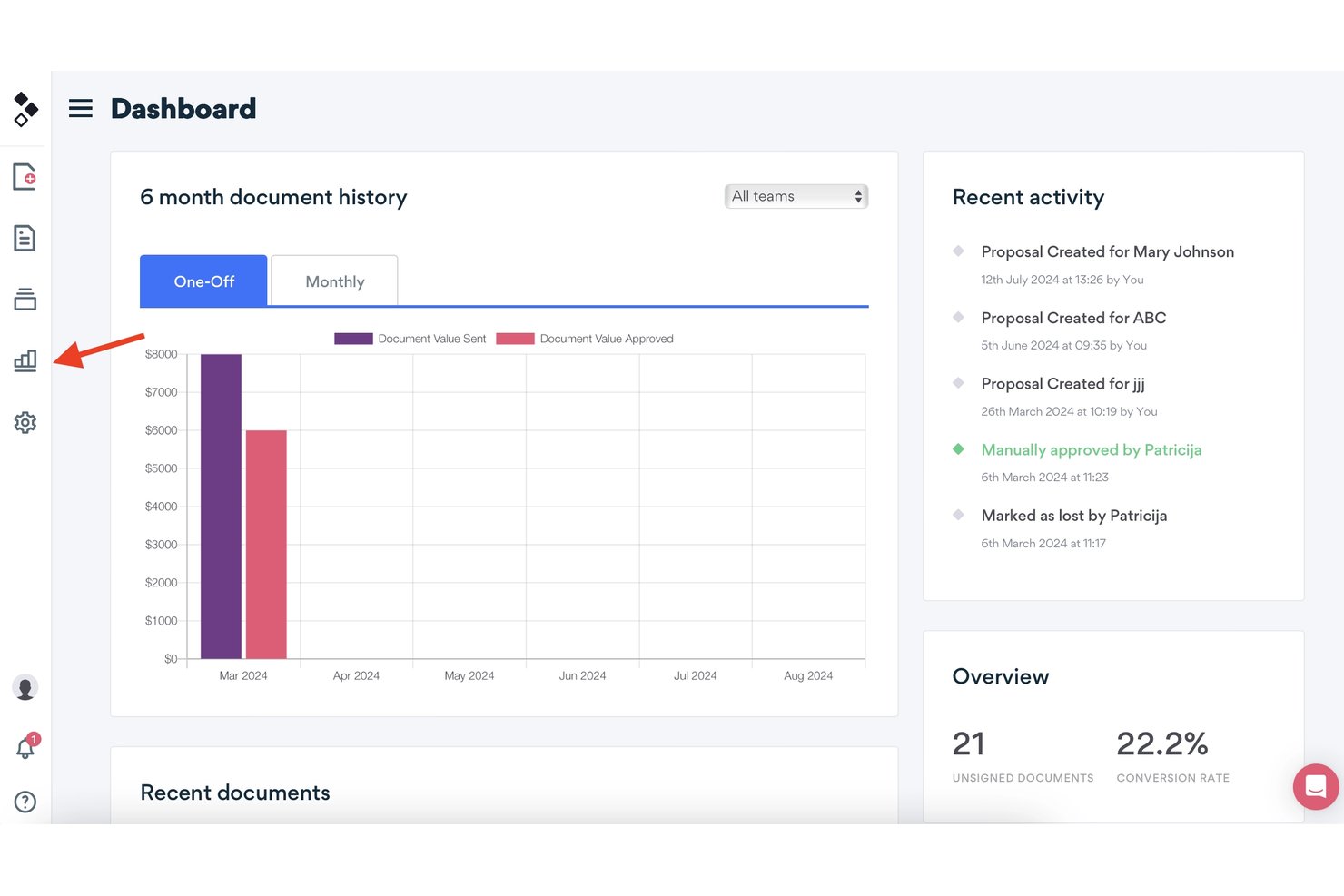
Better Proposals is proposal software with editable templates, interactive pricing tables, e-signatures, payment connections, and engagement analytics, available through a 14-day trial rather than a free-forever plan.
Who Is Better Proposals Best For?
Better Proposals suits freelancers, consultants, and small sales teams that need branded proposals with e-signatures, payment options, and engagement tracking.
Why I Picked Better Proposals
I picked Better Proposals because it is best for tracking proposal engagement end-to-end, even though it offers a 14-day trial rather than a free-forever plan. I use open tracking, section-level time data, live notifications, and signature tracking to see where prospects engage or stop reading. Its interactive pricing tables also show which options clients select.
Better Proposals Key Features
- Editable templates: Choose from 260+ templates across 25+ industries.
- Payment connections: Accept payments through Stripe, PayPal, or GoCardless.
- PDF export: Download proposals as PDFs or share them through unique links.
- CRM integrations: Connect Premium plans with HubSpot, Salesforce, Pipedrive, and other CRMs.
Better Proposals Integrations
Better Proposals integrates with Stripe, PayPal, GoCardless, HubSpot, Salesforce, Pipedrive, Asana, Trello, Teamwork, and Wrike. Premium plans also include an API and Zapier.
What's Free?
Better Proposals offers a 14-day free trial rather than a free-forever plan. After the trial ends, you’ll need a paid plan to continue using the software.
Pros and Cons
Pros:
- E-signatures included across all plans
- Interactive pricing tables support client choices
- Detailed section-level engagement tracking
Cons:
- PDF exports can misalign layouts
- No free-forever plan available

Qwilr
Best for interactive, web-based sales proposals
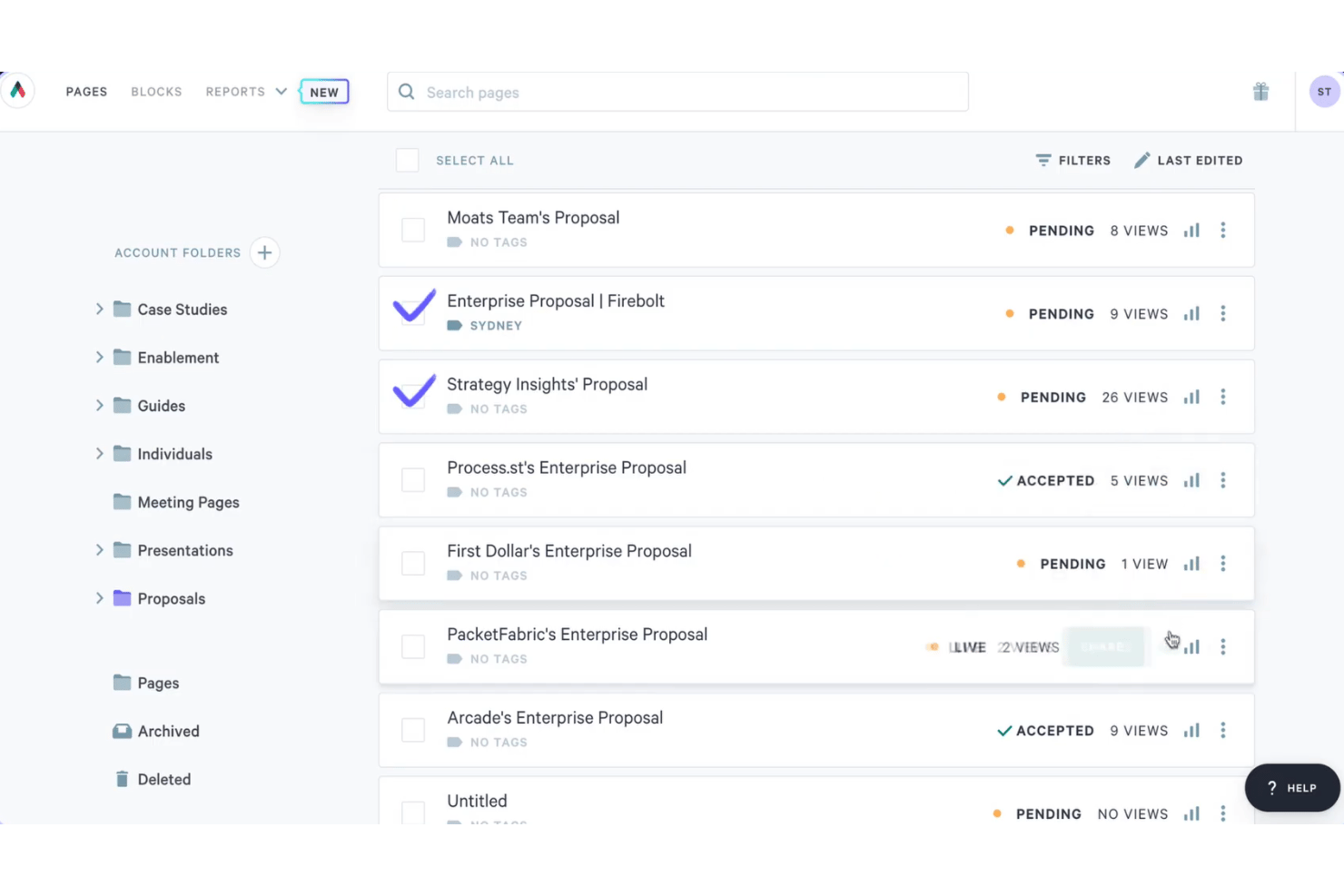
Qwilr is proposal software for interactive, web-based sales proposals, combining templates, dynamic quote tables, e-signatures, engagement analytics, PDF export, and a 14-day trial instead of a free-forever plan.
Who Is Qwilr Best For?
Qwilr suits sales representatives, agencies, and small businesses that need interactive proposals, configurable quotes, e-signatures, and engagement analytics.
Why I Picked Qwilr
I picked Qwilr for its interactive, web-based sales proposals, which combine responsive pages, configurable quote tables, embedded media, and e-signatures. I use its analytics to see which sections clients view before following up. Qwilr offers a 14-day trial, but no free-forever plan.
Qwilr Key Features
- AI proposal generator: Creates a proposal template from your company website.
- Saved Blocks: Stores reusable content for future proposals.
- Access controls: Adds passwords, expiry dates, and view limits to shared pages.
- QuickBooks Online integration: Creates draft invoices after clients accept proposals.
Qwilr Integrations
Qwilr offers native integrations with HubSpot, Zoho, Pipedrive, Microsoft Dynamics 365, Salesforce, QuickBooks Online, Stripe, and Slack. It also provides an API and Zapier connectivity.
What's Free?
Qwilr offers a 14-day free trial rather than a free-forever plan. After the trial ends, you’ll need a paid plan to continue using the platform, starting at $35 per user per month when billed annually.
Pros and Cons
Pros:
- Unlimited signers receive audit trails
- Detailed analytics show section engagement
- Interactive pages support configurable proposals
Cons:
- Client comments aren’t available
- No free-forever access after testing

Best for Zoho ecosystem proposal signing workflows
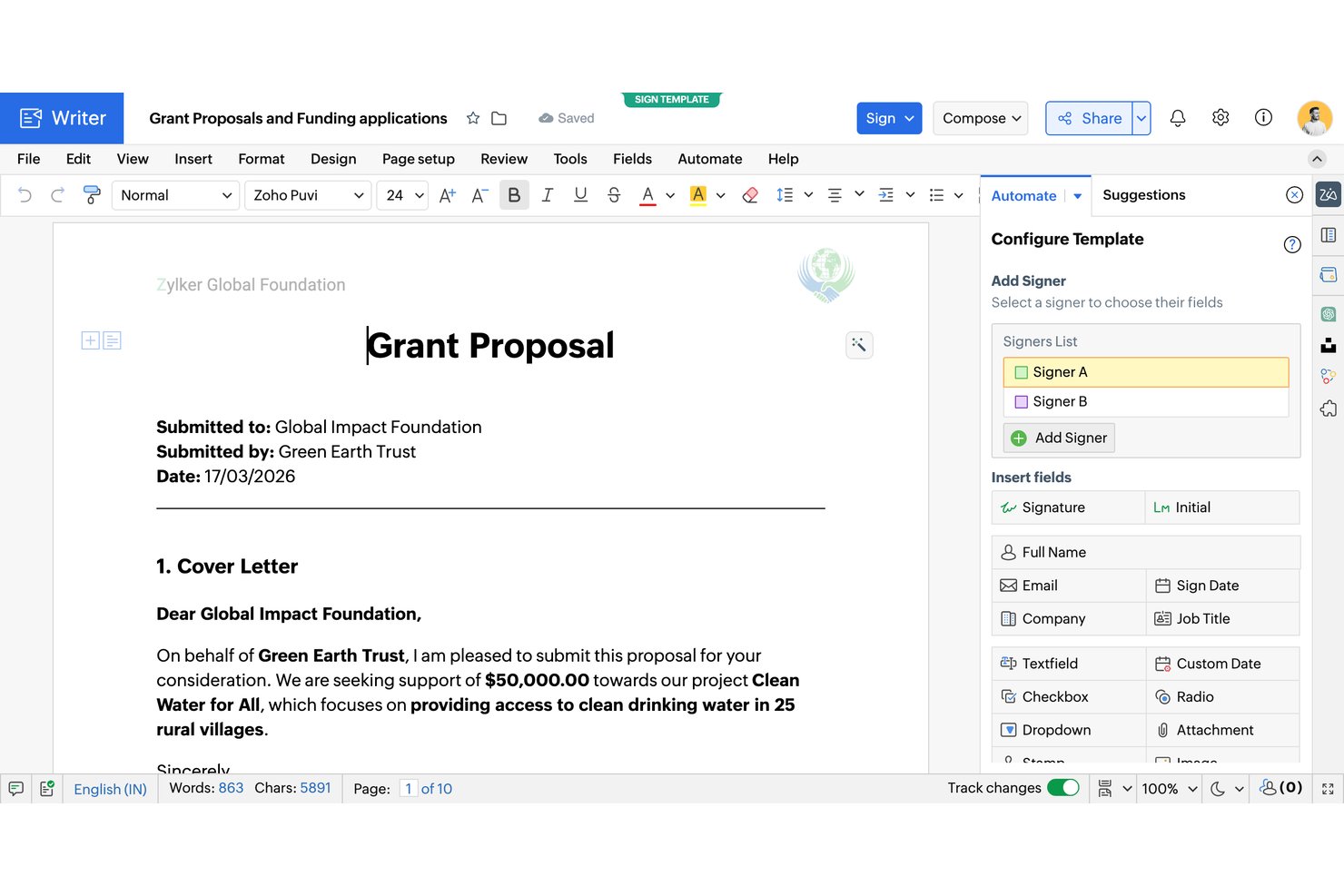
Zoho Writer is a free proposal document editor with AI-generated templates, data-driven mail merge, fillable forms, e-signatures, approval workflows, and secure sharing.
Who Is Zoho Writer Best For?
Small businesses and agencies already using Zoho can create branded proposals, automate document workflows, and collect signatures in one ecosystem.
Why I Picked Zoho Writer
I picked Zoho Writer for free proposal software because it supports Zoho ecosystem proposal signing workflows. I use AI-generated proposal templates, merge CRM or Sheets data into quote tables, then route documents through approval and multi-signer workflows. OTP verification, signing order, reminders, and bulk signing cover practical client-approval scenarios.
Zoho Writer Key Features
- Full document editor: Format proposals with tables, images, charts, headers, footers, and custom styles.
- Fillable forms: Add text, lookup, file attachment, and signature fields to client documents.
- Protected PDF export: Export PDFs with passwords and restrictions on copying, printing, and exporting.
- Secure sharing links: Set passwords, expiration dates, access permissions, and OTP verification.
Zoho Writer Integrations
Zoho Writer has native integrations with Zoho CRM, Zoho Books, Zoho Sheets, Zoho Forms, Zoho Sign, and Zoho Checkout. It also supports custom integrations through its REST API and Zapier.
What's Free?
Zoho Writer offers a free-forever plan with unlimited document creation, editing, and core features. Document automation includes a monthly quota of credits, while high-volume generation requires paid add-on credits.
Pros and Cons
Pros:
- Merge-driven quote tables support itemized proposals
- Built-in signing order and OTP verification
- Unlimited document creation and AI proposal templates
Cons:
- Automation limits constrain frequent signing workflows
- Proposal engagement tracking stops at email opens

Quoter
Best for MSP-specific hardware quoting at scale
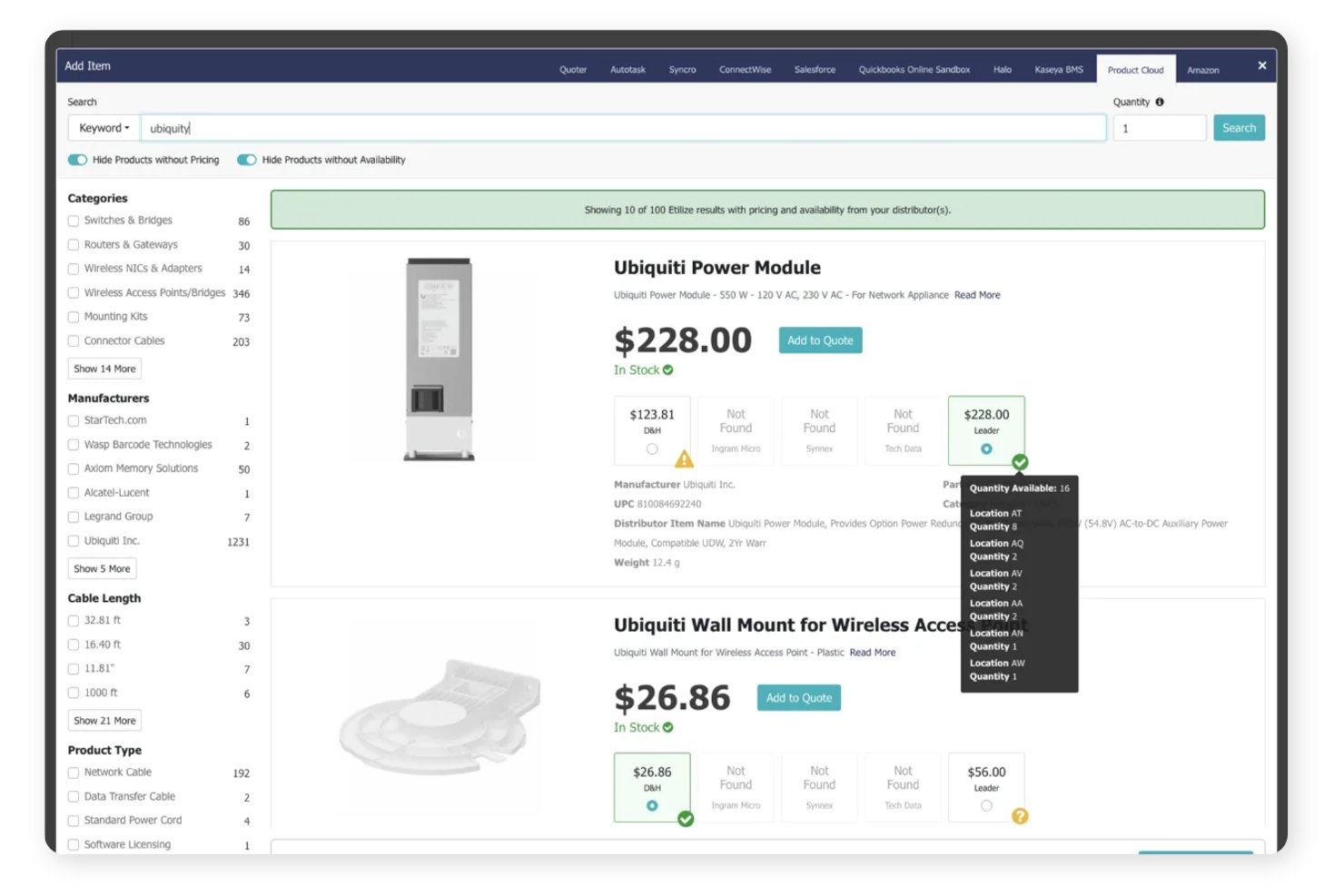
Quoter is an MSP-focused proposal and quoting platform with branded templates, itemized pricing, bundles, e-signatures, contracts, payments, and quote tracking.
Who Is Quoter Best For?
Quoter suits managed service providers that quote hardware, services, and recurring support at scale.
Why I Picked Quoter
I picked Quoter for Best for MSP-specific hardware quoting at scale because it organizes hardware, services, labor, and recurring items into structured quote sections. I use bundles, optional items, and good/better/best packages for MSP proposals, then collect signatures and payments in the same quote. It isn’t free, though, with plans starting at $299 per month on a 12-month term.
Quoter Key Features
- Email open tracking: See when clients open a quote.
- Automated reminders: Schedule up to three custom follow-up emails.
- Quote history log: Review timestamps for revisions, statuses, and payments.
- CSV export: Export quote lists for external reporting.
Quoter Integrations
Quoter lists 36 integrations, including HubSpot, Salesforce, ConnectWise PSA, Autotask, Stripe, PayPal/Braintree, Authorize.net, Avalara, and Datagate. Its API and MCP support custom integrations.
What's Free?
Quoter doesn’t offer a free-forever plan. It provides a free demo, while paid plans start at $299 per month when billed annually.
Pros and Cons
Pros:
- Open tracking and automated reminders
- Native signatures and payment acceptance
- MSP-specific hardware and service sections
Cons:
- Built narrowly for MSP sales teams
- No free plan or trial

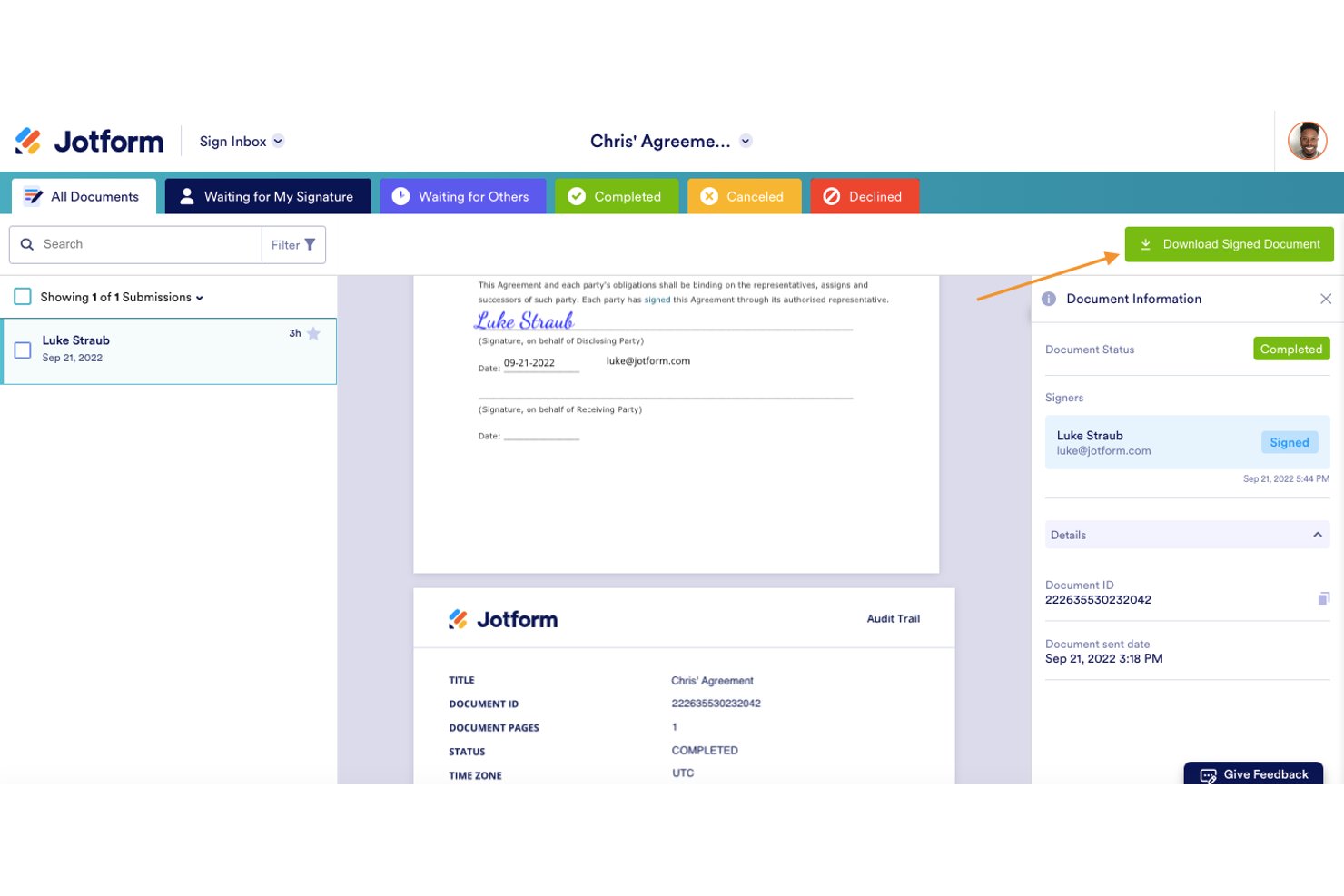
Jotform Sign is a free e-signature platform for proposal documents, with templates, drag-and-drop fields, multi-signer workflows, audit trails, document tracking, and shareable links, but no native quote tables or invoicing.
Who Is Jotform Sign Best For?
Freelancers and consultants who need reusable proposal templates and legally binding e-signatures without built-in quote tables or invoicing.
Why I Picked Jotform Sign
I picked Jotform Sign because it’s best for legally binding e-signatures on proposals. I use reusable proposal templates, sequential or parallel signing, and time-stamped audit trails with digital certificates for client-ready documents. Its free Starter plan fits occasional proposals, although the 10-document monthly cap and missing quote tables limit recurring sales workflows.
Jotform Sign Key Features
- Shareable links: Send proposal documents through public or private links, email invitations, or embed code.
- Access codes: Require a security code before recipients can view shared documents.
- Automatic reminders: Send reminder emails for unsigned documents and approaching due dates.
- Mobile signing: Let recipients view and sign documents in a mobile browser without an account.
Jotform Sign Integrations
Jotform lists 150+ integrations across its platform, including Salesforce, HubSpot, Pipedrive, Google Drive, Google Sheets, Dropbox, Asana, ClickUp, Trello, and Zapier. Payment integrations such as Stripe apply to Jotform Forms and Smart PDF Forms, not Sign Documents.
What's Free?
Jotform Sign offers a free-forever Starter plan for occasional proposals. It includes a 10-document monthly limit, and payment integrations such as Stripe apply to Jotform Forms and Smart PDF Forms, not Sign Documents.
Pros and Cons
Pros:
- Mobile signing without recipient accounts
- Reusable proposal templates support repeat sending
- Legally binding signatures with audit trails
Cons:
- Free tier limits documents and retains branding
- No native quote or pricing tables
Canva
Best for visually branded proposal design
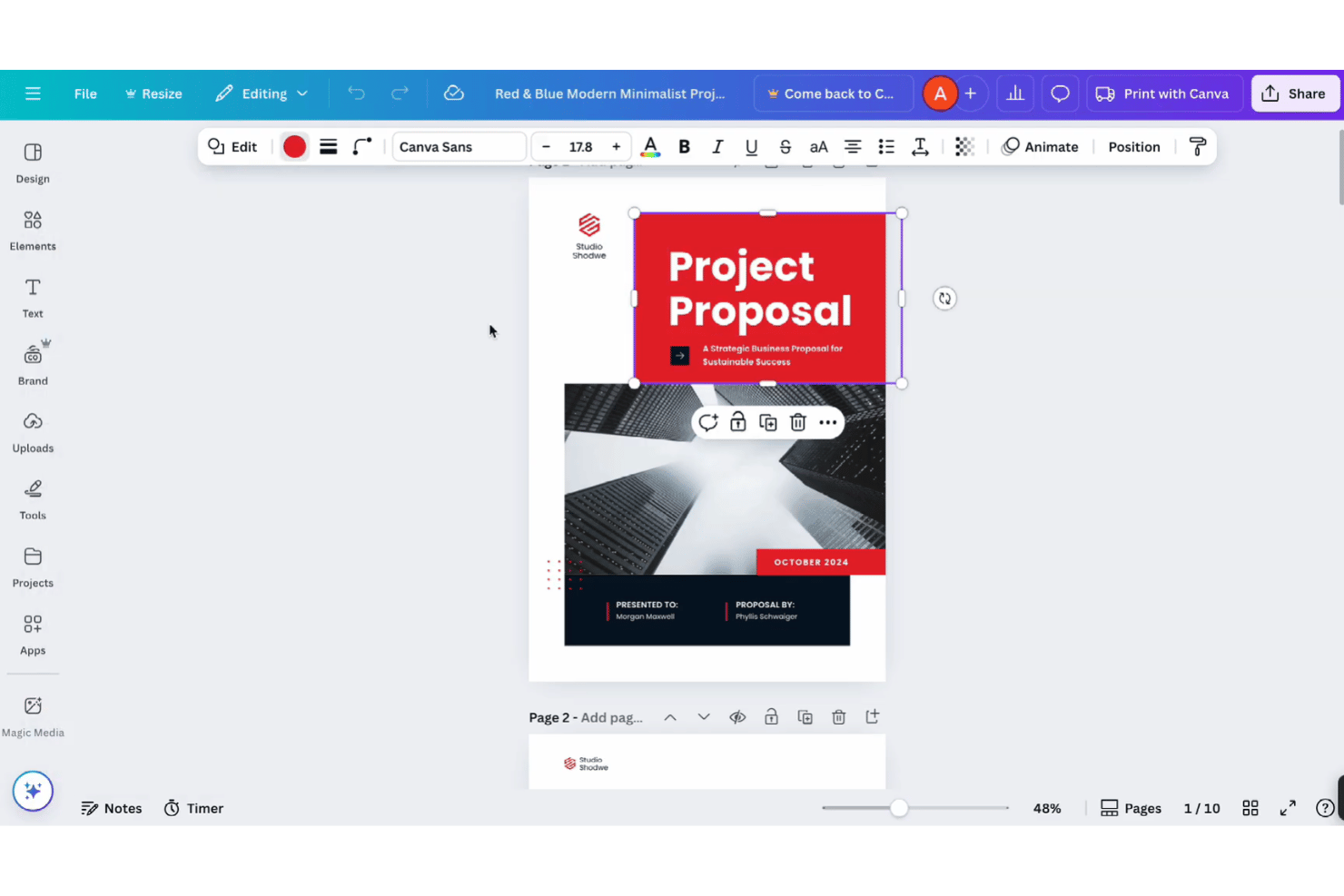
Canva is a free proposal design platform with proposal templates, drag-and-drop editing, Docs and Sheets, static pricing tables, PDF export, shareable links, and comments.
Who Is Canva Best For?
Canva suits freelancers, consultants, and small teams that need polished, branded proposal PDFs and share links without signing or deal tracking.
Why I Picked Canva
I picked Canva for visually branded proposal design because I can turn a project brief into a polished client document with proposal templates and drag-and-drop editing. I use Canva Docs for structured sections, tables, comments, and PDF export, then share a mobile-friendly view link. It fits design-led proposals, but I move signature collection elsewhere because clients can’t sign inside Canva.
Canva Key Features
- Canva Sheets: Import and export CSV or XLSX files and use over 60 spreadsheet functions.
- Self-signature tool: Draw, type, or upload a signature for placement in designs, Docs, or PDFs.
- PayPal Payment Links: Add PayPal payment links and QR codes to proposal designs.
- AI writing tools: Use up to 20 free Magic Write and other AI actions.
Canva Integrations
Canva offers marketplace integrations with HubSpot and PayPal Payment Links. It also provides a REST API for custom apps, with availability varying by plan.
What’s Free?
Canva offers a free-forever plan with proposal templates, drag-and-drop editing, PDF export, shareable links, and comments. Some premium templates, assets, and features require a paid plan, while free users receive up to 20 free Magic Write and other AI actions.
Pros and Cons
Pros:
- Shareable links enable client comments
- Docs and Sheets support static quotes
- Free templates create polished branded proposals
Cons:
- No proposal pipeline or open alerts
- Clients cannot request signatures inside Canva
PandaDoc
Best for legally binding e-sign on a free plan
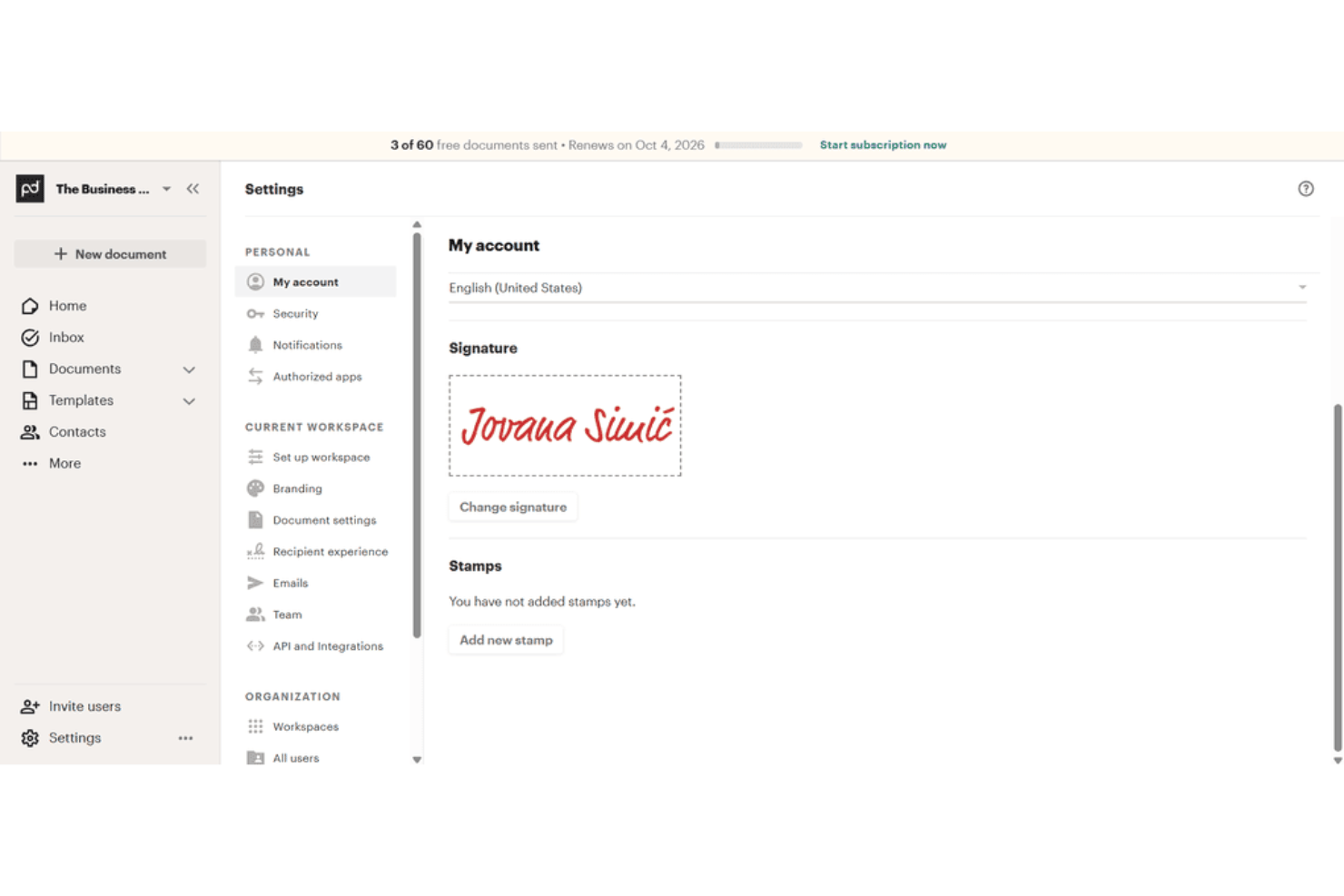
PandaDoc is free proposal software with a drag-and-drop editor, templates, document tracking, legally binding e-signatures, PDF downloads, and shareable links.
Who Is PandaDoc Best For?
PandaDoc suits freelancers and small teams that send occasional client documents requiring legally binding e-signatures and basic tracking.
Why I Picked PandaDoc
I picked PandaDoc because its Free eSign plan includes legally binding signatures, an audit trail, and PDF downloads without an expiration date. I use its drag-and-drop editor and templates to prepare client documents, then share them by email or link. The five-send monthly limit and two-recipient cap suit occasional, simple agreements.
PandaDoc Key Features
- Unlimited users: Add users to the free workspace without a user limit.
- Unlimited storage: Organize files with folders, tags, and search.
- Inline comments: Add comments directly within documents.
- Mobile app: Access and manage documents from mobile devices.
PandaDoc Integrations
PandaDoc lists 30+ integrations, including HubSpot, Salesforce, Google Sheets, Microsoft Word, and Zapier. Its API supports custom integrations, with Free eSign accounts limited to five sends and 25 document creations monthly.
What's Free?
PandaDoc offers a free plan rather than only a time-limited trial, with legally binding e-signatures, PDF downloads, and audit trails. The plan allows five sends, two recipients per document, and 25 document creations monthly, while users and storage remain unlimited.
Pros and Cons
Pros:
- Real-time tracking shows recipient activity
- Unlimited users and storage support occasional teams
- Legally binding signatures include audit trails
Cons:
- No pricing tables limit quote creation
- Five monthly sends restrict recurring proposals

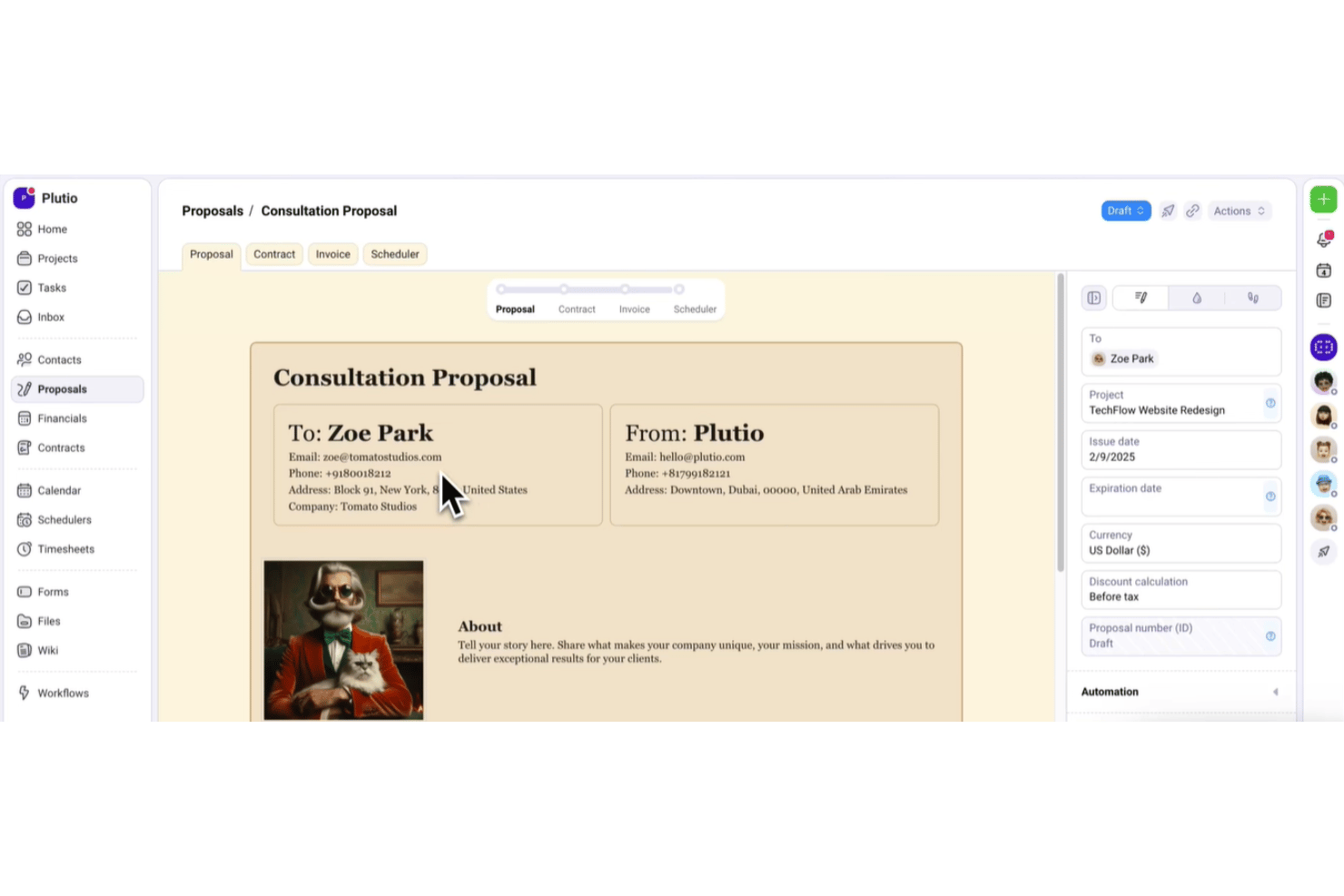
Plutio is an all-in-one proposal software platform for freelancers, combining branded proposals, quote tables, e-signatures, contracts, invoicing, and client portals with a free trial.
Who Is Plutio Best For?
Freelancers and small agencies that need branded proposals, e-signatures, contracts, and invoices in one workspace.
Why I Picked Plutio
I picked Plutio for its proposal-to-invoice flow for freelancers. During the free trial, I can build branded proposals with itemized packages, collect in-document signatures, and trigger an invoice when a client accepts. The workspace also links signed proposals to contracts and projects, keeping client handoff in one place.
Plutio Key Features
- Drag-and-drop editor: Arrange content, image, video, HTML, and canvas blocks.
- Proposal templates: Save reusable proposals or install templates from the community library.
- View tracking: Record proposal views with timestamps and status updates.
- Follow-up automations: Send reminders for pending proposals after three days, one week, and two weeks.
Plutio Integrations
Plutio offers native integrations with Stripe, PayPal, Square, Google Calendar, Outlook, Google Meet, Zoom, QuickBooks, and FreshBooks. It also supports Gmail, Zapier, an open API, and webhooks for custom integrations.
What's Free?
Plutio offers a 7-day free trial rather than a free-forever plan. After the trial, paid plans start at $19 per month.
Pros and Cons
Pros:
- Native signatures include audit details and PDFs
- Branded templates support polished, repeatable proposals
- Proposal-to-invoice workflow keeps client handoffs connected
Cons:
- Trial workspaces become read-only after expiration
- No free-forever plan for ongoing proposal access
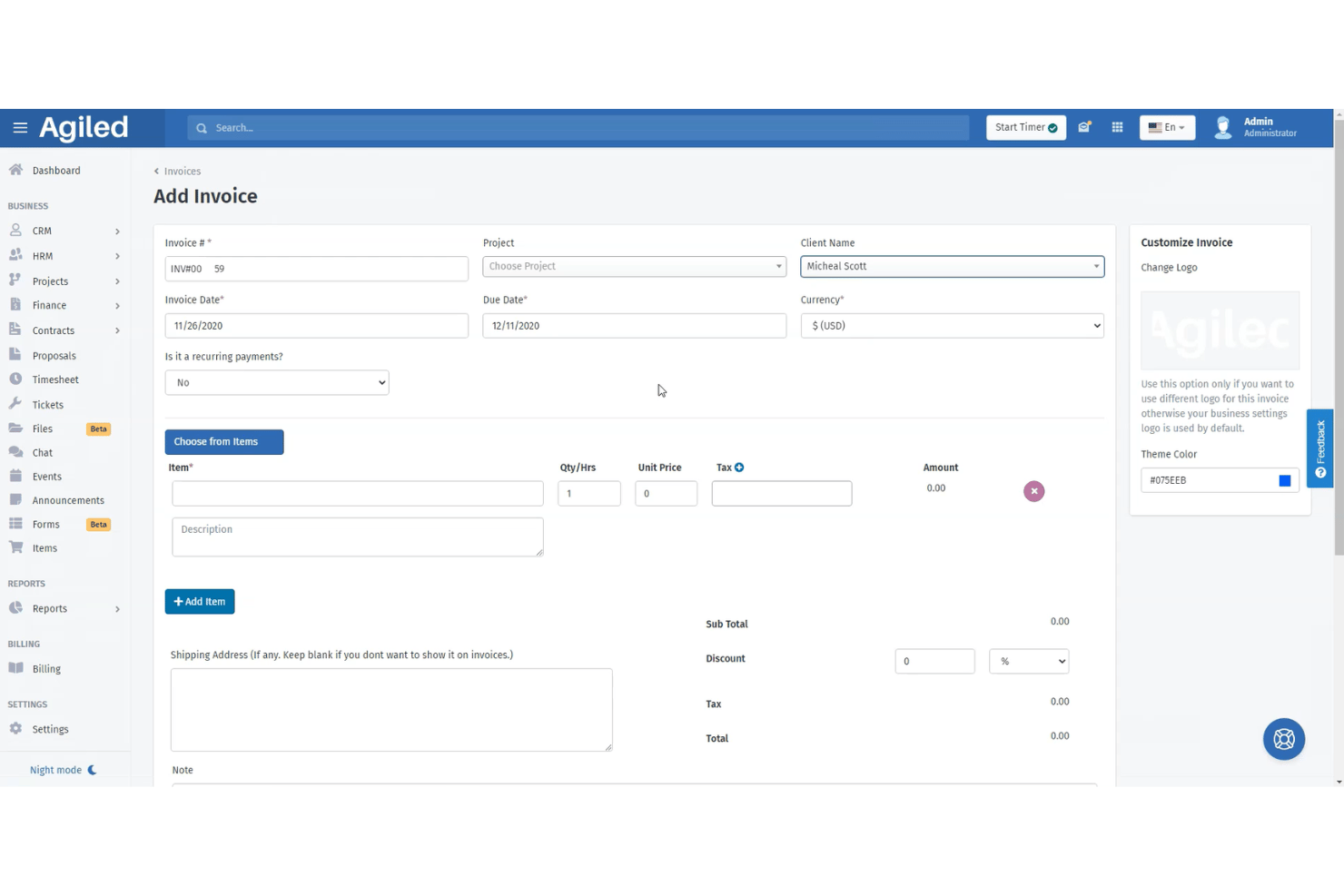
Agiled is an all-in-one proposal software platform with drag-and-drop templates, reusable content blocks, estimates, e-signatures, client tracking, and direct proposal-to-contract or invoice conversion.
Who Is Agiled Best For?
Freelancers and solo consultants who need to connect client proposals with estimates, e-signatures, contracts, and invoices.
Why I Picked Agiled
I picked Agiled for freelancers managing proposals and invoices because its reusable blocks and drag-and-drop builder help me assemble client-ready proposals quickly. I can collect signatures from multiple recipients, then convert accepted proposals into contracts or invoices. Its CRM deal records also prefill scope, pricing, and client details.
Agiled Key Features
- Proposal status tracking: Monitor draft, sent, viewed, and signed statuses with read-time details.
- Secure sharing links: Add passwords and expiration dates to shared proposal links.
- Pricing and estimate tables: Include line items, discounts, taxes, terms, and expiry dates.
- PDF export: Download completed contracts as PDF documents.
Agiled Integrations
Agiled lists 44 integrations, including Stripe, PayPal, QuickBooks, Xero, HubSpot, Asana, Trello, and Slack. It also supports custom connections through its REST API and webhooks, plus Zapier.
What's Free?
Agiled offers a free-forever plan rather than only a time-limited trial. The available plan information doesn't specify user limits, integration restrictions, or other free-plan conditions, so check Agiled's current plan details before subscribing.
Pros and Cons
Pros:
- Tracks views, signatures, and read times
- Converts accepted proposals into contracts
- Supports ordered and parallel e-signatures
Cons:
- Starter documents have restrictive limits
- Free proposal access remains unclear

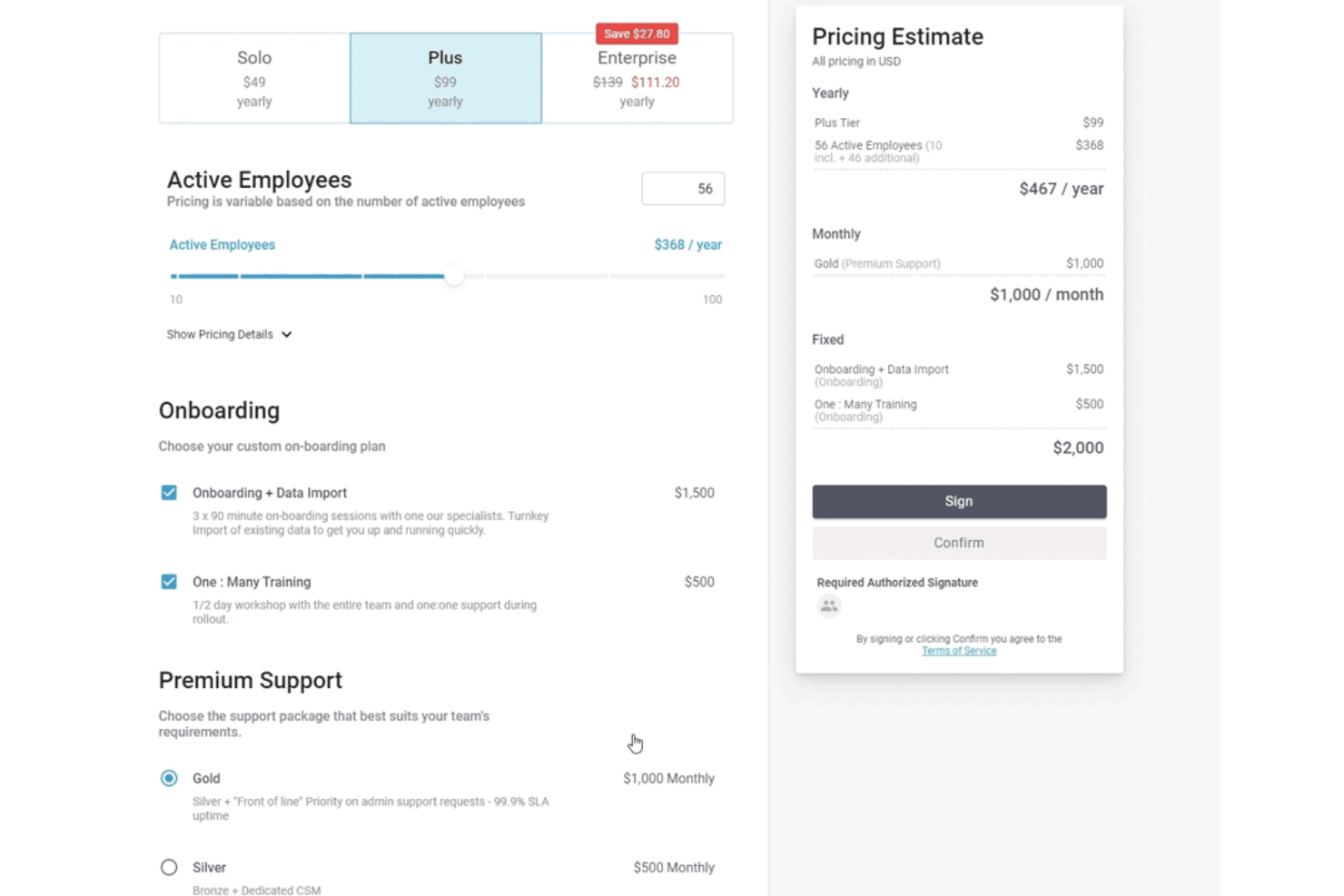
FastSpring IQ is a proposal software platform for SaaS quotes, with interactive pricing tiers, add-ons, e-signatures, engagement analytics, and HubSpot integration.
Who Is FastSpring IQ Best For?
FastSpring IQ suits SaaS sales teams that need interactive pricing quotes, built-in e-signatures, and detailed buyer engagement tracking.
Why I Picked FastSpring IQ
I picked FastSpring IQ because it’s best for SaaS pricing quotes with built-in e-signatures. I use its interactive tiers, quantity-based pricing, and add-ons to present software packages that recalculate totals as buyers configure them. Multiple signers, locked post-signing quotes, and audit-trail PDFs support a clear approval process.
FastSpring IQ Key Features
- Custom templates: Create reusable templates with custom themes and accent colors.
- Discount controls: Apply percentage, fixed-amount, or final-price discounts.
- Quote security: Protect shared quotes with passwords, visit limits, and expiry dates.
- HubSpot integration: Link quotes to deals and log quote activity in HubSpot.
FastSpring IQ Integrations
FastSpring IQ offers native integrations with HubSpot, Salesforce, FastSpring Payments, and Drift. It also provides an API and webhooks for custom integrations.
What's Free?
FastSpring IQ offers a free-forever plan at $0 with no credit card required. It includes unlimited quotes, interactive pricing, real-time analytics, eSignatures, HubSpot integration, and FastSpring Payments, but limits access to two users.
Pros and Cons
Pros:
- Multiple signers with audit-trail PDFs
- Detailed buyer engagement analytics
- Interactive pricing recalculates tiers and add-ons
Cons:
- Quote export remains link-based
- Narrative proposal sections are absent
Annen gratis programvare for tilbud
Her er noen flere alternativer som ikke kom med på topplisten min, men som fortsatt er verdt å se nærmere på:
- Docspo
For webpage-style proposals with reusable blocks
- Proposal.biz
For solo users sending branded proposals free
- Google Docs
For drafting proposals in a tool you already use
- Bitrix24
For CRM-linked quotes with free e-signature
- Indy
For freelancers with a proposal-to-client workflow
- Bonsai
For freelancers converting proposals to invoices
- Signaturely
For signing proposals sent outside the app
- DocHipo
For design-led proposals with pricing tables
- Wethos
For freelancers quoting with peer pricing data


How I Evaluate Free Proposal Software
First, I define what counts as free. A free-forever plan must support ongoing proposals, not just a trial, despite user or feature limits. From there, I evaluate creating proposals and capturing e-signatures, client comments, and how well the free plan scales toward paid upgrades.
Core Functionality (Table Stakes For This List)
In addition to my free plan requirements, I use a scoring system to select tools for my list. I score each one on a scale from 0 (does not offer the functionality) to 5 (excels in this area) for each core functionality listed below, based on what's available on the free plan. I then convert the total into a percentage to help assess each tool's overall fit, with extra weight on any functionalities I've deemed essential.
- Proposal Creation & Templates (Essential): I look for editable templates, branding, images, and reusable sections for presenting scope, milestones, and deliverables.
- E-Signature Capture (Essential): I check whether clients can approve and sign inside the proposal, with completion records suitable for a project handoff.
- Pricing & Quote Tables: Itemized services, quantities, options, and totals should be clear enough for clients to review before approval.
- Proposal Tracking & Notifications: I assess alerts for opens, views, repeat visits, and engagement that help account managers time follow-ups.
- PDF/Document Export & Sharing: I look for shareable links or downloadable files that clients can open across devices and retain for their records.
Once I have a list of tools that meet the criteria, I consider what sets each platform apart.
Differentiating Factors (What Sets Vendors Apart)
Here's how I compare and contrast different vendors:
Standout Features
I look for a content library that lets you save approved text blocks, case studies, and pricing modules to reuse across proposals. This matters when you're sending similar scopes repeatedly and need consistency without rebuilding from scratch. I also evaluate whether recipients can leave comments directly inside a proposal before signing, since that cuts down on email threads and speeds up approvals. Tools like Better Proposals and Qwilr handle this differently, so I check how each one surfaces client feedback alongside signature workflows.
Beyond Features
I check whether a free plan connects to payment processors like Stripe or PayPal, since turning a signed proposal into an immediate invoice or payment request cuts days off your close-to-cash cycle. Onboarding speed matters too—I look for guided setup and drag-and-drop editors that let a solo consultant send a polished proposal within minutes, not hours. I also evaluate audit trails for signatures, because both you and your client need defensible proof that an agreement was accepted.
Slik velger du gratis programvare for tilbud
Velg gratis programvare for tilbud ved å teste om begrensningene støtter hele arbeidsflyten din, fra utkast til signert godkjenning.
| Hvis prioriteten din er | Se etter |
|---|---|
| Å sende gjennomarbeidede tilbud gjentatte ganger | Gjenbrukbare maler, merkevarede seksjoner og lagret prisinnhold |
| Å innhente signerte godkjenninger | Signaturer i tilbudet med en nedlastbar bekreftelse på fullføring |
| Å håndtere endringer i prosjektomfanget | Kommentarer fra kunden, revisjonshistorikk og redigerbare pristabeller |
| Å følge opp på riktig tidspunkt | Varsler om åpning, visningssporing og varsler ved gjentatte besøk |
| Å gå fra godkjenning til betaling | Betalingsforespørsler eller fakturering i samme arbeidsflyt |
Slik vurderer du kortlisten din
- Gjennomfør en definert prøveoppgave: Opprett ett tilbud med omfang, milepæler, tre linjeposter, en revisjon og en signaturforespørsel innen 30 minutter.
- Be om vilkårene for gratisplanen: Be om et oppdatert dokument med begrensninger som dekker antall tilbud, maler, lagring, signaturer, eksporter og utløpsdatoer.
- Test overleveringen til kunden: Send tilbudet til to testmottakere, legg til en kommentar, fullfør godkjenningen og last ned den endelige bekreftelsen innen én arbeidsdag.
- Send inn en supportsak: Spør hvordan slettede tilbud, mislykkede signaturer og eksporterte oppføringer håndteres, og lagre deretter det skriftlige svaret som supportdokumentasjon.
- Velg kompromisset ditt: Bestem om du trenger en visuelt interaktiv tilbudsopplevelse eller en dokumentbasert arbeidsflyt med enklere signering og eksport.
Hva er gratis programvare for tilbud?
Gratis programvare for tilbud er et verktøy med en gratisplan eller prøveperiode for å opprette, dele, følge opp, godkjenne og signere kundetilbud. Den hjelper deg med å presentere prosjektomfang, leveranser, tidsplaner, priser og vilkår i ett kundevendt dokument. Funksjonene varierer etter plan, så sjekk begrensninger for tilbud, maler, elektroniske signaturer, kommentarer, eksport, sporing og betalingsalternativer før du velger et verktøy.
Funksjoner i gratis programvare for tilbud
Her er en oversikt over funksjonene du ofte kan få i gratisplaner for tilbudsprogramvare, og de du vanligvis må betale for.
Vanligvis gratis funksjoner
- Tilbudsmaler: Ferdiglagde oppsett gir deg et utgangspunkt for å presentere tjenester, leveranser, tidsplaner og priser. Du kan vanligvis redigere teksten, delene og de visuelle elementene for hver kunde.
- Tilbudsredigeringsverktøy: Et dra-og-slipp-basert eller tekstbasert redigeringsverktøy lar deg opprette tilbud uten å utforme hver side fra bunnen av. Du kan organisere deler, legge til innhold og justere tilbudet før du deler det.
- Grunnleggende profilering: Gratisplaner lar deg ofte legge til bedriftsnavn, logo, farger og kontaktinformasjon. Disse elementene hjelper kundene med å identifisere hvem som sendte tilbudet.
- Pristabeller: Spesifiserte tabeller viser tjenester, antall, satser, rabatter og totalsummer. De gir kundene en tydelig måte å gjennomgå den foreslåtte prosjektkostnaden på.
- Delbare lenker: Du kan sende et tilbud via en kundevendt lenke i stedet for å legge ved en stor fil i en e-post. Mottakerne kan åpne tilbudet i en nettleser på ulike enheter.
- PDF-eksport: Eksportverktøy oppretter en nedlastbar kopi for kunder som trenger å lagre, skrive ut eller dele tilbudet internt. Sjekk om gratisplanen legger til plattformens profilering i eksporterte filer.
- Grunnleggende elektroniske signaturer: Noen gratisplaner lar kundene signere tilbud elektronisk etter at de har gjennomgått vilkårene. Programvaren registrerer vanligvis hvem som signerte, datoen og fullføringsstatusen.
- Visningssporing: Grunnleggende sporing viser om en mottaker har åpnet et tilbud. Denne informasjonen hjelper deg med å avgjøre når du bør følge opp etter at dokumentet er sendt.
- Kundekommentarer: Kommentarfelt lar kundene stille spørsmål eller be om endringer i tilbudet. Dette holder tilbakemeldingene knyttet til den relevante delen om omfang eller priser.
Vanligvis betalte funksjoner
- Gjenbrukbart innholdsbibliotek: Et innholdsbibliotek lagrer godkjente tjenestebeskrivelser, kundehistorier, vilkår og prisblokker. Du kan sette inn disse delene i nye tilbud uten å opprette dem på nytt.
- Avansert engasjementsanalyse: Betalt sporing kan vise tidsbruk på sider, gjentatte besøk, lenkeaktivitet og mottakerengasjement. Disse detaljene hjelper deg med å identifisere hvilke deler som fikk oppmerksomhet.
- Eget domene: Et eget domene erstatter leverandørens nettadresse med en URL som er knyttet til virksomheten din. Det gir mottakerne en konsekvent lenke når de gjennomgår tilbud på nettet.
- Betalingsinnkreving: Betalingsfunksjoner kobler signerte tilbud til betalingsforespørsler gjennom støttede betalingsformidlere. Kundene kan betale forskudd eller prosjektgebyrer etter at de har akseptert tilbudet.
- CRM-integrasjoner: Integrasjoner kobler tilbudsaktivitet til poster i systemer for kunderelasjonshåndtering. De kan knytte tilbud, kontakter, salgsfaser og oppfølgingsaktivitet sammen i ett system.
- Teamtillatelser: Tillatelseskontroller definerer hvem som kan opprette, redigere, sende, godkjenne eller se tilbud. Dette hjelper større team med å skille mellom rettigheter til å utarbeide innhold og administrativ tilgang.
- Godkjenningsprosesser: Godkjenningsprosesser sender tilbud gjennom interne vurderinger før de når en kunde. De kan kreve godkjenning fra en leder, juridisk kontrollør eller økonomiansvarlig.
- Detaljerte revisjonsspor: Revisjonsspor registrerer tilbudshendelser som redigeringer, visninger, signaturer og godkjenninger. Disse postene gir en tydeligere historikk når team trenger å bekrefte hva som skjedde.
- Tilpassede integrasjoner: API-tilgang og automatiseringsverktøy kobler tilbudsprogramvaren til interne systemer. Team kan overføre tilbudsdata til verktøy for prosjektstyring, fakturering eller rapportering.
Fordeler
Selv om gratisversjoner har begrensninger, kan du fortsatt forvente flere praktiske fordeler ved å bruke gratis programvare for tilbud:
- Raskere oppretting av tilbud: Maler, dra-og-slipp-redigerere og gjenbrukbare seksjoner gir deg et utgangspunkt for å presentere omfang, milepæler, leveranser og vilkår.
- Tydeligere priser for klienter: Spesifiserte pristabeller organiserer tjenester, antall, priser, rabatter og totalbeløp i ett tilbud.
- Enklere innhenting av godkjenninger: Elektroniske signaturer lar klienter gå gjennom og signere tilbud på nettet, samtidig som signatar, dato og fullføringsstatus registreres.
- Mer målrettet klientkommunikasjon: Kommentarfelt holder spørsmål og forespurte endringer knyttet til de relevante tilbudsseksjonene.
- Bedre oppfølgingstidspunkt: Sporing av åpning og visning viser når mottakere åpner et tilbud, slik at du kan avgjøre når du bør følge opp.
- Fleksibel deling av dokumenter: Delbare lenker lar klienter åpne tilbud på tvers av enheter, mens PDF-eksporter gir nedlastbare kopier til arkivet deres.
- En måte å teste arbeidsflyter med lavere risiko på: Gratisabonnementer lar deg evaluere oppretting av tilbud, overlevering til klienter, signaturer, eksporter og oppgraderingsbegrensninger før du binder deg til et betalt abonnement.
Kostnader og priser
Selv om du ser på gratisalternativer akkurat nå, tilbyr gratisabonnementer begrensede funksjoner. Hvis du trenger å oppgradere senere, er dette hva du vanligvis kan forvente:
Sammenligningstabell for abonnementer for tilbudsprogramvare
| Abonnementstype | Gjennomsnittspris | Vanlige funksjoner |
|---|---|---|
| Gratisabonnement | $0 | Grunnleggende tilbudsmaler, begrenset antall tilbud, delbare lenker og grunnleggende elektroniske signaturer. |
| Personlig abonnement | $10-$30/user/month | Flere maler, kontroll over profilering, PDF-eksporter, pristabeller og grunnleggende sporing. |
| Forretningsabonnement | $30-$80/user/month | Gjenbrukbare innholdsbiblioteker, avansert sporing, klientkommentarer, betalingsinnkreving og teamtillatelser. |
| Bedriftsabonnement | $75-$200/user/month | Tilpassede arbeidsflyter, detaljerte revisjonsspor, CRM-integrasjoner, tilpasset profilering og dedikert kundestøtte. |
Vanlige spørsmål
Noen svar på vanlige spørsmål om gratis programvare for tilbud:
Kan jeg bruke gratis programvare for tilbud til flere klienter?
Ja, de fleste abonnementer som er gratis for alltid, støtter tilbud for flere klienter, men de begrenser ofte antallet. Sjekk om leverandøren begrenser aktive tilbud, sendte tilbud, maler, lagring eller mottakere. Noen abonnementer arkiverer også eldre dokumenter eller legger til leverandørprofilering. Før du velger et verktøy, bør du opprette tilbud for to forskjellige klienter og teste hele arbeidsflyten. Bekreft at begge dokumentene fortsatt er tilgjengelige etter signering. Dette er viktig når du håndterer flere prosjekter og trenger en pålitelig oversikt over hver klients godkjente omfang og priser.
Er elektroniske signaturer i gratis programvare for tilbud juridisk gyldige?
Ja, elektroniske signaturer kan være juridisk gyldige, men kravene varierer etter jurisdiksjon og avtaletype. Velg et verktøy som registrerer signatarens identitet, samtykke, tidsstempel og dokumentversjon. Et fullføringssertifikat eller en revisjonslogg gir sterkere bevis enn et signaturbilde alene. Spør leverandøren hvordan signaturregistreringer lagres, og om klienter kan laste dem ned. For regulert arbeid, kontrakter med høy verdi eller avtaler med uvanlige vilkår bør du få en juridisk rådgiver til å bekrefte at signeringsprosessen oppfyller kravene dine.
Kan jeg flytte tilbudene mine hvis jeg vokser ut av gratisabonnementet?
Vanligvis, ja, men eksportalternativene varierer etter leverandør og abonnement. Sjekk om gratistilbudet støtter PDF-nedlastinger, dataeksport eller tilgang til fullførte tilbud etter en oppgradering. Lagre signerte tilbud, fullføringsoppføringer og viktige vedlegg utenfor plattformen før du endrer abonnement. Du bør også sjekke om eksporterte filer inneholder leverandørprofilering eller bevarer kommentarer og signaturdetaljer. Gjennomfør denne testen før du tar i bruk verktøyet i en viktig klientarbeidsflyt. Migrering blir vanskeligere når tilbudshistorikken din forblir låst inne på én konto.
Hva bør jeg sjekke før jeg sender et gratis tilbud til en klient?
Kontroller det endelige omfanget, prisberegningene, godkjenningsinnstillingene, signaturfeltene og mottakertillatelsene før du sender det. Åpne klientvisningen både i en nettleser på en stasjonær datamaskin og på en mobil enhet. Bekreft at tilbudet viser kontaktopplysningene, vilkårene, bildene og totalbeløpene dine korrekt. Send deg selv et testtilbud hvis plattformen støtter det. Etter levering bør du kontrollere at visningsvarsler fungerer, og at du kan laste ned den signerte registreringen. Denne gjennomgangen avdekker ødelagte lenker, manglende seksjoner og feil priser før klienten ser dem.