

10 beste gratis fakturaprogrammer i 2026

Kortliste over den beste gratis faktureringsprogramvaren


Gratis faktureringsprogramvare lar deg opprette og sende fakturaer, følge opp betalinger og administrere fakturering uten å betale månedlige avgifter. Hvis du arbeider med prosjekter, kundefakturering eller tidsregistrering, hjelper det å finne riktig gratis faktureringsprogramvare deg med å forenkle arbeidsflyten, holde kundene oppdatert og få raskere betalt. Jeg har brukt flere år på å balansere stramme tidsfrister og skiftende kundekrav – jeg vet hvor raskt faktureringen blir glemt når prosjektene blir hektiske.
Denne veiledningen sammenligner de beste verktøyene med gratis abonnementer eller prøveperioder, med fokus på alternativer som integreres med prosjektarbeidsflytene dine og støtter ryddig fakturering som er klar til å sendes til kunden. Her finner du det som passer for teamet, prosessen og budsjettet ditt.
Hvorfor du kan stole på våre programvareanbefalinger
Teamet vårt har testet og anmeldt programvare siden 2012. Vi er selv prosjektledere, så vi vet hvor vanskelig og hvor viktig det er å velge riktig programvare.
I denne guiden har vi vurdert verktøyene gjennom praktisk testing og uavhengig research og gitt dem poeng ut fra våre utvelgelseskriterier. Vi bygger også på innsikt fra ledende eksperter i bransjen og erfarne prosjektledere.
Anmeldelsene våre bygger på vår egen redaksjonelle vurdering. De er ikke et salgsargument.
Ekspertanmeldere:
Sammenligningstabell for gratis faktureringsprogramvare
Denne sammenligningstabellen oppsummerer prisdetaljene for mine beste utvalgte gratis faktureringsprogrammer:
| Tool | Best For | Trial Info | Price | ||
|---|---|---|---|---|---|
| 1 | Best for project billing with EU VAT built in | Free plan available | From $7/user/month (billed annually) | Website | |
| 2 | Best for invoicing backed by Square's network | Free plan + free trial available | From $49/month | Website | |
| 3 | Best for turning tracked hours into invoices | Free trial + free plan available | From $9/user/month (billed annually) | Website | |
| 4 | Best for time-and-expense-to-invoice billing | Free plan + 14-day free trial available | From $16/month (billed annually) | Website | |
| 5 | Best for mobile invoicing with Tap to Pay built in | Free plan available | From $7.60/month (billed annually) | Website | |
| 6 | Best for Kanban project billing | Free plan available | From $11.67/month (billed annually) | Website | |
| 7 | Best for invoicing with multi-country tax built in | Free plan available | Free to use | Website | |
| 8 | Best for invoicing with AI payment alerts | Not available | Free forever plan | Website | |
| 9 | Best for mobile invoicing with 20+ payment gateways | Free demo + 7-day free trial available | From $6.67/user/month (billed annually) | Website | |
| 10 | Best for billing across projects and a client portal | Free plan available | From $24/month (billed annually) | Website |
Anmeldelser av den beste gratis faktureringsprogramvaren
Nedenfor finner du mine detaljerte sammendrag av den gratis faktureringsprogramvaren som kom med på kortlisten min. Anmeldelsene mine gir et detaljert innblikk i funksjonene, de beste bruksområdene og integrasjonene til hvert verktøy, slik at du kan finne det beste alternativet for deg.

Elorus
Best for project billing with EU VAT built in
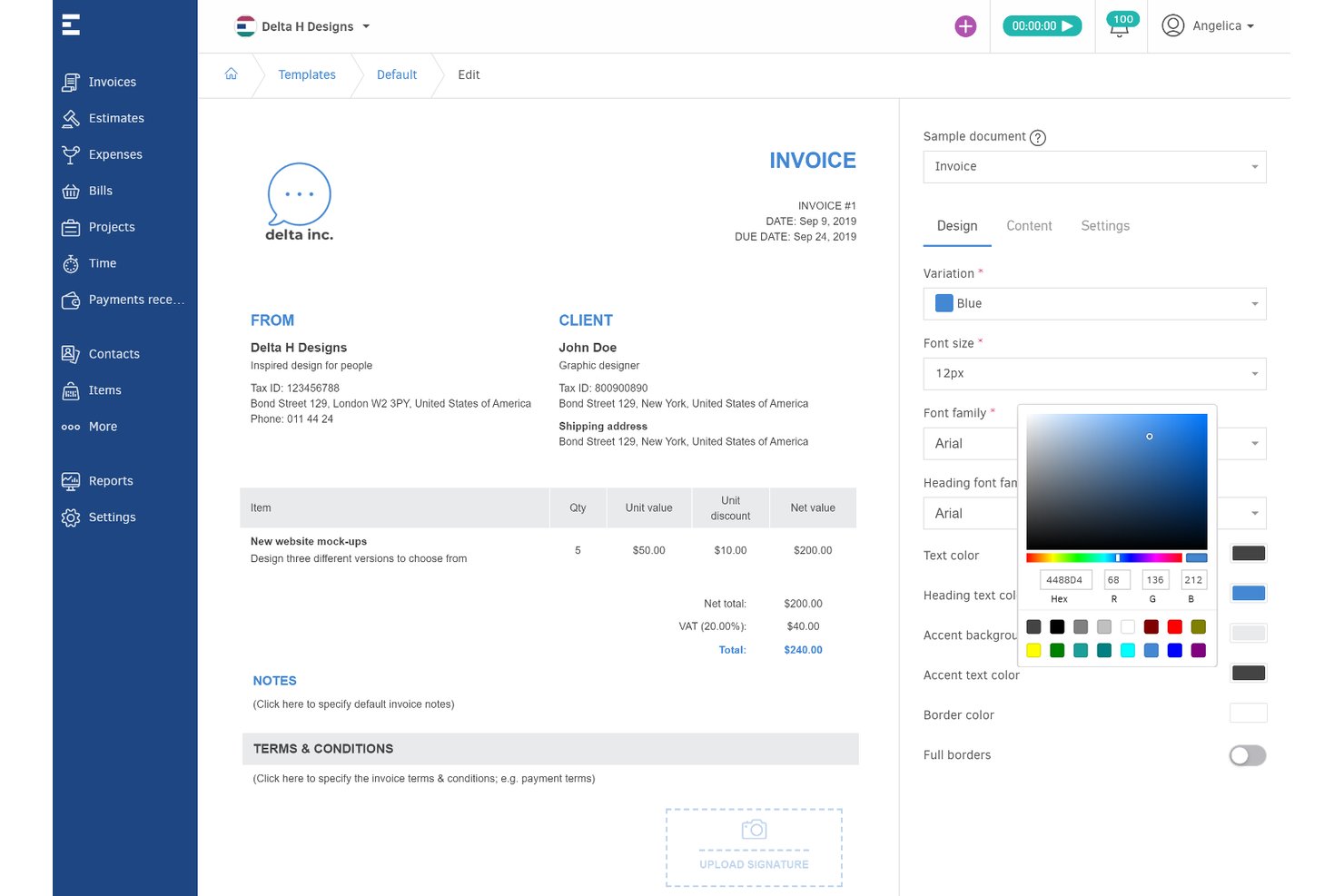
Elorus is an invoicing and billing platform for freelancers and project teams, offering invoice creation, time tracking, project profitability, recurring billing, online payments, and multi-currency support on its free forever plan.
Who Is Elorus Best For?
Freelancers, consultants, and client-focused project teams who need invoicing, time tracking, and EU VAT features in one platform.
Why I Picked Elorus
I picked Elorus as one of the best because it combines project billing, EU VAT support, and time tracking in a single free-forever plan. I like that I can send recurring invoices, accept payments through multiple gateways, and track project profitability—features that are usually locked behind paid tiers elsewhere.
Elorus Key Features
- Multi-currency invoicing: Easily issue invoices in any global currency with automatic exchange rate calculation.
- Automatic payment status notifications: Receive instant alerts when clients view, pay, or miss invoice due dates.
- Advanced estimates and quote-to-invoice conversion: Turn client-approved estimates or quotes into invoices with a single click.
- Developer API access: Integrate Elorus with your workflow or build custom automations using the open API, available on all plans.
Elorus Integrations
Elorus offers native integrations with Stripe, PayPal, Braintree, RevolutPay, Authorize.Net, Asana, Jira, Trello, and Slack. It also provides an API for custom integrations.
What's Free?
Elorus offers a free-forever plan that supports one user, unlimited invoices, and up to five clients. The free plan includes time tracking, project billing, and essential integrations, but you’ll need to upgrade for more users, advanced automations, and higher client limits.
Pros and Cons
Pros:
- No transaction commission on online payments
- Recurring invoices and payment reminders on free tier
- Combines invoicing with project time tracking
Cons:
- Client portal requires upgrading to a paid plan
- Free plan limited to 5 active clients

Best for invoicing backed by Square's network
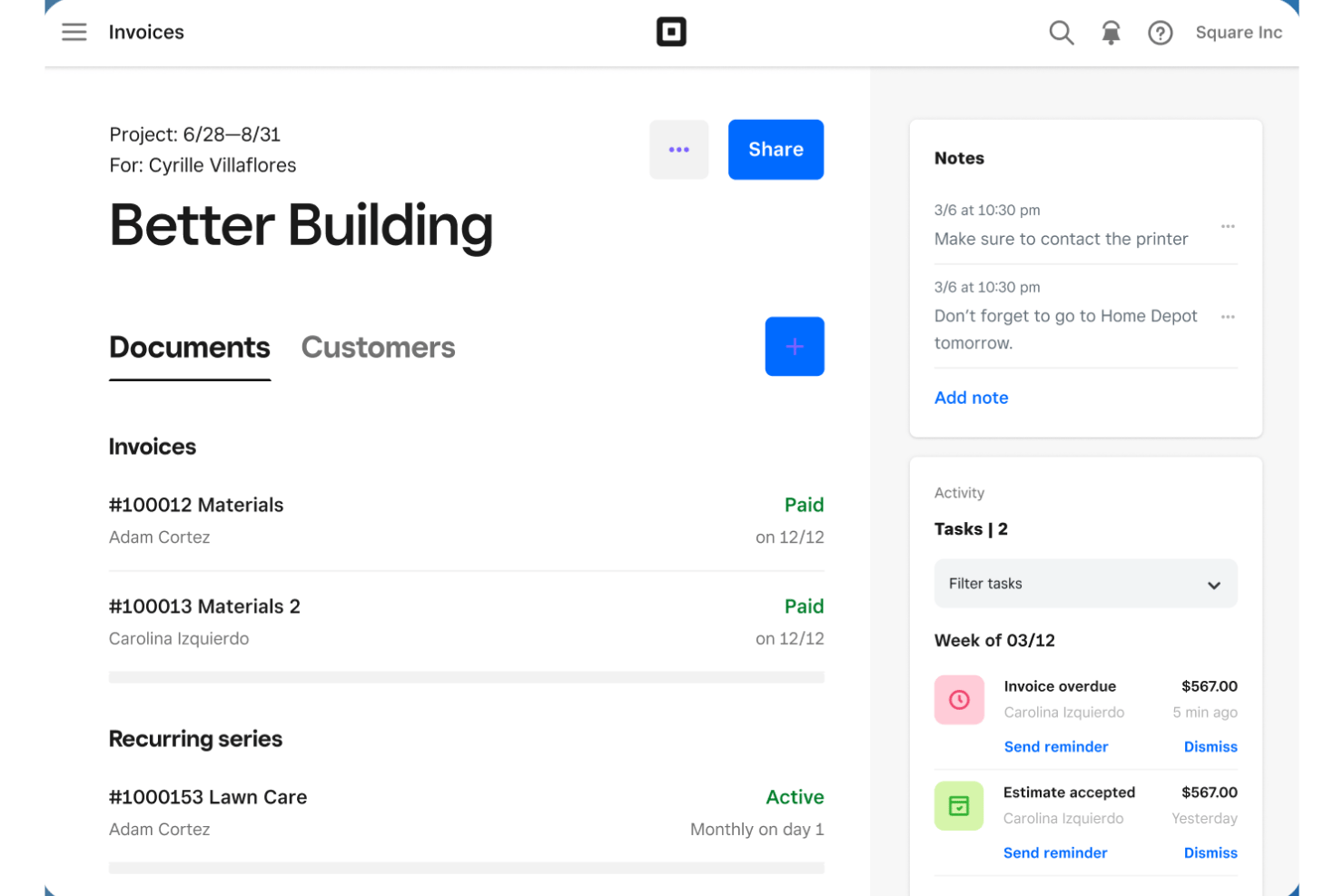
Square Invoices is a free invoicing software tool that lets you create unlimited invoices and estimates, send contracts for e-signature, accept a wide range of online payments, and manage client billing directly from web or mobile apps.
Who Is Square Invoices Best For?
Square Invoices is a strong choice for independent consultants and contractors who need unlimited free invoicing, e-signature contracts, and online payment acceptance across multiple methods.
Why I Picked Square Invoices
I picked Square Invoices because I rely on its unlimited free invoicing and payment options backed by the trusted Square network. I can request contract e-signatures, mix project deposits and milestone payouts on a single invoice, and accept card, ACH, and even Apple Pay payments from clients instantly.
Square Invoices Key Features
- Contracts with e-signature: Send reusable contract templates that clients can review and sign directly online.
- Recurring invoice scheduling: Automate invoice creation and delivery on daily, weekly, monthly, or yearly cycles.
- Batch invoicing: Send one invoice to multiple customers at once for recurring or repeated project fees.
- Estimate-to-invoice conversion: Instantly turn accepted estimates into billable invoices with a single click.
Square Invoices Integrations
Square Invoices offers native integrations with QuickBooks Online, Xero, Square POS, Square Appointments, Square Online, and other Square ecosystem tools. It also connects with Zapier and provides an API for custom integrations.
What's Free?
Square Invoices offers a free-forever plan that lets you send unlimited invoices and estimates. The free plan charges a fee only when you accept payments, and advanced features like custom workflows or automated reminders are part of paid tiers.
Pros and Cons
Pros:
- Contract e-signature included with invoices
- Broadest range of payment methods supported
- Unlimited invoices on the free-forever plan
Cons:
- Multi-currency invoicing is not supported
- No native billable-hours time tracking
Harvest
Best for turning tracked hours into invoices
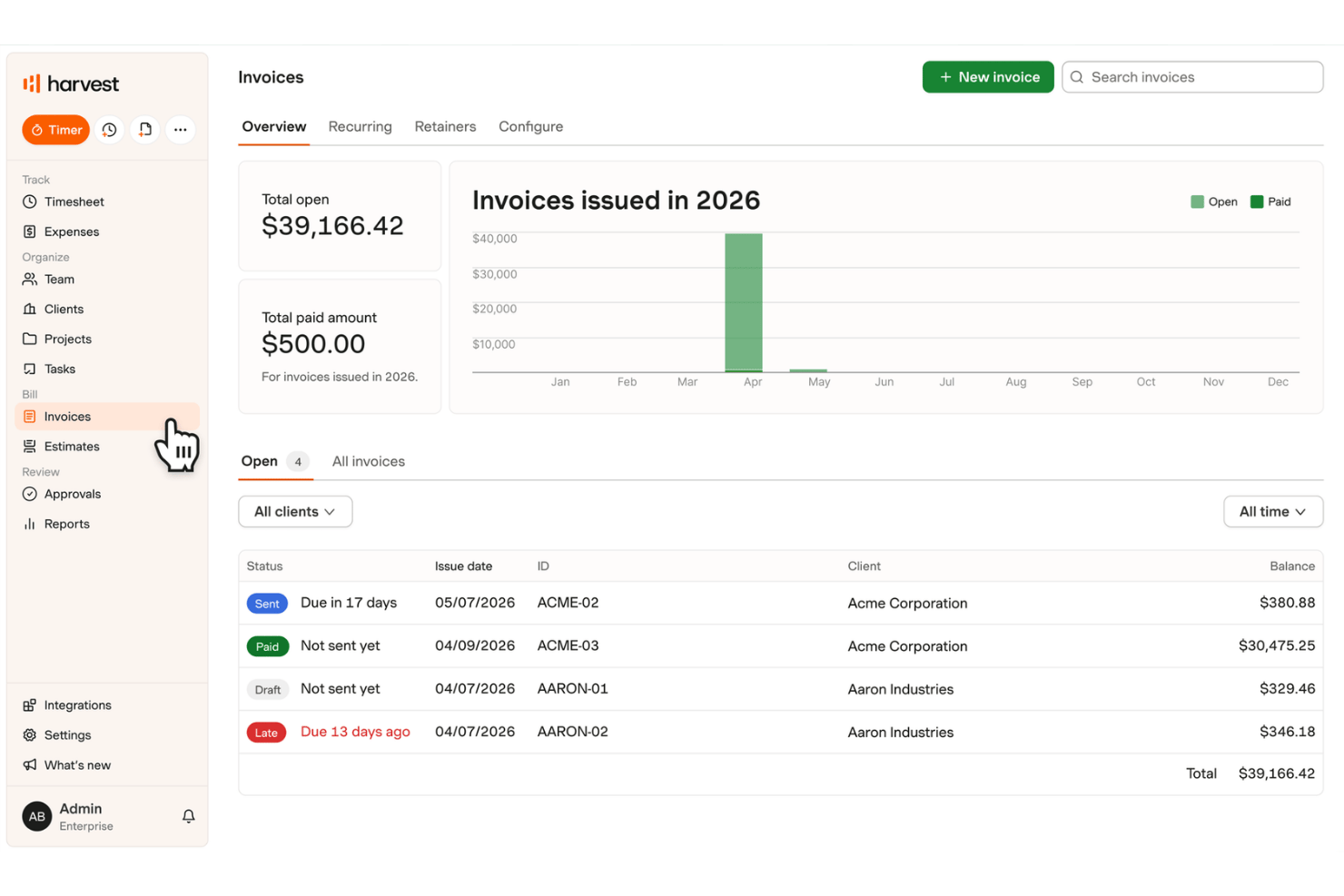
Harvest is a free invoicing and time tracking software that lets you track billable hours, capture expenses, create and customize invoices, manage clients, and send estimates with basic project and reporting capabilities.
Who Is Harvest Best For?
Harvest is a solid choice for solo project managers, freelancers, and consultants who need to quickly turn tracked billable hours and expenses into client invoices.
Why I Picked Harvest
I picked Harvest as one of the best because I can turn billable hours and expenses tracked in real time into branded invoices with just a click. I like how estimates convert straight to invoices after client approval, and the built-in retainer tracking helps with recurring project billing. This tight loop from time tracking to invoicing nails the "best for turning tracked hours into invoices" promise.
Harvest Key Features
- Recurring invoicing: Schedule invoices to send automatically for ongoing projects or retainer work.
- Multi-currency support: Create invoices in various currencies, setting the currency per client or project.
- Estimates-to-invoice conversion: Convert approved estimates directly into invoices without duplicate entry.
- Automated late-payment reminders: Send custom reminders to clients when invoices become overdue.
Harvest Integrations
Harvest offers native integrations with Stripe, PayPal, QuickBooks Online, Xero, Asana, Trello, Jira, Basecamp, and Slack, with access to over 50 integrations on paid plans. An API is available for custom integrations.
What's Free?
Harvest offers a free-forever plan for one user and up to two active projects. If you need more users or projects, you’ll need to upgrade to a paid plan.
Pros and Cons
Pros:
- Converts approved estimates to invoices directly
- Includes built-in timer and expense tracking
- Turns tracked hours into invoices instantly
Cons:
- Online payments not included with free plan
- Free plan limits to two active projects
Hiveage
Best for time-and-expense-to-invoice billing
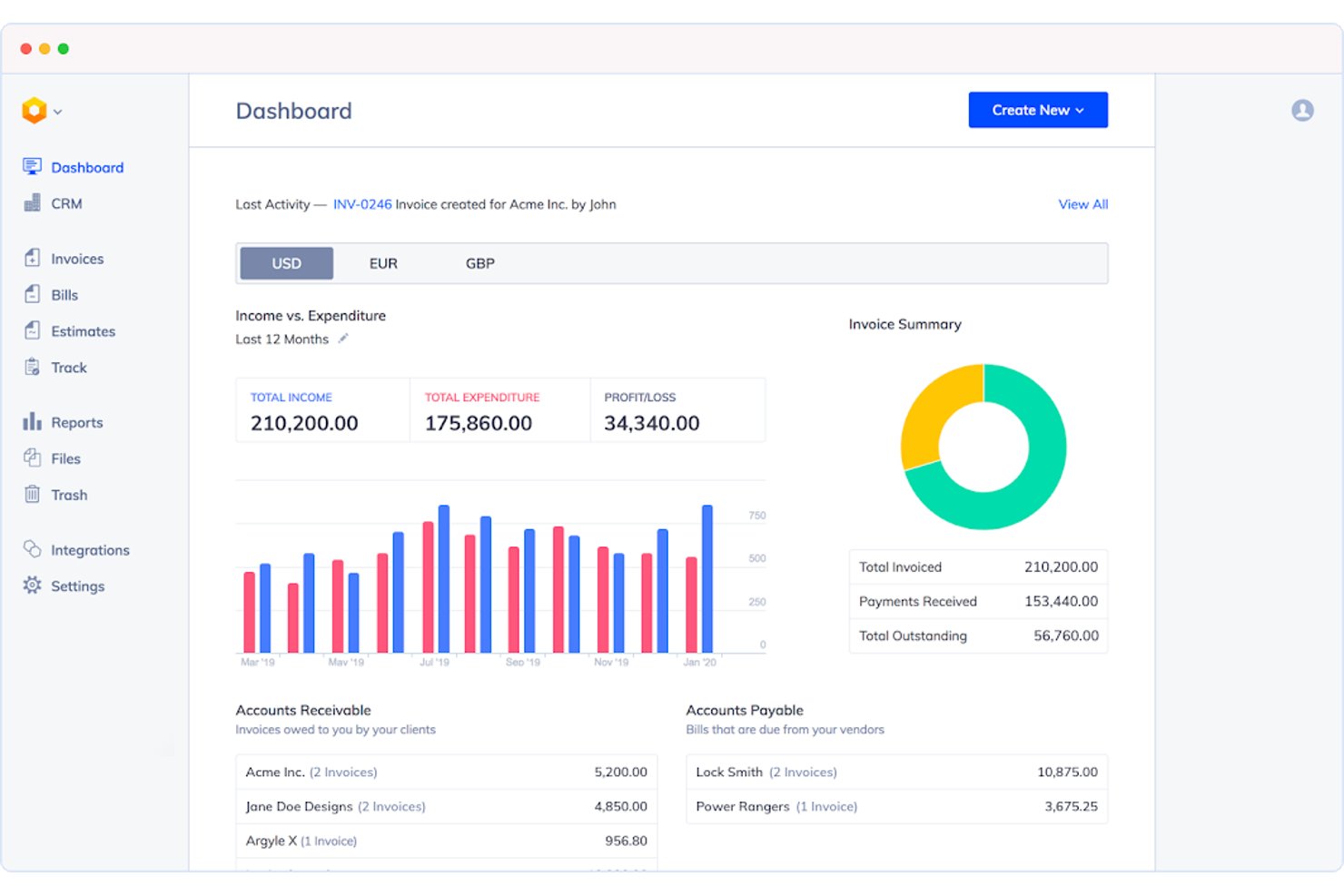
Hiveage is a free invoicing software platform designed for freelancers, consultants, and agencies, offering unlimited invoices, estimates, time tracking, expense capture, and support for 12+ payment gateways.
Who Is Hiveage Best For?
Designed for freelancers, consultants, and small agencies that need unlimited time, expense, and invoice management for project-based work.
Why I Picked Hiveage
I picked Hiveage as a top choice because it’s the only free invoicing platform I’ve used that lets me track time, expenses, and mileage, then convert them directly into invoices. I like that unlimited invoices, estimates, and time tracking are included on the free tier, and 12+ payment gateways give my clients payment flexibility.
Hiveage Key Features
- Multi-currency invoicing: Bill clients worldwide in their preferred currency directly from your dashboard.
- Estimate-to-invoice conversion: Turn client-approved estimates into invoices with a single click.
- Payment gateway integrations: Accept payments through 12+ gateways like PayPal, Stripe, Braintree, and Square.
- Real-time invoice notifications: Get alerts when clients view, partially pay, or fully pay invoices.
Hiveage Integrations
Hiveage offers native integrations with PayPal, Stripe, Braintree, Square, Authorize.Net, 2Checkout, Pin Payments, WePay, and connects with Zapier. An API is available for custom integrations.
What’s Free?
Hiveage offers a free-forever plan with unlimited invoices, estimates, time tracking, and expense capture. Some features—like adding team members or additional payment gateways—require a paid plan.
Pros and Cons
Pros:
- Real-time invoice viewed and paid notifications
- Convert estimates to invoices instantly
- Time, expense, and mileage tracking included
Cons:
- Free plan limited to 5 clients
- Recurring invoices not on free plan

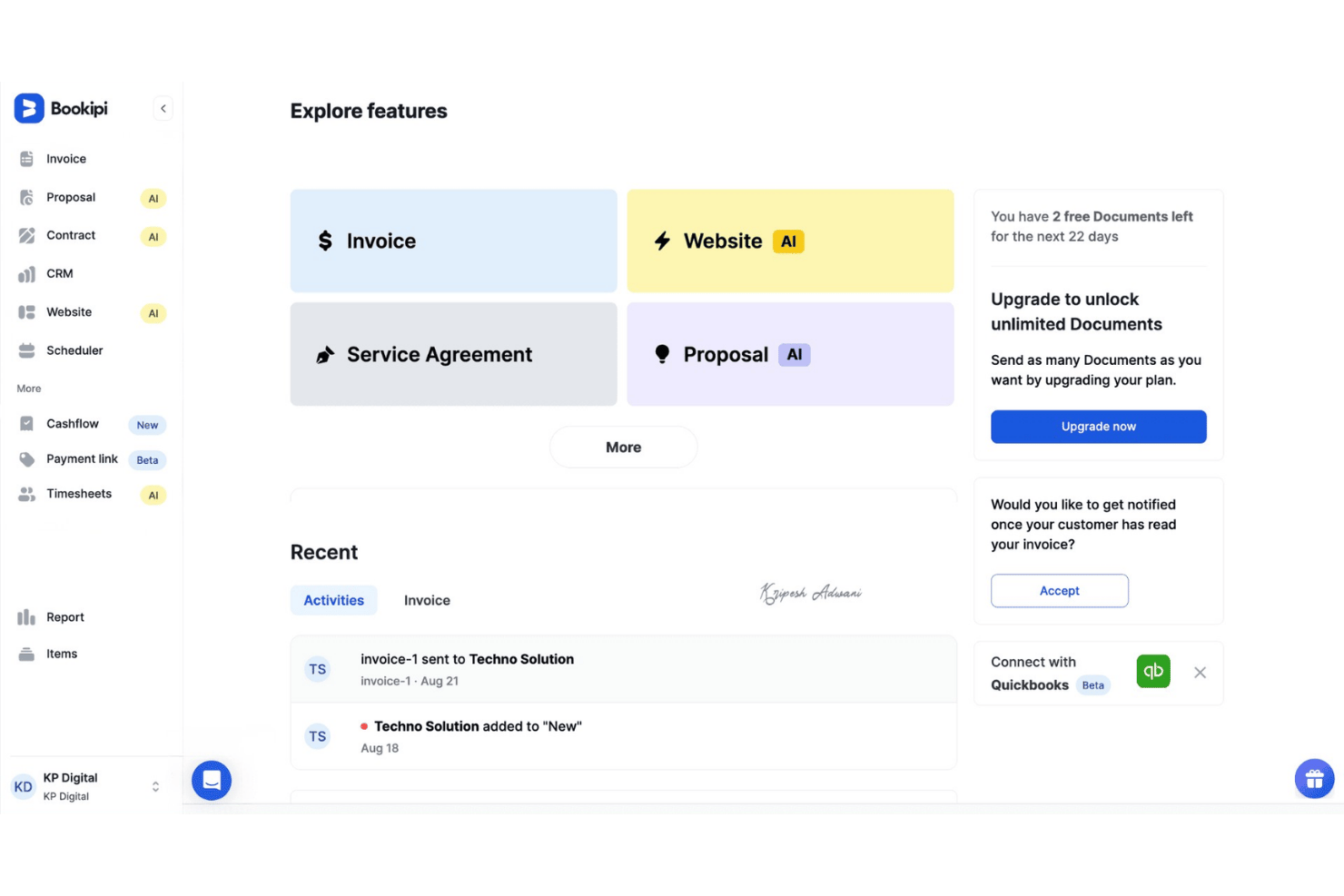
Bookipi is a mobile-first free invoicing software platform with Tap to Pay, automated reminders, recurring billing, CRM pipeline tracking, and card payment support from both web and mobile apps.
Who Is Bookipi Best For?
Freelancers and independent consultants who need a simple way to invoice, accept payments, and manage client billing from their phone.
Why I Picked Bookipi
I picked Bookipi because having Tap to Pay built in makes invoicing and accepting in-person payments from my phone simple. I like that I can instantly send invoices, collect card payments on the spot, and manage a whole client pipeline all in one mobile app. The ability to convert estimates or quotes to invoices with a tap speeds up milestone billing when I’m working on-the-go.
Bookipi Key Features
- Customizable invoice templates: Adjust logo, colors, tax fields, and line items to match your brand and workflow.
- Client Pipeline Kanban CRM: Drag and drop clients through sales, estimate, and invoice stages on a visual board.
- Integrated email correspondence: Send and reply to customer emails directly inside the platform for streamlined client communication.
- Multi-language mobile app: Access invoicing tools in 10+ languages from the Android or iOS app.
Bookipi Integrations
Bookipi offers native integrations with Stripe, PayPal, Gmail, Apple Pay, Google Pay, and Afterpay. Real-time sync is available across web and mobile apps, and CSV export supports bookkeeping hand-off. An open API or Zapier integration is not prominently documented.
What's Free?
Bookipi offers a free-forever plan with basic invoicing, client management, and access from both web and mobile apps. Some advanced features and payment integrations may require a paid upgrade.
Pros and Cons
Pros:
- CRM pipeline Kanban board for tracking clients
- Recurring invoices included on the free plan
- Tap to Pay built into mobile invoicing
Cons:
- No built-in time tracking for invoices
- Free plan capped at 3 invoices monthly

Best for Kanban project billing
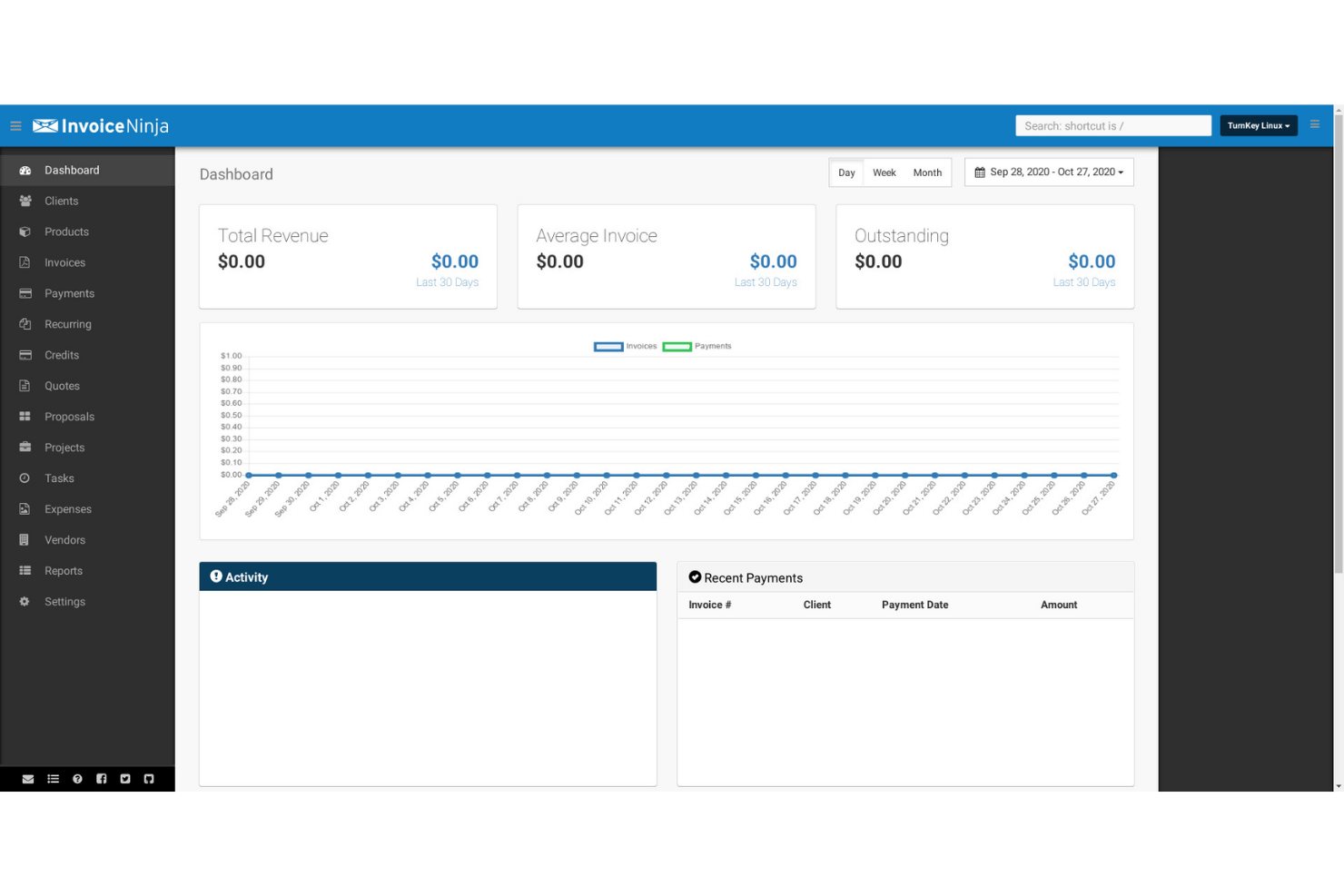
Invoice Ninja is a free invoicing software platform that combines unlimited invoice creation, multi-gateway online payments, project-based billing, time and expense tracking, client management, and native Kanban boards for professionals handling project work.
Who Is Invoice Ninja Best For?
Freelancers, consultants, and small agencies who need project billing, time tracking, Kanban boards, and invoicing in one platform.
Why I Picked Invoice Ninja
I picked Invoice Ninja because I use its Kanban project boards to link tasks and billable time directly to invoices, all on the free plan. The built-in timers let me track project work, switch tasks, and roll hours into invoice line items with one click—no manual entry. This setup works great for managing multi-stage client work and billing by milestone.
Invoice Ninja Key Features
- Branded client portal: Share invoices, payment history, and documents with clients on a secure portal included in the free plan.
- Mobile and desktop apps: Access full invoicing, time tracking, and expense features on iOS, Android, macOS, Windows, and Linux with real-time sync.
- Payment gateway integrations: Connect to over 50 payment providers—like Stripe, PayPal, and Square—to accept client payments online.
- Recurring and auto-billing: Create recurring invoices with automatic billing cycles and pull from saved payment methods for ongoing client work.
Invoice Ninja Integrations
Invoice Ninja offers native integrations with Stripe, PayPal, Square, GoCardless, Authorize.net, Mollie, Braintree, Checkout.com, Gmail, and Microsoft 365. It also connects with Zapier and provides an API for custom integrations.
What's Free?
Invoice Ninja offers a free-forever plan that supports unlimited invoices, clients, and branded client portals for up to 20 clients. Core features like invoicing, time tracking, project management, and Kanban boards are included, but advanced features and white labeling require a paid upgrade.
Pros and Cons
Pros:
- Supports unlimited invoices on the free plan
- Offers client portal for branded invoice sharing
- Includes Kanban boards and billable time tracking
Cons:
- Automated payment reminders require paid upgrade
- Free plan capped at five clients
Best for invoicing with multi-country tax built in
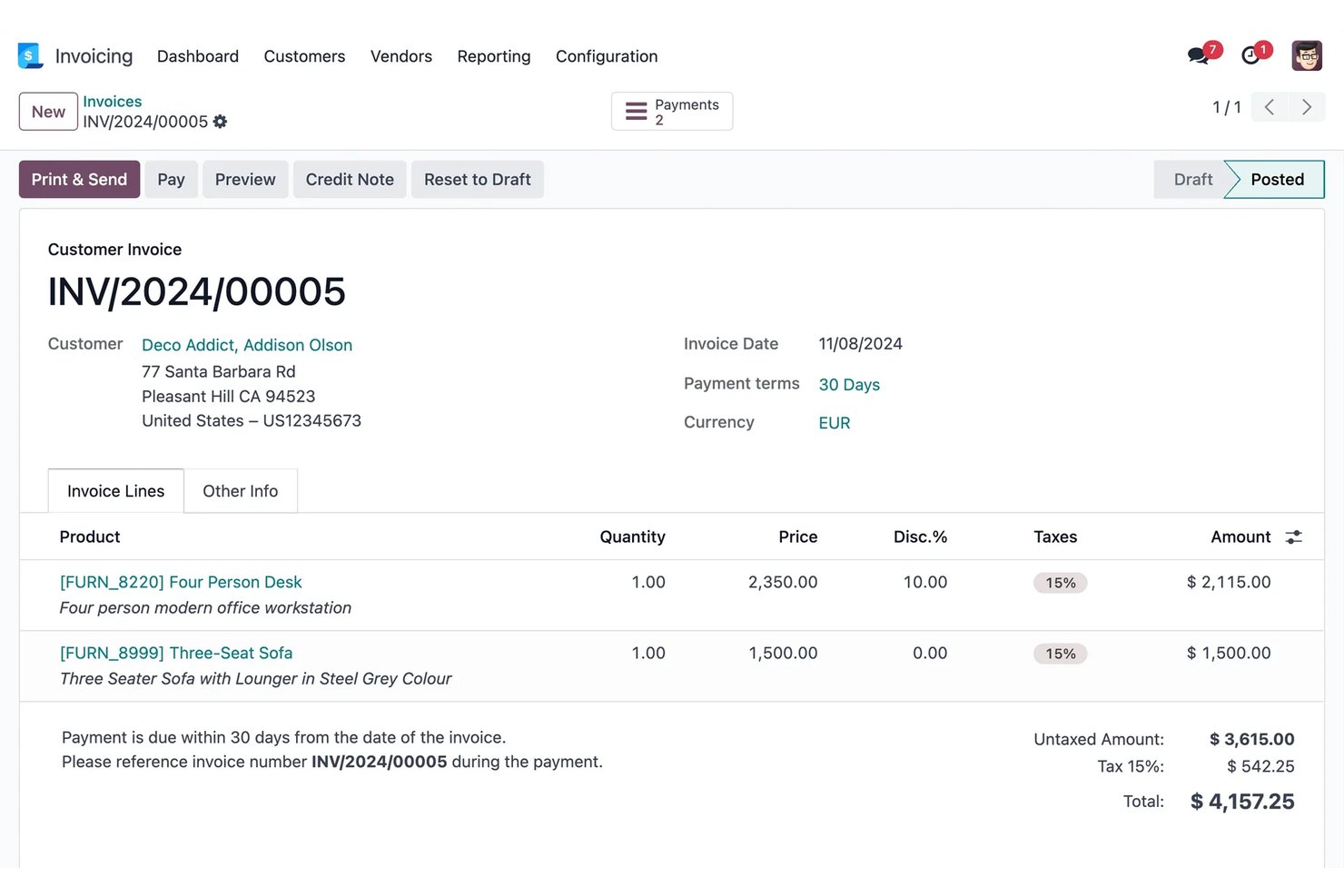
Odoo Invoicing is a cloud-based invoicing software that lets you send unlimited invoices, manage clients and payments, handle multiple currencies, and integrate with tax, payment, and project management tools.
Who Is Odoo Invoicing Best For?
Odoo Invoicing is a smart choice for project-driven consultants, small agencies, and independent contractors managing client billing across multiple countries.
Why I Picked Odoo Invoicing
I picked Odoo Invoicing because I like how it handles multi-country tax compliance out of the box and lets my team send unlimited invoices to clients worldwide for free. I can configure VAT and local fiscal rules for 160+ countries, auto-calculate FX rates, and give clients a self-serve portal with online payments in their preferred currency.
Odoo Invoicing Key Features
- Branded customer portal: Clients can view, download, and pay invoices online and exchange messages in a secure, branded space.
- Automated dunning workflows: Set up follow-up reminders for overdue invoices by email, SMS, and physical mail right from the platform.
- Invoice QR codes: Add QR codes to invoices so clients can pay using their preferred banking or mobile app.
- Credit note and refund management: Issue and track credit notes and refunds directly from the same invoicing dashboard.
Odoo Invoicing Integrations
Odoo Invoicing offers native integrations with Stripe, PayPal, Authorize.net, Adyen, Buckaroo, Ingenico, Ogone, Alipay, AvaTax, UPS, and FedEx. An API is available for custom integrations.
What's Free?
Odoo Invoicing offers a free-forever plan that lets you send unlimited invoices, manage clients, and handle multi-country taxes for one user. Integrations are limited, and you’ll need to upgrade for advanced features or multiple users.
Pros and Cons
Pros:
- Branded customer portal for clients
- Handles multi-country tax compliance by default
- Unlimited invoices and users on free plan
Cons:
- Advanced invoice templates require technical help
- Free plan limited to one app only

Best for invoicing with AI payment alerts
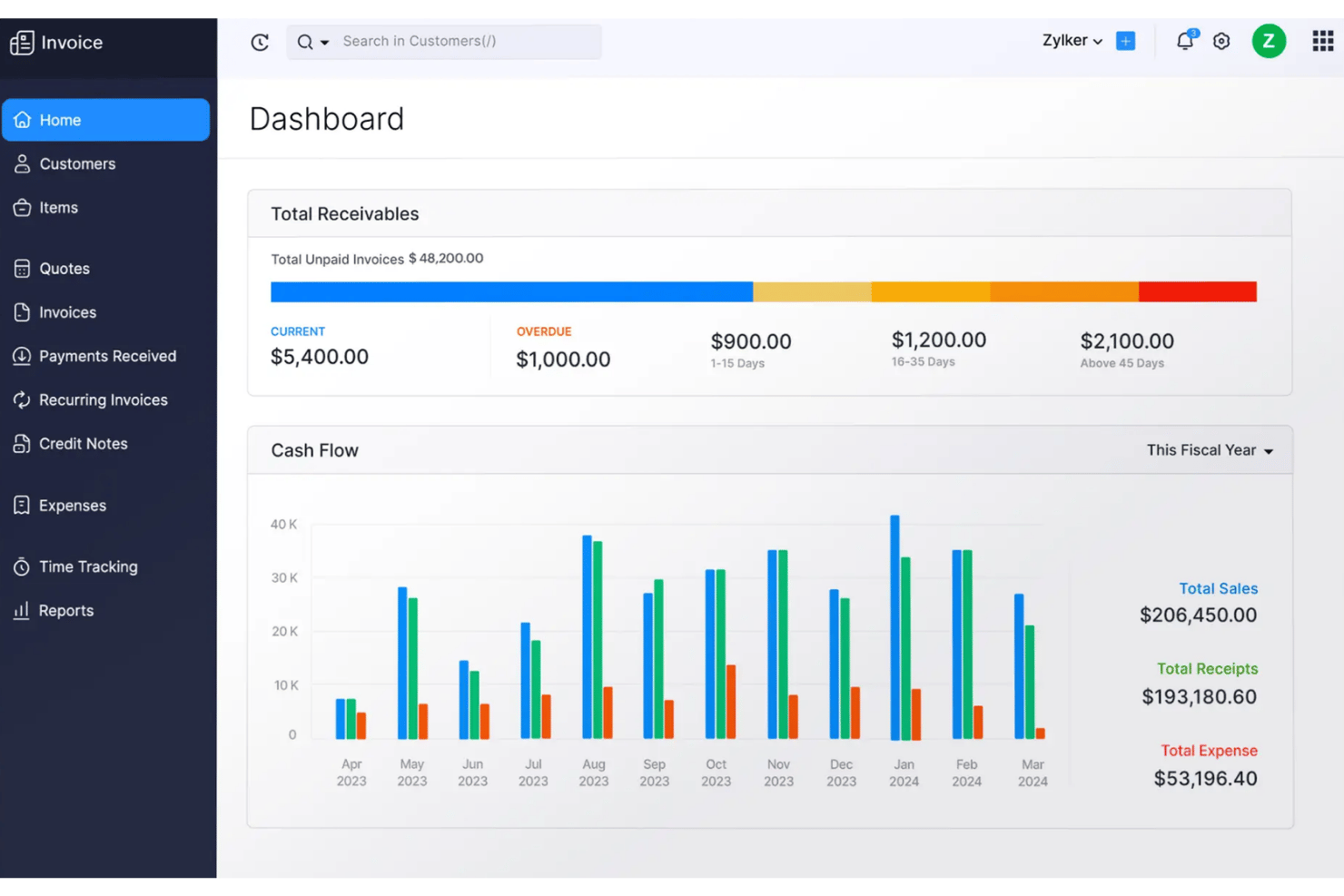
Zoho Invoice is a free invoicing software platform for creating custom invoices, tracking time and expenses, automating reminders and recurring billing, managing client payments, and integrating with 10+ payment gateways.
Who Is Zoho Invoice Best For?
Solo project managers and small service-based businesses that need free, automated invoicing, time tracking, and client portal features without upgrade pressure.
Why I Picked Zoho Invoice
I picked Zoho Invoice because the AI-driven payment alerts from Zia save my team from chasing overdue invoices, especially on retainers. I also rely on the client portal for real-time invoice tracking and letting clients pay online instantly. The built-in time tracking converts hours to invoices in just one click.
Zoho Invoice Key Features
- Multi-currency and tax support: Send invoices in multiple currencies and automatically apply region-specific tax rates and exemptions.
- Client self-serve portal: Let clients view invoices, make online payments, and download PDFs from a branded portal.
- Expense and mileage tracking: Categorize expenses, attach receipts, and track vehicle mileage directly in the platform.
- Mobile and desktop apps: Access invoicing, time tracking, and expense features on iOS, Android, macOS, Windows, and through a Chrome extension.
Zoho Invoice Integrations
Zoho Invoice offers native integrations with Stripe, PayPal, Authorize.Net, Square, Zoho CRM, Google Workspace, Microsoft 365, Dropbox, and Zapier. An API is available for custom integrations.
What's Free?
Zoho Invoice offers a free-forever plan with no user or invoice limits. You get access to core invoicing, time tracking, expense management, and payment integrations, but advanced accounting features are not included.
Pros and Cons
Pros:
- Branded client portal for online payments
- AI predicts payment delays for follow-up
- Recurring and scheduled invoices fully supported
Cons:
- Must migrate to Zoho Books to upgrade
- Free plan limits users and invoices
Best for mobile invoicing with 20+ payment gateways
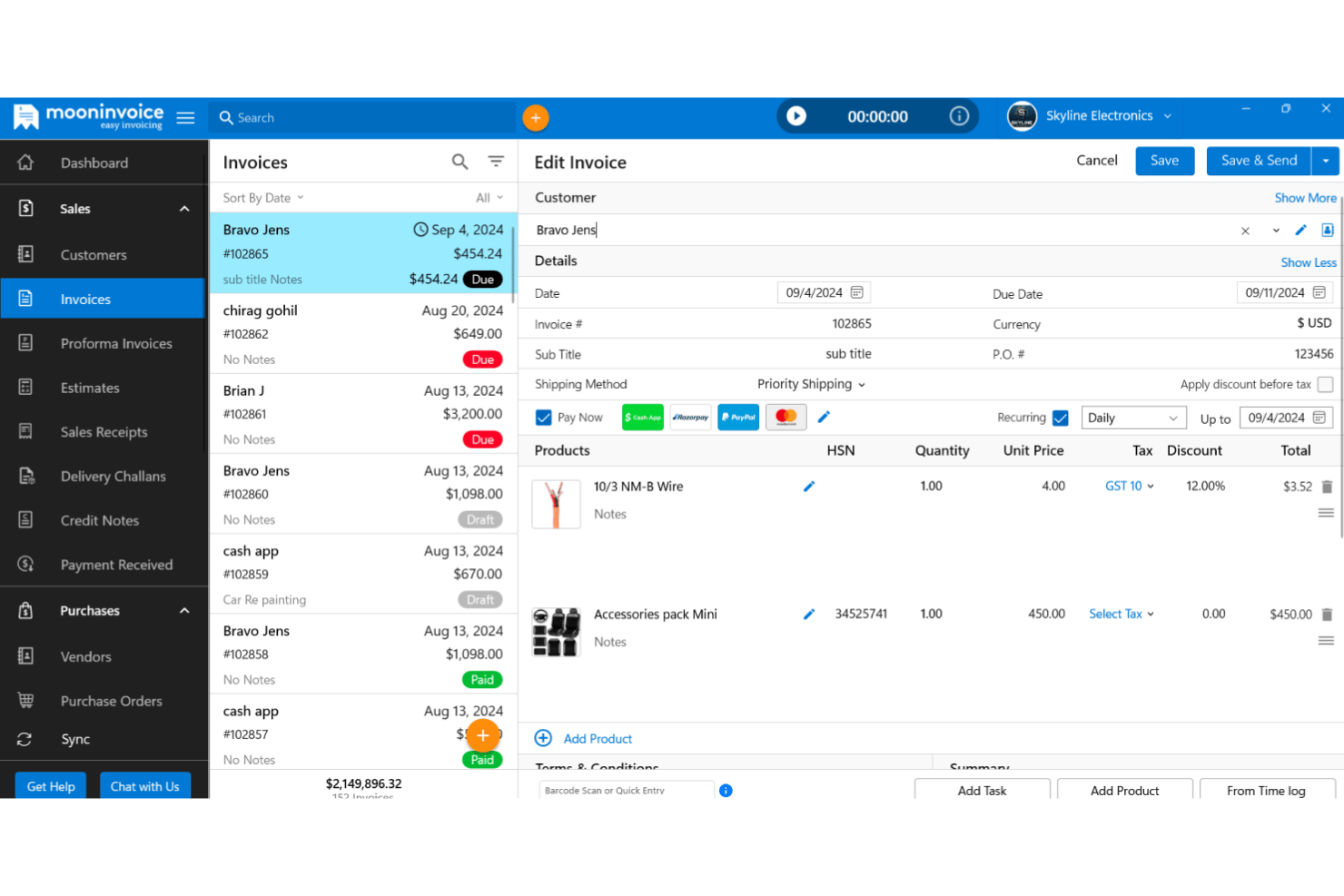
Moon Invoice is an invoicing software platform for freelancers and small teams, offering customizable templates, time and expense tracking, online payment integration, project-linked billing, reports, and mobile access across iOS, Android, and web.
Who Is Moon Invoice Best For?
Freelancers, consultants, and small teams who need fast invoice creation, project-linked billing, and integrated mobile access on iOS and Android.
Why I Picked Moon Invoice
I picked Moon Invoice because I like how quickly I can create professional invoices using over 60 customizable templates right from my phone. I’ve used the mobile app to link billing directly to project tasks and accept payments through regional gateways like UPI and Paytm, not just Stripe or PayPal. That flexibility is a game changer for remote or on-the-go project work.
Moon Invoice Key Features
- Customer self-serve portal: Clients can view invoices, track payments, and download statements without emailing your team.
- Quick Scan AI for receipts: Snap and upload paper receipts to auto-extract expense details for billing.
- 66+ invoice and estimate templates: Access a wide range of professionally designed, customizable PDF formats for invoices and estimates.
- Multi-currency and group tax support: Issue invoices in over 100 currencies and calculate layered taxes for global clients.
Moon Invoice Integrations
Moon Invoice offers native integrations with Stripe, PayPal, Square, Braintree, Google Pay, Apple Pay, Razorpay, WooCommerce, Gmail, and Basecamp, and connects with Zapier. An API is also available for custom integrations.
What's Free?
Moon Invoice offers a 7-day free trial with access to its full features. After the trial, you'll need to upgrade to a paid plan to continue creating invoices or accessing premium functionality—there's no free-forever plan.
Pros and Cons
Pros:
- Built-in AI for fast receipt scanning
- Supports over 20 payment gateways
- Invoice from mobile with 60+ templates
Cons:
- Some users report missing invoice data
- No free-forever plan currently visible
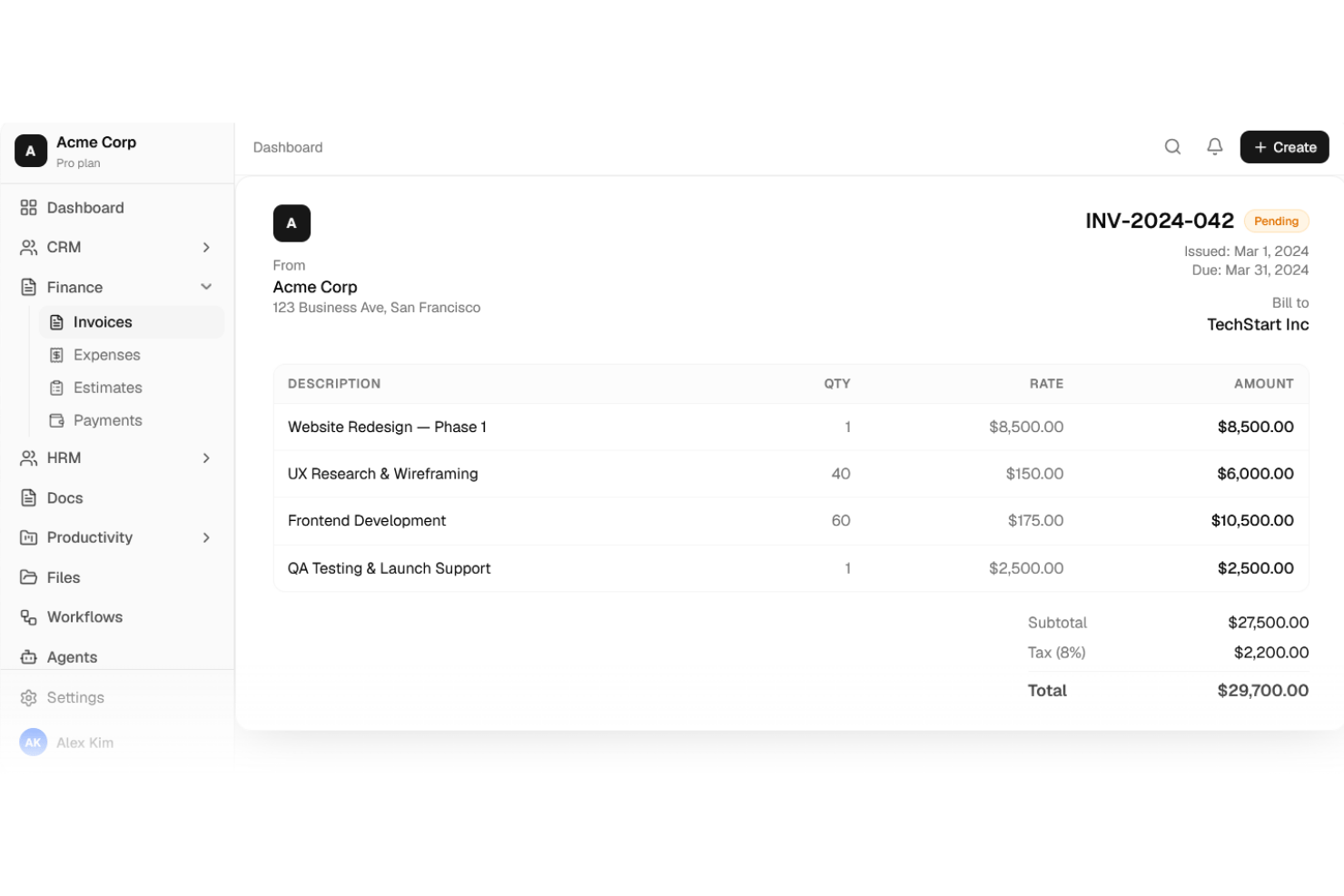
Agiled is an all-in-one invoicing and project management platform that lets you create invoices, manage billable time and expenses, accept online payments, and handle client communications from a unified workspace.
Who Is Agiled Best For?
Agiled is a strong choice for freelancers, consultants, and small agencies who want invoicing tightly connected with project management, time tracking, and a branded client portal in one workspace.
Why I Picked Agiled
I picked Agiled because I can invoice across multiple projects and let clients access everything through a branded portal. I like that I can send recurring invoices, track billable time, and link milestones or expenses right to invoices. The client portal keeps communication, payments, and files organized in one place for each client.
Agiled Key Features
- Centralized invoice dashboard: View, filter, and manage all invoices with real-time status updates in one workspace.
- Partial and milestone payments: Handle deposits, scheduled payments, and progress billing directly from each invoice.
- Built-in time and expense tracking: Track billable hours and expenses that flow straight onto invoices as line items.
- Multi-currency invoicing: Invoice clients in any currency with automatic exchange rates and region-specific tax fields.
Agiled Integrations
Agiled offers 40+ native integrations, including Stripe, PayPal, Wise, QuickBooks Online, Xero, Slack, Zoom, Google Calendar, Mailchimp, and HubSpot. It also connects with Zapier and provides an API for custom integrations.
What's Free?
Agiled offers a 14-day free trial with access to its full features. After the trial, you'll need to upgrade to a paid plan to continue creating invoices or accessing premium functionality—there's no free-forever plan.
Pros and Cons
Pros:
- Unlimited invoice templates for multiple industries
- Project-linked invoicing with milestone payments
- Built-in client portal for invoices and projects
Cons:
- Branded portal requires paid upgrade
- Free plan limited to two clients
Annen gratis faktureringsprogramvare
Her er noen flere alternativer for gratis faktureringsprogramvare som ikke kom med på kortlisten min, men som likevel er verdt å undersøke:
- Clientary
For retainer billing with a client portal
- Paymo
For time-tracked project billing on a free plan
- Wave
For invoicing with ACH and bookkeeping
- InvoiceBerry
For invoicing with multi-language quotes
- Helcim
For recurring billing with card vault
- ZipBooks
For solo project billing with Square or PayPal
- Akaunting
For open-source self-hosted invoicing
- Refrens
For quoting and invoicing with a client portal
- SolidInvoice
For self-hosted invoicing with no caps
- PayPal Invoicing
For milestone billing backed by PayPal's network


How I Evaluate Free Invoicing Software
First, I define what counts as free. For invoicing software, that means a free-forever plan—not a trial—since client billing is ongoing and a 14-day window won't cut it for retainer work or recurring project milestones. From there, I split my evaluation into core functionality every tool must cover and the differentiators that separate a good fit from the right one.
Core Functionality (Table Stakes For This List)
In addition to my free offer requirements, I also use a scoring system to select tools for my list. Here's how it works:
When I'm selecting tools for my list, I rank each one on a scale from 0 (does not offer the functionality) to 5 (excels in this area) for each core functionality listed below. I then calculate the tool's total score into a percentage, using 75% as a benchmark to help assess its overall fit for the list.
- Invoice creation & customization: I look for editable templates with branding options, line items, and tax fields so your invoices look professional when they land in a client's inbox.
- Client & invoice management: Each tool should let you store client records and track invoice status—sent, viewed, paid, overdue—without toggling between spreadsheets and email threads.
- Online payment acceptance: I check which payment gateways are included on the free plan, since tools like Square Invoices and Zoho Invoice take different approaches to card, ACH, and PayPal support.
- Recurring & automated invoicing: For retainer work, I evaluate whether you can set up recurring schedules and automatic payment reminders rather than manually duplicating invoices each billing cycle.
- Time & expense billing: I look at how each tool handles logging billable hours and project expenses and converting them into invoice line items—especially useful when billing hourly across multiple client projects.
- Multi-currency & tax support: The tool should handle invoicing in different currencies and let you configure tax rates for the regions you operate in, whether that's VAT, GST, or sales tax.
Once I have a list of tools that meet the criteria, I consider what sets each platform apart.
Differentiating Factors (What Sets Vendors Apart)
Here's how I compare and contrast different vendors:
Standout Features
I look for a client self-serve portal where clients can view invoices, download PDFs, and pay balances on their own. That cuts down on status-check emails mid-sprint. I also evaluate quote-to-invoice conversion, since project work starts with estimates and one-click conversion keeps billing aligned with approved scope. Tools like Invoice Ninja and Clientary handle this differently, so I check how each connects quoting to invoicing. Beyond that, I consider Zapier and native integrations that push invoice data into your existing stack without manual re-entry.
Beyond Features
I check how fast you can go from signup to a sent invoice. Tools like Square Invoices and Zoho Invoice offer guided setup flows that walk you through logo upload, tax IDs, and gateway connection, so you're billing within minutes rather than hours. I also evaluate payment gateway choice, since a free plan that only supports one gateway limits how clients can pay you. Some tools let you enable multiple options per invoice, which matters when a retainer client prefers bank debit over card. Finally, I look at data export options—CSV and PDF archives keep you from getting locked into any single platform.
Slik velger du gratis faktureringsprogramvare
Hvordan finner du gratis faktureringsprogramvare som faktisk passer til hvordan teamet ditt registrerer fakturerbart arbeid, håndterer kunder og navigerer i pågående prosjekter?
| Hvis prioriteten din er | Se etter |
|---|---|
| Fleksibel prosjektfakturering | Timebaserte alternativer, løpende avtaler og milepælsalternativer i gratisabonnementet |
| Enkel integrasjon med tidsregistrering | Tidsregistrering og kostnadsføring koblet til fakturaer |
| Åpenhet overfor kunder | Kundeportaler for selvbetjening eller direkte sporing av fakturastatus |
| Internasjonal overholdelse av regler | Støtte for flere valutaer og regionsspesifikk skattekonfigurasjon uten kostnad |
| Mobil og ekstern tilgang | Mobilapp med alle funksjoner og støtte for betalingsløsninger |
Slik vurderer du kortlisten din
- Test fakturering av virkelige prosjekter: Opprett og send to fakturaer med ulike faktureringsmodeller for å se om alternativer som timebasert fakturering og milepælsfakturering faktisk synkroniseres med arbeidsflyten din.
- Gå gjennom arbeidsflyter for tidsregistrering: Koble en timeliste eller kostnadslogg til en faktura – bekreft at du kan hente ut fakturerbare timer uten manuell registrering.
- Vurder kundetilgang: Gi en samarbeidspartner tilgang til kundeportalen, og forhåndsvis hvordan ventende, betalte og forfalte fakturaer ser ut for vedkommende.
- Kjør en internasjonal faktura: Utsted en faktura i en annen valuta enn den lokale, og legg til skatt for minst ett utenlandsk område.
- Avveining – fleksibilitet med åpen kildekode kontra betalingsintegrasjoner: Bestem om du ønsker å unngå leverandørbinding, men akseptere begrenset støtte for betalingsløsninger, eller om du vil ha et bredt utvalg betalingsalternativer støttet av en administrert plattform.
Hva er gratis faktureringsprogramvare?
Gratis faktureringsprogramvare er et digitalt verktøy som lar deg opprette, sende og administrere fakturaer uten å betale abonnementsavgifter. Disse plattformene tilbyr kjernefunksjoner som tilpasning av fakturaer, sporing av kunder og betalinger samt støtte for gjentakende fakturering. Gratis faktureringsprogramvare hjelper team og frilansere med å administrere fakturerbart arbeid, kundekommunikasjon og prosjektutgifter, samtidig som kostnadene holdes lave og oppføringene er nøyaktige og organiserte.
Funksjoner
La oss gå gjennom funksjonene som vanligvis finnes i faktureringsprogramvare, og hvilke som vanligvis er inkludert i gratis kontra betalte abonnementer.
Vanlige funksjoner i gratis faktureringsprogramvare
- Oppretting og tilpasning av fakturaer: De fleste plattformer lar deg lage profesjonelle fakturaer ved hjelp av maler. Du kan legge til logoen din, justere farger og inkludere personlige meldinger eller vilkår for hver kunde.
- Kundeadministrasjon: Lagre grunnleggende kundeopplysninger, som kontaktinformasjon og fakturaadresser, i en sentral database. Dette gjør det enklere å gjenbruke kundeoppføringer og spore fakturahistorikken deres.
- Grunnleggende betalingssporing: Følg med på fakturastatus (sendt, vist, betalt, forfalt), slik at du alltid vet hvilke kunder som skylder deg penger, og hvem som trenger en påminnelse.
- Begrensede alternativer for nettbetaling: Ta imot betalinger gjennom en standard betalingsløsning, vanligvis kredittkort eller PayPal, uten omfattende tilpassede integrasjoner.
- Gjentakende fakturering: Sett opp automatiske fakturaer for gjentakende arbeid, som månedlige faste avtaler eller abonnementsfakturering, og reduser det manuelle arbeidet.
- Utgifts- og spesifisert fakturering: Legg til fakturerbare utgifter, produkter eller tjenester som linjeelementer, slik at kundene får en detaljert oversikt over kostnadene.
- Eksport eller nedlasting som PDF: Generer nedlastbare kopier av fakturaene du har sendt, slik at du kan oppbevare digitale eller fysiske arkiver etter behov.
- Grunnleggende rapportering: Få tilgang til enkle rapporter for å se utestående saldoer, totalt fakturert denne måneden eller en liste over forfalte fakturaer.
Vanlige funksjoner i betalt faktureringsprogramvare
- Avansert tilpasning og profilering: Få tilgang til fullstendig redigering av maler, egendefinerte domener og alternativer for profilering uten leverandørmerking, slik at du kan opprette fakturaer som fullt ut samsvarer med virksomhetens identitet.
- Flere og tilpassede betalingsløsninger: Gjør det mulig for kunder å betale via flere betalingsløsninger (Stripe, ACH, bankoverføring osv.), eller tilby regionsspesifikke betalingsmetoder for økt fleksibilitet.
- Automatiske betalingspåminnelser: Send automatisk planlagte e-poster til kunder når fakturaer nærmer seg forfallsdato eller blir forfalte, og reduser behovet for manuell oppfølging.
- Selvbetjeningsportal for kunder: La kunder logge inn for å se aktuelle og tidligere fakturaer, betale saldoer og få tilgang til tilbud eller kvitteringer uten å måtte be om dem.
- Flere valutaer og avansert skattehåndtering: Utsted fakturaer i flere valutaer og automatiser skatteberegning for ulike land og regioner, slik at virksomheter med internasjonale kunder får støtte.
- Integrasjon med tidsregistrering: Koble timelister eller prosjektstyringsverktøy direkte til faktureringen, slik at registrerte timer umiddelbart konverteres til fakturerbare beløp uten ny registrering.
- Konvertering av tilbud og estimater: Opprett detaljerte tilbud eller estimater og konverter dem til fakturaer med ett klikk når arbeidet er godkjent.
- Automatisering av arbeidsflyt og integrasjoner: Koble faktureringen til regnskaps-, CRM- eller oppgavestyringsverktøy for å synkronisere data og automatisere gjentakende trinn.
- Detaljert rapportering og analyse: Få tilgang til grundige oversikter som viser inntektstrender, kundenes betalingsvaner og innsikt i virksomheten for økonomisk planlegging.
- Brukerroller og tillatelser: Angi ulike tilgangsnivåer for teammedlemmer, slik at bare autorisert personale kan se, sende eller redigere fakturaer og kundedata.
Fordeler
Implementering av gratis faktureringsprogramvare gir flere fordeler for teamet og virksomheten din. Her er noen av fordelene du kan se frem til:
- Reduserte faktureringskostnader: Du kan opprette, sende og administrere fakturaer uten å betale månedsavgifter, takket være funksjonsrike gratisabonnement uten tidsbegrensning.
- Raskere betalingssykluser: Innebygd betalingssporing og støtte for nettbaserte betalingsløsninger hjelper teamet ditt med å få betalt raskt og holde kundene oppdatert.
- Profesjonell kundekommunikasjon: Redigerbare maler og merkevarealternativer gir fakturaene dine et ryddig og kundeklart utseende hver gang.
- Automatisert gjentakende fakturering: Gjentakende fakturering og betalingspåminnelser reduserer manuelt arbeid når du fakturerer for faste oppdrag, milepæler eller abonnementsprosjekter.
- Nøyaktig sporing av tid og utgifter: Du kan registrere timer og fakturerbare utgifter – og deretter konvertere dem til fakturalinjer – for å sikre at faktureringen samsvarer med prosjektarbeidet ditt.
- Bedre internasjonalt samsvar: Støtte for flere valutaer og tilpassbare skattefelt lar deg håndtere kunder og skatter i ulike regioner uten ekstra kostnad.
- Bedre åpenhet for kundene: Selvbetjente kundeportaler, der de er tilgjengelige, lar kundene få tilgang til aktuelle og tidligere fakturaer, se betalingsstatus og laste ned oppføringer uten ekstra frem og tilbake-kommunikasjon.
Kostnader og priser
Jeg forstår at du kom til denne artikkelen på jakt etter de beste faktureringsprogramvarene som er tilgjengelige gratis. Siden gratisabonnementer imidlertid bare tilbyr begrensede funksjoner, er det stor sannsynlighet for at du må oppgradere abonnementet ditt i fremtiden.
Tabellen nedenfor oppsummerer vanlige abonnementer, gjennomsnittsprisene deres og typiske funksjoner som er inkludert i faktureringsprogramvare:
Sammenligningstabell for abonnementer på faktureringsprogramvare
| Abonnementstype | Gjennomsnittspris | Vanlige funksjoner |
|---|---|---|
| Gratisabonnement | $0 | Opprette og sende fakturaer, grunnleggende kundeadministrasjon, grunnleggende betalingssporing, PDF-eksport og begrensede nettbaserte betalinger. |
| Personlig abonnement | $5–$15/bruker/måned | Alle funksjoner i gratisabonnementet, flere maler og merkevarealternativer, grunnleggende betalingsintegrasjoner, grunnleggende rapportering og begrenset automatisering. |
| Bedriftsabonnement | $15–$40/bruker/måned | Alle funksjoner i det personlige abonnementet, støtte for flere valutaer og skatter, gjentakende og automatisert fakturering, avansert rapportering og integrasjoner. |
| Virksomhetsabonnement | $40–$100+/bruker/måned | Alle funksjoner i bedriftsabonnementet, tilpassede roller og tillatelser, avansert arbeidsflytautomatisering, dedikert kundestøtte, masseeksport av data og tilpassede integrasjoner. |
Vanlige spørsmål om gratis fakturaprogramvare
Her er noen svar på vanlige spørsmål om gratis fakturaprogramvare:
Kan du bruke gratis fakturaprogramvare med flere teammedlemmer?
Ja, enkelte gratis fakturaprogrammer lar deg legge til flere brukere, men de fleste begrenser denne funksjonen til betalte abonnementer. Hvis teamsamarbeid er viktig, bør du undersøke om gratisversjonen inkluderer tilgang for flere brukere eller rollebaserte tillatelser før du bestemmer deg. Løsninger som Invoice Ninja og Akaunting støtter ofte ekstra brukere i sine åpen kildekode- eller gratisabonnementer, men administrerte tjenester kan kreve betaling for denne funksjonen.
Er gratis fakturaverktøy sikre for klient- og betalingsdata?
Ja, de fleste anerkjente gratis fakturaplattformer bruker kryptering og følger bransjestandarder for å beskytte klient- og betalingsdata. Kontroller alltid at plattformen du vurderer, bruker HTTPS for alle tilkoblinger og beskriver sikkerhetstiltakene sine i en offentlig policy eller på en hjelpeside. Selvhostede alternativer som SolidInvoice eller Akaunting gir teamet ditt større ansvar for å vedlikeholde sikkerhetsoppdateringer og serverinnstillinger.
Finnes det en måte å koble gratis fakturaprogramvare til verktøy for tidsregistrering?
Ja, men integrasjonene varierer fra plattform til plattform. Noen verktøy, som Zoho Invoice, tilbyr innebygd tidsregistrering, mens andre, som Wave eller InvoiceBerry, kanskje mangler direkte integrasjon med timelister i gratisabonnementene sine. Hvis tidsregistrering er viktig, bør du se etter innebygde funksjoner eller bekrefte at programvaren støtter integrasjoner med verktøyet du foretrekker – noen ganger via Zapier eller lignende koblinger.
Hvilke betalingsportaler fungerer med gratis fakturaprogramvare?
De fleste gratis fakturaverktøy støtter minst én standard betalingsportal, ofte PayPal eller Stripe. Andre plattformer, som Square Invoices eller Wave, kan begrense deg til sin egen betalingstjeneste i gratisabonnementet. Hvis klientene dine trenger fleksible betalingsalternativer, som ACH, kredittkort eller Google Pay, bør du gå gjennom listen over betalingsportaler i gratisversjonen før du begynner å sende fakturaer.
Kan du flytte dataene dine ut av gratis fakturaprogramvare senere?
Ja, de fleste større gratis fakturaplattformer tilbyr grunnleggende alternativer for dataeksport – vanligvis i CSV-, PDF- eller Excel-format. Dette lar deg sikkerhetskopiere fakturaer, klienter og betalinger eller bytte til en annen løsning hvis du vokser ut av gratisabonnementet. Verktøy med åpen kildekode gir vanligvis mer kontroll over sikkerhetskopiering av hele databasen. Test alltid eksportprosessen før du blir for avhengig av løsningen.