

10 beste alternativer til Adobe Connect i 2026



Gode alternativer til Adobe Connect kombinerer pålitelige videokonferanser, fleksibel romadministrasjon, interaktive verktøy og sømløse integrasjoner. Hvis du ser etter en løsning som tilsvarer eller forbedrer det du får med Adobe Connect, trenger du alternativer som kan håndtere direktesendte opplæringer, webinarer og store virtuelle møter – uten tekniske problemer.
Denne veiledningen gir deg en tydelig sammenligning av de beste alternativene til Adobe Connect som er tilgjengelige i 2026, slik at du raskt kan finne plattformen som passer teamets samarbeidsstil, sikkerhetsbehov og vekstplaner.
Hva er Adobe Connect?
Adobe Connect er en plattform for virtuelle møter og nettbaserte konferanser som brukes til nettbasert opplæring, webinarer og samarbeidsmøter. Den tilbyr funksjoner som skjermdeling, grupperom, tilpassbare oppsett, interaktive avstemninger og effektive opptaksmuligheter. Team bruker Adobe Connect til å arrangere sikre og engasjerende nettbaserte økter med deltakelse i sanntid. Fleksibiliteten og det brede funksjonssettet gjør plattformen populær innen utdanning, bedriftsopplæring og samarbeid i eksterne team.
Why Trust Our Software Recommendations
Our team has been testing and reviewing software since 2012. As project managers ourselves, we know how difficult—and important—it is to choose the right software.
For this guide, we evaluated tools using hands-on testing and independent research, scoring tools using our selection criteria. We also draw on insights from industry thought leaders and practicing project management experts.
Our reviews reflect our human editorial judgment, not a sales pitch.
Expert reviewers:
Sammenligningstabell for alternativer til Adobe Connect
Denne sammenligningstabellen oppsummerer prisopplysninger for mine beste utvalgte alternativer til Adobe Connect:
| Tool | Best For | Trial Info | Price | ||
|---|---|---|---|---|---|
| 1 | Best for instant secure video meetings | Free plan available | Pricing upon request | Website | |
| 2 | Best for large-scale virtual event hosting | 30-day free trial | From $99/organizer/month (billed annually) | Website | |
| 3 | Best for scheduling recurring online trainings | Free plan available; 14-day free trial | From $1/user/month (billed annually) | Website | |
| 4 | Best for enterprise-grade learning environments | Free demo available | Pricing upon request | Website | |
| 5 | Best for interactive webinar classroom tools | 14-day free trial | Pricing upon request | Website | |
| 6 | Best for engagement analytics in sessions | XX-day free trial | From $100/month (billed annually) | Website | |
| 7 | Best for Microsoft 365 integration | Not available | Pricing upon request | Website | |
| 8 | Best for persistent virtual training rooms | 90-day free trial | From $12/user/month (billed annually) | Website | |
| 9 | Best for automated webinar workflows | Free trial + free demo available | From $59/month (billed annually) | Website | |
| 10 | Best for dynamic breakout room management | Free plan available | From $14.16/month (billed annually) | Website |
Anmeldelser av de beste alternativene til Adobe Connect
Nedenfor finner du mine detaljerte sammendrag av de beste alternativene til Adobe Connect som kom med på kortlisten min. Anmeldelsene mine gir en detaljert oversikt over funksjonene, integrasjonene og de beste bruksområdene for hver plattform, slik at du kan finne den som passer best for deg.

Best for instant secure video meetings
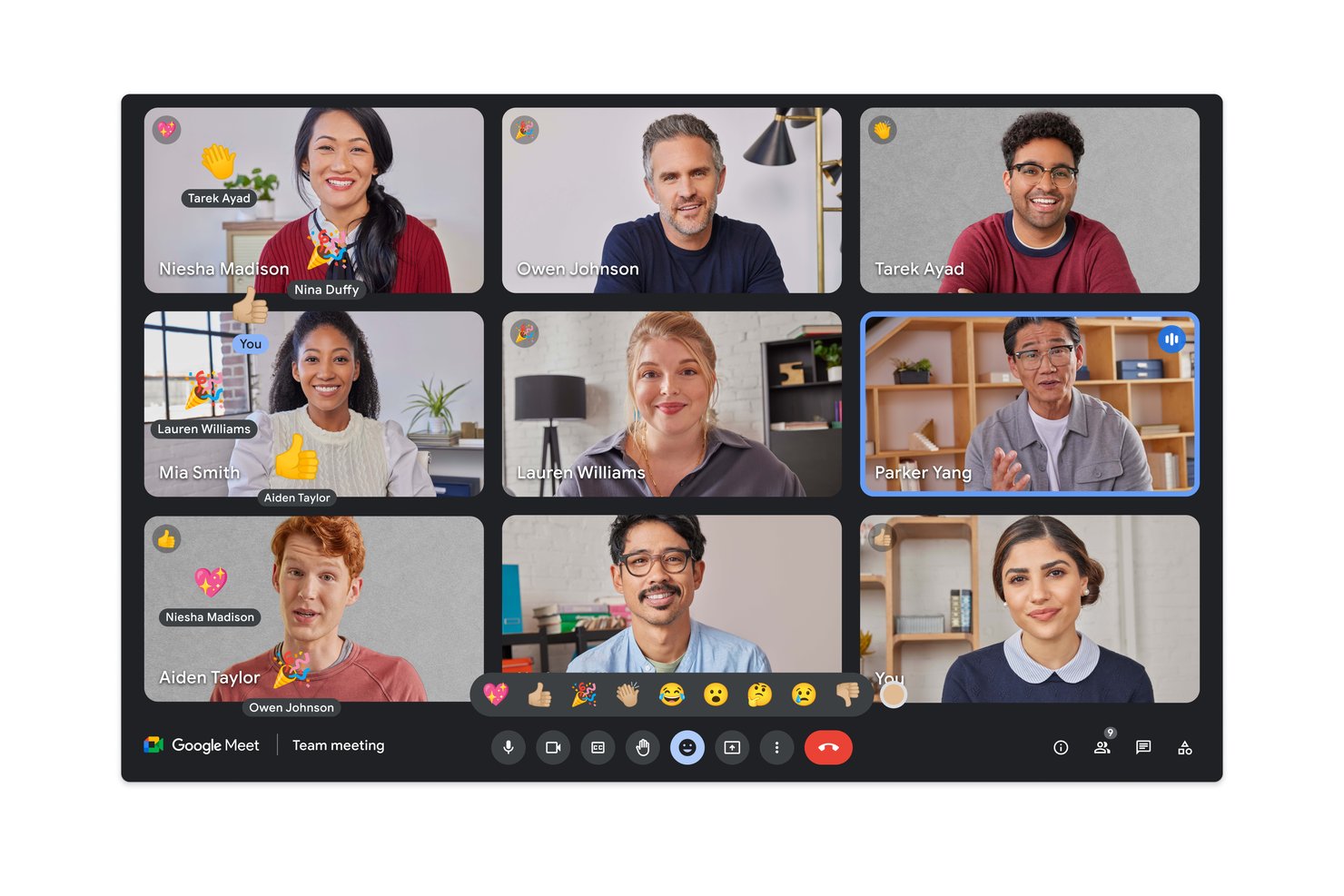
Google Meet is a browser-based video conferencing tool built into Google Workspace that lets distributed teams host secure meetings, training sessions, and stakeholder calls without installing software.
Who is Google Meet Best For?
Google Meet is a natural fit for teams already running on Google Workspace who need a reliable, no-setup video meeting tool for daily collaboration.
Why Google Meet is a Good Adobe Connect Alternative
I've included Google Meet in my top picks because the security defaults are genuinely hard to overlook. Every session runs with encrypted audio and video, waiting rooms, and host approval controls out of the box, with no configuration required. I also appreciate that Gemini's AI noise cancellation runs in the background during calls, which matters when participants are joining from noisy environments across time zones. For teams stepping away from Adobe Connect's plugin-heavy setup, joining a Meet session straight from a browser is a real shift in how quickly a call gets started.
Google Meet Key Features
- Live captions and translations: Real-time captions are automatically generated with support for multiple languages to make meetings more accessible.
- Breakout rooms: Hosts can split participants into small groups for focused discussion during larger meetings.
- Polling and Q&A: Interactive tools help presenters gather feedback and encourage audience participation during sessions.
- Google Calendar integration: Meetings are automatically linked with invites, attachments, and agendas directly from Google Calendar events.
Google Meet Integrations
Google Meet offers native integrations across the Google Workspace ecosystem, Atlassian, Figma, Tableau, PagerDuty, Miro, SAP, and more. An API is available for custom integrations.
Pros and Cons
Pros:
- Scales to 1,000 participants with livestreaming
- End-to-end encryption on by default
- No software installation required for attendees
Cons:
- Webinar registration and reporting tools are basic
- No persistent rooms with saved layouts
Best for large-scale virtual event hosting
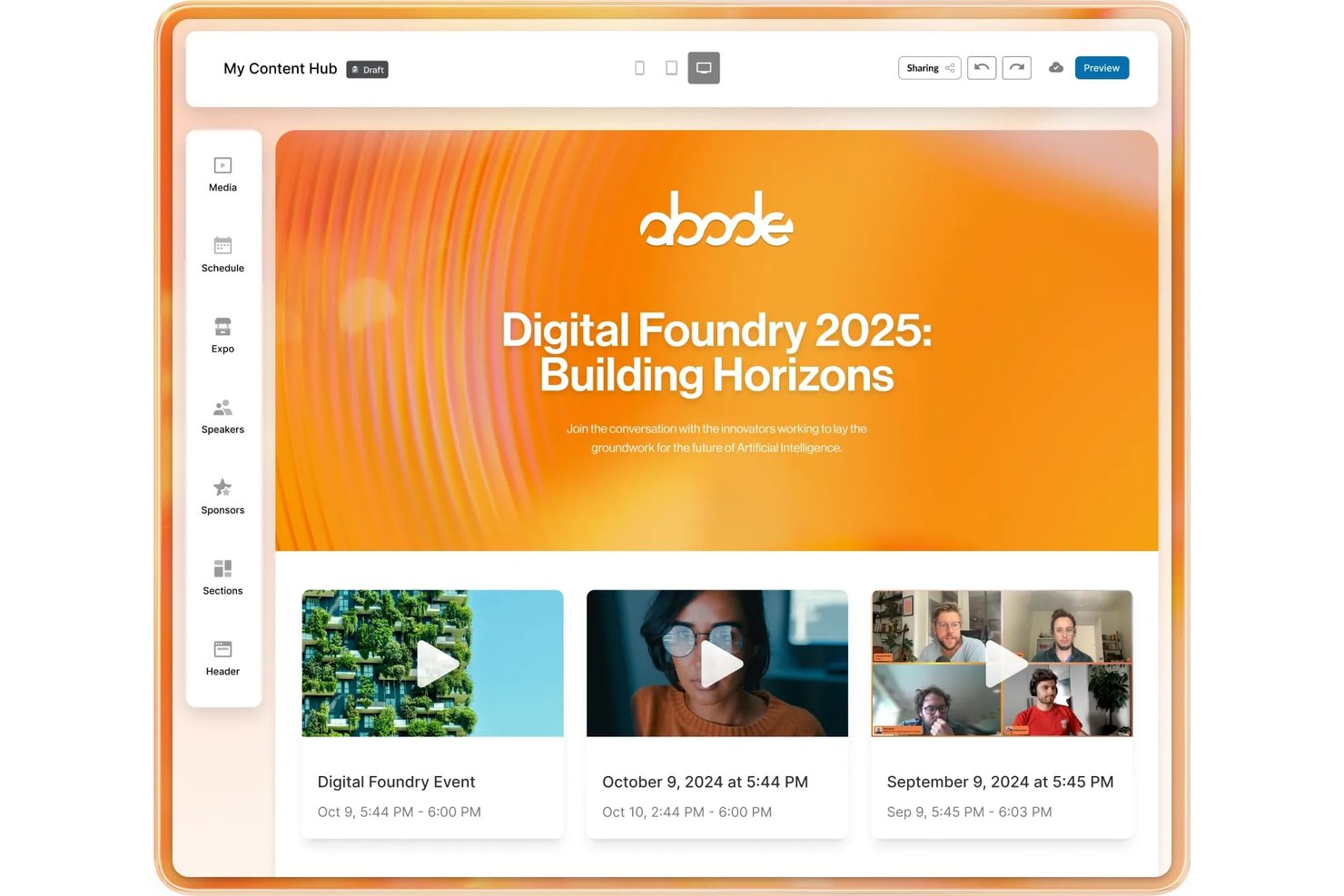
RingCentral Events is a virtual and hybrid event platform built for teams that need to move beyond standard video calls and run large-scale branded events, webinars, and training sessions with multi-stage venues, networking, and AI-powered content tools.
Who is RingCentral Events Best For?
RingCentral Events is a strong fit for L&D teams and communications professionals at mid-size to enterprise organizations running recurring webinars or large internal training programs.
Why RingCentral Events is a Good Adobe Connect Alternative
I've included RingCentral Events in my top picks because it handles scale in a way that Adobe Connect simply wasn't built for. Where Adobe Connect excels at structured training rooms, RingCentral Events lets you run fully branded multi-stage venues with live expo booths, networking lounges, and a reception area, all within a single event. I also appreciate Creator Lab, which automatically generates highlight clips, transcripts, and post-event social content from your recordings, turning a single large-scale session into a reusable content library.
RingCentral Events Key Features
- App Gallery integrations: Connects with 40+ platforms including HubSpot, Salesforce, Kahoot, and Miro for workflows and engagement.
- AI-powered Q&A management: Uses AI to group, categorize, and suggest audience questions during live sessions.
- Multi-format event support: Delivers webinars, hybrid, virtual, and in-person events with reusable templates and content.
- Cross-event analytics dashboard: Tracks engagement, attendance, and session performance across multiple events in a unified view.
RingCentral Events Integrations
RingCentral Events offers over 40 native integrations, including HubSpot, Marketo, Salesforce, Mailchimp, Miro, Slido, Kahoot, Microsoft Teams, Google Calendar, Zapier, and provides an API for custom integrations.
Pros and Cons
Pros:
- Supports thousands of attendees per event
- AI-generated highlight clips from recorded sessions
- Multi-stage venues with expo and networking spaces
Cons:
- Setup complexity for first-time event hosts
- Not built for small team meetings
Best for scheduling recurring online trainings
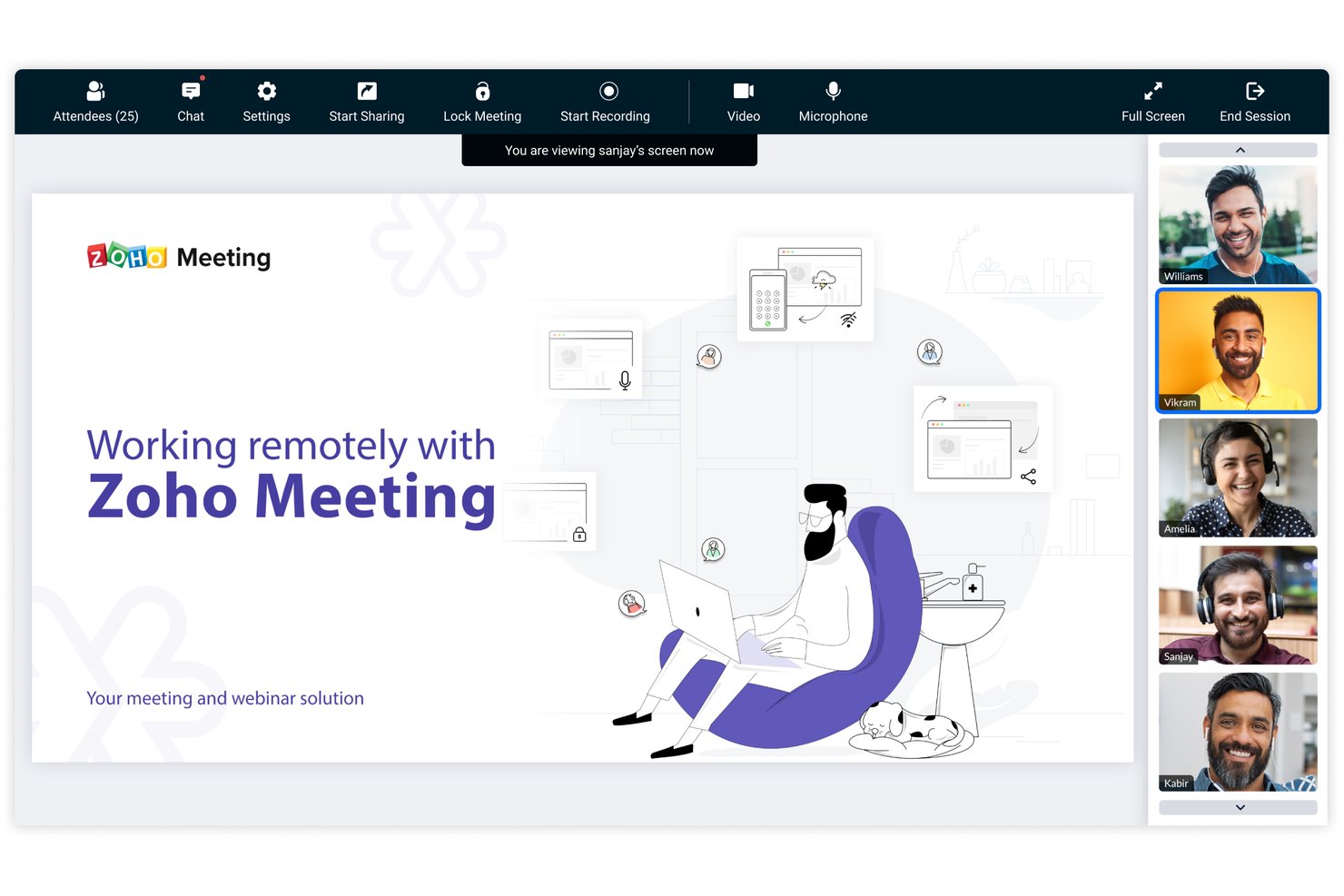
Zoho Meeting is a browser-based video conferencing and webinar platform built for teams that need structured, recurring session formats with strong recording, transcription, and training delivery capabilities.
Who is Zoho Meeting Best For?
It's a practical fit for learning and development teams that need a structured, affordable platform for delivering and archiving recurring training sessions.
Why Zoho Meeting is a Good Adobe Connect Alternative
I've included Zoho Meeting in my top picks because its on-demand webinar feature converts live training sessions into a replayable library that learners can access on their own schedule. I also like the AI-generated keynotes, which automatically summarize each session so no one has to compile notes manually. Breakout rooms add another layer, letting me split participants into focused groups mid-session without ever leaving the platform.
Zoho Meeting Key Features
- Browser-based access: Join or host meetings without needing to download or install any software.
- Department-based scheduling: Organize meetings and assign roles by team or business unit for better management.
- Meeting lock and entry alerts: Add extra security by locking sessions and getting notified when new participants join.
- Whiteboard collaboration: Use in-meeting whiteboards for shared visual work and brainstorming.
Zoho Meeting Integrations
Zoho Meeting offers native integrations with Zoho CRM, Zoho Projects, Zoho Bookings, Slack, Google Workspace, and Microsoft Teams. An API is available for custom integrations.
Pros and Cons
Pros:
- No software download required for attendees
- On-demand recording library with AI-generated summaries
- Recurring webinar scheduling with custom recurrence options
Cons:
- Breakout room controls are relatively limited
- Whiteboard tools less advanced than competitors

ON24
Best for enterprise-grade learning environments
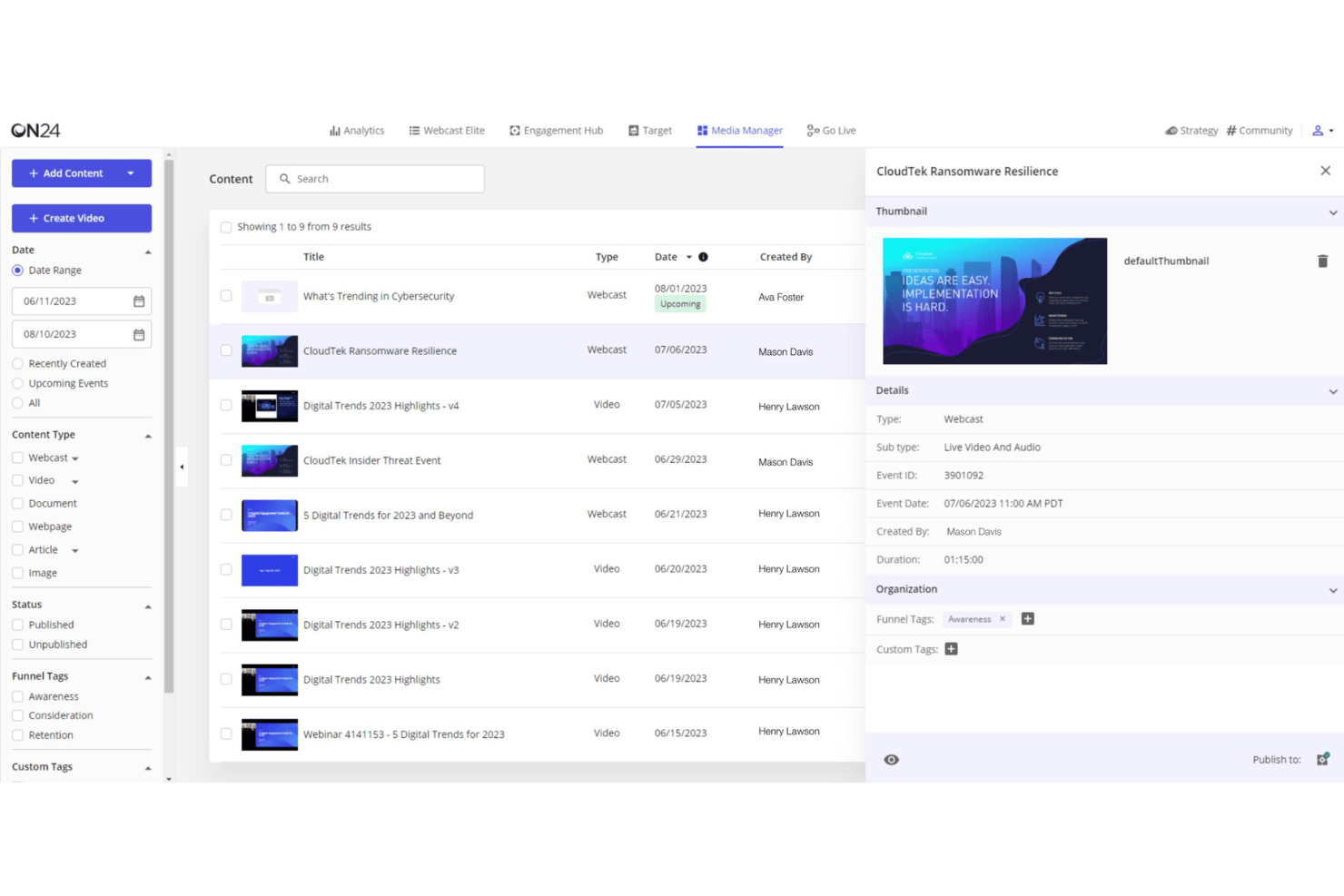
ON24 is a broadcast-first webinar platform built for L&D leads and marketing teams who need to deliver structured training sessions, recurring virtual events, and on-demand content across desktop environments and mobile apps to large distributed audiences.
Who is ON24 Best For?
ON24 suits enterprise teams in IT, healthcare, and financial services that run high-volume webinar programs across large, distributed audiences.
Why ON24 is a Good Adobe Connect Alternative
I've included ON24 in my top picks because the simulive format, where pre-recorded content rolls directly into a live Q&A, is genuinely useful for scaling training delivery across time zones without sacrificing interaction. I also rely on the ACE engine, which auto-generates transcripts, e-book summaries, and short-form video clips from each session, turning a single webinar into a reusable content library. Automated captions in 100+ languages mean global teams aren't left out.
ON24 Key Features
- Branded console builder: Customize room layouts, colors, and interactive pods for each event.
- Breakout rooms: Split attendees into small group sessions for hands-on activities or group discussions.
- Content hubs: Create persistent, on-demand libraries where recorded sessions and resources stay accessible.
- Advanced analytics dashboard: Track real-time engagement, attendee actions, and session performance across events.
ON24 Integrations
ON24 has native integrations with Salesforce, HubSpot, Marketo, Eloqua, Outreach, Drift, Microsoft Dynamics 365, and Zapier. An API is available for custom integrations.
Pros and Cons
Pros:
- Granular per-attendee engagement scoring available
- ACE engine auto-generates reusable content assets
- Simulive delivery scales across time zones
Cons:
- Complex events often require dedicated producer support
- No persistent virtual room support built in

Best for interactive webinar classroom tools
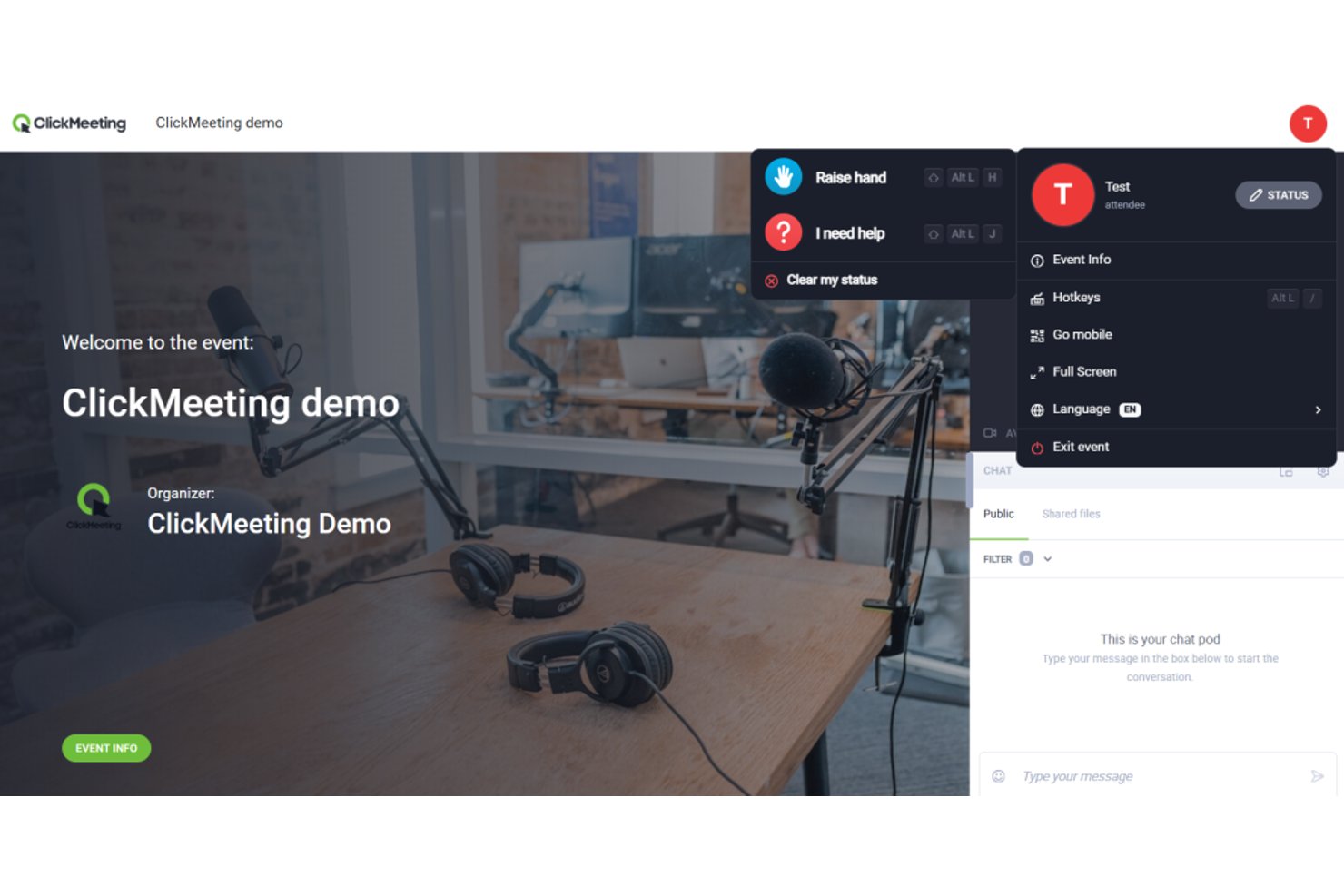
ClickMeeting is a browser-based webinar and online meeting platform built for educators, marketers, and trainers who need structured, interactive sessions without the complexity of enterprise-grade conferencing tools.
Who is ClickMeeting Best For?
ClickMeeting suits teams in education, L&D, and professional training who run structured webinars or virtual classes on a regular schedule.
Why ClickMeeting is a Good Adobe Connect Alternative
I picked ClickMeeting as one of the best because its Edu Mode is purpose-built for the classroom format I need most: participants join with mics muted by default, keeping the presenter in full control of the session flow. I also appreciate the breakout room setup, which lets me split a live webinar into up to 20 smaller groups, each with up to 40 people, for hands-on workshop activities. Add certificate of attendance issuance and live AI transcription, and ClickMeeting covers the full instructional arc from delivery to documentation.
ClickMeeting Key Features
- Automated webinar scheduling: Set up recurring webinars with automated invitations, reminders, and follow-up messages.
- Custom branding options: Personalize registration pages, event rooms, and email templates with your organization’s branding.
- Moodle LMS integration: Connect ClickMeeting sessions directly to Moodle courses for smooth e-learning workflows.
- Analytics and reporting dashboard: Track attendance, engagement, and poll results with exportable event statistics.
ClickMeeting Integrations
ClickMeeting offers native integrations with Keap, Pipedrive, Moodle, HubSpot, GetResponse, Google Analytics, Slack, PayPal, Stripe, and more. It also connects with Zapier and provides an API for custom integrations.
Pros and Cons
Pros:
- Breakout rooms support up to 20 groups
- Certificate issuance built directly into the platform
- Edu Mode gives presenters full audience control
Cons:
- Persistent room customization options are fairly limited
- Attendee cap lower than most enterprise competitors

Best for engagement analytics in sessions
Livestorm is a browser-based webinar and virtual event platform built for teams who need structured, branded sessions with integrated messaging and deep engagement tracking—without asking attendees to download anything.
Who is Livestorm Best For?
Livestorm is a strong fit for marketing and L&D teams at mid-sized companies who run recurring webinars and need detailed post-session data to measure audience engagement.
Why Livestorm is a Good Adobe Connect Alternative
I've included Livestorm in my top picks because its per-session analytics go well beyond what Adobe Connect offers out of the box. After a session, I can pull attendance rates, emoji reaction breakdowns, Q&A participation data, and individual contact-level engagement scores from a single reporting dashboard. That granularity matters when I need to prove training effectiveness or report webinar ROI to leadership. The UTM tracking tied to each registration also tells me exactly which campaigns drove the most engaged attendees, not just the most registrations.
Livestorm Key Features
- PowerPoint and media embedding: Share PowerPoint slides or play videos directly within the event room for richer presentations.
- AI-driven live translations: Instantly display automated subtitles in 24 languages for international sessions.
- Custom registration pages: Build branded registration forms with customizable fields for detailed attendee data collection.
- GDPR and ISO 27001 compliance: Meet strict data privacy and security requirements for highly regulated industries.
Livestorm Integrations
Livestorm offers more than 30 native integrations, including Salesforce, HubSpot, Marketo, Microsoft Teams, Slack, Google Analytics, Intercom, Pipedrive, Miro, and Zapier. An API is available for custom integrations.
Pros and Cons
Pros:
- Automated pre and post-session email sequences
- No download required for session attendees
- Detailed engagement scoring per individual attendee
Cons:
- Attendee caps are low on base plans
- Breakout room controls are relatively limited

Best for Microsoft 365 integration
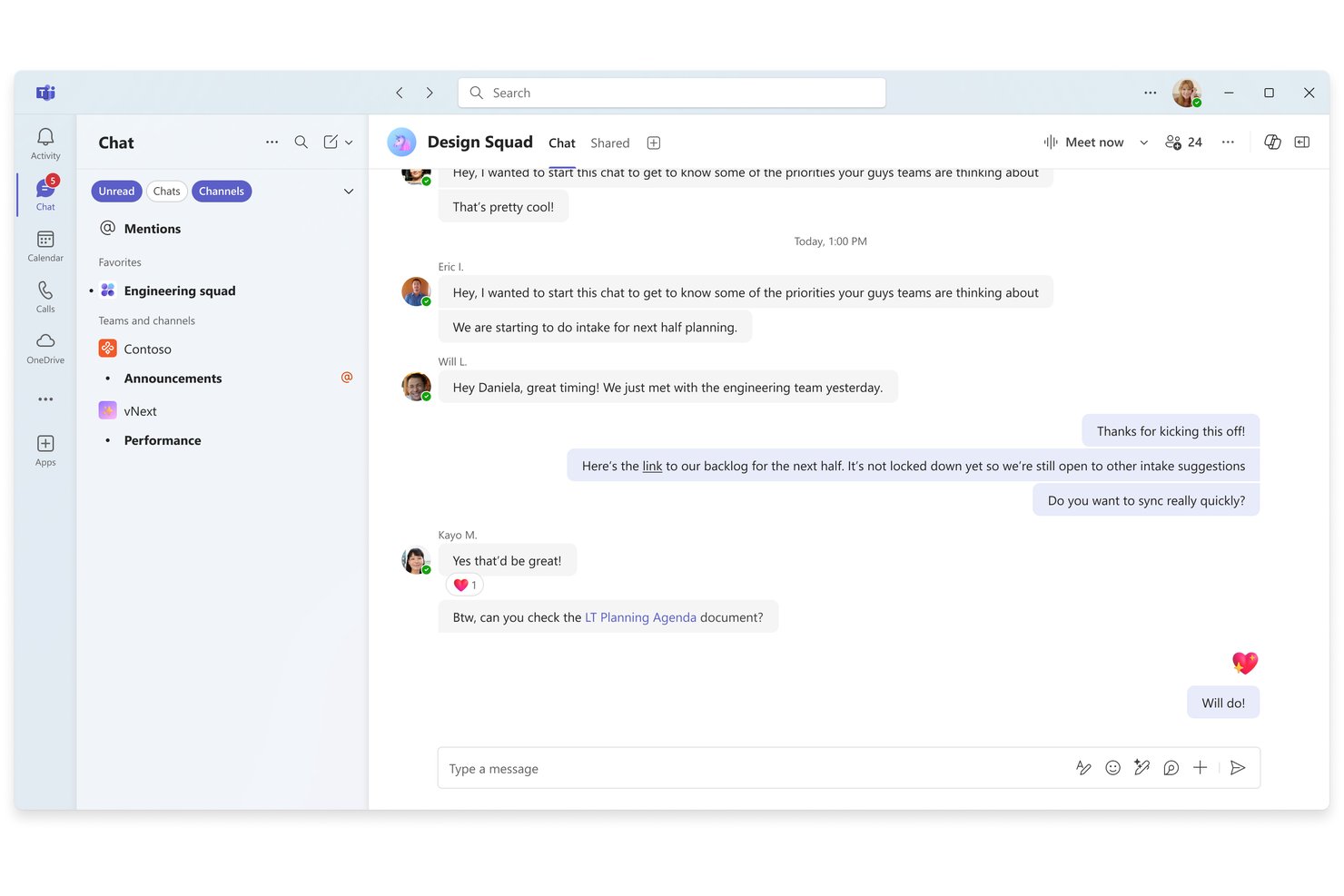
Microsoft Teams is a unified communication and collaboration platform that gives organizations already running Microsoft 365 a built-in solution for video meetings, webinars, breakout sessions, and real-time document collaboration.
Who is Microsoft Teams Best For?
Teams is a natural fit for mid-to-large enterprises that are already standardized on Microsoft 365 and want a smooth user experience for video conferencing without adopting a separate platform.
Why Microsoft Teams is a Good Adobe Connect Alternative
I've included Microsoft Teams in my top picks because the Microsoft 365 integration is genuinely unmatched. When I'm running a project kickoff, I can pull up a live Word doc or PowerPoint deck inside the meeting window without anyone leaving Teams to find a file. Copilot also automatically generates meeting recaps and transcriptions post-session, which saves my team real time on follow-up documentation that Adobe Connect simply doesn't offer natively.
Microsoft Teams Key Features
- Breakout rooms: Split large meetings into smaller groups for focused discussions or exercises.
- Whiteboard integration: Annotate, sketch, and collaborate visually during live sessions.
- Session recording with transcription: Record meetings and automatically generate searchable transcripts for later review.
- Persistent team channels: Maintain ongoing conversations, files, and meeting history in dedicated project or department spaces.
Microsoft Teams Integrations
Microsoft Teams has native integrations across the Microsoft ecosystem, including Microsoft 365 and Azure, and also provides an API for custom integrations.
Pros and Cons
Pros:
- Built-in whiteboard for live session collaboration
- Breakout rooms support pre-assigned participant grouping
- Copilot generates automatic post-meeting recaps
Cons:
- Persistent virtual rooms aren't natively supported
- Webinar tools lack advanced registration analytics

Webex
Best for persistent virtual training rooms
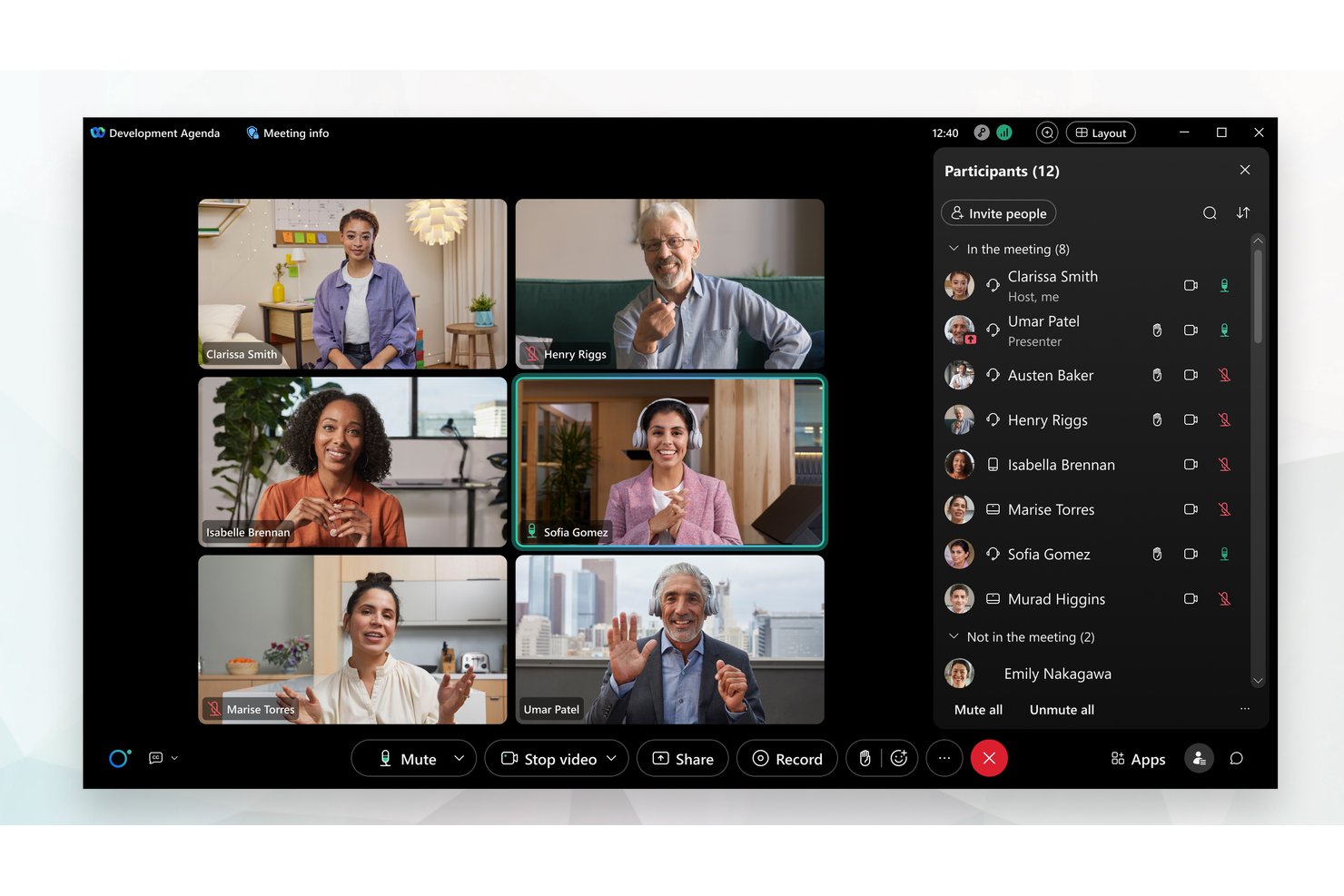
Webex is Cisco's enterprise video conferencing and webinar platform, built for large organizations that need to host high-attendance virtual events, deliver structured training, and run recurring stakeholder sessions across distributed teams.
Who is Webex Best For?
Webex is a strong fit for enterprise L&D teams and training coordinators who need to deliver structured, instructor-led sessions at scale.
Why Webex is a Good Adobe Connect Alternative
I've included Webex in my top picks because its Training Center is the closest thing to Adobe Connect's persistent room model I've found. You can build a reusable training room with saved layouts, a recorded session library, and small-group breakout labs that carry over between sessions. Slido-powered polling and threaded Q&A are built directly into the room, so instructors aren't switching between tools mid-session.
Webex Key Features
- AI-powered audio and video: Webex uses AI to deliver high-quality sound and video, even on poor connections.
- Slido engagement integration: Integrated Slido polling and Q&A keep participants actively involved during sessions.
- Advanced security and compliance: The platform offers end-to-end encryption, role-based access, and supports FedRAMP and GDPR compliance.
- App Hub integrations: Access a library of over 400 third-party integrations, including LMS, CRM, and productivity tools.
Webex Integrations
Webex offers over 400 native integrations, including Salesforce, HubSpot, ServiceNow, Google Workspace, Microsoft 365, Slack, Box, Zendesk, Moodle, and Cornerstone. An API is available for custom integrations.
Pros and Cons
Pros:
- FedRAMP-certified for regulated training environments
- Slido polling built directly into sessions
- Persistent training rooms retain saved content
Cons:
- Mobile experience lags behind desktop version
- Admin controls require steep configuration time
Best for automated webinar workflows
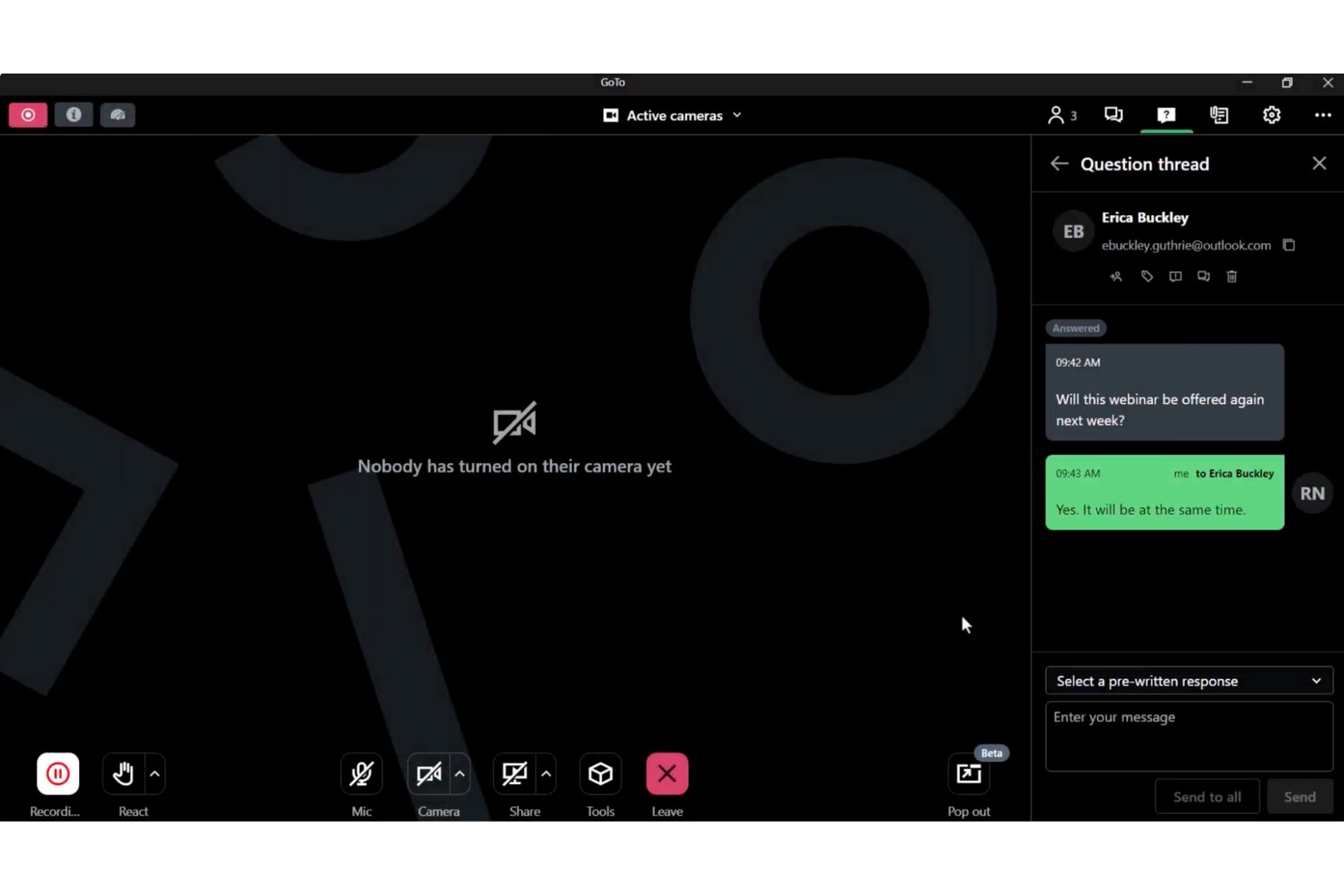
GoTo Webinar, built alongside GoTo Meeting, is a webinar and virtual events platform designed for L&D leads and remote team facilitators who need a structured, broadcast-ready alternative to Adobe Connect without the complexity of persistent room configurations.
Who Is GoTo Webinar Best For?
GoTo Webinar fits mid-sized to enterprise organizations that run recurring employee training programs, marketing webinars, or company-wide town halls on a regular schedule.
Why GoTo Webinar Is a Good Adobe Connect Alternative
I picked GoTo Webinar for this list because of how far its automation extends across the full webinar lifecycle. From branded registration pages to automated reminder sequences and post-event follow-up emails, the workflow runs itself. I also love the Simulive feature, which lets my team pre-record a session and broadcast it as a live event, complete with real-time polls and Q&A, without anyone presenting live.
GoTo Webinar Key Features
- Branded registration pages: Customize attendee registration pages with your company’s branding and required fields.
- Breakout rooms: Divide participants into smaller groups for focused discussions during live sessions.
- Cloud recording with transcripts: Capture sessions in the cloud and automatically generate searchable transcripts.
- Channel pages: Create a public library of past webinar recordings that’s easy for attendees to browse and access on demand.
GoTo Webinar Integrations
GoTo Webinar offers native integrations with Salesforce, HubSpot, Marketo, Slack, Microsoft Teams, Zapier, and provides an API for custom integrations.
Pros and Cons
Pros:
- Attendee engagement reporting built into every event
- Automated email sequences run without manual input
- Simulive lets you broadcast pre-recorded sessions live
Cons:
- Limited breakout room customization controls
- No persistent virtual rooms between sessions

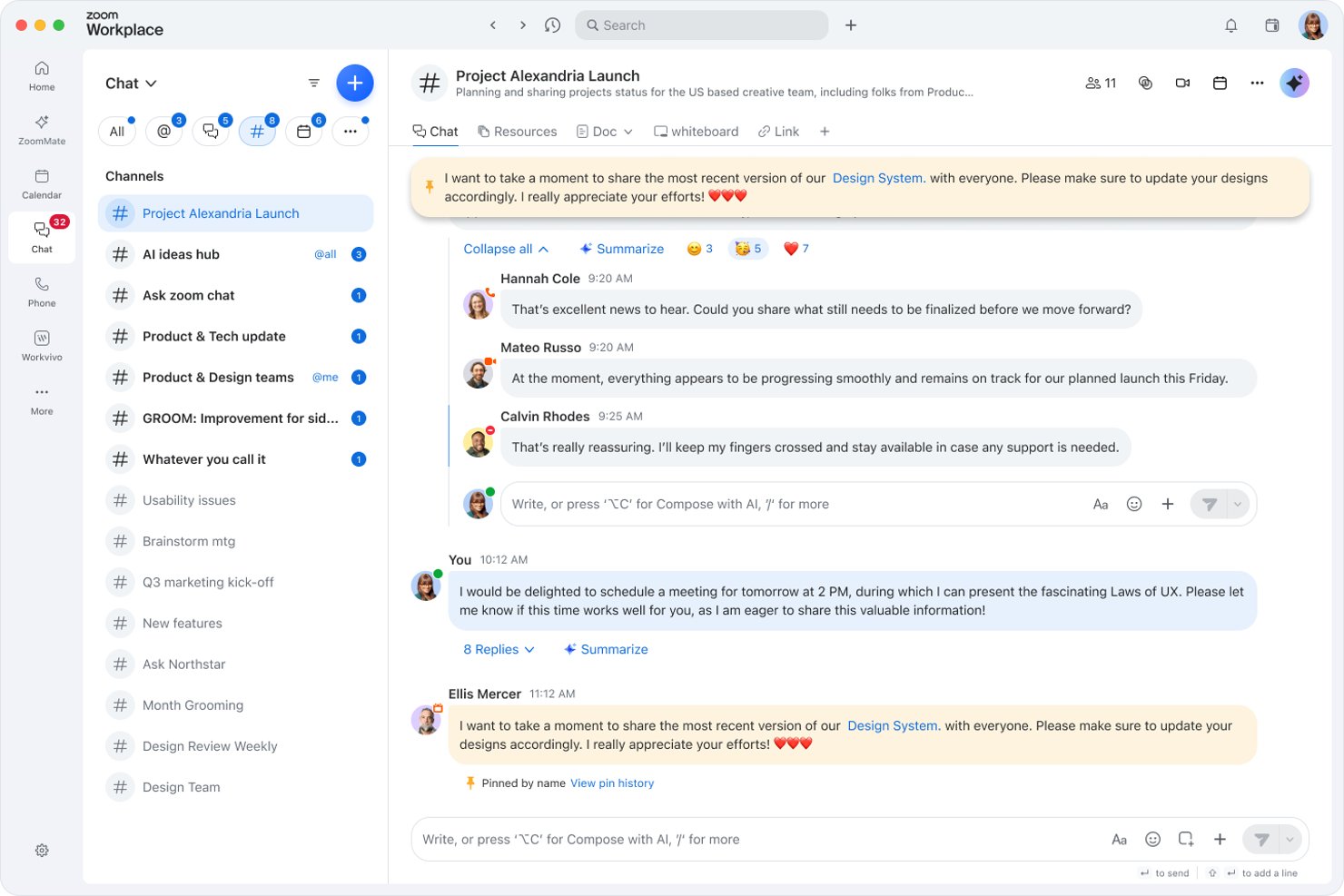
Zoom Workplace is a unified meetings and collaboration platform built for distributed teams who need exceptional ease of use, reliable video conferencing, structured session management, and AI-assisted productivity tools in one place.
Who is Zoom Workplace Best For?
It's a strong fit for mid-size to enterprise organizations running frequent cross-functional meetings, training sessions, and structured workshops across distributed teams.
Why Zoom Workplace is a Good Adobe Connect Alternative
I picked Zoom Workplace as one of the best because its breakout room controls go well beyond what Adobe Connect offers. Hosts can spin up to 50 breakout rooms per session, pre-assign participants or let them self-select, set countdown timers, and broadcast messages to all rooms simultaneously. I especially appreciate the ability to move between rooms on the fly, which makes running structured project reviews or L&D workshops genuinely manageable at scale.
Zoom Workplace Key Features
- AI-powered meeting summaries: Automatically generates searchable transcripts and highlights after every session.
- Integrated whiteboard: Lets participants collaborate on digital canvases during meetings or asynchronously.
- Cloud recording with chaptering: Stores recordings in a centralized library with auto-chapter creation for quick reference.
- Third-party calendar integration: Syncs with Google Workspace and Microsoft 365 for easy scheduling and instant join links.
Zoom Workplace Integrations
Zoom Workplace offers a wide range of native integrations including Google Workspace, Microsoft 365, Donut, Kahoot, Jira, Marketo, Bonsai, and Okta. It also connects with Zapier and provides an API for custom integrations.
Pros and Cons
Pros:
- Cloud recordings include searchable auto-chapters
- AI summaries auto-generate after every session
- Supports up to 50 breakout rooms
Cons:
- Engagement analytics less detailed than competitors
- Persistent rooms lack deep layout customization
Andre alternativer til Adobe Connect
Her er noen flere alternativer til Adobe Connect som ikke kom med på kortlisten min, men som likevel er verdt å undersøke:
- WebinarJam
For built-in webinar registration and replay
- BigMarker
For customizable webinar interfaces
- Hubilo
For attendee engagement scoring
- LiveWebinar
For branded virtual room customization
- Class
For virtual instructor-led training
- GoBrunch
For always-on meeting spaces


How I Evaluate Adobe Connect Alternatives
I first check that a tool covers Adobe Connect's baseline—hosting live sessions, splitting groups into breakout rooms, and reusing persistent room setups. From there, I evaluate differentiators like engagement scoring and on-demand recording libraries.
Core Functionality (Table Stakes for This List)
When I'm selecting tools for my list, I rank each one on a scale from 0 (does not offer the functionality) to 5 (excels in this area) for each core functionality listed below. Then, I calculate the tool's total score into a percentage. Each tool needs to achieve a minimum total score of 65% to be considered for inclusion.
- Live video conferencing: I evaluate participant capacity, video quality, and screen sharing controls—especially for sessions like project kickoffs where multiple stakeholders need to present.
- Webinar hosting: Registration pages, attendee management, and presenter controls all matter when you're running recurring training webinars for large distributed teams.
- Interactive engagement tools: I look for polls, Q&A, chat, and whiteboard features that let facilitators keep audiences active during long workshops or sprint reviews.
- Breakout rooms: The ability to pre-assign groups, move participants mid-session, and broadcast messages matters for structured activities like design critiques or retrospectives.
- Session recording: Cloud recording with playback and sharing options is what I check for, since teams in different time zones often need to catch up on recorded sessions later.
- Persistent virtual rooms: I look at whether hosts can save room layouts, uploaded content, and configurations so they don't have to rebuild the same training environment every week.
Once I have a list of tools that meet the criteria, I consider what sets each platform apart.
Differentiating Factors (What Sets Vendors Apart)
Here's how I compare and contrast different vendors:
Standout Features
Engagement analytics go beyond basic attendance reports. I look for platforms that track poll responses, attention scores, and participation rates—data you need after a compliance training to prove learner engagement. Custom pods and layouts also matter: the ability to arrange chat, Q&A, files, and video into role-specific views saves setup time for recurring sessions. On-demand recording libraries with chaptering and closed captioning make it easy for team members to find and review specific segments later.
Beyond Features
Licensing models vary widely—named-host pricing works for small training teams, but concurrent-user licensing is a better fit if multiple facilitators rotate sessions. I also evaluate LMS integrations, especially LTI and SCORM support, since teams delivering certification programs need session data to flow into platforms like Cornerstone or Moodle. Security certifications like SOC 2 Type II and GDPR compliance matter when sessions involve sensitive project data or regulated industries.
Hvorfor se etter et alternativ til Adobe Connect?
Selv om Adobe Connect er et godt valg av programvare for videokonferanser, finnes det flere grunner til at noen brukere ser etter alternative løsninger. Det kan hende du ser etter et alternativ til Adobe Connect fordi …
- Du trenger et grensesnitt som er enklere å lære for nye brukere
- Øktene dine krever høyere deltakergrenser for større arrangementer
- Du ønsker mer fleksible og transparente prismodeller
- Teamet ditt trenger bedre integrasjoner med læringsstyringssystemer
- Du krever høyere pålitelighet under webinarer med mye trafikk
- Du arbeider i regioner med begrenset støtte for Adobe Connect
Hvis noe av dette høres kjent ut, har du kommet til rett sted. Listen min inneholder flere alternativer for videokonferanseprogramvare som passer bedre for team som møter disse utfordringene med Adobe Connect og ser etter alternative løsninger.
Viktige funksjoner i Adobe Connect
Her er noen av de viktigste funksjonene i Adobe Connect, slik at du kan sammenligne hva alternative løsninger tilbyr:
- Direkte videokonferanser: Gjennomfør videomøter med flere deltakere, skjermdeling, vertsfunksjoner og interaktiv deltakelse, noe som gjør løsningen egnet for fjernsamarbeid og oppdateringer fra ledelsen.
- Vedvarende virtuelle rom: Opprett alltid tilgjengelige møterom med oppsett, innhold og brukertillatelser som lagres for gjenbruk, slik at opplæringsansvarlige og prosjektledere sparer tid på oppsett hver uke.
- Grupperom: Del grupper inn i mindre økter med mulighet til å forhåndstildele deltakere, sette opp aktiviteter og flytte brukere mellom rom for prosjektbasert arbeid eller opplæringssamtaler.
- Tilpassede podmoduler og oppsett: Utform fleksible øktgrensesnitt ved å legge til og ordne innholdspodmoduler for chat, spørsmål og svar, avstemninger, delte notater eller filer, og tilpass møteopplevelsen til bestemte roller eller økttyper.
- Interaktive engasjementsverktøy: Bruk avstemninger, quizer, chat og digitale tavler for å oppmuntre til engasjement i sanntid, kontrollere deltakernes forståelse og sette i gang samtaler under lengre økter.
- Opptak og redigering av økter: Ta opp møter og webinarer for tilgang ved behov, med mulighet til å redigere, legge til teksting og organisere opptak i søkbare biblioteker for opplærings- og samsvarsformål.
- Avansert analyse og rapportering: Følg med på deltakelse, resultater fra avstemninger, oppmerksomhetspoeng og aktivitetslogger, slik at kursledere og L&D-ansvarlige kan måle opplæringens effektivitet og rapportere resultater.
- Webinaradministrasjon: Arranger planlagte webinarer med registreringsskjemaer, påminnelser, deltakeroppfølging og presentatørkontroller, noe som støtter løpende kommunikasjonsprogrammer eller eksterne arrangementer.
- Sikkerhets- og samsvarskontroller: Administrer tilgang med brukerautentisering, venterom, ende-til-ende-kryptering og samsvarsinnstillinger utviklet for bransjer med strenge regulatoriske krav.
- Integrasjoner og API-er: Koble Adobe Connect til populære LMS-plattformer, CRM-systemer, markedsføringsverktøy og leverandører av enkel pålogging gjennom innebygde integrasjoner og API-er for en samlet digital arbeidsflyt.