

I 10 migliori software di fatturazione per servizi professionali recensiti nel 2026

Elenco dei migliori software di fatturazione per servizi professionali


Al centro di ogni progetto di successo c'è la delicata arte dell'equilibrio: allineare tempistiche ambiziose e una gestione precisa delle risorse. Il software di fatturazione per servizi professionali agisce come un partner silenzioso in questo processo, integrando il monitoraggio delle spese e il controllo finanziario, così puoi spostare la tua attenzione dalla gestione dei fogli di calcolo alla realizzazione di risultati eccezionali.
Ho dedicato del tempo a testare e valutare questi strumenti per offrirti una panoramica imparziale delle migliori opzioni disponibili. In base alla mia esperienza, trovare il software giusto può davvero cambiare le sorti del tuo team.
In questo elenco analizzerò le scelte migliori, evidenziando ciò che le distingue. Che tu sia un libero professionista o faccia parte di un team più ampio, troverai qualcosa di adatto alle tue esigenze. Esploriamo le opzioni e troviamo lo strumento giusto per te.
Perché fidarsi dei nostri consigli sui software
Il nostro team testa e recensisce software dal 2012. In quanto project manager noi stessi, sappiamo quanto sia difficile — e importante — scegliere il software giusto.
Per questa guida, abbiamo valutato gli strumenti attraverso test pratici e ricerche indipendenti, assegnando un punteggio agli strumenti in base ai nostri criteri di selezione. Ci basiamo inoltre sulle competenze di leader di pensiero del settore e di professionisti attivi nella gestione dei progetti.
Le nostre recensioni riflettono il nostro giudizio editoriale umano, non un discorso di vendita.
Revisori esperti:
Tabella comparativa dei software di fatturazione per servizi professionali
Questa tabella comparativa riepiloga i dettagli dei prezzi delle mie migliori selezioni di software di fatturazione per servizi professionali.
| Tool | Best For | Trial Info | Price | ||
|---|---|---|---|---|---|
| 1 | Ideale per freelance | Prova gratuita di 30 giorni | Da $23/mese | Website | |
| 2 | Ideale per piccole imprese | Prova gratuita di 30 giorni | Da $38/mese | Website | |
| 3 | Ideale per le opzioni di integrazione | Prova gratuita di 30 giorni disponibile | Da $2.50/mese | Website | |
| 4 | Ideale per la fatturazione legale | Prova gratuita + demo gratuita disponibile | Da $43/utente/mese (fatturazione annuale) | Website | |
| 5 | Ideale per la fatturazione internazionale | Gratuito | Gratuito | Website | |
| 6 | Ideale per grandi imprese | Prova gratuita di 30 giorni | Prezzo su richiesta | Website | |
| 7 | Ideale per il monitoraggio del tempo | Piano gratuito + prova gratuita di 30 giorni disponibile | A partire da $9/postazione/mese (fatturato annualmente) | Website | |
| 8 | Ideale per la gestione dei clienti legali | Prova gratuita di 14 giorni + demo gratuita disponibile | Da $39/utente/mese (fatturato annualmente) | Website | |
| 9 | Ideale per l'elaborazione dei pagamenti | Piano gratuito + prova gratuita disponibile | Da $49/località/mese | Website | |
| 10 | Ideale per la collaborazione di squadra | Prova gratuita di 14 giorni + piano gratuito + demo gratuita disponibile | Da $5.90/mese (fatturazione annuale) | Website |
Recensione dei migliori software di fatturazione per servizi professionali
Di seguito trovi i miei riepiloghi dettagliati dei migliori software di fatturazione per servizi professionali entrati nel mio elenco. Le mie recensioni offrono un’analisi approfondita delle funzionalità principali, dei pro e dei contro, delle integrazioni e dei casi d’uso ideali di ogni strumento, per aiutarti a trovare quello più adatto a te.

Ideale per freelance

FreshBooks è un software di contabilità basato su cloud progettato per freelance e piccoli imprenditori. Gestisce la fatturazione, il monitoraggio delle spese e la gestione del tempo, diventando uno strumento essenziale per imprenditori individuali e piccoli team.
Perché ho scelto FreshBooks: FreshBooks è ideale per i freelance grazie al suo sistema di fatturazione intuitivo che automatizza la gestione delle bollette. Il software è particolarmente utile per evitare ritardi nei pagamenti grazie ai promemoria automatici per i clienti. La funzione di monitoraggio del tempo assicura che tu possa fatturare i clienti in modo accurato per ogni ora di lavoro svolta. Offre inoltre una gestione delle spese semplice, aiutandoti a tenere traccia delle uscite aziendali. L’app mobile aggiunge flessibilità, permettendoti di gestire le finanze ovunque ti trovi.
Funzionalità e integrazioni principali:
Funzionalità includono modelli di fattura personalizzabili che ti consentono di personalizzare i tuoi documenti di fatturazione. La contabilità a partita doppia offre una panoramica più dettagliata della salute finanziaria. Puoi anche impostare fatture ricorrenti per i clienti che pagano regolarmente, risparmiando tempo prezioso.
Integrazioni comprendono Gusto, HubSpot, Zapier, Asana, Trello e altri ancora.
Pros and Cons
Pros:
- Le fatture pulite hanno un aspetto professionale
- Ottimo per lavoratori autonomi
- Promemoria di pagamento ai clienti efficaci
Cons:
- Costo elevato per aggiunta membri del team
- Controllo dei costi di progetto debole

Ideale per piccole imprese

QuickBooks è una soluzione software di contabilità e gestione finanziaria progettata per le piccole imprese. Gestisce la fatturazione, le paghe e la reportistica finanziaria.
Perché ho scelto QuickBooks: QuickBooks è perfetto per le piccole imprese grazie alle sue funzionalità semplici di fatturazione e gestione dei pagamenti. Offre una dashboard intuitiva che ti aiuta a monitorare la salute finanziaria. La funzione di gestione delle paghe semplifica i pagamenti al personale in modo preciso e puntuale. Grazie agli strumenti per la preparazione fiscale, QuickBooks garantisce il rispetto delle normative, alleggerendo il carico durante la dichiarazione dei redditi.
Funzionalità e integrazioni principali:
Funzionalità includono il monitoraggio delle spese che categorizza e organizza automaticamente le tue uscite. La funzionalità di gestione del flusso di cassa offre approfondimenti per aiutarti a prendere decisioni finanziarie informate. Puoi inoltre sfruttare la reportistica personalizzabile per generare report su misura per le esigenze della tua azienda.
Integrazioni includono PayPal, Shopify, Square, QuickBooks Time, HubSpot, Mailchimp, BILL, Expensify e altri ancora.
Pros and Cons
Pros:
- Familiare per molti team
- Utile panoramica dei flussi di cassa
- Ottimo supporto durante la dichiarazione dei redditi
Cons:
- Scalabilità limitata per aziende più grandi
- Permessi limitati

Xero
Ideale per le opzioni di integrazione

Xero è una soluzione di software di contabilità basata su cloud progettata per piccole e medie imprese. Offre strumenti per la fatturazione, la riconciliazione bancaria e la reportistica finanziaria, rendendolo una scelta versatile per la gestione delle finanze aziendali.
Perché ho scelto Xero: Xero è perfetto per le aziende che necessitano di diverse opzioni di integrazione per semplificare le proprie operazioni. Supporta un'ampia gamma di app di terze parti, permettendo al tuo team di ottimizzare il software per soddisfare le esigenze specifiche. La funzione di fatturazione è intuitiva e ti aiuta a creare e inviare fatture rapidamente. Con la riconciliazione bancaria in tempo reale, puoi mantenere aggiornati i tuoi conti.
Caratteristiche principali e integrazioni:
Funzionalità comprendono un monitoraggio dettagliato delle spese che ti aiuta a controllare efficacemente i costi. La funzione di gestione dei progetti collega i dati finanziari direttamente alle attività aziendali, offrendo una panoramica chiara della redditività dei progetti. Xero offre anche strumenti di reportistica dettagliata, che consentono di generare facilmente report finanziari.
Integrazioni includono PayPal, Stripe, Shopify, HubSpot, Expensify e altro ancora.
Pros and Cons
Pros:
- Buoni collegamenti con l'ecosistema di app
- Monitoraggio utile dello stato delle fatture
- Elementi base di tracciamento delle verifiche chiari
Cons:
- Le opzioni per la creazione e modifica massiva delle fatture sono limitate
- Le autorizzazioni possono essere confuse
TimeSolv
Ideale per la fatturazione legale

TimeSolv è un software per la fatturazione e la rilevazione dei tempi progettato principalmente per professionisti legali e studi legali. Offre strumenti per la fatturazione, il monitoraggio del tempo e la gestione delle spese.
Perché ho scelto TimeSolv: TimeSolv è pensato su misura per la fatturazione legale, offrendo funzionalità che rispondono alle esigenze specifiche degli studi legali. Le sue opzioni di fatturazione flessibile consentono di gestire con facilità accordi di fatturazione complessi con i clienti. Il software include la gestione dei fondi fiduciari, garantendo la conformità agli standard del settore legale. Attraverso la reportistica, puoi ottenere informazioni sulle performance finanziarie dello studio e prendere decisioni informate.
Funzionalità principali e integrazioni:
Funzionalità includono la fatturazione in batch, che permette di generare più fatture contemporaneamente, risparmiando tempo. La funzione di inserimento del tempo consente di registrare in dettaglio le ore lavorate, assicurando una fatturazione accurata dei clienti. Puoi anche beneficiare degli strumenti di gestione dei progetti che aiutano a supervisionare casi legali e attività in modo efficiente.
Integrazioni comprendono QuickBooks, Dropbox, NetDocuments, Xero, LawPay, Microsoft 365, Dropbox e altri ancora.
Pros and Cons
Pros:
- Solido supporto per la gestione dei fondi fiduciari
- Accordi tariffari flessibili
- La fatturazione in batch fa risparmiare tempo
Cons:
- L'app mobile ha funzionalità limitate
- Rallentamenti e bug occasionali

Ideale per la fatturazione internazionale

Zoho Invoice è una soluzione software di fatturazione pensata per freelance e piccole imprese. Offre strumenti per la creazione di fatture, la gestione delle spese e il monitoraggio del tempo, rendendolo una scelta versatile per le aziende con clienti in tutto il mondo.
Perché ho scelto Zoho Invoice: Zoho Invoice eccelle nella fatturazione internazionale, offrendo il supporto multi-valuta per le tue transazioni globali. Ti permette di personalizzare le fatture in diverse lingue, adattandosi alla tua clientela internazionale. Il software include promemoria di pagamento automatici, aiutandoti a mantenere il flusso di cassa senza dover intervenire manualmente ogni volta. Grazie alla reportistica dettagliata, puoi monitorare la salute finanziaria della tua attività sui vari mercati.
Funzionalità principali e integrazioni:
Funzionalità includono flussi di lavoro automatizzati che riducono le attività ripetitive, facendoti risparmiare tempo. La funzione del portale clienti permette ai tuoi clienti di visualizzare e pagare le fatture online, migliorando la loro esperienza. Puoi anche beneficiare della funzione di fatturazione dei progetti, che collega il monitoraggio del tempo direttamente alle fatture dei clienti.
Integrazioni includono PayPal, Stripe, Dropbox, Slack, Zoho CRM e altro ancora.
Pros and Cons
Pros:
- Fatturazione multi-valuta avanzata
- Portale clienti intuitivo
- Solleciti di pagamento efficaci
Cons:
- Flussi di lavoro avanzati limitati
- Limiti alle fatture nel piano gratuito

Sage
Ideale per grandi imprese

Sage è un software di pianificazione delle risorse aziendali (ERP) progettato per le grandi aziende. Offre soluzioni per la contabilità, la gestione finanziaria e le paghe, rispondendo alle esigenze complesse delle operazioni su larga scala.
Perché ho scelto Sage: Sage è ideale per le grandi imprese grazie alle sue avanzate capacità di gestione finanziaria. Offre funzionalità di contabilità che gestiscono facilmente operazioni complesse. Il sistema di gestione delle paghe supporta una vasta gamma di esigenze dei dipendenti. La scalabilità di Sage garantisce che la tua azienda possa crescere senza superare le capacità del software.
Funzionalità e integrazioni di spicco:
Funzionalità includono strumenti di budgeting dettagliati che aiutano il tuo team nella pianificazione finanziaria. La funzione di gestione delle risorse aziendali consente di monitorare e gestire efficientemente i beni aziendali. Puoi inoltre beneficiare del supporto multivaluta, essenziale per le aziende che operano in più paesi.
Integrazioni includono Salesforce, Microsoft Office 365, PayPal, Shopify e altri.
Pros and Cons
Pros:
- Gestisce regole di fatturazione complesse
- Solidi controlli delle tracce di audit
- Supporta la contabilità multi-entità
Cons:
- Richiede responsabili di sistema dedicati
- La personalizzazione può diventare costosa

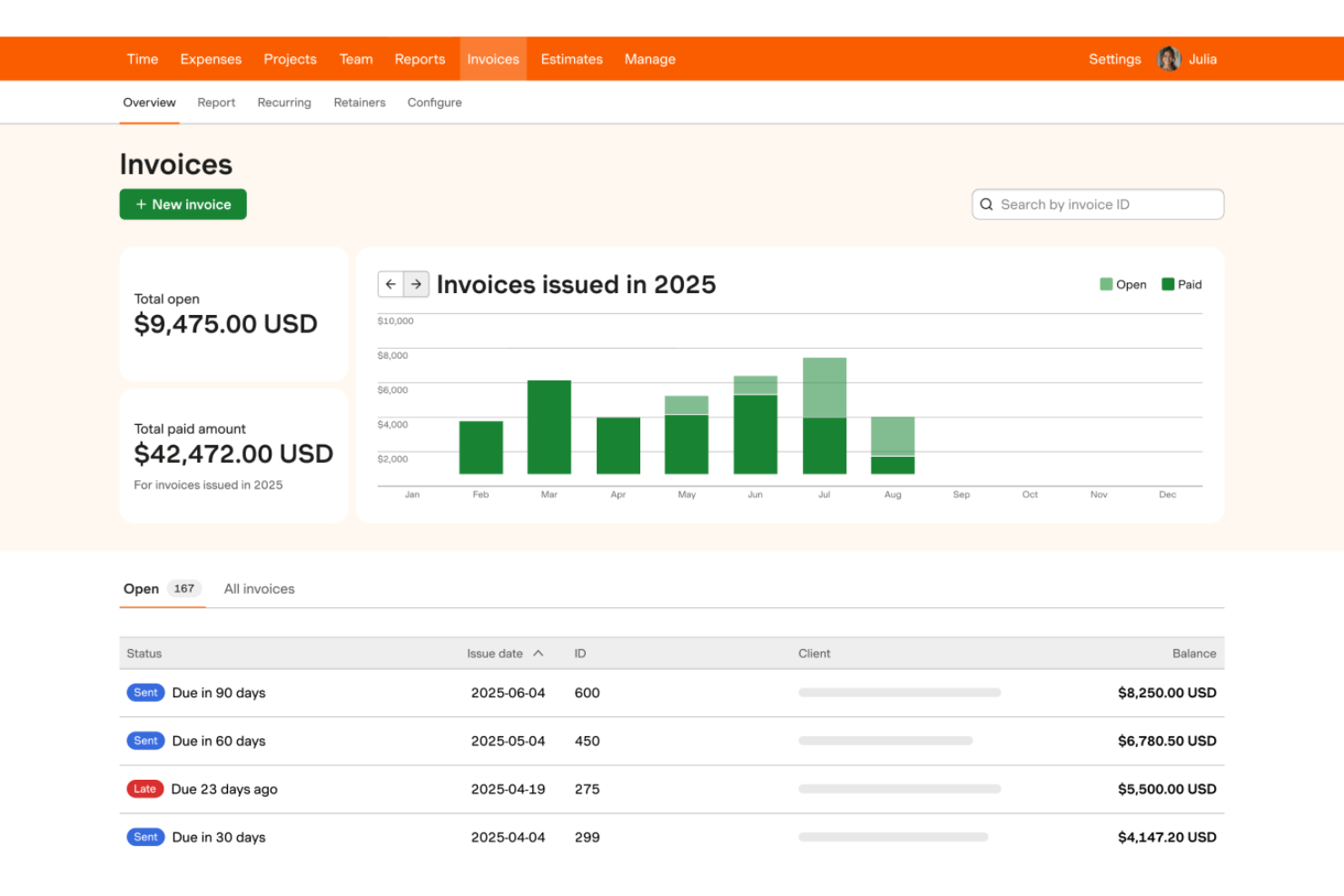
Harvest è un software di monitoraggio del tempo e fatturazione progettato per liberi professionisti e piccole e medie imprese. Aiuta i team a registrare il tempo, gestire le spese e inviare fatture.
Perché ho scelto Harvest: Harvest eccelle nel monitoraggio del tempo, consentendo al tuo team di registrare le ore dedicate ai progetti. Fornisce dettagliati timesheet e report, offrendoti visibilità su come il tempo viene allocato tra le varie attività. La funzione di fatturazione è collegata direttamente al tempo tracciato, semplificando i processi di fatturazione. Con il monitoraggio delle spese, puoi gestire efficacemente i costi dei progetti e garantire una fatturazione accurata ai clienti.
Caratteristiche principali e integrazioni:
Caratteristiche includono la pianificazione del budget di progetto che ti aiuta a impostare limiti finanziari e a monitorare le spese dei progetti. La funzione di reportistica offre approfondimenti sulle prestazioni del team e sulla redditività dei progetti. Puoi anche beneficiare dei promemoria integrati, che assicurano che il tuo team segni sempre le ore lavorate.
Integrazioni includono Asana, Trello, Slack, QuickBooks, Xero e altro ancora.
Pros and Cons
Pros:
- Registrazione del tempo semplice
- Monitoraggio burn dei progetti utile
- Facile onboarding del team
Cons:
- Manca una gestione progetti completa
- Complessità limitata delle regole di fatturazione


Bill4Time è un software di monitoraggio del tempo e fatturazione progettato specificamente per professionisti legali e studi legali. Offre strumenti per la registrazione delle ore, la creazione di fatture e la gestione della clientela, aiutando i team legali a gestire i processi di fatturazione.
Perché ho scelto Bill4Time: Bill4Time è pensato per i professionisti del settore legale, offrendo funzionalità che rispondono alle esigenze specifiche degli studi legali. Il sistema di gestione dei clienti consente di organizzare e accedere facilmente alle informazioni sui clienti. Grazie al monitoraggio dettagliato del tempo, è possibile garantire una fatturazione accurata per ogni minuto di lavoro. Il software include anche fatture personalizzabili, per creare documenti adatti al branding e alle esigenze dello studio.
Funzionalità principali e integrazioni:
Funzionalità includono la contabilità fiduciaria, che aiuta a gestire e monitorare i fondi dei clienti nel rispetto delle normative legali. La funzione di reportistica fornisce approfondimenti sulle performance finanziarie dello studio e sulla fatturazione ai clienti. È disponibile anche un sistema di gestione documentale, che organizza documenti e file legali per un facile accesso.
Integrazioni includono QuickBooks, NetDocuments, Box, Google Calendar e altro ancora.
Pros and Cons
Pros:
- Strumenti solidi per la contabilità fiduciaria
- Chiarezza del registro clienti
- Personalizzazione delle fatture utile
Cons:
- Problemi di prestazioni su mobile
- Interfaccia obsoleta

Square
Ideale per l'elaborazione dei pagamenti

Square è una piattaforma di elaborazione pagamenti pensata per le piccole e medie imprese. Gestisce transazioni, operazioni di punto vendita e fatturazione, offrendo una soluzione completa per la gestione finanziaria della tua attività.
Perché ho scelto Square: Square eccelle nell'elaborazione dei pagamenti, fornendo al tuo team un sistema affidabile per gestire le transazioni. Il suo sistema di punto vendita, facile da usare, si integra senza problemi con i tuoi dispositivi, permettendoti di accettare pagamenti con carta di credito all'istante. La funzionalità di fatturazione è efficiente e ti consente di inviare e monitorare le fatture con facilità. Gli strumenti di reportistica di Square offrono una panoramica delle vendite e del comportamento dei clienti, aiutandoti a prendere decisioni aziendali informate.
Funzionalità distintive e integrazioni:
Funzionalità includono la gestione dell'inventario, che ti permette di monitorare i livelli di stock in tempo reale. La directory dei clienti ti aiuta a mantenere registri dettagliati dei tuoi clienti, migliorando la gestione delle relazioni. Puoi anche sfruttare la funzione di gestione dei dipendenti, che semplifica la programmazione e la rilevazione delle ore lavorative.
Integrazioni includono QuickBooks, Xero, JotForm, WooCommerce, Wix e altri.
Pros and Cons
Pros:
- Flusso rapido dalla cassa alla fattura
- I pagamenti vengono accreditati rapidamente
- Resoconti delle vendite chiari
Cons:
- Commissioni di transazione elevate
- Disponibilità internazionale limitata
New Product Updates from Square
Square Launches AI-Powered Kiosk for Restaurants
Square launches a new self-ordering kiosk with voice and touch ordering, AI-powered upsells, and built-in payments. This gives US restaurants another way to handle orders and guide customers through menus. For more information, visit Square’s official site.
 .
.
Paymo
Ideale per la collaborazione di squadra

Paymo è un software di gestione progetti e monitoraggio del tempo progettato per liberi professionisti e team di piccole e medie dimensioni. Aiuta a gestire i progetti, monitorare le ore di lavoro e facilitare la collaborazione, fornendo una soluzione completa per la produttività del team.
Perché ho scelto Paymo: Paymo è ideale per la collaborazione di squadra, offrendo funzionalità che migliorano la comunicazione e il coordinamento dei progetti. Il sistema di gestione delle attività permette al tuo team di assegnare e monitorare le task. Il monitoraggio del tempo integrato assicura una fatturazione accurata e responsabilità.
Caratteristiche principali e integrazioni:
Funzionalità includono una bacheca Kanban che visualizza il flusso di lavoro e aiuta a gestire le attività in modo più efficace. La funzione di condivisione file consente al tuo team di archiviare e accedere ai documenti di progetto in un unico posto. Puoi anche utilizzare lo strumento di pianificazione delle risorse per assegnare le attività e gestire efficacemente il carico di lavoro del team.
Integrazioni includono Slack, Google Calendar, QuickBooks, Zapier e altro.
Pros and Cons
Pros:
- Flusso efficiente da attività a timer
- Revisione utile per i creativi
- Spazi di progetto chiari per i clienti
Cons:
- Costo elevato per team piccoli
- I report richiedono lavoro manuale
Altri software di fatturazione per servizi professionali
Ecco alcune altre opzioni di software di fatturazione per servizi professionali che non sono entrate nel mio elenco, ma che vale comunque la pena valutare:


Come Valuto i Software di Fatturazione per Servizi Professionali
Valuto ogni strumento su due livelli: i criteri di base che ogni piattaforma di fatturazione deve soddisfare—come la fatturazione multi-modello e la fatturazione collegata ai progetti—e i fattori differenzianti che distinguono i migliori.
Funzionalità di Base (Requisiti Fondamentali per Questo Elenco)
Quando seleziono gli strumenti per il mio elenco, valuto ciascuno su una scala da 0 (non offre la funzionalità) a 5 (eccelle in quest'area) per ciascuna funzionalità di base elencata di seguito. Successivamente, calcolo il punteggio totale dello strumento in percentuale. Ogni strumento deve raggiungere un punteggio totale minimo del 65% per essere preso in considerazione per l'inclusione.
- Rilevamento Tempo & Spese: Cerco la possibilità di etichettare ore fatturabili/non fatturabili a livello di attività e cliente, oltre alla registrazione delle spese con gestione delle ricevute—il tipo di dettaglio che permette a un team di consulenza di avere le ore lavorate sempre pronte per una revisione.
- Fatturazione & Emissione Fatture ai Clienti: Ogni strumento dovrebbe generare fatture direttamente dal tempo e dalle spese tracciate, offrendo abbastanza controllo sui modelli e opzioni di consegna da adattarsi alle modalità con cui lo studio fattura effettivamente i clienti.
- Supporto a Molteplici Modelli di Fatturazione: Che il tuo team gestisca consulenze a canone per clienti continuativi o scadenze su progetti a tariffa fissa, verifico che la piattaforma supporti almeno tre modelli di fatturazione con logiche configurabili.
- Gestione del Budget di Progetto: La visibilità in tempo reale sul tasso di consumo del budget e le variazioni rispetto al previsto è essenziale—valuto quanto bene ogni strumento collega i dati di fatturazione ai budget di progetto in modo da poter intercettare eventuali sforamenti prima che si riflettano sulla fattura.
- Gestione di Tariffe & Contratti: Cerco una configurazione flessibile delle tariffe tra ruoli, clienti e progetti, incluso il supporto per date di decorrenza ed eccezioni—un aspetto essenziale quando si assegnano team con livelli di esperienza diversi sullo stesso incarico.
- Report di Fatturazione & Redditività: La reportistica dovrebbe coprire tassi di utilizzo, realizzazione e margini a livello di progetto almeno. Valuto se lo strumento ti fornisce i dati necessari per rispondere alla domanda "stiamo davvero guadagnando su questo cliente?"
Una volta ottenuta una lista di strumenti che rispettano questi criteri, considero ciò che distingue ciascuna piattaforma.
Fattori Differenzianti (Cosa Rende i Fornitori Unici)
Ecco come confronto e metto a confronto i diversi fornitori:
Funzionalità Distintive
La rilevazione automatica del tempo tramite IA è un grande elemento distintivo—gli strumenti che recuperano dati da calendari e app di lavoro per suggerire voci fatturabili aiutano a ridurre le perdite di ricavo, soprattutto nei team che gestiscono più clienti contemporaneamente. Valuto anche l'automazione del riconoscimento dei ricavi, dato che le aziende che fatturano per milestone o percentuale di completamento necessitano della conformità ASC 606/IFRS 15 nativa, piuttosto che gestita tramite fogli di calcolo. Un portale self-service per i clienti aggiunge valore reale, offrendo ai clienti accesso diretto a fatture e opzioni di pagamento senza le solite catene di email.
Oltre le Funzionalità
La profondità dell'integrazione conta molto qui—verifico se uno strumento si sincronizza con la piattaforma di project management e il sistema di contabilità in modo che i dati temporali scorrano da Jira o Asana direttamente a QuickBooks o Xero senza reinserimento manuale. Anche la dimensione dello studio e l'aderenza al settore influiscono sulla mia valutazione, perché le esigenze di fatturazione di un consulente singolo sono molto diverse da quelle di una società di servizi IT da 200 persone che gestisce incarichi multiphase. La trasparenza dei prezzi completa la mia valutazione; verifico se il modello scala in modo prevedibile man mano che l'organico fatturabile varia con la domanda dei progetti.
Come scegliere il software di fatturazione per servizi professionali
È facile perdersi in lunghi elenchi di funzionalità e strutture tariffarie complesse. Per aiutarti a mantenere la concentrazione mentre affronti il tuo esclusivo processo di selezione del software, ecco una lista di controllo dei fattori da tenere a mente:
| Fattore | Cosa considerare |
|---|---|
| Scalabilità | Il software crescerà insieme alla tua attività? Verifica se è in grado di gestire un aumento dei clienti o degli utenti senza problemi di prestazioni. |
| Integrazioni | Si collega agli strumenti che già utilizzi? Controlla se si integra con il tuo CRM, il software di contabilità e altri sistemi fondamentali. |
| Personalizzazione | Puoi adattare il software ai tuoi flussi di lavoro? Cerca opzioni per personalizzare report, fatture e ruoli utente in base alle tue esigenze. |
| Semplicità d'uso | L'interfaccia è intuitiva per il tuo team? Considera la curva di apprendimento e se lo strumento è facile da navigare. |
| Implementazione e avviamento | Quanto velocemente puoi iniziare a utilizzarlo? Valuta il supporto per l'avviamento, inclusi video di formazione e visite guidate del prodotto. |
| Costo | I piani tariffari sono trasparenti e rientrano nel tuo budget? Confronta il costo con le funzionalità offerte e verifica la presenza di costi nascosti o contratti a lungo termine. |
| Misure di sicurezza | Protegge i tuoi dati? Assicurati che il software sia conforme agli standard di settore per la protezione dei dati e offra funzionalità come la crittografia e i controlli degli accessi. |
| Disponibilità dell'assistenza | L'aiuto è disponibile quando ne hai bisogno? Controlla se sono disponibili assistenza 24 ore su 24, 7 giorni su 7, chat dal vivo e una base di conoscenza dettagliata per supportare il tuo team. |
Che cos'è il software di fatturazione per i servizi professionali?
Il software di fatturazione per i servizi professionali è uno strumento che aiuta le aziende a gestire la fatturazione, il monitoraggio del tempo e l'elaborazione dei pagamenti. Professionisti come consulenti, avvocati e commercialisti utilizzano questi strumenti per semplificare la fatturazione e la gestione finanziaria. Le funzionalità di monitoraggio del tempo, fatturazione e gestione delle spese aiutano a garantire una fatturazione accurata e operazioni finanziarie efficienti. Questi strumenti fanno risparmiare tempo e riducono gli errori, consentendo ai professionisti di concentrarsi sul proprio lavoro principale.
Funzionalità del software di fatturazione per i servizi professionali
Quando scegli un software di fatturazione per i servizi professionali, presta attenzione alle seguenti funzionalità principali:
- Monitoraggio del tempo: registra con precisione le ore lavorate sui progetti, garantendo una fatturazione e una gestione delle paghe accurate.
- Fatturazione: genera e invia fatture ai clienti, semplificando il processo di fatturazione e riducendo gli errori manuali.
- Gestione delle spese: monitora e categorizza le spese aziendali, aiutandoti a mantenere registri finanziari accurati e a controllare i costi.
- Elaborazione dei pagamenti: facilita la riscossione dei pagamenti dai clienti attraverso diversi metodi, migliorando il flusso di cassa e riducendo i ritardi.
- Gestione dei clienti: organizza le informazioni e le comunicazioni dei clienti, migliorando i rapporti e garantendo un'erogazione efficiente dei servizi.
- Modelli personalizzabili: adatta fatture e report al tuo marchio, mantenendo un aspetto professionale.
- Supporto multivaluta: gestisce le transazioni internazionali, consentendoti di fatturare i clienti nella loro valuta locale.
- Gestione del budget dei progetti: imposta limiti finanziari e monitora le spese, garantendo che i progetti rimangano entro il budget.
- Strumenti di reportistica: forniscono informazioni sulle prestazioni finanziarie e sulla redditività dei progetti, supportando decisioni informate.
- Funzionalità di integrazione: si collegano agli strumenti esistenti, come i software CRM e di contabilità, semplificando i flussi di lavoro e la gestione dei dati.
Vantaggi del software di fatturazione per i servizi professionali
L'implementazione di un software di fatturazione per i servizi professionali offre diversi vantaggi al tuo team e alla tua azienda. Eccone alcuni:
- Maggiore precisione: la fatturazione automatizzata e il monitoraggio del tempo riducono gli errori manuali, garantendo l'accuratezza dei tuoi registri finanziari.
- Risparmio di tempo: automatizzando attività ripetitive come la fatturazione e il monitoraggio delle spese, il tuo team può concentrarsi maggiormente sulle attività principali dell'azienda.
- Miglioramento del flusso di cassa: l'elaborazione semplificata dei pagamenti ti aiuta a ricevere i pagamenti più rapidamente, mantenendo un flusso di cassa sano per la tua azienda.
- Rapporti migliori con i clienti: strumenti efficaci per la gestione dei clienti mantengono organizzate le comunicazioni, aiutandoti a fornire un servizio migliore.
- Informazioni finanziarie: gli strumenti di reportistica offrono informazioni preziose sulla salute finanziaria della tua azienda, supportando le decisioni strategiche.
- Portata globale: il supporto multivaluta ti consente di gestire clienti internazionali, ampliando le opportunità per la tua azienda.
- Personalizzazione: i modelli personalizzabili ti consentono di mantenere un aspetto professionale, allineando fatture e report al tuo marchio.
Costi e prezzi del software di fatturazione per i servizi professionali
La scelta di un software di fatturazione per i servizi professionali richiede la comprensione dei vari modelli di prezzo e dei piani disponibili. I costi variano in base alle funzionalità, alle dimensioni del team, ai componenti aggiuntivi e ad altri fattori. La tabella seguente riassume i piani più comuni, i relativi prezzi medi e le funzionalità tipicamente incluse nelle soluzioni software di fatturazione per i servizi professionali:
Tabella comparativa dei piani per il software di fatturazione per i servizi professionali
| Tipo di piano | Prezzo medio | Funzionalità comuni |
|---|---|---|
| Piano gratuito | $0 | Fatturazione di base, monitoraggio del tempo limitato e reportistica di base. |
| Piano personale | $5-$40/utente/mese | Monitoraggio del tempo, fatturazione semplice, monitoraggio delle spese e gestione di base dei clienti. |
| Piano aziendale | $30-$60/utente/mese | Fatturazione avanzata, gestione dei progetti, supporto multivaluta e integrazioni. |
| Piano aziendale avanzato | $70-$100/utente/mese | Modelli personalizzabili, reportistica avanzata, supporto dedicato e automazione completa. |
Domande frequenti sul software di fatturazione per servizi professionali
Ecco alcune risposte alle domande comuni sul software di fatturazione per servizi professionali:
Qual è il tempo di implementazione tipico per il software di fatturazione per servizi professionali?
Il tempo di implementazione varia a seconda della complessità del software e del livello di preparazione del tuo team. In genere, può richiedere da pochi giorni a qualche settimana. Per accelerare il processo, assicurati di avere un piano chiaro, assegna le risorse necessarie e utilizza il materiale formativo offerto dal fornitore. Anche coinvolgere il team di assistenza del fornitore può aiutare a risolvere rapidamente eventuali problemi.
Il software di fatturazione per servizi professionali può integrarsi con gli strumenti di contabilità?
Sì, la maggior parte dei software di fatturazione per servizi professionali può integrarsi con strumenti di contabilità diffusi come QuickBooks e Xero. Queste integrazioni consentono di sincronizzare i dati finanziari, riducendo l’inserimento manuale e gli errori. Prima dell’acquisto, verifica le funzionalità di integrazione del software per assicurarti che supporti gli strumenti di contabilità già utilizzati dal tuo team. Questo può farti risparmiare tempo e migliorare la precisione.
La migrazione dei dati è difficile quando si passa a un nuovo software di fatturazione?
La migrazione dei dati può essere complessa, ma molti fornitori offrono assistenza per rendere il processo più semplice. Inizia eseguendo il backup dei dati esistenti, quindi utilizza gli strumenti o i servizi di importazione forniti dal nuovo fornitore. È utile incaricare un membro del team di supervisionare la migrazione per assicurarsi che tutto venga trasferito correttamente e per affrontare eventuali problemi che si presentano.
Con quale frequenza devono essere eseguiti gli aggiornamenti del software?
Gli aggiornamenti del software devono essere eseguiti regolarmente per garantire sicurezza e prestazioni. La maggior parte dei fornitori rilascia aggiornamenti periodicamente, con una frequenza che va da mensile a trimestrale. Gli aggiornamenti regolari aiutano a correggere i bug, introdurre nuove funzionalità e mantenere il software sicuro. Assicurati che il tuo team conosca il calendario degli aggiornamenti e le eventuali azioni necessarie per mantenere il sistema in condizioni ottimali.