

10 migliori alternative a Milanote per la pianificazione visiva nel 2026

Selezione delle migliori alternative a Milanote


Gestire i progetti può essere complicato, poiché destreggiarsi tra scadenze, coordinamento del team e attività interminabili può spesso lasciarti sopraffatto. Un software per la produttività come Milanote può essere utile, ma potrebbe non soddisfare tutte le tue esigenze.
Forse hai bisogno di strumenti di collaborazione migliori o di una gestione delle attività più flessibile. Qualunque sia il motivo, trovare il software giusto può trasformare il tuo modo di lavorare.
Ho testato e recensito diverse alternative a Milanote per aiutarti a fare una scelta consapevole. Il mio obiettivo è offrirti informazioni imparziali sugli strumenti che potrebbero adattarsi meglio alle esigenze del tuo team.
In questo articolo troverai un elenco accuratamente elaborato delle migliori alternative a Milanote, insieme alle caratteristiche distintive di ciascuna. Esaminiamo le opzioni che potrebbero essere proprio quelle che stai cercando.
Che cos'è Milanote?
Milanote è un software per la produttività progettato per aiutare i professionisti creativi a organizzare visivamente i propri progetti. Viene comunemente utilizzato da designer, scrittori e professionisti del marketing che hanno bisogno di uno strumento flessibile per il brainstorming e la pianificazione. Le bacheche con funzionalità di trascinamento, le bacheche d'ispirazione e gli strumenti per prendere appunti aiutano a organizzare i progetti, condividere le idee e collaborare con il team. Nel complesso, Milanote è uno spazio di lavoro visivo utilizzato per mantenere organizzati progetti e idee.
Tabella comparativa delle alternative a Milanote
Questa tabella comparativa riassume i dettagli sui prezzi delle migliori alternative a Milanote che ho selezionato:
| Tool | Best For | Trial Info | Price | ||
|---|---|---|---|---|---|
| 1 | Ideale per la collaborazione semplice tra team | Piano gratuito disponibile | A partire da $6/utente/mese (con fatturazione annuale) | Website | |
| 2 | Ideale per la gestione flessibile delle attività | Prova gratuita di 14 giorni | Da $5/utente/mese (con fatturazione annuale) | Website | |
| 3 | Ideale per l'integrazione con Microsoft | Demo gratuita + piano gratuito disponibile | Da $9.99/utente/mese (fatturato annualmente) | Website | |
| 4 | Ideale per prendere appunti in modo avanzato | Piano gratuito disponibile | Da $8.33/mese (fatturato annualmente) | Website | |
| 5 | Ideale per strumenti di produttività integrati | Piano gratuito + dimostrazione gratuita disponibile | Da $7/utente/mese (fatturati annualmente) | Website | |
| 6 | Ideale per la gestione di progetti complessi | Piano gratuito disponibile | Da $10.99/utente/mese (fatturato annualmente) | Website | |
| 7 | Ideale per la generazione di idee con l'IA | Piano gratuito disponibile | A partire da $6.75/utente/mese (con fatturazione annuale) | Website | |
| 8 | Ideale per la gestione della conoscenza | Prova gratuita di 14 giorni + piano gratuito disponibile | A partire da $9.99/mese (fatturato annualmente) | Website | |
| 9 | Ideale per creare rapidamente moodboard | È disponibile una prova gratuita di 7 giorni | A partire da $11.99/mese (con fatturazione annuale) | Website | |
| 10 | Ideale per prendere appunti visivi | Piano gratuito + garanzia di rimborso entro 30 giorni disponibile | A partire da $99/licenza | Website |
Perché fidarsi dei nostri consigli sui software
Il nostro team testa e recensisce software dal 2012. In quanto project manager noi stessi, sappiamo quanto sia difficile — e importante — scegliere il software giusto.
Per questa guida, abbiamo valutato gli strumenti attraverso test pratici e ricerche indipendenti, assegnando un punteggio agli strumenti in base ai nostri criteri di selezione. Ci basiamo inoltre sulle competenze di leader di pensiero del settore e di professionisti attivi nella gestione dei progetti.
Le nostre recensioni riflettono il nostro giudizio editoriale umano, non un discorso di vendita.
Revisori esperti:
Recensioni delle migliori alternative a Milanote
Di seguito trovi i miei riepiloghi dettagliati delle migliori alternative a Milanote incluse nella mia selezione. Le mie recensioni offrono un’analisi approfondita delle caratteristiche principali, dei pro e dei contro, delle integrazioni e dei casi d’uso ideali di ogni strumento, per aiutarti a trovare quello più adatto a te.

Nuclino
Ideale per la collaborazione semplice tra team

Nuclino è uno spazio di lavoro collaborativo progettato per consentire ai team di organizzare le conoscenze, gestire i progetti e condividere idee su un'unica piattaforma. È adatto ai team che cercano un modo semplice e veloce per collaborare ai progetti senza elementi superflui.
Perché è una buona alternativa a Milanote: Nuclino offre un'interfaccia semplice e intuitiva che mira a facilitare la collaborazione tra team. I suoi documenti collaborativi in tempo reale e gli strumenti di organizzazione facili da usare consentono una configurazione rapida e presentano una curva di apprendimento minima. Nuclino offre uno spazio unificato per la collaborazione basata sul testo e la condivisione delle conoscenze ed è adatto ai team che danno priorità alla semplicità e alla velocità nei propri flussi di lavoro.
Funzionalità principali e integrazioni:
Le funzionalità includono strumenti di comunicazione asincrona come i menu delle attività e dei commenti, oltre alla possibilità di lavorare insieme sui documenti in tempo reale. La piattaforma supporta visualizzazioni elenco, bacheca, tabella e grafico, offrendo flessibilità nel modo in cui si organizzano le informazioni. Inoltre, mette a disposizione un editor privo di distrazioni che mantiene l'attenzione sulla creazione dei contenuti.
Le integrazioni includono Slack, Google Drive, Dropbox, Microsoft OneDrive, Box, Google Calendar e altro.
Pros and Cons
Pros:
- Spazio di scrittura ordinato
- Poche difficoltà per il team
- Hub leggero per la gestione delle conoscenze
Cons:
- Libertà di layout limitata
- Pochi controlli per l'automazione
Trello
Ideale per la gestione flessibile delle attività
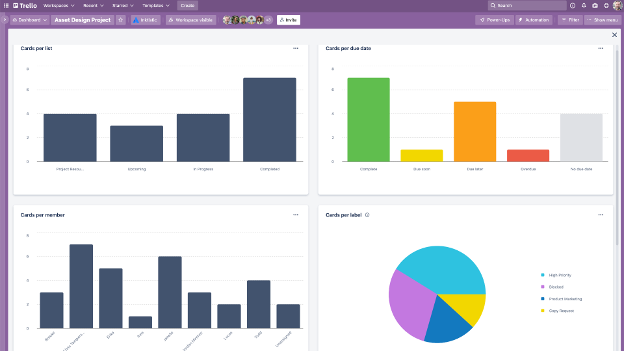
Trello è uno strumento visivo per la gestione dei progetti che aiuta i team a organizzare le attività utilizzando bacheche, elenchi e schede. È pensato per i team che hanno bisogno di un modo flessibile e intuitivo per gestire i progetti e collaborare in modo efficiente.
Perché è una buona alternativa a Milanote: Trello offre un sistema flessibile di gestione delle attività, progettato per adattarsi a diversi flussi di lavoro. Il suo sistema basato su bacheche e schede consente di visualizzare le attività e i progetti in modo facile da comprendere. Offre inoltre flussi di lavoro personalizzabili e l'automazione delle attività.
Funzionalità e integrazioni principali:
Le funzionalità includono bacheche visive personalizzabili che consentono al team di organizzare le attività in base al proprio flusso di lavoro. Il sistema basato su schede permette di aggiungere dettagli, commenti e allegati a ogni attività, assicurando che tutto si trovi in un unico posto. Trello offre inoltre la possibilità di creare regole e comandi per automatizzare le azioni di progetto, la messaggistica e la gestione dei ticket.
Le integrazioni includono Slack Power-Up, Google Calendar, Jira, Toggl e altro.
Pros and Cons
Pros:
- Configurazione rapida delle attività
- Monitoraggio visivo dei progressi dei progetti
- Funzionalità di automazione flessibili
Cons:
- Nessuna logica nativa delle dipendenze
- La crescita può causare disordine

Mural
Ideale per l'integrazione con Microsoft

Mural è uno spazio di lavoro digitale per la collaborazione visiva compatibile con Microsoft 365. È pensato per i team di progettazione e innovazione che fanno affidamento sul brainstorming e sulla pianificazione interattiva per migliorare la creatività e il lavoro di squadra.
Perché è una buona alternativa a Milanote: Mural offre una piattaforma dinamica per la collaborazione visiva, ideale per i team che hanno bisogno di lavagne interattive e strumenti per il brainstorming. Le sue note adesive, gli strumenti di disegno e i modelli possono contribuire a migliorare i flussi di lavoro.
Caratteristiche e integrazioni principali:
Le funzionalità includono una tela infinita in cui il team può collaborare in tempo reale, migliorando le sessioni di brainstorming. Lo strumento offre una solida integrazione con l'ecosistema Microsoft, permettendo di unificare il flusso di lavoro. Mural offre inoltre funzionalità di votazione e timer per facilitare il processo decisionale durante le riunioni.
Le integrazioni includono Microsoft Teams, Slack, Zoom, Jira, Google Workspace, Dropbox e altro.
Pros and Cons
Pros:
- Brainstorming di gruppo in tempo reale
- Lavagna di grandi dimensioni
- Solido supporto per l'ecosistema Microsoft
Cons:
- Controllo delle versioni limitato
- Il sovraccarico visivo può aumentare rapidamente

Evernote
Ideale per prendere appunti in modo avanzato

Evernote è un'app versatile per prendere appunti, progettata per singoli utenti e team che hanno bisogno di organizzare note, attività e programmi in un unico posto. È una scelta popolare per i professionisti che apprezzano le funzionalità di ricerca avanzata e il facile accesso alle informazioni.
Perché è una valida alternativa a Milanote: Evernote eccelle grazie alle sue avanzate funzionalità per prendere appunti, risultando ideale per gli utenti che hanno bisogno di qualcosa di più della semplice mappatura visiva dei progetti. I suoi modelli di note pronti all'uso, le liste di attività e le funzionalità di intelligenza artificiale supportano la raccolta e l'organizzazione dettagliata delle informazioni. A differenza di Milanote, Evernote si concentra sui dati basati sul testo e sulla gestione delle attività.
Funzionalità e integrazioni di spicco:
Le funzionalità includono l'acquisizione di contenuti dal Web, che consente di salvare articoli, immagini e PDF direttamente nelle note. L'app offre funzionalità di ricerca avanzata, permettendo di trovare rapidamente i riferimenti all'interno delle note. Inoltre, la funzionalità di scansione dei documenti di Evernote aiuta a digitalizzare e gestire i documenti cartacei.
Le integrazioni includono Google Drive, Slack, Microsoft Teams, Outlook, Google Calendar e altro ancora.
Pros and Cons
Pros:
- Elevata precisione nella ricerca
- Acquisizione efficace dei documenti
- Archiviazione delle note a lungo termine
Cons:
- Ridimensionamento più lento dei taccuini
- Limiti nel controllo delle esportazioni

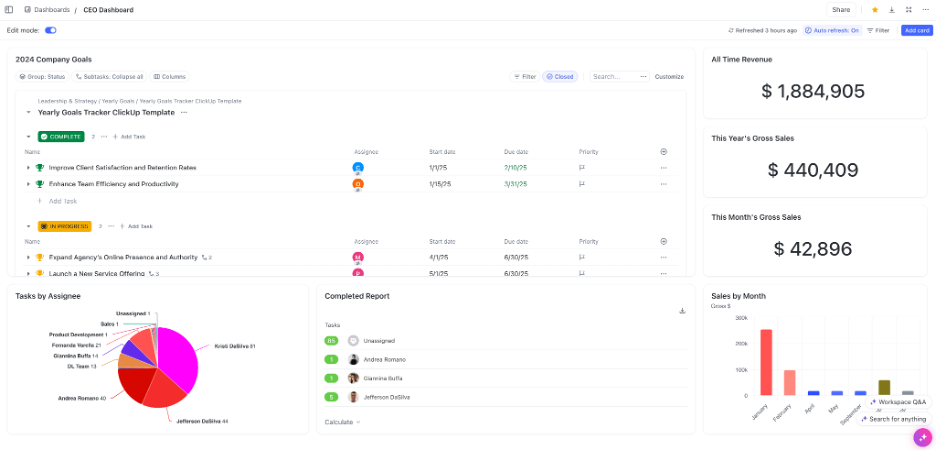
ClickUp è uno strumento versatile per la gestione dei progetti e la produttività, utilizzato da team di vari settori per pianificare, monitorare e collaborare ai progetti. È pensato per le aziende che necessitano di una piattaforma centralizzata per integrare attività, documenti, obiettivi e gestione del tempo.
Perché è una buona alternativa a Milanote: ClickUp offre una suite completa di strumenti per la produttività che va oltre la semplice organizzazione visiva. Le sue funzionalità di gestione delle attività, modifica dei documenti e monitoraggio del tempo sono progettate per migliorare la produttività del team. Offre un ambiente strutturato per gestire molteplici aspetti dei progetti.
Funzionalità e integrazioni principali:
Le funzionalità includono l'automazione delle attività, che può far risparmiare tempo al team automatizzando le attività ripetitive. La piattaforma offre modelli di liste di controllo e cruscotti personalizzabili, permettendo di adattare l'interfaccia alle esigenze del progetto. ClickUp offre anche il monitoraggio degli obiettivi per aiutare il team a rimanere concentrato sugli obiettivi del progetto.
Le integrazioni includono Slack, Google Drive, Dropbox, Microsoft Teams, Zoom, GitHub e altro.
Pros and Cons
Pros:
- Ampia selezione di integrazioni
- Motore di automazione avanzato
- Potenti funzionalità di reportistica
Cons:
- Processo di configurazione complesso
- Possibile confusione dovuta all'eccessiva quantità di funzionalità
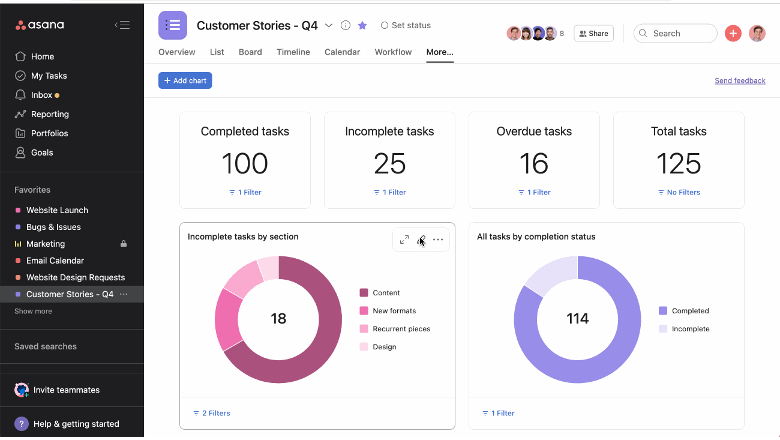
Asana è uno strumento di gestione dei progetti progettato per aiutare i team a organizzare, monitorare e gestire il proprio lavoro. È apprezzato dalle aziende che necessitano di ampie funzionalità per la pianificazione dei progetti e la gestione delle attività.
Perché è una buona alternativa a Milanote: Asana offre una serie di funzionalità di gestione dei progetti adatte a flussi di lavoro strutturati e progetti complessi. Le dipendenze tra le attività, le sequenze temporali e le funzionalità di monitoraggio dei progetti forniscono una panoramica dettagliata dei progressi.
Funzionalità e integrazioni principali:
Le funzionalità includono una visualizzazione della sequenza temporale in tempo reale, che aiuta a visualizzare i piani e le scadenze dei progetti. Asana offre inoltre campi personalizzati, che consentono di adattare la piattaforma alle esigenze specifiche del progetto.
Le integrazioni includono Slack, Microsoft Teams, Google Drive, Dropbox, Salesforce, Zoom e altro ancora.
Pros and Cons
Pros:
- Gestione efficace delle dipendenze
- Visualizzazioni chiare del carico di lavoro
- Struttura matura dei flussi di lavoro
Cons:
- Limiti nell'annidamento delle attività per le organizzazioni di grandi dimensioni
- I prezzi e la struttura delle funzionalità possono creare un sovraccarico per i team piccoli

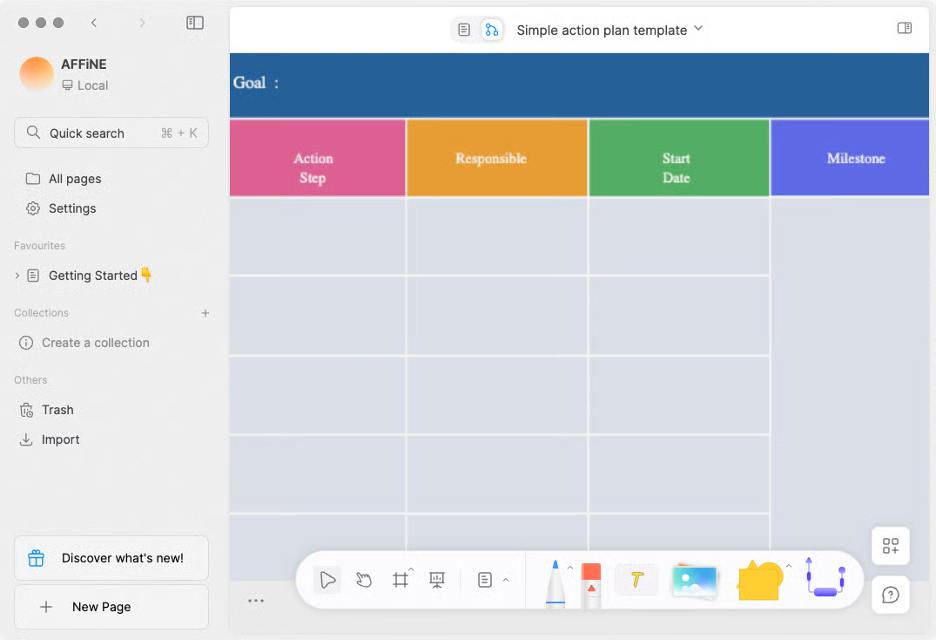
AFFiNE è uno spazio di lavoro versatile per la gestione della conoscenza che combina documenti, lavagne, basi di dati e un assistente basato sull'IA in un'unica applicazione. È pensato per singoli utenti o team alla ricerca di uno spazio flessibile per prendere appunti, fare generazione di idee visiva, creare contenuti e pianificare progetti.
Perché è una buona alternativa a Milanote: AFFiNE offre uno spazio di lavoro assistito dall'IA in cui è possibile scrivere, disegnare, pianificare o progettare. Le sue funzionalità di IA consentono di generare contenuti, perfezionare tono e grammatica e trasformare rapidamente gli appunti in testi rifiniti o scalette strutturate. La piattaforma combina la lavagna libera con la tradizionale modifica dei documenti, così non è necessario passare da un'applicazione all'altra.
Caratteristiche distintive e integrazioni:
Le funzionalità includono una lavagna infinita per la generazione di idee visiva, la collaborazione in tempo reale negli spazi di lavoro nel cloud o locali e un assistente IA integrato che può aiutarti a scrivere, riassumere e trasformare le idee in testi o presentazioni. È disponibile anche come applicazione per dispositivi mobili per accedere ai propri progetti ovunque ci si trovi.
Le integrazioni non sono elencate pubblicamente.
Pros and Cons
Pros:
- Scrittura ibrida su lavagna
- Controllo locale prioritario
- Redazione assistita dall'IA
Cons:
- L'interfaccia ibrida può risultare complessa
- Le funzionalità sono ancora in fase di sviluppo


Capacities è un software unico progettato per migliorare il pensiero creativo, consentendo agli utenti di interagire con le proprie note come oggetti anziché come file tradizionali. È pensato per scrittori, ricercatori e sviluppatori che cercano un approccio interconnesso alla gestione della conoscenza.
Perché è una valida alternativa a Milanote: Capacities offre un ambiente creativo per la mappatura mentale che aiuta a visualizzare e collegare diversi elementi, come idee e libri. Questo approccio incoraggia lo sviluppo creativo, consentendo di approfondire la comprensione dei propri progetti. È adatto agli utenti che vogliono liberarsi dai metodi convenzionali per prendere appunti e adottare un flusso di lavoro più intuitivo.
Funzionalità e integrazioni distintive:
Le funzionalità includono uno spazio di lavoro interattivo in cui è possibile collegare e organizzare visivamente i propri pensieri e un'interfaccia intuitiva per sviluppare un archivio centrale di note e risorse.
Le integrazioni includono Google Calendar, Readwise e altro.
Pros and Cons
Pros:
- Organizzazione intuitiva basata sugli oggetti
- Interfaccia di scrittura semplice
- Funzionalità avanzate di etichettatura e collegamento
Cons:
- Progettato per l'uso individuale
- Non supporta i flussi di lavoro aziendali


Kosmik è uno strumento digitale progettato per aiutare i professionisti creativi a organizzare e visualizzare i progetti attraverso moodboard e spazi interattivi. Viene utilizzato principalmente da designer e artisti che hanno bisogno di una piattaforma flessibile per il brainstorming e lo sviluppo delle idee.
Perché è una buona alternativa a Milanote: Kosmik offre un'interfaccia intuitiva per creare rapidamente moodboard, rappresentando una scelta adatta ai creativi che hanno bisogno di visualizzare le idee in qualsiasi momento. La funzionalità di trascinamento consente di assemblare e riorganizzare gli elementi con facilità. A differenza di Milanote, che offre funzionalità più ampie per la gestione dei progetti, Kosmik si concentra sulla creazione di contenuti visivi.
Funzionalità principali e integrazioni:
Le funzionalità includono una tela personalizzabile che permette al team di creare progetti visivi e incorporare video senza limitazioni. Lo strumento supporta la collaborazione in tempo reale, consentendo ai membri del team di lavorare insieme da sedi diverse. Kosmik offre inoltre un'estensione per il ritaglio dal Web, che può essere utilizzata per ritagliare testi, salvare pagine nei segnalibri e salvare immagini con le informazioni sulla fonte, dando il via al processo creativo.
Le integrazioni non sono elencate pubblicamente.
Pros and Cons
Pros:
- Moodboard visivi rapidi
- Trascinamento fluido degli elementi
- Libertà nella disposizione creativa
Cons:
- Nessun monitoraggio serio dei progetti
- Supporto limitato per flussi di lavoro con molti dati

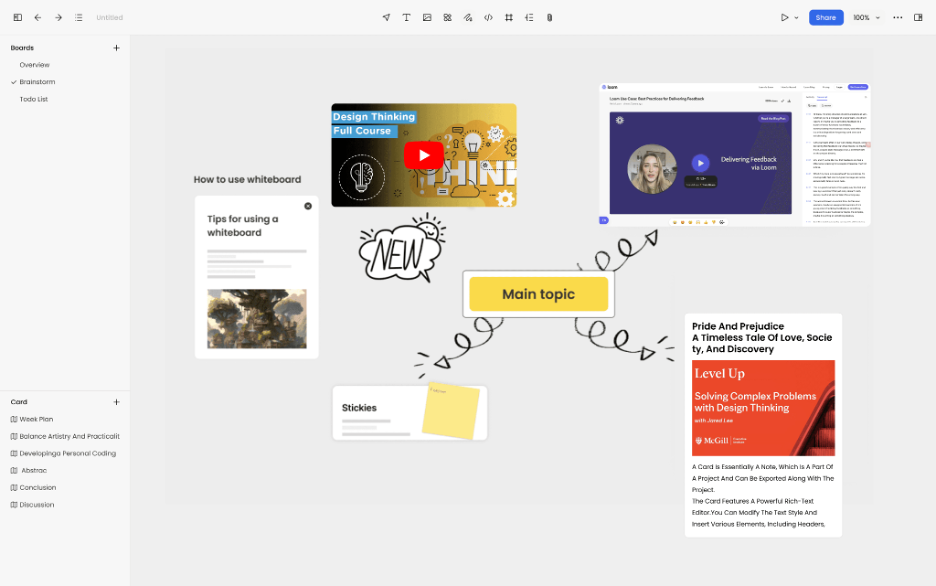
Noteey è un'app per prendere appunti visivi progettata per gli utenti che hanno bisogno di organizzare i propri pensieri utilizzando lavagne, moodboard e diagrammi di flusso. Si rivolge a un pubblico eterogeneo, inclusi studenti, ricercatori e professionisti creativi che valorizzano il pensiero visivo.
Perché è una buona alternativa a Milanote: Noteey offre una varietà di strumenti che migliorano la presa di appunti visivi, rendendola adatta a chi ha bisogno di opzioni più creative. Le sue funzionalità di lavagna e moodboard forniscono una tela flessibile per organizzare visivamente le idee. A differenza di Milanote, Noteey integra la sintesi dei contenuti basata sull'intelligenza artificiale, che può aiutarti a comprendere rapidamente le informazioni provenienti da piattaforme come YouTube e PDF.
Caratteristiche distintive e integrazioni:
Caratteristiche includono una lavagna offline che consente di lavorare senza una connessione internet. L'app supporta i backup locali, garantendo che i tuoi dati rimangano al sicuro e siano facilmente recuperabili. Noteey offre anche strumenti di annotazione che permettono di evidenziare e lasciare commenti sui documenti.
Integrazioni non sono elencate pubblicamente.
Pros and Cons
Pros:
- Solido controllo locale dei dati
- Layout flessibili delle lavagne
- Supporto per il lavoro creativo offline
Cons:
- Monitoraggio della produttività scarso
- Supporto limitato dell'ecosistema
Altre alternative a Milanote
Ecco alcune alternative aggiuntive a Milanote che non sono state incluse nella mia selezione, ma che vale comunque la pena prendere in considerazione:


Come valuto le alternative a Milanote
Divido la mia valutazione in criteri di base, come la flessibilità della tela libera e il supporto ai contenuti multimediali, e fattori distintivi che separano gli strumenti che vale la pena consigliare da quelli che si limitano a svolgere il proprio compito.
Funzionalità principali (requisiti fondamentali per questo elenco)
Quando seleziono gli strumenti per il mio elenco, assegno a ciascuno un punteggio su una scala da 0 (non offre la funzionalità) a 5 (eccelle in quest'area) per ogni funzionalità principale elencata di seguito. Quindi, calcolo il punteggio totale dello strumento e lo converto in una percentuale. Ogni strumento deve raggiungere un punteggio totale minimo del 65% per essere preso in considerazione.
- Area di lavoro su tela visiva: verifico se le bacheche supportano una disposizione spaziale libera, ad esempio trascinando immagini di riferimento accanto alle note sulle attività, con zoom, raggruppamento e navigazione semplice.
- Blocchi di contenuti multimediali: ogni strumento dovrebbe gestire diversi tipi di contenuti all'interno di un'unica bacheca, dai link incorporati e dai caricamenti di file alle liste di cose da fare e ai video.
- Collaborazione in tempo reale: cerco funzionalità di co-modifica dal vivo, commenti e menzioni, così i team distribuiti possono fare brainstorming su una bacheca d'ispirazione condivisa senza conflitti tra versioni.
- Strumenti per la strutturazione dei progetti: organizzare decine di bacheche diventa rapidamente complicato, quindi valuto come ogni strumento gestisce cartelle, aree di lavoro e gerarchie con più progetti.
- Modelli e strutture: una solida raccolta di modelli pronti all'uso per brief, bacheche d'ispirazione e piani di sprint fa risparmiare tempo nella configurazione e aiuta i nuovi utenti a iniziare rapidamente.
- Opzioni di esportazione e integrazione: verifico la disponibilità dell'esportazione in PDF e immagini, oltre ai collegamenti con strumenti come Slack, Asana o Google Drive, su cui i team creativi e di gestione dei progetti fanno già affidamento.
Una volta ottenuto un elenco di strumenti che soddisfano questi criteri, considero ciò che distingue ogni piattaforma.
Fattori distintivi (ciò che differenzia i fornitori)
Ecco come confronto i diversi fornitori:
Funzionalità di rilievo
Le visualizzazioni delle attività e delle tempistiche sono molto importanti in questo caso. Alcuni strumenti consentono di trasformare una bacheca visiva in una visualizzazione Kanban o Gantt, colmando il divario tra la pianificazione creativa e il monitoraggio della realizzazione. La modalità presentazione è un'altra funzionalità che cerco: mostrare a un cliente una bacheca d'ispirazione senza esportare le diapositive fa risparmiare molto tempo durante le revisioni. Valuto anche gli strumenti di disegno e schizzo, poiché la creazione di wireframe a mano libera direttamente sulla tela permette di mantenere il flusso delle idee senza dover passare da un'app all'altra.
Oltre le funzionalità
I modelli di collaborazione e condivisione variano notevolmente tra questi strumenti. Valuto se sia possibile invitare clienti esterni o collaboratori freelance come ospiti senza consumare una licenza a pagamento: è importante quando si gestiscono progetti di agenzia con collaboratori a rotazione. La struttura dei prezzi è un altro fattore fondamentale, soprattutto per quanto riguarda la crescita dei costi quando il team supera un numero ridotto di utenti. Valuto anche la titolarità dei dati e le politiche di esportazione, perché i team creativi che lavorano con la proprietà intellettuale dei clienti hanno bisogno di garanzie chiare che il loro lavoro rimanga trasferibile e protetto.
Perché cercare un'alternativa a Milanote?
Sebbene Milanote sia una buona scelta tra i software per la produttività, esistono diversi motivi per cui alcuni utenti potrebbero cercare soluzioni alternative. Potresti cercare un'alternativa a Milanote perché…
- Hai bisogno di una gestione delle attività più avanzata
- Il tuo team necessita di accedere ai dati offline
- Vuoi opzioni di integrazione migliori
- I tuoi progetti richiedono una personalizzazione visiva maggiore
- Hai bisogno del supporto per team più numerosi
- Hai bisogno di funzionalità per la collaborazione globale
Se ti riconosci in una di queste situazioni, sei nel posto giusto. Il mio elenco contiene diverse opzioni di software per la produttività più adatte ai team che affrontano queste difficoltà con Milanote e cercano soluzioni alternative.