

10 migliori alternative a Google Workspace per i team nel 2026

Elenco delle migliori alternative a Google Workspace


In qualità di project manager, il tuo successo quotidiano dipende dalla capacità di mantenere organizzati e produttivi team complessi. Sebbene gli strumenti di produttività basati sul cloud siano spesso fondamentali per gestire le attività e la comunicazione tra piattaforme diverse, Google Workspace non è sempre la soluzione perfetta. Che tu abbia raggiunto i limiti degli strumenti nativi di Google o abbia bisogno di un'integrazione più stretta con software specializzati, trovare la giusta alternativa a Google Workspace è fondamentale per far crescere gli standard della tua azienda.
In questa guida ho esaminato in modo indipendente le migliori soluzioni software che colmano le lacune lasciate da Google Workspace. Il mio elenco si concentra sulla gestione dei progetti e sulla collaborazione ad alte prestazioni, anziché sui tradizionali CRM, anche se ogni soluzione consigliata offre integrazioni di terze parti per mantenere collegati i dati dei clienti.
Che tu stia cercando una sostituzione completa della suite o un'app web specializzata per potenziare il tuo flusso di lavoro su dispositivi Microsoft o Apple, queste alternative a Google Workspace sono progettate per semplificare la tua vita lavorativa e rendere il tuo team più efficiente.
Che cos'è Google Workspace?
Google Workspace, precedentemente noto come G Suite, è uno strumento di produttività basato sul cloud che aiuta i team a collaborare e comunicare in modo efficace nell'ecosistema Google e oltre. È comunemente utilizzato da professionisti di diversi settori, tra cui project manager, esperti di marketing, piccole imprese e insegnanti, grazie alla sua capacità di aumentare la produttività e la collaborazione tra i team.
Strumenti come Google Docs, Google Sheets e Google Meet supportano la creazione di documenti, la gestione dei dati e la comunicazione. Queste funzionalità aiutano te e il tuo team a rimanere organizzati e connessi. Nel complesso, Google Workspace offre una piattaforma versatile che si adatta alle diverse esigenze aziendali, rendendola una risorsa preziosa per migliorare l'efficienza sul posto di lavoro.
Tabella comparativa delle alternative a Google Workspace
La tabella seguente confronta i dettagli sui prezzi delle mie migliori alternative a Google Workspace.
| Tool | Best For | Trial Info | Price | ||
|---|---|---|---|---|---|
| 1 | Ideale per bacheche delle attività personalizzabili | Piano gratuito disponibile | A partire da $5/utente/mese | Website | |
| 2 | Ideale per l'integrazione con le app Office | Piano gratuito disponibile | A partire da $21/utente/mese (con fatturazione annuale) | Website | |
| 3 | Ideale per la gestione della conoscenza | Demo gratuita disponibile | Prezzi su richiesta | Website | |
| 4 | Ideale per le funzionalità di gestione dei progetti | Piano gratuito + demo gratuita disponibile | A partire da $7/utente/mese (con fatturazione annuale) | Website | |
| 5 | Ideale per la gestione offline delle attività | Piano gratuito disponibile | Gratuito | Website | |
| 6 | Ideale per la collaborazione sicura | Demo gratuita disponibile | Prezzo su richiesta | Website | |
| 7 | Ideale per l'integrazione della messaggistica del team | Piano gratuito + demo gratuita disponibile | A partire da $7.25/utente/mese (fatturato annualmente) | Website | |
| 8 | Ideale per la gestione del lavoro | Prova gratuita di 30 giorni | A partire da $9/utente/mese (fatturato annualmente) | Website | |
| 9 | Ideale per la gestione dei progetti aziendali | Prova gratuita di 14 giorni + piano gratuito disponibile | A partire da $10/utente/mese (fatturato annualmente) | Website | |
| 10 | Ideale per le videoconferenze | Piano gratuito disponibile | Da $14.16/utente/mese (fatturato annualmente) | Website |


Perché fidarsi dei nostri consigli sui software
Il nostro team testa e recensisce software dal 2012. In quanto project manager noi stessi, sappiamo quanto sia difficile — e importante — scegliere il software giusto.
Per questa guida, abbiamo valutato gli strumenti attraverso test pratici e ricerche indipendenti, assegnando un punteggio agli strumenti in base ai nostri criteri di selezione. Ci basiamo inoltre sulle competenze di leader di pensiero del settore e di professionisti attivi nella gestione dei progetti.
Le nostre recensioni riflettono il nostro giudizio editoriale umano, non un discorso di vendita.
Revisori esperti:
Recensioni delle migliori alternative a Google Workspace
Di seguito sono riportati i miei riepiloghi dettagliati delle migliori alternative a Google Workspace incluse nel mio elenco. Le mie recensioni offrono un’analisi approfondita delle funzionalità principali, dei pro e dei contro, delle integrazioni e dei casi d’uso ideali di ogni strumento, per aiutarti a trovare quello più adatto a te.
Ideale per bacheche delle attività personalizzabili

Atlassian Trello è uno strumento di gestione dei progetti noto per il suo approccio visivo e intuitivo all'organizzazione delle attività tramite bacheche, elenchi e schede. È molto utilizzato da team di tutte le dimensioni che devono gestire progetti e attività in modo efficace.
Perché è una buona alternativa a Google Workspace: Atlassian Trello offre bacheche delle attività personalizzabili che si adattano alle esigenze specifiche del tuo team, a differenza dell'approccio più standardizzato di Google Workspace. Puoi creare bacheche specifiche per diversi progetti, consentendo una maggiore flessibilità nella gestione delle attività. La funzione di trascinamento rende semplice spostare le attività tra le diverse fasi. L'interfaccia visiva di Atlassian Trello aiuta te e il tuo team ad avere una visione d'insieme e a monitorare i progressi a colpo d'occhio.
Funzionalità e integrazioni principali:
Le funzionalità includono la possibilità di aggiungere scadenze ed elenchi di controllo alle attività, etichette con codici colore per una facile categorizzazione e l'opzione di allegare file direttamente alle schede. Puoi anche utilizzare Butler, lo strumento di automazione integrato di Atlassian Trello, per automatizzare le attività ripetitive. Un'altra funzionalità è rappresentata dai potenziamenti, che ampliano le funzionalità della bacheca con strumenti e integrazioni aggiuntivi.
Le integrazioni includono Slack, Google Drive, Dropbox, Microsoft Teams, Evernote, Jira, GitHub, Salesforce, Mailchimp, Zendesk e altro ancora.
Pros and Cons
Pros:
- Bacheche delle attività personalizzabili
- Monitoraggio visivo dei progetti
- Spostamento semplice delle attività
Cons:
- Manca il monitoraggio nativo del tempo
- Poco adatto ai progetti complessi

Ideale per l'integrazione con le app Office
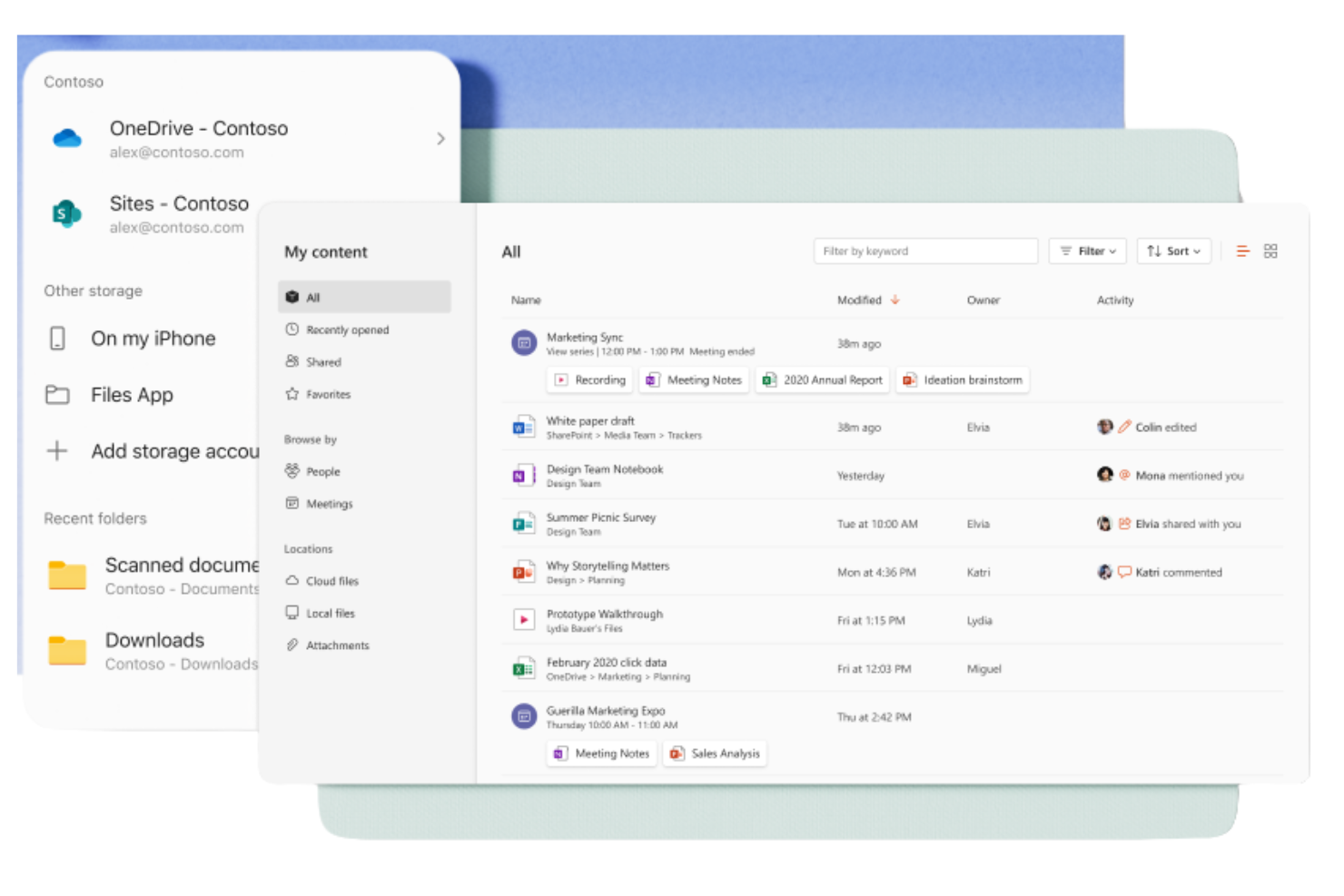
Microsoft 365 Copilot è un pacchetto di strumenti per la produttività basato su abbonamento, progettato per aziende e privati per aiutarli a creare, collaborare e comunicare. È ampiamente utilizzato dai professionisti che necessitano di accedere alle applicazioni Windows come Word, Excel e PowerPoint per le attività aziendali quotidiane.
Perché è una valida alternativa a Google Workspace: Microsoft 365 Copilot offre un'integrazione fluida con le app Office, mettendo a disposizione un ambiente familiare per gli utenti che fanno ampio affidamento su questi strumenti. Grazie all'archiviazione cloud tramite OneDrive, è possibile accedere e condividere facilmente i documenti. Il pacchetto include anche Microsoft Teams per la comunicazione e la collaborazione, offrendo una soluzione completa per le esigenze aziendali. Le sue solide funzionalità di sicurezza mantengono i dati protetti in ogni momento.
Funzionalità e integrazioni principali:
Le funzionalità includono capacità avanzate di analisi dei dati con i fogli di calcolo Excel, che possono aiutare il tuo team a prendere decisioni informate. Il pacchetto offre anche modelli personalizzabili in Word e PowerPoint, consentendo di creare documenti e presentazioni professionali. Inoltre, Outlook fornisce una soluzione integrata per email e calendario che ti aiuta a mantenerti organizzato.
Le integrazioni includono Salesforce, Atlassian Trello, Asana, Dropbox, Zoom, Slack, Adobe Acrobat, GitHub, LinkedIn, DocuSign e altro.
Pros and Cons
Pros:
- Interfaccia familiare per gli utenti di Microsoft Office
- Solida collaborazione sui documenti
- Funzionalità di sicurezza approfondite
Cons:
- Qualità dell'output incoerente
- Richiede OneDrive per Excel

Guru
Ideale per la gestione della conoscenza
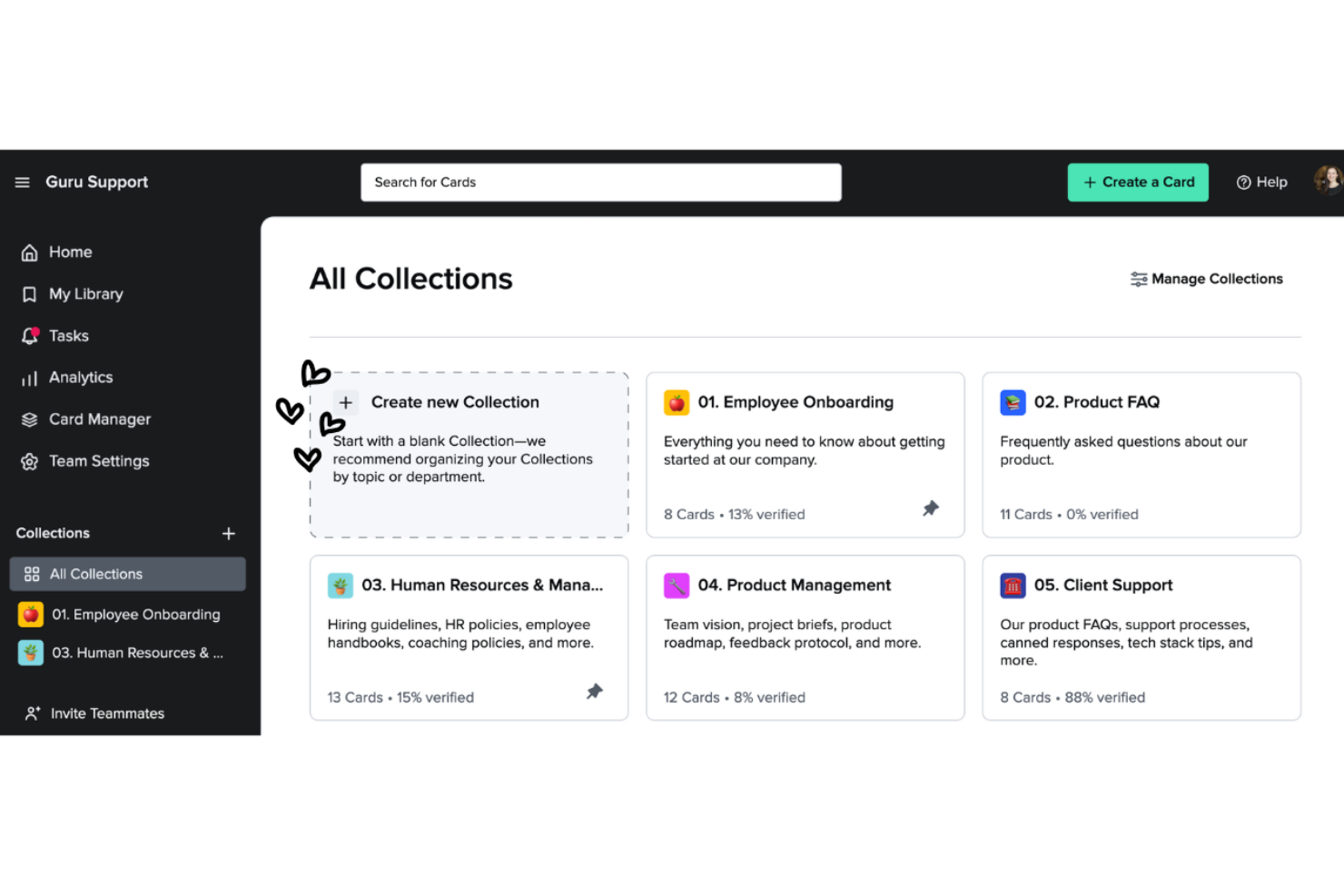
Guru è uno strumento di gestione della conoscenza che aiuta i team ad acquisire, organizzare e accedere alle informazioni in modo efficiente. È popolare tra le aziende che devono fornire ai propri team un accesso semplice alle conoscenze e alle risorse fondamentali.
Perché è una buona alternativa a Google Workspace: Guru offre funzionalità di gestione della conoscenza che vanno oltre l'archiviazione dei documenti di Google Workspace. Il suo sistema basato su schede consente di creare e categorizzare le informazioni per recuperarle rapidamente. La funzionalità di verifica mantiene aggiornate e accurate le conoscenze del team. Gli aggiornamenti e le notifiche in tempo reale tengono tutti informati sulle modifiche più recenti, favorendo la collaborazione.
Funzionalità e integrazioni principali:
Le funzionalità includono un'estensione del browser che consente di accedere alle informazioni e acquisirle direttamente dal browser web, facilitando la raccolta e l'archiviazione delle conoscenze. La funzionalità di analisi fornisce informazioni dettagliate su come il team utilizza la base di conoscenze, aiutandoti a identificare lacune e aree di miglioramento. Puoi inoltre usufruire dei suggerimenti basati sull'intelligenza artificiale, che offrono informazioni pertinenti quando ne hai bisogno.
Le integrazioni includono Slack, Microsoft Teams, Salesforce, Zendesk, Intercom, Chrome, Outlook, Google Workspace, Zapier e altro.
Pros and Cons
Pros:
- Organizzazione efficace delle conoscenze
- Aggiornamenti in tempo reale
- La verifica mantiene l'accuratezza
Cons:
- Le opzioni di formattazione sono limitate
- Richiede una manutenzione costante


ClickUp è uno strumento di gestione dei progetti progettato per team e aziende di qualsiasi dimensione, che aiuta a organizzare attività, progetti e flussi di lavoro. Offre una vasta gamma di funzionalità che aiutano a ottimizzare la gestione dei progetti e ad aumentare la produttività.
Perché è una valida alternativa a Google Workspace: ClickUp offre funzionalità complete per la gestione dei progetti che vanno oltre ciò che propone Google Workspace. La gestione delle attività consente di assegnare e monitorare le attività con facilità, mentre i pannelli di controllo personalizzabili permettono di visualizzare l'avanzamento del progetto nel modo più adatto alle proprie esigenze. La funzionalità di definizione degli obiettivi di ClickUp consente al team di allinearsi sugli obiettivi, mantenendo tutti sulla stessa linea.
Funzionalità e integrazioni principali:
Le funzionalità includono il monitoraggio del tempo, che aiuta a controllare quanto tempo viene dedicato alle attività. La funzionalità di gestione dei documenti consente di creare e archiviare documenti direttamente all'interno della piattaforma. È possibile utilizzare le mappe mentali per organizzare visivamente idee e piani, favorendo una migliore pianificazione dei progetti. Le funzionalità del piano Standard includono le schede Kanban e l'assistenza 24 ore su 24, 7 giorni su 7.
Le integrazioni includono Slack, Google Drive, Dropbox, Microsoft Teams, Zoom, GitHub, Atlassian Trello, Salesforce, Zapier e altro ancora.
Pros and Cons
Pros:
- Gestione dettagliata delle attività
- Funzionalità efficaci per la definizione degli obiettivi
- Scalabile per team numerosi
Cons:
- Problemi occasionali di prestazioni
- Curva di apprendimento per le funzionalità avanzate

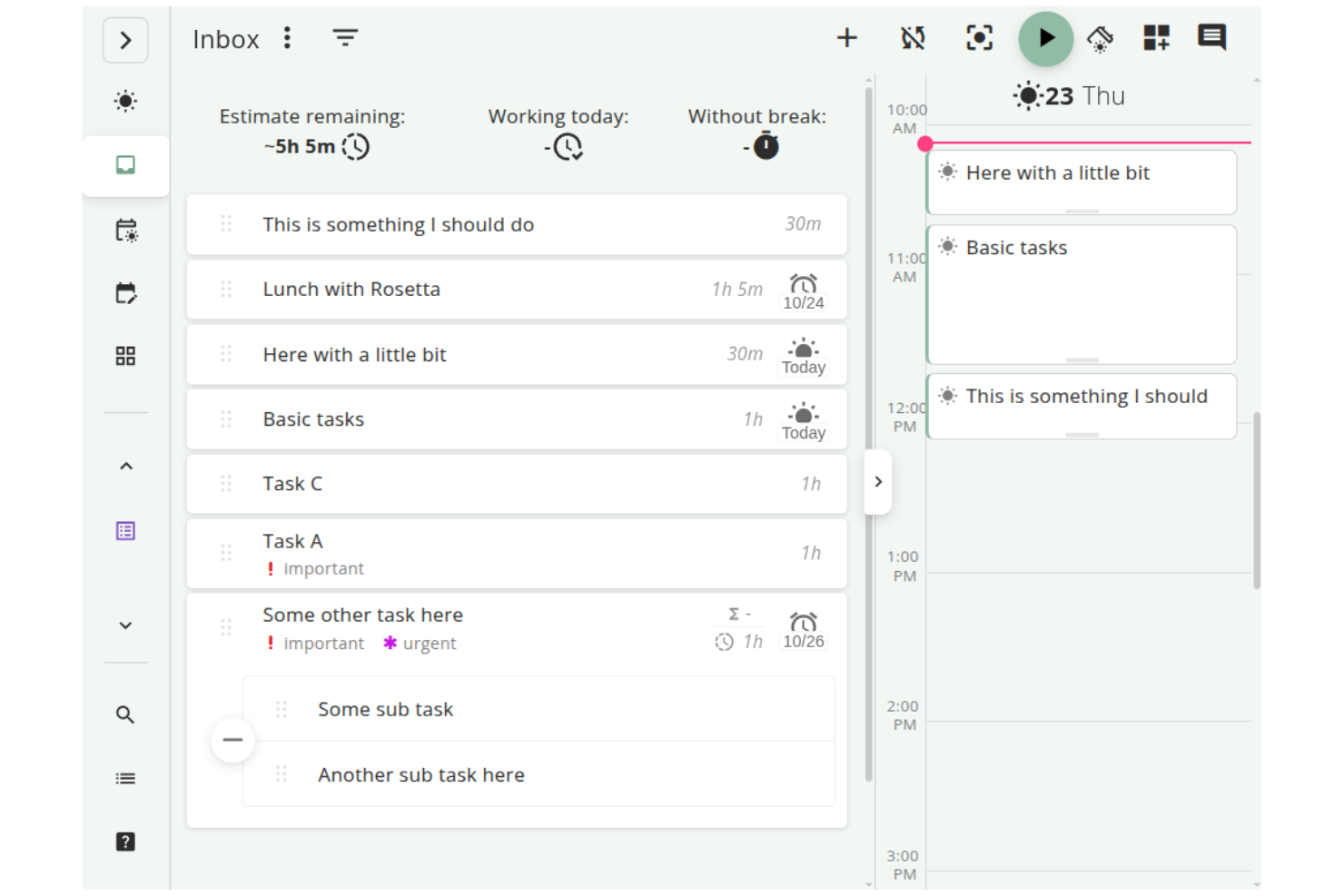
Super Productivity è un gestore di attività open source che integra la gestione delle attività, il monitoraggio del tempo e la presa di appunti, progettato per sviluppatori, freelance e altri professionisti. Si concentra sull'aumento della produttività proteggendo al contempo la privacy degli utenti, mantenendo i dati offline.
Perché è una buona alternativa a Google Workspace: A differenza di Google Workspace, che si basa fortemente sui servizi cloud, Super Productivity offre la gestione offline delle attività, proteggendo la privacy e garantendo il pieno controllo sui propri dati. Grazie a funzionalità come le bacheche personalizzabili, è possibile organizzare le attività in modi adatti al proprio flusso di lavoro. La modalità di concentrazione e il timer Pomodoro aiutano a mantenere l'attenzione durante le sessioni di lavoro. Inoltre, il monitoraggio del tempo con un clic e la registrazione dettagliata del lavoro facilitano il controllo della produttività. È inoltre compatibile con Linux.
Funzionalità e integrazioni principali:
Le funzionalità includono una gestione personalizzabile delle attività con opzioni per sottoattività e scadenze, che consentono di adattare il flusso di lavoro alle proprie esigenze. L'integrazione con il calendario offre una panoramica giornaliera dettagliata per aiutare a pianificare in modo efficace. Il sistema di plugin consente di aggiungere funzionalità, rendendo lo strumento adattabile alle proprie necessità.
Le integrazioni includono GitHub, GitLab, Jira e altro.
Pros and Cons
Pros:
- Flussi di lavoro altamente personalizzabili
- Privacy elevata e utilizzo offline
- Gestione approfondita delle attività
Cons:
- Collaborazione di squadra limitata
- Nessuna sincronizzazione cloud integrata
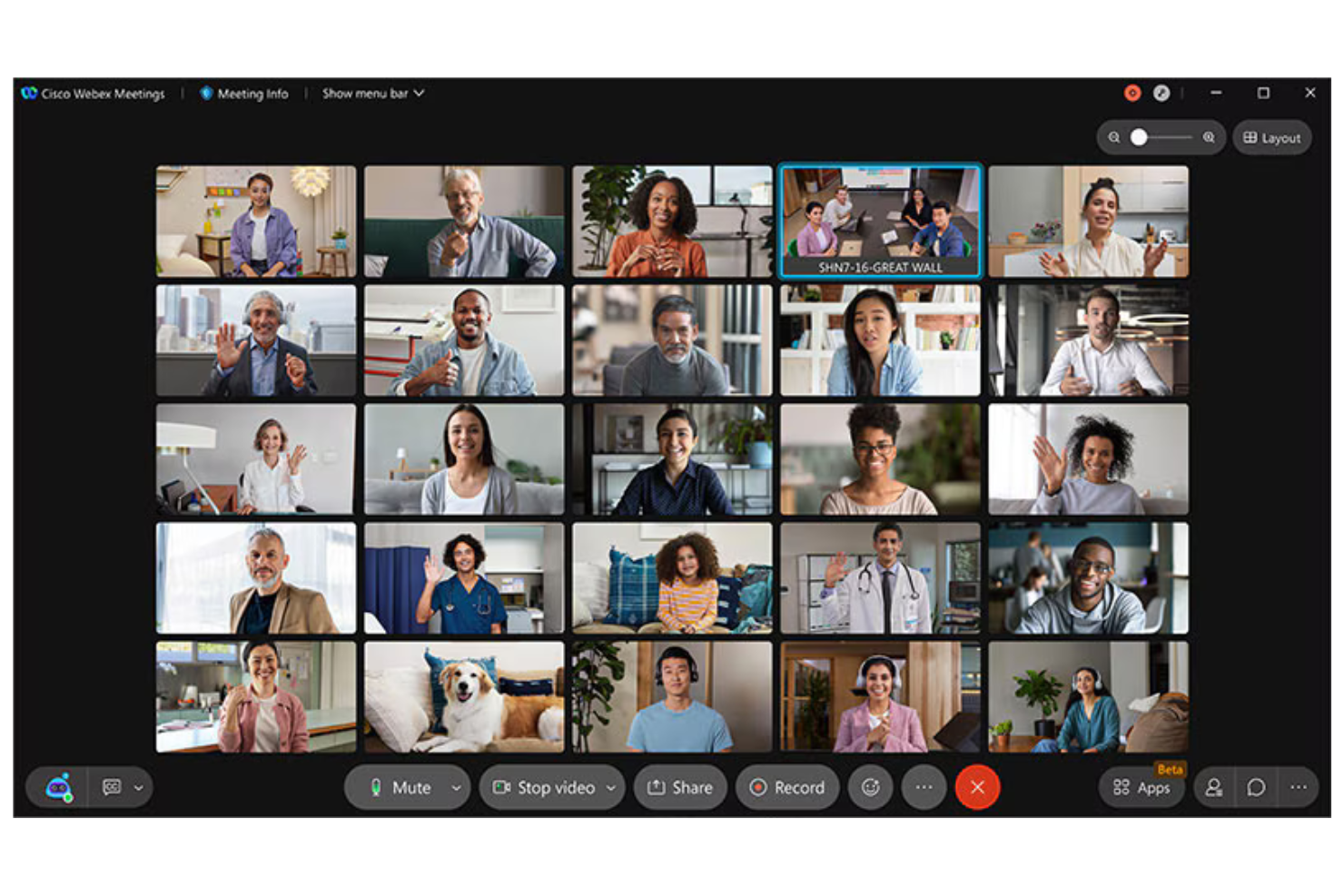
Cisco Webex è una piattaforma per videoconferenze e collaborazione utilizzata da aziende e istituti scolastici per riunioni virtuali, webinar e collaborazione tra team. Fornisce strumenti per la comunicazione da remoto, il che la rende essenziale per i team che necessitano di connessioni affidabili e sicure.
Perché è una buona alternativa a Google Workspace: Cisco Webex offre funzionalità di sicurezza che mantengono le riunioni sicure e private, distinguendosi dagli strumenti generici di Google Workspace. Grazie alla crittografia end-to-end, le comunicazioni rimangono riservate. La piattaforma supporta video e audio HD, garantendo riunioni chiare ed efficaci. Inoltre, la possibilità di ospitare eventi su larga scala la rende versatile per diverse esigenze aziendali.
Funzionalità principali e integrazioni:
Le funzionalità includono layout personalizzabili per le riunioni, che consentono di organizzare i flussi video in base alle proprie preferenze. La piattaforma offre anche una tecnologia di cancellazione del rumore, che aiuta a ridurre al minimo le distrazioni di sottofondo durante le chiamate. Cisco Webex Assistant fornisce la trascrizione in tempo reale, rendendo la presa di appunti più semplice ed efficiente.
Le integrazioni includono Microsoft Teams, Salesforce, Google Workspace, Slack, ServiceNow, Atlassian Trello, Dropbox, Zendesk, Asana e altro.
Pros and Cons
Pros:
- Solide funzionalità di sicurezza
- Video e audio di alta qualità
- Tecnologia di cancellazione del rumore
Cons:
- Richiede competenze tecniche per la configurazione
- L'interfaccia può risultare disordinata

Slack
Ideale per l'integrazione della messaggistica del team
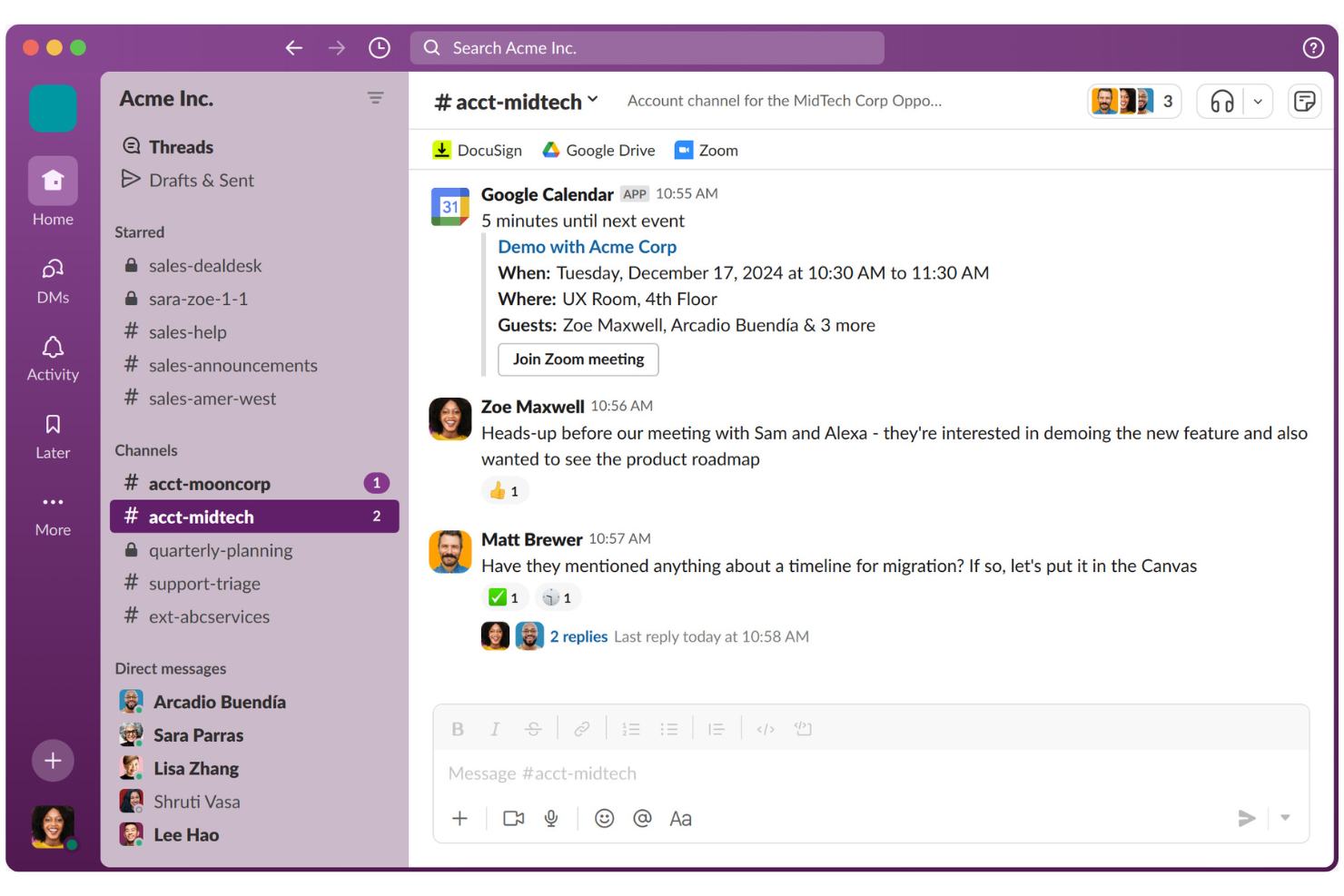
Slack è una piattaforma di collaborazione progettata per aiutare i team a comunicare e collaborare in modo efficiente. È ampiamente utilizzata da aziende di tutte le dimensioni per la messaggistica, la condivisione di file e l'organizzazione delle comunicazioni del team.
Perché è una buona alternativa a Google Workspace: A differenza dell'approccio più incentrato sui documenti di Google Workspace, Slack eccelle nell'integrazione della messaggistica del team. I canali consentono di organizzare le discussioni per argomento o progetto, rendendo la comunicazione chiara e strutturata. Slack Connect permette di collaborare con partner esterni, ampliando la rete di comunicazione. Grazie a funzionalità come Huddles per chiamate audio/video rapide, il team può rimanere connesso e reattivo.
Funzionalità e integrazioni principali:
Le funzionalità includono la possibilità di creare flussi di lavoro personalizzati utilizzando Workflow Builder, che aiuta ad automatizzare le attività di routine. È inoltre possibile utilizzare la funzionalità Canvas di Slack per creare e condividere documenti. Inoltre, gli strumenti basati sull'intelligenza artificiale aiutano a riassumere le conversazioni e a identificare le principali attività da svolgere.
Le integrazioni includono Google Drive, Microsoft 365 Copilot, Dropbox, Salesforce, Zoom, Asana, Atlassian Trello, GitHub, Zendesk e altro ancora.
Pros and Cons
Pros:
- Eccellenti funzionalità di messaggistica
- Ottima collaborazione con interlocutori esterni
- Creazione di flussi di lavoro personalizzati
Cons:
- La sincronizzazione mobile può presentare problemi
- Le notifiche possono distrarre

Ideale per la gestione del lavoro
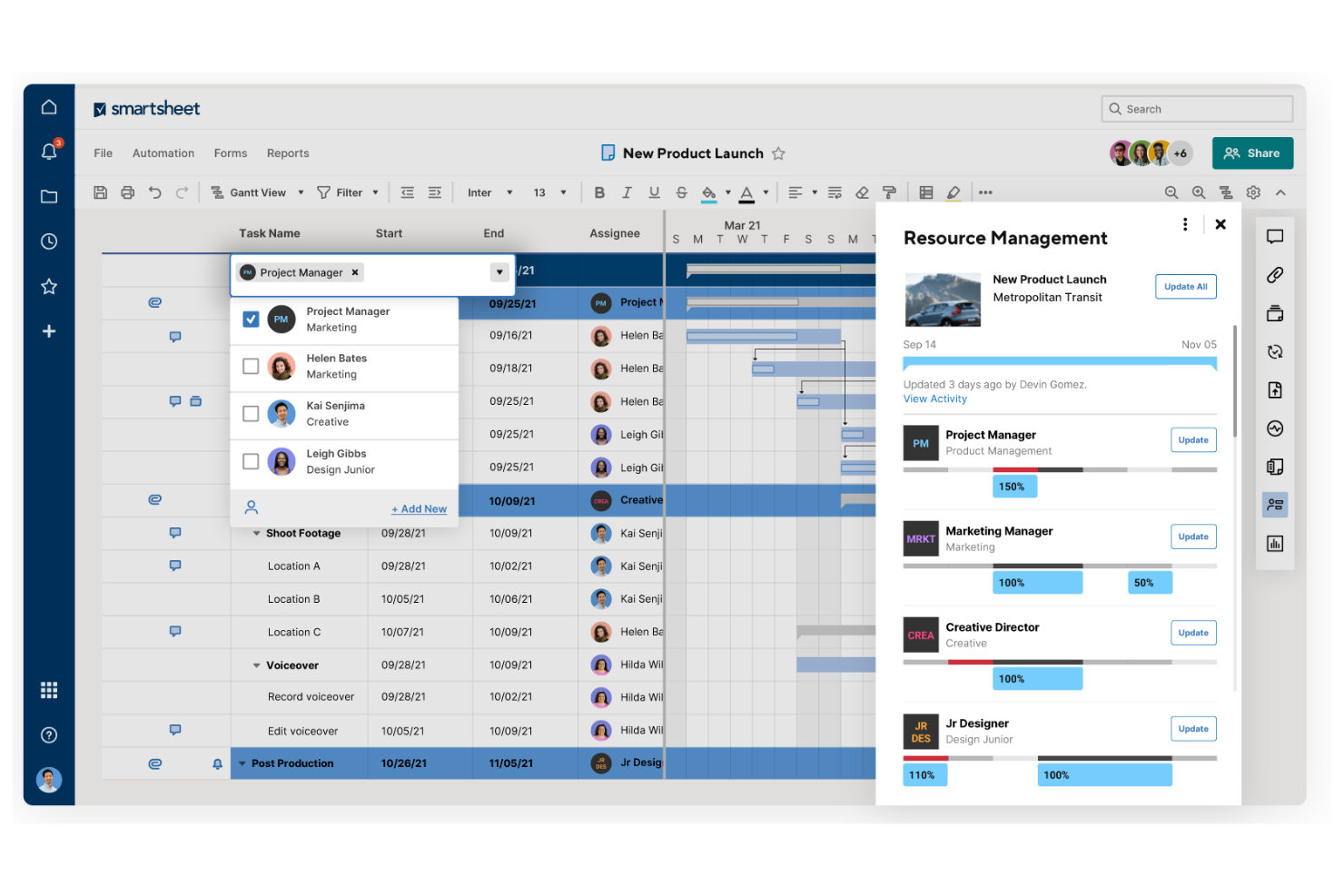
Smartsheet è una piattaforma per la gestione e l'automazione del lavoro utilizzata da team e organizzazioni per pianificare, acquisire, gestire e creare report sul lavoro. È una piattaforma popolare per la gestione dei progetti ed è adatta ai team che necessitano di uno strumento flessibile per monitorare e gestire i progetti.
Perché è una buona alternativa a Google Workspace: Smartsheet offre funzionalità per la gestione del lavoro che forniscono un approccio più strutturato rispetto a Google Workspace. Grazie alla sua interfaccia basata su griglia, puoi organizzare attività e progetti in modo efficiente. Le funzionalità di automazione della piattaforma contribuiscono a ridurre il lavoro manuale, permettendo al tuo team di concentrarsi sulle attività più importanti. Gli strumenti di reportistica di Smartsheet offrono informazioni sull'avanzamento dei progetti, aiutandoti a prendere decisioni basate sui dati.
Funzionalità e integrazioni principali:
Le funzionalità includono la possibilità di creare moduli personalizzati per la raccolta dei dati, semplificando la raccolta di informazioni dal tuo team. La piattaforma offre visualizzazioni con diagrammi di Gantt, facilitando la visualizzazione delle tempistiche e delle dipendenze dei progetti. Puoi anche utilizzare i pannelli di controllo per monitorare in tempo reale le metriche chiave e lo stato dei progetti.
Le integrazioni includono Microsoft Teams, Slack, Google Workspace, Salesforce, Jira, Box, Dropbox, DocuSign, ServiceNow, Tableau e altro.
Pros and Cons
Pros:
- Strumenti flessibili per la gestione del lavoro
- Potente funzionalità di automazione
- Monitoraggio efficace dei progetti
Cons:
- Nella versione mobile mancano le viste Gantt
- Il prezzo aumenta con i componenti aggiuntivi
New Product Updates from Smartsheet

Smartsheet Adds Non-Plan User Management in Admin Center
Smartsheet adds a Non plan users tab to the Seat types and true-up page in Admin Center. This lets system admins review non-plan users and add them to the plan or remove them from the organization in one place. For more information, visit Smartsheet’s official site.

Wrike
Ideale per la gestione dei progetti aziendali
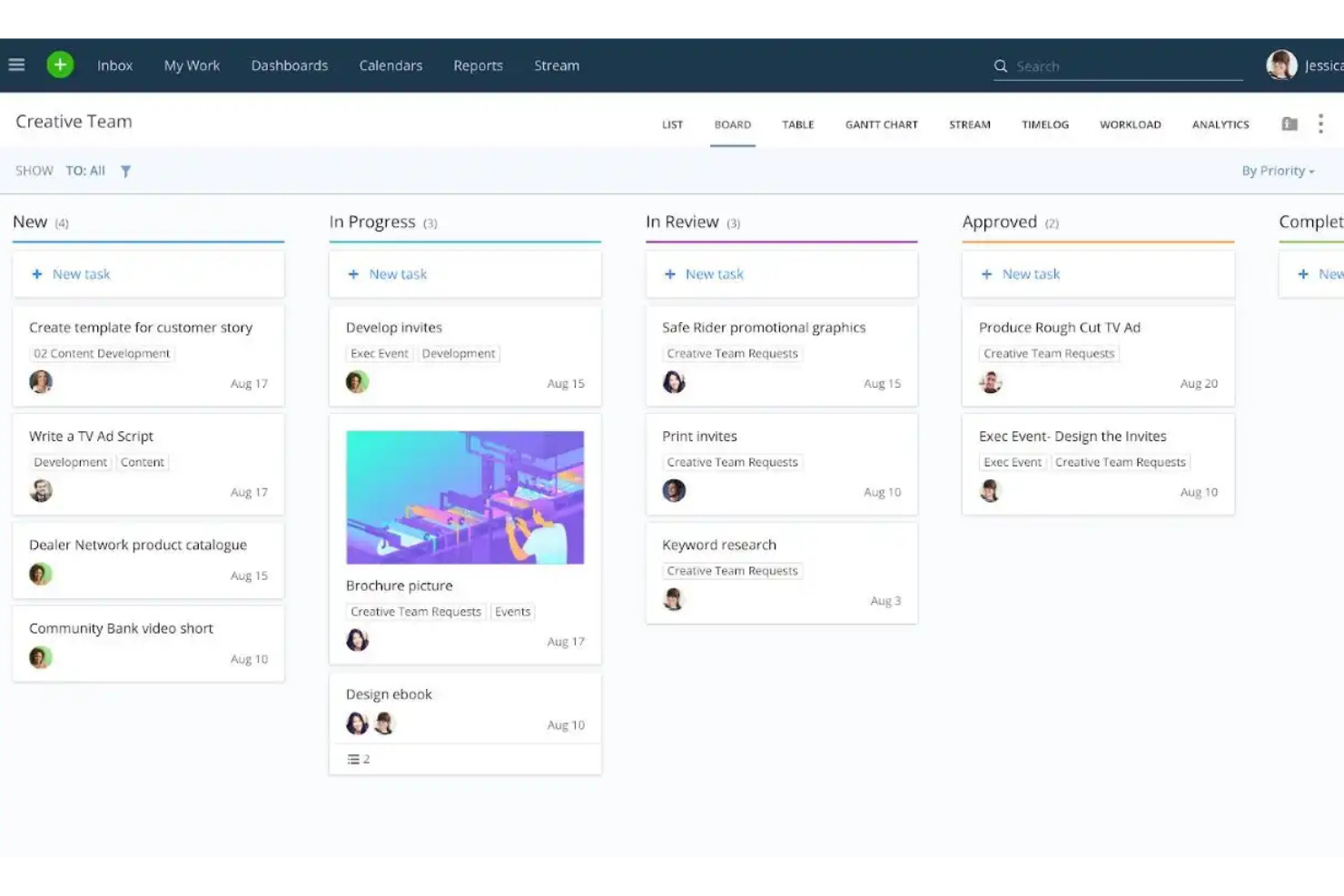
Wrike è una piattaforma di gestione dei progetti e collaborazione progettata per team e aziende che devono gestire attività, progetti e flussi di lavoro in modo efficiente. È utilizzata da professionisti che necessitano di uno strumento centralizzato per pianificare, eseguire e monitorare l'avanzamento dei progetti.
Perché è una buona alternativa a Google Workspace: Wrike offre funzionalità di gestione dei progetti aziendali più complete rispetto agli strumenti di base di Google Workspace. I diagrammi di Gantt aiutano a visualizzare chiaramente le tempistiche e le dipendenze dei progetti, mentre il modulo di gestione del carico di lavoro della piattaforma aiuta ad allocare le risorse in modo efficace all'interno del team. Inoltre, i rapporti in tempo reale forniscono informazioni sulle prestazioni dei progetti, consentendo di prendere decisioni basate sui dati. Sono disponibili sia una versione gratuita sia piani a pagamento.
Funzionalità e integrazioni principali:
Le funzionalità includono moduli di richiesta personalizzati che semplificano il processo di acquisizione, aiutando il team a raccogliere in anticipo tutte le informazioni necessarie. La funzionalità di monitoraggio del tempo aiuta a controllare quanto tempo richiedono le attività, supportando l'analisi della produttività. È inoltre possibile creare pannelli di controllo per visualizzare a colpo d'occhio le metriche principali e gli aggiornamenti dei progetti.
Le integrazioni includono Microsoft Teams, Salesforce, Google Drive, Slack, Dropbox, Box, Adobe Creative Cloud, Tableau e altro.
Pros and Cons
Pros:
- Ampia gamma di strumenti per la gestione dei progetti
- Allocazione efficace delle risorse
- Monitoraggio dei progetti in tempo reale
Cons:
- Alcune funzionalità sono nascoste nei menu
- Modifiche frequenti e non annunciate all'interfaccia utente
New Product Updates from Wrike
Wrike Adds Klaxoon MCP Integration
Wrike’s Klaxoon MCP integration is now generally available, enabling AI agents to navigate between Wrike tasks and attached whiteboards, read task context, and manage whiteboard attachments via API. For more information, visit Wrike's official site.

Zoom
Ideale per le videoconferenze

Zoom è una piattaforma di comunicazione video ampiamente utilizzata da aziende, istituti scolastici e privati per riunioni virtuali e webinar. Facilita la collaborazione e la comunicazione in tempo reale tramite funzioni video, audio e chat.
Perché è una buona alternativa a Google Workspace: Zoom offre una piattaforma dedicata per le videoconferenze, più specializzata rispetto agli strumenti di comunicazione generici di Google Workspace. Grazie a funzionalità come video e audio HD, il tuo team può tenere riunioni chiare ed efficaci. Le stanze per sottogruppi consentono discussioni in gruppi più piccoli all'interno di riunioni più ampie, migliorando la collaborazione.
Funzionalità principali e integrazioni:
Le funzionalità includono sfondi virtuali che permettono di personalizzare l'ambiente della riunione, aggiungendo un tocco professionale. I controlli dell'organizzatore consentono di gestire efficacemente i partecipanti, mantenendo le riunioni fluide. Zoom offre inoltre webinar e riunioni di grandi dimensioni, con la possibilità di ospitare fino a migliaia di partecipanti, risultando versatile per esigenze diverse.
Le integrazioni includono Microsoft Teams, Slack, Salesforce, Google Calendar, Outlook, Dropbox, HubSpot, Calendly, Zapier, Asana e altro.
Pros and Cons
Pros:
- Video e audio di alta qualità
- Opzioni di riunione versatili
- Controlli efficaci dell'organizzatore
Cons:
- Può consumare una quantità significativa di larghezza di banda
- Problemi di sicurezza in passato
Altre alternative a Google Workspace
Ecco alcune alternative aggiuntive a Google Workspace che non sono entrate nel mio elenco, ma che vale comunque la pena prendere in considerazione:
- Obsidian
Ideale per la gestione personale della conoscenza
- Routine
Ideale per la gestione integrata di attività e calendario
- Zoho Workplace
Ideale per una migrazione conveniente a una suite completa


Come Valuto le Alternative a Google Workspace
Divido la mia valutazione in requisiti di base—documenti in tempo reale, email aziendale, archiviazione cloud—e nei fattori che differenziano una piattaforma dall'altra, rendendola degna di una migrazione rispetto ad altre.
Funzionalità Principali (Requisiti Indispensabili per Questa Lista)
Quando seleziono gli strumenti per la mia lista, valuto ciascuno su una scala da 0 (la funzionalità non è presente) a 5 (eccelle in quest'area) per ogni funzionalità principale elencata qui sotto. Poi, calcolo il punteggio totale dello strumento in percentuale. Ogni strumento deve raggiungere un punteggio minimo totale del 65% per essere preso in considerazione.
- Collaborazione su Documenti: Controllo se i team possono co-modificare documenti, fogli di calcolo e presentazioni in tempo reale con commenti, cronologia delle versioni e tracciamento delle modifiche.
- Archiviazione Cloud e Condivisione File: Archiviazione, struttura delle cartelle e permessi di condivisione di ciascuna piattaforma sono fondamentali—soprattutto per i team che devono passare deliverable a stakeholder esterni.
- Email Aziendale e Calendario: Cerco email a dominio personalizzato e calendari condivisi con strumenti di pianificazione, poiché la maggior parte dei team di progetto si affida a queste risorse quotidianamente.
- Comunicazione di Team: Chat integrate, videochiamate o canali tengono le conversazioni vicine al lavoro. Piattaforme come Zoho Workplace e Microsoft 365 includono queste funzionalità nativamente.
- Gestione Attività e Progetti: Valuto se la piattaforma offre task assegnabili, scadenze o viste di progetto—funzionalità che connettono gli strumenti di produttività alla consegna reale.
- Integrazioni con Terze Parti: Collegarsi a strumenti come Jira, Asana o Slack tramite integrazioni native o una API aperta è essenziale per inserirsi in un ecosistema PM già esistente.
Una volta ottenuta una lista di strumenti che soddisfano questi criteri, considero cosa distingue ciascuna piattaforma.
Fattori Differenzianti (Cosa Distingue i Fornitori)
Ecco come confronto e metto in relazione i diversi fornitori:
Funzionalità Distintive
Gli assistenti basati su AI apportano un reale valore qui—cerco piattaforme dove l'intelligenza artificiale può redigere documenti, riassumere discussioni o generare automaticamente attività dalle note. I portali per clienti e ospiti sono importanti se il tuo team condivide deliverable verso l'esterno. Piattaforme come Notion e Zoho Workplace offrono accesso esterno limitato senza richiedere posti pagati. Anche i costruttori di automazioni senza codice meritano una valutazione, poiché attivare approvazioni o indirizzare task tra strumenti può sostituire del tutto le app di workflow dedicate.
Oltre le Funzionalità
La facilità di migrazione è la prima cosa che valuto—passare da Google Workspace significa trasferire anni di file, email e strutture di cartelle. Piattaforme come Microsoft 365 e Zoho Workplace offrono strumenti di importazione dedicati che riducono questa difficoltà. I modelli di prezzo variano molto; verifico se l'accesso per ospiti o collaboratori esterni richiede posti a pagamento, dato che spesso i team di progetto coinvolgono collaboratori esterni. Anche le certificazioni di sicurezza come SOC 2 e la conformità al GDPR sono importanti, specialmente per i team che gestiscono dati sensibili di progetto in diverse regioni.
Perché cercare un'alternativa a Google Workspace?
Sebbene Google Workspace sia una buona scelta per uno strumento di produttività basato sul cloud, esistono diversi motivi per cui alcuni utenti cercano soluzioni alternative. Potresti cercare un'alternativa a Google Workspace perché:
- Hai bisogno di controlli migliori sulla privacy dei dati
- Il tuo team richiede funzionalità più avanzate
- Riscontri problemi di integrazione con altri strumenti
- Desideri più opzioni di personalizzazione
- La tua azienda ha bisogno di ospitare i dati localmente
- Cerchi una soluzione più conveniente
Se una di queste descrizioni ti rispecchia, sei nel posto giusto. Il mio elenco contiene diverse opzioni di strumenti di produttività basati sul cloud, più adatte ai team che affrontano queste difficoltà con l’ecosistema Google e cercano soluzioni alternative.
Funzionalità
Ecco alcune delle funzionalità principali di Google Workspace per aiutarti a mettere a confronto ciò che offrono le soluzioni alternative:
- Email professionale: offre il servizio di posta elettronica Gmail e l’hosting delle email con nomi di dominio personalizzati e indirizzi email aziendali per aumentare la credibilità del tuo marchio.
- Gestione dei file: offre opzioni sicure per l’archiviazione e la condivisione dei file tramite Google Drive per il tuo team.
- Riunioni video: utilizza Google Meet per la collaborazione in tempo reale e le videoconferenze. Se le riunioni sono l’aspetto di Google Workspace che vuoi sostituire, confronta le alternative a Google Meet.
- Integrazione delle app: si integra facilmente con applicazioni esterne per migliorare i tuoi flussi di lavoro.
- Gestione degli amministratori: offre un controllo centralizzato sugli account utente e sulle impostazioni di sicurezza tramite la console di amministrazione.
- Sicurezza dei dati: conserva e monitora i dati aziendali per garantire la sicurezza utilizzando Google Vault e supporta diversi protocolli di autenticazione.
- Creazione di siti web: consente di sviluppare facilmente siti web con Google Sites senza conoscenze di programmazione.
- Automazione: automatizza le attività per rendere più efficienti i processi aziendali.
- Compatibilità dei dispositivi: è ottimizzato per l’utilizzo con diversi browser e sistemi operativi, inclusi Android e macOS, soprattutto con Google Chrome.
- Collaborazione in tempo reale: consente a più utenti di modificare contemporaneamente i documenti, migliorando il lavoro di squadra.