

10 alternatives à Google Drive pour le stockage cloud en 2026

Sélection des meilleures alternatives à Google Drive


Gérer efficacement les projets est essentiel, et le stockage cloud joue un rôle clé pour garder votre équipe organisée. Si Google Drive ne répond pas à tous vos besoins, explorer les alternatives à Google Drive peut vous aider à trouver des solutions offrant une sécurité avancée, de meilleures fonctionnalités de collaboration ou des options plus économiques.
J’ai testé et évalué de manière indépendante un éventail de plateformes de stockage cloud afin de vous aider à faire un choix éclairé. Dans cet article, vous découvrirez des alternatives à Google Drive adaptées à différents défis professionnels et préférences des utilisateurs.
Je présenterai mes meilleurs choix et montrerai comment chaque option s’adapte à différents flux de travail et besoins d’équipe. Grâce à ce guide, vous pourrez choisir en toute confiance la solution de stockage cloud qui soutient le mieux votre productivité et vos objectifs organisationnels.
Qu’est-ce que Google Drive ?
Google Drive est un logiciel de stockage cloud qui vous permet d’enregistrer et d’accéder à des fichiers en ligne. Il est couramment utilisé par des professionnels tels que les chefs de projet, les enseignants et les travailleurs indépendants qui doivent collaborer et partager des documents.
Des fonctionnalités telles que la collaboration en temps réel, le partage facile de fichiers et l’intégration avec d’autres outils Google Workspace contribuent à une gestion efficace des projets et à la collaboration entre les équipes. Dans l’ensemble, Google Drive offre un moyen pratique de gérer et de partager vos fichiers en toute sécurité.
Résumé des meilleures alternatives à Google Drive
Ce tableau comparatif résume les informations tarifaires de mes meilleures alternatives à Google Drive afin de vous aider à trouver celle qui convient le mieux à votre budget et aux besoins de votre entreprise.
| Tool | Best For | Trial Info | Price | ||
|---|---|---|---|---|---|
| 1 | Idéal pour l'évolutivité | Forfait gratuit disponible | À partir de $0.02/GB/mois | Website | |
| 2 | Idéal pour un stockage sécurisé en nuage | Essai gratuit + formule gratuite disponible | À partir de $9.99 par utilisateur/mois (facturé annuellement) | Website | |
| 3 | Idéal pour le stockage à grande échelle | Formule gratuite disponible | À partir de $3.80/mois (facturé annuellement) | Website | |
| 4 | Idéal pour des services de sauvegarde polyvalents | Forfait gratuit disponible | À partir de $1.95/mois | Website | |
| 5 | Meilleure solution auto-hébergée | Essai gratuit + démonstration gratuite disponibles | Tarification sur demande | Website | |
| 6 | Idéal pour la gestion de contenu et la sécurité | Forfait gratuit + démonstration gratuite disponible | À partir de $8/utilisateur/mois | Website | |
| 7 | Idéal pour le chiffrement de bout en bout | Essai gratuit de 30 jours | À partir de $6/utilisateur/mois (facturé annuellement) | Website | |
| 8 | Idéal pour l'intégration à Microsoft 365 | Forfait gratuit disponible | À partir de $1.99/mois | Website | |
| 9 | Idéal pour l’intégration des appareils Apple | Forfait gratuit disponible | À partir de $0.99/50 GB | Website | |
| 10 | Idéal pour le stockage cloud sans frais de sortie de données | Essai gratuit de 30 jours | À partir de 6,99 $/To/mois | Website |
Pourquoi faire confiance à nos recommandations de logiciels
Notre équipe teste et évalue des logiciels depuis 2012. En tant que chefs de projet nous-mêmes, nous savons à quel point il est difficile — et important — de choisir le bon logiciel.
Pour ce guide, nous avons évalué les outils grâce à des tests pratiques et une recherche indépendante, en notant les outils selon nos critères de sélection. Nous nous appuyons également sur les enseignements de leaders d’opinion du secteur et de professionnels de la gestion de projet en activité.
Nos avis reflètent notre jugement éditorial humain, et non un argumentaire de vente.
Réviseurs experts:
Avis sur les meilleures alternatives à Google Drive
Vous trouverez ci-dessous mes résumés détaillés des meilleures alternatives à Google Drive qui ont été retenues dans ma sélection. Mes avis proposent un examen approfondi des principales fonctionnalités, des avantages et inconvénients, des intégrations et des cas d’utilisation idéaux de chaque outil afin de vous aider à trouver celui qui vous convient le mieux.

Idéal pour l'évolutivité
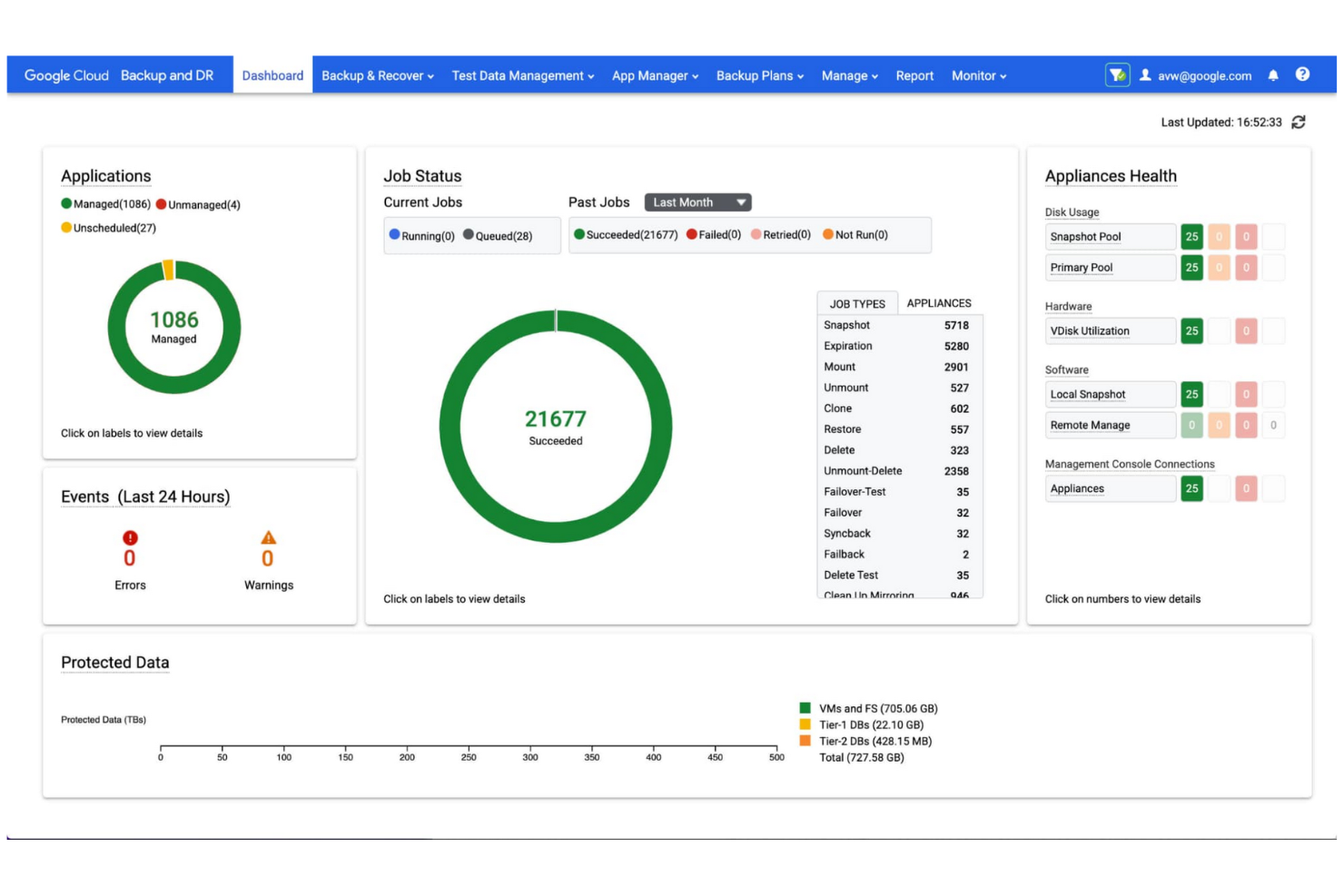
Google Cloud Storage est un service de stockage évolutif basé sur des objets, destiné aux développeurs et aux entreprises pour stocker et récupérer des données. Il fournit un stockage fiable et hautes performances pour les applications exigeantes et l'analyse des données.
Pourquoi c'est une bonne alternative à Google Drive : Google Cloud Storage optimise la gestion des données en fournissant un service de stockage d'objets sécurisé et évolutif qui agit comme un composant fondamental d'un écosystème unifié des données à l'IA. Il gère des ensembles de données volumineux, ce qui le rend particulièrement adapté si votre entreprise a d'importants besoins de stockage.
Fonctionnalités et intégrations remarquables :
Les fonctionnalités comprennent la gestion du cycle de vie des objets pour la conservation et la suppression automatiques des données, ainsi que les transitions entre classes de stockage, de même que le versionnage des objets, qui permet de conserver plusieurs versions à des fins de sauvegarde et de récupération. Le service prend entièrement en charge le stockage multirégional, offrant une redondance géographique et une haute disponibilité.
Les intégrations comprennent BigQuery, Pub/Sub, Cloud SQL, AlloyDB, Bigtable, Firestore, Search Ads 360, YouTube, Vertex AI, Enterprise License Manager, Gmail, Google Analytics, Cloud Translation, et bien plus encore.
Pros and Cons
Pros:
- Portée mondiale étendue
- Classes de stockage flexibles
- Outils faciles à utiliser
Cons:
- Configuration IAM complexe
- Frais de sortie de données cachés

Dropbox
Idéal pour un stockage sécurisé en nuage

Dropbox est un service de stockage en nuage qui permet aux équipes et aux particuliers de gérer, synchroniser et partager efficacement des documents et des fichiers. Il accroît la productivité en offrant un stockage sécurisé des fichiers, une synchronisation rapide et des outils de collaboration.
Pourquoi c'est une bonne alternative à Google Drive : Dropbox propose des fonctionnalités avancées de gestion des documents. Il vous permet de synchroniser des fichiers sur un large éventail d'appareils et de systèmes d'exploitation, notamment Windows, macOS, Android et iOS.
Fonctionnalités et intégrations remarquables :
Les fonctionnalités incluent Dropbox Paper, Smart Sync et les demandes de fichiers, qui vous permettent de gérer, de collaborer et de recueillir des fichiers et des dossiers sans encombrer votre disque dur local. L'historique des versions et les outils de récupération des fichiers protègent les données importantes.
Les intégrations incluent Slack, Zoom, Microsoft, Adobe, Trello, Jira, Asana, Google Workspace, HubSpot, Autodesk, Canva, AWS et bien d'autres.
Pros and Cons
Pros:
- Synchronisation rapide des fichiers
- Puissants outils de collaboration
- Nombreuses intégrations
Cons:
- Limitations de la structure des dossiers
- Absence de gestion des clés privées

MEGA
Idéal pour le stockage à grande échelle

MEGA est un service de stockage en nuage sécurisé et contrôlé par l'utilisateur, destiné aux particuliers et aux entreprises qui recherchent une capacité de stockage importante associée à un chiffrement de bout en bout.
Pourquoi c'est une bonne alternative à Google Drive : MEGA offre un chiffrement à connaissance nulle, garantissant une confidentialité totale et un contrôle complet de vos fichiers. C'est une excellente alternative à Google Drive si vous accordez la priorité à la sécurité et à une grande capacité de stockage.
Fonctionnalités et intégrations remarquables :
Les fonctionnalités comprennent des communications chiffrées de bout en bout pour des discussions, des réunions vidéo et des messages sécurisés. MEGA propose également la gestion des versions des fichiers, qui vous permet de restaurer les versions précédentes de vos fichiers pendant leur modification, ainsi qu'un partage sécurisé avec des options de protection par mot de passe et de dates d'expiration.
Les intégrations ne sont pas répertoriées publiquement.
Pros and Cons
Pros:
- Tarification compétitive pour les besoins importants en stockage
- Vitesses de transfert rapides
- 20 Go d'espace de stockage gratuit pour les comptes non payants
Cons:
- Politiques strictes de retrait
- Aucune récupération possible sans la clé
IDrive
Idéal pour des services de sauvegarde polyvalents
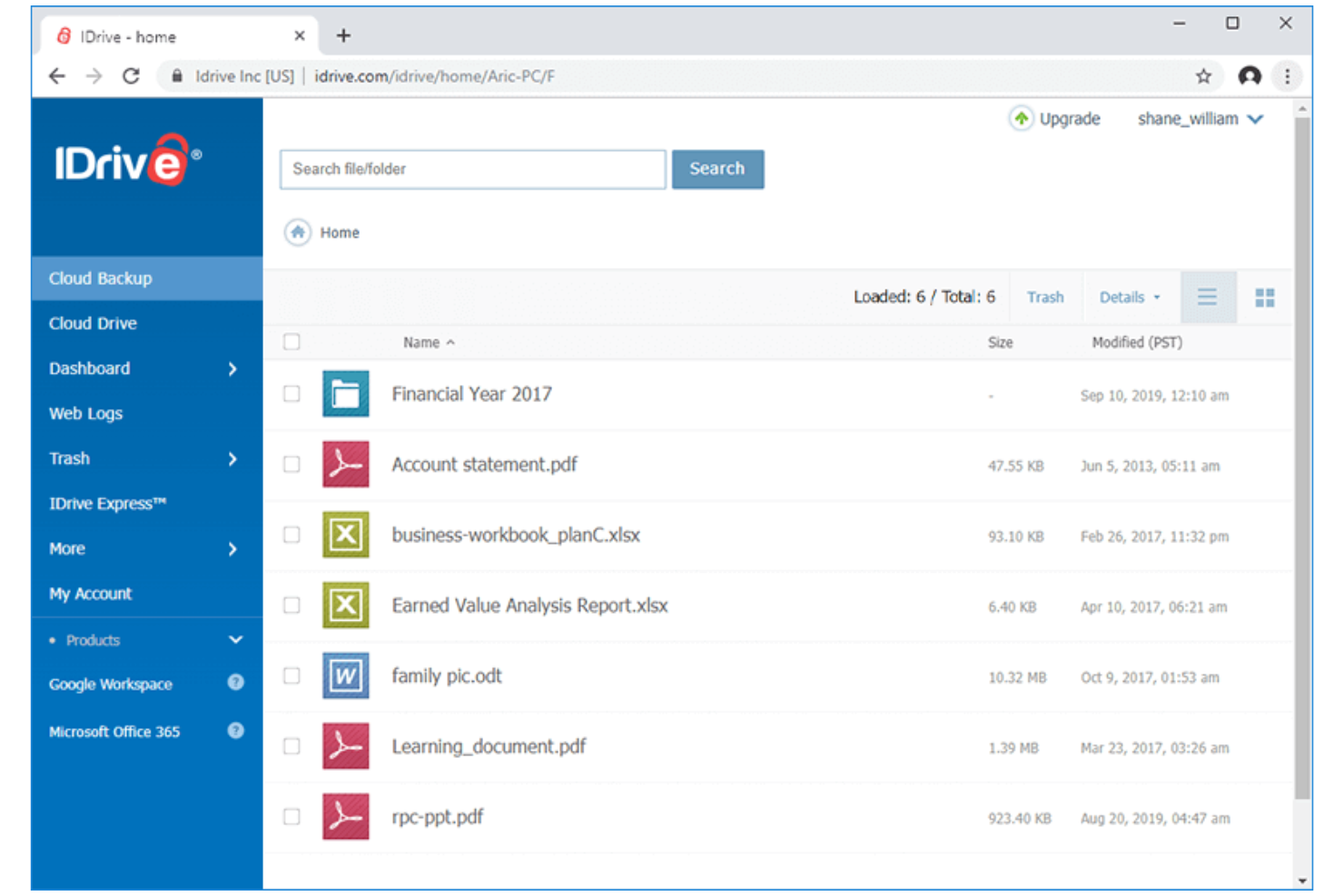
IDrive est une solution de sauvegarde et de stockage dans le cloud destinée aux particuliers, aux petites entreprises et aux grandes entreprises qui ont besoin d'une sauvegarde, d'une synchronisation et d'une récupération des données fiables et en temps réel sur un nombre illimité d'appareils avec un seul compte.
Pourquoi c'est une bonne alternative à Google Drive : IDrive propose un service de sauvegarde des données complet et extrêmement fiable, ce qui en fait une solution idéale pour les utilisateurs soucieux de la sécurité. La possibilité de sauvegarder plusieurs appareils avec un seul compte est particulièrement pratique si vous gérez différentes machines.
Fonctionnalités et intégrations remarquables :
Les fonctionnalités comprennent la protection continue des données, qui identifie automatiquement les fichiers modifiés et les sauvegarde instantanément. La sauvegarde par image disque vous permet de créer une réplique de votre disque dur, y compris votre système d'exploitation, les programmes installés, les paramètres et tous vos fichiers. La sauvegarde hybride combine la sauvegarde locale et la sauvegarde dans le cloud pour renforcer la sécurité et accélérer la récupération des données.
Les intégrations comprennent Microsoft Office, Outlook, QuickBooks, Exchange, SharePoint, SQL Server, Linux, Mac OS et bien plus encore.
Pros and Cons
Pros:
- Sauvegarde de cloud à cloud
- 5 Go de stockage gratuits pour les tests ou une utilisation légère
- Prise en charge d'un nombre illimité d'appareils
Cons:
- Prise en charge limitée de Linux
- Interface complexe

Meilleure solution auto-hébergée
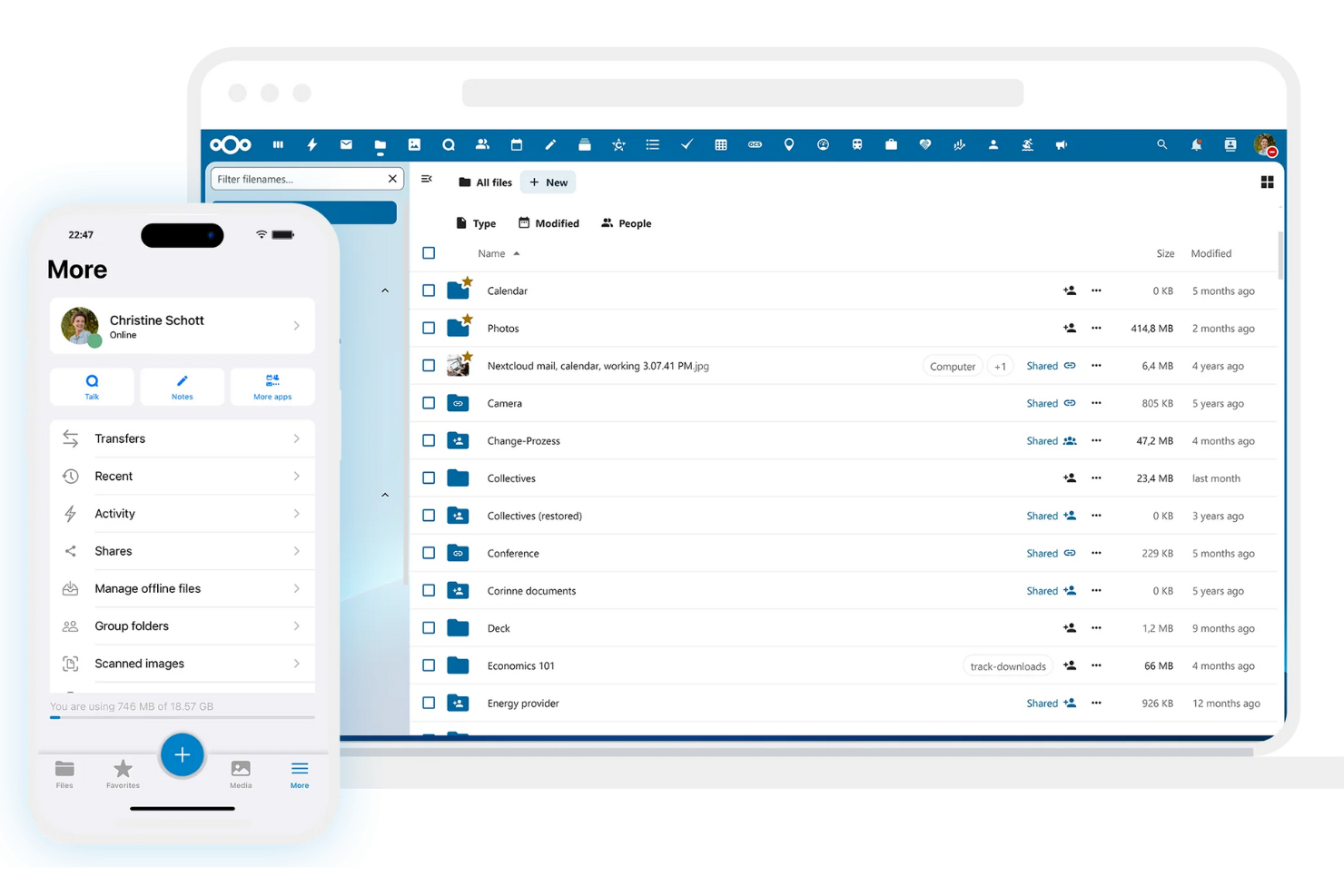
Nextcloud est une plateforme open source d’hébergement cloud et de collaboration de contenu, auto-hébergée, destinée aux entreprises et aux particuliers qui recherchent une alternative sécurisée et interne aux services cloud publics. Elle vous permet de stocker, de synchroniser et de partager des fichiers sur votre propre serveur, vous offrant ainsi une souveraineté totale sur vos données.
Pourquoi c’est une bonne alternative à Google Drive : Nextcloud offre toute la flexibilité d’une solution auto-hébergée, vous donnant un contrôle complet et indépendant sur vos données, la gestion des utilisateurs et les paramètres de sécurité. Il s’agit d’une alternative flexible, privée et hautement personnalisable à Google Drive, qui offre également une sécurité supérieure.
Fonctionnalités et intégrations remarquables :
Fonctionnalités comprennent le contrôle d’accès aux fichiers, qui vous permet de définir des autorisations précises pour consulter, modifier, partager ou supprimer des fichiers. Le chiffrement de bout en bout protège les données contre les accès non autorisés, même en cas de violation de données, et l’authentification à deux facteurs renforce la sécurité de votre compte.
Intégrations comprennent Collabora Online, Microsoft Outlook, Zimbra, Moodle, EGroupware, Jitsi, Samba, et bien plus encore.
Pros and Cons
Pros:
- Auto-hébergé pour un contrôle total
- Aucun frais de stockage récurrent
- Autorisations utilisateur personnalisables
Cons:
- Maintenance élevée du serveur
- L’utilisateur doit gérer la sécurité

Box
Idéal pour la gestion de contenu et la sécurité

Box est un service de gestion de contenu et de partage de fichiers dans le cloud destiné aux entreprises et aux grandes entreprises, qui permet de gérer, stocker et partager des documents en toute sécurité. Il permet la collaboration en temps réel, l’automatisation des flux de travail et une conformité élevée des données.
Pourquoi c’est une bonne alternative à Google Drive : Box propose une plateforme de gestion de contenu robuste, de niveau entreprise, pour les entreprises qui ont besoin d’une gestion sécurisée des documents, de fonctionnalités de collaboration et de gouvernance. C’est une alternative intéressante à Google Drive si vous gérez des données à haut risque.
Fonctionnalités et intégrations remarquables :
Les fonctionnalités comprennent l’automatisation des flux de travail, qui permet de créer des flux personnalisés, d’augmenter considérablement la productivité et d’optimiser les processus métier. Les contrôles d’accès granulaires vous permettent de définir des autorisations spécifiques pour afficher et modifier les fichiers. Les fonctionnalités de prévention des pertes de données protègent les informations sensibles contre les accès non autorisés.
Les intégrations comprennent Salesforce, Slack, Microsoft Office 365, Google Workspace, Adobe Acrobat, DocuSign, IBM Connections, Okta, Zoom, WebDrive, AdvisorCRM, Syncly, MV Tools, Trello, et bien plus encore.
Pros and Cons
Pros:
- Sécurité de niveau entreprise
- Plusieurs forfaits professionnels
- Capacité de stockage illimitée pour les organisations
Cons:
- Limites strictes de taille des fichiers
- Pas de synchronisation au niveau des blocs

Sync
Idéal pour le chiffrement de bout en bout
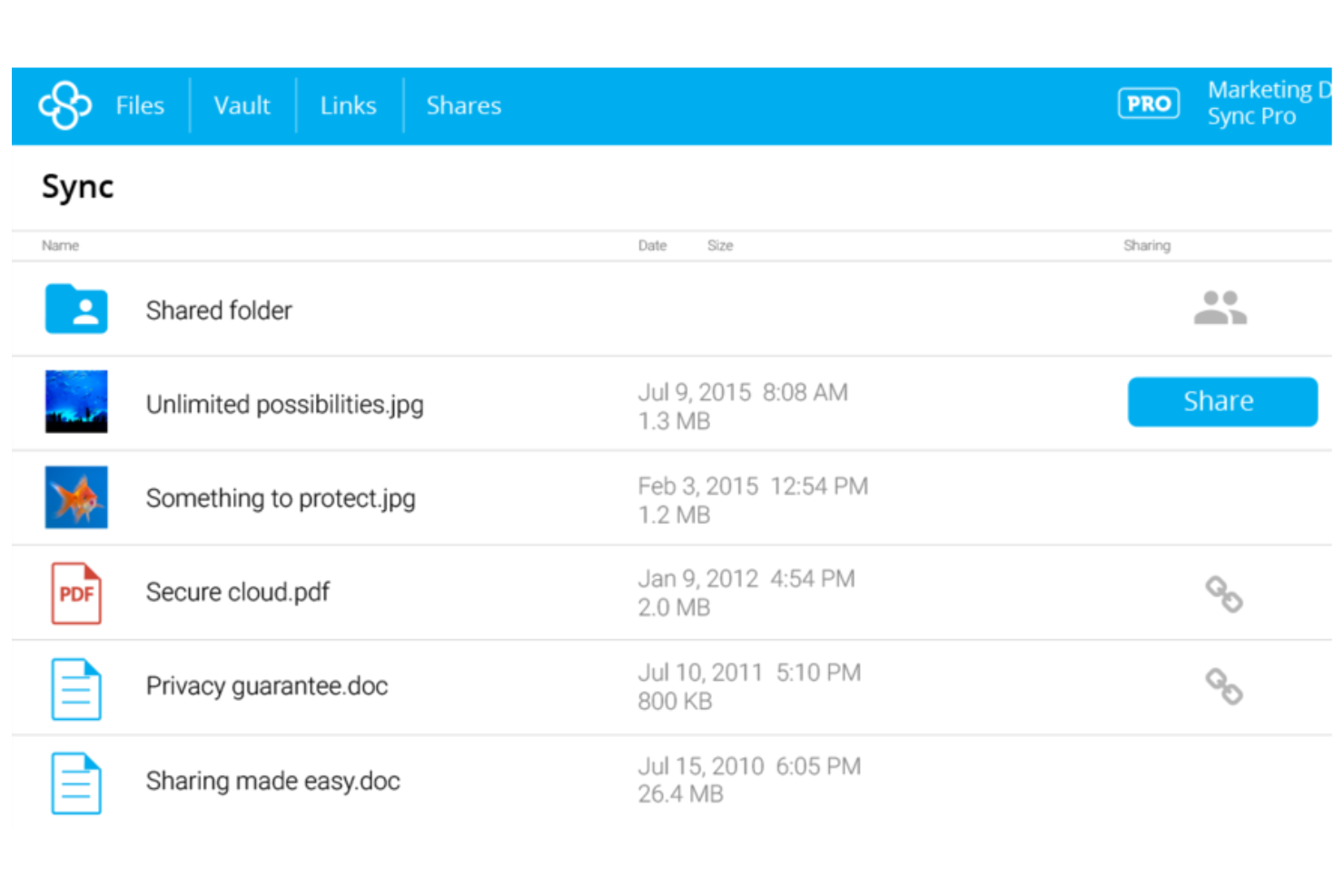
Sync est un service de stockage cloud axé sur la confidentialité, destiné aux particuliers et aux entreprises qui accordent la priorité à la sécurité des données et à la collaboration entre appareils.
Pourquoi c'est une bonne alternative à Google Drive : Sync utilise le chiffrement de bout en bout et une architecture à connaissance nulle, de sorte que seuls les utilisateurs autorisés peuvent accéder à vos fichiers. Les contrôles avancés de partage et les paramètres de confidentialité vous permettent de contrôler qui voit vos fichiers et ce que ces personnes peuvent en faire, ce qui en fait un choix sécurisé pour les informations sensibles.
Fonctionnalités et intégrations remarquables :
Les fonctionnalités comprennent un historique avancé des versions de fichiers et des outils de récupération des données qui vous permettent de restaurer des versions précédentes et de récupérer des fichiers supprimés. Le système de sauvegarde automatique protège vos données sans intervention manuelle, tandis que l'interface conviviale simplifie la gestion et le partage des fichiers.
Les intégrations comprennent Microsoft Office 365, Adobe Creative Suite, Slack, Google Workspace et bien plus encore.
Pros and Cons
Pros:
- Récupération étendue des fichiers et historique des révisions
- Chiffrement à connaissance nulle
- Synchronisation fiable
Cons:
- Pas de synchronisation LAN
- Options de forfait limitées

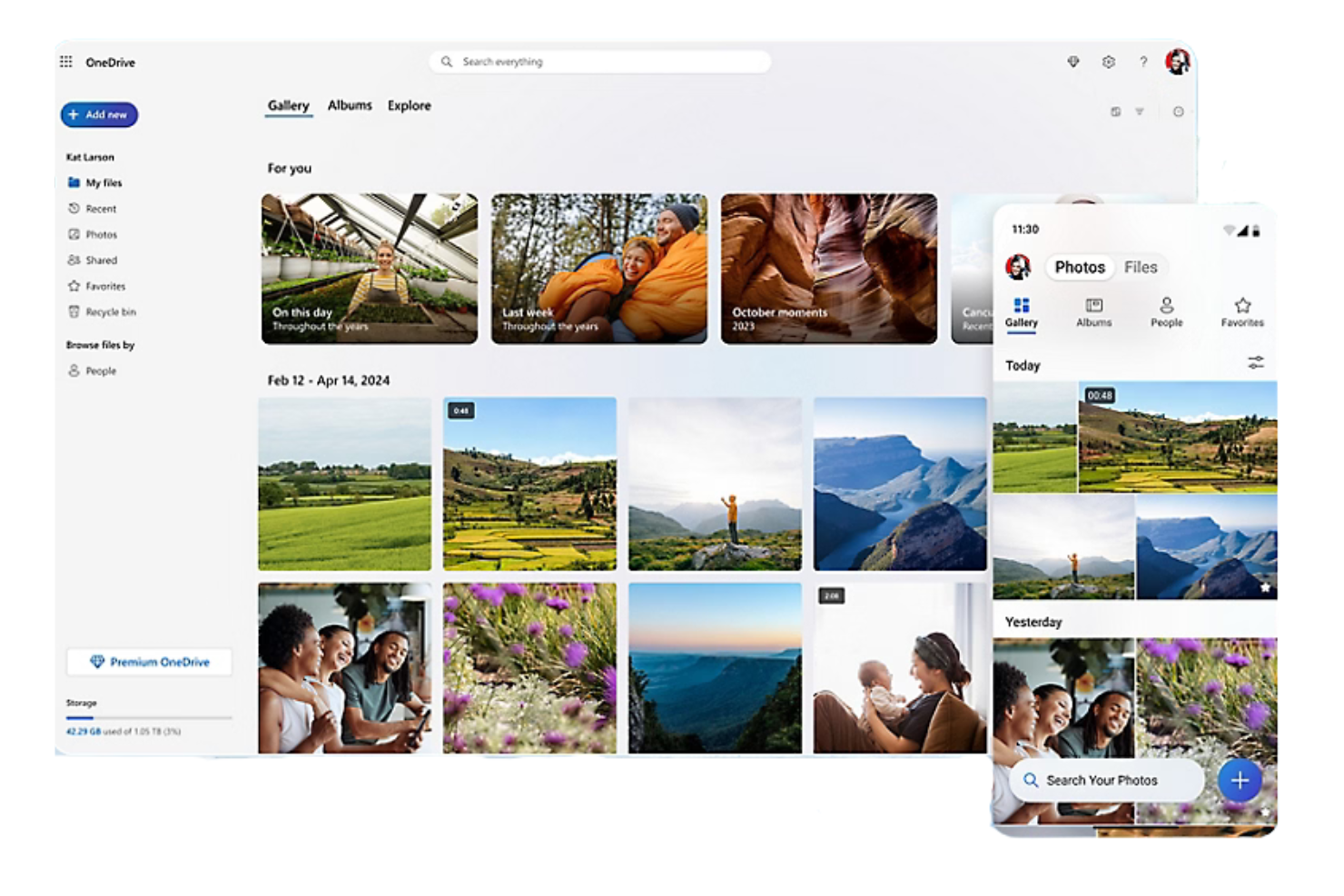
Microsoft OneDrive est une plateforme de stockage en nuage qui permet aux utilisateurs de stocker, synchroniser et partager des fichiers, des photos et des documents en ligne. Idéale pour un usage personnel comme professionnel, cette plateforme intégrée à Microsoft est accessible sur tout appareil compatible et permet une collaboration sécurisée.
Pourquoi c'est une bonne alternative à Google Drive : OneDrive s'intègre nativement à Microsoft 365, offrant une expérience cohérente aux utilisateurs de Windows, et propose également une intégration tierce avec Gmail. Il permet la coédition en temps réel dans les applications Office et offre des fonctionnalités de sécurité avancées, notamment le chiffrement des fichiers et la détection des rançongiciels, afin que votre équipe puisse collaborer et partager des données en toute sécurité.
Fonctionnalités et intégrations remarquables :
Les fonctionnalités comprennent la gestion des versions des fichiers, qui permet d'afficher, de restaurer et de télécharger les versions précédentes des documents. Les fonctionnalités d'accès hors ligne vous permettent de travailler sur des fichiers sans connexion Internet, et vous pouvez contrôler qui voit vos fichiers grâce à des options de partage personnalisables.
Les intégrations comprennent Microsoft Word, Excel, PowerPoint, Outlook, Teams, SharePoint, OneNote, Azure Active Directory, Dynamics 365, Power Automate, et bien plus encore.
Pros and Cons
Pros:
- Intégration poussée à Windows et Office
- Fichiers à la demande
- Très adapté aux activités des petites entreprises
Cons:
- Déplace les fichiers locaux par défaut
- Activation automatique intrusive

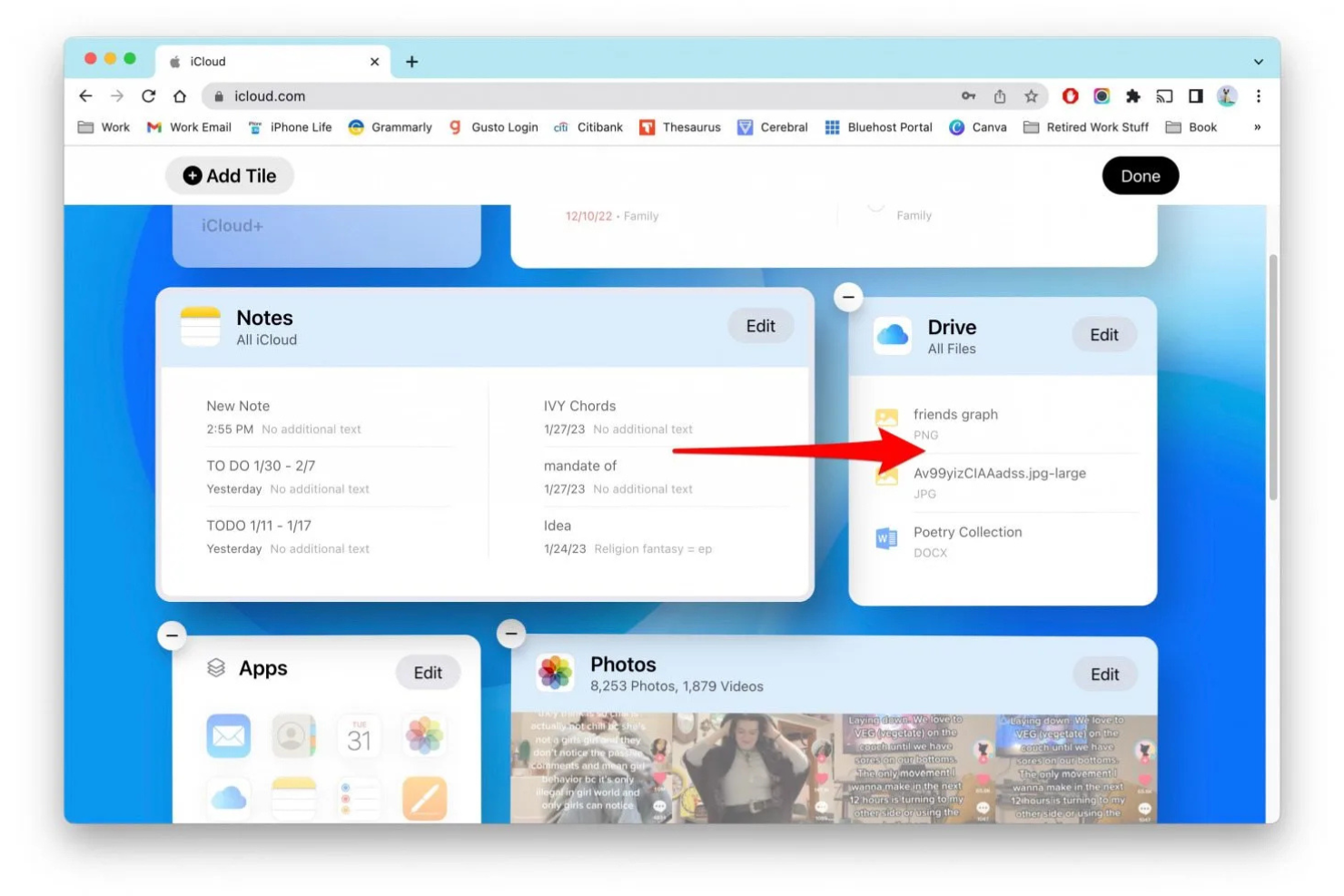
iCloud+ est un service d’abonnement de stockage en nuage destiné aux utilisateurs possédant plusieurs appareils Apple, qui étend les fonctionnalités de la version gratuite d’iCloud en synchronisant, sauvegardant et partageant automatiquement les données.
Pourquoi c’est une bonne alternative à Google Drive : iCloud+ offre une intégration native à l’écosystème Apple, ce qui en fait le choix le plus naturel si vous utilisez déjà des appareils Apple et avez besoin de plus que les 5 Go de stockage gratuit par défaut. Il comprend des fonctionnalités de confidentialité et de sécurité pour protéger vos données, votre vie privée et votre identité en ligne.
Fonctionnalités et intégrations principales :
Les fonctionnalités comprennent Photos iCloud, iCloud Drive et la sauvegarde iCloud, offrant davantage de stockage pour la synchronisation et les sauvegardes automatiques sur tous les appareils Apple. Vidéo sécurisée HomeKit, Relais privé iCloud et Masquer mon adresse e-mail offrent une protection importante contre les traceurs et les fuites de données.
Les intégrations comprennent Apple Mail, Calendrier, Contacts, Notes, Rappels, Safari, Messages et bien plus encore.
Pros and Cons
Pros:
- Sauvegardes automatiques
- Intégration de Google Photos
- Synchronisation des photos et des documents entre les appareils
Cons:
- Forfait gratuit extrêmement limité
- Dépendance à l’écosystème

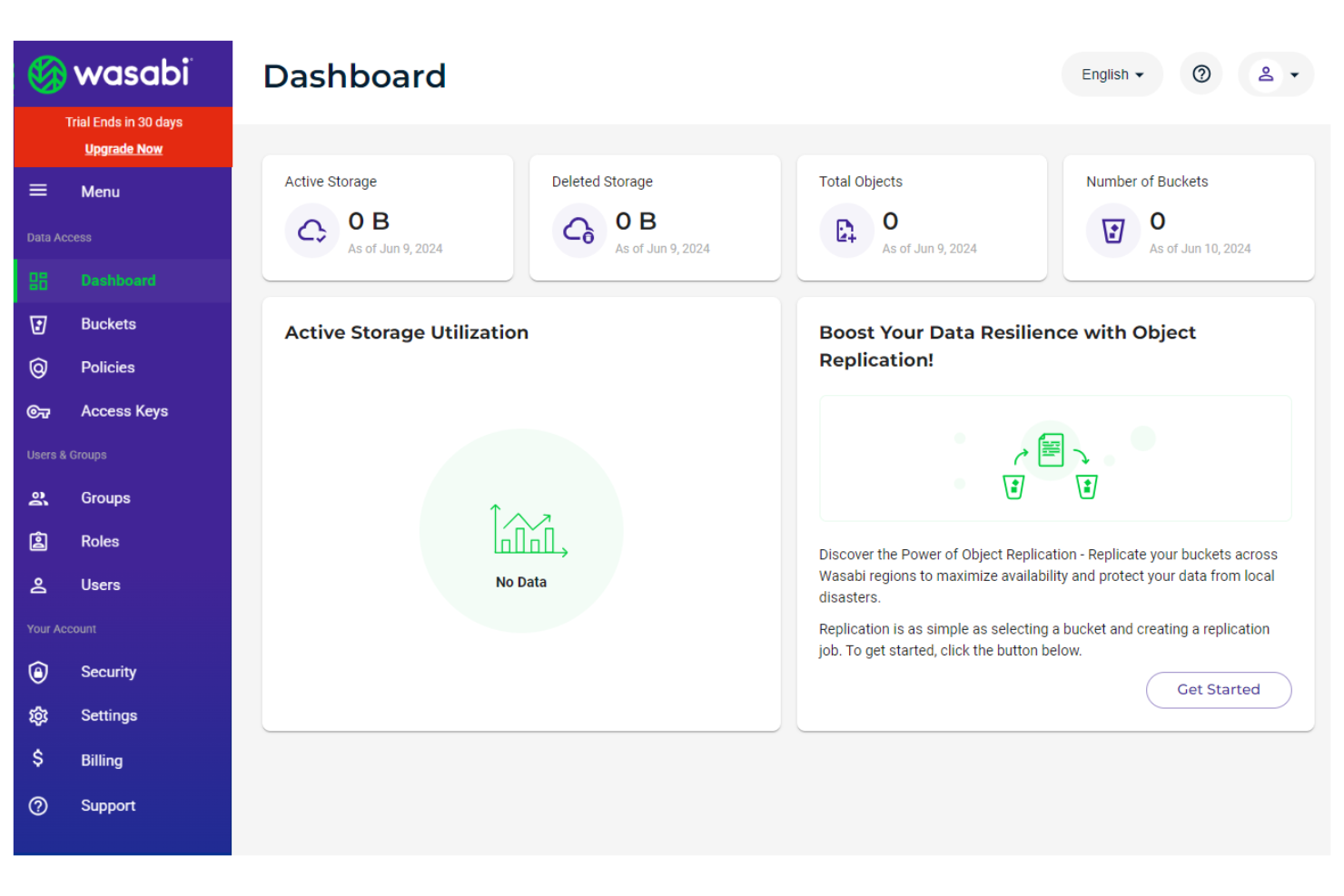
Wasabi est un fournisseur de stockage cloud pour les entreprises et les développeurs, spécialisé dans le stockage d’objets cloud à chaud, hautement abordable, performant et sécurisé.
Pourquoi c’est une bonne alternative à Google Drive : Wasabi supprime les frais de sortie de données, ce qui en fait un choix économique si votre entreprise transfère ou consulte fréquemment de grandes quantités de données.
Fonctionnalités et intégrations remarquables :
Les fonctionnalités comprennent l’immutabilité des données afin de protéger vos fichiers contre les modifications et suppressions non autorisées. La récupération rapide des données garantit que vos fichiers restent immédiatement accessibles lorsque vous en avez besoin. Wasabi propose également un modèle tarifaire simple à forfait fixe, transparent et sans frais cachés, permettant une budgétisation claire et prévisible.
Les intégrations comprennent Veeam, Commvault, Rubrik, Veritas, Panzura, CloudBerry Lab, Arcserve, Synology, QNAP, Nasuni, et bien plus encore.
Pros and Cons
Pros:
- Aucun frais de récupération ni de sortie de données
- API compatible avec S3
- Performances à haute vitesse
Cons:
- Aucun aperçu de fichiers sur mobile
- Politique de conservation minimale
Autres alternatives à Google Drive
Voici quelques alternatives supplémentaires à Google Drive qui n’ont pas été retenues dans ma sélection, mais qui méritent tout de même votre attention :
- Proton Drive
Idéal pour le stockage axé sur la confidentialité
- pCloud
Idéal pour les offres de stockage à vie
- IceDrive
Idéal pour une interface utilisateur légère


Hoe ik Google Drive-alternatieven beoordeel
Ik verdeel mijn beoordeling in twee lagen: de kernfunctionaliteit die een tool moet hebben om in aanmerking te komen—zoals realtime samenwerken aan documenten en op rollen gebaseerde rechten—en de onderscheidende kenmerken die bepalen welke optie het beste past.
Kernfunctionaliteit (basisvereisten voor deze lijst)
Bij het selecteren van tools voor mijn lijst beoordeel ik elke tool op een schaal van 0 (biedt de functionaliteit niet) tot 5 (blinkt uit op dit gebied) voor elke onderstaande kernfunctionaliteit. Vervolgens bereken ik de totaalscore van de tool als percentage. Elke tool moet een minimale totaalscore van 75% behalen om in aanmerking te komen voor opname.
- Cloudbestandsopslag: Ik beoordeel hoeveel basisopslag en schaalbare opslag elke tool biedt, waaronder de diepte van de mappenstructuur en de ondersteuning voor bestandstypen zoals pdf's, CAD-bestanden en video.
- Bestanden delen & rechten: Gedetailleerde, op rollen gebaseerde toegang is hierbij belangrijk—ik zoek naar tools waarmee je per map kijk-, bewerkings- en reactierechten kunt instellen voor zowel interne teamleden als externe klanten.
- Samenwerken aan documenten in realtime: Samenwerken aan documenten is waar Google Drive de norm stelt, dus ik controleer of alternatieven gelijktijdige bewerking door meerdere gebruikers, opmerkingen in de tekst en het terugzetten van eerdere versies ondersteunen.
- Synchronisatie tussen apparaten: Projectteams werken op laptops, telefoons en tablets, dus elke tool heeft betrouwbare synchronisatie voor desktop, web en mobiel nodig—met offline toegang voor situaties op locatie of tijdens het reizen.
- Integraties met projecttools: Ik kijk naar ingebouwde verbindingen met platforms zoals Jira, Asana, Monday, Slack en Microsoft Teams, en ook of de tool een open API of ondersteuning voor Zapier biedt voor aangepaste werkstromen.
- Beveiliging & naleving: Versleutelingsstandaarden, auditlogboeken en nalevingscertificeringen zoals SOC 2 en GDPR zijn de eerste zaken die ik controleer—vooral voor teams die klantcontracten of gereguleerde gegevens verwerken.
Zodra ik een lijst heb met tools die aan deze criteria voldoen, kijk ik naar wat elk platform onderscheidt.
Onderscheidende factoren (wat leveranciers onderscheidt)
Zo vergelijk ik verschillende leveranciers:
Opvallende functies
Automatisering van werkstromen is een belangrijke onderscheidende factor—ik zoek naar tools die op te leveren bestanden door beoordelings- en goedkeuringsfasen leiden zonder dat mensen per e-mail hoeven te worden nagejaagd. Klantportalen zijn ook belangrijk voor bureauteams die bestanden met externe belanghebbenden moeten delen zonder de volledige werkomgeving bloot te leggen. Ingebouwde ondersteuning voor elektronische handtekeningen maakt een afzonderlijke tool overbodig wanneer je tijdens een project SOW's of wijzigingsopdrachten laat ondertekenen.
Meer dan functies
De prijsstructuur is belangrijk wanneer je team groeit—ik beoordeel of opslag wordt gedeeld binnen de werkomgeving of per gebruiker wordt toegewezen, omdat dit de kosten snel verandert wanneer het aantal medewerkers verschuift. Ook migratietools zijn een factor die ik nauwkeurig controleer. Terabytes aan projectbestanden verplaatsen vanuit Google Drive is lastig zonder een gestructureerd importpad of gespecialiseerde migratieondersteuning. Ik kijk ook naar de omvang van het ecosysteem van elk platform, vooral of het verbinding maakt met de bredere projectmanagement- en communicatiestack waarvan je team al afhankelijk is.
Pourquoi chercher une alternative à Google Drive ?
Bien que Google Drive soit un bon choix pour le stockage cloud, plusieurs raisons poussent certains utilisateurs à rechercher d’autres solutions. Vous recherchez peut-être une alternative à Google Drive parce que :
- Vous avez besoin de fonctionnalités de sécurité plus avancées
- Votre équipe a besoin d’une plus grande capacité de stockage
- Vous souhaitez une meilleure intégration avec les applications autres que celles de Google
- Vous avez besoin d’un accès hors ligne pour le travail à distance
- Votre équipe a besoin d’outils de collaboration complets
Si vous vous reconnaissez dans l’un de ces cas, vous êtes au bon endroit. Ma liste comprend plusieurs options de logiciels de stockage cloud particulièrement adaptées aux équipes confrontées à ces difficultés avec Google Drive et à la recherche d’une bonne alternative.
Fonctionnalités de Google Drive
Voici quelques-unes des principales fonctionnalités de Google Drive, pour vous aider à mettre en contraste et à comparer les offres des solutions alternatives :
- Collaboration en temps réel : Travaillez simultanément avec votre équipe sur des documents, afin de faciliter leur modification et le partage de commentaires en temps réel.
- Intégration avec Google Workspace : Utilisez Google Docs, Sheets et Slides pour accroître la productivité et la collaboration au sein de votre équipe.
- Partage de fichiers et autorisations : Partagez des fichiers avec d'autres personnes et contrôlez qui peut les consulter, les modifier ou les commenter, en accordant à chaque utilisateur le niveau d'accès approprié.
- Drive partagés : Créez un espace collaboratif permettant à votre équipe de stocker et de gérer des fichiers ensemble, disponible avec certains forfaits Google Workspace.
- Fonctionnalités de sécurité : Bénéficiez de contrôles de confiance zéro, de mesures de sécurité alimentées par l'IA et de la conformité réglementaire pour protéger vos données.
- Accès mobile et de bureau : Accédez à vos fichiers et gérez-les où que vous soyez grâce aux applications mobiles et de bureau de Google Drive.
- Recherche alimentée par l'IA : Trouvez rapidement des fichiers et des documents grâce à des fonctionnalités de recherche intelligente afin d'optimiser votre flux de travail.
- Historique des versions des fichiers : Suivez les modifications et revenez aux versions précédentes lorsque cela est nécessaire, afin de maintenir vos données à jour.
- Accès hors connexion : Travaillez sur vos fichiers sans connexion Internet et synchronisez les modifications dès que vous êtes de nouveau en ligne.
- Signatures électroniques : Demandez et gérez des signatures électroniques pour des contrats et des accords, afin de finaliser vos documents en toute simplicité.
Quelle est la suite :
Si vous êtes en train d'étudier les logiciels de stockage cloud, contactez gratuitement un conseiller SoftwareSelect pour obtenir des recommandations.
Vous remplissez un formulaire et échangez brièvement avec un conseiller qui examine en détail vos besoins. Vous recevez ensuite une présélection de logiciels à évaluer. Les conseillers vous accompagnent même tout au long du processus d'achat, notamment lors des négociations tarifaires.