
Découvrez le meilleur créateur de diagramme de Gantt pour vos projets en 2026

10 Sélection des meilleurs créateurs de diagramme Gantt
Here's my pick of the 10 best software from the 20 tools reviewed.


Questions & Réponses Diagramme de Gantt
Si vous êtes chef de projet, vous avez probablement cherché un moyen de créer un diagramme de Gantt en ligne. Le truc, c’est que… les CP n’ont pas seulement besoin d’un générateur de diagramme de Gantt. Presque toutes les tâches, tous les projets, tous les services ou tous les efforts coordonnés, quels qu’ils soient, pourraient bénéficier de l’utilisation d’un simple diagramme de Gantt pour décrire leur point de départ, leurs progrès et leur destination prévue.
Que devrait comprendre un diagramme de Gantt?
Le meilleur logiciel de diagramme de Gantt comprendra la chronologie du calendrier d’un projet, la superposition de tâches interdépendantes (c.-à-d. que la tâche B ne peut commencer avant la fin de la tâche A), les estimations de temps, l’état d’avancement du calendrier, les affectations des équipes et plus.
Quels sont les avantages d'un diagramme de Gantt?
Les principaux avantages d’un diagramme de Gantt sont la possibilité d’avoir une vue d’ensemble de n’importe quel projet, la possibilité d’évaluer rapidement un calendrier des tâches et la possibilité d’ajuster le diagramme et de voir les nouveaux résultats finaux.
Trello a-t-il des diagrammes de Gantt?
Les Power-Ups Trello courants, comme TeamGantt, peuvent être intégrés à Trello pour fournir des fonctions de diagramme de Gantt aux clients Trello existants. L’application de base Trello utilise des tableaux, des listes et des cartes et promeut un style d’organisation kanban.
Asana a des diagrammes de Gantt?
Oui, Asana a des constructeurs de diagrammes de Gantt inclus avec toutes leurs offres payantes. Vous pouvez également utiliser des applications gratuites intégrées à Asana comme Instagantt.
Quel est le meilleur logiciel de diagramme de Gantt gratuit?
Il existe de nombreuses options logicielles de diagramme de Gantt gratuites disponibles en ligne, notamment RedBooth, GanttProject, Bitrix24, Agantty, Teamweek et Instagantt pour Asana.
Vous cherchez plus qu’un simple générateur de diagramme de Gant? Consultez nos autres listes d’outils de planification de projets pour gérer les équipes, les ressources et les projets :
- Vous n’êtes pas 100% fans des diagrammes de Gantt seuls? Nous avons également evalué les meilleurs outils agile de 2019.
- Quiconque cherche le “meilleur diagramme de Gantt” doit également connaître l’importance des bons outils de gestion de projet en général, dont beaucoup incluent les diagrammes de Gantt comme un seul élément d’une suite complète de planification de projet.
- Vous cherchez une solution de rechange plus robuste aux diagrammes de Gantt pour les délais et la planification? Nous passons également en revue certains des meilleurs logiciels de planification de projet de 2019.
J’ai écrit cet article pour vous aider à comparer et évaluer rapidement les meilleurs logiciels de diagramme de Gantt et outils de planification de projet.
En tant que chef de projet, il y a de fortes chances que vous ayez rencontré un diagramme de Gantt ou deux dans votre vie. Popularisé par Henry Gantt au début des années 1900, le diagramme de Gantt est depuis longtemps un outil privilégié pour planifier des activités, établir des échéanciers et voir tous les aspects d’un projet dans une perspective macroéconomique.
Les diagrammes de Gantt vous aident à planifier, gérer et exécuter. C’est pourquoi, en tant que CP, vous ne pouvez pas vous passer d’eux, alors adoptez le diagramme de Gantt et poursuivez votre lecture pour découvrir les meilleurs programmes que je recommande pour les créer, les partager et les utiliser.
J’ai écrit cet article pour vous aider à comparer et évaluer rapidement les meilleurs logiciels de diagramme de Gantt et outils de planification de projet.
En tant que chef de projet, il y a de fortes chances que vous ayez rencontré un diagramme de Gantt ou deux dans votre vie. Popularisé par Henry Gantt au début des années 1900, le diagramme de Gantt est depuis longtemps un outil privilégié pour planifier des activités, établir des échéanciers et voir tous les aspects d’un projet dans une perspective macroéconomique.
Les diagrammes de Gantt vous aident à planifier, gérer et exécuter. C’est pourquoi, en tant que CP, vous ne pouvez pas vous passer d’eux, alors adoptez le diagramme de Gantt et poursuivez votre lecture pour découvrir les meilleurs programmes que je recommande pour les créer, les partager et les utiliser.
Comparez et évaluez rapidement les 10 meilleurs créateurs de diagramme de Gantt
En fonction de vos besoins et de votre budget, il existe des outils de création Gantt en ligne qui répondent à vos besoins. Ici, je décompose les avantages et les inconvénients des meilleurs logiciels de modèle de diagramme de Gantt sur le marché.
Dans cet article, je vais :
- Partager avec vous les logiciels de planification de projet à inclure dans votre liste de sélection de modèles de diagramme de Gantt.
- Expliquer ce que sont les outils du diagramme de Gantt
- Expliquez comment les diagrammes de Gantt peuvent vous aider à établir une ligne du temps en ligne.
- Répondre à quelques FAQ sur les logiciels de diagramme de Gantt
- Vous dire ce que vous devez rechercher lorsque vous créez une ligne de temps en ligne
- Expliquer nos critères d’évaluation pour les outils du diagramme de Gantt
- Fournir un modèle de diagramme de Gantt simple pour comparer les outils.
Prêt à trouver le constructeur de diagramme de Gantt de vos rêves? Commençons!
The Digital Project Manager est sponsorisé par le lecteur. Lorsque vous cliquez sur les liens de notre site, nous pouvons gagner une commission. En Savoir Plus.
-

Accelo
Visit WebsiteThis is an aggregated rating for this tool including ratings from Crozdesk users and ratings from other sites.4.4 -
Forecast
Visit WebsiteThis is an aggregated rating for this tool including ratings from Crozdesk users and ratings from other sites.4.6 -
Wrike
Visit WebsiteThis is an aggregated rating for this tool including ratings from Crozdesk users and ratings from other sites.4.2







ClickUp is a comprehensive work management solution that offers a Gantt chart maker among several other features like whiteboarding, goal setting, document management, and more.
I recently spoke with Jeff Cypher, a former ClickUp consultant who now works for the company. He spoke to ClickUp's flexibility when it comes to project changes. "I recommend ClickUp's Gantt view for project managers who need dynamic project adjustments," he says.
Why I Picked ClickUp
I picked ClickUp for its custom task views and Gantt charts. The platform's drag-and-drop interface lets you easily adjust tasks and dependencies and offers visual clarity on project timelines and potential roadblocks. With features like critical path and slack time, you can quickly identify and address scheduling challenges, which makes it easier to keep your projects on track. This customization and flexibility make ClickUp an ideal choice for teams that want to optimize their project management processes.
ClickUp Key Features
ClickUp offers a variety of other features for creating Gantt charts and managing projects.
- Milestones: You can track significant project achievements to make sure your team is meeting critical deadlines.
- Time Tracking: This lets you monitor the time spent on tasks directly within the platform to better manage your resources and deadlines.
- Task Priorities: You can assign priority levels to tasks to help your team focus on what's most important and keep projects moving smoothly.
- Multiple Assignees: This lets you assign tasks to multiple team members to foster collaboration and maintain accountability across your projects.
ClickUp Integrations
Integrations include Slack, Google Workspace, Dropbox, Figma, Vimeo, Zoom, Box, and Microsoft Teams. You can also use Zapier for additional integrations, or build custom integrations using the software's API.
Pros and Cons
Pros:
- Unlimited file storage with all paid plans
- 50+ widgets to customize your dashboard
- Unlimited users with free plan
Cons:
- Storage, projects, and custom fields limited in free plan
- Reporting not available in free plan
New Product Updates from ClickUp

ClickUp Enhances Task Management and Introduces AI Notetaker
ClickUp introduces an AI Notetaker for meetings and improves task type management in views. These updates help teams capture meeting insights automatically and organize work more efficiently. For more information, visit ClickUp’s official site.
 .
.
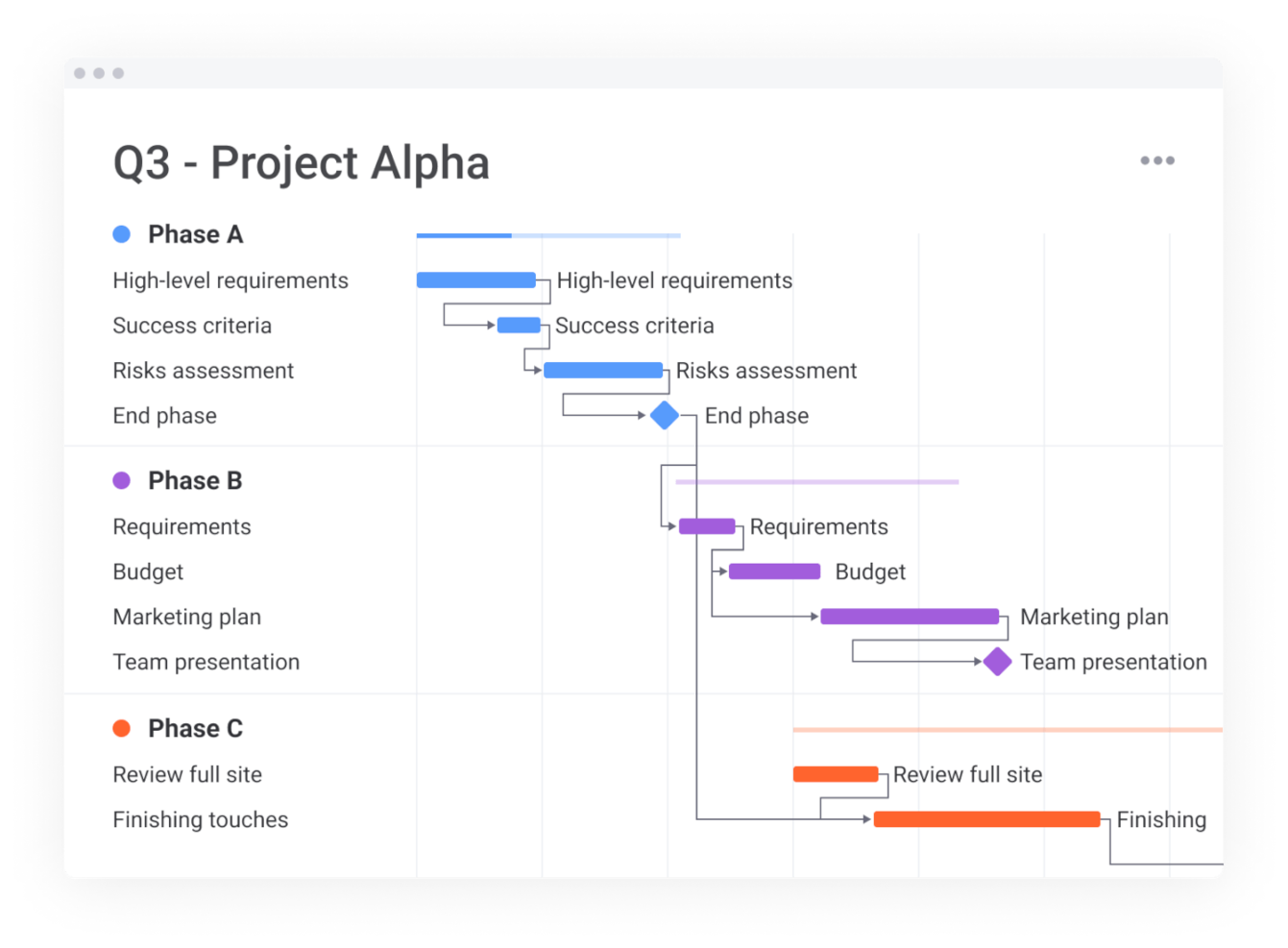
monday.com is a work management platform that offers a plethora of features for project planning and resource tracking, Gantt charts being one of them.
Why I Picked monday.com
I chose monday.com because it lets you track progress visually via its Gantt chart feature. The platform's customizable Gantt charts let you visualize timelines, prioritize tasks, and manage dependencies, as well as provide clarity and control over your projects.
Its interactive dashboards let you monitor progress, budgets, and deadlines at a glance, and allow for informed decision-making. These features, combined with real-time communication tools, make monday.com a strong choice for teams that want to improve project visibility and coordination.
monday.com Key Features
monday.com also offers a range of other features for creating Gantt charts and managing projects.
- Task Dependencies: You can easily visualize and manage the relationships between tasks, which prevents workflow bottlenecks and lets you maintain smooth project execution.
- Progress Tracking: This lets you monitor the health of your projects in real-time with visual indicators that show milestones and completion percentages.
- Resource Management: This feature lets you centralize timelines and responsibilities and allows for efficient allocation of resources and coordination across teams.
- Work Breakdown Structures: You can break down complex projects into manageable tasks, which helps with project planning and execution.
monday.com Integrations
Integrations include Dropbox, Excel, Google Calendar, Google Drive, Integromat, Slack, Trello, and even more through a paid plan with Zapier.
Pros and Cons
Pros:
- Complete work management platform
- Free-forever plan available
- User-friendly and intuitive interface
Cons:
- Gantt charts not included in basic or free plan
- Limited storage in basic and free plans
New Product Updates from monday.com

monday.com Adds Microsoft Teams Messaging In Workflows
monday.com introduces Microsoft Teams messaging within workflows. This update allows users to send messages to specific individuals directly from workflows, improving collaboration and communication. For more information, visit monday.com’s official site.
 .
.

Zoho Projects is a project management software with a built-in Gantt chart maker. It's a highly detailed solution that helps you make sure you don't lose any important project information.
Why I Picked Zoho Projects
I chose Zoho Projects for its ability to scale with your growing project management needs, especially its Gantt charts. With features like task dependencies and baseline comparisons, you can manage complex project timelines and track progress over time. The platform's ability to accommodate projects of various sizes and complexities makes sure your team can adapt to increasing demands without losing control. Additionally, Zoho Projects' Gantt chart offers functionalities like color-coded tracking for milestones, which provides clear visibility and better project planning.
Zoho Projects Key Features
Zoho Projects also offers a range of other features for project management.
- Custom Views: You can tailor your Gantt chart display to suit your team's preferences, which allows for a more personalized project tracking experience.
- Resource Utilization: This lets you monitor and manage team workload effectively by visualizing resource allocation directly on your Gantt chart.
- Project Baselines: You can set and compare project baselines to track deviations from your original plan and help your team stay on course.
- Drag-and-Drop Interface: This lets you easily adjust task timelines and dependencies with a user-friendly drag-and-drop function, which makes project adjustments intuitive and straightforward.
Zoho Projects Integrations
Integrations include all the Zoho apps, Google Workspace, Microsoft Suite, Jira, Basecamp, Box, Dropbox, GitHub, GitLab, Zendesk, and Slack, among others. You can also connect to Zapier for additional integrations.
Pros and Cons
Pros:
- Task automation via the blueprint feature
- Free plan for up to 2 projects
- Connects easily with the complete Zoho product suite
Cons:
- Takes time to learn the platform
- Subtasks not available in free plan

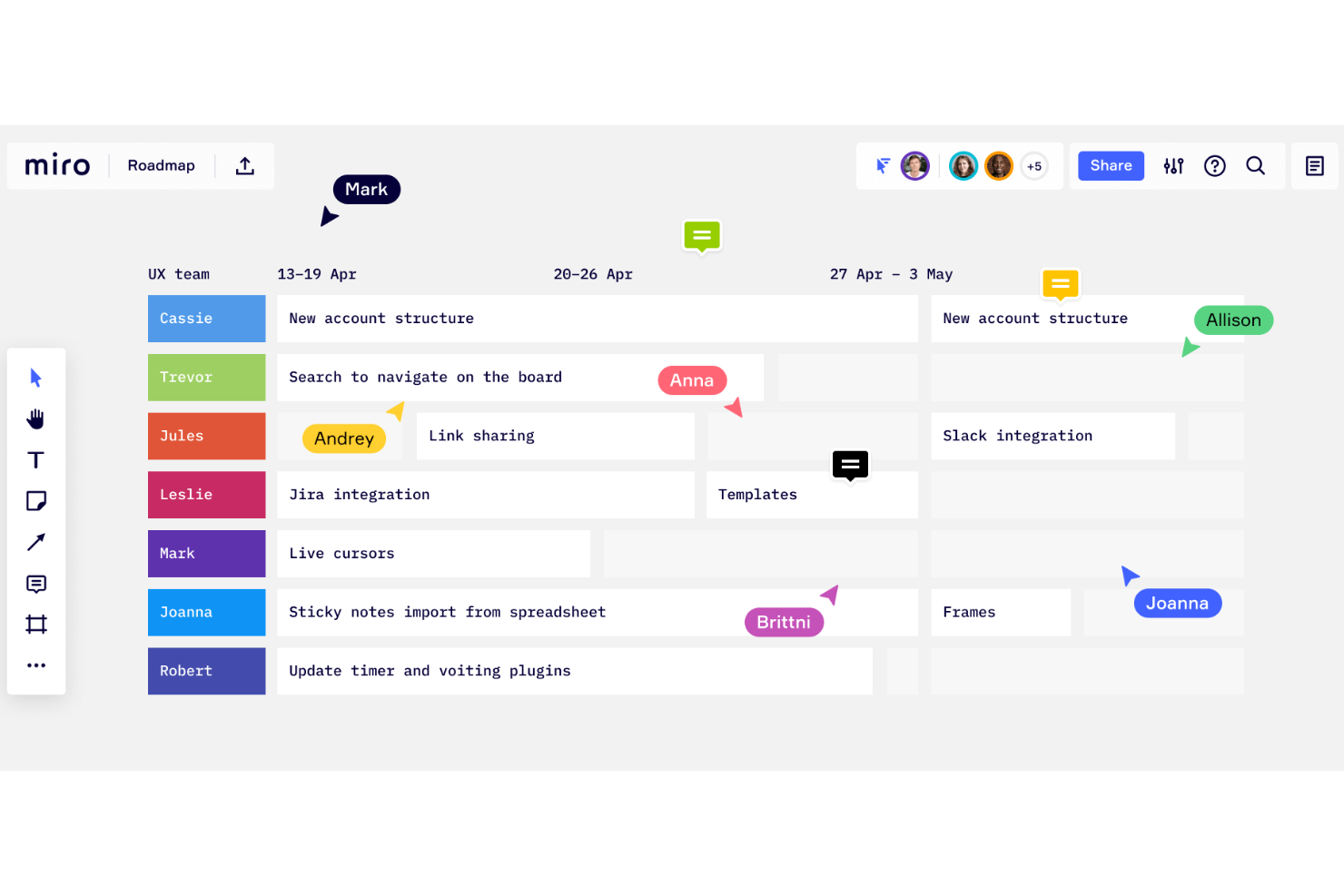
Miro is a collaborative online whiteboard with over 1,000 templates including mind maps, Kanban boards, Gantt charts, product wireframes, research boards, and flowcharts.
Why I Picked Miro
I picked Miro for its standout capability as an interactive whiteboard, which is perfect for creating Gantt charts. What I appreciate is how Miro lets your team visualize project timelines directly on a collaborative canvas and makes it easy to adjust tasks and deadlines in real time. The drag-and-drop functionality makes modifying your Gantt chart straightforward and keeps project planning dynamic and responsive.
Additionally, the ability to collaborate with team members in real-time means that input and updates are seamlessly integrated. This also keeps everyone on the same page without the hassle of back-and-forth communications.
Miro Key Features
Miro also offers several other features that make it useful for creating Gantt charts and managing projects.
- Effort Estimation: This feature lets you factor in people, time, and tools needed for tasks and helps you identify potential risks early in the project planning process.
- Milestones: You can set and celebrate milestones, which helps keep your team motivated and makes sure everyone stays aligned with the project's goals.
- Customizable Templates: This lets you start with ready-made templates or create charts from scratch and add tasks, timelines, and color-coding for better organization and clarity.
- AI Assistance: Miro's AI features can automatically structure timelines and tasks based on your input to save time and maintain accuracy.
Miro Integrations
Integrations include Zoom, Figma, Asana, Microsoft Teams, Jira, Slack, Google Drive, Box, Confluence, monday.com, Airtable, Notion, Azure, and Webex. Some integrations are limited to paid plans only.
Pros and Cons
Pros:
- Built-in communication features
- Intuitive and easy setup
- Free forever plan available
Cons:
- No high-quality PDF export with free plan
- Zooming can be jumpy on larger projects
New Product Updates from Miro

Miro Enhances AI Workflows and Tables for Task Planning
Miro enhances AI workflows and Tables with AI-generated planning boards and web-aware automation. These updates help teams organize tasks faster and analyze external content within workflows. For more information, visit Miro’s official site.
 .
.

Microsoft Project is a project management software developed and sold by Microsoft. It is designed to help you plan, track, and manage projects of different sizes and complexities through a variety of features, including its Gantt chart maker.
Why I Picked Microsoft Project
I picked Microsoft Project for its detailed project planning, which makes it an excellent choice for creating Gantt charts. With features like hierarchical task organization and dependency linking, you can visualize complex project timelines with clarity.
The customization of Gantt bars allows for personalized visual cues and helps you manage intricate project tasks. Additionally, the integrated resource allocation and budget management tools help keep project planning aligned with your team's capabilities and financial constraints.
Microsoft Project Key Features
Microsoft Project also offers a variety of other features that make it useful as a Gantt chart maker.
- Timeline View: This lets you see an overview of your project schedule and provides a high-level snapshot that complements the detailed Gantt chart view.
- Milestone Tracking: You can set specific points in your project timeline to focus on key achievements, and make sure your team stays on track with crucial deadlines.
- Resource Pooling: This lets you manage resources across multiple projects and allocate team members and equipment efficiently.
- Task Prioritization: By assigning priority levels to tasks, you can address the most critical activities first, optimize your workflows, and maximize productivity.
Microsoft Project Integrations
Integrations include other Microsoft software, like Outlook, Excel, Skype, and more.
Pros and Cons
Pros:
- Integration with other Microsoft software
- Helpful project template descriptions for guidance
- Driver prioritization module for ranking strategies/objectives
Cons:
- Steep learning curve
- Limited customization options

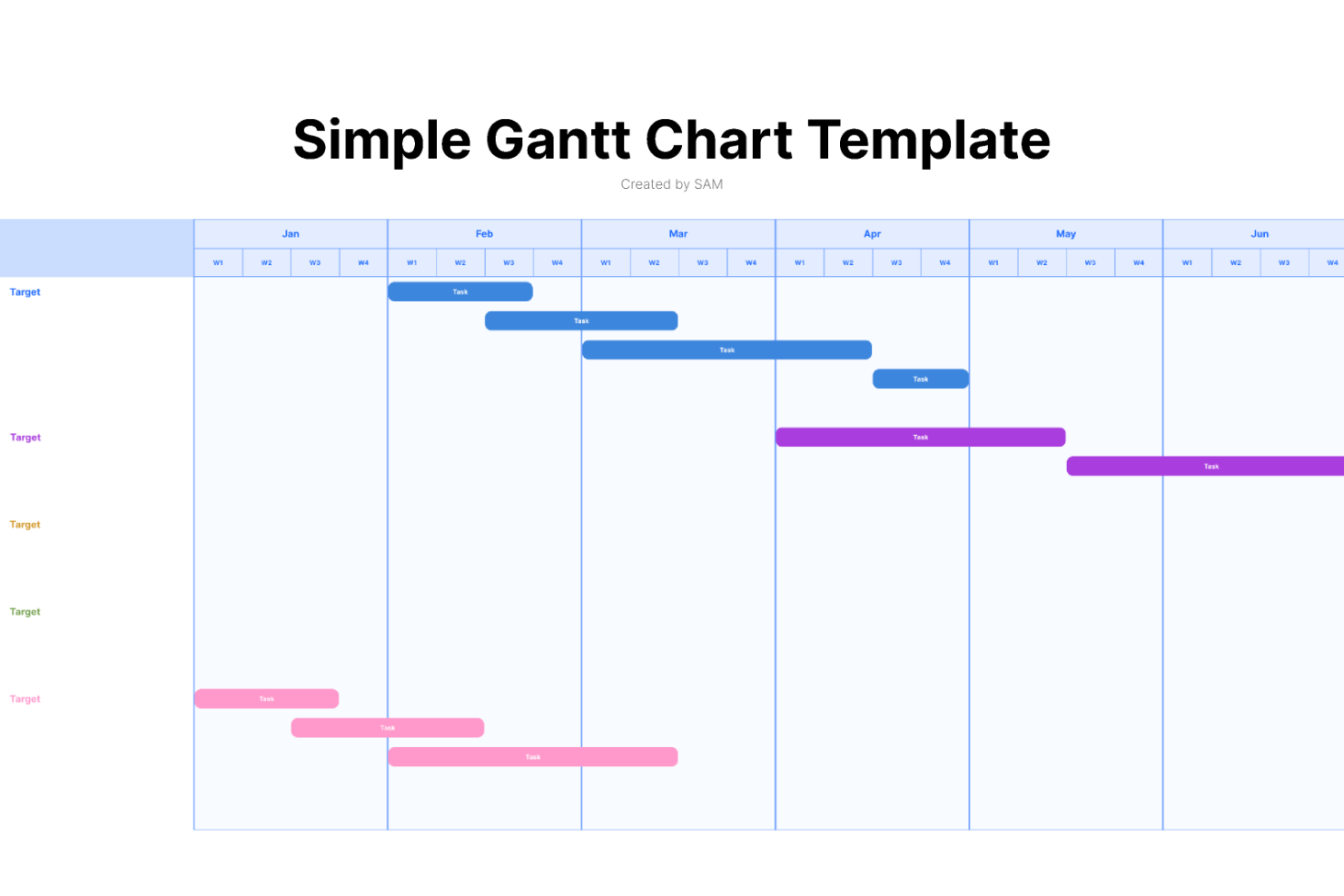
FigJam is an online whiteboard tool designed to facilitate real-time collaboration among team members, providing a dynamic platform for a variety of activities including brainstorming, diagramming, and strategic planning.
Why I Picked FigJam
I chose FigJam as a Gantt chart maker because of its capacity for real-time collaboration, which is crucial for maintaining up-to-date project timelines and ensuring team alignment. What makes FigJam different is its integration of AI features that can generate custom templates and automate repetitive tasks, which can be particularly useful when creating and updating Gantt charts.
I believe FigJam is best for real-time design team collaboration because it not only allows team members to work together synchronously with audio and live chat but also supports asynchronous communication through comments and reactions, ensuring that all team members, regardless of their location or time zone, can contribute to the project planning process.
FigJam Key Features
FigJam offers several other features that make it a compelling choice for Gantt chart software.
- Interactive Whiteboard: This lets your team collaborate in real-time, sketch out ideas and project plans directly on a digital canvas, and visualize complex project timelines.
- Milestone Visualization: You can track progress by marking key dates and deliverables within your project timeline and making sure everyone is aligned on project goals.
- Resource Management Tools: This lets you to allocate and track resources effectively (via templates), and maintain balance and efficiency across your project tasks.
- Task Assignment and Management: You can assign tasks to team members directly within the Gantt chart, which makes it easy to manage schedules and responsibilities.
FigJam Integrations
Integrations include Figma, Microsoft Teams, Asana, Jira, Mixpanel, and GitHub.
Pros and Cons
Pros:
- User-friendly and intuitive interface
- Integrates with Figma for design collaboration
- Offers community templates for various uses
Cons:
- Onboarding and account support locked to enterprise plan
- No offline access available

Canva is an online design platform built to be user-friendly for non-design experts. It offers templates for all kinds of things, from Gantt charts to slide decks, infographics, social media assets, and more.
Why I Picked Canva
I'm a big fan of this software's simple, straightforward drag-and-drop interface. It is easy to use, even for the least tech-savvy among us. I chose Canva for this list because it's intuitive and comes with a ton of templates that are ready to go. You can select from the hundreds of thousands of templates available, and customize them to meet your needs. In my opinion, Canva's free plan is a fantastic, quick way to create a presentation-ready Gantt chart at no cost. Plus, you'll be able to use the platform for other design needs too.
Canva Key Features
In addition to templates, Canva offers a range of other features that are useful for Gantt chart creation.
- Visual Customization Tools: You can easily adjust colors, fonts, and styles to match your brand and make your Gantt charts functional and visually appealing.
- Milestone Setting: This feature lets you mark significant points in your project timeline to help your team stay focused on key deliverables.
- Dependency Management: You can connect tasks to visualize dependencies and make sure your team understands the sequence of project activities.
- Collaboration Features: You and your team can edit and view changes simultaneously, which helps improve communication and teamwork.
Canva Integrations
Integrations include WordPress, eClincher, Rippling, Sendible, Post Planner, and Viraltag.
Pros and Cons
Pros:
- Presentable product, no designer needed
- Hundreds of thousands of templates
- Super user-friendly and intuitive
Cons:
- Limited download options with free plan
- Lacks advanced Gantt chart features


MeisterTask is a task and project management tool designed primarily for agile teams. The tool has a Gantt chart-like timelines feature, as well as Kanban boards, custom dashboards, and the ability for team members to create personal agendas organized to fit their way of working. MeisterTask is intuitive and simple to use, with a clean interface.
Why I Picked MeisterTask
I picked MeisterTask because its Gantt chart feature is particularly well-suited for agile teams. The visual timeline lets you easily map out project tasks, assign start and end dates, and visualize dependencies, which is crucial for maintaining flexibility and adaptability in agile workflows.
I appreciate how the drag-and-drop functionality simplifies task management and lets you quickly adjust plans as priorities shift. The integrated reports feature provides real-time insights into task completion and team performance to help you stay on top of project progress and resource allocation.
MeisterTask Key Features
MeisterTask also offers several other functionalities that make it a strong contender for Gantt chart software.
- Customizable Kanban Boards: You can create and customize Kanban-style boards to suit your workflow and get a clear visualization of task progress and status.
- Automation Capabilities: You can automate repetitive tasks within your projects to save time, reduce manual effort, and improve overall efficiency.
- Roles and Permissions: This lets you manage team collaboration securely with roles and permissions that control access levels and maintain data integrity.
- Time Tracking: You can keep track of the time spent on tasks to better allocate resources and improve project management accuracy.
MeisterTask Integrations
Integrations include Google Workspace, Slack, and GitHub, as well as two thousand applications via Zapier (may require a paid plan).
Pros and Cons
Pros:
- User-friendly and easy to navigate
- Easy to create and assign tasks
- Free plan for up to 3 projects
Cons:
- Roles and permissions not included in lower-tier plans
- Personal agendas not included in free plan


think-cell is a software add-on for Microsoft PowerPoint and Excel that helps you easily create various types of charts for your presentations to stakeholders, including Gantt charts.
Why I Picked think-cell
For project managers who spend more than 2 hours per week preparing presentations in Excel or PowerPoint, I believe this software will save you tons of time and headaches. It lets you build adjustable calendar-based Gantt charts right inside of PowerPoint, with drag-and-drop capabilities for timelines, dependencies, and milestones. You can also link Excel sheets to PowerPoint charts so any data updates will carry-over to your Gantt chart.
think-cell Key Features
think-cell offers a range of other features tailored to creating effective Gantt charts.
- Interactive Activity Entry: This lets you enter activities directly onto the Gantt chart to streamline the process of building your project timeline.
- Customizable Work Weeks: You can define the workweek setup, such as 5-day or 7-day weeks, to accurately reflect your team's working schedule.
- Time Span Brackets: This lets you easily add brackets to indicate the duration of specific tasks or phases within your project and provides clear visual cues.
- Automatic Date Updates: When you move tasks or milestones, the dates automatically adjust, which makes sure your timeline remains accurate without manual intervention.
think-cell Integrations
Integrations include Microsoft PowerPoint and Microsoft Excel.
Pros and Cons
Pros:
- User-friendly, even for non technical experts
- Automation to speed up repetitive tasks
- Elevates your capabilities with Microsoft products
Cons:
- Primarily designed for Windows
- Difficult to shift data to a new chart once one is created


ProjectManager combines a Gantt chart maker with many other project views (e.g. Kanban boards, spreadsheets, task lists) to support the needs of today's hybrid teams. This makes the software a great tool for teams made up of a number of different roles.
Why I Picked ProjectManager
ProjectManager brings together all of these elements into one collaborative SaaS solution that allows for faster delivery, better resource management, and more engaged workers. ProjectManager is simple enough for anyone to use, yet powerful enough for you to make data-driven decisions and for your enterprise business to manage projects of all levels of complexity via different views.
While you use the Gantt view to create a detailed work breakdown structure with specific milestones and visual dependencies, your other team members operating nearby or halfway around the world can view and execute their work through a simple task list.
ProjectManager Key Features
ProjectManager also offers a host of other functionalities that make it useful as a Gantt chart maker.
- Drag-and-Drop Scheduling: You can adjust project timelines effortlessly by dragging and dropping tasks within the Gantt chart interface.
- Task Management: This lets you easily create tasks, set due dates, and establish dependencies, so you can keep your project schedule on track.
- Real-Time Collaboration: Team members can share updates and files directly on the Gantt chart, with automatic alerts for any changes or discussions.
- Gantt Chart Templates: You can use templates to streamline the process of setting up your project plans efficiently.
ProjectManager Integrations
Integrations include Microsoft Teams, Slack, Jira, Microsoft Excel, Power BI, and Trello.
Pros and Cons
Pros:
- Resource allocation overlays on Gantt timeline
- Baselines let you track actuals vs planned timelines
- Critical path provides dependency visibility
Cons:
- Performance may lag on large projects with many dependencies
- Customization of Gantt views limited
Synthèse des meilleurs constructeurs de diagramme de Gantt
| Tool | Best For | Trial Info | Price | ||
|---|---|---|---|---|---|
| 1 | Best for custom task views | Free plan + free demo available | From $7/user/month (billed annually) | Website | |
| 2 | Best for visual progress tracking | Free plan available | From $9/user/month (billed annually) | Website | |
| 3 | Best for scalability | Free plan + free demo available + 15-day free trial | From $4/user/month (billed annually) | Website | |
| 4 | Best for interactive whiteboards | Free plan available | From $8/user/month | Website | |
| 5 | Best for detailed project planning | 30-day free trial | From $10/user/month (billed annually) | Website | |
| 6 | Best for design collaboration | Free plan + free demo + free trial available | From $3/seat/month (billed annually) | Website | |
| 7 | Best for easy-to-use templates | Free plan available | From $15/month (billed annually) | Website | |
| 8 | Best for agile teams | Free plan available | From $13/user/month (billed annually) | Website | |
| 9 | Best for data-driven presentations | 30-day free trial | From $21/user/month | Website | |
| 10 | Best for enterprise organizations | 30-day free trial + free demo available | From $14/user/month (billed annually) | Website |
Critères de comparaison en ligne du créateur de diagramme de Gantt
Qu’est-ce que je recherche exactement dans le “meilleur” logiciel de diagramme de Gantt? Voici quelques points que je prends en considération pour chaque évaluation.
- Interface utilisateur (IU) : Dans quelle mesure est-elle bien conçue? Offre-t-il des affichages clairs et une navigation intuitive?
- Facilité d’utilisation : Est-ce facile à apprendre et à maîtriser? Y a-t-il des tutoriels et de la formation? L’entreprise offre-t-elle un bon soutien technique et aux utilisateurs?
- Caractéristiques et fonctionnalités : Combien de fonctions et de fonctions clés du tableau de gestion du temps offre-t-il, et quelle est leur puissance? Plus précisément, j’ai cherché :
- Collaboration et partage : possibilité de définir des rôles, d’assigner des tâches aux membres de l’équipe (la collaboration en temps réel pour travailler simultanément avec des collègues sur des diagrammes de Gantt est un plus). Commentez les tâches et joignez des fichiers, des photos, des vidéos, des notes ou des documents. Partagez-le et exportez-le vers des formats populaires tels que PDF, PNG, XLSX et XML.
- Glisser-Déposer : arrangez, étendez et raccourcissez facilement les tâches en cliquant et glissant simplement. De même, le logiciel devrait rendre intuitif le fait de cliquer et d’ajouter rapidement des tâches, des dépendances, des attributs, des indents, des dépassements et des priorités.
- Notifications et alertes : recevez des notifications sur les mentions, les changements, les tâches à venir et les éléments à risque qui vous permettent de redéfinir efficacement les priorités des tâches et de partager les bonnes mises à jour avec les intervenants.
- Auto planification : également appelé suivi des dépendances, ce qui signifie que le logiciel ajuste automatiquement les tâches en aval en fonction des dépendances, recalculant les tâches en cascade quand une tâche précédente subit des changements.
- Intégrations : Est-il facile de se connecter avec d’autres outils? Des fonctionnalités pré-intégrées?
- Valeur pour $ : Dans quelle mesure le prix est-il approprié pour ses caractéristiques, ses capacités et son cas d’utilisation? Les prix sont-ils clairs, transparents et flexibles?
Autres créateurs de timeline en ligne
Les outils énumérés ci-dessus ne sont pas les seuls créateurs de diagramme de Gantt qui existent. Voici d’autres outils de Gantt qui ont reçu une mention honorable.
- Asana
For visualizing task dependencies
- Birdview
For resource management capabilities
- FunctionFox
For custom views and filtering
- Office Timeline
For timeline creation
- Ravetree
For complex, multi-layered tasks
- MindView
For work breakdown structures
- TeamGantt
For tracking critical project paths
- Visor
For user-friendly interface
- Gantter
For AI recommendations
- GanttPRO
For project management


Vous voulez de l’aide pour réduire les options?
Cet outil est très utile. Nous nous sommes associés à Crozdesk pour vous donner accès à leur “Software Finder”.
Si vous saisissez certains détails sur votre projet et les fonctionnalités que vous recherchez dans un outil de gestion de projet, une liste d’outils correspondant à vos préférences sera générée. Vous fournissez votre email, et ils vous envoient un beau guide PDF avec un résumé de vos meilleures options.
Que pensez-vous de la sélection des meilleurs logiciels de diagramme de Gantt?
Les diagrammes de Gantt ne sont qu’un moyen parmi d’autres de suivre votre emploi du temps, d’établir vos priorités, de planifier à l’avance, de rester organisé, de planifier le temps et de déléguer – toutes les caractéristiques clés d’un maître en gestion du temps. Quel logiciel de diagramme de Gantt est votre meilleur choix ? Avons-nous oublié quelque chose qui, selon vous, aurait dû être ajouté à la liste? Faites-le nous savoir dans les commentaires ci-dessous.