

2026’da Proje Ekipleri İçin En İyi 10 Kintone Alternatifi

En İyi Kintone Alternatifleri Kısa Listesi


Kintone, iş akışlarını, verileri ve iş birliğini tek bir entegre platformda yönetmek için özelleştirilebilir çözümler arayan ekipler açısından değerli bir araçtır. Ancak her işletme için en iyi çözüm olmayabilir.
Bir Kintone alternatifi ararken maliyet, özellikler, entegrasyonlar ve daha fazlası dahil olmak üzere dikkate alınması gereken çeşitli faktörler vardır. Ancak bu kadar çok çözüm varken hangisinin sizin için doğru olduğunu nasıl anlayabilirsiniz?
Proje yönetimi ve dijital yazılım konusundaki kapsamlı deneyimimi kullanarak ekiplerin en iyi çözümleri keşfetmesine yardımcı olmak için çok sayıda Kintone alternatifini araştırdım ve inceledim. Rehberliğim sayesinde yalnızca benzersiz işletme ihtiyaçlarınızı karşılayan değil, aynı zamanda ekibinizin verimliliğini ve iş birliğini artıran bir proje yönetimi aracı seçmek için gereken donanıma sahip olacağınıza eminim.
Kintone nedir?
Kintone, ekiplerin ve kuruluşların iş uygulamaları oluşturmasına, özelleştirmesine ve kullanıma sunmasına olanak tanıyan bulut tabanlı bir platformdur. Veritabanı yönetimi, iş akışı otomasyonu ve ortaklaşa proje yönetimi için araçlar sunarak kullanıcıların operasyonlarını kolaylaştırmasına ve verilerini etkili bir şekilde yönetmesine olanak tanır.
Yazılım Önerilerimize Neden Güvenebilirsiniz?
Ekibimiz 2012’den beri yazılımları test ediyor ve inceliyor. Biz de proje yöneticisi olduğumuz için doğru yazılımı seçmenin ne kadar zor ve önemli olduğunu biliyoruz.
Bu rehber için araçları uygulamalı testler ve bağımsız araştırmalarla değerlendirdik ve seçim kriterlerimize göre puanladık. Ayrıca sektörün fikir önderlerinin ve alanında çalışan proje yönetimi uzmanlarının görüşlerinden de yararlanıyoruz.
İncelemelerimiz bir satış konuşması değil, editör ekibimizin kendi değerlendirmesidir.
Uzman inceleyenler:
Kintone Alternatifleri Karşılaştırma Tablosu
Score legend (out of 5)
- Excellent 4.5–5
- Good 4–4.4
- Average 3–3.9
- Below average 2–2.9
- Poor 1–1.9
| Tool | Starting Price | Website | |||||||
|---|---|---|---|---|---|---|---|---|---|
| Best for flexible low-code business process automation | 3.3 out of 5 | 3 | 4 | 4 | 3 | 3 | 3 | Pricing upon request Free plan available | Website |
| Best for unlimited user access in low-code apps | — | 3 | 4 | 4 | 3 | — | 3 | $392/month 14-day free trial | Website |
| Best for comprehensive low-code app development | 4.2 out of 5 | 4 | 5 | 5 | 3 | 3 | 5 | $8/user/month Free plan + free demo + 15-day trial available | Website |
| Best for field apps linked to legacy databases | 3.5 out of 5 | 4 | 5 | 4 | 3 | 2 | 3 | $22/user/month 45-day free trial | Website |
| Best for client-facing operations workspaces | 2.8 out of 5 | 2 | 3 | 4 | 2 | 3 | 3 | $14/user/month Free plan + 30-day trial available | Website |
| Best for no-code application development | 3.0 out of 5 | 3 | 4 | 4 | 3 | 1 | 3 | $49/month Free trial available | Website |
| Best for secure and strategic form building | 3.0 out of 5 | 3 | 4 | 2 | 4 | 2 | 3 | $99/month 14-day free trial + free demo available | Website |
| Best for AI-powered app development | 3.3 out of 5 | 3 | 4 | 4 | 3 | 2 | 4 | $20/user/month Free plan available | Website |
| Best for simple online surveys and data collection | — | 2 | 3 | — | 4 | 2 | 2 | Pricing upon request Not available | Website |
| Best for versatile online form building | 2.7 out of 5 | 2 | 4 | 2 | 4 | 2 | 2 | Pricing upon request Free plan available | Website |
En İyi Kintone Alternatifleri İncelemeleri
Bu bölümde her bir Kintone alternatifinin ayrıntılı bir analizini ve genel görünümünü sunacağım. Her aracın artılarını ve eksilerini, özelliklerini ve en uygun kullanım alanlarını açıklayacağım.

Ninox
Best for flexible low-code business process automation
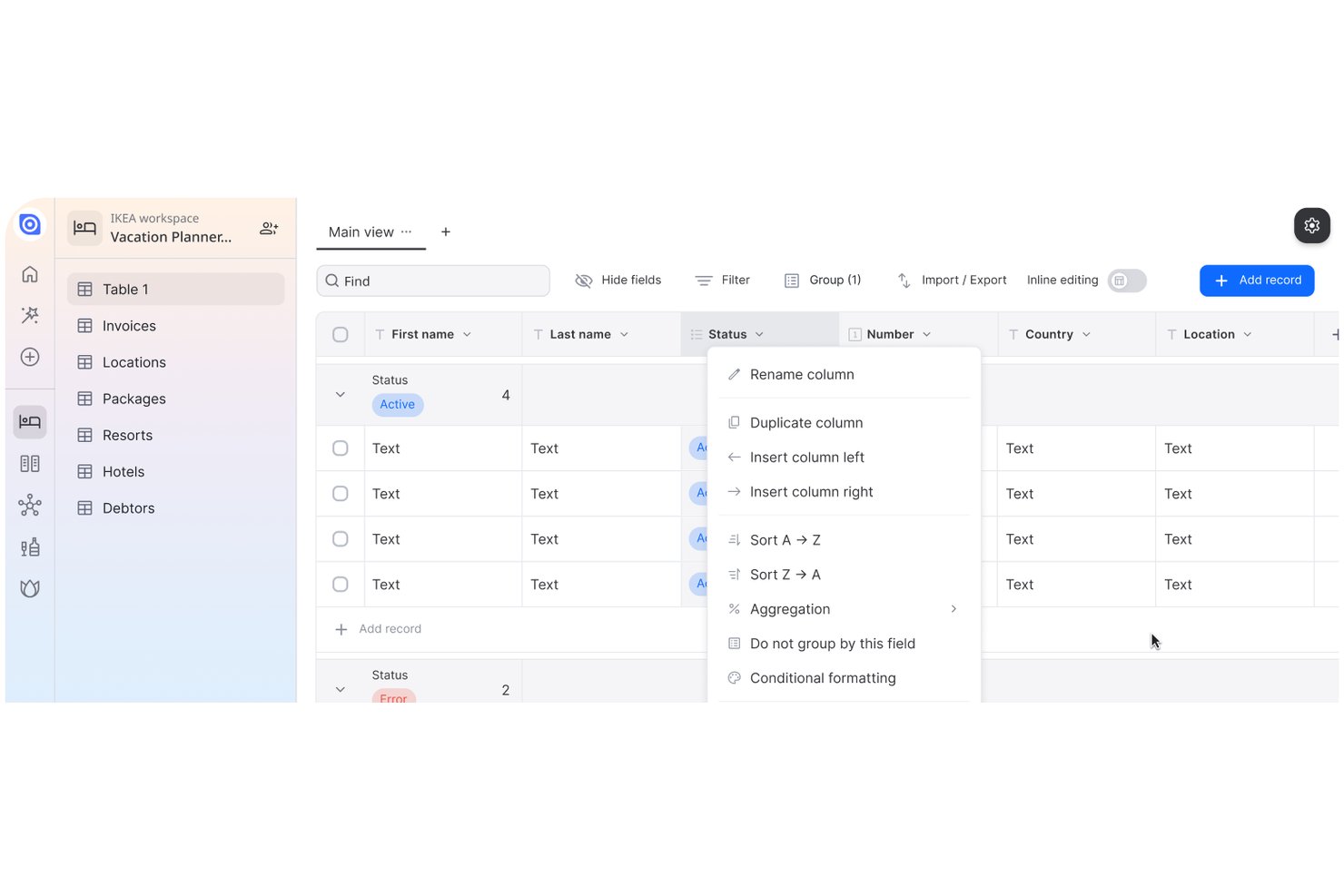
Ninox is a low-code app and database platform for teams replacing spreadsheets and disconnected tools with tailored workflows for project tracking, approvals, and operational data, making it an option for businesses considering kintone alternatives.
Who Is Ninox Best For?
Ninox suits operations teams that need to build adaptable internal apps for specialized workflows that standard project management tools don’t cover.
Why I Picked Ninox
I picked Ninox because it lets me shape a low-code app around a business process instead of forcing the process into a fixed template. I like how linked database tables can connect project records, approvals, and operational data, while custom forms and scripts support steps such as routing a request after a status change. That makes it a practical kintone alternative for workflows that need tailored data structures and automation.
Ninox Key Features
- Kanban and calendar views: Display records as boards or scheduled items.
- Role-based access controls: Set permissions at organization, workspace, and user levels.
- Spreadsheet import and export: Map fields when importing Excel or CSV files, then export records.
- Dashboard widgets: Add charts and KPI summaries to pages.
Ninox Integrations
Ninox lists seven direct integrations: Lexware Office, sevdesk, weclapp, Xentral, Sage Accounting, Google Sheets, and Excel. It also connects with Zapier and provides a REST API for custom integrations.
Pros and Cons
Pros:
- Mobile apps keep records accessible across devices
- Custom forms and scripts model tailored workflows
- Relational tables connect project and operational records
Cons:
- Scripting and documentation take extra effort
- Report layouts offer limited formatting control

Caspio
Best for unlimited user access in low-code apps
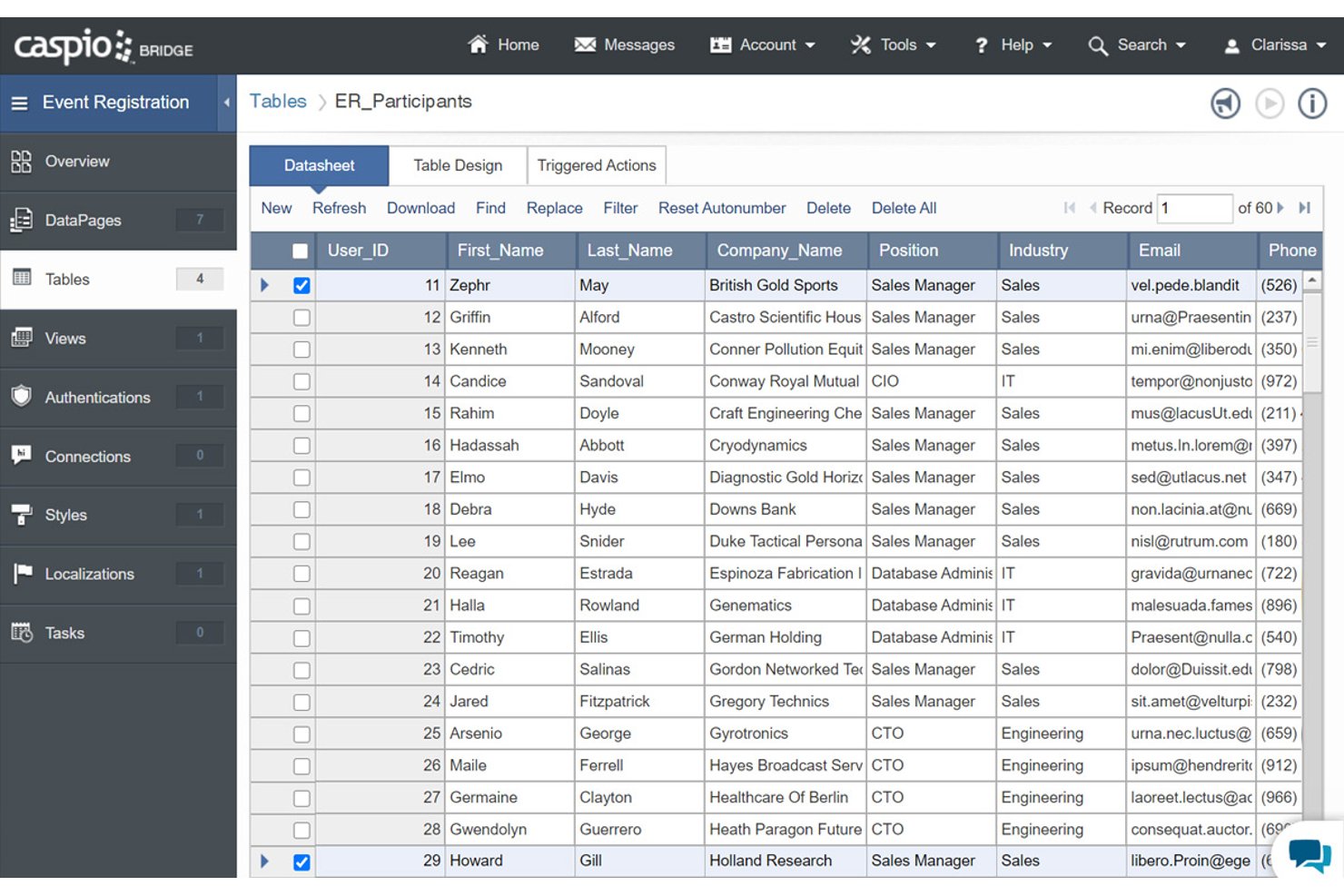
Caspio gives operations and project teams a low-code way to build database-backed web apps and automate workflows, replacing scattered spreadsheets and manual handoffs without custom software development.
Who Is Caspio Best For?
Caspio suits operations and IT teams building low-code apps for broad employee, partner, or customer access without per-user limits.
Why I Picked Caspio
I picked Caspio as a kintone alternative because it’s best for unlimited user access in low-code apps. I like that I can build database-backed web apps and automate workflows, so project teams can replace spreadsheet-based request tracking with an app employees, partners, and customers can access.
Caspio Key Features
- Interactive reports and dashboards: Create charts, pivot tables, and dashboards from application data.
- REST API and webhooks: Connect Caspio apps with external services through APIs and event-based integrations.
- App embedding: Host apps on Caspio or embed them in websites, intranets, and customer portals.
- Audit trails: Use built-in audit trails alongside role- and record-level security.
Caspio Integrations
Caspio connects with Make, n8n, and Keragon, and supports Zapier. It also offers a REST API and webhooks for custom integrations.
Pros and Cons
Pros:
- Scheduled tasks automate repeatable workflows
- Relational database links operational records
- Unlimited users remove per-seat access barriers
Cons:
- Complex applications can require custom coding
- Dashboard customization trails dedicated analytics tools

Best for comprehensive low-code app development
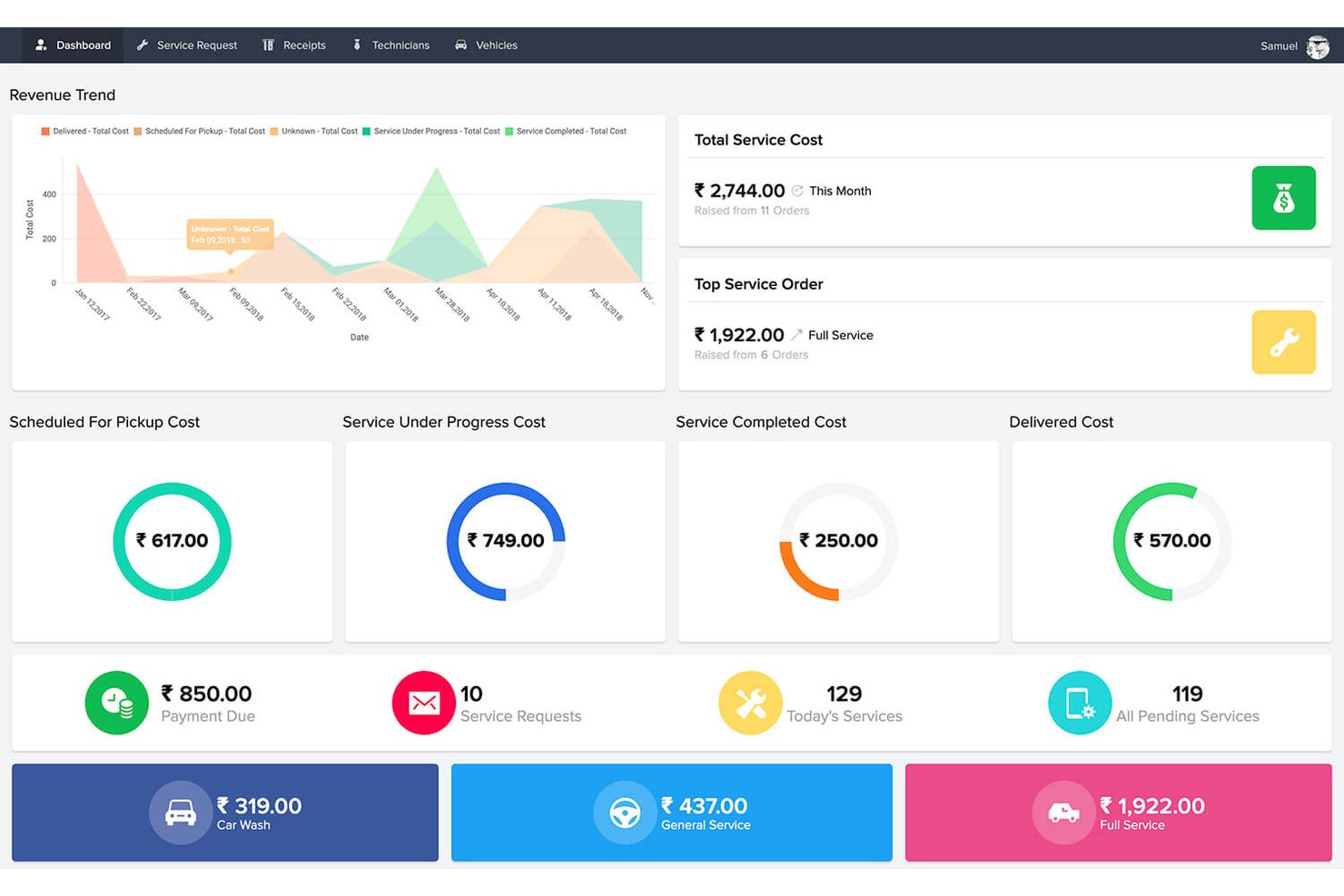
Zoho Creator gives operations and project teams a low-code way to build custom business apps and automate cross-team workflows when spreadsheets or fixed tools can't match changing processes.
Who Is Zoho Creator Best For?
Zoho Creator suits operations and IT teams in growing businesses that need tailored business apps without relying on full custom development.
Why I Picked Zoho Creator
I picked Zoho Creator, best for comprehensive low-code app development, as a kintone alternative because its app builder pairs custom forms with Blueprints that define approval stages and actions. I like that Deluge lets me add routing rules, such as sending higher-value purchase requests to finance for review.
Zoho Creator Key Features
- Reports and dashboards: Build reports and dashboards to view app data and track metrics.
- Prebuilt integrations: Connect apps with more than 1,000 prebuilt integrations.
- Customer portals: Give customers, vendors, and partners access to shared information.
- Mobile apps: Use native iOS and Android apps, with offline access to forms and reports.
Zoho Creator Integrations
Zoho Creator supports integrations with Salesforce, Stripe, QuickBooks, and Slack, and connects with Zapier and Workato. It also provides REST APIs for custom integrations.
Pros and Cons
Pros:
- Portals extend tailored apps to external partners
- One build creates native mobile apps
- Custom forms and Deluge automate approval routes
Cons:
- Formula bugs can disrupt app calculations
- Pixel-level interface customization remains restrictive

Best for field apps linked to legacy databases
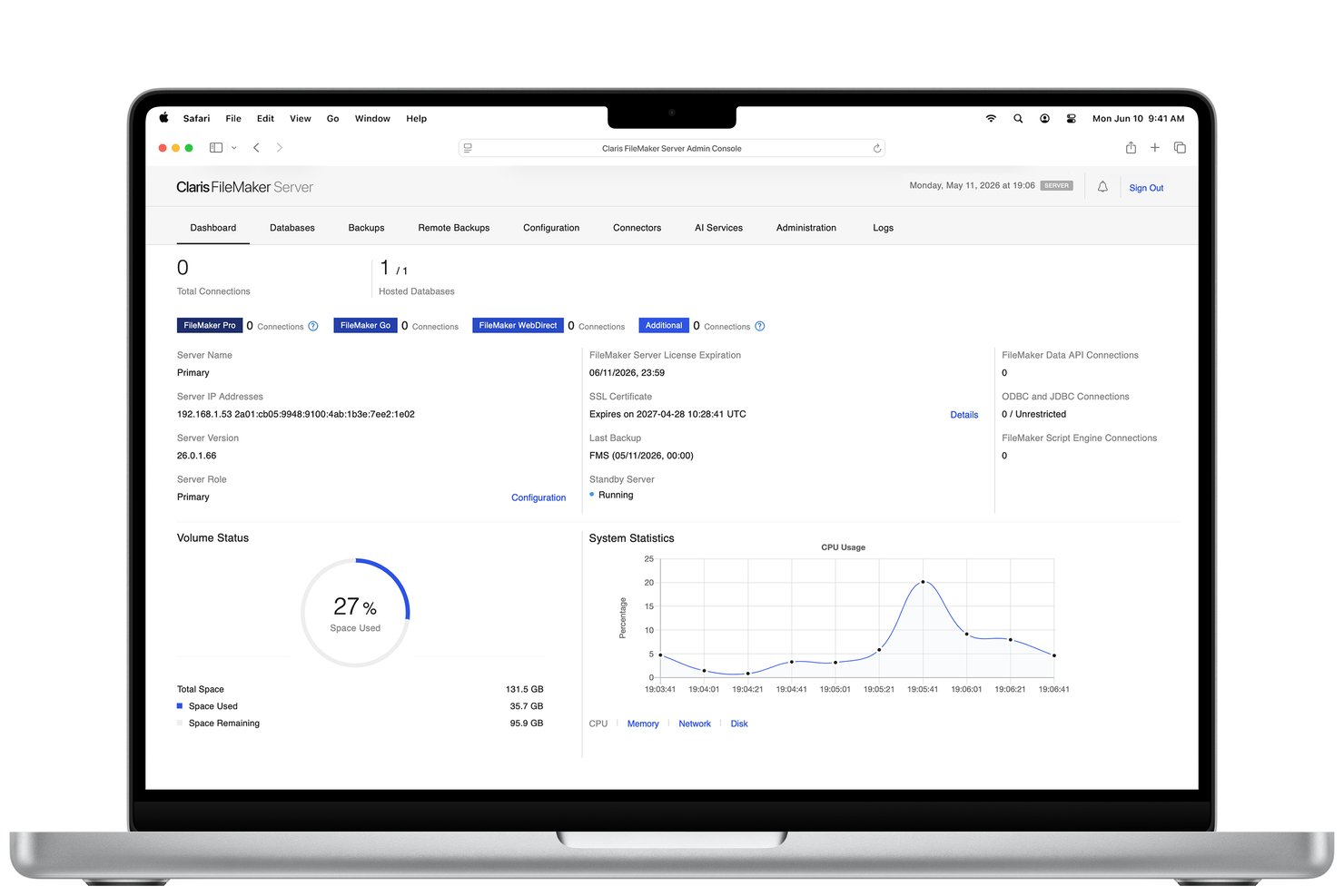
Claris FileMaker is a low-code app platform for teams that need tailored workflow apps to manage project data, approvals, and processes across connected systems.
Who Is Claris FileMaker Best For?
Claris FileMaker suits operations and IT teams that need custom business apps connected to existing databases and services.
Why I Picked Claris FileMaker
I picked Claris FileMaker for custom app development with extensive integration, especially when kintone’s app structure doesn’t fit a project workflow. Its Script Engine automates app behavior, while Claris Connect supports custom REST API connectors and conditional flows. I’d use them to turn project intake into tailored FileMaker records and send updates to a team’s proprietary planning system.
Claris FileMaker Key Features
- Cross-platform apps: Build and run apps on macOS, Windows, iPhone, and iPad.
- FileMaker WebDirect: Open FileMaker apps in a web browser.
- Access controls: Set authentication, role-based permissions, and record-level security.
- Data access: Export data as CSV or XML, or connect through Data APIs and xDBC.
Claris FileMaker Integrations
Claris Connect includes connectors for Asana, Jira, Slack, Trello, Smartsheet, Google Sheets, Microsoft Teams, and QuickBooks, and connects directly with Claris FileMaker and Claris Studio. You can build custom connectors for apps with a REST API.
Pros and Cons
Pros:
- Native desktop, mobile, and browser access
- Teams can revise live databases
- Tailored relational apps for unusual workflows
Cons:
- Web layouts can feel dated
- Complex scripts demand developer expertise

Podio
Best for client-facing operations workspaces
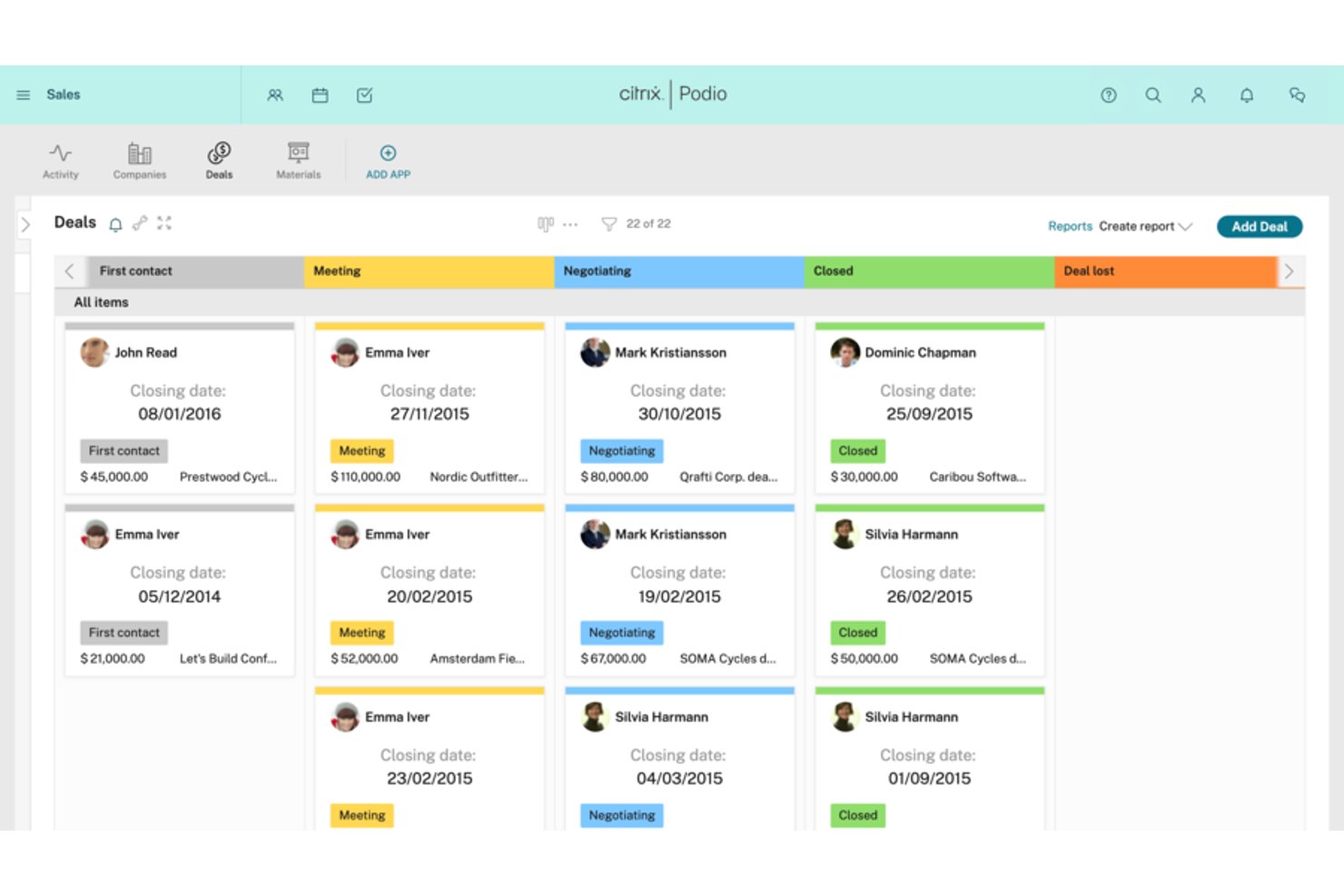
Podio is a work management platform for project and operations teams that want to build custom apps for tracking requests, coordinating work, and keeping project information in one shared workspace.
Who Is Podio Best For?
Podio suits operations teams that need to tailor workflows to their processes and coordinate work across departments.
Why I Picked Podio
I picked Podio as a kintone alternative because it pairs customizable business solutions with team collaboration. I use its custom apps to structure request intake and approval workflows around fields and status changes that match the process. Shared workspaces keep each request’s records, tasks, and team discussions together.
Podio Key Features
- Webforms: Collect external submissions directly into Podio.
- Relational fields: Link related records across apps.
- Shared calendar: View scheduled work in one calendar.
- Access controls: Set permissions for users and external collaborators.
Podio Integrations
Podio’s Extensions directory lists third-party add-ons such as teamdeck, Timely, and Gravity Forms + Podio; it also connects with Slack, Gmail, and Google Sheets through Zapier. Podio provides an API for custom integrations.
Pros and Cons
Pros:
- Free guest access supports external collaborators
- Linked records connect related business data
- Custom apps match department-specific workflows
Cons:
- Complex workflows take time to configure
- Reporting and dashboards offer limited depth

Knack
Best for no-code application development
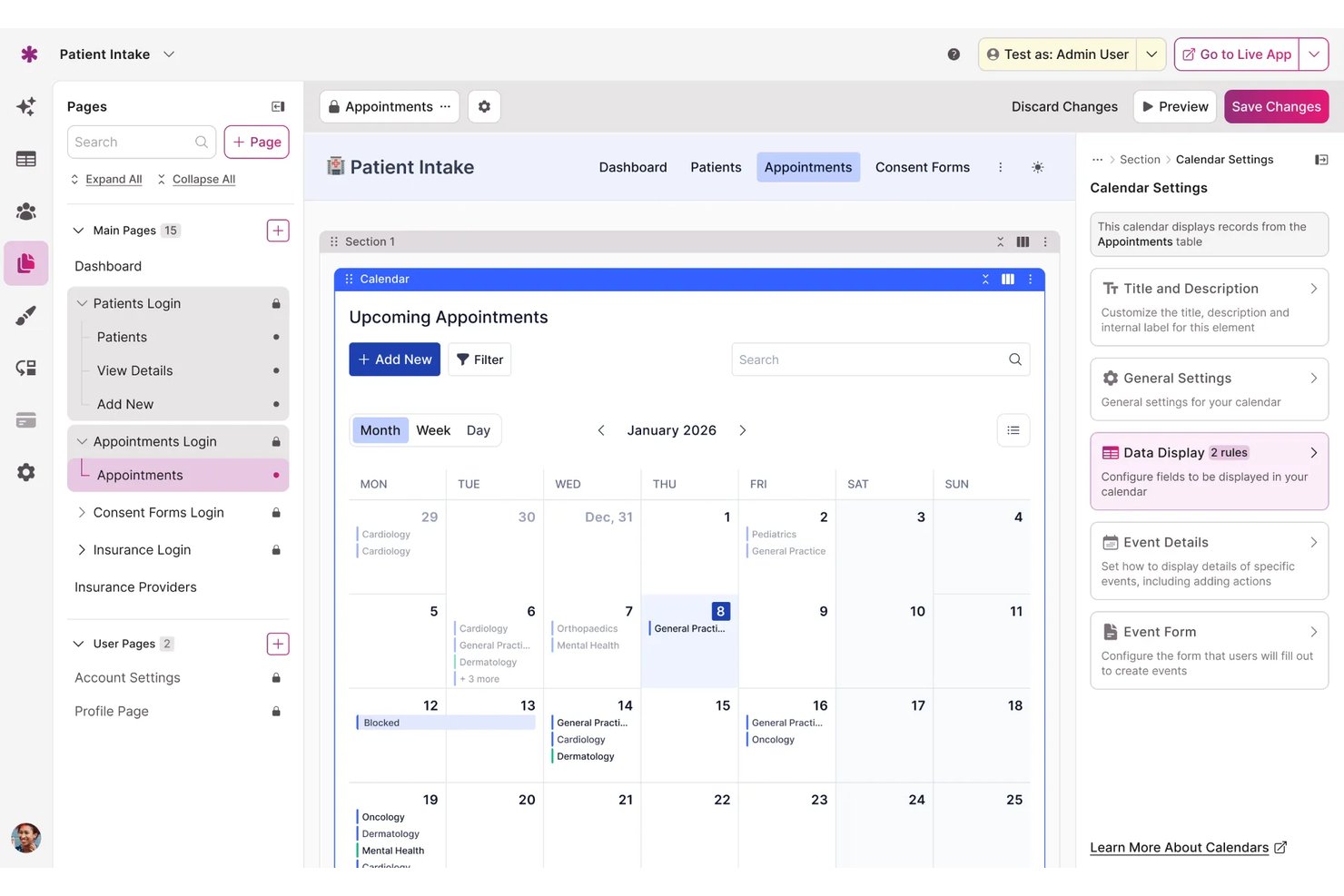
Knack is a cloud-based database and business app platform for operations and project teams that need to organize shared data, replace spreadsheet-based tracking, and connect day-to-day workflows without custom software.
Who Is Knack Best For?
Knack suits operations and project teams that need to build custom internal apps without relying on developers.
Why I Picked Knack
I picked Knack as a kintone alternative because it’s best for no-code application development. I like how its database, forms, and role-based access let me build a project intake app where teams submit requests, track linked records, and see only the information relevant to their role.
Knack Key Features
- Visual workflow builder: Create automated processes with drag-and-drop steps and actions.
- Knack Flows integrations: Connect Knack to third-party apps, including Slack, Google Drive, and QuickBooks.
- Reports and dashboards: Present data with pivot tables, charts, and customizable filters.
- App templates: Start with prebuilt options for project management, scheduling, and reporting.
Knack Integrations
Knack Flows offers 400+ native integrations, including Slack, Google Drive, QuickBooks, HubSpot, and Salesforce; Knack also connects with Zapier and provides an API for custom integrations.
Pros and Cons
Pros:
- Role-based views separate staff and client access
- Flows automate approvals across business workflows
- Relational databases support custom operational apps
Cons:
- No offline mode for field teams
- Complex actions across tables take extra setup

Best for secure and strategic form building
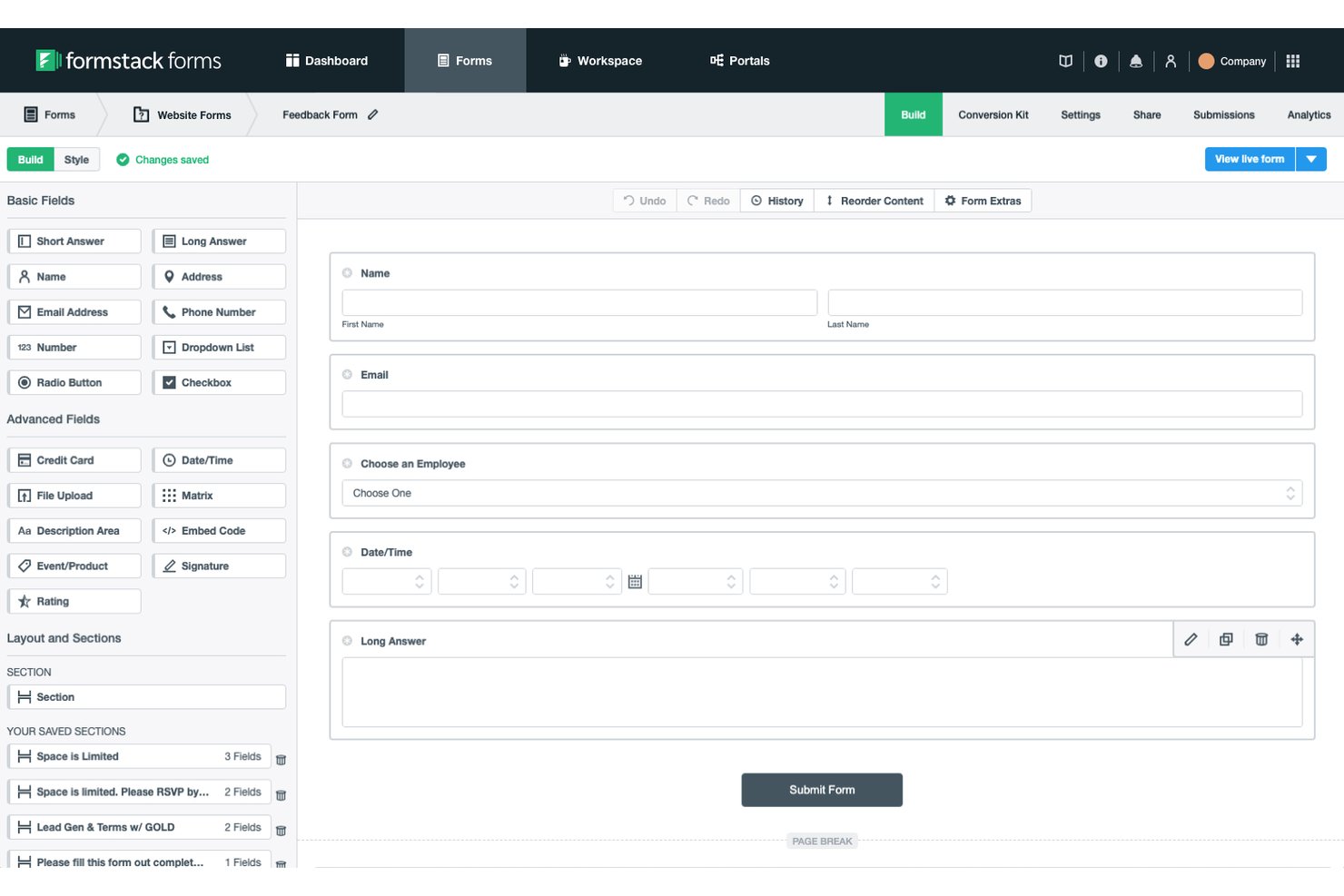
Formstack is a no-code form and workflow platform for teams that need to replace email-based intake with structured submissions, routed approvals, and connected processes without building a custom app.
Who Is Formstack Best For?
Formstack suits operations and project teams that need secure forms to collect information and route approvals across business workflows.
Why I Picked Formstack
I picked Formstack as a kintone alternative for its “Best for secure and strategic form building” focus. Encrypted form data and user-level permissions help protect sensitive intake, while conditional logic and approval workflows route requests to the right reviewer.
Formstack Key Features
- Save and resume: Let respondents pause a form and continue later.
- Data integrations: Sync form submissions with CRMs and other connected systems.
- Payment collection: Add payment fields and connect a payment processor.
- Form analytics: Track form activity and identify where respondents abandon forms.
Formstack Integrations
Formstack lists 250+ integrations, including native Salesforce and integrations with Google Sheets, HubSpot, Airtable, Microsoft Power Automate, and Zapier. It also provides an API for custom integrations.
Pros and Cons
Pros:
- Respondents can save and resume submissions
- Conditional branching routes requests to reviewers
- Encrypted intake with granular form permissions
Cons:
- Limited control over form appearance
- Doesn't replace kintone's record-centric custom apps
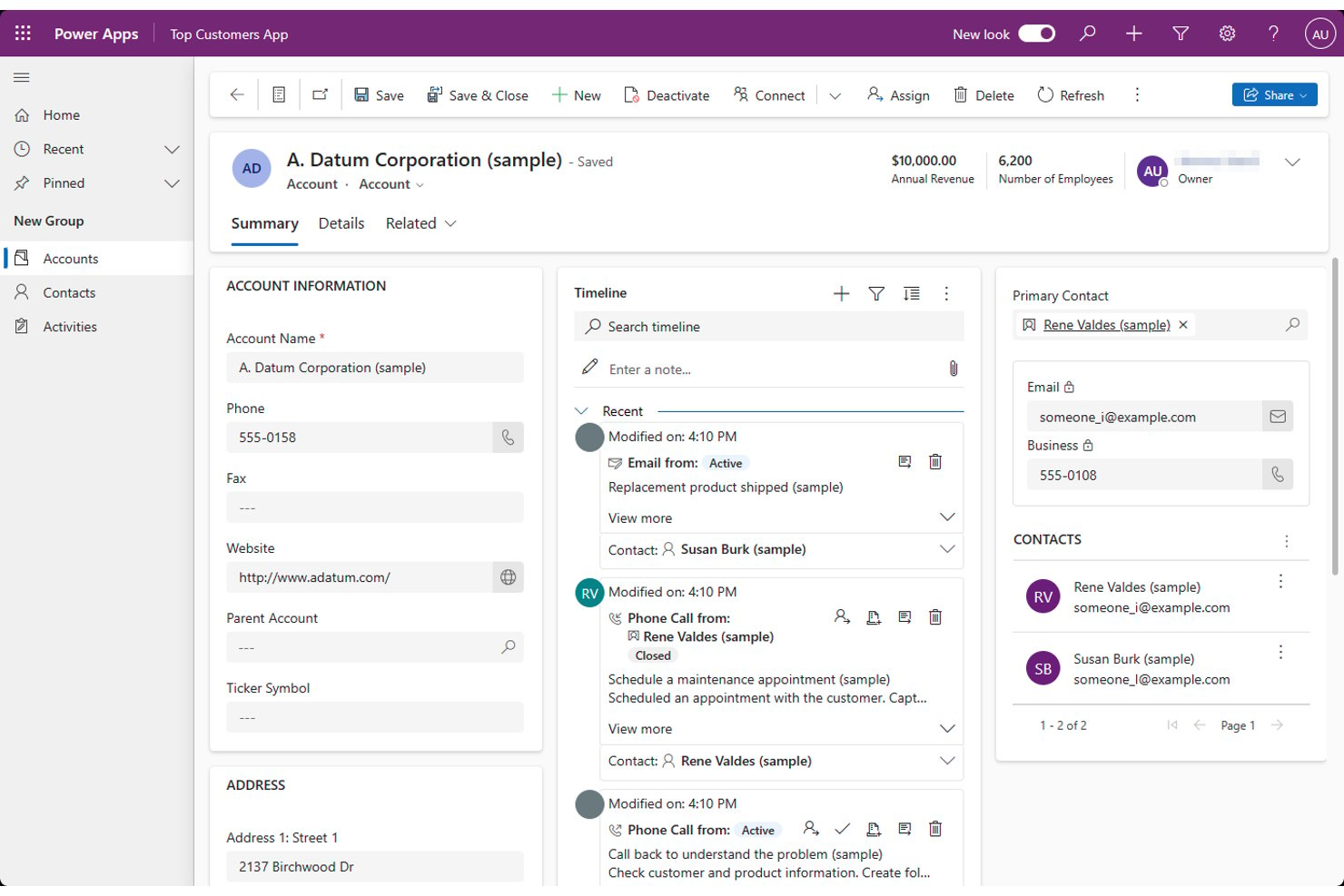
Microsoft Power Apps gives project and operations teams a low-code way to build custom business apps that replace manual data collection and connect work across Microsoft tools and other systems.
Who Is Microsoft Power Apps Best For?
Microsoft Power Apps suits IT teams and business analysts who want to build AI-powered business apps with low-code tools.
Why I Picked Microsoft Power Apps
I picked Microsoft Power Apps, my choice for “Best for AI-powered app development,” as a kintone alternative. Copilot can turn a plain-language process description into app screens and tables, while AI Builder can extract fields from submitted documents. I’d use both to create an intake app that routes requests and captures invoice details.
Microsoft PowerApps Key Features
- Canvas apps: Arrange controls on flexible screens to create custom forms and workflows.
- Model-driven apps: Build data-focused apps from Dataverse tables, forms, and views.
- Data connectors: Connect apps to Microsoft 365 and third-party services.
- Power Automate flows: Trigger actions such as notifications or approvals from app events.
Microsoft PowerApps Integrations
Microsoft Power Apps has built-in connectors across the Microsoft ecosystem, including Microsoft 365 and SharePoint, as well as connectors for Salesforce and SQL Server. You can also create custom connectors for REST APIs.
Pros and Cons
Pros:
- Dataverse supports structured business app data
- Rapidly digitizes approval and intake workflows
- Copilot drafts apps from plain-language requirements
Cons:
- Polished interfaces often require design workarounds
- Large datasets can slow app performance

Google Forms gives project teams a lightweight way to collect requests, feedback, and project details, helping them organize incoming information without adopting a full workflow automation platform.
Who Is Google Forms Best For?
Google Forms suits project managers and operations teams that need quick surveys to gather stakeholder input or project data.
Why I Picked Google Forms
I picked Google Forms as a kintone alternative for its stated strength: “Best for simple online surveys and data collection.” I use answer-based section branching and response validation to tailor project intake questions and reduce incomplete submissions. Response summaries and Google Sheets exports help me review stakeholder feedback and organize requests before assigning work elsewhere.
Google Forms Key Features
- Question types: Add multiple-choice, short-answer, date, and other question formats.
- File uploads: Let respondents attach files to their submissions.
- Quiz mode: Assign points, set answer keys, and provide feedback on answers.
- Collaborator access: Invite others to edit a form with you.
Google Forms Integrations
Google Forms has a built-in option to send responses to Google Sheets. It connects with Zapier and provides an API for custom integrations.
Pros and Cons
Pros:
- Validation reduces incomplete submissions
- Branching tailors questions to respondent answers
- Fast setup for project intake surveys
Cons:
- Limited form styling and branching depth
- No task ownership or workflow tracking
Jotform
Best for versatile online form building
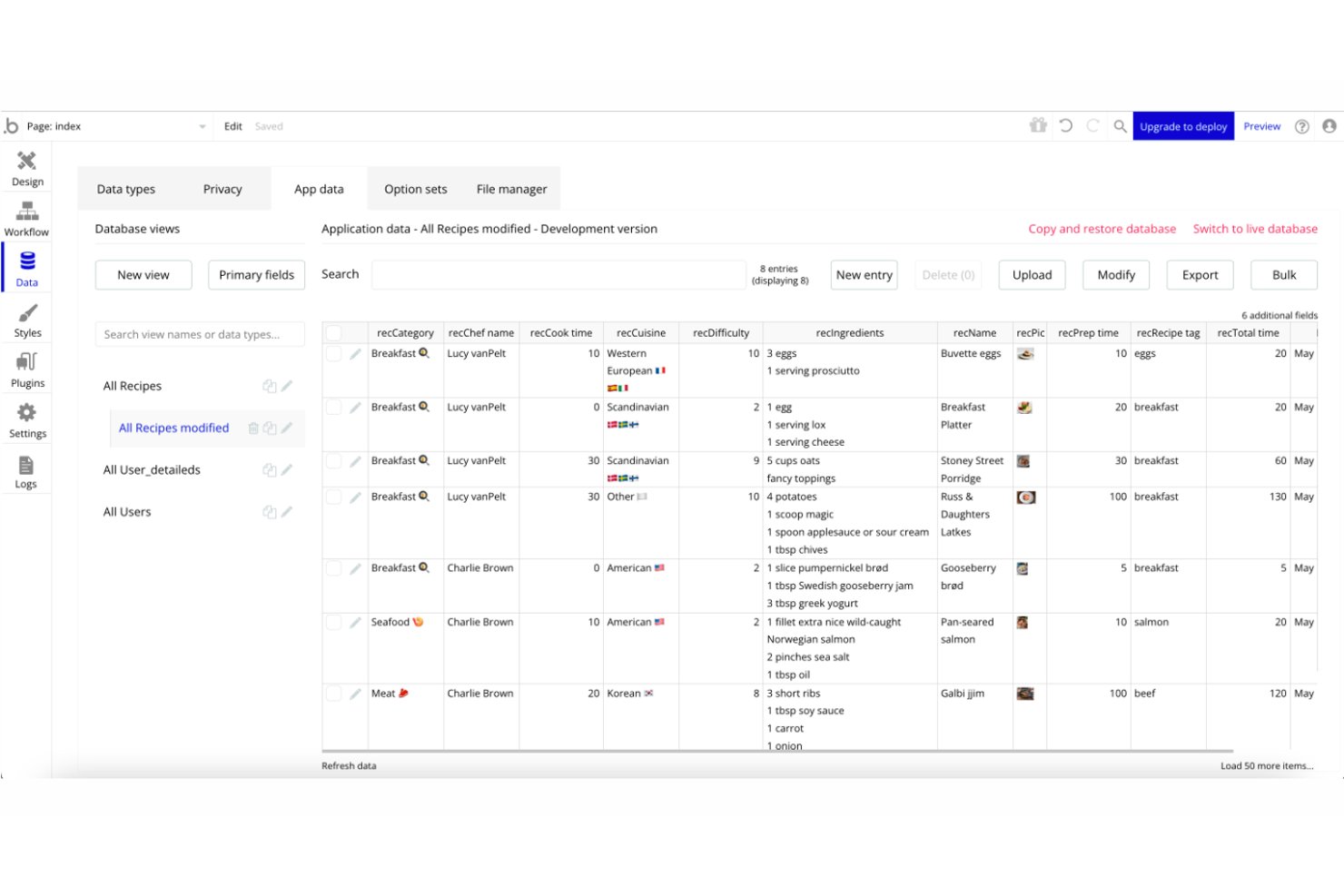
Jotform is a no-code forms and workflow platform that helps project and operations teams collect requests, route approvals, and reduce manual follow-up without building a custom app.
Who Is Jotform Best For?
Jotform suits operations, HR, and marketing teams that need to create varied online forms without custom development.
Why I Picked Jotform
I picked Jotform as a kintone alternative for teams that build different request workflows. Its USP is “Best for versatile online form building.” I like how conditional fields can tailor an intake form to each request type, while approval workflows route submissions to the right reviewer. A product change request can collect relevant details and move directly into sign-off.
Jotform Key Features
- App integrations: Connect submissions to tools such as Slack, Google Drive, and Salesforce.
- Jotform Tables: View, organize, and update submission data in a spreadsheet-style workspace.
- PDF editor: Turn submitted data into custom PDFs, such as project briefs or service agreements.
- Payment collection: Accept payments through forms using supported payment integrations.
Jotform Integrations
Jotform lists 200+ integrations, including Slack, Google Drive, Salesforce, Google Sheets, Trello, Asana, and Zapier. It also provides an API for custom integrations.
Pros and Cons
Pros:
- Submissions convert into signable PDFs
- Approval flows route submissions for sign-off
- Conditional fields tailor request-specific intake
Cons:
- Complex forms can lag during editing
- Tables offer less depth for relational apps
Diğer Kintone Alternatifleri
Aşağıda kısa listeye aldığım ek Kintone alternatiflerinin bir listesi yer alıyor. İlk 10’a girememiş olsalar da hâlâ değerliler ve daha fazla araştırılmaya değerler.
- Quickbase
For dynamic work and project management
- Smartsheet
For project management and collaboration
- Wrike
For real-time project visibility and tracking
- Airtable
For scalable data and development
- TeamDesk
For creating custom databases without coding
- AppSheet
For building custom mobile apps
- Insightly
For CRM with project management features
- ClickUp
For customizable workflows and task management
- monday.com
For team collaboration and project tracking


İlgili Proje Yönetimi Yazılımı İncelemeleri
Aradığınızı hâlâ bulamadıysanız test edip değerlendirdiğimiz diğer ilgili araçlara göz atın:
- Proje Yönetimi Yazılımı
- Kaynak Yönetimi Yazılımı
- İş Akışı Otomasyonu Yazılımı
- Zaman Takibi Yazılımı
- Görev Yönetimi Yazılımı
- İş Birliği Araçları
- Gantt Şeması Oluşturucu
- Verimlilik Araçları
- Proje Takibi Yazılımı
- Proje Planlama Yazılımı
How I Evaluate Kintone Alternatives
I split my evaluation into two layers: the baseline a tool must clear—no-code app building, workflow automation, custom databases—and the differentiators that matter for project teams.
Core Functionality (Table Stakes For This List)
When I'm selecting tools for my list, I rank each one on a scale from 0 (does not offer the functionality) to 5 (excels in this area) for each core functionality listed below. Then, I calculate the tool's total score into a percentage. Each tool needs to achieve a minimum total score of 65% to be considered for inclusion.
- No-Code App Building: I check whether teams can build custom apps—like a project intake form or a client request tracker—through visual tools rather than code.
- Task & Project Tracking: Each tool should let you assign tasks, set deadlines, and track progress across views like Kanban boards, Gantt charts, or timelines.
- Workflow Automation: I look for rule-based triggers and actions, such as automatically reassigning a task when a status changes or routing an approval to a team lead.
- Custom Databases & Fields: Teams need to structure project data their own way, so I evaluate how each tool handles custom fields, linked records, and relational data.
- In-Context Team Collaboration: Comments, @mentions, and activity feeds tied directly to tasks or records matter more here than a standalone chat feature.
- Integrations & API Access: I evaluate native connections to tools like Slack, Google Workspace, and Jira, plus whether a REST API and webhook support are available.
Once I have a list of tools that meet this criteria, I consider what sets each platform apart.
Differentiating Factors (What Sets Vendors Apart)
Here's how I compare and contrast different vendors:
Standout Features
Custom dashboards matter because PMO leads need to roll up project health across teams without exporting data to a spreadsheet. I also look at portfolio and resource management features—seeing workload across projects helps operations managers spot overallocation before it causes delays. Guest access is another factor I weigh, since cross-functional teams often collaborate with contractors or clients who shouldn't need a full license.
Beyond Features
Pricing transparency matters when you're scaling from a small team to a department-wide rollout—I check whether per-user costs stay predictable as headcount grows. Onboarding support is another factor I evaluate, since deploying a no-code platform across multiple departments often requires guided setup, templates, or access to certified consultants. I also consider team size and industry fit, because a tool built for enterprise IT teams may overwhelm a 10-person marketing group.
Neden bir Kintone alternatifi aramalısınız?
Kintone değerli bir yazılım olsa da en iyi çözümünüz olabilmesi için ihtiyaç duyduğunuz tüm özellikleri karşılamayabilir. Bu nedenle Kintone alternatifi aramanızın bazı yaygın nedenleri şunlardır:
- Maliyet: Kintone'un fiyatlandırma yapısı, özellikle bütçeleri sınırlı olanlar başta olmak üzere tüm işletmeler için uygun olmayabilir. Maliyeti çok yüksek buluyorsanız benzer işlevler sunan daha uygun fiyatlı alternatifler aramanız gerekebilir.
- Özelleştirme: Kintone bazı özelleştirme olanakları sunsa da daha kapsamlı özelleştirme seçeneklerine ihtiyaç duyan şirketler için uygun olmayabilir. Bu nedenle uygulama tasarımı ve işlevselliği üzerinde daha fazla esneklik ve kontrol sağlayan bir alternatif aramayı deneyin.
- Kullanıcı Arayüzü: Kintone'un kullanıcı arayüzü eski veya kullanışsız geliyorsa kullanıcılar daha sezgisel ve modern bir tasarıma sahip bir platform arayabilir. Zarif ve kullanıcı dostu bir arayüz, üretkenliği ve kullanıcı benimsemesini önemli ölçüde artırarak geçişi teşvik edebilir.
- Entegrasyon: Kintone, kuruluşunuzda kullanılan diğer temel yazılım ve araçlarla sorunsuz bir şekilde entegre olmayabilir; bu da sorun değildir. Süreçlerini kolaylaştırmak için daha gelişmiş entegrasyon özelliklerine ihtiyaç duyan işletmeler, mevcut teknoloji yığınlarıyla daha iyi bağlantı sunan diğer platformları değerlendirebilir.
- Ölçeklenebilirlik: Bir işletme büyüdükçe gereksinimleri mevcut sistemlerinin yeteneklerini aşabilir. Kintone artan talepleri veya karmaşıklığı karşılamak için etkili bir şekilde ölçeklenemiyorsa bir alternatif sizin için daha uygun olabilir.
Doğru proje yönetimi ve iş birliği aracını seçmek, üretkenliği en üst düzeye çıkarmak ve ekibiniz içinde sorunsuz operasyonlar sağlamak için önemlidir. Bir Kintone alternatifiyle kuruluşunuzun sürekli gelişen iş ortamında başarılı olmak için ihtiyaç duyduğu belirli özellikleri ve esnekliği bulabilirsiniz.
Kintone Alternatiflerinde Aranması Gereken Temel Özellikler
Alternatif yazılımınızın iyi bir seçenek olabilmesi için Kintone'un aşağıdaki temel özelliklerini tekrarlayabilmesi veya geliştirebilmesi gerekir:
- Özelleştirilebilir Veritabanları: Özelleştirilebilir veritabanları, işletmelerin veri yönetimi sistemlerini kendi ihtiyaçlarına göre uyarlamasına olanak tanır. Böylece tüm ilgili bilgiler, birden fazla ve birbirinden ayrı yazılım çözümüne ihtiyaç duyulmadan düzenlenmiş ve erişilebilir hâlde tutulur. Bu özellik, çeşitli departmanlar ve projeler genelinde verimli veri takibi için önemlidir ve genel operasyonel görünürlüğü artırır.
- Kodsuz Uygulama Oluşturma: Herhangi bir kodlama bilgisine ihtiyaç duymadan sürükleyip bırakma arayüzünü kullanarak uygulama oluşturma ve özelleştirme olanağı, teknik olmayan ekip üyelerinin araç oluşturma sürecine katkıda bulunmasını sağlar. Bu, iş çözümlerinin devreye alınmasını hızlandırır ve ekipler içinde yenilikçiliği teşvik eder.
- İş Akışı Yönetimi: Karmaşık süreçleri başlangıçtan tamamlanmaya kadar kolayca izlenebilen otomatik iş akışları hâlinde düzenlemek, operasyonları kolaylaştırmaya ve hata olasılığını azaltmaya yardımcı olur. Bu özellik, projelerin sorunsuz ilerlemesini ve yöneticilerin görevleri etkili bir şekilde izlemesini sağlayarak üretkenliği ve hesap verebilirliği artırır.
- İş Birliği Araçları: Yerleşik iş birliği araçları, ekip üyelerinin verileri paylaşmasına, çalışma arkadaşlarını etiketlemesine ve işleri bağlamında kritik görüşmeler yapmasına olanak tanıyarak aralarındaki iletişimi geliştirir. Bu araçlar, hızlı tempolu iş ortamları için hayati önem taşıyan daha bütünleşik ve duyarlı bir çalışma ortamını kolaylaştırır.
- Otomatik Bildirimler: Otomatik bildirimler, ekip üyelerinin yaklaşan son tarihlerden ve görev atamalarından manuel takip işlemlerine gerek kalmadan haberdar olmasını sağlamak için gereklidir. Bu özellik, hiçbir şeyin gözden kaçmamasına yardımcı olur; proje ivmesini korur ve ekipler genelinde zaman yönetimini geliştirir.
- Misafir Alanları: Platformun düzenli kullanıcıları olmayan dış üyelerle iş birliği yapmak üzere misafir alanları oluşturma olanağı; yüklenicileri, müşterileri veya iş ortaklarını içeren projeler için hayati önem taşır. Bu esneklik, temel ekip içindeki veri ve proje yönetimi üzerindeki kontrolü korurken dış iş birliğini geliştirir.
- Veri Görselleştirme: Grafikler ve çizelgeler gibi veri görselleştirme araçları, işletme performansı hakkında anında içgörü sağlar ve hedeflere göre ilerlemenin izlenmesine yardımcı olur. Bu özellik, bilinçli kararların hızlı bir şekilde alınması için gereklidir ve ekiplerin gerçek zamanlı veri analizine dayanarak stratejilerini proaktif biçimde ayarlamasına olanak tanır.
- Erişim Kontrolleri: Verilere kimlerin erişebileceğini ve verileri kimlerin değiştirebileceğini yönetmek için ayrıntılı izin kontrolleri uygulamak, veri bütünlüğünü ve güvenliğini korumak açısından gereklidir. Bu özellik, hassas bilgilerin korunmasını ve düzenleyici standartlara uyumun sürdürülmesini sağlar.
- Mobil Erişim: Mobil erişim, ekip üyelerinin herhangi bir konumdan veritabanları, uygulamalar ve iş akışlarıyla etkileşim kurmasına olanak tanır ve masalarından uzaktayken bile üretken kalabilmelerini sağlar. Bu esneklik, mobil veya uzaktan çalışan iş gücüne sahip modern işletmeler için kritik öneme sahiptir.
- Entegrasyon Yetenekleri: API'ler aracılığıyla diğer araç ve hizmetlerle entegre olabilme özelliği, bir platformun işlevselliğini genişleterek daha stratejik bir çözüme dönüşmesini sağlar. Bu birlikte çalışabilirlik, iş akışlarını optimize etmenin ve genel üretkenliği artırmanın anahtarıdır.
Kintone alternatiflerini değerlendirirken yalnızca Kintone'un sunduğu özellikleri karşılamakla kalmayıp bunları potansiyel olarak aşan bir platformu göz önünde bulundurmak önemlidir. Bu alanlarda üstün performans gösteren bir platformu seçmek, ekibinizi rekabetçi bir iş ortamında başarı için gerekli araçlarla donatır.