

2026’da İncelenen Üniversiteler İçin En İyi 10 DAM Yazılımı

Üniversiteler için DAM Yazılımı Kısa Listesi


Üniversiteler için doğru dijital varlık yönetimi yazılımını seçmek göz korkutucu bir görevdir. Medyayı düzenlemek, depolamak ve geri almak için bir yol arıyorsunuz, ancak seçeneklerin çokluğu bunaltıcı olabilir. Karşılaştığınız zorlukları anlıyorum. En iyi DAM yazılımlarından oluşan bu kısa listeyi hazırlamak için dijital projeleri yönetme ve çeşitli üretkenlik araçlarını kullanma konusundaki kapsamlı deneyimimden yararlanarak seçim sürecinde size rehberlik etmek için buradayım.
Why Trust Our Software Recommendations
Our team has been testing and reviewing software since 2012. As project managers ourselves, we know how difficult—and important—it is to choose the right software.
For this guide, we evaluated tools using hands-on testing and independent research, scoring tools using our selection criteria. We also draw on insights from industry thought leaders and practicing project management experts.
Our reviews reflect our human editorial judgment, not a sales pitch.
Expert reviewers:
Üniversiteler için DAM Yazılımları Karşılaştırma Tablosu
Bu karşılaştırma tablosu, üniversiteler için en iyi DAM yazılımları seçimimde fiyatlandırmayı, ücretsiz denemeleri ve demo kullanılabilirliğini kapsar.
| Tool | Starting Price | Website | |
|---|---|---|---|
| Best for secure asset management | 4.6 out of 5 | Pricing upon request Free demo available | Website |
| Best for unlimited user access | 4.8 out of 5 | $99/month Free plan + 14-day free trial + demo available | Website |
| Best for digital asset collaboration | 4.7 out of 5 | $100/month 7-day free trial + free demo available | Website |
| Best for automated AI content tagging | 4.8 out of 5 | $250/month Free plan + free trial available | Website |
| Best for a centralized cloud workspace | 4.6 out of 5 | $900/month Free plan + demo available | Book Demo |
| Best for simplified asset management | 4.7 out of 5 | $29/month 30-day free trial available | Website |
| Best for commerce-oriented information management | 4.7 out of 5 | Pricing upon request Free demo available | Website |
| Best for collaborative brand management | 4.4 out of 5 | Pricing upon request Free demo available | Website |
| Best for brand assets across departments | 4.6 out of 5 | $80/month + $16/user/month 30-day free trial + free demo available | Website |
| Best for global marketing operations | 4.4 out of 5 | Pricing upon request Free demo available | Website |
Üniversiteler için En İyi DAM Yazılımları İncelemeleri
Akademik kurumlara özel olarak tasarlanmış önde gelen dijital varlık yönetimi araçlarının güçlü ve zayıf yönleri aşağıda yer almaktadır. Her inceleme, özelliklerin ve ideal kullanım alanlarının ayrıntılı bir değerlendirmesini sunar.

Best for secure asset management
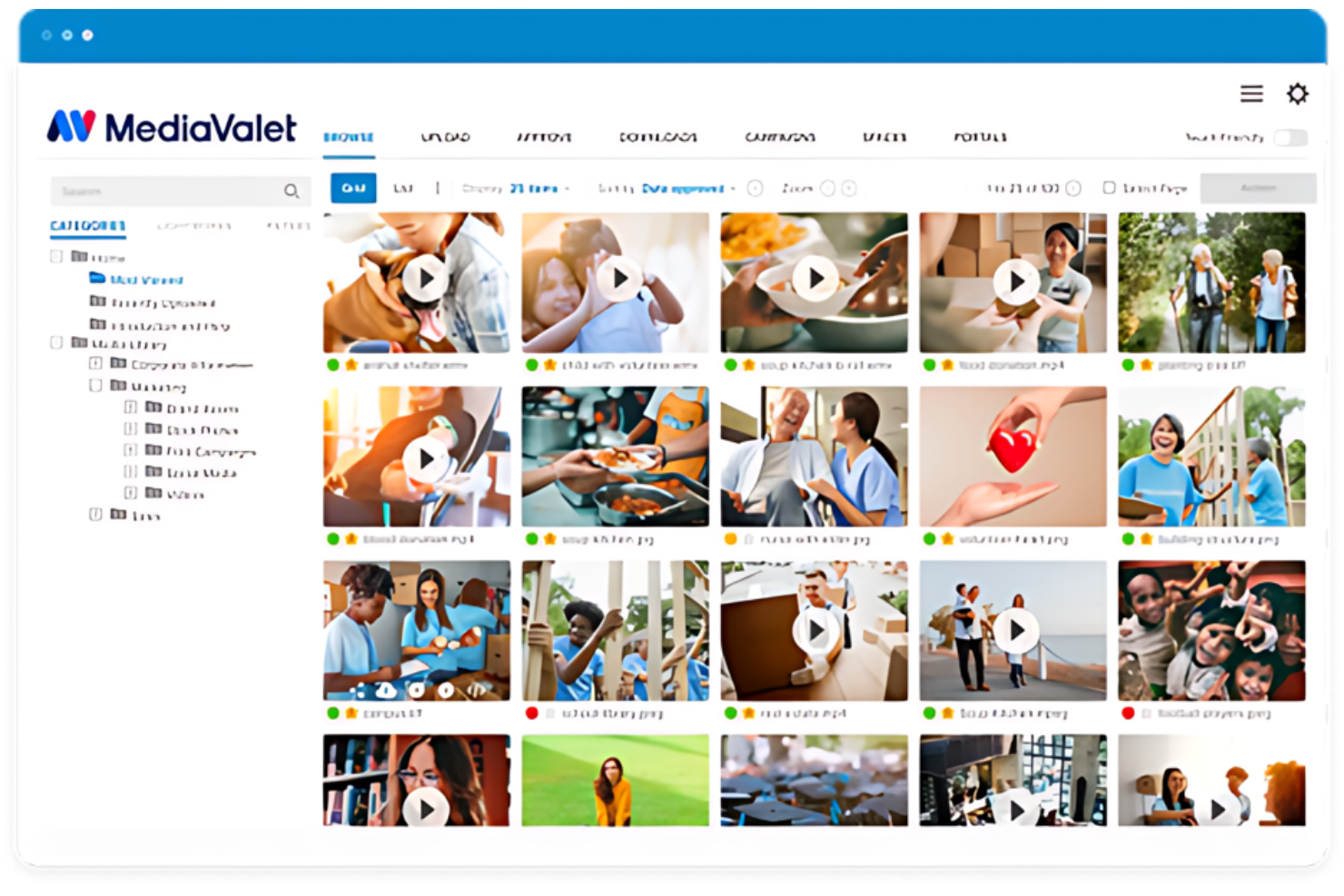
MediaValet stands out as a DAM platform designed to streamline asset organization and access across large organizations, including universities. It provides robust tools to manage, share, and distribute digital assets efficiently, ensuring that educational institutions can maintain a high level of content organization and security.
Why I Picked MediaValet: I chose MediaValet for this list after comparing it with other DAM tools, focusing on its unique features and comprehensive customer support, which is crucial for universities with complex asset management needs. Its reputation for outstanding support helps educational institutions implement and utilize the software effectively. I judged it as best because it consistently receives high marks for responsive and helpful service, distinguishing it from competitors.
Standout features and integrations:
Features include AI-powered tagging, which simplifies the categorization and retrieval of assets. The platform supports large file handling, which is essential for universities dealing with high volumes of media files. Additionally, it provides granular permission settings, allowing detailed control over who can access specific assets.
Integrations include Microsoft Office 365, Adobe Creative Cloud, WordPress, Drupal, Slack, Hootsuite, Wrike, Canva, Zapier, and Salesforce.
Pros and Cons
Pros:
- Extensive customer support
- Granular permission controls
- Advanced AI tagging features
Cons:
- Limited customization options for niche academic needs
- May be complex to implement without proper training

Best for unlimited user access

Stockpress is a Digital Asset Management (DAM) platform designed to help a range of organizations, including educational institutions, manage, find, and share digital files within a unified workspace.
Why I Picked Stockpress: The platform offers advanced visual search and dynamic filters, allowing your team to quickly locate specific files among vast collections. This is particularly beneficial in a university setting, where departments handle a multitude of digital assets daily. Another notable aspect is Stockpress's robust collaboration tools. Features like file commenting, favoriting, and version control enable seamless teamwork across departments and roles, whether you're a student or instructor. Finally, I really like that Stockpress offers unlimited user access with granular permission controls.
Standout features and integrations:
Features include customizable share links that let you securely distribute images and videos to internal teams and external partners with private, view-only access. Link cards allow you to organize external cloud documents alongside your files, keeping a wide range of assets organized together.
Integrations include Google Drive, Dropbox, Box, Adobe Photoshop, Slack, Mailchimp, Okta, Webflow, Klaviyo, Adobe Illustrator, Adobe InDesign, and Canva.
Pros and Cons
Pros:
- Unlimited users without additional costs
- Efficient search functionality with AI tagging
- Robust security features for safe file sharing
Cons:
- Limited offline access
- Initial setup may require time to organize existing assets

Pics.io
Best for digital asset collaboration

Pics.io is a dynamic DAM solution designed to enhance the organization, storage, and sharing of digital content. This platform is particularly beneficial for universities where managing extensive digital content—including academic publications, lecture videos, promotional materials, and administrative documents—can be complex.
Why I Picked Pics.io: In an academic environment where collaboration among faculty, students, and administrative staff is essential, Pics.io offers real-time editing and commenting features. Its robust version control system ensures that all changes are meticulously tracked, simplifying the management of revisions and maintaining updated content. Additionally, the platform’s role-based access control balances security and accessibility, ensuring that sensitive materials are protected while remaining accessible to authorized users.
Standout features and integrations:
Features include customizable branded web portals for public sharing, automated keywording and face recognition for quick search and organization, detailed analytics and reporting for tracking asset usage, advanced metadata tagging, visual comparison tools for side-by-side analysis, and speech-to-text transcription for audio and video files.
Integrations include WordPress, Slack, Figma, Dropbox, Google Drive, Amazon S3, Adobe Creative Cloud, Microsoft Office 365, Zapier, Zoho CRM, and Webhooks.
Pros and Cons
Pros:
- Branded web views for public sharing
- Advanced tools like dynamic AI-based tagging
- Robust collaboration features
Cons:
- Lacks extensive customization options
- Large files may load slower
New Product Updates from Pics.io
Pics.io Adds Filtered Audit Trail CSV Exports
Pics.io now lets you export Audit Trail logs to CSV and apply filters before exporting, making it easier to analyze and share activity history. For more information, visit Pics.io's official site.
 .
Best for automated AI content tagging
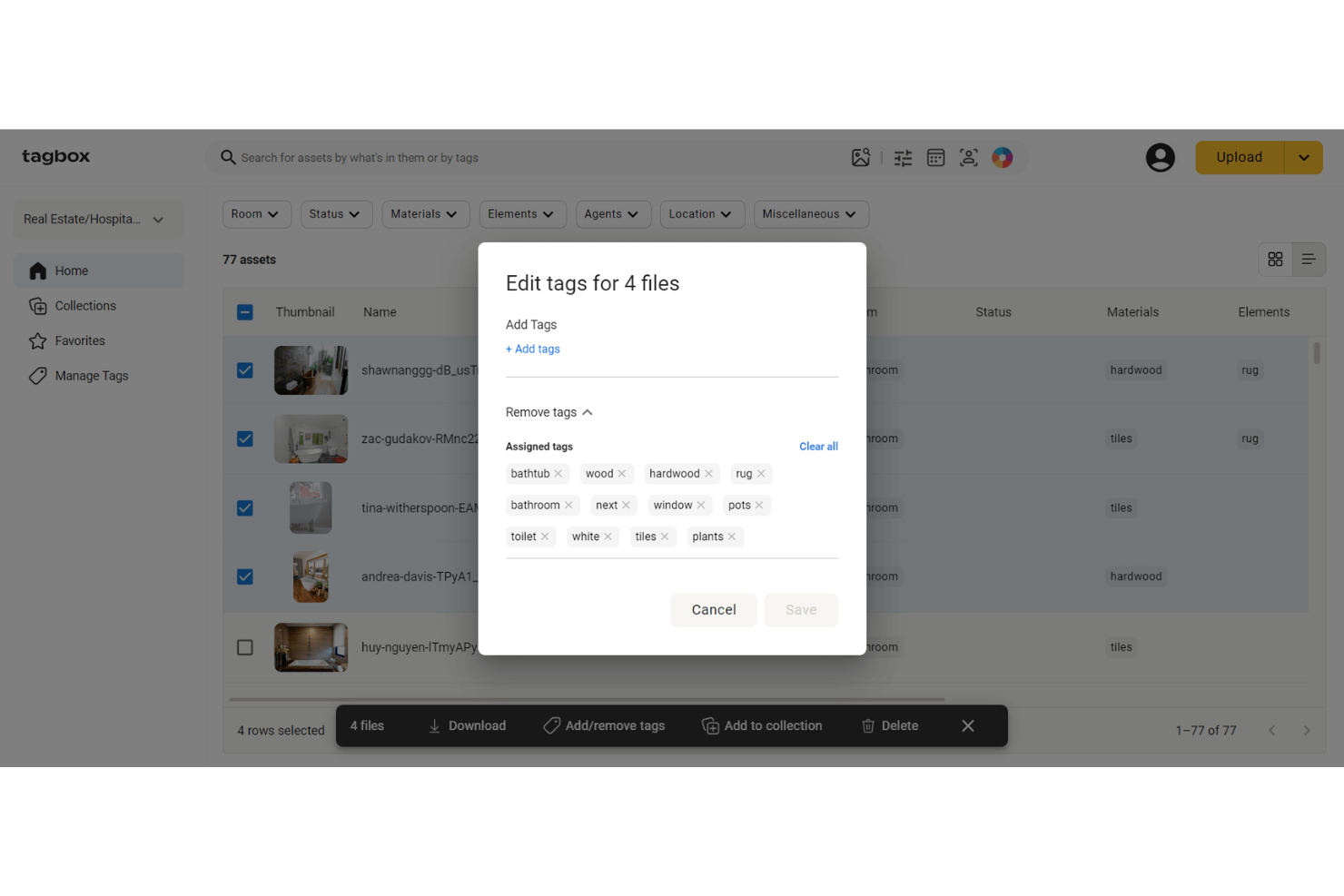
Tagbox.io is a digital asset management solution for universities that need to organize large libraries of photos, videos, PDFs, and creative files across departments. Its AI tagging, facial recognition, visual search, duplicate detection, and secure sharing tools make it a strong fit for marketing, communications, events, and admissions teams managing campus media.
Who Is Tagbox.io Best For?
Tagbox.io is a strong fit for marketing and communications teams at universities that manage large volumes of photos, videos, and branded media.
Why I Picked Tagbox.io
I picked Tagbox.io because its automated AI content tagging helps university teams organize large photo, video, and document libraries without relying on manual categorization. When your team uploads campus event photos, admissions videos, or branded media files, Tagbox.io can apply searchable tags based on people, objects, scenes, colors, and text. I also like that its facial recognition and visual search tools make it easier to find specific people or similar images across a media library. This is especially useful for marketing, communications, events, and admissions teams that need to quickly locate and reuse approved university assets.
Tagbox.io Key Features
Some other features in Tagbox.io support secure media organization and asset sharing across university teams:
- Role-based permissions: Control who can view, upload, or edit assets by assigning access levels to specific users, departments, or external collaborators.
- Shareable collections: Build curated asset collections and share them with internal teams or external partners using collection-level permission controls.
- Multilingual AI search: Search media libraries in over 100 languages using natural-language queries and filters for dates, tags, people, and file details.
- Video content analysis: Analyze video files to detect people, speech, products, and key moments, making video assets easier to search and reuse.
- Facial Recognition: Face recognition is key for finding staff, students and guests.
Tagbox.io Integrations
Connect Tagbox.io through Tagbox Desktop (drag-and-drop into any app), Zapier, Make, and a REST API. Custom workflows are available for Enterprise.
Pros and Cons
Pros:
- Shareable collections simplify media distribution across departments
- Facial recognition helps teams find people across event photos
- AI tagging reduces manual organization for campus media libraries
Cons:
- Audit trails are not clearly listed for asset access tracking
- Approval workflows are not clearly listed as native features
Air
Best for a centralized cloud workspace

Air is a creative operations platform designed to centralize the management of creative assets and workflows for teams. It offers a visual workspace that helps teams collect, approve, and share content efficiently, reducing the manual tasks often associated with creative operations.
Why I Picked Air: Air offers a range of features that make it an excellent choice for universities looking to enhance their digital asset management (DAM) processes. One of the standout features is its centralized cloud workspace, which allows all members of a university campus to stay connected to the content they need securely and efficiently. Additionally, Air facilitates real-time feedback and approval on digital assets. There is even a free plan for those who need a small amount of storage.
Standout features and integrations:
Features include support for various file formats, like video, audio, and images. The platform is also accessible on mobile and desktop, ideal for students and staff on the go. Air also offers features like smart search, a visual workspace, version tracking, automatic asset expiration management, and digital rights management.
Integrations include Airtable, Zapier, HubSpot, Slack, Tally, Alfred, ClickUp, Google Sheets, Microsoft Excel, Canva, Adobe Premiere Pro, Salesforce, Trello, Figma, Wrike, Shopify, Amazon S3, and Google Drive.
Pros and Cons
Pros:
- Supports various file formats
- Facilitates easy sharing of visual assets
- Good for approval and feedback features
Cons:
- Not ideal for those with non-visual assets
- Free version has limited storage
New Product Updates from Air
Air Introduces Workspace Agent Automations
Air adds scheduled automations, reusable skills, and run history tracking to its workspace agent. These features help teams automate recurring tasks and manage workflows without manual intervention. For more information, visit Air’s official site.
 .

Filecamp
Best for simplified asset management

Filecamp is a DAM solution that offers powerful yet simple asset management solutions suitable for small businesses, including educational institutions with more modest needs. It emphasizes ease of use and affordability, providing essential DAM functions without overwhelming features that smaller entities might not utilize.
Why I Picked Filecamp: I chose Filecamp because it effectively meets the specific needs of smaller educational institutions, offering an intuitive interface and essential DAM functionalities without the complexity that larger systems often present. This tool stands out due to its straightforward approach and cost-effectiveness, making it the best choice for small universities or departments within larger institutions that manage fewer assets.
Standout features and integrations:
Features include customizable branding options that allow institutions to tailor the look and feel of the platform to match their branding. The tool provides granular access controls, enabling precise management of who can view and edit certain assets. Additionally, Filecamp supports a wide array of file formats, ensuring compatibility and ease of access across different types of media.
Integrations include Adobe Creative Cloud, Slack, Salesforce, Microsoft Office 365, Google Workspace, Zapier, WordPress, Drupal, Joomla, and Magento.
Pros and Cons
Pros:
- Effective access control features
- Supports a wide range of file formats
- Customizable branding options
Cons:
- Integration options may not cover all user needs
- Limited advanced DAM functionalities
New Product Updates from Filecamp
Filecamp Adds Analytics, AI Thumbnails, and CDN Embed Links
Filecamp adds Analytics, AI-powered thumbnails, and CDN-backed Embed links. These updates give teams more visibility into asset usage, improve thumbnail presentation, and make embedded images easier to manage. For more information, visit Filecamp’s official site.
 .
Best for commerce-oriented information management
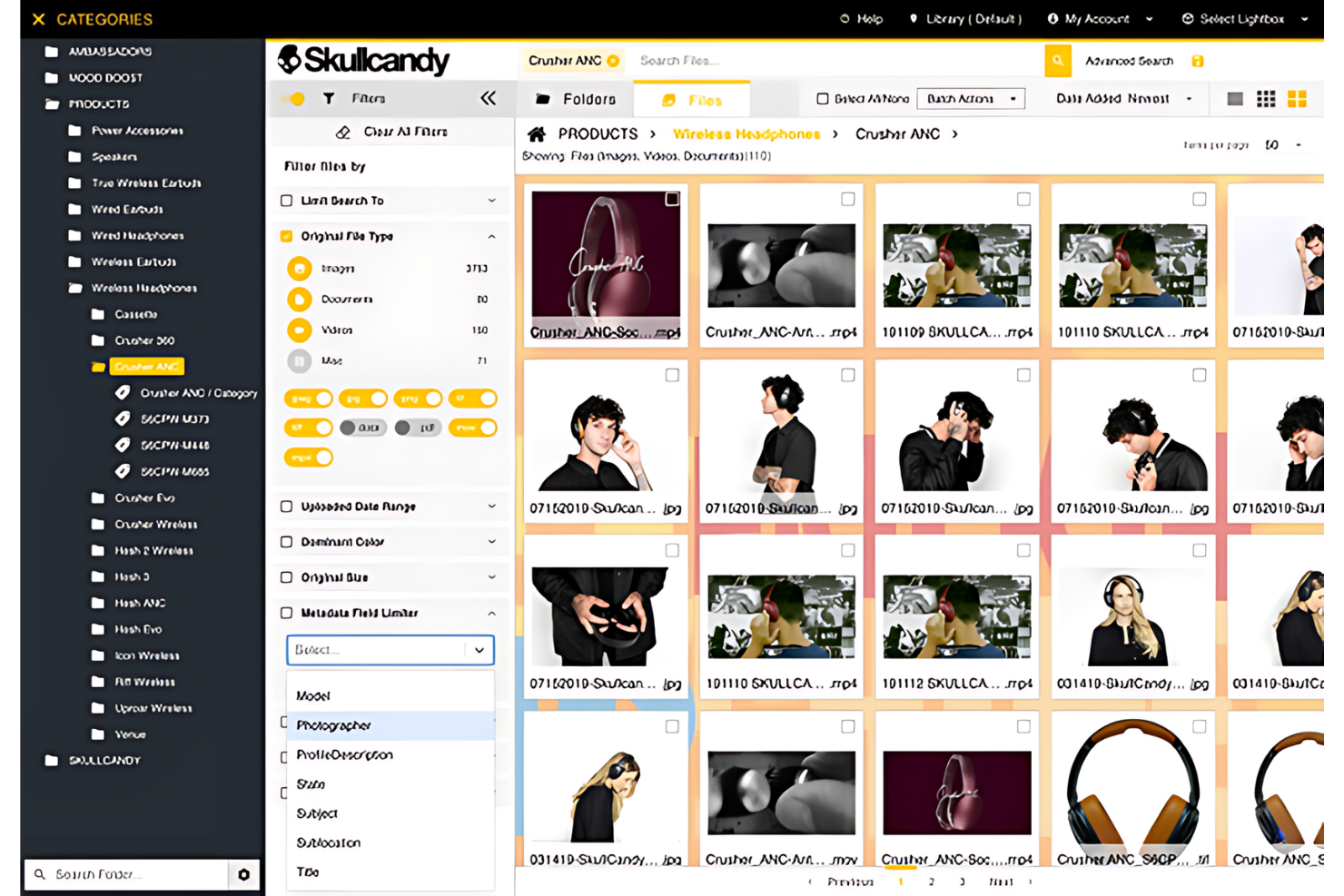
Amplifi.io is a DAM platform optimized for commerce, providing tools that streamline the management and distribution of marketing and sales assets. It is crafted to enhance how companies, including educational institutions with commercial branches, handle digital content to support sales and marketing efforts.
Why I Picked Amplifi.io: I chose Amplifi.io for this list because of its robust capabilities tailored towards commerce-oriented activities, which are critical for universities with significant commercial interactions, such as merchandising and publishing. It stands out from other DAM systems due to its focus on integrating sales and marketing workflows, making it the best choice for academic institutions that require efficient asset management to boost commercial endeavours.
Standout features and integrations:
Features include automated content distribution, ensuring all stakeholders have access to the latest marketing materials instantly. It supports dynamic asset resizing and reformatting, which saves time and resources in content preparation for various platforms. Additionally, the platform includes comprehensive analytics to track asset performance and user engagement, aiding in strategic marketing decisions.
Integrations include Shopify, Magento, Salesforce, Adobe Creative Cloud, WordPress, Drupal, Google Workspace, Microsoft Office 365, Slack, and Zapier.
Pros and Cons
Pros:
- In-depth performance analytics
- Dynamic resizing and formatting of assets
- Automated distribution capabilities
Cons:
- Potentially overwhelming feature set for non-commerce-focused users
- Lacks transparency in pricing
Canto
Best for collaborative brand management

Canto is a leading DAM platform tailored for managing, sharing, and optimizing brand assets. It is specifically designed to support the comprehensive brand management needs of organizations, making it ideal for universities that prioritize building and strengthening their brand identity.
Why I Picked Canto: I chose Canto for this list because of its dedicated focus on brand management, which is vital for universities looking to maintain consistency across all communication channels. It stands out from other DAM software with its user-friendly interface and powerful branding tools.
Standout features and integrations:
Features include visual search capabilities, which allow users to quickly locate assets based on visual elements rather than just metadata. It also provides version control, ensuring that the most current files are always available while maintaining a history of past versions. Additionally, its robust sharing options facilitate easy distribution of assets within and outside the organization.
Integrations include Adobe Creative Cloud, Salesforce, Slack, WordPress, Drupal, Hootsuite, Google Workspace, Canva, Microsoft Office 365, and Zapier.
Pros and Cons
Pros:
- Effective sharing and collaboration tools
- Strong version control features
- User-friendly interface for ease of use
Cons:
- Dependence on external integrations for full functionality
- Limited advanced customization options

Lingo
Best for brand assets across departments

Lingo is a cloud-based digital asset management (DAM) solution built to help higher-education institutions centralize, organize, and distribute brand assets such as logos, photos, templates, videos and guidelines across campus.
Why I picked Lingo: I picked Lingo because it directly addresses the kind of asset-and-brand chaos you’ll find at an institution with many departments and many users. For example, it allows each department or program to create its own branded “kits” and “portals” while you retain central oversight of the library and version control, which means you allow autonomy without losing brand governance. It gives you usage insights showing who is viewing, downloading or engaging with assets, so you can better understand which assets campus-wide are working and which are stale or rarely used.
Standout features & integrations:
Features include kit versioning and direct links, which means you can upload an updated asset (such as a new branding logo for the next academic year) and every published kit or portal that used the old one updates automatically, so you avoid “old-logo” mistakes. They also include metadata & tagging and AI-enhanced search, letting users across the institution quickly find assets by keywords, department, campaign or media type.
Integrations include Figma, Dropbox, and Google Drive. You can also use the Lingo API to build your own connections.
Pros and Cons
Pros:
- Automatic file conversion/resizing saves manual work
- Usage analytics show which assets are getting traction
- Allows departmental branded kits within a central library
Cons:
- Fewer enterprise-scale integrations available
- Lacks complex approval workflow tools

Wedia
Best for global marketing operations
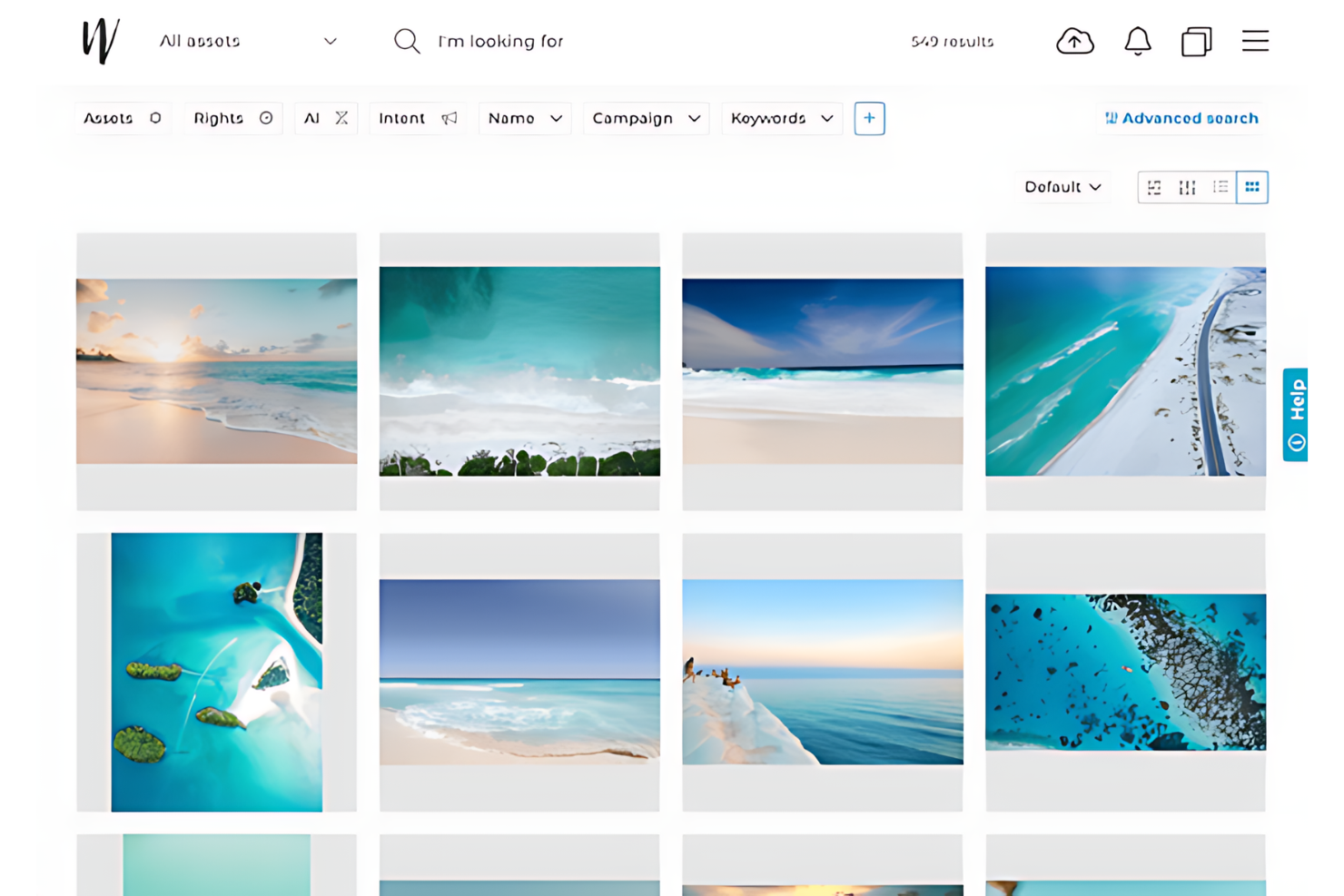
Wedia is a powerful DAM system tailored for the complex needs of large enterprises, including universities with extensive digital asset libraries. It offers robust solutions for managing, sharing, and optimizing a vast range of digital media across multiple departments and stakeholders.
Why I Picked Wedia: I chose Wedia for this list because of its scalability and comprehensive feature set, which are crucial for large organizations that require extensive content management capabilities. It stands out from other DAM systems with its ability to support global collaboration and maintain brand consistency across a large enterprise, making it the best choice for large universities that manage thousands of digital assets.
Standout features and integrations:
Features include an advanced search engine that makes it easy to locate files through smart tagging and metadata. The platform supports multimedia content management from creation to distribution, facilitating a seamless workflow for various types of digital content. It also offers detailed analytics that help track asset performance and user engagement across channels.
Integrations include Salesforce, Adobe Creative Cloud, SAP, Microsoft Office 365, Google Workspace, WordPress, Drupal, Marketo, Hootsuite, and Slack.
Pros and Cons
Pros:
- Comprehensive multimedia management features
- Advanced search and metadata handling
- Scalable to large organizational needs
Cons:
- Complexity in setup and daily use
- Potentially overwhelming for smaller teams
Diğer DAM Yazılımları
Aşağıda kısa listemize aldığımız, ancak en iyi listeye giremeyen üniversiteler için ek DAM yazılımlarının bir listesi yer almaktadır. Kesinlikle göz atmaya değer.
- MarcomCentral
For marketing asset distribution
- Scaleflex
For scalability
- Veeva Vault
For life sciences content
- Daminion
For metadata handling
- Acquia DAM (Widen)
For enterprise content management
- Brandfolder
For intuitive asset distribution
- Bynder
For brand consistency management
- Papirfly
For brand governance
- 4ALLPORTAL
For optimized marketing content
- MerlinOne
For marketing resource management


How I Evaluate DAM Software for Universities
I evaluate university DAM tools in two layers: the baseline every platform must meet and the differentiators—like multi-campus brand portals or FERPA-aware permissions—that separate the best.
Core Functionality (Table Stakes For This List)
When I'm selecting tools for my list, I rank each one on a scale from 0 (does not offer the functionality) to 5 (excels in this area) for each core functionality listed below. Then, I calculate the tool's total score into a percentage. Each tool needs to achieve a minimum total score of 65% to be considered for inclusion.
- Centralized Asset Repository: I check whether the platform can handle the volume and variety of files a university generates—think game-day photography, campus b-roll, and admissions PDFs all in one searchable library.
- Metadata & Taxonomy Management: Custom metadata schemas matter here because universities need to classify assets by department, college, campus, event, and academic year rather than relying on generic folder structures.
- Rights & Usage Management: I look for tools that let you track model releases, licensing terms, and expiration dates—especially for student athlete photos or stock images with restricted usage windows.
- Role-Based Access & Permissions: Each tool should support granular, group-based permissions so a social media coordinator in the business school can access different assets than a designer in central marketing.
- Brand Portal & Distribution: I evaluate whether teams can publish curated, branded portals where press contacts, alumni associations, or student organizations self-serve approved logos, templates, and media kits.
- Creative & CMS Integrations: The platform should connect to tools university teams already use—Adobe Creative Cloud for designers, Drupal or WordPress for web teams, and marketing automation platforms for enrollment campaigns.
Once I have a list of tools that meet this criteria, I consider what sets each platform apart.
Differentiating Factors (What Sets Vendors Apart)
Here's how I compare and contrast different vendors:
Standout Features
AI auto-tagging is a big differentiator when a university has decades of untagged event photos and campus footage sitting in migrated archives. I also look at how well a platform handles video—whether it supports in-browser preview, clipping, and captioning—since athletics and admissions teams produce heavy video content. Creative workflow approvals matter too, because routing a homecoming campaign through three stakeholders shouldn't require email chains outside the DAM.
Beyond Features
Security and compliance top my list here—I check whether a platform supports SSO through campus identity providers like Shibboleth and offers FERPA-aware access controls for content involving students. Scalability across departments matters just as much, since a university with 12 colleges and an athletics program needs federated libraries that balance central brand governance with local autonomy. I also evaluate migration support, because most institutions are moving from shared drives or legacy systems and need structured metadata mapping during onboarding.
Üniversite için DAM Yazılımı Nasıl Seçilir?
Uzun özellik listeleri ve karmaşık fiyatlandırma yapılarına kapılmak kolaydır. Kendinize özgü yazılım seçim sürecinizde ilerlerken odaklanmanızı sağlamak için göz önünde bulundurmanız gereken faktörlerin bir kontrol listesi aşağıdadır:
| Faktör | Nelere Dikkat Edilmeli? |
|---|---|
| Ölçeklenebilirlik | Yazılım üniversitenizin ihtiyaçlarıyla birlikte büyüyebilir mi? Depolama sınırlarına ve kullanıcı kapasitesine bakın. Tamamen yeniden yapılandırma gerektirmeden gelecekteki genişlemeyi destekleyecek mi? |
| Entegrasyonlar | LMS veya bulut depolama gibi mevcut araçlarla bağlantı kuruyor mu? Entegrasyon kolaylığını ve mevcut iş akışları üzerindeki etkisini kontrol edin. |
| Özelleştirilebilirlik | Arayüzü veya iş akışlarını ekibinizin ihtiyaçlarına uyacak şekilde uyarlayabilir misiniz? Kapsamlı teknik beceriler gerektirmeden kişiselleştirmeye olanak tanıyan esnek ayarları arayın. |
| Kullanım kolaylığı | Yazılım, teknoloji konusunda bilgili olmayan personel de dâhil olmak üzere tüm kullanıcılar için sezgisel mi? Öğrenme eğrisini değerlendirin ve arayüzü farklı ekip üyeleriyle test edin. |
| Uygulama ve kullanıma alıştırma | Kurulum süreci ne kadar sorunsuz? Kullanıma alıştırma için gereken kaynakları ve uygulama sırasında eğitim materyallerinin veya desteğin kullanılabilirliğini değerlendirin. |
| Maliyet | Fiyatlandırma planları şeffaf ve bütçe dâhilinde mi? Ek kullanıcılar veya depolama gibi gizli maliyetleri göz önünde bulundurun ve benzer araçlarla karşılaştırın. |
| Güvenlik önlemleri | Yazılım üniversitenizin veri koruma politikalarına uyuyor mu? Veri güvenliğini sağlamak için şifreleme, erişim kontrolleri ve denetim günlüklerini kontrol edin. |
| Destek kullanılabilirliği | İhtiyaç duyduğunuzda yardım alabiliyor musunuz? 7/24 destek seçeneklerini arayın ve yanıt süreleri ile etkililik hakkındaki kullanıcı değerlendirmelerini göz önünde bulundurun. |
Üniversiteler İçin DAM Yazılımlarındaki Trendler
Üniversite teknolojileri için DAM yazılımlarında fark ettiğim bazı eğilimleri ve bunların pazarlama sektörünün geleceği açısından ne anlama gelebileceğini burada bulabilirsiniz. En önemli içgörüleri ortaya çıkarmak için sayısız ürün güncellemesini, basın bültenini ve sürüm günlüğünü inceledim.
- Eğitim Araçları ve Platformlarıyla Entegrasyon: DAM sistemleri, eğitim araçları ve platformlarıyla giderek daha fazla entegre oluyor. Bu entegrasyon, eğitim içeriğine merkezi erişim sağlayarak dijital kaynakların yönetimini kolaylaştırıyor. Akademik ortamların iş birliğine dayalı yapısını desteklediği için önem taşıyor.
- Yapay Zekâ Destekli Varlık Yönetimi: Yapay zekâ, varlık kategorilendirmesini ve meta veri etiketlemeyi otomatikleştirmek için kullanılıyor. Bu eğilim, manuel iş yükünü azaltıyor ve varlıkların aranabilirliğini artırıyor. Zaman tasarrufu sağlama ve verimliliği artırma potansiyeli açısından önem taşıyor.
- Gelişmiş Güvenlik Protokolleri: DAM yazılımları gelişmiş şifreleme ve erişim kontrolleri içerdiğinden dijital varlıkların güvenliği en önemli önceliklerden biri. Bu eğilim, fikri mülkiyeti ve hassas üniversite verilerini korumak açısından kritik önem taşıyor. Veri koruma düzenlemelerine uyumluluğu sağlamadaki rolü nedeniyle dikkat çekiyor.
- Bulut Tabanlı Çözümler: Bulut tabanlı DAM çözümleri daha yaygın hâle geliyor ve ölçeklenebilirlik ile uzaktan erişim sunuyor. Bu durum, birden fazla kampüsü bulunan veya çevrim içi dersler sunan üniversiteler için özellikle önem taşıyor. Esnekliği ve maliyet tasarrufu potansiyeli nedeniyle değerli.
- Kullanıcı Deneyimine Odaklanma: DAM yazılımlarında kullanıcı deneyimine giderek daha fazla önem veriliyor; arayüzler daha sezgisel ve kullanıcı dostu hâle geliyor. Bu eğilim, öğretim üyeleri ve öğrenciler arasındaki benimseme oranlarını artırıyor. Akademik ortamlarda dijital varlık yönetiminin genel etkililiği üzerindeki etkisi açısından dikkat çekiyor.
Bu eğilimler, modern üniversitelerin karmaşık ve çeşitli ihtiyaçlarını destekleyebilen daha entegre, akıllı ve güvenli DAM sistemlerine doğru bir yönelime işaret ediyor.
Üniversiteler İçin DAM Yazılımı Nedir?
Üniversiteler için DAM yazılımı; görseller, videolar ve belgeler gibi dijital varlıkların yönetilmesine yardımcı olan bir araçtır. Profesörler, kütüphaneciler ve BT personeli, içeriği verimli bir şekilde düzenlemek ve paylaşmak için genellikle bu araçları kullanır; böylece iş birliği ve kaynaklara erişim geliştirilir. Meta veri etiketleme, sürüm denetimi ve güvenli erişim özellikleri dijital varlıkların yönetilmesini, bulunmasını ve korunmasını destekler. Genel olarak bu araçlar varlık yönetimini basitleştirerek zamandan tasarruf sağlar ve idari yükü azaltır.
Özellikler
Üniversiteler için DAM yazılımı seçerken aşağıdaki temel özelliklere dikkat edin:
- Meta veri etiketleme: Kolayca bulunabilmeleri ve yönetilebilmeleri için varlıkları düzenler ve kategorilere ayırır.
- Sürüm denetimi: Değişiklikleri izler ve varlıkların en güncel sürümlerine erişilmesini sağlar.
- Güvenli erişim: Hassas verileri korumak için role dayalı izinler sağlar.
- Varlık paylaşımı: Dijital içeriğin öğretim üyeleri ve öğrenciler arasında kolayca dağıtılmasını sağlar.
- Özelleştirilebilir şablonlar: Dijital materyallerin markaya uygun hâle getirilmesine ve kişiselleştirilmesine olanak tanır.
- Denetim izleri: Varlık kullanımını ve erişimini izleyerek şeffaflık ve hesap verebilirlik sağlar.
- Otomatik iş akışları: Onay ve yayımlama gibi süreçleri kolaylaştırarak zamandan tasarruf sağlar.
- Analiz ve raporlama: Varlık performansı ve kullanım eğilimleri hakkında içgörüler sunar.
- Entegrasyon yetenekleri: Sorunsuz iş akışları için LMS ve bulut depolama gibi mevcut araçlara bağlanır.
- Çoklu dil desteği: Üniversite içindeki çeşitli kullanıcı grupları için erişilebilirlik sağlar.
Faydalar
Üniversiteler için DAM yazılımının uygulanması, ekibiniz ve işletmeniz açısından çeşitli faydalar sağlar. Yararlanmayı bekleyebileceğiniz birkaç fayda şunlardır:
- Gelişmiş organizasyon: Meta veri etiketleme, dijital varlıkların düzenlenmesine yardımcı olarak bunların kolayca bulunmasını ve yönetilmesini sağlar.
- Geliştirilmiş iş birliği: Varlık paylaşımı özellikleri, öğretim üyelerinin ve öğrencilerin dijital içeriğe birlikte erişmesine ve içerik üzerinde birlikte çalışmasına olanak tanır.
- Zaman tasarrufu: Otomatik iş akışları manuel görevleri azaltarak onay ve yayımlama gibi süreçleri hızlandırır.
- Veri güvenliği: Güvenli erişim kontrolleri, varlıkları kimlerin görüntüleyebileceğini veya düzenleyebileceğini yöneterek hassas bilgileri korur.
- Artan verimlilik: Sürüm denetimi, herkesin varlıkların en güncel sürümleriyle çalışmasını sağlayarak hataları en aza indirir.
- Değerli analizler: Raporlama araçları varlık kullanımı hakkında değerli veriler sunarak bilinçli kararlar almanıza yardımcı olur.
- Uygun maliyetli yönetim: Mevcut sistemlerle entegrasyon yetenekleri, ek yazılım yatırımlarına duyulan ihtiyacı azaltır.
Maliyetler ve Fiyatlandırma
Üniversiteler için DAM yazılımı seçmek, mevcut çeşitli fiyatlandırma modellerinin ve planların anlaşılmasını gerektirir. Maliyetler özelliklere, ekip büyüklüğüne, eklentilere ve daha fazlasına göre değişir. Aşağıdaki tablo, üniversiteler için DAM yazılımı çözümlerindeki yaygın planları, ortalama fiyatlarını ve genellikle sunulan özellikleri özetlemektedir:
Üniversiteler için DAM Yazılımı Plan Karşılaştırma Tablosu
| Plan Türü | Ortalama Fiyat | Yaygın Özellikler |
|---|---|---|
| Ücretsiz Plan | $0 | Temel varlık depolama, sınırlı kullanıcı erişimi ve temel meta veri etiketleme. |
| Kişisel Plan | $10-$20/kullanıcı/ay | Gelişmiş meta veri etiketleme, sürüm kontrolü ve sınırlı entegrasyonlar. |
| İş Planı | $25-$50/kullanıcı/ay | Çok kullanıcılı iş birliği, güvenli erişim denetimleri, analitik ve raporlama. |
| Kurumsal Plan | $50-$100/kullanıcı/ay | Özelleştirilebilir iş akışları, kapsamlı denetim izleri, tam entegrasyon özellikleri ve öncelikli müşteri desteği. |
Üniversiteler için DAM Yazılımı Hakkında Sıkça Sorulan Sorular
Üniversiteler için DAM yönetim yazılımı hakkında aldığım sıkça sorulan sorulardan bazıları şunlardır.
DAM yazılımı üniversite departmanları arasındaki iş birliğini nasıl geliştirir?
DAM yazılımı, farklı departmanlardaki yetkili kullanıcıların varlıkları kolayca paylaşabileceği ve bunlara erişebileceği merkezi bir depo sağlayarak iş birliğini geliştirir. Ayrıca sürüm kontrolü ve iş akışı yönetimi sunarak herkesin en güncel dosyalarla çalışmasını sağlar ve işlerin tekrarlanmasını azaltır.
DAM yazılımı üniversiteler için fikri mülkiyet yönetimini destekleyebilir mi?
Kesinlikle. DAM yazılımı, dijital varlıkların kullanım haklarını izleyerek ve lisans sözleşmelerine uygun şekilde kullanılmalarını sağlayarak fikri mülkiyet yönetimini destekleyebilir. Ayrıca üniversitenin fikri mülkiyetini korumak için varlıkların oluşturulmasına ve kullanımına ilişkin kayıtları tutabilir.
DAM yazılımını mevcut üniversite sistemleriyle entegre ederken nelere dikkat edilmelidir?
DAM yazılımını mevcut sistemlerle entegre ederken üniversiteler uyumluluğu, entegrasyon kolaylığını ve veri bütünlüğünü koruma becerisini dikkate almalıdır. Sorunsuz bir geçiş ve üretkenliğin devamını sağlamak için üniversitenin mevcut altyapısıyla sorunsuz şekilde entegre olabilen bir DAM yazılımı seçmek önemlidir.
DAM yazılımı farklı dosya türlerini ve biçimlerini nasıl yönetir?
DAM yazılımı; görseller, videolar, ses dosyaları, belgeler ve daha fazlası dâhil olmak üzere çok çeşitli dosya türlerini ve biçimlerini yönetmek üzere tasarlanmıştır. Dosyaların amaçlanan kullanım için doğru biçimde olmasını ve çeşitli cihazlar ile platformlarla uyumlu olmasını sağlamak üzere dönüştürme araçları sunmalıdır.
Üniversite personelinin DAM yazılımını etkili şekilde kullanması için ne tür bir eğitim gerekir?
Üniversite personeline verilecek eğitim; DAM sisteminde gezinmenin, varlık yükleyip indirmenin, arama ve meta veri işlevlerini kullanmanın ve kullanıcı izinlerini anlamanın temellerini kapsamalıdır. Eğitimin kapsamı, yazılımın özelliklerine ve kullanıcıların teknik yeterliliğine bağlı olacaktır.
Üniversiteler DAM yazılımı uygulamalarının başarısını nasıl değerlendirebilir?
Üniversiteler, varlıkların benimsenme oranları, varlıkları bulmak için tasarruf edilen süre, varlıkların hatalı kullanımındaki azalma ve personel ile öğrenciler arasındaki genel memnuniyet gibi net hedefler ve temel performans göstergeleri (KPI’lar) belirleyerek DAM yazılımı uygulamalarının başarısını değerlendirebilir. Düzenli incelemeler ve geri bildirimler, DAM sisteminin kurumun ihtiyaçlarını karşılayıp karşılamadığını değerlendirmeye yardımcı olabilir.