

2026’da İncelenen En İyi 10 Yapay Zekâ Orkestrasyon Aracı

En İyi Yapay Zekâ Orkestrasyonu Araçları Kısa Listesi


Yapay zekâ orkestrasyonu araçları; karmaşık iş akışlarını yönetmede, veri işlem hatlarını koordine etmede ve modelleri farklı ortamlar arasında verimli bir şekilde dağıtmada kritik bir rol oynar. Yapay zekâ sistemleri daha karmaşık hâle geldikçe ekipler, aksi takdirde büyük ölçekte yönetilmesi zor olacak süreçlere yapı, görünürlük ve otomasyon kazandıran çözümlere ihtiyaç duyar.
Bu platformları test etme deneyimime göre doğru orkestrasyon aracı, manuel koordinasyonu azaltarak ve ekiplerin daha yüksek değer taşıyan işlere odaklanmasına yardımcı olarak üretkenliği önemli ölçüde artırabilir. Yapay zekâ yeteneklerinin gerçek hayattaki senaryolarda nasıl performans gösterdiğine dair net ve tarafsız bir değerlendirme sunmak için çeşitli seçenekleri bağımsız olarak inceledim.
Bu makalede, yapay zekâ orkestrasyonu araçları için en iyi seçimlerimi paylaşacak ve yapay zekâ iş akışlarını oluştururken, çalıştırırken ve sürdürürken en önemli özellikleri ve işlevleri vurgulayacağım. Hangi araçların ekibinizin hedeflerini ve teknik gereksinimlerini en iyi şekilde destekleyebileceğine dair fikir edineceksiniz.
Why Trust Our Software Recommendations
Our team has been testing and reviewing software since 2012. As project managers ourselves, we know how difficult—and important—it is to choose the right software.
For this guide, we evaluated tools using hands-on testing and independent research, scoring tools using our selection criteria. We also draw on insights from industry thought leaders and practicing project management experts.
Our reviews reflect our human editorial judgment, not a sales pitch.
Expert reviewers:
Yapay Zekâ Orkestrasyonu Araçları Karşılaştırma Tablosu
Bu karşılaştırma tablosu, en iyi yapay zekâ orkestrasyonu aracı seçimlerim için fiyatlandırma ayrıntılarını özetlemektedir.
| Tool | Starting Price | Website | |
|---|---|---|---|
| Best for client-facing workflow coordination | 4.4 out of 5 | $5,000/year Free trial + free demo available | Book Demo |
| Best with robust security and compliance | — | Pricing upon request 30-day free trial available | Website |
| Best for visual workflows | 4.7 out of 5 | $9/month Free plan + free demo available | Website |
| Best for open-source automation | 4.7 out of 5 | €20/month Free trial available | Website |
| Best for data integration | 4.2 out of 5 | Pricing upon request Free trial available | Website |
| Best for vector search | 4.3 out of 5 | Pricing upon request Free demo available | Website |
| Best for team collaboration | 4.2 out of 5 | Pricing upon request Free plan + free trial available | Website |
| Best for team collaboration | 4.8 out of 5 | $25/month Free demo available | Website |
| Best for workflow automation | — | Pricing upon request Free plan available | Website |
| Best for data transformation | — | $100/developer seat/month 14-day free trial + freemium version available | Website |
En İyi Yapay Zekâ Orkestrasyonu Araçları İncelemeleri
Aşağıda, kısa listemde yer alan en iyi yapay zekâ orkestrasyonu araçlarının ayrıntılı özetlerini bulabilirsiniz. İncelemelerim, size en uygun aracı bulmanıza yardımcı olmak için her aracın temel özelliklerine, artılarına ve eksilerine, entegrasyonlarına ve ideal kullanım alanlarına ayrıntılı bir bakış sunar.

Moxo
Best for client-facing workflow coordination

Moxo is an AI orchestration platform that coordinates humans, AI agents, and connected systems within structured business processes—covering routing, validation, approvals, client onboarding, and multi-party workflow execution across internal teams and external stakeholders.
Who Is Moxo Best For?
Moxo is a strong fit for mid-market and enterprise teams in financial services, legal, or professional services that run complex, multi-party client workflows.
Why I Picked Moxo
I picked Moxo as one of the best because it's one of the few AI orchestration platforms built to include external stakeholders directly in the process flow. In a client onboarding or KYC workflow, clients don't get handed off to a separate portal—they're a named participant inside the same orchestrated flow, completing their step with full context and zero confusion. I also like how Moxo's logic engine handles real-world client variability: conditional branching based on form inputs means a high-risk client submission can automatically route to compliance while a standard submission moves forward without manual intervention.
Moxo Key Features
- Assist agents: AI agents that draft summaries, surface relevant context, and pre-fill information so every participant arrives at their step ready to act.
- Automate agents: Rules-based agents that validate submissions, extract data, and trigger system updates automatically between human decision points.
- Amplify agents: Background monitoring agents that detect stuck work, missed SLAs, and emerging risks, then send nudges or escalate without manual intervention.
- Audit trail: A complete operational record that captures every action, document, decision, message, and timestamp tied to specific steps in the process.
Moxo Integrations
Moxo offers data sync connectors with Salesforce, HubSpot, Microsoft Dynamics, Zoho, Wealthbox, Redtail, Filevine, Global Relay, Smarsh, Xero, and Follow Up Boss. It also supports native calendar integrations with Google Calendar and Outlook. Integration actions like DocuSign and Jumio can be embedded directly as workflow steps. Moxo connects with Zapier and provides a REST API with webhooks for custom integrations.
Pros and Cons
Pros:
- Granular role-based workspace permissions
- Built-in eSignatures within workflow steps
- White-label portals match your brand identity
Cons:
- Navigation feels cluttered with multiple paths
- Rigid structure restricts creative workflows

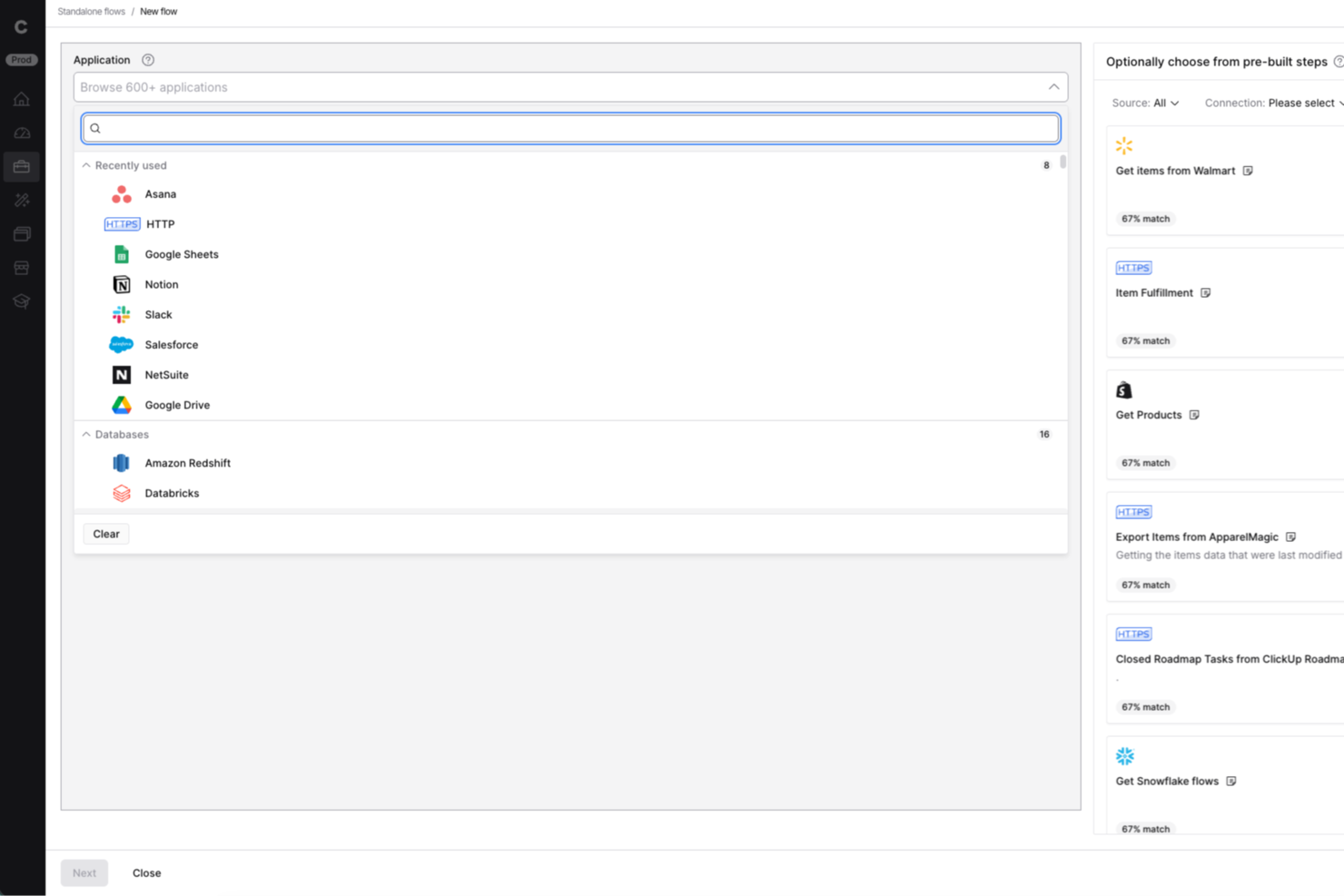
Celigo is a low-code ai orchestration platform designed for IT teams and business operations leaders who need to automate workflows, connect cloud apps, and manage complex integrations across finance, ecommerce, and HR systems.
Who Is Celigo Best For?
Mid-sized and enterprise IT and operations teams in finance, ecommerce, and HR who need to automate and orchestrate workflows across multiple cloud applications.
Why I Picked Celigo
Celigo earns its spot as one of the best on my shortlist because it offers enterprise-grade security features like SOC 2 Type II certification and granular access controls. My team is able to enforce data encryption in transit and at rest, which is essential for handling sensitive business data. I also rely on Celigo’s audit trails and compliance reporting to meet regulatory requirements in finance and healthcare projects.
Celigo Key Features
- AI-powered integration monitoring: Continuously tracks integration health and flags anomalies for review.
- Custom connector builder: Lets you create and deploy connectors for unique or proprietary systems.
- Automated workflow scheduling: Supports time-based and event-driven automation for orchestrating complex processes.
- Sandbox environment: Provides a safe space to test integrations and workflows before deploying to production.
Celigo Integrations
Integrations include Salesforce, Microsoft Dynamics 365 Business Central, Oracle NetSuite, Walmart, SAP, Snowflake, Acumatica, ADP, Adobe, and 3PL Central.
Pros and Cons
Pros:
- Supports event-driven and scheduled workflows
- Visual workflow builder for complex automations
- Real-time monitoring of integration health
Cons:
- Advanced features require higher-tier plans
- Limited AI features compared to some peers
New Product Updates from Celigo
Celigo Expands Storage, Data Imports, and Connection Management
Celigo adds a standalone storage connector, optimized Azure Synapse imports, NetSuite OAuth 2.0, flexible file templates, and expanded MCP access controls. These updates help teams manage files, process data, and secure integrations. For more information, visit Celigo’s official site.
 .

Make
Best for visual workflows

Make is a visual automation platform that caters to businesses and teams looking to automate processes and integrate apps visually. It empowers users to design, build, and automate workflows with an intuitive drag-and-drop interface, enhancing productivity and collaboration.
Why I picked Make: Make excels in creating visual workflows, allowing your team to automate tasks through an easy-to-use drag-and-drop interface. Its visual approach simplifies the process of connecting apps and automating processes, making it accessible for users without technical expertise. The platform's flexibility lets you customize workflows to fit your specific needs. Make's real-time monitoring ensures that your workflows run smoothly and efficiently.
Standout features & integrations:
Features include a drag-and-drop interface for designing workflows, real-time monitoring of workflow execution, and flexible customization options. Make provides tools for conditional logic and error handling, ensuring your processes are resilient. Its visual approach makes it easy for your team to collaborate and innovate.
Integrations include Google Workspace, Slack, Trello, Dropbox, Salesforce, Mailchimp, Shopify, HubSpot, Airtable, and Asana.
Pros and Cons
Pros:
- Flexible customization options
- Real-time monitoring of workflows
- Intuitive drag-and-drop interface
Cons:
- Limited advanced features for complex tasks
- May require time to master

n8n
Best for open-source automation

n8n is an open-source workflow automation tool that empowers developers and small businesses to automate tasks and connect different apps and services. It offers flexibility and extensibility, allowing users to create custom workflows tailored to their specific needs.
Why I picked n8n: n8n is ideal for open-source automation, providing a platform where you can create custom workflows without restrictions. Its node-based interface simplifies the process of connecting different services and automating tasks. The platform's flexibility lets you modify and extend functionalities, ensuring it adapts to your evolving needs. With n8n, you can leverage community-contributed nodes and integrations, enhancing its capabilities.
Standout features & integrations:
Features include a node-based interface for easy workflow creation, community-contributed nodes for expanded functionality, and the ability to self-host for complete control. n8n also offers real-time execution monitoring and customizable triggers to suit various automation needs. Its open-source nature encourages continuous improvement and collaboration.
Integrations include Slack, Google Sheets, Trello, GitHub, Twilio, Discord, Dropbox, AWS S3, Airtable, and Notion.
Pros and Cons
Pros:
- Community-contributed nodes enhance functionality
- Node-based interface simplifies automation
- Highly flexible and extensible
Cons:
- Initial setup may be time-consuming
- Requires technical knowledge for complex workflows

Talend
Best for data integration

Talend is a data integration platform aimed at data professionals and businesses that need to manage complex data environments. It facilitates the fluid integration of various data sources, providing tools for data transformation, quality, and governance.
Why I picked Talend: Talend excels in data integration with its ability to connect to a wide range of data sources. Its AI capabilities enhance data mapping and transformation, ensuring your team can manage data efficiently. The platform's focus on data quality and governance helps maintain accuracy and compliance. Talend's open-source nature allows for flexibility and customization, making it adaptable to different business needs.
Standout features & integrations:
Features include comprehensive data transformation tools, data quality and governance functionalities, and a user-friendly interface for managing data workflows. Talend supports real-time data processing and provides a scalable solution for large data environments. Its open-source framework allows for customization and flexibility in data management.
Integrations include Salesforce, SAP, AWS, Google Cloud, Microsoft Azure, Snowflake, Oracle, IBM, MongoDB, and Cloudera.
Pros and Cons
Pros:
- Advanced data transformation tools
- Open-source for flexibility
- Strong focus on data quality
Cons:
- Initial setup can be complex
- High cost for small businesses

Best for vector search

Relevance AI is a platform designed for developers and data scientists to enhance search capabilities using vector search technology. It provides tools to manage and analyze large datasets, offering insights and improving search accuracy through AI-driven solutions.
Why I picked Relevance AI: Relevance AI excels in vector search by leveraging advanced algorithms to improve search relevance and accuracy. Its ability to handle large datasets ensures your team can manage and analyze data effectively. The platform's focus on AI-driven insights allows you to uncover hidden patterns and trends. With its scalable architecture, Relevance AI is suitable for growing businesses that need robust search capabilities.
Standout features & integrations:
Features include advanced vector search algorithms for improved accuracy, tools for managing and analyzing large datasets, and AI-driven insights to uncover patterns. Relevance AI also offers scalable architecture to support business growth and provides a user-friendly interface for ease of use. Its focus on enhancing search capabilities makes it a valuable tool for data-driven organizations.
Integrations include Google Cloud, AWS, Microsoft Azure, Snowflake, MongoDB, PostgreSQL, Elasticsearch, Apache Kafka, Redis, and Datadog.
Pros and Cons
Pros:
- Provides AI-driven insights
- Handles large datasets effectively
- Advanced vector search algorithms
Cons:
- Initial setup can be complex
- May require technical expertise

CrewAI
Best for team collaboration

CrewAI is a multi-agent automation platform designed for industries looking to support workflow efficiency using advanced AI capabilities. It's ideal for teams needing to build and deploy automated workflows with large language models (LLMs) and cloud platforms, providing flexibility and scalability.
Why I picked CrewAI: CrewAI's strength lies in orchestrating collaborative AI agents, making it perfect for team-based tasks. It offers a no-code interface and tools for creating and managing multi-agent workflows, which simplifies complex processes. The platform's ability to integrate various AI models furthers its versatility. CrewAI's scalability ensures it can handle the demands of large organizations, making it suitable for diverse applications.
Standout features & integrations:
Features include a no-code interface for workflow creation, support for large language models, and detailed monitoring tools. It also provides performance metrics optimization and real-time business intelligence dashboards. CrewAI's ability to automate strategic planning and financial reporting further enhances its utility.
Integrations include GitHub, Slack, Google Workspace, Microsoft Teams, AWS, Azure, Salesforce, HubSpot, Trello, and Asana.
Pros and Cons
Pros:
- Scalable for large organizations
- Offers no-code tools for workflow creation
- Facilitates collaborative AI agent orchestration
Cons:
- Can be complex for small teams
- Requires understanding of AI models

Vellum
Best for team collaboration

Vellum AI is a platform built for creating AI agents using plain English, serving industries like healthcare, retail, and government. It focuses on agent creation through chat, low-code, or coding, allowing teams to automate tasks and enhance collaboration.
Why I picked Vellum AI: It stands out with its focus on team collaboration, offering features like agent creation through chat, low-code, or coding. Your team can leverage its sandbox console for testing and monitoring agent performance, ensuring smooth deployment. It also supports integration with tools like HubSpot and Slack, enhancing team connectivity. In my experience, these features make it a top choice for collaborative environments.
Standout features & integrations:
Features include a sandbox console, which allows you to test and monitor agent performance. It also offers full visibility into agent operations, providing insights into how they function. You can embed agents into your applications using SDK or API, ensuring seamless integration with existing systems.
Integrations include HubSpot, Gmail, Slack, Notion, Salesforce, Microsoft Teams, Google Workspace, Trello, Asana, and Monday.com.
Pros and Cons
Pros:
- Secure deployment options
- Easy integration with team tools
- Supports multiple creation methods
Cons:
- Requires initial setup time
- Limited customization for niche needs


Apache Airflow is an open-source platform designed for orchestrating complex computational workflows and data processing pipelines. It's widely used by data engineers and developers who need to manage and automate workflows efficiently, offering a flexible solution for scheduling and monitoring tasks.
Why I picked Apache Airflow: Airflow's strength lies in its ability to automate workflows through a user-friendly interface, making it accessible for your team to design and monitor processes. The platform offers dynamic pipeline generation, allowing you to define workflows as code. Its scalability supports enterprise-level operations, and the community-driven development ensures continuous improvements. Airflow's extensive documentation and modular architecture further enhance its usability for diverse applications.
Standout features & integrations:
Features include a web-based user interface for easy monitoring and management, dynamic pipeline generation for defining workflows as code, and a scheduler to trigger tasks. Airflow's modular architecture allows you to plug in custom components and extend functionality. The platform's scalability ensures it can handle large-scale workflows efficiently.
Integrations include Amazon S3, Google Cloud Storage, Microsoft Azure, Apache Hive, MySQL, PostgreSQL, Slack, Apache Kafka, Docker, and Kubernetes.
Pros and Cons
Pros:
- Community-driven continuous improvements
- Scalable for enterprise operations
- Dynamic pipeline generation as code
Cons:
- Can be complex for new users
- Requires technical expertise to configure


dbt is a data transformation tool targeted at data analysts and engineers, facilitating the transformation of raw data into models that drive insights. It enables teams to build, test, and maintain data pipelines efficiently, enhancing data analytics capabilities.
Why I picked dbt: dbt excels in data transformation by allowing your team to turn raw data into actionable insights through SQL-based modeling. Its ability to automate testing and documentation ensures data reliability and transparency. The platform's focus on modular code allows for easy collaboration and maintenance across teams. dbt's integration with modern data warehouses makes it a valuable asset for scalable data operations.
Standout features & integrations:
Features include SQL-based modeling for transforming data, automated testing and documentation for data reliability, and modular code for collaboration. dbt also supports version control, making it easy to track changes and collaborate with your team. Its integration with modern data warehouses enhances its scalability and efficiency.
Integrations include Snowflake, BigQuery, Redshift, Databricks, PostgreSQL, Google Cloud Storage, AWS S3, Microsoft Azure, Looker, and Tableau.
Pros and Cons
Pros:
- Integrates with modern data warehouses
- Supports SQL-based data modeling
- Automates testing and documentation
Cons:
- Initial setup may be complex
- Requires SQL knowledge
Diğer Yapay Zekâ Orkestrasyonu Araçları
İşte kısa listeme giremeyen ancak yine de göz atmaya değer bazı ek yapay zekâ orkestrasyonu aracı seçenekleri:
- Prefect
For data flow management
- Kubiya
For conversational AI
- AutoGPT
For autonomous tasks
- Akka
For distributed systems
- LlamaIndex
For custom indexing
- Microsoft AutoGen
For code generation
- Metaflow
For data science projects
- DAGWorks
For DAG-based workflows
- Mage AI
For AI model building
- Dagster
For orchestrating data pipelines
- Pipedream
For event-driven workflows
- Relay Payments
For automation tasks
- VectorShift
For AI-driven analytics
- Flyte360
For scalable workflows
- Haystack
For data-driven insights


How I Evaluate AI Orchestration Tools
Every tool here needs to do more than slap an AI label on basic automation—I look for platforms that actually coordinate multiple agents and models to move project work forward. I break my evaluation into core functionality a tool must offer to make the cut, and differentiating factors that separate the strongest options.
Core Functionality (Table Stakes For This List)
When I'm selecting tools for my list, I rank each one on a scale from 0 (does not offer the functionality) to 5 (excels in this area) for each core functionality listed below. Then, I calculate the tool's total score into a percentage. Each tool needs to achieve a minimum total score of 65% to be considered for inclusion.
- AI Agent Orchestration: I check whether a tool can coordinate multiple AI agents across tasks—like assigning one agent to draft a risk report while another updates dependencies in parallel.
- Workflow Automation Engine: The builder needs to chain AI steps with conditional logic, so I evaluate whether I can set up branching workflows triggered by sprint events or deadline changes.
- Multi-Tool Integrations: I look at how many PM platforms (Jira, Asana, Monday, ClickUp) and communication tools connect natively, since orchestration only works when it reaches your full stack.
- LLM/Model Flexibility: Each tool should support multiple AI providers and let you assign different models per step—using one model for summarization and another for technical analysis, for example.
- Context & Memory Management: I evaluate whether the platform retains project context across sessions, so an agent updating a weekly status report remembers last week's blockers without re-prompting.
- Human-in-the-Loop Controls: Approval gates and intervention points matter here—I look for configurable checkpoints where a PM can review AI outputs before they hit stakeholders or update live boards.
Once I have a list of tools that meet this criteria, I consider what sets each platform apart.
Differentiating Factors (What Sets Vendors Apart)
Here's how I compare and contrast different vendors:
Standout Features
A no-code agent builder is a big differentiator—I look for platforms where a PMO lead can spin up a custom agent for sprint retrospective summaries without filing an engineering request. Cross-portfolio intelligence also matters when you're managing multiple programs and need visibility into shared dependencies or resource conflicts across them. I evaluate natural language task creation too, where a PM can paste meeting notes and get a structured backlog with dependencies ready for review.
Beyond Features
Trust and explainability are high on my list—I check whether a platform logs which model and data source produced each AI output, since a PM needs to confidently defend AI-generated recommendations to leadership. Pricing transparency also shapes my evaluation, especially how costs scale as you add agents or workflow runs across a growing portfolio. I look at data governance policies too, particularly whether customer project data is used to train underlying models, which is a real concern for teams handling sensitive product roadmaps or client deliverables.
Yapay Zekâ Orkestrasyonu Araçları Nasıl Seçilir?
Uzun özellik listeleri ve karmaşık fiyatlandırma yapıları arasında kaybolmak kolaydır. Kendinize özgü yazılım seçim sürecinizde ilerlerken odaklanmanızı korumanıza yardımcı olmak için göz önünde bulundurmanız gereken faktörlerin bir kontrol listesini aşağıda bulabilirsiniz:
| Faktör | Dikkat Edilmesi Gerekenler |
|---|---|
| Ölçeklenebilirlik | Araç işletmenizle birlikte büyüyor mu? Ekibiniz genişledikçe aracın destekleyebileceği kullanıcı sayısını ve veri hacmini göz önünde bulundurun. Esnek ölçeklendirme seçenekleri sunan araçları tercih edin. |
| Entegrasyonlar | Araç mevcut sistemlerinize bağlanabiliyor mu? Veri silolarını ve verimsizlikleri önlemek için mevcut yazılım yığınınızla entegre olduğundan emin olun. |
| Özelleştirilebilirlik | Araç ihtiyaçlarınıza göre uyarlanabiliyor mu? İş akışlarını ve ayarları kendinize özgü süreçlerinize uyacak şekilde düzenlemenize olanak tanıyan çözümleri tercih edin. |
| Kullanım kolaylığı | Araç ekibiniz için kullanıcı dostu mu? Ekibinizin üretkenliğini yavaşlatmayacağından emin olmak için öğrenme eğrisini ve arayüz tasarımını değerlendirin. |
| Uygulama ve kullanıma alma | Ne kadar hızlı çalışmaya başlayabilirsiniz? Kesinti süresini en aza indirmek için kurulum aşamasında eğitim kaynaklarının ve desteğin bulunabilirliğini değerlendirin. |
| Maliyet | Fiyatlandırma bütçenize uygun mu? Hem başlangıç masraflarını hem de uzun vadeli değeri dikkate alarak araçların maliyetlerini karşılaştırın. Gizli ücretlere karşı dikkatli olun. |
| Güvenlik önlemleri | Verileriniz ve operasyonlarınız güvende mi? Hassas bilgileri korumak için şifreleme, erişim denetimleri ve sektör standartlarına uyumluluk özelliklerini kontrol edin. |
Yapay Zekâ Orkestrasyonu Araçları Nedir?
Yapay zekâ orkestrasyon araçları, yapay zekâ modellerini ve veri süreçlerini içeren karmaşık iş akışlarını otomatikleştiren ve yöneten yazılım çözümleridir. Bu araçlar genellikle veri bilimcileri, mühendisler ve BT uzmanları tarafından verimliliği ve karar alma süreçlerini geliştirmek için kullanılır. Otomasyon, entegrasyon ve izleme özellikleri; yapay zekâ iş akışlarının yönetilmesine, çeşitli sistemlerin birbirine bağlanmasına ve işlemlerin sorunsuz yürütülmesinin sağlanmasına yardımcı olur. Genel olarak bu araçlar, kaynak kullanımını optimize ederek ve iş akışı doğruluğunu iyileştirerek önemli değer sağlar.
Özellikler
Yapay zekâ orkestrasyon araçlarını seçerken aşağıdaki temel özelliklere dikkat edin:
- Otomasyon özellikleri: Verimliliği artırmak ve manuel hataları azaltmak için tekrarlanan görevleri otomatikleştirin.
- Entegrasyon desteği: Sorunsuz veri akışı sağlamak için mevcut sistemlere ve uygulamalara kesintisiz şekilde bağlanın.
- Ölçeklenebilirlik: İşletmeniz büyürken performanstan ödün vermeden artan iş yüklerini ve veri hacimlerini yönetin.
- Gerçek zamanlı izleme: Sorunları hızlıca belirlemek ve çözmek için iş akışı performansına ilişkin canlı içgörüler sağlayın.
- Özelleştirilebilir iş akışları: İş süreçlerini ve ayarları belirli iş ihtiyaçlarına uyacak şekilde uyarlayarak işlemleri optimize edin.
- Yapay zekâ modeli yönetimi: Yapay zekâ modellerinin en iyi şekilde performans göstermesini sağlamak için dağıtımını, izlenmesini ve güncellenmesini kolaylaştırın.
- Veri güvenliği: Sektör standartlarına uyumluluğu sürdürmek için hassas bilgileri şifreleme ve erişim denetimleriyle koruyun.
- İş birliği araçları: Platform içinde içgörüleri ve güncellemeleri paylaşarak ekip üyelerinin etkili bir şekilde birlikte çalışmasını sağlayın.
Faydalar
Yapay zekâ orkestrasyon araçlarını uygulamak, ekibiniz ve işletmeniz için çeşitli faydalar sağlar. Yararlanabileceğiniz bazı faydalar şunlardır:
- Artan verimlilik: Rutin görevleri otomatikleştirerek ekibinizin daha stratejik girişimlere odaklanması için zaman kazandırın.
- Geliştirilmiş veri doğruluğu: Otomatik veri işleme ve izleme yoluyla veri bütünlüğünü ve tutarlılığını sağlayın.
- Geliştirilmiş iş birliği: İş akışlarını entegre ederek ve platform genelinde içgörüleri paylaşarak ekip iş birliğini kolaylaştırın.
- Ölçeklenebilirlik: Performanstan veya güvenilirlikten ödün vermeden büyüyen veri hacimlerini ve iş yüklerini kolayca yönetin.
- Gerçek zamanlı içgörüler: Gerçek zamanlı izleme sayesinde süreçleri anında görünür hâle getirerek sorunlara hızlı yanıt verin.
- Maliyet tasarrufu: Kaynak kullanımını optimize ederek ve manuel müdahaleyi en aza indirerek operasyonel maliyetleri azaltın.
- Daha iyi karar alma: Stratejik iş kararlarına yön veren içgörüleri ve eğilimleri ortaya çıkarmak için yapay zekâ destekli analizlerden yararlanın.
Maliyetler & Fiyatlandırma
Yapay zekâ orkestrasyon araçlarını seçmek, mevcut çeşitli fiyatlandırma modellerinin ve planların anlaşılmasını gerektirir. Maliyetler özelliklere, ekip büyüklüğüne, eklentilere ve diğer unsurlara göre değişir. Aşağıdaki tablo, yapay zekâ orkestrasyon araçları çözümlerinde yaygın planları, ortalama fiyatlarını ve genellikle sunulan özellikleri özetlemektedir:
Yapay Zekâ Orkestrasyon Araçları İçin Plan Karşılaştırma Tablosu
| Plan Türü | Ortalama Fiyat | Yaygın Özellikler |
|---|---|---|
| Ücretsiz Plan | $0 | Temel otomasyon, sınırlı entegrasyonlar ve topluluk desteği. |
| Kişisel Plan | $5-$25/kullanıcı/ay | Geliştirilmiş otomasyon, daha fazla entegrasyon ve temel analiz. |
| İşletme Planı | $30-$75/kullanıcı/ay | Gelişmiş otomasyon, ayrıcalıklı entegrasyonlar, ekip iş birliği araçları ve gerçek zamanlı izleme. |
| Kurumsal Plan | $100+/kullanıcı/ay | Özel otomasyon, sınırsız entegrasyon, özel destek ve gelişmiş güvenlik özellikleri. |
Yapay Zekâ Orkestrasyon Araçları SSS
Yapay zekâ orkestrasyon araçları hakkında sık sorulan soruların bazı yanıtlarını burada bulabilirsiniz:
Yapay zekâ orkestrasyon araçları mevcut sistemlerle nasıl entegre olur?
Yapay zekâ orkestrasyon araçları, API’ler ve önceden oluşturulmuş bağlayıcılar aracılığıyla mevcut sistemlerle entegre olur. Bu, mevcut yazılım yığınınızı bağlamanıza ve verilerin uygulamalar arasında sorunsuz şekilde akmasını sağlamanıza olanak tanır. Örneğin ekibiniz Salesforce ve Slack kullanıyorsa bir yapay zekâ orkestrasyon aracı, bu platformlar arasındaki veri güncellemelerini ve bildirimleri otomatikleştirebilir. Kritik uygulamalarınızı desteklediğinden emin olmak için aracın entegrasyon özelliklerini mutlaka kontrol edin.
Yapay zekâ orkestrasyon araçları karmaşık iş akışlarını yönetebilir mi?
Evet, yapay zekâ orkestrasyon araçları çeşitli görevleri ve süreçleri otomatikleştirerek karmaşık iş akışlarını yönetmek üzere tasarlanmıştır. İş akışlarının sorunsuz çalışmasını sağlamak için koşullu mantık, gerçek zamanlı izleme ve hata yönetimi gibi özellikler sunarlar. Örneğin, müşteri verilerinin birden fazla kaynaktan işlenmesini otomatikleştirerek manuel müdahale olmadan doğruluk ve verimlilik sağlayabilirsiniz.
Veri güvenliğiyle ilgili olarak neleri dikkate almalıyım?
Seçtiğiniz yapay zekâ orkestrasyon aracının veri güvenliği standartlarına uygun olduğundan emin olmanız çok önemlidir. Şifreleme, erişim denetimleri ve GDPR veya HIPAA gibi uyumluluk sertifikaları sunan özellikleri arayın. Bu önlemler hassas bilgileri korur ve müşteri güvenini sürdürür. Satıcının güvenlik yeterliliklerini mutlaka doğrulayın ve gerekirse güvenlik denetimi talep edin.
Yapay zekâ orkestrasyon araçları ne kadar özelleştirilebilir?
Yapay zekâ orkestrasyon araçları genellikle özel ihtiyaçlarınıza uyacak şekilde özelleştirilebilir. İş akışlarını uyarlamanıza, arayüzleri değiştirmenize ve özel entegrasyonlar oluşturmanıza olanak tanırlar. Örneğin, otomasyon kurallarını iş süreçlerinize uyacak şekilde ayarlayabilirsiniz. Aracın özelleştirme için kullanıcı dostu bir arayüz sunup sunmadığını veya teknik uzmanlık gerektirip gerektirmediğini kontrol edin.
Yapay zekâ orkestrasyon araçları gerçek zamanlı analizleri destekler mi?
Evet, birçok yapay zekâ orkestrasyon aracı, iş akışı performansı ve veri eğilimleri hakkında içgörüler sağlamak için gerçek zamanlı analizler sunar. Bu özellik, ekibinizin hızlı bir şekilde bilinçli kararlar almasına yardımcı olur. Temel ölçümleri izleyebilir ve anormallikler için uyarılar alarak operasyonlarınızın verimli ve etkili kalmasını sağlayabilirsiniz.
Sırada Ne Var:
Yapay zekâ orkestrasyon araçlarını araştırma sürecindeyseniz, ücretsiz öneriler almak için bir SoftwareSelect danışmanına ulaşın.
Bir form doldurur ve ihtiyaçlarınızın ayrıntılarını konuştukları kısa bir görüşme yaparsınız. Ardından incelemeniz için kısa bir yazılım listesi alırsınız. Fiyat görüşmeleri de dâhil olmak üzere satın alma sürecinin tamamında size destek olurlar.