

2026’da İncelenen En İyi 10 PMO Yapay Zeka Aracı

10 En İyi PMO Yapay Zekâ Araçları Kısa Listesi


Projeleri yönetmek zor olabilir. Ekibinizi yolunda tutmaya çalışırken aynı anda zaman çizelgeleri, kaynaklar ve beklentilerle ilgilenmeniz gerekir. İşte Proje Yönetim Ofisi (PMO) yapay zekâ araçları burada devreye girer. Bu araçlar, zahmetli görev atamalarını otomatikleştirmenize, proje eğilimlerini tahmin etmenize ve kaynakları daha etkili bir şekilde tahsis etmenize yardımcı olarak gerçekten önemli olana odaklanmanızı sağlar.
Bu araçları test edip incelemek için zaman harcadım; bu nedenle içgörülerime güvenebilirsiniz. Bu makalede, işinizi kolaylaştırabilecek en iyi PMO yapay zekâ araçları seçimlerimi paylaşacağım. Ekibiniz için en uygun seçeneği belirlemenize yardımcı olmak üzere ayrıntılı karşılaştırmalar ve bu araçların benzersiz yapay zekâ özelliklerine ilişkin içgörüler bulacaksınız. Haydi, proje yönetimi ihtiyaçlarınız için doğru çözümü birlikte bulalım.
Why Trust Our Software Recommendations
Our team has been testing and reviewing software since 2012. As project managers ourselves, we know how difficult—and important—it is to choose the right software.
For this guide, we evaluated tools using hands-on testing and independent research, scoring tools using our selection criteria. We also draw on insights from industry thought leaders and practicing project management experts.
Our reviews reflect our human editorial judgment, not a sales pitch.
Expert reviewers:
PMO Yapay Zekâ Araçları Karşılaştırma Tablosu
Bu karşılaştırma tablosu, en iyi PMO yapay zekâ aracı seçimlerimin fiyatlandırma ayrıntılarını özetlemektedir.
| Tool | Best For | Trial Info | Price | ||
|---|---|---|---|---|---|
| 1 | Best for AI-powered portfolio planning | 14-day free trial | From $10/user/month (billed annually) | Website | |
| 2 | Best for AI-driven risk identification | Free plan + 14-day trial available | From $9/user/month (billed annually) | Website | |
| 3 | Best for no-code automation | Free plan + 14-day trial + demo available | From $10/user/month (billed annually) | Website | |
| 4 | Best for enterprise project management | 14-day free trial + free plan + free demo available | From $39.97/month (billed annually) | Website | |
| 5 | Best for project profitability tracking | Free plan + 14-day trial + demo available | From $9.99/user/month (billed annually) | Website | |
| 6 | Best for remote team collaboration | 30-day free trial + demo available | From $15/user/month (billed annually) | Website | |
| 7 | Best for task automation | Free plan available | From $29/user/month (billed annually) | Website | |
| 8 | Best for agile project management | Free trial available | Pricing upon request | Website | |
| 9 | Best for resource allocation | 14-day free trial | Pricing upon request | Website | |
| 10 | Best for scenario planning | Free demo available | From $600/user/month (billed annually) | Website |


En İyi PMO Yapay Zekâ Aracı İncelemeleri
Aşağıda, kısa listeme giren en iyi PMO yapay zekâ araçlarının ayrıntılı özetlerini bulabilirsiniz. İncelemelerim, sizin için en uygun aracı bulmanıza yardımcı olmak amacıyla her aracın temel özelliklerine, artılarına & eksilerine, entegrasyonlarına ve ideal kullanım alanlarına ayrıntılı bir bakış sunuyor.

Celoxis
Best for AI-powered portfolio planning

Celoxis is a project portfolio management platform that combines AI-assisted planning, resource management, project intake, financial tracking, and portfolio reporting to help PMOs manage complex project portfolios from a single workspace.
Who Is Celoxis Best For?
Celoxis is a strong fit for mid-sized to enterprise PMOs that oversee multiple projects and need AI-powered insights alongside portfolio planning, resource management, and executive reporting.
Why I Picked Celoxis
I picked Celoxis because its built-in AI assistant, Lex, helps PMOs turn project data into actionable insights without digging through dashboards. Teams can ask questions in natural language, summarize portfolio performance, identify potential risks, and surface key project information more quickly. I also like that these AI capabilities are built into a mature portfolio management platform, so project intake, resource planning, budgets, and reporting all work together instead of relying on separate AI tools.
Celoxis Key Features
- Lex AI assistant: Ask project questions in natural language, generate summaries, and surface portfolio insights using built-in AI.
- Resource workload charts: Monitor team capacity and resource allocation across multiple active projects.
- Custom portfolio dashboards: Build executive dashboards that track budgets, KPIs, milestones, and portfolio performance.
- Risk and issue tracking: Manage project risks through configurable workflows, automated tracking, and centralized reporting.
Celoxis Integrations
Celoxis integrates with Jira, Azure DevOps, Google Drive, Microsoft Project, QuickBooks Online, and Salesforce. It also supports Zapier and provides a REST API for custom integrations.
Pros and Cons
Pros:
- Strong portfolio and resource visibility
- AI simplifies portfolio analysis
- Cloud and on-premise deployment
Cons:
- Interface takes time to learn
- Mobile app is feature-limited

Best for AI-driven risk identification
monday AI Workspace is a work management platform that combines AI-driven portfolio oversight, automated risk identification, resource management, cross-project dependency tracking, and executive reporting across multi-project environments.
Who Is monday AI Workspace Best For?
It's a strong fit for enterprise PMO teams managing large, multi-project portfolios who need AI-powered risk visibility without leaving their core work management platform.
Why I Picked monday AI Workspace
I picked monday AI Workspace because of how its Portfolio Risk Insights feature works in practice. Every day, the AI scans each project board for patterns like repeated vendor delays or timeline slippage, then generates a ranked risk list across the entire portfolio. That means I can spot a cascading dependency issue before it hits a delivery date, not after.
monday AI Workspace Key Features
- AI-powered reporting and dashboards: Automatically generates live portfolio dashboards, project health summaries, and executive reports.
- Resource management module: Offers skills-based allocation, workload balancing, and multi-project capacity planning.
- Native integrations with execution tools: Connects with Jira, Salesforce, Microsoft Teams, Slack, and other systems for unified project data.
- Custom AI workflow builder: Lets teams create AI-driven automations and workflow agents tailored to PMO-specific processes.
monday AI Workspace Integrations
monday AI Workspace offers hundreds of native integrations, including Jira, Salesforce, Slack, Microsoft Teams, GitHub, HubSpot, Google Workspace, ServiceNow, Dropbox, and Zoom. It supports Zapier and provides an API for custom integrations.
Pros and Cons
Pros:
- Custom AI workflow builder for PMO processes
- Multi-board dashboards consolidate cross-project data
- AI generates daily ranked portfolio risk insights
Cons:
- Scenario simulation is limited versus PPM leaders
- Advanced portfolio features only on Enterprise
New Product Updates from monday AI Workspace
monday AI Workspace Adds Human Approval Routing
monday AI Workspace adds a human-in-the-loop approval block to AI Workflows, sending approval requests and routing workflow paths based on responses. For more information, visit monday AI Workspace's official site.

Wrike
Best for no-code automation
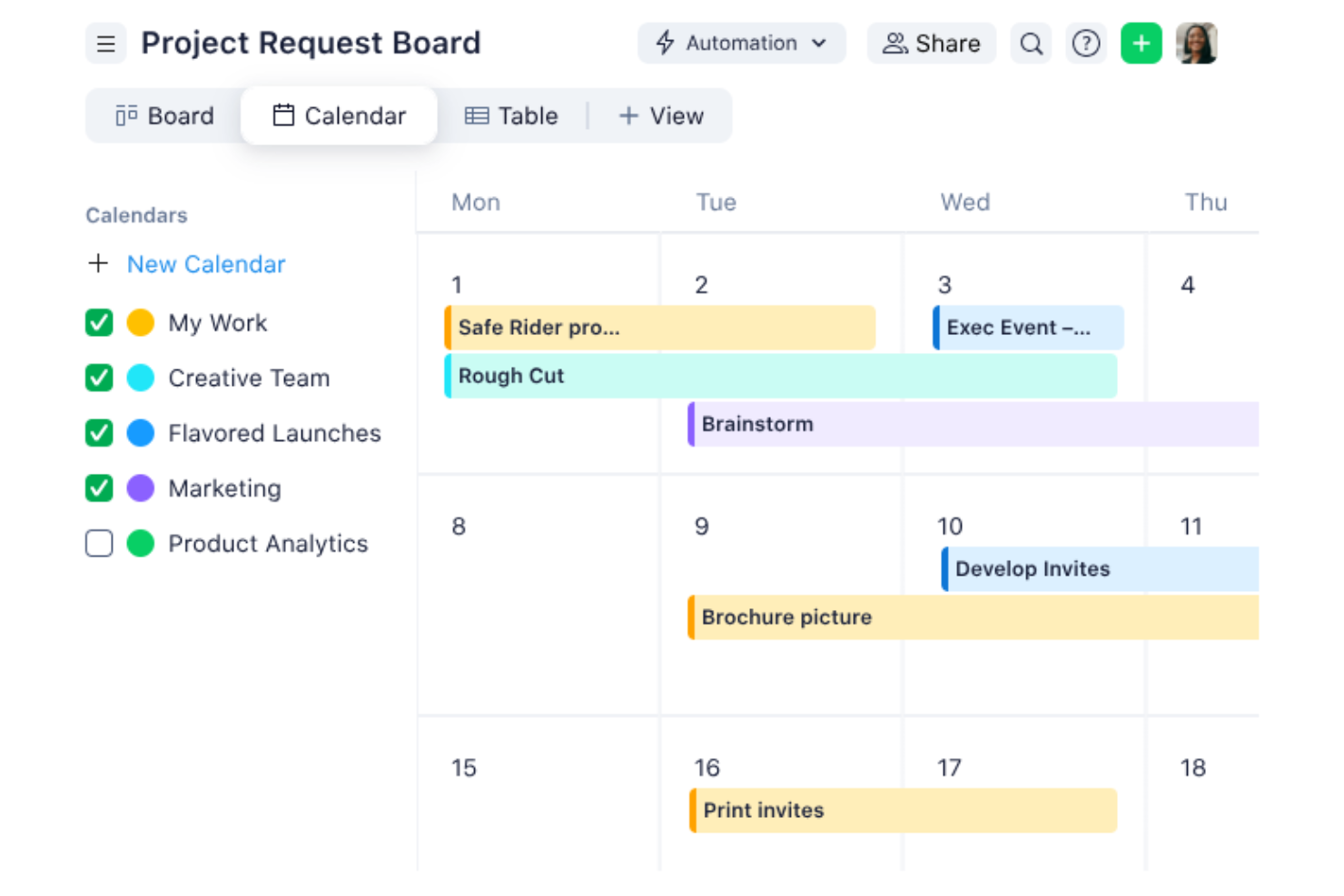
Navigating the complexities of project management becomes seamless with Wrike, a tool designed for teams who value efficiency and collaboration. Ideal for businesses aiming to optimize their project management office (PMO) operations, Wrike leverages automation and AI to minimize routine tasks, allowing your team to focus on strategic objectives. Whether you're in retail, manufacturing, or entertainment, Wrike offers solutions that address common challenges like workflow bottlenecks and communication gaps.
Why I Picked Wrike
I chose Wrike for its standout AI-driven project planning capabilities, which cater specifically to PMO needs. The platform's generative AI assists in creating comprehensive project plans and offers real-time analytics to track project progress. Additionally, Wrike's no-code automation feature streamlines repetitive tasks, freeing up your team’s time for more critical activities. These functionalities are particularly beneficial for teams seeking to enhance productivity and maintain a clear overview of their projects.
Wrike Key Features
In addition to its AI-driven planning and automation, Wrike offers several other features that enhance its utility as a PMO tool.
- Customizable Dashboards: Tailor your project view to suit your team's needs, ensuring everyone stays on the same page.
- In-Platform Communication: Facilitate seamless communication within your team without the need to switch between different tools.
- Time Tracking: Monitor and manage your team's time effectively to ensure project timelines are met.
- Project Blueprints: Utilize pre-defined templates to kickstart your projects and maintain consistency across various initiatives.
Wrike Integrations
Integrations include QuickBooks, Jira, MS Teams, Salesforce, Adobe Creative Cloud, Microsoft Office 365, Google Workspace, Slack, Dropbox, and Box.
Pros and Cons
Pros:
- Time tracking features available
- In-platform communication reduces the need for external tools
- Customizable dashboards
Cons:
- Project timeline tracking may benefit from enhanced features
- Resource tracking and document storage could be improved
New Product Updates from Wrike

Wrike Redesigns Workspace Search With New Filters
Wrike introduces a redesigned Workspace Search interface with recent search shortcuts, item type and location filters, and parent-task context. These updates help users find relevant work items and navigate search results efficiently. For more information, visit Wrike’s official site.

Best for enterprise project management

ProProfs Project is a project management tool tailored for enterprises seeking to manage complex projects with ease. It serves large teams and organizations, providing automation, time tracking, and reporting features for task scheduling, resource allocation, and project tracking.
Why I picked ProProfs Project: ProProfs Project offers AI capabilities that improve enterprise project management through intelligent scheduling and automated task allocation. Your team can use AI to predict project timelines and manage resources efficiently.
The software's AI-driven analytics provide insights into project performance, ensuring alignment with business goals. These features make it ideal for enterprises handling multiple projects simultaneously.
Standout features & integrations:
Features include time tracking that helps you stay on deadline, task prioritization tools that ensure teams focus on key deliverables, and collaborative workspaces that facilitate team communication and collaboration.
Integrations include Google Drive, Dropbox, QuickBooks, FreshBooks, Box, Outlook, Slack, Trello, Basecamp, and Zapier.
Pros and Cons
Pros:
- Provides project performance insights
- Offers AI-driven task scheduling
- Handles complex enterprise projects
Cons:
- May require training for new users
- Limited customization for reports

Teamwork
Best for project profitability tracking

Teamwork is project management software designed for teams that need to track project profitability and manage resources efficiently. It serves project managers and teams focused on optimizing delivery and financial outcomes, offering tools for time tracking, budgeting, and workload visibility.
Why I picked Teamwork: Teamwork excels in tracking because its reporting and time-tracking tools help teams monitor billable hours, budget usage, and client work profitability. Its financial reports and workload visibility allow teams to understand margins and manage resources effectively.
Standout features & integrations:
Features include time-tracking tools that help you monitor billable hours, task management features that keep your team organized, and client access features that enable transparency and collaboration with stakeholders.
Integrations include Slack, Google Drive, Dropbox, HubSpot, QuickBooks, Xero, Zapier, Microsoft Teams, Outlook, and Trello.
Pros and Cons
Pros:
- Supports client collaboration
- Offers detailed cost analysis
- Tracks project profitability effectively
Cons:
- Limited customization for dashboards
- Requires setup for financial tracking

Best for remote team collaboration

ProjectManager is a cloud-based project management tool designed for PMOs to improve productivity and collaboration. It supports planning, tracking, and reporting with AI-generated summaries that assist decision-making. It works well for remote teams managing projects across time zones.
Why I picked ProjectManager: ProjectManager excels in remote team collaboration by integrating AI-driven insights that offer project summaries and recommendations. Its AI capabilities help your team make informed decisions quickly.
You can utilize features like real-time dashboards and workflow automation to keep everyone on the same page. The tool’s integration of critical path management ensures that your projects stay on track, even when team members are dispersed.
Standout features & integrations:
Features include real-time dashboards that provide instant visibility into project progress, Kanban boards for managing tasks efficiently, and workflow automation that reduces manual work, freeing up your team to focus on high-impact tasks.
Integrations include Gantt charts, portfolio dashboards, workload tracking, task comments, and file sharing with unlimited storage, helping teams coordinate from different locations.
Pros and Cons
Pros:
- Includes real-time dashboards
- Offers AI-driven project insights
- Supports remote team collaboration
Cons:
- Limited customization options for reports
- May require training for new users


Motion is an AI project management tool designed to boost team productivity by automating tasks and predicting project timelines. It is designed for teams wanting to reduce manual coordination, with AI engines that handle timeline updates and capacity adjustments.
Why I picked Motion: Motion excels in task automation, offering AI roles like an Executive Assistant and Project Manager to handle specific productivity areas. Its AI capabilities allow your team to automate project planning and visualize timelines and milestones with Gantt charts, reducing manual work. You also benefit from features like an AI assistant that simplifies scheduling.
Standout features & integrations:
Features include intelligent dashboards that show productivity trends, automatic dependency handling, and AI-driven capacity planning that redistributes workloads as tasks change.
Integrations include Google Calendar, Slack, Trello, Asana, Jira, Microsoft Teams, Outlook, Zoom, Salesforce, and HubSpot.
Pros and Cons
Pros:
- Offers excellent onboarding support
- Provides detailed productivity insights
- Automates task prioritization
Cons:
- May require a learning curve for new users
- Limited customization options


Digital.ai is an agile project management platform designed for teams that need to adapt quickly to changing project requirements. Its main users are agile teams focused on improving workflow efficiencies, using AI to improve project tracking and predictive analytics.
Why I picked Digital.ai: Digital.ai stands out for its AI-driven capabilities that support agile methodologies, offering tools like AI-enhanced sprint planning and backlog prioritization. It helps your team predict project outcomes and adjust plans dynamically.
The platform’s AI analytics tool provides insights into team performance, ensuring that your project stays on track. These features make it a great choice for teams focused on agile project management.
Standout features & integrations:
Features include customizable workflows that adapt to your team's processes, real-time reporting that keeps everyone informed, and sprint retrospectives that help your team learn and improve continuously.
Integrations include Jira, Salesforce, ServiceNow, Microsoft Teams, Slack, GitHub, Jenkins, Azure DevOps, Confluence, and Bitbucket.
Pros and Cons
Pros:
- Provides real-time project insights
- Offers AI-enhanced sprint planning
- Supports agile methodologies
Cons:
- Limited customization for reporting
- May require initial setup time


Forecast App is a project management tool designed for teams that need precise resource allocation and project forecasting. It uses AI to optimize resource management and predict project outcomes, making it ideal for project managers who want to improve efficiency and planning accuracy.
Why I picked Forecast App: Forecast App's AI capabilities are central to its resource allocation, using machine learning to predict project timelines and resource needs. It offers insights into team utilization and helps you make data-driven decisions. The tool's AI-driven financial insights support budgeting and cost management. These features make it perfect for teams that need to manage resources effectively.
Standout features & integrations:
Features include time tracking that ensures project timelines stay on course, project budgeting that helps manage finances, and task management that keeps your team organized and focused on priorities.
Integrations include Jira, Slack, QuickBooks, Xero, Salesforce, HubSpot, Trello, Asana, Microsoft Teams, and Google Calendar.
Pros and Cons
Pros:
- Facilitates accurate project forecasting
- Offers detailed financial insights
- Provides AI-driven resource optimization
Cons:
- Requires setup time for customization
- May have a steep learning curve


Meisterplan is a project portfolio management tool designed for businesses looking to optimize their project planning and execution. Its main users are project managers and teams who need to visualize and manage resources effectively, using AI-driven scenario planning to forecast outcomes and allocate resources.
Why I picked Meisterplan: Its scenario planning tools use AI-driven analytics to show how different project decisions affect resources and timelines. Teams can compare alternatives and anticipate constraints, making it valuable for organizations needing structured, forward-looking planning.
Standout features & integrations:
Features include drag-and-drop project scheduling, capacity planning to manage workloads, and customizable dashboards for portfolio visibility.
Integrations include Jira, Microsoft Project, Smartsheet, Excel, SAP, ServiceNow, Salesforce, Trello, Asana, and Google Workspace.
Pros and Cons
Pros:
- Provides customizable dashboards
- Offers predictive resource analytics
- Supports detailed scenario planning
Cons:
- Requires initial setup and configuration
- Higher price point for smaller teams
Diğer PMO Yapay Zekâ Araçları
Kısa listeme giremeyen ancak yine de göz atmaya değer bazı ek PMO yapay zekâ aracı seçenekleri şunlardır:


How I Evaluate PMO AI Tools
Every tool on this list needs to deliver AI that actually moves the needle for PMO teams—think surfacing portfolio risks before a steering committee meeting, not just rebranding dashboards as "intelligent." I split my evaluation into core functionality every PMO AI tool must have to qualify and the differentiating factors that separate good options from great ones.
Core Functionality (Table Stakes For This List)
When I'm selecting tools for my list, I rank each one on a scale from 0 (does not offer the functionality) to 5 (excels in this area) for each core functionality listed below. Then, I calculate the tool's total score into a percentage. Each tool needs to achieve a minimum total score of 65% to be considered for inclusion.
- AI-Driven Project Insights: I look for AI that analyzes project data and surfaces predictions on timelines, budgets, or outcomes—not just static charts repackaged with an AI label.
- Portfolio-Level Management: The tool should support multi-project visibility, governance, and dependency tracking so PMO leads can prioritize across an entire portfolio.
- Automated Status Reporting: I evaluate whether AI can synthesize project data into exec-ready summaries, like generating a weekly portfolio digest without manual copy-pasting.
- AI Resource Optimization: Smart resource allocation matters here—tools like Smartsheet or Planview that suggest staffing moves based on capacity and skills score well.
- Predictive Risk Detection: I check whether the AI proactively flags at-risk projects with clear reasoning, rather than just offering a manual risk register.
- AI Assistant or Copilot: A conversational interface for querying portfolio data, drafting artifacts, or automating routine tasks adds real day-to-day value for PMO teams.
Once I have a list of tools that meet this criteria, I consider what sets each platform apart.
Differentiating Factors (What Sets Vendors Apart)
Here's how I compare and contrast different vendors:
Standout Features
Scenario simulation is a major differentiator—I look for tools that let PMO leaders model what happens if a project gets delayed or a key resource shifts before committing. Cross-tool data aggregation matters just as much, since most PMOs run execution across Jira, Asana, or Azure DevOps and need a unified portfolio view without manual consolidation. I also check whether AI can auto-generate artifacts like project charters or meeting summaries from raw inputs, saving hours of admin work each week.
Beyond Features
AI transparency matters a lot in this space—I evaluate whether a tool explains how it arrives at its predictions and whether PMO leads can override or adjust AI recommendations. Integration depth is equally important, since a PMO AI tool that can't pull live data from Jira, Azure DevOps, or your ERP is just another silo. I also consider implementation support, because rolling out AI-driven portfolio management across a PMO requires real change management, not just a knowledge base link.
PMO Yapay Zekâ Araçları Nasıl Seçilir?
Uzun özellik listeleri ve karmaşık fiyatlandırma yapılarına kendinizi kaptırmanız kolaydır. Benzersiz yazılım seçimi sürecinizde ilerlerken odaklanmanıza yardımcı olmak için göz önünde bulundurmanız gereken faktörleri içeren bir kontrol listesi hazırladım:
| Faktör | Dikkat Edilmesi Gerekenler |
| Ölçeklenebilirlik | Araç ekibinizle birlikte büyüyebilir mi? Artan proje hacmi veya ekip büyüklüğü gibi gelecekteki ihtiyaçları ve aracın bu değişiklikleri karşılayıp karşılayamayacağını göz önünde bulundurun. |
| Entegrasyonlar | Mevcut sistemlerinizle entegre oluyor mu? İş akışında kesintileri önlemek için CRM, ERP veya iletişim platformları gibi mevcut araçlarınızı destekleyip desteklemediğini kontrol edin. |
| Özelleştirilebilirlik | Aracı süreçlerinize uyacak şekilde özelleştirebilir misiniz? Gösterge tablolarını, iş akışlarını ve raporları ekibinizin benzersiz iş akışlarına uyacak şekilde değiştirme seçeneklerini arayın. |
| Kullanım kolaylığı | Araç ekibiniz için sezgisel mi? Öğrenme eğrisinin dik olması benimsenmeyi yavaşlatabilir; bu nedenle kullanıcı dostu arayüzlere ve anlaşılır gezinmeye öncelik verin. |
| Uygulama ve işe alıştırma | Ne kadar hızlı kullanmaya başlayabilirsiniz? Mevcut destek ve belgeler de dâhil olmak üzere kurulum ve eğitim için gereken kaynakları değerlendirin. |
| Maliyet | Bütçenize uygun mu? Finansal kısıtlarınıza uyduğundan emin olmak için kullanıcı bazlı ücretler ve yıllık indirimler de dâhil olmak üzere fiyatlandırma modellerini karşılaştırın. |
| Güvenlik önlemleri | Verileriniz korunuyor mu? GDPR veya ISO gibi sektör standartlarına uygunluğu kontrol edin ve şifreleme ile erişim denetimlerini doğrulayın. |
| Destek bulunabilirliği | İhtiyaç duyduğunuzda yardım alabilecek misiniz? Destek saatlerini, yanıt sürelerini ve özel hesap yöneticilerinin veya teknik desteğin bulunup bulunmadığını göz önünde bulundurun. |
PMO Yapay Zekâ Araçları Nedir?
PMO, Proje Yönetim Ofisi anlamına gelir. Bu ifade, proje standartlarını belirlemekten, süreçleri denetlemekten ve projelerin kuruluş hedefleriyle uyumlu olmasını sağlamaktan sorumlu ekip veya departmanı ifade eder.
PMO yapay zekâ araçları, proje planlamasını, yürütülmesini ve denetimini iyileştirmek için yapay zekâyla geliştirilmiş proje yönetimi çözümleridir. Genellikle proje yöneticileri ve PMO ekipleri tarafından projeleri yönetirken verimliliği ve doğruluğu artırmak için kullanılırlar. Öngörücü analiz, otomatik planlama ve kaynak optimizasyonu gibi özellikler daha iyi karar vermeyi ve projelerin daha güçlü biçimde uyumlandırılmasını destekler. Bu araçlar, üretkenliği artırarak ve ekiplerin daha tutarlı proje sonuçları sunmasına yardımcı olarak önemli değer sağlar.
Özellikler
PMO yapay zekâ araçlarını seçerken aşağıdaki temel özelliklere dikkat edin:
- Öngörücü analiz: Proje sonuçları ve kaynak gereksinimleri hakkında tahminler sunarak ekiplerin bilinçli kararlar almasına yardımcı olur.
- Otomatik planlama: Değişikliklere göre proje zaman çizelgelerini otomatik olarak düzenleyerek manuel durum güncellemelerine duyulan ihtiyacı azaltır.
- Kaynak optimizasyonu: Ekip kapasitesini analiz eder ve kaynakları verimli biçimde tahsis ederek projelerin planlandığı şekilde ilerlemesini sağlar.
- Yapay zekâ destekli içgörüler: Proje planlamasını ve yürütülmesini iyileştirmek için veriye dayalı öneriler sunar.
- Senaryo planlaması: Ekiplerin farklı proje stratejilerini simüle etmesine ve uygulamadan önce olası etkileri değerlendirmesine olanak tanır.
- Gerçek zamanlı raporlama: Güncel proje durumu ve performans ölçümleri sunarak zamanında karar vermeyi kolaylaştırır.
- Görev otomasyonu: Tekrarlayan görevleri otomatikleştirerek ekip üyelerinin etkisi yüksek etkinliklere odaklanmasını sağlar.
- Özelleştirilebilir panolar: Kullanıcıların ilgili proje verilerini görüntülemek için görünümleri kendi ihtiyaçlarına göre düzenlemesini sağlayarak izleme ve denetimi iyileştirir.
- Risk yönetimi: Olası proje risklerini belirler ve darboğazları önlemek için risk azaltma stratejileri önerir.
- Bütçe yönetimi: Proje harcamalarını takip eder ve finansal kaynakların etkili biçimde yönetilmesine yardımcı olacak içgörüler sunar.
Avantajlar
PMO yapay zekâ araçlarını uygulamak ekibiniz ve işletmeniz için çeşitli avantajlar sağlar. Yararlanabileceğiniz avantajlardan bazıları şunlardır:
- Geliştirilmiş karar verme: Yapay zekâ destekli içgörüler, ekibinizin bilinçli seçimler yapmasına yardımcı olarak tahmin yürütme ihtiyacını azaltır ve proje sonuçlarını iyileştirir.
- Artan verimlilik: Otomatik planlama ve görev yönetimi zaman kazandırarak ekibinizin daha stratejik görevlere odaklanmasını sağlar.
- Geliştirilmiş kaynak yönetimi: Optimize edilmiş kaynak tahsisi, hiç kimseyi aşırı yüklemeden ekibinizin her zaman en yüksek kapasitede çalışmasını sağlar.
- Daha iyi risk yönetimi: Yapay zekâ araçları olası riskleri erkenden belirleyerek sorunların proje zaman çizelgelerini etkilemesinden önce müdahale etmeniz için zaman kazandırır.
- Doğru tahminler: Öngörücü analiz, proje zaman çizelgeleri ve bütçeleri için güvenilir öngörüler sunarak ileride karşılaşılabilecek sürprizleri en aza indirir.
- Gerçek zamanlı görünürlük: Güncel raporlama herkesi bilgilendirerek ilerlemeyi takip etmeyi ve planları gerektiğinde düzenlemeyi kolaylaştırır.
- Özelleştirilmiş içgörüler: Özelleştirilebilir panolar, veri görünümlerini belirli proje ihtiyaçlarınıza göre düzenlemenize olanak tanıyarak denetimi ve kontrolü iyileştirir.
Maliyetler ve Fiyatlandırma
PMO yapay zekâ araçlarını seçmek, mevcut çeşitli fiyatlandırma modellerinin ve planların anlaşılmasını gerektirir. Maliyetler özelliklere, ekip büyüklüğüne, eklentilere ve daha fazlasına göre değişir. Aşağıdaki tablo, PMO yapay zekâ aracı çözümlerinde yaygın planları, ortalama fiyatlarını ve genellikle sunulan özellikleri özetlemektedir:
PMO Yapay Zekâ Araçları İçin Plan Karşılaştırma Tablosu
| Plan Türü | Ortalama Fiyat | Yaygın Özellikler |
| Ücretsiz Plan | $0 | Temel görev yönetimi, sınırlı raporlama ve topluluk desteği. |
| Kişisel Plan | $10-$2600/kullanıcı/ay | Görev yönetimi, temel raporlama ve e-posta desteği. |
| İşletme Planı | $30-$800 kullanıcı/ay | Gelişmiş raporlama, kaynak tahsisi, ekip iş birliği ve sohbet desteği. |
| Kurumsal Plan | $80-$3100/kullanıcı/ay | Özel panolar, yapay zekâ destekli içgörüler, özel destek ve geliştirilmiş güvenlik. |
PMO AI Araçları SSS
PMO AI araçları hakkında sık sorulan soruların bazı yanıtlarını burada bulabilirsiniz:
PMO AI araçları mevcut sistemlerle nasıl entegre olur?
Evet, PMO AI araçları CRM, ERP ve iletişim platformları gibi mevcut sistemlerle entegre olabilir. Satın almadan önce iş akışlarında aksaklıkları önlemek için aracın mevcut sistemlerinizle uyumlu olduğunu doğrulayın. Salesforce, Slack veya Microsoft Teams gibi popüler araçlarla entegrasyon özelliklerini arayın. Bu, daha sorunsuz bir geçiş sağlar ve ekibinizin üretkenliğini korumaya yardımcı olur.
PMO AI araçları aynı anda birden fazla projeyi yönetebilir mi?
Evet, çoğu PMO AI aracı aynı anda birden fazla projeyi yönetmek üzere tasarlanmıştır. Çeşitli projelerde proje zaman çizelgelerini, kaynak tahsislerini ve bütçeleri takip etmenize yardımcı olurlar. Devam eden tüm projelere genel bir bakış elde etmek için gösterge tabloları ve raporlama gibi özellikleri kullanın. Bu özellik, aynı anda birden fazla projeyi yöneten ekipler için çok önemlidir.
PMO AI araçları küçük ekipler için uygun mudur?
Evet, PMO AI araçları, aracın ölçeklenebilirliğine ve fiyatlandırmasına bağlı olarak küçük ekipler ve yeni girişimler için uygun olabilir. Bazı araçlar, daha az özelliğe sahip ve daha düşük maliyetli, küçük ekipler için tasarlanmış planlar sunar. Kullanım kolaylığına ve görev yönetimi ile raporlama gibi temel özelliklere odaklanın. Bu, küçük bir ekibin bile gereksiz karmaşıklık olmadan araçtan yararlanabilmesini sağlar.
AI, PMO araçlarında proje tahminlerini nasıl iyileştirebilir?
AI, geçmiş verileri analiz edip gelecekteki proje sonuçlarını tahmin ederek proje tahminlerini iyileştirir. Olası riskleri ve kaynak ihtiyaçlarını belirlemeye yardımcı olarak bilinçli kararlar almanızı sağlar. Proje zaman çizelgelerini ve bütçeleri proaktif bir şekilde ayarlamak için AI destekli içgörülerden yararlanın. Bu, daha doğru tahminler ve daha iyi proje yönetimi sağlar.
Bir PMO AI aracına geçiş yaparken nelere dikkat etmeliyim?
Bir PMO AI aracına geçiş yaparken işe alıştırma sürecinin kolaylığını, mevcut eğitim kaynaklarını ve destek hizmetlerini göz önünde bulundurun. Aracın eğitimler, web seminerleri ve hızlı yanıt veren bir destek ekibi sunduğundan emin olun. Aracın mevcut sistemlerinizle nasıl entegre olduğunu ve veri geçişi için gereken süreyi değerlendirin. Bu hazırlık, sorunsuz bir geçişin ve ekibiniz tarafından hızlı bir şekilde benimsenmesinin sağlanmasına yardımcı olur.