

2026’da İncelenen En İyi 10 Bulut Belge Yönetim Sistemi

En İyi Bulut Tabanlı Belge Yönetim Sistemleri Kısa Listesi


Belgeleri yönetmek ekibinizin işlerini yavaşlatmamalı. Ancak dosyalar e-posta yazışmaları, yerel sürücüler ve güncelliğini yitirmiş sunucular arasında dağınık olduğunda, ihtiyacınız olanı bulmak tam zamanlı bir iş gibi gelebilir. Bulut tabanlı bir belge yönetim sistemi her şeyi tek bir yerde tutarak, nerede olursanız olun belgelere erişmenizi, belgeleri düzenlemenizi ve paylaşmanızı kolaylaştırır.
Proje yönetimi yazılımlarını bağımsız olarak test edip inceliyorum; bu nedenle doğru aracı seçmenin ne kadar önemli olduğunu biliyorum. En iyi bulut tabanlı belge yönetim sistemleri dosyaları yalnızca depolamakla kalmaz. Sürümleri kontrol etmenize, izinleri yönetmenize ve ekibinizin aynı doğrultuda ilerlemesini sağlamanıza yardımcı olurlar.
Bu makalede, bulut tabanlı belge yönetim sistemleri için en iyi seçimlerimi ele alacağım. Her aracın güçlü yönlerini, kimler için en uygun olduğunu ve sorunsuz bir şekilde düzenli kalmanıza nasıl yardımcı olduğunu açıklayacağım.
Yazılım Önerilerimize Neden Güvenebilirsiniz?
Ekibimiz 2012’den beri yazılımları test ediyor ve inceliyor. Biz de proje yöneticisi olduğumuz için doğru yazılımı seçmenin ne kadar zor ve önemli olduğunu biliyoruz.
Bu rehber için araçları uygulamalı testler ve bağımsız araştırmalarla değerlendirdik ve seçim kriterlerimize göre puanladık. Ayrıca sektörün fikir önderlerinin ve alanında çalışan proje yönetimi uzmanlarının görüşlerinden de yararlanıyoruz.
İncelemelerimiz bir satış konuşması değil, editör ekibimizin kendi değerlendirmesidir.
Uzman inceleyenler:
Bulut Tabanlı Belge Yönetim Sistemi Karşılaştırma Tablosu
Bu karşılaştırma tablosu, en iyi bulut tabanlı belge yönetim sistemi seçimlerim için fiyatlandırma ayrıntılarını özetlemektedir.
| Tool | Starting Price | Website | |
|---|---|---|---|
| Best for automated document classification | 4.8 out of 5 | Pricing upon request Free demo available | Website |
| Best for Microsoft 365 integration | — | $4.15/user/month 30-day free trial | Website |
| Best for fieldwork automation | 4.8 out of 5 | $20/user/month 14-day free trial + free demo available | Website |
| Best for multilingual support | 4.6 out of 5 | Pricing upon request Free demo available | Website |
| Best for secure archiving | 4.5 out of 5 | Pricing upon request Free demo available | Website |
| Best for self-hosting options | 4.5 out of 5 | 71.29€/user/year 1-hour free trial | Website |
| Best with AI-powered document insights | 4.5 out of 5 | $19.99/user/month 7-day free trial | Website |
| Best for team collaboration | 4.4 out of 5 | $20/admin/month Free plan + 30-day free trial available | Website |
| Best for hybrid cloud solution | 4.1 out of 5 | $22/user/month Free demo + 15-day free trial available | Website |
| Best for open-source flexibility | 3.7 out of 5 | Pricing upon request Free trial + free demo available | Website |
En İyi Bulut Tabanlı Belge Yönetim Sistemi İncelemeleri
Aşağıda, kısa listeme giren en iyi bulut tabanlı belge yönetim sistemlerinin ayrıntılı özetlerini bulabilirsiniz. İncelemelerim, her aracın temel özelliklerine, artılarına & eksilerine, entegrasyonlarına ve ideal kullanım alanlarına net bir bakış sunarak sizin için en uygun olanı bulmanıza yardımcı olur.
Doxis
Best for automated document classification
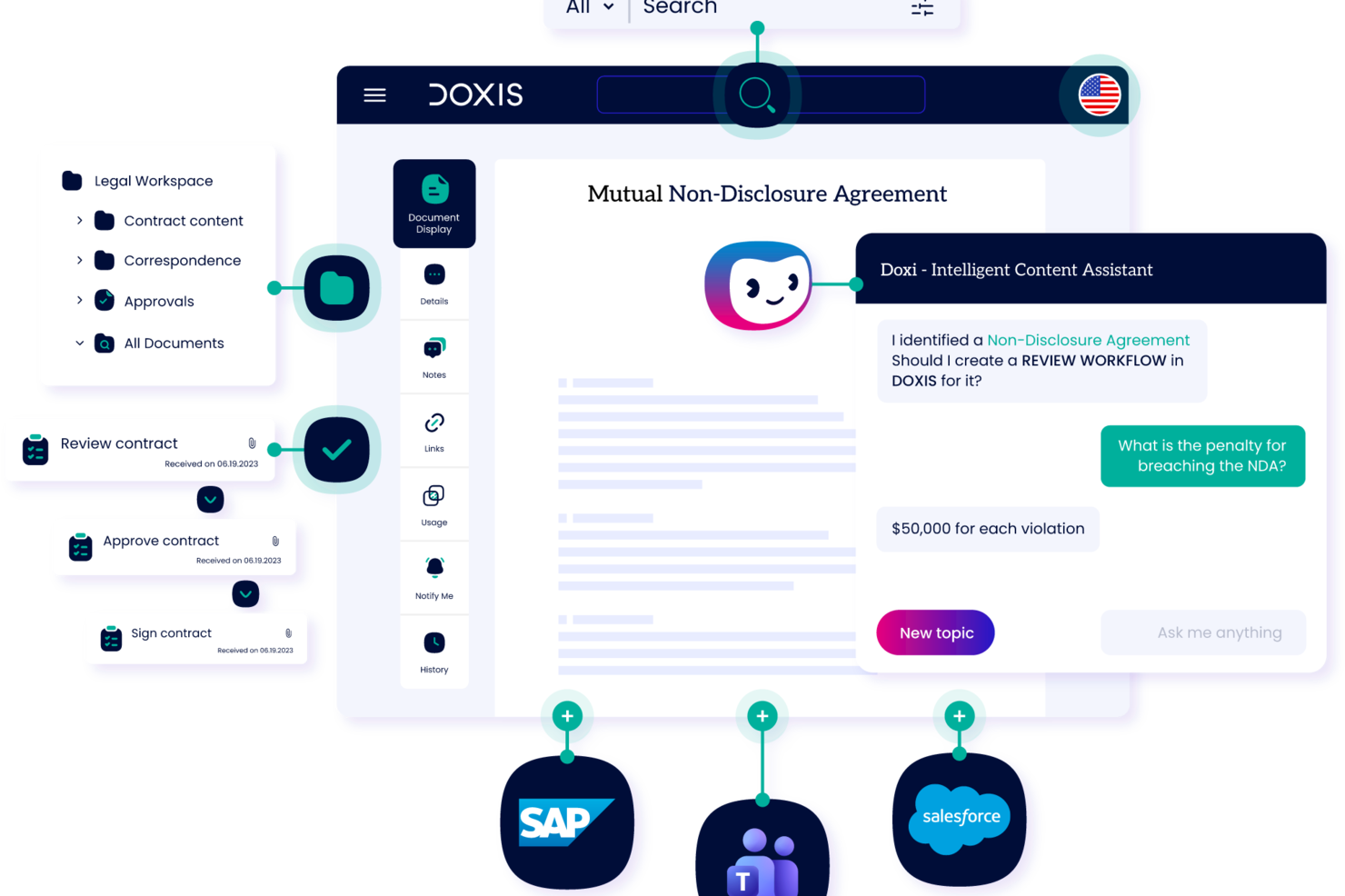
Doxis is an enterprise cloud document management platform that uses AI-powered document capture, automated classification, intelligent archiving, records management, and compliance workflow automation.
Who is Doxis Best For?
Doxis is suited for mid-to-large enterprises in regulated industries that need document governance, compliance automation, and records management at scale.
Why I Picked Doxis
I picked Doxis as one of the best for automated document classification because of how its AI handles the full capture-to-classify pipeline without requiring manual setup. Incoming documents from emails, scanners, and portals are automatically identified, classified, and routed, including when a team member is out. What I find especially useful is the Magic Extraction feature, which pulls and structures relevant data from unstructured content like emails with no predefined fields needed. You can even drag and drop batches of documents and Doxis will classify and store each one in the right workspace or file register automatically.
Doxis Key Features
- Version management: Doxis tracks every change to a document, so you can always access the most current version or retrieve any older version on demand.
- Electronic files (eFiles): Group all related documents, emails, contracts, and processes around a single business context, like a customer or supplier, within one structured file.
- Enterprise search: Run full-text searches across documents, metadata, and data from connected ERP and CRM systems, with GDPR-compliant access restrictions.
- No-code workflow builder (Doxis Business Studio): Use a web-based, no-code platform to create and customize document workflows and content apps without programming.
Doxis Integrations
Doxis offers native integrations with SAP, Salesforce, and Microsoft products such as Microsoft 365, Teams, Outlook, SharePoint, and Dynamics 365. A YouTube demo shows Doxis connecting with SAP SuccessFactors and Google Workspace. Doxis supports CMIS-compliant connections and vendor-independent connectors for ERP, CRM, HR, and CAD systems. An API enables custom integrations.
Pros and Cons
Pros:
- Multilingual document processing via OCR
- Tamper-proof audit trails built in
- AI-driven classification and data extraction
Cons:
- Large file handling can be unreliable
- Geared toward enterprise-scale deployments


MacroView enhances your team's document and email management by integrating with cloud services like SharePoint, Microsoft Teams, and OneDrive. Designed for industries such as legal, construction, and finance, it offers tailored solutions to optimize workflows and improve collaboration.
Why I Picked MacroView
I picked MacroView for its ability to integrate document management directly within Microsoft 365, making it a standout choice for teams already using this suite. Its dynamic document management system (DMS) for SharePoint allows you to organize and retrieve documents effortlessly. Additionally, MacroView's powerful email management ensures that your emails are stored and managed with the same efficiency as your documents, providing a cohesive solution for your cloud document management needs.
MacroView Key Features
In addition to its core document management capabilities, MacroView offers several additional features that enhance its utility:
- SharePoint Migration Tools: Facilitate seamless migration of documents to SharePoint, ensuring continuity and data integrity.
- Quality Document Assembly: Automate the creation of complex documents, saving time and reducing errors.
- Records Management: Maintain compliance and organization by efficiently managing records within the cloud environment.
- Public Folder Migration: Assist in migrating public folders to more modern systems, optimizing your document management processes.
MacroView Integrations
Integrations include Microsoft 365, SharePoint, Microsoft Teams, OneDrive, and Adobe Acrobat.
Pros and Cons
Pros:
- Automated metadata capture improves document organization.
- Familiar file-explorer-style interface simplifies user navigation.
- Seamless integration with Microsoft 365 enhances existing tools.
Cons:
- Not ideal for organizations not using Microsoft products.
- Limited support for mobile applications restricts accessibility.

Fluix
Best for fieldwork automation

Fluix is a cloud-based document management solution tailored for industries requiring fieldwork, such as construction and energy. It helps streamline document workflows, automate tasks, and enhance team collaboration.
Why I picked Fluix: Fluix offers features tailored to automate and simplify on-site processes. With its mobile-friendly interface, your team can complete and submit digital forms directly from the field, reducing paperwork and manual data entry. The platform's workflow automation also ensures that completed documents are automatically routed to the right personnel for review or approval, speeding up decision-making.
Standout Features & Integrations:
Features include digital forms that your team can fill out on mobile devices, even when offline. Once back online, the data syncs automatically, ensuring no information is lost. You can also use e-signatures to quickly authorize documents. Furthermore, the platform’s analytics feature helps you track document flow and improve workflow efficiency.
Integrations include Salesforce, Google Drive, Dropbox, Box, OneDrive, SharePoint, Procore, Egnyte, Slack, and Zapier.
Pros and Cons
Pros:
- Real-time data collection features
- Supports offline document access
- Optimized for mobile fieldwork
Cons:
- Not ideal for small teams
- Limited document editing capabilities

Best for multilingual support

LogicalDOC is a document management system designed for mid-sized and large organizations. It supports document organization, compliance, and collaboration across various platforms, providing cloud access for remote work.
Why I picked LogicalDOC: LogicalDOC offers an intuitive interface that supports multiple languages, ensuring smooth collaboration among diverse teams. Features like automated document classification and records retention schedules help keep your files organized and compliant with regulations. Additionally, the system's web-based access ensures that your team can work from anywhere without the need for extensive training.
Standout Features & Integrations:
Features include document organization, compliance management, and a workflow engine for automation. You can also benefit from collaboration tools that support version control and event notifications. LogicalDOC additionally offers various options for uploading, organizing, and distributing your documents.
Integrations include Microsoft Office, Google Drive, Dropbox, OneDrive, Box, SharePoint, Outlook, Thunderbird, and Salesforce.
Pros and Cons
Pros:
- Customizable workflow engine
- Open-source Community Edition available
- Multilingual support for global teams
Cons:
- Features may overwhelm small teams
- May require technical knowledge for setup

DocuWare
Best for secure archiving

DocuWare is a cloud-based document management solution tailored for businesses that require secure storage and retrieval of documents. It serves industries like healthcare and finance by providing tools for digital archiving and workflow automation.
Why I picked DocuWare: DocuWare offers encrypted data transmission and easy-to-manage permissions to protect sensitive information. This ensures that only authorized personnel can access specific documents, enhancing security. Additionally, DocuWare provides centralized storage, allowing your team to capture, share, review, approve, archive, and delete documents efficiently. This centralization ensures that all your important files are stored securely and can be retrieved quickly when needed.
Standout Features & Integrations:
Features include automated data capture, which extracts key information from your documents and stores it in a structured manner. This automation reduces manual data entry and minimizes errors. DocuWare also offers workflow automation, which allows your team to set up processes for document approvals and reviews to ensure tasks are completed efficiently.
Integrations include Microsoft Office, Microsoft Outlook, SAP, Sage, QuickBooks, Oracle, Salesforce, Google Workspace, Dropbox, and Box.
Pros and Cons
Pros:
- Mobile access for document management
- An electronic signature feature included
- Strong archiving and retrieval system
Cons:
- Not ideal for very small businesses
- Complexity in customizing workflows

Best for self-hosting options

Nextcloud is a self-hosted platform designed for businesses and individuals seeking control over their data. It offers file storage, sharing, and collaboration tools for teams that prioritize data privacy and security.
Why I picked Nextcloud: Nextcloud provides self-hosting options that let you deploy the platform on your own servers. This approach ensures that your sensitive information remains within your infrastructure, enhancing security and compliance. Nextcloud's open-source nature additionally allows for extensive customization, so you can tailor the system to fit your organization's specific needs.
Standout Features & Integrations:
Features include file access and sharing, which allows you to manage your documents with ease. You can also use collaborative editing tools to work on documents with your team. Furthermore, Nextcloud provides end-to-end encryption to ensure that your data is protected both during transmission and at rest.
Integrations include Collabora Online, OnlyOffice, Microsoft Outlook, Microsoft Teams, Slack, Google Calendar, GitHub, Jira, Twitter, and Dropbox.
Pros and Cons
Pros:
- Supports a wide range of storage
- Highly customizable platform
- Full control over data hosting
Cons:
- Not ideal for non-technical users
- Limited customer support options

Best with AI-powered document insights
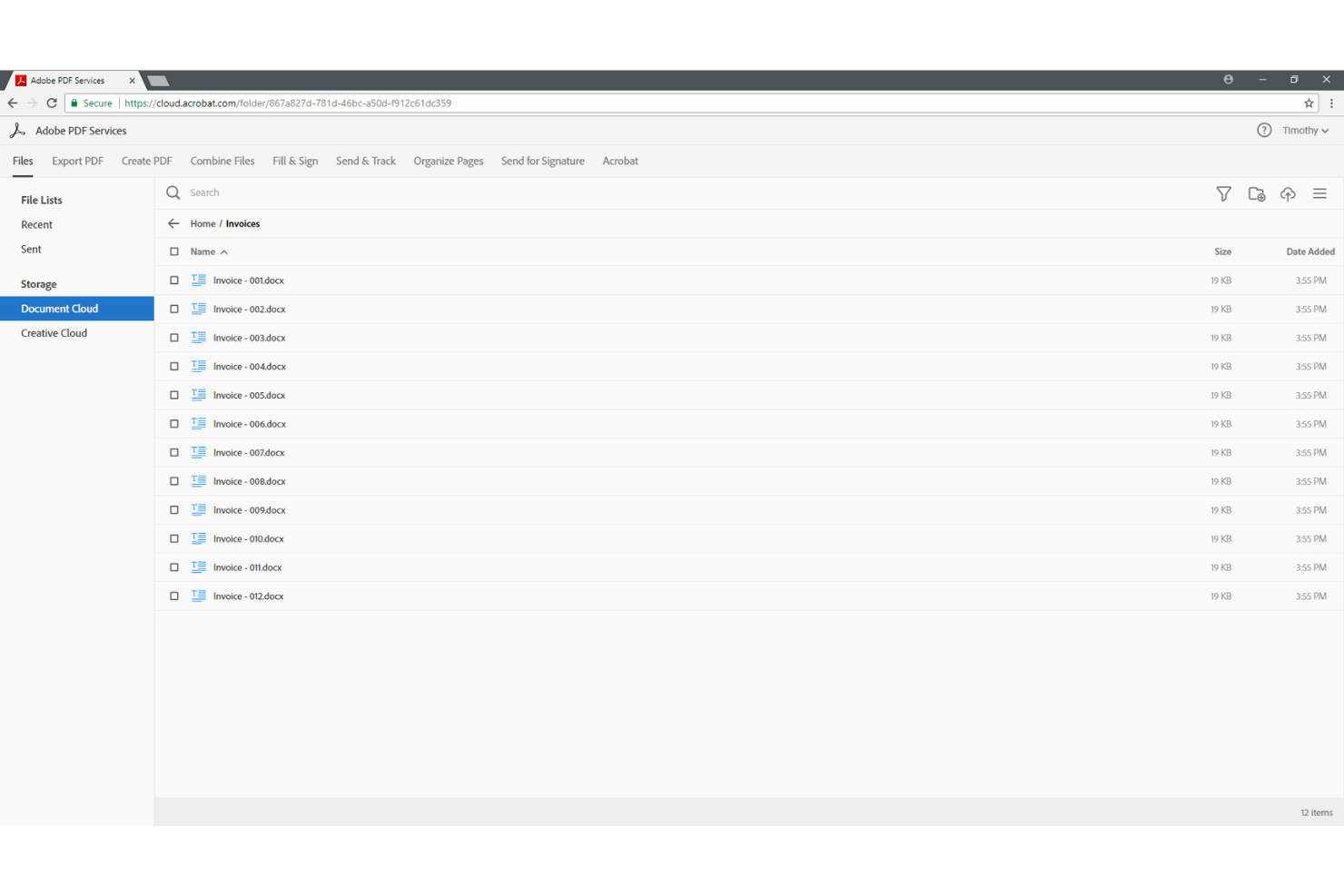
Adobe Acrobat is a cloud document management system that lets you create, edit, organize, store, and collaborate on PDFs and digital documents in a secure online workspace.
Who Is Adobe Acrobat Best For?
Adobe Acrobat is a good fit for IT teams and business departments in mid-size to large organizations that need secure, cloud-based document management and collaboration.
Why I Picked Adobe Acrobat
I picked Adobe Acrobat as one of the best because its AI-powered document insights help my team quickly search, summarize, and extract key information from large sets of PDFs. I use the AI Assistant to generate summaries and answer questions about document content, which saves time when reviewing contracts or compliance files. The smart search and tagging features let us organize and retrieve documents based on context, not just keywords.
Adobe Acrobat Key Features
- PDF editing tools: Edit text, images, and formatting directly within PDF documents.
- E-signature workflows: Collect legally binding signatures and track document status in real time.
- Version control: Maintain and access previous versions of documents for audit and compliance needs.
- Role-based access controls: Set permissions for viewing, editing, and sharing documents across your organization.
Adobe Acrobat Integrations
Adobe Acrobat offers native integrations with OneDrive, Google Drive, Box, and Dropbox. An API is available for custom integrations.
Pros and Cons
Pros:
- Enables automated document workflows and routing
- Provides AI-powered document search and insights
- Offers enterprise-grade admin and compliance controls
Cons:
- User management can be complex at enterprise scale
- Limited offline functionality for cloud documents

Best for team collaboration

ONLYOFFICE is a cloud-based office suite designed for businesses of all sizes. It provides document management, collaboration, and communication tools to enhance team productivity.
Why I picked ONLYOFFICE: ONLYOFFICE excels in team collaboration with co-editing features that let multiple users edit the same file at the same time. You can track changes, leave comments, and communicate through the built-in chat, making collaboration straightforward. The platform also supports a wide range of file formats, so you won't have to worry about compatibility issues when sharing documents.
Standout Features & Integrations:
Features include document, spreadsheet, and presentation editors, all of which support collaborative editing. ONLYOFFICE also offers advanced formatting tools that allow you to create professional-looking documents without hassle. You can also use version history to track changes and revert to previous versions if needed.
Integrations include Google Drive, Dropbox, Nextcloud, OneDrive, SharePoint, Box, ownCloud, Alfresco, Confluence, and WordPress.
Pros and Cons
Pros:
- Customizable access permissions
- Supports multiple document formats
- Real-time collaboration on documents
Cons:
- Limited advanced spreadsheet functions
- Can be resource-heavy on systems

Egnyte
Best for hybrid cloud solution

Egnyte is a cloud document management system designed for businesses that require both cloud and on-premise file storage. It serves industries like construction, media, and finance, offering secure file sharing and collaboration tools.
Why I picked Egnyte: Egnyte offers a hybrid cloud solution, which combines cloud and on-premises storage to give your team flexibility in managing data. Its platform includes granular access controls, so you can define who sees and edits specific documents, enhancing security. Egnyte also provides AI-powered content classification, helping your team quickly identify and organize sensitive information.
Standout Features & Integrations:
Features include ransomware detection and recovery, which protects your data from cyber threats. Egnyte's content lifecycle management also helps your team automate document retention and deletion policies. Additionally, the platform offers large file collaboration, which allows you to work efficiently on sizable documents even with limited bandwidth.
Integrations include Microsoft 365, Google Workspace, Salesforce, Slack, DocuSign, Adobe Sign, Smartsheet, Autodesk, Okta, and Box.
Pros and Cons
Pros:
- Flexible file access permissions
- Advanced data governance policies
- Hybrid cloud and on-premises storage
Cons:
- May require ongoing technical support
- Complexity in initial configuration

Alfresco
Best for open-source flexibility

Alfresco is an enterprise content management platform for organizations needing document control and collaboration. It serves industries like government, healthcare, and finance with open-source solutions to improve content management and business processes.
Why I picked Alfresco: Alfresco provides open-source flexibility that allows your team to customize and extend the platform according to your needs. This adaptability makes it suitable for unique business requirements and integrations. You can also manage documents efficiently with its advanced search and retrieval capabilities. Alfresco additionally supports compliance with industry regulations, ensuring your documents meet necessary standards.
Standout Features & Integrations:
Features include AI-powered content recognition, which helps your team classify and tag documents automatically based on their content. Additionally, its federated search function lets you find and retrieve documents across multiple repositories, reducing time spent searching for files.
Integrations include Microsoft Office, Google Workspace, Salesforce, SAP, Amazon Web Services, IBM, Oracle, Microsoft Dynamics, Box, and Dropbox.
Pros and Cons
Pros:
- Flexible for unique business needs
- Effective version control for documents
- Highly customizable open-source platform
Cons:
- May need additional resources for integration
- Limited support for non-technical users
Diğer Bulut Tabanlı Belge Yönetim Sistemleri
Kısa listeme giremeyen ancak yine de göz atmaya değer bazı ek bulut tabanlı belge yönetim sistemi seçenekleri şunlardır:
- ProtonDocs
For privacy-focused users
- MFiles
For metadata management
- Pairsoft
For procurement integration
- Document360
For full control over documents
- Wrike
For project management integration
- Box
For cloud storage flexibility
- Google Workspace
For integrated productivity tools
- Microsoft SharePoint
For intranet and team sites
- Zoho WorkDrive
For small business collaboration
- Notion
For team knowledge sharing
- OpenText Documentum
For enterprise content management
- Adobe Document Cloud
For e-signature integration
- Citrix ShareFile
For secure client file sharing


How I Evaluate Cloud Document Management Systems
I split my evaluation into two layers: baseline requirements like version control and access control, and differentiators that distinguish the best picks for PMs working across distributed teams.
Core Functionality (Table Stakes For This List)
When I'm selecting tools for my list, I rank each one on a scale from 0 (does not offer the functionality) to 5 (excels in this area) for each core functionality listed below. Then, I calculate the tool's total score into a percentage. Each tool needs to achieve a minimum total score of 65% to be considered for inclusion.
- Cloud Storage & Access: I check whether the platform offers native cloud storage with cross-device access, including mobile and desktop sync for teams working on-site or remotely.
- Version Control: Tracking revisions matters when multiple contributors edit SOWs or scope documents, so I look for full version history with rollback and compare.
- Permissions & Access Control: I evaluate role-based permissions at the file and folder level, especially how well each tool handles external sharing with clients and contractors.
- Document Collaboration: Real-time co-authoring, inline commenting, and structured review workflows all factor in—think redlining a project charter with your engineering lead.
- Search & Metadata: A growing repository gets unmanageable fast, so I look for full-text search, custom tags, and metadata fields that help teams locate deliverables quickly.
- Integrations & Workflow: I consider how well each tool connects with PM platforms like Jira or Asana, productivity suites, and e-signature tools to support approval workflows.
Once I have a list of tools that meet this criteria, I consider what sets each platform apart.
Differentiating Factors (What Sets Vendors Apart)
Here's how I compare and contrast different vendors:
Standout Features
Embedded e-signature capabilities stand out because they let PMs route change orders and SOWs for approval without jumping to a separate tool. I also look for detailed audit trails that log who accessed, edited, or approved a document—helpful when you need to trace a decision back during a post-mortem. AI-powered document classification is another differentiator, especially for teams managing hundreds of files across multiple project phases.
Beyond Features
Pricing structure matters—I evaluate whether guest or external user access requires paid seats, since most project teams share documents with clients and contractors regularly. Security certifications like SOC 2 and ISO 27001 are worth checking, particularly for teams handling sensitive contracts or regulated data. I also consider how well a platform supports migration from legacy systems, because switching from a shared drive or older DMS with thousands of files can stall adoption if the vendor doesn't offer migration tooling.
Bulut Tabanlı Belge Yönetim Sistemleri Nasıl Seçilir?
Uzun özellik listeleri ve karmaşık fiyatlandırma yapıları içinde kaybolmak kolaydır. Kendinize özgü yazılım seçim süreciniz boyunca odaklanmanıza yardımcı olmak için göz önünde bulundurmanız gereken faktörleri içeren bir kontrol listesi hazırladım:
| Etken | Dikkat Edilmesi Gerekenler |
| Ölçeklenebilirlik | Sistemin işletmenizle birlikte büyüyebildiğinden emin olun. Performanstan ödün vermeden artan depolama ihtiyaçlarını ve ek kullanıcıları karşılayabilecek özellikleri arayın |
| Entegrasyonlar | Yazılımın ekibinizin günlük olarak kullandığı CRM veya proje yönetimi yazılımı gibi diğer araçlarla entegre olup olmadığını kontrol edin; böylece iş akışlarını kolaylaştırabilir ve verimliliği artırabilirsiniz |
| Özelleştirilebilirlik | Yazılımı ekibinizin süreçlerine uyacak şekilde ne ölçüde uyarlayabileceğinizi değerlendirin. Özel iş akışları ve panolar, verimliliği ve kullanıcıların benimsemesini artırabilir |
| Kullanım Kolaylığı | Sistemin arayüzünü ve kullanıcı deneyimini değerlendirin. Ekibiniz, kapsamlı eğitim veya desteğe ihtiyaç duymadan yazılımda gezinebilmelidir; bu, hızlı uyum sağlanmasını güvence altına alır. |
| Bütçe | Yazılımın maliyetini finansal kısıtlamalarınızla uyumlu hâle getirin. Şeffaf fiyatlandırma modelleri arayın ve yükseltmeler ile ek özellikler dâhil olmak üzere uzun vadeli maliyetleri göz önünde bulundurun |
| Güvenlik Önlemleri | Hassas verileri korumak ve düzenlemelere uymak için şifreleme ve kullanıcı erişim denetimleri gibi güçlü güvenlik önlemlerine sahip çözümlere öncelik verin |
| Mobil Erişim | Ekibiniz uzaktan veya hareket hâlinde çalışıyorsa üretkenliği her yerde korumak için sistemin güçlü mobil erişim ve çevrimdışı özellikler sunduğundan emin olun |
| Destek Hizmetleri | Müşteri desteğinin erişilebilirliğini ve kalitesini değerlendirin. Hızlı ve faydalı destek, sorunları zamanında çözebilir ve iş akışındaki kesintileri önleyebilir |
Bulut Belge Yönetim Sistemlerindeki Trendler
Araştırmam sırasında farklı bulut belge yönetim sistemi sağlayıcılarından sayısız ürün güncellemesi, basın bülteni ve sürüm günlüğü derledim. Takip ettiğim yeni trendlerden bazıları şunlar:
- Yapay Zekâ Destekli İçgörüler: Sağlayıcılar, akıllı belge analizi ve içgörüler sunmak için yapay zekâyı kullanmaya başladı. Bu, kullanıcıların ilgili bilgileri hızlıca bulmasına ve veriye dayalı kararlar almasına yardımcı olur. Örneğin bazı sistemler, kullanım alışkanlıklarıyla zaman içinde gelişen yapay zekâ destekli arama özelliği sunar.
- Güvenlik İçin Blok Zinciri: Blok zinciri teknolojisi, belge güvenliğini ve bütünlüğünü artırmak için kullanılıyor. Bu teknoloji, belgelerin üzerinde oynama yapılamaz ve doğrulanabilir olmasını sağlamaya yardımcı olur; bu da özellikle hukuk ve finans sektörleri için faydalıdır.
- Ses Tanıma: Ses tanımanın entegre edilmesi, kullanıcıların belgeleri eller serbest şekilde yönetmesine olanak tanır. Bu özellik, sağlık hizmetleri gibi hızlı erişimin ve aynı anda birden fazla görev yapmanın önemli olduğu sistemlerde giderek yaygınlaşıyor.
- Ortaklaşa Düzenleme: Gerçek zamanlı ortaklaşa düzenleme, ekiplerin belgeler üzerinde aynı anda çalışmasını sağladığı için olmazsa olmaz bir özellik hâline geliyor. Bu özellik, farklı konumlardaki üretkenliği ve ekip uyumunu koruması gereken uzaktan çalışan ekipler için kritik öneme sahiptir.
- Sürdürülebilirliğe Odaklanma: Daha fazla sağlayıcı, kâğıt kullanımını azaltma ve enerji tasarruflu veri merkezleri gibi çevre dostu uygulamaları öne çıkarıyor. Bu trend, belgeleri dijital olarak yönetirken çevresel etkilerini iyileştirmek isteyen işletmelere hitap ediyor.
Bulut Belge Yönetim Sistemi Nedir?
Bulut belge yönetim sistemi, belgeleri çevrimiçi olarak depolamak, düzenlemek ve bunlara erişmek için kullanılan dijital bir çözümdür. Proje yöneticileri, hukuk ekipleri ve insan kaynakları departmanları gibi profesyoneller, iş birliğini ve verimliliği artırmak için bu araçları kullanır.
Arama, sürüm denetimi ve erişim izinleri, büyük miktardaki belgelerin güvenli ve verimli bir şekilde yönetilmesine yardımcı olur. Genel olarak bu araçlar zamandan tasarruf sağlar ve kâğıt belgelerle uğraşmanın zahmetini azaltır.
Bulut Belge Yönetim Sistemlerinin Özellikleri
Bir bulut belge yönetim sistemi seçerken aşağıdaki temel özelliklere dikkat edin:
- Belge depolama: Tüm dosya sürümlerinizi saklamak için merkezi bir konum sağlar; böylece bunları kolayca bulabilir ve yönetebilirsiniz.
- Belge sürüm denetimi: Belge değişikliklerini izler ve düzenleme geçmişini koruyarak ekibinizin her zaman en güncel sürümle çalışmasını sağlar. Dosya eşitleme yazılımı bu konuda yardımcı olabilir.
- Erişim izinleri: Belgeleri kimlerin görüntüleyebileceğini veya düzenleyebileceğini denetlemenize olanak tanıyarak güvenliği ve uyumluluğu artırır.
- Arama işlevi: Anahtar kelimelere veya meta verilere dayalı olarak belgeleri hızlı bir şekilde bulmak için gelişmiş arama seçenekleri sunar.
- Gerçek zamanlı iş birliği: Birden fazla kullanıcının aynı belge üzerinde eş zamanlı çalışmasını sağlayarak ekip çalışmasını ve üretkenliği artırır.
- Otomatik iş akışları: Tekrarlayan görevleri otomatikleştirerek süreçleri kolaylaştırır, zamandan tasarruf sağlar ve hataları azaltır. Bu özel özelliğe sahip bir yazılım arıyorsanız belge otomasyonu yazılımına da göz atabilirsiniz.
- Mobil erişim: Kullanıcıların belgelere hareket hâlindeyken erişmesine ve bunları yönetmesine olanak tanır; bu, uzaktan çalışan ekipler için büyük önem taşır.
- Uyumluluk desteği: Hassas bilgileri yönetmek ve korumak için araçlar sağlayarak sektörel düzenlemelere uyulmasına yardımcı olur.
- Şifreleme ve güvenlik: Belgelerinizin gizli kalmasını sağlayan şifreleme ve güvenlik protokolleriyle verileri korur.
- Özelleştirilebilir şablonlar: Belge oluşturma sürecini hızlandırarak belirli iş ihtiyaçlarınıza uyarlanabilen önceden tasarlanmış şablonlar sunar.
- Elektronik imza entegrasyonu: Kullanıcıların belgeleri güvenli bir şekilde elektronik olarak imzalamasına ve göndermesine olanak tanıyarak onay süreçlerini kolaylaştırır ve kâğıt tabanlı iş akışlarını azaltır.
Bulut Belge Yönetim Sistemlerinin Faydaları
Bir bulut belge yönetim sisteminin uygulanması, ekibiniz ve işletmeniz için çeşitli faydalar sağlayabilir. Yararlanabileceğiniz birkaç fayda şunlardır:
- Gelişmiş iş birliği: Gerçek zamanlı düzenleme ve paylaşım özellikleri, ekip üyelerinizin nerede olurlarsa olsunlar verimli bir şekilde birlikte çalışmasına yardımcı olur.
- Gelişmiş güvenlik: Şifreleme ve erişim denetimleri hassas belgeleri koruyarak verilerinizin yetkisiz erişime karşı güvende kalmasını sağlar.
- Artan üretkenlik: Otomatik iş akışları ve hızlı arama özellikleri zamandan tasarruf sağlar ve belgeleri yönetmek için gereken çabayı azaltır.
- Maliyet tasarrufu: Kâğıt kullanımını ve depolama gereksinimlerini azaltmak işletme maliyetlerini düşürerek işletmenizi daha verimli hâle getirir.
- Daha iyi uyumluluk: Uyumluluk araçları, belgelerinizin sektörel düzenleyici gereklilikleri karşılamasını sağlayarak yasal riskleri en aza indirir.
- Ölçeklenebilirlik: Sistem işletmenizle birlikte büyür ve gerektiğinde daha fazla kullanıcıyı ve depolama alanını sorunsuz bir şekilde destekler.
- Uzaktan erişim: Mobil özellikler, ekibinizin belgelere her yerden erişmesine olanak tanıyarak esnek çalışma düzenlerini destekler.
Bulut Belge Yönetim Sistemlerinin Maliyetleri ve Fiyatlandırması
Bir bulut belge yönetim sistemi seçmek, mevcut çeşitli fiyatlandırma modellerinin ve planların anlaşılmasını gerektirir. Maliyetler özelliklere, ekip büyüklüğüne, eklentilere ve daha fazlasına göre değişir. Aşağıdaki tabloda yaygın planlar, ortalama fiyatları ve bulut belge yönetim sistemi çözümlerinde bulunan tipik özellikler özetlenmiştir:
Bulut Belge Yönetim Sistemi İçin Plan Karşılaştırma Tablosu
| Plan Türü | Ortalama Fiyat | Yaygın Özellikler |
| Ücretsiz Plan | $0 | Temel depolama, sınırlı kullanıcı sayısı ve temel belge paylaşımı |
| Kişisel Plan | $5 - $15/kullanıcı/ay | Gelişmiş depolama, tek kullanıcı için sürüm denetimi ve temel iş birliği araçları |
| İşletme Planı | $20 - $50/kullanıcı/ay | Gelişmiş depolama, birden fazla kullanıcı, erişim denetimleri ve iş akışı otomasyonu |
| Kurumsal Plan | $50 - $100/kullanıcı/ay | Sınırsız depolama, kurumsal düzeyde güvenlik, uyumluluk özellikleri ve öncelikli destek |
Bulut Doküman Yönetim Sistemi SSS'leri
Bulut doküman yönetim sistemleri hakkında sık sorulan soruların bazı yanıtları:
Bulut doküman yönetimi diğer yazılımlarla nasıl entegre olur?
Bulut doküman sürüm denetimi yazılımları genellikle CRM, muhasebe ve proje yönetimi araçları gibi çeşitli yazılımlarla entegrasyonlar sunar. Bu, platformlar arasında verileri otomatik olarak senkronize ederek iş akışlarını kolaylaştırmanıza yardımcı olabilir.
Bulut doküman yönetim sistemleri özelleştirilebilir mi?
Evet, birçok bulut doküman yönetim sistemi, belirli işletme ihtiyaçlarınıza uyacak şekilde özelleştirmeye olanak tanır. Genellikle iş akışlarını, erişim izinlerini ve kullanıcı arayüzlerini ihtiyaçlarınıza göre düzenleyebilirsiniz. Bu esneklik, sistemin süreçlerinizle uyumlu olmasını ve ekibiniz genelinde kullanıcıların sistemi benimsemesini sağlamaya yardımcı olur.
Bulut doküman yönetim sistemleri hangi güvenlik önlemlerini sunar?
Bu sistemler genellikle dokümanlarınızı korumak için şifreleme, erişim denetimleri ve denetim izlerini içerir. Düzenli güncellemeler ve sektör standartlarına uyumluluk, verilerinizi olası tehditlere karşı daha da güvence altına alır.
Bulut doküman yönetim sistemleri büyük miktarlardaki verileri nasıl işler?
Doküman yönetimi yazılımları, artan veri hacimlerine uyum sağlayarak işletmenizle birlikte ölçeklenmek üzere tasarlanmıştır. Gelişmiş arama ve dizin oluşturma gibi özellikler de dokümanları verimli bir şekilde yönetmenize ve bulmanıza yardımcı olabilir. Bu ölçeklenebilirlik, doküman ihtiyaçlarınız arttıkça sisteminizin etkili kalmasını sağlar.
Bulut doküman yönetim sistemlerinde mobil özellikler var mı?
Evet, modern doküman denetimi yazılımlarının çoğu uygulamalar veya web arayüzleri aracılığıyla mobil erişim sunar. Bu, ekibinizin dokümanlara her yerden erişmesine ve bunları yönetmesine olanak tanır; bu da uzaktan çalışma için büyük önem taşır. Mobil özellikler, konumdan bağımsız olarak ekibinizin üretken kalmasını sağlar.
Bulut doküman yönetimi sağlayıcılarından ne tür bir destek bekleyebilirim?
Doküman sürüm denetimi sistemi sağlayıcıları genellikle canlı sohbet, e-posta ve telefon desteği dahil olmak üzere çeşitli destek seçenekleri sunar. Bazıları ayrıca SSS’ler, eğitimler ve web seminerleri gibi kapsamlı çevrim içi kaynaklar da sağlar. Güvenilir destek, sorunları hızlı bir şekilde çözmenize ve operasyonlarınızı sorunsuz şekilde sürdürmenize yardımcı olur.
Bulut doküman yönetim sistemleri ekip iş birliğine nasıl yardımcı olur?
Bulut doküman yönetim sistemleri, ekiplerin dosyalara gerçek zamanlı olarak erişmesine, dosyaları düzenlemesine ve paylaşmasına olanak tanır. Revizyon denetimi değişiklikleri izleyerek kolay geri almayı mümkün kılar. Açıklamalar ve yorumlar geri bildirimleri kolaylaştırırken görev atamaları ve onaylar yapılandırılmış iş akışları sağlar. Ekipler ayrıca internet bağlantısı olan her yerden iş birliği yapabilir.
Sürüm denetimi neden önemlidir?
Sürüm denetimi, geçmiş değişikliklerin kaydını tutarken ekiplerin her zaman bir dokümanın en güncel sürümü üzerinde çalışmasını sağlar. Birden fazla dosya kopyasının neden olduğu karışıklığı önler ve kritik bilgilerin üzerine yazılması riskini ortadan kaldırır. Sürüm denetimi araçları ayrıca dosyaların farklı sürümlerini izlemeye yardımcı olarak değişikliklerin belirlenmesini ve düzenli bir iş akışının sürdürülmesini kolaylaştırır.
Ayrıca, hatalar meydana gelirse önemli verileri kaybetmeden daha eski bir sürüme dönebilirsiniz. Yeni bir sürüm oluşturulduğunda ekipler, doğruluğu sağlamak için bu sürümü önceki sürümlerle karşılaştırabilir. Bu özellik, dokümanlar üzerinde sık sık iş birliği yapan ekipler için özellikle yararlıdır ve hesap verebilirlik ile tutarlılık sağlar.