

10 alternativas ao Egnyte para partilha segura de ficheiros em 2026

Alternativas ao Egnyte — Lista restrita


Uma alternativa forte ao Egnyte proporciona à sua equipa uma solução segura de partilha de ficheiros, colaboração flexível e proteção granular de dados — sem sacrificar a facilidade de utilização ou a conformidade. Se está à procura de alternativas ao Egnyte, é provável que esteja a ponderar opções económicas para otimizar os fluxos de trabalho da sua organização, as necessidades de segurança ou os requisitos de integração. Com tantas ferramentas de colaboração de conteúdos na nuvem com tecnologia de IA disponíveis, é difícil saber quais as plataformas escaláveis que oferecem realmente fiabilidade, gestão de utilizadores do Active Directory e produtividade. Esta lista ajudá-lo-á a comparar rapidamente as principais alternativas ao Egnyte para 2026, para que possa encontrar a solução adequada às necessidades e prioridades específicas da sua equipa de PME ou empresarial.
O que é o Egnyte?
O Egnyte é um servidor de ficheiros baseado na nuvem e uma ferramenta de colaboração que permite às equipas armazenar, partilhar e gerir ficheiros de forma segura em vários dispositivos e localizações. Combina o acesso centralizado aos ficheiros, sem necessidade de uma VPN, com bloqueio de ficheiros, controlos avançados de permissões, autenticação de início de sessão único e opções de integração de API para aplicações de produtividade populares, como o Excel e o PowerPoint. O Egnyte é utilizado por organizações que precisam de equilibrar a colaboração com requisitos rigorosos de segurança de dados e regulamentares, sendo uma escolha comum em setores como os cuidados de saúde, a área financeira e os serviços profissionais.
Tabela de comparação das alternativas ao Egnyte
A tabela abaixo compara os detalhes de preços das minhas principais alternativas ao Egnyte.
| Tool | Best For | Trial Info | Price | ||
|---|---|---|---|---|---|
| 1 | Best for self-hosted file sharing and data sovereignty | 1-hour free trial | From 71.29€/user/year (billed annually) | Website | |
| 2 | Best for compliance-heavy file sharing | Free demo + 14-day free trial available | From $14/user/month (billed annually) | Website | |
| 3 | Best for Zoho ecosystem file management | Free plan available | From CAD $3/user/month (billed annually) | Website | |
| 4 | Best for regulated-industry file sharing | Free demo available | From $25.50/user/month | Website | |
| 5 | Best for distributed multi-site file access | Free demo available | Pricing upon request | Website | |
| 6 | Best for teams already living in Google apps | 14-day free trial available | From $7/user/month (billed annually) | Website | |
| 7 | Best for content workflows with built-in e-sign | 14-day free trial | From CAD$21/user/month (billed annually) | Website | |
| 8 | Best for Microsoft 365 ecosystem file storage | Free plan available | From $1.99/month | Website | |
| 9 | Best for hybrid-cloud enterprise file governance | Free demo available | Pricing upon request | Website | |
| 10 | Best for migrating file servers without VPN dependency | Free demo available | Pricing upon request | Website |
Why Trust Our Software Recommendations
Our team has been testing and reviewing software since 2012. As project managers ourselves, we know how difficult—and important—it is to choose the right software.
For this guide, we evaluated tools using hands-on testing and independent research, scoring tools using our selection criteria. We also draw on insights from industry thought leaders and practicing project management experts.
Our reviews reflect our human editorial judgment, not a sales pitch.
Expert reviewers:
Análises das alternativas ao Egnyte
Abaixo encontram-se os meus resumos detalhados das melhores alternativas ao Egnyte que chegaram à minha lista restrita. As minhas análises apresentam uma visão detalhada das funcionalidades, integrações e melhores casos de utilização de cada plataforma, para o ajudar a encontrar a melhor opção para a sua equipa.

Best for self-hosted file sharing and data sovereignty
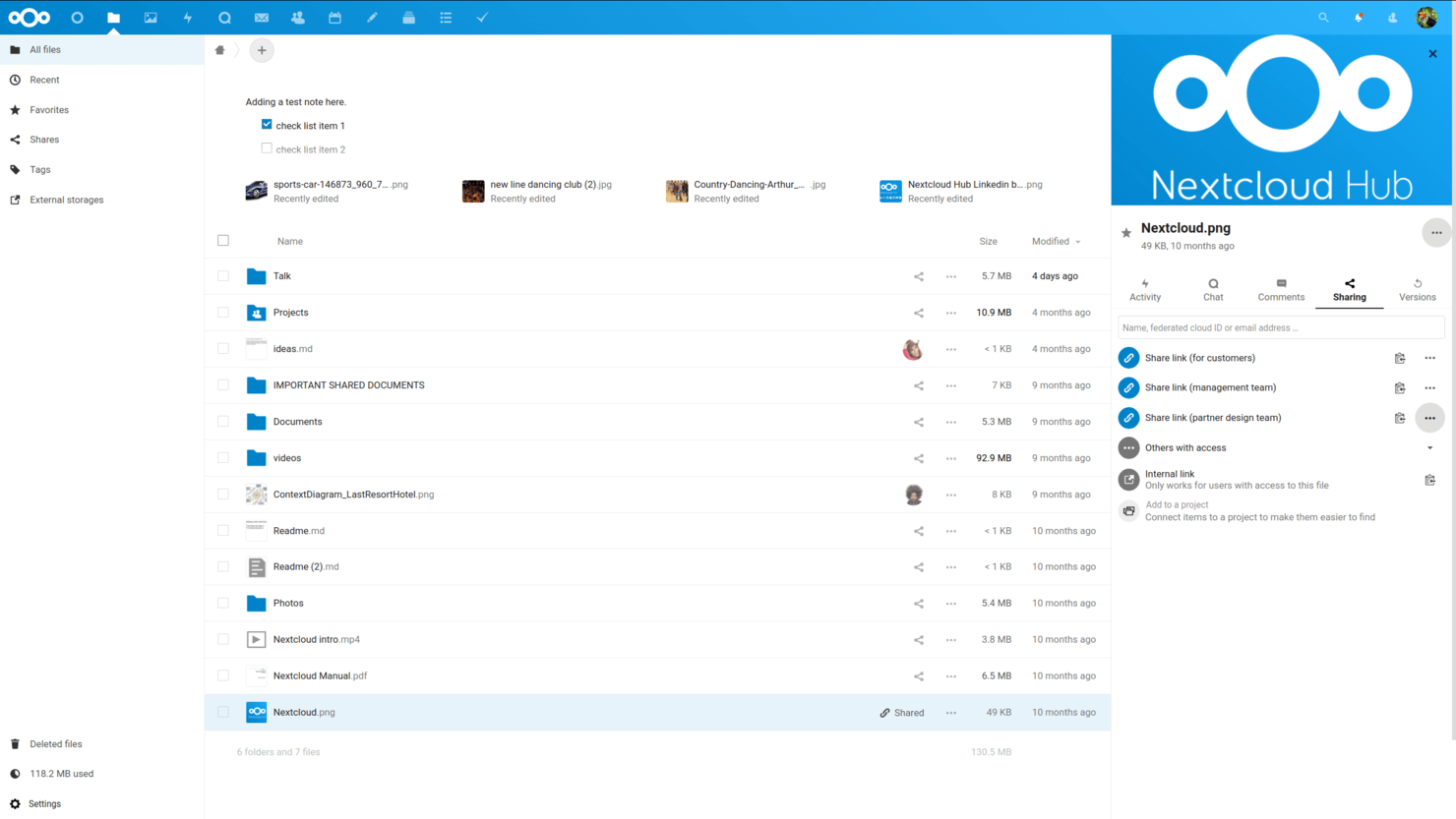
Nextcloud combines file syncing, sharing, and collaboration tools in one workspace, helping distributed project teams keep documents accessible and coordinate work across devices.
Who Is Nextcloud Best For?
Nextcloud suits IT teams and organizations that need self-hosted file sharing and control over where project files are stored.
Why I Picked Nextcloud
I rate Nextcloud as an Egnyte alternative for “Best for self-hosted file sharing and data sovereignty.” I like that organizations can run it on infrastructure they control and share project files through links with passwords or expiration dates, keeping storage choices and external access under their governance.
Nextcloud Key Features
- Desktop and mobile sync: Sync selected files and folders across devices.
- Version history: Restore earlier versions of modified files.
- File locking: Lock files while you work on them.
- Real-time document editing: Co-edit documents through Nextcloud Office integrations.
Nextcloud Integrations
Nextcloud supports integrations with Outlook, Microsoft Exchange and Microsoft 365, Teams, SharePoint, Active Directory and LDAP, and Microsoft Office Online Server; available options depend on the connector and deployment. Its app marketplace offers additional integrations, and APIs are available for custom connections.
Pros and Cons
Pros:
- Share files with password or expiry controls
- Restore earlier versions after file changes
- Keep project files on infrastructure you control
Cons:
- Sync conflicts can create duplicate file copies
- Server upgrades need hands-on administration

Best for compliance-heavy file sharing

FileCloud is an enterprise file sharing and collaboration platform with cloud, self-hosted, and hybrid deployment options, helping IT teams manage access to files across distributed teams and storage environments.
Who Is FileCloud Best For?
FileCloud suits IT and compliance teams that need governed file sharing across cloud, self-hosted, or hybrid environments.
Why I Picked FileCloud
I picked FileCloud as an Egnyte alternative for “Best for compliance-heavy file sharing.” Its Compliance Center supports retention policies and legal holds, while exportable audit logs record file and user activity. I also value its self-hosted and hybrid deployment options when sensitive files need to stay within controlled environments.
FileCloud Key Features
- Microsoft 365 co-authoring: Edit Word, Excel, and PowerPoint files in a browser while they remain in FileCloud.
- Desktop and mobile access: Sync files on Windows, macOS, and Linux, or open them with iOS and Android apps.
- No-code workflows: Build drag-and-drop workflows for file requests, contract reviews, and invoice approvals.
- Granular sharing permissions: Set view, edit, upload, and download access for shared files and folders.
FileCloud Integrations
FileCloud integrates with Microsoft 365, including Outlook and Microsoft Teams, as well as Google Docs, ONLYOFFICE, and identity providers such as Okta and Microsoft Entra ID; it also connects with Zapier. FileCloud provides REST APIs for custom integrations.
Pros and Cons
Pros:
- Granular permissions govern external file sharing
- Compliance tools support retention and audit needs
- Self-hosting keeps sensitive data under your control
Cons:
- Mobile apps offer fewer functions than desktop
- Initial setup and configuration can feel clunky

Best for Zoho ecosystem file management
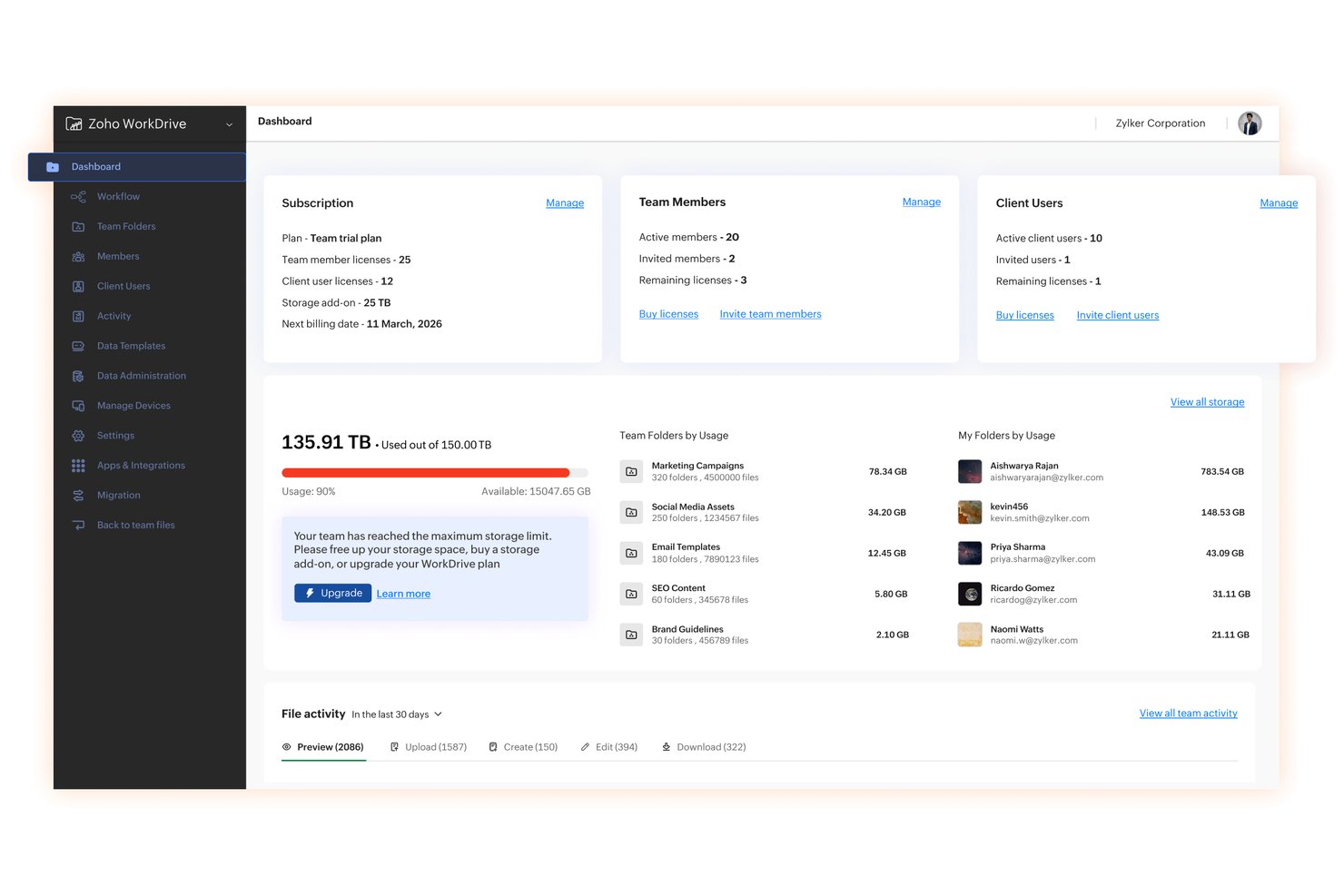
Zoho WorkDrive is a cloud-based file management platform for project teams that need to organize shared documents, collaborate on files, and keep work connected across Zoho apps.
Who Is Zoho WorkDrive Best For?
Zoho WorkDrive suits small and midsize businesses building their work processes around Zoho and looking for a shared home for team files.
Why I Picked Zoho WorkDrive
I picked Zoho WorkDrive as an Egnyte alternative because it fits “Best for Zoho ecosystem file management.” Its Zoho Projects integration and project-specific Team Folders help me keep specs, briefs, and delivery files organized alongside each project.
Zoho WorkDrive Key Features
- File versioning: View earlier file versions and restore one when needed.
- Desktop sync: Sync files to your computer and access them offline.
- Collect Files: Request uploads through a secure link that sends files to a chosen folder.
- Data Templates: Add custom fields to files and folders to organize and filter them.
Zoho WorkDrive Integrations
Zoho WorkDrive has native integrations with Zoho Projects and Zoho CRM, though the CRM integration is rolling out in stages. It also connects with Zapier and offers an API for custom integrations; Zapier connections include Slack, Microsoft Teams, Google Drive, Box, Dropbox, and OneDrive.
Pros and Cons
Pros:
- Link permissions support controlled external sharing
- Version history helps recover earlier documents
- Team folders preserve ownership after staff leave
Cons:
- Mobile app limits folder and permission management
- Large-file sync can lag

Best for regulated-industry file sharing
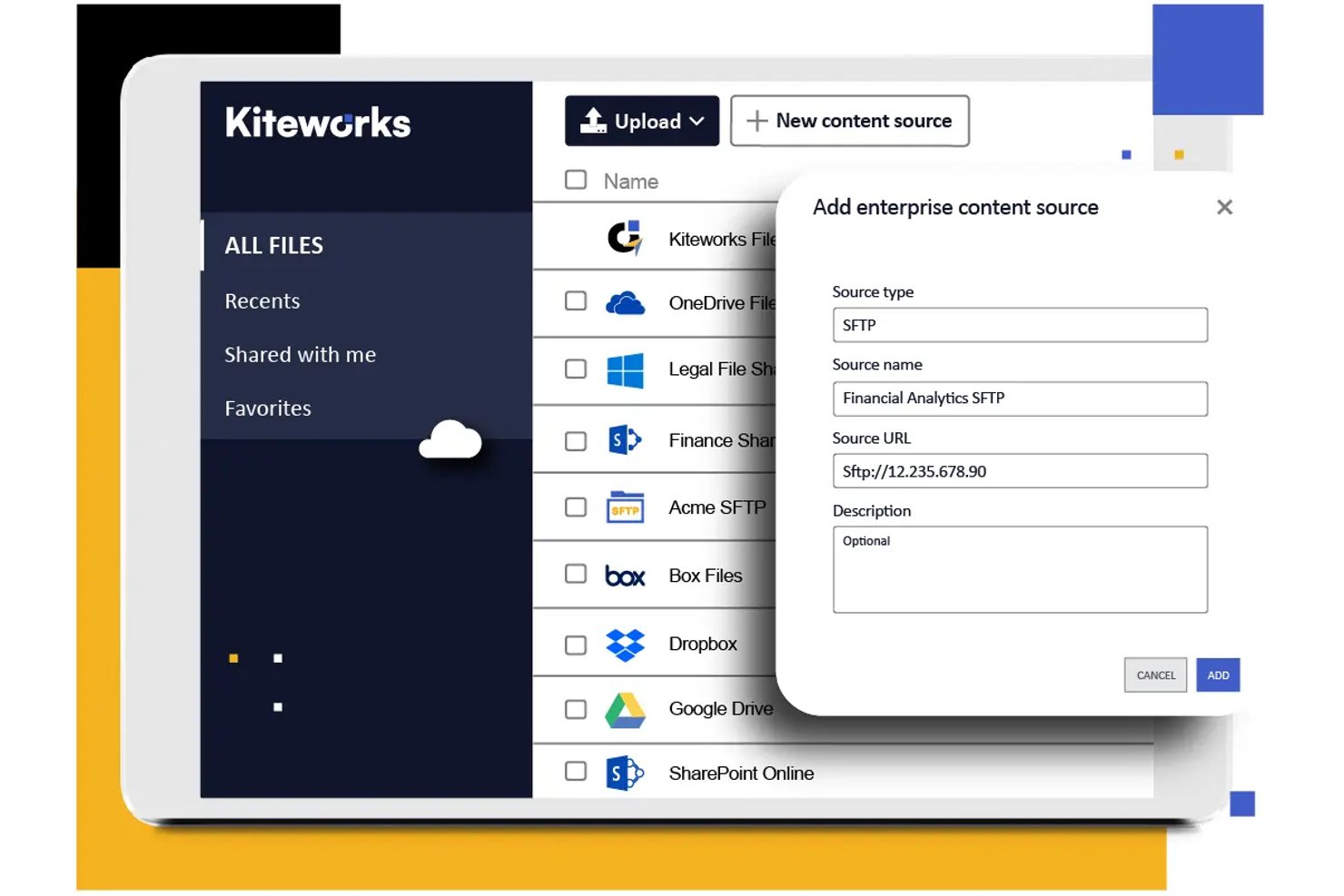
Kiteworks is a secure file-sharing platform for organizations that need to exchange sensitive files with customers and partners while controlling access, tracking activity, and documenting collaboration.
Who Is Kiteworks Best For?
Kiteworks suits IT and compliance teams in regulated industries that need controlled file exchange with external partners and clear audit records.
Why I Picked Kiteworks
I rate Kiteworks highly for its fit: Best for regulated-industry file sharing. As an Egnyte alternative, I value its granular, policy-based access controls and detailed audit trails. They help compliance teams limit a partner’s access to sensitive files and record who shared or viewed them. Encryption protects files in transit and at rest.
Kiteworks Key Features
- Large-file transfers: Send files without size limits.
- Deployment options: Choose on-premises, hosted, private cloud, hybrid cloud, or FedRAMP virtual private cloud.
- Business app integrations: Connect with Salesforce, Microsoft Office 365, Google, and Microsoft OneDrive.
- Mobile apps: Access and share files from phones and tablets.
Kiteworks Integrations
Kiteworks offers plugins and connectors for Microsoft 365, including Teams, OneDrive, Outlook, SharePoint, Word, Excel, and PowerPoint, as well as Salesforce and Google Workspace/Google Drive. It also connects to Box, Dropbox, Documentum, and OpenText repositories, and provides an API for custom integrations.
Pros and Cons
Pros:
- On-premises and hybrid deployments suit regulated teams
- Detailed audit trails document file activity
- Granular permissions restrict partner file access
Cons:
- Large uploads can fail or send slowly
- Administration portal needs stronger capabilities
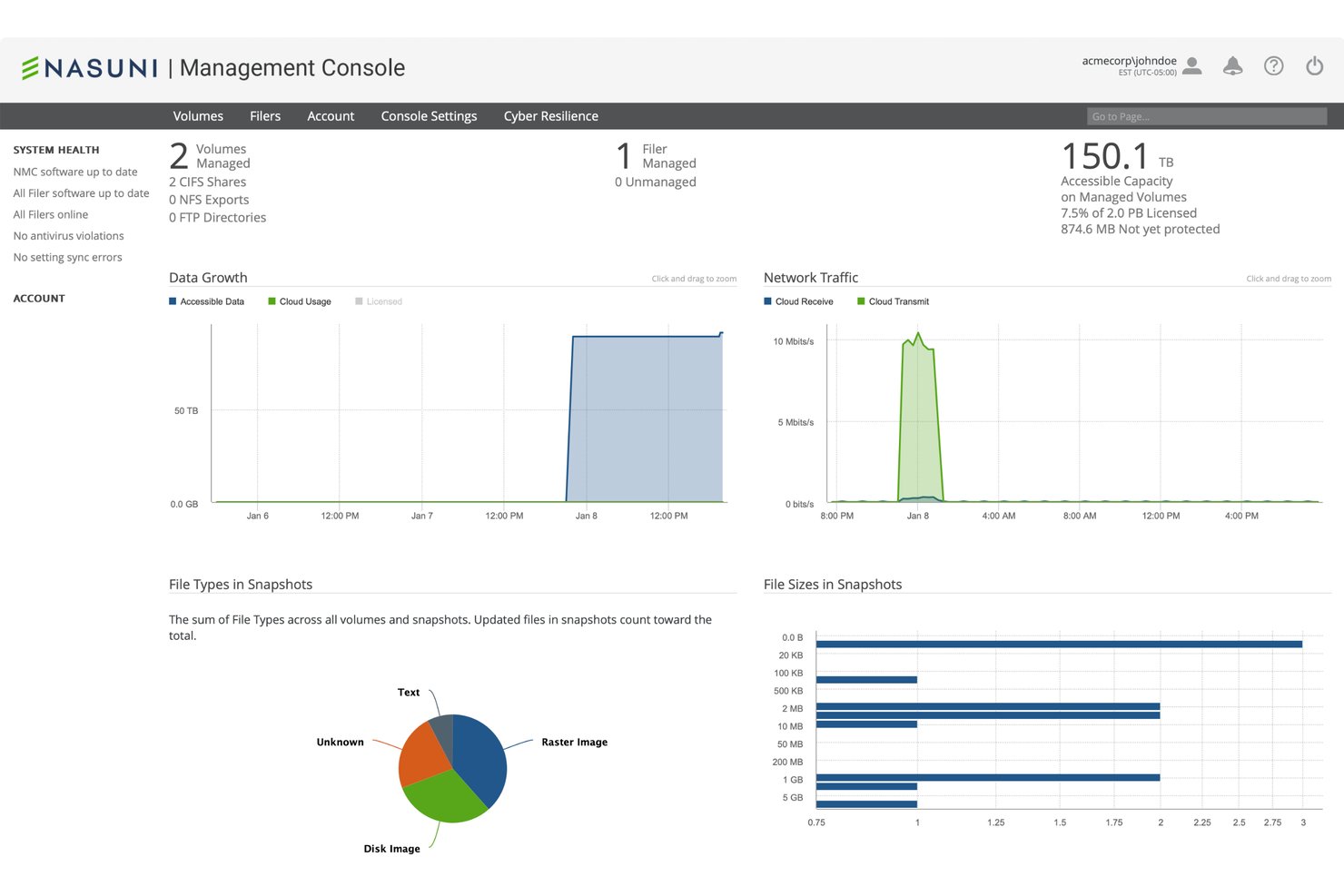
For enterprises moving beyond traditional file servers, Nasuni provides a cloud-based file platform that helps IT and business teams manage shared files across locations and support access for distributed workforces.
Who Is Nasuni Best For?
Nasuni suits enterprise IT teams that need employees across multiple sites to access shared files.
Why I Picked Nasuni
I picked Nasuni as an Egnyte alternative because it’s “Best for distributed multi-site file access.” Its Edge Appliances provide local file access, while its global file system shares files across locations. I also value Global File Lock, which prevents conflicting edits when colleagues at different sites work on the same file.
Nasuni Key Features
- SMB and NFS protocols: Access files through standard enterprise file-sharing protocols.
- Immutable snapshots: Create frequent recovery points for files and folders.
- Ransomware detection: Detect ransomware activity at the edge.
- File system auditing: Log file operations and export events to syslog.
Nasuni Integrations
Nasuni has documented integrations with Microsoft 365 Copilot through the Microsoft Graph Connector, Microsoft Sentinel through Azure Marketplace content, and Splunk through a connector on Splunkbase. It also offers APIs, including the NMC API and Nasuni Data API, for custom integrations.
Pros and Cons
Pros:
- Snapshots enable fast file recovery
- Local caching supports access to large files
- Global namespace keeps files consistent across sites
Cons:
- Logs and reporting require manual filtering
- Small-file performance can lag across locations

Best for teams already living in Google apps
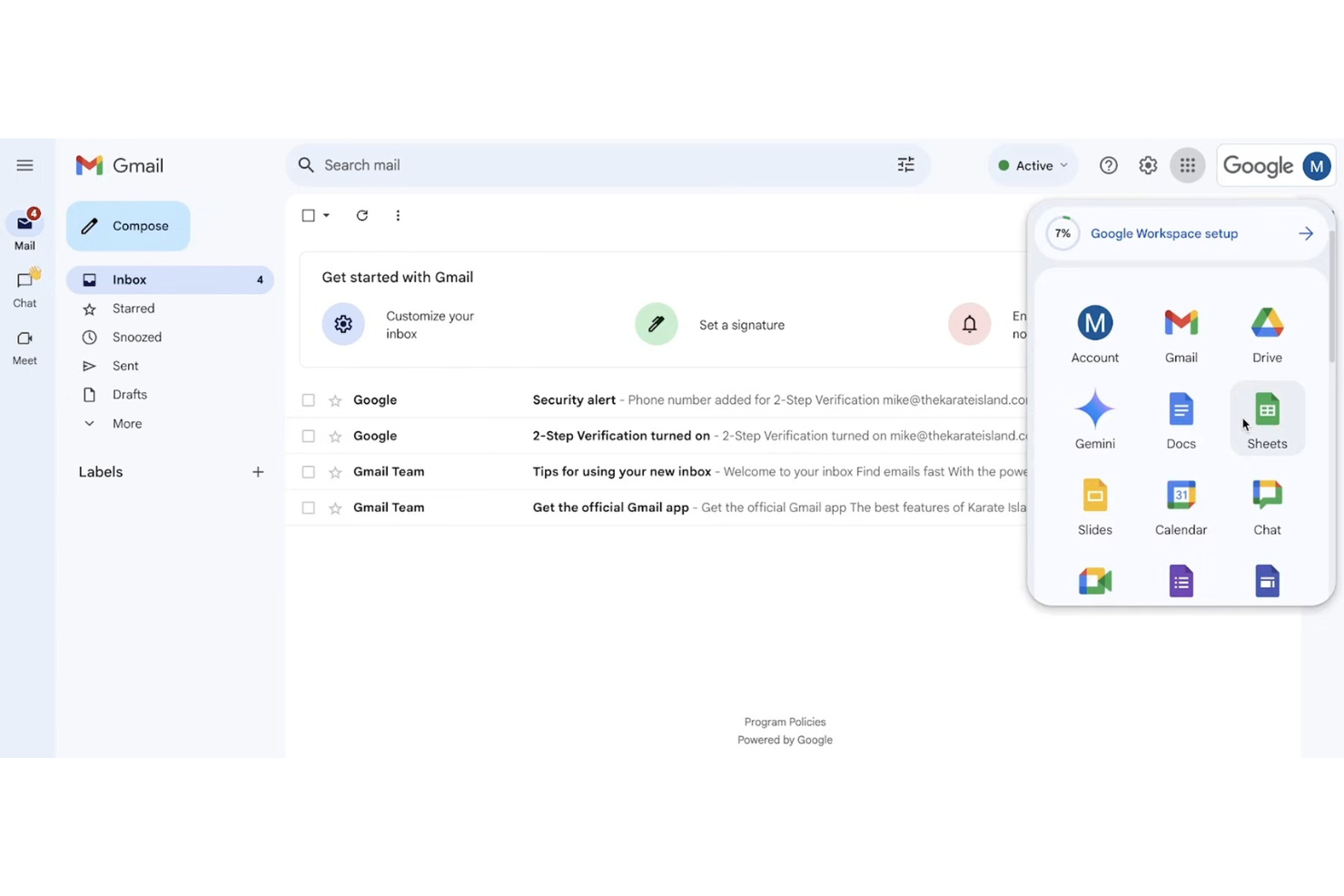
Google Workspace combines cloud file storage and real-time document collaboration, helping project teams coordinate shared files, edits, and stakeholder feedback in one place.
Who Is Google Workspace Best For?
Google Workspace suits project managers and cross-functional teams that already coordinate work through Gmail, Drive, Docs, Sheets, and Meet.
Why I Picked Google Workspace
I picked Google Workspace because teams already living in Google apps can keep shared project files in Drive and edit Docs or Sheets together in real time. I like using comments and suggestion mode to resolve stakeholder feedback alongside the files, rather than splitting reviews across separate tools.
Google Workspace Key Features
- Shared drives: Store team files in shared spaces owned by the organization.
- File access roles: Set access as viewer, commenter, or editor.
- Version history: Review earlier file versions and restore them.
- Drive for desktop: Access and sync Drive files from your computer.
Google Workspace Integrations
Google Workspace offers 5,000+ third-party apps through its Marketplace, including Slack, Jira, Miro, monday.com, and Wrike. It supports custom integrations through Workspace APIs and connects with Zapier.
Pros and Cons
Pros:
- Browser-based Office file editing eases migration
- Shared drives keep team files organization-owned
- Real-time Docs editing resolves file-review loops
Cons:
- Drive folders get cluttered as repositories grow
- Sharing controls offer less granular clarity

Box
Best for content workflows with built-in e-sign
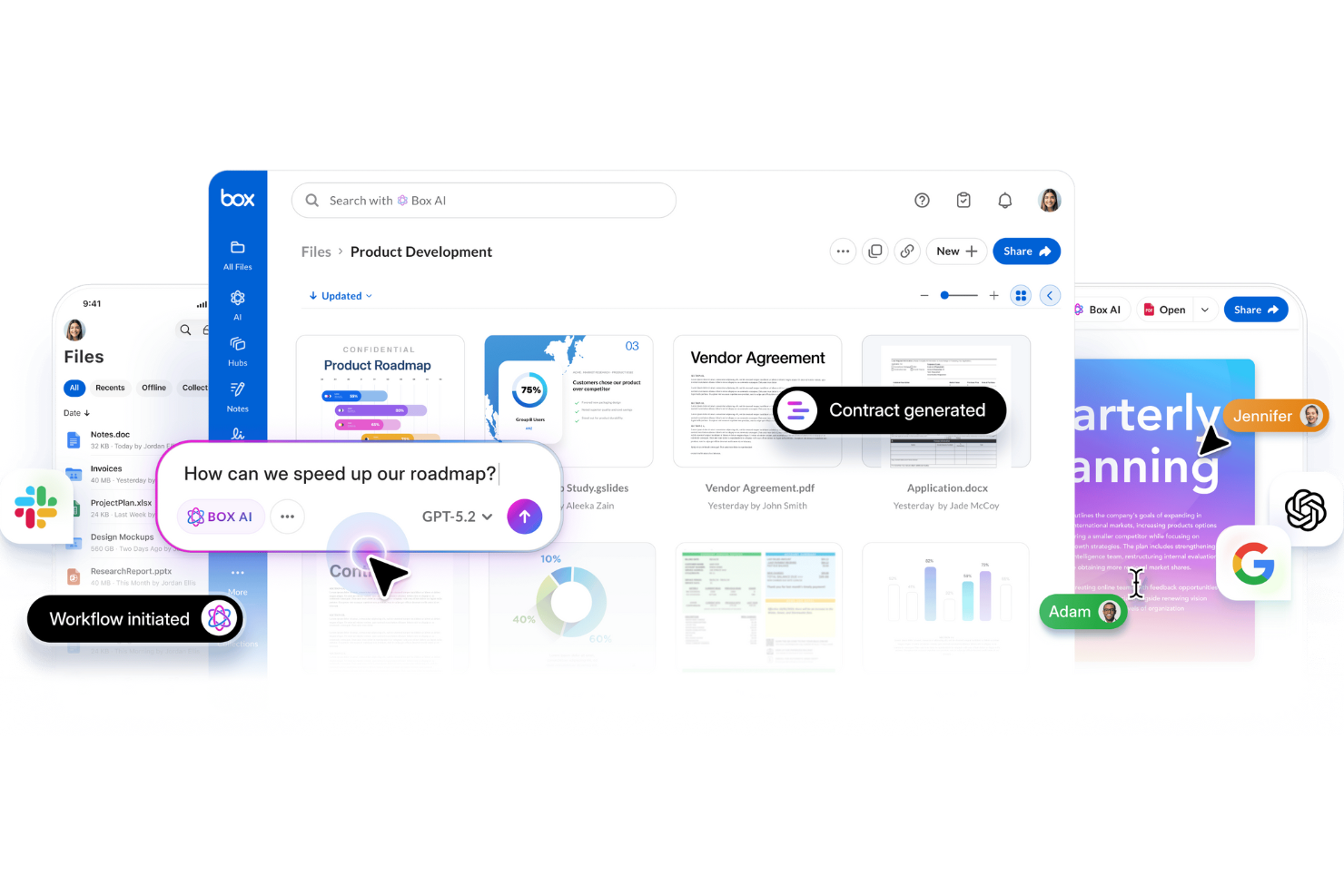
Box is a cloud content management and file-sharing platform for organizations that need to organize business files, coordinate access across teams, and keep project documents easy to find.
Who Is Box Best For?
Box suits project and operations teams that need to route documents for review, approval, and e-signature within their content workspace.
Why I Picked Box
I picked Box because it’s Best for content workflows with built-in e-sign. Box Sign handles signatures, while Box Relay routes files through review and approval steps. I like that a project team can move a vendor agreement from review to signature within its content workflow.
Box Key Features
- Shared links: Create links to files and folders with configurable access permissions.
- Version history: View and restore earlier versions of files.
- Box Drive: Browse Box files from your desktop without syncing every file locally.
- Third-party integrations: Work with Box content through apps such as Microsoft 365 and Google Workspace.
Box Integrations
Box lists 1,500+ integrations through its technology partner ecosystem, including Microsoft 365, Google Workspace, Salesforce, ServiceNow, and Slack. It provides APIs for custom integrations and connects with Zapier.
Pros and Cons
Pros:
- Granular access controls support secure content sharing
- No-code workflows route reviews and approvals
- Built-in e-signatures keep approvals in-workspace
Cons:
- Permission administration feels clunkier than Egnyte
- Large-folder sync can lag or delay updates

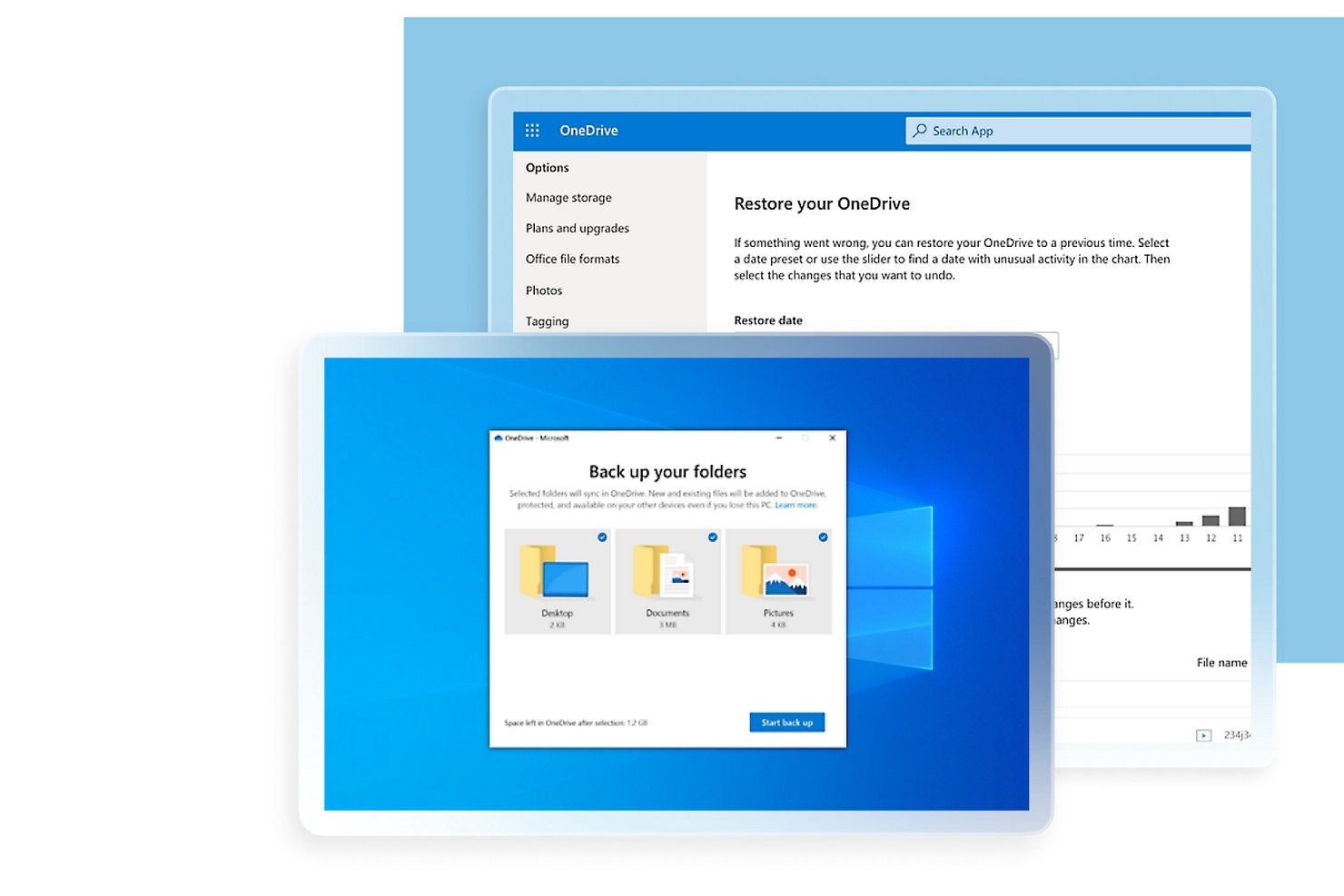
For teams comparing Egnyte alternatives, Microsoft OneDrive is a cloud file storage and sharing service that helps project groups keep documents accessible, collaborate on files, and avoid version confusion across Microsoft 365 workflows.
Who Is Microsoft OneDrive Best For?
It suits project managers and cross-functional teams already working in Microsoft 365 who need shared files close to their Office workflows.
Why I Picked Microsoft OneDrive
I picked Microsoft OneDrive as an Egnyte alternative for its “Best for Microsoft 365 ecosystem file storage” fit. I use Office co-authoring to edit project documents together and version history to recover earlier drafts when requirements change. Shared files stay close to Microsoft 365 workflows, reducing version confusion across project work.
Microsoft OneDrive Key Features
- Files On-Demand: View files in File Explorer without downloading them to your device.
- Selective sync: Choose which OneDrive folders sync to each computer.
- Mobile document scanning: Scan paper documents with the mobile app and save them as PDFs.
- Recycle Bin: Restore deleted files from OneDrive’s recycle bin.
Microsoft OneDrive Integrations
OneDrive has native integrations across Microsoft 365, including Microsoft Teams, SharePoint, Outlook, Word, Excel, and PowerPoint. Microsoft Graph provides APIs for custom integrations.
Pros and Cons
Pros:
- Files on-demand reduces local storage needs
- Version history helps recover changed drafts
- Coauthor Office documents with live edits
Cons:
- Permission settings complicate external-sharing workflows
- Sync conflicts can create duplicate files
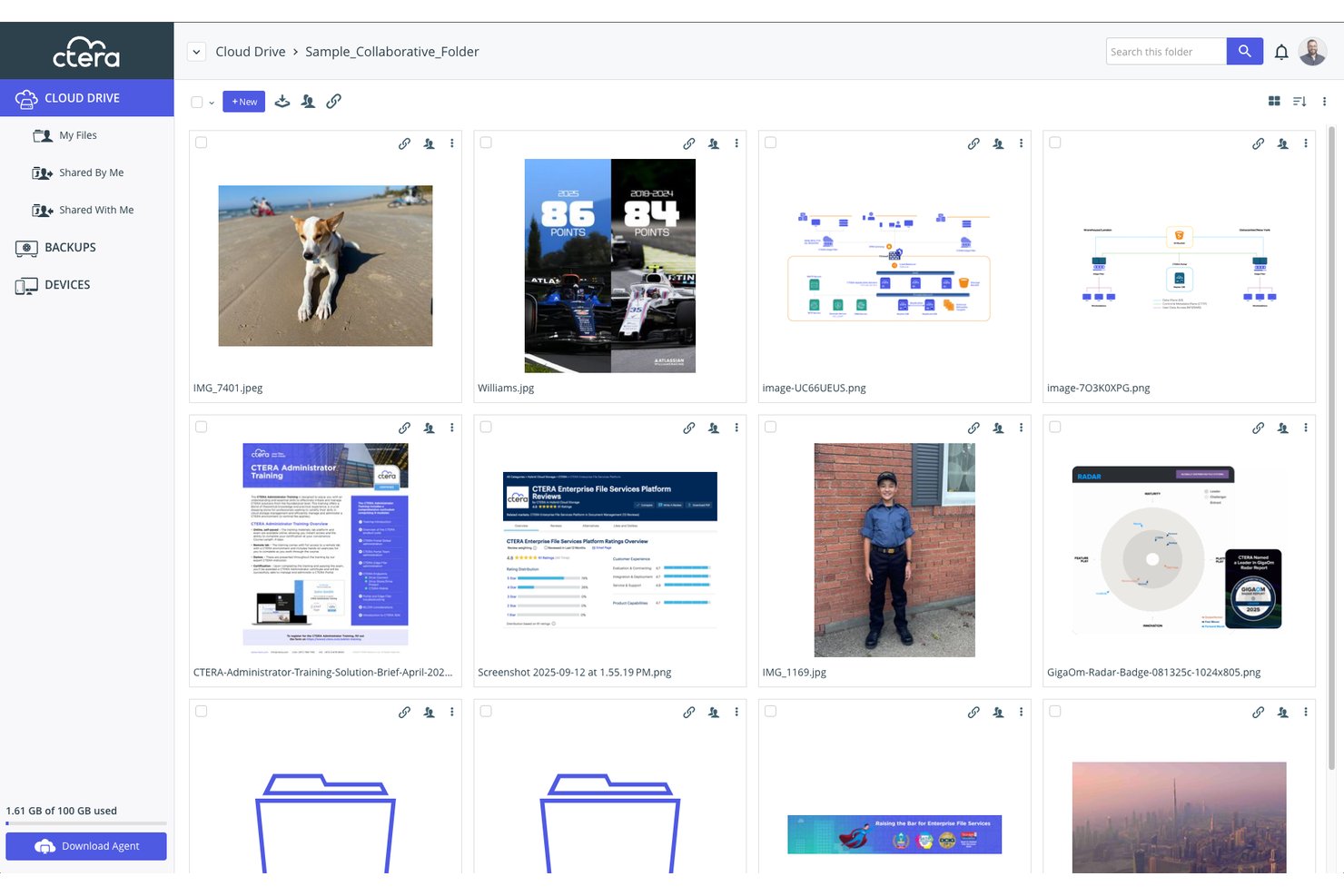
CTERA gives distributed enterprises an enterprise file-sharing and content collaboration platform for coordinating access to business files across offices, remote teams, and existing storage environments.
Who Is CTERA Best For?
CTERA suits enterprise IT and storage teams that need to govern file access across on-premises infrastructure and cloud environments.
Why I Picked CTERA
I picked CTERA as an Egnyte alternative for hybrid-cloud enterprise file governance. Its edge filers keep frequently used files available locally while connecting branch offices to centralized cloud or on-premises storage. I like that administrators can manage file services and apply access policies centrally across sites.
CTERA Key Features
- Global file locking: Locks supported files while someone edits them to prevent conflicting changes.
- Version history: Maintains file versions so users can access earlier copies.
- File sharing: Lets users share files through the CTERA Portal.
- Portal antivirus: Scans files for viruses when the antivirus service is enabled.
CTERA Integrations
CTERA documents integrations with Microsoft, Okta, OneLogin, Ping Identity, Splunk, Varonis, AWS, Azure, and Google Cloud. It also provides APIs for custom integrations with identity management, security, data governance, automation, and mobility tools.
Pros and Cons
Pros:
- Version recovery restores deleted files within minutes
- Central policies govern distributed file services
- Local edge caching keeps branch files accessible
Cons:
- Complex migrations and upgrades can run slowly
- Gateway monitoring lacks a unified dashboard
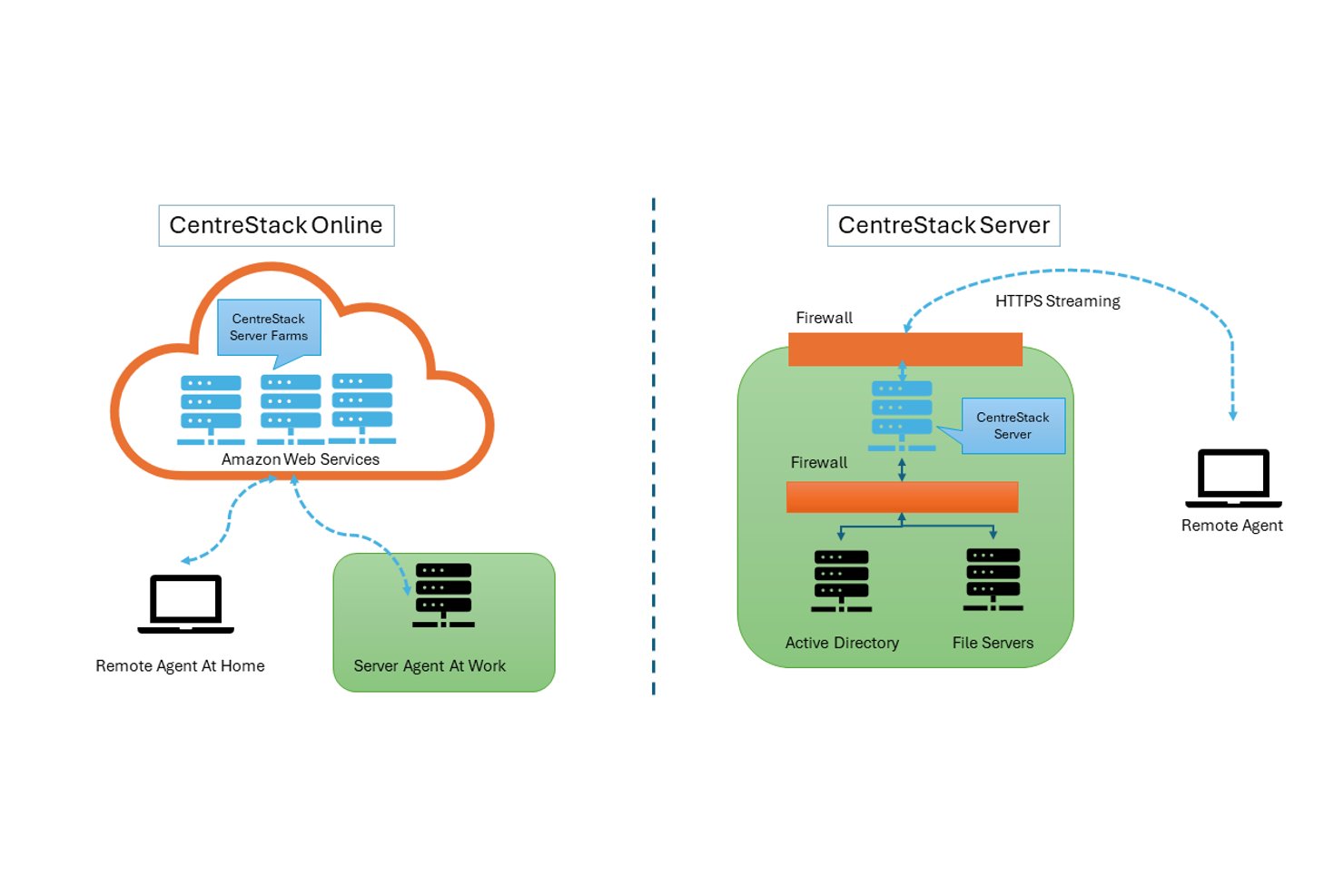
CentreStack is an enterprise file-sharing platform for organizations that want to extend existing file-server workflows to distributed teams, with centralized access, collaboration, and file management across offices.
Who Is CentreStack Best For?
CentreStack suits IT teams moving file-server access to remote staff without relying on VPN connections.
Why I Picked CentreStack
I picked CentreStack as an Egnyte alternative because it’s Best for migrating file servers without VPN dependency. Windows mapped drives give remote staff access to existing file servers without changing familiar workflows. CentreStack can also preserve NTFS permissions and Active Directory identities, keeping file access controls in place as teams move to VPN-free access.
CentreStack Key Features
- File locking: Locks files during editing and lets other users open read-only copies.
- File versioning: Keeps earlier file versions available for recovery.
- External sharing: Create guest users and share files with customizable permissions.
- Offline access: Work with files offline and sync changes when you reconnect.
CentreStack Integrations
CentreStack integrates with Active Directory and SharePoint Online document libraries, and supports storage connections to AWS S3, Microsoft Azure, Google Cloud Storage, Dropbox, and Wasabi. It also provides a REST API for custom integrations.
Pros and Cons
Pros:
- Supports on-premises or preferred-cloud data storage
- Preserves NTFS permissions on existing file servers
- VPN-free mapped-drive access for remote staff
Cons:
- Web portal feels dated and clunky
- Large files can sync slowly
Outras alternativas ao Egnyte
Eis algumas opções adicionais de alternativas ao Egnyte que não chegaram à minha lista restrita, mas que continuam a merecer atenção:


How I Evaluate Egnyte Alternatives
I split my evaluation into three parts, with core functionality carrying the most weight: an alternative must store files securely at scale and enforce granular access controls. From there, I look for standout features like content lifecycle governance and smart content classification. Finally, I consider deployment flexibility, compliance depth, and onboarding support.
Core Functionality (Table Stakes For This List)
When I'm selecting tools for my list, I score each one on a scale from 0 (does not offer the functionality) to 5 (excels in this area) for each core functionality listed below. I then convert the total into a percentage to help assess each tool's overall fit, with extra weight on any functionalities I’ve deemed essential.
- Secure File Storage (Essential): I look for centralized storage that can handle project files across departments, with clear folder structures and security suited to business use.
- Granular Access (Essential): I evaluate user, group, folder, and file permissions, including whether external partners can access shared deliverables without seeing internal work.
- File Sync & Sharing: I check whether teams can access current files across devices and locations, and share them with internal and external collaborators.
- Version History & Recovery: I look for version tracking and practical restore options, such as recovering a project brief after an unintended edit.
- Activity Logs & Auditing: I assess whether logs capture file access, edits, and sharing clearly enough to review activity and support compliance needs.
- Third-Party Integrations: I consider connections to the productivity and collaboration tools teams already use to manage project work and documents.
Once I have a list of tools that meet the criteria, I consider what sets each platform apart.
Differentiating Factors (What Sets Vendors Apart)
Here's how I compare and contrast different vendors:
Standout Features
I look for content lifecycle governance—automated retention and disposition policies that move project files from active use through archival without manual cleanup. Smart content classification matters just as much; I check whether the platform can flag sensitive data like PII inside project folders before someone shares them externally. I also evaluate unified search across repositories, since project teams rarely keep everything in one place. The best tools let you surface files across connected cloud drives and on-prem servers from a single search bar.
Beyond Features
Deployment flexibility matters because a platform that only runs in the cloud won't work for teams still migrating off on-prem file servers. I check whether vendors offer hybrid options that let you phase out legacy infrastructure at your own pace. Compliance depth is just as important—I look for certifications like SOC 2, HIPAA, and ITAR, plus region-specific data residency, since a single missing certification can block a government or healthcare project. I also evaluate onboarding support, especially white-glove migration that preserves existing permission structures across multi-site rollouts.
Por que procurar uma alternativa ao Egnyte?
Embora o Egnyte seja uma boa escolha de ferramenta de colaboração de conteúdos na nuvem, existem vários motivos pelos quais alguns utilizadores procuram soluções alternativas. Pode estar à procura de uma alternativa ao Egnyte porque…
- Precisa de uma personalização mais flexível do espaço de trabalho
- Pretende funcionalidades integradas de gestão de projetos
- Precisa de armazenamento ilimitado nos planos de nível inferior
- Precisa de uma melhor colaboração em documentos em tempo real
- Pretende preços mais acessíveis para equipas pequenas
- Precisa de integrações nativas com ferramentas específicas
Se alguma destas situações lhe parece familiar, veio ao sítio certo. A minha lista inclui várias opções de ferramentas de colaboração de conteúdos na nuvem mais adequadas para equipas que enfrentam estes desafios com o Egnyte e procuram soluções alternativas.
Principais funcionalidades do Egnyte
Eis algumas das principais funcionalidades do Egnyte, para o ajudar a comparar e contrastar o que as soluções alternativas oferecem:
- Armazenamento e organização centralizados de ficheiros na nuvem
- Controlos granulares de permissões de utilizadores e pastas
- Sincronização de ficheiros em tempo real entre dispositivos
- Partilha segura de ficheiros com utilizadores externos através de ligações personalizadas
- Deteção avançada de software de extorsão e software malicioso
- Registos de auditoria detalhados e acompanhamento da atividade
- Integrações nativas com o Microsoft 365 e o Google Workspace
- Gestão automática de versões e recuperação de ficheiros
- Opções de implementação híbrida para a nuvem e localmente
- Acesso móvel com aplicações dedicadas para iOS e Android