

De 10 beste kalenderprogrammene for ansatte vurdert i 2026

Beste programvare for ansattkalendere


Det kan føles som å sjonglere med for mye på én gang å administrere timeplanen til et team. Det kan være krevende å koordinere skift, unngå konflikter og sørge for at alle er på samme side, noe som kan tære på både tid og tålmodighet.
Det er her programvare for ansattkalendere kommer inn i bildet, slik at du kan si farvel til papirbaserte timelister og arbeidet med Excel-regneark. Med disse effektive verktøyene kan du redusere utfordringene med timeplanlegging, holde teamet organisert og forbedre den overordnede arbeidsflyten.
Etter å ha vurdert programvare har jeg erfart hvor stor forskjell det riktige verktøyet kan utgjøre. Denne artikkelen gir deg en oversikt over mine beste valg innen programvare for ansattkalendere, med fokus på deres unike funksjoner og fordeler, slik at du kan finne den løsningen som passer best for teamets behov.
Hvorfor du kan stole på våre programvareanbefalinger
Teamet vårt har testet og anmeldt programvare siden 2012. Vi er selv prosjektledere, så vi vet hvor vanskelig og hvor viktig det er å velge riktig programvare.
I denne guiden har vi vurdert verktøyene gjennom praktisk testing og uavhengig research og gitt dem poeng ut fra våre utvelgelseskriterier. Vi bygger også på innsikt fra ledende eksperter i bransjen og erfarne prosjektledere.
Anmeldelsene våre bygger på vår egen redaksjonelle vurdering. De er ikke et salgsargument.
Ekspertanmeldere:
Sammenligningstabell for programvare til ansattkalendere
Tabellen nedenfor sammenligner prisopplysningene for mine beste utvalgte programmer for ansattkalendere.
| Tool | Best For | Trial Info | Price | ||
|---|---|---|---|---|---|
| 1 | Best for real-time attendance tracking | 30-day free trial | From $50/month | Website | |
| 2 | Best for restaurant teams | 14-day free trial + free plan available | From $39.99/month | Website | |
| 3 | Best for small business scheduling | Free trial available | From $2.50/user/month | Website | |
| 4 | Best for Microsoft ecosystem users | Free plan + 1-month free trial available | From $4/user/month (billed annually) | Website | |
| 5 | Best for large enterprise needs | 30-day free trial + free demo available | Pricing upon request | Website | |
| 6 | Best for automated scheduling | 30-day free trial available | From $28/month | Website | |
| 7 | Best for complex shift patterns | Free demo available | Pricing upon request | Website | |
| 8 | Best for seasonal workforce | Free 14-day trial + free plan + free demo available | From $2/active member/month (billed annually) | Website | |
| 9 | Best for retail scheduling needs | Free trial + free plan available | From $1.70/user/month (billed annually) | Website | |
| 10 | Best for employee feedback tools | Free 21-day trial + free demo available | From $2.93/user/month (billed annually) | Website |
Omtaler av den beste programvaren for ansattkalendere
Nedenfor finner du mine detaljerte sammendrag av den beste programvaren for ansattkalendere som kom med på kortlisten min. Omtalene mine gir en grundig gjennomgang av de viktigste funksjonene, fordelene og ulempene, integrasjonene og ideelle bruksområdene for hvert verktøy, slik at du kan finne det som passer best for deg.

TimeTrex
Best for real-time attendance tracking
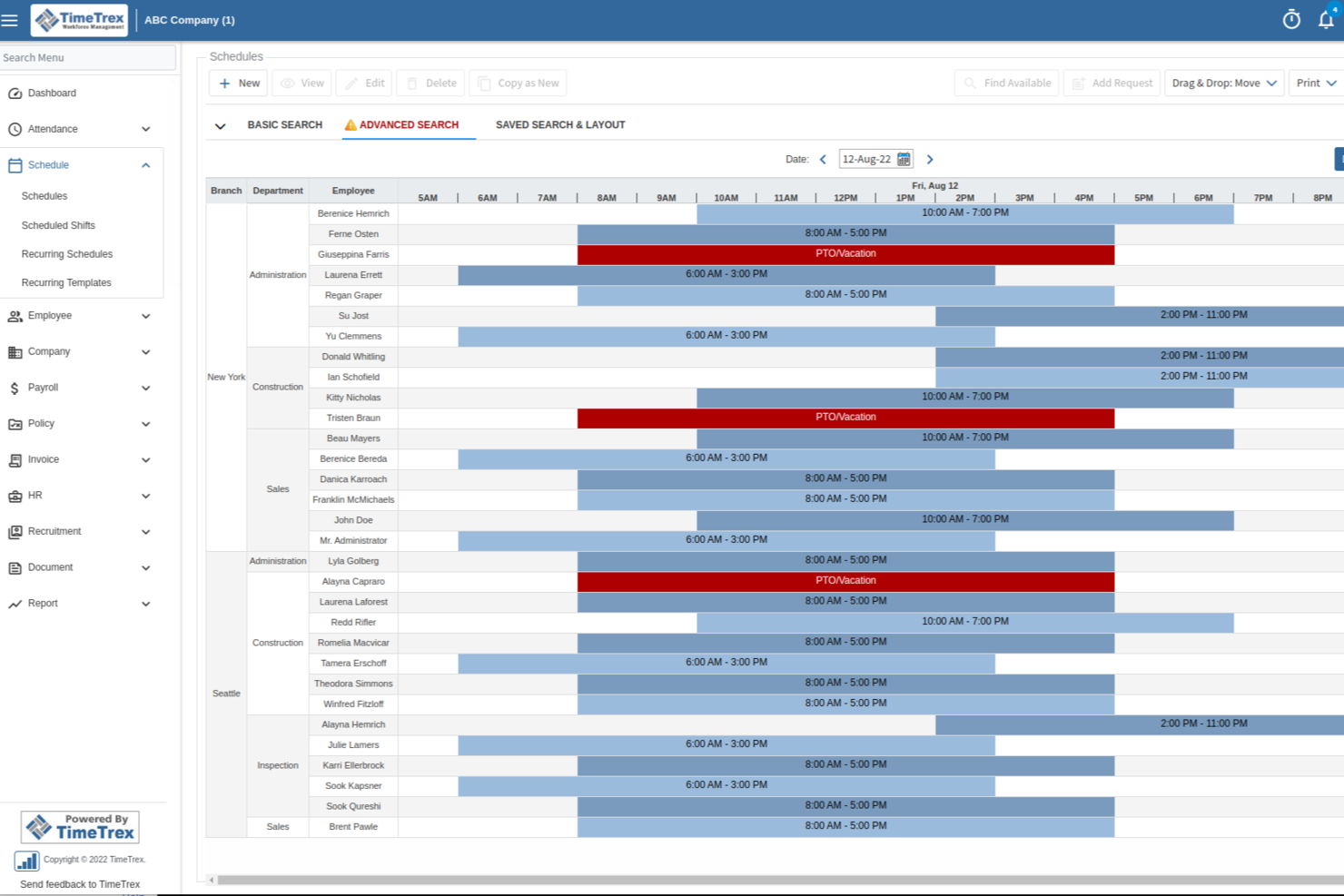
TimeTrex is a workforce management platform that ties employee scheduling and shift calendars directly to time and attendance tracking, leave management, and payroll processing.
Who Is TimeTrex Best For?
TimeTrex is a strong fit for operations and HR teams in shift-based industries like manufacturing, retail, and healthcare that need scheduling tied to time tracking.
Why I Picked TimeTrex
I've included TimeTrex in my top picks because real-time attendance tracking is genuinely central to how the platform works, not a bolt-on feature. When an employee punches in via the browser, mobile app, or a physical time clock, that attendance data surfaces immediately against the scheduled shift in the calendar. I also like that geofencing and GEO-enforcement let you define exactly where punch-ins are valid, so the live attendance view actually reflects who is on-site. Pair that with automated accrual tracking updating in real time, and managers always have an accurate picture of coverage without chasing down HR.
TimeTrex Key Features
- Drag-and-drop shift scheduling: Build and adjust employee schedules visually, with tools to detect and resolve conflicts before they affect coverage.
- Leave and absence management: Employees submit time-off requests through a self-service portal, and approvals automatically update both the schedule and payroll records.
- Calendar management: A centralized scheduling calendar keeps shifts, time-off, and workforce availability visible in one place across teams.
- AI-powered schedule optimization: TimeTrex uses an AI assistant to help automate shift creation based on employee availability, skills, and business demand.
TimeTrex Integrations
TimeTrex offers a smaller set of native integrations, limited to payroll providers like ADP, Paychex, Sage, Ceridian, and QuickBooks. The platform also supports two-way and flat-file integrations through its API, and provides an open API for custom needs.
Pros and Cons
Pros:
- Free open-source edition available for self-hosting
- Biometric facial recognition prevents buddy punching
- Built-in payroll with automatic tax calculations
Cons:
- Reporting dashboards lack ad hoc customization
- Initial setup requires significant configuration time
New Product Updates from TimeTrex
TimeTrex Redesigns Workforce Management With New Payroll, Scheduling, and AI Tools
TimeTrex redesigns its workforce management experience with new dashboards, scheduling and timesheet tools, a rebuilt payroll workflow, and expanded AI assistance. These updates give teams more flexible ways to manage schedules, payroll, reporting, and employee data. For more information, visit TimeTrex’s official site.
 .

7shifts
Best for restaurant teams
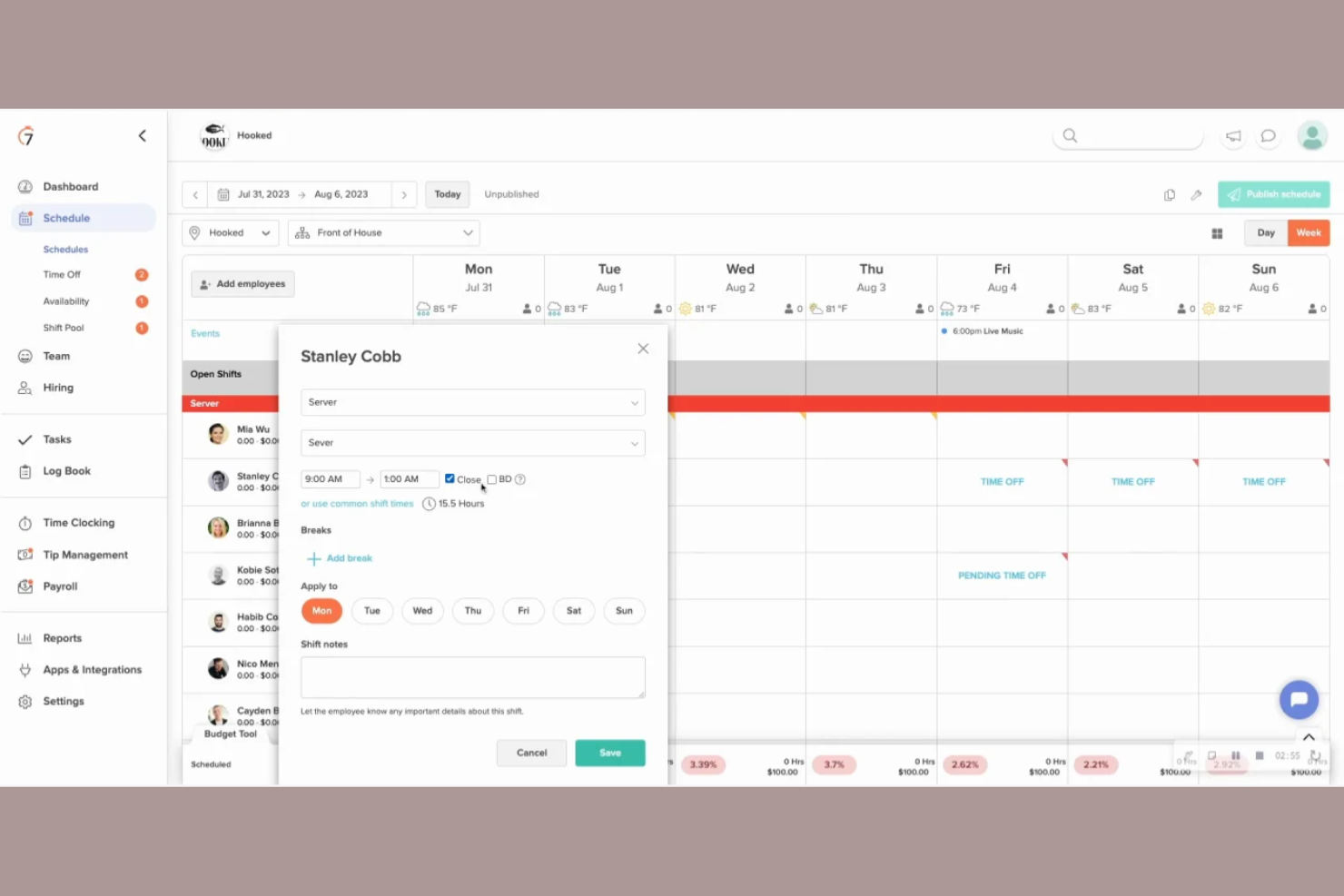
7shifts is a scheduling and workforce management tool specifically designed for the restaurant industry. It helps manage staff schedules, track labor costs, and improve team communication.
Why I picked 7shifts: It’s tailored for restaurant teams, providing features that address the unique challenges of the food service industry. Its shift-swapping feature makes it easier for your team to handle last-minute changes, while customizable tip management software provides accurate calculations and distribution to staff.
Standout Features and Integrations:
Features include labor cost forecasting to help you stay on budget, employee engagement tools to boost morale, and compliance management to ensure you meet industry regulations. All these features work together to strengthen your restaurant's scheduling efficiency.
Integrations include Toast, Square, Clover, ADP Workforce Now, Gusto, Paychex, TouchBistro, MarginEdge, and more.
Pros and Cons
Pros:
- Compliance management tools
- Effective labor cost management
- Tailored for restaurant needs
Cons:
- POS data discrepancies
- No break reminders for employees

Best for small business scheduling
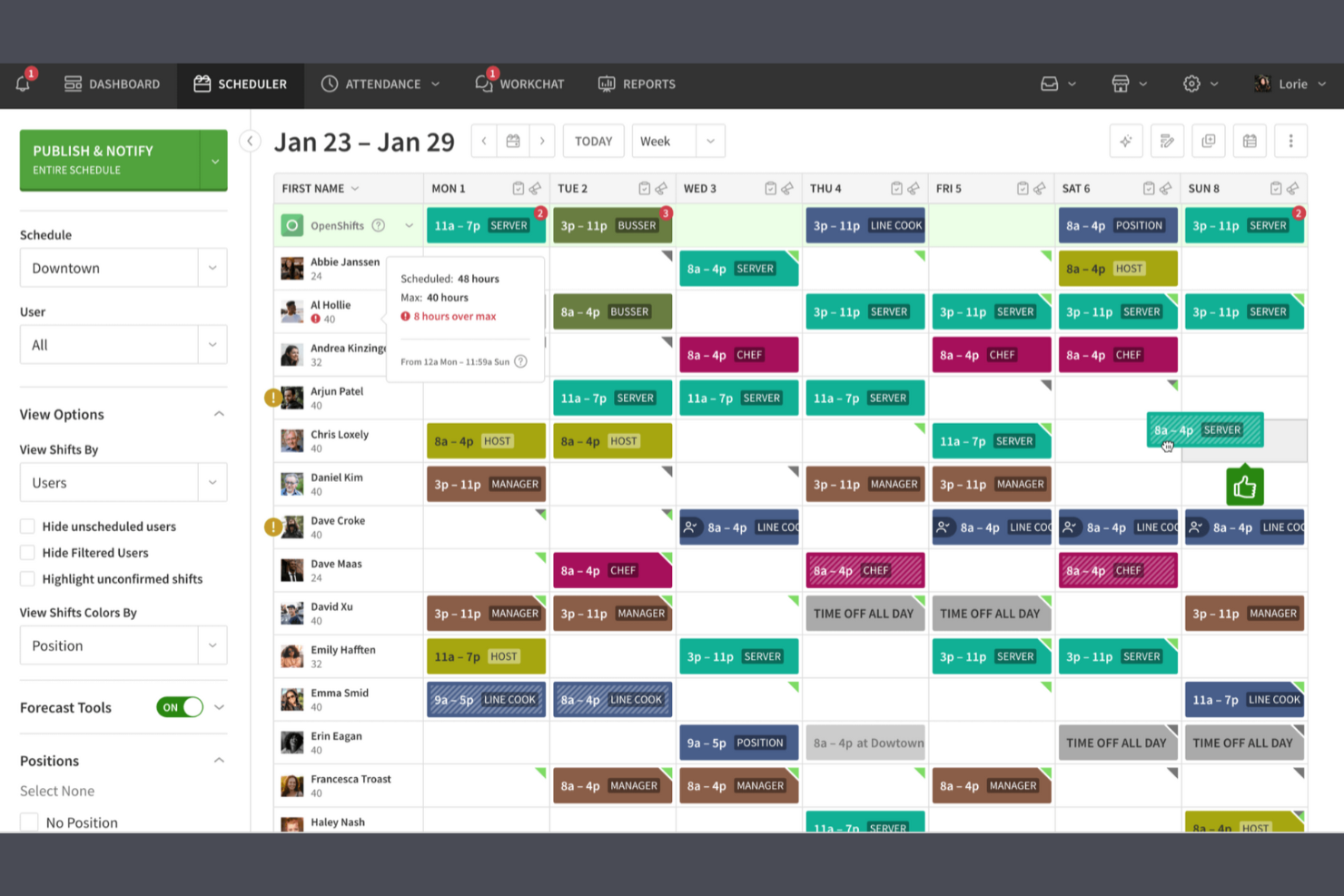
When I Work is a scheduling solution and workforce management tool designed to help small businesses across various industries keep everything they need in one place. It helps manage employee time schedules and ensures teams are well communicated.
Why I picked When I Work: It’s tailored for small businesses, offering tools that simplify shift management. The platform allows your team to swap shifts smoothly, and its user-friendly interface means your team can quickly adapt to using the tool without extensive training. It also offers time-clock functionalities that ensure accurate time tracking for payroll.
Standout Features and Integrations:
Features include an intuitive drag-and-drop schedule builder that simplifies shift planning, time-off management to handle employee requests, attendance tracking to increase employee accountability, and team messaging for instant communication. All these features help you keep your team organized and connected.
Integrations include QuickBooks, Gusto, ADP, Square, Rippling, OnPay, Zapier, GoCo, Paychex, and more.
Pros and Cons
Pros:
- Customizable shift templates
- Simple onboarding process
- Easy-to-use interface
Cons:
- Restricted staff visibility
- No automated employee break alerts

Best for Microsoft ecosystem users

Microsoft Teams is a communication and collaboration platform that includes staff scheduling features, catering primarily to businesses already using Microsoft products. It facilitates team communication, scheduling, and task management, making it a versatile tool for various industries.
Why I picked Microsoft Teams: It integrates smoothly with the Microsoft ecosystem, allowing you to leverage existing Microsoft tools for a cohesive workflow. You can manage schedules directly within Teams, reducing the need for additional software, and its features, such as shift swapping and time-off requests, are easy to manage. The integration with Microsoft 365 improves productivity by allowing straightforward access to documents and other resources.
Standout Features and Integrations:
Features include built-in video conferencing to facilitate remote meetings, file sharing to strengthen collaboration, and customizable notifications to keep your team informed. These features help maintain effective communication and coordination within your team.
Integrations include Microsoft 365, Outlook, OneDrive, SharePoint, Power BI, Trello, Asana, Salesforce, Dropbox, and more.
Pros and Cons
Pros:
- Built-in video conferencing
- Customizable notifications
- Blocks off-shift chat access
Cons:
- No back-to-back shift support
- Requires Microsoft account setup

Workday
Best for large enterprise needs
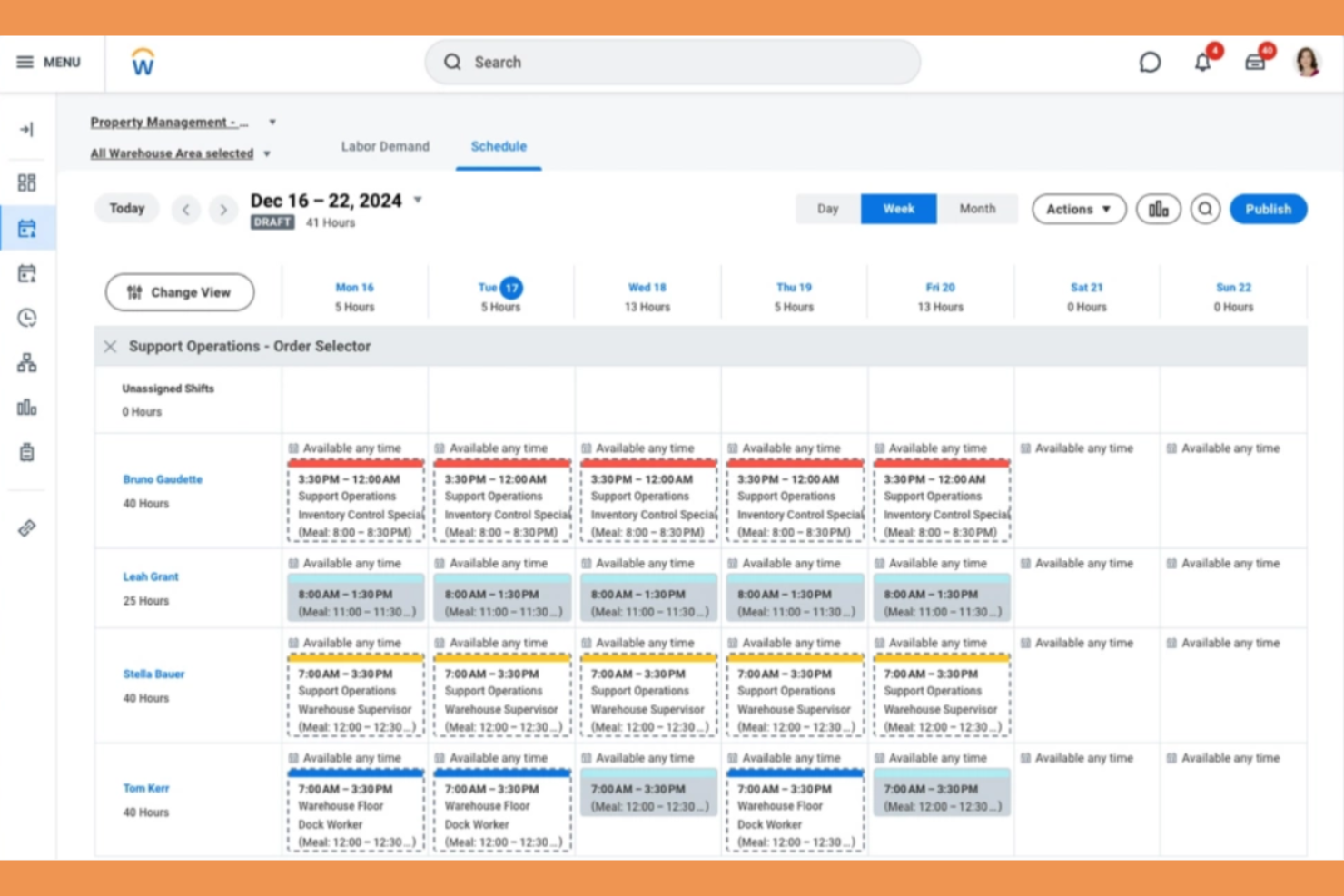
Workday is an extensive workforce management tool designed for large enterprises across various sectors. It facilitates employee scheduling, time tracking, and labor optimization, ensuring efficient workforce management.
Why I picked Workday: It addresses the complex needs of large enterprises with features such as AI-driven schedule generation and demand forecasting. Workday offers centralized scheduling, allowing managers and workers to control their schedules from mobile devices, while the open shifts board and shift-swapping features ensure flexibility and adaptability when managing large teams.
Standout Features and Integrations:
Features include automated shift assignments to simplify scheduling processes, labor optimization tools to maximize workforce efficiency, and demand forecasting to anticipate staffing needs. These features cater to the dynamic requirements of large enterprises.
Integrations include Workday Human Capital Management, Workday Payroll, and more.
Pros and Cons
Pros:
- Real-time demand forecasting
- Scalable for large teams
- AI-driven scheduling
Cons:
- Limited report filtering options
- Frequent loading delays

Best for automated scheduling
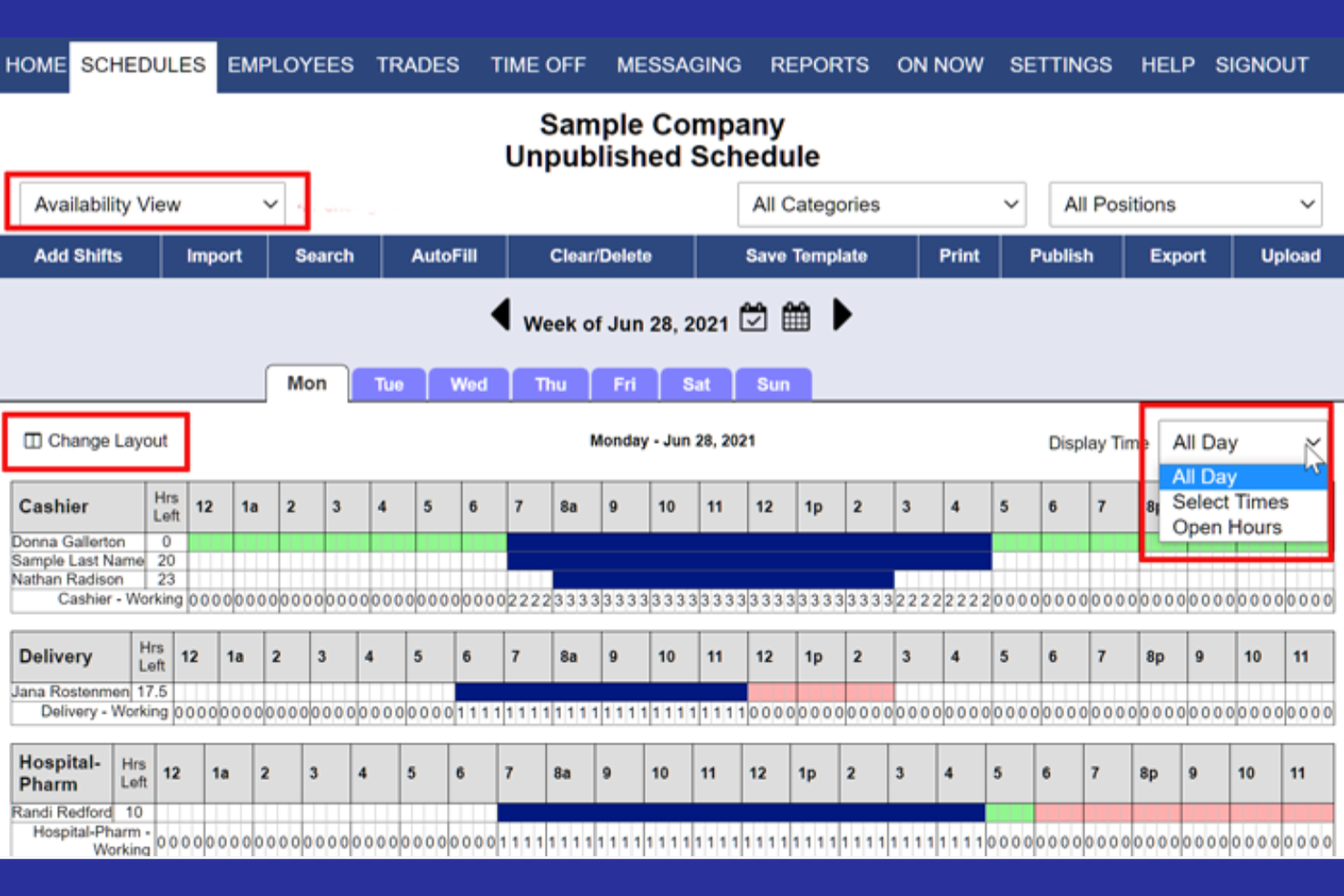
WhenToWork is an employee scheduling software designed for businesses that need efficient shift management. It caters to a variety of industries, helping manage schedules and ensure effective communication with employees.
Why I picked WhenToWork: It excels in automated scheduling so that you spend less time creating and adjusting shifts. The automatic shift assignment feature allows you to customize scheduling rules to fit your specific business needs, ensuring fair distribution of work among your team. WhenToWork’s notification system keeps your team informed of any changes so that everyone stays on the same page.
Standout Features and Integrations:
Features include shift swapping and availability management through a self-service, single-click autofill for employees, helping you accommodate employee preferences. The tool also provides reporting tools to analyze scheduling patterns and improve efficiency.
Integrations are not publicly listed.
Pros and Cons
Pros:
- Automated shift assignment
- Efficient notification system
- Customizable scheduling rules
Cons:
- Manual bulk assignments
- Lacks built-in GPS/geofencing


Shiftboard is a scheduling and workforce management tool designed for industries with complex staffing needs, such as healthcare and manufacturing. It helps you manage shifts, track time, and ensure compliance with labor regulations.
Why I picked Shiftboard: It's ideal for managing complex shift patterns, making it suitable for industries with intricate scheduling requirements. The automated scheduling feature allows your team to reduce manual errors and save time, while Shiftboard's reporting capabilities provide insights into workforce operations.
Standout Features and Integrations:
Features include compliance management to ensure adherence to labor laws, labor demand planning to scale staffing demand and meet service requirements, and straightforward timesheet management that reduces payroll errors. All these features help you manage your team efficiently and effectively.
Integrations include ADP, Workday, Salesforce, Microsoft Dynamics, Oracle, Circadian, UKG, and more.
Pros and Cons
Pros:
- Customizable reporting options
- Automated scheduling
- Handles complex shifts
Cons:
- Basic user interface
- Limited mobile features
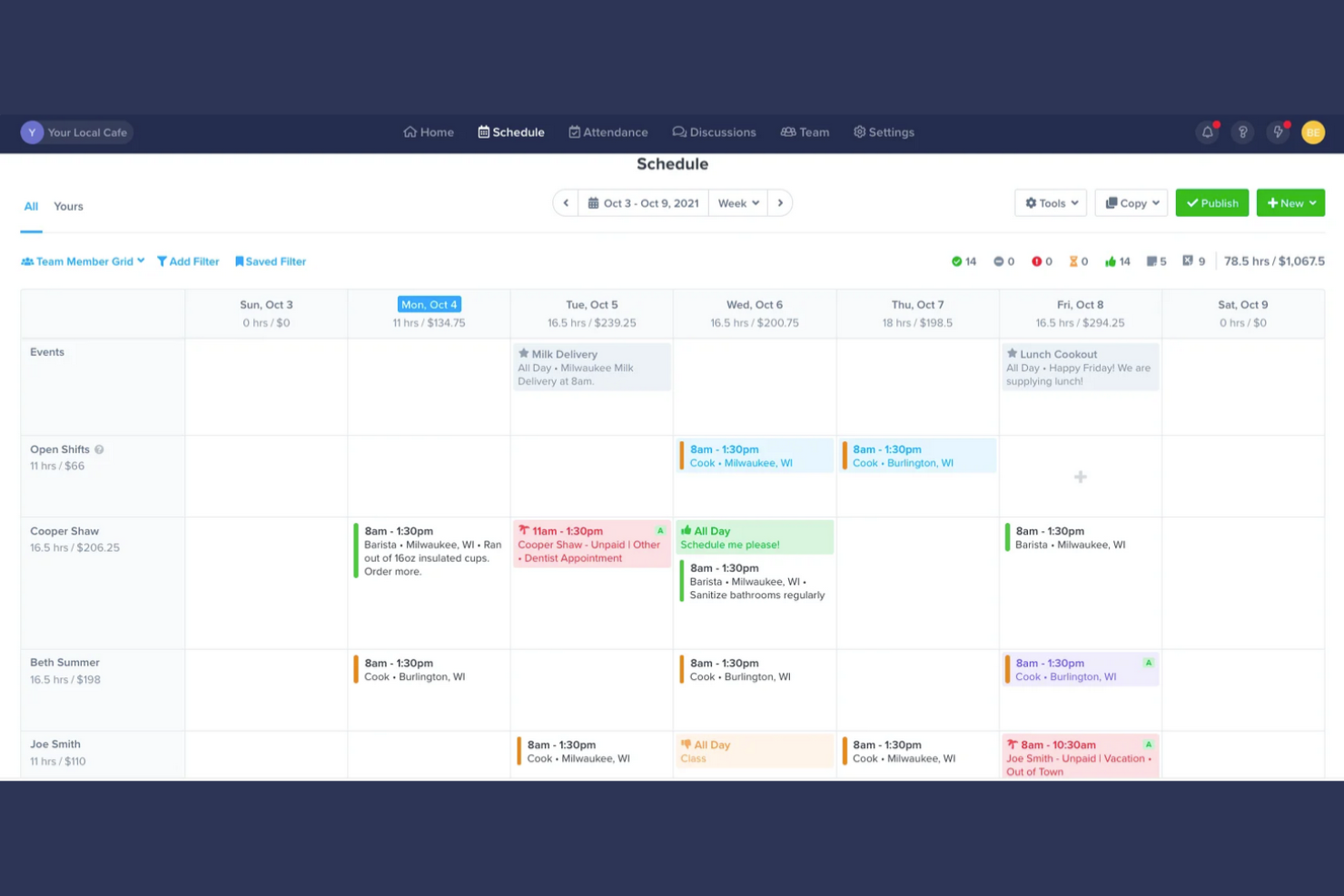
ZoomShift is a scheduling software designed for businesses with a seasonal workforce, such as in event planning and retail. It helps manage employee schedules, track time, and improve team communication.
Why I picked ZoomShift: It's ideal for managing a seasonal workforce, offering features that help you handle fluctuating staffing needs. With tools like shift swapping, your team can smoothly adjust their schedules, while time tracking ensures your payroll processing is always accurate. ZoomShift’s communication tools keep your team informed about any schedule changes, which is significant during busy seasons.
Standout Features and Integrations:
Features include a drag-and-drop schedule builder that simplifies shift creation, availability management to accommodate employee preferences, and payroll exports for easy processing. These features help refine your scheduling and payroll tasks.
Integrations include Google Calendar, iCalendar, and more.
Pros and Cons
Pros:
- Easy payroll exports
- Effective shift swapping tools
- Supports seasonal staffing needs
Cons:
- No individual task tracking
- No bulk employee data import

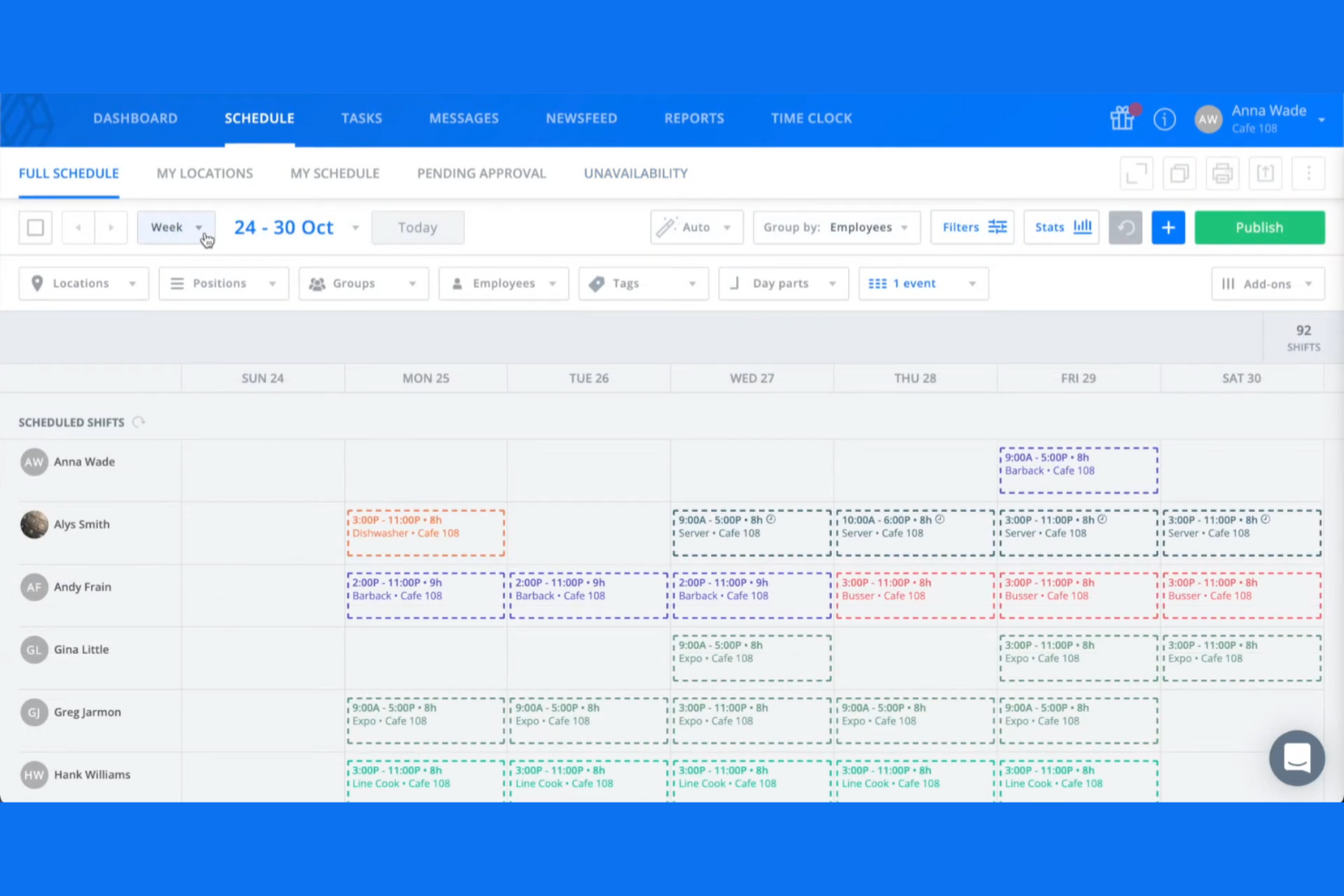
Sling is an employee scheduling app and shift planning tool designed primarily for industries like retail, restaurants, and healthcare. It focuses on simplifying workforce management by offering features such as time tracking, geofencing, task management, and team communication, all on one platform.
Why I picked Sling: It’s tailored for retail scheduling needs, providing tools that can help you manage shifts efficiently. The platform also allows you to manage time off, shift trades, and employee availability, making it easier to handle the dynamic nature of retail operations. Sling’s communication tools ensure your team stays informed and connected, which is essential in the fast-paced retail environment.
Standout Features and Integrations:
Features include labor cost optimization to help you manage your scheduling budget, time tracking to ensure accurate pay calculations, and task management to facilitate the assigning and monitoring of tasks. These features work together to improve your team’s efficiency and productivity.
Integrations include Harbortouch, POSitouch, Gusto, Square, Toast, and more.
Pros and Cons
Pros:
- Free plan with unlimited employees & locations
- Budget alerts for shifts
- Accurate time tracking
Cons:
- Limited customization options
- Limited advanced features

Agendrix
Best for employee feedback tools
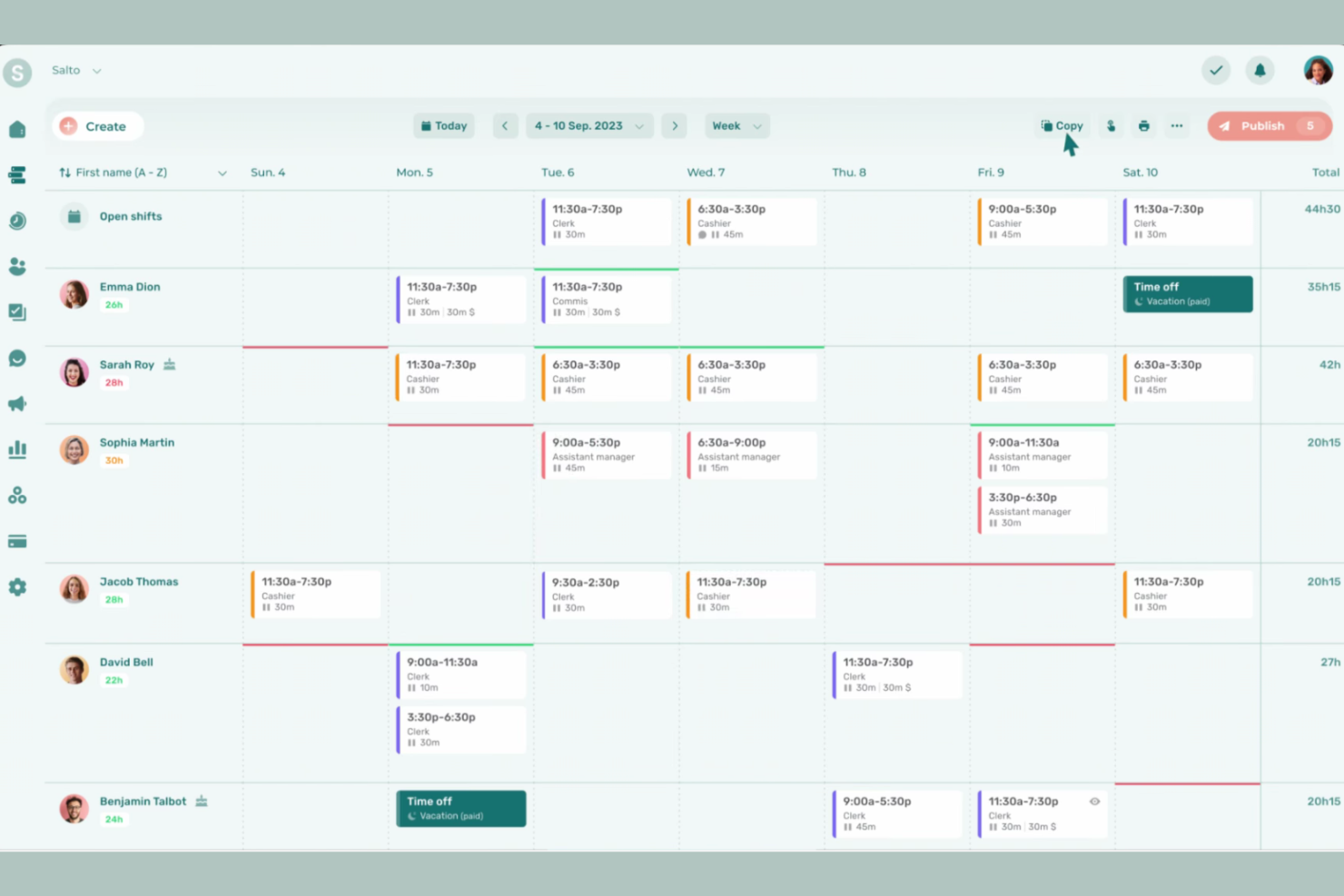
Agendrix is a scheduling and workforce management tool designed for small to medium-sized businesses across various industries. It helps manage employee schedules and time tracking, and improves communication within teams.
Why I picked Agendrix: It offers unique employee feedback tools that help you gather insights directly from your team. Features such as surveys and feedback forms allow you to understand employee satisfaction and make informed decisions. The platform supports two-way communication, ensuring your team feels heard and valued, and allowing you to foster a more engaged and productive workforce.
Standout Features and Integrations:
Features include a mobile app that’s compatible with an iPad, Android tablet, computer, or mobile phone to keep your team connected on the go. Team members receive shift reminders to reduce absenteeism, and you get time-clock functionalities for accurate payroll processing. All of Agendrix’s features work together to refine your scheduling process and improve team coordination.
Integrations include QuickBooks, Lightspeed, EasyPay, ADP Workforce Now, PayWorks, Sage 50, Acomba, and more.
Pros and Cons
Pros:
- Automatic shift seen confirmations
- Two-way communication features
- Effective employee feedback tools
Cons:
- Limited leave color-coding
- No cross-department view for managers
Annen programvare for ansattkalendere
Her er noen andre alternativer innen programvare for ansattkalendere som ikke kom med på kortlisten min, men som likevel er verdt å undersøke:
- Connecteam
For mobile-first teams
- Zoho Shifts
For integration with Zoho apps
- Homebase
For multi-location shift scheduling
- Deputy
For shift planning for large teams
- Google Calendar
For easy integration with Google apps
- actiPLANS
For leave management features
- ADP WorkForce Suite
For compliance with labor laws


How I Evaluate Employee Calendar Software
I split my evaluation into two layers: the baseline every tool must have—shared calendars, PTO visibility, and resource scheduling—and the differentiators that separate one tool from another.
Core Functionality (Table Stakes For This List)
When I'm selecting tools for my list, I rank each one on a scale from 0 (does not offer the functionality) to 5 (excels in this area) for each core functionality listed below. Then, I calculate the tool's total score into a percentage. Each tool needs to achieve a minimum total score of 65% to be considered for inclusion.
- Shared Team Calendar: I look for a centralized calendar where managers can view schedules across departments, filter by team or role, and set permissions so contractors see different details than full-time staff.
- Availability & PTO Tracking: Each tool should surface employee working hours, approved time off, and holidays directly on the calendar so you're not scheduling sprint work around someone's vacation.
- Resource Scheduling & Assignment: I evaluate how easily you can assign tasks or shifts from the calendar itself—tools like Float and Resource Guru handle this with drag-and-drop, while others require separate workflows.
- Calendar Integrations & Sync: Two-way syncing with Google Calendar, Outlook, and iCal matters, but I also check for connections to PM tools like Jira or Asana that keep project timelines aligned with employee schedules.
- Conflict & Overlap Detection: The tool should flag double-bookings or over-allocation automatically, especially when assigning the same developer to overlapping project phases or concurrent client engagements.
- Multiple Calendar Views: Day, week, and month views are baseline. I look for timeline or Gantt-style views that let you zoom out across a quarter to spot resourcing gaps before they become delivery risks.
Once I have a list of tools that meet this criteria, I consider what sets each platform apart.
Differentiating Factors (What Sets Vendors Apart)
Here's how I compare and contrast different vendors:
Standout Features
Workload heatmaps are a big differentiator. I look for color-coded utilization views that show at a glance which team members are at capacity and who has bandwidth for incoming work. Time zone intelligence also matters when your team spans multiple regions, since tools that auto-adjust schedules prevent you from booking a standup at someone's midnight. I also evaluate in-calendar time tracking, which lets team members log hours against scheduled tasks without switching apps, giving you a real-time view of planned versus actual effort.
Beyond Features
I evaluate how well each tool connects to the broader PM ecosystem—native integrations with Jira, Asana, or Monday keep project timelines and employee calendars in sync without manual updates. Scalability is another factor I weigh, since a tool that works for a 15-person team can fall apart when you're managing calendars across 200 employees and multiple project portfolios. I also check for mobile apps with real feature parity, because hybrid teams need managers who can approve PTO or reassign work from their phone between meetings.
Slik velger du programvare for ansattkalendere
Det er lett å gå seg vill i lange funksjonslister og kompliserte prismodeller. For å hjelpe deg med å holde fokus mens du arbeider deg gjennom den unike prosessen med å velge programvare, har jeg satt sammen en sjekkliste over faktorer du bør ha i bakhodet:
| Faktor | Hva du bør vurdere |
|---|---|
| Skalerbarhet | Kan programvaren vokse med teamet ditt? Vurder om verktøyet kan håndtere flere brukere eller funksjoner etter hvert som virksomheten utvider seg, uten betydelige økninger i kostnader eller kompleksitet. |
| Integrasjoner | Kan den kobles til de eksisterende verktøyene dine? Kontroller kompatibiliteten med de nåværende systemene dine, for eksempel lønns- eller HR-programvare, for å unngå datasiloer og effektivisere arbeidsflytene. |
| Tilpasningsmuligheter | Kan du tilpasse den etter behovene dine? Sørg for at programvaren tillater justeringer som passer til de spesifikke planleggingsreglene og teamstrukturene dine. |
| Brukervennlighet | Er grensesnittet intuitivt? Se etter et brukervennlig design som minimerer opplæringstiden og hjelper teamet ditt med å ta i bruk verktøyet raskt. |
| Implementering og innføring | Hvor lang tid vil det ta å sette opp? Vurder tiden og ressursene som trengs for en smidig overgang, inkludert opplæringsøkter og datamigrering. |
| Kostnad | Er det innenfor budsjettet ditt? Sammenlign prisplanene og ta hensyn til eventuelle skjulte gebyrer. Sjekk om det finnes en gratis prøveperiode, slik at du kan teste før du bestemmer deg. |
| Sikkerhetstiltak | Hvor sikre er dataene dine? Sørg for at programvaren har solide sikkerhetstiltak, for eksempel kryptering og regelmessige oppdateringer, for å beskytte sensitiv informasjon. |
| Tilgjengelig brukerstøtte | Kan du få hjelp når du trenger det? Vurder hvor tilgjengelig kundestøtten er, og hvilke kanaler som tilbys, for eksempel livechat, telefon eller e-post. |
Hva er programvare for ansattkalender?
Programvare for ansattkalender er et verktøy som hjelper virksomheter med å planlegge og administrere ansattes vakter og tilgjengelighet. Disse verktøyene brukes vanligvis av ledere, HR-medarbeidere og teamledere for å organisere arbeidsplaner effektivt. Tidsregistrering, vaktbytte og automatiske påminnelser bidrar til å redusere planleggingskonflikter og forbedre kommunikasjonen og overholdelsen av arbeidslovgivningen. Alt i alt sparer disse verktøyene tid og øker teamets produktivitet ved å sørge for at alle har den samme oversikten.
Funksjoner i programvare for ansattkalender
Når du velger programvare for ansattkalender, bør du se etter følgende viktige funksjoner:
- Vaktplanlegging: Gjør det mulig for ledere å opprette og administrere de ansattes arbeidsplaner, slik at bemanningen er sikret og konflikter minimeres.
- Tidsregistrering: Følger med på de ansattes arbeidstid for nøyaktig lønnsbehandling og overholdelse av arbeidsregler.
- Vaktbytte: Gjør det mulig for ansatte å bytte vakter med kolleger, noe som gir fleksibilitet og reduserer arbeidsbelastningen for ledelsen.
- Administrasjon av tilgjengelighet: Gjør det mulig for ansatte å oppgi når de er tilgjengelige, slik at ledere kan planlegge vakter i tråd med teamets ønsker.
- Automatiske påminnelser: Sender varsler til ansatte om kommende vakter eller endringer, noe som reduserer uteblivelser og misforståelser.
- Oppfølging av arbeidskostnader: Gir innsikt i planleggingskostnadene, slik at virksomheter kan optimalisere budsjettene og redusere kostnadene til overtid.
- Mobiltilgang: Tilbyr en mobilapp for tilgang til arbeidsplaner og varsler på farten, noe som gjør informasjonen mer tilgjengelig for alle teammedlemmer.
- Tilpassbare rapporter: Genererer tilpassede rapporter for å analysere planleggingsmønstre, noe som bidrar til bedre effektivitet og beslutningstaking.
- Overholdelse av regler: Sørger for at arbeidsplanene følger arbeidslover og forskrifter, noe som reduserer juridisk risiko for virksomheter.
- Integrasjonsmuligheter: Koble systemet til eksisterende verktøy, for eksempel lønns- og HR-systemer, for å skape en helhetlig arbeidsflyt og unngå datasiloer.
Fordeler med programvare for ansattkalender
Implementering av programvare for ansattkalender gir flere fordeler for teamet og virksomheten din. Her er noen av fordelene du kan se frem til:
- Mer nøyaktig planlegging: Automatisk planlegging og tidsregistrering reduserer feil og sørger for at vaktene tildeles riktig.
- Bedre kommunikasjon: Funksjoner som automatiske påminnelser og varsler holder alle informert om endringer i arbeidsplanen og kommende vakter.
- Økt fleksibilitet: Vaktbytte og administrasjon av tilgjengelighet gjør det mulig for ansatte å justere arbeidsplanene sine og ivareta personlige behov.
- Kostnadseffektivitet: Oppfølging av arbeidskostnader hjelper virksomheter med å overvåke utgifter og optimalisere planleggingen, slik at unødvendig overtid reduseres.
- Sikret overholdelse av regler: Funksjoner for regeloverholdelse sørger for at arbeidsplanene følger arbeidslovgivningen, slik at juridisk risiko minimeres.
- Bedre beslutningstaking: Tilpassbare rapporter gir innsikt i planleggingsmønstre og hjelper ledere med å gjøre velinformerte justeringer.
- Tilgjengelighet: Mobiltilgang sørger for at ansatte kan se og administrere arbeidsplanene sine hvor som helst, noe som gjør det enklere å holde seg oppdatert og engasjert.
Kostnader og priser for programvare for ansattkalender
Valg av kalenderprogramvare for ansatte krever en forståelse av de ulike abonnementene og prismodellene som er tilgjengelige. Kostnadene varierer basert på funksjoner, teamstørrelse, tillegg og mer. Tabellen nedenfor oppsummerer vanlige abonnementer, gjennomsnittspriser og typiske funksjoner som er inkludert i løsninger for kalenderprogramvare for ansatte:
Sammenligningstabell for kalenderprogramvare for ansatte
| Abonnementstype | Gjennomsnittspris | Vanlige funksjoner |
|---|---|---|
| Gratisabonnement | $0 | Grunnleggende planlegging, tidsregistrering og begrenset kundestøtte. |
| Personlig abonnement | $5-$15/bruker/måned | Avansert planlegging, mobiltilgang og bytte av vakter. |
| Bedriftsabonnement | $15-$30/bruker/måned | Omfattende rapportering, integrasjonsmuligheter og administrasjon av samsvar. |
| Storbedriftsabonnement | $30-$50/bruker/måned | Tilpassbare løsninger, prioritert kundestøtte og bedre sikkerhetsfunksjoner. |
Vanlige spørsmål om kalenderprogramvare for ansatte
Her er noen svar på vanlige spørsmål om kalenderprogramvare for ansatte:
Hvor sikker er kalenderprogramvare for ansatte?
De fleste løsninger for kalenderprogramvare for ansatte prioriterer sikkerhet for å beskytte dataene dine, og bruker kryptering og regelmessige oppdateringer for å sikre informasjonen. Se alltid etter sikkerhetssertifiseringer og samsvar med standarder som GDPR, og spør leverandørene om sikkerhetstiltakene deres. Vurder løsninger med flerfaktorautentisering for å styrke beskyttelsen.
Hvordan kan kalenderprogramvare for ansatte hjelpe teamet mitt med å håndtere prosjektfrister?
Kalenderprogramvare for ansatte lar deg tildele, vise og følge opp frister på tvers av prosjekter i et felles område. Når alt er synlig, blir det enklere å unngå oversette oppgaver, koordinere leveranser og raskt oppdage flaskehalser.
Kan jeg automatisere repetitive planleggingsoppgaver med kalenderapper for ansatte?
Ja, mange kalenderplattformer lar deg automatisere gjentakende møter, sende påminnelser og til og med planlegge automatisk basert på teammedlemmenes tilgjengelighet. Dette reduserer manuelt arbeid og hjelper teamet med å fokusere på oppgaver med høyere verdi.
Hvor lang tid tar det å implementere kalenderprogramvare for ansatte?
Implementeringstiden varierer. Et enkelt verktøy kan ta noen dager å implementere, mens mer komplekse systemer kan ta flere uker, men mange løsninger tilbyr raske og enkle oppsett. Noen leverandører tilbyr også støtte ved oppstart, for eksempel opplæringsvideoer og produktvisninger. Ta hensyn til teamets teknologiske ferdigheter og hvor komplekse planleggingsbehovene deres er.
Kreves det opplæring for å bruke kalenderprogramvare for ansatte?
Ja, det kreves vanligvis noe opplæring, men den er ofte minimal. Mange verktøy er brukervennlige, med intuitive grensesnitt som bidrar til å redusere læringskurven. Se etter løsninger som tilbyr opplæringsressurser som veiledninger, webinarer og chatstøtte. Dette kan hjelpe teamet med å komme raskt i gang og begynne å dra nytte av programvaren.