

10 beste virtuelle AI-assistenter i 2026

Beste utvalg av virtuelle AI-assistenter


Virtuelle AI-assistenter er digitale verktøy som håndterer oppgaver, besvarer spørsmål og automatiserer arbeidsflyter ved hjelp av kunstig intelligens. Hvis du ser etter måter å spare tid og holde prosjekter på rett spor på, kan det å finne det rette alternativet utgjøre hele forskjellen. Denne veiledningen skjærer gjennom overdrivelser og kompleksitet for å hjelpe deg med å sammenligne dagens beste virtuelle AI-assistenter – slik at du kan ta smartere valg og holde teamet fokusert på det som betyr mest.
Why Trust Our Software Recommendations
Our team has been testing and reviewing software since 2012. As project managers ourselves, we know how difficult—and important—it is to choose the right software.
For this guide, we evaluated tools using hands-on testing and independent research, scoring tools using our selection criteria. We also draw on insights from industry thought leaders and practicing project management experts.
Our reviews reflect our human editorial judgment, not a sales pitch.
Expert reviewers:
Sammenligningstabell for virtuelle AI-assistenter
Denne sammenligningstabellen oppsummerer prisopplysningene for mine beste utvalgte virtuelle AI-assistenter for virksomheter.
| Tool | Best For | Trial Info | Price | ||
|---|---|---|---|---|---|
| 1 | Best for governed meeting recordings | Free plan available | From $7/user/month (billed annually) | Website | |
| 2 | Best for drafting from workspace context | Free plan available | From $20/user/month | Website | |
| 3 | Best for AI inside Workspace apps | 14-day free trial | From $7/user/month | Website | |
| 4 | Best for live meeting transcription | Free plan available | From $16.99/user/month | Website | |
| 5 | Best for AI across Office apps | 1-month free trial | From $30/user/month (billed annually) | Website | |
| 6 | Best for conversation intelligence analytics | Free plan + free demo available | From $10/user/month (billed annually) | Website | |
| 7 | Best for cross-app enterprise knowledge search | 30-day free trial | From $20/user/month | Website | |
| 8 | Best for customizable meeting summaries | Free plan + free demo available | From $16/user/month (billed annually) | Website | |
| 9 | Best for automatic daily time-blocking | Free trial available | From $19/user/month (billed annually) | Website | |
| 10 | Best for bot-free collaborative note refinement | Free plan available | From $14/user/month | Website |
Anmeldelser av de beste virtuelle AI-assistentene
Nedenfor finner du mine detaljerte sammendrag av de beste virtuelle AI-assistentene som kom med på listen min. Anmeldelsene mine gir et detaljert innblikk i funksjonene, egenskapene og de beste bruksområdene for hvert verktøy, slik at du kan finne det som passer best for deg.

Fellow
Best for governed meeting recordings
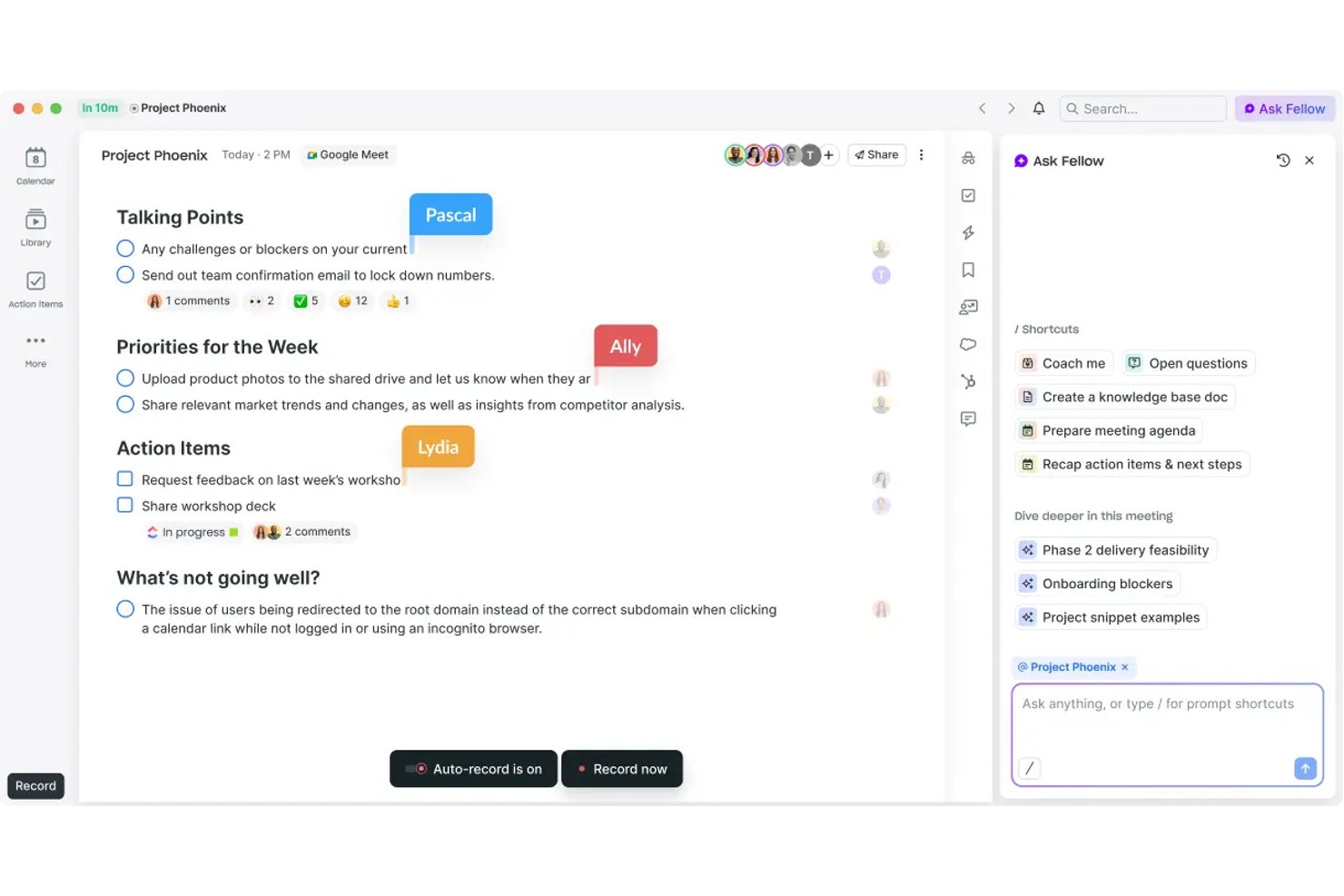
Fellow is an AI meeting assistant built for governance-first teams, offering bot and botless recording, transcription in 99 languages, action-item capture, and a searchable meeting library across Zoom, Microsoft Teams, and Google Meet.
Who Is Fellow Best For?
Fellow is a strong fit for enterprise teams in regulated industries—finance, healthcare, and legal—where meeting compliance, audit trails, and data governance aren't optional.
Why I Picked Fellow
Fellow earns its spot as one of the best on my shortlist because of how seriously it treats governed meeting recordings. I can pause and resume recording mid-call, with paused segments deleted entirely, and apply MNPI redaction to transcripts before they're distributed. Features like consent capture, zero-day retention, and a SEC Rule 17a-4-ready audit trail set it apart from every other AI meeting assistant I've used.
Fellow Key Features
- Ask Fellow conversational AI: Lets you query past meetings and notes using natural language.
- AI meeting agenda drafting: Automatically generates structured agendas from invite details or prior threads.
- Project management integrations: Connects natively with tools like Asana, Jira, Linear, and ClickUp for direct action item sync.
- Workspace analytics dashboard: Tracks meeting volume, attendance, and note-taking activity across teams.
Fellow Integrations
Fellow offers over 50 native integrations, including Asana, Jira, Linear, ClickUp, Monday.com, Trello, GitHub, Slack, Microsoft Teams, Google Workspace, and Salesforce. An API is available for custom integrations.
Pros and Cons
Pros:
- Botless recording avoids uninvited participants joining calls
- Ask Fellow answers natural-language meeting queries
- MNPI redaction keeps sensitive transcripts audit-ready
Cons:
- Mobile app functionality lags behind desktop version
- AI limited to meeting workflows only
Best for drafting from workspace context
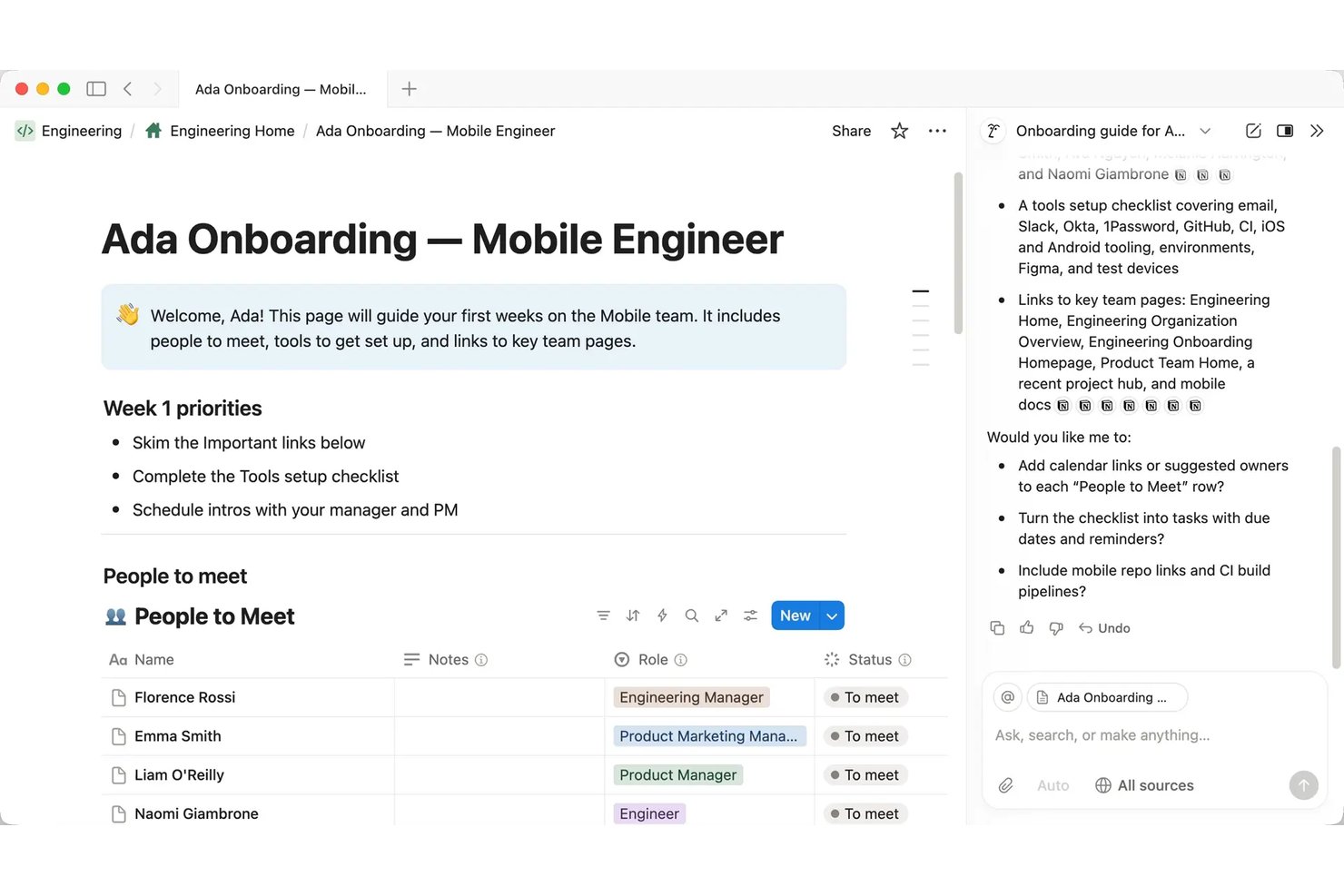
Notion AI is a workspace-native AI assistant embedded inside Notion that handles document drafting, meeting transcription and summarization, multi-step task automation, and cross-app knowledge retrieval through a conversational interface.
Who Is Notion AI Best For?
Notion AI is a strong fit for project managers and cross-functional teams that already run their documentation, wikis, and project tracking inside Notion.
Why I Picked Notion AI
I picked Notion AI as one of the best because the AI drafts from your actual workspace content, not a blank slate. When I ask it to write a project status report, it pulls from the meeting notes, task databases, and briefs already living in my workspace. AI Meeting Notes handles transcription automatically, so the context I need is already captured before I start drafting. The Autofill feature extends this by populating database fields like project status, owner, and priority directly from documented content.
Notion AI Key Features
- Enterprise Search (beta): Lets you query Slack, Google Drive, GitHub, Microsoft Teams, Jira, and more from within Notion.
- Custom Agents: Automates multi-step team workflows with scheduled or triggered agent actions in your workspace.
- Research mode (beta): Delivers lengthy, source-cited workspace and web research without leaving Notion.
- Model-agnostic architecture: Gives you the ability to change AI models or providers for any agent workflow.
Notion AI Integrations
Notion AI offers native integrations with Slack, Google Drive, GitHub, Microsoft Teams, Jira, Box, OneDrive, and Salesforce. It also connects with Zapier and provides an API for custom integrations.
Pros and Cons
Pros:
- AI agents run multi-step workflows autonomously
- Summarizes meeting notes without leaving Notion
- Drafts from existing workspace content automatically
Cons:
- No voice interface for hands-free interaction
- Weaker outside the Notion workspace ecosystem
Best for AI inside Workspace apps
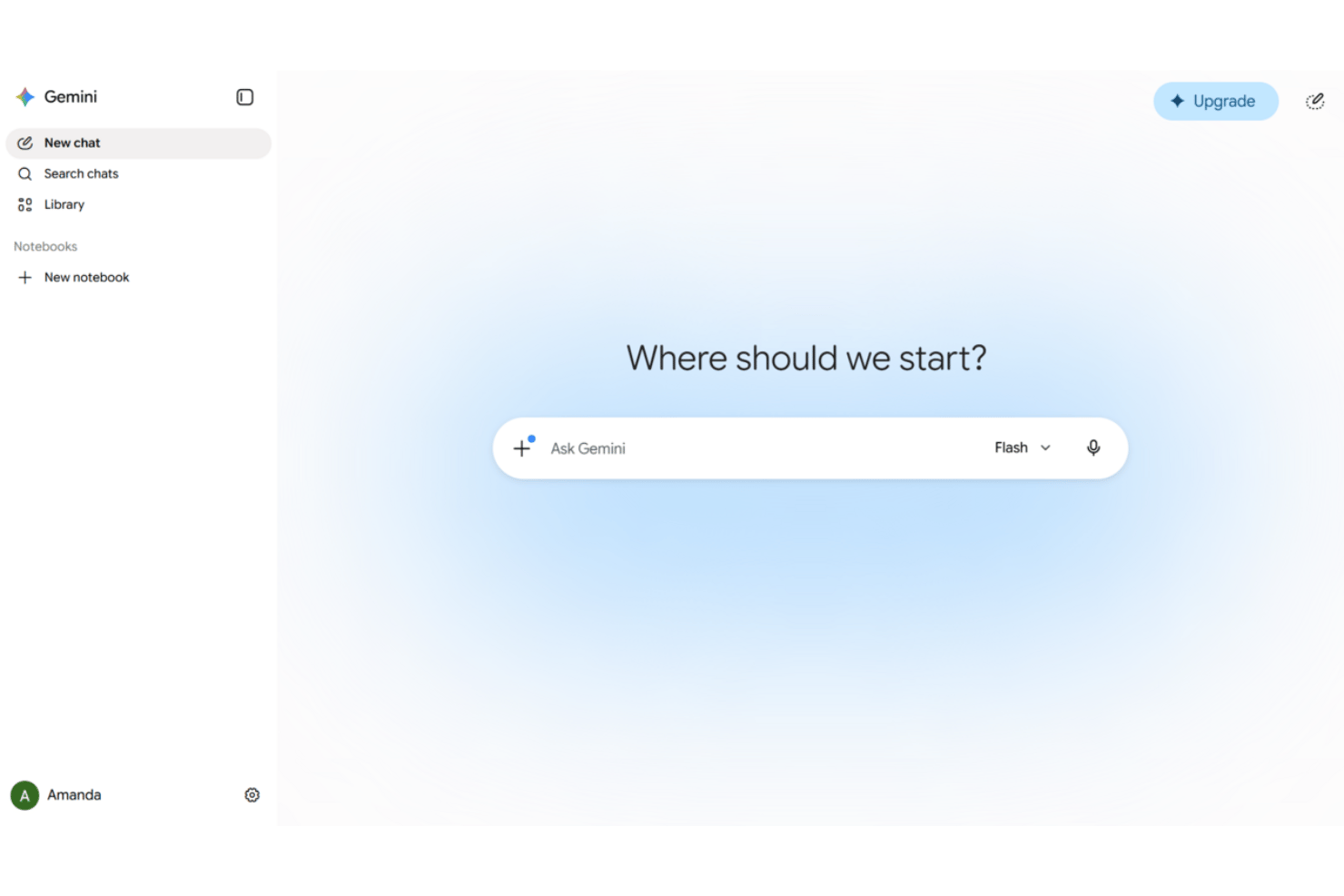
Google Gemini is an AI virtual assistant embedded across Google Workspace apps—Gmail, Docs, Sheets, Meet, and Drive—offering conversational chat, document drafting, meeting note-taking, and agentic automation across connected business tools.
Who Is Google Gemini Best For?
Google Gemini is a strong fit for project teams already running their work inside Google Workspace who want AI assistance without switching tools.
Why I Picked Google Gemini
Google Gemini earns its spot on my shortlist because of how naturally it works as an AI assistant inside the tools project teams already use. I use Gemini in Meet to auto-capture notes and action items without a third-party add-on, and in Gmail I can query Drive and my calendar from the same sidebar while composing a reply. Workspace Studio is where it becomes genuinely useful for PM workflows: I've built flows that automate meeting prep and route follow-up emails without writing any code.
Google Gemini Key Features
- Multimodal input and output: Accepts and processes voice, text, images, and video in supported Workspace apps.
- Gemini Notebook for research synthesis: Lets you gather, organize, and summarize information from multiple sources in one AI-assisted workspace.
- Agentic automation with pre-built connectors: Connects to platforms like Salesforce, Jira, SAP, and Microsoft 365 for automated data actions.
- Built-in compliance and data loss prevention: Includes advanced privacy safeguards and DLP controls aligned with enterprise standards.
Google Gemini Integrations
Google Gemini offers native integrations with Gmail, Google Drive, Google Calendar, Google Meet, Salesforce, Jira, SAP, and Microsoft 365. An API is available for custom integrations.
Pros and Cons
Pros:
- Summarizes long email threads and Drive documents
- Captures meeting notes and action items automatically
- Deeply embedded across all Workspace apps
Cons:
- Agentic features require higher-tier paid plans
- Less useful outside the Google ecosystem

Otter.ai
Best for live meeting transcription
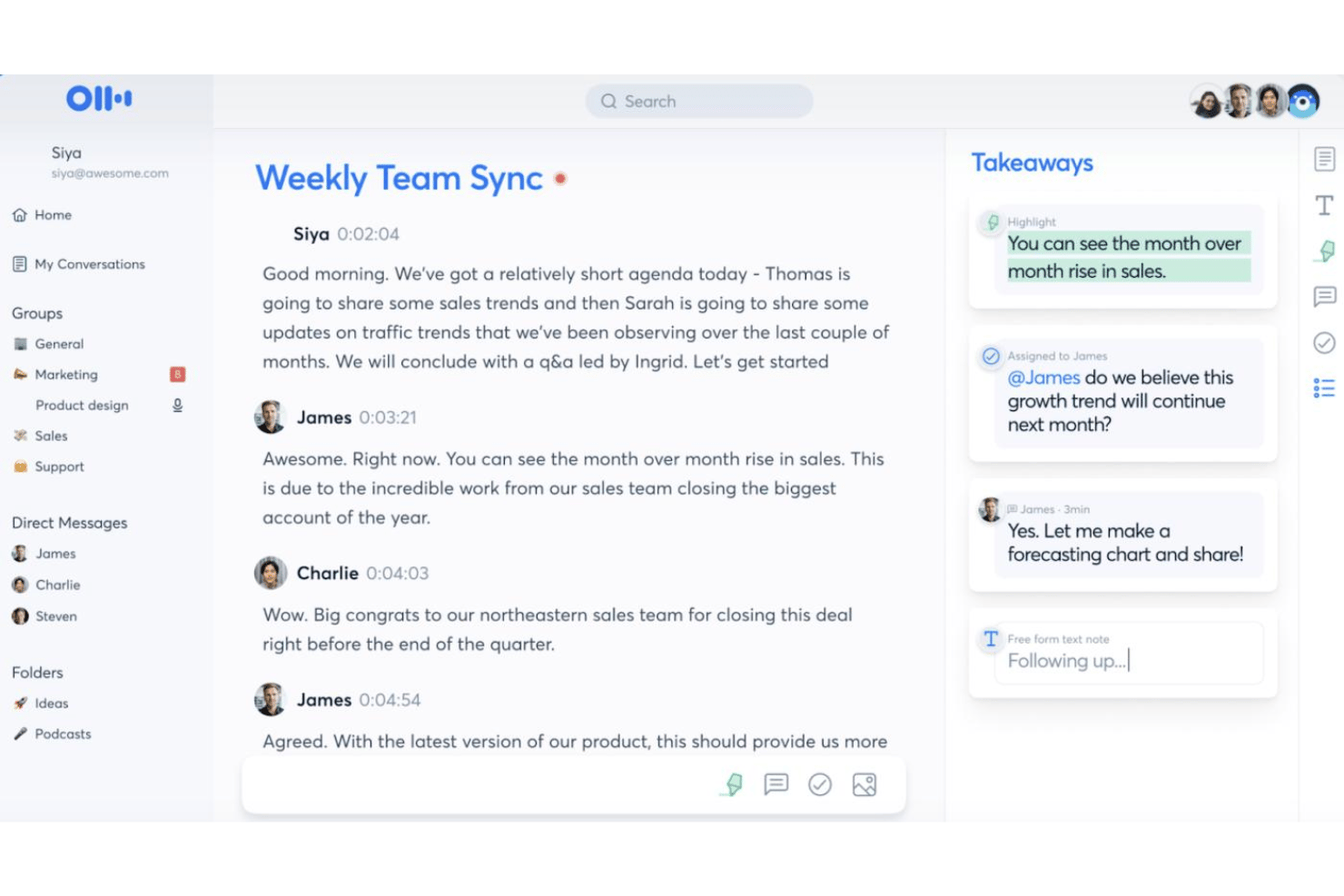
Otter.ai is an AI meeting assistant that combines live transcription, automated meeting summaries, action item capture, and an AI chat interface that lets you query across your full meeting history.
Who Is Otter.ai Best For?
Otter.ai is a natural fit for teams that run high volumes of meetings and need accurate, searchable transcripts without manual note-taking.
Why I Picked Otter.ai
Otter.ai earns its spot on my shortlist because its live transcription goes beyond just capturing words. The AI Meeting Agent joins calls and answers questions in real time using your full meeting history, so you're not just recording a meeting, you're building a searchable knowledge base. I also like the automated slide capture, which syncs presenter slides directly into the transcript so the full context of any meeting is preserved in one place.
Otter.ai Key Features
- AI-powered meeting chat: Interact with meeting transcripts using a conversational interface to query details or request summaries.
- Custom vocabulary: Add industry terms, acronyms, and unique names for improved transcription accuracy.
- Workspace collaboration: Share transcripts and meeting notes with teammates in real time within a shared workspace.
- Third-party integrations: Connect with apps like Slack, Salesforce, HubSpot, Notion, and Google Workspace for extended workflow support.
Otter.ai Integrations
Otter.ai offers native integrations with Zoom, Microsoft Teams, Google Meet, Slack, Salesforce, HubSpot, and Google Workspace. It also integrates with Notion and connects with Zapier. An API is available for custom integrations.
Pros and Cons
Pros:
- Automated action item capture during live meetings
- AI chat queries across full meeting history
- Real-time transcription accuracy is consistently high
Cons:
- AI responses confined to meeting content only
- Limited project management workflow automation

Best for AI across Office apps
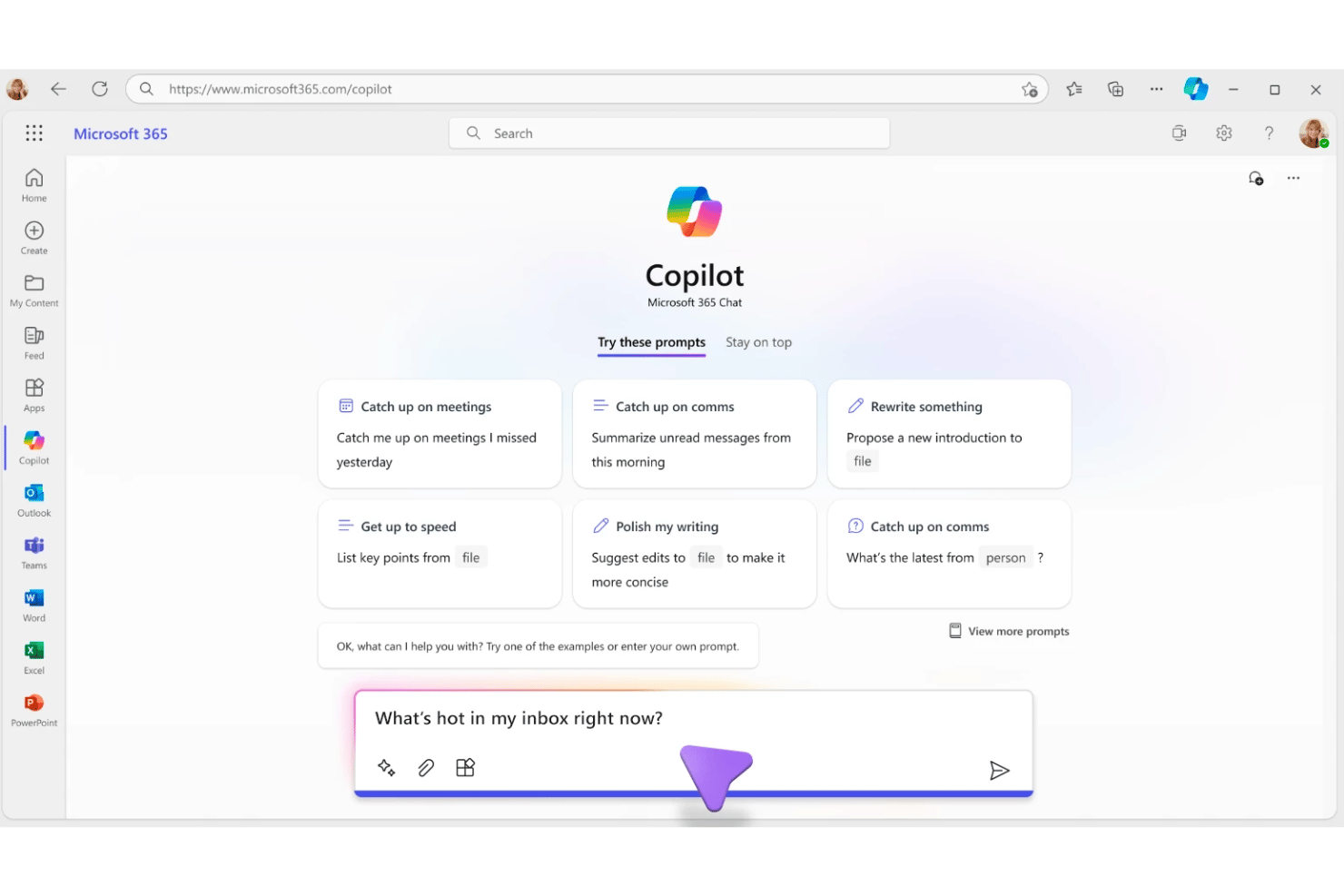
Microsoft 365 Copilot is a generative AI assistant built into the Microsoft 365 suite that combines natural-language chat, document drafting, meeting summarization, and task automation across Word, Excel, PowerPoint, Outlook, and Teams.
Who Is Microsoft 365 Copilot Best For?
It's a natural fit for enterprise and mid-market teams already operating within the Microsoft 365 ecosystem who want AI embedded directly into their existing workflows.
Why I Picked Microsoft 365 Copilot
I picked Microsoft 365 Copilot as one of the best because no other AI assistant is as deeply embedded in the apps where project work actually happens. I use Work IQ to pull context from emails, meeting transcripts, and files simultaneously, then query it all in a single Copilot Chat thread. Intelligent Model Routing automatically selects the right LLM per task, so I get reasoning-level output for complex requests and fast responses for quick lookups.
Microsoft 365 Copilot Key Features
- Universal enterprise search: Instantly locates information across your emails, files, meetings, and conversations.
- Copilot Notebooks: Aggregates files, chats, and notes, letting you generate summaries or recaps on demand.
- Agent Store integration: Lets you deploy ready-made AI agents from Microsoft and partners or build custom ones.
- Role-aware personalization: Adapts contextual suggestions and answers based on your job function and project activity.
Microsoft 365 Copilot Integrations
Microsoft 365 Copilot has native integrations across the Microsoft ecosystem, including Microsoft 365, Teams, Outlook, Word, Excel, PowerPoint, SharePoint, and Azure. It also offers a catalog of partner integrations through Agent Store and provides an API for custom integrations.
Pros and Cons
Pros:
- Drafts documents and emails without switching tools
- Summarizes Teams meetings and action items instantly
- Deep context across all Microsoft 365 apps
Cons:
- Limited voice interaction compared to standalone assistants
- Responses can feel generic without project context

Best for conversation intelligence analytics
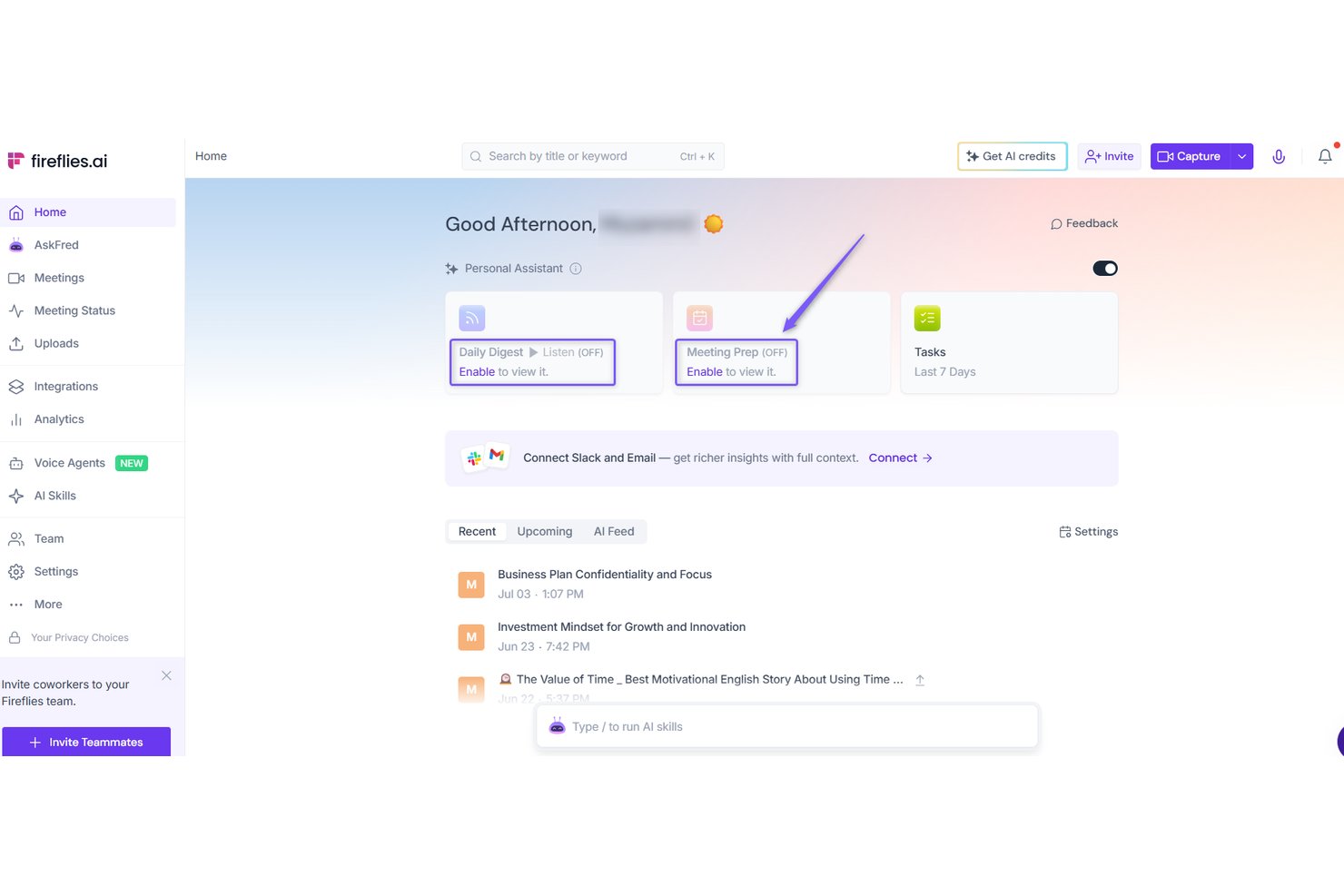
Fireflies.ai is an AI meeting assistant that automatically joins calls, transcribes conversations, generates summaries and action items, and lets you query past meetings through a natural-language chat interface called AskFred.
Who Is Fireflies.ai Best For?
It's a strong fit for meeting-heavy teams in sales, recruiting, and product — particularly those who need a searchable record of every conversation across distributed team members.
Why I Picked Fireflies.ai
I've included Fireflies.ai in my top picks because its conversation intelligence layer goes well beyond simple transcription. I love how it tracks speaker talk-time, sentiment, and custom topic trackers across every recorded call, giving my team a clear picture of patterns across dozens of meetings. AskFred then lets me query that entire history in natural language, so I can ask things like "What blockers came up across last week's stand-ups?" and get a direct answer.
Fireflies.ai Key Features
- AI Super Summaries: Automatically generates concise meeting summaries, bullet points, and action items after every call.
- Multi-language transcription: Transcribes meetings in over 100 languages with auto-detection and speaker identification.
- Integration library: Connects natively with over 100 apps, including Slack, Microsoft Teams, Notion, Linear, and Google Workspace.
- Collaboration tools: Lets users add time-stamped comments, soundbites, and bookmarks directly to meetings.
Fireflies.ai Integrations
Fireflies.ai offers native integrations with Slack, Microsoft Teams, Google Meet, Zoom, Notion, Linear, HubSpot, Salesforce, Zoho CRM, and Airtable. An API is available for custom integrations.
Pros and Cons
Pros:
- Auto-captures action items without manual input
- Queries past meetings via natural language
- Tracks speaker talk-time and sentiment data
Cons:
- Limited proactive task creation from meetings
- Transcription accuracy dips with heavy accents
Best for cross-app enterprise knowledge search
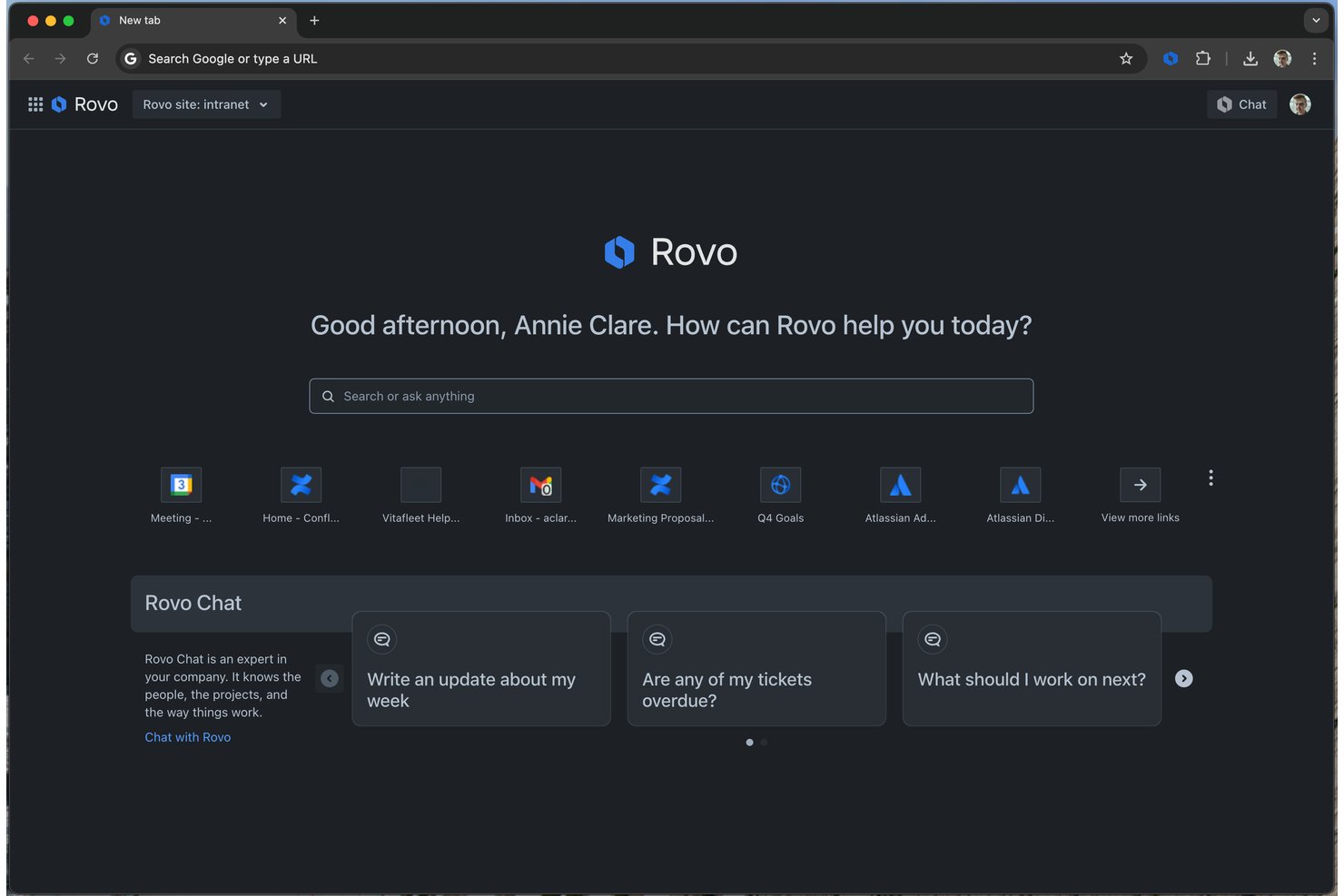
Atlassian Rovo is an AI assistant platform built into Jira and Confluence that combines natural-language search, a generative chat interface, and customizable AI agents for knowledge retrieval and project task automation.
Who Is Atlassian Rovo Best For?
Rovo is a strong fit for enterprise engineering and project teams already running on Atlassian Cloud who need AI-assisted knowledge retrieval across a large, multi-tool stack.
Why I Picked Atlassian Rovo
Atlassian Rovo earns its spot on my shortlist because of how well Rovo Search handles intent-based queries across connected tools. I can ask it something like "find the architecture decision we made about the payment service" and it surfaces the right Confluence page, Jira ticket, or Google Drive doc, even without an exact title match. The Teamwork Graph backs this up by connecting 150 billion context relationships across your org's tools, so search results are anchored in real project history.
Atlassian Rovo Key Features
- Rovo agents: Customizable AI agents automate code review, ticket analysis, and repetitive project management tasks.
- Rovo Studio: No-code builder lets you create new AI routines and workflow automations tailored to your team's needs.
- Permission-aware connectors: Connectors index sources like Google Drive and SharePoint while respecting user access controls.
- Document summarization: The chat interface can summarize Confluence pages, meeting logs, and support tickets into concise overviews.
Atlassian Rovo Integrations
Atlassian Rovo offers over 50 native integrations, including Jira, Confluence, Slack, Microsoft Teams, Google Drive, SharePoint, Notion, Asana, Monday.com, and GitHub. An API is available for custom integrations.
Pros and Cons
Pros:
- Permissions-aware search respects existing access controls
- Rovo agents automate repetitive Jira ticket actions
- Search spans billions of cross-app relationships
Cons:
- AI agents require significant setup before use
- Requires Atlassian Cloud, no data center support
Fathom
Best for customizable meeting summaries


Motion
Best for automatic daily time-blocking
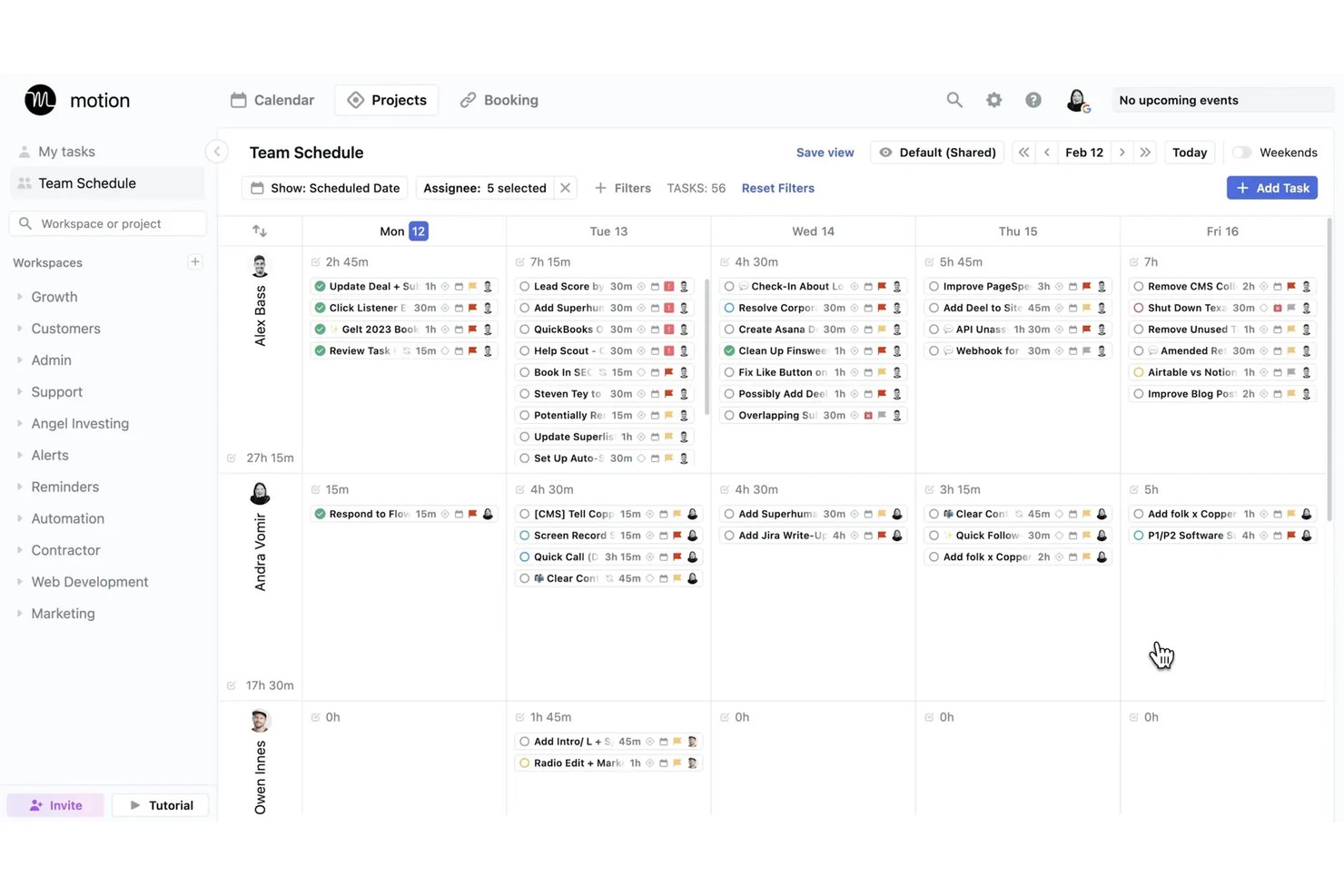
Motion is an AI virtual assistant platform that auto-schedules tasks, manages calendars, transcribes meetings, and generates projects and documents through a suite of role-specific AI agents.
Who Is Motion Best For?
Motion is a strong fit for project managers and small teams who need AI to handle the daily prioritization and scheduling decisions that eat into focused work time.
Why I Picked Motion
I picked Motion as one of the best because its automatic time-blocking engine genuinely removes the daily overhead of deciding what to work on and when. When a new meeting lands on my calendar or a deadline shifts, Motion recalculates my entire schedule in seconds rather than leaving me to manually reshuffle tasks. I also rely on the AI Notetaker to capture action items during meetings, which then feed directly back into my scheduled task plan.
Motion Key Features
- AI Docs assistant: Convert notes and project documentation into tasks, projects, or shareable links.
- AI meeting notetaker: Transcribes and summarizes meetings, then generates action items automatically.
- AI employees: Deploy specialized AI agents for tasks like executive assistance, sales, or project management.
- Gantt view: Visualize project timelines, dependencies, and progress across all active projects.
Motion Integrations
Motion offers native integrations with Google Calendar, Outlook, Office 365, iCloud, Zoom, Google Meet, Microsoft Teams, Slack, HubSpot, and Salesforce. It also supports Zapier and provides an API for custom integrations.
Pros and Cons
Pros:
- Dedicated AI agents for role-specific work
- AI meeting notes capture action items automatically
- Auto-reschedules tasks when priorities shift
Cons:
- AI scheduling works best for individual users
- Limited mobile app experience compared to desktop

Granola
Best for bot-free collaborative note refinement
Andre virtuelle AI-assistenter
Her er noen flere alternativer for virtuelle AI-assistenter som ikke kom med på listen min, men som likevel er verdt å se nærmere på:
- ClickUp Brain
For voice-driven task creation
- Wrike Copilot
For predicting project delivery risks
- Zoom AI Companion
For in-platform meeting assistance
- Asana AI Teammates
For role-based collaborative AI agents
- monday sidekick
For context-aware workspace actions


How I Evaluate AI Virtual Assistants
An AI virtual assistant needs to do more than surface a chatbot—it should handle things like drafting status updates, capturing action items, or flagging blockers without you having to dig for answers. I split my evaluation into two layers: the core functionality a tool must have to qualify, and the differentiating factors that separate one option from another.
Core Functionality (Table Stakes For This List)
When I'm selecting tools for my list, I rank each one on a scale from 0 (does not offer the functionality) to 5 (excels in this area) for each core functionality listed below. Then, I calculate the tool's total score into a percentage. Each tool needs to achieve a minimum total score of 65% to be considered for inclusion.
- Conversational Interface: I evaluate whether you can ask things like "What's overdue on Project X?" and get useful, contextual answers in a multi-turn exchange.
- Generative AI Engine: The AI should produce contextual outputs—like sprint summaries or risk assessments—not just template-based responses from a library.
- Task & Meeting Automation: I look for tools that create tasks from meeting notes, send follow-up reminders, and handle scheduling without manual input.
- Project Tool Integrations: Connections to platforms like Jira, Slack, and Google Calendar matter so the assistant can pull and act on real project data.
- Contextual Memory: I check whether the assistant remembers past interactions and project details across sessions, so you're not re-explaining context each time.
- Summarization & Drafting: The tool should condense meeting transcripts or long threads into briefs and draft artifacts like status reports or stakeholder updates.
Once I have a list of tools that meet the criteria, I consider what sets each platform apart.
Differentiating Factors (What Sets Vendors Apart)
Here's how I compare and contrast different vendors:
Standout Features
Proactive intelligence is a big differentiator—I look for assistants that flag at-risk tasks or nudge you about approaching deadlines before you have to ask. Custom workflow automation also matters, especially tools that let you build multi-step flows like auto-assigning tasks when a sprint kicks off, without needing engineering support. I also evaluate how well an assistant retains context across sessions so it can reference past project decisions without you repeating yourself.
Beyond Features
Integration ecosystem is one of the first things I evaluate—an assistant that can't pull data from your existing stack (Jira, Confluence, Slack, Google Calendar) will create more busywork than it eliminates. Security and compliance controls also deserve close attention, especially LLM data usage policies and audit logging, since these tools often process sensitive project data. I also consider time-to-value: how quickly your team can get a working setup without weeks of fine-tuning or heavy vendor onboarding.
Slik velger du virtuelle AI-assistenter
Det er lett å gå seg vill i lange lister over funksjoner og kompliserte prismodeller. For å hjelpe deg med å holde fokus mens du går gjennom den unike prosessen med å velge programvare, får du her en sjekkliste over faktorer du bør ha i tankene:
| Faktor | Hva du bør vurdere |
|---|---|
| Skalerbarhet | Håndterer assistenten dagens og fremtidens prosjektmengder, team og avdelinger? Vær oppmerksom på økte kostnader eller forsinkelser når du legger til brukere eller prosjekter. |
| Integrasjoner | Hvor godt kobles den sammen med verktøyene dine for prosjektstyring, chat, kalender og dokumenter? Robuste, innebygde integrasjoner reduserer manuelt arbeid og frakoblede arbeidsflyter. |
| Tilpasningsmuligheter | Kan du tilpasse automatiseringer, arbeidsflyter og svar slik at de passer teamets rutiner og rapporteringsbehov? Se etter fleksible regler og alternativer med lite eller ingen kode. |
| Brukervennlighet | Kommer teamet faktisk til å bruke det, eller gjør grensesnittet opplæringen frustrerende? Prioriter alternativer med intuitivt oppsett, tydelige menyer og nyttig veiledning. |
| Implementering og opplæring | Hvor lang tid tar det før du ser verdien? Se etter botmaler, opplæringsressurser eller dedikert støtte for å fremskynde oppstarten uten å overbelaste administratorene. |
| Kostnad | Skalerer prisen etter faktisk bruk eller teamstørrelse? Ta hensyn til tillegg, minimumsgrenser og om avanserte funksjoner krever et høyere abonnement. |
| Sikkerhetstiltak | Vil sensitive prosjektdata forbli beskyttet? Se etter kryptering, rollebasert tilgang, revisjonslogger og kontroller for bruk av LLM-data. |
| Tilgjengelig kundestøtte | Hvis det oppstår problemer, får du enkelt kontakt med kundestøtten? Bekreft svartider i henhold til SLA, hjelp i appen eller direktechat for å unngå prosjektforsinkelser hvis det oppstår problemer med verktøyet. |
Hva er virtuelle AI-assistenter?
Virtuelle AI-assistenter er digitale verktøy som bruker kunstig intelligens til å automatisere oppgaver, besvare spørsmål og administrere arbeidsflyter ved hjelp av naturlig språk. Disse assistentene håndterer alt fra møteplanlegging og notatskriving til utarbeiding av prosjektoppdateringer – og hjelper team med å arbeide mer effektivt uten konstant manuell innsats. De kobler seg til kjerneappene dine, forstår prosjektkonteksten og tilpasser støtten etter behovene dine.
Funksjoner i virtuelle AI-assistenter
Når du velger en virtuell AI-assistent, bør du se etter følgende viktige funksjoner:
- Samtalegrensesnitt: Lar deg kommunisere ved hjelp av chat eller talekommandoer, slik at det blir enkelt å få oppdateringer, tildele oppgaver eller stille prosjektrelaterte spørsmål med et naturlig språk.
- Generative AI-svar: Bruker en stor språkmodell til å lage sammendrag, utarbeide prosjektdokumenter og gi anbefalinger som er tilpasset konteksten din.
- Automatisering av oppgaver: Oppretter automatisk oppgaver, angir påminnelser, sender oppfølginger og planlegger møter, alt utløst av samtalene dine eller prosjektaktiviteten.
- Integrasjoner med prosjektverktøy: Kobler sømløst til plattformer som Jira, Asana, Slack og Google Workspace for å hente frem og oppdatere prosjektinformasjon direkte i arbeidsflyten din.
- Hukommelse basert på kontekst: Husker viktige detaljer fra tidligere samtaler, slik at den kan gi mer relevante forslag, unngå overflødige spørsmål og tilpasse seg de pågående prosjektene dine.
- Sammendrag av dokumenter: Komprimerer lange dokumenter, meldinger eller møtenotater til korte sammendrag, slik at du sparer tid når du går gjennom oppdateringer eller forbereder rapporter.
- Personalisering: Lærer kommunikasjonsstilen, preferansene og de tilbakevendende prosjektene dine, og tilpasser svarene og forslagene sine til din unike arbeidsmåte.
- Uthenting av tiltak: Identifiserer og registrerer beslutninger, neste trinn og tiltak fra samtaler, slik at det blir enklere å følge opp og sikre ansvarlighet.
- Sikkerhetstiltak: Beskytter sensitive data med kryptering, tilgangskontroller og alternativer for samsvar, slik at prosjektinformasjonen din forblir sikker.
- Tilgjengelighet på mobil: Tilbyr mobilapper eller responsivt design, slik at du kan bruke assistenten på farten og få støtte uansett hvor du arbeider.
Fordeler med virtuelle AI-assistenter
Implementering av virtuelle AI-assistenter gir flere fordeler for teamet og virksomheten din. Her er noen av fordelene du kan se frem til:
- Redusert administrativ belastning: Automatiserer rutineoppgaver som møtenotater, oppfølginger og statusoppdateringer, slik at teamene bruker mindre tid på manuelt administrativt arbeid.
- Raskere prosjektbeslutninger: Henter frem viktige prosjektdata, hindringer og tiltak umiddelbart gjennom forespørsler på naturlig språk og dokumentsammendrag.
- Konsekvent oppfølging av oppgaver: Registrerer og organiserer oppgaver og beslutninger fra samtaler, slik at teamene holder seg samkjørte og færre tiltak blir oversett.
- Personlig prosjektstøtte: Lærer teamets arbeidsflyt og kommunikasjonspreferanser, og tilpasser forslag og svar for hver bruker eller hvert prosjekt.
- Forbedret samarbeid: Kobler seg til de viktigste prosjektverktøyene dine og kommuniserer oppdateringer på tvers av kanaler, slik at det blir enklere for distribuerte team å holde seg samkjørte.
- Tilgjengelighet på farten: Tilbyr mobil- og talealternativer, slik at prosjektledere og interessenter får støtte uansett hvor og når arbeidet utføres.
- Forbedret datasikkerhet: Beskytter prosjekt- og virksomhetsinformasjon gjennom kryptering, tilgangskontroller og samsvarsklare sikkerhetstiltak.
Kostnader og priser for virtuelle AI-assistenter
Ved valg av virtuelle AI-assistenter er det nødvendig å forstå de ulike prismodellene og abonnementene som er tilgjengelige. Kostnadene varierer basert på funksjoner, teamstørrelse, tillegg og mer. Tabellen nedenfor oppsummerer vanlige abonnementer, gjennomsnittsprisene deres og typiske funksjoner som er inkludert i løsninger for virtuelle AI-assistenter:
Sammenligningstabell for abonnementer for virtuelle AI-assistenter
| Abonnementstype | Gjennomsnittspris | Vanlige funksjoner |
|---|---|---|
| Gratisabonnement | $0 | Grunnleggende chatfunksjonalitet, begrenset automatisering av oppgaver og standardstøtte. |
| Personlig abonnement | $5–$25/bruker/måned | Chat med flere meldingsutvekslinger, dokumentsammendrag, enkle integrasjoner og personlig automatisering av oppgaver. |
| Bedriftsabonnement | $20–$60/bruker/måned | Verktøy for teamsamarbeid, integrasjoner med prosjektverktøy, automatisering av arbeidsflyter og administratorkontroller. |
| Storkundeabonnement | $50–$150/bruker/måned | Avansert sikkerhet, støtte for samsvar, tilpassede arbeidsflyter, API-tilgang, dedikert onboarding og prioritert støtte. |
Vanlige spørsmål om AI-virtuelle assistenter
Her er noen svar på vanlige spørsmål om AI-virtuelle assistenter:
Hvordan integreres AI-virtuelle assistenter med eksisterende prosjektstyringsverktøy?
De fleste AI-virtuelle assistenter kobler seg direkte til prosjektplattformer som Jira, Asana eller Trello ved hjelp av innebygde integrasjoner eller API-er. Dette lar dem hente prosjektdata, oppdatere status og automatisere oppgaver mens du arbeider, noe som minimerer forstyrrelser i arbeidsflytene dine.
Kan AI-virtuelle assistenter håndtere konfidensiell eller sensitiv informasjon?
Ja, forutsatt at løsningen tilbyr sikkerhetstiltak som kryptering, samsvarsalternativer og tilgangskontroller. Det er viktig å kontrollere personvernreglene og sikkerhetssertifiseringene for hvert verktøy for å sikre at de oppfyller virksomhetens krav.
Hvilke typer oppgaver kan AI-virtuelle assistenter automatisere?
AI-virtuelle assistenter håndterer møteplanlegging, registrering av handlingspunkter, påminnelsesvarsler, utarbeidelse av rapporter og statusoppdateringer – alt utløst av inndata på naturlig språk eller løpende prosjektendringer.
Krever AI-virtuelle assistenter mye oppsett eller opplæring?
Nei, de fleste moderne assistenter tilbyr oppsett med lite eller ingen kode og leveres med veiledninger eller maler for introduksjon. Noen verktøy tilpasser til og med forslagene etter hvert som de lærer prosessene dine over tid, noe som reduserer behovet for manuell konfigurering.
Er AI-virtuelle assistenter egnet for team som arbeider fra forskjellige steder?
Ja, disse assistentene er utviklet for å støtte distribuerte team. De synkroniserer på tvers av enheter, kommuniserer oppdateringer i sanntid og fungerer sammen med de viktigste meldings- og samarbeidsplattformene dine.